Prixton SWB33 - Smartwatch

SWB33 - Smartwatch Prixton - Free user manual and instructions

Find the device manual for free SWB33 Prixton in PDF.

📄 87 pages English EN Download 💬 AI Question
Notice Prixton SWB33 - page 15

User questions about SWB33 Prixton

0 question about this device. Answer the ones you know or ask your own.

Ask a new question about this device

The email remains private: it is only used to notify you if someone responds to your question.

No questions yet. Be the first to ask one.

Download the instructions for your Smartwatch in PDF format for free! Find your manual SWB33 - Prixton and take your electronic device back in hand. On this page are published all the documents necessary for the use of your device. SWB33 by Prixton.

USER MANUAL SWB33 Prixton

natural_image Line drawing of a wristwatch with four circular dials and a central pointer (no text or symbols)

SMARTWATCH

INDEX

ES 3

EN 15

FR 27

IT 39

DE 51

PT 63

NL 75

Introducción
Prixton SWB33 - Introducción - 1

text_image QR code with an orange square logo containing a white checkmark symbol in the center.
text_image Outdoor run Indoor run Outdoor walk Indoor walk Hiking Outdoor cycle Indoor cycle Cricket Pool swim Open water swim Yoga Pilates Dance Rower Elliptical Other Functional training HIIT Core training Cooldowns
text_image Easy run - 10 min 10min Speed walk min Jogging min Speed walk min Jogging min Speed walk min Jogging min Speed walk min Suitable for beginners. Let your body adapt to the stress of running by aftermoving between speed walk and jogging, and prepare yourself for follow-up workout.

Prixton SWB33 - Introducción - 2

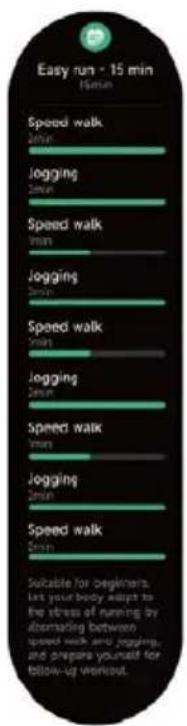
text_image Easy run - 15 min (4min) Speed walk Jogging Speed walk Jogging Speed walk Jogging Speed walk Jogging Speed walk Jogging Speed walk Suitable for Beginners. Let your body adapt to the stress of running by alternating between speed walk and jogging, and prepare yourself for follow-up workout.

Prixton SWB33 - Introducción - 3

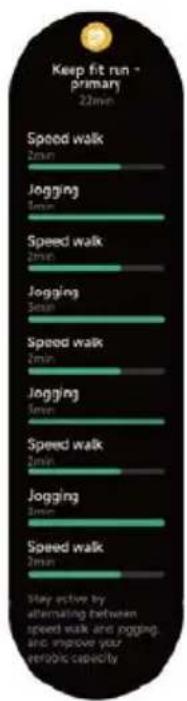
text_image Keep fit run - primary 22min Speed walk 2min Jogging 5min Speed walk 2min Jogging 5min Speed walk 2min Jogging 5min Speed walk 2min Jogging 5min Speed walk 2min Stay active by alternating between speed walk and jogging, and improve your etrologic capacity

Prixton SWB33 - Introducción - 4

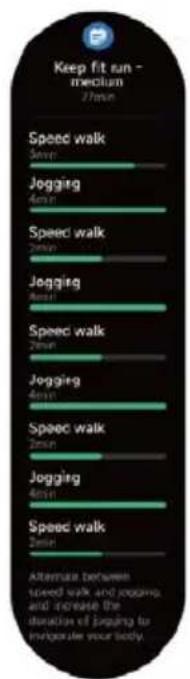
text_image Keep fit run - medium 27min Speed walk 7min Jogging 4min Speed walk 2min Jogging 8min Speed walk 2min Jogging 4min Speed walk 2min Jogging 4min Speed walk 2min After next between speed walk and jogging, and increase the duration of jogging to incorporate your body.

Prixton SWB33 - Introducción - 5

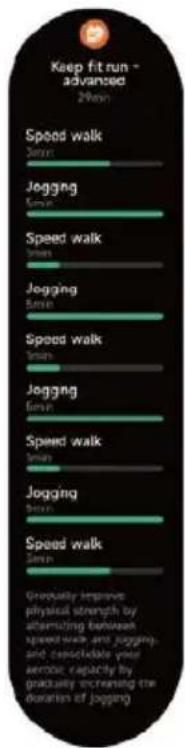
text_image Keep fit run - advanced 2-min Speed walk Spin Jogging Spin Speed walk Spin Jogging Spin Speed walk Spin Jogging Spin Speed walk Spin Jogging Spin Speed walk Spin Gradually improve physical strength by alternating between speed walk and jogging and consolidate your aerobic capacity by gradually increasing the duration of jogging
text_image Activity Workout status Running courses

Prixton SWB33 - Introducción - 6

text_image Workout record

3.1 Voz de IA

text_image Tap and speak

Prixton SWB33 - Voz de IA - 1

text_image Listening

Prixton SWB33 - Voz de IA - 2

text_image Bluetooth disconnected

Prixton SWB33 - Voz de IA - 3

text_image Enable from phone's settings

3.2 Teléfono

Prixton SWB33 - Teléfono - 1

text_image Favourite Contacts Call history Keypad Favourite Conta Dennis 13805389200 Call history Dennis 12:30 Betty 22/05/2023 1 2 3 4 5 6 7 8 9 #* 0+
bar | Metric | Value | | ---------------- | --------- | | Steps | 8750 steps | | Calories | 108 kcal | | Medium to high | 12 min | | Standing | 7 hrs |
other | Metric | Value | |---|---| | VO2 max | 65 | | Recovery time | 01:30:06 | | AE effect | 3.2 | | Normal training available | Normal training available |
text_image SpO2 Please remain stationary 95% 12AM 0 12PM 0 Wear the watch correctly. Wear the watch tightly and retry.

3.7 Estrés

text_image Stress Please remain stationary 28 Relax 12AM 6 12PM 6 Wear the watch correctly. Wear the watch tightly and retry.
text_image Breath training 3min > Slow Breath settings Fast 2 Moderate 3 min Slow 1 01:30 Inhale 01:38 Exhale

3.9 Sueño

text_image Please wear the watch to monitor the quality of your sleep. 7 h 30 min 23:00 07:20 Deep sleep 2 h 30 min Light sleep 3 h 30 min Awake 24 min REM 1 h 36 min Sleep score 86 Please check the detailed sleep data on the App side.

3.10 Tocar para medir

text_image Measuring 98% 98 bpm 90% 25 Relax Wear the watch correctly. Wear the watch tightly and retry.
text_image 08:30AM Stopwatch 00:00.00

Prixton SWB33 - Tocar para medir - 1

text_image 08:30AM 00:00.58 03 00:00.50 02 00:00.40 01 00:00.25

Prixton SWB33 - Tocar para medir - 2

text_image 08:30AM 00:05.58 99 00:50.50 98 00:04.40 97 00:04.25

3.14 Alarma

text_image Timer 00:02:00 00:10:00 00:15:00

Prixton SWB33 - Alarma - 1

text_image Customize 23 00 59 00:01:00 01 02 01

Prixton SWB33 - Alarma - 2

text_image 08:30AM 00:05:36
text_image Californian Clear 24°C 18°/26° 10 min ago AQI 26 Humidity 26 Precipitation 40% Wind force Force 8 UV index 6 High Mon 18°/26° Tue 18°/26° Wed 18°/26° Thu 18°/26° Fri 18°/26° Sat 18°/26°

3.18 Música

text_image Music Connect your Please go to the mobile app to turn on the music control switch first.
text_image Connect your phone. Please turn on the find phone function in the app.

3.20 Recordatorio de evento

text_image Create event reminders through the App. Event reminder Today 0AM Morning meeting 02/2022 9:30AM

.21 Protocolo del ciclo

text_image Please keep your Bluetooth connection, and turn on your phone camera.

3.23 Barómetro

text_image N 30° 20° 10° 0° Southwest S 8 m 40° 30° 20° 10° 0° Compass Please calibrate the compass by moving your watch around in a figure-8 pattern.
text_image Settings Watch faces > AOD settings > Sound and vibration > Display and brightness > App view > DND > Connect more > System > About > Display and bri Brightness 60% Screen-on time 5g Cover to sleep App view List Dialpad

4. Módulo recordatorio

text_image Dennis 08:23 Okay, I got it. I'll deal with it later. Close

Prixton SWB33 - Módulo recordatorio - 1

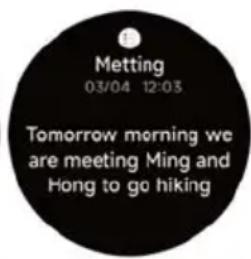
text_image Metting 03/04 12:03 Tomorrow morning we are meeting Ming and Hong to go hiking

Prixton SWB33 - Módulo recordatorio - 2

text_image Drink some water!

Prixton SWB33 - Módulo recordatorio - 3

text_image Move around!

5. Centro de Control

text_image Smartphone home control panel with icons for lights, alarm, battery, and smart speaker
text_image Air pressure hole Microphone Heart rate sensor Pressure relief hole Speaker Magnetic charging contacts

Getting started

  1. Open the package and check its content.

  2. Delivery content:

1) SWB33 smart watch (with built-in lithium battery);

2) user manual;

3) original charging cable.

  1. Charge the watch to activate and turn it on before first use. To charge, simply connect the magnetic charging cable to the charging contacts located on the back of the watch.

  2. Search for "veryfit" on the App Store, Google Play or scan the QR code to download and install the app.

  3. Log in to the app and set your personal information, as well as your step and weight goals.

Prixton SWB33 - Getting started - 1

text_image QR code with a central orange square logo containing a white checkmark symbol.
  1. On the "Device" interface, tap the "+" icon in the upper right corner, your phone starts searching. From the device list found, choose your smart watch name to pair with. You may also link the device directly by scanning the device's QR code using the scan function.

Health

Watch

  1. The watch will automatically record your data.
  2. You can measure your heart rate, blood oxygen, stress level and body energy on the watch, or turn on automatic measurement of heart rate, blood oxygen, stress level and sleep on the app to track these data the whole day. You can manually or make the watch automatically monitor your health status continuously.
  3. To start an exercise:
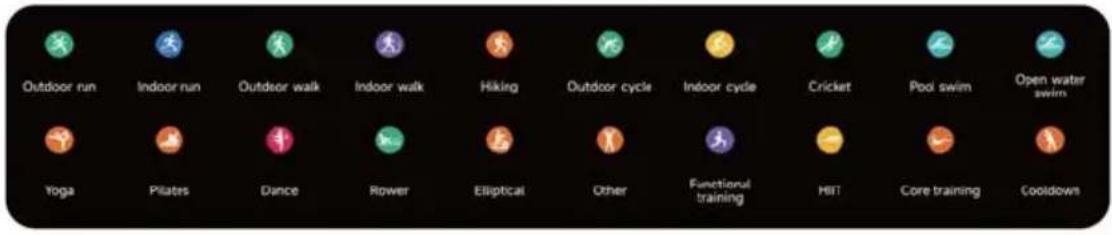
    1) When the watch face interface is displayed, press the up button shortly to access the application list. Tap the Workout icon to access the icons of different exercise types, then tap the icon of an exercise (such as Outdoor Running) to start the exercise.
    2) The watch can display up to 20 exercise types by default. You can add or delete the exercise types displayed on the watch or change their order.

APP

  1. Start"veryfit", enable the Bluetooth feature, and grant the GPS positioning permission;
  2. Light up the bracelet screen and bring it close to your phone;
  3. Click the "+"icon on the App, and select the smart watch model in the search results to bind;
  4. Confirm the binding request on the smart watch:
  5. Fill in your information and set your step goal on the App to complete the binding.

Basic Operations

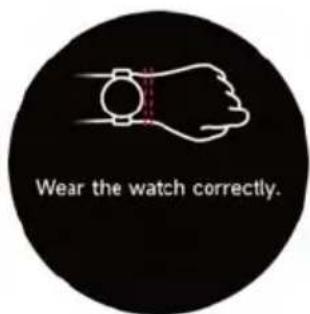
  1. Wear the watch correctly: ensure that your watch is at least one finger above your wrist bone and that the sensor on the back touches your skin.

  2. Screen operation: SWB33 has a full touch screen, which supports operations including short tap, swipe left/right and swipe up/down.

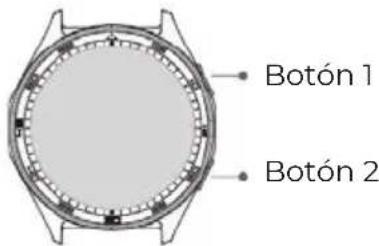
  3. Button operation: This product has two buttons; which supports "short press" and "long press" operations. Press the up button shortly: return to the home screen and light up when the screen is off. Press the down button shortly: light up the screen when it is off and go to the sports list when it is on. Long press the up button: turn the watch on and 8 seconds to hard reboot. Long press the down button: 5 seconds to enter the off-restart screen.

Function Description

1. Watch face

The watch comes with 4 watch faces by default. You can switch between them manually on the watch or on the veryfit app's watch face settings. You can also customize the watch face on the app. More watch faces are available for download from the "Watch Face Market".

2. Workout

a) Up to 20 exercise types can be displayed by default: Outdoor run, Indoor run, Outdoor walk, Indoor walk, Hiking, Outdoor ycle, Indoor cycle, Cricket, Pool swim, Open water swim, Yoga, Dance, Rower, Elliptical, Workout, HIIT, Functional strength training, Core training, Pilates, Cooldown. You can add or delete the exercise types or change their order displayed on the watch. There are a total of 110 exercise types to choose from on the app.
Prixton SWB33 - Workout - 1

text_image Outdoor run Indoor run Outdoor walk Indoor walk Hiking Outdoor cycle Indoor cycle Cricket Pool swim Open water swim Yoga Pilates Dance Rower Elliptical Other Functional training HIT Core training Cooldown

b) SWB33 supports intelligent exercise recognition. It can recognize whether the user is running/walking/rowing

/elliptical. It supports automatically pausing an exercise or reminding when an exercise ends. This feature can be turned on/off on the watch.

c) SWB33 summary of exercise contains various exercise data, which can be checked on the veryfit app.

d) You can view your recent exercise records on the watch, including detailed data about your exercise; you can also view the exercise records on the APP.

e) Connect to GPS outdoor sports, you can go to the App to view GPS tracks after the exercise is completed.

2.1 Running courses

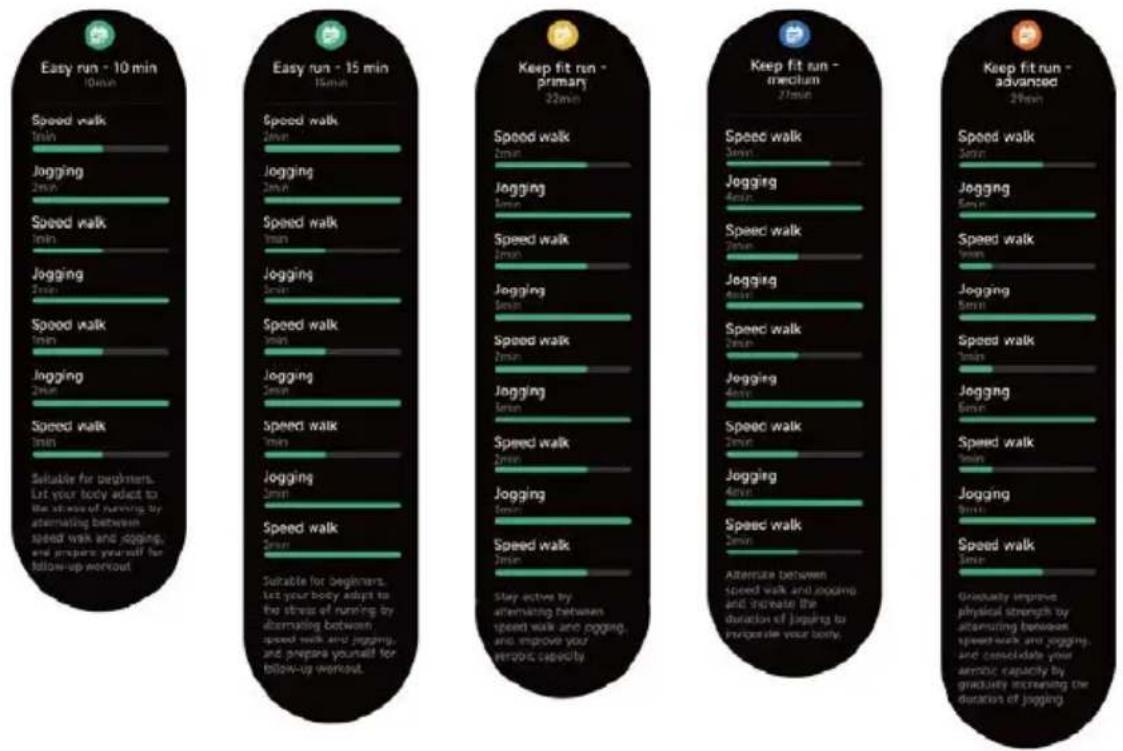
Set exercise heart rate zones scientifically for different ages. Gradually improve it by alternating between running and walking.
Prixton SWB33 - Running courses - 1

text_image Easy run - 10 min 10min Speed walk 2min Jogging 2min Speed walk 1min Jogging 2min Speed walk 1min Jogging 2min Speed walk 1min Suitable for beginners. Let your body adapt to the stress of running by alternating between speed walk and jogging, and prepare yourself for billow-up workout Easy run - 15 min 15min Speed walk 2min Jogging 2min Speed walk 1min Jogging 2min Speed walk 1min Jogging 2min Speed walk 1min Jogging 2min Speed walk 1min Suitable for beginners. Let your body adapt to the stress of running by alternating between speed walk and jogging, and prepare yourself for billow-up workout. Keep fit run - primary 22min Speed walk 2min Jogging 2min Speed walk 2min Jogging 2min Speed walk 2min Jogging 2min Speed walk 2min Jogging 4min Speed walk 2min Jogging 4min Speed walk 2min Jogging 4min Speed walk 2min Jogging 4min Speed walk 2min Jogging 4min Speed walk 2min Jogging 4min Speed walk 2min Jogging 4min Speed walk 2min Jogging 4min Speed walk 2min Athersee between speed walk and jogging, and improve the duration of jogging to improve your body. Keep fit run - mccutum 27min Speed walk 2min Jogging 6min Speed walk 2min Jogging 6min Speed walk 2min Jogging 6min Speed walk 2min Jogging 6min Speed walk 2min Jogging 6min Speed walk 2min Jogging 6min Speed walk 2min Keep fit run - advanced 29min Speed walk 3min Jogging 3min Speed walk 3min Jogging 3min Speed walk 3min Jogging 3min Speed walk (3min) Jogging (3min) Speed walk (3min) Jogging (3min) Speed walk (3min) Jogging (3min) Speed walk (3min) Gradually improve physical strength by alternating between speed walk and jogging, and consolidate your aerobic capacity by gradually increasing the duration of jogging.

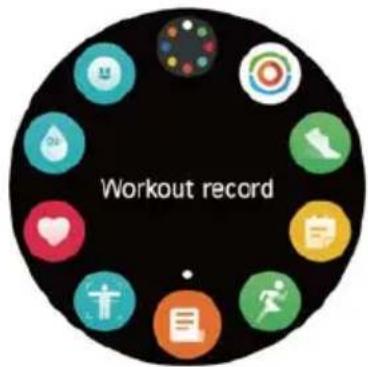
3. Application list

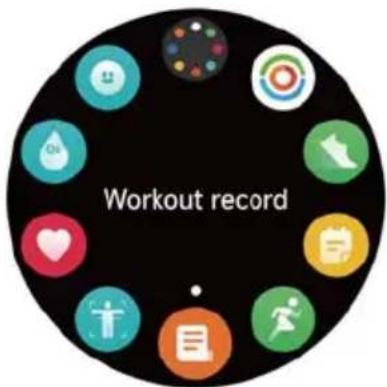
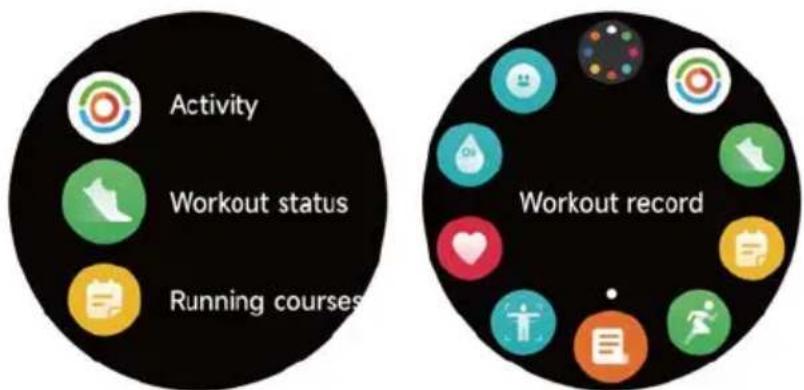
When the watch face interface is displayed, short press the physical button above to go to the application list :

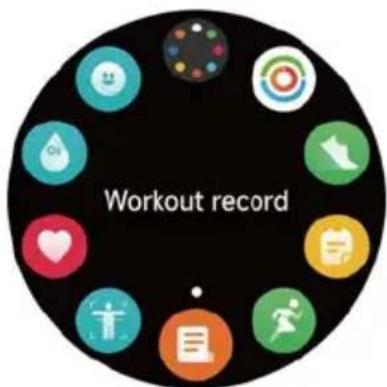
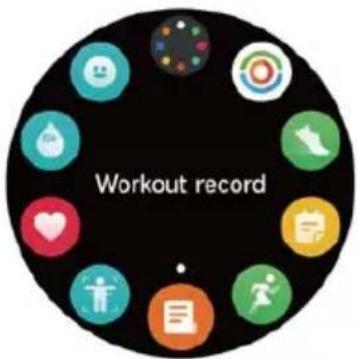
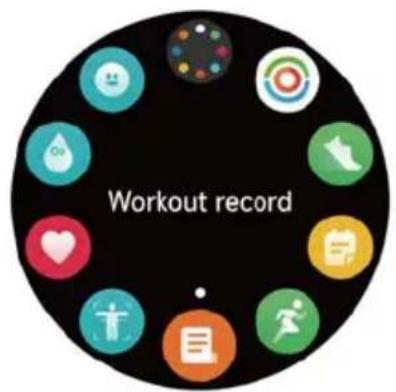
Activity, Workout status, Running courses, Workout, Workout record, Push for measurement, Heart rate, SpO2, Stress, Body energy, Sleep, Breath training, Cycle tracking, Ambient sound, Phone, AI Voice, Barometer, Compass, The pomodoro technique, Event reminder, Weather, Music, Camera, Alarm, Timer, Stopwatch, World clock, Find phone, Flashlight, Settings.

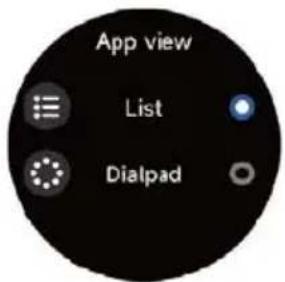
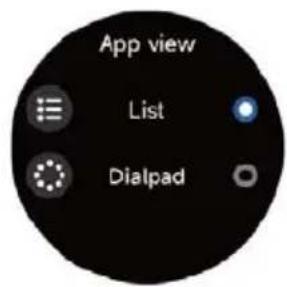
You can select the application list view in the settings, which supports both list and dialpad display methods.
Prixton SWB33 - Application list - 1

text_image Activity Workout status Running courses Workout record

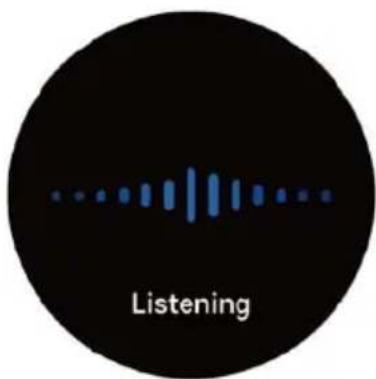
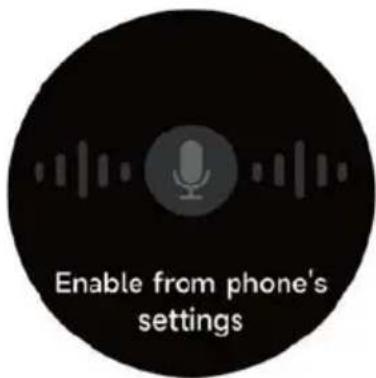
3.1 AI Voice

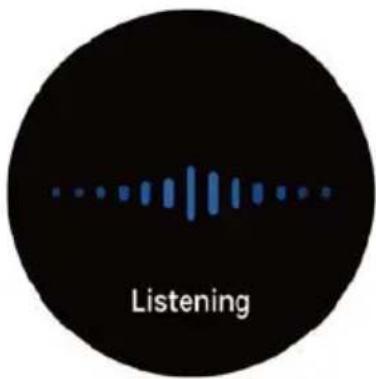
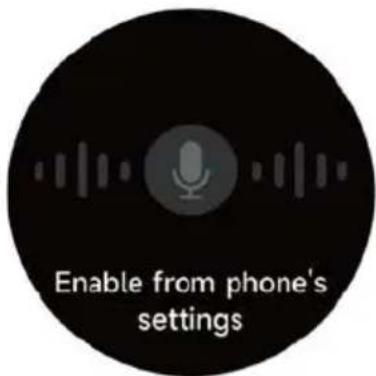
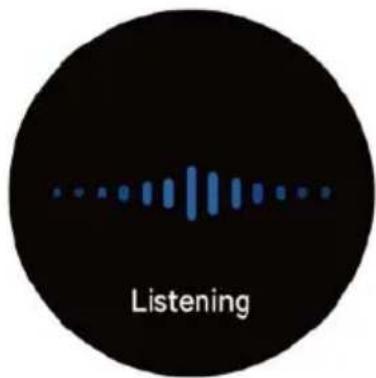
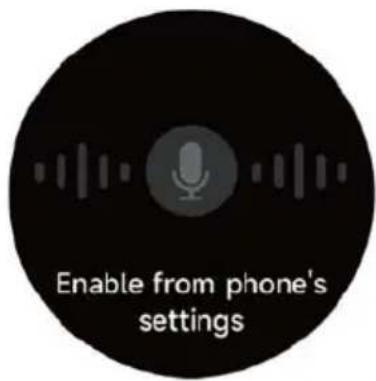
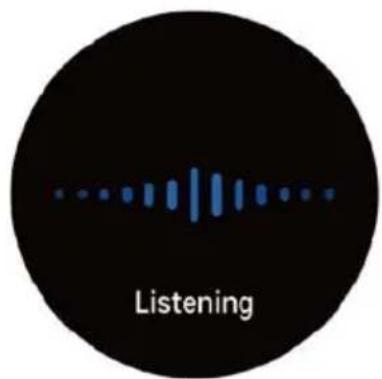
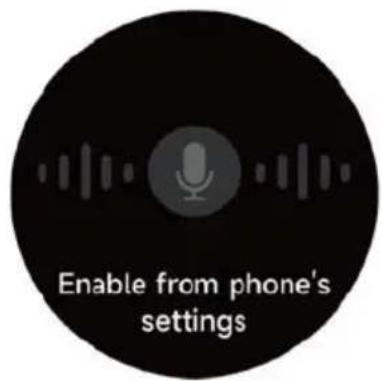
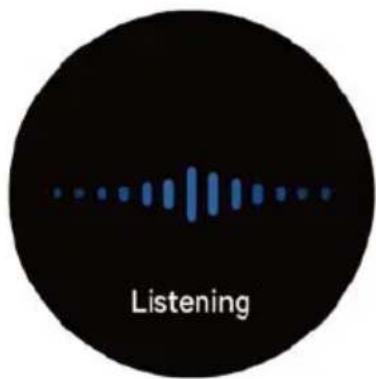
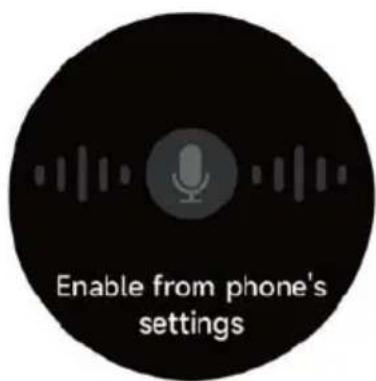
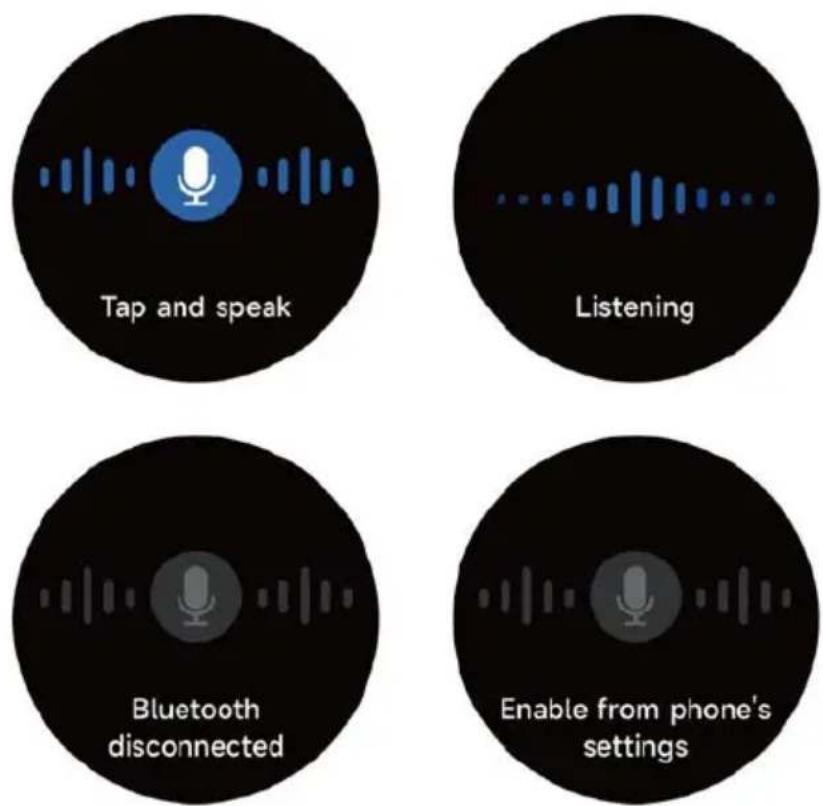
You can send voice commands to the voice assistants of the mobile phone, such as Siri and Google Assistant through AI Voice, and let the mobile phone respond to voice commands. When the voice assistant of the mobile phone is recognized, the recognition results will be synchronized to the watch.
Prixton SWB33 - AI Voice - 1

text_image Tap and speak Listening Bluetooth disconnected Enable from phone's settings

3.2 Phone

Prixton SWB33 - Phone - 1

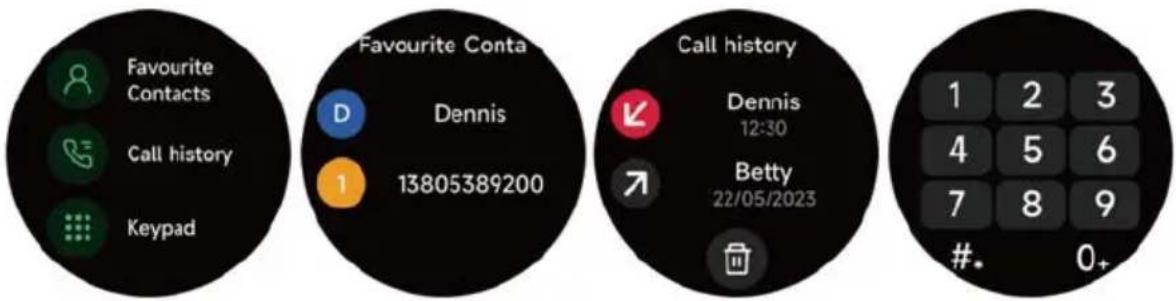
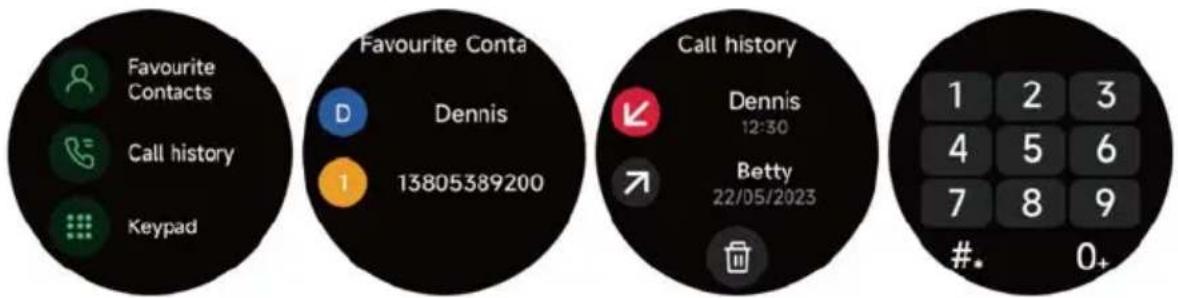
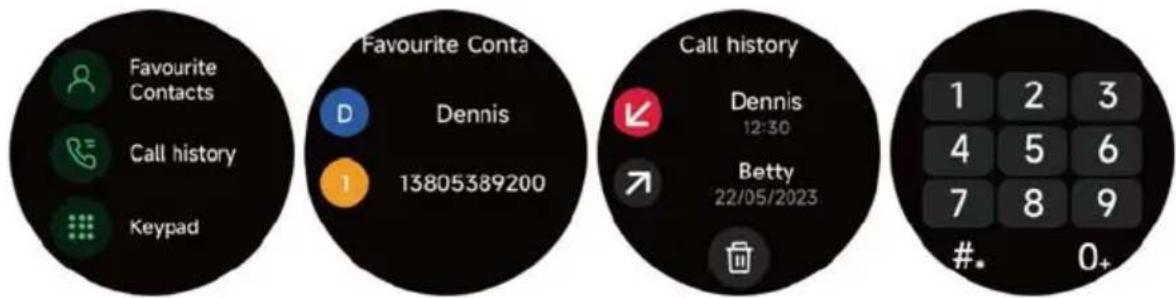
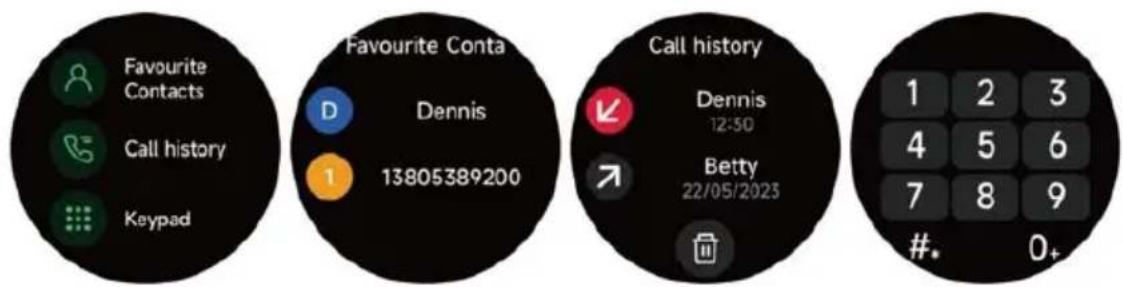
text_image Favourite Contacts Call history Keypad Favourite Conta Dennis 13805389200 Call history Dennis 12:30 Betty 22/05/2023 1 2 3 4 5 6 7 8 9 #* 0+
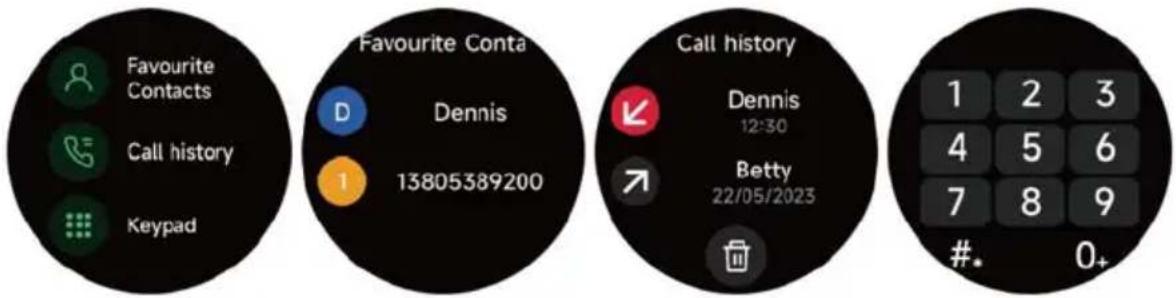
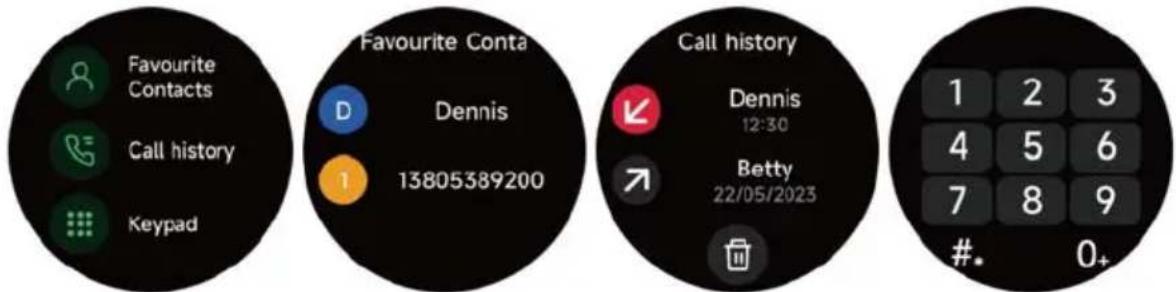
  1. You can add up to 10 frequent contacts to your watch through the app, then call these contacts on your watch.
  2. You can view recent call history on your watch and call the numbers displayed in the call history.
  3. You can make calls through the watch's dialer.

3.3 Activity

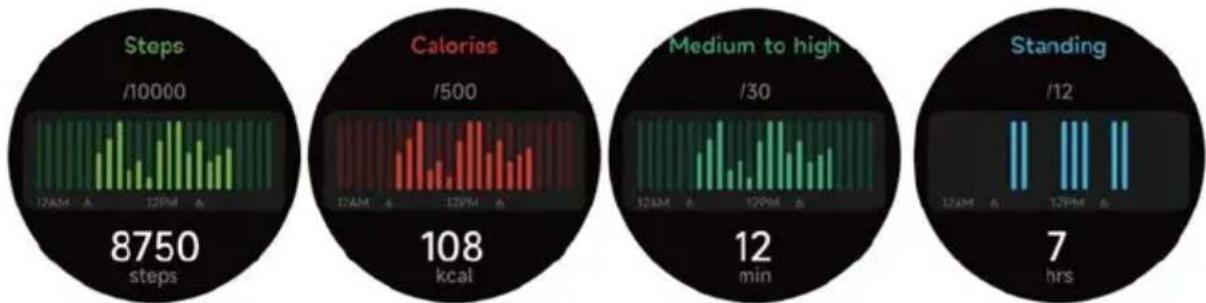
The watch can collect and display: Steps/Calories/Medium to high intensity/Standing data and goals of the day, histogram of Steps/Calories/Medium to high intensity/Standing data per hour throughout the day, Steps and Distance of the day, Recovery Time and Maximal Oxygen Uptake for the latest Exercise, etc.
Prixton SWB33 - Activity - 1

bar | Metric | Value | | --------------- | --------- | | Steps | 8750 steps | | Calories | 108 kcal | | Medium to high | 12 min | | Standing | 7 hrs |

3.4 Workout status

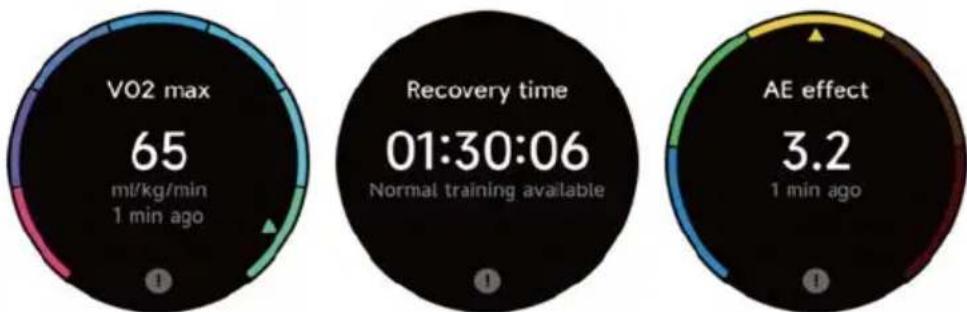
You can see the Vo2max, cardio training effect of your most recent workout, and the time it takes for your body to recover to your best state in Exercise Status.
Prixton SWB33 - Workout status - 1

gauge | Metric | Value | |---|---| | VO2 max | 65 | | Recovery time | 01:30:06 | | AE effect | 3.2 | | Normal training available | 1 min ago |

3.5 Heart rate

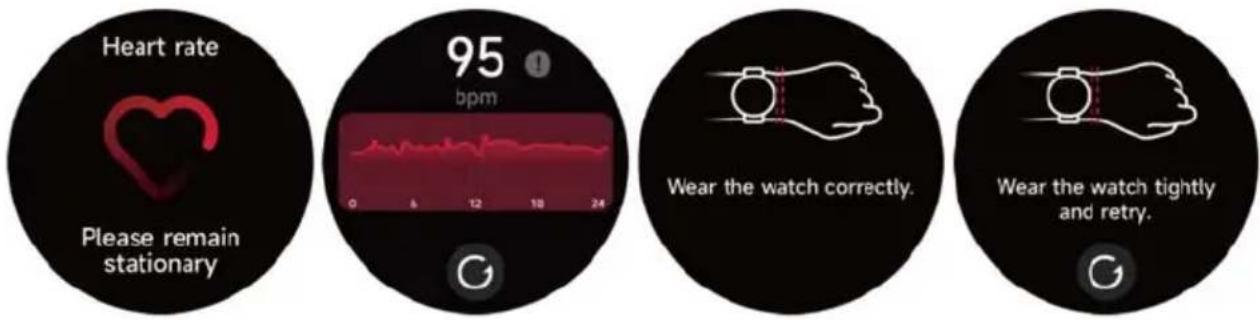
  1. You can manually measure the heart rate on the watch. In the APP settings, you can turn on/off the intelligent round-the-clock monitoring of the heart rate, or view the heart data.
  2. Each time heart rate is measured, keep your arm and wrist still and wait patiently until the measurement finishes.
Prixton SWB33 - Heart rate - 1

text_image Heart rate Please remain stationary 95 bpm Wear the watch correctly. Wear the watch tightly and retry.

3.6 SpO2

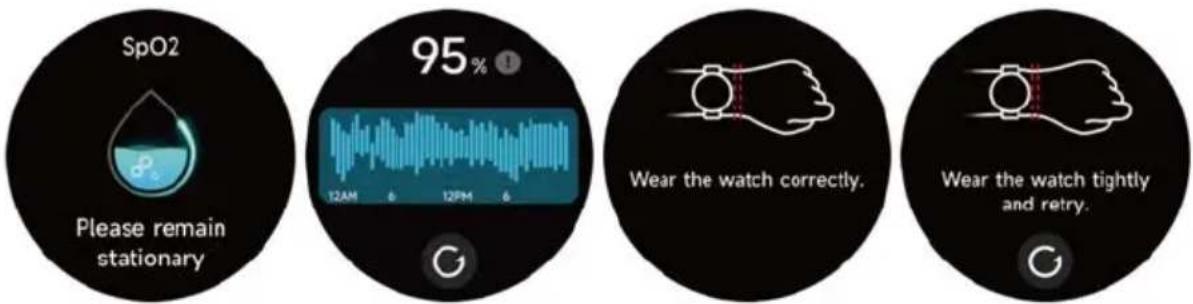
  1. You can manually measure SPO2 on the watch. In addition, the watch supports automatic around-the-clock SPO2 monitoring. In the APP settings, you can turn on/off this function, or view the SPO2 data.
  2. Each time blood oxygen is measured, keep your arm and wrist still and wait patiently until the measurement finishes.
Prixton SWB33 - SpO2 - 1

text_image SpO2 Please remain stationary 95% 12AM 6 12PM 6 Wear the watch correctly. Wear the watch tightly and retry.

3.7 Stress

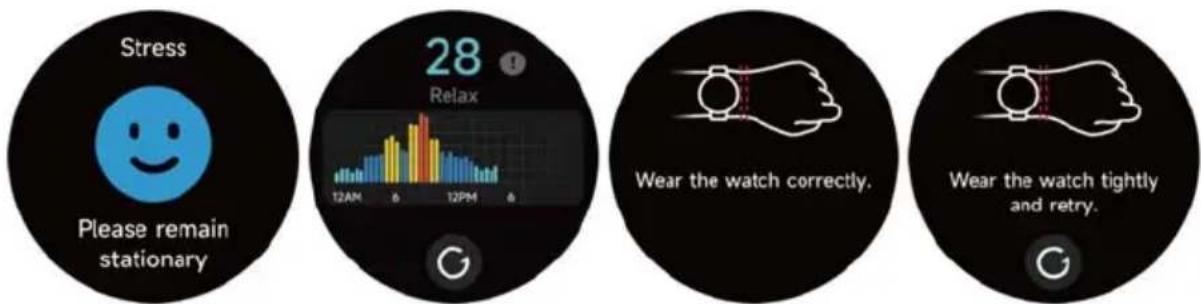
  1. You can manually measure stress on the watch. In addition, the watch supports automatic around-the-clock stress monitoring. In the APP settings, you can turn on/off this function, or view the stress data.
  2. Each time stress is measured, keep your arm and wrist still and wait patiently until the measurement finishes.
Prixton SWB33 - Stress - 1

text_image Stress Please remain stationary 28 Relax 12AM 6 12PM 6 Wear the watch correctly. Wear the watch tightly and retry.

3.8 Breathe training

  1. Click Breath training icon to access this feature. you can choose the duration, it helps adjust your breathing;
  2. Click Start to directly enter the breath training animation. Follow the vibration and animation frequency to adjust your breathing. Reasonable breath training can help soothe your emotions.
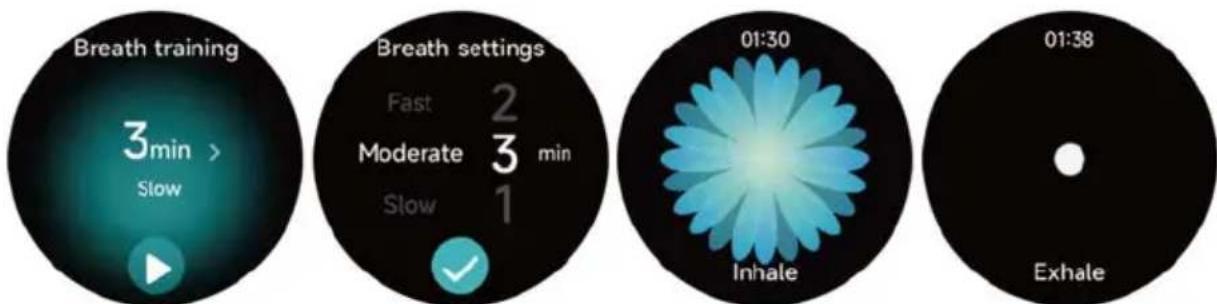
Prixton SWB33 - Breathe training - 1

text_image Breath training 3min > Slow Breath settings Fast 2 Moderate 3 min Slow 1 01:30 Inhale 01:38 Exhale

3.9 Sleep

You can view the most recent sleep record and sleep status at each stage.

Prixton SWB33 - Sleep - 1

text_image Please wear the watch to monitor the quality of your sleep. 7 h 30 min 23:00 107:20 Deep sleep 2 h 30 min Light sleep 3 h 30 min Awake 24 min REM 1 h 36 min Sleep score 86 Please check the detailed sleep data on the App side.

3.10 Push for measurement

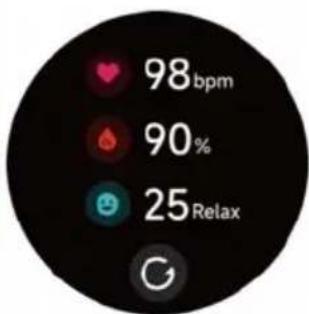
  1. Heart rate, pressure, and blood oxygen can be measured imultaneously within 35 seconds.
  2. Every time you measure, keep your arm and wrist still and wait patiently until the measurement finishes.
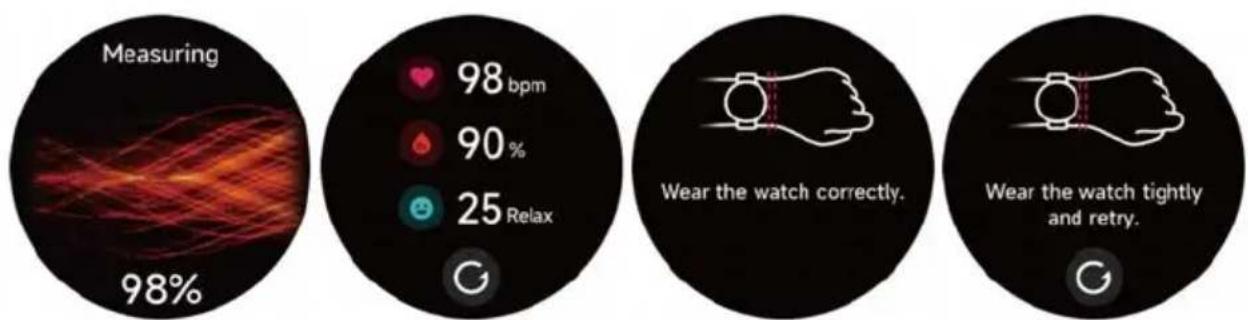
Prixton SWB33 - Push for measurement - 1

text_image Measuring 98% 98 bpm 90% 25 Relax Wear the watch correctly. Wear the watch tightly and retry.

3.11 Body energy

If you wear the watch and enable body energy in the App, the watch will measure your body energy automatically. If your body energy is too low or dropping too fast, it will remind you to rest.
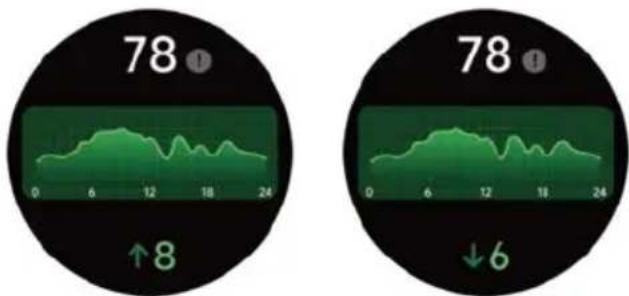
Prixton SWB33 - Body energy - 1

line | Time | Value | |------|-------| | Left | 78 | | Right| 78 |

3.12 Ambient sound

  1. You can manually measure noise on the watch. In addition, the watch supports automatic around-the-clock noise monitor. In the APP settings, you can turn on/off this function, or view the corresponding data.
  2. Each time noise is measured, keep your arm and wrist still and wait patiently until the measurement finishes.
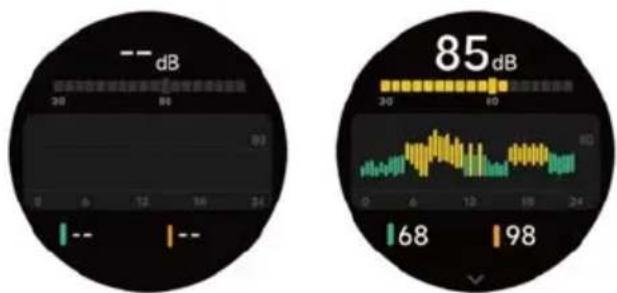
Prixton SWB33 - Ambient sound - 1

line | Signal | Value | |---|---| | dB | 85 | | 30 | 68 | | 98 | 98 |

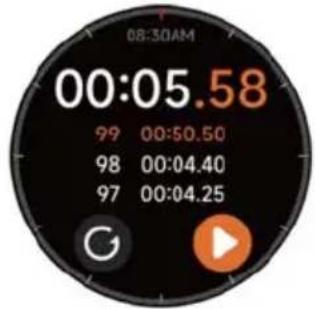
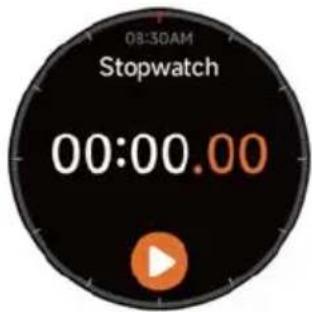
3.13 Stopwatch

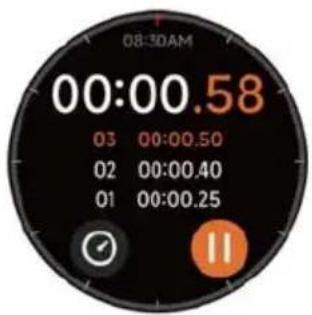
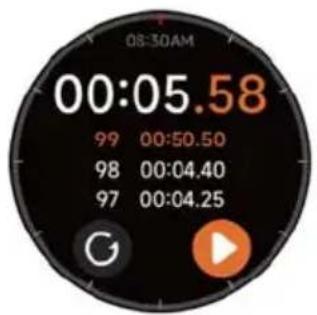
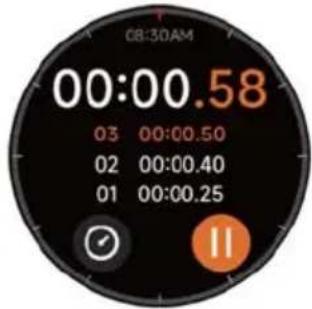
Use the watch as a stopwatch. The stopwatch has a "Lap" function.
Prixton SWB33 - Stopwatch - 1

text_image 08:30AM Stopwatch 00:00.00

Prixton SWB33 - Stopwatch - 2

text_image 08:30AM 00:00.58 03 00:00.50 02 00:00.40 01 00:00.25

Prixton SWB33 - Stopwatch - 3

text_image 08:30AM 00:05.58 99 00:50.50 98 00:04.40 97 00:04.25

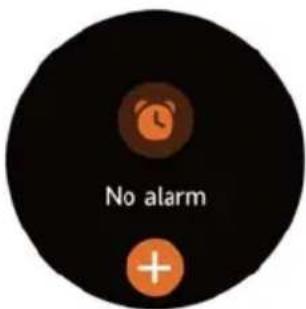
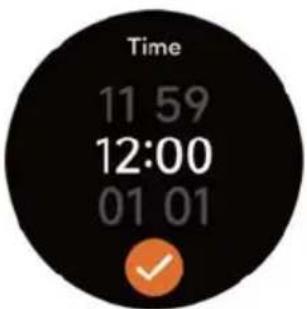
3.14 Alarm

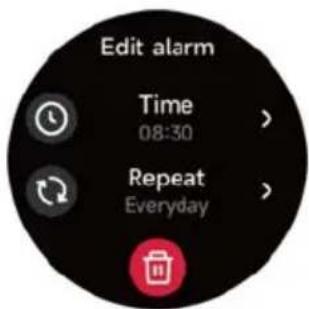
  1. You can add, delete an alarm, or turn the alarm on/off on the watch, and also set an alarm for the watch via the app.
  2. You can set the alarm delay time and times in the APP to decide how long you want to delay and how many times to delay.
Prixton SWB33 - Alarm - 1

text_image No alarm

Prixton SWB33 - Alarm - 2

text_image Time 11 59 12:00 01 01

Prixton SWB33 - Alarm - 3

text_image Edit alarm Time 08:30 > Repeat Everyday >

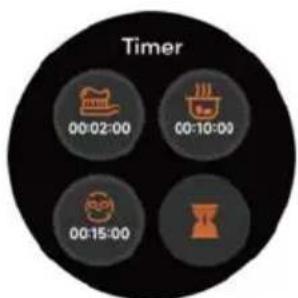
3.15 Timer

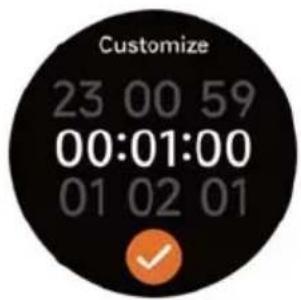
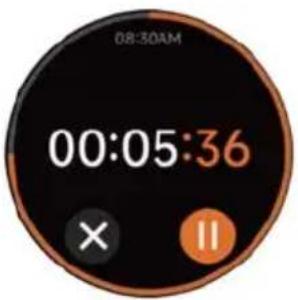
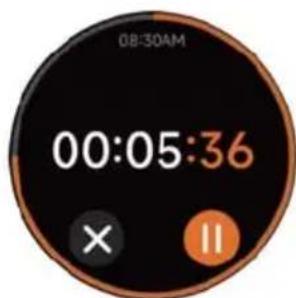
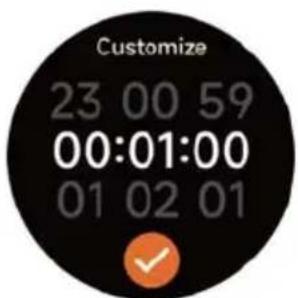
You can set a timer with a preset duration on the watch, and the timer will remind you when the timer expires; you can customize the timer time.
Prixton SWB33 - Timer - 1

text_image Timer 00:02:00 00:10:00 00:15:00

Prixton SWB33 - Timer - 2

text_image Customize 23 00 59 00:01:00 01 02 01

Prixton SWB33 - Timer - 3

text_image 08:30AM 00:05:36 × II

3.16 World clock

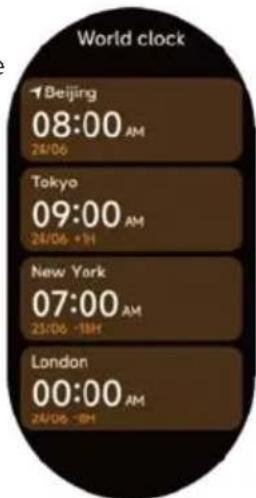
You can check the time in your city on the watch, and set on the APP the time in cities of other countries to be displayed on the watch.
Prixton SWB33 - World clock - 1

text_image World clock Beijing 08:00 AM 24/06 Tokyo 09:00 AM 24/06 -1H New York 07:00 AM 25/06 -18H London 00:00 AM 24/06 -8H

3.17 Weather

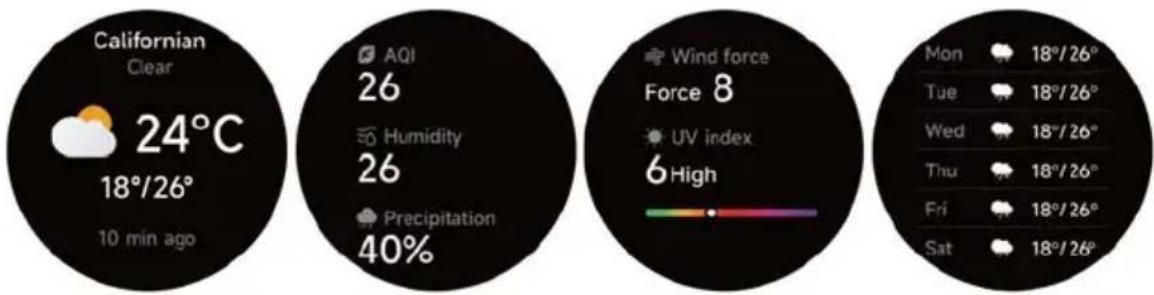
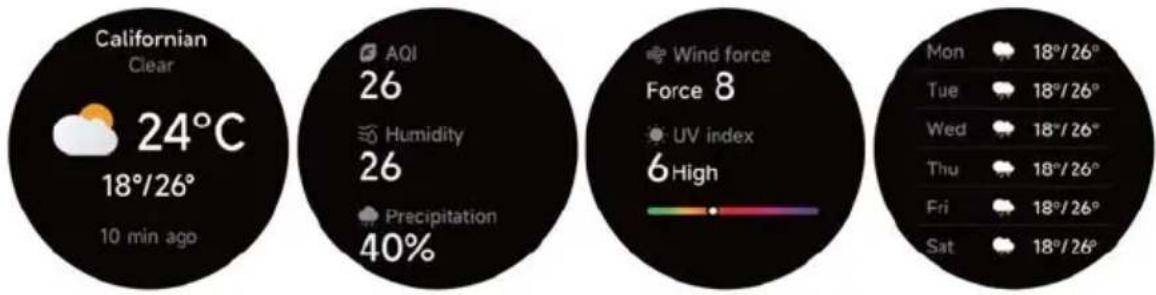
Supports Current city Seven-day weather viewing, you can view today's "current weather, highest and lowest weather values" and the "highest and lowest weather values" for the next six days.
Prixton SWB33 - Weather - 1

text_image Californian Clear 24°C 18°/26° 10 min ago AQI 26 Humidity 26 Precipitation 40% Wind force Force 8 UV index 6 High Mon 18°/26° Tue 18°/26° Wed 18°/26° Thu 18°/26° Fri 18°/26° Sat 18°/26°

3.18 Music

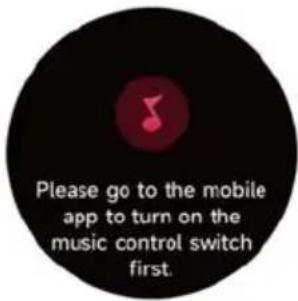
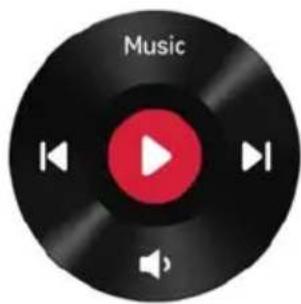
  1. When the watch is connected to the APP, you can control the mobile music player to perform the functions of "next, previous", "play/pause" and "volume increase and decrease".
  2. This function can be open/close in the APP settings.
Prixton SWB33 - Music - 1

text_image Music

Prixton SWB33 - Music - 2

text_image Connect your

Prixton SWB33 - Music - 3

text_image Please go to the mobile app to turn on the music control switch first.

3.19 Find phone

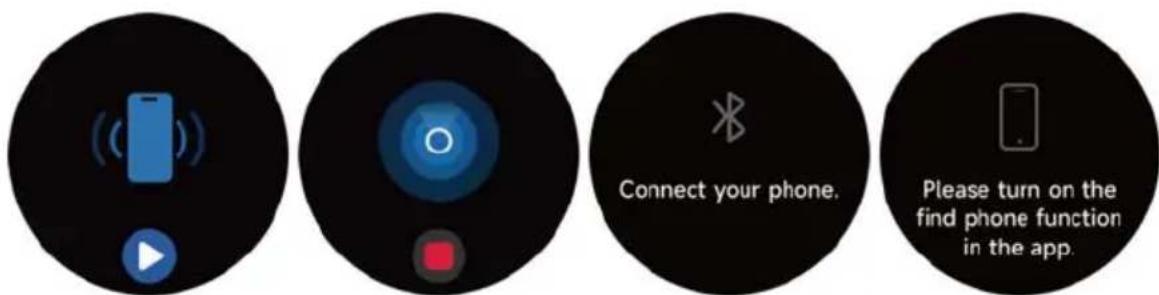
  1. When the watch is connected to the APP, you can make your phone ring.
  2. Click the icon to end the ringing.
  3. This function can be open/close in the APP settings.

Prixton SWB33 - Find phone - 1

text_image Connect your phone. Please turn on the find phone function in the app.

3.20 Event reminder

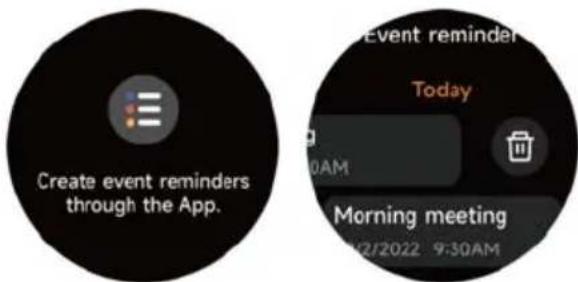
You can set a reminder, reminder time on the APP. Once the setting is completed, the reminder will be synchronized to the watch. When the reminder is due, a notification will pop up on the watch. You can view all event reminders set on the watch.
Prixton SWB33 - Event reminder - 1

text_image Create event reminders through the App. Event reminder Today 0AM Morning meeting 02/2022 9:30AM

3.21 Cycle tracking

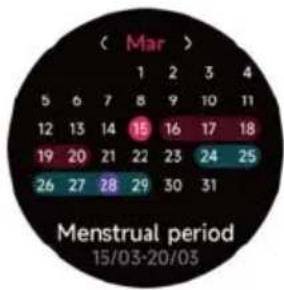
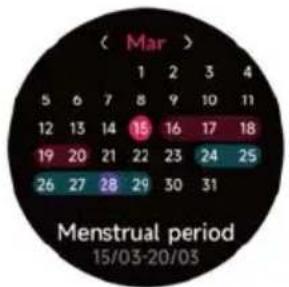
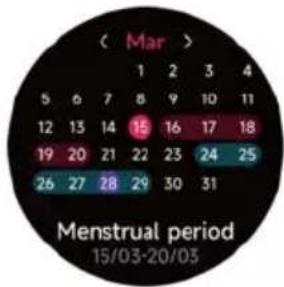
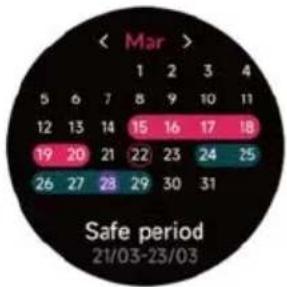
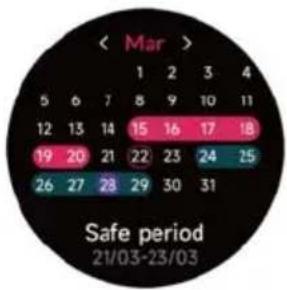
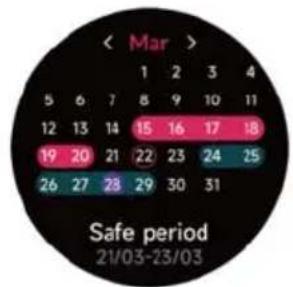
After opening Cycle tracking on the APP, the watch will display the cycle tracking function options, and set the cycle length, reminder time and other options, and the time will be reminded periodically.
Prixton SWB33 - Cycle tracking - 1

text_image Log cycle details in the App.

Prixton SWB33 - Cycle tracking - 2

other ( Mar ) | Month | 1 | 2 | 3 | 4 | |---|---|---|---|---| | 5 | 6 | 7 | 8 | 9 | | 12 | 13 | 14 | 15 | 16 | | 19 | 20 | 21 | 22 | 23 | | 26 | 27 | 28 | 29 | 30 | Menstrual period 15/03-20/03
Prixton SWB33 - Cycle tracking - 3

text_image < Mar > 1 2 3 4 5 6 7 8 9 10 11 12 13 14 15 16 17 18 19 20 21 22 23 24 25 26 27 28 29 30 31 Safe period 21/03-23/03

3.22 Camera

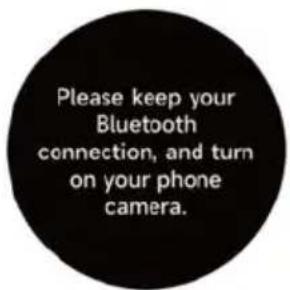
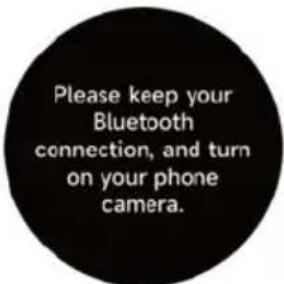
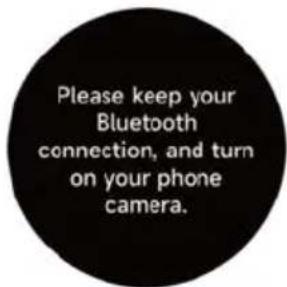
When the watch is connected to the App, you can manually turn on the phone's system camera to control taking photos.

Prixton SWB33 - Camera - 1

natural_image Circular dark image with a glowing blue ring and a small square at the center (no text or symbols)
Prixton SWB33 - Camera - 2

text_image Please keep your Bluetooth connection, and turn on your phone camera.

3.23 Barometer

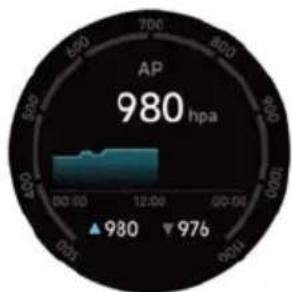
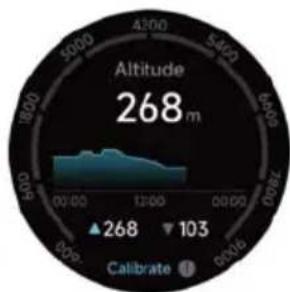
You can view the barometric pressure and altitude values of your current location.
Prixton SWB33 - Barometer - 1

geo | Value | |---| | 980 hpa | | 976 |
Prixton SWB33 - Barometer - 2

text_image Altitude 268 m 268 103 Calibrate 1

3.24 Compass

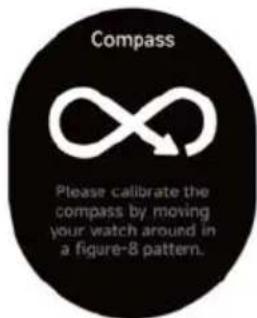
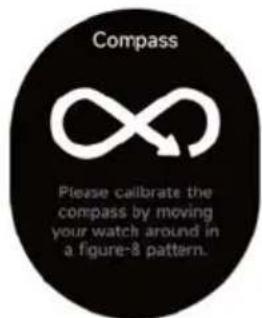
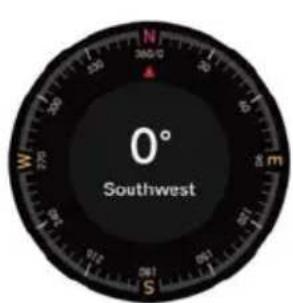
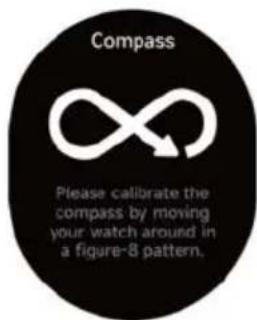
This module can help find your way accurately in the outdoors. When you access the Compass page for the first time, or the sensor is disturbed or demonstrates a large deviation, the compass calibration window will pop up and guide you to calibrate the compass.
Prixton SWB33 - Compass - 1

text_image 0° Southwest

Prixton SWB33 - Compass - 2

text_image Compass Please calibrate the compass by moving your watch around in a figure-8 pattern.

3.25 The pomodoro technique

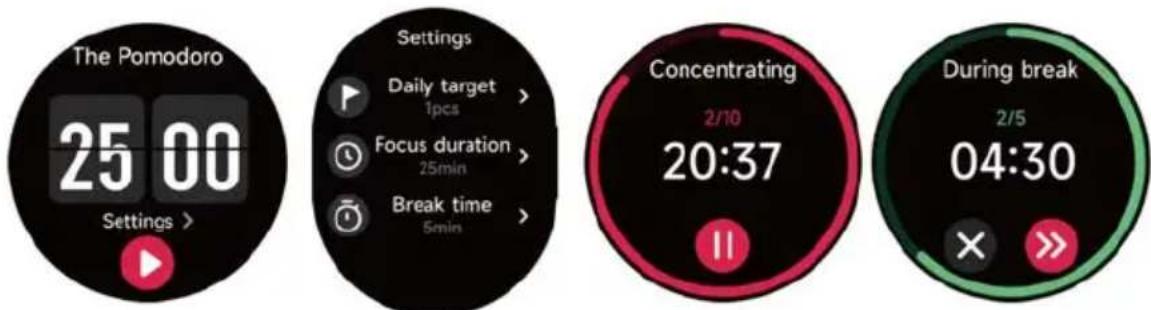
You can set the length of individual Pomodoro clocks, the rest time after the Pomodoro clock is completed, and the daily target Pomodoro number on your watch, and when you complete the target Pomodoro for the day, you will be reminded that you have reached your goal.
Prixton SWB33 - The pomodoro technique - 1

text_image The Pomodoro 25 00 Settings > Daily target 1pcs > Focus duration 25min > Break time 5min > Settings Concentrating 2/10 20:37 During break 2/5 04:30

3.26 Settings

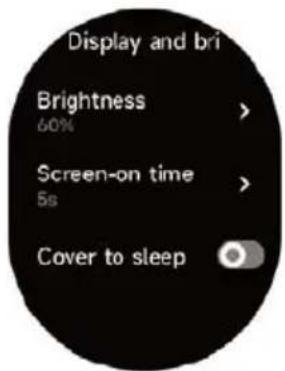
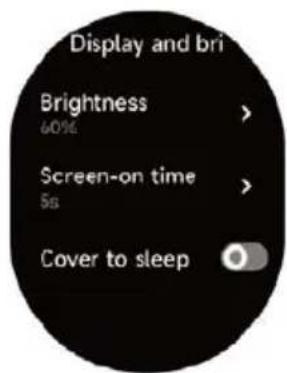
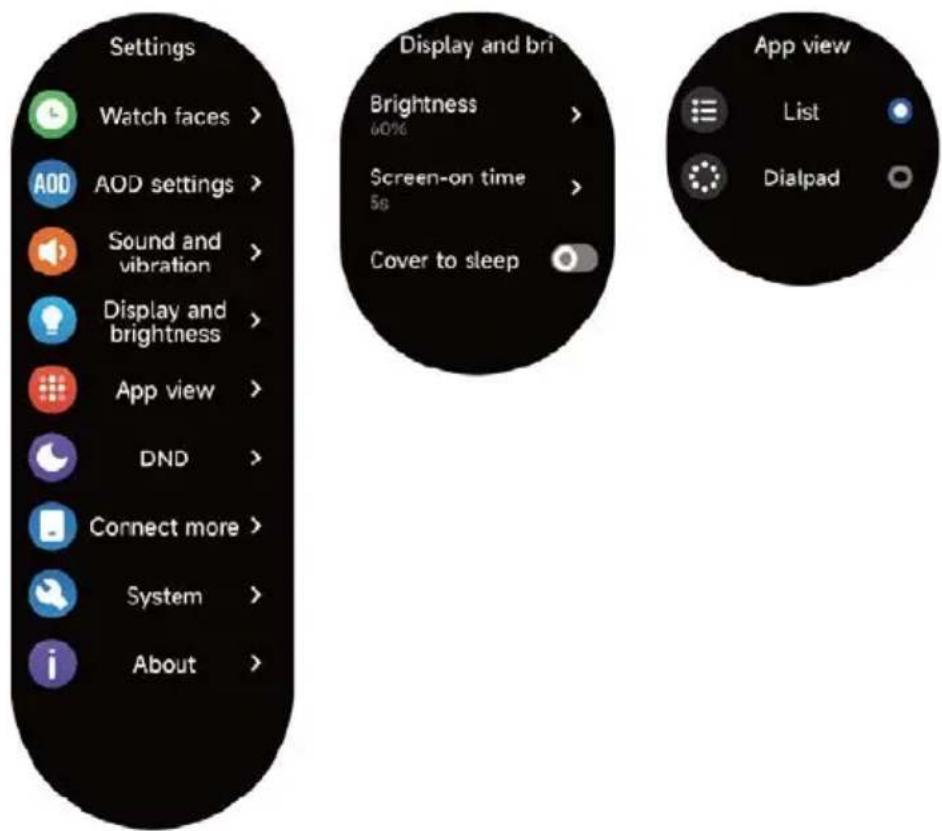
  1. In the watch's settings, you can set the screen-on time, ringtone volume and vibration, etc.
  2. In the watch's settings, you can also shut down, restart or reset the watch (once reset, all data stored in the watch will be cleared, and the watch will be unpaired from your phone).
Prixton SWB33 - Settings - 1

text_image Settings Watch faces > AOD settings > Sound and vibration > Display and brightness > App view > DND > Connect more > System > About > Display and bri Brightness 60% Screen-on time 5g Cover to sleep App view List Dialpad

4. Reminder module

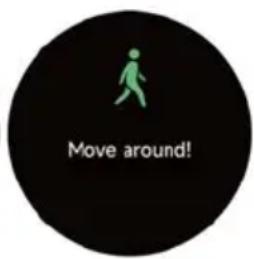
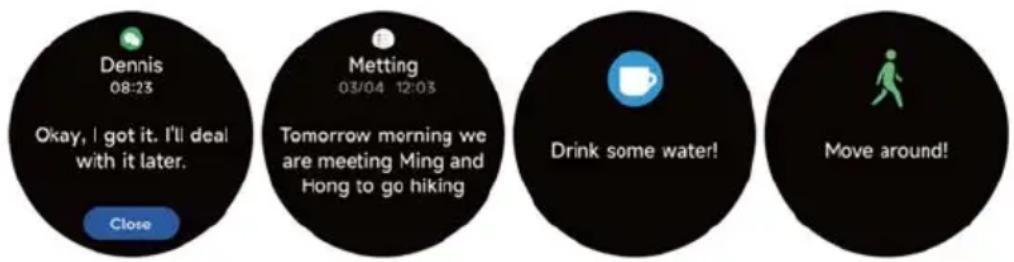
The watch supports multiple reminder modes, including message reminder, incoming call reminder, walking reminder, drinking reminder, exercise goal reminder, exercise center rate warning reminder, etc.
Prixton SWB33 - Reminder module - 1

text_image Dennis 08:23 Okay, I got it. I'll deal with it later. Close Metting 03/04 12:03 Tomorrow morning we are meeting Ming and Hong to go hiking Drink some water! Move around!

5. Control center

Control center gives you an easy way to turn on functions such as Do Not Disturb, raise to Wake, set the screen brightness, find my phone, turn your watch into a flashlight, etc.
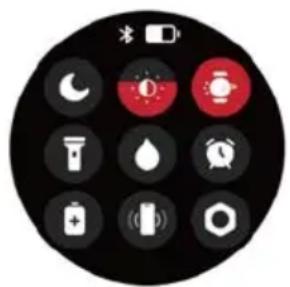
Prixton SWB33 - Control center - 1

text_image Circular device control panel with icons for lighting, battery, and alarm clock

Warranty policy

This product complies with the warranty law in force in the country of purchase. When you have a problem that you can not solve, you must access the web www.prixton.com and click on the contact option to send us your assistance form.

These technical and electrical specifications are those of typical units and may be changed without prior notice in order to provide improved equipment.

Simplified EU Declaration Of Conformity

We, La Trastienda Digital located in Avenida Cervantes 49, módulo 25, Basauri 48970, Bizkaia hereby declare that the following goods, imported and selling at European market:

BRANDMODEL NAME DESCRIPTIONCATEGORY
Prixton SWB33SmartwatchWearables

Are in compliance with the EC Council Directive of 2014/53/EU (EM DIRECTIVE) and harmonized standards and with the board of the 16th of April 2014.

The complete text of the UE Declaration of conformity is available anytime at this website address:

www.prixton.com

LA TRASTIENDA DIGITAL
text_image QR code with an orange square logo containing a white checkmark symbol in the center.
text_image Outdoor run Indoor run Outdoor walk Indoor walk Hiking Outdoor cycle Indoor cycle Cricket Pool swim Open water swim Yoga Pilates Dance Rower Elliptical Other Functional training HIT Core training Cooldown
text_image Easy run - 10 min 10min Speed walk 1min Jogging 2min Speed walk 1min Jogging 2min Speed walk 1min Jogging 2min Speed walk 1min Suitable for beginners. Let your body adapt to the stress of running by alternating between speed walk and jogging, and prepare yourself for follow-up workout Easy run - 15 min 15min Speed walk 2min Jogging 2min Speed walk 1min Jogging 2min Speed walk 3min Jogging 2min Speed walk 1min Jogging 2min Speed walk 2min Suitable for beginners. Let your body adapt to the stress of running by alternating between speed walk and jogging, and prepare yourself for follow-up workout. Keep fit run - primary 22min Speed walk 2min Jogging 4min Speed walk 2min Jogging 4min Speed walk 2min Jogging 4min Speed walk 2min Jogging 4min Speed walk 3min Jogging 4min Speed walk 3min Jogging 4min Speed walk 3min Jogging 4min Speed walk 3min Jogging 4min Speed walk 3min Jogging 4min Speed walk 3min Jogging 4min Speed walk 3min Jogging 4min Speed walk 3min Keep fit run - medium 27min Keep fit run - advanced 29min Speed walk 2min Jogging 6min Speed walk 1min Jogging 6min Speed walk 2min Jogging 4min Speed walk 2min Jogging 4min Speed walk 3min Jogging 4min Speed walk 3min Gradually improve: physical strength by alternating between speed walk and jogging, and consolidate your servor capacity by gradually increasing the duration of jogging
text_image Activity Workout status Running courses

Prixton SWB33 - Simplified EU Declaration Of Conformity - 1

text_image Workout record

3.1 Voix IA

text_image Tap and speak

Prixton SWB33 - Voix IA - 1

text_image Listening

Prixton SWB33 - Voix IA - 2

text_image Bluetooth disconnected

Prixton SWB33 - Voix IA - 3

text_image Enable from phone's settings

3.2 Téléphone

Prixton SWB33 - Téléphone - 1

bar | Metric | Value | | --------------- | --------- | | Steps | 8750 steps | | Calories | 108 kcal | | Medium to high | 12 min | | Standing | 7 hrs |
gauge | Metric | Value | |---|---| | VO2 max | 65 | | Recovery time | 01:30:06 | | AE effect | 3.2 | | Normal training available | 1 min ago |

3.5 Frequenza cardiaca

text_image Heart rate Please remain stationary 95 bpm Wear the watch correctly. Wear the watch tightly and retry.

3.6 SpO2

text_image SpO2 Please remain stationary 95% 12AM 6 12PM 5 Wear the watch correctly. Wear the watch tightly and retry.

3.7 Stress

text_image Stress Please remain stationary 28 Relax 12AM 6 12PM 6 Wear the watch correctly. Wear the watch tightly and retry.
text_image Breath training 3 min > Slow Breath settings Fast 2 Moderate 3 min Slow 1 01:30 Inhale 01:38 Exhale

3.9 Sommeil

text_image Please wear the watch to monitor the quality of your sleep. 7 h 30 min 23:00 07:20 Deep sleep 2 h 30 min Light sleep 3 h 30 min Awake 24 min REM 1 h 36 min Sleep score 86 Please check the detailed sleep data on the App side.
text_image Measuring 98% 98 bpm 90% 25 Relax Wear the watch correctly. Wear the watch tightly and retry.
text_image World clock Beijing 08:00 AM 24/06 Tokyo 09:00 AM 24/06 +1H New York 07:00 AM 25/06 -18H London 00:00 AM 24/06 -8H

3.17 Météo

text_image Californian Clear 24°C 18°/26° 10 min ago AQI 26 Humidity 26 Precipitation 40% Wind force Force 8 UV index 6 High Mon 18°/26° Tue 18°/26° Wed 18°/26° Thu 18°/26° Fri 18°/26° Sat 18°/26°

3.18 Musique

text_image Music Connect your Please go to the mobile app to turn on the music control switch first.
text_image Connect your phone. Please turn on the find phone function in the app.
text_image Create event reminders through the App. Event reminder Today 0AM Morning meeting 02/2022 9:30AM

3.21 Protocole de cycle

text_image Log cycle details in the App.

Prixton SWB33 - Protocole de cycle - 1

other | Month | 1 | 2 | 3 | 4 | |---|---|---|---|---| | Mar | 5 | 6 | 7 | 8 | | Apr | 12 | 13 | 14 | 15 | | May | 19 | 20 | 21 | 22 | | Jun | 26 | 27 | 28 | 29 | | Jul | 30 | 31 | 30 | 31 | | Aug | 31 | 30 | 31 | 30 | | Sep | 30 | 31 | 30 | 31 | | Oct | 31 | 30 | 31 | 30 | | Nov | 30 | 31 | 30 | 31 | | Dec | 31 | 30 | 31 | 30 | | Jan | 30 | 31 | 30 | 31 | | Feb | 31 | 30 | 31 | 30 | | Mar | 30 | 31 | 30 | 31 | | Apr | 31 | 30 | 31 | 30 | | May | 30 | 31 | 30 | 31 | | Jun | 31 | 30 | 31 | 30 | | Jul | 30 | 31 | 30 | 31 | | Aug | 31 | 30 | 31 | 30 | | Sep | 30 | 31 | 30 | 31 | | Oct | 31 | 30 | 31 | 30 | | Nov | 30 | 31 | 30 | 31 | | Dec |
Prixton SWB33 - Protocole de cycle - 2

heatmap | Day | 1 | 2 | 3 | 4 | |---|---|---|---|---| | 5 | 6 | 7 | 8 | 9 | | 12 | 13 | 14 | 15 | 16 | | 19 | 20 | 21 | 22 | 23 | | 26 | 27 | 28 | 29 | 30 | | 30 | | | | 31 | Safe period 21/03-23/03

3.22 Appareil photo

natural_image Circular dark image with a glowing blue spiral and a small square at the center (no text or symbols)
Prixton SWB33 - Appareil photo - 1

text_image Please keep your Bluetooth connection, and turn on your phone camera.

3.23 Baromètre

text_image 0° Southwest

Prixton SWB33 - Baromètre - 1

text_image Compass Please calibrate the compass by moving your watch around in a figure-8 pattern.

3.25 Minuterie Pomodoro

text_image The Pomodoro 25 00 Settings > Daily target 1pcs > Focus duration 25min > Break time 5min > Settings Concentrating 2/10 20:37 During break 2/5 04:30

3.26 Réglage

text_image Settings Watch faces > AOD settings > Sound and vibration > Display and brightness > App view > DND > Connect more > System > About > Display and bri Brightness 60% Screen-on time 5s Cover to sleep App view List Dialpad

4. Module de rappel

text_image Dennis 08:23 Okay, I got it. I'll deal with it later. Close Metting 03/04 12:03 Tomorrow morning we are meeting Ming and Hong to go hiking Drink some water! Move around!
text_image Circular device control panel with icons for battery, alarm, and water settings
text_image QR code with an orange WeChat Pay logo in the center, likely for app download or verification.
text_image Outdoor run Indoor run Outdoor walk Indoor walk Hiking Outdoor cycle Indoor cycle Cricket Pool swim Open water swim Yoga Pilates Dance Rower Elliptical Other Functional training HIT Core training Cooldown
text_image Activity Workout status Running courses

Prixton SWB33 - Module de rappel - 1

text_image Workout record

3.1 Voce AI

text_image Tap and speak

Prixton SWB33 - Voce AI - 1

text_image Listening

Prixton SWB33 - Voce AI - 2

text_image Bluetooth disconnected

Prixton SWB33 - Voce AI - 3

text_image Enable from phone's settings

3.2 Telefono:

Prixton SWB33 - Telefono: - 1

text_image Favourite Contacts Call history Keypad Favourite Conta Dennis 13805389200 Call history Dennis 12:30 Betty 22/05/2023 1 2 3 4 5 6 7 8 9 #* 0+
bar | Metric | Value | | ---------------- | --------- | | Steps | 8750 | | Calories | 108 | | Medium to high | 12 | | Standing | 7 |
text_image Heart rate Please remain stationary 95 bpm Wear the watch correctly. Wear the watch tightly and retry.

3.6 SpO2

text_image SpO2 Please remain stationary 95% 12AM 0 12PM 0 Wear the watch correctly. Wear the watch tightly and retry.

3.7 Stress

text_image Stress Please remain stationary 28 Relax 12AM 6 12PM 6 Wear the watch correctly. Wear the watch tightly and retry.
text_image Breath training 3min > Slow Breath settings Fast 2 Moderate 3 min Slow 1 01:30 Inhale 01:38 Exhale

3.9 Sonno

line | Signal | Value | |---|---| | dB | 85 | | Current | 68 | | Amplitude | 98 |

3.13 Cronometro

Supports Current city Seven-day weather viewing, you can view today's "current weather, highest and lowest weather values" and the "highest and lowest weather values" for the next six days.
Prixton SWB33 - Cronometro - 1

text_image Californian Clear 24°C 18°/26° 10 min ago AQI 26 Humidity 26 Precipitation 40% Wind force Force 8 UV index 6 High Mon 18°/26° Tue 18°/26° Wed 18°/26° Thu 18°/26° Fri 18°/26° Sat 18°/26°

3.18 Musica

text_image Music Connect your Please go to the mobile app to turn on the music control switch first.

3.19 Trova telefono

text_image Connect your phone. Please turn on the find phone function in the app.
text_image Create event reminders through the App. Event reminder Today 0AM Morning meeting 12/2/2022 9:30AM
text_image Log cycle details in the App.

Prixton SWB33 - Trova telefono - 1

other | Month | 1 | 2 | 3 | 4 | |---|---|---|---|---| | Mar | 5 | 6 | 7 | 8 | | Mon | 12 | 13 | 14 | 15 | | Tue | 19 | 20 | 21 | 22 | | Wed | 26 | 27 | 28 | 29 | | Thu | 30 | 31 | 30 | 31 | | Fri | 30 | 31 | 31 | 31 | | Sat | 30 | 31 | 31 | 31 | | Sun | 30 | 31 | 31 | 31 | | Monstrual period 15/03-20/03
Prixton SWB33 - Trova telefono - 2

other | Day | 1 | 2 | 3 | 4 | |---|---|---|---|---| | 1 | 5 | 6 | 7 | 8 | | 2 | 12 | 13 | 14 | 15 | | 3 | 19 | 20 | 21 | 22 | | 4 | 26 | 27 | 28 | 29 | | 5 | 30 | 31 | 30 | 31 | | 6 | 10 | 11 | 10 | 11 | | 7 | 17 | 18 | 16 | 17 | | 8 | 24 | 25 | 23 | 24 | | 9 | 31 | 30 | 29 | 30 | | 10 | 17 | 16 | 15 | 16 | | 11 | 10 | 9 | 8 | 9 | | 12 | 8 | 7 | 6 | 7 | | 13 | 6 | 5 | 4 | 5 | | 14 | 4 | 3 | 2 | 3 | | 15 | 2 | 1 | 0 | 1 | | 16 | 0 | -2 | -4 | -2 | | 17 | -2 | -4 | -6 | -4 | | 18 | -4 | -6 | -8 | -6 | | 19 | -6 | -8 | -10 | -8 | | 20 | -8 | -10 | -12 | -10 | | 21 | -10 | -12 | -14 | -12 | | 22 | -12 | -14 | -16 | -14 | | 23 | -14 | -16 | -18 | -16 | | 24 | -16 | -18 | -20 | -18 | | 25 | -18 | -20 | -22 | -20 | | 26 | -20 | -22 | -24 | -22 | | 27 | -22 | -24 | -26 | -24 | | 28 | -24 | -26 | -28 | -26 | | 29 | -26 | -28 | -30 | -28 | | 30 | -28 | -30 | -32 | -30 | The chart is a date range from March to April, with 'Safe period' noted at the bottom. The values are estimated based on the date and date ranges.

3.22 Fotocamera

natural_image Circular dark image with a glowing blue ring and a small square at the center (no text or symbols)
Prixton SWB33 - Fotocamera - 1

text_image Please keep your Bluetooth connection, and turn on your phone camera.

3.23 Barometro

text_image 0° Southwest

Prixton SWB33 - Barometro - 1

text_image Compass Please calibrate the compass by moving your watch around in a figure-8 pattern.
text_image Settings Watch faces > AOD settings > Sound and vibration > Display and brightness > App view > DND > Connect more > System > About > Display and bri Brightness 60% Screen-on time 5s Cover to sleep App view List Dialpad

4. Modulo promemoria

text_image Dennis 08:23 Okay, I got it. I'll deal with it later. Close Metting 03/04 12:03 Tomorrow morning we are meeting Ming and Hong to go hiking Drink some water! Move around!
text_image Camera home control panel with icons for lights, alarm, and battery
text_image QR code with an orange app icon in the center, featuring a stylized 'F' logo.
text_image Outdoor run Indoor run Outdoor walk Indoor walk Hiking Outdoor cycle Indoor cycle Cricket Pool swim Open water swim Yoga Pilates Dance Rower Elliptical Other Functional training HIT Core training Cooldowns
text_image Easy run - 10 min 10min Speed walk 1min Jogging 2min Speed walk 1min Jogging 2min Speed walk 1min Jogging 2min Speed walk 1min Suitable for beginners. Let your body adapt to the stress of running by alternating between speed walk and jogging, and prepare yourself for follow-up workout. Easy run - 15 min 15min Speed walk 2min Jogging 2min Speed walk 1min Jogging 2min Speed walk 1min Jogging 2min Speed walk 2min Suitable for beginners. Let your body adapt to the stress of running by alternating between speed walk and jogging, and prepare yourself for follow-up workout. Keep fit run - primary 22min Speed walk 2min Jogging 3min Speed walk 2min Jogging 3min Speed walk 2min Jogging 3min Speed walk 2min Jogging 4min Speed walk 2min Jogging 4min Speed walk 2min Jogging 4min Speed walk 2min Jogging 4min Speed walk 2min Jogging 4min Speed walk 2min Jogging 4min Speed walk 2min Jogging 4min Speed walk 2min Jogging 4min Speed walk 2min Gradually improve physical strength by: alternating between speed walk and jogging, and conclude your dynamic capacity by: gradually increasing the duration of jogging.

3. Anwendungsliste

text_image Activity Workout status Running courses

Prixton SWB33 - Anwendungsliste - 1

text_image Workout record

3.1 KI-Stimme

text_image Tap and speak

Prixton SWB33 - KI-Stimme - 1

text_image Listening

Prixton SWB33 - KI-Stimme - 2

text_image Bluetooth disconnected

Prixton SWB33 - KI-Stimme - 3

text_image Enable from phone's settings

3.2 Telefon:

Prixton SWB33 - Telefon: - 1

text_image Favourite Contacts Call history Keypad Favourite Conta Dennis 13805389200 Call history Dennis 12:50 Betty 22/05/2023 1 2 3 4 5 6 7 8 9 #* 0+
text_image SpO2 Please remain stationary 95% 12AM 6 12PM 6 Wear the watch correctly. Wear the watch tightly and retry.

3.7 Stress

text_image Stress Please remain stationary 28 Relax 12AM 6 12PM 6 Wear the watch correctly. Wear the watch tightly and retry.

3.8 Atemtraining

text_image Breath training 3min > Slow Breath settings Fast 2 Moderate 3 min Slow 1 01:30 Inhale 01:38 Exhale

3.9 Schlaf

text_image Measuring 98%

Prixton SWB33 - Schlaf - 1

pie | Metric | Value | | :--- | :--- | | Heart Rate | 98 bpm | | Percentage (%) | 90% | | Relax Time | 25 |
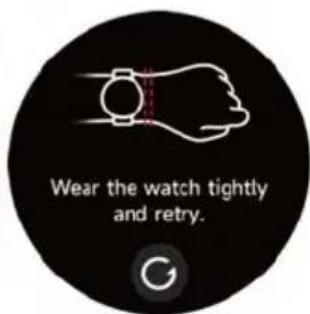
Prixton SWB33 - Schlaf - 2

text_image Wear the watch correctly.

Prixton SWB33 - Schlaf - 3

text_image Wear the watch tightly and retry.

3.11 Körperenergie

text_image Californian Clear 24°C 18°/26° 10 min ago AQI 26 Humidity 26 Precipitation 40% Wind force Force 8 UV index 6 High Mon 18°/26° Tue 18°/26° Wed 18°/26° Thu 18°/26° Fri 18°/26° Sat 18°/26°

3.18 Musik

text_image Music Connect your Please go to the mobile app to turn on the music control switch first.

3.19 Telefon finden

text_image Connect your phone. Please turn on the find phone function in the app.
text_image Create event reminders through the App. Event reminder Today 9:00AM Morning meeting 1/2/2022 9:30AM

3.21 Radverfolgung

text_image Please keep your Bluetooth connection, and turn on your phone camera.

3.23 Barometer

other AP 980 hpa Altitude 268 m Calibrate

3.24 Kompass

text_image Settings Watch faces > AOD settings > Sound and vibration > Display and brightness > App view > DND > Connect more > System > About >

Prixton SWB33 - Kompass - 1

text_image Display and bri Brightness 60% Screen-on time 5s Cover to sleep

Prixton SWB33 - Kompass - 2

text_image App view List Dialpad

4. Erinnerungsmodul

text_image Smartphone home control panel with icons for alarm, battery, and timer

Garantiepolitik

text_image QR code with an orange square logo containing a white checkmark symbol in the center.
text_image Outdoor run Indoor run Outdoor walk Indoor walk Hiking Outdoor cycle Indoor cycle Cricket Pool swim Open water swim Yoga Pilates Dance Rower Elliptical Other Functional training MHT Core training Cooldown
bar | Metric | Value | | ---------------- | --------- | | Steps | 8750 steps | | Calories | 108 kcal | | Medium to high | 12 min | | Standing | 7 hrs |
other | Metric | Value | |---|---| | VO2 max | 65 | | Recovery time | 01:30:06 | | AE effect | 3.2 | | Time (min) | 1 | | Time (ago) | 1 | | Normal training available | 1 | | 1 min ago | 1 |
text_image SpO2 Please remain stationary 95% 12AM 6 12PM 6 Wear the watch correctly. Wear the watch tightly and retry.

3.7 Estresse

text_image Stress Please remain stationary 28 Relax 12AM 6 12PM 6 Wear the watch correctly. Wear the watch tightly and retry.
text_image Breath training 3min > Slow ✓ Breath settings Fast 2 Moderate 3 min Slow 1 01:30 Inhale 01:38 Exhale

3.9 Sono

text_image Please wear the watch to monitor the quality of your sleep. 7 h 30 min 23:00 07:20 Deep sleep 2 h 30 min Light sleep 3 h 30 min Awake 24 min REM 1 h 36 min Sleep score 86 Please check the detailed sleep data on the App side.
text_image Measuring 98% 98 bpm 90% 25 Relax Wear the watch correctly. Wear the watch tightly and retry.

3.11 Energia Corporal

text_image Californian Clear 24°C 18°/26° 10 min ago AQI 26 Humidity 26 Precipitation 40% Wind force Force 8 UV index 6 High Mon 18°/26° Tue 18°/26° Wed 18°/26° Thu 18°/26° Fri 18°/26° Sat 18°/26°

3.18 Música

text_image Music Connect your Please go to the mobile app to turn on the music control switch first.

3.19 Encontrar telefone

text_image Connect your phone. Please turn on the find phone function in the app.

3.20 Lembrete de Evento

text_image Create event reminders through the App. Event reminder Today 0AM Morning meeting 12/2/2022 9:30AM
text_image Please keep your Bluetooth connection, and turn on your phone camera.

3.23 Barômetro

text_image Settings Watch faces > AOD settings > Sound and vibration > Display and brightness > App view > DND > Connect more > System > About > Display and bri Brightness 60% Screen-on time 5s > Cover to sleep App view List Dialpad
text_image Dennis 08:25 Okay, I got it. I'll deal with it later. Close Metting 03/04 12:03 Tomorrow morning we are meeting Ming and Hong to go hiking Drink some water! Move around!

5. Centro de Controle

natural_image Circular black button interface with white and red function icons (no text or symbols)

Política de garantia

text_image QR code with an orange WeChat Pay logo in the center, likely for app download or verification.
text_image Outdoor run Indoor run Outdoor walk Indoor walk Hiking Outdoor cycle Indoor cycle Cricket Pool swim Open water swim Yoga Pilates Dance Rower Elliptical Other Functional training HIT Core training Cooldowns
text_image Easy run - 10 min 10min Speed walk 1min Jogging 2min Speed walk 1min Jogging 2min Speed walk 1min Jogging 2min Speed walk 1min Suitable for beginners. Let your body adapt to the stress of running by alternating between speed walk and jogging, and prepare yourself for follow-up workout. Easy run - 15 min 15min Speed walk 2min Jogging 2min Speed walk 1min Jogging 2min Speed walk 1min Jogging 2min Speed walk 1min Jogging 2min Speed walk 1min Suitable for beginners. Let your body adapt to the stress of running by alternating between speed walk and jogging, and prepare yourself for follow-up workout. Keep fit run - primary 22min Speed walk 2min Jogging 2min Speed walk 2min Jogging 2min Speed walk 2min Jogging 2min Speed walk 2min Jogging 4min Speed walk 2min Jogging 4min Speed walk 2min Jogging 4min Speed walk 2min Jogging 4min Speed walk 2min Jogging 4min Speed walk 2min Jogging 4min Speed walk 2min Jogging 4min Speed walk 2min Jogging 4min Speed walk 2min Gradually improve physical strength by alternating between speedwalk and jogging, and constatable your aortic capacity by gradually increasing the duration of jogging.

3. Toepassingslijst

text_image Activity Workout status Running courses

Prixton SWB33 - Toepassingslijst - 1

text_image Workout record

3.1 AI Stem

text_image Tap and speak

Prixton SWB33 - AI Stem - 1

text_image Listening

Prixton SWB33 - AI Stem - 2

text_image Bluetooth disconnected

Prixton SWB33 - AI Stem - 3

text_image Enable from phone's settings

3.2 Telefoon:

Prixton SWB33 - Telefoon: - 1

text_image Heart rate Please remain stationary 95 bpm 0 6 12 18 24 Wear the watch correctly. Wear the watch tightly and retry.

3.6 SpO2

text_image SpO2 Please remain stationary 95% 12AM 6 12PM 6 Wear the watch correctly. Wear the watch tightly and retry.

3.7 Stress

text_image Stress Please remain stationary 28 Relax 12AM 6 12PM 6 Wear the watch correctly. Wear the watch tightly and retry.

3.8 Ademhalingstraining

text_image Breath training 3min > Slow Breath settings Fast 2 Moderate 3 min Slow 1 01:30 Inhale 01:38 Exhale

3.9 Slaap

text_image Please wear the watch to monitor the quality of your sleep. 7 h 30 min 23:00 07:20 Deep sleep 2 h 30 min Light sleep 3 h 30 min Awake 24 min REM 1 h 36 min Sleep score 86 Please check the detailed sleep data on the App side.
text_image Measuring 98% 98 bpm 90% 25 Relax Wear the watch correctly. Wear the watch tightly and retry.

3.11 Lichaamsenergie

text_image 08:30AM Stopwatch 00:00.00 08:30AM 00:00.58 03 00:00.50 02 00:00.40 01 00:00.25 08:30AM 00:05.58 99 00:50.50 98 00:04.40 97 00:04.25

3.14 Alarm

text_image Californian Clear 24°C 18°/26° 10 min ago AQI 26 Humidity 26 Precipitation 40% Wind force Force 8 UV index 6 High Mon 18°/26° Tue 18°/26° Wed 18°/26° Thu 18°/26° Fri 18°/26° Sat 18°/26°

3.18 Muziek

text_image Music Connect your Please go to the mobile app to turn on the music control switch first.
text_image Connect your phone. Please turn on the find phone function in the app.

3.20 Gebeurtenisherinnerning

text_image Create event reminders through the App. Event reminder Today 0AM Morning meeting 02/2022 9:30AM
text_image Please keep your Bluetooth connection, and turn on your phone camera.

3.23 Barometer

text_image N 340° 0° Southwest S 8 m Compass Please calibrate the compass by moving your watch around in a figure-8 pattern.

3.25 De pomodorotechniek

text_image Settings Watch faces > AOD settings > Sound and vibration > Display and brightness > App view > DND > Connect more > System > About >

Prixton SWB33 - De pomodorotechniek - 1

text_image Display and bri Brightness 60% Screen-on time 5s Cover to sleep

Prixton SWB33 - De pomodorotechniek - 2

text_image App view List Dialpad

4. Herinneringsmodule

natural_image Circular black-and-white app interface with icons for lighting, battery, and alarm clock (no text or symbols)

Garantie beleid

Manual assistant
Powered by Anthropic
Waiting for your message
Product information

Brand : Prixton

Model : SWB33

Category : Smartwatch