Prixton Nova - Graphic tablet

Nova - Graphic tablet Prixton - Free user manual and instructions

Find the device manual for free Nova Prixton in PDF.

📄 80 pages English EN Download 💬 AI Question
Notice Prixton Nova - page 14
Pick your language and provide your email: we'll send you a specifically translated version.

User questions about Nova Prixton

0 question about this device. Answer the ones you know or ask your own.

Ask a new question about this device

The email remains private: it is only used to notify you if someone responds to your question.

No questions yet. Be the first to ask one.

Download the instructions for your Graphic tablet in PDF format for free! Find your manual Nova - Prixton and take your electronic device back in hand. On this page are published all the documents necessary for the use of your device. Nova by Prixton.

USER MANUAL Nova Prixton

natural_image Blank white rectangular frame with a gray rounded border and a small icon of two speakers inside (no text or symbols)

TABLET 10" 4G 4/64GB OCTA CORE

INDEX

ES 3

EN 14

FR 25

IT 36

DE 47

PT 58

NL 69
text_image Technical diagram of a tablet device with labeled parts, showing front, back, and side views.

Prixton Nova - INDEX - 1

natural_image Technical line drawing of a rectangular device with a side view and a small circular feature labeled '10' (no text or symbols beyond the number)
text_image Emergency Power off Restart Screenshot
text_image 6:15:04 Tay: 8.5 8:15:04 Slee Settings Not supported by card. This device doesn't support this card. Say it set up in a background format. Internal Expense: I-mail the security portal.x Manage Clear all

Prixton Nova - INDEX - 2

text_image 5:10 am Status Bar 6:10 AM Down Unsupported 3D card This device doesn't support this 3D card. Tap to setup at a supported terminal Addout System - 300% for complete installation Manage Copy all

Prixton Nova - INDEX - 3

text_image 9:16 am Mobile app Add Remove Delete Delete Tools Help Help Add Delete Tools Delete Tools Add Remove Tools Delete Tools 7:27 am

Prixton Nova - INDEX - 4

text_image Screenshot of a mobile app interface showing a hand cursor icon and a grid of app icons including Assist, Calculator, Calendar, etc.

Prixton Nova - INDEX - 5

text_image Network & internet WiFi, mobile, and hotgasell Connected devices Bluetooth Apps & notifications Recent apps, default apps Battery 100% Display Wallpaper, screen time戳, front appa Scheduled power on/off Power on, power off Sound Volume, Do Not Erwarts

Prixton Nova - INDEX - 6

Accounts

No accounts added

Prixton Nova - INDEX - 7

Accessibility

Screen renders, display, interaction controls

Prixton Nova - INDEX - 8

Digital Wellbeing & parental controls

Soriseo torse, app toxers; bedtare scheduled

Prixton Nova - INDEX - 9

Google

Services & preferences

Prixton Nova - INDEX - 10

System

Languages, gestures, time, backup

Prixton Nova - INDEX - 11

About tablet

A17(251)3

Prixton Nova - INDEX - 12

Prixton Nova - INDEX - 13

Prixton Nova - INDEX - 14

Red e Internet

text_image 11:45 AM ← Connected devices OTHER DEVICES USB File transfer + Pair new device Connection preferences Bluetooth

Prixton Nova - Red e Internet - 1

text_image USB computer connection CONNECT AS Charge only Charging this device Media device (MTP) File transfer Camera (PTP) PTP MDI MDI USB virtual drive Enable USB virtualdrive
text_image 12:52 N Privacy Permission manager Control app access to your data Show passwords Display characters briefly as you type Notifications on lock screen Show all notification content Autofill service from Google Saved passwords, credit cards, addresses Advanced Google location history. Activity controls. Afs. Usage & diagnostics

Localización

text_image Digital Wellbeing & parental controls 8 minutes Settings 4 Unlocks 0 Notifications WAYS TO DISCONNECT Dashboard Noteners set Focus mode Tup to set up

Google

text_image 9:15:00 Remove Uninstall
text_image 9:15 App info App info Styles & wallpapers UPSN UPRSETALL FROCK WITH Notifications +0 sortpositions per week
text_image 2:09.mn Time: 127 37% Notifications Send list App updates are ready Contact to a network is continue Sirent Settings 300-wend Tag to start up Send list: https://488888888888888888888888888888888888888888888888888888888888888888888 Manage Clear all

Prixton Nova - Google - 1

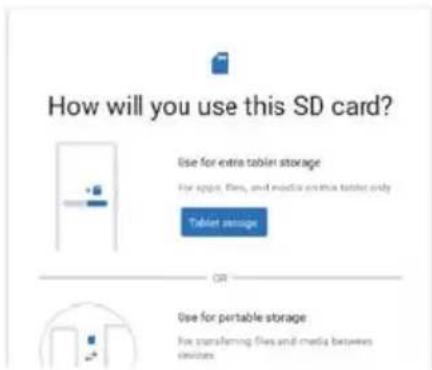
text_image How will you use this SD card? Use for extra tablet storage For apps, files, and media creatine tablet only Tablet storage Use for portable storage For transferring files and emails between devices

Prixton Nova - Google - 2

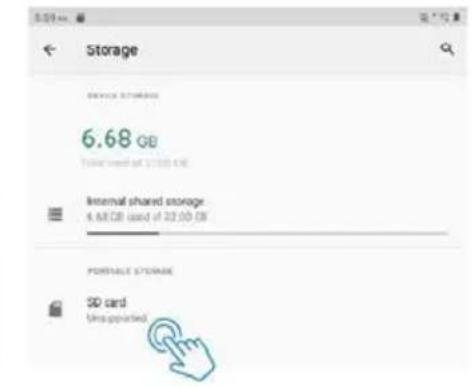
text_image Storage 6.68 cu Internal shared storage 6.68 GB used if 32.00 GB PORTABLE STORAGE SD card Unsupported

Since the tablet software updates regularly, the user manual may not cover all aspects of new features.

We would like you to have a safe and enjoyable experience, please read the following instructions and notices before using your tablet.

  1. Please fully charge the tablet before the first use.
  2. The tablet is not moisture/water-resistant, please don't use it around sources of water.
  3. Avoid using the tablet in extremely hot, cold, dusty, damp or wet environments.
  4. Do not use alcohol, thinner or benzene to clean the surface of the tablet. Use only cleaning products designed for computer tablet devices.
  5. Do not drop or hit the tablet against a hard surface or the screen may be damaged or cracked.
  6. Do not use the tablet while driving or walking.
  7. While using earphones, if the volume is excessively high it may cause hearing damage. Please adjust the volume to a safe level and moderate use.
  8. Do not disconnect the tablet suddenly when updating, uploading or downloading data, this may lead to program errors.
  9. Do not dismantle the tablet.
  10. Do not use other accessories except specified or provided by the manufacturer (such as the power adapter, battery etc).

What's In The Box
Prixton Nova - Google - 3

natural_image Empty rectangular frame with no text, numbers, or symbols

Tablet

Prixton Nova - Google - 4
Instruction manual

Prixton Nova - Google - 5
Charger

Prixton Nova - Google - 6
USB cable

Prixton Nova - Google - 7
Pin

Function Overview
Prixton Nova - Google - 8

text_image 7 12 6 -1 -2 -3 -4 -5 -6 11 11

Prixton Nova - Google - 9

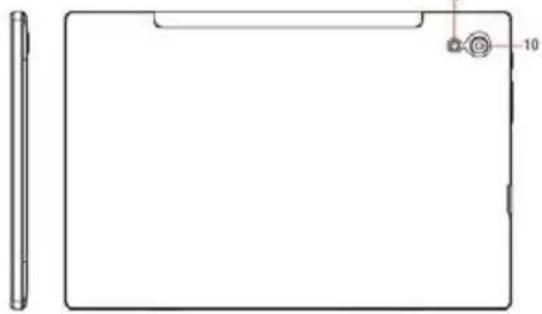
natural_image Technical line drawing of a rectangular device with a side view and a small circular feature labeled '10' (no text or symbols beyond the number)
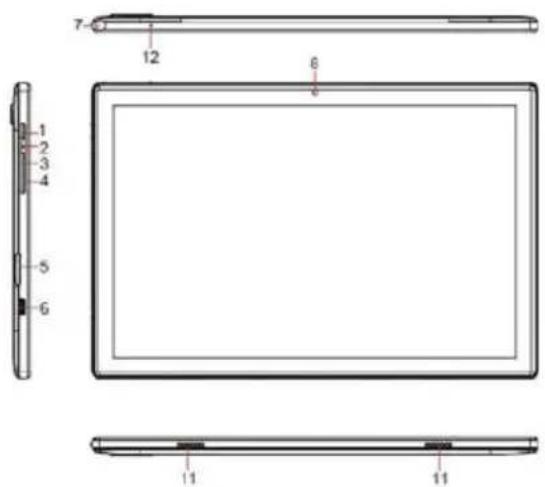
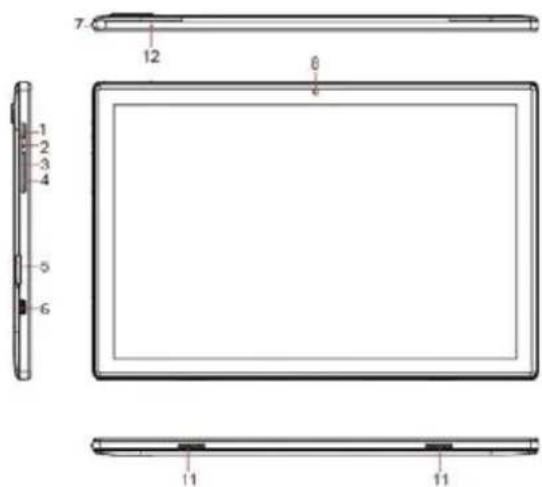
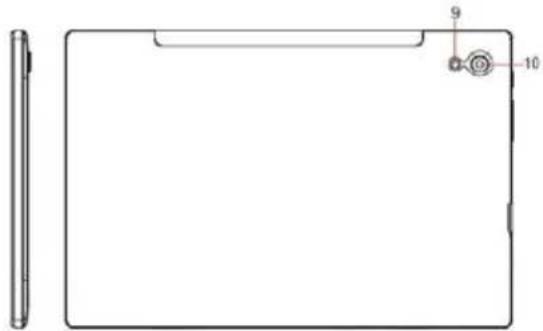
  1. POWER/LOCK
  2. RESET
  3. VOLUME +
  4. VOLUME -
  5. SIM/microSD CARD TRAY
  6. TYPE-C

7.EARPHONE JACK
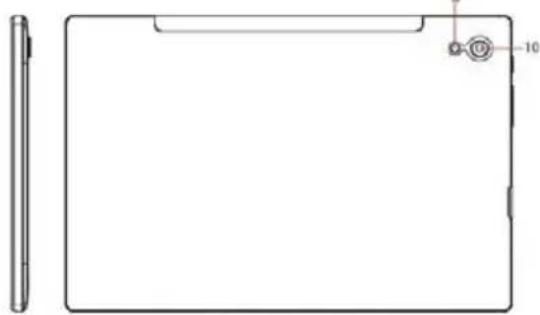
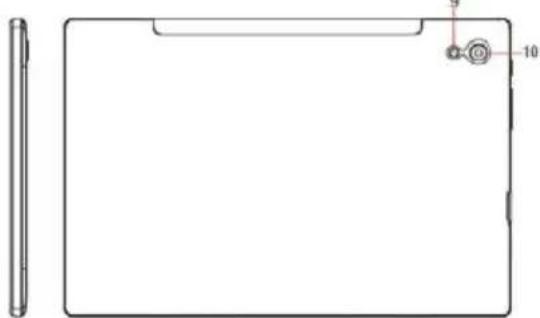
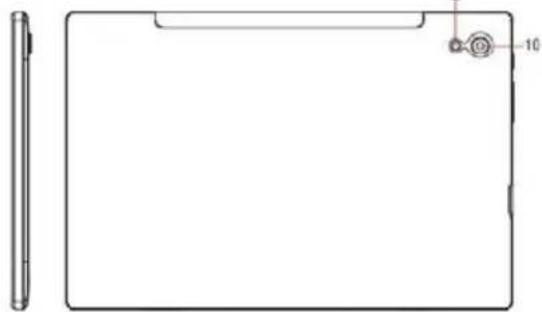
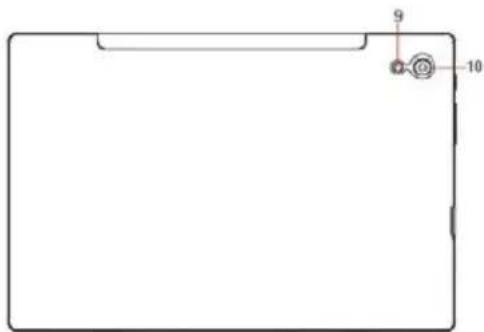
8. FRONT CAMERA
9. FLASH
10. REAR CAMERA
11.SPEAKER
12.MIC

Getting Started

Prior to use, it is recommended to install a SIM card (not included, to connect mobile network through 2G/3G cellular network), microSD memory card(not included, to expand storage capacity) and charge the battery.

Note: A SIM card and memory card can be installed at any time, it's not necessary to install them prior to using the tablet. The card tray supports 2pcs SIM card or 1 SIM card and 1 microSD card.

Install The SIM/microSD Card

Open the SIM/microSD card tray with the pin.

Place the SIM card and microSD card into the tray, then close the tray.

Warning: The SIM card and microSD card can be easily damaged by scratching or bending, so be careful when handling, inserting, or removing the card. Keep all cards out of reach of small children.

Charge The Battery

The tablet comes partially charged, it is recommended to fully charge it before the first use. Connect the USB cable to the adapter, and insert the other end to the charging port of tablet, then plug the AC adapter into a wall outlet. It will take up to 4 hours to fully charge the battery.

Note: Please leave the tablet in well ventilated area while charging.

Warning: Use only Prixton-approved charging adapters and batteries. Prixton accessories are designed to maximize battery life, using other accessories may invalidate your warranty and may cause damage.

Turning On

Press and hold the Power/Lock button until the tablet starts up, the Prixton logo indicates that the tablet is loading, then choose your language and tap START to set up the tablet following the guide and prompts.

Turning Off

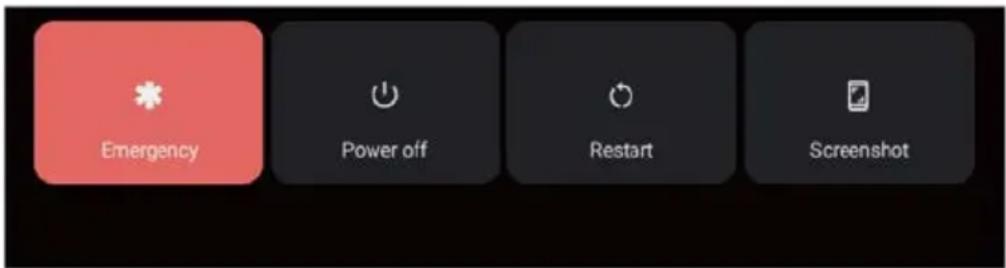
Press and hold the Power/Lock button until the device option menu displays, tap Power off to turn off the tablet.

Prixton Nova - Turning Off - 1

text_image Emergency Power off Restart Screenshot

Emergency, Restart and Screenshot

Press and hold the Power/Lock button until the device option menu displays, tap Emergency to make an emergency call, tap Restart to restart the tablet, tap Screenshot to capture a screenshot.

Tips: You can also capture a screenshot by pressing and holding the Power/Lock button and Volume - button at the same time for 1 second.

Sleep Mode, Lock/Unlock Tablet

When the tablet is on, you can turn off the screen to save power, press the Power/Lock button once to turn off the screen and lock the tablet, press it again to turn on the screen, and swipe up to open.

Touch Screen Basics

Tap the screen once to activate or open something.

Touch and hold to move an app by dragging.

Zooming: Double tap quickly to zoom into a webpage, picture, or map. Some apps allow you to zoom in and out by touching the screen with two fingers, and pinching them together.

Tap a specific location on the screen where you would like to enter text, the on-screen keyboard will pop up.

Home Screen

Prixton Nova - Home Screen - 1

text_image Goods Play Store Back Home Recent Apps

Home settings and Wallpapers

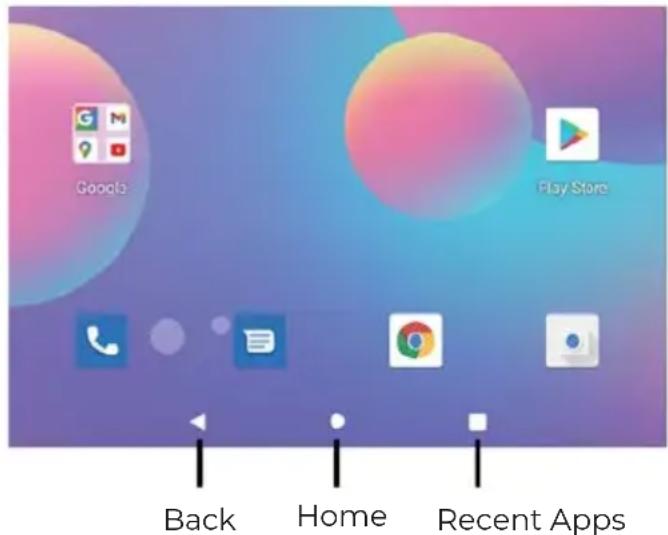
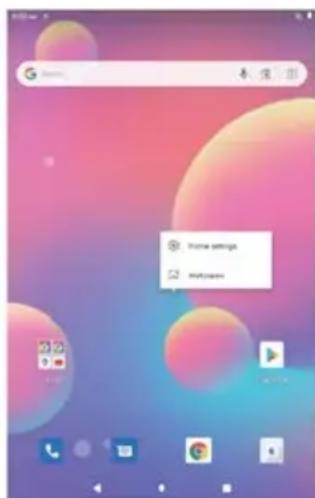
Tap and hold your finger on blank space of the home screen, a pop-up menu will be displayed.

Tap Home settings to enable/disable Notification dots, At A Glance, Add app icons to Home screen, Show Google App, Home screen loop, set Pull down action option, Show notification dots number, Home screen, Desktop grid and Dynamic icon.

Tap Wallpapers to change current wallpaper from default wallpapers or photos.

Prixton Nova - Home settings and Wallpapers - 1

text_image Home settings Hotkeybox

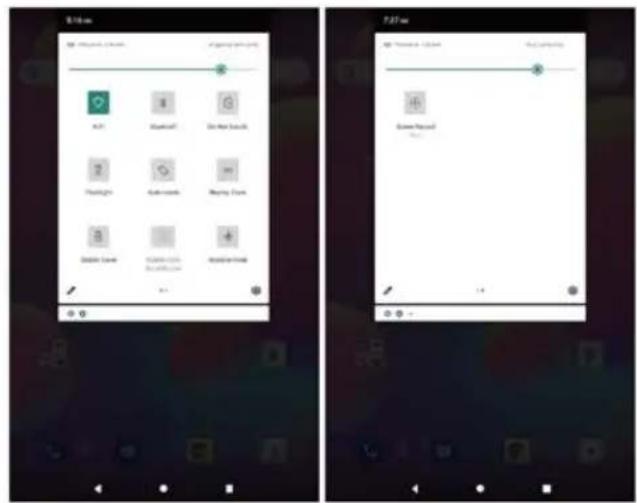
Quick Settings

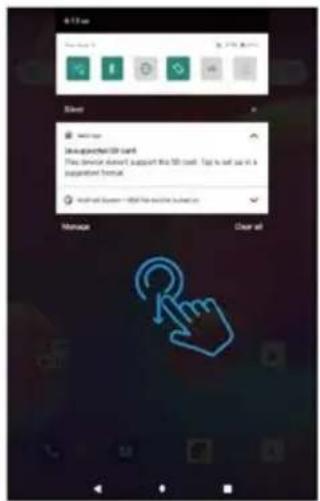
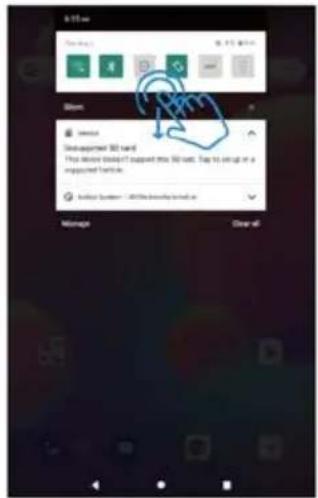
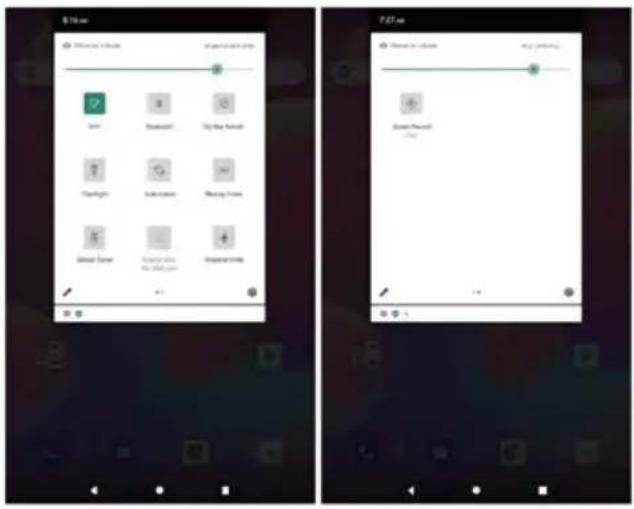
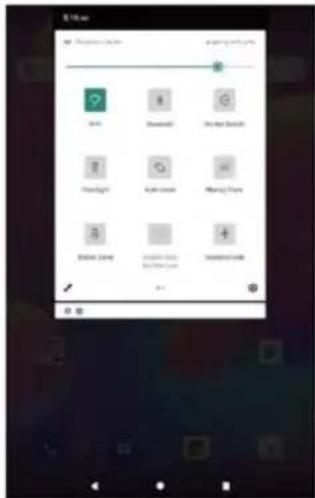
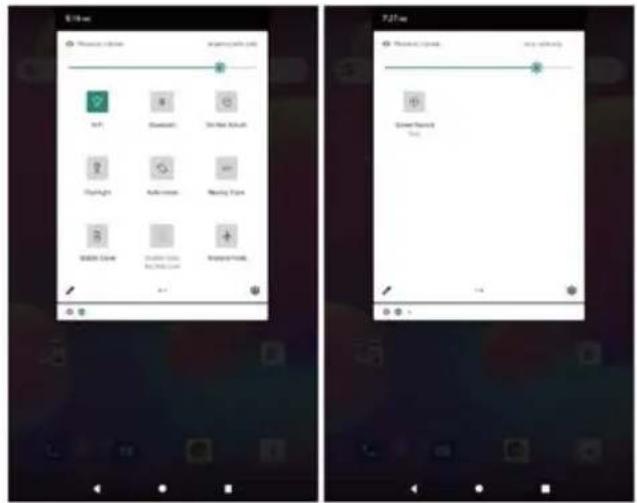
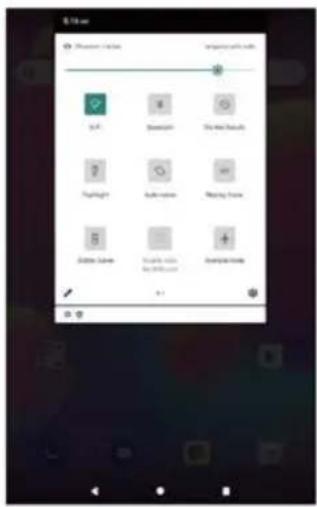
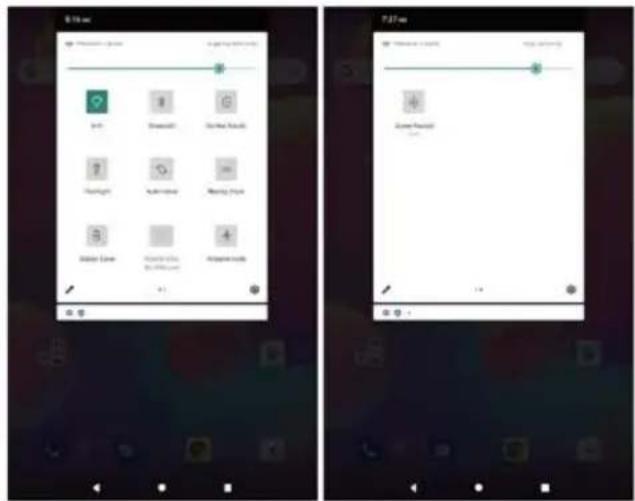
Slide down to reveal notifications and quick settings

Prixton Nova - Quick Settings - 1

text_image 8:12 am New York 6:30 AM Silver Switch to Disuggested 500 card This device doesn't support this 500 card. Top is set as in a supervised format. Android System - Microsoft Windows system Manage Clear all

Prixton Nova - Quick Settings - 2

Enable/Disable Wi-Fi network connection.

Prixton Nova - Quick Settings - 3

Enable/Disable Bluetooth connection.

Prixton Nova - Quick Settings - 4

Do Not Disturb: Only get notified by important people and apps.

Prixton Nova - Quick Settings - 5

Auto-rotate: Turn on/off screen auto-rotate.

Prixton Nova - Quick Settings - 6

Nearby Share: Turn on/off nearby share.

Prixton Nova - Quick Settings - 7

Battery Saver: Turn on/off battery saver.

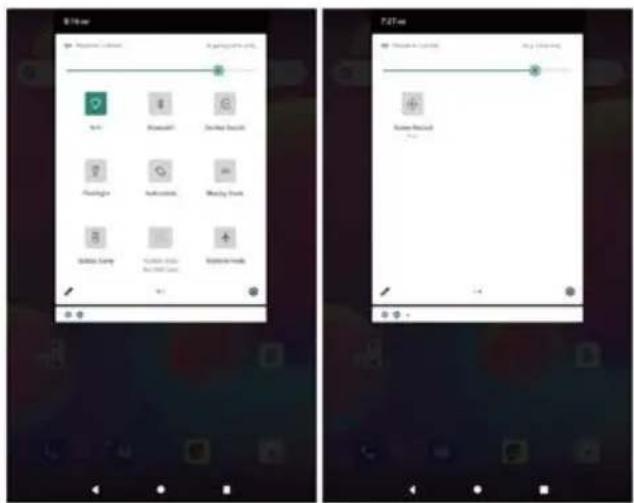
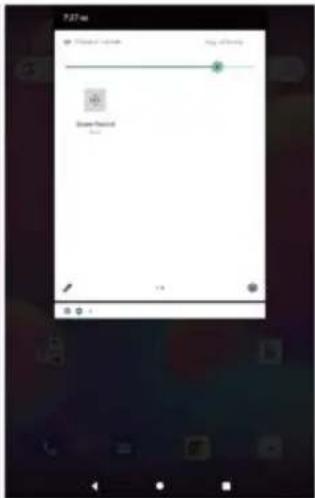
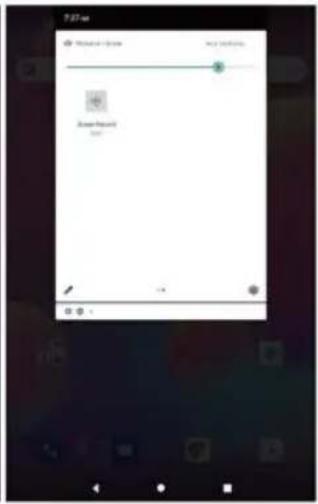
Slide down to show more quick settings

Prixton Nova - Quick Settings - 8

text_image 5:10 am Show: Service Unsupported 3D band This device does not support this 3D unit. Stop to setup in a imprinted folder. Initial System - 200% network linked to Manage Draw off

Prixton Nova - Quick Settings - 9

text_image Screenshot of two mobile app interfaces showing app icons and status bar, likely from a mobile app interface.

Prixton Nova - Quick Settings - 10

Screen Brightness: To adjust the screen brightness.

Prixton Nova - Quick Settings - 11

Flashlight.

Prixton Nova - Quick Settings - 12

Mobile Data: Turn on/off mobile data.

Prixton Nova - Quick Settings - 13

Airplane Mode: Turn on/off all wireless network connection.

Prixton Nova - Quick Settings - 14

Screen Record: Turn on/off screen record.

Prixton Nova - Quick Settings - 15

Edit: To edit quick setting options.

Prixton Nova - Quick Settings - 16

Detailed Setting: To enter detailed settings.

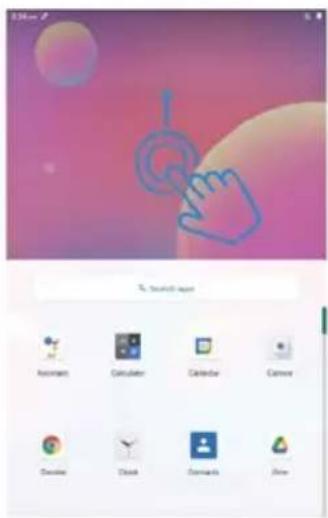
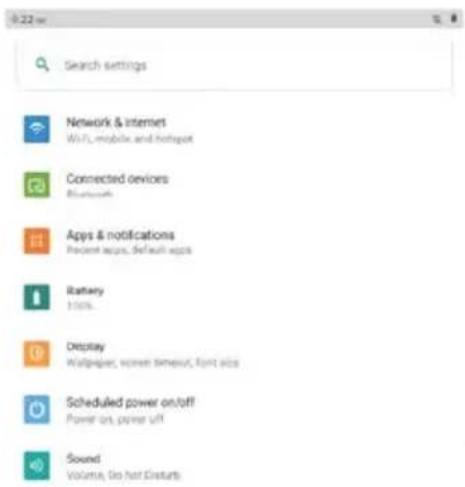
Tips: You can also slide up to open the app list on home screen, then tap Settings to enter detailed settings.

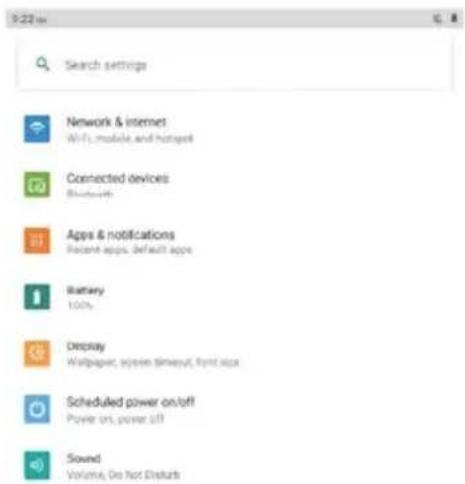
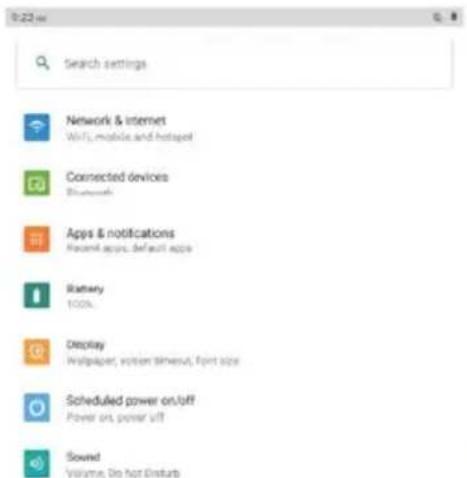
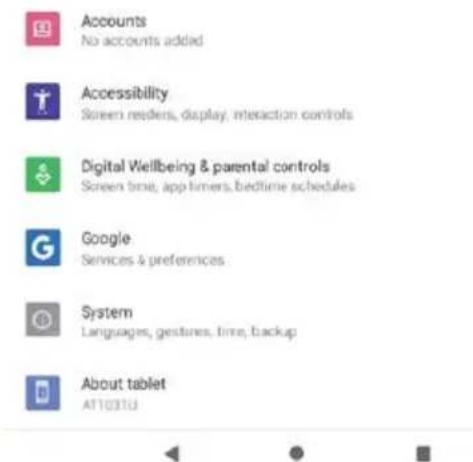
Detailed Settings

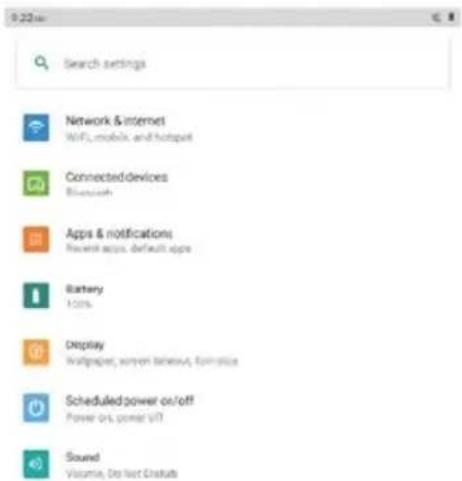
Slide up to open the app list

Prixton Nova - Detailed Settings - 1

text_image 320ms % Search layer Assistant Calculator Calendar Camera Device Clock Commands Air

Prixton Nova - Detailed Settings - 2

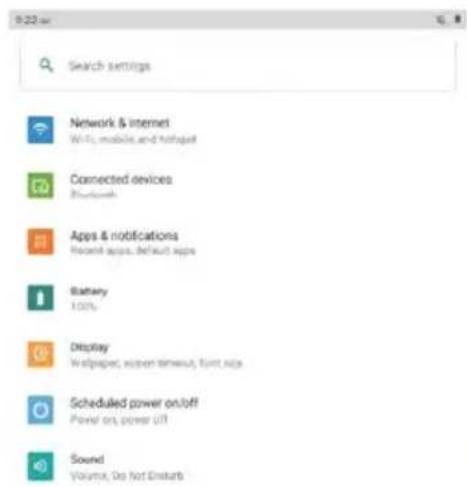
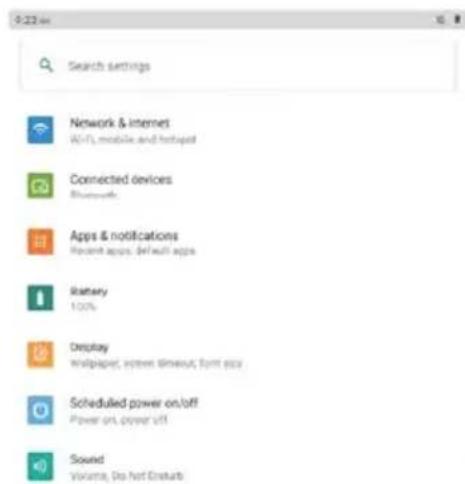
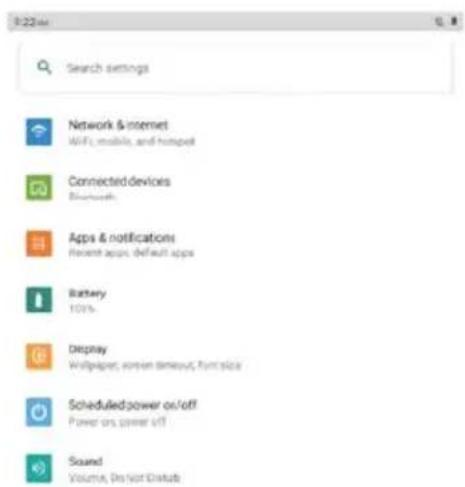
text_image Search settings Network & internet Wi-Fi, mobile and footprint Connected devices Bluetooth Apps & notifications Recent apps, default apps Battery 100% Display Wallpaper, screen timeout, font app Scheduled power on/off Power on, power off Sound Volume, No Hot Extents

Prixton Nova - Detailed Settings - 3

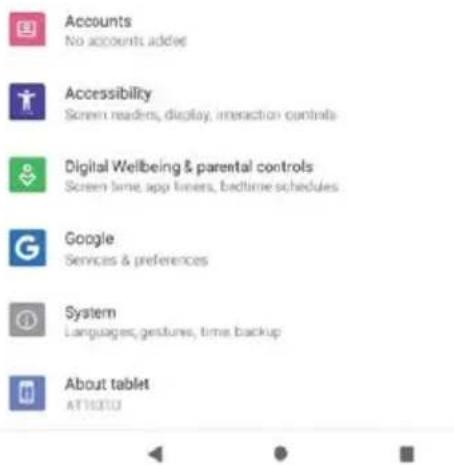
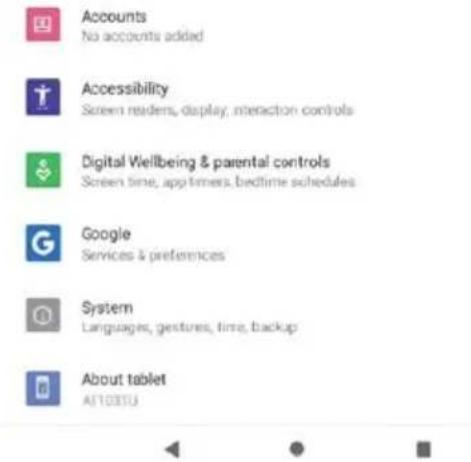
Accounts

No accounts added

Prixton Nova - Detailed Settings - 4

Accessibility

Screen readers, display, interaction controls

Prixton Nova - Detailed Settings - 5

Digital Wellbeing & parental controls

Screen time, app timers, bedtime schedules

Prixton Nova - Detailed Settings - 6

Google

Services & preferences

Prixton Nova - Detailed Settings - 7

System

Languages, gestures, free, backup

Prixton Nova - Detailed Settings - 8

About tablet

A71031U

Prixton Nova - Detailed Settings - 9

Prixton Nova - Detailed Settings - 10

Prixton Nova - Detailed Settings - 11

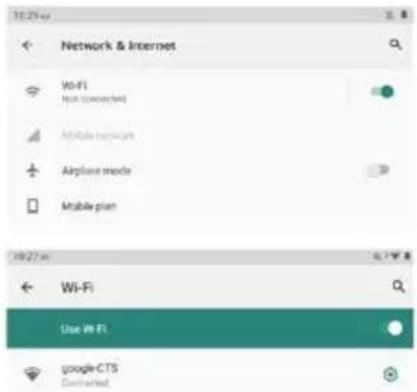
Network & internet

Wi-Fi: Enable/Disable Wi-Fi connection, tap to connect to Wi-Fi network, select your Wi-Fi name and enter password to connect it.

Mobile network: Enable/Disable mobile network (SIM card shall be installed in advance).

Airplane mode: Turn on/off all wireless network connection.

Mobile plan: To set mobile plan.

Hotspot & tethering: To set Wi-Fi hotspot, USB tethering, Bluetooth tethering and Ethernet tethering.

Advanced: To Data Saver, VPN and Private DNS.

Prixton Nova - Network & internet - 1

text_image 10:25:00 Network & Internet Wi-Fi Not connected Mobile network Airplane mode Mobile plan 10/27:00 Wi-Fi Use Wi-Fi google-CTS Connected

Connected devices

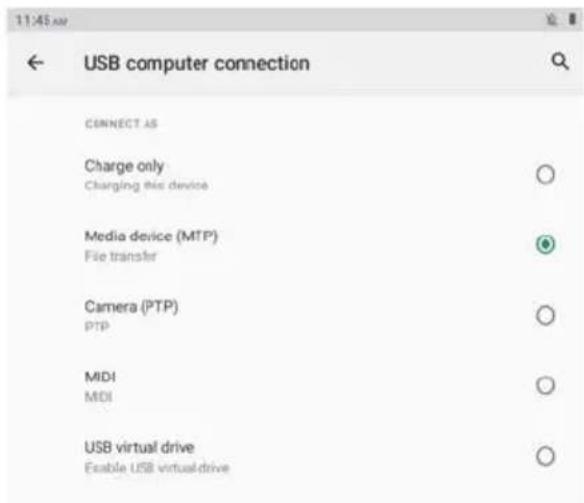
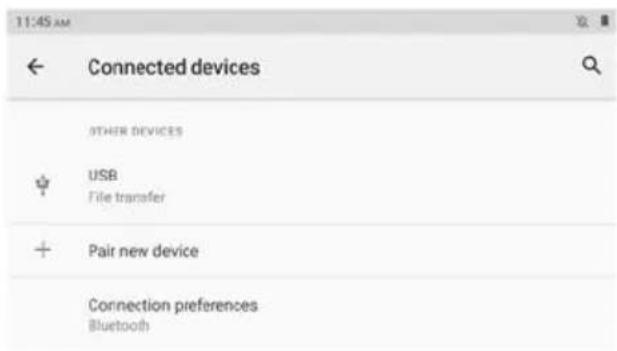
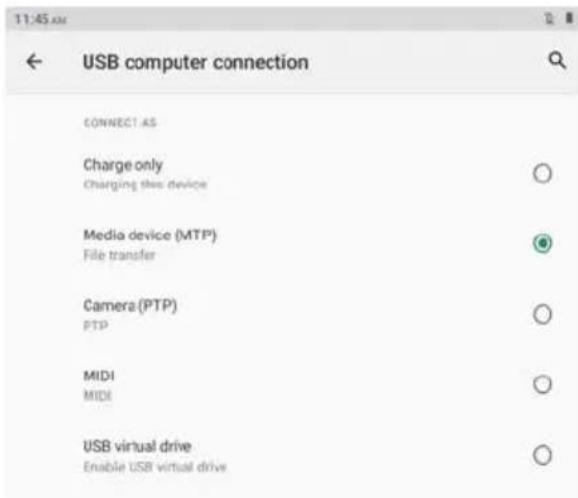
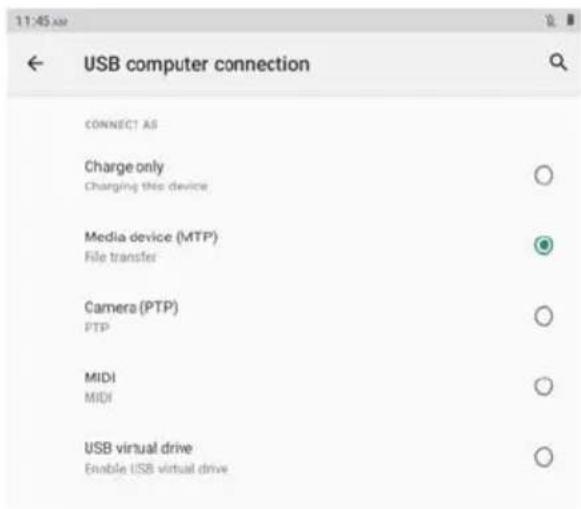
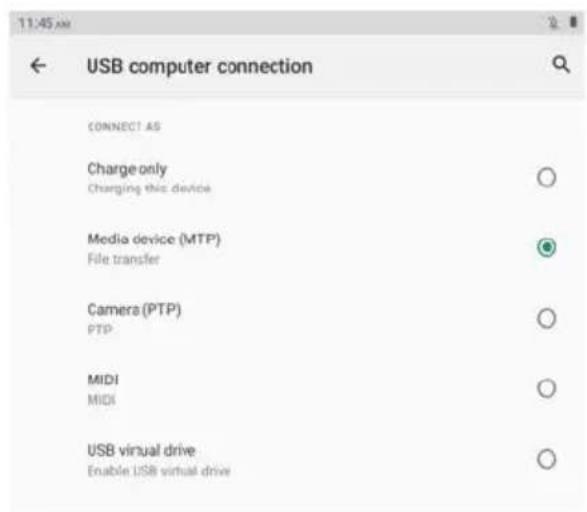
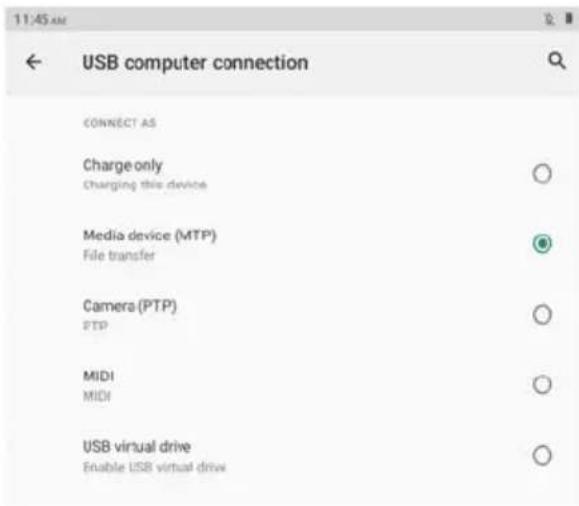
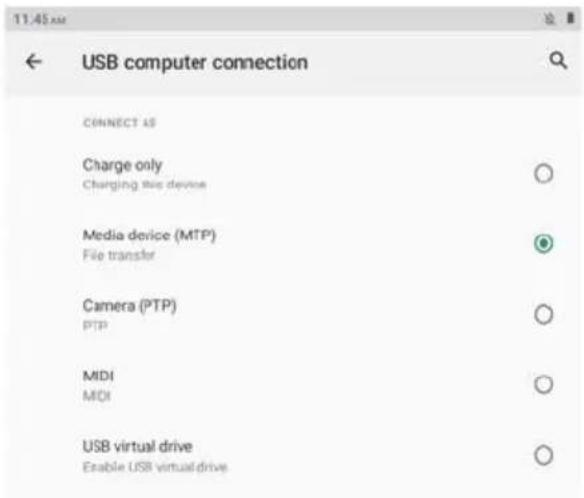
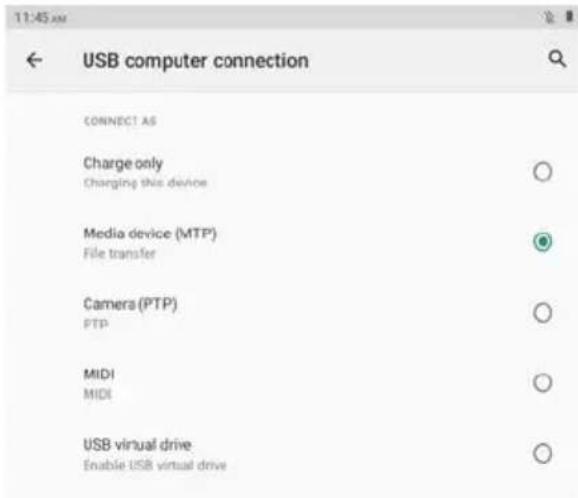
USB: To set USB computer connection: charge only, file transfer, camera, MIDI, USB virtual drive.

Pair new device: To check all available Bluetooth devices, and tap the device name to pair it with the tablet.

Connection preference: Enable/Disable Bluetooth connection, check or add print service, check files received via Bluetooth, share files with nearby devices.

Prixton Nova - Connected devices - 1

text_image 11:45 AM ← Connected devices OTHER DEVICES USB File transfer + Pair new device Connection preferences Bluetooth

Prixton Nova - Connected devices - 2

text_image USB computer connection CONNECT AS Charge only Charging this device Media device (MTP) File transfer Camera (PTP) PTP MIDI MIDI USB virtual drive Enable USB virtual drive

Tips: Charge only: To charge the tablet only.

Media device (MTP): For file transfer between tablet and computer. Camera (PTP): Only for photo transfer between tablet and computer. MIDI: Play MIDI instrument on the tablet.

USB virtual drive: Enable USB virtual drive.

Apps & notifications

Check the list of recently opened apps.

Conversations: Priority and modified conversations will appear here.

Notifications: To check the notification history, bubbles and recently sent.

Screen time: To check the dashboard of screen time, notification received and times opened.

Advanced: To set default apps of browser, caller ID & spam, digital assistant, home app, phone app, SMS app and opening links, set permission manager, wireless emergency alerts, special app access.

Battery

Battery Saver: Turn on/off battery saver, set a schedule, turn off when charged.

Battery Manager: Turn on/off detecting when apps drain battery.

Ultra saving mode: Enable/Disable ultra power saving mode.

Battery percentage: Enable/Disable to show battery percentage in status bar.

App battery setting: App standby optimizer, Close app after screen lock, auto launch management, Power intensive apps.

Display

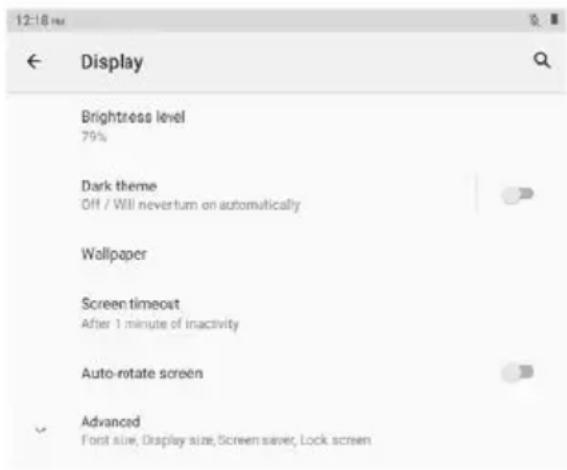
Brightness level: Adjust the brightness level of screen

Dark theme: Turn on/off dark theme

Wallpaper: Change the wallpaper

Screen timeout: Set the screen timeout

Auto-rotate screen: Turn on/off auto-rotate screen

Advanced: Set the font size, display size, screen saver and lock screen.

Prixton Nova - Display - 1

text_image 12:18 PM ← Display Brightress level 79% Dark theme Off / Will nevertum on automatically Wallpaper Screen timeout After 1 minute of inactivity Auto-rotate screen Advanced Font size, Display size, Screen saver, Lock screen

Scheduled power on/off

Set the time and repeat days of scheduled power on/off.

Sound

Set the volumes of media, call, ring & notifications and alarm, Do Not Disturb, default sounds.

Storage

View and manager storage.

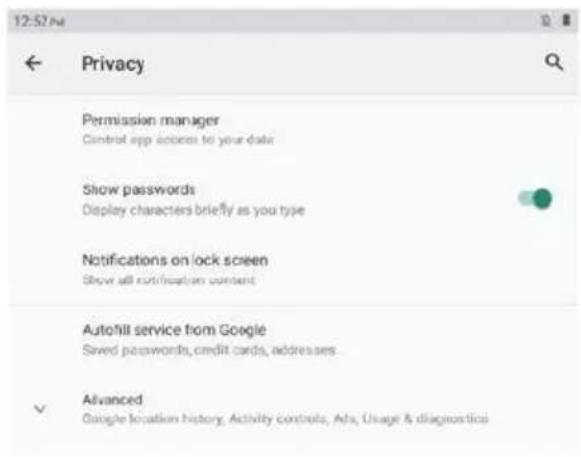
Privacy

Set app permissions, show passwords, notifications on lock screen, autofill service from Google.

Prixton Nova - Privacy - 1

text_image 12:52 PM Privacy Permission manager Control app access to your data Show passwords Display characters briefly as you type Notifications on lock screen Show all notification content AutoHill service from Google Saved passwords, credit cards, addresses Advanced Google location history, Activity controls, Ads, Usage & diagnostics

Location

Turn on/off location service for certain apps.

Security

smart lock, device admin apps (Turn on/off find my device).

Accounts

Add and manager user accounts on the tablet, turn on/off automatically sync app data.

Accessibility

Set screen reader, Display, interaction controls, audio & on-screen text, high contrast text and advanced (color correction, color inversion, shortcut from lock screen).

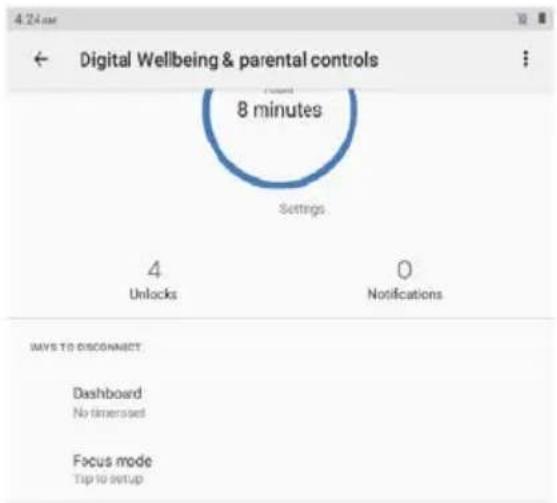
Digital Wellbeing & parental controls

Set the ways to disconnect, reduce interruptions, add content restrictions and set other limits to help child balance screen time.

Prixton Nova - Digital Wellbeing & parental controls - 1

text_image Digital Wellbeing & parental controls 8 minutes Settings 4 Unlocks 0 Notifications MAYS TO DISCONNECT Dashboard No times saved Focus mode Tip to setup

Google

Sign in Google Account, set Google services on this tablet.

System

Set languages & input, Gestures, Date & time, Backup and Advanced.

(Reset options and system updated).

About tablet

Check the information about this tablet.

APP Management

Download App

Tap Play Store on home screen

Sign in your Google Account, search and download the app you need

Move App

Tap and hold the app, then drag it to the desired place.

Create App folder

Tap and hold an app, drag it to another app, an app folder will be created, tap the folder to edit folder name, then you can drag favourite apps to this folder.

Remove App from home screen

Tap and hold the app, then drag it to X Remove to remove it from home screen.

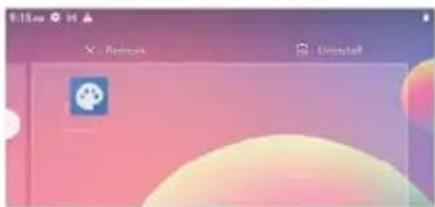
Uninstall App

Tap and hold the app, then drag it to Uninstall to uninstall it.

Prixton Nova - Uninstall App - 1

text_image 9:15 pm Refresh Uninstall

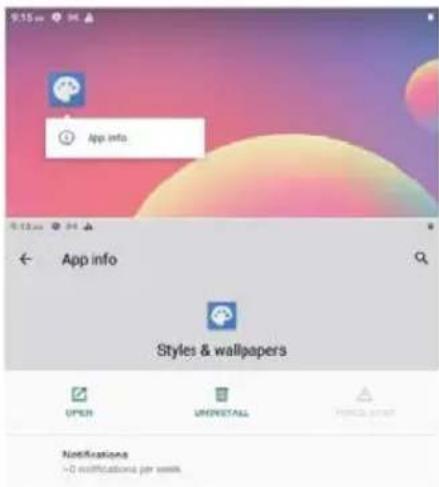
Tips: You can also tap and hold the app, tap App info, then tap uninstall to uninstall the app.

Prixton Nova - Uninstall App - 2

text_image App info Styles & wallpapers OPEN UNINSTALL INFO Notifications -0 modifications per week

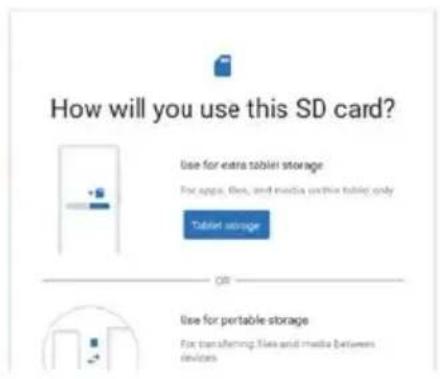
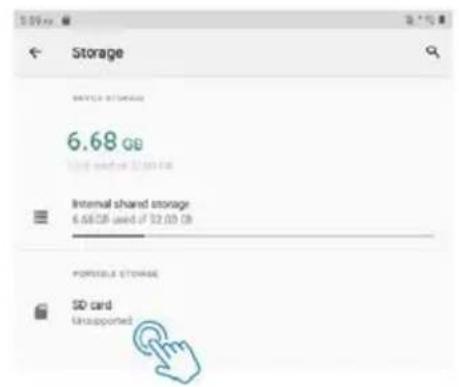
Connecting to microSD memory card

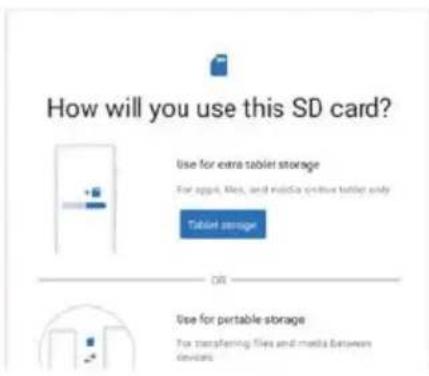
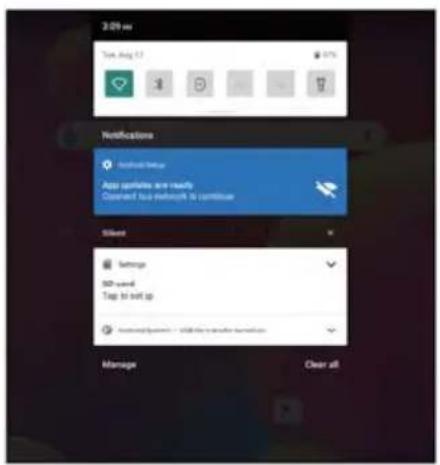
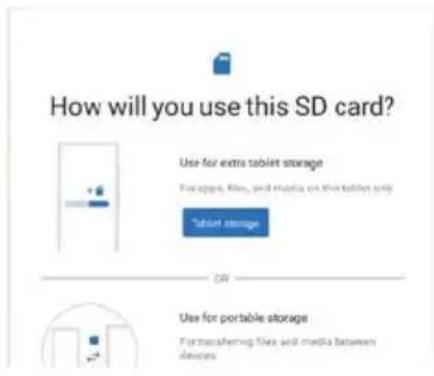
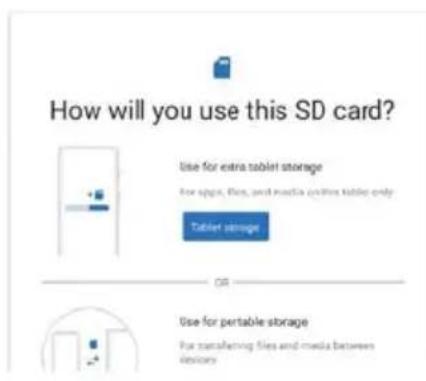
Open the SIM/microSD card tray with the pin, place the microSD card into the tray, then close the tray.

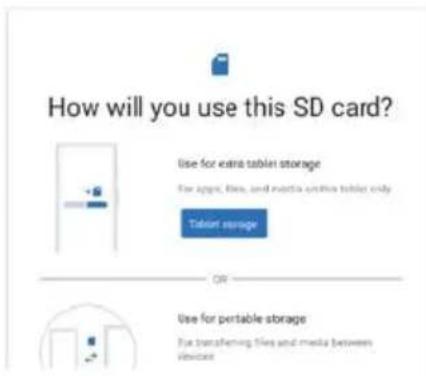
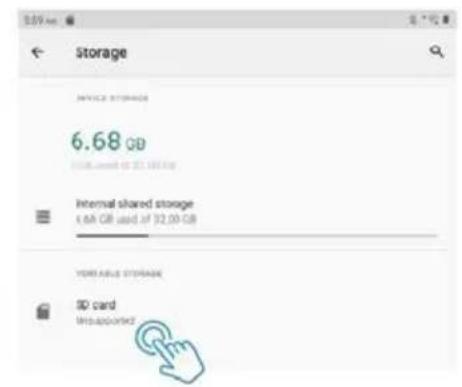
Slide down to open quick setting on home screen, tap to set up the microSD card.

Prixton Nova - Connecting to microSD memory card - 1

text_image 2:09 am Tom Aug 17 1 10% 10% Notifications Send list App particles are ready Connect bus network to continue Silent Settings 50 mm Top to set up Send log packets / 50% by a smaller team Manage Clear all

Prixton Nova - Connecting to microSD memory card - 2

text_image How will you use this SD card? Use for extra tablet storage For apps, files, and wireless online tablet only Tablet storage ON Use for portable storage For transferring files and media between devices

Prixton Nova - Connecting to microSD memory card - 3

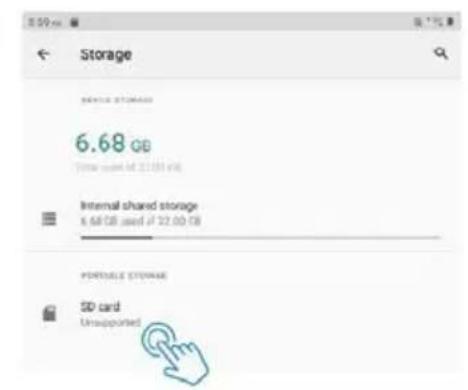
text_image Storage 6.68 GB Internal shared storage 6.6 GB used if 32.00 GB PORTABLE STORAGE SD card Unsupported

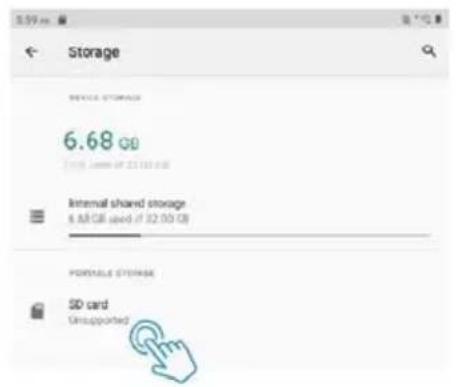
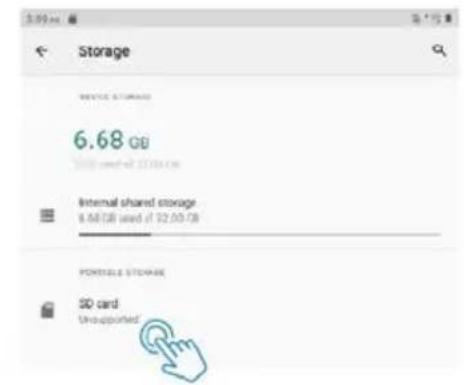
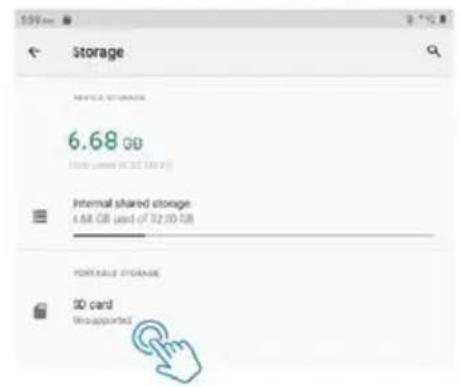
Tips: You can also tap Settings -- Storage -- SD card to set up the microSD card.

Specification

Display10.1"
Resolution1280 x 800 IPS HD
Operation SystemAndroid 11 Go
CPUQuad-core, 4 x 1.3GHz
GPUMali-T820, up to 600MHz
RAM4GB
Storage64GB
Battery6000mAh
Housing MaterialMetal
Front Camera2MP
Rear Camera5MP
AudioDual loudspeakers
PortsType C, SIM/microSD slot, Headphone jack
Wi-FiSupport 2.4G
Cellular NetworkSupport 2G/3G
BluetoothBT 4.2
Power SupplyDC 5V/2A
Dimension9.5 x 6.3 x 0.35 inch

Compliance Information

The Bluetooth® word mark, figure mark (stylized "B Design"), and combination mark (Bluetooth word mark and "B Design") are registered trademarks and are wholly owned by the Bluetooth SIG.

Wi-Fi is a registered trademark of the Wireless Fidelity Alliance, Inc.

microSD™ and the microSD logo are Trademarks of the SD Card Association.

Google, the Google logo, Android, the Android logo, Google Play, Gmail, Google Mail, Google Maps, Google Music, Google Hangouts, Picasa, Play Newsstand, YouTube and other marks are trademarks of Google Inc.

Warranty policy

This product complies with the warranty law in force in the country of purchase. When you have a problem that you can not solve, you must access the web www.prixton.com and click on the contact option to send us your assistance form.

These technical and electrical specifications are those of typical units and may be changed without prior notice in order to provide improved equipment.

Simplified EU Declaration Of Conformity

We, La Trastienda Digital located in Avenida Cervantes 49, módulo 25, Basauri 48970, Bizkaia hereby declare that the following goods, imported and selling at European market:

BRANDMODEL NAME DESCRIPTIONCATEGORY
Prixton NOVATablet 10" 4G 4/64GB Octa CoreComputers

Are in compliance with the EC Council Directive of 2014/53/EU (EM DIRECTIVE) and harmonized standards and with the board of the 16th of April 2014.

The complete text of the UE Declaration of conformity is available anytime at this website address:

www.prixton.com

LA TRASTIENDA DIGITAL

text_image Technical diagram of a tablet device with labeled parts and front view

Prixton Nova - Simplified EU Declaration Of Conformity - 1

natural_image Technical line drawing of a rectangular device with a side view and a small circular feature labeled '10' (no text or symbols beyond the number)

1.ALIMENTATION/VERROUILLAGE
2. RÉINITIALISER
3. VOLUME +
4. VOLUME -
5. PLATEAU DE CARTE SIM/microSD 6.TYPE-C

7.PRISE ÉCOUTEURS
8.CAMÉRA AVANT
9.FLASH
10.CAMÉRA ARRIÈRE
11.HAUT-PARLEUR
12.MICRO

Commencer

text_image Emergency Power off Restart Screenshot
text_image Home settings Shingles

Réglages rapides

text_image 8:10 am Timing: 0 8:15 AM Show Start up Ask up your URL to This device doesn't support this 500 card. Top is left up in any support format Microsoft Server - Microsoft Internet Explorer Manage Clear all

Prixton Nova - Réglages rapides - 1

text_image 4.15 am Take up! 8:13:40 PM Show: Unassumed Wizard The device doesn't support this 50 volt. Tap to setup is a supported Partner Audio System - 40% to enable Userset Manage Clear all

Prixton Nova - Réglages rapides - 2

text_image 6:18 am Welcome to home My home I'm Download... Hi My Home Thanking Add location Missing location Global Server Every session My home 7:27 am Welcome to home My home Game Parallel Hi

Prixton Nova - Réglages rapides - 3

text_image 124m A Search Engine Assistant Calculator Calendar Camera Shuttle Drive Constraints Drive

Prixton Nova - Réglages rapides - 4

text_image 9:22:00 Search settings Network & internet WiFi, mobile, and hotspool Connected devices Bluetooth Apps & notifications Recent apps, default apps Battery 100% Display Wallpaper, server hardware, Romania Scheduled power on/off Power on, power off! Sound VOLUME, On Net Console

Prixton Nova - Réglages rapides - 5

text_image Accounts No accounts addee Accessibility Screen readers, display, interaction controls Digital Wellbeing & parental controls Screen time, app timers, bedtime schedules Google Services & preferences System Languages, gestures, time backup About tablet ATTGOTU

Réseau et Internet

text_image Network & Internet Wi-Fi Non-concerns Mobile network Airplane mode Mobile plan 10:27 AM Wi-Fi Use Wi-Fi google-C75 Connected
text_image 11:45 AM ← Connected devices OTHER DEVICES USB File transfer + Pair new device Connection preferences Bluetooth

Prixton Nova - Réseau et Internet - 1

text_image USB computer connection CONNECT AS Charge only Charging this device Media device (MTP) File transfer Camera (PTP) PTP MIDI MIDI USB virtual drive Enable USB virtual drive
text_image 12:57 PM Privacy Permission manager Control app access to your data Show passwords Display characters briefly as you type Notifications on lock screen Show all notification content Autofill service from Google Saved passwords, credit cards, addresses Advanced Google location history. Activity controls. Ads, Usage & diagnostics

Emplacement

text_image Digital Wellbeing & parental controls 8 minutes Settings 4 Unlocks 0 Notifications WAYS TO DISCONNECT Dashboard No timesets Focus mode Tip to setup

Google

text_image Screenshot of a macOS desktop interface showing navigation tabs and a central logo with 'Z' and 'Unreal'.
text_image 9:15pm App info App info Styles & wallpapers OPEN UPPERTAILS Comments Notifications ~0 notifications per week
text_image 3:09 am Tue Aug 11 21% Notifications Available here App portfolio and ready Content type network is continue Silent Sarnings 80 mm-6 Tap to set up Download system - will file peer server system Manage Clear all

Prixton Nova - Google - 1

text_image How will you use this SD card? Use for extra tablet storage For apps, files, and media within tablo only Tablet storage OR Use for portable storage For transferring files and media between devices

Prixton Nova - Google - 2

text_image Storage 6.68 oz Internal shared storage 6.68 oz used of $2.03 (B) PORTABLE STORAGE SD card Unsupported
text_image Emergency Power off Restart Screenshot
text_image Home settings Headpages

Impostazioni rapide

text_image 8:13 pm This was 2 175.0% Show: Message I was your phone to add This device doesn't support this 500 cost. Fail to call on a supportful format. I was your phone to add the normal set Manage Clear all

Prixton Nova - Impostazioni rapide - 1

text_image Row of gray and teal icons including a green triangle, white lightning bolt, minus sign, arrow, crossed-out X, and a mobile phone icon.
text_image 4.00 am Start new 82% 82% 82% 40% Show: Help Disupported 82 card This device doesn't support this 82 card. Tag to or up at a supplied version Sable System - 82% under your mail Message Clear off

Prixton Nova - Impostazioni rapide - 2

text_image 9:18 am App Options 3 Options Google App Store Add Remove Delete Add Remove Delete Add Remove 7:27 am App Options 3 Options Google App Store Add Remove Delete

Prixton Nova - Impostazioni rapide - 3

text_image Access Calculator Calendar Camera Chrome Find Controls Show

Prixton Nova - Impostazioni rapide - 4

text_image 9:22 pm Search settings Network & internet WiFi, mobile and hotspool Connected devices Bluetooth Apps & notifications Recent apps, default apps Rituary 100% Display Wallpaper, popier timesuit, font apps Scheduled power on/off Power on, power off Sound Volume, Do Not Disturb

Prixton Nova - Impostazioni rapide - 5

text_image Accounts No accounts added Accessibility Screen readers, display, interaction controls Digital Wellbeing & parental controls Screen time, app timers, bedtime schedules Google Services & preferences System Languages, gestures, time, backup About tablet A11031U

Rete e Internet

text_image 10:25 pm Network & Internet Wi-Fi Non-connected Mobile network Airplane mode Mobile plan 10:27 pm Wi-Fi Use Wi-Fi google-CTS Connected
text_image 11:45 AM ← Connected devices OTHER DEVICES USB File transfer + Pair new device Connection preferences Bluetooth

Prixton Nova - Rete e Internet - 1

text_image USB computer connection CONNECT AS Charge only Charging this device Media device (MTP) File transfer Camera (PTP) PTP MIDI MIDI USB virtual drive Enable USB virtual drive
text_image 12:18 PM ← Display Brightness level 79% Dark theme Off / Will never turn on automatically Wallpaper Screen timeout After 1 minute of inactivity Auto-rotate screen Advanced Font size, Display size, Screen saver, Lock screen
text_image 12:57 PM Privacy Permission manager Control app access to your data Show passwords Display characters briefly as you type Notifications on lock screen Show all notification content Autofill service from Google Saved passwords, credit cards, addresses Advanced Google location history, Activity controls, Ads, Usage & diagnostics

Posizione

text_image Digital Wellbeing & parental controls 8 minutes Settings 4 Unlocks 0 Notifications WAYS TO DISCONNECT Dashboard No timerset Focus mode Tip to setup

Google

text_image 9:15 pm App info App info Styles & wallpapers OPEN UNINSTALL Notifications -0 notifications per week
text_image 2-09 av Tue Aug 17 37% Notifications Install Setup App updates are ready Created to a network to continue Silent Settings 500 words Tap to ret up Password System: USB file quality terminal pin Manage Clear all

Prixton Nova - Google - 1

text_image How will you use this SD card? Use for extra tablet storage For apps, files, and media on the tablet only "tablet storage" ON Use for portable storage Fortransfering files and media between devices

Prixton Nova - Google - 2

text_image Storage 6.68 GB Internal shared storage 4.68 GB used of 32.00 GB VARIABLE STORAGE ID card Unsupported
natural_image Blank rectangular frame with rounded corners (no text or symbols)

Tablette

Prixton Nova - Google - 3
Anweisung Handbuch

Prixton Nova - Google - 4
Ladegerät

Prixton Nova - Google - 5
USB-Kabel

Prixton Nova - Google - 6
Pin

Funktion Überblick
Prixton Nova - Google - 7

text_image Technical diagram of a tablet device with labeled parts and internal structure

Prixton Nova - Google - 8

natural_image Technical line drawing of a rectangular device with a side view showing a cylindrical component and a small circular feature labeled '10' (no text or symbols beyond the label)
text_image Emergency Power off Restart Screenshot
text_image iPhone settings Settings
text_image 6:12 am The log 3 8:17:40 Save Settings this is supported by this file. This device doesn't support this 50 child. They are set up on a suggested format. Android version - 2001-2002 software version Manage Clear all

Prixton Nova - Google - 9

text_image A 12.0m File Image: 375 Help Smart Unsuggested: 100 m/s Flow phone commands support this 80 wets. Tap to setup on a supported website Mobile Browser - 200% installed online Message Clear all

Prixton Nova - Google - 10

text_image Add Delete Save As

Prixton Nova - Google - 11

text_image 7:27 am Status: 0.0000 Change: 0.0000 Save As/Down 8:1

Prixton Nova - Google - 12

text_image Screenshot of a mobile app interface showing a hand cursor clicking a button, with icons for navigation, calculator, calendar, camera, Chrome, Stock, Calendar, and Drive.

Prixton Nova - Google - 13

text_image 0:22 w Search settings Network & Internet Wi-Fi, mobile and hotspot Connected devices Bluetooth Apps & notifications Recent apps, default apps Battery Items. Display Wallpaper, power timeout, font apps Scheduled power on/off Power on, power sift Sound Volume, Do not Disturts

Prixton Nova - Google - 14

Accounts

No accounts added

Prixton Nova - Google - 15

Accessibility

Screen readers, display interaction controls

Prixton Nova - Google - 16

Digital Wellbeing & parental controls

Screen time, app formers, bedtime schedules.

Prixton Nova - Google - 17

Google

Services 4 preferences

Prixton Nova - Google - 18

System

Languages, gestures, time, backup

Prixton Nova - Google - 19

About tablet

A7103112

Prixton Nova - Google - 20

Prixton Nova - Google - 21

Prixton Nova - Google - 22

Netzwerk & Internet

text_image 10.25 m Network & Internet Wi-Fi Not connected Mobile network Airplane mode Mobile plan 10.27 m Wi-Fi Use Wi-Fi google-CTS Completed

Verbundene Geräte

text_image 11:45 AM ← Connected devices OTHER DEVICES USB File transfer + Pair new device Connection preferences Bluetooth

Prixton Nova - Verbundene Geräte - 1

text_image USB computer connection CONNECT AS Charge only Charging this device Media device (MTP) File transfer Camera (PTP) FTP MIDI MIDI USB virtual drive Enable USB virtual drive
text_image 12:18 PM ← Display Brightness level 70% Dark theme Off / Will never turn on automatically Wallpaper Screen timeout After 1 minute of inactivity Auto-rotate screen Advanced Font size, Display size, Screen saver, Lock screen
text_image 12:57 PM Privacy Permission manager Control app access to your data Show passwords Display characters briefly as you type Notifications on lock screen Show all notification content Autofill service from Google Saved passwords, credit cards, addresses Advanced Google location history, Activity controls, Ada, Usage & diagnostics

Standort

text_image Digital Wellbeing & parental controls Current 8 minutes Settings 4 Unlocks 0 Notifications WAYS TO DISCONNECT Dashboard No times set Focus mode Tapie set up

Google

text_image App info Styles & wallpapers OPEN UNINSTALL NOTIFICATIONS ->0 notifications per week
text_image 2:09 am Take up! 7% Notifications @roring via# Agar buttons are ready Connect to a restaurant to continue Sibert Settings 800 mm Tap to ret up Advanced Response: USB the regular command Manage Clear all

Prixton Nova - Google - 1

text_image How will you use this SD card? Use for extra tablet storage For apps, files, and media other than tablet only Tablet storage OR Use for portable storage for transforming files and media between devices

Prixton Nova - Google - 2

text_image Storage 6.68 GB Internal shared storage 4.6 GB used of 20.00 GB PORTABLE STORAGE SD card Unapping
text_image Technical diagram of a tablet device with labeled components and internal layout

Prixton Nova - Google - 3

natural_image Technical line drawing of a rectangular device with a side view and a small circular component labeled 9 and 10 (no text or symbols beyond labels)
text_image Emergency Power off Restart Screenshot
text_image 8:10 am Take up it 8:15 AM Browse Settings: It is recommended to file code. This device cannot support this 50 cell. Tap is left up in a supervised format. Import all screen - With the next button of Manage Clear all

Prixton Nova - Google - 4

text_image 4:12:00 Take up to 3.75, 8:00 AM Show: ■ Assignee Dissupporter ID card The device doesn't support the ID card. Tap is set up on a supported service ■ Infiniti System - 60% the following service can Manage Clear all

Prixton Nova - Google - 5

text_image 9:18 am My home phone App Download Tools Help Tools Highlights Active Users Existing Types BASIC Drive Feature Tools Help Tools 7:21 am My home phone Smart Door Tools

Prixton Nova - Google - 6

text_image 5. Search agent Automotive Calculator Calculator Calculator Showbox Check Comments Other

Prixton Nova - Google - 7

text_image Search settings Network & internet WiFi, mobile, and homepa Connected devices Bluetooth Apps & notifications Recent apps, default apps Battery 10% Display Wallpaper, women timesys, fun size Scheduled power on/off Power on, power off Sound Volume, Dev Not Default

Prixton Nova - Google - 8

Accounts

No accounts added

Prixton Nova - Google - 9

Accessibility

Screen readers, display, interaction controls

Prixton Nova - Google - 10

Digital Wellbeing & parental controls

Screen time app timers, bedtime schedules

Prixton Nova - Google - 11

Google

Services & preferences

Prixton Nova - Google - 12

System

Languages, gestures, time, backup

Prixton Nova - Google - 13

About tablet

AF1031U

Prixton Nova - Google - 14

Prixton Nova - Google - 15

Prixton Nova - Google - 16

Red e Internet

text_image 10:25am Network & Internet Wi-Fi Not produced MOSB network Airplane mode Mobile plan 10:27am Wi-Fi UserM Fi google-CTS Connected
text_image 11:45 AM ← Connected devices OTHER DEVICES USB File transfer + Pair new device Connection preferences Bluetooth

Prixton Nova - Red e Internet - 1

text_image 11:45 AM USB computer connection CONNECT AS Charge only Charging this device Media device (MTP) File transfer Camera (PTP) PTP MIDI MDI USB virtual drive Enable USB virtual drive
text_image 12:18 PM ← Display Brightress level 79% Dark theme Off / Will never turn on automatically Wallpaper Screen timeout After 1 minute of inactivity Auto-rotate screen Advanced Font size, Display size, Screen saver, Lock screen
text_image 12:57 PM Privacy Permission manager Control app access to your data Show passwords Display characters briefly as you type Notifications on lock screen Show all notification content Autofill service from Google Saved passwords, credit cards, addresses Advanced Google location history. Activity controls, Ads, Usage & diagnostics

Localização

text_image Digital Wellbeing & parental controls 8 minutes Settings 4 Unlocks 0 Notifications WAYS TO DISCHINASET Dashboard No timesets Focus mode Tips to setup

Google

text_image 1:00am Raproc Uniprot
text_image App info Styles & wallpapers OPEN UNINSTALL Notifications -0 qualifications per week
text_image 3:09 am Tom Aug 1 21% Notifications Android Ship Auto switches and ready Command to a network to continue Browse Settings 340 mm Top to left up Newport System: USB (the transfer server) Manage Clear all

Prixton Nova - Google - 1

text_image How will you use this SD card? Use for extra tablet storage For apps, files, and media on the tablet only "Tablet storage" OK Use for portable storage for transferring files and media between devices

Prixton Nova - Google - 2

text_image Storage 6.68 GB Internal shared storage: 4.68 GB (top of 32.00 GB) PORTABLE STORAGE 3D card Unsupplemented
text_image Technical diagram of a tablet device with labeled parts and internal structure

[Non-Text]
Prixton Nova - Google - 3

natural_image Simple line drawing of a rectangular frame with a small circular mark and dimension labels (9 and 10) at the top edge, no text or symbols present.

1.AAN/UIT/VERGRENDEL

  1. RESET

3.VOLUME +

4.VOLUME -

5.SIM/microSD-KAARTLADEN

text_image Emergency Power off Restart Screenshot

Noodgeval, Herstart en Screenshot

text_image 8:15 am Tuning 3 8:15 AM Eleet Settings Un accounted for such This device doesn't support this SD card. Tap is set up in a supportful format. Newed System - Make your own user at Message Clear all

Prixton Nova - Noodgeval, Herstart en Screenshot - 1

text_image Smart Smart System - 80% console (model or Manage Clear off)

Prixton Nova - Noodgeval, Herstart en Screenshot - 2

text_image 5.18 am Show your status Google's info Add Delete Save As Add Delete Add Delete Add Delete

Prixton Nova - Noodgeval, Herstart en Screenshot - 3

text_image 7:37 am Save Book

Prixton Nova - Noodgeval, Herstart en Screenshot - 4

text_image Screenshot of a mobile app interface with a hand cursor icon and a toolbar with icons like Excel, Calendar, and Camera.

Prixton Nova - Noodgeval, Herstart en Screenshot - 5

text_image 0:22:44 Search settings Network & internet WiFi, mobile and hotspot Connected devices Bluetooth Apps & notifications Recent apps, default apps Battery 100% Display Wpageaper, version timesus, font size Scheduled power on/off Power on, power vift Sound Volume, Do not Disturb

Prixton Nova - Noodgeval, Herstart en Screenshot - 6

text_image Accounts No accounts added Accessibility Screen readers, display, interaction controls Digital Wellbeing & parental controls Screen time, app timers, bedtime schedules Google Services & preferences System Languages, gestures, time, backup About tablet AT1031U

Netwerk en internet

text_image Network & internet WiFi Wire connected Mobile networks Airplane mode Mobile plan 10:27.m Wi-Fi Use Wi-Fi google-CTS Commanded
text_image 11:45 AM ← Connected devices OTHER DEVICES USB File transfer + Pair new device Connection preferences Bluetooth

Prixton Nova - Netwerk en internet - 1

text_image USB computer connection CONNECT AS Charge only Changing this device Media device (MTP) File transfer Camera (PTP) PTP MIDI MIDI USB virtual drive Enable USB virtual drive

Tips:Alleen opladen: Alleen de tablet opladen.

text_image 12:52 PM Privacy Permission manager Central app access to your date Show passwords Display characters briefly as you type Notifications on lock screen Show all notification content Autofill service from Google Send passwords, credit cards, addresses Advanced Google location history, Activity controls, Ads, Usage & diagnostics

Locatie

text_image Digital Wellbeing & parental controls 8 minutes Settings 4 Unlocks 0 Notifications WAYS TO DISCHNIGHT Dashboard No time asset Focus mode Tap to setup

Google

text_image Remote Overcall
text_image App info Styles & wallpapers OPEN GREENSTALL Notifications -0 qualifications per week
text_image 3:09:00 Tue Aug 17 11% Notifications newed setup App updates are ready. Created to a website. To call/Use Edit Settings 800 saved Tag to set up Personal Systems - USB file transfer turned on Manage Clear all

Prixton Nova - Google - 1

text_image How will you use this SD card? Use for extra tablet storage for apps, files, and media online table only Tablet storage OR Use for portable storage for transferring files and media between devices

Prixton Nova - Google - 2

text_image Storage 6.68 GB Internal shared storage 6.68 GB used if 22.00 GB PORTABLE STORAGE SD card Unsupported
Manual assistant
Powered by Anthropic
Waiting for your message
Product information

Brand : Prixton

Model : Nova

Category : Graphic tablet