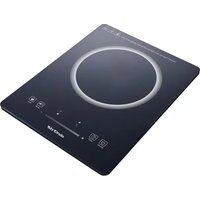
MX-PIP2200 - Cooker Mx Onda - Free user manual and instructions
Find the device manual for free MX-PIP2200 Mx Onda in PDF.


| Product Type | Portable Induction Hob |
| Brand | Mx Onda |
| Model | MX-PIP2200 |
| Dimensions (L x W x H) | 290 x 370 x 42 mm |
| Weight | 2.00 kg |
| Power Supply | 220-240 V ~ 50/60 Hz |
| Maximum Power | 2000 W |
| Power Levels | 10 (200 W - 2000 W) |
| Temperature Levels | 10 (60 °C - 240 °C) |
| Timer | Up to 3 hours (180 min) |
| Compatible Cooking Diameter | 12 to 26 cm |
| Surface Material | High-resistance Ceramic Glass |
| Main Functions | 10 power levels, 10 temperature levels, timer with auto shut-off, child lock, pan detection, overheat protection, Boost mode |
| Maintenance and Cleaning | Clean with a damp cloth after cooling; use specific induction cleaners; do not use abrasive pads |
| Safety | Control panel lock, unsuitable pan detection, automatic shut-off after 1 min without selection, overvoltage/undervoltage protection |
| Spare Parts and Repairability | No user-serviceable parts; contact the official MX ONDA technical service (tel. 902 551 501) |
| General Information | For domestic use only; do not immerse; do not use outdoors; keep safety distances (30 cm from walls) |
Frequently Asked Questions - MX-PIP2200 Mx Onda
User questions about MX-PIP2200 Mx Onda
0 question about this device. Answer the ones you know or ask your own.
Ask a new question about this device
Download the instructions for your Cooker in PDF format for free! Find your manual MX-PIP2200 - Mx Onda and take your electronic device back in hand. On this page are published all the documents necessary for the use of your device. MX-PIP2200 by Mx Onda.
USER MANUAL MX-PIP2200 Mx Onda
natural_image
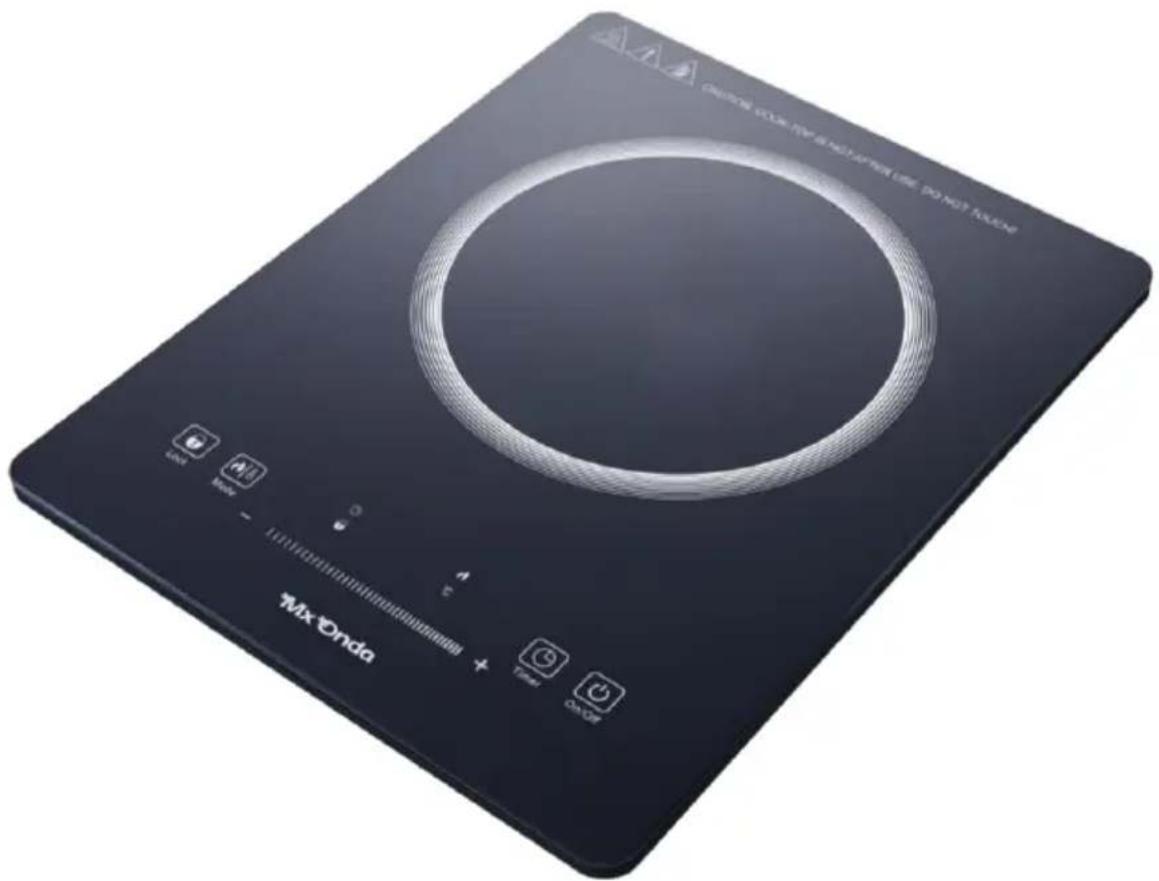
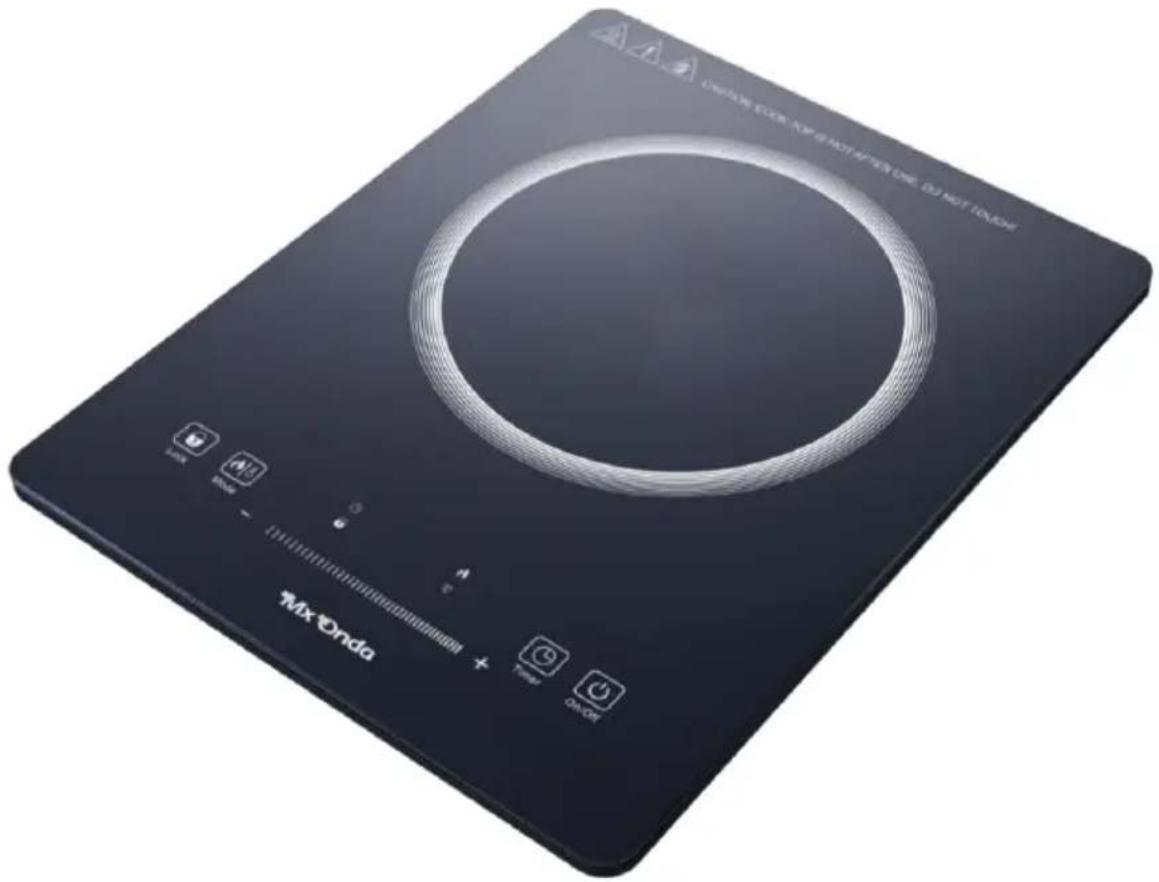
Black electrical induction cooktop with circular top and control buttons (no visible text or symbols on the device body)CE
ANTES DE SU USO LEA ATENTAMENTE ESTE MANUAL
¡ATENCIÓN!
natural_image
Black electrical induction cooktop with circular top and control buttons (no visible text or symbols on the device itself)CE
PLEASE READ THIS INSTRUCTION MANUAL BEFORE USE
ATTENTION!
THIS APPLIANCE WORKS WITH A VOLTAGE OF 230 V, TO AVOID POSSIBLE ELECTRIC SHOCK, DO NOT TRY TO OPEN IT. This device does not have any part that can be repaired by yourself. In the event of a malfunction, do not manipulate it, go to an Official MX ONDA Technical Service.
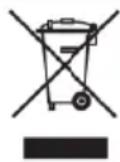
Once the useful life of this electrical product has expired, do not throw it away with household waste.
Place it in the appropriate container at a local waste collection point for later recycling..
This product complies with the European RoHS Directive (2011/65/EU), on the restriction of the use of certain hazardous substances in electrical and electronic equipment.

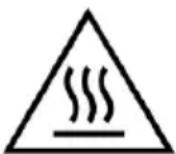
VERY IMPORTANT!
This signal warns that the area where it is located may acquire high temperatures. After using the plate do not touch this surface and do not try to move it. Wait for it to cool down!
INTRODUCTION
The MX ONDA portable induction hob model MX-PIP2200 has a compact design with multiple functions, making this product the ideal appliance.
Among others, it incorporates the following features:
• High resistance ceramic glass.
- Touch type controls.
• Electronic power and temperature control with:
• 10 power levels: 200 \~ 2000 W
• 10 temperature levels: 60 \~ 240 °C
- Child safety lock function
- Valid for containers with a depth of 12 to 26 cm.
- LED display with indication of power, temperature or timer time
- Timer with automatic shut-off and acoustic warning (maximum 2 hours).
- Detector of small containers or containers not suitable for induction.
- Timer setting: 180 minutes
• Automatic identification of pan or inappropriate material.
• Overheat protection.
- Safety lock function.
BEFORE CONNECTING THE APPLIANCE
- Read these instructions carefully and save them for later use.
- Check that the voltage of your power outlet is 230V.
- The power cable is relatively short, to avoid accidents caused by tripping or entanglement.
- If you need to use an extension cord, only use an extension cord that is in good condition and is suitable for the power of the appliance.
- Do not leave the network cable under the plate, so that it comes into contact with hot surfaces, as this runs the risk of damaging the insulating sheath of the network cable.
- To protect against the risk of electric shock and personal injury, do not immerse cord, plug or plate in water or any other liquid.
- After removing the packaging, check the appliance for damage. If in doubt, do not use it and contact technical support personnel.
- Do not leave packaging materials (bags, polystyrene pieces, etc.) within the reach of children, as they are a potential source of danger.
- Place the plate at least 30 cm from the walls of other appliances, furniture or any object that could be damaged by heat.
- The manufacturer declines any responsibility for damage resulting from improper, incorrect or reckless use of the appliance..
SECURITY MEASURES
• Children should not play with this device.
- The cleaning and maintenance to be carried out by the user cannot be carried out by children, unless they are over 8 years old and supervised.
- Failure to follow these safety warnings could result in burns or serious injury.
- This appliance cannot be used by children (under 8 years of age) or persons with reduced physical, sensory or mental capabilities or lack of experience and knowledge, unless they have received appropriate instructions on the use of the appliance and are supervised by a adult or responsible person.
- This appliance is intended for home use only, not professional use. MX ONDA will not accept any responsibility and the guarantee will be void in case of improper use or failure to follow instructions.
- Do not use this appliance near flammable materials (curtains, curtains, etc.)
- To reduce the risk of fire, electric shock, or personal injury, DO NOT block or insert objects into the ventilation slots.
- This plate is designed for indoor use, do not use it outdoors. Avoid exposure to rain, humidity or other atmospheric phenomena.
- This device works at high temperatures, so DO NOT touch the glass surface during handling. Before cleaning or moving the plate, wait for it to cool. If necessary, use gloves or kitchen mitts.
- Keep the appliance out of the reach of children, the surface of the plate as well as the containers can reach high temperatures.
- Unplug the hob when you are not going to use it for a long period of time, when there is a power outage, or a fuse or circuit breaker “trips”, or during the cleaning process.
- Make sure that the power outlet where the device is connected is easily accessible. To disconnect the board from the mains, gently pull the plug from the socket. Never do it by pulling on the cable.
- Do not place the hob on top of stoves, other hobs or microwave ovens.
- Never move the plate during use, unplug the plate and allow it to cool before moving it.
- While the appliance is connected and the plate is still hot, do not neglect your supervision and keep it out of the reach of children.
- The use of accessories not recommended by the appliance manufacturer may cause fire, electric shock, or personal injury.
- Only use induction-safe containers with a bottom of 12 to 26 cm and completely flat. Containers with slightly curved or domed bottoms should not be used.
- Avoid the accumulation of grease or food debris on the surface of the plate, as it reduces performance and can cause bad odors and even grease or food debris may catch fire.
- Do not attempt to cook on the hob surface.
- Do not try to cut the food inside the container while the hob is in operation.
- Do not leave containers with oil or grease unattended; if overheated they may ignite. In case of fire, never try to put out the flames with water. Close the lid and smother the flames with a damp cloth.
- If there is liquid between the base of the container and the plate, vapor pressure may occur, so the container could jump. Always keep the surface of the plate clean and dry.
- Do not place metal objects on the surface of the plate, as these can heat up quickly.
- People who have pacemakers implanted should refrain from approaching and manipulating the induction hob. Although this product complies with all current safety and electromagnetic compatibility regulations, it is possible that some device does not comply 100% and may cause interference that affects these devices.
- In case of breakdown, anomalies, if the glass of the plate has cracks, fissures, etc., the plug or other parts are damaged, or the cable is damaged, unplug the appliance and do not attempt to repair it yourself. Contact the nearest MX ONDA Official Technical Service.
INDUCTION COOKING
Advantages of induction cooking
Induction cooking represents a radical change in the traditional way of cooking food, the heat is generated directly in the container, which eliminates the heat loss between the different elements (container, glass-ceramic plates, etc.) The advantages are the following:
- Decreased cooking time: the container heats up faster.
- Energy savings: by reducing the time for cooking and/or frying. When the container is removed from the cooking zone, it automatically stops supplying heat. If the container is placed again within 30 seconds, it will supply heat again and at the same level previously set.
- Easier cleaning; Since the surface is not so hot, spilled food does not burn as quickly.
Containers suitable for induction
Ferromagnetic containers
The containers suitable for induction cooking are those that are made of ferromagnetic material. They can be made of enameled steel, cast iron or special stainless steel induction cookware.
To know if a container is suitable for induction cooking, check that they are attracted to a magnet.
Special containers
There are other types of containers whose base is not entirely ferromagnetic. Before using them, check the diameter of the base and that these containers are detected by the induction hob.
Containers not suitable for induction
Never use containers made of normal stainless steel, glass, clay, copper, or aluminum.
Container Base Features
The base of a container can influence the distribution of heat and therefore the cooking result. Choosing a container with a higher quality base (for example, sandwich type) will save cooking time and energy.
Pay special attention to the shape of the base, since it must be completely flat. If it has a small curvature or bulge, heat loss will occur and consequently a longer cooking time and a considerable increase in energy expenditure.
Empty containers or containers with a very thin base
Never place an empty container on the plate and turn it on, as this can cause the container to overheat (due to excess heat) and damage the ceramic glass
or the plate itself. If the base of the container is very thin, it can also become excessively hot, refrain from using this type of container.
Container detection
The plate has a minimum detection limit of the cooking zone and that is 10 cm. For this reason, you should refrain from using containers whose base is less than 10 cm in diameter.
If you turn on the hob without any container, with a container whose base is less than 10cm or with a container not suitable for induction, the hob will not work, the indication “E1” will appear on the display, it will give an acoustic warning and after 60 seconds it will automatically turn off.
Fan
At the base of the plate there is a fan whose objective is to maintain a stable temperature inside the induction plate.
Every time the board is turned on and the power or temperature is adjusted, the fan will also start. When the board is turned off, the fan will remain running and will automatically turn off after 1 minute.
On the base of the hob you should NEVER place kitchen towels, cloths or other objects that could obstruct the fan holes, as this would prevent adequate ventilation and cause overheating of the circuits, causing the safety protections to operate.
Note:
Remember that the fan will remain running for 1 minute after turning off the board. This is normal and does not indicate a malfunction.
INSTALATTION
- Place the plate on a stable and level surface, away from hot places, high humidity or near flammable materials (oil, curtains, rags, etc.).
- To ensure adequate ventilation, leave at least 30 cm of separation on each side of the plate. DO NOT block the ventilation slots on both sides and back of the board as well as the fan holes (located on the base of the board).
- Completely unroll the power cable and plug the appliance plug into the mains. The buzzer will emit a "beep" to let you know that the hob has been plugged into the mains socket. The display and all indicator lights on the control panel will illuminate briefly. The button 1 indicator ( 🔍) will flash.
CONTROLS AND ELEMENTS
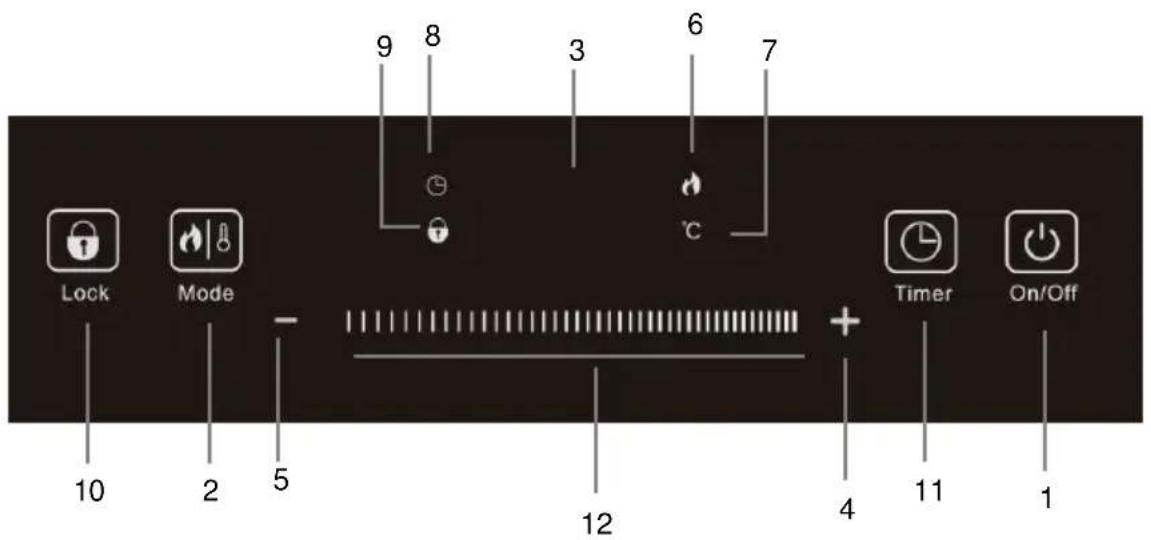
- On/Off button
- Function selector button
- LED display
- Boost button
- Decrease button
- Power Preset Mode LED Indicator
- Temperature mode LED indicator
- Timer mode LED indicator
- Lock Mode LED Indicator
- Button for Lock mode
-
Button for Timer mode
-
Sliding adjustment area for power, temperature or timer mode.
- Controls respond to touch, so no pressure is necessary.
- Use the entire tip of your finger, not the tip.
- You will hear a beep each time a touch is detected.
- Make sure that the controls are always clean, dry, and that no object (for example, a utensil or cloth) is covering them. Even a thin layer of water can make the controls difficult to operate.
ON AND OFF
- Place the container on the cooking zone, remember that it must be suitable for induction and its base must be between 10 and 26 ~cm .
-
To turn on the hob, touch button 1 ( 🔊 ) with your fingertip, the indicator on button 1 ( 🔊) will remain on and the buzzer will emit a "beep".
-
Using the function selector 2 (Modes) select the desired mode, see the next section.
- To turn off the hob, touch button 1 (💡) again with the tip of your finger, the screen will turn off and the acoustic warning will emit a "beep".
- Once the board is turned off but still plugged in, the ON/OFF indicator light will not turn on.
Note:
If you turn on the hob and do not select any function, it will automatically turn off after 1 minute.
FUNCTION SELECTOR
Using the function selector 2 (Modes) you can choose the work mode in power (200W to 2000W) or temperature (60°C to 240°C).
To select the operating mode in power or temperature, follow the following steps to set the timer, see the next section.
Power operating mode
- With the hob on and a container on the cooking zone, press the mode selection button 2 (Modes) until the display 3 shows the default power level in watts (2000) and the power LED lights up 6 from the default mode.
- Tap the 4 (+) or 5 (-) button or the 12 (|||||) finger swipe area to increase or decrease the power respectively. Screen 3 will show the selected power.
- At any time during cooking you can increase or decrease the power, switch to temperature mode or set the timer.
Operating mode in temperature
- With the hob on and a container on the cooking zone, press the mode selection button 2 (Modes) until the display 3 shows the default temperature level in degrees (200°) and the indicator lights up. LED for temperature mode 7.
- Tap the 4 (+) or 5 (-) button or the 12 (|||||) finger swipe area to increase or decrease the temperature respectively. Screen 3 will show the selected temperature.
- At any time during cooking you can increase or decrease the temperature, switch to power mode or set the timer.
TIMER
The timer will allow you to set a time for automatic shutdown, this time can vary between 1 minute and 3 hours. To set the timer you must first select an
operating mode (power or temperature) and a power or temperature level respectively.
To set the timer follow the following steps:
- With the hob on and a container on the cooking zone, choose an operating mode and a power or temperature level.
- Press the 11 (Timer) button, the display will show "0" and the timer mode LED indicator 8 will light.
- Tap the 4 (+) or 5 (-) button or the 12 (||||||) finger swipe area to increase or decrease the time in 1-minute steps respectively. Press and hold the 4 (+) or 5 (-) button for 3 seconds to access the quick setting, the intervals will be 10 minutes. Screen 3 will show the time in minutes.
- Once the time is selected, display 3 will alternately show the selected power or temperature and the time remaining for automatic shutdown. The timer mode LED indicator 8 will stay on to let you know that the timer is activated.
- During cooking you can increase or decrease the power or temperature, using the button 4 (+) or 5 (-) or the finger slider area 12 (||||||).
- To cancel the timer, press the mode selection button 2 (Modes) to switch to power or temperature mode or press and hold the button 11 (Timer) for 5 seconds, the timer mode LED indicator 8 turns on. will turn off.
Note: If when activating the timer, when the display shows the indication "0:00" flashing, if 5 seconds pass without selecting the time for shutdown, the timer mode will automatically be deactivated.
CONTROL PANEL LOCK
- The induction hob incorporates a locking device, which disables the high buttons except button 10 (Lock) and button 1 (💡).
- The control panel lock prevents the induction hob from being turned off by mistake or turned on by mistake (if the hob is off), or from changing the chosen power or temperature (if the hob is in operation).
- To lock the control panel, press the 10 (Lock) button once. When the control panel is locked, the display 3 will show "Loc" and the timer mode LED indicator 9 will light.
- To unlock the control panel, press the 10 (Lock) button and hold it for 3 seconds, when the control panel is unlocked the "Loc" indication will disappear from the display and the timer mode LED indicator 9 will turn off.
Switching the induction cooking plate off and then on again will NOT cancel the Child Locking function. You must first cancel the Child Locking function before switching on the induction cooking plate again.
The Child Locking function will be cancelled when the power cord is disconnected from the wall outlet.
TROUBLESHOOTING
If there is any anomaly or problem in the operation of the induction hob, screen 3 will show the error detected. Error messages appear on the screen with the letter “E” followed by a number, consult the following table to identify the error and the solution.
| Message | Descripción | Solution |
| E0 | Internal circuit error. | Contact our nearest MX ONDA Customer Service. |
| E1 | No container or container is not suitable for induction hobs. | Place a container on the cooking zone or replace the invalid container. |
| E2 | IGBT sensor overheating | Failure in the ventilation system, check that the fan is not obstructed and is working correctly. Unplug the induction hob and let it cool. |
| E3 | Overvoltage protection. | If the voltage at the output mains is higher than specified, consult a qualified electrician. |
| E4 | Low voltage protection. | If the voltage on the output mains is less than specified, consult a qualified electrician. |
| E5 | Top plate sensor open/short circuit. | Contact our nearest MX ONDA Customer Service. |
| E6 | IGBT sensor open/short circuit | Contact our nearest MX ONDA Customer Service. |
| E7 | Top Plate Overheating/Invalid Top Plate Sensor. | Unplug the induction hob and let it cool. |
MAINTENANCE AND CLEANING
Before cleaning, disconnect the unit from the mains. And make sure the plate is completely cold. Do not use alcohol or abrasive products and do not allow the appliance to come into contact with volatile agents such as gasoline, solvents, insecticides, etc.
Cleaning the hob
- After each use you must clean the plate, in this way you will prevent any adhered remains from burning.
- Do not clean the plate until it is cool enough.
- Only use specific products for cleaning induction hobs, otherwise you could damage the cooking surface.
- Do not use scouring pads that could scratch the surface, nor should you use abrasive products such as oven stain remover sprays.
Housing cleaning
- Clean the plastic surface with a damp cloth and then with a dry one. Prevent water from entering through the ventilation holes.
- If you notice that a lot of dirt has accumulated in the fan holes, remove it with the help of a brush.
TECHNICAL CHARACTERISTICS
Supply voltage 220 - 240 V \~ 50/60 Hz
Maximum consumption 2000 W
cooking surface High resistance ceramic glass
Firing diameter from 12 to 26 cm
Power levels 10 levels
Temperature levels 10 levels
Power range from 200W to 2000W
Temperature range from 60°C to 240°C
Timer up to 3 hours
Dimensions 290 x 370 x 42 mm (L, W, H)
Weight 2,00 Kg
Technical specifications attached to change without notice.
This product complies with European Directives 2014/30/EC (EMC) on Electromagnetic Compatibility and 2014/35/EC (LVD) on low voltage safety.
"MX, MX ONDA" and its logos are registered trademarks of MX ONDA, S.A.
Information and Technical Service Telephone: 902 551 501
MX ONDA, S. A.
C / Matabueyes, 7 nave 1A
19171 - Cabanillas del Campo
(Guadalajara)
E-MAIL: mxsat@mxonda.es
http://www.mxonda.es

MANUAL DE INSTRUÇÕES
Mx Onda
PLACA DE INDUÇÃO PORTÁTIL
MODELO: MX-PIP2200
natural_image
Black electrical induction cooktop with circular top and control buttons (no visible text or symbols on the appliance body)CE
ANTES DE USAR, LEIA ESTE MANUAL COM ATENÇÃO
ATENÇÃO!
MANUEL D'INSTRUCTIONS
Mx Onda
TABLE DE CUISSON À INDUCTION PORTATIVE
MODÈLE: MX-PIP2200
natural_image
Black electrical induction cooktop with circular top and control buttons (no visible text or symbols on the appliance body)CE
AVANT UTILISATION, LIRE ATTENTIVEMENT CE MANUEL
ATTENTION!
natural_image
Black electrical induction cooktop with circular top and control buttons (no visible text or symbols on the appliance body)CE
PRIMA DELL'USO LEGGERE ATTENTAMENTE QUESTO
ATTENZIONE!
QUESTO APPARECCHIO FUNZIONA CON UNA TENSIONE DI 230 V, PER EVITARE POSSIBILI SCOSSE ELETTRICHE, NON TENTARE DI APRIRLO.
- ¡ATENCIÓN!
- ATTENTION!
- VERY IMPORTANT!
- INTRODUCTION
- BEFORE CONNECTING THE APPLIANCE
- SECURITY MEASURES
- INDUCTION COOKING
- Advantages of induction cooking
- Containers suitable for induction
- Containers not suitable for induction
- Container Base Features
- Empty containers or containers with a very thin base
- Container detection
- Fan
- Note:
- INSTALATTION
- CONTROLS AND ELEMENTS
- ON AND OFF
- FUNCTION SELECTOR
- Power operating mode
- Operating mode in temperature
- TIMER
- CONTROL PANEL LOCK
- TROUBLESHOOTING
- MAINTENANCE AND CLEANING
- Cleaning the hob
- Housing cleaning
- TECHNICAL CHARACTERISTICS
- MANUAL DE INSTRUÇÕES
- Mx Onda
- PLACA DE INDUÇÃO PORTÁTIL
- ATENÇÃO!
- MANUEL D'INSTRUCTIONS
- TABLE DE CUISSON À INDUCTION PORTATIVE
- ATTENZIONE!
Brand : Mx Onda
Model : MX-PIP2200
Category : Cooker