
CFR1615 - TV Stand SANUS - Free user manual and instructions
Find the device manual for free CFR1615 SANUS in PDF.


User questions about CFR1615 SANUS
0 question about this device. Answer the ones you know or ask your own.
Ask a new question about this device
Download the instructions for your TV Stand in PDF format for free! Find your manual CFR1615 - SANUS and take your electronic device back in hand. On this page are published all the documents necessary for the use of your device. CFR1615 by SANUS.
USER MANUAL CFR1615 SANUS
natural_image
Technical line drawing of a multi-tiered rack-mounted storage unit (no text or symbols)We are here to help!
Please contact Customer Service with any questions.
-sanus.com
Customer Service
Americas: 800-359-5520 · 952-225-6013 · info@sanus.com
Europe, Middle East, and Africa: +31 (0) 495 580 852 • europe.sanus@milestone.com
Asia Pacifi c: 86 755 8996 9226 • sanus.ap@milestone.com
SANUS • 6436 City West Parkway • Eden Prairie, MN 55344 USA
©2013 Milestone AV Technologies, a Duchossois Group Company. All rights reserved. Sanus is a division of Milestone. All other brand names or marks are used for identification purposes and are trademarks of their respective owners.
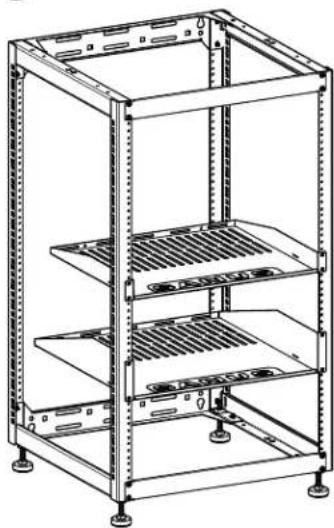
natural_image
Technical line drawing of a multi-tiered rack-mounted server unit (no text or symbols)English
IMPORTANT SAFETY INSTRUCTIONS – SAVE THESE INSTRUCTIONS – PLEASE READ ENTIRE MANUAL PRIOR TO USE
Specifications
Weight capacity free standing or stacked-DO NOT EXCEED: 272 kg (600 lb.) includes any components or accessories
Weight capacity wall mounted-DO NOT EXCEED: 90.7 kg (200 lb.) includes any components or accessories
Do not stack more than 2 rack assemblies
The CFR16 series is designed to support audio/video equipment.
⚠️ CAUTION: If free standing, to prevent tipping, always load the rack from the bottom up, and load the heaviest item in the rack first. If free standing, 50% of the total weight should be mounted in the lower 1/3 of the rack.
If wall mounted, weight can be distributed as required.
CAUTION: Avoid potential personal injuries and property damage!
Do not use this product for any purpose not explicitly specified by manufacturer
The wall must be capable of supporting five times the weight of the rack and components or accessories combined
If you do not understand these instructions, or have doubts about the safety of the installation, assembly or use of this product, contact Customer Service or call a qualified contractor
Manufacturer is not responsible for damage or injury caused by incorrect assembly or use
Required Tools
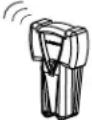
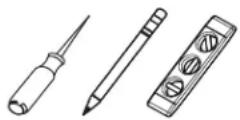
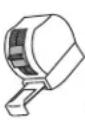
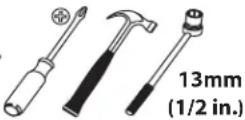
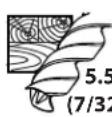
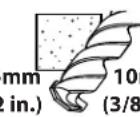
Technical Specifications CFR1615
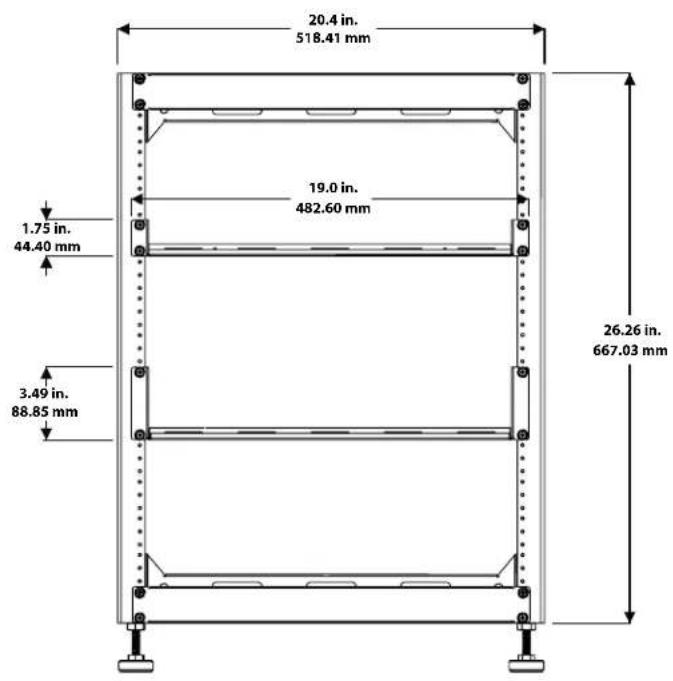
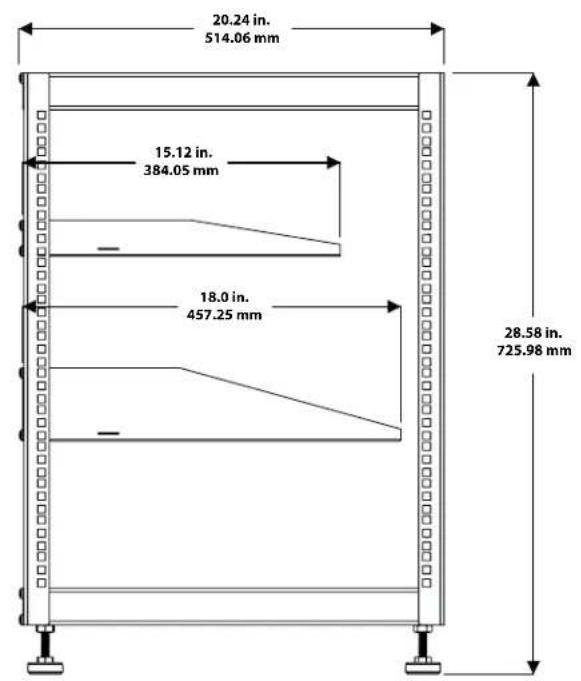
other
| Dimension | Value (in.) | | :--- | :--- | | Total Length | 20.24 | | Total Width | 514.06 | | Top Section Height | 15.12 | | Top Section Width | 384.05 | | Bottom Section Height | 18.0 | | Bottom Section Width | 457.25 | | Top Section Base Width | 28.58 | | Top Section Base Width | 725.98 |Technical Specifications CFR1620
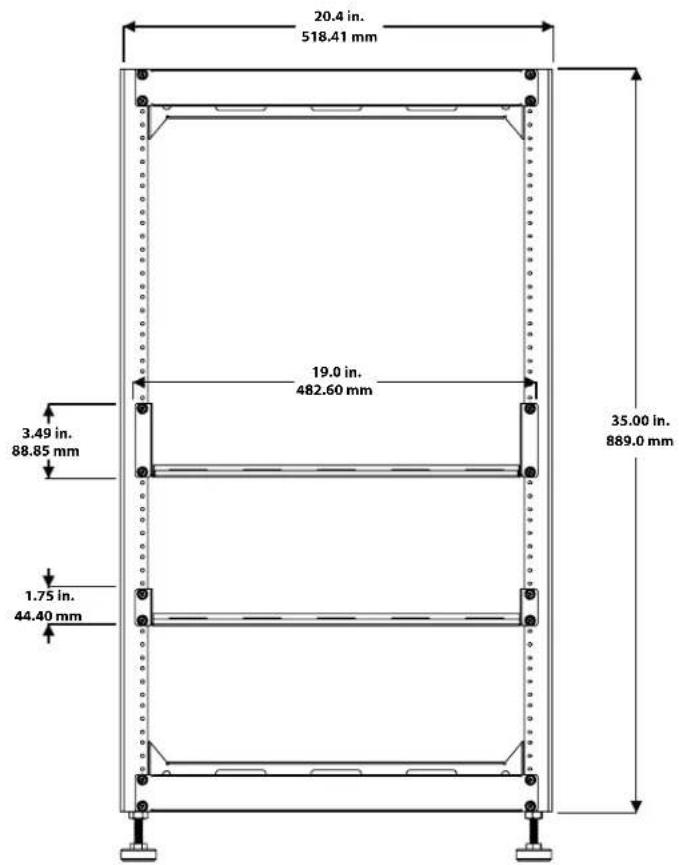
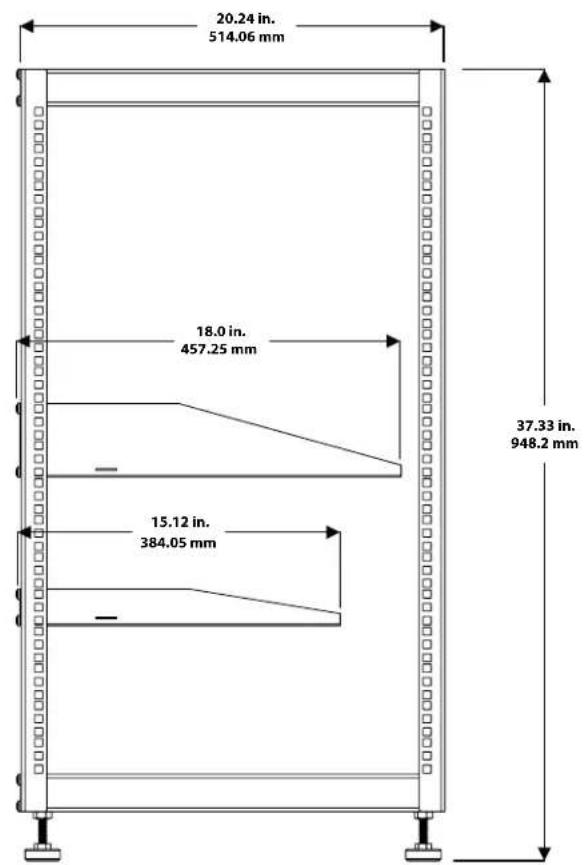
other
| Dimension | Value (in.) | | ----------------- | ----------- | | Total Width | 20.24 | | Total Height | 514.06 | | Top Section | 18.0 | | Middle Section | 457.25 | | Bottom Section | 37.33 | | Bottom Height | 384.05 | | Vertical Line | — | | Horizontal Line | — |Supplied Parts
WARNING: This product contains small items that could be a choking hazard if swallowed.
Before starting assembly, verify all parts are included and undamaged. If any parts are missing or damaged, do not return the damaged item to your dealer; contact Customer Service. Never use damaged parts!
![[01] × 1](/content/2026/04/694736/images/af3f560fb93b071694c761c7ab643a4a94a75bf0c48397451706cff472d07d10.jpg)
![[02] x 1 R](/content/2026/04/694736/images/3fd89f0f11cc0a1c9a01d32ae27f5323f071992a0ec80ec72b2efa51df80505b.jpg)
![[03] x 2 [04] x 2 [05] x 1 [06] x 1](/content/2026/04/694736/images/7f5a61bfe55102c43e8ec7ff622611691ab28c23202d4c05ba41f6dd361950a6.jpg)
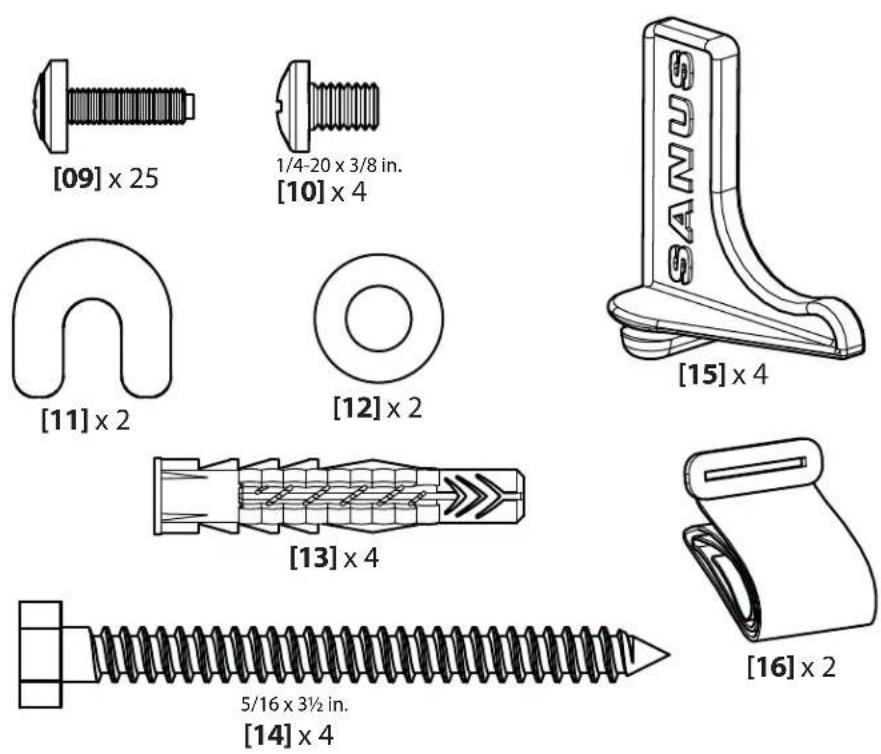
Supplied Parts
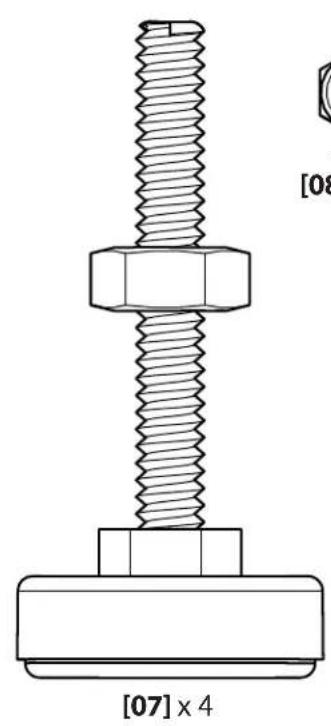
natural_image
Technical line drawing of a bolt and nut assembly (no text or symbols)1/4-20 [08] x 12
Frame Construction
![Fit brace [03] over left frame [01] horizontal screw stud. [01] [03]](/content/2026/04/694736/images/823628def1bbb9d9da8af5de002d7b7cd14cb5c968af5be92f795ccc177ba1a8.jpg)
![Slide brace [03] back over vertical screw studs. [01] [03]](/content/2026/04/694736/images/d2a731c4beb159fd7b8b2abbeb6ccc669570d62ba3783a3604e00ac4c64161e7.jpg)
![Secure brace [03] with nuts [08]. [08] [01] [03] 13mm (1/2 in.)](/content/2026/04/694736/images/44b347fd211277ebc2ebd5d42ea28363d3bf82dfb7e66d2d8e93dd06da739592.jpg)
![Attach right frame [02] to lower brace [03] with nuts [08]. [03] [08] [02] [01] 13mm (1/2 in.)](/content/2026/04/694736/images/c5f615490d6c9f7c8f34ba870e9a3d00a64ec272125af525b82bee7b7a6de56d.jpg)
Frame Construction
![Repeat steps 1 and 2 with upper brace [03]. [03] [01] [02]](/content/2026/04/694736/images/0c291e249767972fd946c766f31c44ada55f2b9418aefa626ca530b9f4be7ac8.jpg)
![6 13mm (1/2 in.) Secure upper brace [03] with nuts [08]. [03] [01] [02]](/content/2026/04/694736/images/933324efc85bafacb90859b6af133e64a9cf83377c0746eccda55496010acaeb.jpg)
![7 Attach alignment panels [04] with screws [09]. [04] [09] [04] [09]](/content/2026/04/694736/images/444dc60903ccf8e50c599c7bcc1e8d4cb7b2d7b6a3edbe1b9bea2dc5819283d0.jpg)
Install Feet (optional) for use on floor
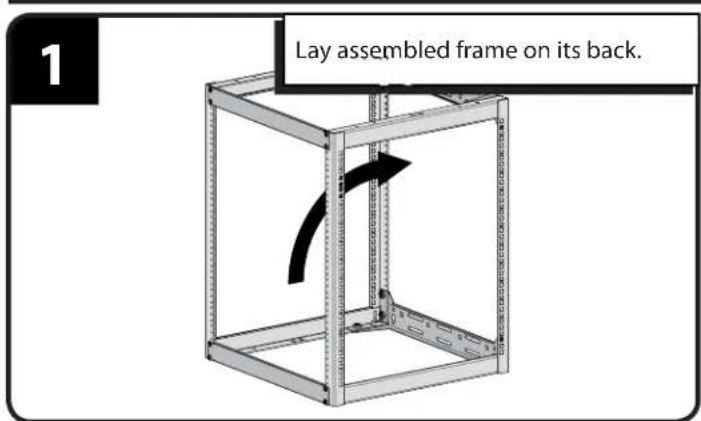
![2 [07] Install feet [07].](/content/2026/04/694736/images/289157dc60dd3fc4a96e4151cc8f77099619dc369764486a233c31204af355bc.jpg)
![Adjust the feet [07] to level the rack. [07]](/content/2026/04/694736/images/a0549ce672051daf942179351291af7ad90ee26ab787fc4c54d0f27b83d8cda0.jpg)
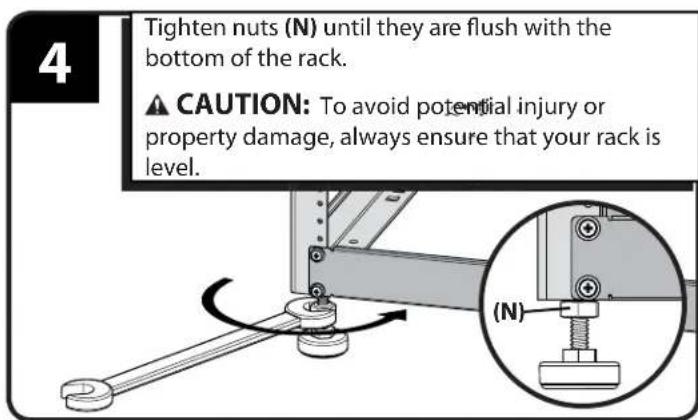
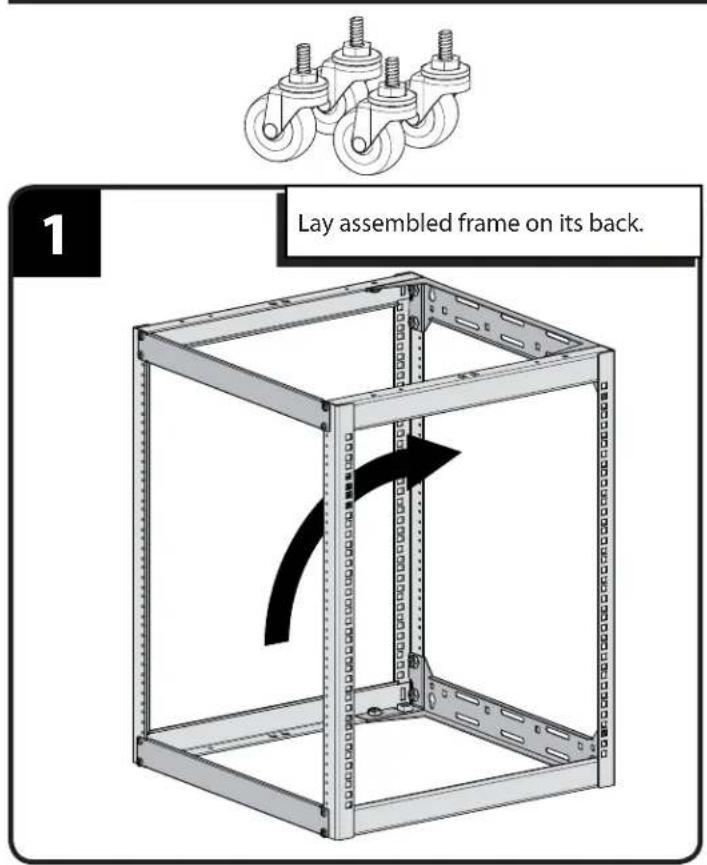
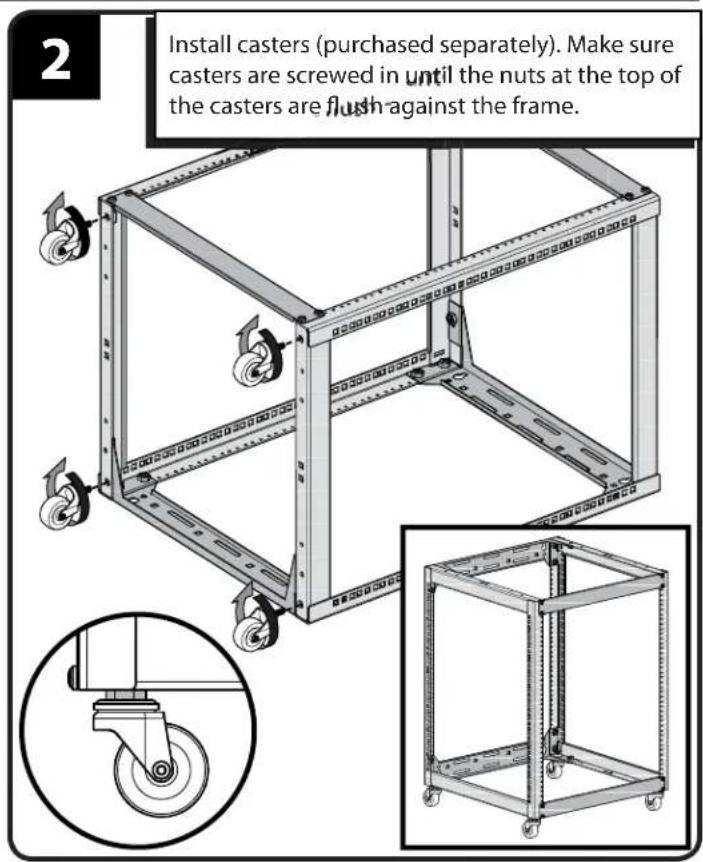
Install Casters (optional CA6CK caster kit purchased separately)
Stacking (second rack sold separately)
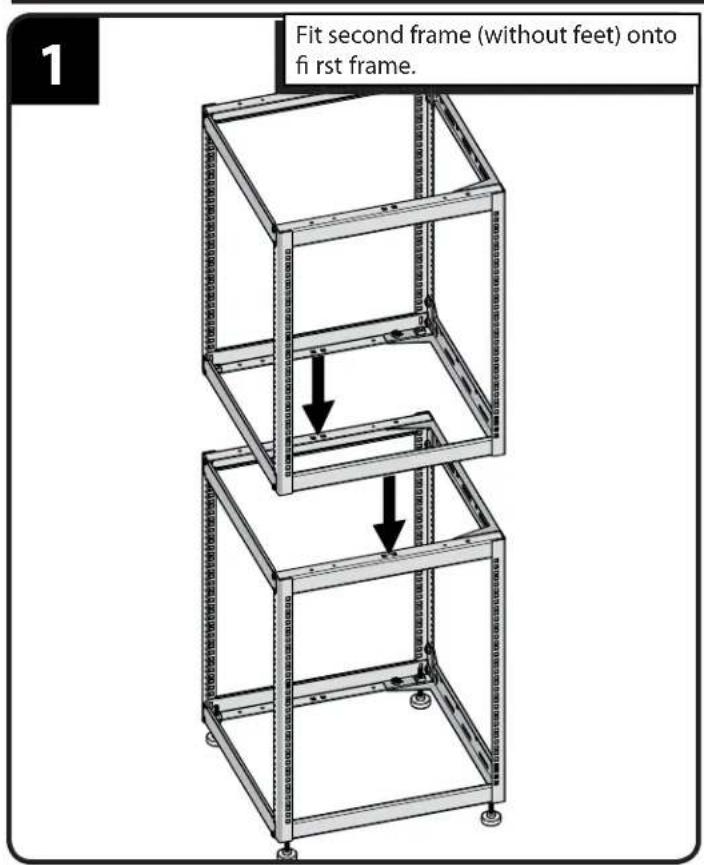
![Secure frames with stacking screws [10]. [10]](/content/2026/04/694736/images/88c599b6be094274ce86fcf6ecdf2f7e607507e0ac7e43b91adcc31083d04b0f.jpg)
Single Wall Mounting (wood stud)
1
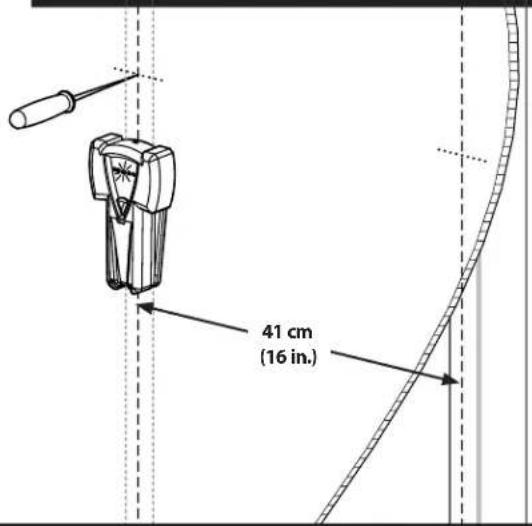
Locate studs. Verify the center of the stud with an awl or thin nail or use an edge to edge stud fi nder.
⚠️ CAUTION: Avoid potential personal injuries and property damage!
- Any material covering the wall must not exceed 16 mm (5/8 in.).
Minimum wood stud size: common 2 x 4 in (nominal 1½ x 3½ in).
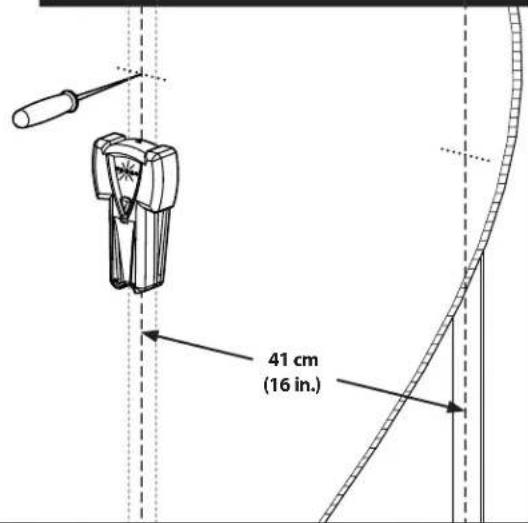
2
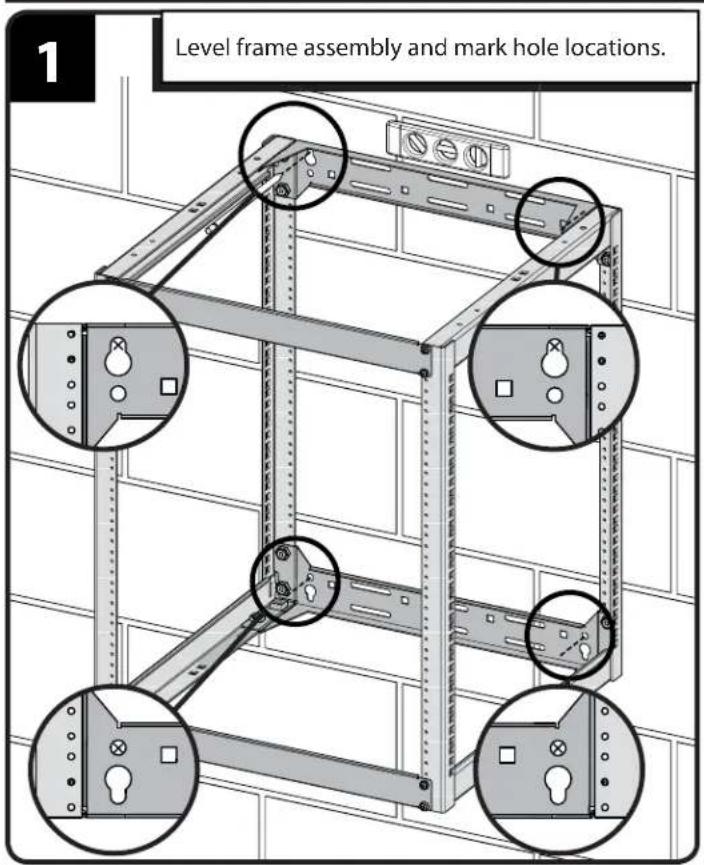
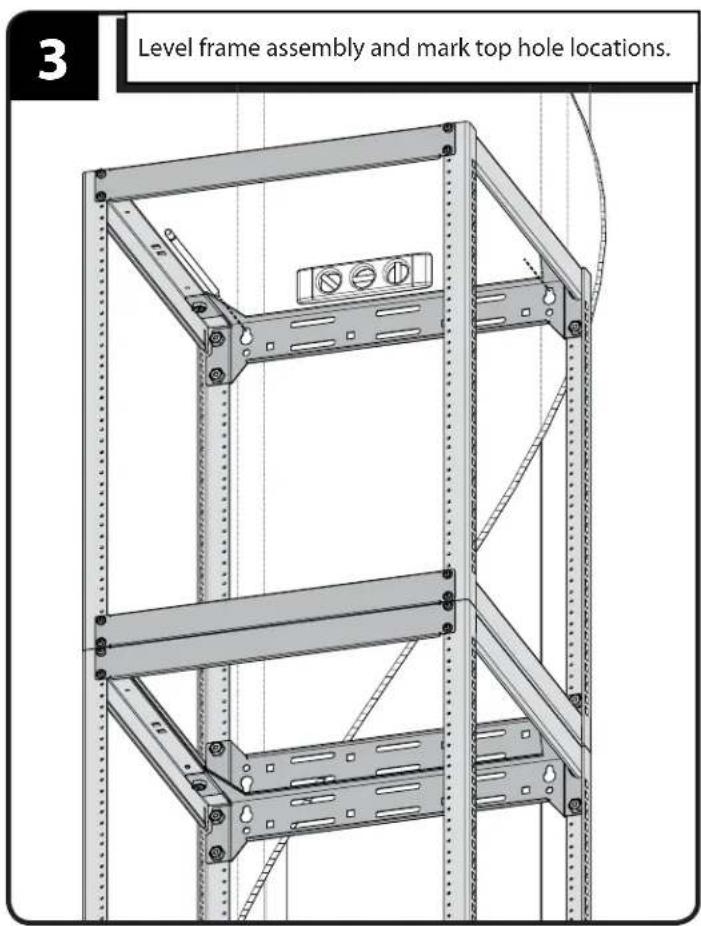
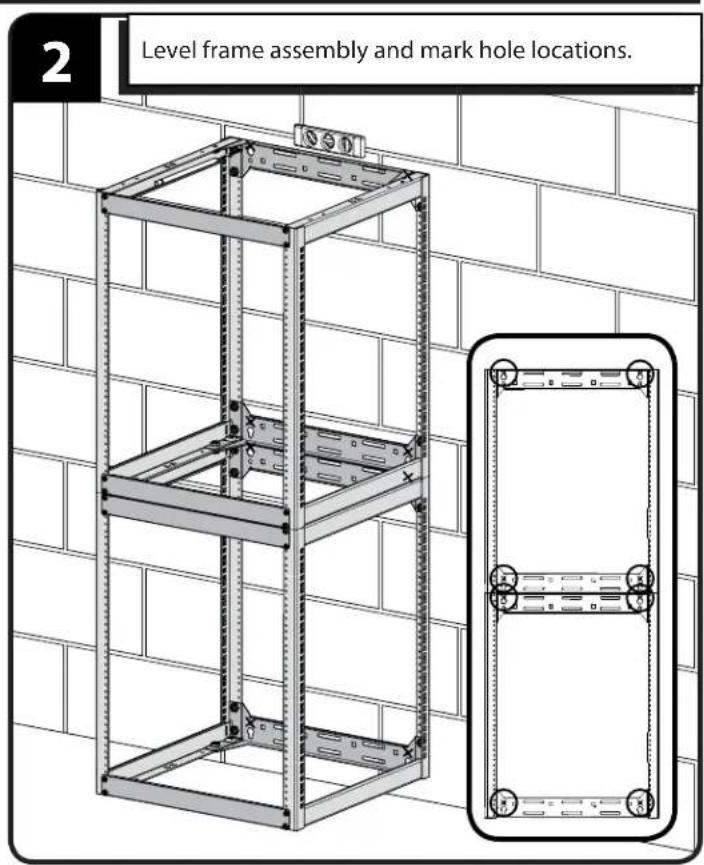
Level frame assembly and mark hole locations.
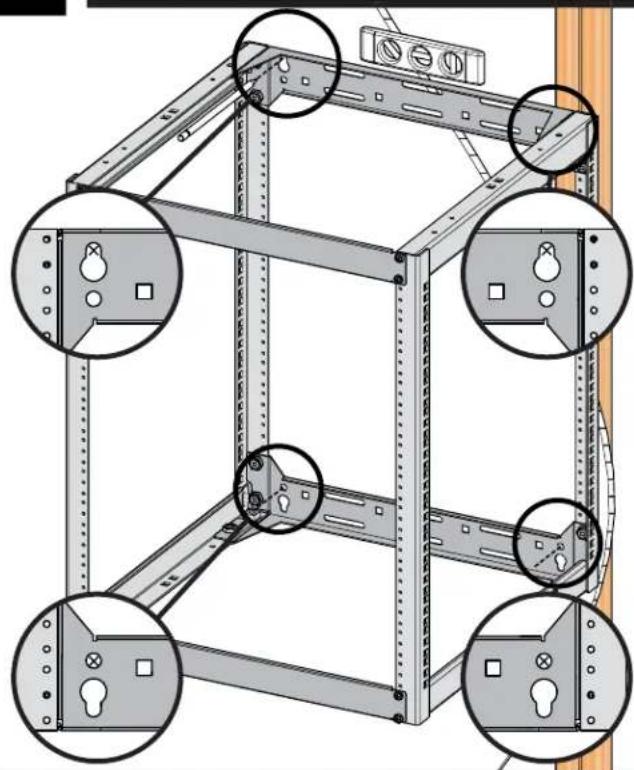
natural_image
Technical diagram of a modular shelving unit with four circular insets showing different structural components (no text or labels present)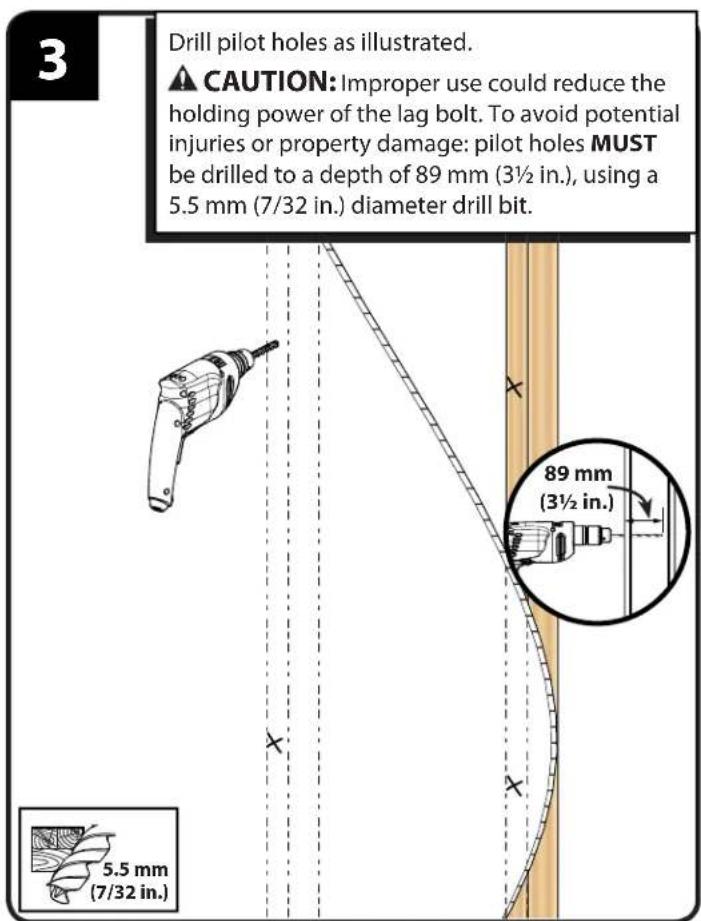
![4 Start upper lag bolts [14], hang frame assembly on bolts [14], then slip "U" washers [11] onto the upper bolts [14]. Lower bolts [14] use round washers [12]. Tighten lag bolts [14] only until the washers [11] and [12] are pulled firmly against the brace [03]. ⚠️ CAUTION: Improper use could reduce the holding power of the lag bolt. To avoid potential injuries or property damage DO NOT over-tighten the lag bolts [14]. [14] [11] [03] [14] [12] [03] 13mm (1/2 in.)](/content/2026/04/694736/images/433fe4f072bb32fdb8a563d3b5cbd7d05717cc5b3c7a09bb416ce3a051cf3d99.jpg)
Single Wall Mounting (solid concrete and concrete block)
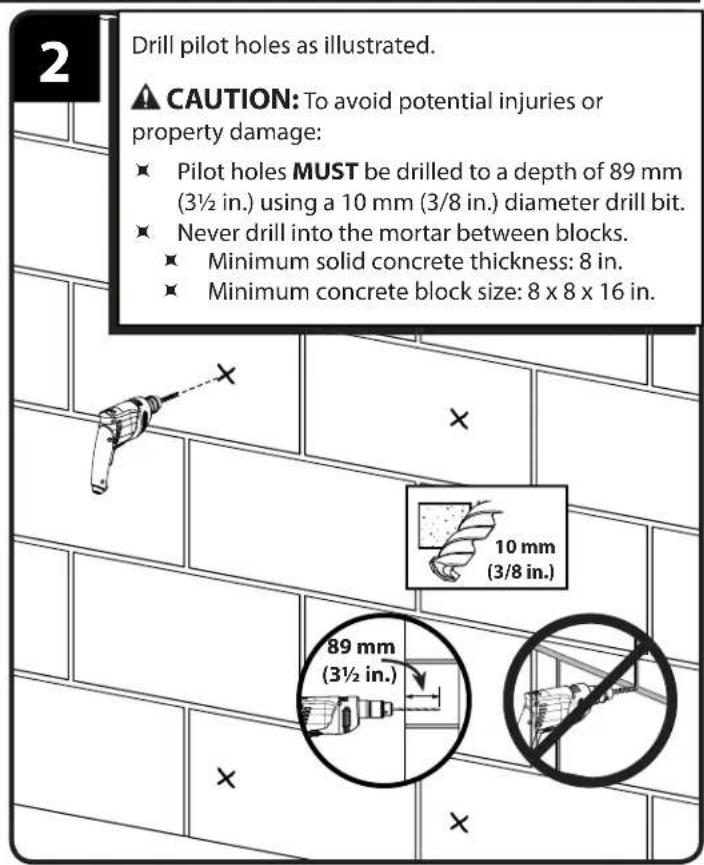
![Insert lag bolt anchors [13]. ⚠️ CAUTION: To avoid potential injuries or property damage be sure the anchors [13] seat fl ush with the concrete surface. [13]](/content/2026/04/694736/images/507935a29fbbb16d4b6922b5577244bbf7527bf0cedd1f55d1ea5216b7cdae1d.jpg)
![Start upper lag bolts [14], hang frame assembly on bolts [14], then slip "U" washers [11] onto the upper bolts [14]. Lower bolts [14] use round washers [12]. Tighten lag bolts [14] only until the washers [12] and [12] are pulled firmly against the brace [03]. CAUTION: Improper use could reduce the holding power of the lag bolt. To avoid potential injuries or property damage DO NOT over-tighten the lag bolts [14].](/content/2026/04/694736/images/21cd245695b200ae71554f74c55d0b4803d10b3e41d99fed5a755bdeae758559.jpg)
Wall Mounting - Stacking (wood stud)
1
![Fit second frame onto first frame. Secure frames with stacking screws [10]. [10]](/content/2026/04/694736/images/610ee6932bb948736abc349716d92651c4f2f226e6640a54361ce587576cee22.jpg)
Fit second frame onto first frame.
Secure frames with stacking screws [10].
![[10]](/content/2026/04/694736/images/cec5c12362ae38f7dd4d49cef572f74a84ef411e34f4a2d1f247ec5290d51413.jpg)
2
Locate studs. Verify the center of the stud with an awl or thin nail or use an edge to edge stud fi nder.
CAUTION: Avoid potential personal injuries and property damage!
- Any material covering the wall must not exceed 16 mm (5/8 in.).
Minimum wood stud size: common 2 x 4 in (nominal 1 ½ x 3 ½ in).
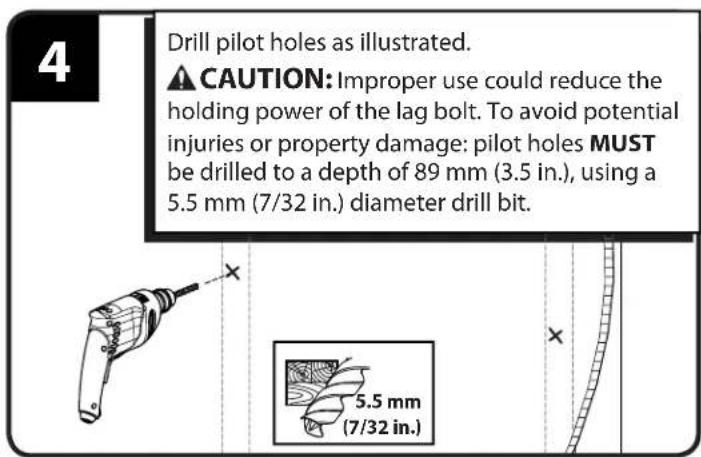
![Start top lag bolts [14]. Leave approximately 13 mm (1/2 in.) of space from the bolt head to the wall. [14] 13 mm (1/2 in.) 13mm (1/2 in.)](/content/2026/04/694736/images/e3fd7094980cccb3c1d0685db038383e1ff1dd743f228f6818f77453bdef8b31.jpg)
6
Hang frame assembly on bolts [14].
![[14] [14]](/content/2026/04/694736/images/26be081b665008a468e7c61e7e8c757a6596d627d031b16aa1f45e6800a971ac.jpg)
7
Slip "U" washers [11] onto the bolts [14].
Tighten lag bolts [14] only until the washers [11] are pulled firmly against the brace [03].

CAUTION: Improper use could reduce the lding power of the lag bolt. To avoid potential injuries or property damage DO NOT over-hten the lag bolts [14].
![[14] [11] 13mm (1/2 in.)](/content/2026/04/694736/images/4506e5f8cd150a95c0817b87b4b7d43b07b4c9b597747a9a9e776dcccdf715a5.jpg)
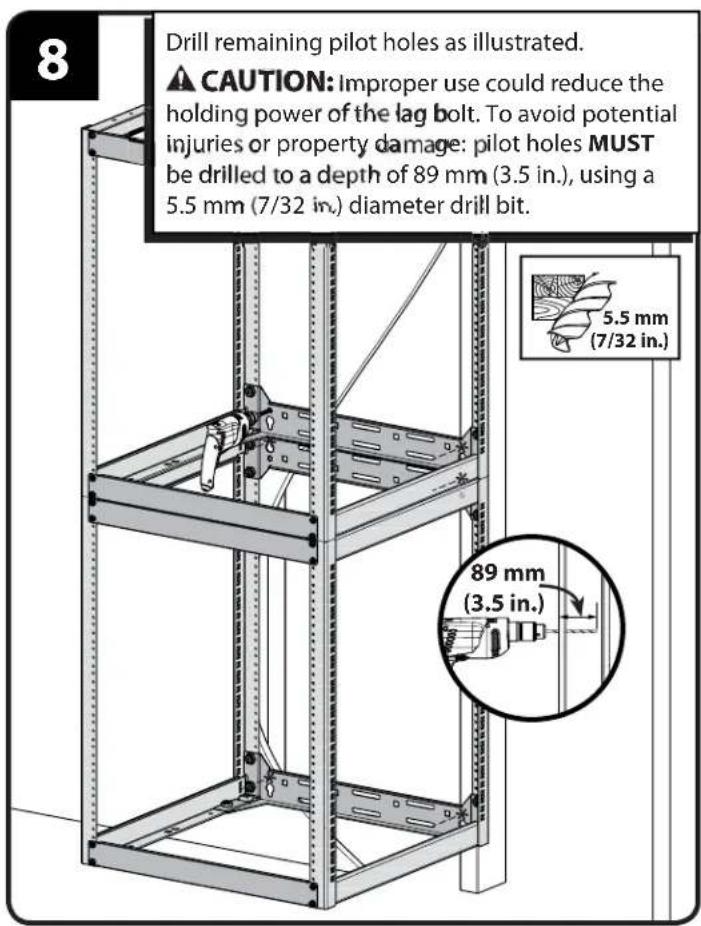
![9 Tighten lag bolts [14] only until the washers [11] and [12] are pulled firmly against the brace [03]. ▲ CAUTION: Improper use could reduce the holding power of the lag bolt. To avoid potential injuries or property damage DO NOT over- tighten the lag bolts [14]. [14] [12] [14] [11] [13mm (1/2 in.)] [14] [12]](/content/2026/04/694736/images/e9d44719fe3a42adaa2ab8799c37c35b2712eb0c249cf1ba5c88ff1fc2e26e04.jpg)
Wall Mounting - Stacking (solid concrete or concrete block)
![1 Fit second frame onto fi rst frame. Secure frames with stacking screws [10]. [10]](/content/2026/04/694736/images/85a48351ea9aa87af1f0133adc3d075a9f4bb924634a0a55fcbe109c9068d828.jpg)
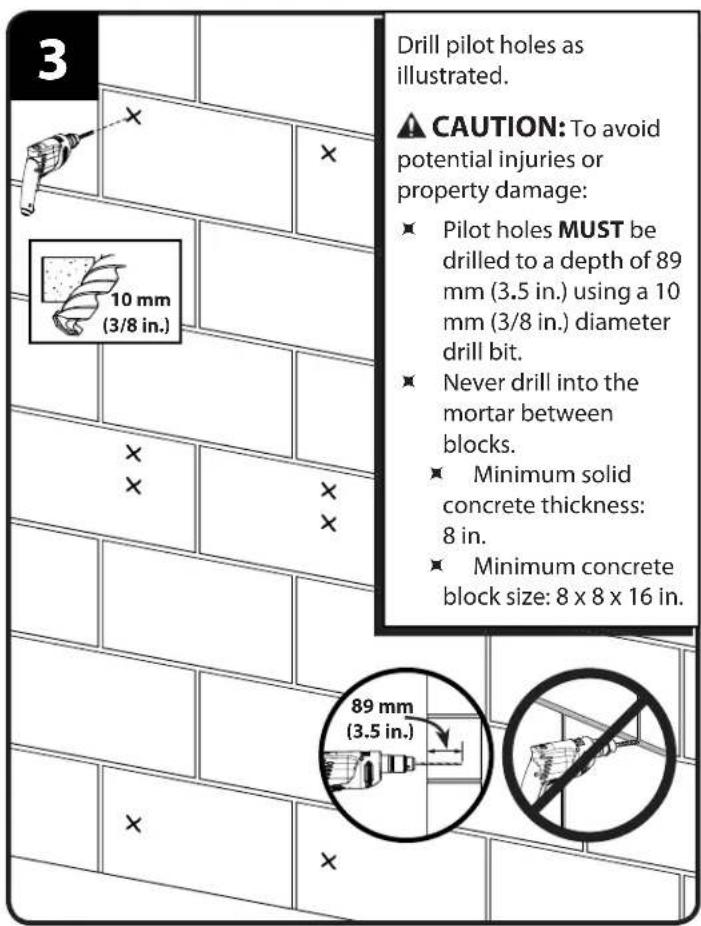
![4 Insert lag bolt anchors [13]. ⚠️ CAUTION: To avoid potential injuries or property damage be sure the anchors [13] seat flush with the concrete surface. [13]](/content/2026/04/694736/images/da1896bc513b50798decded718733d08fe6cc2a6f3e5d1d1ca1689a8c7cda5c9.jpg)
![Start upper lag bolts [14], hang frame assembly on bolts [14], then slip "U" washers [11] onto the upper bolts [14]. Lower bolts [14] use round washers [12]. Tighten lag bolts [14] only until the washers [11] and [12] are pulled firmly against the brace [03]. CAUTION: Improper use could reduce the holding power of the lag bolt. To avoid potential injuries or property damage DO NOT over-tighten the lag bolts [14]. 13mm (1/2 in.) [14] [11] [14] [12] [14] [12]](/content/2026/04/694736/images/aced727deff3a059fafd8d3ecd38fdd8d4ffb0587f19a4479f345aea095c932a.jpg)
Install Shelves
![1 Install shelves [05] and [06] with screws [09]. [05] [06] [09]](/content/2026/04/694736/images/8feb584aad6b062f7865f1de895270e83eb6a352be042e0db51ef71ed20ccb8b.jpg)
![2 After at least 3 shelves or rack mounted components are installed, the alignment panels [04] may be relocated or removed for additional rack space. [04] [04]](/content/2026/04/694736/images/b3f055fb34020fcdf84442d40b361ba6e74119d256a052426bb76e48e5a9b5d8.jpg)
Install Shelf Backstops (optional)
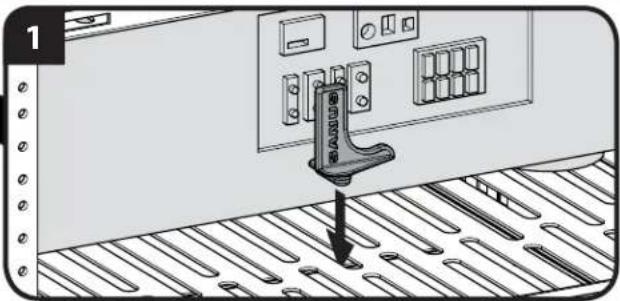
![[15]](/content/2026/04/694736/images/b5dacbd2ab32bffcbb17b03a4bfeb87b850237e3d1a8d32e51df139e29ede865.jpg)
CAUTION: To prevent tipping, always load the rack from the bottom up, and load the heaviest item in the rack first. 50% of the total weight should be mounted in the lower 13 of the rack.
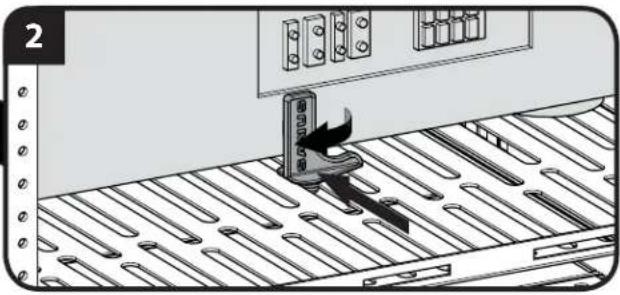
- Insert backstop [15] into slot behind component.
- Slide backstop [15] forward until firmly against component and twist 90 degrees.
natural_image
Illustration of a person climbing a metal panel with a device, no text or symbols presentInstall Component Straps (optional)
![[16]](/content/2026/04/694736/images/8d8523ec0e50ad078b21c5b9eb00e3abaa7b0f80ae2791f58083ce2b286f7972.jpg)
- Slide straps [16] through slots in sides of shelves.
- Wrap straps [16] over component to secure.
![[16]](/content/2026/04/694736/images/1134996f738cfaed7e7dbc9be00f82c687434a69db2bd7e1c988944f368a0ff8.jpg)
Français
CONSIGNES DE SÉCURITÉ IMPORTANTES – CONSERVEZ CES INSTRUCTIONS – VEUILLEZ LIRE ATTENTIVEMENT LE MANUEL AVANT D'UTILISER CE PRODUIT
Milestone AV Technologies and its affiliated corporations and subsidiaries (collectively, "Milestone"), intend to make this manual accurate and complete. However, Milestone makes no claim that the information contained herein covers all details, conditions, or variations. Nor does it provide for every possible contingency in connection with the installation or use of this product. The information contained in this document is subject to change without notice or obligation of any kind. Milestone makes no representation of warranty, expressed or implied, regarding the information contained herein. Milestone assumes no responsibility for accuracy, completeness or sufficiency of the information contained in this document.