
VLF728-B2 - Wall mount SANUS - Free user manual and instructions
Find the device manual for free VLF728-B2 SANUS in PDF.


User questions about VLF728-B2 SANUS
0 question about this device. Answer the ones you know or ask your own.
Ask a new question about this device
Download the instructions for your Wall mount in PDF format for free! Find your manual VLF728-B2 - SANUS and take your electronic device back in hand. On this page are published all the documents necessary for the use of your device. VLF728-B2 by SANUS.
USER MANUAL VLF728-B2 SANUS
natural_image
Technical line drawing of a mechanical lifting device with two vertical supports and a central frame (no text or symbols)VLF728-B2
VLF728-S2
INSTRUCTION MANUAL
GET IT RIGHT
THE FIRST TIME
Follow this step-by-step instruction manual to speed up your installation.
Want to watch a video that shows how easy this DIY project will be?
Watch it now at: SANUS.com/2793
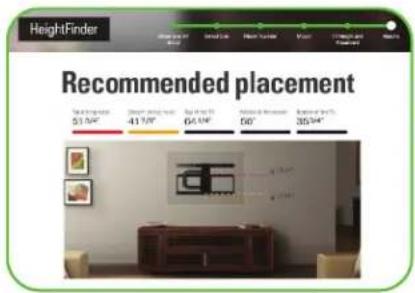
Get it right the first time. HeightFinder™ shows you where to drill.

Check it out at: SANUS.com/2567

natural_image
Two business professionals wearing headsets in an office environment, smiling at the camera (no visible text or symbols)Our install experts are standing by to help.
Call us at:
US: 800-359-5520
EMEA: +31 (0) 495 580 852
UK: 0800 056 2853
AUS: +61 (0) 7 3299 7000
Before you begin
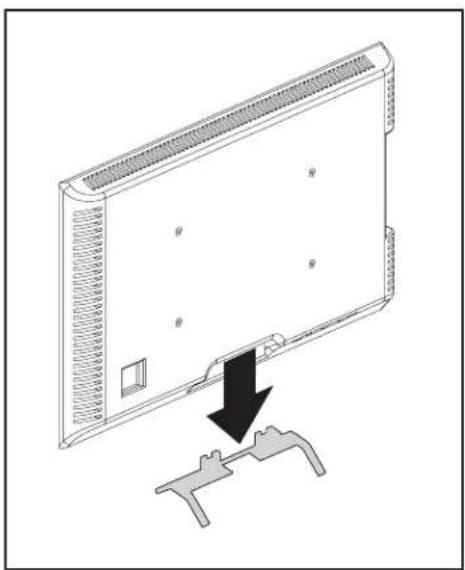
Remove the stand from your TV — if attached.
Install any accessories you may have purchased — if they require the TV to be removed from the wall for assembly. The TV is removable for future accessory purchases.
Protect the face of your TV when laying it down for installation.
natural_image
Diagram of a computer monitor with a black arrow pointing to a handle, showing no text or symbols.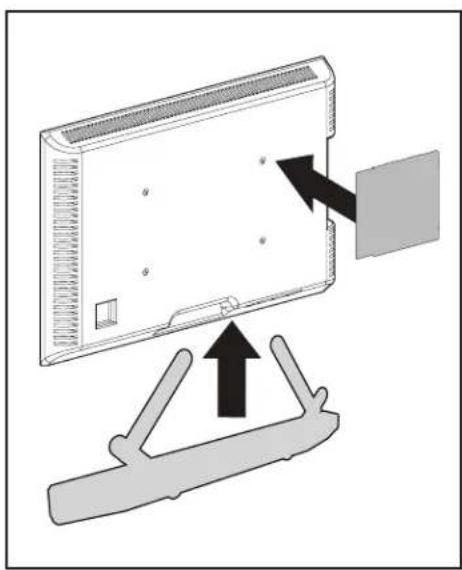
natural_image
Diagram showing a device with an arrow pointing to a panel, mounted on a stand (no text or symbols present)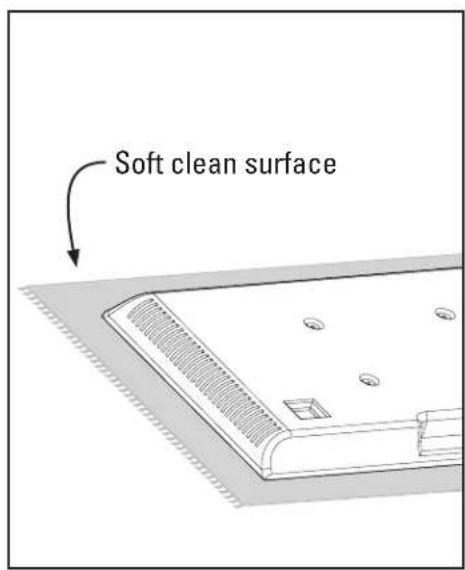
IMPORTANT SAFETY INSTRUCTIONS – PLEASE READ MANUAL PRIOR TO USE – SAVE THESE INSTRUCTIONS
Please read through these instructions completely to be sure you're comfortable with this easy install process.
Check your TV owner's manual to see if there are any special requirements for mounting your TV.
If you do not understand these instructions or have doubts about the safety of the installation, assembly or use of this product,
contact Customer Service: US: 800-359-5520 [EMEA]: +31 (0) 495 580 852 [UK]: 0800 056 2853 [AUS]: +61 (0) 7 3299 7000.

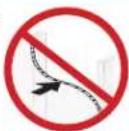
CAUTION: Avoid potential personal injuries and property damage!
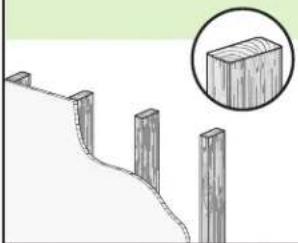
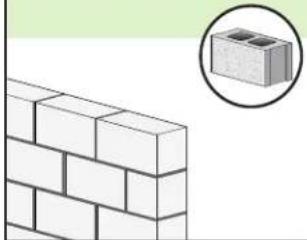
- This product is designed ONLY to be installed into wood studs, solid concrete or concrete block.
— DO NOT INSTALL INTO DRYWALL ALONE — DRYWALL ALONE WILL NOT HOLD THE WEIGHT OF YOUR TV. - This product is designed for INDOOR USE ONLY.
- The wall must be capable of supporting five times the weight of the TV and mount combined.
- Do not use this product for any purpose not explicitly specified by manufacturer.
● Manufacturer is not responsible for damage or injury caused by incorrect assembly or use.
TV Weight Limit
(including accessories)
DO NOT EXCEED
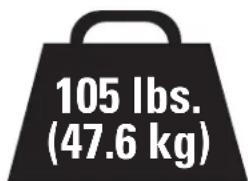
If your TV (including accessories) exceeds this weight, this mount is NOT compatible.
Visit SANUS.com or call customer service to find a compatible mount.
Wall Construction
ONLY install on these acceptable wall types.

Unsure
Call
Customer
Service
[EMEA]: +31 (0) 495 580 852
[UK]: 0800 056 2853
[AUS]: +61 (0) 7 3299 7000

CAUTION:
DO NOT install in drywall alone
Drywall alone will NOT hold the weight of your TV.
wood studs Solid conc
natural_image
Diagram of a wooden fence with four posts and a magnified inset showing a rectangular block (no text or symbols)ACCEPTABLE ACCB
rete or concrete block
natural_image
Illustration of a brick wall with a magnified inset showing a cinder block (no text or symbols)ABLE
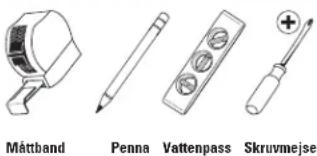
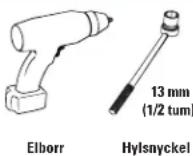
Tools Needed
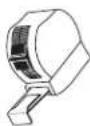
Measure
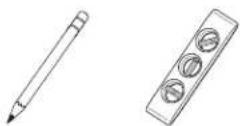
Pencil Level Tape
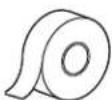
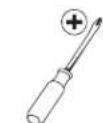
ScrewdriverTape
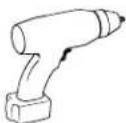
Electric Drill
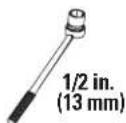
Socket Wrench
Wood Stud Install
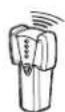
Stud Finder
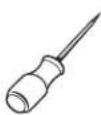
Awl

Drill Bit
Concrete Install
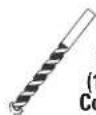
Drill Bit
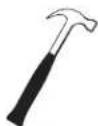
Hammer
STEP 1
Attach TV Bracket to TV

WARNING:
This product contains small items that could be a choking hazard if swallowed. Before starting assembly, verify all parts are included by any parts are missing or damaged, do not return the damaged item to your dealer; contact Customer Service. Never use damaged parts!
and undamaged. If any parts are missing or damaged, do not return the damaged item to your dealer; contact Customer Service. Never use damaged parts!

NOTE:
Not all hardware included will be used.
STEP 1 Parts and Hardware
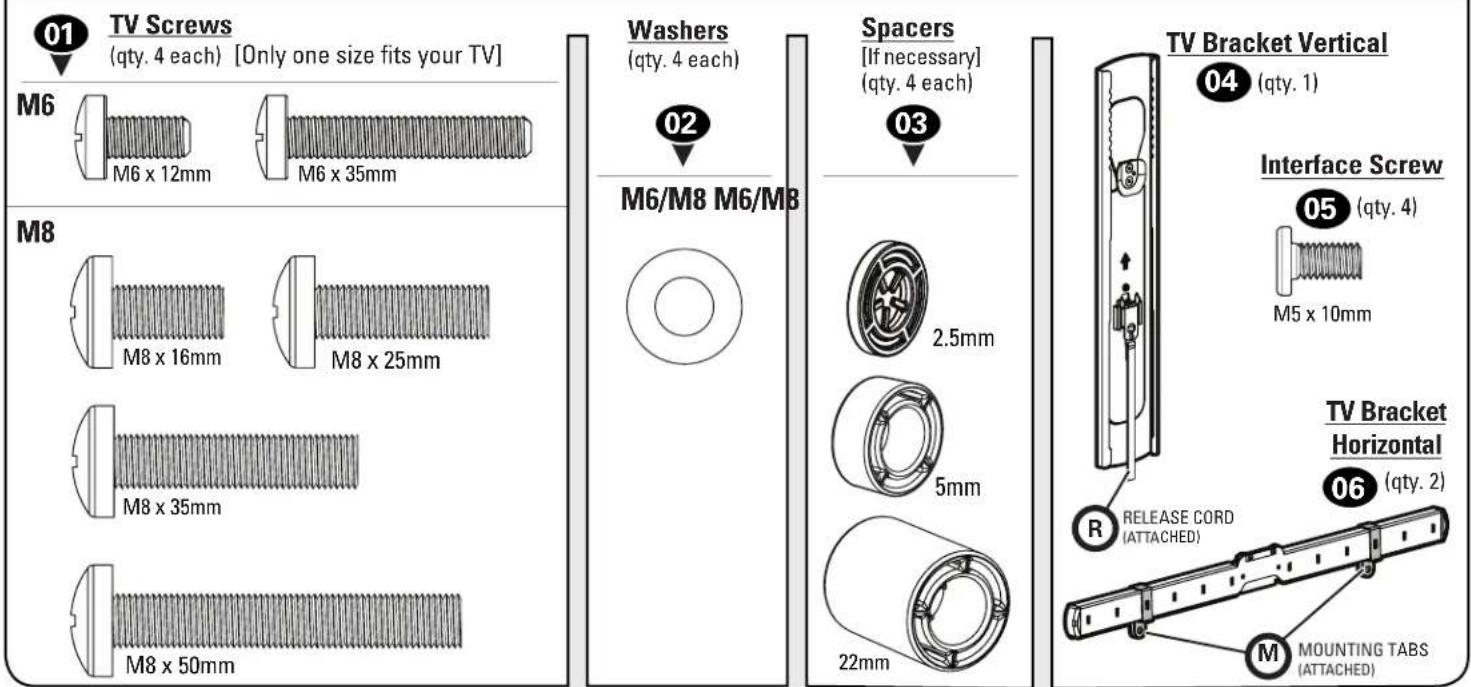
TV Screws
(qty. 4 each) [Only one size fits your TV]
Washers
(qty. 4 each)
Spacers
[If necessary] (qty. 4 each)
2.5mm
04(qty.1)
06 (qty. 2)
Only one screw size fits your TV.
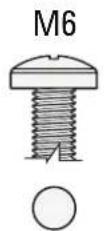
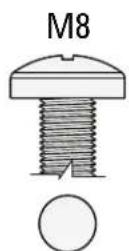
If your TV included inset spacers or wall mount adapters, see Troubleshooting on PAG
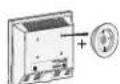
1.2 Select TV Screw Length and Spacers1.1 Select TV Screw Diameter
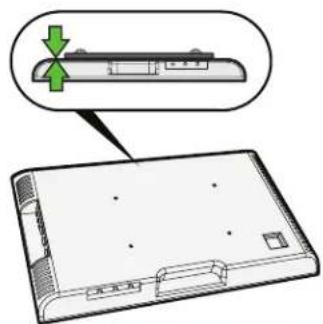
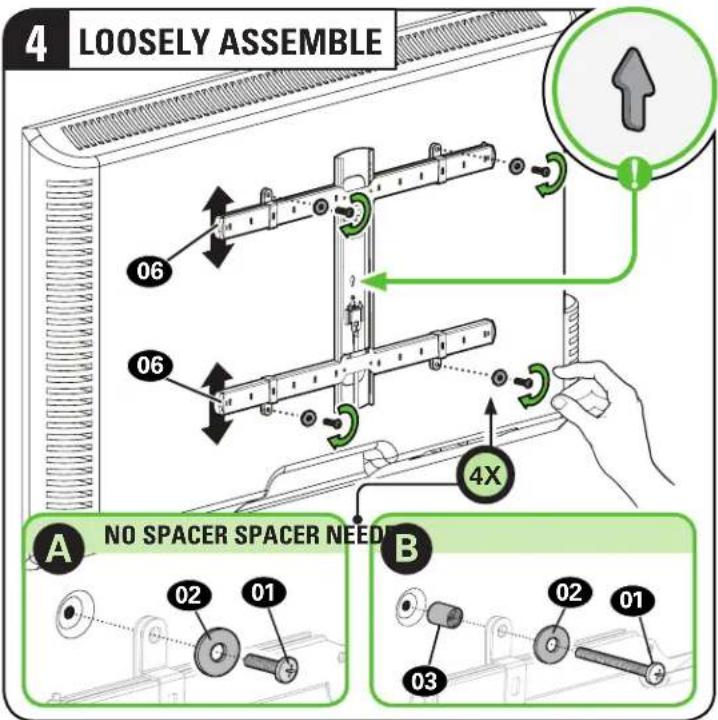
A NO SPACER
- Flat Back TV
[TV brackets lay flat on your TV]
Use short TV screws 01. Spacers 03 not needed.

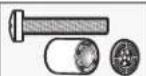
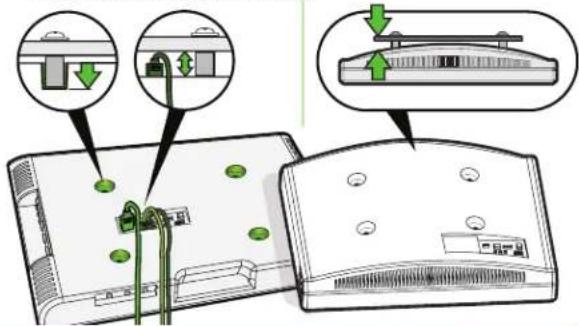
B SPACER NEEDED
- Flat Back TV with Extra Space Needed [for deep inset holes or cable interference]
• Rounded or Irregular Back TV [TV brackets NOT resting flat on your TV]
Use long TV screws 01 and spacers 03 to create extra space between the TV and TV bracket.
Inset Holes Cables Rounded Back
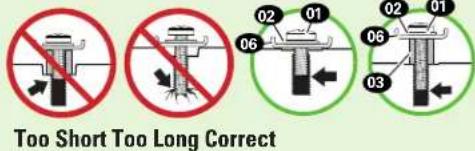
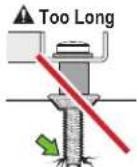
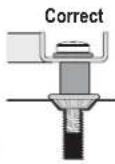
CAUTION: Verify adequate thread engagement with your screw 01, washer 02, spacer 03 combination AND TV bracket 06. — Too short will not hold your TV. — Too long will damage your TV.
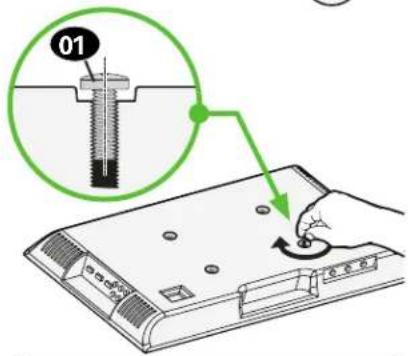
1.3 Attach TV Brackets to Your TV
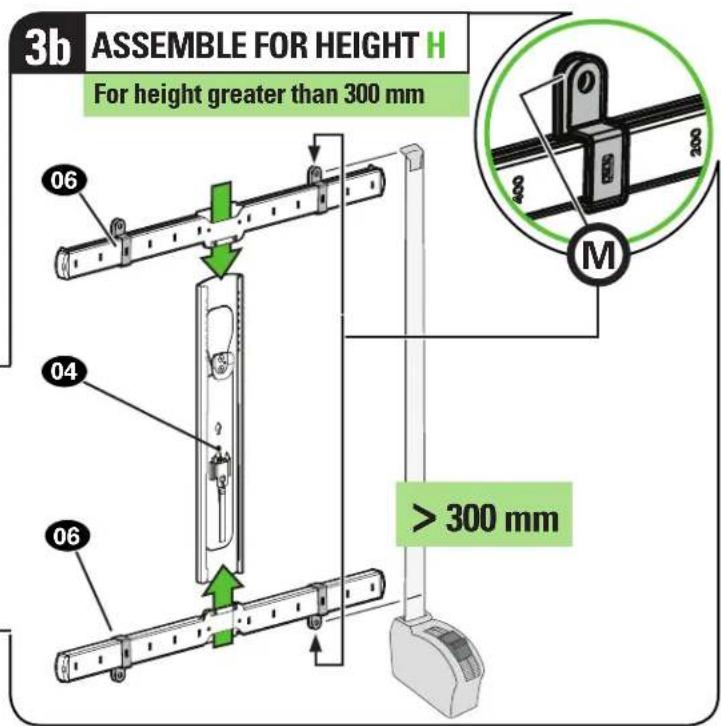
1.3 (continued)
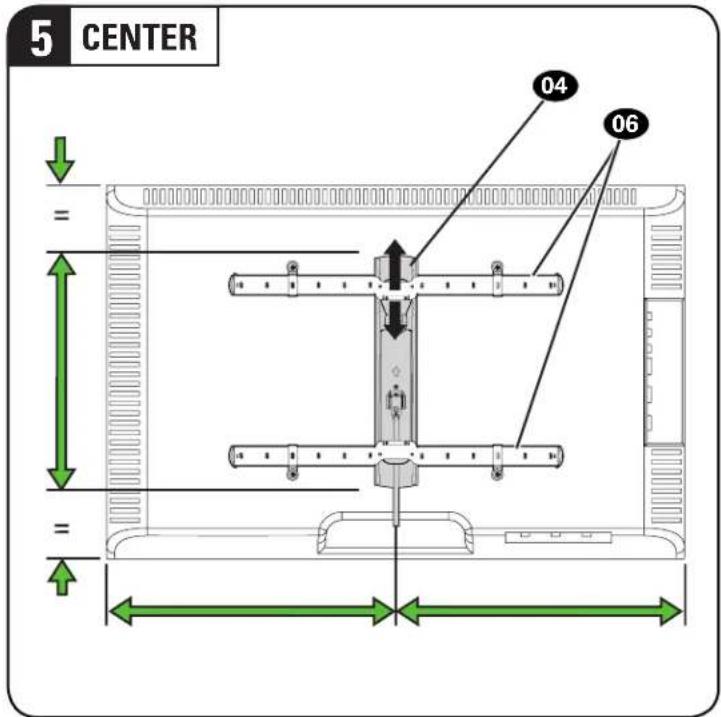

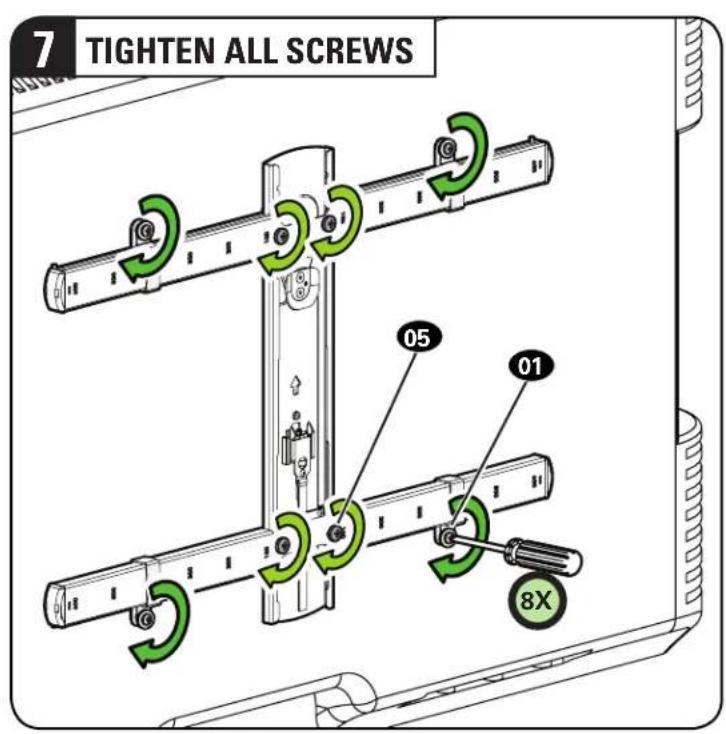
STEP 2
Attach Wall Plate to Wall

WARNING:
This product contains small items that could be a choking hazard if swallowed. Before starting assembly, verify all parts are
included and undamaged. If any parts are missing or damaged, do not return the damaged item to your dealer; contact Customer Service.
Never use damaged parts!

NOTE:
Not all hardware included will be used.
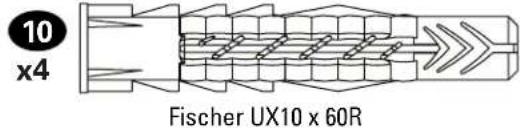
Parts and Hardware for STEP 2
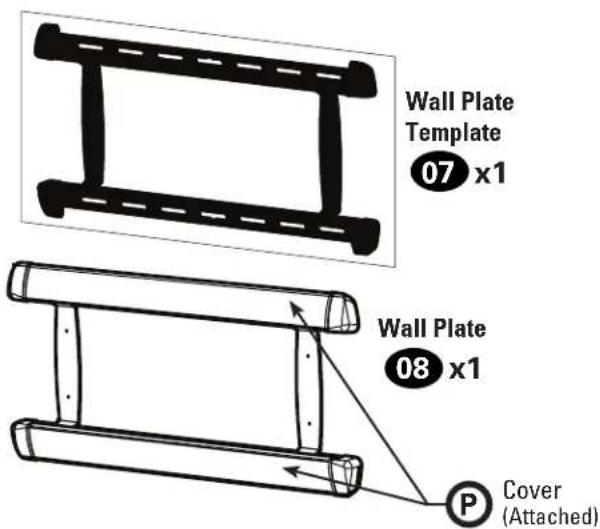
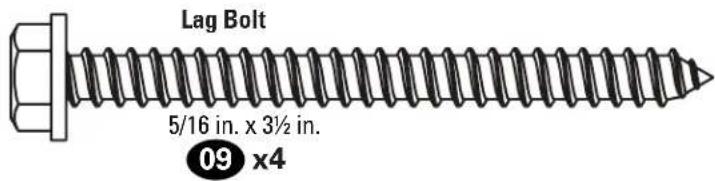
For concrete installations ONLY

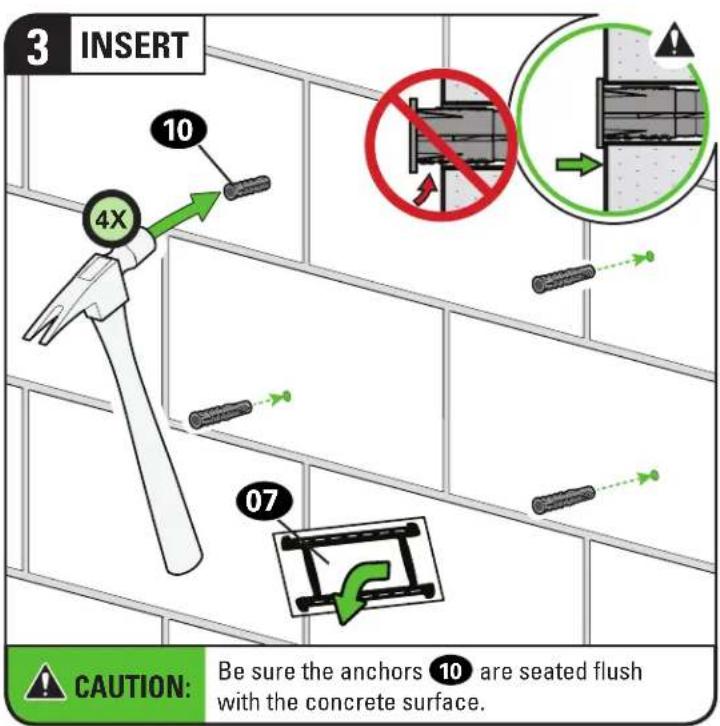
CAUTION: Do not use in drywall or wood Concrete Anchor
STEP 2A Attach Wall Plate

ood Stud Installation
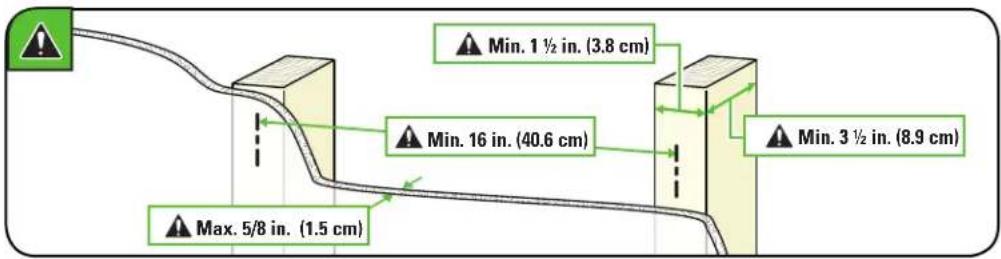
CAUTION: Avoid potential personal injury or property damage!
- Drywall covering the wall must not exceed 5/8 in. (1.5 cm)
- Minimum wood stud size: nominal 2 x 4 in. (5.1 x 10.2 cm) actual 1 ½ x 3 ½ in. (3.8 x 8.9 cm)
• Minimum horizontal space between fasteners:16 in. (40.6 cm)
• Stud centers must be verified
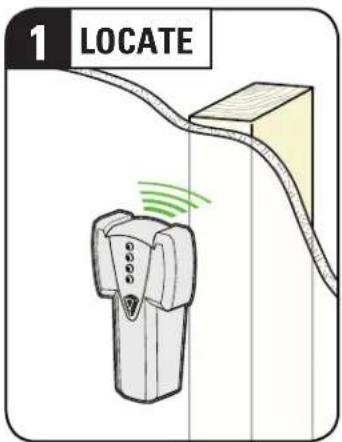
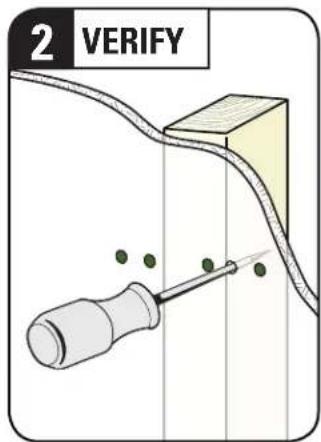
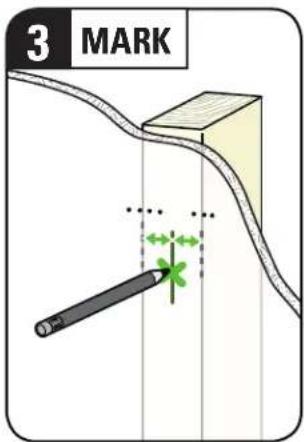
STEP 2A (continued)
![4 POSITION TEMPLATE Visit HeightFinder™ sanus.com /2567 4X 07 TIP: To calculate your precise wall plate location, check out our HeightFinder at sanus.com [www.sanus.com/2567].](/content/2026/04/694715/images/9c0c326fa50ef306c0d4231b6219a7c46fb5c2d4a2ad401fc3c08565d3452b0e.jpg)
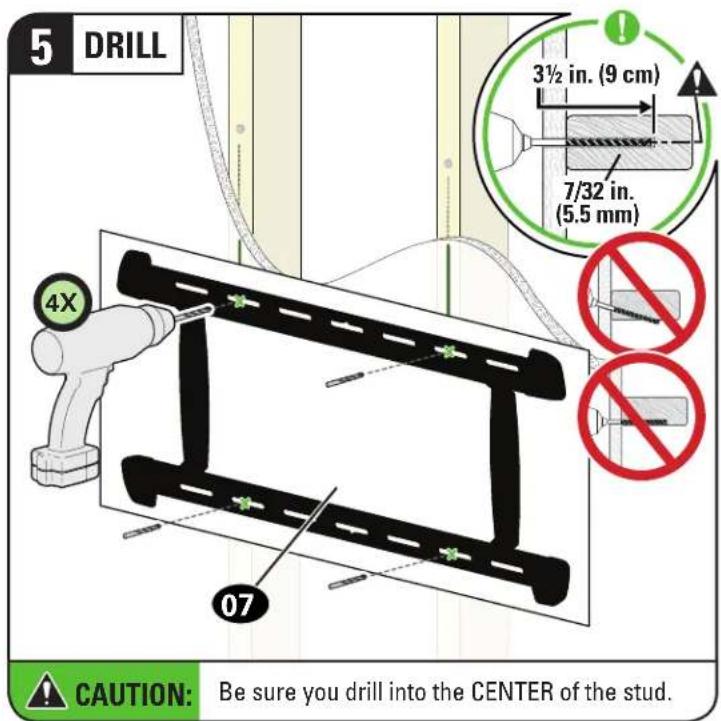
Go to STEP 3 on PAGE 19.
STEP 2B Attach Wall Plate

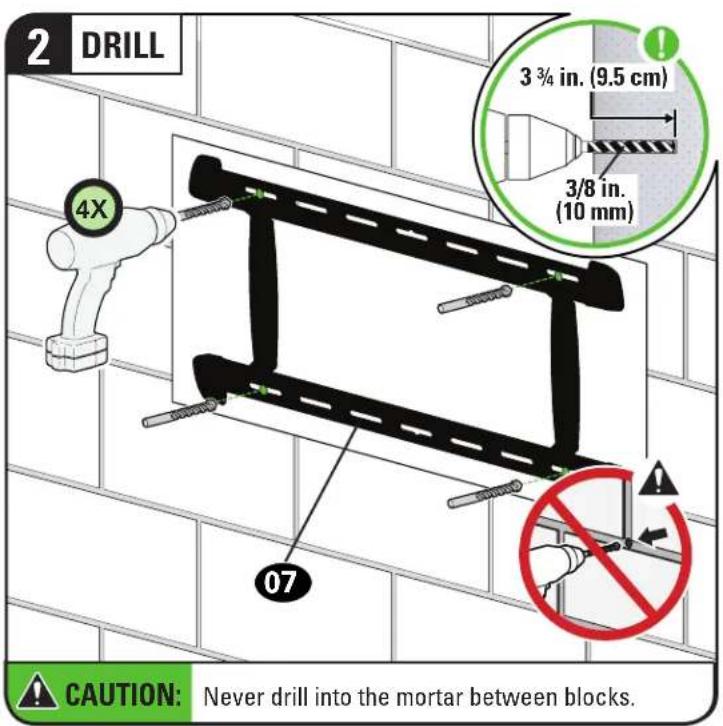
Solid Concrete or Concrete Block Installation
CAUTION: Avoid potential personal injury or property damage!
- Mount the wall plat 08 directly onto the concrete surface
• Minimum solid concrete thickness: 8 in. (20.3 cm)
• Minimum concrete block size: 8 x 8 x 16 in. (20.3 x 20.3 x 40.6 cm)
• Minimum horizontal space between fasteners: 16 in. (40.6 cm) - For concrete applications, arm 11 (STEP 3) must remain centered (horizontally) in wall plate 08. Keep this in mind when selecting the wall plate location
![1 POSITION TEMPLATE Visit HeightFinder™ sanus.com /2567 4X 07 Min. 16 in. (40.6 cm) ▲ Min. 16 in. (40.6 cm) TIP: To calculate your precise wall plate location, check out our HeightFinder at sanus.com [www.sanus.com/2567].](/content/2026/04/694715/images/51effb4763162f0e3afce2bbad34b25f3ddd93b8d908eaa3ed0aad9fae4f2fab.jpg)
STEP 2B (continued)
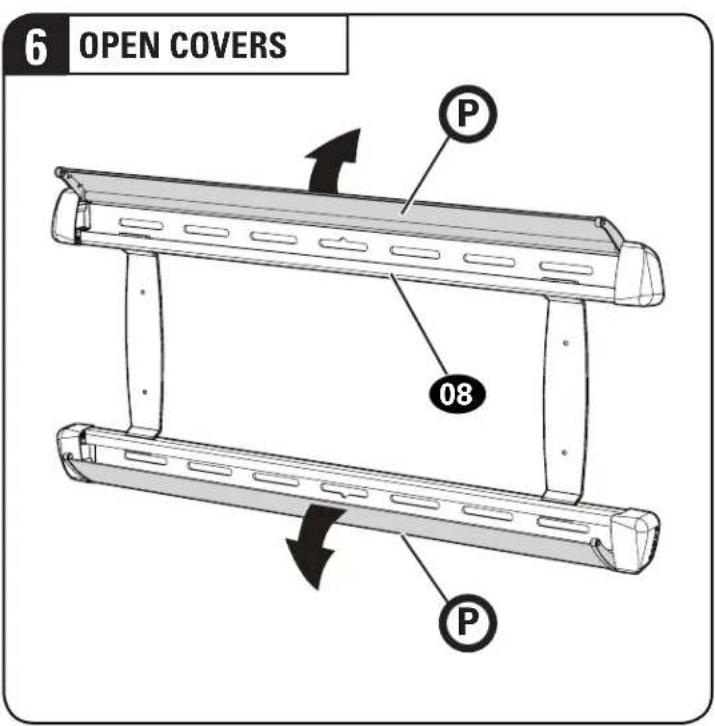
4 OPEN COVERS

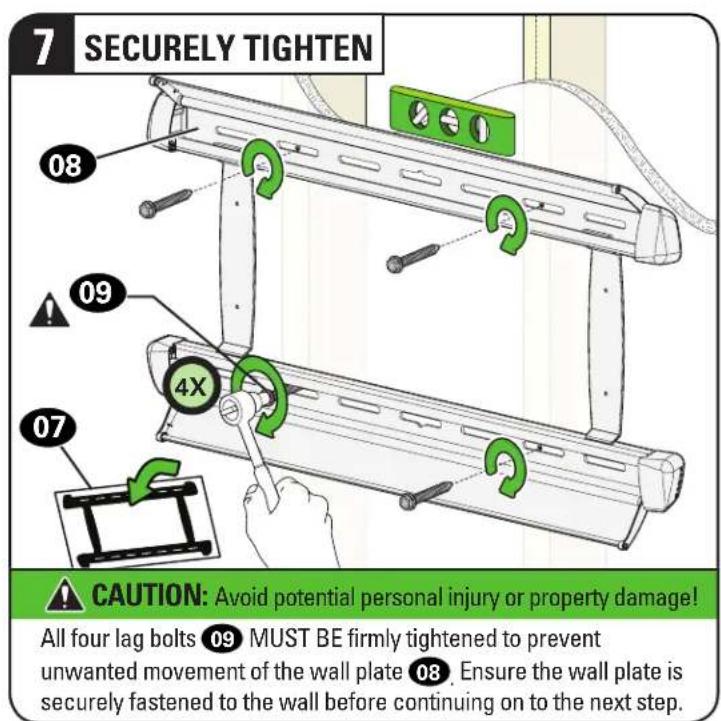
5 SECURELY TIGHTEN
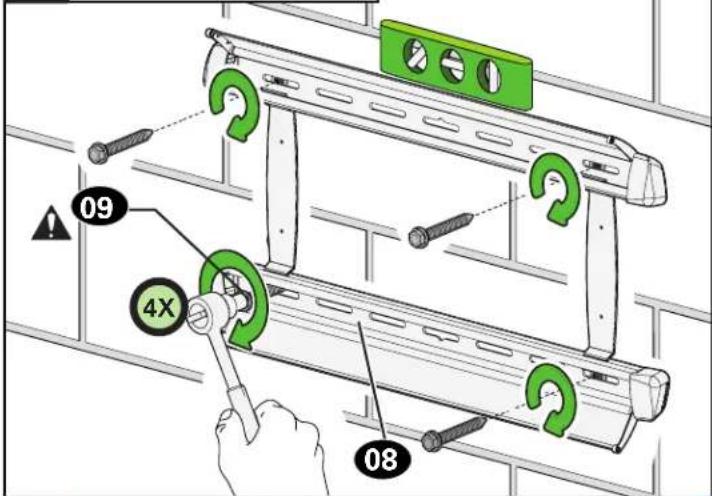

CAUTION: Avoid potential personal injury or property damage!
All four lag bolts 09 MUST BE firmly tightened to prevent unwanted movement of the wall plate 08. Ensure the wall plate is securely fastened to the wall before continuing on to the next step.
STEP 3
Attach TV to Wall Plate

WARNING:
Before starting assembly, verify this part is undamaged. If damaged, do not return the damaged item to your dealer; contact
Customer Service. Never use damaged parts!
Parts and Hardware for STEP 3
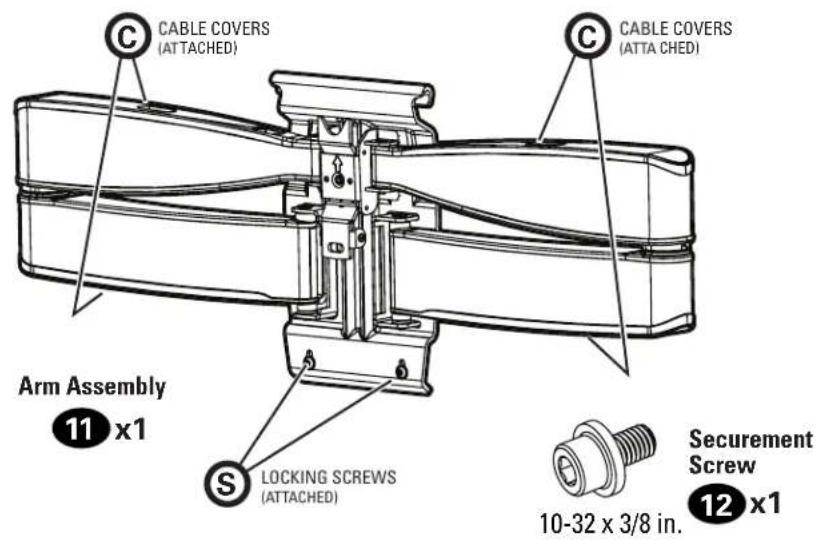
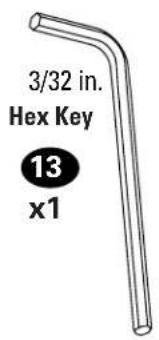
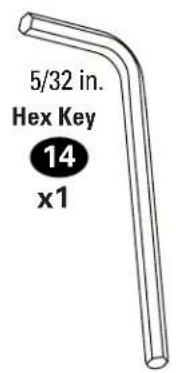
3.1 Attach Arm Assembly to Wall Plate
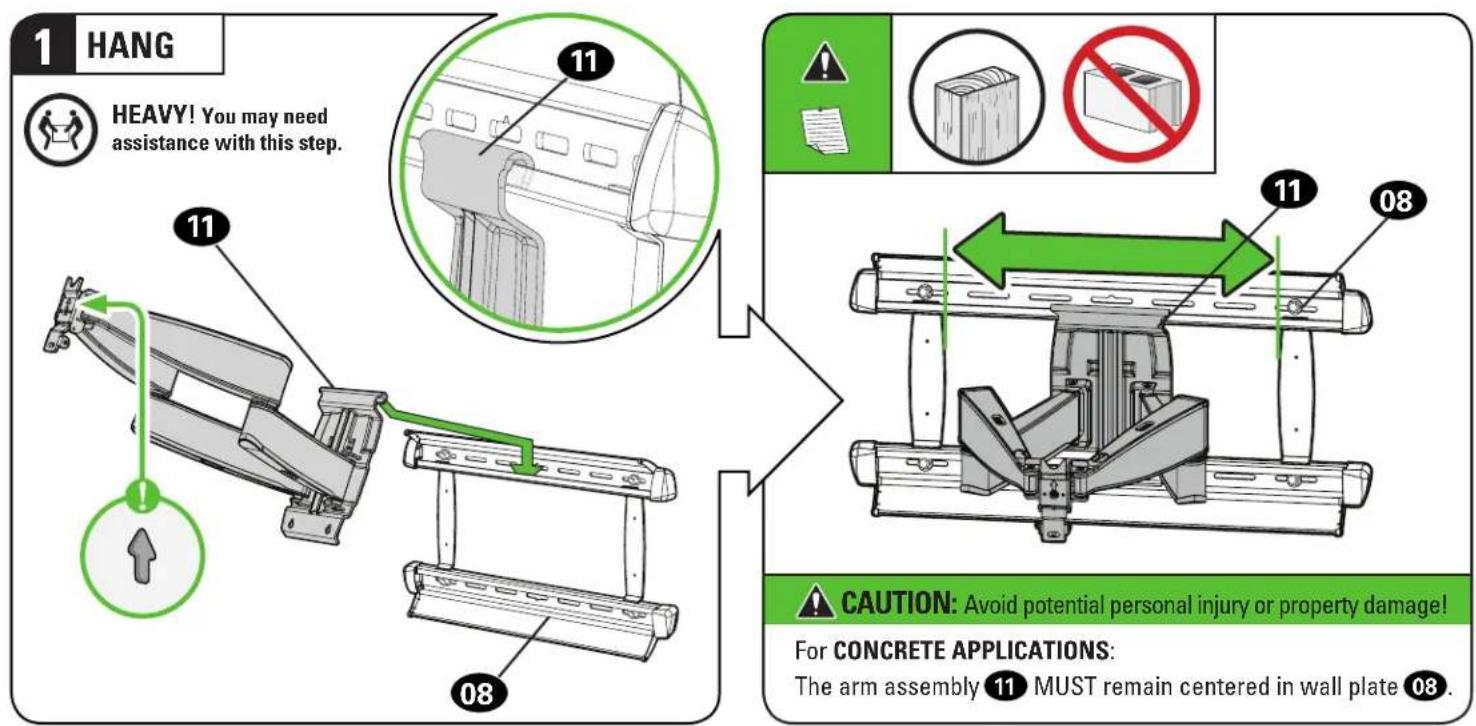
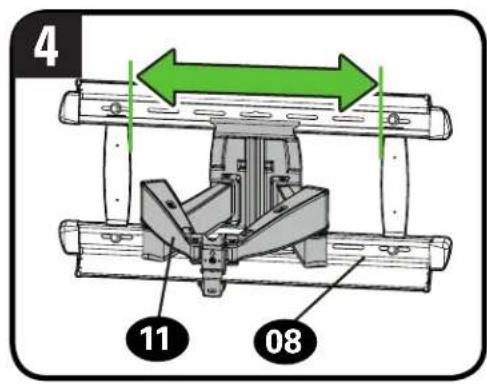
NOTE: For WOOD STUD APPLICATIONS, the arm assembly 11 can be slid anywhere along wall plate 08 for optimal positioning of your TV.
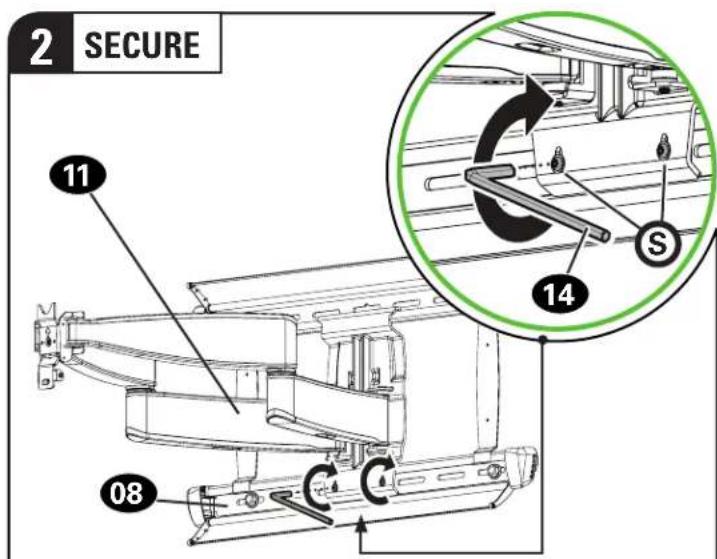
CAUTION: Avoid potential personal injury or property damage!
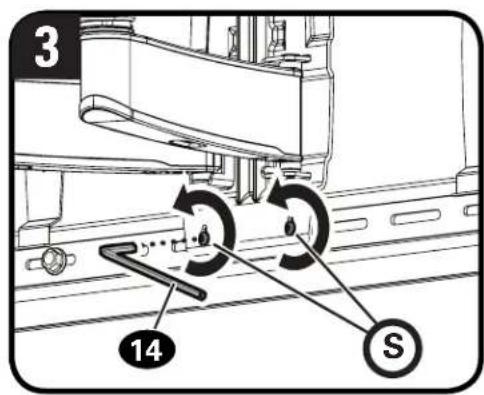
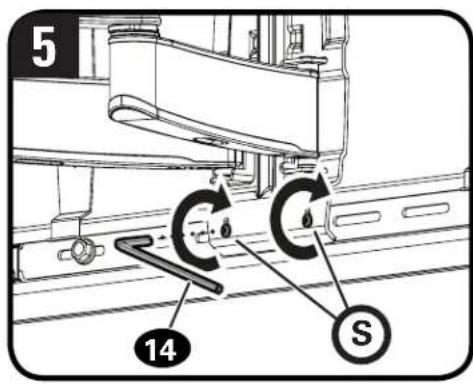
Always make sure both locking screws S are tightened, so the arm assembly 11 is securely fastened to wall plate 08.
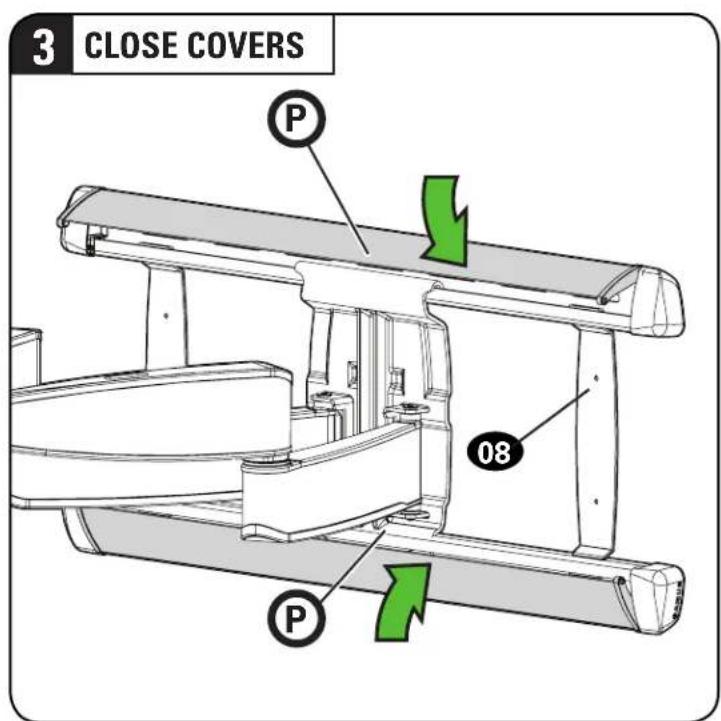
3.2 Hang TV onto Arm Assembly
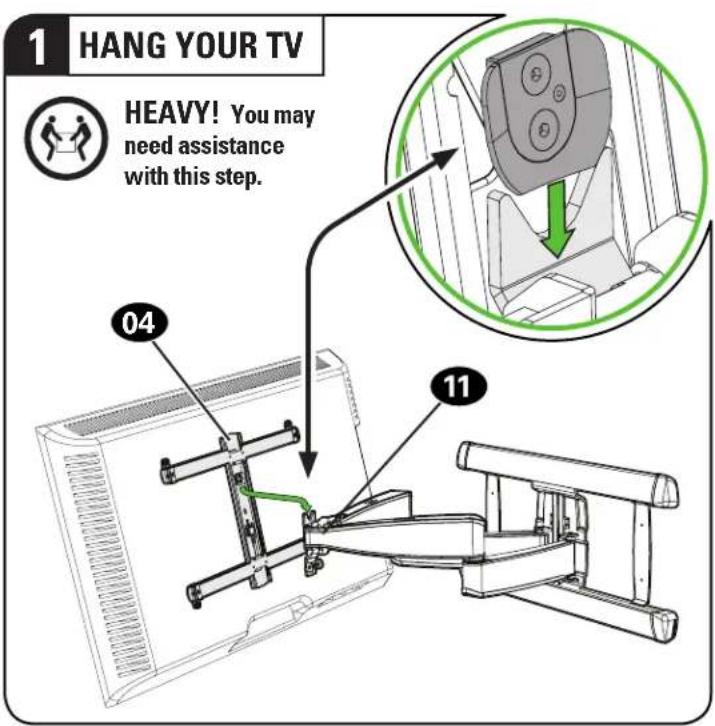
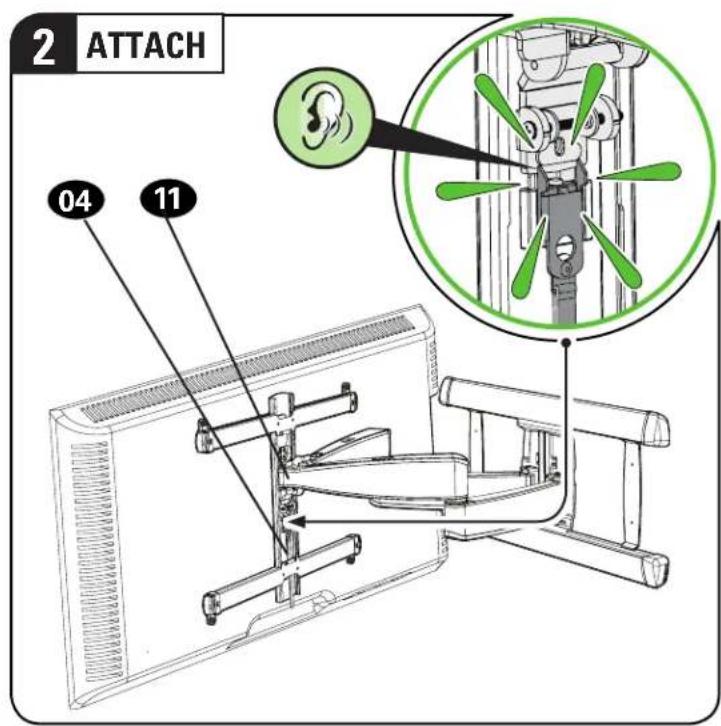
3 SECURELY TIGHTEN
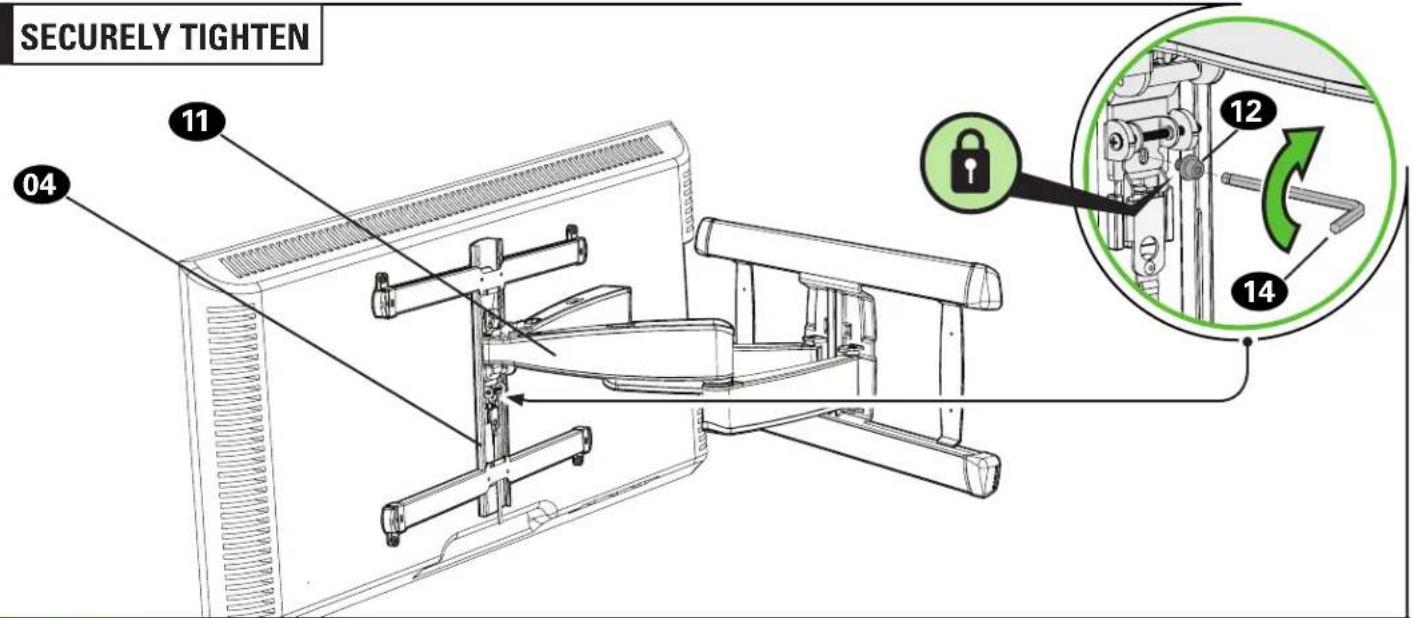
CAUTION: Avoid potential personal injury or property damage!
Always make sure your securement screw 12 is tightened, so the TV is securely fastened to the arm assembly 11.
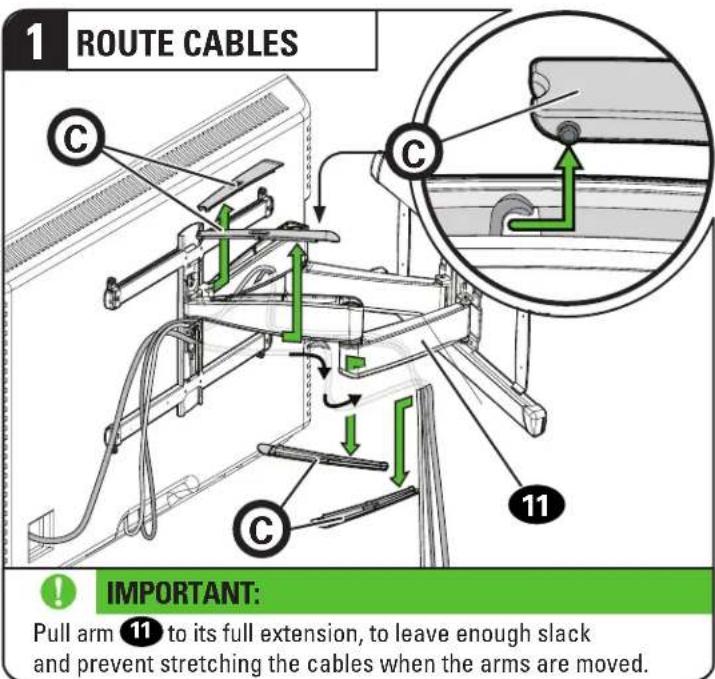
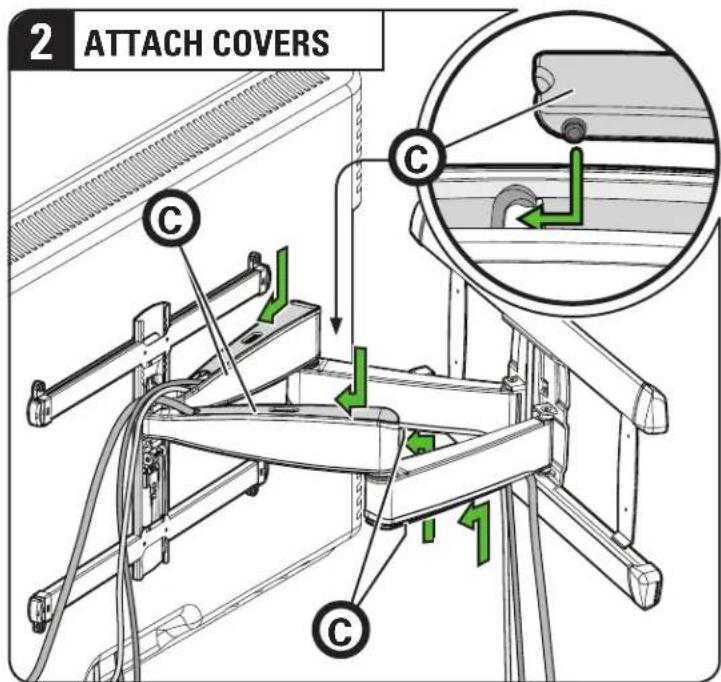
Manage Cables
Adjustments
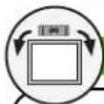
LEVEL ADJUSTMENT TILT ADJUSTMENT
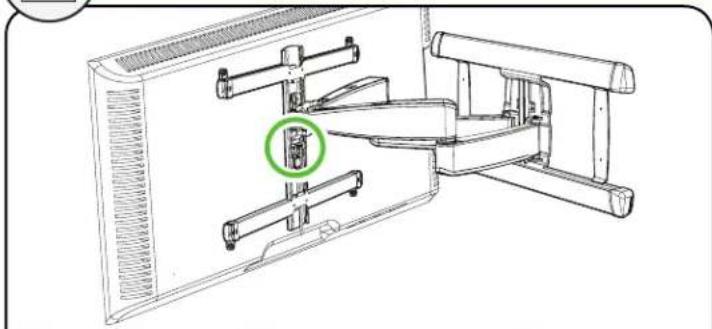
natural_image
Technical line drawing of a mechanical assembly with a green circular annotation highlighting a component (no text or symbols present)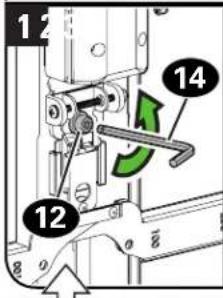
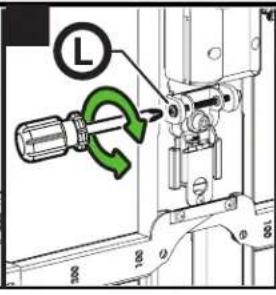
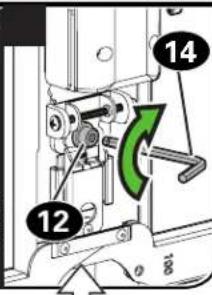
CAUTION:
Screw 12 MUST be loosened before turning screw L.
AUTION:
Avoid potential personal damage!
Always make sure your securement screw 12 is tightened, so the TV is securely fastened to the arm assembly 11.
NOTE:
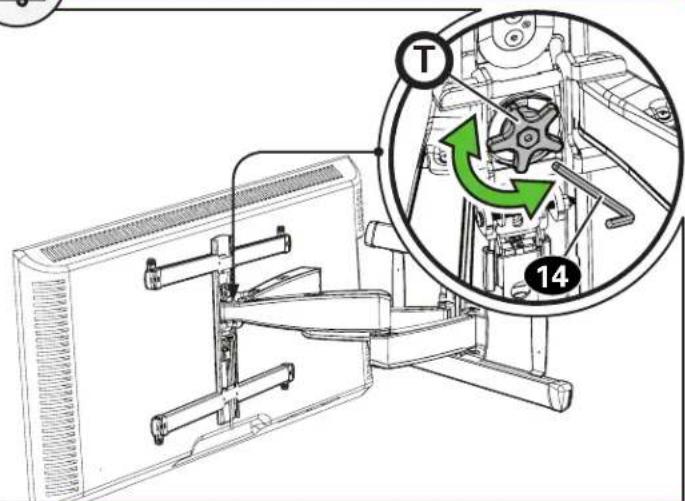
If you do not intend to adjust the tilt for different viewing locations, you can tighten the tilt tension knob Ⓣ, to prevent unwanted movement. If needed, use hex key 14 to tighten more firmly.
Your TV should adjust easily when moved, then stay in place.
Adjust the tilt tension knob Ⓣ if your TV naturally tilts up or down.
EXTEND / RETRACT -- ONLY IF NECESSARY
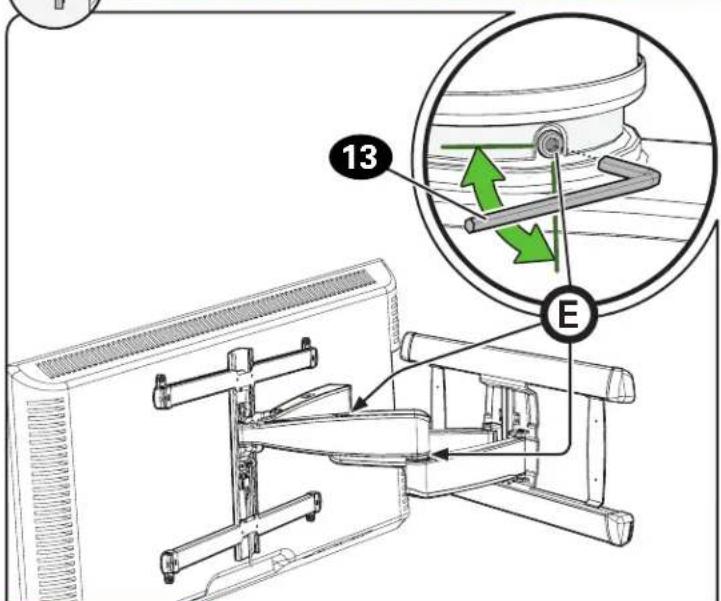

CAUTION:
Avoid potential personal injury or property damage! DO NOT remove screws Ⓔ, only turn enough for slight adjustment.
ONLY if needed, adjust the extension/retraction arm tension with screw E using hex key 13.
TV LATERAL SHIFT

HEAVY! You may need assistance with this step.
▲ CAUTION: Avoid potential injuries or property damage!
Do NOT adjust the arm position from center for concrete applications.
Arm 11 MUST remain centered in wall plate 08 for all concrete applications!
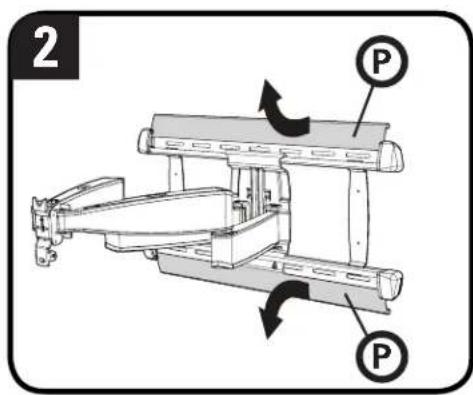
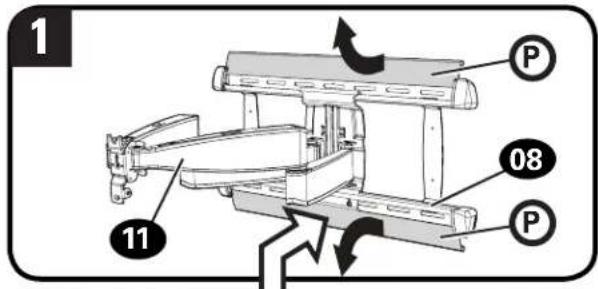
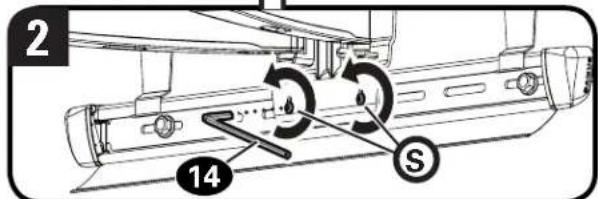
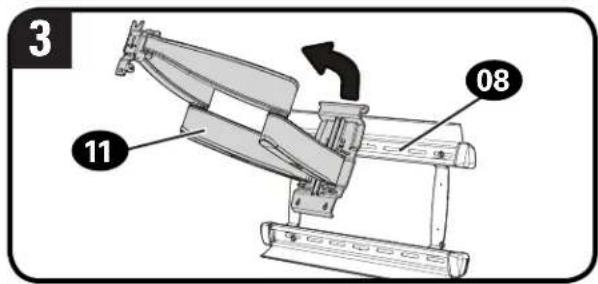
For wood stud applications ONLY:
- Remove the TV (See PAGE 28).
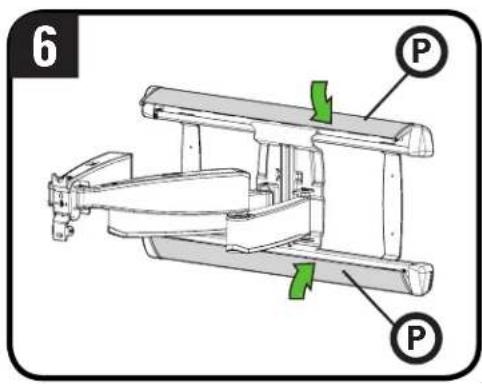
- Open cover strips P
- Loosen but do not remove, locking screws
- Slide arm 11 to the desired position.
- Tighten locking screws Ⓢ.
CAUTION: Avoid potential personal injury or property damage! Always make sure both locking screws S are tightened so the TV is securely fastened to wall plate 08.
- Close the cover strips Ⓟ, then hang your TV (see STEP 3).
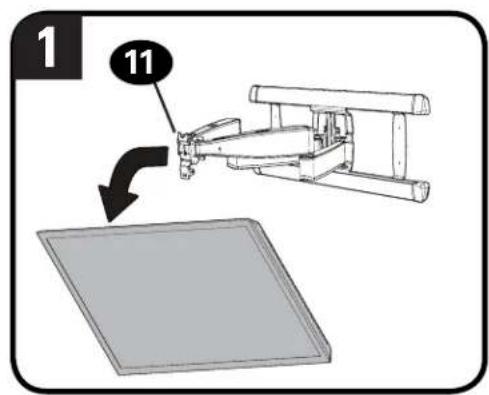

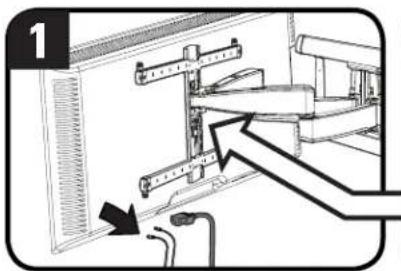
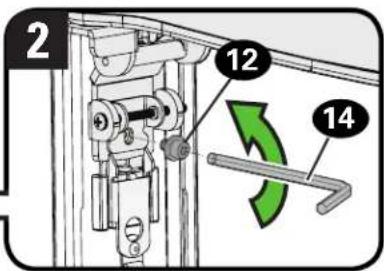
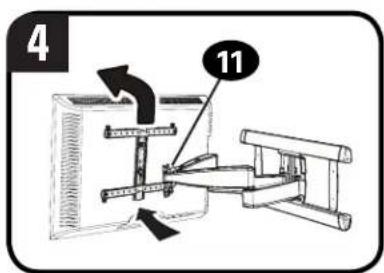
REMOVE THE TV REMOVE THE ARM ASSEMBLY

HEAVY! You may need assistance with this step.
- Disconnect all cables from the TV.
- Remove securement screw 12
- Pull down on the release cord Ⓗ to release the TV.
- Carefully lift the TV from arm assembly 11.


Troubleshooting
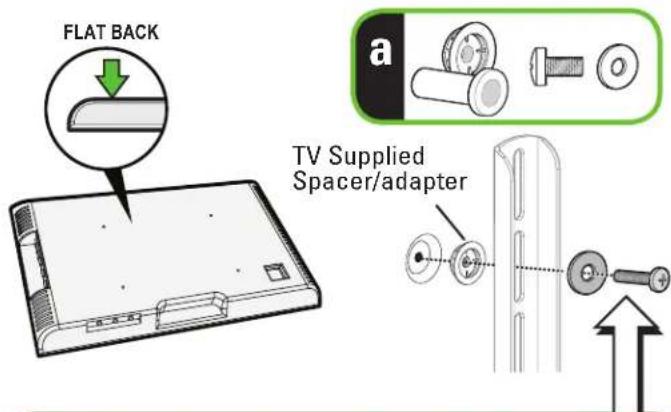
TV supplied spacers
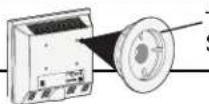
TV Supplied Spacers
a: Use your TV supplied spacer/adapter for flat back TVs (AND you want your TV closer to the wall).

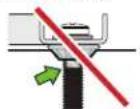
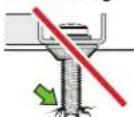
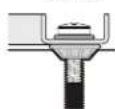
CAUTION: Avoid potential injury or property damage!
Use the correct screw length for adequate thread engagement.
- Too short will not hold the TV.
- Too long will damage the TV.
▲ Too Short
▲ Too Long
Correct
If you are uncertain about your hardware selection, contact Customer Service
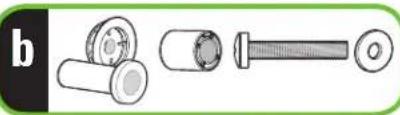
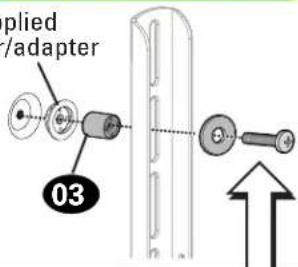
b: Use your TV supplied spacer/adapter and spacer 03 for:
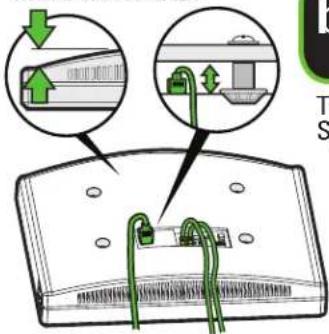
- Round (irregular) back TVs - Extra space needed for cables
ROUND BACK CABLES
natural_image
Illustration of three mechanical components: cylindrical, threaded rod, and flat screw (no text or symbols)TV Supplied
Spacer/adapter

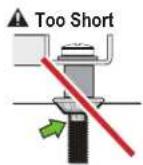
CAUTION: Avoid potential injury or property damage!
Use the correct screw length for adequate thread engagement.
- Too short will not hold the TV.
- Too long will damage the TV.
![23.62in [600mm] MAX 7.87in [200mm] MIN 7.87in [200mm] MIN 35.75in [400mm] MAX](/content/2026/04/694715/images/b84ef1cfe316b2715df966260320b9b1b50952f9bb5452abbe14a686f02a942e.jpg)
3-D
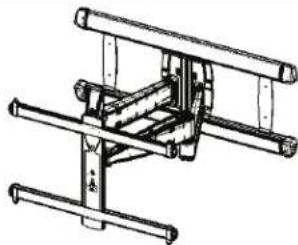
natural_image
Technical line drawing of a mechanical assembly with rods and supports (no text or symbols)WALL PLATE
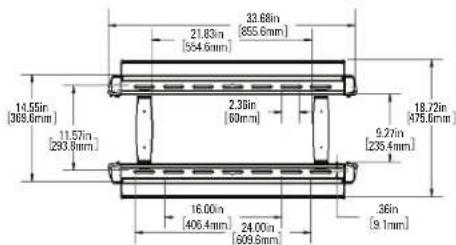
TOP VIEW - EXTENDED
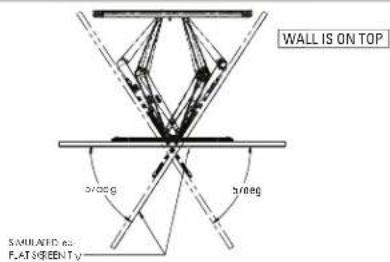
SIDE VIEW - EXTENDED
![15 deg DOWN 5 deg UP 28.00in [711.2mm]](/content/2026/04/694715/images/4dd4a85329e53fe03c0b5916268d3aa1a83169da37ba6d5b08bb447ae8401d27.jpg)
FULLY ASSEMBLED MOUNT
![33.80in [858.6mm] 17.69in [448.3mm] 22in [5.6mm] OFFSET](/content/2026/04/694715/images/2c2765f459b4efb84cf5410d96b51319a328abfc82e77faaf6da65d025c83b99.jpg)
TOP VIEW - RETRACTED
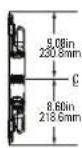
![WALL IS ON TOP 2.15in [54.6mm]](/content/2026/04/694715/images/4beff027222cf43f9fae8f083920c812dadb9f67d6c577e5c910312fdb9d819f.jpg)
SIDE VIEW RETRACTED
ONE MORE THING: BE A WINNER!
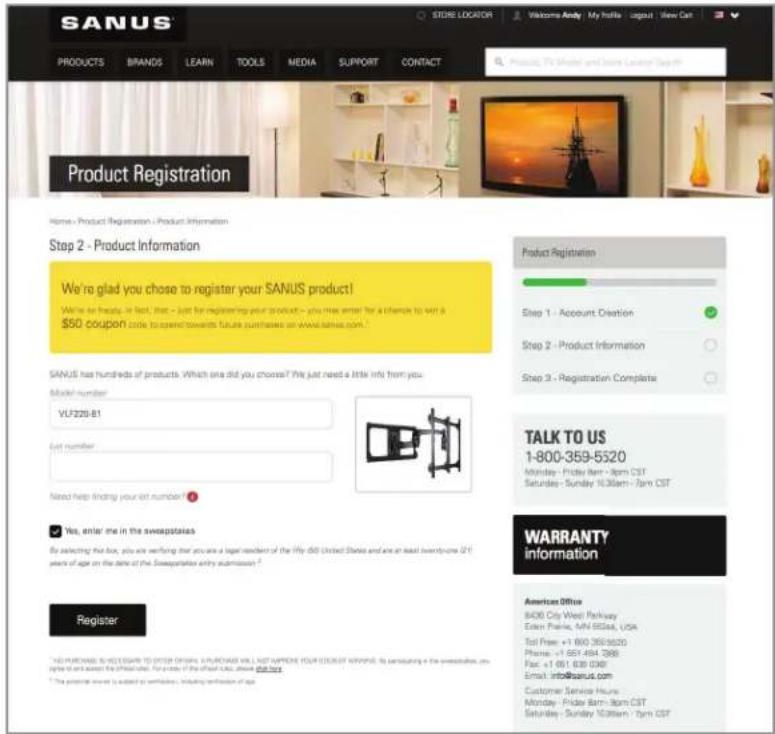
Register your new mount and tell us how you like it for a chance to win in our monthly sweepstakes.
Entering is quick and easy. Visit SANUS.com/1234 and follow three simple steps for your chance to win.
"Monthly Prize" sweepstakes rules and restrictions apply. Visit SANUS.com/1234 for details.
Milestone AV Technologies and its affiliated corporations and subsidiaries (collectively, "Milestone"), intend to make this manual accurate and complete. However, Milestone makes no claim that the information contained herein covers all details, conditions, or variations. Nor does it provide for every possible contingency in connection with the installation or use of this product. The information contained in this document is subject to change without notice or obligation of any kind. Milestone makes no representation of warranty, expressed or implied, regarding the information contained herein. Milestone assumes no responsibility for accuracy, completeness or sufficiency of the information contained in this document.
natural_image
Woman standing beside a modern TV wall with a yellow sofa, no visible text or symbolsWhen you share your handiwork with your friends, tag
sanusspaces
for a chance to be featured in the Inspiration Gallery on SANUS.com.

SANUS.com
WE MAKE IT EASY

SanusSystems
CHAT WITH US

pinterest.com/Sanus
BE INSPIRED

SanusSystems
WATCH AND LEARN
800-359-5520 • info@sanus.com • SANUS.com
SANUS • 6436 City West Parkway • Eden Prairie, MN 55344 USA
©2018 Milestone AV Technologies. All rights reserved. SANUS is a division of Milestone.
All other brand names or marks are used for identification purposes and are trademarks of their respective owners.
6901-602308 00