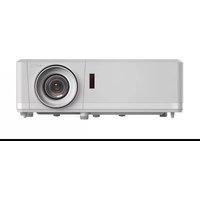
UHZ50 - Projector OPTOMA - Free user manual and instructions
Find the device manual for free UHZ50 OPTOMA in PDF.


User questions about UHZ50 OPTOMA
0 question about this device. Answer the ones you know or ask your own.
Ask a new question about this device
Download the instructions for your Projector in PDF format for free! Find your manual UHZ50 - OPTOMA and take your electronic device back in hand. On this page are published all the documents necessary for the use of your device. UHZ50 by OPTOMA.
USER MANUAL UHZ50 OPTOMA
natural_image
Line drawing of a projector with a circular lens and control panel (no text or symbols)TABLE DES MATIÈRES
SÉCURITÉ .... 4
Assistant Alexa / Google 59
INFORMATIONS SUPPLÉMENTAIRES .... 60
text_image
CAUTION ELECTRIC SHOCK Keep ground wire connected"WARNING: MOUNT ABOVE THE HEADS OF CHILDREN." Additional warning against eye exposure for close exposures less than 1 m.
This Class B digital apparatus complies with Canadian ICES-003.
text_image
Minimum 100mm Minimum 100mm Minimum 100mm Minimum 300mm Minimum 300mm Minimum 100mmRemarque :
text_image
Diagram showing mechanical components with red arrows indicating motion or force vectors around circular components, likely illustrating a system or process.CONFIGURATION ET INSTALLATION
natural_image
Line drawing of a person sitting in a chair watching television from a desk (no text or symbols present)pport de plafond
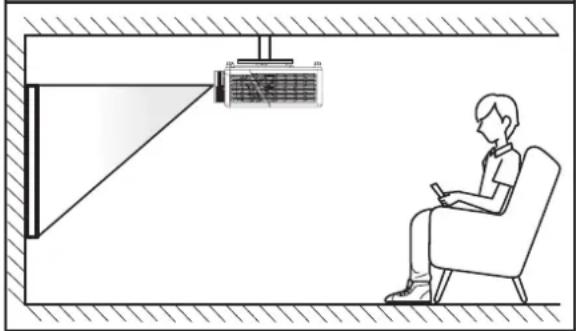
natural_image
Illustration of a person sitting in a chair facing a projector mounted on a wall, with no visible text or symbols.natural_image
Line drawing of a person sitting in a chair watching a projector on a wall, with no text or symbols present.upport de plafond
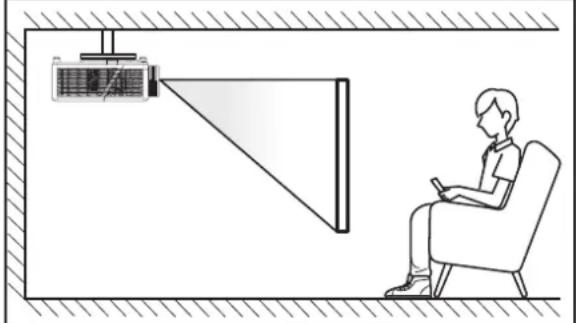
natural_image
Illustration of a person sitting in a chair viewing a projector mounted on a wall, with no visible text or symbols.flowchart
graph TD
    A[" manufacturers"] --> B[" manufacturers"]
    B --> C[" manufacturers"]
    C --> D[" manufacturers"]
    D --> E[" manufacturers"]
    E --> F[" manufacturers"]
    F --> G[" manufacturers"]
    G --> H[" manufacturers"]
    H --> A
    style A fill:#f9f,stroke:#333
    style B fill:#f9f,stroke:#333
    style C fill:#f9f,stroke:#333
    style D fill:#f9f,stroke:#333
    style E fill:#f9f,stroke:#333
    style F fill:#f9f,stroke:#333
    style G fill:#f9f,stroke:#333
    style H fill:#f9f,stroke:#333
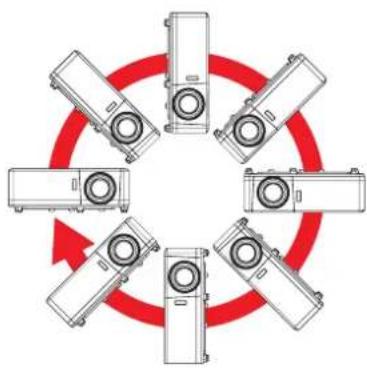
natural_image
Circular diagram showing six identical mechanical devices arranged in a ring, with red arrows indicating rotation or cycle (no text or symbols)text_image
Diagram showing a crossed-out grid with red prohibition symbol, indicating exclusion or restriction in the system.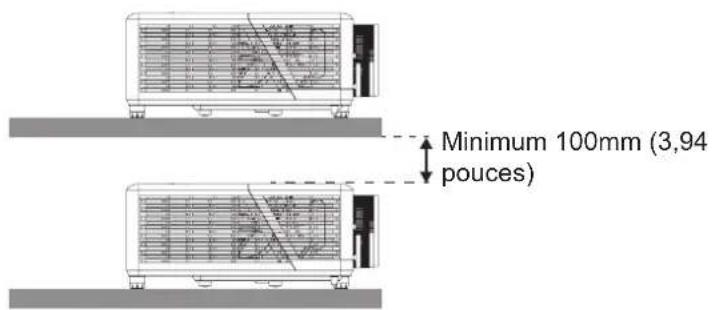
text_image
Minimum 100mm (3,94 pouces)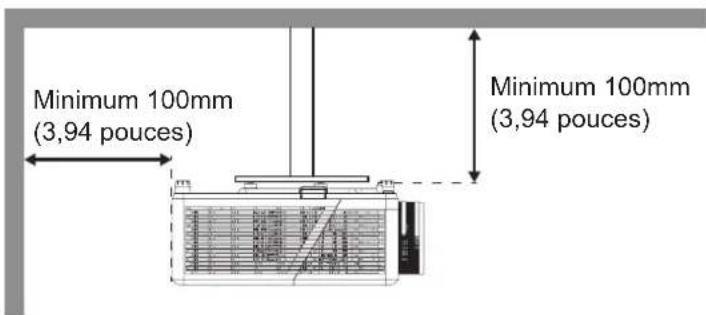
text_image
Minimum 100mm (3,94 pouces) Minimum 100mm (3,94 pouces)text_image
Options Oval Oval Oval Oval[Écran de projection] [Écran de langue]
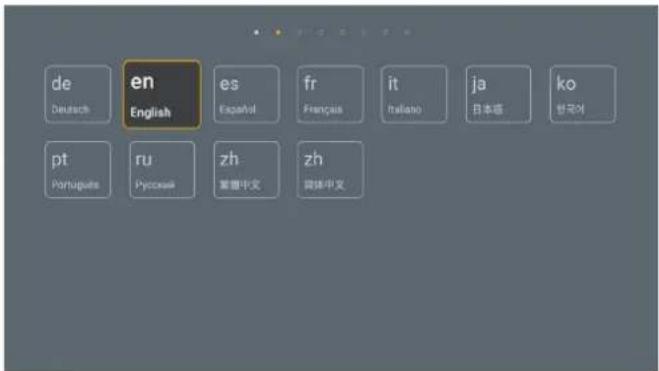
text_image
de Deutsch en English es Español fr Français it Italiano ja 日本語 ko 한국어 pt Portugues ru Pyocsek zh- 繁豊中文 zh- 関係中文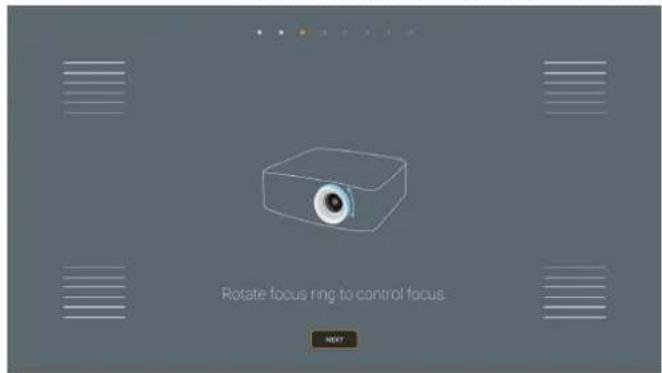
text_image
Rotate focus ring to control focus. Nexttext_image
Please plug in FL45 cable or USB Wi-Fi directly to connect to network. Skip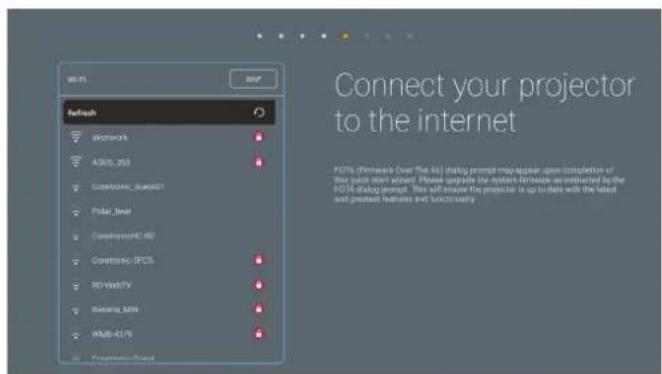
text_image
Connect your projector to the internet P21% (Windows Over The Web) dialgy prompt may appear open completion of this code start window. Please navigate the network between them as amended by the P21D dialgy prompt. This will throw the projector to up to date with the latest and previous features and continuouslytext_image
Please set date and time for your projector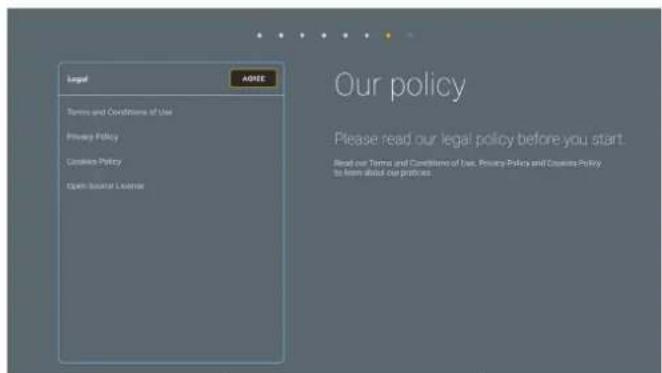
text_image
Legal Agree Terms and Conditions of Use Privacy Policy Courses Policy Open-Border License Our policy Please read our legal policy before you start. Read our Terms and Conditions of Use. Privacy Policy and Courses Policy to learn about our policies.text_image
Create your life style Optoma Connect Options Connect is a unique service that allows you to schedule and display a virtual cloud information wall with our mobile app, and power on Smart Projector with Alexa and Google download. Turn on projector Turn off projector App Store Google Play OKUTILISER LE PROJECTEUR
Mise hors tension
Table d'étirement UHD 4K:
natural_image
Five geometric diagrams showing rectangles and curved lines with grid patterns, no text or symbols present.text_image
Browser Media File Manager Optoma Marketplace Smart Home Optoma Connect Creative CastUTILISER LE PROJECTEUR
Creative Cast
text_image
WPS-7865 http://192.168.50.79 Creative Cast GETTING STARTED ON Launch APP or Connect by Web http://192.168 50.79 (Switch Wi-Fi to ASUS_263 first) Select Device Start Using GET THE APP In your Browser https://www.optoma.com/creativecast/ or In your Mobile Downloaded on the App Store GET IT ON Google Playtext_image
Optoma Storage Internal Storage / 52.9% 7.5 GB free from 16 GB Cloud Storage Download Collections Images Videos Document Music Alarms Dec 31 1969 Android Dec 31 1969 CollaVision Jun 11 2021 DCIM Dec 31 1969 Download Dec 31 1969 Movies Dec 31 1969 Music Dec 31 1969 Notifications Dec 31 1969 Pictures Dec 31 1969 Podcasts Dec 31 1969 qcache Dec 31 1969 Ringtones Dec 31 1969 ZeasnDownload Jun 17 2021UTILISER LE PROJECTEUR
Média
text_image
all picture song video local disk device network SAMBA device local disk device AN LMM2 Version- 1.9.9(2020-4-21)UTILISER LE PROJECTEUR
Assistant Alexa / Google
text_image
Enter Optoma47697 Westinghouse Drive,
Fremont, CA 94539, USA
www.optomausa.com
888-289-6786
510-897-8601
services@optoma.com
Japon
東京都足立区綾瀬3-25-18
株式会社オーエス
info@os-worldwide.com
www.os-worldwide.com
Canada
47697 Westinghouse Drive,
Fremont, CA 94539, USA
www.optomausa.com
888-289-6786
510-897-8601
services@optoma.com
Taiwan
12F., No.213, Sec. 3, Beixin Rd.,
Xindian Dist., New Taipei City 231,
Taiwan, R.O.C.
+886-2-8911-8600
+886-2-8911-6550
services@optoma.com.tw
www.optoma.com.tw asia.optoma.com
Amérique Latine
47697 Westinghouse Drive,
Fremont, CA 94539, USA
www.optomausa.com
888-289-6786
510-897-8601
services@optoma.com
Hong Kong
Unit A, 27/F Dragon Centre,
79 Wing Hong Street, +852-2396-8968
Cheung Sha Wan, +852-2370-1222
Kowloon, Hong Kong www.optoma.com.hk
Europe
Unit 1, Network 41, Bourne End Mills,
Hemel Hempstead, Herts,
HP1 2UJ, United Kingdom
(Royaume-Uni)
www.optoma.eu
service@tsc-europe.com
Chine
5F, No. 1205, Kaixuan Rd.,
Changning District
Shanghai, 200052, China (Chine)
+86-21-62947376
+86-21-62947375
www.optoma.com.cn
Benelux BV
Randstad 22-123
1316 BW Almere
Les Pays-Bas
www.optoma.nl
+31 (0) 36 820 0252
+31 (0) 36 548 9052
France
Bâtiment E
81-83 avenue Edouard Vaillant
92100 Boulogne Billancourt, France
+33 1 41 46 12 20
+33 1 41 46 94 35
savoptoma@optoma.fr
Espagne
C/ José Hierro,36 Of. 1C
28522 Rivas VaciaMadrid,
Espagne
+34 91 499 06 06
+34 91 670 08 32
Allemagne
Am Nordpark 3
41069 Mönchengladbach
Allemagne
+49 (0) 2161 68643 0