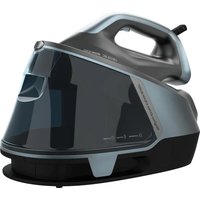
IronHero 3200 i-Pump Absolute - Iron CECOTEC - Free user manual and instructions
Find the device manual for free IronHero 3200 i-Pump Absolute CECOTEC in PDF.


| Product Type | Corded Iron |
| Brand | Cecotec |
| Model | IronHero 3200 i-Pump Absolute |
| Reference | 01876 |
| Power | 3200 W |
| Voltage | 220-240 V~, 50-60 Hz |
| Soleplate Type | Precision soleplate (material unspecified) |
| Water Tank Capacity | Approx. 300 ml (estimated) |
| Continuous Steam Function | Yes, via i-Pump |
| Steam Shot | Yes, powerful |
| Water Spray | Yes |
| Vertical Steaming | Yes |
| Auto Shut-off | Yes, horizontal (30 s) and vertical (8 min) |
| Anti-Drip Function | Yes |
| Anti-Calc System | Yes |
| Self-Cleaning | Yes, recommended every 15 days |
| Display | LCD Screen |
| Touch Sensor | Yes, on the handle |
| Recommended Water Type | Tap water or distilled water (no chemically softened water) |
| Maintenance | Clean with a damp cloth, use self-cleaning function |
| Safety | Auto shut-off, hot surface (caution) |
| After-Sales Service | Cecotec SAV : +34 9 63 21 07 28 |
Frequently Asked Questions - IronHero 3200 i-Pump Absolute CECOTEC
User questions about IronHero 3200 i-Pump Absolute CECOTEC
0 question about this device. Answer the ones you know or ask your own.
Ask a new question about this device
Download the instructions for your Iron in PDF format for free! Find your manual IronHero 3200 i-Pump Absolute - CECOTEC and take your electronic device back in hand. On this page are published all the documents necessary for the use of your device. IronHero 3200 i-Pump Absolute by CECOTEC.
USER MANUAL IronHero 3200 i-Pump Absolute CECOTEC
Plancha horizontal con bomba/ Steam iron with pump
natural_image
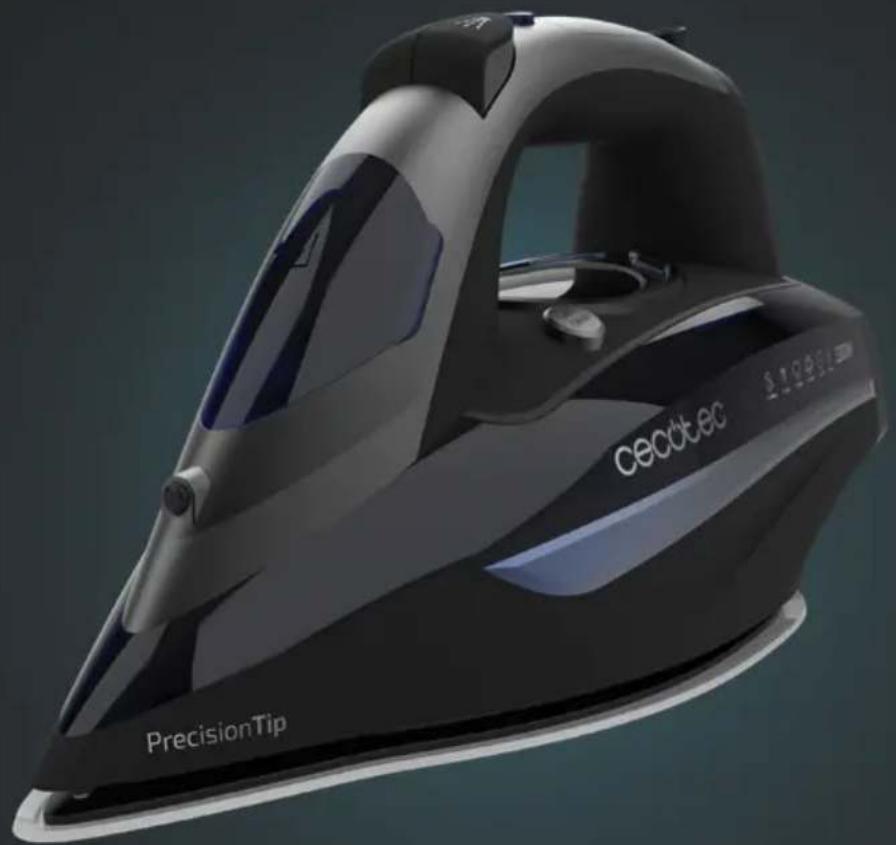
Exterior view of a precision air iron with 'Cecdtcc' branding and 'PrecisionTip' label (no additional text or symbols)Safety instructions 6
-
Parts and components 29
-
Before use 29
-
Operation 30
-
Cleaning and maintenance 33
-
Troubleshooting 34
-
Technical specifications 34
-
Disposal of old electrical and electronic appliances 35
-
Technical support and warranty 35
-
Copyright 35
SOMMAIRE
Read these instructions thoroughly before using the product. Keep this instruction manual for future reference or new users.
- Make sure that the mains voltage matches the voltage stated on the rating label of the appliance and that the wall outlet is grounded.
- Do not leave the iron unattended while hot, plugged in, or on an ironing board.
- Place the device on a flat, even, and heat-resistant surface.
- CAUTION: hot surface. Accessible surfaces may reach a high temperature during operation.
- Do not operate the appliance if it has been dropped, if it shows visible signs of damage, or if it leaks.
- Do not pull on the power cord when unplugging or moving the device, pull on the plug instead.
- Do not twist, bend, pull, or damage the power cord. Protect it from sharp edges and heat sources. Do not allow it to touch hot surfaces. Do not let the cord hang over the edge of the working surface or worktop.
- Do not immerse the cord, plug, or any non-removable part of the appliance in water or any other liquid, nor expose electrical connections to water. Make sure your hands are dry before handling the plug or switching on the appliance.
- Check the power cord regularly for visible damage. If the cord is damaged, it must be repaired by the official Technical Support Service of Cecotec to avoid any type of danger.
- Avoid contact with the steam generated by the iron. Steam temperature is very high and can cause burns and other damage.
- Do not use chemically descaled water. It is recommended to use distilled water.
- Unplug the iron when filling or emptying the water tank or
when not in use.
- The filling opening must not be open while using the iron.
- This appliance can be used by children aged 8 and above, and persons with reduced physical, sensory, or mental capabilities or lack of experience and knowledge, as long as they have been given supervision or instruction concerning the use of the appliance in a safe way and understand the hazards involved. Cleaning and maintenance should not be performed by children without supervision.
- Supervise children to prevent them from playing with the appliance. Close supervision is necessary when the appliance is being used by or near children.
- Keep this appliance and its power cord out of reach of children under the age of 8 when it is plugged in or cooling down.
- Warning: all our ironing range products have undergone quality control tests before their commercialisation. These tests consist of filling the water tank to check tightness and to ensure the correct operation of the device. Once the test has been carried out, the tank is emptied and dried, but some water may still remain inside.
INSTRUCTIONS DE SÉCURITÉ
- Water spraying nozzle
- Water filling-opening cover
- Steam burst button
- Spray button
- Pressure-generating pump button (I-Pump)
- Touch sensor
- Handle
- Swivelling cord
-
- and - push buttons
- Water tank
- LCD display
- Auto-clean button
- Soleplate
Please note
The graphics in this manual are schematic representations and may not exactly match the product.
2. BEFORE USE
- This appliance is packaged in a way as to protect it during transport. Take the device out of its box and remove all packaging materials. You can keep the original box and other packaging elements in a safe place. This will help you prevent product damage when transporting it in the future. In case the original packaging is disposed of, make sure all packaging materials are recycled accordingly.
- Make sure all parts and components are included and in good conditions. If any of them are missing or not in good condition, please contact the official Cecotec Technical Service immediately.
Warning:
You may notice a slight burning smell or smoke when using the appliance for the first time, caused by the excess of lubricants from the manufacturing process. Smoke will disappear after a short time.
3. OPERATION
Preparation
Sort the laundry according to the international symbols on the label of the different pieces of clothing, or the type of fabric.
| Label Type of fabric Thermostat | regulation | |
| Synthetic Low temperature | ||
| Silk - Wool Medium temperature | ||
| Cotton - Linen High temperature | ||
| Do not iron |
Start ironing the fabric that requires a lower temperature. This reduces waiting times (the iron takes less time to heat up than to cool down) and the risk of burning the fabric.
Filling the water tank
- Unplug the iron before filling the water tank.
- Rest the iron on its heel rest, tilt it forward approximately 45^ , and fill the water tank up to the MAX mark.
- Tap water may be used. In case water is very hard, use distilled water. Do not use chemically descaled or scented water under no circumstance.
Note
- Whenever you fill or empty the water tank, you must do so with the iron unplugged from the mains.
- Do not use additives or add other liquids such as perfume, vinegar, starch, condensed water from dryers or air conditioning systems, or chemicals, as this may damage the iron.
- This iron is designed to operate under running tap water. However, to ensure optimal performance for longer, you can mix tap water with distilled water in a 1:1 ratio. If water in your area is very hard, the mixture of tap water and distilled water should be in a 1:2 ratio.
Vertical steaming
- Ensure there is enough water in the tank.
- Place the steam iron in an upright position, rest it on its heel rest, and connect it to the power socket.
- Choose the maximum-temperature mode by pressing the + button until you reach "Linen" mode. The temperature icon will start flashing. Wait until it stops.
- Hold the iron vertically and press the steam burst button, an intense steam will be ejected from the soleplate.
Dry ironing
- Press the + button to select Dry Ironing mode and select "Synthetic" or "Silk-Wool". Once selected, wait until the temperature icon stops flashing.
- According to the care label of the different garments, set the correct ironing temperature to start ironing.
Steam ironing
- Unplug the iron and fill it with water following the filling-up steps mentioned in the previous sections.
- Plug the power cord into the power supply.
- Select the type of fabric to be ironed on the LCD display using the + and - buttons (steam mode can only be used in "cotton" and "linen" modes). Wait until the temperature icon stops flashing and you can start ironing.
- When finished, use the + and - push buttons to select OFF on the LCD display and unplug the device from the power supply.
Ironing synthetic clothes
- Minimum temperature and no steam operation.
- When this function is selected, the display will show the temperature symbol and a dot blinking. After a few seconds, both symbols will turn steady and the iron will beep, indicating that it is ready to be used. (70 °C-120 °C).
Ironing wool/silk
- Medium temperature and no steam ironing.
- When this function is selected, the display will show the temperature symbol and 2 dots blinking. After a few seconds, the symbols will turn steady and the iron will beep, indicating that it is ready to be used. (100 °C-160 °C).
Ironing cotton
- High temperature and steam ironing.
- When this function is selected, the display will show the temperature symbol and 3 flashing dots. After a few seconds, the symbols will turn steady and the iron will beep, indicating that it is ready to be used. (140 °C-200 °C).
Ironing linen
- Maximum temperature and steam ironing.
- When this function is selected, the display will show the temperature symbol, 3 dots and MAX blinking. After a few seconds, the symbols will turn steady and the iron will beep, indicating that it is ready to be used. (175 °C-215 °C).
ENGLISH
Warning
If the iron is operated before the above-mentioned symbols turn steady, the iron soleplate could leak, as it has not reached the optimal temperature.
Steam burst
By pressing the steam burst button, an intense burst of steam is emitted from the soleplate.
This function can only be activated during high-temperature ironing.
Warning
To prevent the soleplate from leaking, do not keep the steam burst button pressed for more than 5 seconds.
Warning
For optimal steam burst, do not press the steam burst button more than three times in a row to prevent the iron from cooling.
Spraying
The spray function can be used with any temperature setting during the steam ironing or dry ironing mode, as long as the tank is full.
Touch sensor
The iron includes a touch sensor in its handle. For safety reasons, the iron will only emit continuous steam when held by the handle in a horizontal position.
Continuous steam emission
Self-cleaning
- The iron features a pressure pump that generates maximum steam and removes the harshest creases.
- To activate it, press the i-PUMP button once. This button is located at the top. During operation, the LED light will remain on, and a slight sound will be heard.
- To deactivate it, press the button again and wait until the light turns off.
- Use the self-cleaning function once every two weeks. If water in your area is very hard (i.e., scales appear on the soleplate during ironing), the self-cleaning function should be used more frequently.
- Make sure the appliance is unplugged.
- Fill the water tank up to the maximum mark and close it (do not put vinegar or other treatment agents in the water tank).
- Plug the device into a power supply.
- Select the maximum temperature mode.
-
Unplug the appliance when it reaches the temperature.
-
Hold the iron horizontally, turn the steam knob to the maximum position, press the self-cleaning button, and shake the iron gently from one side to the other. Place a container or bowl beneath the iron.
- The soleplate will emit boiling water and steam to remove all impurities.
- Release the self-cleaning button once the water tank is empty.
- Repeat this process if necessary.
After the self-cleaning process, plug the iron to a power socket and let it heat so the soleplate dries, unplug the iron when it has reached the established ironing temperature, move the hot iron softly over a piece of fabric to remove water stains which may have formed in the soleplate, then let the iron cold down before storing it.
Auto shut-off function
- The iron will automatically turn off when it is placed and kept still horizontally for 30 seconds, or vertically for 8 minutes. The device will beep 6 times and the LCD display will turn on red indicating that the appliance has been turned off.
- To heat the iron up again:
- Pick up the iron or gently move it.
- The LCD display will turn blue indicating that it is ready to be used.
Anti-drip function
- This function automatically prevents water from spilling when the appliance is not hot enough.
- During use, the anti-drip system may emit a loud clicking sound, especially during preheating or whilst cooling down. This is perfectly normal and indicates that the system is operating correctly.
Anti-calc system
This system is designed to reduce the building up of limescale due to steam ironing.
4. CLEANING AND MAINTENANCE
- Turn off, unplug the appliance from the power supply, empty the water tank (do it after each use), and allow it to cool down completely.
- In case fabric is adhered to the soleplate due to heat, use a damp cloth and vinegar to detach it.
- Do not use abrasive cleaners or scouring pads to clean the product.
- If scale blocks the steam holes, use a toothpick to remove it.
- To protect the soleplate while it is stored, place the steam iron in an upright position on its heel rest.
5. TROUBLESHOOTING
| Problem Possible cause Solution | ||
| Not enough or too much heat. | The temperature knob is not set correctly or it is unplugged. | Set the temperature knob to the correct position. |
| No steam or leakage. The temperature | erature knob is set to the minimum position. | |
| Steam burst or vertical steaming function do not work properly. | The steam burst function has been used too often within a very short period. The iron is not hot enough. | Continue ironing in horizontal position and wait a few minutes before using the vertical steam burst function again. |
| Water leaks from the soleplate. | The temperature knob has been set to the "0" position. | Set the temperature knob correctly. |
| The iron is not hot enough. Press the steam button only when the symbols on the display are steady. | ||
| The water amount exceeds the Max. mark. | Empty the remaining water. | |
| Little steam. Steam holes are blocked. | Clean the hole with distilled water. | |
| Little or no water in tank. Add water to tank. | ||
| Spray does not work properly. | Not enough pressure or air inside. | Press the water spraying nozzle and the water spray button several times in a row. |
6. TECHNICAL SPECIFICATIONS
Product reference: 01876
Product: IronHero 3200 i-Pump Absolute
Power: 3200 W, 220-240 V\~, 50-60 Hz
Technical specifications may change without prior notification to improve product quality
Made in China | Designed in Spain
7. DISPOSAL OF OLD ELECTRICAL AND ELECTRONIC APPLIANCES
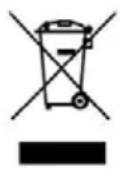
This symbol indicates that, according to the applicable regulations, the product and/or cells must be disposed of separately from household waste.
When this product reaches the end of its shelf life, you should dispose of the cells/batteries/accumulators and take them to a collection point designated by the local authorities.
Consumers must contact their local authorities or retailer for information concerning the correct disposal of old appliances and/or their batteries.
Compliance with the above guidelines will help protecting the environment.
8. TECHNICAL SUPPORT AND WARRANTY
Cecotec shall be liable to the end user or consumer for any lack of conformity that exists at the time of delivery of the product under the terms, conditions, and deadlines established by the applicable regulations.
It is recommended that repairs be carried out by qualified personnel.
If at any moment you detect any problem with your product or have any doubt, do not hesitate to contact Cecotec official Technical Support Service at +34 963 210 728.
9. COPYRIGHT
The intellectual property rights over the texts in this manual belong to CECOTEC INNOVACIONES, S.L. All rights reserved. The contents of this publication may not, in whole or in part, be reproduced, stored in a retrieval system, transmitted, or distributed by any means (electronic, mechanical, photocopying, recording or similar) without the prior authorization of CECOTEC INNOVACIONES, S.L.
1. PIÈCES ET COMPOSANTS
Img. 1
5. PROBLEEMOPLOSSING
Fig./Img./Abb./Afb./Rys./Obr.1
www.cecotec.es