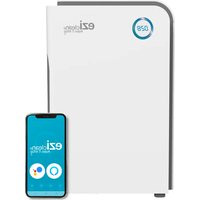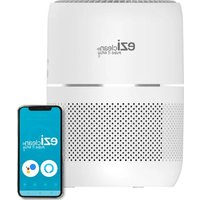
Air pure 200i - Air purifier EZICLEAN - Free user manual and instructions
Find the device manual for free Air pure 200i EZICLEAN in PDF.


User questions about Air pure 200i EZICLEAN
0 question about this device. Answer the ones you know or ask your own.
Ask a new question about this device
Download the instructions for your Air purifier in PDF format for free! Find your manual Air pure 200i - EZICLEAN and take your electronic device back in hand. On this page are published all the documents necessary for the use of your device. Air pure 200i by EZICLEAN.
USER MANUAL Air pure 200i EZICLEAN
Download the multilingual instructions for your device directly in your customer area on www.eziclean.com.
To do this, register your product by clicking on the following link:
text_image
QR code image containing encoded data, no visible human-readable texttext_image
Sleep High Low Auto 1H 4H 2H 8H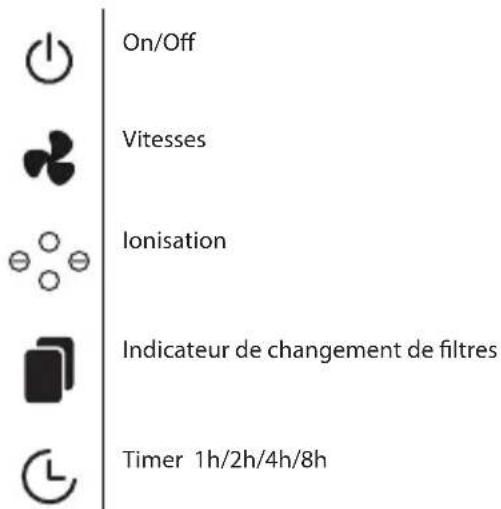
natural_image
Technical line drawing of a circular mechanical component with concentric rings and mounting holes (no text or symbols)
natural_image
Technical line drawing of a cylindrical device with internal structure and top view showing internal components (no text or symbols)2/ FONCTION AROMATHÉRAPIE
natural_image
Technical line drawing of a cylindrical device with mesh insulation and a base mount (no text or symbols)Dépannage
Please read all instructions before using the device.
. This appliance is a domestic appliance. . Do not use the appliance if the cord or plug is damaged.
. To avoid the risk of explosion or electric shock, be sure to turn off the appliance and unplug it before changing the filter or cleaning it.
. Do not use outdoors.
. Keep the appliance away from heated surfaces and flames.
. Do not attempt to repair or adjust the electrical or mechanical functions of this appliance. This will void your warranty.
. There are no user-serviceable parts inside the appliance. All maintenance must be carried out by qualified personnel.
. To protect against electrical hazards, do not immerse the unit in water or other liquids.
. Do not use near water.
Always unplug the appliance after use.
. Always unplug the air purifier before moving or cleaning it, changing the filter and whenever the appliance is not in use.
. When unplugging the unit, be sure to pull the plug, not the cord.
. Never block the air inlets/outlets or place the appliance on a soft surface such as a bed or sofa, as this may cause the appliance to tip over, blocking the air intake.
. Do not place anything on top of the unit.
. Filters should be replaced regularly.
. In general, replace the first filter every three months; replace the rear filter every six months.
CAUTION!
. This appliance may be used by children aged 8 years and over and by persons with reduced physical, sensory or mental capabilities or lack of experience and knowledge, provided that they have been given supervision or instructions concerning the safe use of the appliance and that they understand the hazards involved.
. Children must not play with the appliance. Cleaning and maintenance by the user should not be carried out by children unless they are over 8 years of age and are supervised.
. Children must be supervised to ensure that they do not play with the appliance.
. Keep the appliance and its cord out of the reach of children under 8 years of age.
. If the power cord is damaged, it must be replaced by the distributor, its service department or a similarly qualified person to avoid any danger.
. The appliance must be installed in accordance with the regulations for electrical installations.
Contact the authorised technical service for repair or maintenance of this appliance.
DANGER :
. To reduce the risk of electric shock, spontaneous combustion, fire and other personal injury or property damage, follow these instructions: After finishing using the air purifier, the user must turn off the unit.
. If the appliance gets into water, unplug it immediately.
Do not use your hands to remove it from the water.
Please read the following information carefully before using your air purifier or its accessories. Do not disassemble the appliance or attempt to repair it yourself. In case of malfunction, please contact your dealer for professional advice.
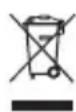
The symbol on this device indicates that it cannot be disposed of with household waste. You must dispose of it at a recycling centre for electrical and electronic waste. Disposal must be carried out in accordance with local waste regulations. For further information on the treatment, recovery and recycling of this appliance, please contact your local municipality, your local waste disposal service or the dealer of the appliance.

text_image
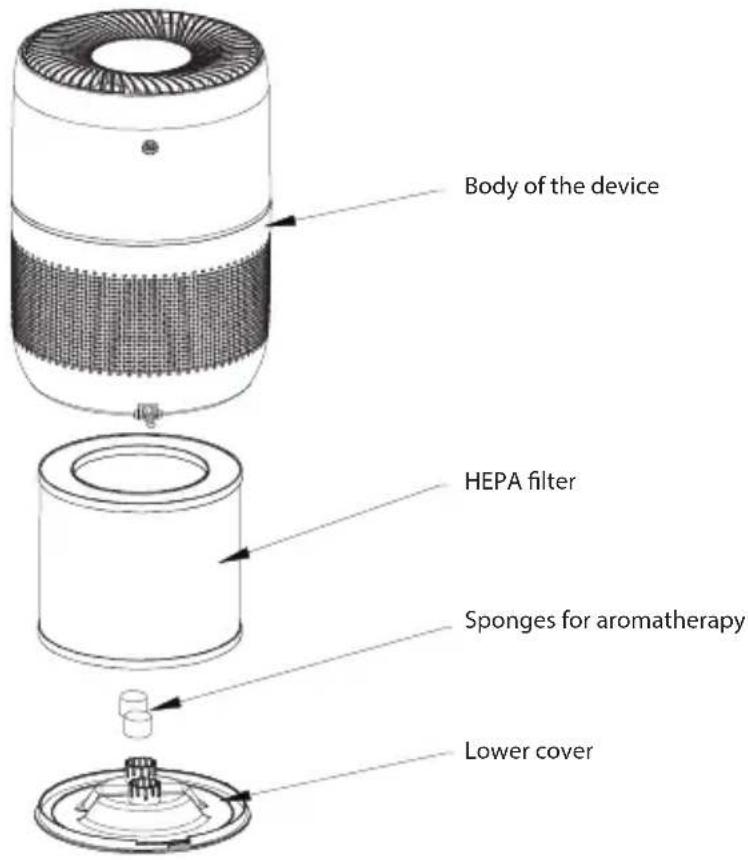
Body of the device HEPA filter Sponges for aromatherapy Lower coverFunctions of the device
text_image
Sleep High Low Auto 1H 4H 2H 8H
natural_image
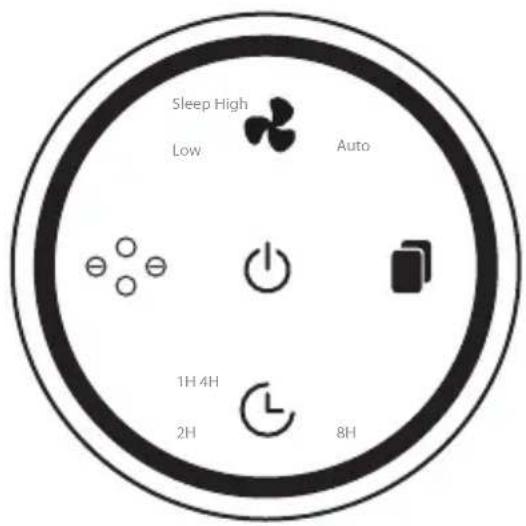
Pure electrical circuit symbols without any text or labelsOn/Off
Speeds
Ionization
Filter change indicator
Timer 1h/2h/4h/8h
Modes

ON / OFF
Press the ON/OFF button to switch the machine on and off. By default, the speed is the lowest and the child lock is deactivated.

SPEEDS
Then press the SPEED button to change the power of the appliance. Press as many times as necessary in the following order: LOW -> HIGH -> Auto -> Sleep LOW power is the minimum speed. HIGH power is the maximum speed. AUTO power allows your air purifier to determine the power to adopt according to the air particles it encounters. The SLEEP setting turns off all the lights in the unit while continuing to operate at low speed.

IONISE
Press the IONISE button to activate the negative ions.
Press it again to stop.
The negative ions charge particles in the air (such as dust, viruses or bacteria). These particles clump together around the negative ions, making them larger and easier to catch, but more importantly, making any virus or bacteria that may become trapped in the clump harmless. Producing large quantities of negative ions therefore makes it possible to adsorb the particles present in the air and also to eliminate odours.

REPLACE THE FILTERS
When you use your air purifier, a counter will start to ensure that it is working properly. After 2000 hours of operation, the filter indicator will flash and a beep will sound. To replace the filters, simply order a new kit from www.eziclean.com. Then remove the bottom cover of the unit, remove the old filter and install the new filter. Once the filters have been replaced, press and hold the FILTER button for 3 seconds so that it stops flashing and the beeping stops.

DIFFERED ALLUMAGE
Press the DIFFERED ALLUMAGE button to choose the time you want to turn on your device. You can delay the ignition of your air purifier by 1/2/4/8 hours.
Air quality
When turned on, your air purifier emits a light that tells you the quality of your air:
Before the first use, check that the filter bag has been removed.
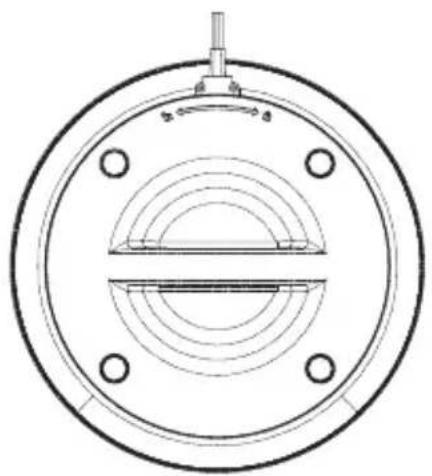
To do this: open the lower cover of the appliance by turning it counterclockwise (towards the open padlock).
Take out the filter, remove the bag and replace the filters.
Insert the bottom cover back into the unit and turn it clockwise (towards the closed lock) to close it.
natural_image
Technical line drawing of a circular mechanical component with concentric rings and mounting holes (no text or symbols)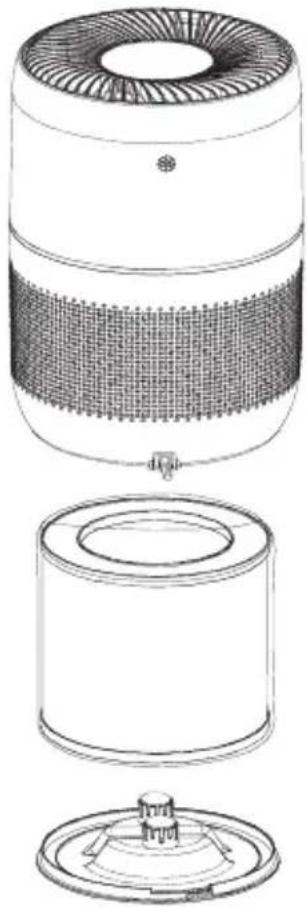
natural_image
Technical line drawing of a portable air purifier with internal mesh structure and top view showing lid (no text or symbols)2/ AROMATHERAPY FUNCTION
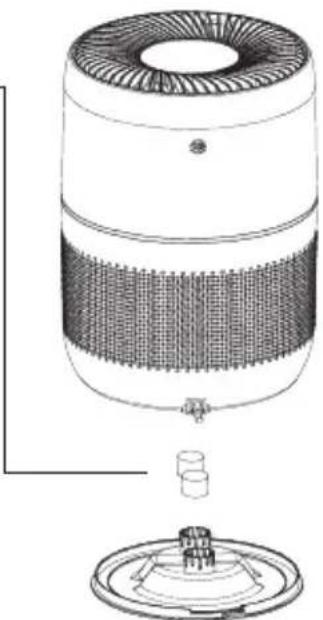
Your device is equipped with two foam sponges placed under its lower cover.
Placing a few drops of essential oils of your choice will allow your air purifier to diffuse your essential oils during its operation.
natural_image
Technical line drawing of a cylindrical device with mesh insulation and a base mount (no text or symbols)Troubleshooting
| Error Possible causes Solution | ||
| The unit does not switch on The power supply is poor. | Check that the appliance is correctly connected. Check that the socket where the appliance is plugged in is supplied with electricity | |
| The fan does not turn | The appliance is probably blocked by a foreign object | Check that no objects have entered the fan. Check that the filter bag has been removed. |
| Performance is not as good as before | The appliance is dirty.The filters are clogged | Clean the unit properly with a dry cloth. Change the filters by ordering them from www.eziclean.com |
| The unit emits a beeping sound The filters must be replaced | Change the filters by ordering them from www.eziclean.com | |
| The air quality indicator is continuously red | There is a source of pollution next to the appliance (smoke, smell, outside air, etc.) | Let the unit run until the air quality indicator turns blue or green again. |
If you still haven't found a solution to your problems, please visit www.eziclean.com to request help. Our team will be happy to assist you.
text_image
Sleep High Low Auto 1H 4H 2H 8H
natural_image
Pure electrical circuit symbols without any text or labelsEin/Aus
Geschwindigkeiten
Ionisation
natural_image
Technical line drawing of a circular mechanical component with concentric rings and mounting holes (no text or symbols)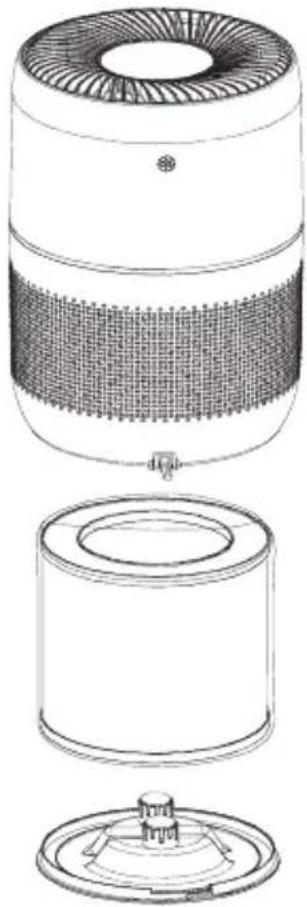
natural_image
Technical line drawing of a cylindrical device with internal mesh structure and top view showing internal components (no text or symbols)2/ AROMATHERAPIEFUNKTION
natural_image
Technical line drawing of a cylindrical device with internal mesh structure and base mount (no text or symbols)Fehlerbehebung
text_image
Sleep High Low Auto 1H 4H 2H 8H
natural_image
Pure electrical circuit symbols without any text or labelsnatural_image
Technical line drawing of a circular mechanical component with concentric rings and mounting holes (no text or symbols)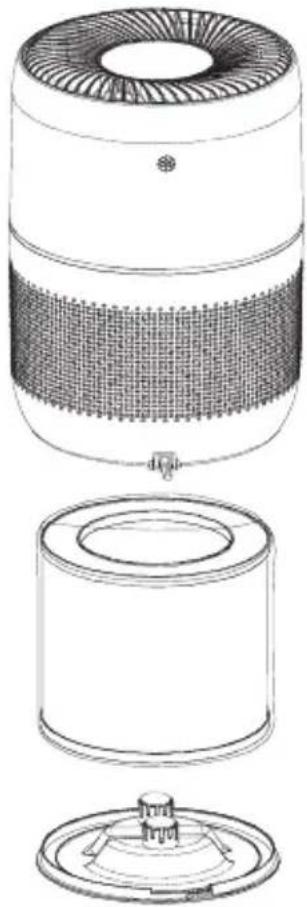
natural_image
Technical line drawing of a cylindrical device with internal mesh structure and top view showing internal components (no text or symbols)natural_image
Technical line drawing of a cylindrical device with mesh insulation and a base mount (no text or symbols)text_image
Sleep High Low Auto 1H 4H 2H 8H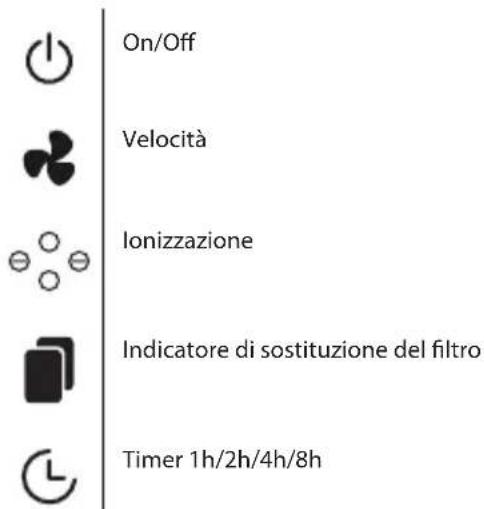
natural_image
Technical line drawing of a circular mechanical component with concentric rings and mounting holes (no text or symbols)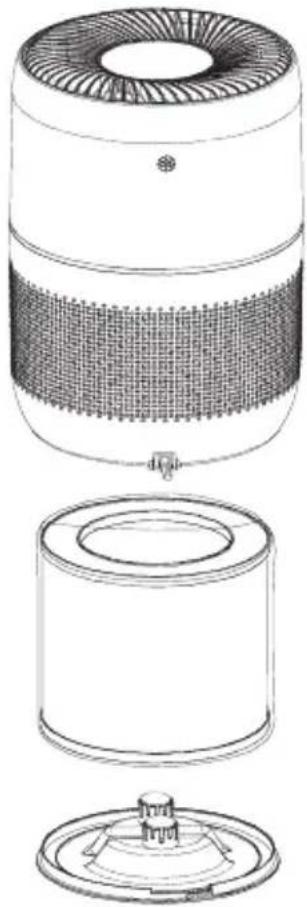
natural_image
Technical line drawing of a cylindrical device with internal structure and top view showing internal components (no text or symbols)2/ FUNZIONE AROMATERAPIA
natural_image
Technical line drawing of a cylindrical device with internal mesh structure and base mount (no text or symbols)text_image
Sleep High Low Auto 1H 4H 2H 8H
natural_image
Pure electrical circuit symbols without any text or labelsAan/Uit
Snelheden
lonisatie
Filtervervangingsindicator
Timer 1u/2u/4u/8u
Modi

AAN / UIT
natural_image
Technical line drawing of a circular mechanical component with concentric rings and mounting holes (no text or symbols)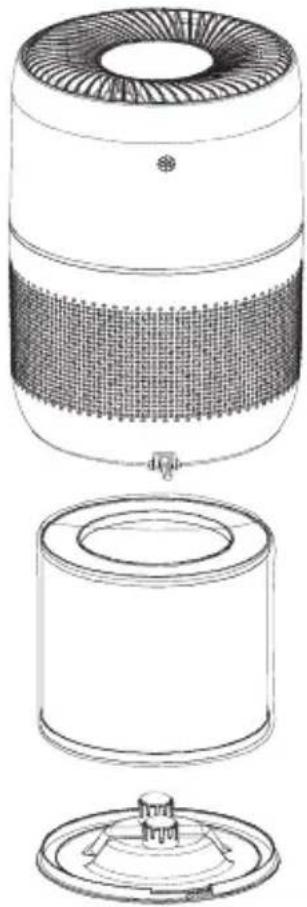
natural_image
Technical line drawing of a cylindrical device with internal mesh structure and top view showing internal components (no text or symbols)2/ AROMATHERAPIE FUNCTIE
natural_image
Technical line drawing of a cylindrical device with mesh insulation and a base mount (no text or symbols)Problemen oplossen
Download the multilingual instructions for your device directly in your customer area on www.eziclean.com.
To do this, register your product by clicking on the following link:
text_image
QR code image containing encoded data, no visible human-readable textezi clean® make it easy
EZIclean® is a trademark of E.ZICOM® company
46/48, rue Gay Lussac
94430 Chennevières-sur-Marne
www.eziclean.com