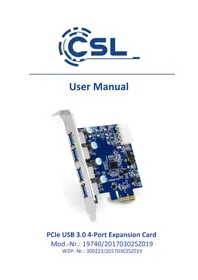
300223 - PCI card CSL - Free user manual and instructions
Find the device manual for free 300223 CSL in PDF.


| Product type | 4-Port USB 3.0 PCIe Expansion Card |
| Interface | PCI Express |
| Ports | 4 x USB 3.0 Type A (external) |
| Chipset | Renesas D720201 |
| Power | 4-Pin Molex Connector (connected to PC power supply) |
| System Compatibility | Microsoft Windows XP / Vista / 7 / 8 / 8.1 / 10 |
| Package Contents | PCIe card, driver CD, user manual |
| Installation | Insert into a free PCI slot, secure with a screw, connect the Molex cable |
| Maintenance and Cleaning | Disconnect the computer before cleaning; use a dry, lint-free cloth |
| Safety | Do not open the card; avoid moisture, shocks, and high temperatures; follow the instructions in the manual |
| Recycling | Do not dispose of with household waste; comply with WEEE Directive (2012/19/EU) |
| Dimensions (estimated) | Approximately 120 x 20 x 100 mm (standard PCIe format) |
| Brand | CSL |
| Model | 300223 |
Frequently Asked Questions - 300223 CSL
User questions about 300223 CSL
0 question about this device. Answer the ones you know or ask your own.
Ask a new question about this device
Download the instructions for your PCI card in PDF format for free! Find your manual 300223 - CSL and take your electronic device back in hand. On this page are published all the documents necessary for the use of your device. 300223 by CSL.
USER MANUAL 300223 CSL
natural_image
Close-up of a blue PCI E210 card with multiple ports and connectors (no visible text or symbols)PCIe USB 3.0 4-Port Expansion Card
natural_image
Interior view of a computer tower with CPU socket, motherboard, and fan (no visible text or symbols)natural_image
Close-up of a computer motherboard with visible CPU socket, motherboard, and fan (no readable text or symbols)natural_image
Close-up of a white electrical connector with four black, yellow, and red wires attached (no visible text or symbols)Thank you for having chosen this CSL product and for placing your trust in our company. Please read this manual carefully before installation to ensure your long-term enjoyment of this product. For future reference, please keep this manual.
1 Scope of supply
• PCIe USB 3.0 4-Port Expansion Card
- Driver CD
- User manual
2 Technical specifications
| Interface PCI-Express | |
| Output 4x USB 3.0 | A connection – External |
| Power supply 4-pol. | Molex connection |
| Chipset Renesas D720201 | |
| Compatibility Microsoft Windows XP / Vista / 7 / 8 / 8.1 / 10 | |
3 Installation
Please unplug your computer entirely from the power grid before starting the installation process. Avoid touching sensitive components on the plug-in card and in your computer.
natural_image
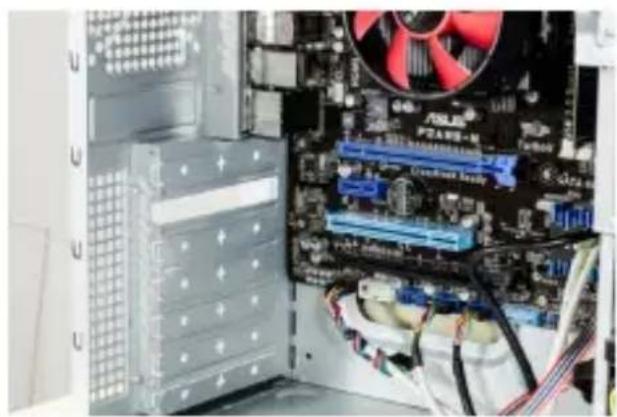
Interior view of a computer tower with CPU socket, motherboard, and fan (no visible text or symbols)Open the housing of your computer. Thereafter, find a free PCI plug-in socket and carefully remove the relevant slot cover plate.
natural_image
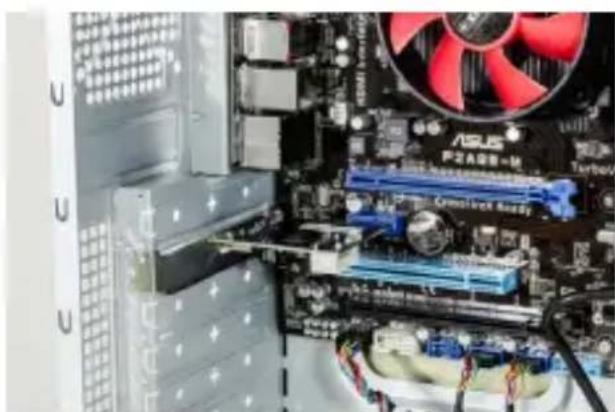
Close-up of a computer motherboard with visible CPU socket, motherboard, and fan (no readable text or symbols)Put the PCI card into the selected plug-in socket. Ensure that the card is properly inserted into the plug-in socket. Attach the card to the PC housing with a screw.
natural_image
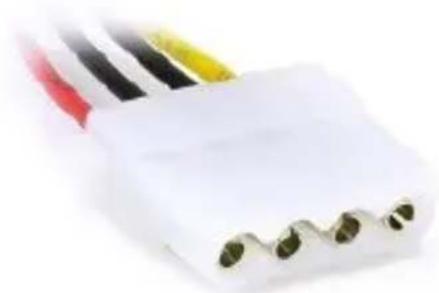
Close-up of a white electrical connector with four black, yellow, and red wires attached (no visible text or symbols)Supply the extension card with power by connecting one 4-pin Molex power connection of your power supply to the product.
4 Driver installation
The driver installation is fully automatic, if you use 8, 8.1 or Microsoft Windows 10 operating system. The card PCIe card is ready for use after a few minutes.
If you would use the PCIe card with the operating system Microsoft Windows 7, please proceed with the driver installation as described.
Insert the driver CD into your drive and close the drive. It opens the automatic loader.
With a click on "Open folder to view files", contents on the CD will be displayed.
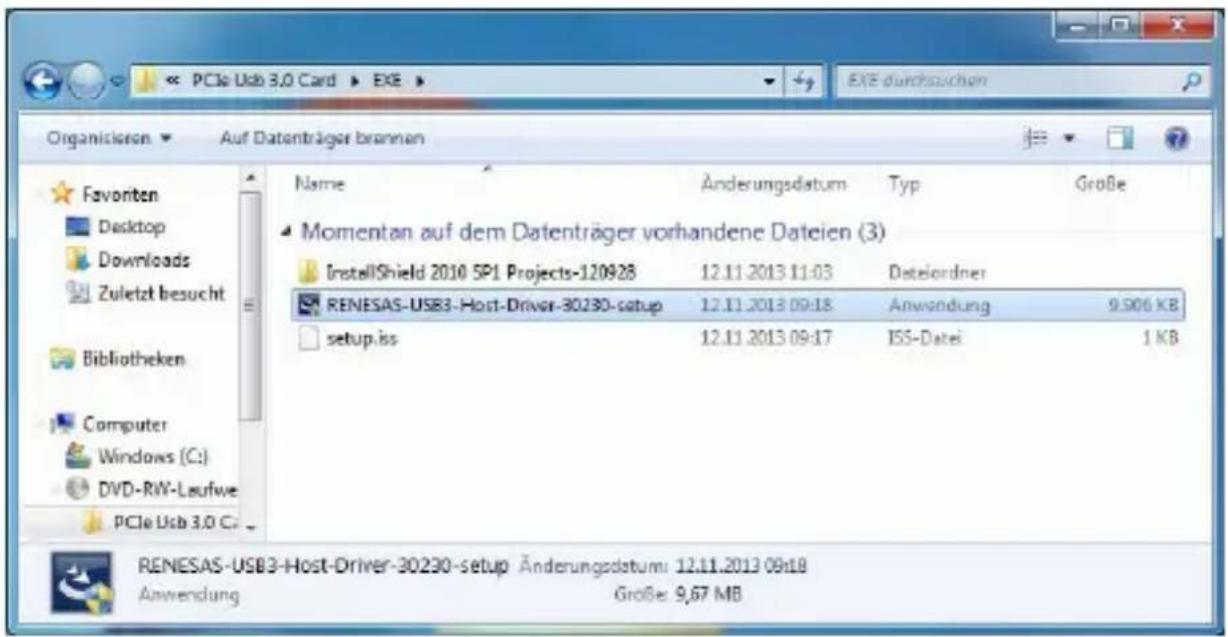
The driver is located in a sub folder on the CD. Navigate to the folder "PCIe USB 3.0 Card" → "EXE" and then call on the "RENESAS-USB3 Host Driver-30230-set up".
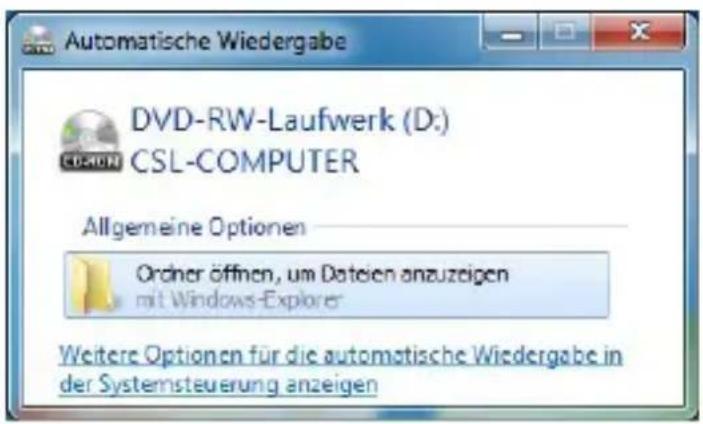
A confirmation prompt is displayed that needs to be accepted with "Yes".
Now follow the instructions of the installation wizard of the driver installation in order for the proper execution. Following the device is ready for use.
5 Safety instructions and disclaimer
Please do not attempt to perform repairs or conversions of the plug-in card. Avoid contact with the power grid. The product is only voltage-free once it has been unplugged. Always ensure that you are grounded before you touch electronic components. This will prevent damage caused by electrostatic discharge from your body.
Electrostatic discharge (ESD) can cause irreparable damage to your plug-in card and all the connected hardware components! The installation of the plug-in card is performed at your own risk. Please have the installation of the card performed by a specialised company if you do not have any technical and practical experience in the field of computer and electrical technology. The manufacturer cannot be held liable for any direct or indirect damage caused by improper installation or use. It is the customer's responsibility to back up any data.
The device has not been approved for outdoor use. It should therefore only be used in dry areas. Protect it against high humidity levels, water and snow. Always keep the device away from high temperatures. Do not expose the device to any sudden temperature changes or strong vibrations, as this could damage the electronic components.
Check the device for possible damage before using it. The device should not be used when it has been subjected to impact or damaged in any other way. Please also take the national regulations and restrictions into account. Do not use the
device for any purposes other than those described in these instructions.
This product is not a toy. Store it outside the reach of children or intellectually disabled persons. Any repairs or changes to the device not carried out by the original supplier will result in the expiry of any warranty or guarantee claims. The device specifications may change without any prior notice.
6 Instructions for disposal
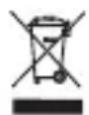
Electrical and electronic devices may not be disposed of together with domestic waste, in accordance with the European WEEE directive. Their components must be separately sent for recycling or disposal, as toxic and hazardous components may do long-term damage to the environment in the event of improper disposal.
The electrical and electronic devices act (ElektroG) obliges you, the consumer, to return electrical and electronic devices at the end of their service life free of charge to the manufacturer, the sales office or to public collection points that were established for that purpose. The relevant national laws provide detailed regulations.
The symbol on the product, the user manual and/or the packaging refers to such regulations. This form of material separation, recycling and disposal of obsolete devices makes an important contribution towards the protection of our environment.

WEEE guideline: 2012/19/EU
WEEE register number: DE 94495668
WD Plus GmbH, herewith declares that this product 300223/20170302SZ019 conforms to the principle requirements and other relevant stipulations. The complete Declaration of Conformity can be obtained from: WD Plus GmbH, Wohlenbergstraße 16, 30179 Hanover
natural_image
Interior view of a computer tower with CPU socket, motherboard, and fan (no visible text or symbols)natural_image
Close-up of a computer motherboard with visible CPU socket, RAM slots, and a red CPU fan (no readable text or symbols)natural_image
Close-up of a white electrical connector with four black, red, yellow, and black wires attached (no visible text or symbols)natural_image
Interior view of a computer tower with CPU socket, motherboard, and fan (no visible text or symbols)natural_image
Close-up of a computer motherboard with visible CPU socket, motherboard, and fan (no readable text or symbols)natural_image
Close-up of a white electrical connector with four black, yellow, and red wires attached (no visible text or symbols)natural_image
Interior view of a computer tower with CPU socket, motherboard, and fan (no visible text or symbols)natural_image
Close-up of a computer motherboard with visible CPU socket, RAM slots, and a red CPU fan (no readable text or symbols)natural_image
Close-up of a white electrical connector with four black, red, yellow, and black wires attached (no visible text or symbols)
Brand : CSL
Model : 300223
Category : PCI card