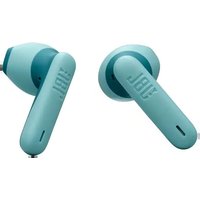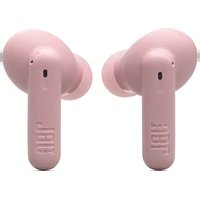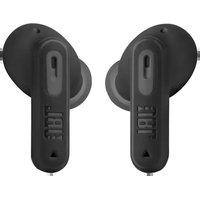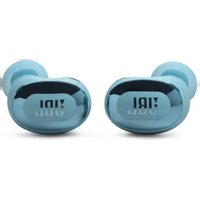
Live Buds 3 - Earplug JBL - Free user manual and instructions
Find the device manual for free Live Buds 3 JBL in PDF.


| Product type | Wireless Bluetooth earbuds |
| Brand | JBL |
| Model | Live Buds 3 |
| Earbud dimensions | Not communicated |
| Earbud weight | 4.8 g per earbud (9.6 g total) |
| Charging case weight | 69.8 g |
| Earbud power supply | Lithium-ion battery 60 mAh / 3.85 V |
| Case power supply | Lithium-ion battery 620 mAh / 3.8 V |
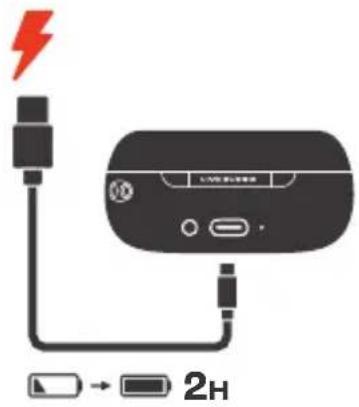
| Charging time | 2 hours for a full charge |
| Battery life (BT only, ANC off) | Up to 10 hours |
| Battery life (BT + ANC on) | Up to 8 hours |
| Talk time (without RBA) | Up to 4.5 hours |
| Speaker | 10 mm / 0.39" dynamic driver |
| Frequency response | 20 Hz – 40 kHz |
| Impedance | 16 ohms |
| Sensitivity | 106 dB SPL at 1 kHz |
| Bluetooth version (earbuds) | 5.3 |
| Bluetooth version (case) | 5.1 |
| Key features | Active noise cancellation (ANC), Ambient Aware, VoiceAware, Dual Connect + Sync, multipoint connection (2 devices), touch controls, auto play/pause, JBL Headphones app, Qi wireless charging case |
| Care and cleaning | Wipe with a soft, dry cloth. Do not use liquid or abrasive products. |
| Safety | Do not expose to temperatures above 45°C. Use a Qi-certified or 5V/1A charger. Adhere to RF separation distances (0 cm for head, 5 mm for body). |
| Spare parts and repairability | Different sized ear tips included. For repairs, contact JBL. Do not attempt to open the earbuds. |
| General information | Warranty: according to local regulations. Compatible with JBL Headphones app. Certified Bluetooth 5.3. Max sound pressure: 96 dBA (EN50332). |
Frequently Asked Questions - Live Buds 3 JBL
User questions about Live Buds 3 JBL
0 question about this device. Answer the ones you know or ask your own.
Ask a new question about this device
Download the instructions for your Earplug in PDF format for free! Find your manual Live Buds 3 - JBL and take your electronic device back in hand. On this page are published all the documents necessary for the use of your device. Live Buds 3 by JBL.
USER MANUAL Live Buds 3 JBL
natural_image
Simple line drawing of a stylized device with no text or symbols

APPAPP


JBL HEADPHONES

GET IT ON Google Play

Download on the App Store
Get even more control and personalization of your listening experience with this free app.
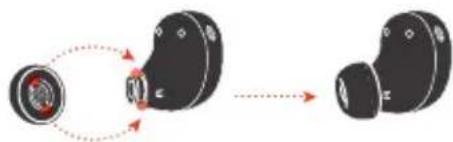
HOW TO WEAR
①
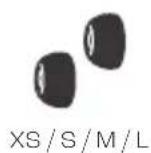
Try different sizes for a perfect fit and audio performance.

XS/S/M/L
natural_image
Diagram showing a device with a red circular component connected to a black earbell, then to a separate earbell (no text or symbols present)
②
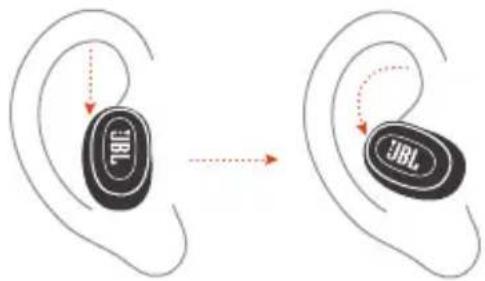
③
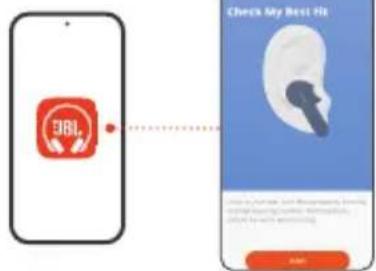
FIRST TIME USE


POWER ON & CONNECT
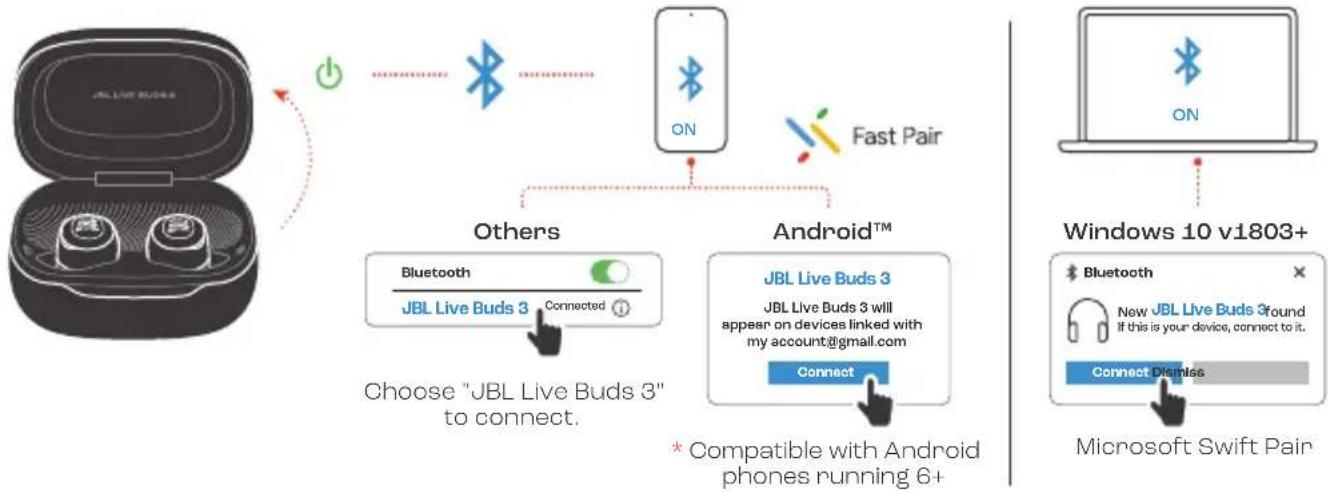
flowchart
graph TD
    A["JBL Live Buds"] -->|Power/Resistance| B["Bluetooth"]
    B --> C["Fast Pair"]
    C --> D["Android™"]
    D --> E["Connect"]
    E --> F["Microsoft Swift Pair"]
    G["Windows 10 v1803+"] --> H["New JBL Live Buds 3 Ground\nIf this is your device, connect to it."]
    I["Others"] --> J["Bluetooth\nJBL Live Buds 3 Connected"]
    J --> K["Choose "JBL Live Buds 3" to connect."]
    L["* Compatible with Android phones running 6+"] --> M["Connect"]
DUAL CONNECT + SYNC

natural_image
Simple icon of a USB flash drive with no text or symbols
L

R
Stereo mode Mono mode
natural_image
Simple line drawing of a stylized electronic device with no text or symbols
L/R
MULTI-POINT CONNECTION

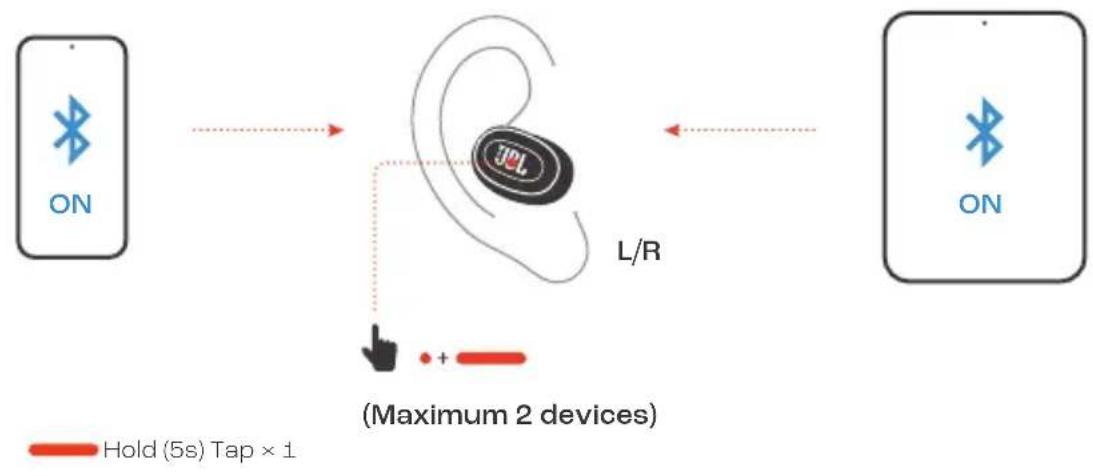
flowchart
graph TD
    A["ON"] --> B["L/R"]
    B --> C["Wireless Device"]
    C --> D["ON"]
    style A fill:#f9f,stroke:#333
    style D fill:#bbf,stroke:#333
    note right of C: (Maximum 2 devices)
    note right of D: Hold (5s) Tap × 1
CONTROLS

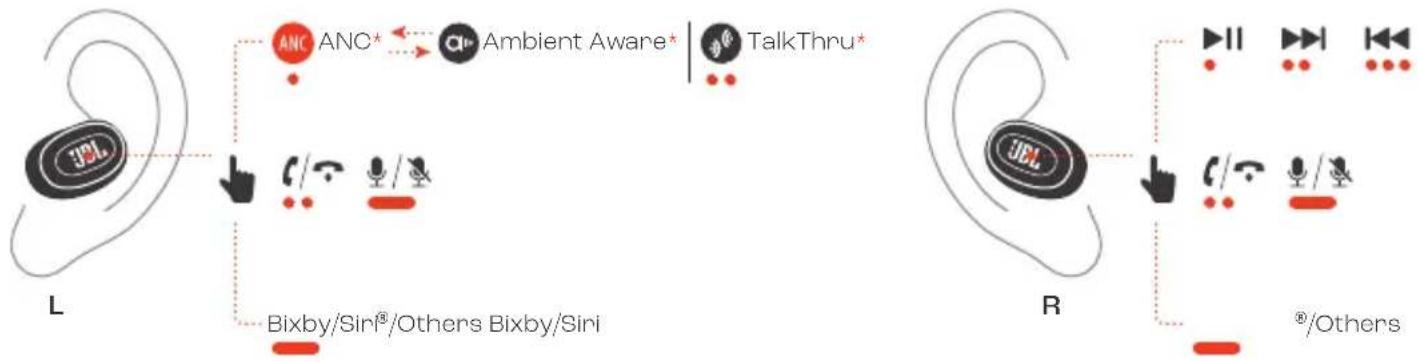
flowchart
graph TD
    subgraph_L["ear ear"]
        A["JBL"] --> B["AnC ANC*"]
        B --> C["Antenna"]
        C --> D["TalkThru*"]
        E["User"] --> F["User"]
        G["User"] --> H["User"]
        I["Bixby/Sini®/Others"] --> J["Bixby/Sini"]
    end
    subgraph_R["ear ear"]
        K["JBL"] --> L["Audio/Video Ratio / Other"]
        M["Audio/Video Ratio"] --> N["Audio/Video Ratio / Other"]
        O["Audio/Video Ratio"] --> P["Audio/Video Ratio / Other"]
        Q["Audio/Video Ratio"] --> R["Audio/Video Ratio / Other"]
    end
- Tap × 1 Tap × 2 Tap × 3
Hold (2s)
* Enable advance controls by connecting your JBL LIVE BUDS 3 to JBL Headphones app
CONTROLS

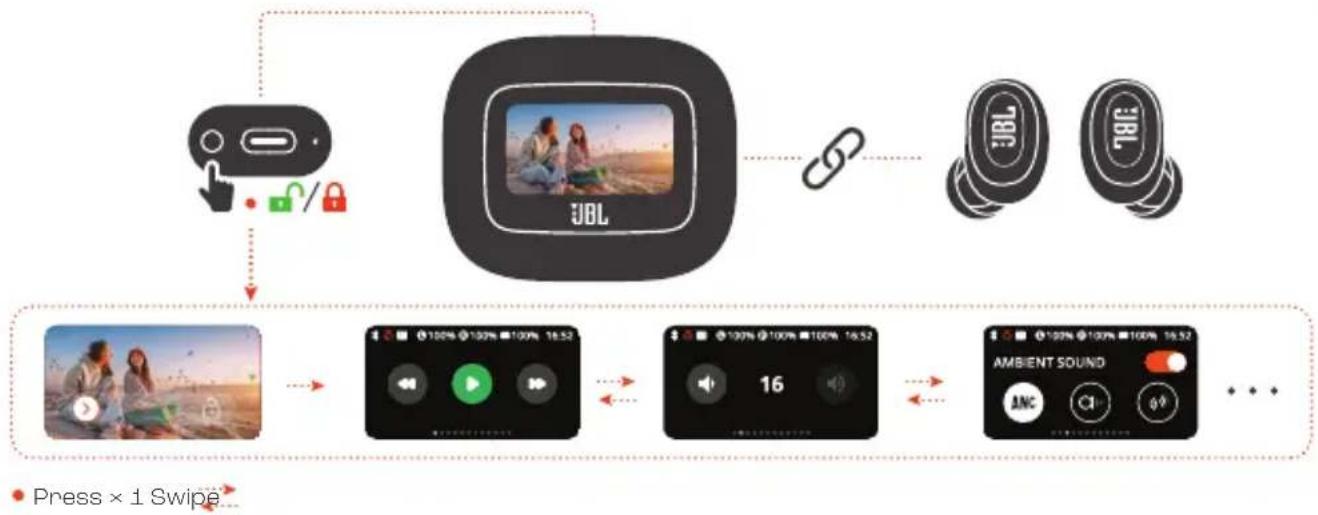
flowchart
graph TD
    A["Lock Icon"] --> B["Video Player"]
    B --> C["Cloud Sensor"]
    C --> D["Cloud Device"]
    D --> E["Cloud Display"]
    E --> F["Smart Speaker"]
    F --> G["Smart Display"]
    G --> H["Smart Display"]
    H --> I["Smart Display"]
    I --> J["Smart Display"]
    J --> K["Smart Display"]
    K --> L["Smart Display"]
    L --> M["Smart Display"]
    M --> N["Smart Display"]
    N --> O["Smart Display"]
    O --> P["Smart Display"]
    P --> Q["Smart Display"]
    Q --> R["Smart Display"]
    R --> S["Smart Display"]
    S --> T["Smart Display"]
    T --> U["Smart Display"]
    U --> V["Smart Display"]
    V --> W["Smart Display"]
    W --> X["Smart Display"]
    X --> Y["Smart Display"]
    Y --> Z["Smart Display"]
    Z --> AA["Smart Display"]
    AA --> AB["Smart Display"]
    AB --> AC["Smart Display"]
    AC --> AD["Smart Display"]
    AD --> AE["Smart Display"]
    AE --> AF["Smart Display"]
    AF --> AG["Smart Display"]
    AG --> AH["Smart Display"]
    AH --> AI["Smart Display"]
    AI --> AJ["Smart Display"]
    AJ --> AK["Smart Display"]
    AK --> AL["Smart Display"]
    AL --> AM["Smart Display"]
    AM --> AN["Smart Display"]
    AN --> AO["Smart Display"]
    AO --> AP["Smart Display"]
    AP --> AQ["Smart Display"]
    AQ --> AR["Smart Display"]
    AR --> AS["Smart Display"]
    AS --> AT["Smart Display"]
    AT --> AU["Smart Display"]
    AU --> AV["Smart Display"]
    AV --> AW["Smart Display"]
    AW --> AX["Smart Display"]
    AX --> AY["Smart Display"]
AUTO PLAY/PAUSE

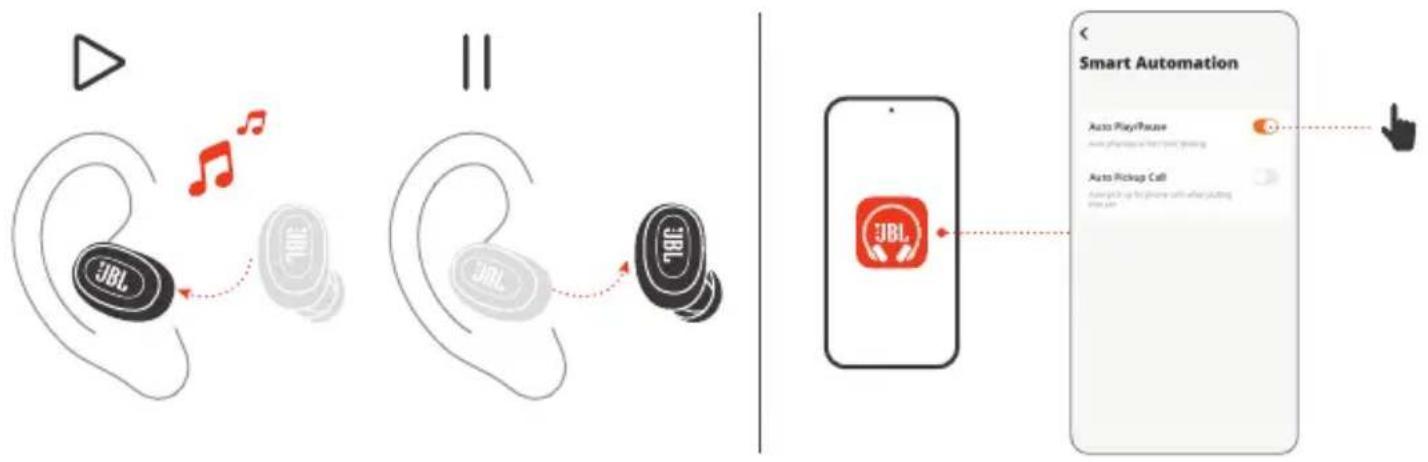
flowchart
graph LR
    A["ear ear with JBL logo"] --> B["ear ear with musical notes"]
    B --> C["ear ear with JBL logo"]
    C --> D["ear ear with JBL logo"]
    D --> E["Smart Automation screen showing JBL branding"]
    E --> F["Smart Automation interface with 'Auto PlayPause' and 'Auto Pickup Call' icons"]
VOICEAWARE

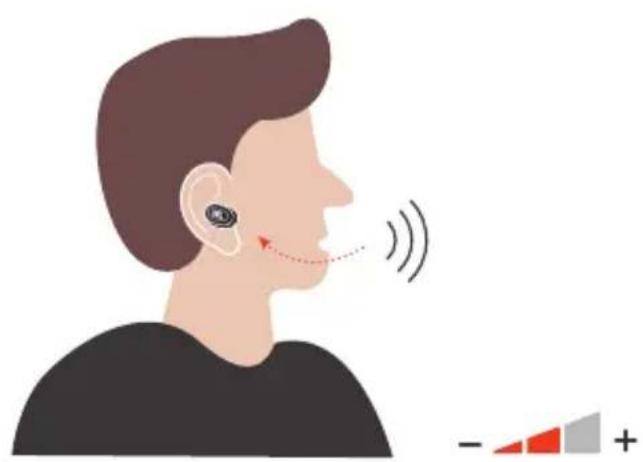
natural_image
Illustration of a person's ear with earphones and earplifier, showing sound waves and a partial scale bar (no text or symbols)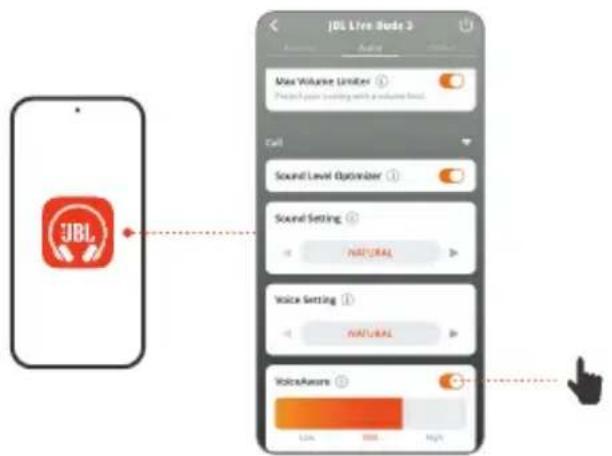
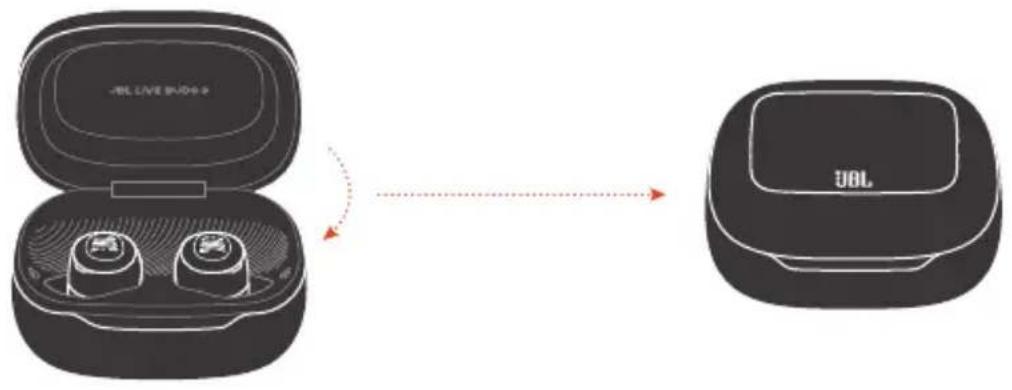
POWER OFF
I
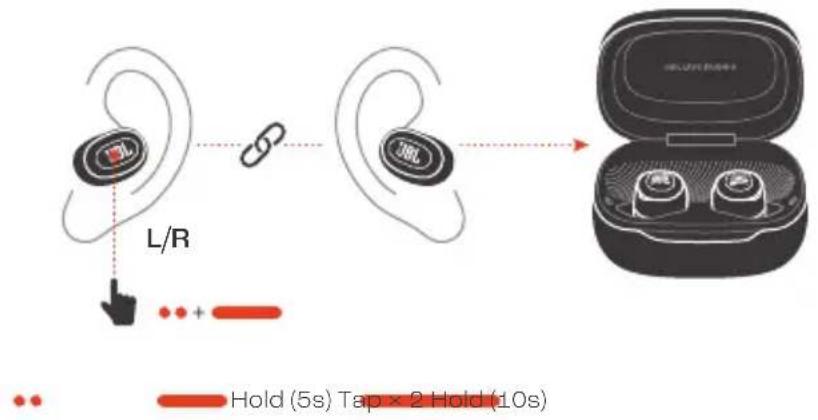
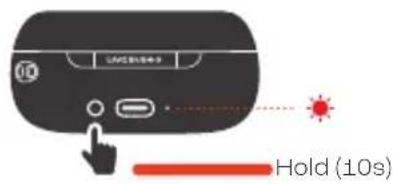
MANUAL SETUP

Factory Reset Restart
SMART CHARGING CASE™ SETTINGS

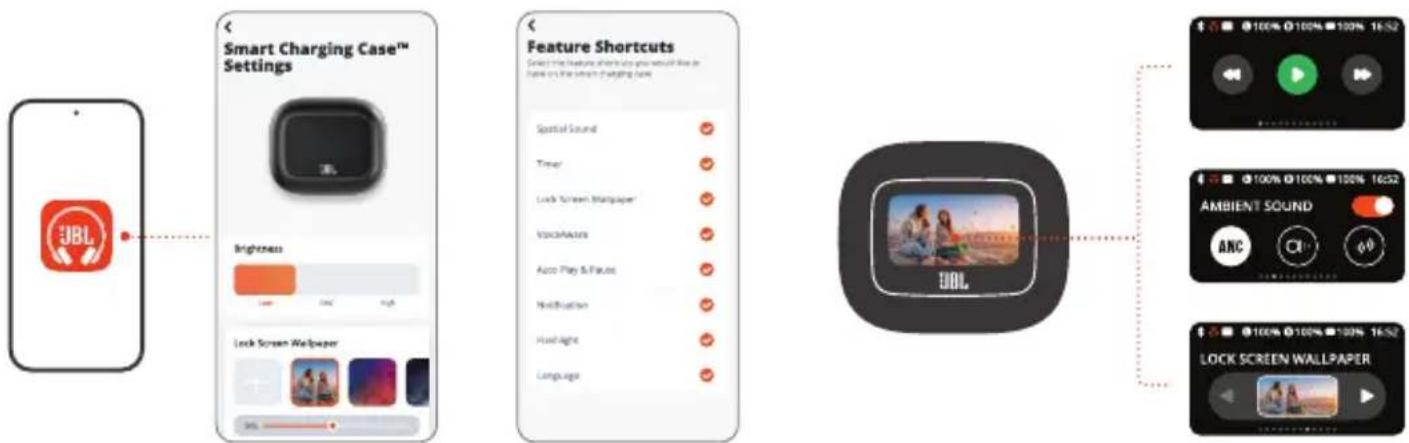
DO MORE WITH THE APP
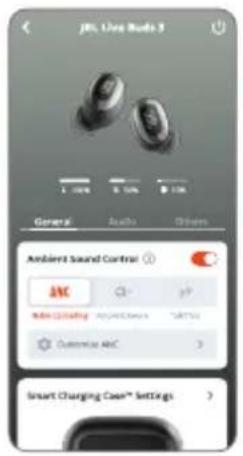
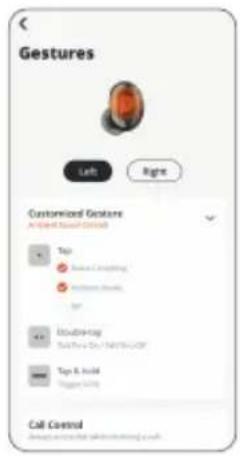
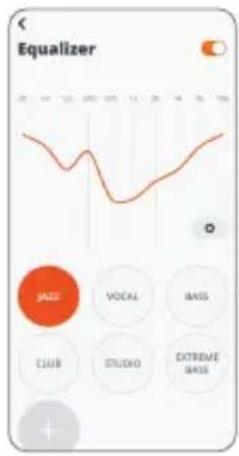
CHARGING
natural_image
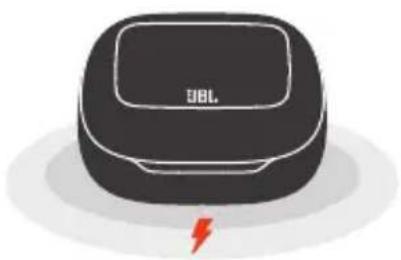
Illustration of a black and white electronic device labeled 'JBL' with a red lightning bolt symbol at the bottom (no additional text or symbols)Charging through a Qi-certified wireless charging pad (Not included)
LED BEHAVIORS


TECH SPEC
Model (Earbud): LIVE BUDS 3
(Charging case): LIVE BUDS 3C
Driver size: 10 mm/0.39" Dynamic Driver
Power supply: 5V
1A
Earbud: 4.8 g per pc (9.6 g combined)/
0.01 lbs per pc (0.02 lbs combined)
Charging case: 69.8 g/ 0.15 lbs
Earbud battery type: Lithium-ion battery (60 mAh/ 3.85 V)
Charging case battery type: Lithium-ion battery (620 mAh/ 3.8 V)
Charging time: 2 hrs from empty
Music playtime with BT on and
ANC off: Up to 10 hrs
Music playtime with BT on and
ANC on: Up to 8 hrs
Music playtime with BT on and
True Adaptive ANC on: Up to 7 hrs
Talk time with ANC off: Up to 4.5 hrs
Talk time with ANC on: Up to 5.5 hrs
Frequency response: 20 Hz – 40 kHz
Impedance:
Sensitivity:
Maximum SPL: 96 dBA (EN50332)
Microphone sensitivity:
Bluetooth version (Earbud):
Bluetooth version (Charging case):
Bluetooth profile version:
Bluetooth transmitter frequency
range:
Bluetooth transmitter power
(Earbud):
Bluetooth transmitter power
(Charging case): <7 dBm (EIRP)
Bluetooth transmitter modulation
(Earbud):
Bluetooth transmitter modulation
(Charging case): GFSK
Maximum operation temperature:
16 ohm
106 dB SPL@1 kHz
-38 dBV/Pa@1 kHz
5.3
5.1
A2DP V1.4, AVRCP V1.6.2, HFP V1.8
2.4 GHz - 2.4835 GHz
<10 dBm (EIRP)
GFSK, π/4-DQPSK, 8DPSK
45 °C


IP55
FR
CONTENU DE LA BOÎTE
APPLICATION
TalkThru (Conversation)*
Bixby/Siri®/Autres
Toucher x 1 | Toucher x 2 |
Toucher x 3 | Appuyer (2 s)
Batterie lithium-ion (620 mAh /
3,8 V)
ANC (Aktives Noise-Cancelling)*
Ambient Aware
(Umgebungsbewusst)*
TalkThru*
Bixby/Siri®/Weitere
1 × tippen | 2 × tippen |
LED-MERKKIVALON TOIMINNOT
Tocco × 1 | Tocco × 2 | Tocco × 3
Tenere premuto (2s)
Voeding: 5 V === 1 A
Tapp × 1 | Hold (5s)
KONTROLLER
ANC*
Ambient Aware*
TalkThru*
Bixby/Siri ^® /Andre
Tapp × 1 | Tapp × 2 | Tapp × 3 |
Hold (2s)
* Aktiver avanserte kontroller ved
MANUELL KONFIGURERING
Fabriktilbakestilling
Start på nytt
Tapp × 2 | Hold (5s) | Hold (10s)
INNSTILLINGER FOR SMART
CHARGING CASE™
GJ∅R MER MED APPEN
LADER
Strachawka: 4,0 g Kazda (9,0 g ruzcm) / 6,0
3.1 A2DP V1 4 AVRCP V1 6 2 HEP V1 8
2,4 GHz - 2,4835 GHz
<10 dBm (EIRP)
GFSK, π/4-DQPSK, 8DPSK
45°C
PT-BR
CONTEÚDO DA CAIXA
APPLICATIVO
FLERPUNKTSANSLUTNING
Max 2 enheter
Ambient Aware (Ortam
Farkındalığı)*
Model (Kulaklık): LIVE BUDS 3
(Şarj kutusu): LIVE BUDS 3C
(Kulaklık): GFSK, π/4-DQPSK, 8DPSK
НАСТРОЙКИ SMART CHARGING
CASE™
ДОПОЛНИТЕЛЬНЫЕ
ВОЗМОЖНОСТИ С
ПРИЛОЖЕНИЕМ
ЗАРЯДКА
Зарядка с помощью
每隻 0.01 lbs (兩隻 0.02 lbs)
充電盒:69.8g/0.15lbs
KEGUNAAN LAIN APLIKASI
PENGISIAN DAYA
Ukuran driver: Driver Dinamis 10 mm/0,39"
Catu daya: 5 V ===1 A
Earbud: 4,8 g per buah (total 9,6 g)/
0,01 lbs per buah (total 0,02 lbs)
Casing pengisi daya: 69,8 g/0,15 lbs
Tipe baterai earbud: Baterai litium-ion (60 mAh/
3,85 V)
Tipe baterai casing pengisi daya: Baterai litium-ion (620 mAh/
3,8 V)
SMART CHARGING CASE™ 설정
앱으로 더 많은 기능 즐기기
충전
Qi인증무선충전패드로
충전(미제공)
LED 동작
BT연결중
BT연결됨
BT연결안됨
배터리 부족
충전중
완전 충전됨
기술사양
한쪽 0.01lbs(양쪽 0.02lbs)
전원 공급 장치:5V
이어버드:
A2DP V1.4I AVRCP V1.6.2I
HFP V1.8
To protect battery lifespan, fully charge at least once every 3 months. Battery life will vary due to usage patterns and environmental conditions.
FR pour protéger la vie de la batterie, chargez-la complètement au moins une fois tous les 3 mois. La durée de vie de la batterie varie en fonction des modes d'utilisation et des conditions environnementales.
DA For at optimere batteriets levetid skal du oplade fuldt ud mindst en gang i kvartalet. Batteriets levetid afhænger af brugsmønstre og omgivelser.
DE Lade zum Schutz des Akkus diesen mindestens einmal alle 3 Monate vollständig auf. Die Akkulebensdauer kann aufgrund von Nutzungsverhalten und Umgebungsbedingungen variieren.
EL Για να προστατεύσετε τη διάρκεια ζωής της μπαταρίας, φορτίστε την πλήρως τουλάχιστον μία φορά κάθε 3 μήνες. Η ζωής της μπαταρίας ποικίλλει ανάλογα με τη χρήση και τις περιβαλλοντικές συνθήκες.
ES Para proteger la duración de la batería, cárgala completamente al menos una vez cada 3 meses. La duración de la batería depende de los patrones de uso y las condiciones ambientales.
FI Akun käyttöiän turvaamiseksi, lataa täyteen ainakin kerran 3 kuukauden välein. Akun käyttöikä vaihtelee käyttötapojen ja ympäristöolosuhteiden mukaan.
HU Az akkumulátor élettartamának védelme érdekében teljesen töltse fel 3 havonta legalább egyszer. Az akkumulátor élettartama a használattól, és a környezeti feltételektől függ.
IT Per preservare la durata della batteria, effettuare una carica completa almeno una volta ogni 3 mesi. La durata della batteria varia a seconda del tipo di utilizzo e delle condizioni ambientali.
NL Voor een optimale levensduur de batterij minstens om de 3 maanden volledig opladen. De levensduur van de batterij is afhankelijk van gebruikspatronen en omgevingscondities.
NO For å beskytte batteriets levetid må det lades helt opp minst én gang hver 3. måned. Batteriets levetid vil variere etter bruksmønster og omgivelsesforhold.
PL Aby zachować czas eksploatacji akumulatora, należy go ładować co najmniej raz na trzy miesiące. Żywotność akumulatora zależy od sposobu jego użycia i warunków otoczenia.
PT-BR Para garantir a durabilidade da bateria, carregue-a totalmente pelo menos uma vez a cada três meses. A vida útil da bateria depende dos padrões de uso e das condições do ambiente.
SV För att förbättra batteriets livslängd ska det laddas det fullt minst en gång var tredje månad. Batteriets livslängd varierar beroende på användning och miljöförhållanden.
TR Pil ömrünü uzatmak için en az 3 ayda bir tam olarak şarj edin. Pil ömrü kullanım şekline ve çevresel şartlara bağlı olarak değişiklik gösterebilir.
RU Чтобы продлить срок службы аккумулятора, полностью заряжайте его по меньшей мере раз в 3 месяца. Срок службы аккумулятора зависит от способов использования и условий окружающей среды.
ZH-CN 为了保护电池寿命,请每至少3个月进行一次满充。电池寿命因使用方式和环境条件而异。
ZH-TW 為保護電池的使用壽命,請至少每3個月對電池充滿一次電。電池續航時間因使用模式和環境條件而異。
ID Agar baterai awet, isi dayanya hingga penuh paling sedikit sekali setiap 3 bulan. Masa pakai baterai bervariasi, tergantung pola penggunaan dan kondisi lingkungan.
JP バッテリー寿命を延ばすために、最低3か月に1回はフル充電してください。バッテリーの寿命は使用パターンや環境条件によって異なります。
KO 배터리 수명을 보호하려면 3개월에 한 번 이상
배터리를 완전히 충전하십시오. 배터리 수명은 사용
패턴 및 환경 조건에 따라 다를 수 있습니다.
MM ར ས ས ས ས ས ས ས ས ས ས ས ས ས ས ས ས ས ས ས ས ས ས ས ས ས ས ས ས ས ས ས ས ས ས
AR
الحجمة عمرprobability, اش cinema بالكامل مرة worldwide على الأقل كل 3 á superiority. ويعتفTF
George�اطرية بسبت إمнат الاستخدام وظ构筑وبBihipsية.
GE
GE
GE
ISED RF Exposure Information and Statement
This equipment complies with ISED radiation exposure limits set forth for an uncontrolled environment. End user must follow the specific operating instructions for satisfying RF exposure compliance. This transmitter must not be co-located or operating in conjunction with any other antenna or transmitter.
The SAR limit of Canada is 1.6 W/kg averaged over one gram of tissue. Device types: (IC: 6132A-LIVEBUDS3) has also been tested against this SAR limit According to this standard, the highest SAR value reported during product certification for use when properly worn on the body is 0.17 W/Kg.
Device types: (IC: 6132A-LIVEBUDS3C) has also been tested against this SAR limit. According to this standard, the highest SAR value reported during product certification for use when properly worn on the body is 0.04 W/Kg.
Head operation
The device was subjected to a typical head manipulation test. In order to comply with RF exposure requirements, a minimum separation distance of 0 cm must be maintained between the user's ear and the product (including the antenna). Head exposure that do not meet these requirements may not meet RF exposure requirements and should be avoided. Use only the supplied or approved antenna.
IC: 6132A-LIVEBUDS3
Body operation
The device was tested for typical bodily operations where the product was kept with 5mm distance attaching away from the body. Non-compliance with the above restrictions may result in violation of IC RF exposure guidelines. Use only the supplied or approved antenna.
IC: 6132A-LIVEBUDS3C
DO NOT ATTEMPT TO OPEN, SERVICE, OR DISASSEMBLE THE BATTERY | DO NOT SHORT CIRCUIT | MAY EXPLODE IF DISPOSED OF IN FIRE | RISK OF EXPLOSION IF BATTERY IS REPLACED BY AN INCORRECT TYPE | DISPOSE OR RECYCLE USED BATTERIES ACCORDING TO THE INSTRUCTIONS
해당무선설비는전파혼신가능성이있으므로인명안전과관련된서비스는할수없음.
CE
UK CA

018-240018(Earbud)018-240018(Earbud) 018-240019(Charging case)018-240019(Charging case)

For Charging case: For Charging case: d: For Earbud: FCC ID: API/LIVEBUDS3C FCC ID: API/LIVEBUDS3C GUDS3FCC ID: API/LIVEBUDS3C IC: 6132A-LIVEBUDS3C IC: 6132A-LIVEBUDS3C WPC: 100-205kHz WPC: 100-205kHz

The Bluetooth ^® word mark and logos are registered trademarks owned by Bluetooth SIG, Inc. and any use of such marks by HARMAN International Industries, Incorporated is under license. Other trademarks and trade names are those of their respective owners.
Google, Android and Google Play are trademarks of Google LLC.

制造商制造商: International Industries, Incorporated Harman International Industries, Incorporated
Product specifications and app screens are subject to change without notice.
HP_JBL_LIVE BUDS 3_Global_QSG_SOP_V8