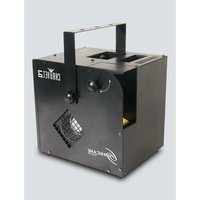
Hurricane Haze 2D - Effect machine Chauvet - Free user manual and instructions
Find the device manual for free Hurricane Haze 2D Chauvet in PDF.


| Brand | Chauvet |
| Model | Hurricane Haze 2D |
| Product Type | Water-based haze machine |
| Power Supply | 120 V, 60 Hz or 230 V, 50 Hz (depending on model) |
| Dimensions (approx.) | 30 x 20 x 20 cm |
| Weight (approx.) | 4.5 kg |
| Fluid Type | CHAUVET water-based liquid haze |
| Control Modes | DMX (2 channels), standalone (manual), wired remote |
| Remote Control | Included, wired, with built-in storage |
| Display | LED digital |
| Tank Capacity | Not specified |
| Fan Speed | 5 levels (f001~f005) |
| Haze Volume | 5 levels (h001~h005) |
| Tank Indicator Lights | Red (heating), Blue (ready), Flashing blue (fill) |
| Mounting | Floor or hanging via yoke (with safety cable) |
| Max Ambient Temperature | 40 °C (104 °F) |
| Safety | Do not touch while operating, do not open, do not obstruct ventilation slots, do not connect to a dimmer |
| Maintenance | Use Chauvet FCQ (Fog Cleaner Quart) regularly; disconnect before cleaning |
| Spare Parts | Fuse, wired remote, FCQ (optional) |
| Repairability | No user-serviceable parts; contact technical support |
| Warranty | Warranty card included (see manual) |
| Package Contents | Hurricane Haze 2D, power cord, wired remote, warranty card, reference manual |
Frequently Asked Questions - Hurricane Haze 2D Chauvet
User questions about Hurricane Haze 2D Chauvet
0 question about this device. Answer the ones you know or ask your own.
Ask a new question about this device
Download the instructions for your Effect machine in PDF format for free! Find your manual Hurricane Haze 2D - Chauvet and take your electronic device back in hand. On this page are published all the documents necessary for the use of your device. Hurricane Haze 2D by Chauvet.
USER MANUAL Hurricane Haze 2D Chauvet
HURRICANE
HAZE 2D
Quick Reference Guide
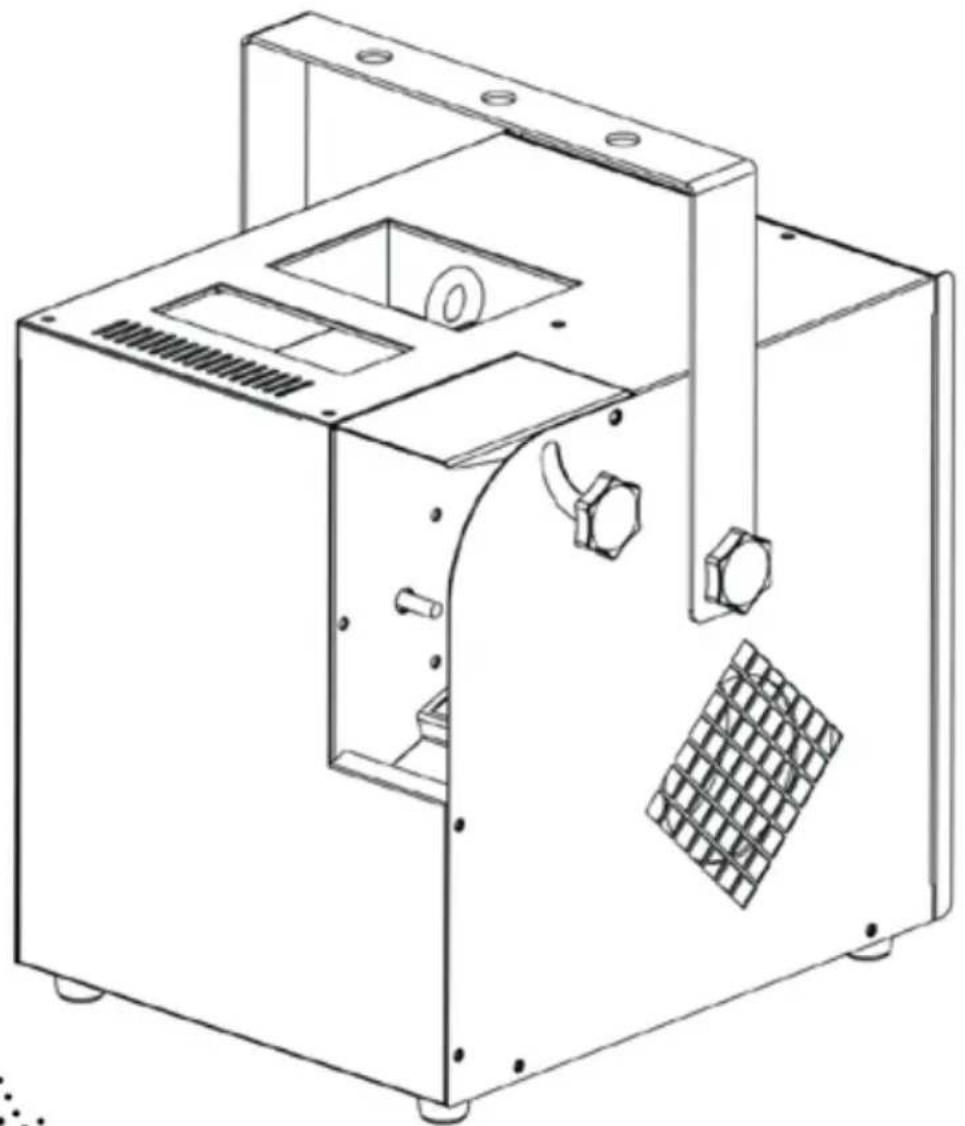
natural_image
Technical line drawing of a mechanical device with internal components and mounting holes (no text or symbols)CHAVET ^®
About This Guide
The Hurricane Haze 2D Quick Reference Guide (QRG) has basic product information such as mounting, menu options, and DMX values. Download the User Manual from www.chauvetlighting.com for more details.
Disclaimer
The information and specifications contained in this QRG are subject to change without notice.
Safety Notes
These Safety Notes include important information about installation, use and maintenance.

• This product is not intended for permanent installation.
• ONLY connect this product to a grounded and protected circuit.
• Always disconnect from power before cleaning or replacing the fuse.
• Make sure the power cord is not crimped or damaged.
• Never disconnect this product from power by pulling on the cord.
• DO NOT touch this product when it is operating because it may be hot.
- DO NOT set this product on a flammable surface (linoleum, carpet, wood, paper, carton, plastic, etc.).
- DO NOT touch the output nozzle on this product. It is very hot during operation and it may remain hot for several hours after turning the unit off.

- Depending on the amount of fog/haze generated, all fog machines may set off smoke detectors.
- The voltage of the outlet to which you are connecting this product must be within the range stated on the decal or rear panel of the product.
• Always mount this product in a location with adequate ventilation, at least 20 in (50 cm) from adjacent surfaces. - Be sure that no ventilation slots on the unit's housing are blocked.
• Never connect this product to a dimmer or rheostat. - Replace the fuse with the same type and rating.
- ONLY use the carry handle or hanging/mounting bracket to carry this product.
- The maximum ambient temperature is 104 °F (40 °C). Do not operate this product at higher temperatures.
• In the event of a serious operating problem, stop using immediately.
• DO NOT open this product. It contains no user-serviceable parts.
• Do not use for space heating purposes.
• Use only CHAUVET water-based fog fluid. - Drain the tank before transporting or storing the product.
- To eliminate unnecessary wear and improve its lifespan, during periods of non-use completely disconnect the product from power via the breaker or by unplugging it.
Contact
Outside the U.S., United Kingdom, Ireland, Mexico, or Benelux, contact your distributor to request support or return a product. Visit www.chauvetlighting.com for contact information.
What Is Included
- Hurricane Haze 2D
- Warranty card
- Power cord
• Quick Reference Guide
- Wired remote
To Begin
Unpack your Hurricane Haze 2D and make sure you have received all parts in good condition. If the box or contents appear damaged, notify the carrier immediately, not Chauvet.
Product Description
The Hurricane Haze 2D is a water-based haze machine with continuous output and a digital display to set DMX and standalone functions with ease. It features adjustable blower output speeds and nozzle to get the haze where you need it. An included wired, timer remote stores conveniently inside the fixture.
Product Overview
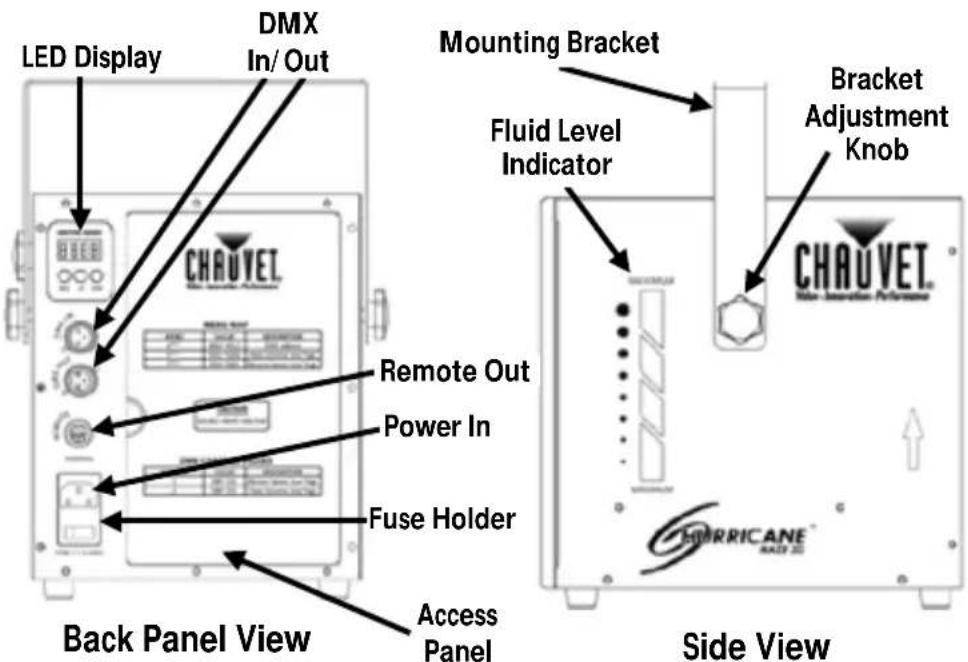

FCQ (Fog Cleaner Quart) was specifically developed by Chauvet to clean your Hurricane Haze 2D. Make sure you use FCQ regularly to increase the life of your product.
AC Power
This product has a fixed voltage power supply and it can work with an input voltage of either 120 V, 60 Hz or 230 V, 50 Hz, depending on the specific model.

To eliminate wear and improve its lifespan, during periods of non-use completely disconnect from power via breaker or by unplugging it.
Fuse Replacement
- Disconnect the product from power.
- Wedge the tip of a flat-head screwdriver into the slot of the fuse holder.
- Pry the safety cap out of the housing.
- Remove the blown fuse from the clip on the front of the safety cap and replace with a fuse of the exact same type and rating.
- Re-insert the fuse holder and reconnect power.
Fluid Tank Indicator Lights
Three indicator LEDs show the status of the fill tank, as follows:
• Red - the fluid tank is currently heating up
• Blue - the fluid tank is ready
- Flashing Blue - the fluid tank requires refilling
Note: The Hurricane Haze 2D may be operational while the fluid tank is heating.
Mounting
Before mounting this product, read the Safety Notes.
Product Mounting Diagram
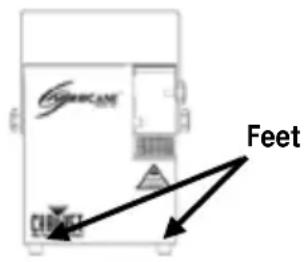
Floor Mounting
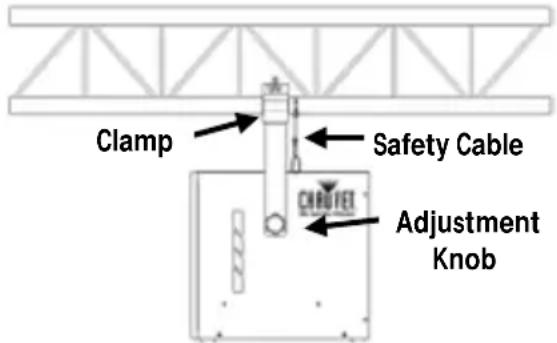
Overhead Mounting
Control Panel Description
| Button | Function |
| Exits from the current menu or function | |
| Navigates upwards through the menu list and increases the numeric value when in a function | |
| Navigates downwards through the menu list and decreases the numeric value when in a function |
DMX Linking
The Hurricane Haze 2D can work with a DMX controller when linked by DMX serial connections. Instructions for connecting and configuring this product for DMX operation are in the User Manual. If you are not familiar with DMX, download the DMX Primer from www.chauvetlighting.com.
Starting Address
The Hurricane Haze 2D uses up to two channels in its 2-channel DMX mode, which defines the highest configurable address to 511.
Remote or Manual Operation
The Hurricane Haze 2D can be operated manually, or with the included wired remote control. Details can be found in the User Manual, available at www.chauvetlighting.com.

Important: Using the LED Display, set the Fan and Haze output to 0. You can then connect and operate the remote with the Hurricane Haze 2D.
If the digital display is touched while the Remote Control is in use, the digital display will take control. A DMX controller will take priority control over the digital display and Remote Control. The priority control levels are:
- DMX
- Digital display
- Remote Control
Menu Options
| Mode | Programming Steps | Description | |
| DMX Mode | d*** | 001~512 | Selects the DMX starting address |
| Manual Mode | Haze Volume | h001~h005 | Low~High |
| Blower Speed | f001~f005 | Low~High | |
DMX Values
| 2-CH | Channel | Function | Value | Percent/Setting |
| 1 | Blower Speed | 000 255 | Low~High | |
| 2 | Haze Volume | 000 255 | Low~High |
Acerca de Esta Guía
Address: 5200 NW 108th Avenue
Sunrise, FL 33351
Voice: (954) 577-4455
Fax: (954) 929-5560
Toll free:(800) 762-1084
Technical Support
Voice: (954) 577-4455 (Press 4)
Fax: (954) 756-8015
Email: tech@chauvetlighting.com
World Wide Web
www.chauvetlighting.com
EUROPE.
General Information
Brookhill Road Industrial Estate
Pinxton, Nottingham, UK
NG16 6NT
Voice: +44 (0)1773 511115
Fax: +44 (0)1773 511110
Technical Support
Email: Eutech@chauvetlighting.eu
World Wide Web
www.chauvetlighting.eu
Technical Support
Email: uktech@chauvetlighting.com
World Wide Web
www.chauvetlighting.co.uk
MEXICO
General Information
Address: Av. Santa Ana 30
Parque Industrial Lerma
Lerma, Mexico C.P. 52000
Voice: +52 (728) 285-5000
Technical Support
Email: servicio@chauvet.com.mx
World Wide Web www.chauvet.com.mx
Outside the U.S., United Kingdom, Ireland, Mexico, or Benelux, contact the dealer of record. Follow their instructions to request support or to return a product. Visit our website for contact details.
Hurricane Haze 2D QRG - Rev. 4 ML6
© Copyright 2015 Chauvet
All rights reserved.
Printed in the P. R. C.

UL 1573
CSA C22.2 No. 166
E113093