Massage Armchair - Massage chair LANAFORM - Free user manual and instructions
Find the device manual for free Massage Armchair LANAFORM in PDF.


| Product type | Massage armchair |
| Brand | Lanaform |
| Model | Massage Armchair |
| Power supply | 110-120V ~ 60Hz or 220-240V ~ 50Hz |
| Maximum power | 300 W |
| Safety class | Type I |
| Materials | PVC, PA, steel, electrical and electronic components |
| Number of massage rollers | 4 rollers |
| Upper body massage types | Shiatsu, Kneading, Beating, Tapping, Synchronized Kneading and Beating |
| Lower body massage | Air pressure on feet, calves, glutes (5 air cushions) |
| Heating function | Infrared back (40-50°C), infrared feet (up to 40°C), jade stone (40-70°C adjustable in 5°C steps) |
| MP3 function | Built-in MP3 player with USB key, earphones included |
| Automatic programs | Comfort, Relaxing, Fitness, Soothing, Neck/shoulders, Back/waist, Lower body |
| Program memory | Up to 3 custom programs (A, B, C) |
| Manual settings | Speed (5 levels), width (3 levels), air pressure intensity (2 levels), glute vibration (2 levels) |
| Adjustable positions | Reclining backrest, liftable footrest, reclining angle |
| Cleaning and maintenance | Dry cloth for surfaces; do not disassemble; have maintenance performed by an authorized agent |
| Safety | Automatic shutoff after 30 minutes of continuous operation; thermal protection; emergency stop by double pressing the on/off button |
| Warranty | 2 years against material and workmanship defects |
| Weight and dimensions | Not specified in the manual |
Frequently Asked Questions - Massage Armchair LANAFORM
User questions about Massage Armchair LANAFORM
0 question about this device. Answer the ones you know or ask your own.
Ask a new question about this device
Download the instructions for your Massage chair in PDF format for free! Find your manual Massage Armchair - LANAFORM and take your electronic device back in hand. On this page are published all the documents necessary for the use of your device. Massage Armchair by LANAFORM.
USER MANUAL Massage Armchair LANAFORM
MASSAGE ARMCHAIR
User Instructions
Thank you for having chosen the Massage Armchair from LANAFORM ® , a high quality massage appliance.
The Massage Armchair is a massage device which provides a deep massage and relaxes your body muscles. In addition, this massage appliance is operated by means of a control panel that is easy to use. LANAFORM® offers you everything you need to profit from the latest advances in the field.
We thank you for your trust.
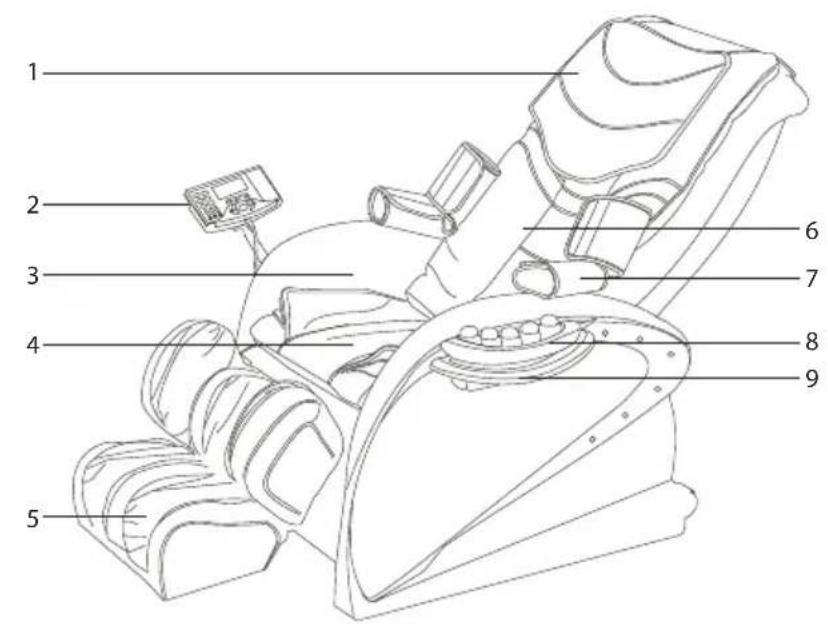
NAMES AND FUNCTIONS OF THE COMPONENTS
- Protective cushion
- Control panel
- Arm rest
- Cushion
- Support for the legs and foot rest
- Cushion for the back
- Air cushion at the arms
- Jade warmer
- Mini tray
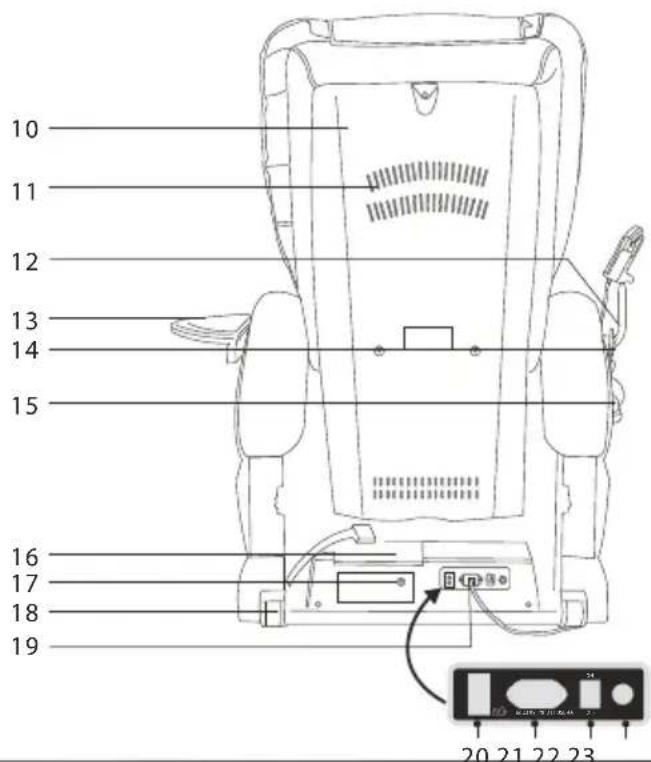
- Covering of the back of the seat
- Opening of the fan
- Position of the remote control
- Position of the mini tray
- Headphone line
- Headphone
- MP3 player
- Connection for the heating jade surface
- Rear wheels
- Cables and plug
- Plug for the headphone
- Male plug
- Switch
- Fuses
Important Safety Warning!
Please read this instruction manual attentively before operating the armchair.
- All use other than shown in this instruction manual is prohibited.
- Please use a supply of electricity suitable for this product.
- Please remove the plug after use or before cleaning the armchair to avoid any injury or damage to the product.
- Do not use this product out of doors.
- Please do not use it if the leather covering has been damaged
- Please do not use it if the ventilating fan of the radiator at the back of the armchair is covered
- Please do not spill anything on this product.
- Please do not use it in conditions of high temperature or in a humid space such as the bathroom, for example.
- Please do not use it in a very dusty room.
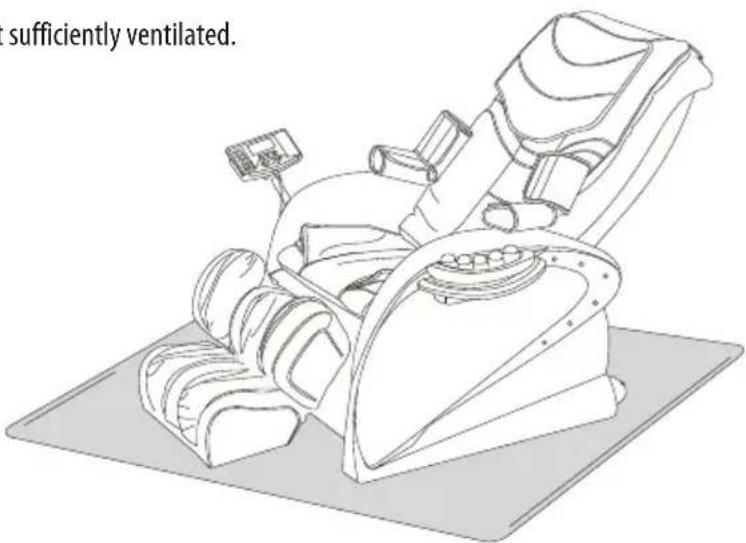
- Please do not use it in a room which is not sufficiently ventilated.
- It is preferable to place the massage armchair on a carpet or rug in order to avoid damaging a wooden floor.
- Do not remove or disassemble the MP3 player. Only the USB flash drive can be removed.
Attention: do not move the armchair using the wheels when they are on a wooden floor or an uneven floor in order to avoid damaging the floor. In this case, two persons are required to move the armchair.
This product is not suitable for the following persons:
- Those suffering from osteoporosis.
- Persons suffering from heart ailments or wearing electronic medical equipment such as pacemakers.
- Pregnant women.
- Persons with injuries or suffering from illnesses of the skin.
- Children under twelve or persons who are unable to operate this product.
- Do not use the armchair if you are wet.
- Persons sensitive to heat.
This appliance is not intended for use by persons (including children) whose physical, sensorial or mental capabilities are impaired, or by persons lacking experience or knowledge, unless they are supervised or instructed in the use of the appliance first by a person responsible for their safety.
Children should be supervised to ensure that they do not play with the appliance
Safety
- Make certain that the voltage matches the product specification.
- Do not remove the plug with wet hands.
- Do not let water enter inside this product to avoid electrical shock or causing damage to the product.
- Do not damage the cables or make any modifications to the electrical circuit of this product.
- Use a dry duster to clean this product as well as electrical parts such as the switch and the plug.
- Stay away from this product if it is electrically out of order to avoid any injury should the current return abruptly.
- Stop using this product if you feel ill and go consult a doctor.
- Do not use this product if the outlet is loose.
- Please use it in an intermittent manner. Do not operate this product for hours on end.
- If this product operates without stop for a long period, the thermal protection device will automatically shut it down. The armchair can be used again after a rest of a half hour.
- The appliances are not intended for startup by an external timer or a separate remote control system.
- If the power cable is damaged, it must be replaced by the manufacturer, an approved repair agent or any qualified person, to avoid any danger.
Maintenance
- This product should be maintained by an approved technician. Users are prohibited from disassembling the armchair themselves.
- Please do not forget to disconnect it after use.
- If you are not going to use this product for a long period of time, fold away the cables and store in a dry place.
- Do not keep this product in an area exposed to high temperature or near an open flame and avoid long periods of exposure to direct sunlight.
Solutions for simple cases of malfunction
- It is quite natural that the motor makes a bit of noise when the armchair is operating.
- If the controls do not work, check to see that the outlet and the plug are well connected and ensure that the switch behind the armchair is lit.
- If the operational time has run out, the product switches off automatically.
Assembling the armchair:
You need to have 2 persons to assemble this armchair.
- Remove the armchair and its accessories from the cartons.
- Place the frame of the armchair on a flat surface
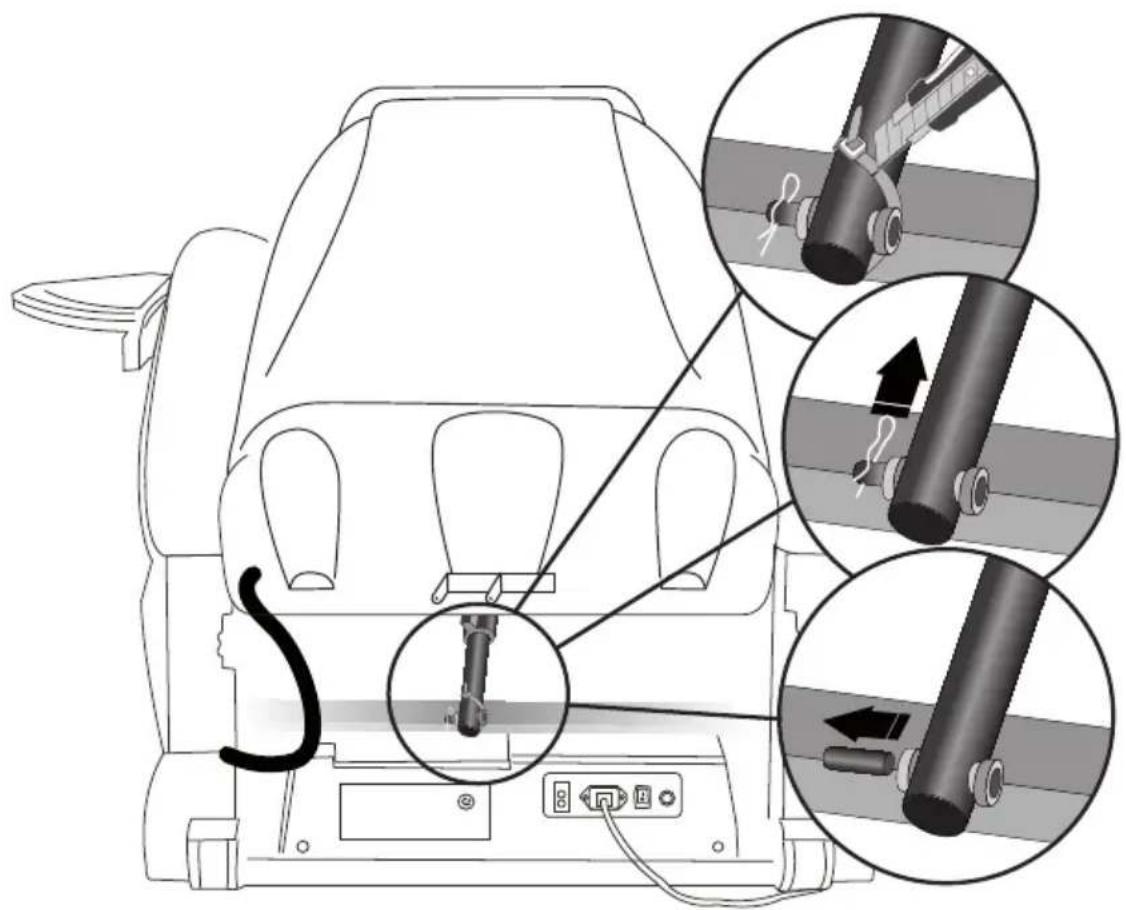
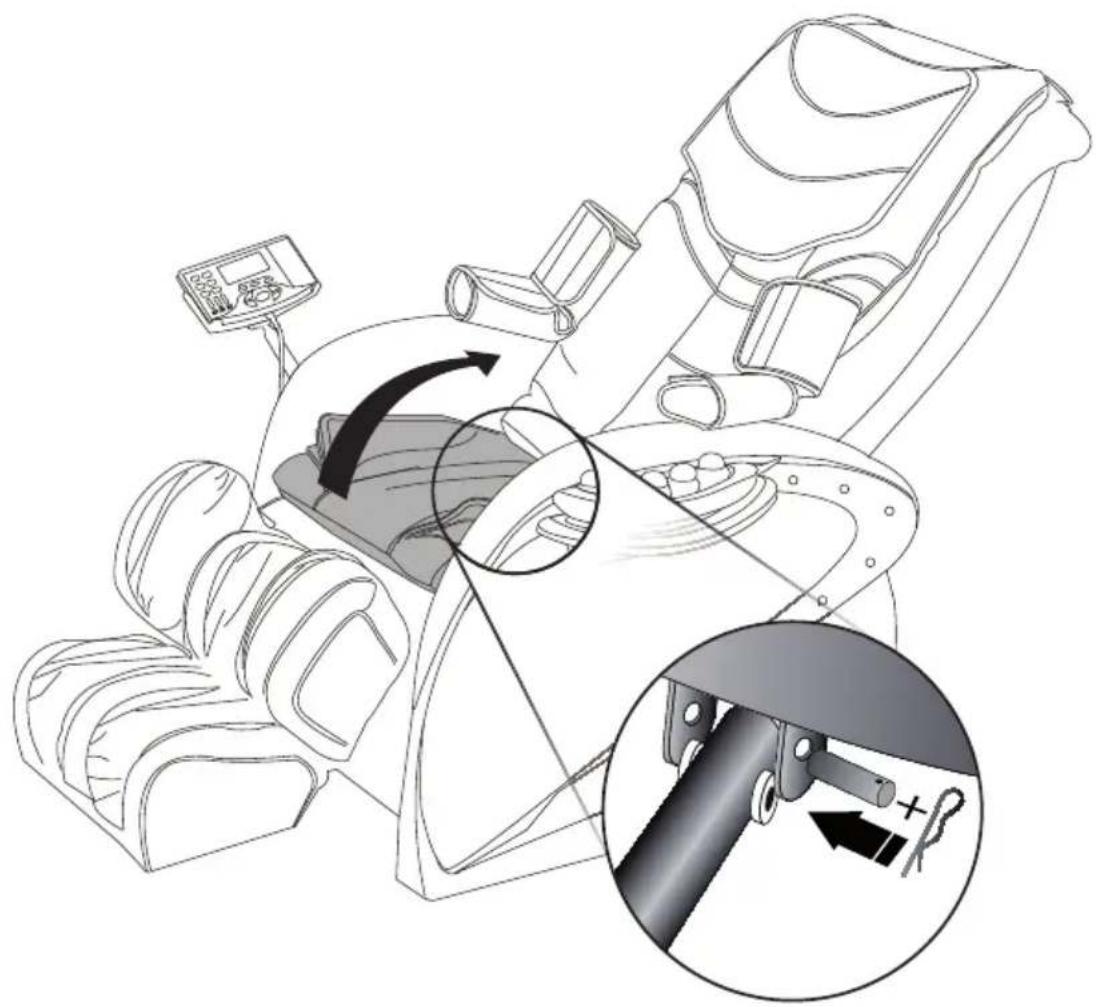
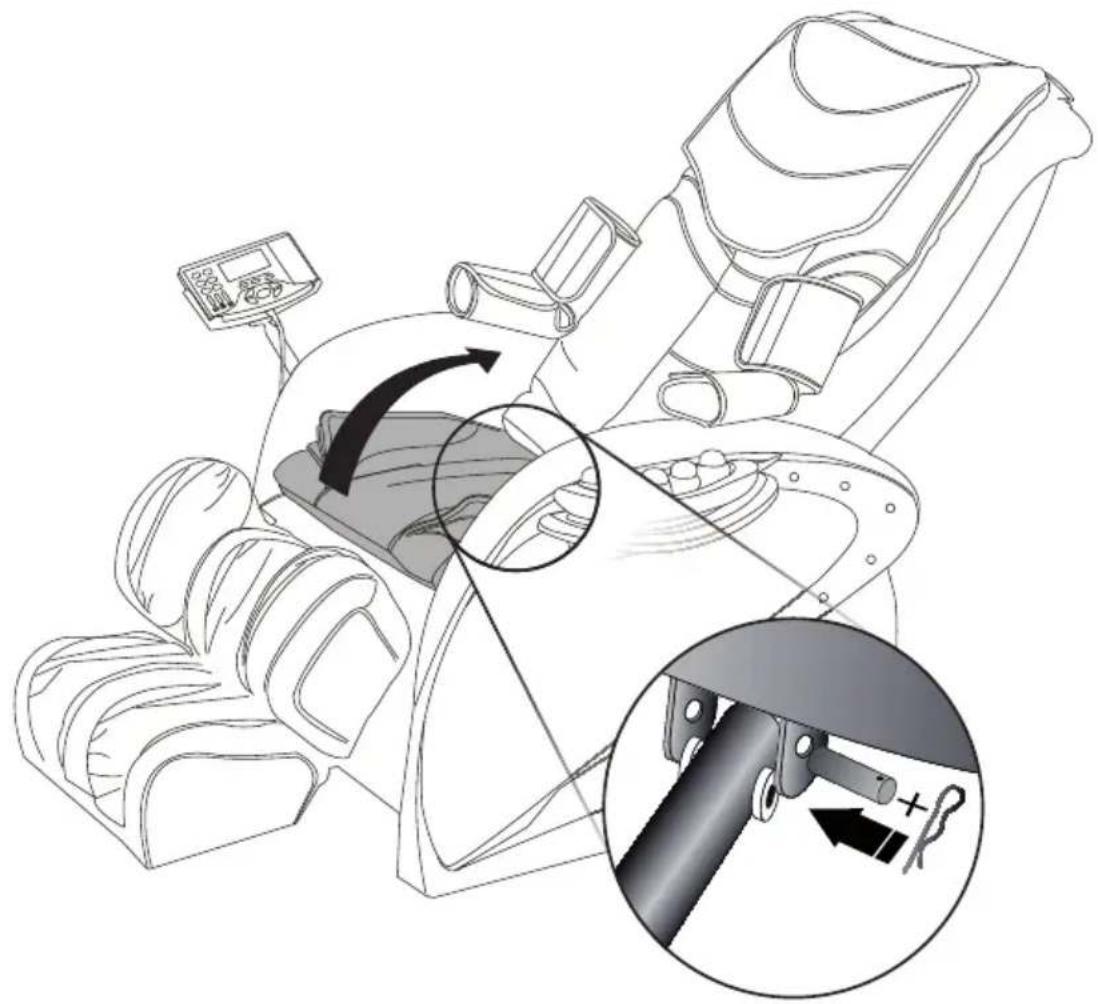
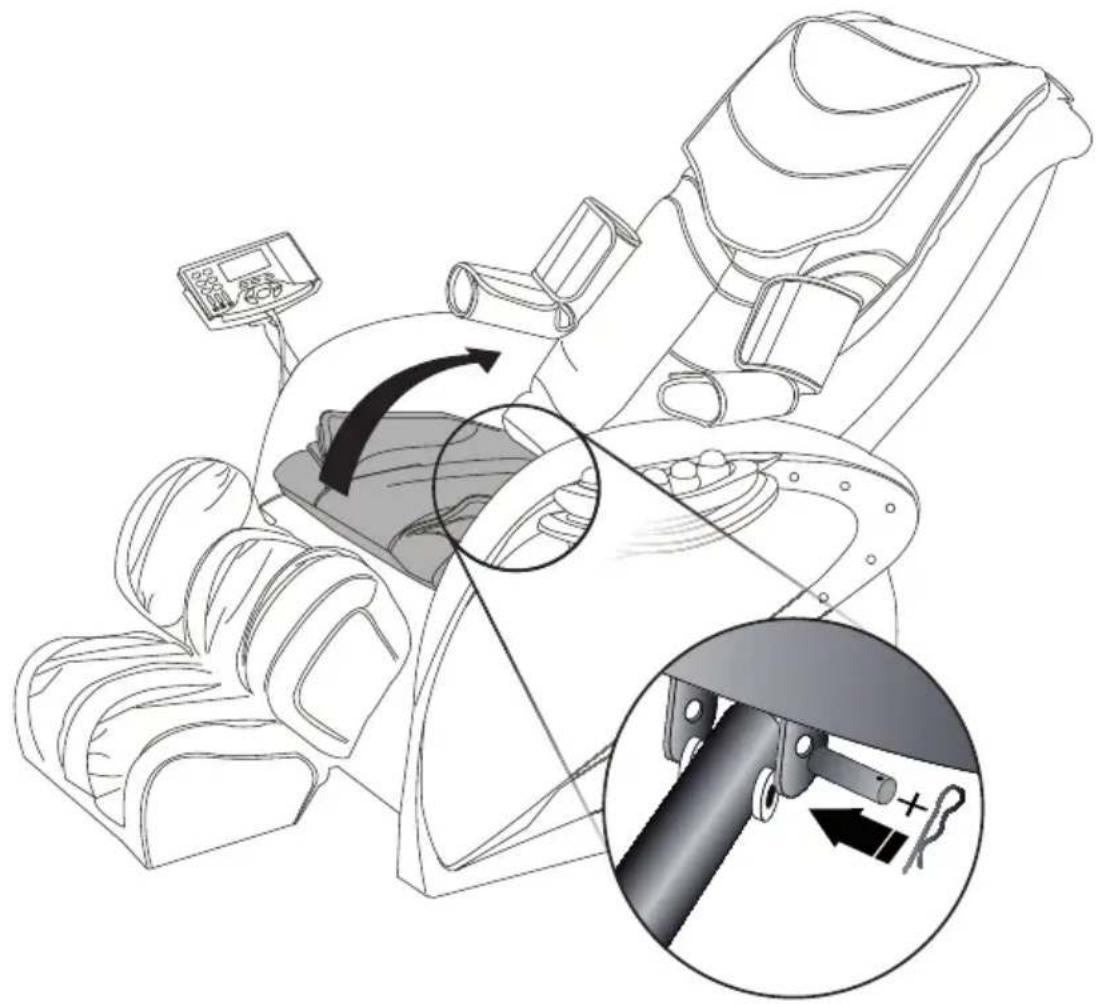
- Leave the back in its initial position. Cut the white tie under the back which connects the piston to the metal frame of this back. (photo)
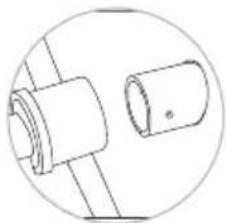
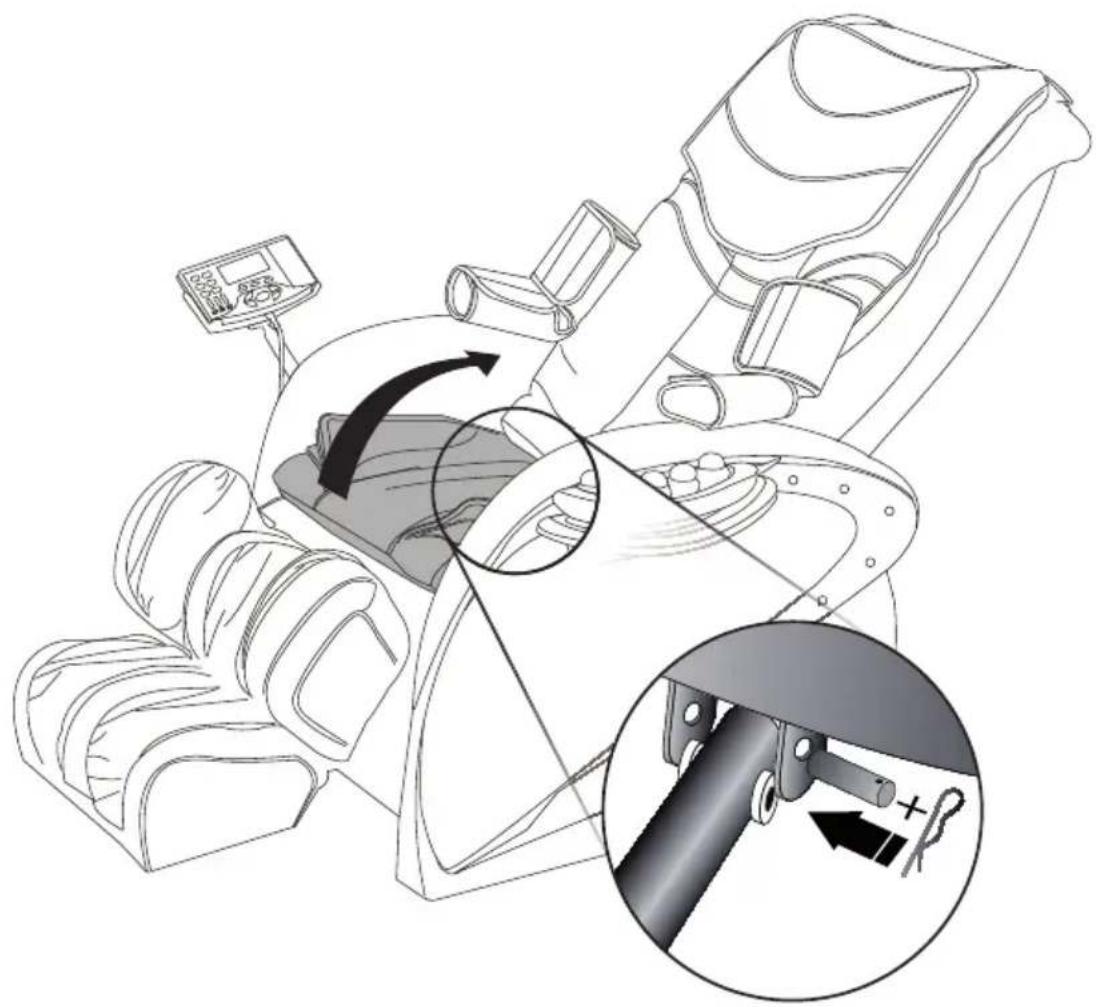
- Remove the pin and the metal shaft and leave the white tips in position. (photo)
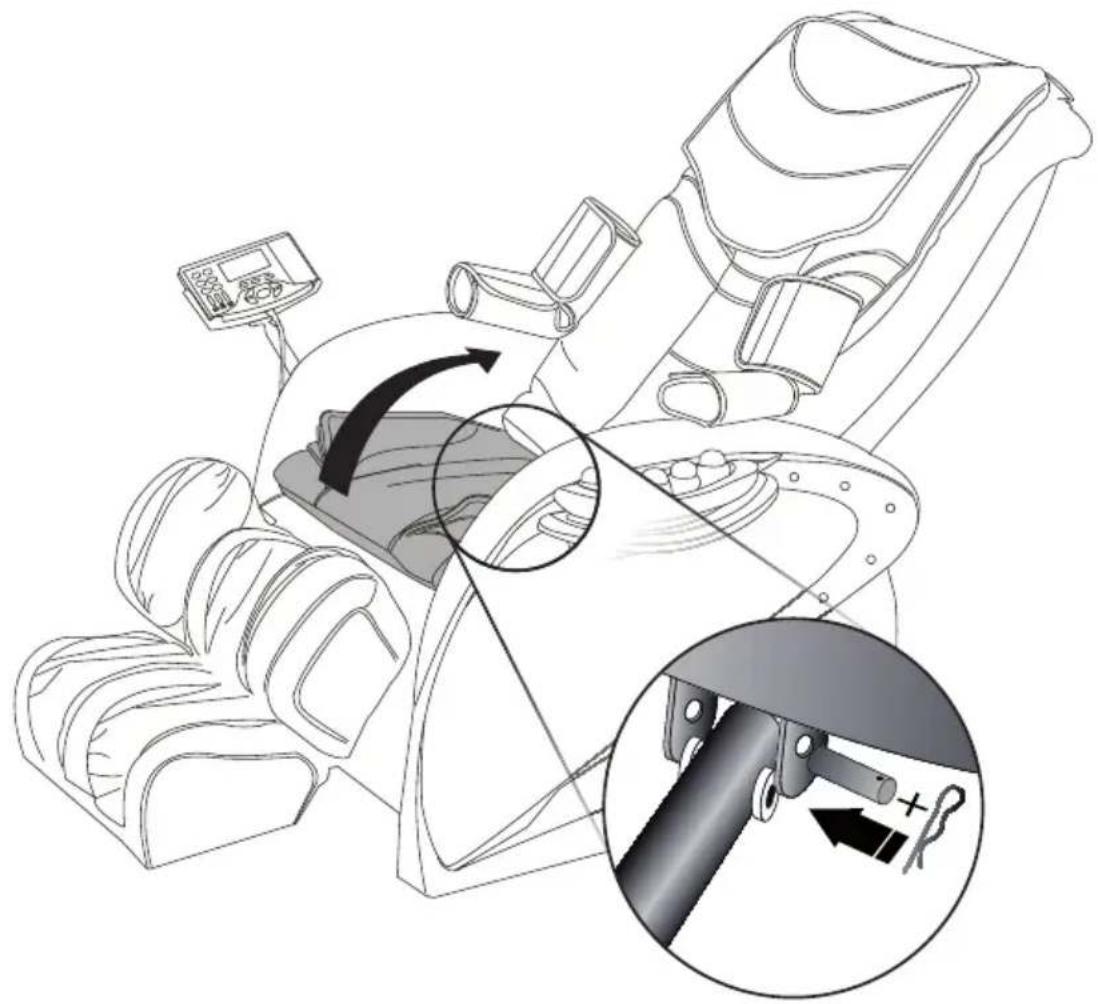
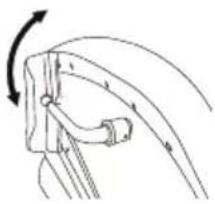
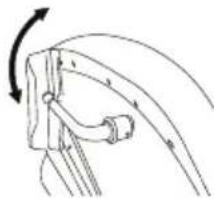
- Carefully tip the back towards the rear to -+120° (warning: hold it to prevent it from tipping over entirely). At the same time, the other person adjusts the piston to the correct height in such a way that they (back and piston) nest together. (photo)
- If necessary, slightly remove the flexible seat cover using the Velcro strips located under the metal risers (on both sides)
- Put the metal shaft and the pin back into their initial locations.
- Place the large mobile protective cushion on the back and secure using the zip (1). We recommend that you avoid moving the cushion behind this mobile cushion to ensure optimal comfort. Make sure the cable located at the rear of the protective cushion is connected to the back of the armchair.
- Place the buttocks cushion on the flexible seat cover and connect the 4 cables to the back of the armchair (photo)
- Connect the headset and the jade heater to the rear of the armchair.
Installation of the control panel and the mini tray
EN
(1)
(2)
(3)
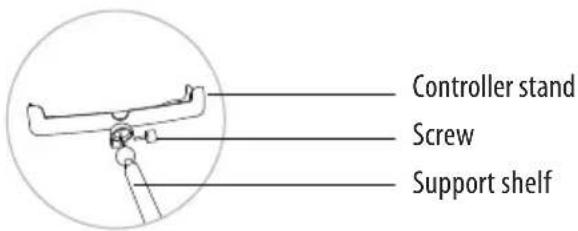
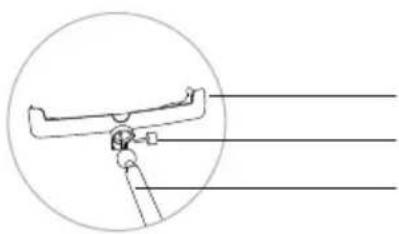
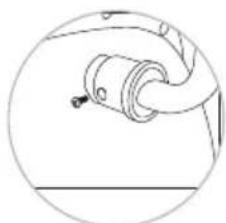
- Remove the screw that is already installed on the controller stand.
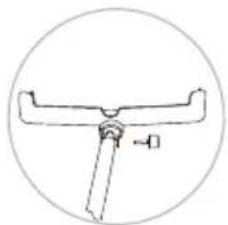
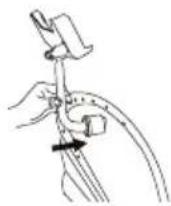
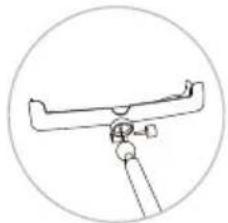
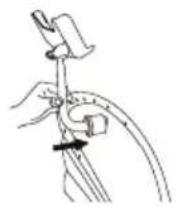
- Clip the ball that is located in the extremity of the support shelf in the cavity of the controller stand
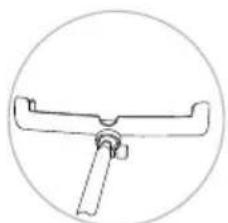
- Turn the screw in counter clockwise direction
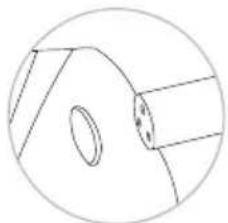
- Remove the 3 screws that are located in the cavity of the armrest
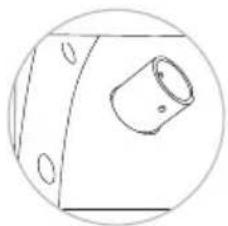
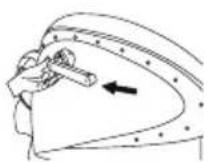
- Insert the metal tip in the armrest
6
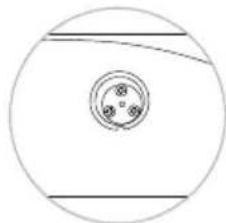
- Screw down the 3 screws in place
7
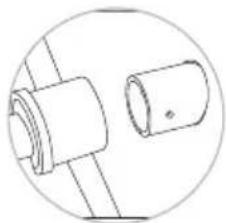
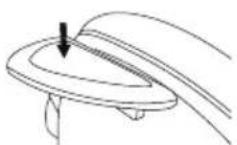
- Press down the extremity of the support shelf onto the pre-positioned tip
8
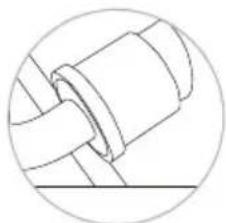
- Make sure that the 2 holes match
9
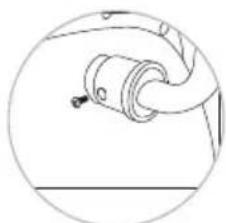
- Screw down the 2 long screws to complete the installation
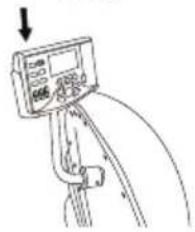
Assembling the control panel: :
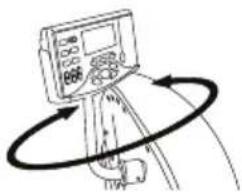
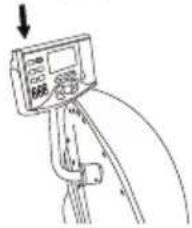
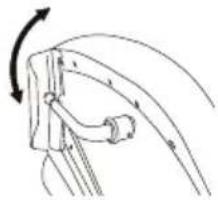
Slide the control panel into its support
Place the base of the mini tray in the cavity of the left armrest. Raise the rubber protection and screw down the 3 screws.
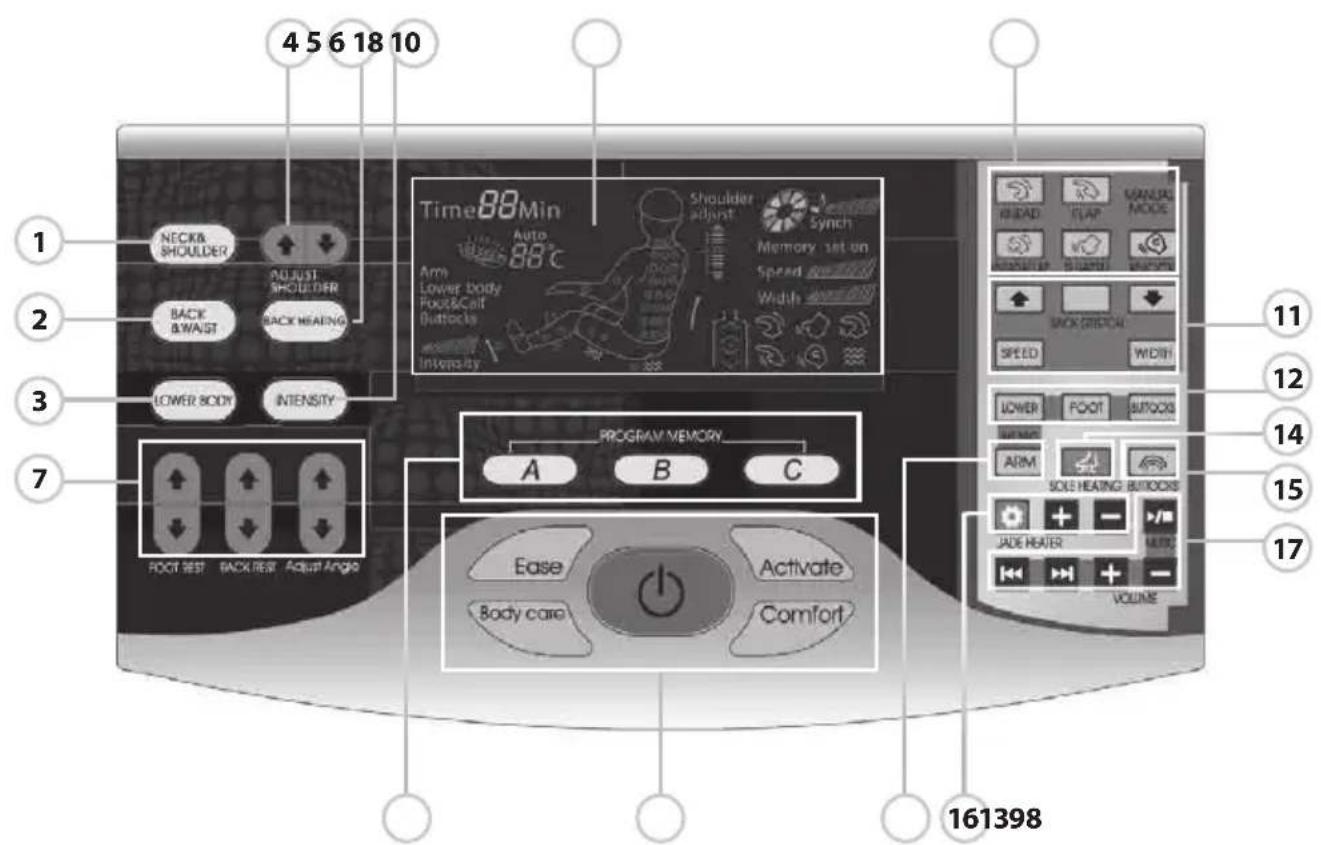
Functions and Capabilities
Capabilities
Eliminates fatigue
Encourages blood circulation
Eases muscle fatigue
Relaxes muscle tension
Comforts muscle pains
Functions
This armchair has been designed with a quiet massage mechanism that is activated by four wheels that can rise and descend in the back.
The seat has five air cushions which provide various types of massage using air pressure.
"Magnetic' function: there are 8 magnets (at 300 gauss) both in the area of the buttocks and the area of the foot and calf.
The magnets provide a concentrated magnetic power that helps to reduce muscle, joint and rheumatic pain.
Starting the massage
1) Press the red button to start the massage armchair (9)
2) The mechanism detects the point of massage on your body and automatically adjusts for the position of your shoulders. (If the mechanism for massaging the shoulders is not well adjusted to your position, you can regulate it by using the button «up» and «down.” There are 5 degrees of position for the shoulders.)
| Adjust shoulder (4) | move the mechanism upward to reach the shoulder. |
| Adjust shoulder (4) | move the mechanism downward to reach the shoulder. |
The buttons for programming the function A, B, C will light up (9)

Automassage :
It is possible to start a pre-programmed type of massage using buttons 1, 2, 3, 8, 9.
The available pre-programmed massages are: «Comfort,» «Ease,» «Body Care» and «Activate»
The buttons operating the auto massage of the upper body and lower body by air pressure will remain lit. If you press down one of them, it will perform the massage that was entered into the memory previously (1,2,3,8 ou 9)
| Name Button Massage function Massage feature Display status | ||||
| Characteristic auto massage |  | ComfortMassage | activate the blood circulation | Auto01 |
 | RelaxMassage | Relax the whole body | Auto02 | |
 | FitnessMassage | Deep massage of the point, relax the ache musclee | Auto03 | |
 | Pressure relievingMassage | Improve the body's fatigue, make the body active | Auto04 | |
| Auto massage | — | Neck shoulderMassage | Mainly massage the neck, shoulder area | AutoF1 |
— | Back waistMassage | Mainly massage the back waist area | AutoF2 | |
— | Lower body pressure massage. Intensity can be adjust | Mainly massage the feet, calf, leg and buttock | Lower body | |
To change the position of the armchair, use the buttons to adjust the back, legs and angle of recline.
Backrest angle adjustment (button 7)
| Backrest raise | Press this button and the backrest will raise slowly, loose the button and it will stop. | |
| Backrest fall | Press this button and the backrest will fall slowly, loose the button and it will stop. |
Foot rest angle adjustment (button 7)
| Foot rest raise | [6KBH] | press this button and the foot rest will raise, loose the button and it will stop. |
| Foot rest fall | [S423] | press this button and the foot rest will fall, loose it and it will stop. |
Lies angle adjustment (button 7)
| Foot rest raise |  | press this button and the foot rest will raise, loose the button and it will stop. |
| Foot rest fall |  | press this button and the foot rest will fall, loose it and it will stop. |
Adjust the type of massage
In order to change the position of the armchair, make use of the buttons for adjusting the back, the legs and the angle of recline.
Manual massage of the upper body:
Programmed with five types of massage: Shiatsu, Knocking, Kneading, Flapping, Synchronised Kneading and Flapping.
Manual massage of the upper body (bouton 10)
| Function Button Description, display stutas Massage balls adjustment | |||
| Measure | Knocking  | Speed, strength, width | |
Shiatsu  | Speed, width, strength | ||
Kneading  | Speed, strength | ||
Flapping  | Speed, width, strength | ||
Kneading & flapping  | Speed, width | ||
You can regulate the speed and width (bouton 11)
In the massage modes kneading, shiatsu and knocking, the space between the two massage balls can be regulated in three width positions: ample, medium and narrow.
| Boutton Display status Adjust massage balls | |||
| Backrest Stretch |  Back Stretch Back Stretch | Fixed position (fixed) massage | [02GT] |
| Small area(partial) trip massage |  | ||
| Upper body(overall) trip massage |  | ||
| Speed activate the blood | 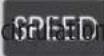 | 5 speed options available |
| Width |  |    |
Function: Massage position adjustment (the massage position can be adjusted under fixed and partial modes)
Foot rest raise Mechanism  | |
Foot rest fall  | Mechanism downt |
Manual massage of the lower body (12, 6)
| Function Button Description, display stutas Speciality | ||||
| Lower body |  | Lower body air pressure massage | Lowerbody | Two intensity options adjustment |
| Feet |  | only foot&calf area air pressure massage | foot&calf | Two intensity options adjustment |
| buttock |  | only buttocks air pressure massage | buttocks | Two intensity options adjustment |
| Intensity |  | Intensity of the massage by air pressure of the lower body, feet and buttocks. |  ntensity ntensity | |
Other manual functions (15, 13, 5, 14)
| Function Button Description, display stutas Speciality | |||
| Vibration |  |  Buttocks vibrating Buttocks vibrating | Two intensity options adjustment in the zones of the buttocks; strong, weak |
| Arm |  | Arm pressure massage foot&calf | Mainly for both arm area |
| Backrest Heating |  | Far-infrared heating therapy in the back, you can feel dampheat when you turn it on 3 mins late  | The temperature can vary 40°C in 50°C |
| Feet area Heating |  | Far-infrared heating for feet area  | The maximal temperature can rise to has 40 °C. |
The manual function «warm up the jade» (16) Once switched on, the heating of the jade is programmed for 55°. Function of pre-adjustment of the temperature from 40 to 70 degrees, with 5 temperature intervals.
| Function Button Description, display stutas Speciality | |||
| Handed heater |  | Handed heater switch | |
 | Increase the temperature the highest is 70 degrees | Increase in 5 degrees | |
 | Decrease the temperature the lowest is 40 degrees | Decrease in 5 degrees | |
MP3 Music function: (17): you can listen to music whether the armchair is operating or not. The MP3 player has been designed with controls to adjust the volume, listen to the preceding or the next song.
| Function Button Description, display stutas Speciality | |||
| Music Play |  | Music on/off figure | Music play under boot-strap or awaiting work |
 | Previous song | ||
 | Next song | ||
 | Volume increase | ||
 | Volume decrease | ||
You can enter up to 3 massages in the memory.
Before the end of the massage, press the red button. Frame 8 will flash. Press on one of the letters - A, B or C. The massage is entered in the memory when the words 'memory set on' appear on the screen.

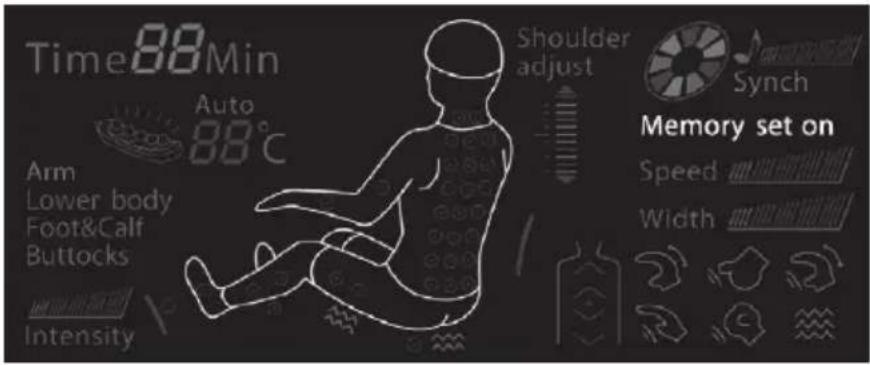
Cut the electricity and stop the massage.
During a massage, press the button 'on/off' two times to stop all massage functions. The back and the footrest will return automatically to their initial position.
After a massage, the armchair will switch off automatically.
Method of downloading MP3 music
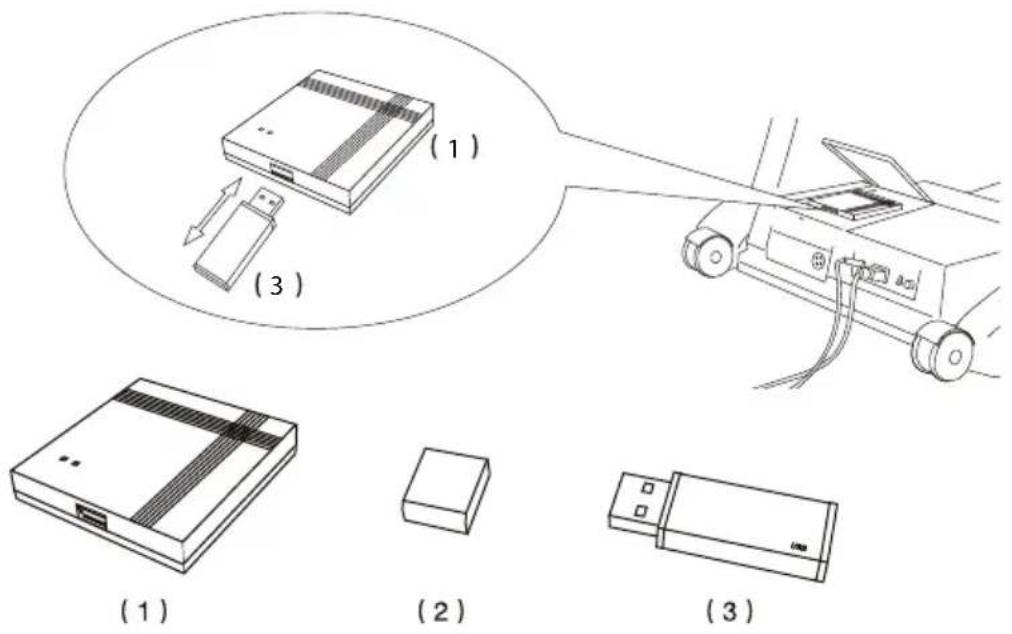
(1) MP3 player
(2) U-disk front cover
(3) U-disk
1- Disconnect the massage armchair and open the cover of the MP3 player at the back of the armchair.
2- Carefully remove the USB stick.
3- Insert the USB memory drive into the read/write memory device attached to your computer.
4- Download your favourite MP3 formatted songs onto the USB memory drive.
5- Remove your USB memory drive from the computer port.
6- Insert the USB memory drive into the MP3 player at the back of the armchair and check to see that it functions.
7- The MP3 music is updated and you can reconnect the massage armchair to the electricity.
If the MP3 cannot be played, please format the USB memory drive via your computer and start the operation over again.
EN
Product Specifications
Name: Massage Armchair
Electrical power supply: 110-120V 60Hz
220-240V 50Hz
Maximum power: 300W
Safety structure: type I
Materials: PVC, PA, parts made of steel, electrical parts and electronic parts
Limited guarantee
LANAFORM ® guarantees that this product is free of all material and manufacturing flaws for a period of two years starting from the date of purchase, except for the points stated below.
The guarantee on this LANAFORM ® product does not cover damage caused by improper use or wrong use, accident, the attachment of any unauthorised accessory, any modification made to the product or any circumstance of whatsoever nature that is outside the control of LANAFORM ® .
LANAFORM ® will not be held responsible for any incidental, consequential or special damages.
All implicit guarantees of the fitness of this product are limited to a period of two years starting from the initial date of purchase.
Upon receipt, LANAFORM ® will either repair or replace your appliance and send it back to you. This guarantee is only performed through the LANAFORM ® Service Centre. All maintenance activity of this product entrusted to persons other than the LANAFORM ® Service Centre cancels the present guarantee.
FAUTEUIL DE MASSAGE
Mode d'emploi
(3)
- Revissez les 3 vis
7
(3)
- Controleer of de 2 gaten overeenkomen
9
CR
Ugradnja kontrolne ploče i mini nosača
(1)
(2)
(3)
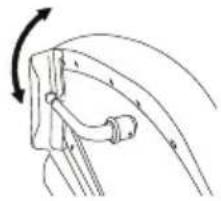
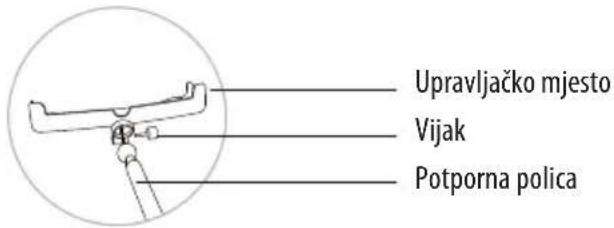
- Uklonite vijak koji je već pričvršćen na upravljačkom mjestu
2
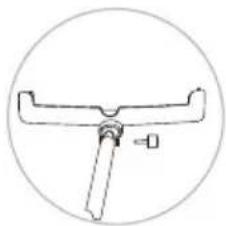
- Spojite kuglicu koja se nalazi na kraju potporne police u udubljenju upravljačkog mjesta
3
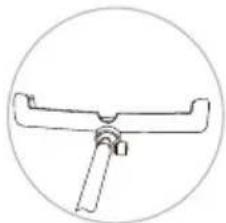
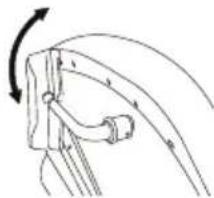
Prikaz stranice 12 (2)
(3)
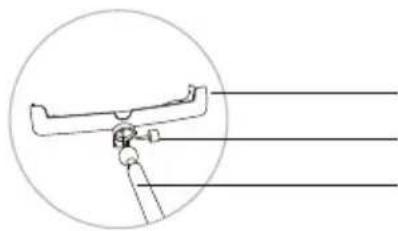
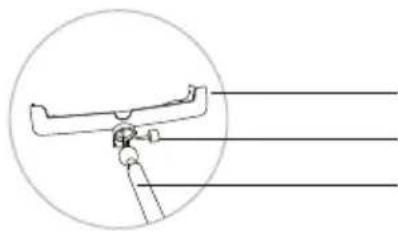
Nadzorno stojalo
Vijak
Pomožna polica
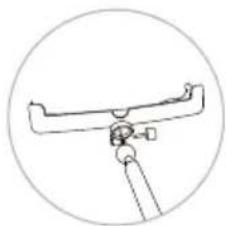
- Zavrtite vijak v nasprotni smeri urnega kazalca.
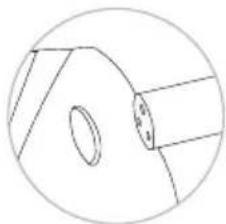
- Vstavite kovinsko konico v naslonjalo za roke.
6
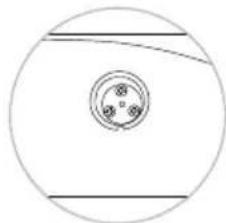
Risba strani 12 (2)
Zdrsnite nadzorno stojalo na svoje podporno mesto.
To change the position of the armchair, use the buttons to adjust the back, legs and angle of recline.
Nastavitev nagiba naslonila (tipka 7)
| Backrest(Dvig) |  | S pritiskom na tipko se naslonilo počasi dviga. Kakorhitro spustite tipko se preneha dvigati |
| Backrest(Spust) | [4CWO] | S pritiskom na tipko se naslonilo spušča (ravna), in se ustavi, kakor hitro spustite tipko |
Izklopite elektriko in ustavite masažo.



- MASSAGE ARMCHAIR
- USER INSTRUCTIONS
- NAMES AND FUNCTIONS OF THE COMPONENTS
- IMPORTANT SAFETY WARNING
- PLEASE READ THIS INSTRUCTION MANUAL ATTENTIVELY BEFORE OPERATING THE ARMCHAIR
- THIS PRODUCT IS NOT SUITABLE FOR THE FOLLOWING PERSONS
- SAFETY
- MAINTENANCE
- SOLUTIONS FOR SIMPLE CASES OF MALFUNCTION
- ASSEMBLING THE ARMCHAIR
- YOU NEED TO HAVE 2 PERSONS TO ASSEMBLE THIS ARMCHAIR
- INSTALLATION OF THE CONTROL PANEL AND THE MINI TRAY
- ASSEMBLING THE CONTROL PANEL
- FUNCTIONS AND CAPABILITIES
- CAPABILITIES
- FUNCTIONS
- STARTING THE MASSAGE
- AUTOMASSAGE
- ADJUST THE TYPE OF MASSAGE
- MANUAL MASSAGE OF THE UPPER BODY
- YOU CAN REGULATE THE SPEED AND WIDTH (BOUTON 11)
- YOU CAN ENTER UP TO 3 MASSAGES IN THE MEMORY
- CUT THE ELECTRICITY AND STOP THE MASSAGE
- METHOD OF DOWNLOADING MP3 MUSIC
- PRODUCT SPECIFICATIONS
- LIMITED GUARANTEE
- FAUTEUIL DE MASSAGE
- MODE D'EMPLOI
- UGRADNJA KONTROLNE PLOČE I MINI NOSAČA
- IZKLOPITE ELEKTRIKO IN USTAVITE MASAŽO
Brand : LANAFORM
Model : Massage Armchair
Category : Massage chair