TEC622 - Smartwatch LIVOO - Free user manual and instructions
Find the device manual for free TEC622 LIVOO in PDF.


User questions about TEC622 LIVOO
0 question about this device. Answer the ones you know or ask your own.
Ask a new question about this device
Download the instructions for your Smartwatch in PDF format for free! Find your manual TEC622 - LIVOO and take your electronic device back in hand. On this page are published all the documents necessary for the use of your device. TEC622 by LIVOO.
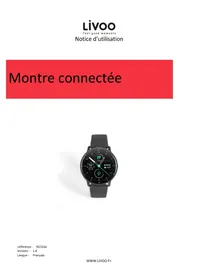
USER MANUAL TEC622 LIVOO
natural_image
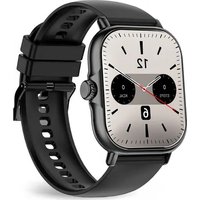
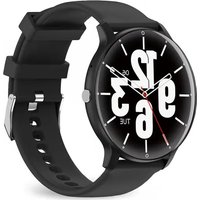
Black and white smartwatch with clock face showing 9, 12, 12, 3, 6, 9, 3 on tarmac (no text or symbols beyond clock numerals)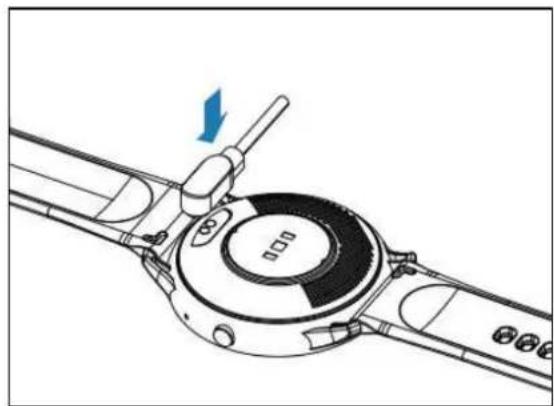
natural_image
Technical line drawing of a mechanical component with a blue arrow indicating direction (no text or symbols)Figure\IV
text_image
QR code image with a central logo, likely linking to a digital resource or website.Figurev2
flowchart
graph TD
    A["Day 28 Wind"] --> B["02/08 MON"]
    B --> C["Activity"]
    C --> D["Visceral"]
    D --> A
    style A fill:#f9f,stroke:#333
    style B fill:#ccf,stroke:#333
    style C fill:#cfc,stroke:#333
    style D fill:#fcc,stroke:#333
Figurevåv
line
| Time | Heart Rate | |------|------------| | 0 | 52 | | 6 | 120 | | 12 | 52 | | 18 | 120 |Figurevčv
text_image
Bloodpressure 10:09 128/90 mmHg 2 minutes ago: 128/88Figurevzv
text_image
Blood oxygen 10:09 98% Spo2 Blood oxygenFigurevEv
text_image
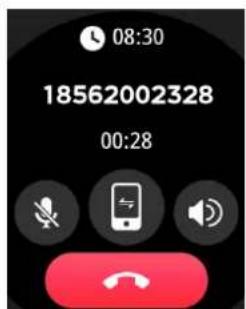
08:30 18562002328 00:28Figurev,V
text_image
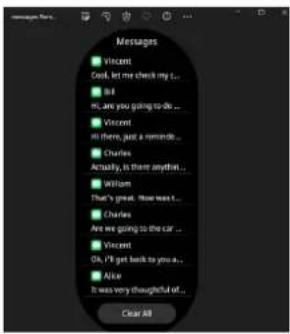
Messages ■ Vincent Cook, let me check my L... ■ Bill MI, are you going to do ... ■ Vincent MI, there, just a reminder ... ■ Charles Actually, is there anything ... ■ Willom That's great, how less L... ■ Charles Are we going to the car ... ■ Vincent Oh, I'll get back to you a... ■ Alice It was very thoughtful of... Clear allFigurevcV
text_image
PlayerFigurevSv
text_image
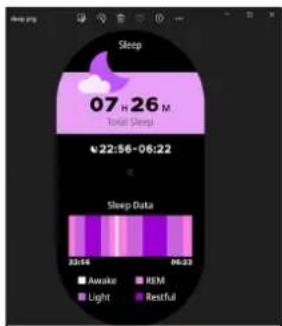
Sleep 07 H 26 M Total Sleep 22:56-06:22 Sleep Data 23:54 09:23 Awake REM Light RestfulFigurev12V
text_image
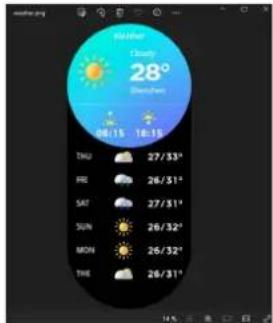
Weather Cloudy 28° Weather 08/15 18:15 TNU 27/33" RED 26/31" SAT 27/31" SUN 26/32" MON 26/32" THY 26/31"FigurevlcV
natural_image
Symbol of a trash bin crossed with no text or labels, accompanied by a black rectangular block below (no readable text or symbols)Thank you for choosing a Livoo product!
Your blender, your barbecue, and your "eadp" ones are not just objects, t"ey are extensions of yourself, allowin,, you to „et closer to your friends and family, to brin,, t"em to„et"er, to lau," and to s"are experiences. Livoo's aim is to "elp you live your life to t"e fullest, w"atever wis"es you "ave t"rou,"out t"e
yßar. WòÀtßr raääßttß, suöößr öarößäuß. «r t”ß ët”ßr way arëuÄd. It’s uï të yëu. Taùß advaÀta„ß ëÜ t”òs Ürßßdëõ Üër Üßßä „ëed õëõßÀts Bvßry day.
T"at's w'y wß'rß äëÀstaÀtây òÀÀëvatòÀ,, aÀd ärßatòÀ,, ääßvßr ïräduäts Üuāā ëÜ zßst, öut öest ëÜ aāā, aääßssòöö FòÀd ëur ßÀtòrß äëääßätòëÄ ëÀ ëur wßösòtß.Ür.
Livoo, your daily companion till social networks

@Lòvëë

@ãòvëë•ëÜÜöl

@Lòvëè
ãafety änstructions
»ãßasß, taùß tòõß të rßad wßää t"ß òÀstruätöëÀ s"ßßt ößÜërß t"ß Üörst usß aÀd ùßßï t"ßõ Üër α Üuturß usß.
A õòsusß ëÜ t"ß aïïāòaÀäß äaÀ daõa„ß òt ër "urt t"ß usßr. Assurß t"at yëu usß t"ß aïïāòaÀäß Üër t"ß usß Üër w"òä" òt òs dßsò„Àßd. Wß rßÜusß aÀy rßsiëÀsòööàòtòßs as Üër t"ß daõa„ßs öy aÀ òÄäerrßät usß ër a õad õaÀòïuāatoèëÄ.
â. èë Àët ä"ar„ß aÜtßr t"ß dßvòäß was watßr daõa„ßd.
2. T"òs òs aÀ ßãßätrëÀòä õëÀòtëròÀ,, ïrëduät, data rßäßòvßd Üröö òt äaÀÀët öß usßd as õßdòäaä öasòs.
ê. Bãëed ërßssurß tßstòÀ,, tòï : ùßßï yëur öëdy rßâaxßd aÀd stòãã duròÀ,, t"ß tßst, ùßßï t"ß dßvòäß at t"ß saõß "ßò,"t as yëur "ßart aÀd dëÀ't taãù duròÀ,, t"ß tßst.
4. A ä"ar„òÀ,, ßÀvòrëÄõßÀt ëÜ õërß t"αÀ 50 dß„rßßs õay äausß ëvßr"ßatòÀ,, aÀd dßÜërõatoèëÀ ëÜ t"ß ßquòïõßÀt.
-
T"òs dßvòäß usßs a öuòät-òÀ öattßry. èë Àët dòsõaÀtãß òt yëursßäÜ. èë Àët drëï ěr ärus" òt, iùÀäturß òt ěr äut òt.
-
IÜ t"ß öattßry òs örëùßÀ ěr äßaùòÀ„, avëòd aāā äëÀtaät wòt" yëur ßyßs aÀd sùòÀ. IÜ t"òs "aiïßÀs, dë Àët tëuä" t"ß äëÀtaät arßa aÀd ròÀsß òöõßdòatßãy wòt" watßr. Sßßù õßdòäaã advòäß.
-
Aâways dôsääÀÀBât t"ß USB äaöäß Ürëõ t"ß dBvòäß òõõßdòatßây aÜtBr ä"ar„òÀ„œ. Usß t"ß ÿrëvòdßd USB äaöäß èÀÿy.
-
Kßßi t"òs irëduät ëut ëÜ t"ß rßaä" ëÜ ä"òādrßÄ.
â0. KßBï t"ß dßvòäß dry.
ââ. T"ß dßvòäß òs Àët äëõïatòöäß wòt" a ìaäßõaußr
Çechnical âpecifications
IÀïut: 5 V ——0.5 A Battßry: ê.œ V 2ê0 õA" Battßry ãòÜß â5 days ëÀ staÀdöy, uï të 5 days ëÀ AÄdrëòd 5.0 ěr "ò,"ßr , ò«S 9.0 Băußtëët" 5.2 Hè â.2œ-òÄÄ" tëuä"särßßÄ I»67 watßrirëëÜ (â õ õõõßrsöëÀ Üër ë0 õòÀutßs)
Warning: T"òs ïrëduät òs Àët a õßdòäaã dßvòäß. Watä"ßs aÀd t"ßèr aiïāòäatòëÀs s"ëuād Àët öß usßd Üër dòa„Äësòs, trßatõßÀt, ěr ÿrßvßÀtòëÄ ëÜ dòsßasßs ěr òäÄßssßs. Të ä"aÄ„ß yëur "aöòts suä" as ßxßräösß aÀd säßßi, öß surß të äëÅsuät a quaāòÜòßd õßdòäaã ïrëÜßssòëÄaã të avëòd sßròëus òÀÈury. Wß rßsßrvß t"ß rò,,"t të öëdòÜy aÀd òöïrëvß aÀy eÜ t"ß ÜuÀätòëÀs dßsäròößd òÀ t"òs õaÀuaã wòt"ëut ïròër Äëtòäß aÀd äëÀtòÀuëusây uïdatß t"ß äëÀtßÀts eÜ t"ß ÿrëduät. Aäã äëÀtßÀts arß suöËßät të t"ß aätuaã ïrëduät. »äßasß stëi wßaròÀ„
t“e smart bracelet in case of skin aller„y or any discomfort. Adjust t“e smart bracelet ti„”tness to ensure air circulation.
Ãse of the device
Charging of the device (figure 1).
Fully c"ar,,e t"e device before its first use. Plu,, in t"e ma,,netic line of t"e USB cable and connect t"e USB of t"e c"ar,,in,, cable to anot"er device capable of c"ar,,in,, your device. W"en successfully connected, t"e screen will s"ow t"at c"ar,,in,, is in pro,,ress. You cannot use your device durin,, c"ar,,in,, process. Carefully observe t"e maximum c"ar,,in,, volta,,e of t"e device (5V) to avoid dama,,e to t"e device.
óownloading & paring (figure 2)
To power on your Smartwate" lon," press t"e side button for 3 seconds
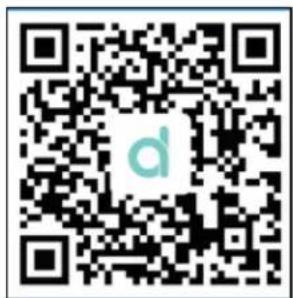
Download and install t"e application DA Fit Fit on your mobil device, eit"er t"anks to t"e QR code in t"is document, nor by searc"in,, t"e application directly in AppStore or Goo„le Play.
You can also „et t“e QR code for t“e application directly in t“e watc” in t“e menu
Settin„s>Download App.
çaring
Once you've download and install t"e application on your mobile device, please follow t"e instruction of t"e application to setup it as you prefer and accordin,, to your personal information.
Activate t“e Bluetooth” on your mobile device. All t“e accessible Bluetooth” devices will appear. Click on t“e device TEC622 in t“at list.
Note: Bluetooth devices can only be paired individually, so be sure to disconnect the previous Bluetooth device when connecting a new deviceú
ãwitch the menu interfaces of main screen
Once your paired t"e watc" and you device, time and date from your mobile will be sync"ronized wit" t"e watc"
To c"an„e t"e wallpaper of your watc", "old your touc" on t"e screen 4 seconds. T"en, select by clickin,, on it t"e wallpaper you prefer between all t"e wallpaper proposed.
êemove device
At any time, you can disconnect t"e watc" and your device t"rou," t"e application by clickin,, on disconnect t"e device.
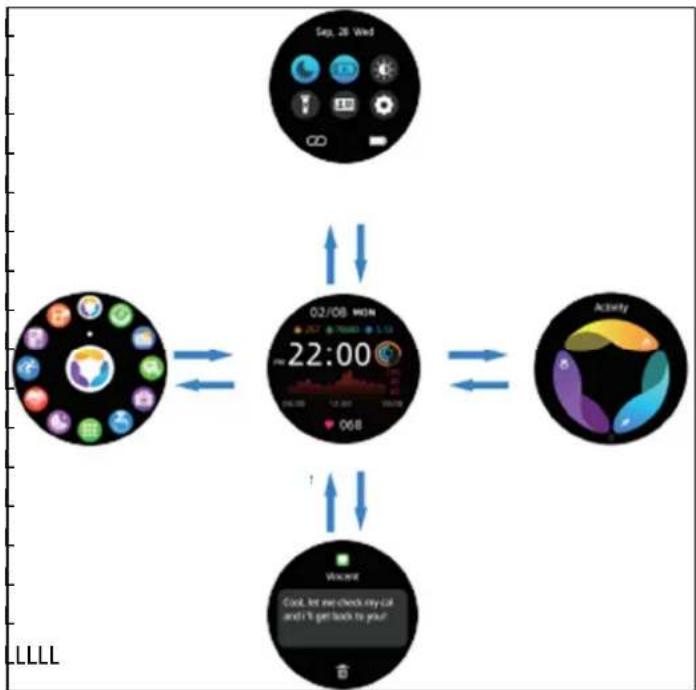
ànavigate the menu with your watch (figure 3)
After a few seconds wit"out usin,, your watc", t"e screen will „o blank. You can switc" it back on by pressin,, t"e side button on t"e watc". Once t"e screen is on, slide t"e screen to access t"e different interfaces.
You can return to t“e previous screen by pressin, t“e side button on t“e watc”.
Slide t"e screen from left to ri,"t to display t"e menu screen.
Swipe up and down to access t“e quick settin„s menu (rin„ mode, sleep mode, bri„”tness, settin„s, torc“ and screen lock).
Slide up and down to access messa,,es.
Slide from ri,"t to left to customise a quick access from t"ose on offer.
úxercise: T'e exercise interface „ives you access to over 100 sports and step countin..
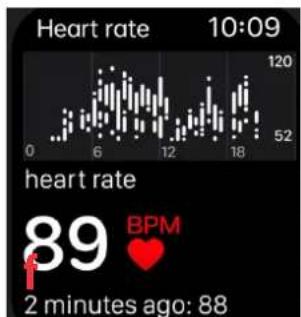
Óeart rate measurement (iigure 4): T“e “eart rate measurement menu supports real-time dynamic “eart rate.
Note: T“e “eart rate sensor must be in close contact wit” t“e skin. Do not stare at t“e sensor's „reen li„t as t“is may cause eye irritation.
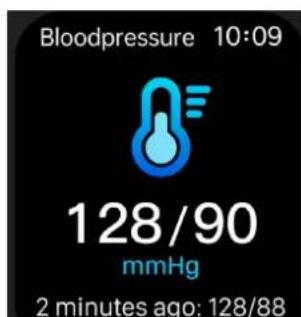
Blood pressure (iFigure 5): Blood pressure s"ould be measured in a quiet environment and at an appropriate temperature. Rest for at least 5 minutes before measurin." Measure t"ree times at 2-minute intervals.
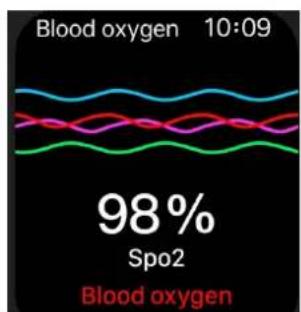
Blood oxygen (figure 6): T"is is t"e concentration of oxy,,en in t"e blood.
Note: Blood pressure and blood oxy,,en data are provided for information purposes only.
Messa,es and calls (Fi,ures 7 and 8). A maximum of 5 messa,es can be saved. New messa,es will replace older ones one by one.
äleep (figure 12): If you wear t"e watc" at ni,"t, it detects w"et"er or not you are sleepin,, records deep sleep and li,"t sleep respectively, and calculates total sleep time to "elp you monitor t"e quality of your sleep.
Weather (figure 13): Weat"er information is linked to your mobile p"one.
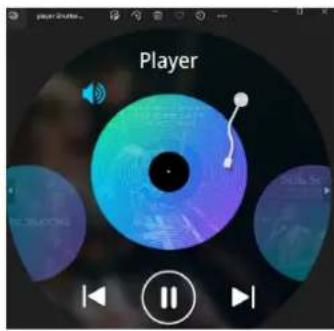
Äusic (figure 9): After connectin, t“e watc” to your mobile p“one, t“e watc” can control t“e p“one's music player. W“en t“e p“one is playin, music, use t“e Music menu to control t“e application on your mobile device.
eeset. In t"is menu, you can delete all information contained in your watc" and restore it to t"e default factory settin„s.
Cleaning and maintenance
Clean t"e smart bracelet re,ularly, especially its inner side and keep it dry.
Do not use abrasive products to clean t"e watc". Use a soft, dry clot".
àote: Çhe Bluetooth word mark is owned by the Bluetooth ään.
úà óúCLAêAÇÃÀ ÀÍ CÀàíÂêÃÇY
We, DELTA, BP61071, 67452 Mundols"eim – France
declare under our sole responsibility, t"at t"e smartswatc"TEC622 Fulfils t"e essential requirements of t"e followin,, standards :
| óäêúCÇăôúă àÀêÄúã ou úxigences | |
| (ROHS) 2011/65/EU T | “e object of t”e declaration described above is in conformity wit” Directive 2011/65/EU of t”e European Parliament and of t”e Council of 8 June 2011 on t”e restriction of t”e use of certain “azardous substances in electrical and electronic equipment.EU 2011/65/EU et EU 2015/863 |
| (RED) 2014/53/EU EN | 50663:2017 EN 62479:2010 |
EN IEC 6236oe-1:2020+A11:2020
ETSI EN 301 4oe9-1 V2.2.3 (2019-11) ETSI EN 301 4oe9-17 V3.2.4 (2020-09)
ETSI EN 300 32ce V2.2.2 (201'-07)
text_image
DELTA SAS Tue FOCH SP 01071 67452 MUNICOLI SP AVEE GONICA PREMI TEL: 30 3 80 81 20 33 3 90 20 29 89 e-mail: https://data-import.com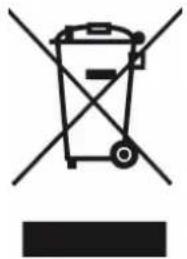
natural_image
Symbol of a trash bin with crossed lines indicating no waste, and a solid black rectangle below (no text or labels)Correct disposal of the unit (úlectrical and úelectronic úquipment)y
(Applicable in the European Union and the rest of Europe that have adopted separate collection systems countries). The European Directive 2012/19/EU on Waste Electrical and Electronic Equipment (WEEE), requires that old household electrical appliances must not be disposed of in the normal household waste stream. Old appliances must be collected separately in order to optimize the recovery and recycling of the materials they contain and reduce the impact on human health and the environment. The symbol of the crossed out dustbin is marked on all products to remind the obligations of separate collection. Consumers should contact their local authority or retailer for information concerning the correct disposal of their product.
• Non contractual illustration
- Product information is subject to c"an„e wit"out prior notice.