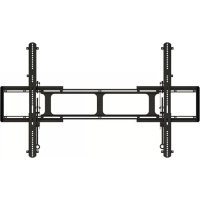
MFLT1-B2 - TV wall mount SANUS - Free user manual and instructions
Find the device manual for free MFLT1-B2 SANUS in PDF.


| Product Type | TV Wall Mount |
| Brand | Sanus |
| Model | MFLT1-B2 |
| Maximum Load Capacity | 58.9 kg (130 lb) |
| Wall Compatibility | Wood studs (2x4 minimum), poured concrete or concrete blocks |
| Maximum Drywall Thickness | 16 mm (5/8 in) |
| Minimum Horizontal Mounting Spacing | 406 mm (16 in) |
| Tilt Adjustment | Yes, with manual tension knob |
| Material | Steel |
| Wall Plate Dimensions | Approximately 406 mm wide |
| Required Tools | Tape measure, level, drill, screwdriver, socket wrench, stud finder |
| Installation | Wall mounting with lag bolts and anchors (concrete requires kit #CMKI) |
| Maintenance | Clean with a soft dry cloth; do not use abrasive products |
| Safety | Do not install on drywall alone; wall must support 5x the total weight |
| Package Contents | Wall plate, TV brackets, hardware (screws, washers, spacers) |
| Warranty | Consult the manufacturer |
Frequently Asked Questions - MFLT1-B2 SANUS
User questions about MFLT1-B2 SANUS
0 question about this device. Answer the ones you know or ask your own.
Ask a new question about this device
Download the instructions for your TV wall mount in PDF format for free! Find your manual MFLT1-B2 - SANUS and take your electronic device back in hand. On this page are published all the documents necessary for the use of your device. MFLT1-B2 by SANUS.
USER MANUAL MFLT1-B2 SANUS
We'll Make It Stress-Free
If you have any questions along the way, just give us a call.
US: +1 (800) 359-5520
EMEA: +31 (0) 495 580 852
UK: +44 (0) 800 056 2853
AUS: +61 (0) 732997000
We're ready to help!
Scan for easy install video SANUS.com/3003
IMPORTANT SAFETY INSTRUCTIONS - SAVE THESE INSTRUCTIONS - PLEASE READ ENTIRE MANUAL PRIOR TO USE
Before getting started, let's make sure this mount is perfect for you!
| 1 | Does your TV (including accessories) weigh more than 130 lbs. (58.9 kg)? | 130 lbs. (58.9 kg) | No - Perfect! Yes - This mount is NOT compatible. Visit decora.sanus.com or call US: +1(800) 359-5520 • EMEA: +31 (0) 495 580 852 • UK: +44 (0) 800 056 2853 • AUS: +61 (0) 7 3299 7000 to find a compatible mount. | ||||||
| 2 | What is your wall made of? | Perfect! | Wood studs? Concrete Install Kit Required (not included) Call Customer Service | ||||||
| 3 | Do you have all the tools needed? | Tape Measure | Pencil Level | Screwdriver | Electric Drill | Wood Stud Install Stud Finder Awi | 7/32 in. (5.5 mm) Wood Drill Bit | Concrete Install Hammer | 3/8 in. (10 mm) Concrete Drill Bit |
| 4 | Ready to begin? | Please read through these instructions completely to be sure you're comfortable with this easy install process. Also check your TV owner's manual to see if there are any special requirements for mounting your TV. If you do not understand these instructions or have doubts about the safety of the installation, assembly or use of this product, contact Customer Service at US: +1 (800) 359-5520 • EMEA: +31 (0) 495 580 852 • UK: +44 (0) 800 056 2853 • AUS: +61 (0) 7 3299 7000. | |||||||
Dimensions
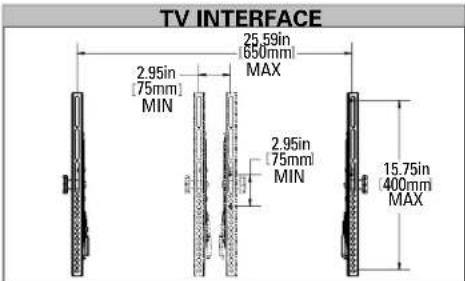
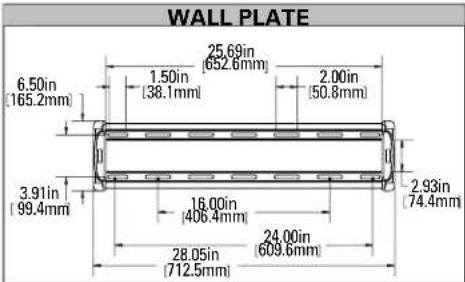
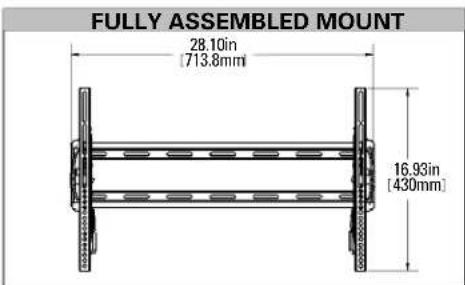
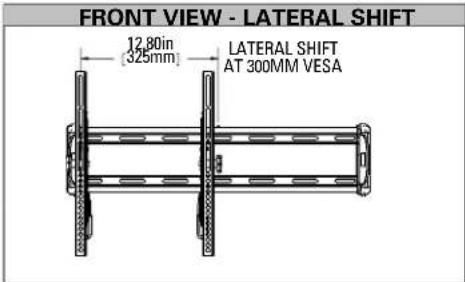
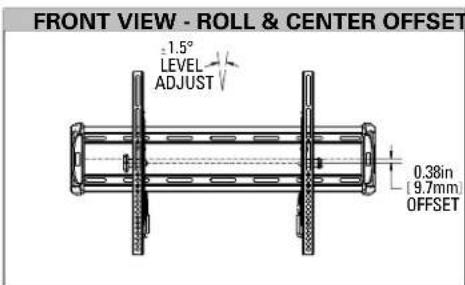
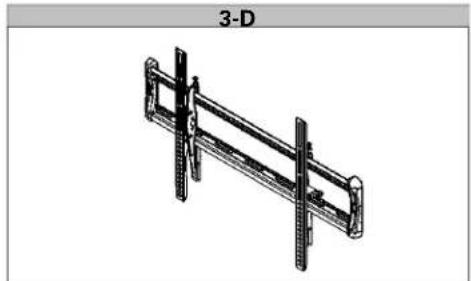
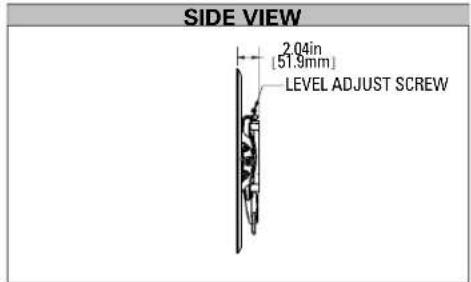
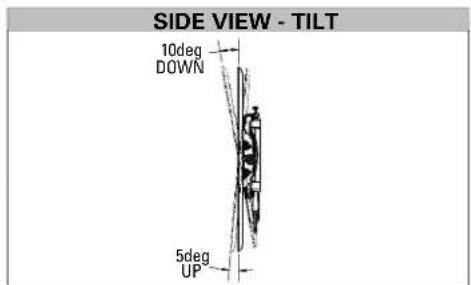
Parts and Hardware
WARNING: This product contains small items that could be a choking hazard if swallowed. Before starting assembly, verify all parts are included and undamaged. If any parts are missing or damaged, do not return the damaged item to your dealer; contact Customer Service. Never use damaged parts!

NOTE: Not all hardware included will be used.
STEP1 Parts and Hardware

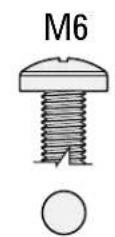
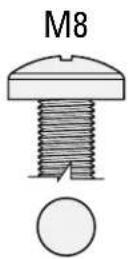
TV Screws [Only one size fits your TV]
(qty. 4 each)
M6
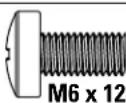
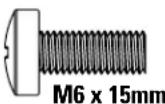
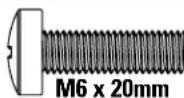
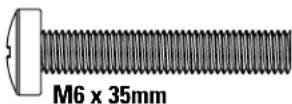
M8

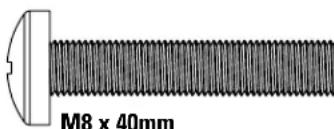
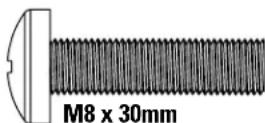
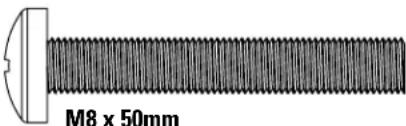
Washer (qty. 4)


M6/M8
Spacers
(qty. 4 each)
[If necessary]

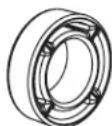
2.5mm
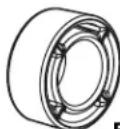
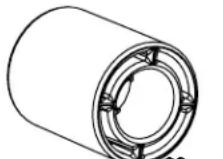
22mm
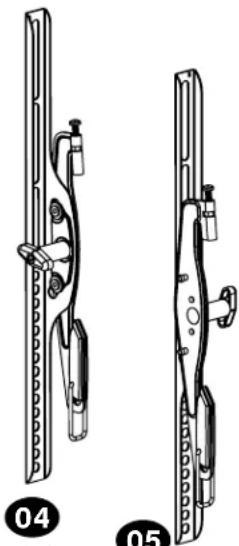
TV Brackets
qty.1
qty.1
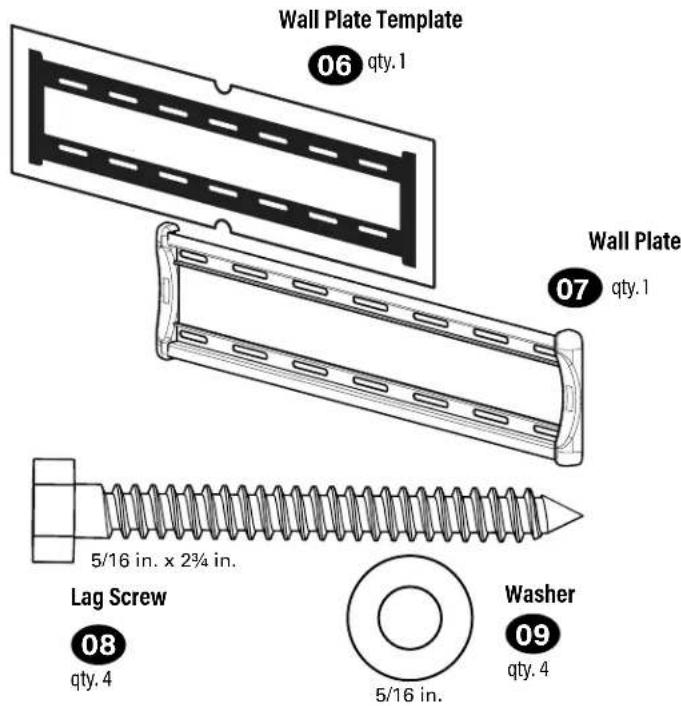
STEP 2 Parts and Hardware
Concrete Installation Kit CMKI is NOT INCLUDED
Contact Customer Service to inquire about the additional hardware.
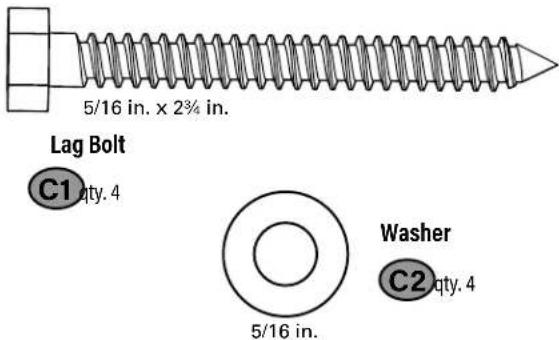
For concrete installations ONLY
CAUTION: Do not use in drywall or wood
Concrete Anchor

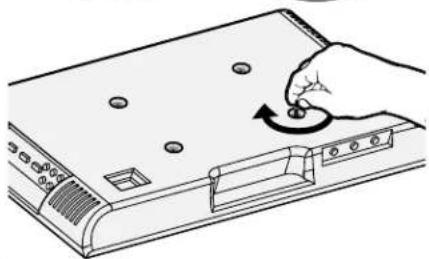
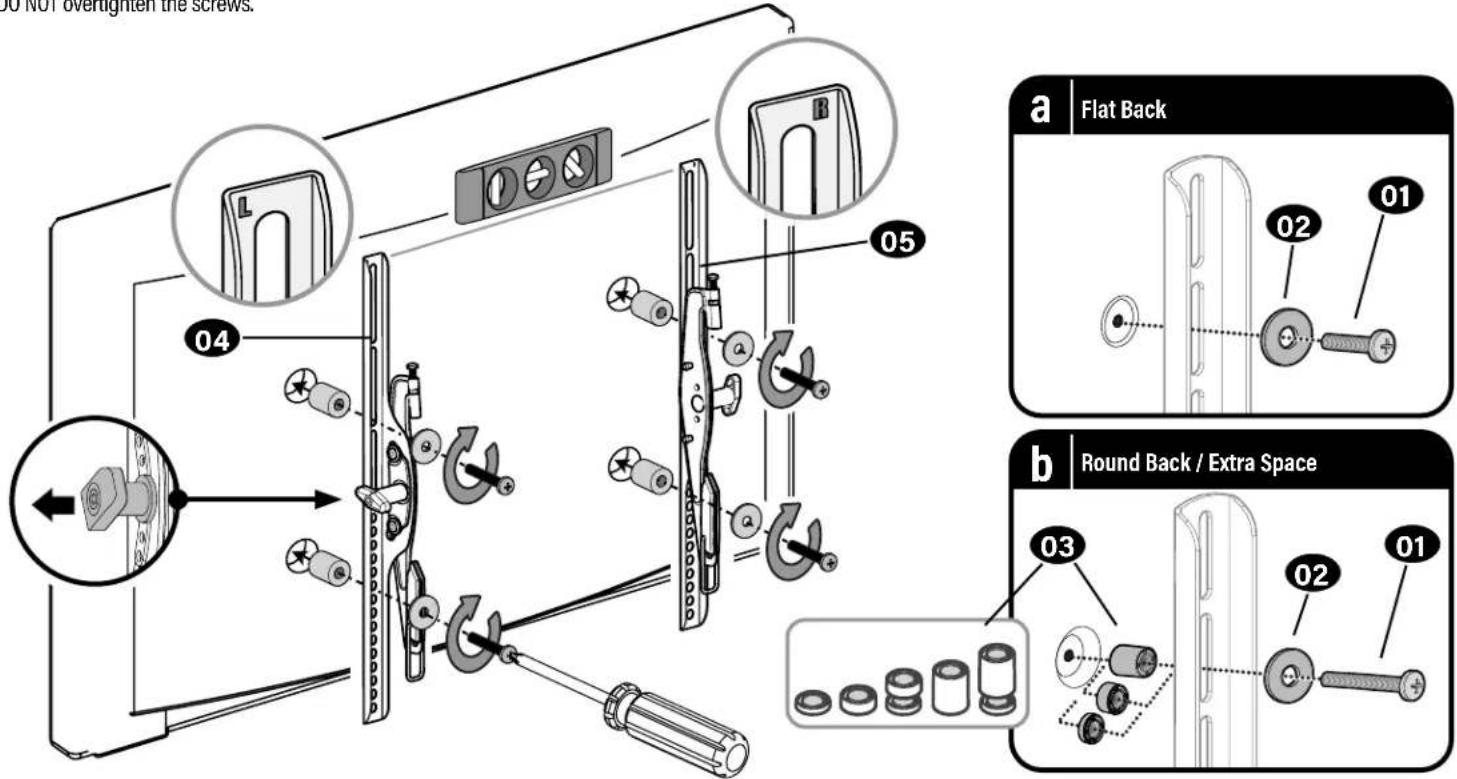
STEP 1 Attach Brackets to TV
1.1 Select TV Screw Diameter

1.2 Select TV Screw Length
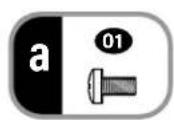
a: For flat-back TVs, no spacers 03 required.
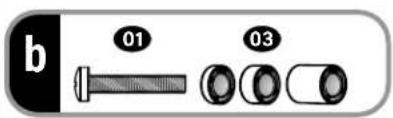
b: Spacers 03 supplied for:
- Round (irregular) back TVs
- Extra space needed (for cables or inset mounting holes)
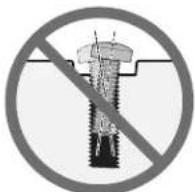
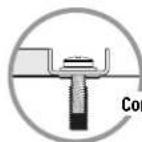
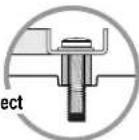
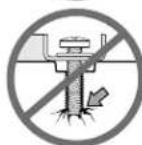
Verify adequate thread engagement with your screw/washer/spacer combination AND TV bracket.
- Too short will not hold the TV.
- Too long will damage the TV.
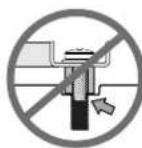
Too Short
Too Long
1.3 Attach TV Brackets
CAUTION: Avoid potential personal injuries and property damage! DO NOT use power tools for this step. Tighten the screws only enough to secure the TV bracket to the TV. DO NOT overtighten the screws.
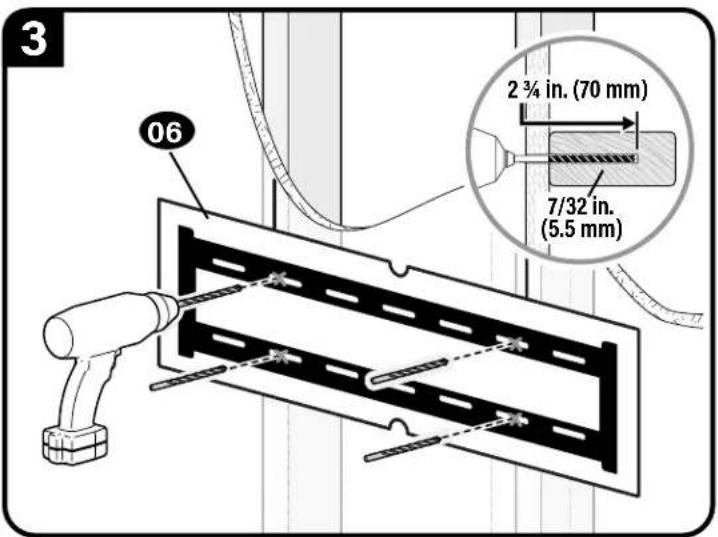
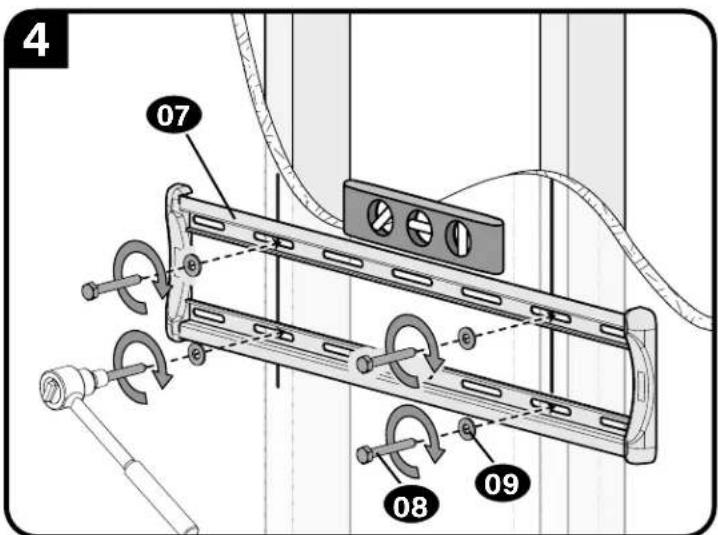
STEP 2A Attach Wall Plate to Wall
Wood Stud Option
AUTION: Avoid potential personal injury or property damage!
- Drywall covering the wall must not exceed 5/8 in. (16 mm)
Minimum wood stud size: nominal 2 × 4 in. (51 x 102 mm) actual 112 × 312 in. (38 x 89 mm)
Minimum horizontal space between lag bolts: 16 in. (406 mm)
Stud center must be verified.
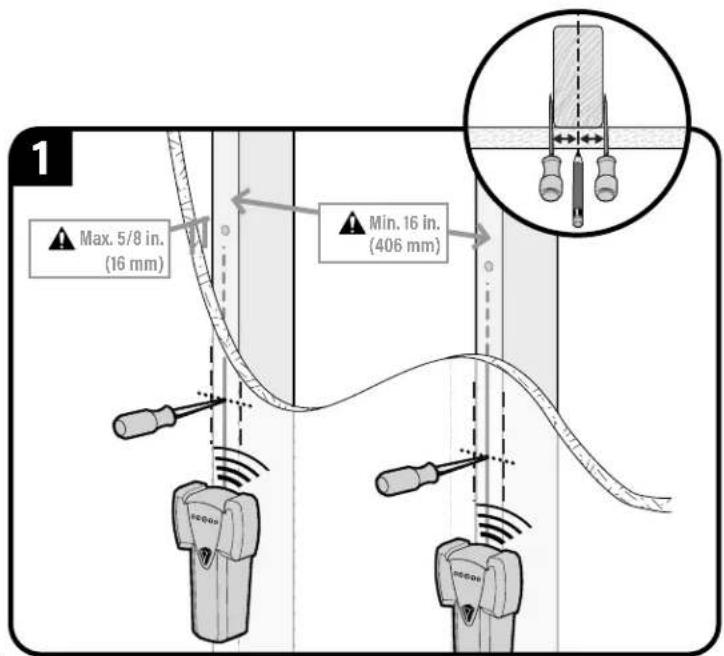
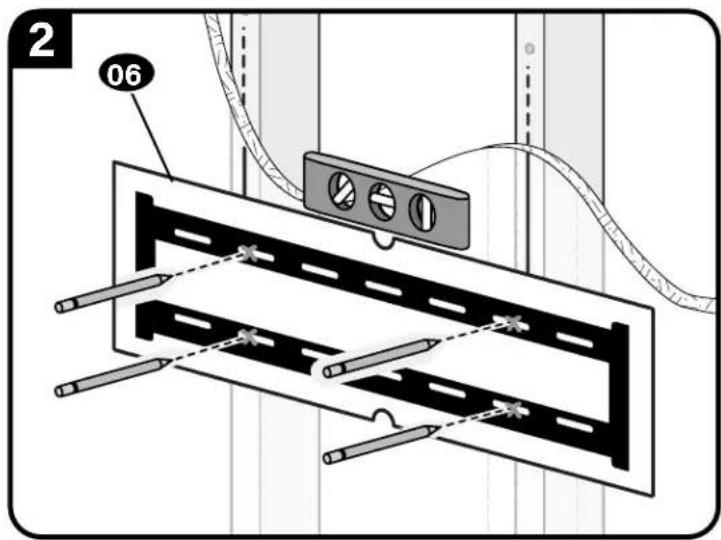
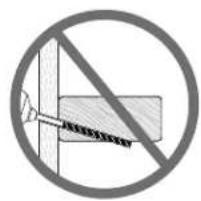
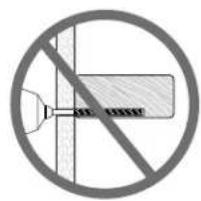
CAUTION: Avoid potential personal injury or property damage!
Improper use could reduce the holding power of the lag bolt 08
Tighten the lag bolts 08 only until the washers 09 are pulled FIRMLY against the wall plate 07.
DO NOT over-tighten the lag bolts 08
Go to STEP 3 on PAGE 12.
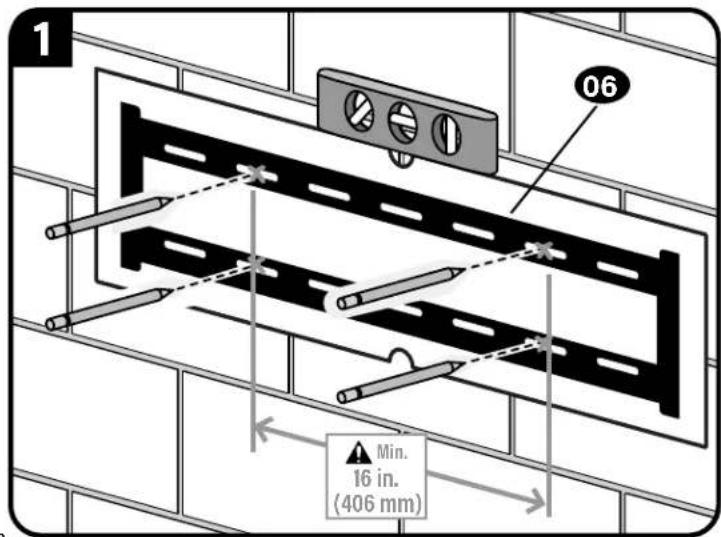
STEP 2B Attach Wall Plate to Wall
Solid Concrete or Concrete Block Option
AUTION: Avoid potential personal injury or property damage!
- Mount wall plate 07 directly onto concrete surface (no wall covering)
Minimum solid concrete thickness: 8 in. (203 mm)
Minimum concrete block size: 8 × 8 × 16 in. (203 x 203 x 406 mm)
Minimum horizontal space between fasteners: 16 in. (406 mm)
Concrete Installation Kit CMK1 is not included
(see page 5) Contact Customer Service to inquire about the additional hardware.
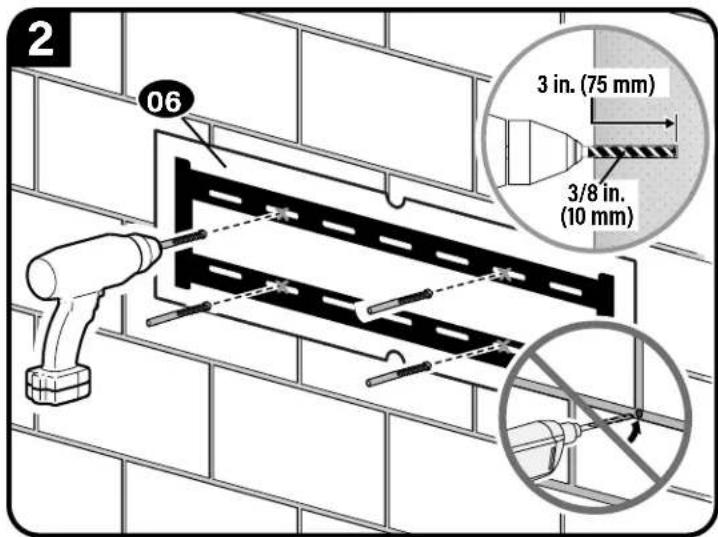
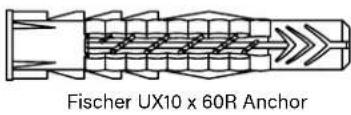
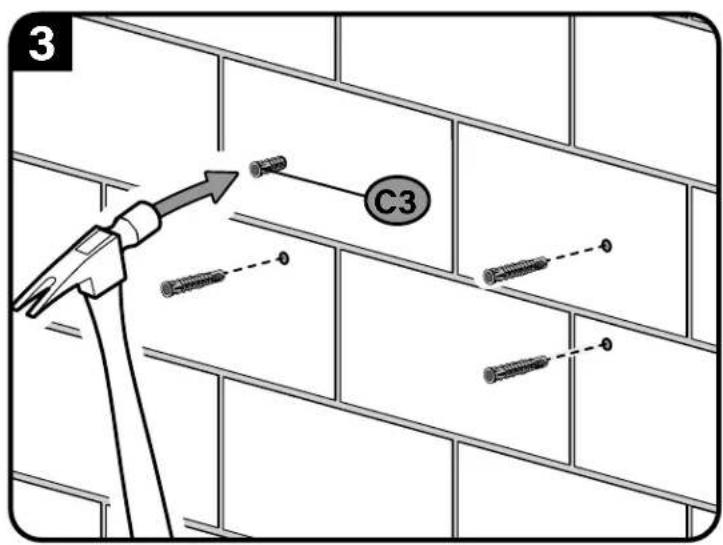
Fischer UX10 x 60R C3 - included in the Concrete Installation Kit CMKI).
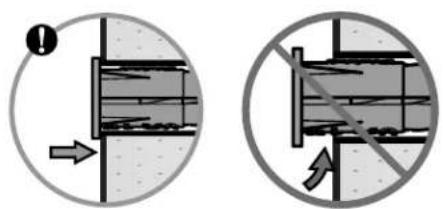
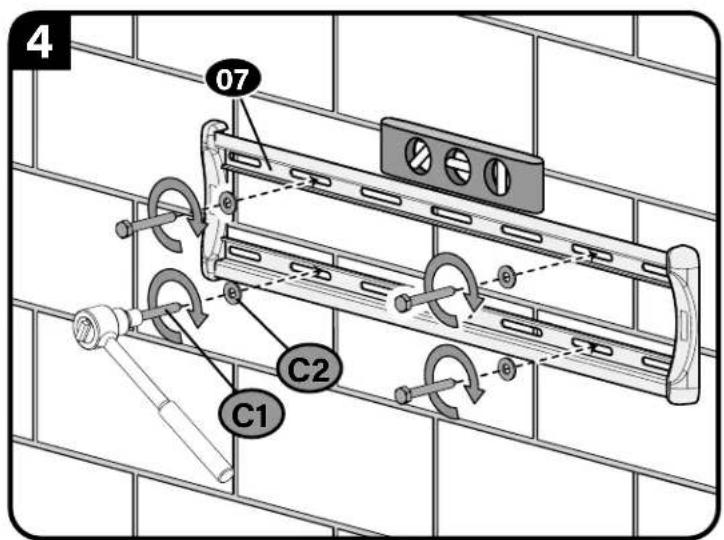
(use ONLY the lag bolts C1 and washers C2 from the Concrete Installation Kit CMK1).
CAUTION: Avoid potential personal injury or property damage!
Improper use could reduce the holding power of the lag bolt C1.
Tighten the lag bolts C1 only until the washers C2 are pulled FIRMLY against the wall plate 07.
DO NOT over-tighten the lag bolts C1.
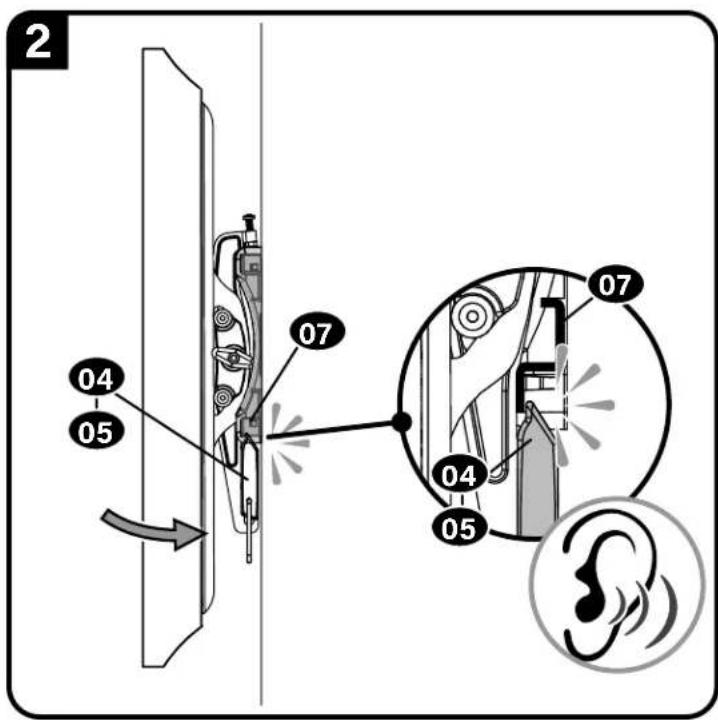
STEP 3 Attach TV to Wall Plate

HEAVY! You may need assistance with this step.
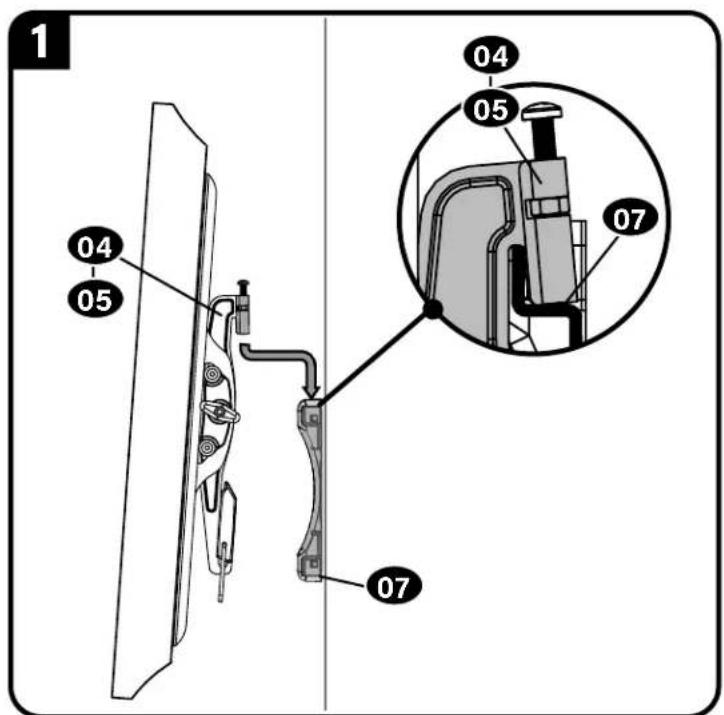
CAUTION: Avoid potential personal injury or property damage! The safety latch must be locked, so the TV is securely fastened to the wall plate 07.
Adjustments
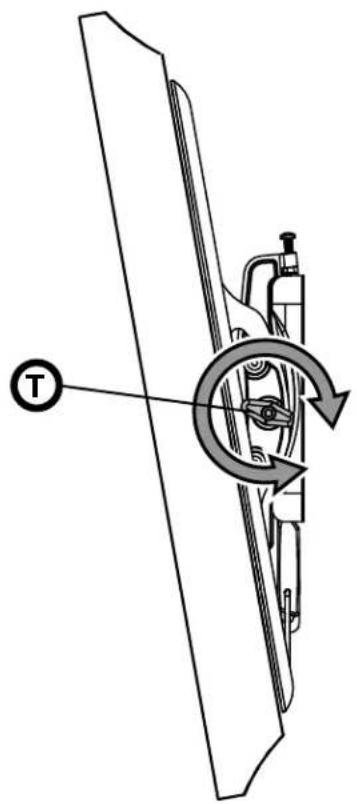
TILT
Your TV should adjust easily when moved, then stay in place.
If your TV is too loose or too tight, adjust the tilt tension knob T.
NOTE: Once your TV is in place, tighten the tilt tension knob to prevent unwanted movement.
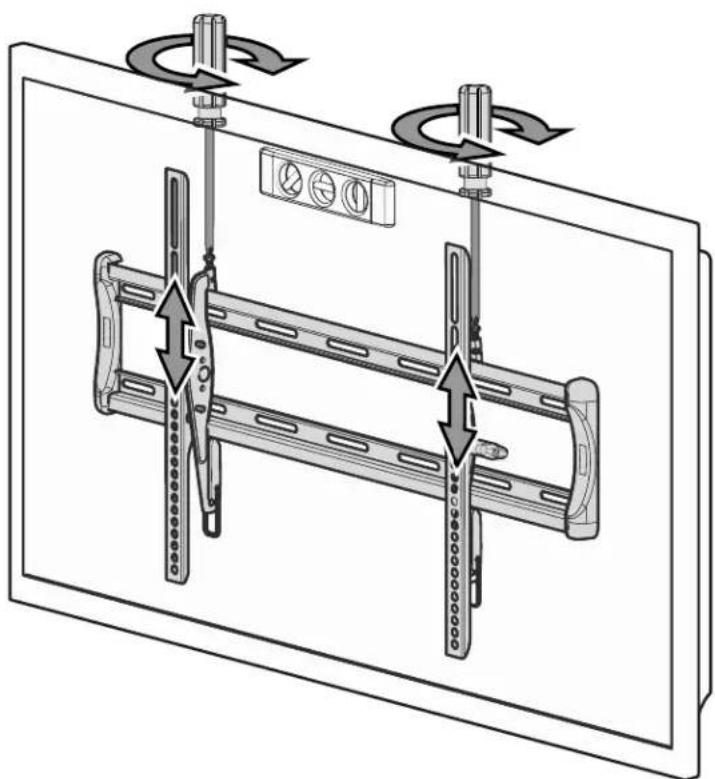
LEVEL
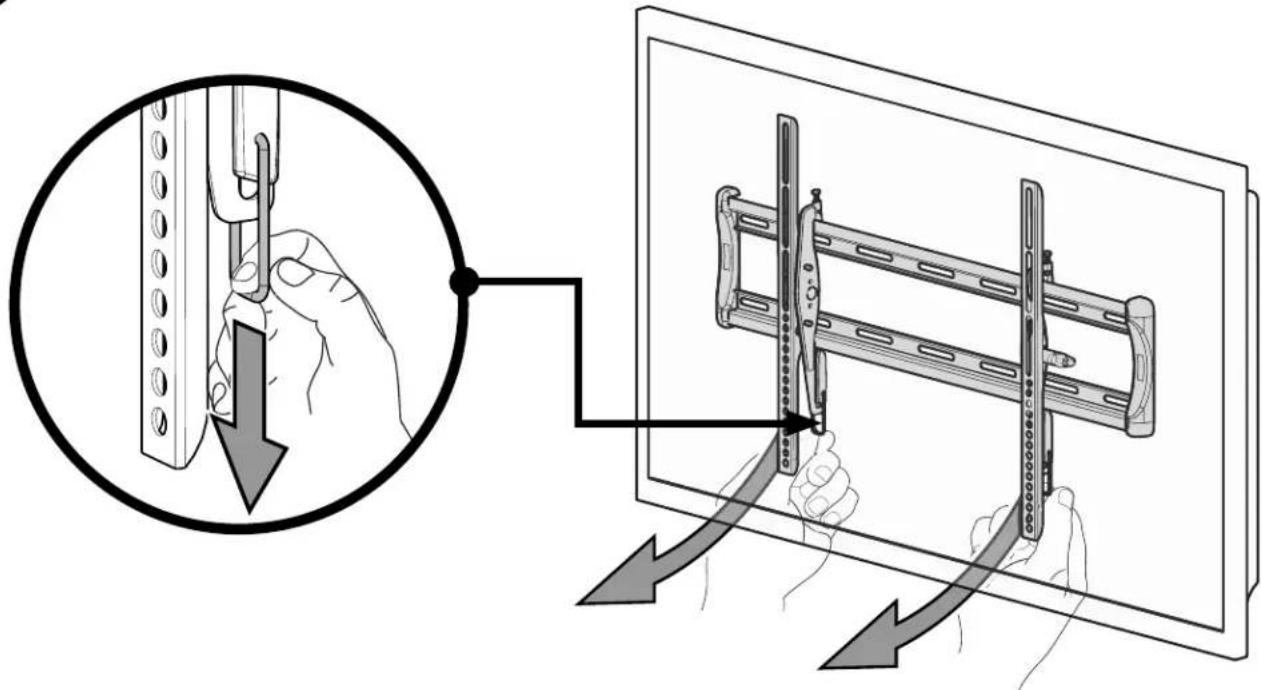
REMOVING THE TV

HEAVY! You may need assistance with this step.
ESPANOL
PERYJIMPOBKA YPOBHRA
CHTVE TELEBN3OPA BOJIbIOW BECHa TOM ware BAM MOXET NOHAO6NTCBNOMOUB.

Legrand AV Inc.
6436 City West Parkway, Eden Prairie, MN 55344 USA
US: +1 (800) 359-5520 · SANUS.com
Legrand AV Netherlands B.V.
Franklinstraat 14, 6003 DK Weert, Netherlands
EMEA: +31 (0) 495 580 852 - UK: +44 (0) 800 056 2853
Legrand Australia
7/8 Metroplex AVE, Murarie Queensland, Australia 4172
AUS: +61 (0) 73299 7000
leg t i t t t t t t t t t t t t t t t t t t t t t t t t t t t t t t t t t t t t t t t t t t t t t t t t t t 0
Amazon, Fire TV and all related logos are trademarks of Amazon.com, Inc. or its affiliates.
©2021 Legrand AV Inc. All Rights Reserved. SANUS is a brand of Legrand. SANUS and the SANUS logo are registered trademarks of Legrand.