CL7400 OPTI - Headphones GEEMARC - Free user manual and instructions
Find the device manual for free CL7400 OPTI GEEMARC in PDF.


User questions about CL7400 OPTI GEEMARC
0 question about this device. Answer the ones you know or ask your own.
Ask a new question about this device
Download the instructions for your Headphones in PDF format for free! Find your manual CL7400 OPTI - GEEMARC and take your electronic device back in hand. On this page are published all the documents necessary for the use of your device. CL7400 OPTI by GEEMARC.
USER MANUAL CL7400 OPTI GEEMARC
geemarc™ CL7400 OPTI Hear the Difference
En
Fr
D
Español
Italiano
Nederlands
תְרָבִי
Svenska
Magyar
Dansk
Norsk
Polski
2.4 GHz Wireless Digital Quality Sound
text_image
User MANUAL| Magyar | Üzembe helyezés |
| Dansk | Installation |
| Norsk | Installasjon |
| Polski | Instalacja |
text_image
DC IN 6V=0.6A AUDIO OPTICAL PAIR C DC IN -0.6A AUDIO OPTICAL PAI MAX MAX Optical or DC IN -0.6A AUDIO OPTICAL MAX MAX MAX MAX MAX MAX MAX MAX MAX MAX MAX MAX MAX MAX MAX MAX MAX MAX MAX MAX MAX MAX MAX MAX MAX MAX MAX MAX MAX MAX MAX MAX MAX MAX MAX MAX MAX MAX MAX MAX MAX MAX MAX MAX MAX MAX MAX MAX MAX MAX Max 3.5mm| En | Installation | It | Installazione | Magyar | Üzembe helyezés |
| Fr | Installation | NL | Installatie | Dansk | Installation |
| De | Installation | תְבָרִי | Norsk | Installasjon | |
| Esp | Instalación | Svenska | Installation | Polski | Instalacja |
d
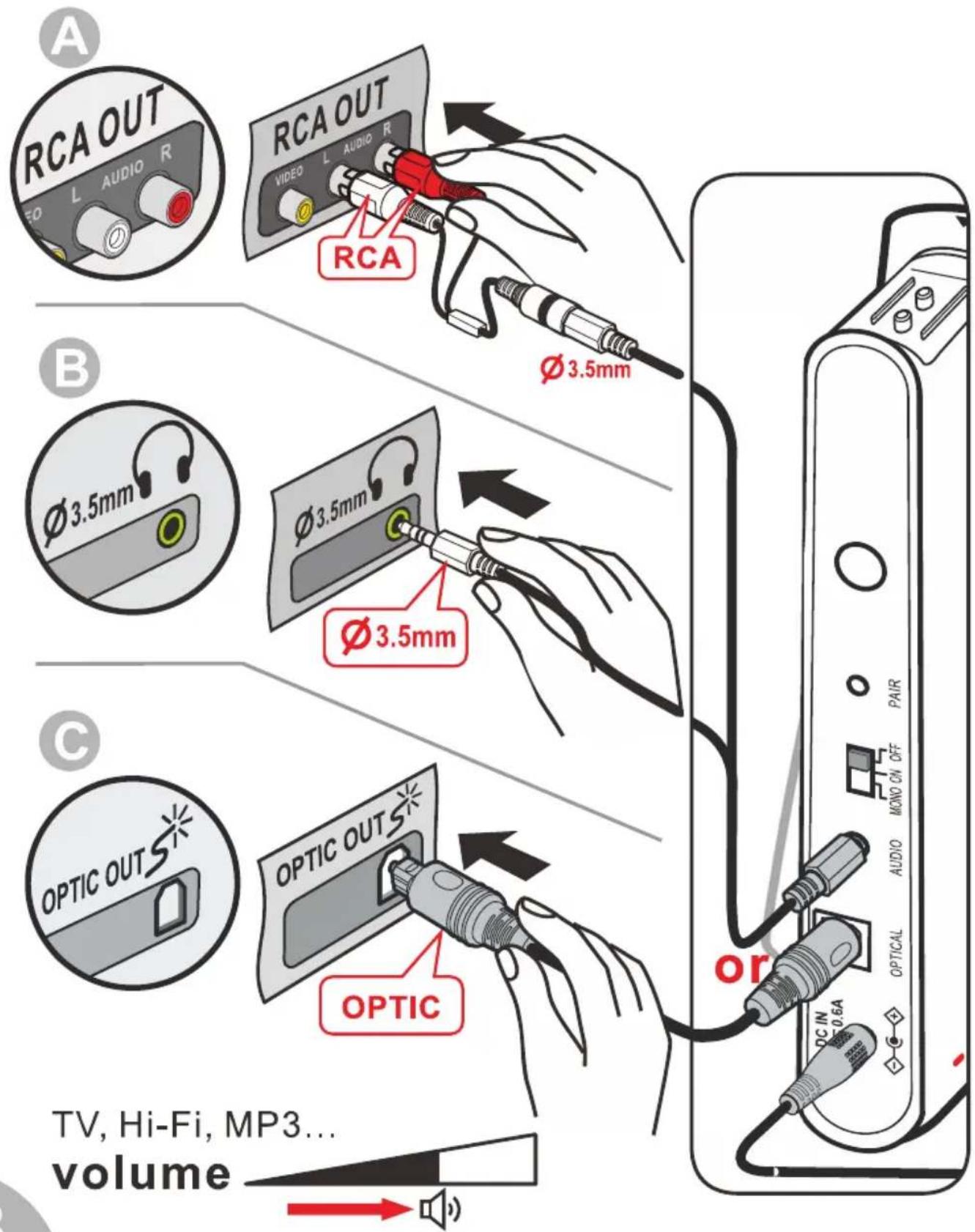
TV / Hi-Fi / MP3 / Mobile phone .....
text_image
A RCA OUT L AUDIO R RCA OUT VIDEO L AUDIO R Ø 3.5mm B Ø 3.5mm Ø 3.5mm Ø 3.5mm C OPTIC OUTS* OPTIC or DC IN 0.6A TV, Hi-Fi, MP3... volumetext_image
ON 3" (s)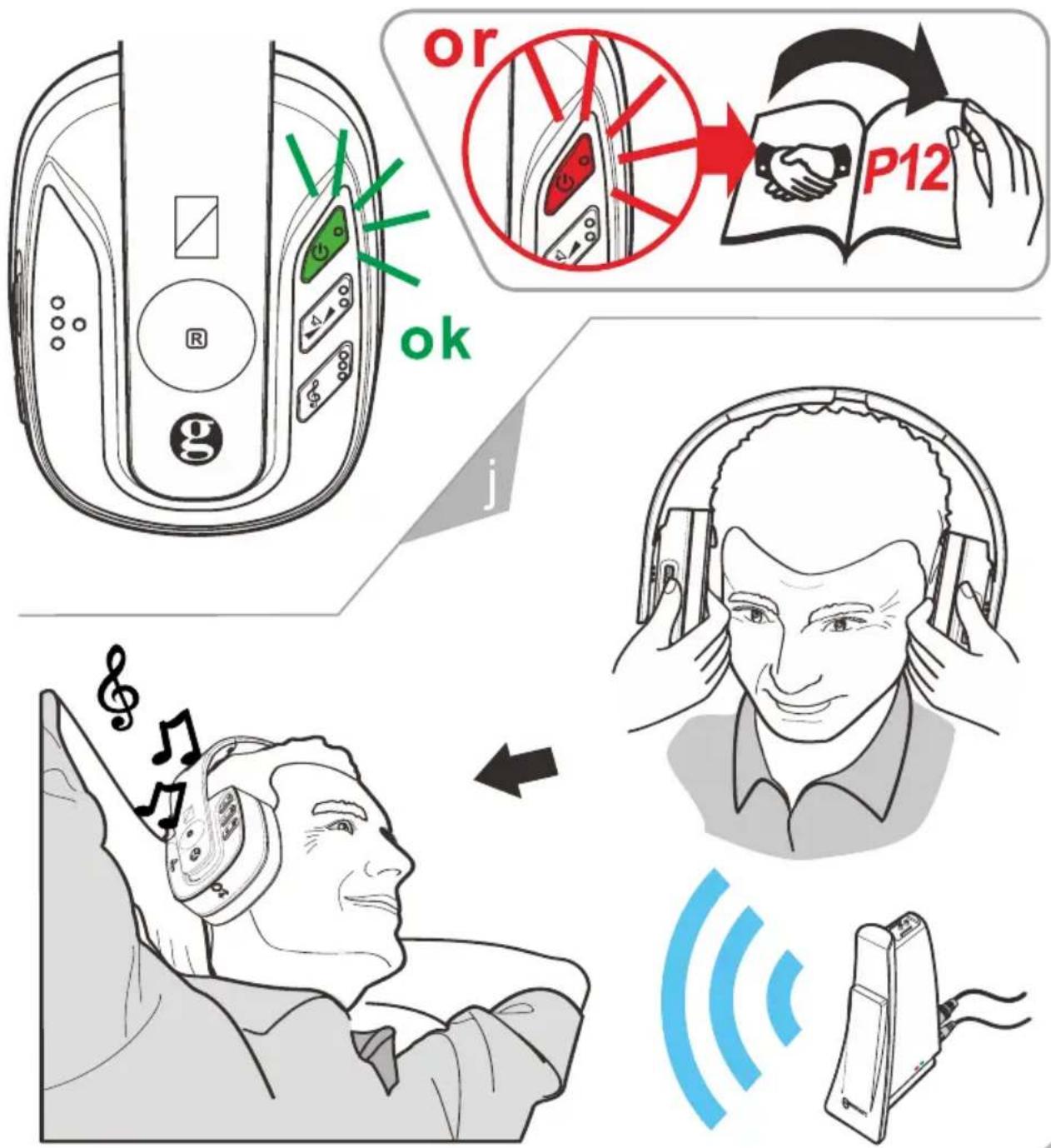
text_image
or P12 ok j m m| En | Setting | It | Impostazione | Magyar | Beállítások |
| Fr | Réglage | NL | Instellen | Dansk | Indstilling |
| De | Einstellung | הכלה | הכלה | Norsk | Justering |
| Esp | Ajuste | Svenska | Inställning | Polski | Ustawienia |
k
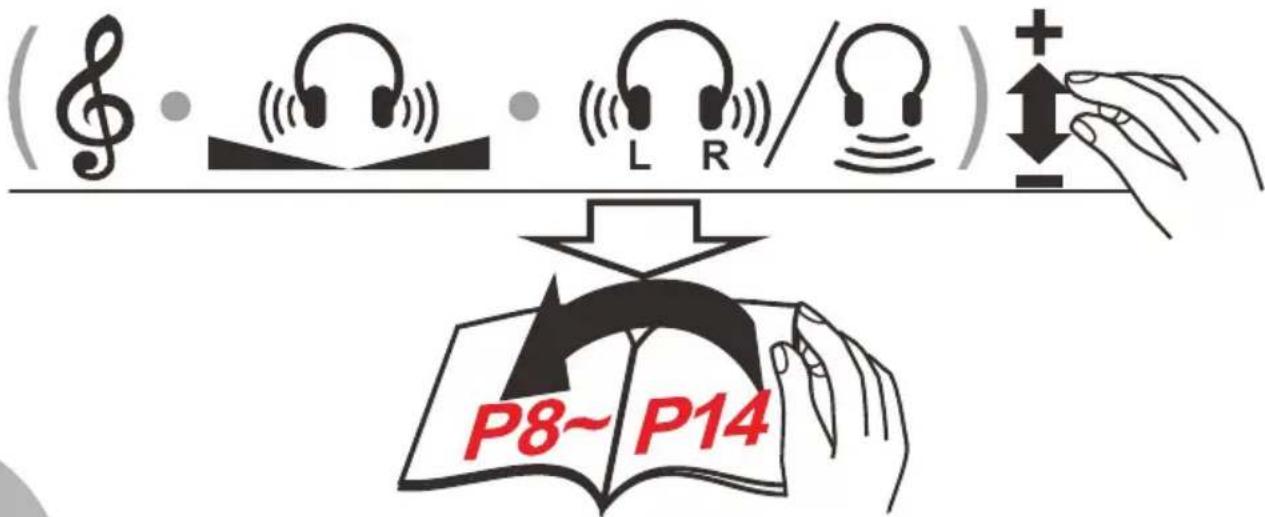
En: Your CL7400 OPTI is now set up to the recommended levels. For further personalisation (if required) see pages 8 - 14.
Fr : Votre CL7400 OPTI est prêt à l'emploi. Si vous souhaitez régler la balance (grave/aigu) ou la tonalité, merci de vous reporter aux pages 8 - 14.
De : Ihr CL7400 OPTI wurde nun mit den empfohlenen Werten eingestellt. Für weitere Personalisierung (falls erforderlich) siehe Seite 8 - 14.
Esp : Su CL7400 OPTI se encuentra configurado a los niveles recomendados. Para personalizar aún más (en caso de ser requerido) ver páginas 8 - 14.
It : L'apparecchio CL7400 OPTI è ora impostato sui livelli raccomandati. Per ulteriore personalizzazione (se richiesta) fare riferimento alle pagine 8 - 14.
NL : Uw CL7400 OPTI is momenteel ingesteld op de aanbevolen niveau's. Indien nodig, kijk op pagina's 8 - 14 voor meer informatie over persoonlijke instellingen.
הכלה 14-18 (בַרְׁעֹר)
Svenska: Din CL7400 OPTI är nu inställd till rekommenderade nivåer. För ytterligare anpassning (vid behov) se sid. 8 - 14.
Magyar: A CL7400 OPTI beállítása ezzel megtörtént. További személyre szabási lehetőségekért (ha szükséges) lásd 8 -14. oldal.
Dansk: Din CL7400 OPTI er nu indstillet til de anbefalede niveauer. For yderligere personlig tilpasning (hvis ønsket) se side 8 - 14.
Norsk: CL7400 OPTI er klar til bruk. Hvis du ønsker å justere balansen (bass/diskant) eller klangen, kan du se side 8 –14.
Polski: Twój CL7400 OPTI jest ustawiony na zalecany poziom. Dalsze zmiany ustawień zostały opisane na stronach 8-14.
text_image
Dong~ Mid X
natural_image
Illustration of a hand inserting a card into a card (no text or symbols present)
text_image
Diagram showing a hand inserting a card into a banknote with a magnifying glass highlighting the card.| En | Balance Setting | It | Equilibratura | Magyar | Balansz beállítása |
| Fr | Réglage de la balance | NL | Balansinstelling | Dansk | Balance indstilling |
| De | Balanceregelung | Norsk | Justering av balansen | ||
| Esp | Ajuste del equilibrio | Svenska | Balansinställning | Polski | Ustawienia balansu |
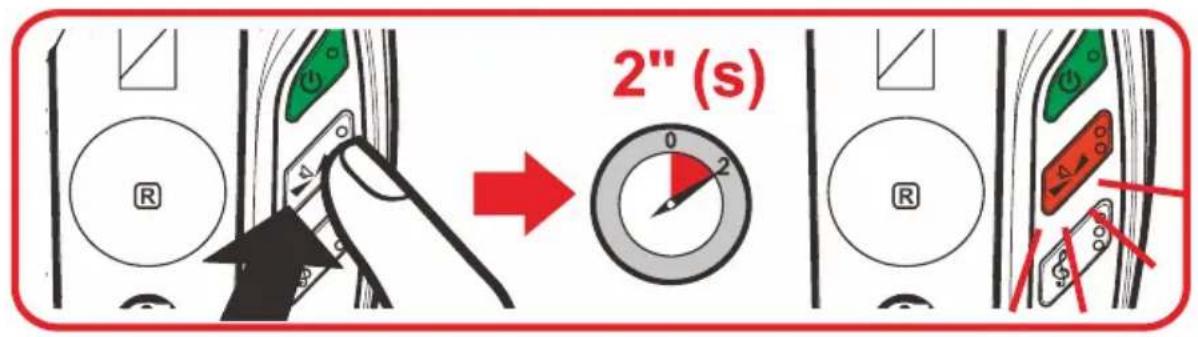
text_image
2" (s)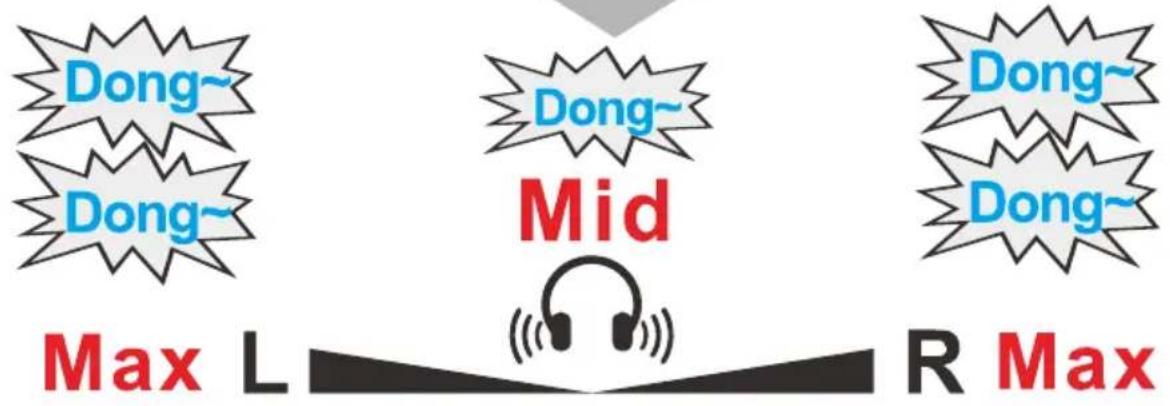
text_image
Dong~ Dong~ Dong~ Dong~ Dong~ Mid Max L R Max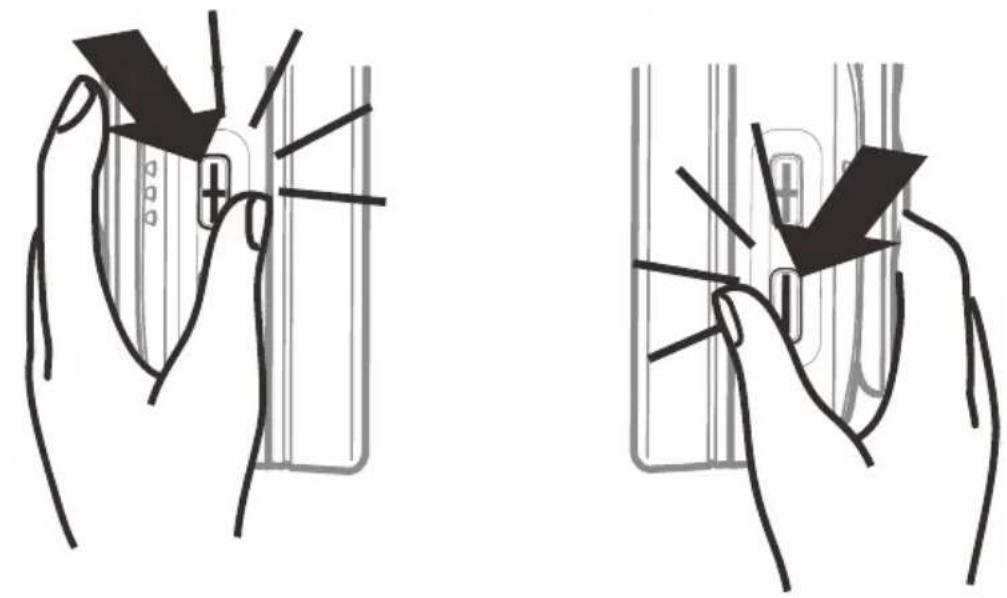
natural_image
Two hand-drawn diagrams showing a device being held, with no visible text or symbols.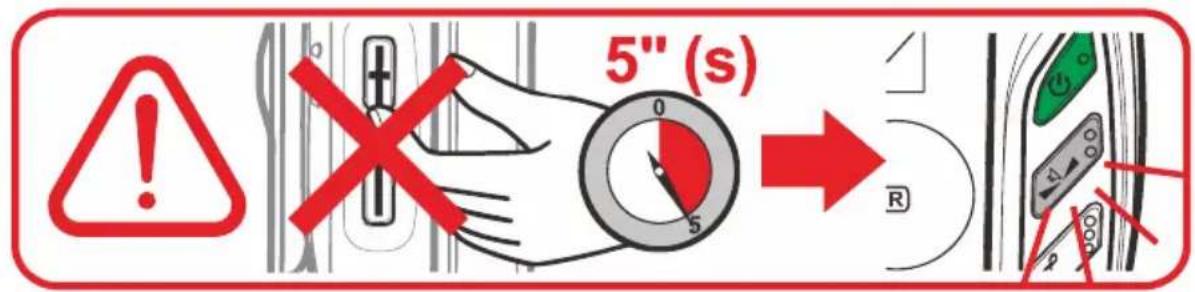
text_image
5" (s)natural_image
Illustration of a hand holding a small object with a triangular shape, next to a vertical line (no text or symbols)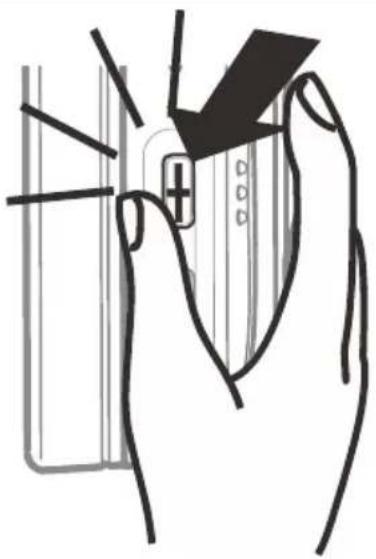
natural_image
Illustration of a hand inserting a card into a device (no text or symbols present)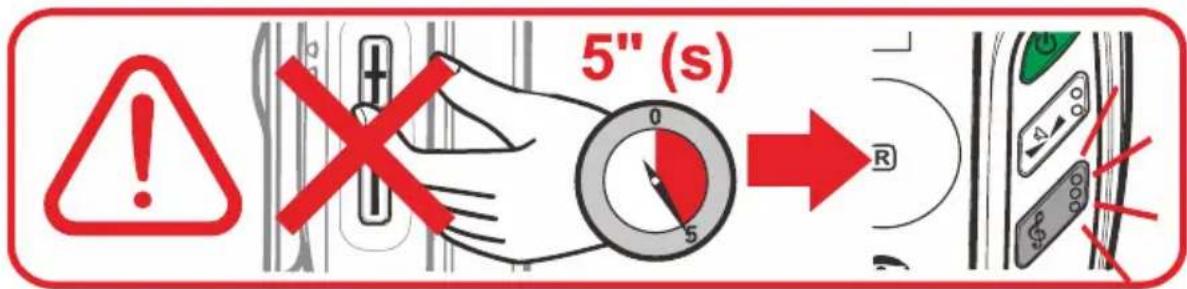
text_image
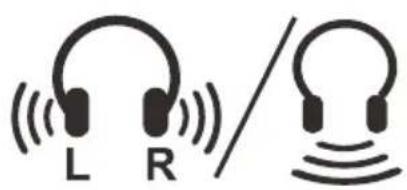
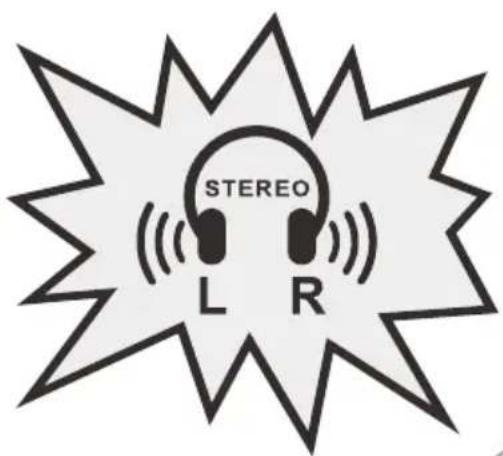
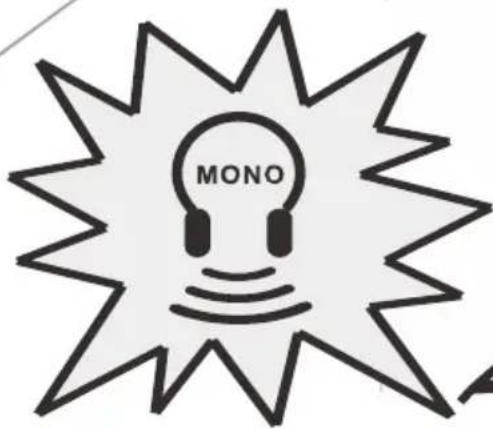
5" (s)| En | Stereo/Mono Setting | It | Impostazione stereo/mono | Magyar | Sztereó/Monó beállítása |
| Fr | Stéréo/Mono réglage | NL | Instelling stereo/mono | Dansk | Stereo/Mono indstilling |
| De | Stereo/Mono-Einstellung | הכלהה/הכלהה | הכלהה/הכלהה | Norsk | Justering av stereo/mono |
| Esp | Estéreo/Mono ajuste | Svenska | Stereo/Mono-inställning | Polski | Ustawienia mono/stereo |
natural_image
Two headphones with sound waves, one labeled L and the other R, no text or symbols present.
text_image
STEREO L R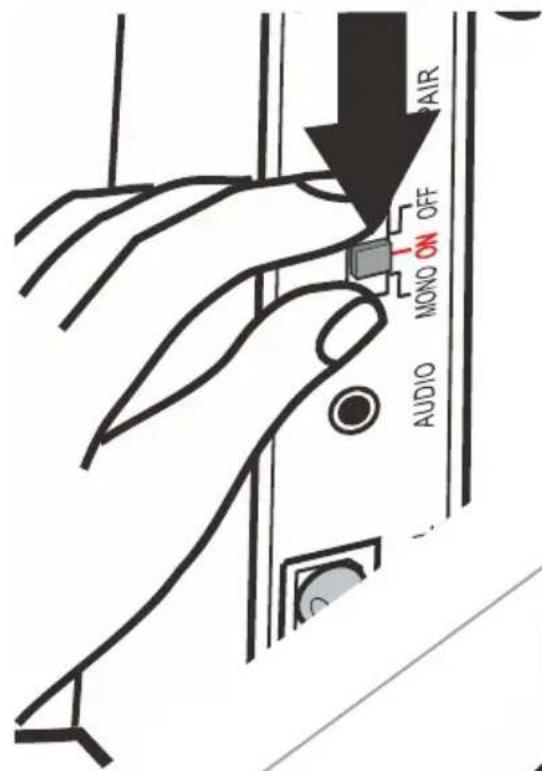
text_image
AIR MONO ON OFF AUDIOMONO
text_image
MONO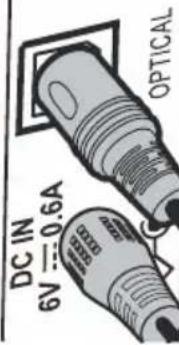
text_image
DC IN 6V = 0.6A OPTICAL| Magyar | Csatlakoztatás |
| Dansk | Sammenkobling |
| Norsk | Paring |
| Polski | Parowanie |
| It |
| NL |
| הכלה |
| Svenska |
| Accoppiare |
| Paarvorming |
| הכלה |
| Parning |
| En | Pairing |
| Fr | Enregistrement |
| De | Anmelden |
| Esp | Emparejamiento |
p

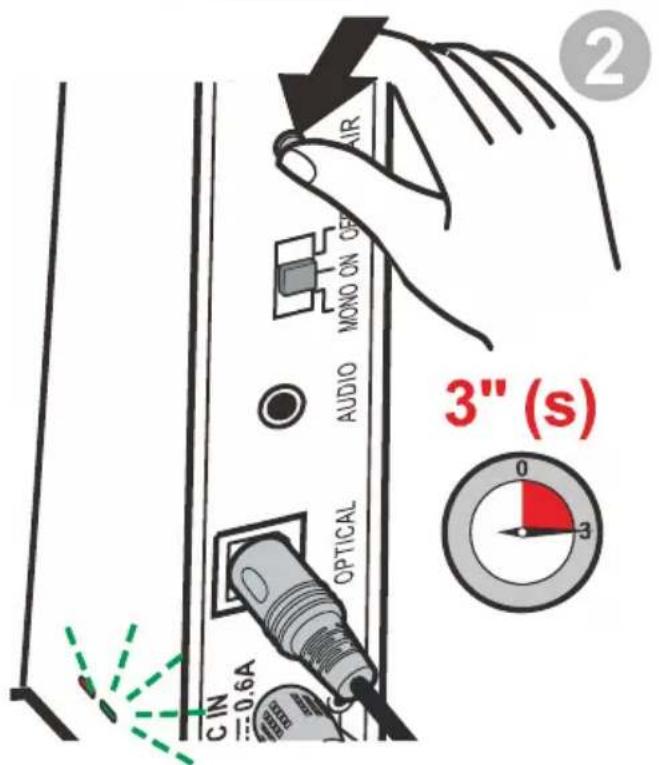
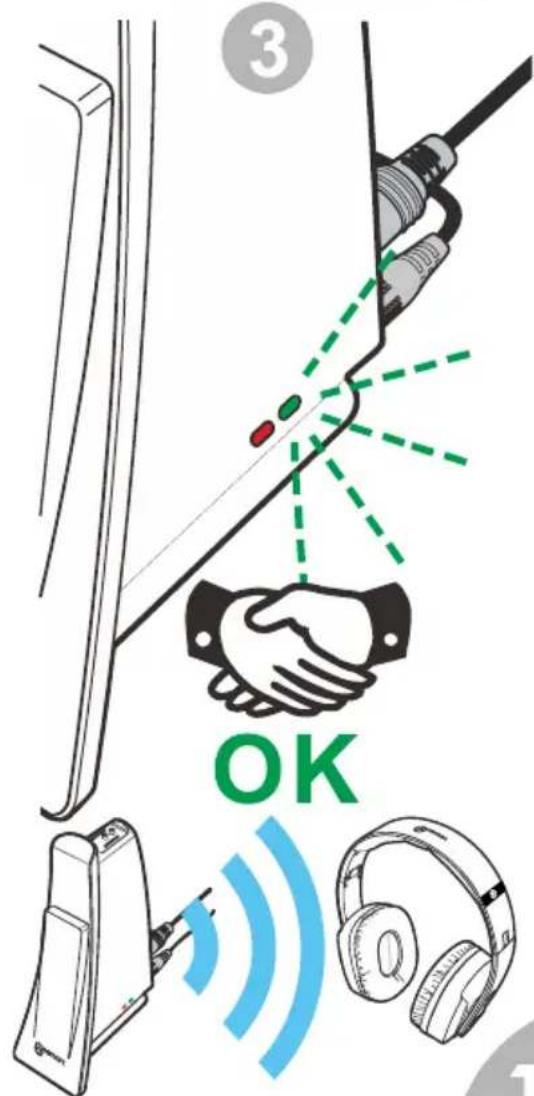
En: The headset had already paired with transmitter.
text_image
Diagram showing electrical panel connections with labeled components and a green indicator light1
text_image
AIR MONO ON CER AUDIO OPTICAL C IN 0.6A 3" 0 3 ② 3" (s)2
3" (s)
text_image
3 OK| En | Warning | It | Avviso | Magyar | Figyelmeztetés |
| Fr | Attention | NL | Waarschuwing | Dansk | Advarsel |
| De | Achtung | Norsk | OBS! | ||
| Esp | Aviso | Svenska | Varning | Polski | Uwagi |
q
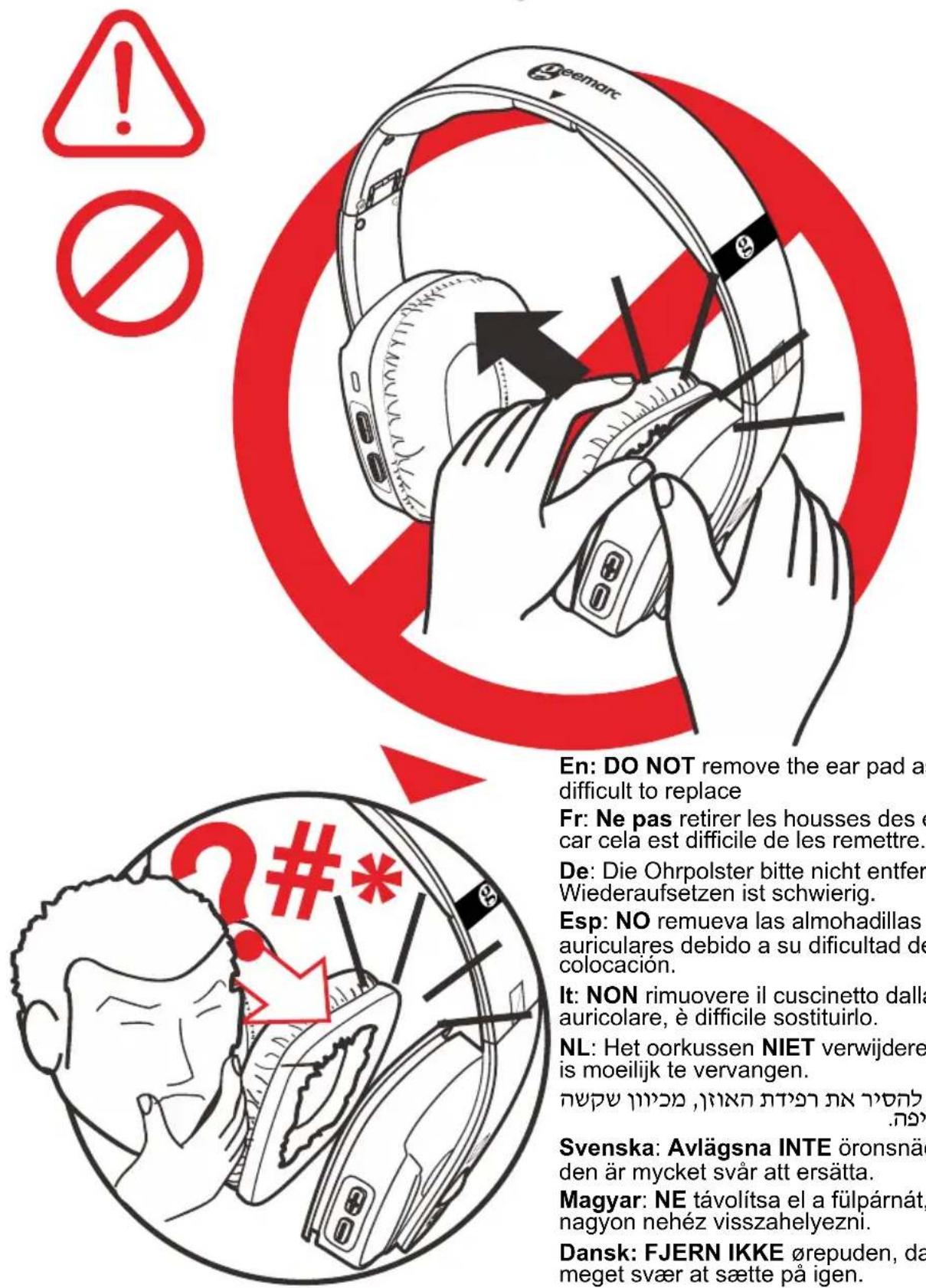
En: DO NOT remove the ear pad as it is very difficult to replace
flowchart
graph TD
    A["Radio"] --> B["4' (min)"]
    B --> C["Speaker/Voice Conversion"]
    C --> D["Audio Receiver"]
    D --> E["Wireless Signal"]
    E --> F["Headphones"]
    G["Sun"] --> H["Radio"]
    H --> I["Speaker/Voice Conversion"]
    I --> J["Audio Receiver"]
    J --> K["Wireless Signal"]
    K --> L["Headphones"]
text_image
OFF 10' (min) X or I
text_image
ON 3" (s)| En | Wired mode | It | Modalità cablata | Magyar | Vezetékes üzemmód |
| Fr | Mode câblé | NL | Wired-modus | Dansk | Med ledning |
| De | Kabelgebunden | Norsk | Kabelmodus | ||
| Esp | Modo cable | Svenska | Kabelfunktionsläge | Polski | Podłączenie przez kabel |
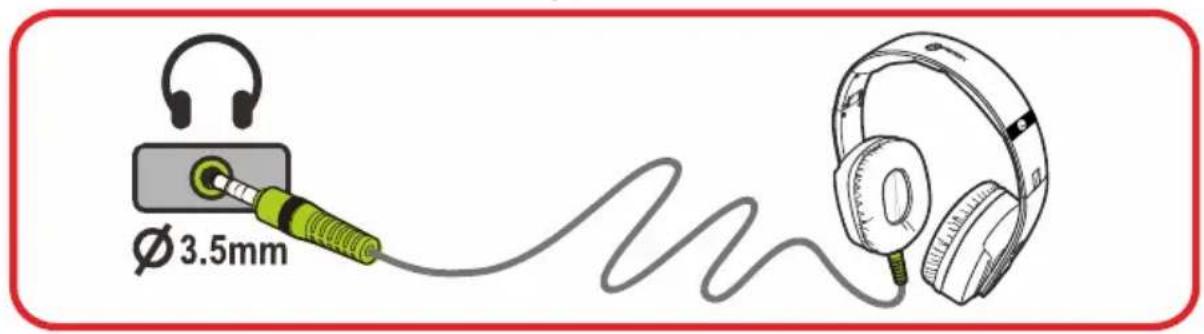
text_image
Ø 3.5mm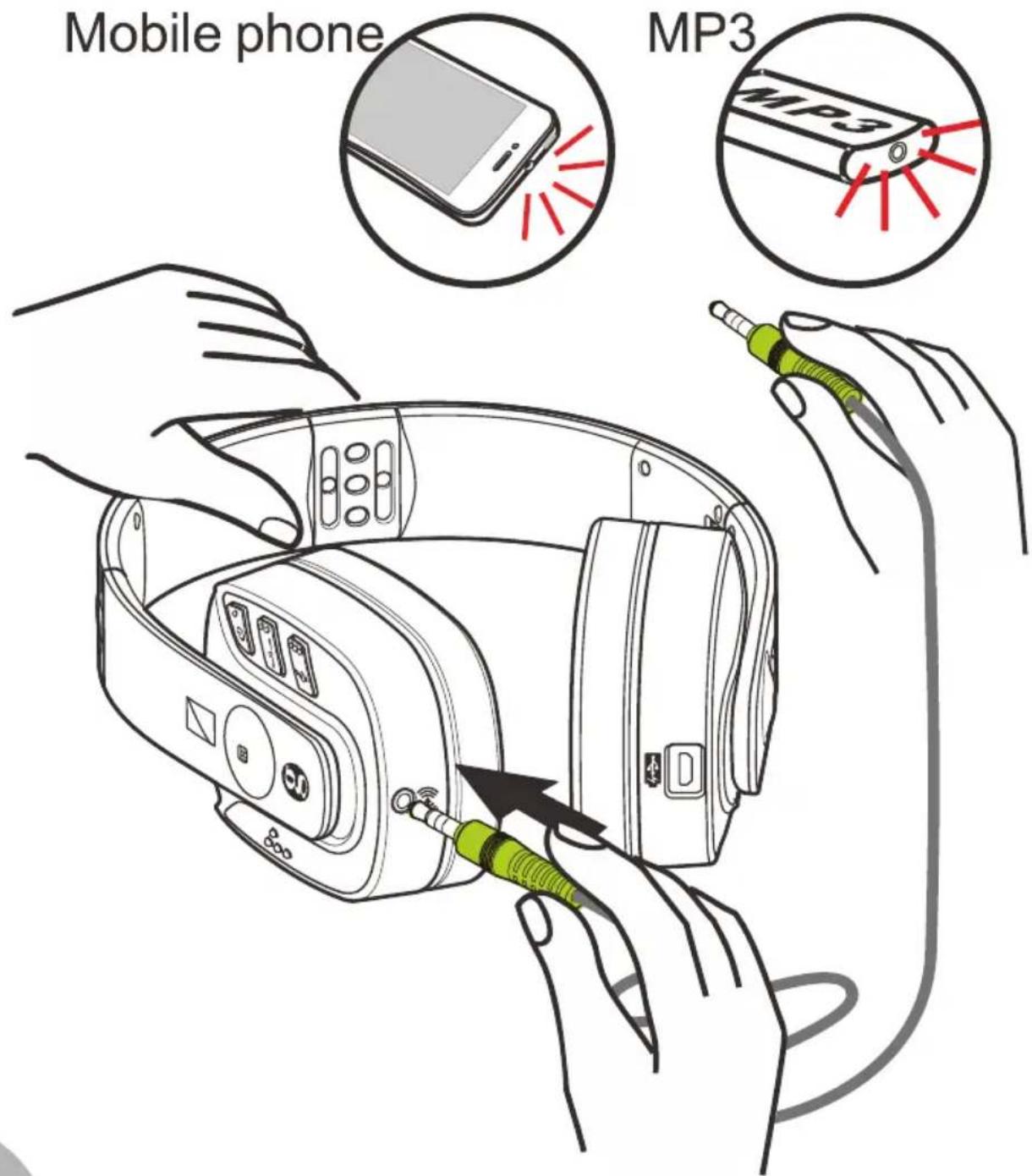
text_image
Mobile phone MP3
Safety & Care advice
To make the best use of this product and to use it safely, please read these instructions thoroughly before use and keep safe for future reference.
Warning: This product can be very loud. Take care to prevent others from using this product, if they do not have the same level of hearing loss. Excessive sound pressure from earphones and headphones can cause hearing loss.
Caution: Electric shock. DO NOT insert unattached plug heads in to mains power sockets. Plug heads MUST be fitted to the power adaptor.
Electrical connection : The unit is designed to operate from a 100-240VAC - 50/60Hz supply. (Classified as 'hazardous voltage' according to EN62368-1 standard).
The unit does not incorporate an integral power on/off switch. To disconnect the power, either switch off supply at the mains power socket or unplug the AC adaptor. When installing the unit, ensure that the mains power socket is readily accessible.
Caution: Risk of explosion if battery is replaced by an incorrect type. Dispose of used batteries according to the instructions.
DO NOT cover the ventilation.
DO NOT remove the ear pad as it is very difficult to replace.
Keep the unit away from heat sources.
DO NOT expose the unit to direct sunlight.
Clean the Headset and ear pads regularly.
DO NOT modify the unit in any way.
Please note: The unit may be subject to interference from appliances that generate strong electrical or magnetic fields e.g. microwaves, mobile phones, lighting transformers etc.

Battery Warnings:
• DO NOT attempt to dismantle.
• DO NOT dispose of in fire.
- DO NOT swallow.
- Keep away from children.
- Batteries are to be inserted with the correct polarity.
- DO NOT short-circuit the supply terminals.
- Exhausted batteries are to be removed from the product.
- Do NOT use another type of battery or non-rechargeable batteries to replace the rechargeable batteries.
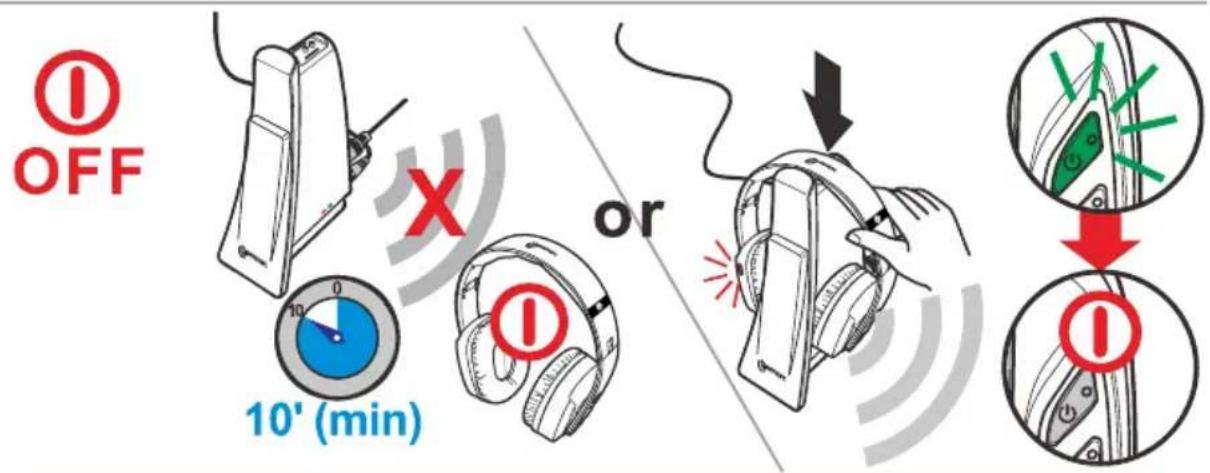
- When the headphones are not in use or the batteries are charging, switch OFF the headphones to avoid damaging the batteries.
- The batteries must be fully charged when use for the first time. An initial 5 hours charge is required.

natural_image
Black and white prohibition sign with a diagonal line crossing over a flame (no text or symbols)
Troubleshooting:
NO SOUND
- Ensure that the mains adapter is pushed fully into the power outlet and that its cable is properly connected to the DC IN 6V connector on the transmitter.
- Ensure that the headphones On/Off switch is switched to the On Position and the switch is illuminant Green.
- The headphones battery charge level may be too low. please replace the headset back on it's cradle to recharge the batteries until the green light is illuminated on the left hand headset.
- Ensure that your DVD, TV set, Hi-Fi system or audio component is switched on and set to a channel that broadcasts an audio signal.
- Use the headphones volume control to increase the sound level (only when use as a wireless headphone).
- The audio signal input level is too low. Increase the volume from the audio source of Hi-Fi, CD, or TV, etc.
- The connected audio/video equipment may not be in playback mode. Start playback on by the equipment.
- The headphones output level is set too low. Adjust the volume to a suitable level.
DISTORTION
-
Restart the Pairing process. Press the "Pair" button 3sec on the transmitter and the headphone. The process is finished when both LEDs are in Green.
-
The headphone's batteries charge level may be too low. Recharge the batteries.
-
Ensure that the volume setting is correct.
-
The headphones may be too far away from the transmitter. Move closer to it.
-
The audio signal input level is too strong. decrease the volume from the audio source of Hi-Fi, CD, or TV, etc.
Customer support
For product support and help, visit our website at www.geemarc.com
E-mail: help@geemarc.com
For our Customer Helpline: Telephone: 01707 387602
(lines are open 09h00 to 16h00 Mon to Fri)
General information
Features
- 2.4GHz FHSS digital technology with equalizer features for tone and balance adjustments.
- High quality stereo sound that is virtually interference-free
• Transmission is not restricted solely to line of sight
• Digital Pairing System on Headphone & Transmitter
• Electronic volume vontrol on headphones
• Built-in Pin-charger on transmitter
• Auto shut-off on headphone
• Auto On/Off RF function on transmitter - 3.5mm Line in feature for wired headphone application
- Operating distance up to 22 meters
Technical specifications
Transmission mode : 2.4GHz digital FHSS stereo
Carrier frequency : 2.4GHz
Operating voltage : Transmitter 6 V = 0.6 A
: Receiver 3.7V 1200mA (built-in Lithium rechargeable battery)
Frequency response : 20 Hz – 20 KHz (electrical)
Distortion : 0.5 %
Signal-to-noise ratio : 75 dB
Channel separation : 60 dB
Range : 22 meters (open area)
Maximum RF Power : 10dBm
Frequency band : 2.406GHz - 2.472GHz
Guarantee
From the moment your Geemarc CL7400 OPTI is purchased, Geemarc guarantee it for the period of two years. During this time, all repairs or replacements (at our discretion) are free of charge. Should you experience a problem then contact our Helpline or visit our website at www.geemarc.com.
The guarantee does not cover accidents, negligence or breakage to any parts.
The product must not be tampered with or taken apart by anyone who is not an authorised Geemarc representative.
The Geemarc guarantee in no way limits your legal rights.
The product is covered by the legal guarantee of conformity as provided by applicable law.
Important: YOUR RECEIPT IS PART OF YOUR GUARANTEE AND MUST BE RETAINED AND PRODUCED IN THE EVENT OF A WARRANTY CLAIM.
Please note: The guarantee applies to the United Kingdom only.
EEC Declaration
Geemarc Telecom SA hereby declares that this CL7400 OPTI is in compliance with the essential requirements and other relevant provisions of the Radio Equipment Directive 2014/53/UE.
The declaration of conformity may be consulted at www.geemarc.com
To prevent possible hearing damage, DO NOT listen at high volume levels for long periods.
Disposal information
Disposal of old electrical & electronic equipment (applicable in the European Union and other European countries with separate collection systems)
The symbol on the product or its packaging indicates that this product may not be treated as household waste. Instead it should be handed over to the applicable collection point for the recycling of electrical and electronic equipment.
By ensuring this product is disposed of correctly, you will help prevent potential negative consequences for the environment and human health, which could otherwise be caused by inappropriate waste handling of this product.
For more detailed information about recycling this product, please contact your local council office, your household waste disposal service or the shop where the product was purchased.
All electrical and electronic products including batteries should be disposed of separately from the municipal waste stream via designated collection facilities appointed by the government or the local authorities.

This product is made in China To Geemarc Telecom

text_image
!
natural_image
Black and white prohibition sign with a diagonal line crossing over a flame (no text or symbols)
Dépannage:
Technical specifications
natural_image
Prohibition sign showing a circular absence of flames crossed out by a diagonal line (no text or symbols)Deutsch
Technical specifications
natural_image
Black and white prohibition sign with a diagonal line crossing over a flame (no text or symbols)Receptor: 3.7 Volts, 1200mAmp
text_image
i RoHS UK CA CE WBC WBC
natural_image
Prohibition sign showing a crossed-out flame with no text or symbolsnatural_image
Black and white pictogram showing a crossed-out flame symbol (no text or numbers present)Nederlands
natural_image
Prohibition sign showing a flame with no accompanying text or symbols:הכלה

.הכלההוּרָהִיַעְבָהִיַעְבָהִיַעְבָהִיַעְבָהִיַעְבָהִיַעְבָהִיַעְבָהִיַעְבָהִיַעְבָה
text_image
⚠️ i ROHS UK CA C E
natural_image
Prohibition sign showing a crossed-out flame symbol (no text or numbers present)
Felsökning:
INGET LJUD
text_image
i ROHS UK CA C E WBC
natural_image
Black and white pictogram showing a crossed-out flame symbol (no text or numbers present)
Problémamegoldás:
NINCS HANG
- PR∅V IKKE PÅ at sluge.
natural_image
Black and white prohibition sign with no text or symbols
Problemløsning:
INGEN LYD
text_image
i ROHS UK CA C E
natural_image
Black and white prohibition sign with a diagonal line crossing over a flame (no text or symbols)
Feilsøking:
natural_image
Black and white pictogram showing a crossed-out flame symbol (no text or numbers present)
text_image
i RoHS UK CA CE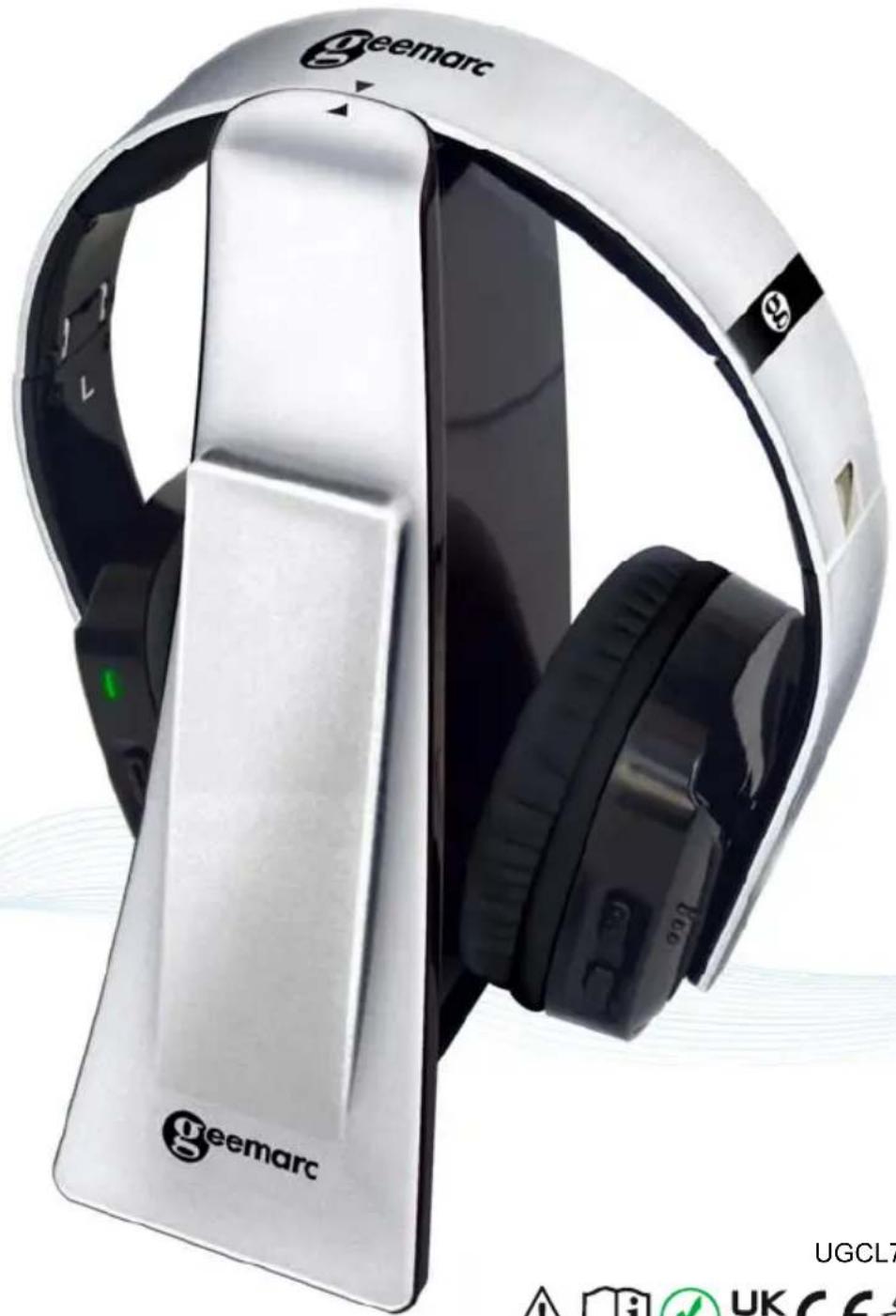
natural_image
Exterior view of a Geemarc headphones with black headband and silver casing (no visible text or symbols on the device itself)UGCL7400 OP V1.5






eemarc™
Hear the Difference