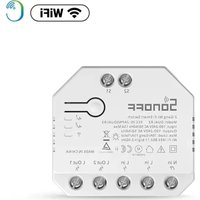
BASICZBR3 - Smart Home Sonoff - Free user manual and instructions
Find the device manual for free BASICZBR3 Sonoff in PDF.


| Product type | ZigBee Smart Switch |
| Brand | Sonoff |
| Model | BASICZBR3 |
| Category | Smart Home |
| Dimensions | 91 × 43 × 25 mm |
| Weight | Less than 1 kg |
| Power supply | 100-240 V AC, 50/60 Hz, 10 A max |
| Connectivity | ZigBee 3.0 (IEEE 802.15.4) |
| Mobile app | eWeLink (Android and iOS) |
| Main functions | Remote on/off, scheduling, countdown, voice control, smart scenes, timing (requires a ZigBee hub) |
| Gateway compatibility | SONOFF ZigBee Gateway, SmartThings, Amazon Alexa |
| Material | PC V0 |
| Operating temperature | -10 °C to 40 °C |
| Installation | Wall-mounted, height less than 2 m |
| Safety | Installation by a qualified professional recommended. Do not touch the switch while powered. |
| Maintenance | Clean with a soft, dry cloth. Do not use chemicals. |
| Repairability | Repair by a professional. No spare parts provided. |
| Package contents | BASICZBR3, user manual |
Frequently Asked Questions - BASICZBR3 Sonoff
User questions about BASICZBR3 Sonoff
0 question about this device. Answer the ones you know or ask your own.
Ask a new question about this device
Download the instructions for your Smart Home in PDF format for free! Find your manual BASICZBR3 - Sonoff and take your electronic device back in hand. On this page are published all the documents necessary for the use of your device. BASICZBR3 by Sonoff.
USER MANUAL BASICZBR3 Sonoff
natural_image
Technical line drawing of a mechanical component with a blue arrow indicating direction (no text or symbols present)拆下保护盖,先接线再安装压线柱。
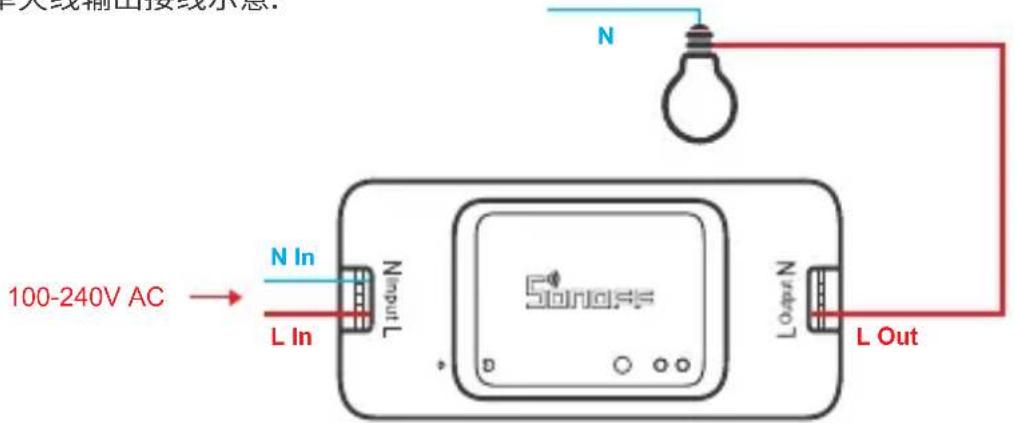
单火线输出接线示意:
确保零火线接入无误。
3. 下载“易微联”APP

4. 上电
The device can be operated intelligently via working with the SONOFF ZigBee Bridge.
The device can work with other gateways supporting ZigBee 3.0 wireless protocol. Detailed information is in accordance with the final product.
Operating Instruction
1. Power off
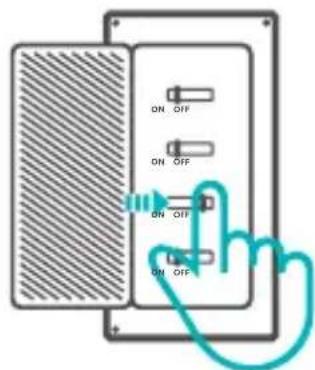
To avoid electric shocks, please consult the dealer or a qualified professional for help when installing and repairing! Please do not touch the switch during use.
2. Wiring instruction
natural_image
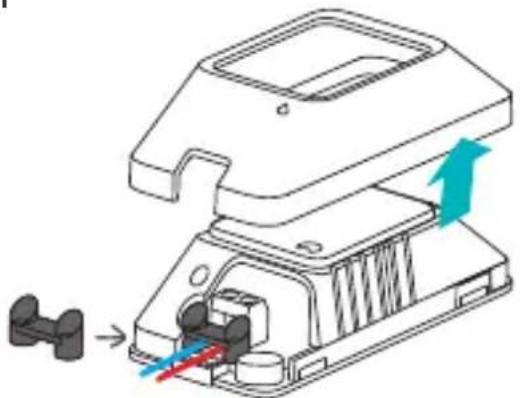
Technical illustration of a mechanical component with a blue arrow indicating direction (no text or symbols present)Remove the Protective cover, then connect wires before fixing the wire fastener.
To make sure a full installation, please align "with "when securing the protective cover.
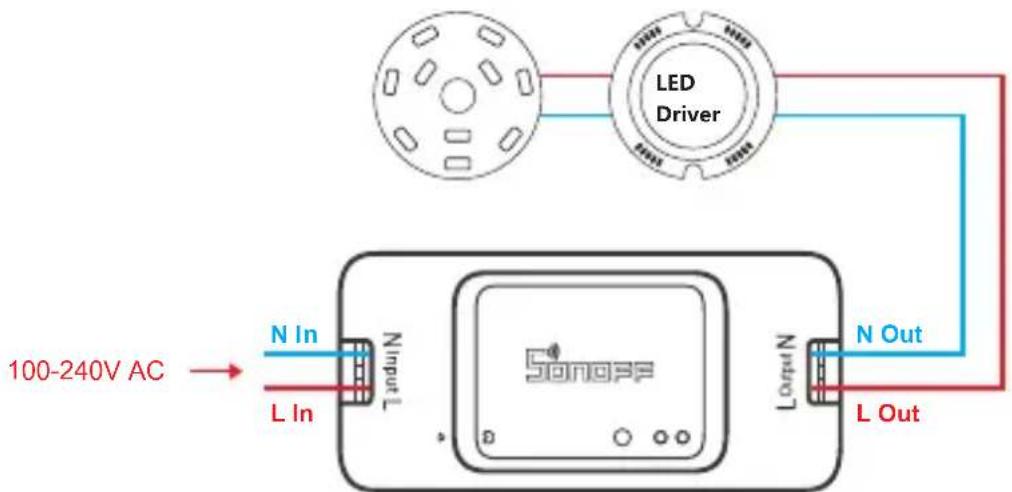
Ceiling lamp wiring instruction:
One live wire wiring instruction:
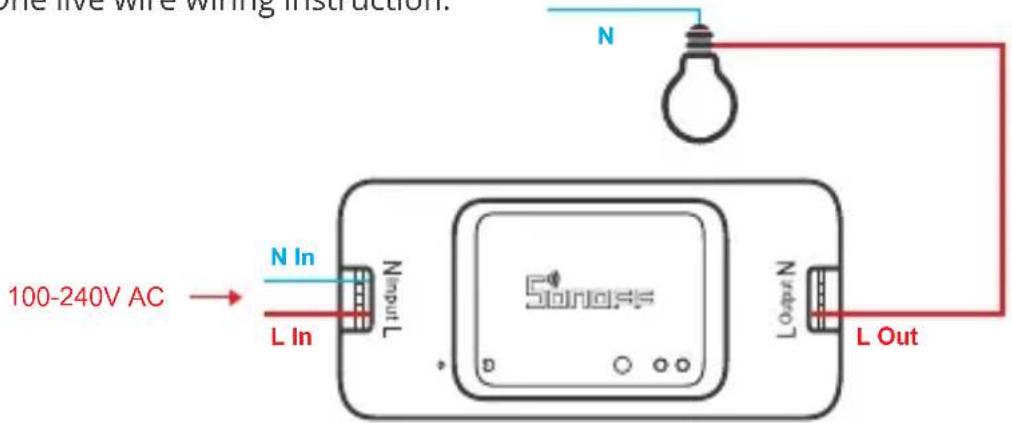
Make sure the neutral wire and live wire connection is correct.
3. Download APP

Android™ & iOS
4. Power on
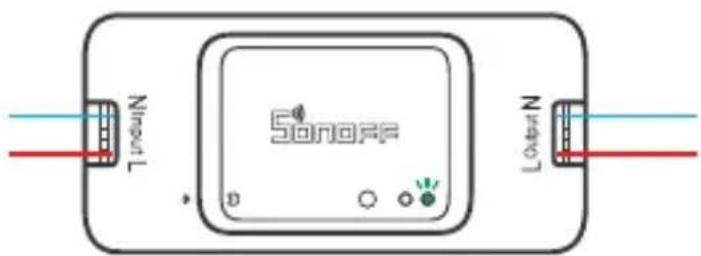
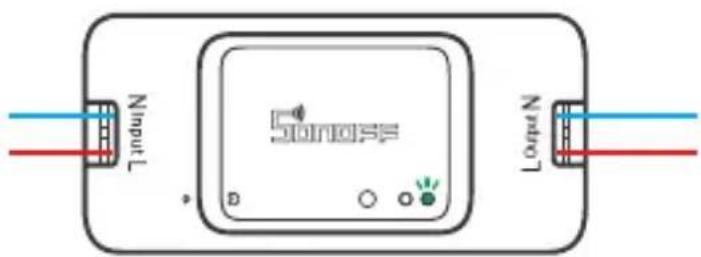
After powering on, the device will enter the pairing mode during the first use and the ZigBee LED signal indicator flashes.
The device will exit the pairing mode if no next operation for a long time. If enter again, please long press the pairing button for 5s until the ZigBee LED signal indicator flashes and release.
5. Add sub-devices
Connect the SONOFF ZBBridge before adding the sub-device.
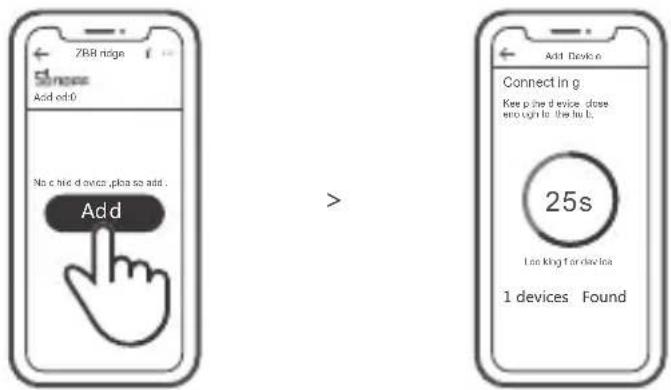
Access eWeLink APP, select the Bridge that you want to connect, and tap "Add" to add a sub-device, and be patient until pairing completes.
If the addition failed, move the sub-device closer to the Bridge and try again.
SONOFF ZigBee Bridge supports connecting multiple sub-devices at the same time.

Power the Bridge on, set the sub-device to the pairing mode. Then access the Bridge page in the eWeLink APP to tap "Add", and be patient until the pairing completes.
More APP application platforms and gateway recommendations

SmartThings

Amazon Alexa
This device supports the following gateways besides SONOFF ZigBee :
| Echo Studio |
| Echo Plus (model: ZE39KL) |
| 2nd Gen Echo Show (model: DW84JL) |
| 2nd Gen Echo Plus (model: L9D29R) |
| Samsung SmartThings hub |
Gateway adding instruction:
- Refer to the gateway user manual to download the matched APP and get it paired.
- Set ZBMINI to the pairing mode.
- Add ZBMINI according to the prompt of APP. You should select eWeLink or SONOFF when adding.
If the addition failed, move the sub-device closer to the Bridge and try again.
Specifications
| Model | BASICZBR3 |
| Input | 100-240V AC 50/60Hz 10A Max |
| Output | 100-240V AC 50/60Hz 10A Max |
| ZigBee | IEEE 802.15.4 |
| Operating systems | Android & iOS |
| Working temperature | -10°C~40°C |
| Material | PC V0 |
| Dimension | 91x43x25mm |
Product Introduction
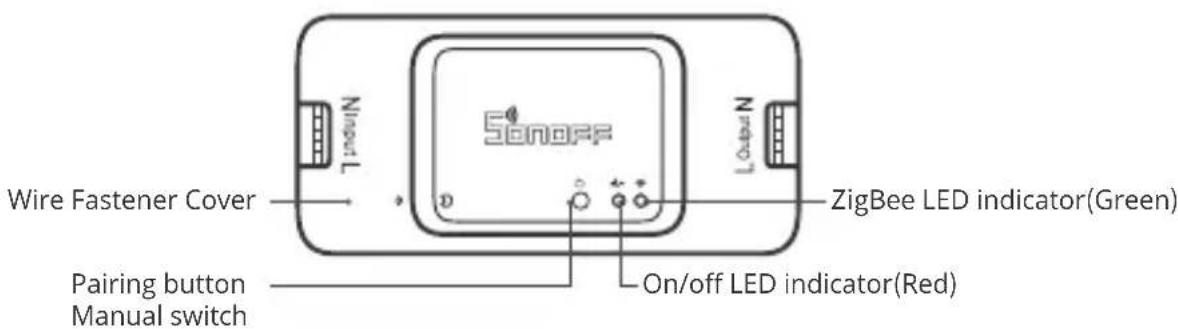
The device weight is less than 1 kg. The installation height of less than 2 m is recommended.
Features
SONOFF ZigBee smart devices based on ZigBee wireless communication protocol allow you to remotely turn on/off, schedule on/off connected devices, and set smart scenes, etc.

! Above functions are determined by ZigBee Hub.
Switch Network
If you need to change the network, long press the pairing button for 5s until the ZigBee LED signal indicator flashes and release.then the device enters quick pairing mode and you can pair again.
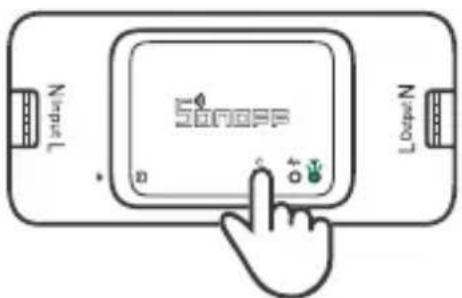
Factory Reset
Deleting the device on the eWeLink app indicates you restore it to factory setting.
natural_image
Technical diagram of a mechanical component with directional arrows indicating movement or force (no text or symbols present)If the addition failed, move the sub-device closer to the Bridge and try again.
Technische Daten
natural_image
Technical line drawing of a mechanical assembly with a component and directional arrows indicating motion (no text or symbols)natural_image
Technical line drawing of a mechanical component with directional arrows indicating movement or force (no text or symbols)| Echo Studio |
| Echo Plus (model: ZE39KL) |
| 2nd Gen Echo Show (model: DW84JL) |
| 2nd Gen Echo Plus (model: L9D29R) |
| Samsung SmartThings hub |
natural_image
Technical illustration of a mechanical device with internal components and directional arrows indicating movement (no text or symbols)natural_image
Technical line drawing of a mechanical component with directional arrows indicating movement or force (no text or symbols)natural_image
Technical illustration of a mechanical assembly with directional arrows indicating movement or force (no text or symbols present)After powering on, the device will enter the pairing mode during the first use and the LED ZigBee signal indicator flashes.
Changes or modifications not expressly approved by the party responsible for compliance could avoid the user's authority to operate the equipment.
This device complies with part 15 of the FCC Rules. Operation is subject to the following two conditions: (1) This device may not cause harmful interference, and (2) this device must accept any interference received, including interference that may cause undesired operation.
FCC Radiation Exposure Statement:
This equipment complies with FCC radiation exposure limits set forth for an uncontrolled environment. This equipment should be installed and operated with minimum distance20cm between the radiator & your body. This transmitter must not be co-located or operating in conjunction with any other antenna or transmitter.
Note:
This equipment has been tested and found to comply with the limits for a Class B digital device, pursuant to part 15 of the FCC Rules. These limits are designed to provide reasonable protection against harmful interference in a residential installation. This equipment generates, uses and can radiate radio frequency energy and, if not installed and used in accordance with the instructions, may cause harmful interference to radio communications. However, there is no guarantee that interference will not occur in a particular installation. If this equipment does cause harmful interference to radio or television reception, which can be determined by turning the equipment off and on, the user is encouraged to try to correct the interference by one or more of the following measures:
— Reorient or relocate the receiving antenna.
— Increase the separation between the equipment and receiver.
— Connect the equipment into an outlet on a circuit different from that to which the receiver is connected.
— Consult the dealer or an experienced radio/TV technician for help.
Hereby, Shenzhen Sonoff Technologies Co., Ltd. declares that the radio equipment type BASICZBR3 is in compliance with Directive 2014/53/EU. The full text of the EU declaration of conformity is available at the following internet address:
https://sonoff.tech/usermanuals
TX Frequency:
2405-2480MHz
RX Frequency:
2405-2480MHz
Output Power:
1.80dBm

Shenzhen Sonoff Technologies Co., Ltd.
1001, BLDG8, Lianhua Industrial Park, shenzhen, GD, China
ZIP code: 518000
MADE IN CHINA





Website: sonoff.tech


- 下载“易微联”APP
- 上电
- Operating Instruction
- Power off
- Wiring instruction
- Ceiling lamp wiring instruction:
- Download APP
- Power on
- Add sub-devices
- SONOFF ZigBee Bridge supports connecting multiple sub-devices at the same time.
- More APP application platforms and gateway recommendations
- Gateway adding instruction:
- Specifications
- Product Introduction
- Features
- Switch Network
- Factory Reset
- Technische Daten
- FCC Radiation Exposure Statement:
- Note:
- https://sonoff.tech/usermanuals
- Shenzhen Sonoff Technologies Co., Ltd.
Brand : Sonoff
Model : BASICZBR3
Category : Smart Home