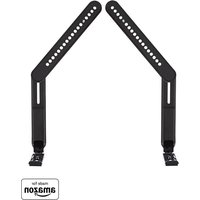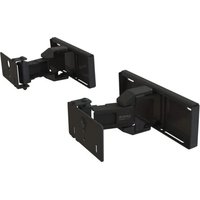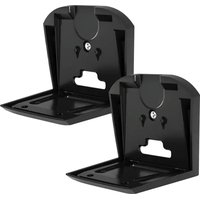
WSFME32 - Speaker stands SANUS - Free user manual and instructions
Find the device manual for free WSFME32 SANUS in PDF.


User questions about WSFME32 SANUS
0 question about this device. Answer the ones you know or ask your own.
Ask a new question about this device
Download the instructions for your Speaker stands in PDF format for free! Find your manual WSFME32 - SANUS and take your electronic device back in hand. On this page are published all the documents necessary for the use of your device. WSFME32 by SANUS.
USER MANUAL WSFME32 SANUS
text_image
SANUS® A friend of Diagnus®WSFME31
WSFME32
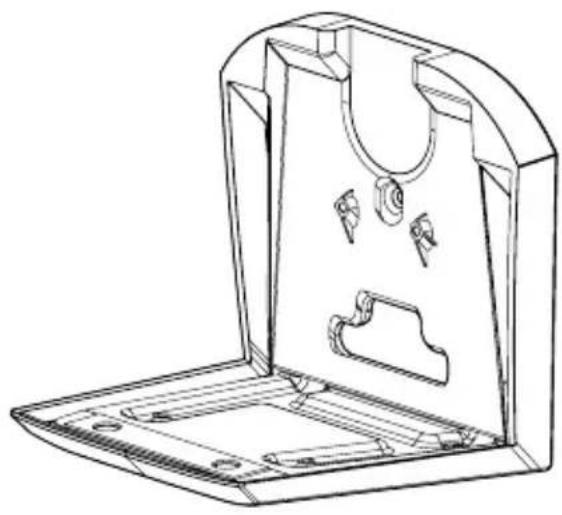
Fixed Speaker Wall Mount
For SONOS ^® Era 300 ^TM
INSTRUCTION MANUAL
natural_image
Technical line drawing of a mechanical housing or enclosure with internal compartments and mounting holes (no text or symbols)We'll Make It Stress-Free
If you have any questions along the way, just give us a call.
US: +1 (800) 359-5520 · EMEA: +31 (0) 495 580 852 · UK: +44 (0) 800 056 2853
We're ready to help!
IMPORTANT SAFETY INSTRUCTIONS
— PLEASE READ ENTIRE MANUAL PRIOR TO USE — SAVE THESE INSTRUCTIONS
Before getting started, let's make sure this product is perfect for you!
This mount is designed to support only Sonos® Era 300™ speakers.

CAUTION: Avoid potential personal injuries and property damage!
- Check your speaker owner's manual to see if there are any special requirements for mounting your speaker.
- Please read through these instructions completely to be sure you're comfortable with this easy install process.
- Do not use this product for any purpose not explicitly specified by manufacturer.
● Manufacturer is not responsible for damage or injury caused by incorrect assembly or use. - The wall must be capable of supporting five times the weight of the speaker and mount combined.
- If you do not understand these instructions or have doubts about the safety of the installation, assembly or use of this product, contact Customer Service at +1 (800) 359-5520 (EMEA: +31 (0) 495 580 852; UK: +44 (0) 800 056 2853).
text_image
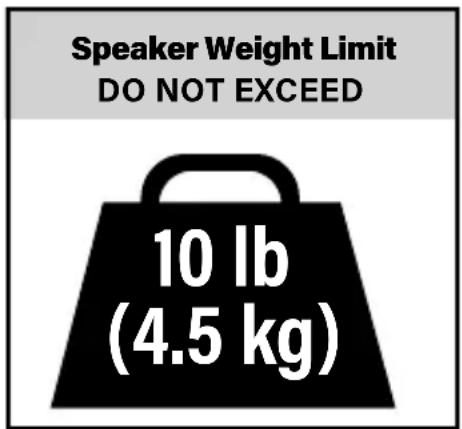
Speaker Weight Limit DO NOT EXCEED 10 lb (4.5 kg)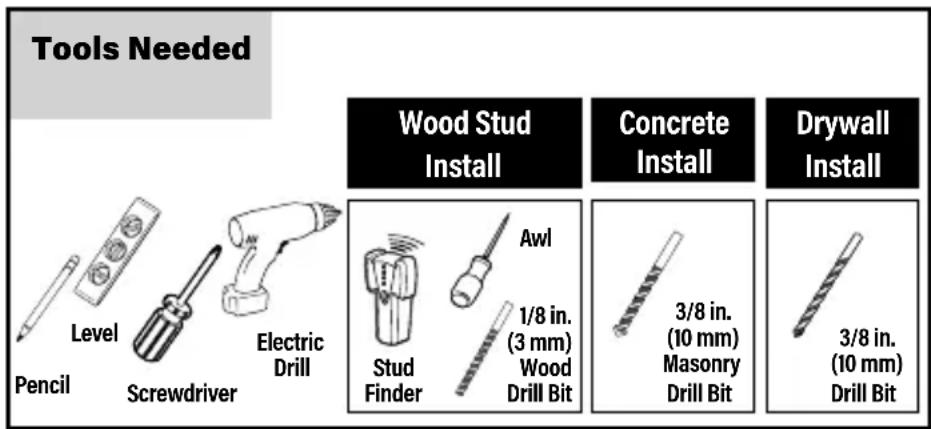
text_image
Tools Needed Level Pencil Screwdriver Electric Drill Wood Stud Install Concrete Install Drywall Install Awl 1/8 in. (3 mm) Wood Drill Bit 3/8 in. (10 mm) Masonry Drill Bit 3/8 in. (10 mm) Drill BitSupplied Parts and Hardware
⚠ WARNING: This product contains small items that could be a choking hazard if swallowed.
Before starting assembly, verify all parts are included and undamaged. If any parts are missing or damaged, do not return the damaged item to your dealer; contact Customer Service. Never use damaged parts!

NOTE: Not all hardware included will be used.
Quantities shown are for one speaker mount.
text_image
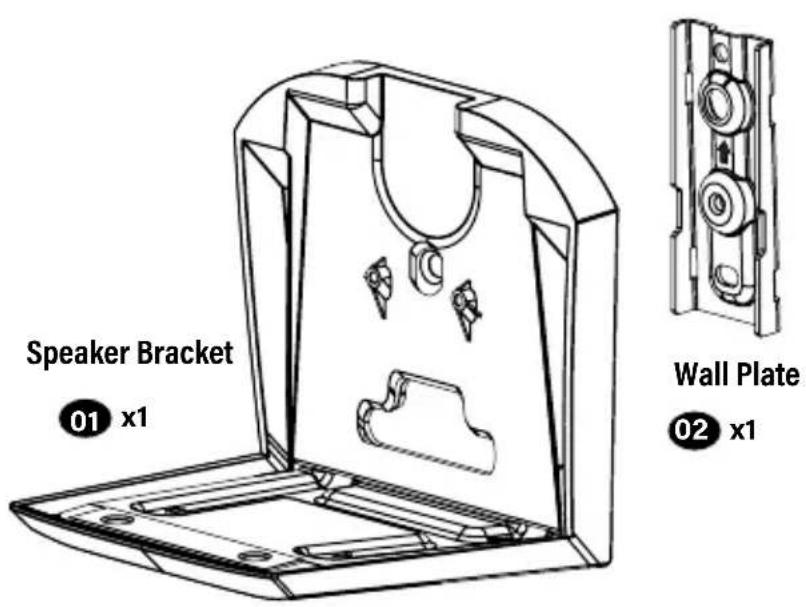
Speaker Bracket 01 x1 Wall Plate 02 x1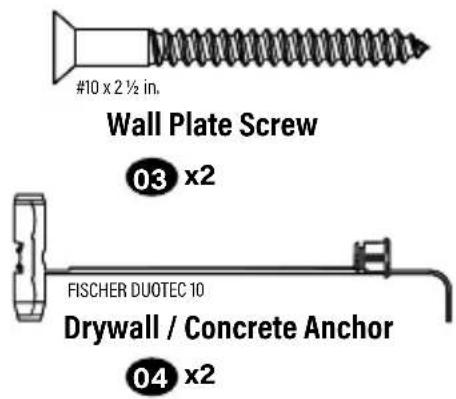
text_image
#10 x 2 ½ in. Wall Plate Screw 03 x2 FISCHER DUOTEC 10 Drywall / Concrete Anchor 04 x2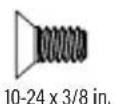
Speaker Bracket
Screw

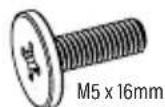
Speaker Screw
STEP 1-A
Drywall Only InstallationAttack

CAUTION: Avoid potential personal injury or property damage!
● Drywall covering the wall must not be less than 1/2 in. (12.7 mm)
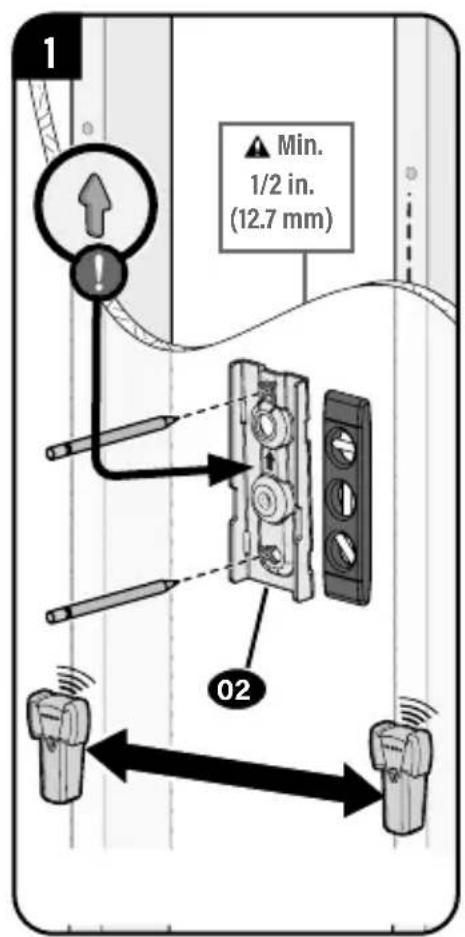
text_image
1 Min. 1/2 in. (12.7 mm) 02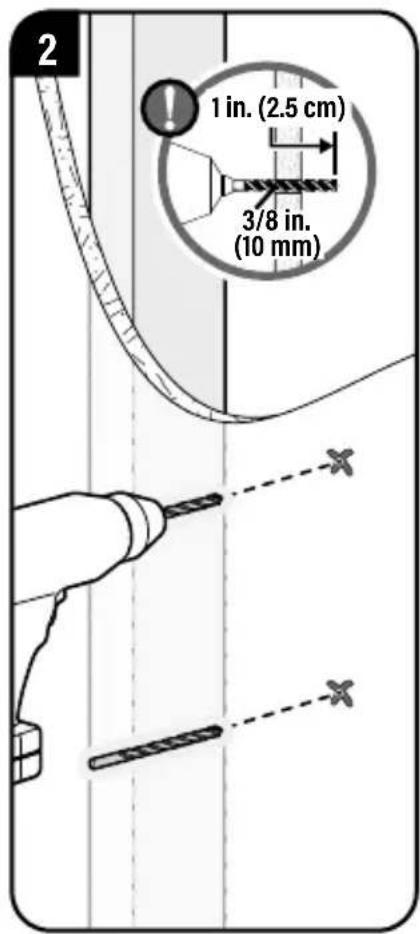
text_image
2 1 in. (2.5 cm) 3/8 in. (10 mm)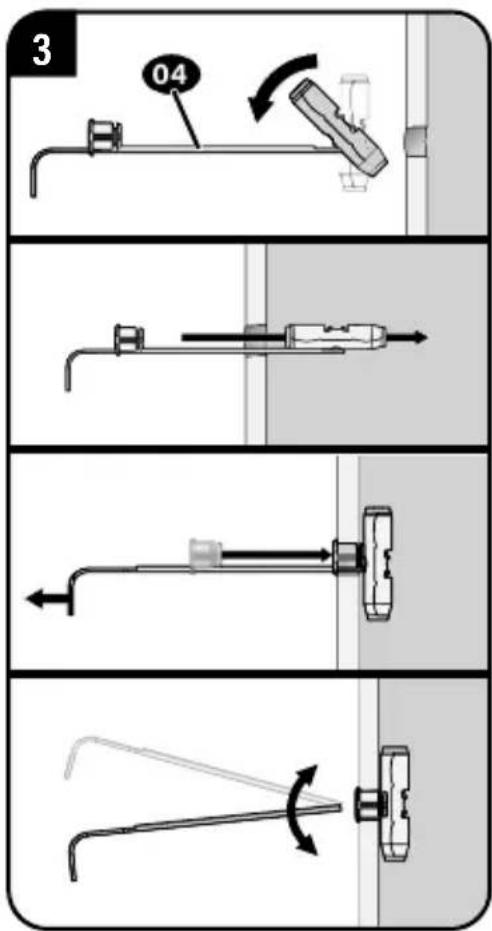
text_image
3 04CAUTION: Avoid potential personal injury or property damage!
DO NOT use power tools for this step.
Both screws 03 MUST BE firmly tightened to prevent unwanted movement of the wall plate 04. Ensure the wall plate is securely fastened to the wall before continuing on to the next step, but DO NOT overtighten the screws.
text_image
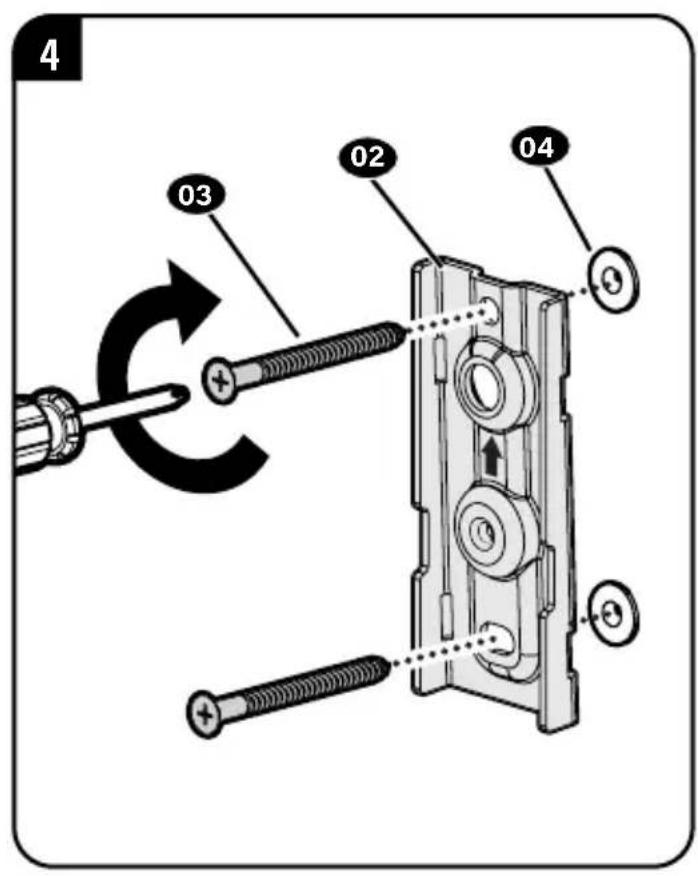
4 03 02 04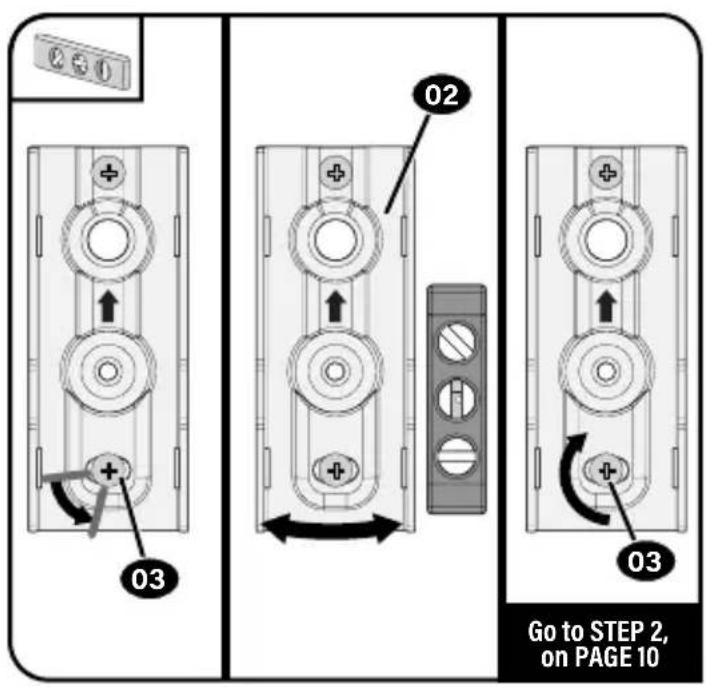
text_image
03 02 03 Go to STEP 2, on PAGE 10STEP 1-B
Attach Wall Plate to Wall
Wood Stud Installation
CAUTION: Avoid potential personal injury or property damage!
● Drywall covering the wall must not exceed 5/8 in. (16 mm)
- Minimum wood stud size: nominal 2 x 4 in. (51 x 102 mm) actual 1½ x 3½ in. (38 x 89 mm)
• Stud center must be verified
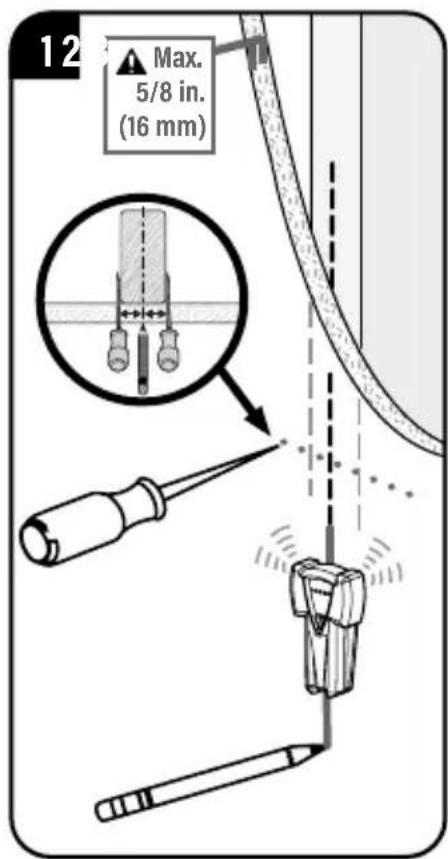
text_image
12 Max. 5/8 in. (16 mm)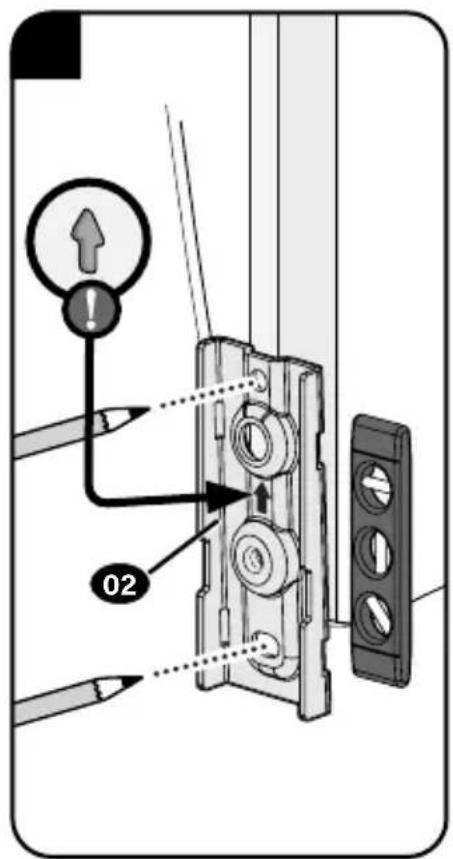
text_image
Diagram showing a device lock switch with labeled parts and directional arrows, including a pencil and magnifying glass.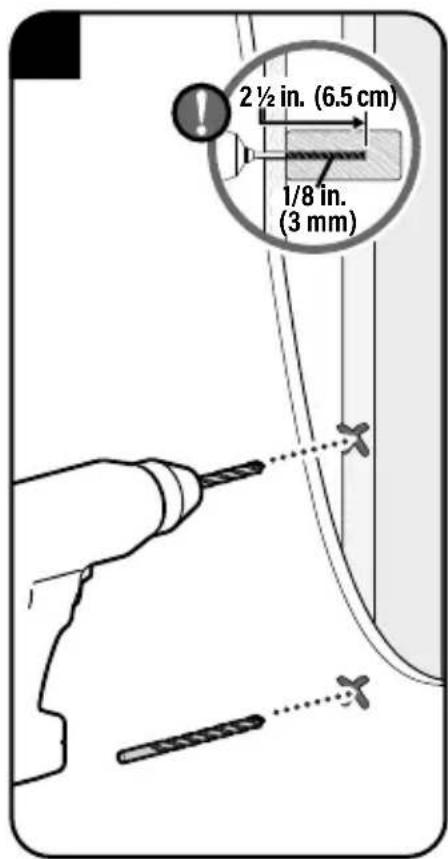
text_image
2½ in. (6.5 cm) 1/8 in. (3 mm)CAUTION: Avoid potential personal injury or property damage!
DO NOT use power tools for this step.
Both screws 03 MUST BE firmly tightened to prevent unwanted movement of the wall plate 02. Ensure the wall plate is securely fastened to the wall before continuing on to the next step, but DO NOT overtighten the screws.
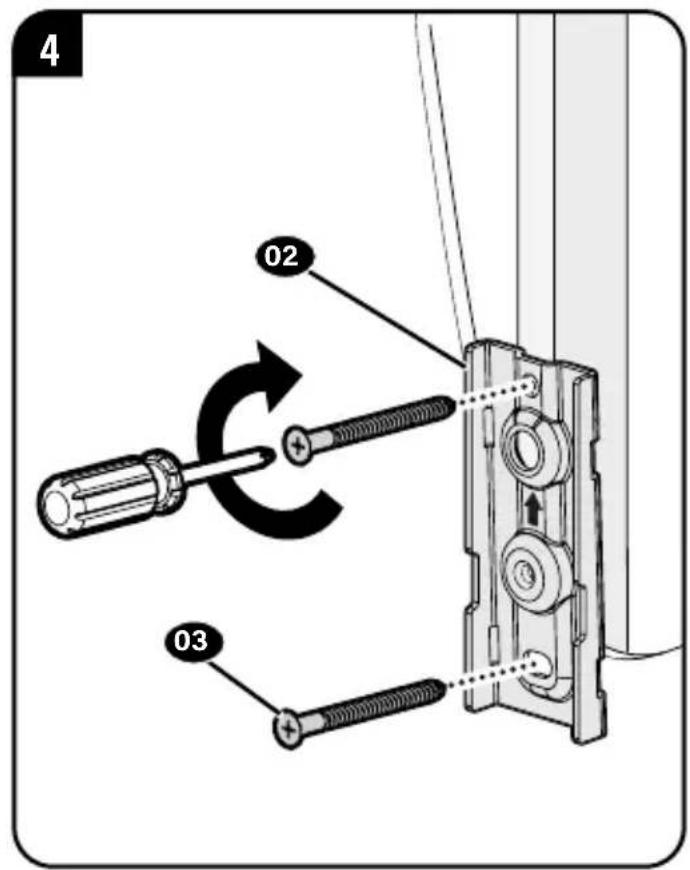
text_image
4 02 03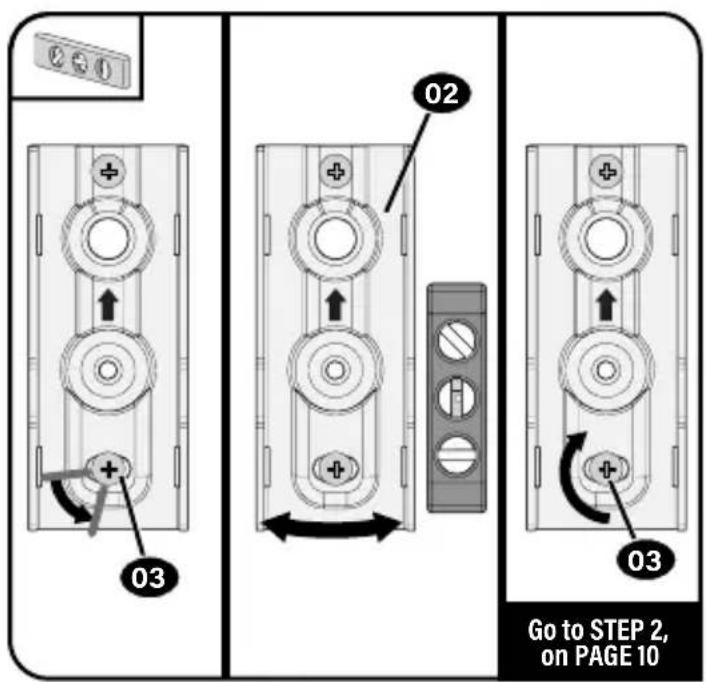
text_image
03 02 03 Go to STEP 2, on PAGE 10STEP 1-C
Attach Wall Plate to Wall
Solid Concrete or Concrete Block Installation

CAUTION: Avoid potential personal injury or property damage!
- Mount the wall pl02 directly onto the concrete surface (no wall covering)
● Minimum solid concrete thickness: 8 in. (203 mm)
● Minimum concrete block size: 8 x 8 x 16 in. (203 x 203 x 406 mm)
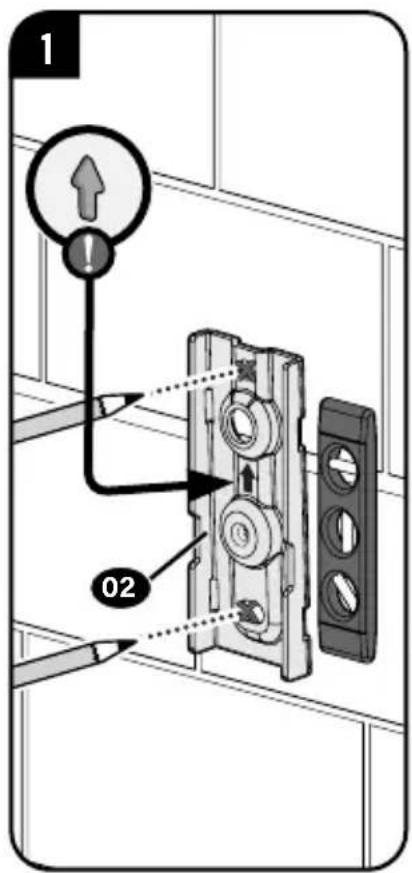
text_image
1 02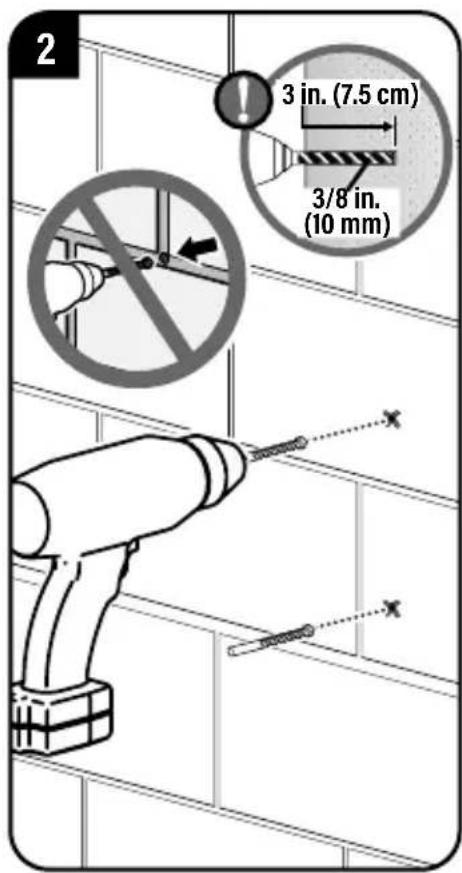
text_image
2 3 in. (7.5 cm) 3/8 in. (10 mm)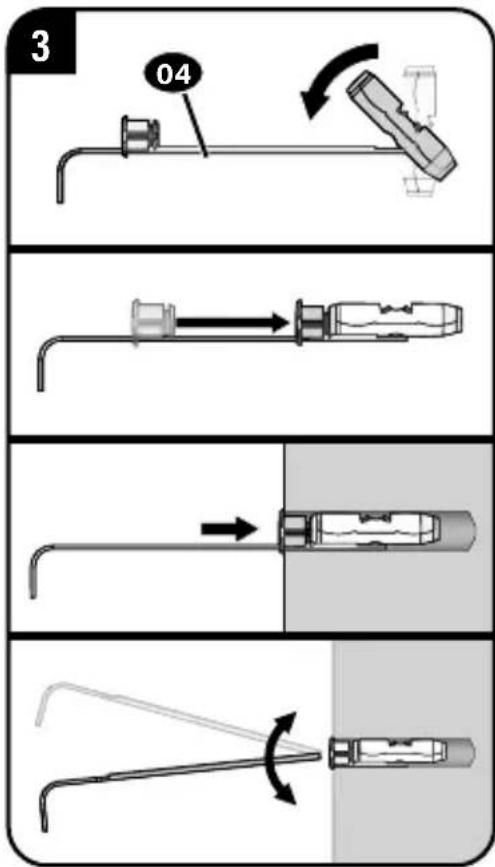
text_image
3 04CAUTION: Avoid potential personal injury or property damage!
DO NOT use power tools for this step.
Both screws 03 MUST BE firmly tightened to prevent unwanted movement of the wall plate 02. Ensure the wall plate is securely fastened to the wall before continuing on to the next step, but DO NOT overtighten the screws.
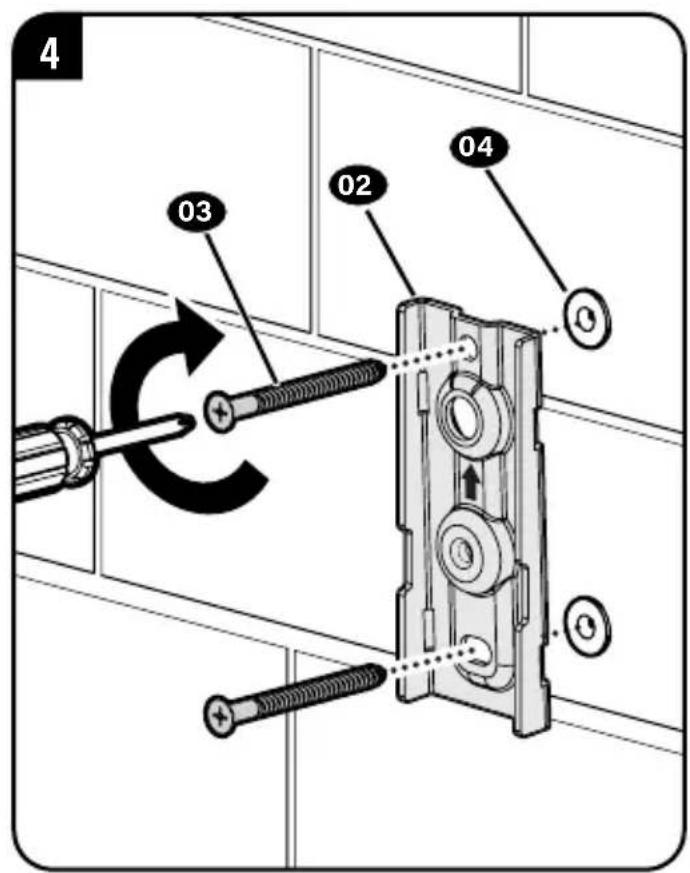
text_image
4 03 02 04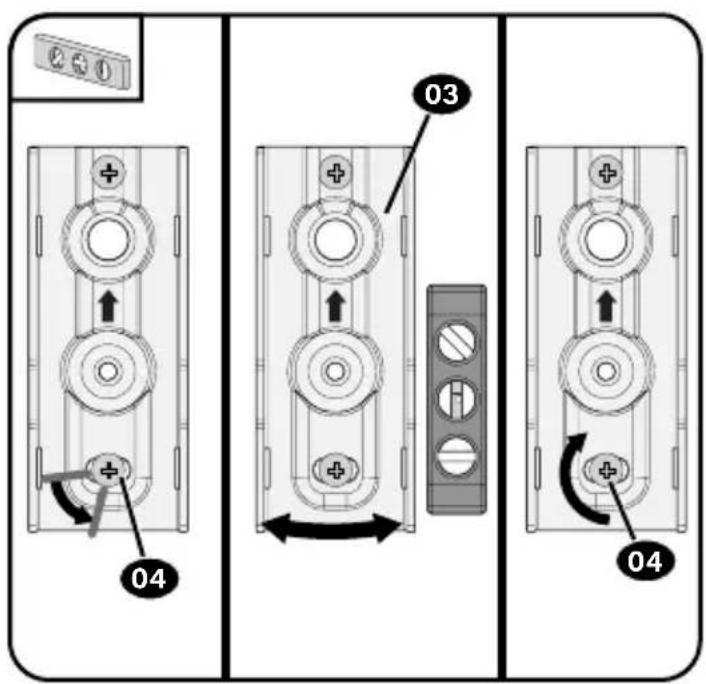
text_image
03 04 04STEP 2
Attach Bracket to Wall Plate
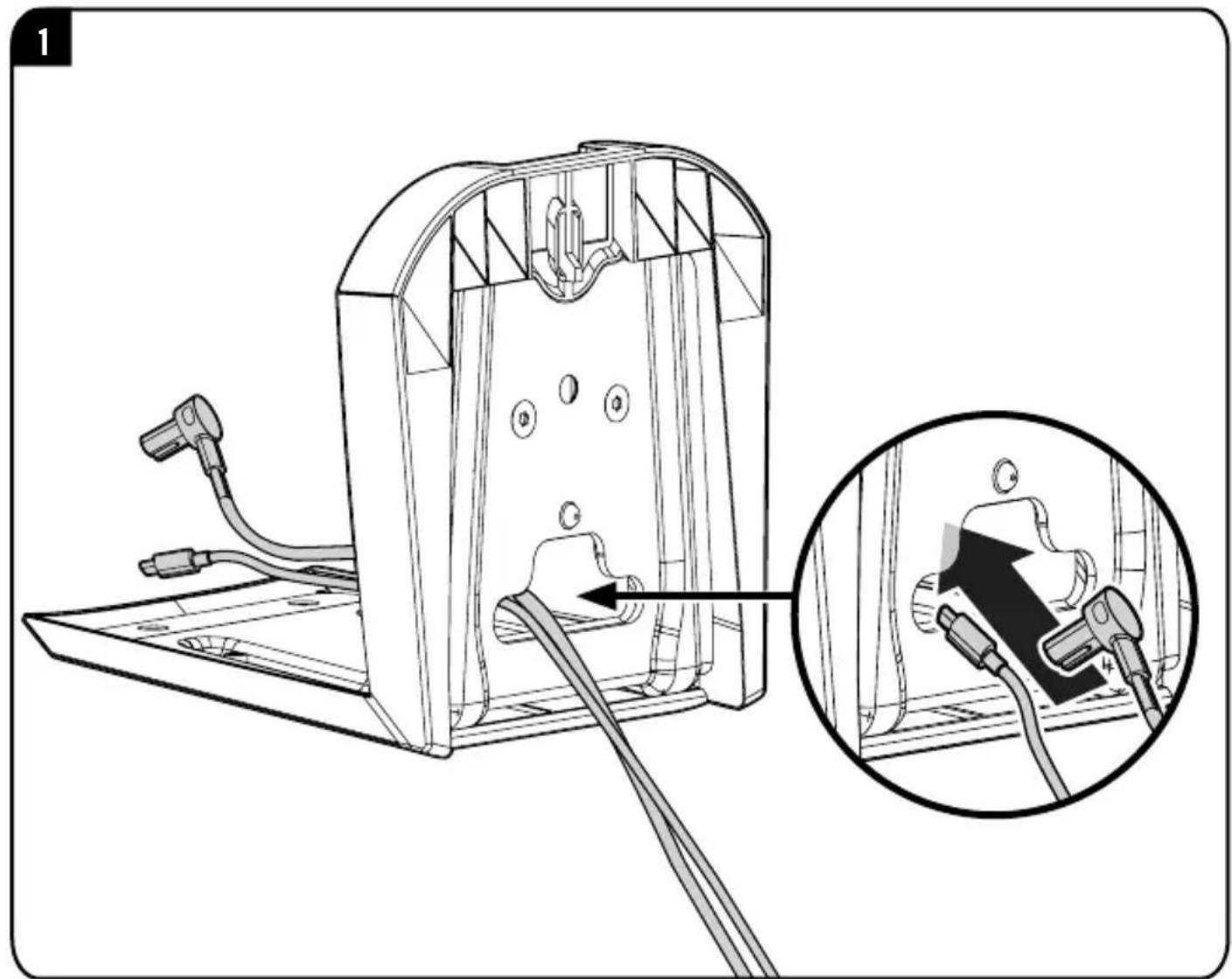
natural_image
Technical diagram of a mechanical device with internal components and a magnified inset showing a plug inserted into a housing (no text or symbols present)2
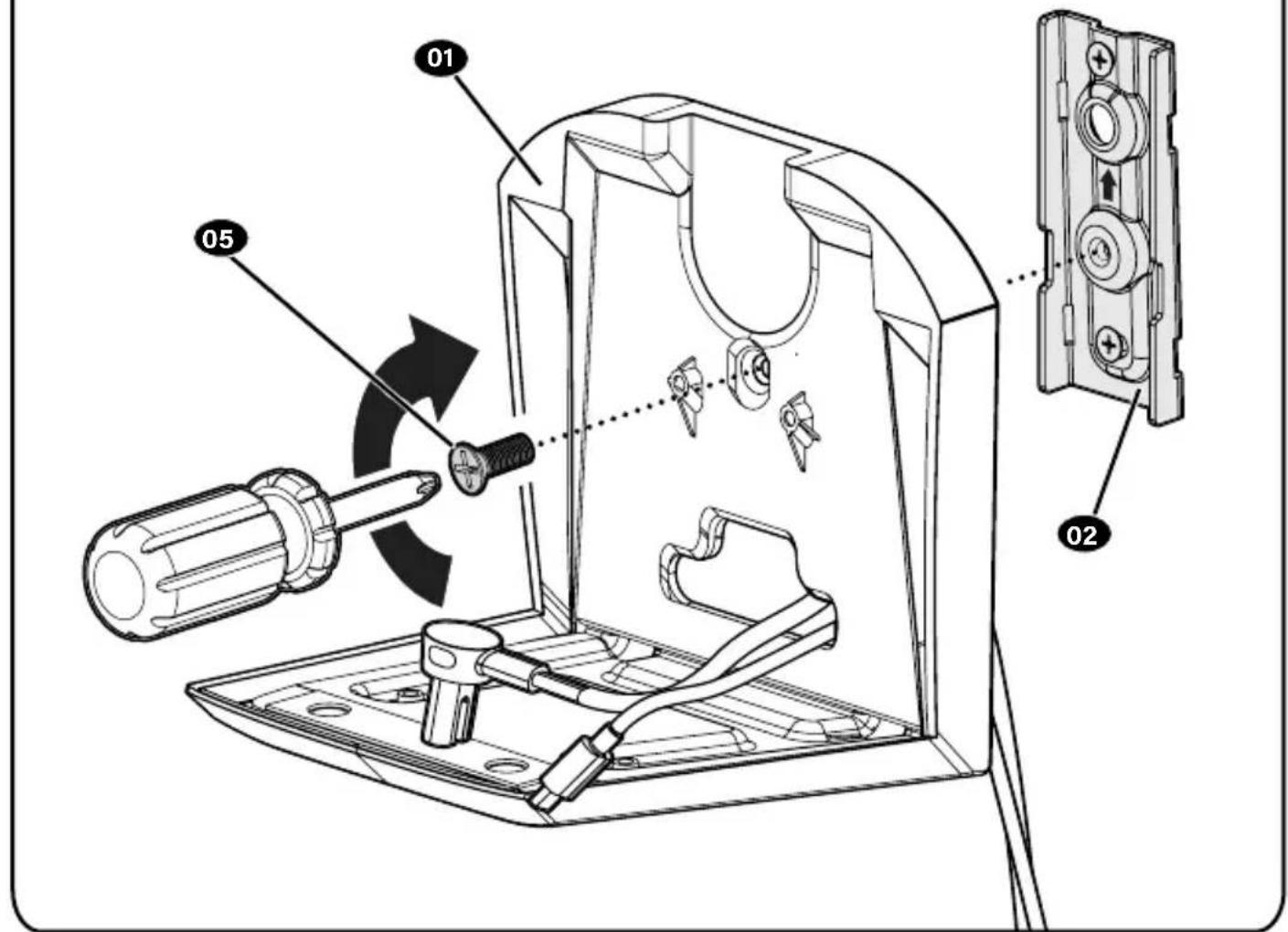
text_image
Technical diagram of a device's internal components with labeled parts and directional arrows indicating assembly or operation.STEP 3
Attach Your Speaker
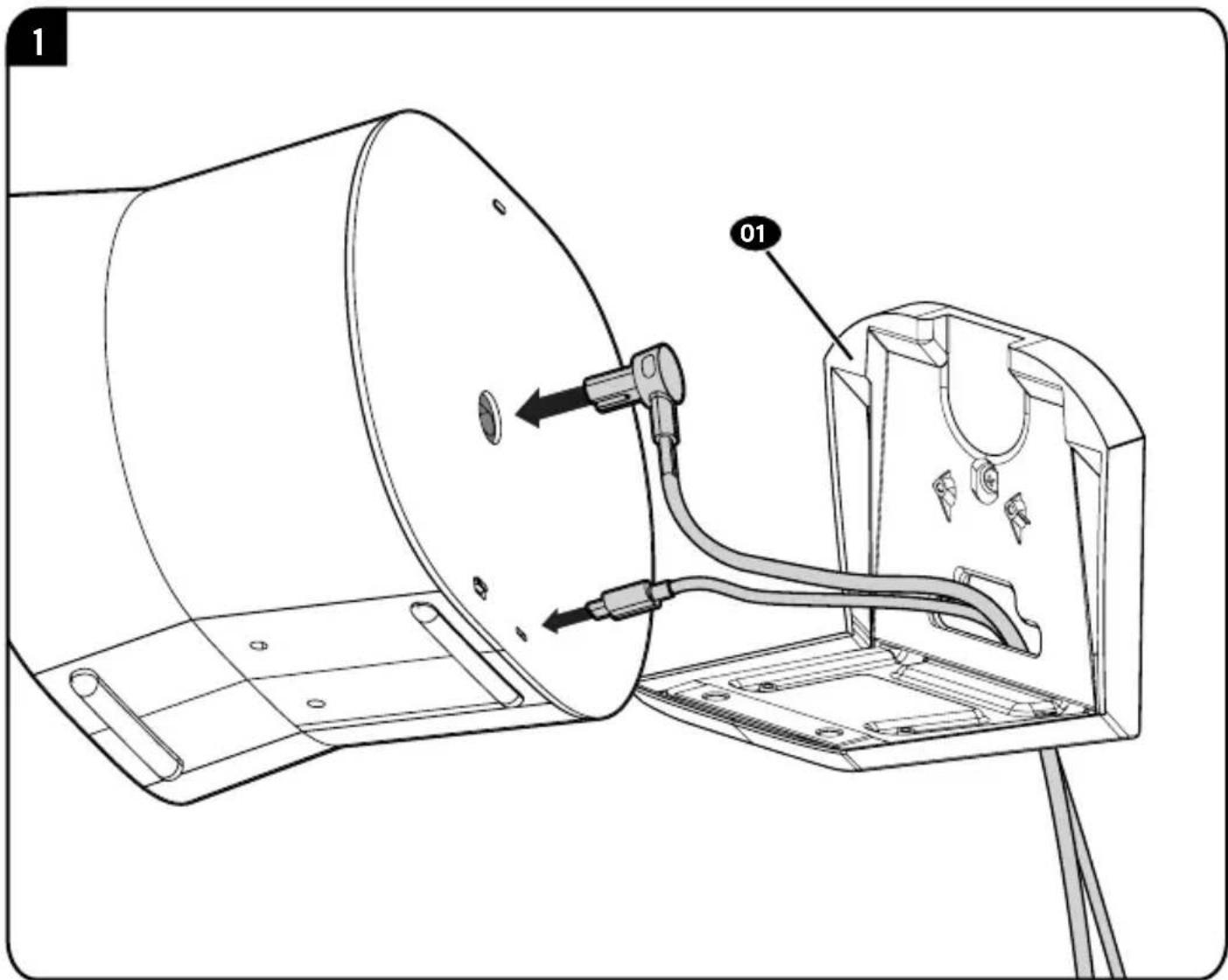
text_image
01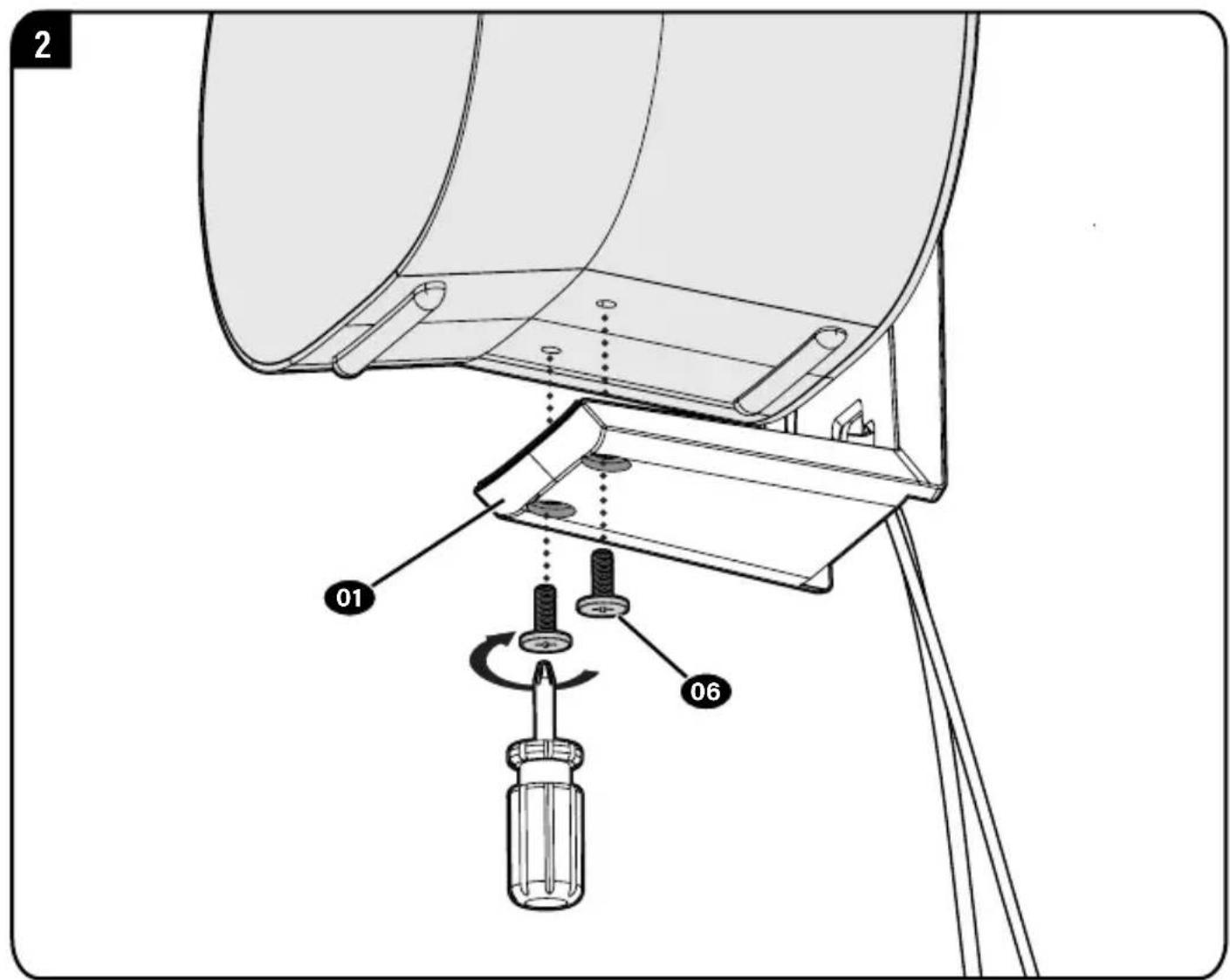
text_image
2 01 06To Remove
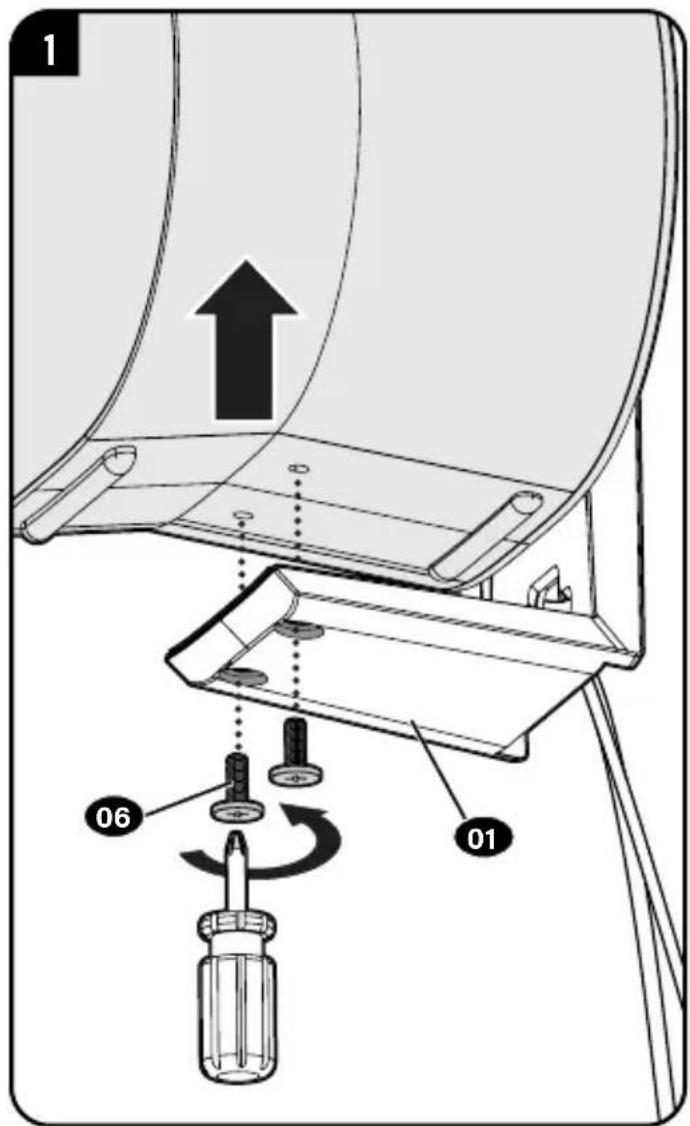
text_image
1 06 01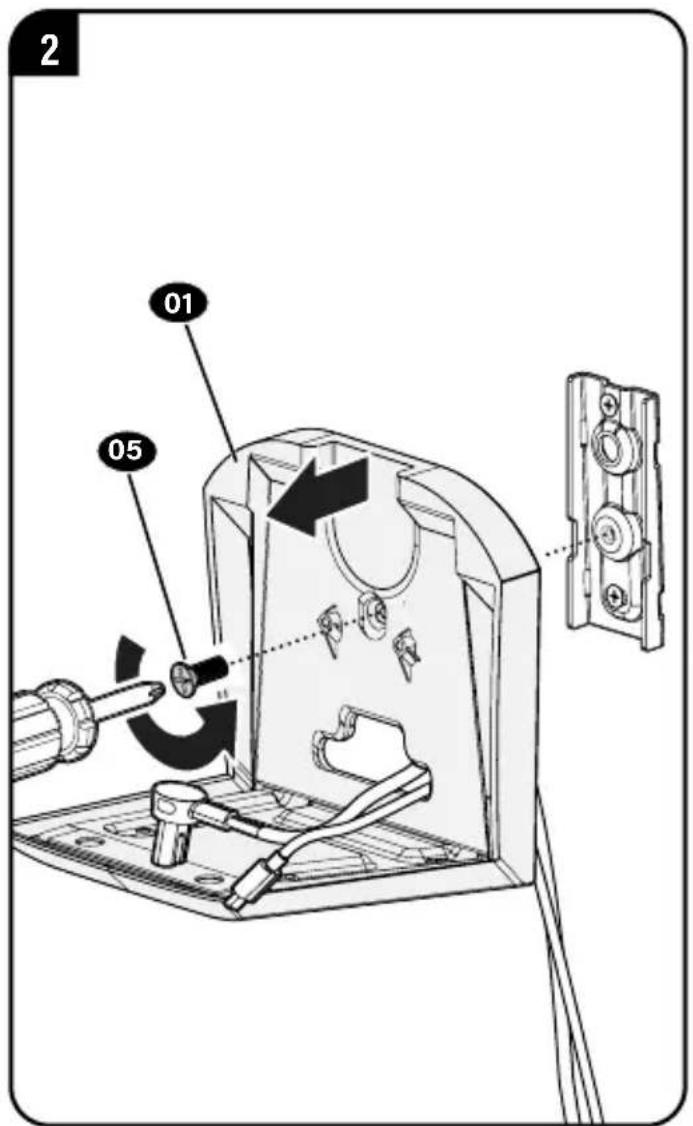
text_image
2 01 05Dimensions
WALL PLATE
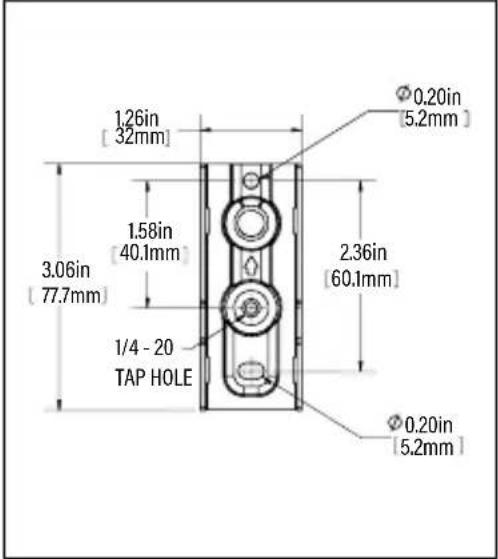
text_image
1.26in [32mm] 1.58in [40.1mm] 3.06in [77.7mm] 1/4 - 20 TAP HOLE 2.36in [60.1mm] Ø0.20in [5.2mm] Ø0.20in [5.2mm]TOP VIEW
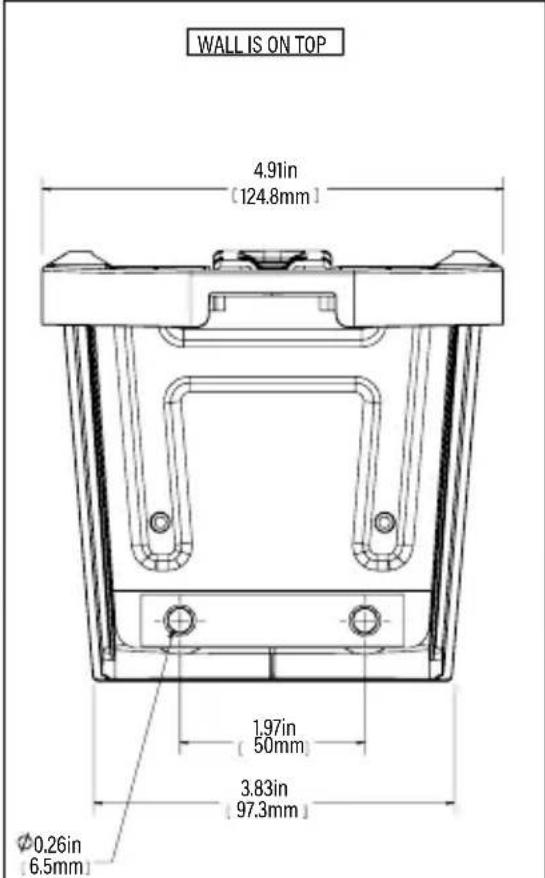
text_image
WALL IS ON TOP 4.91in [124.8mm] 1.97in [50mm] 3.83in [97.3mm] Ø0.26in [6.5mm]3-D
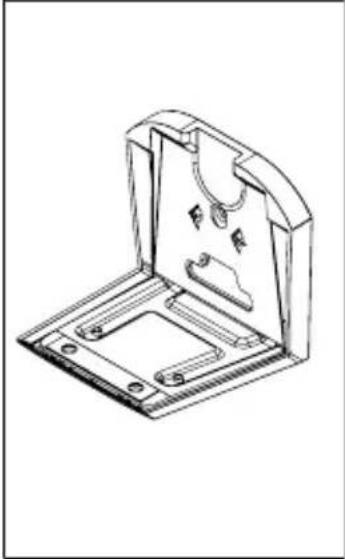
natural_image
Technical line drawing of a mechanical bracket or mounting plate (no text or symbols)FRONT VIEW
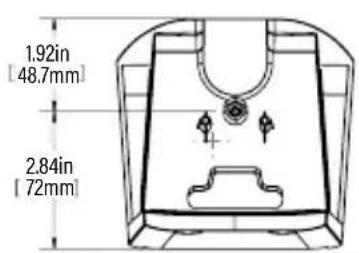
text_image
1.92in [48.7mm] 2.84in [72mm]SIDE VIEW
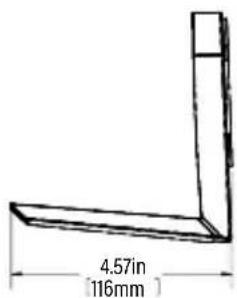
text_image
4.57in [116mm]WALL IS ON RIGHT
ESPAÑOL
text_image
SANUS® Alfred of DisgustThank you for choosing SANUS! Please take a moment to let us know how we did:
Legrand AV Inc.
6436 City West Parkway
Eden Prairie, MN 55344 USA
US: +1 (800) 359-5520
Legrand AV Netherlands B.V.
Franklinstraat 14
6003 DK Weert Netherlands
UK: +44 (0) 800 056 2853
EMEA: +31 (0) 495 580 852
Authorized Representative for the UK
Starline Holding Technology Ltd.
Unit C Island Road
Reading RG2 ORP UK
Legrand AV Inc. and its affiliated corporations and subsidiaries (collectively, "Legrand"), intend to make this manual accurate and complete. However, Legrand AV makes no claim that the information contained herein covers all details, conditions, or variations. Nor does it provide for every possible contingency in connection with the installation or use of this product. The information contained in this document is subject to change without notice or obligation of any kind. Legrand AV makes no representation of warranty, expressed or implied, regarding the information contained herein. Legrand AV assumes no responsibility for accuracy, completeness or sufficiency of the information contained in this document.
©2023 Legrand AV Inc. All rights reserved. SANUS is a brand of Legrand.
All other brand names or marks are used for identification purposes and are trademarks of their respective owners.
Legrand AV Inc. · 6436 City West Parkway · Eden Prairie, MN 55344 USA
6901-603224 00