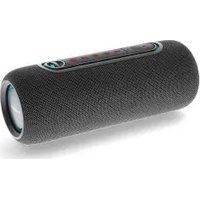
SPBT2460BK - Speaker NEDIS - Free user manual and instructions
Find the device manual for free SPBT2460BK NEDIS in PDF.


| Product type | Bluetooth speaker |
| Brand | Nedis |
| Model | SPBT2460BK |
| Usage | Indoor only |
| Power supply | Rechargeable battery, charge via USB-C (5V/1-2A) |
| Connectivity | Bluetooth, USB, AUX (3.5 mm) |
| TWS function | Yes (pairing two speakers) |
| RGB lighting | Yes, can be activated/deactivated |
| Hands-free | Yes, via Bluetooth |
| Maintenance | Clean with a soft, dry cloth once a month |
| Spare parts | No user-serviceable parts |
| Weight | Not specified |
| Dimensions | Not specified |
Frequently Asked Questions - SPBT2460BK NEDIS
User questions about SPBT2460BK NEDIS
0 question about this device. Answer the ones you know or ask your own.
Ask a new question about this device
Download the instructions for your Speaker in PDF format for free! Find your manual SPBT2460BK - NEDIS and take your electronic device back in hand. On this page are published all the documents necessary for the use of your device. SPBT2460BK by NEDIS.
USER MANUAL SPBT2460BK NEDIS
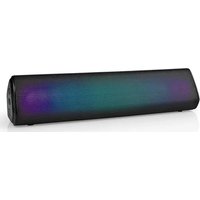
Portable design with
Dynamic RGB Lightning
SPBT2460BK
EN Quick start guide 4
DE Kurzanleitung 7
For more information see the extended manual online:ned.is/spbt2460bk
Intended use
This product is intended as a speaker for playing music from your device via Bluetooth, USB, or AUX.
This product is intended for indoor use only.
Any modification of the product may have consequences for safety, warranty and proper functioning.
This product is intended to be used in household and similar applications such as kitchen areas.
This product is not intended for professional use.
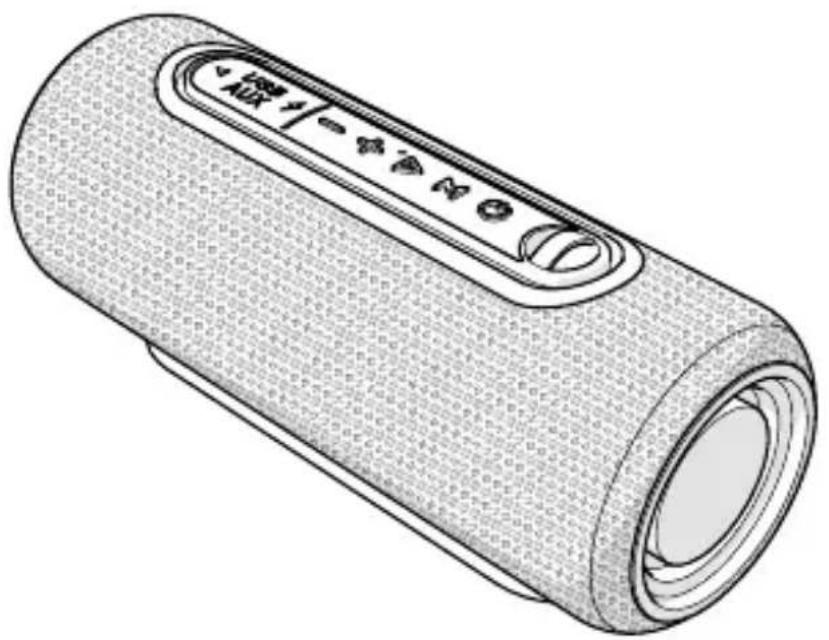
Main parts (image A)
Volume down/previous track button
Volume up/next track button
3 Play/pause button
Mode button
5 Power button
6 Hook
USB-C charging port
USB port
AUX port
USB - USB-C charging cable
RGB lights
Safety instructions
WARNING
- Ensure you have fully read and understood the instructions in this document before you install or use the product. Keep the packaging and this document for future reference.
- Only use the product as described in this document.
- Do not let children play with the packaging material. Always keep the packaging material out of the reach of children.
- Only use the provided USB charging cable.
- Only charge the product via a 5V/1-2A power adapter or a PC.
- Do not drop the product and avoid bumping.
- Do not open the product, there are no user serviceable parts inside.
- Disconnect the product from the power source before cleaning.
- Do not immerse the product in water or other liquids.
-
Do not expose the product to water, rain, moisture, or high humidity.
-
Do not use aggressive chemical cleaning agents when cleaning the product.
- Do not use the product if a part is damaged or defective. Replace a damaged or defective product immediately.
Charging the product
The product is delivered with a partially charged battery. For optimal battery life, fully charge the battery before using the product for the first time.
- Plug the USB-C connector of the USB - USB-C charging cable A into the USB-C charging port A.
- Plug the other end of the USB - USB-C charging cable A 10 into a 5V/1-2A power adapter.
- Plug the power adapter into a power outlet.
Using the product
- Press and hold the power button A 5 to switch on the product.
- Press the mode button A to switch between Bluetooth, USB, and AUX mode.
| Bluetooth® mode Activate Bluetooth® on your audio source and connect with the product (SPBT2460BK). | |
| USB mode 1. Plug a USB cable | (not included) into the USB port A8. 2. Plug the other end of the USB cable into your audio source. You can also use a USB stick. |
| AUX mode 1. Plug a 3.5 mm audio cable (not included) into the AUX port A9. 2. Plug the other end of the 3.5 mm audio cable into your audio source. | |
- Press and hold the play/pause button A 3 to activate, change, or deactivate the RGB lights A11.
Pairing two products for True Wireless Stereo (TWS)
Press the volume down/previous track button A1 and the volume up/next track button A2 simultaneously to disconnect your audio source.
You can pair two SPBT2460BK products via Bluetooth® to create TWS.
This function is only available in Bluetooth® mode.
- Make sure both products are switched on.
- Press and hold the mode button A 4 on one of the products to pair both products with each other.
The products emit a tone to indicate pairing. The products emit another tone to indicate pairing is successful.
- Press and hold the mode button A 4 on one of the products or switch off the products to disconnect the two products.
Answer phone calls
This function is only available in Bluetooth® mode.
- Press the play/pause button A 3 to answer or finish a phone call.
- Press and hold the play/pause button A 3 to rejectacall/ switch to phone during call.
Troubleshooting
| Problem Possible cause Possible solution | ||
| The product does not switch on. | The battery power is low. | Charge the product |
| An internal malfunction has occurred. | Press the reset button in the AUX port A9 with a small pin to reset the product. | |
Clean the product every month.
- Switch off the product.
- Disconnect the product from the power outlet.
- Clean the product with a soft, clean, dry cloth.
Disposal
The product is designated for separate collection at an appropriate collection point. Do not dispose of the product with household waste.
For more information, contact the retailer or the local authority responsible for the waste management.
Declaration of Conformity
We, Nedis B.V. declare as manufacturer that the product SPBT2460BK from our brand Nedis®, produced in China, has been tested according to all relevant CE standards and regulations and that all tests have been passed successfully. This includes, but is not limited to the RED 2014/53/EU regulation.
The complete Declaration of Conformity (and the safety datasheet if applicable) can be found and downloaded via: nedis.com/SPBT2460BK#support
DE Kurzanleitung

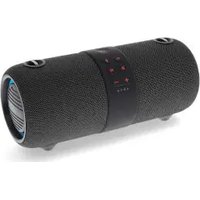
Brand : NEDIS
Model : SPBT2460BK
Category : Speaker