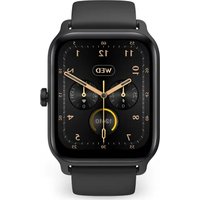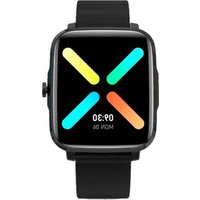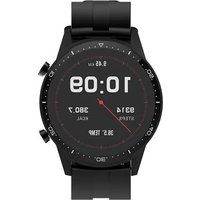
SWB26T - Sports Watch Prixton - Free user manual and instructions
Find the device manual for free SWB26T Prixton in PDF.


| Product type | Sports watch |
| Brand | Prixton |
| Model | SWB26T |
| Processor | RTL8762C, ARM Cortex-M0 53 MHz |
| Memory | 128 KB RAM + 64 MB ROM |
| Display | 1.3-inch IPS, 240x240 pixels, 2.5D glass |
| Bluetooth | Version 5.0 |
| Battery | Lithium-ion 3.7 V / 240 mAh |
| Water resistance | IP68 |
| Main functions | Body temperature, heart rate, sleep, pedometer, sports activities, notifications, weather, stopwatch, music, relaxation |
| Companion app | HitFit Pro (iOS/Android) |
| Charging | USB, 5V / 1000mA adapter recommended |
| Warranty | 2 years |
| Strap | Interchangeable with quick-release |
| Supported languages | Multiple (French, English, etc.) |
| Maintenance and cleaning | Clean with a soft dry cloth. Avoid chemical products. |
| Safety | Protect from extreme temperatures. Do not use in hot water. |
| Spare parts and repairability | Strap available separately. Support via www.prixton.com |
| General information | Manual downloadable in PDF format. Complies with directive 2014/53/EU. |
Frequently Asked Questions - SWB26T Prixton
User questions about SWB26T Prixton
0 question about this device. Answer the ones you know or ask your own.
Ask a new question about this device
Download the instructions for your Sports Watch in PDF format for free! Find your manual SWB26T - Prixton and take your electronic device back in hand. On this page are published all the documents necessary for the use of your device. SWB26T by Prixton.
USER MANUAL SWB26T Prixton
natural_image
Line drawing of a satellite with solar panels and antenna (no text or symbols)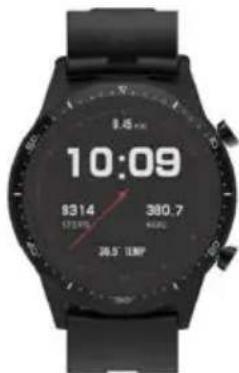
Botón de encendido
3.3 Cambiar la correa
Para Android+iOS:
5.2 Conexión
5.3.3 Deportes

WARNING To charge this device, make sure to use a power adapter with the following values: 5 volts and a recommended amperage of at least 1000mA.
1. Caution:
1.1 Waterproof and dustproof
The watch supports waterproof and dustproof. Please follow below guidelines to maintain the waterproof and dustproof function. Otherwise your device might be damaged.
· Do not use watch under the strong pressure water.
· Do not use watch when diving, snorkeling or other sports in turbulent water.
- Please dry your hands or watch fully before operating.
· If the watch is exposed to water, please dry it fully with soft cloth. If it is exposed to other liquids (such as salt water, pool water, soapy water, oil, perfume, sunscreen, hand sanitizer) or chemicals (such as cosmetics), please wash it with clean water and dry it fully with soft cloth. Do not follow these instructions may damage its performance and appearance.
- If the watch is dropped or hit, the waterproof and dustproof function may be damaged.
- Do not disassemble your watch. The waterproof and dustproof function may be damaged.
· Do not use watch in extremely high or low temperature environments.
· Do not use blowers and other heated equipment to dry the watch.
· In sauna room, the waterproof function may be damaged.
1.2 Cleaning and management of SWB26T
Follow the below points to ensure that SWB26T is operating normally and looks good. Otherwise, maybe damage SWB26T and cause skin irritation.
- Protect watch from dust, sweat, ink, oil and chemical products (such as cosmetics, antibacterial sprays, hand sanitizers, detergents, and insecticides). Otherwise, the internal and external parts may be damaged or causes performance degradation. If SWB26T is stained with above substances, please clean it with lint-free soft cloth.
- When cleaning SWB26T, do not use soap, detergent, abrasive materials, compressed air, ultrasonic waves or external heat sources. Otherwise, SWB26T may be damaged. Soap, detergent, hand sanitizer, or detergent residue may cause skin irritation.
·After exercising or sweating, please clean your wrist and strap. Use water to clean SWB26T and dip a small amount of alcohol to wipe, then dry it thoroughly.
- If SWB26T is stained or infiltrated with other objects, please use wet soft toothbrush to clean it.
1.3 If you are allergic to material on SWB26T, please pay attention when using
- Manufacturer conducted testing about hazardous materials on SWB26T by internal and external certification agency, including testing of all materials contact skin, skin toxicity testing, and wearing testing.
- SWB26T contains nickel. If your skin is very sensitive or you are allergic to the materials on SWB26T, please take necessary precautions.
- Nickel: SWB26T contains a small amount of nickel. The content is lower than the reference value of European REACH regulations. You will not be exposed to the nickel in SWB26T and our device has passed the international certification test. However, if you are allergic to nickel, please use SWB26T with caution.
· All materials used on SWB26T comply with relevant inspection standards such as REACH and RoHS.
2. Product specification
| Model | SWB26T |
| CPU RTL8762C | |
| ARM | Cortex- M0 53MHz |
| Memory RAM 128KB + ROM 64Mb | |
| Capacitive touch screen | 1.3" IPS240*240 screen2.5D glass |
| Bluetooth version | 5.0 |
| Battery Lithium-ion | 3.7V/240mAh |
| Function | IP68 waterproof, 24h Body Temperature, Heart Rate, Sleep, Daily activity, Sports, Stylish Dials Push, DIY favorite dial customized, 7 days weather forecast, Notification(Ins/Facebook/Skype/WhatsApp) |
| Other features | Timer, Do not disturb mode, multi-Languages supported, change able strap |
3.Product details
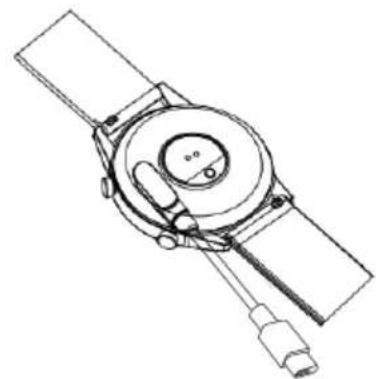
3.1 Charge your watch
Connect and charge the watch according to the picture. It needs to be charged to activate the watch when it is started for the first time.
3.2 Operate your watch
(1) Power on: When the watch is Off status, press and hold the power button for 5 seconds to turn it on. The home screen of the watch will be displayed after booting.
(2) Touch screen operation: From the home screen, swipe to the right to the menu screen, then tap the function icon to enter the corresponding sub-menu.
(3) Wake up screen: When the watch screen is Off status, you can press the power button to wake up the screen. If the Gesture control button is turned on in the APP, you can also wake up the screen by turning the wrist.
(4) Shutdown: Click the Setting icon, click System - Shut down, click √ to shut down.
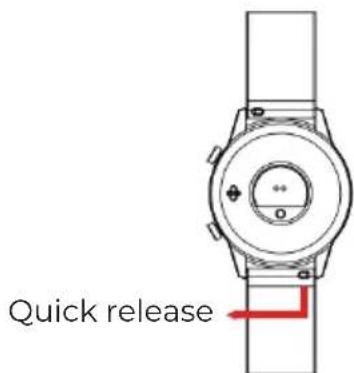
3.3 Replace the strap
Remove the strap from the watch by sliding the quick release on the strap.
natural_image
Line drawing of a satellite or spacecraft with solar panels and antenna (no text or symbols)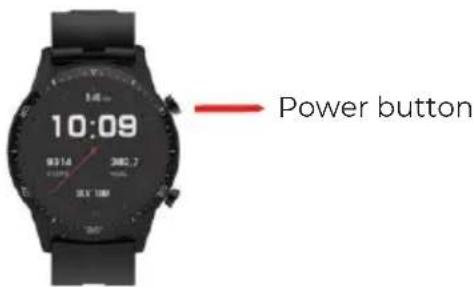
4. Products quick into
4.1 Products quick into
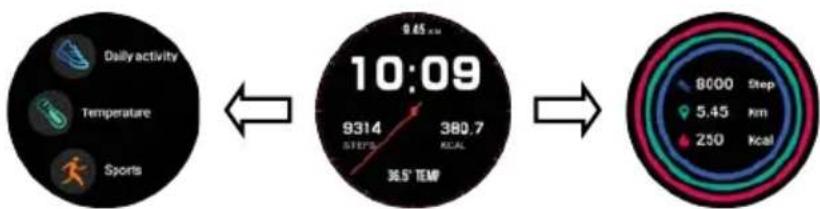
(1) Long press the main interface to enter the home page thumbnail. You can view it left and right, click touch to switch the home page.
(2) Swipe to the right: Display function list -> Daily activity, Temperature, Sports, Heart rate, Sleep, Countdown, Timer, Music, Weather, Message, Find phone, Relax, Setting. Swipe up and down to navigate the list, and tap a function to select.
(3) Swipe down: Display Time, Bluetooth connect, Battery, Do Not Disturb mode, Setting, Find phone, System info, Brightness.
(4) Swipe up: Storage information.
(5) Swipe to the left: Display Daily activity, Heart rate, Sleep, Weather.
flowchart
graph LR
    A["Daily activity"] --> B["10:09"]
    B --> C["Step 8000 Step 5.45 Km 250 Kcal"]
    A --> D["Temperature"]
    A --> E["Sports"]
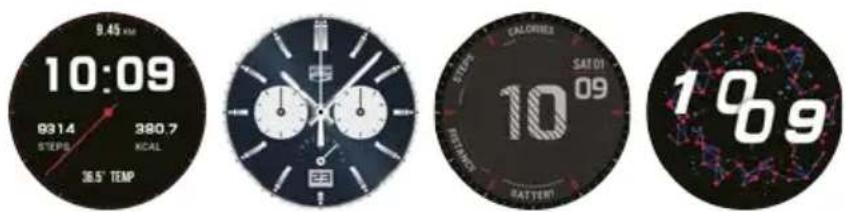
4.2 Clock Display
Setting method:
When the watch in clock mode, please long press on the middle screen and set different clock interfaces if you like.
5.Product quick use
5.1 Download and install App
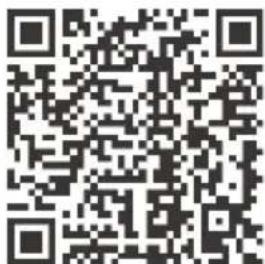
You can set up the watch through the "HitFit Pro" App for iOS or Android devices. You need download and install the "HitFit Pro" App from APP Store or Google Play Store: Or you can scan the following QR code to download the app:
For Android+iOS:
5.2. Bluetooth connection
Turn on the Bluetooth and GPS on your mobile phone.
Turn on your watch, in the app, search the device, select product mode SWB26T to bind. You can view more detailed instructions at the link below: watch as below.
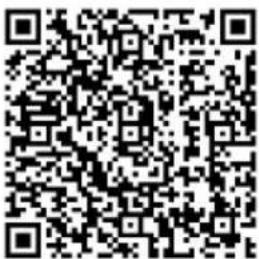
After connected successfully, shown as the icon in the watch status bar:

Notice:
* During the process of opening the APP or binding the watch, please agree to all the permission prompt. During binding process, "Hitfit Pro" will prompt you to enable GPS and Blutooth, and autorize "Hitfit Pro" to get access to the GPS on your mobile phone. If your phone is iOS system, you need to agree to pair with your phone and display your iPhone notifications.
* Wrong operation: Pair the watch directly with the Bluetooth in your mobile phone's settings.
* Please don't shut the Bluetooth notify service when you are clearing software by background or close background application software. It will affect the sync function between watch and phone if shut it.
* If you want your watch to receive third-party notifications, you need to turn on the notification permissions.
5.3 Basic functions

5.3.1 Daily activity
The watch will display the user's total number of steps on the day, walking distance, calories burned on the same day, and the data will be cleared at 0 o'clock (midnight) every day.
5.3.2 Temperature

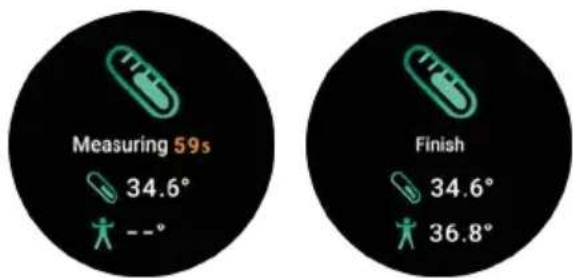
(1) Function introduction: The watch will measure the user's temperature under the temperature measurement interface. After the test is completed, the vibration will display the result.
(2) Operating instructions: Swipe to the left on the main interface and click the temperature static icon to switch to the temperature measurement interface. Once the interface is entered, the measurement will start. The left data is for Body surface temperature, it is changed in real time. The right data is for Body temperature, measuring 60s to complete the measurement. During the measurement, the interface value will be show “--.-”. After the measurement is completed, the value will be displayed.
Remark: During testing body temperature, environment temperature requires within 18-30°C.
5.3.3 Sports

In sports mode: the single-point function icon allows you to enter sports modes such as Walking, Running, Climbing, Riding and Basketball.
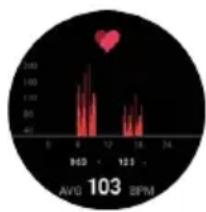
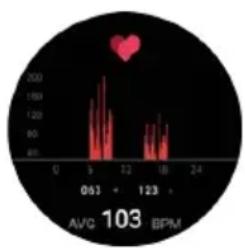
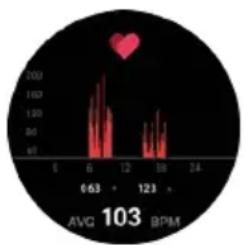
5.3.4 Heart rate

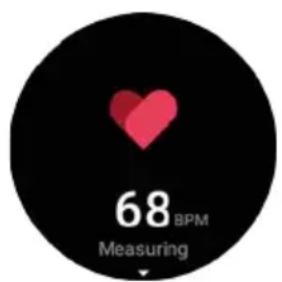
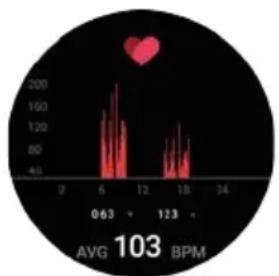
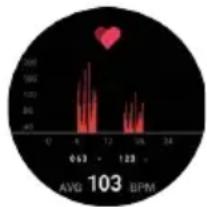
(1) Function introduction: The watch will measure the user's heart rate under the heart rate measurement interface. After the test is completed, the vibration will display the result. After no operation, the screen will automatically go out.
(2) Operating instructions: Swipe to the left on the main interface and click the heart rate static icon to switch to the heart rate measurement interface. Once the interface is entered, the measurement will start. During the measurement, the interface value will be zero. After the measurement is completed, the value will be displayed.
line
| Time (BPM) | Value | |------------|-------| | 0 | 40 | | 6 | 100 | | 12 | 200 | | 18 | 80 | | 24 | 40 |
5.3.5 Sleep
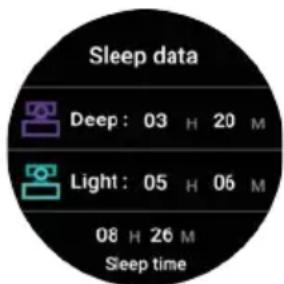
(1) Function introduction: The watch will display the user's sleep time the night before. (Sleep measurement time 21:30 - 12:00 next day)
(2) Operation instructions: Swipe the main interface left and right, click sleep to switch to the sleep interface, you can view the sleep time of the previous day.
5.3.6 Countdown

You can choose 1min, 5min, 10min, or set any time you want to use countdown function. You can pause/start switching with a single touch.
5.3.7 Timer

Click to start timing. During the timing, you can start/pause/reset switching with a single touch.
5.3.8 Music

After connected with the Bluetooth, you can manipulate Mobile to play music and adjust the volume, voice will come out from mobile phone.
5.3.9 Weather

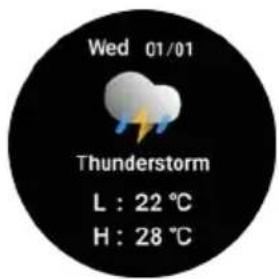
After connected with HitFit Pro, the watch will show local weather information.
5.3.10 Message

When connected to Bluetooth, notifications from your phone will be sent to your watch. (You need to open the push switch in the app in advance)
5.3.11 Find phone

When you connect your phone, the phone vibrates and rings when you click the Find Phone icon.
5.3.12 Relax

Adjust your breathing and relax.
5.3.13 Setting


Screen display: Including Change dial, Brightness, Screen time, Turn wrist wake setting.

Vibration: Set vibration intensity.

Language: Including different languages you can choose.

System: Including System version, Shut down, Reset settings.
6. Caveat
Please follow the doctor's instructions and measure the results of self-diagnosis and treatment. Users with blood circulation disorders and blood diseases should be treated under the guidance of a doctor. The measurement results of this product are for reference only and are not intended for any medical use or basis.
Warranty policy
This product is guaranteed for 2 years from the date of purchase. When you have a problem that you can not solve, you must access the web www.prixton.com and click on the contact option to send us your assistance form.
These technical and electrical specifications are those of typical units and may be changed without prior notice in order to provide improved equipment.
Simplified eu declaration of conformity
We, La Trastienda Digital located in Avenida Cervantes 49, módulo 25, Basauri 48970, Bizkaia hereby declare that the following goods, imported and selling at European market:
| BRAND | MODEL NAME DESCRIPTION | CATEGORY | |
| PRIXTON | SWB26T | SMARTWATCH | WEARABLES |
Are in compliance with the EC Council Directive of 2014/53/EU (EM DIRECTIVE) and harmonized standards and with the board of the 16th of April 2014.
The complete text of the UE Declaration of conformity is available anytime at this website address: www.prixton.com
LA TRASTIENDA DIGITAL
line
| Time | Value | |------|-------| | 0 | 47 | | 4 | 160 | | 12 | 160 | | 18 | 160 |4.3.5 Sommeil

natural_image
Line drawing of a satellite or spacecraft with solar panels and antenna (no text or symbols)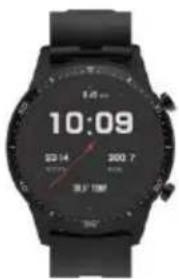
natural_image
Technical line drawing of a wristwatch with no visible text or symbolsPer Android+iOS:
4.2 Connessione Bluetooth
line
| Time | Value | |------|-------| | 0 | 40 | | 6 | 100 | | 12 | 100 | | 18 | 80 | | 24 | 40 |4.3.5 Sonno

natural_image
Line drawing of a satellite with solar panels and antenna (no text or symbols)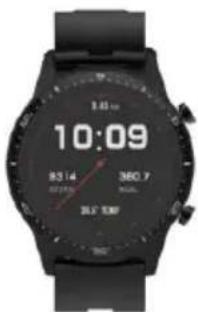
natural_image
Technical line drawing of a wristwatch with adjustment knob and red directional arrow (no text or symbols)Für Android+iOS:
4.2 Bluetooth-Verbindung
4.3.3 Sportarten

line
| Time (s) | Value | |---|---| | 051 | 80 | | 123 | 100 | | 103 | 100 |4.3.5 Schlafen

natural_image
Line drawing of a satellite or spacecraft with solar panels and antenna (no text or symbols)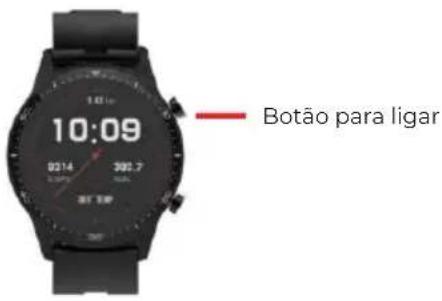
natural_image
Line drawing of a wristwatch with a circular dial and adjustment knob (no text or symbols)Para Android+iOS:
5.2. Bluetooth connection
5.3.3 Deportos

line
| x | y | | ---- | ----- | | 63 | 100 | | 123 | 100 |5.3.5 Sueno

natural_image
Line drawing of a satellite with attached antenna and body (no text or symbols)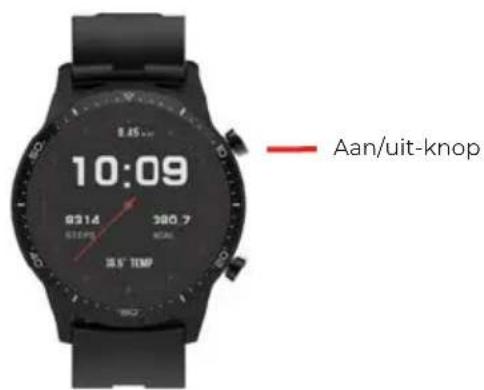

natural_image
Line drawing of a smartwatch with a circular dial and wrist strap (no text or symbols)4.2. Bluetooth-verbinding
4.3.3 Sport