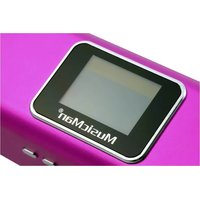
MA Display - Speaker MusicMan - Free user manual and instructions
Find the device manual for free MA Display MusicMan in PDF.


| Product Type | Stereo mobile speaker |
| Brand | MusicMan |
| Model | MA Display |
| Dimensions (W x D x H) | 5.0 x 5.3 x 16.5 cm |
| Weight | 220 g |
| Power Supply | Rechargeable lithium-ion battery BL-5B (included), DC 5V mains adapter (not included), USB |
| Battery Life | Approximately 4-5 hours (MicroSD playback), 3 hours (USB playback) |
| Charging Time | Approximately 4 hours |
| Screen Type | LCD screen 128 x 32 pixels, black and white |
| Supported Audio Formats | MP3, WMA, WAV |
| FM Radio | Yes, range 87.5-108 MHz (normal) / 76-90 MHz (Japan), 20 presets |
| Connectivity | AUX input 3.5 mm, USB port, MicroSD card reader (up to 32 GB), Micro USB for charging |
| Functions | Audio player, FM radio, line input, calendar, alarm, equalizer, repeat modes |
| Equalizer | Normal, Rock, Pop, Classic, Soft, Calm, Jazz, Bass, SRS WOW |
| Speakers | Built-in stereo speaker |
| Signal-to-Noise Ratio | >45 dB |
| Package Contents | MusicMan MA Display, USB/audio/power cable, user manual |
| Care | Clean with a soft dry cloth, do not use solvents |
| Safety | Do not expose to water, do not open, respect battery polarity, keep out of reach of children |
| Environment | Recycle packaging, do not dispose of device or batteries with household waste |
| Warranty | 2 years |
| Technical Support | Tel. 01805 012643, email support@technaxx.de |
Frequently Asked Questions - MA Display MusicMan
User questions about MA Display MusicMan
0 question about this device. Answer the ones you know or ask your own.
Ask a new question about this device
Download the instructions for your Speaker in PDF format for free! Find your manual MA Display - MusicMan and take your electronic device back in hand. On this page are published all the documents necessary for the use of your device. MA Display by MusicMan.
USER MANUAL MA Display MusicMan
MusicMan® MA Display * User Manual
The manufacturer Technaxx Deutschland GmbH & Co.KG hereby declares that this device, to which this user manual belongs, complies with the essential requirements of the standards referred to the Directive RED 2014/53/EU. The Declaration of Conformity you find here: www.technaxx.de/ (in bar at the bottom "Konformitätserklärung"). Before using the device the first time, read the user manual carefully.
Service phone No. for technical support: 01805 012643 (14 cent/minute from German fixed-line and 42 cent/minute from mobile networks). Free Email: support@technaxx.de
This device has a rechargeable battery. It must be fully charged before first use. NOTE: Charge the battery of the device every 2-3 month if it is not used! WARNING: Do not turn the volume too high - hearing loss might be the result
Features
- Mobile stereo wide range speaker system with display for MP3/4, CD/DVD, Smartphone, iPad, iPod, PSP, PC/Notebook, with integrated MP3 player for USB flash disks and MicroSD cards up to 32GB
Built-in stereo FM radio and Line-IN/AUX - Plays all songs in WMA, WAV and MP3 format
- Lightweight durable aluminium housing
- Several power supply options: rechargeable and replaceable battery, computer USB or AC adapter (not included)
- Ideal to use at home or for traveling, easiest installation, excellent sound quality
Charging of the battery
Plug in the USB cable ( included) into the DC input of DC-5V of the speaker. Then connect the USB port to the USB slot of PC or other USB slot of chargers. Then the LED shines RED. The LED will shine RED until the speaker is fully charged, and it will turn off when the speaker is fully charged. (Recommendation: turn OFF the speaker while charging. When it is working, it will take a longer time to get it fully charged.) Please always fully upload the battery. NOTE: Should be repeatedly shown on the display an hourglass, then you have to change the battery.
Silver power button ON / OFF: press it to turn the device ON or OFF
VOL + / VOL - : press for volume adjustment
press short to move left / right, or choose last / next song
MENU: press short to enter a sub-menu or confirm
LOUDSPEAKERS: press long the MENU button to turn the speaker ON or OFF
| Action Basic operations | |
| Short press Key pressing time less than 2 seconds | |
| Long press | Key pressing time more than 2 seconds |
| Select Press the key and hold it pressed | |
Note: Unless otherwise specified, "press" in this manual means "short press".
Time: Turn on to enter MENU. Insert card/USB to enter MUSIC play. Insert audio cable to choose Line-IN play.
Main Interface (5 applications):


Calendar, Music, Line-IN, FM, System Settings
Press the MENU key to access the main menu. Press and to select the application. Press the MENU key to enter. Press the MENU key to confirm the selection of the application. Plug in a memory card or a USB flash drive to go to MUSIC playback. Insert the Line-IN cable to have Line-IN playback.
FUNCTIONAL APPLICATIONS
Calendar: Choose calendar and pess the MENU key to enter. Press or only to enter the day of the week. Press the MENU key and the key to return to the main menu.
MUSIC: Before tracks will be copied to a MicroSD card or USB, both storage media must be formatted with Windows Fat32. Then, when the MicroSD card or USB with MP3 tracks is plugged into the appropriate slot, the songs are played automatically. All music title must be pure MP3. The device cannot playback copied MP3 songs from iTunes!
WMA & MP3 music's stop and playing interface

Note: indicates the current music has lyric, otherwise the icon will be

Note: Each selection must be confirmed by pressing the MENU key.
Insert a MicroSD memory card or USB flash drive
- Before MP3 music tracks are copied on MicroSD card or USB flash drive, both memory media have to be formatted under Windows to FAT32.
- The golden contacts must be directed upwards and forwards. Always do the installing and removing of the MicroSD card with care, otherwise the contacts of the device and/or the MircoSD card may be damaged.
Attention: USB / MicroSD / Line-IN the last used one has priority.
Submenu 1 and basic operation
In Stop/Pause status, press the MENU key to enter the following submenu: USB/Card catalog, Delete this file, Delete all, Back, Exit.
USB/Card catalog:
Select the "USB/Card catalog". Press to browse the various options. Press MENU to enter the next level directory.
Press MENU again to select a file and return to "music player interface".
The player supports multi-level directory structure and display. In the process of searching files press the key to return to "music broadcast".
Play music:
Press to start playing. Support breakpoint playing.
Pause music:
Press to switch between pause and continue playing.
Change file / Fast rewind / Fast forward:
When playing a file, press to change to the previous/next file.
Long press fast rewind/fast forward (during that no voice playback).
Delete file:
Select "Delete file". Press MENU to enter the next level interface.
Press to select "YES" / "NO", to confirm/not confirm the delete of a file.
Delete all:
Delete all the files in the current folder (this operation is the same as for Delete file).
Submenu 2
In the playing status press MENU to enter the following submenu:
FM Radio, Circle mode, EQ settings, Back & Exit
Circle mode: select "Circle mode" and select the desired repeat mode with the keys
and confirm it with the MENU key.
| Circle Mode Icon | Description | |
| Normal | Play all files by sequence, no repeat. | |
| Repeat one | Repeat the current file. | |
| Folder | Play all files in the current folder, no repeat. | |
| Repeat folder | Repeat all files in the current folder. | |
| Repeat all | Repeat all files. | |
| Random | Play files in random. | |
| Intro | Play the first 10 seconds of all files by sequence. |
Equalizer settings: select "Equalizer" and press the MENU key to enter into the desired mode.
| EQ Mode Icon Description | ||
| Normal | NOR | Standard natural sound |
| Rock | LACK | Music of strong emotion |
| Pop | POP | For common pop music |
| Classic | CLIC | Soft classical sound |
| Soft | SOF | Sound quality is very soft |
| Quiet | SOF | Empathetic and quiet sound |
| Jazz | JAZ | Sweet sound full of tender emotion |
| Bass | DIRE | Bass sound |
| SRS WOW | SRR | SRS HD Audio |
Back: return to main menu # Exit: return to playback mode


Line-In - function and operation: In the main menu interface insert the Line-In cable to turn into LINE-IN play.
Port for antenna and headphones:
Music can be heard via USB stick, via MicroSD card or via radio, either through the speakers of the MusicMan or with headphones.
To switch between the speakers and the headphonse, press and hold the MENU button for 2-3 seconds.

FM: Select FM in the main interface. Press MENU to enter FM Radio and long press to exit. (User should insert the audio cable as antenna to get a better signal.)
FM Interface: The status will be saved before exit. If re-enter FM, the frequency is the one exited last time. Normal band: 87.5MHz - 108.0MHz.


Radio Operation:
In the "Radio Interface": Press the MENU key to enter into Automatic Search, Back to Music, Store Channel, Normal Frequency, Delete Channel, Delete All & Exit. Select a single option with the / keys and confirm with the MENU.
Long press searches automatically backward or forward stations. It stops after receiving a radio broadcast. When the program already is saved, the interface shows the serial number stored. If not saved, you need to save the program manually. When saving is finished, press switch and play among the saved stations. Press to fine-tune the search (frequency steps 100KHz.)
Automatic search:
Press the MENU key. Highlight with the keys "Automatic Search" and confirm it with the MENU key. It is scanned into the "Normal Frequency". The channel search will start automatically. To get a better signal, you should plug in the audio cable as an antenna.
Save:
Search a station desired, press MENU to enter the submenu, select "Save" and press MENU, the system will return to the FM interface and the station is saved. "Save" supports up to 20 stations for each band.
Back to music:
Press the MENU key. Highlight with the keys / "Back to Music" and confirm it with the MENU key. Is a MicroSD card or USB flash drive with WMA/MP3 songs plugged into the appropriate slot, music playback continuous.
Delete channel:
Select a channel to be deleted, press MENU to enter the submenu and select Delete, press MENU, then the channel's serial number (such as CHO2) disappears, indicating the channel CHO2 is deleted. User has to re-search this channel to listen to it again.
Exit: is it confirmed by pressing the MENU key, you exit the FM mode.
System Settings:

Select SYS in the main interface, press MENU to enter system setting. Press / to choose different setting items. Press MENU to enter setting.

System time: Press adjust time. Press MENU to choose adjusting item.

Backlight: Press or to adjust the backlight parameter. Press MENU to confirm and exit. If the display shows "00", the background is always bright. If a different value is shown (01-15), the background light goes off.

Contrast: Press or to adjust the backlight parameter. Press MENU to confirm and exit.
Language: Press or to choose language. Press MENU to confirm and exit. (15 languages: Simplified Chinese, Traditional Chinese, English, German, French, Italian, Dutch, Spanish, Portuguese, Swedish, Czech, Danish, Polish, Russian, Turkish.
TOOL: Press MENU to enter "Tool": Power off set, Alarm, Time FM set, Exit.
Power off set: Press MENU to enter power off time setting. Press to adjust time. Press MENU to confirm and exit.
Is „Power Off“ set to „ON“ and no longer to „00“, then the speaker will change to the Standby Mode after the set time ends.
Alarm ON/OFF: Press MENU to turn the alarm ON or OFF.
Alarm Time: Press to adjust time. Press MENU to choose adjust item.
Circulation (Cycle): Press or to choose the desired setting. Press MENU to set: "Every Day", "One Time" [press or to set the alarm time] or "Cycle" [press or to choose a day]. Press MENU to choose or cancel.
Alarm Signal: Press to choose desired setting. Press MENU to set:
Rings embedded: Press to choose rings. Press MENU to confirm.
Card Catalog: Press MENU to enter. Choose desired ring. Press MENU to confirm and exit.

Volume Control: Press or to adjust volume. Press MENU to confirm and exit.
FM time setting
Open FM time: the display shows the radio icon
Close FM time: the display does not show the radio icon
FM time: you can set the FM time
Tape tuning
Normal frequency: choose the radio station which is to be played during the alarm and confirm it. Press the MENU key for exit.

11111111111111
2007/06/08
3.1.46.0008
Firmware Version
FAQ
Cannot turn on the device: Check the capacity of the battery. Connect USB cable or charger and try to turn on the device again. Check whether the battery is inserted correctly.
Bad FM Radio signal: Adjust the direction and placement of the device. Pull the audio cable longer. Check whether there is interference from electronic equipment nearby.
Display shows garbage: Check whether the correct language is been chosen.
Technical specifications
| Display | 128 x 32mm black-white | |
| Memory | USB flash drive and MicroSD card (up to 32GB) | |
| Built-in | Stereo radio FM + Line-IN/AUX (3.5mm/analog audio input) | |
| Power supply | Lithium battery BL-5B (rechargeable, replaceable) Playing time with MicroSD card ~4-5 hours Playing time with USB ~3 hours Charging time ~4 hours PC-USB, AC Adapter* (*not included) | |
| FM (Line-IN play with FM radio) | Receiving frequency range | 87.5MHz – 108MHz (Normal band) 76MHz – 90MHz (Japan band) |
| Station No. 20/20 | ||
| Signal Noise Ratio > 45dB | ||
| Antenna | FM antenna 3.5mm plug (use audio cable as FM antenna) | |
| DC-5V | Input power (0.4-1.0 A) from USB or AC adapter* | |
| Music format | MP3 / WMA / WAV | |
| Temperature | -5°C up to +50°C | |
| Weight / Dimensions | 220 g / 5,0 x 5,3 x 16,5 cm | |
| Package Contents | MusicMan MA Display, USB/Power/Audio cable, User manual | |
CE
Security and Disposal Hints for Batteries: Hold children off batteries. When a child swallowed a battery go to a doctors place or bring the child into a hospital promptly! Look for the right polarity (+) and (--) of batteries! Always change all batteries. Never use old and new batteries or batteries of different types together. Never short, open, deform or load up batteries! Risk of injury! Never throw batteries into fire! Risk of explosion!

Hints for Environment Protection: Packages materials are raw materials and can be recycled. Do not disposal old devices or batteries into the domestic waste. Cleaning: Protect the device from contamination and pollution (use a clean drapery). Avoid using rough, coarse-grained materials or solvents/aggressive cleaner. Wipe the cleaned device accurately. Important Notice: Should battery fluid leak from a battery, wipe the battery case with a soft cloth dry. Distributor: Technaxx Deutschland GmbH & Co.KG, Kruppstr. 105, 60388 Frankfurt a.M., Germany
Keep this user manual for future reference or product sharing carefully. Do the same with the original accessories for this product. In case of warranty, please contact the dealer or the store where you bought this product. Warranty 2 years
Enjoy your product. Share your experience and opinion on one of the well-known internet portals.
Interface principale (5 applications):