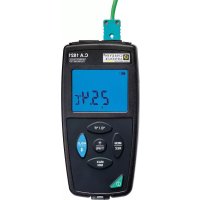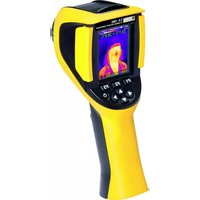
C.A 1900 - Thermometer CHAUVIN ARNOUX - Free user manual and instructions
Find the device manual for free C.A 1900 CHAUVIN ARNOUX in PDF.


User questions about C.A 1900 CHAUVIN ARNOUX
0 question about this device. Answer the ones you know or ask your own.
Ask a new question about this device
Download the instructions for your Thermometer in PDF format for free! Find your manual C.A 1900 - CHAUVIN ARNOUX and take your electronic device back in hand. On this page are published all the documents necessary for the use of your device. C.A 1900 by CHAUVIN ARNOUX.
USER MANUAL C.A 1900 CHAUVIN ARNOUX
EN - Thermal camera for body temperature measurement
Operating instructions
Visit our web site to download the operating instructions for your instrument:
www.chauvin-arnoux.com
Search on the name of your instrument. When the instrument has been found, select the page. The operating instructions are on the right. Download them.
Precautions for use
The infrared thermal camera is a sensitive optical measuring instrument.
■ Never aim it at the sun, a laser welder, or any other powerful light source.
■ When the objective is open, do not expose the instrument to dust.
■ Do not touch the objective with your fingers.
■ Avoid jolting and falls.
If the camera is damaged or its operation is impaired as a result of failure to observe these precautions for use, neither the manufacturer nor the distributor may be held liable and all costs will be borne by the user.

Information or useful tip.

Chauvin Arnoux has adopted an Eco-Design approach in order to design this appliance. The product is declared recyclable following an analysis of the life cycle in accordance with standard ISO 14040.

The CE marking indicates conformity with European directives, in particular LVD and EMC.

The rubbish bin with a line through it indicates that, in the European Union, the product must undergo selective disposal in compliance with Directive WEEE 2012/19/EU..
Description of the instrument
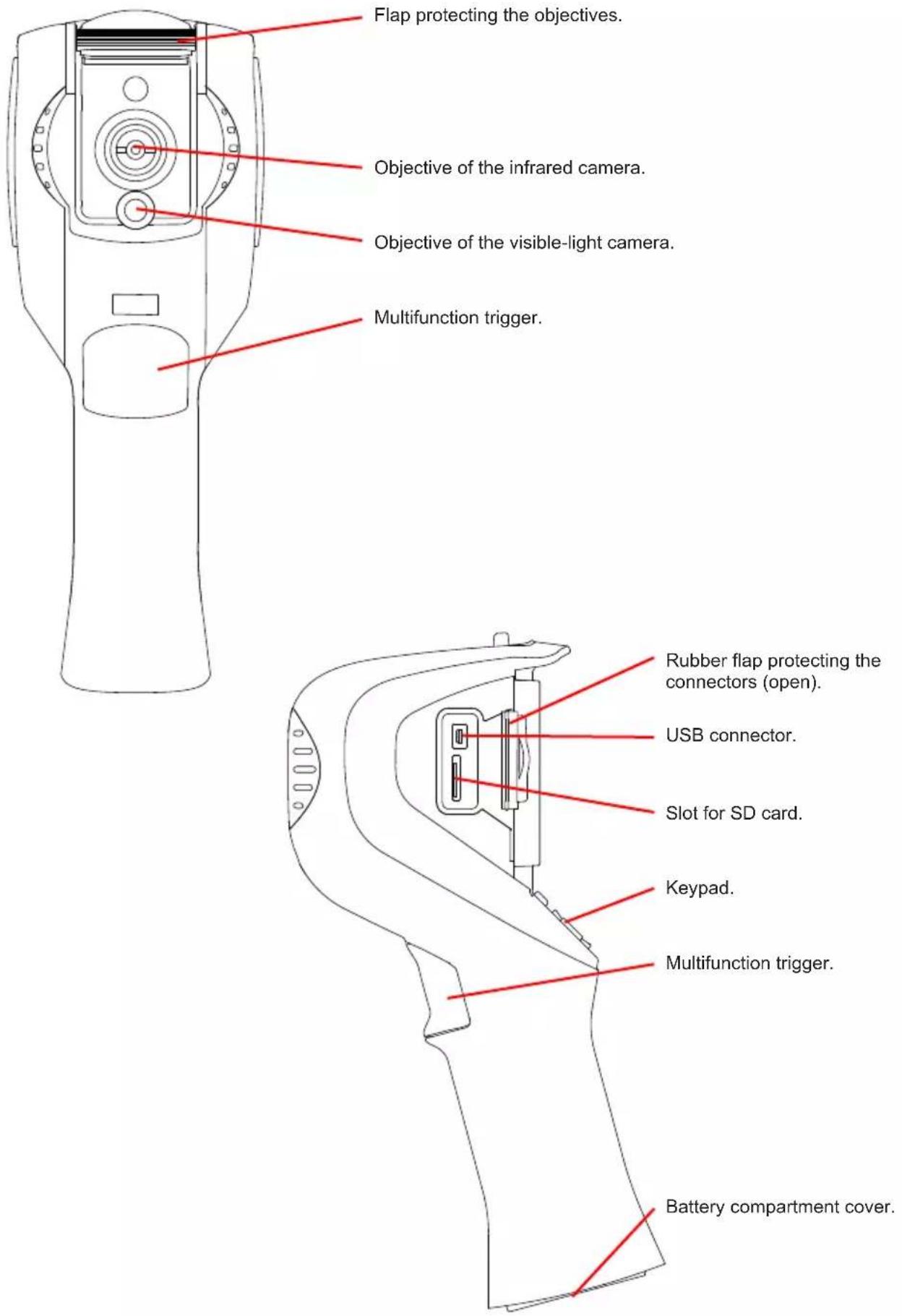
text_image
Flap protecting the objectives. Objective of the infrared camera. Objective of the visible-light camera. Multifunction trigger. Rubber flap protecting the connectors (open). USB connector. Slot for SD card. Keypad. Multifunction trigger. Battery compartment cover.Inserting the batteries

text_image
Quarter-turn screw latch Quarter-turn screw. Battery compartment cover. Slot for 1/4" camera tripod mount. Press the latch. Use a coin to unscrew the quarter-turn screw. Use a tool to remove the battery compartment cover by prying at the point indicated by the green arrow. Insert the 4 Ni-MH rechargeable batteries provided or 4 LR06 (AA) batteries, with the polarities as indicated. Put the battery compartment cover back on and make sure that it is completely and correctly closed. Screw the quarter-turn screw back in; the latch locks it.Switching the instrument on
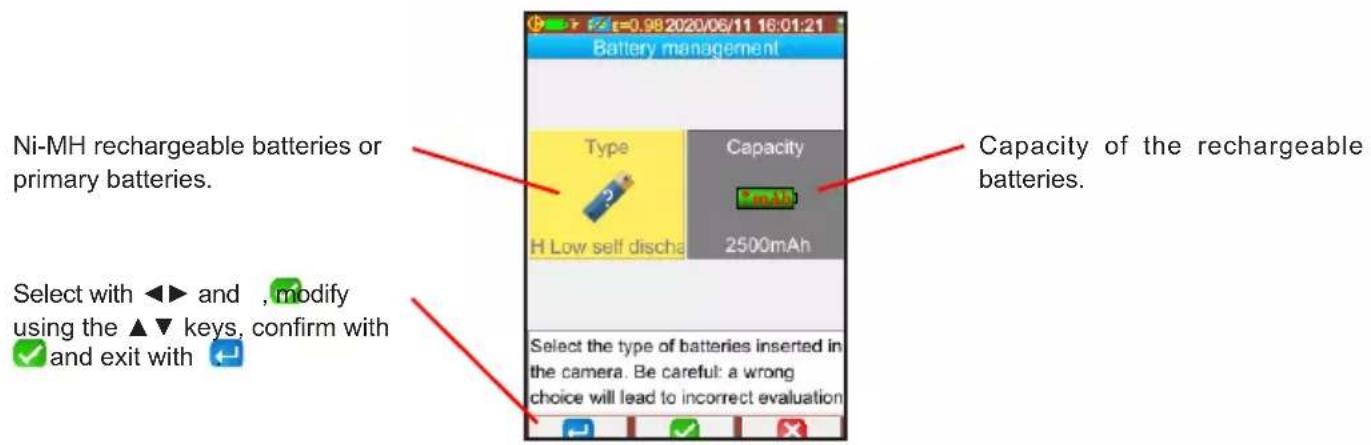
■ Switch the instrument on by pressing the key. The battery manager asks you what you put in the instrument.
text_image
Ni-MH rechargeable batteries or primary batteries. Select with ◀▶ and , modify using the ▲▼ keys, confirm with ✓ and exit with ← Battery management Type Capacity H Low self discharge 2500mAh Select the type of batteries inserted in the camera. Be careful: a wrong choice will lead to incorrect evaluation Capacity of the rechargeable batteries.- Pressing F1, F2, or F3 displays the functions of the keys. Press F1 to enter the menu and configure the instrument, in particular choose the language.

text_image
Main Display Files Setup Target Parameters About Adjustment of camera parameters.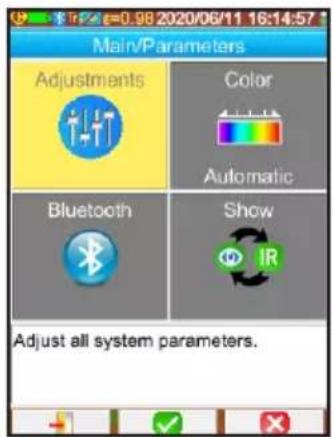
text_image
Main/Parameters Adjustments Color Automatic Bluetooth Show Adjust all system parameters.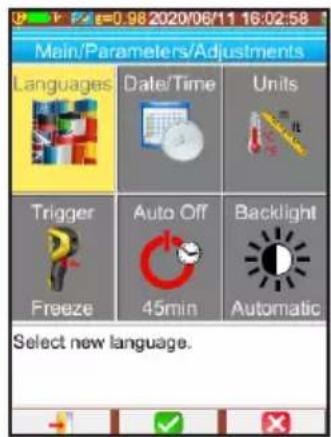
text_image
Main/Parameters/Adjustments Languages Date/Time Units Trigger Auto Off Backlight Freeze 45min Automatic Select new language.Camera adjustments
Two alarm modes are possible:
■ Adaptive Alarm. This is the default alarm. It is triggered when the measurement exceeds the average temperature of healthy persons (average of not more than 6 measurements) plus the alarm temperature difference (1.5°C is the default).
■ Tmax alarm. This is triggered when the measurement exceeds the threshold set in °C.
To have an audible alarm, pair the Bluetooth earbud with the camera.
Adjustment of the general offset
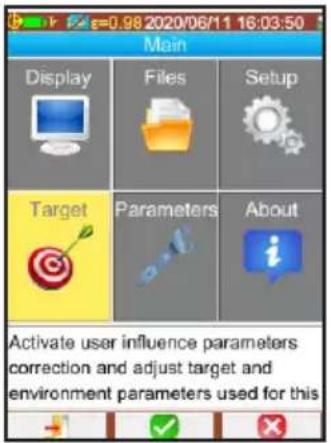
The body's surface temperature is lower than its internal temperature, so the camera will indicate a temperature close to 35^ C instead of the expected 37^ C . To compensate this difference, you can add a temperature shift. Press F1 to enter the menu.
text_image
Main Display Files Setup Target Parameters About Activate user influence parameters correction and adjust target and environment parameters used for this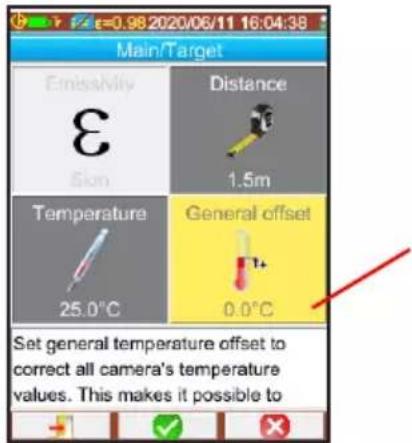
text_image
Main/Target Emissivity Distance 1.5m Temperature General offset 25.0°C 0.0°C Set general temperature offset to correct all camera's temperature values. This makes it possible toSet the general offset (temperature difference between the forehead and the internal temperature) to 2°C.

Don't forget to reset this offset to 0 if you want to make measurements other than body temperature measurements.
Adjustment of the adaptive alarm
As default, the average temperature of healthy persons is set to 35.3^ C and the alarm temperature difference is 1.5^ C higher, giving a triggering threshold to 36.8^ C.
You can change this difference. Press F1 to enter the menu.
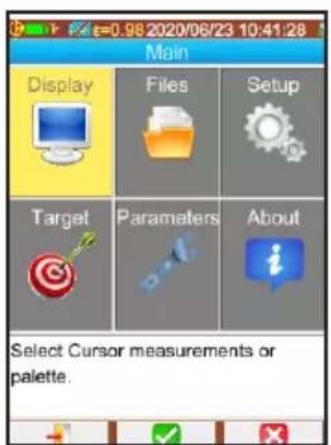
text_image
Main Display Files Setup Target Parameters About Select Cursor measurements or palette.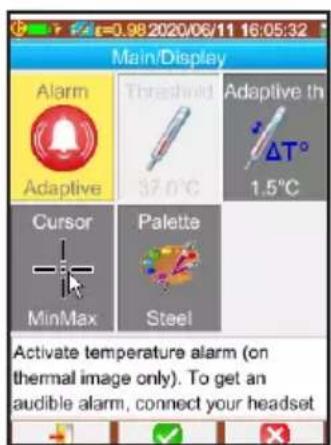
text_image
Main/Display Alarm Adaptive Threshold 37.0°C Adaptive th ΔT° 1.5°C Cursor Palette MinMax Steel Activate temperature alarm (on thermal image only). To get an audible alarm, connect your headset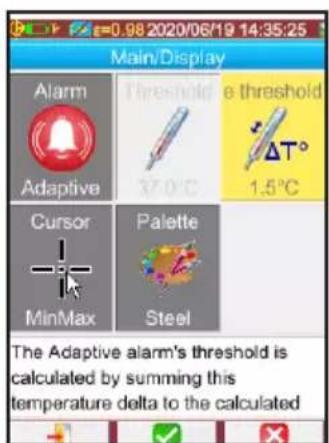
text_image
0.98 2020/06/19 14:35:25 Main/Display Alarm Adaptive Threshold 37.0°C e threshold ΔT° 1.5°C Cursor MinMax Palette Steel The Adaptive alarm's threshold is calculated by summing this temperature delta to the calculatedAdjustment of the Tmax alarm
To set the alarm threshold, press F1 to enter the menu.
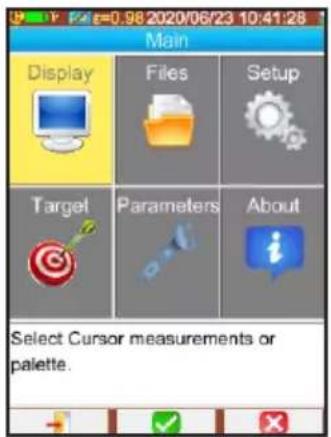
text_image
Main Display Files Setup Target Parameters About Select Cursor measurements or palette.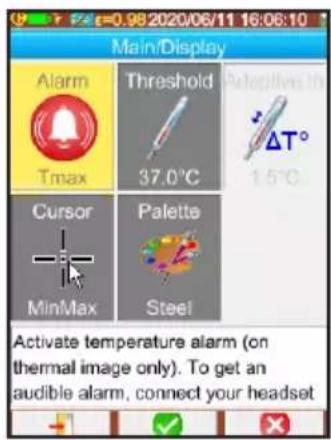
text_image
Main/Display Alarm Threshold Adaptive in Tmax 37.0°C ΔT° 1.5°C Cursor Palette MinMax Steel Activate temperature alarm (on thermal image only). To get an audible alarm, connect your headset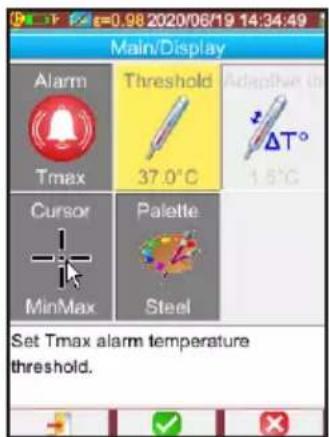
text_image
Main/Display Alarm Threshold Adaptive in Tmax 37.0°C ΔT° 1.8°C Cursor Palette MinMax Steel Set Tmax alarm temperature threshold.Other adjustments
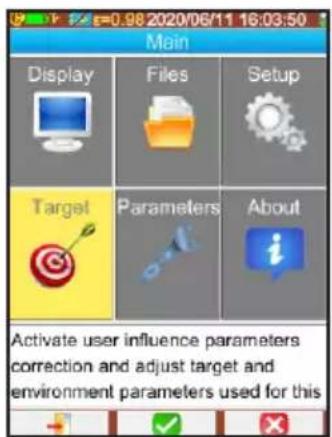
■ Set the measurement distance.
The measurement distance must remain constant from one person to another. To ensure this, use a mark on the floor.
text_image
Main Display Files Setup Target Parameters About Activate user influence parameters correction and adjust target and environment parameters used for this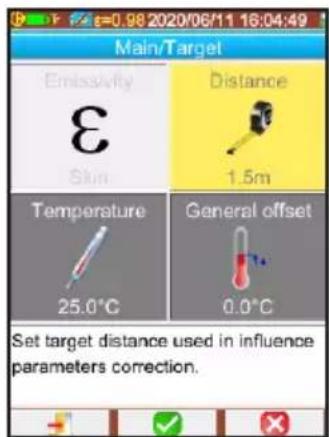
text_image
Main/Target Emissivity Distance 1.5m Skin Temperature General offset 25.0°C 0.0°C Set target distance used in influence parameters correction.■ Activate Bluetooth and pair the earbud with the camera to obtain an audible alarm.
text_image
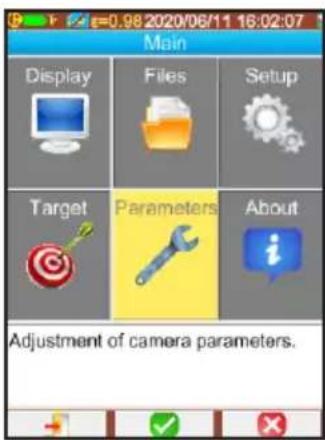
Main Display Files Setup Target Parameters About Adjustment of camera parameters.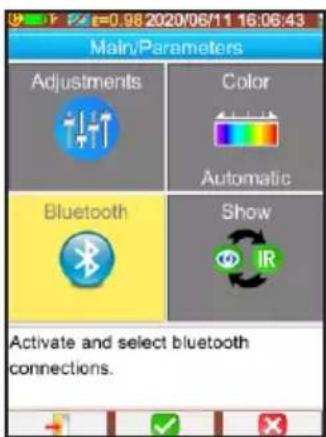
text_image
Main/Parameters Adjustments Color Automatic Bluetooth Show Activate and select bluetooth connections.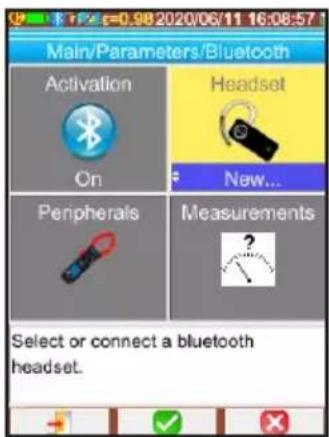
text_image
Main/Parameters/Bluetooth Activation On Headset New... Peripherals Measurements ? Select or connect a bluetooth headset.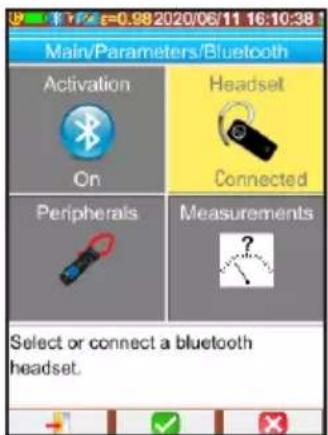
text_image
Main/Parameters/Bluetooth Activation On Headset Connected Peripherals Measurements Select or connect a bluetooth headset.Preparation of the measurement
Warming up
The warmup time of the camera is 10 minutes. You must therefore switch it on 10 minutes before you use it.
Installation
■ Install the camera preferably on a camera tripod.
■ Open the flap protecting the objectives.
It must be aimed once and for all so that the heads of persons of different sizes are in the screen.
The field of view (in other words, the background) must be free of windows, mirrors, and shiny metallic surfaces such as stainless steel; ideally, it would be uniform, like a white wall or a folding screen.
■ The measurement distance must be represented by a mark on the floor. Prefer measurements at a short distance (approximately 1m).
■ The person to be checked must not be undergoing a temperature transition, i.e. moving from a cool to a warm place or vice versa.
■ The measurement must be made in a place free of drafts. Keep away from heating or air-conditioning registers. There must not be any surface warmer than the human body in the field of view of the camera.
Person to be checked
■ No glasses and no mask.
■ Mouth closed.
■ Measurement on the head only. The neck is sometimes warmer.
■ Face full front and motionless.
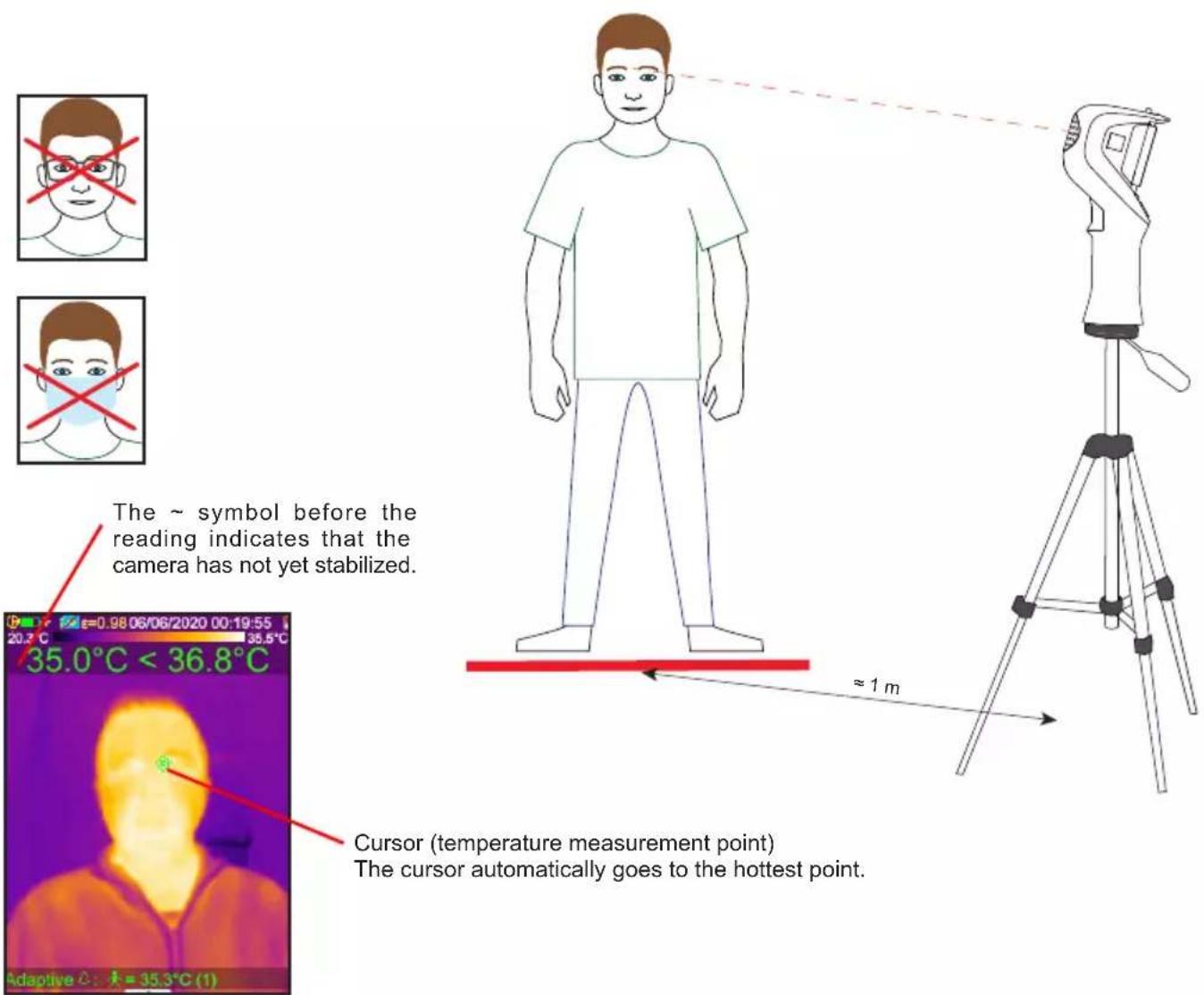
The \~ symbol before the reading indicates that the camera has not yet stabilized.
Cursor (temperature measurement point) The cursor automatically goes to the hottest point.
If the alarm is triggered, check that the cursor is in fact on the corner of the person's eye or on their forehead. If it is placed on the neck, the person must hide their neck with their hand. Make a check measurement with a medical thermometer.
Measurement
In the adaptive alarm mode, make 6 temperature measurements on healthy persons.
■ use the trigger to freeze the display.
■ Press the F2 key to record the temperature.
■ Record up to 6 temperature measurements on healthy persons to establish a reference temperature.
At regular intervals (approximately every 15 minutes) add a new measurement so that the reference adapts to changes in the measurement context (ambient temperature, humidity).
Switching the instrument off
■ To switch the instrument off, long-press the key.
■ Close the flap protecting the objectives.
Betriebsanleitung
natural_image
Two rectangular batteries with one showing a speaker icon and the other showing two connected battery cells (no text or symbols)text_image
I + de. I +text_image
20.2 °C 35.0°C < 36.8°C Adaptive △: J = 35.3°C (1)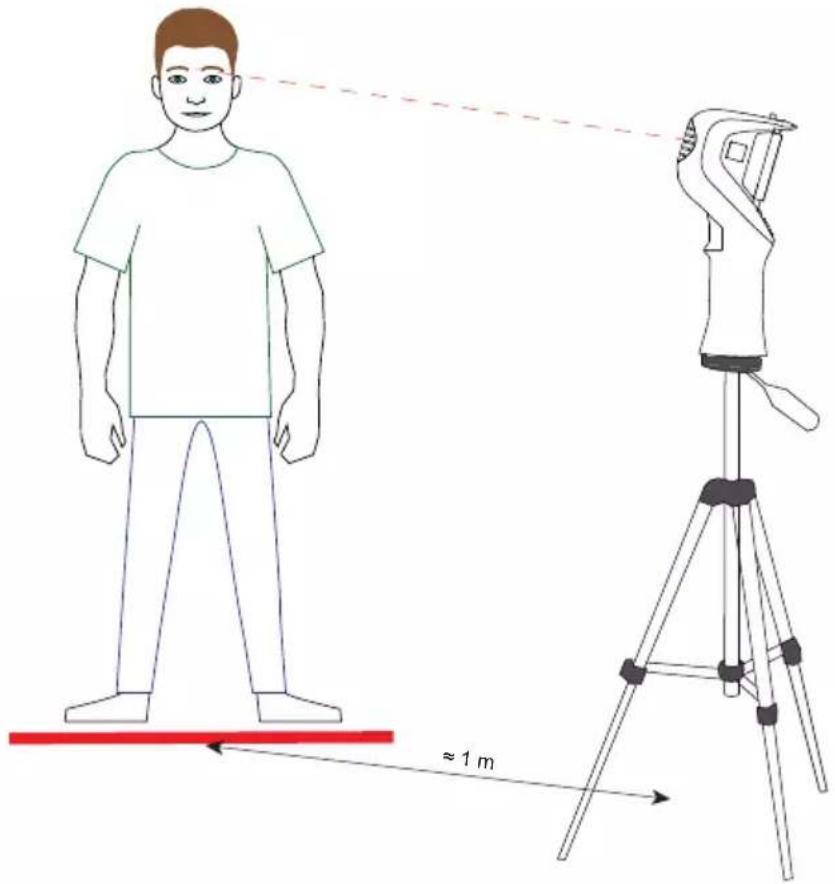
text_image
≈1 mOur international contacts
www.chauvin-arnoux.com/contacts
CHAUVIN
ARNOUX