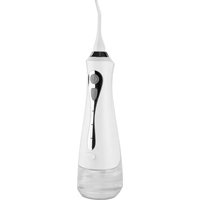
Hydrojet - Interdental brush LANAFORM - Free user manual and instructions
Find the device manual for free Hydrojet LANAFORM in PDF.



| Product type | Oral irrigator / Interdental brush |
| Brand | Lanaform |
| Model | Hydrojet |
| Dimensions | 29.5 × 6.5 × 8 cm |
| Weight | 295 g |
| Power | Rechargeable lithium-ion battery 1800 mAh |
| Charging | USB-C (5V, 1A), charging time 2-4 h |
| Battery life | About 1 minute per full tank |
| Cleaning modes | 3 modes: Normal, Soft (massage), Pulse (pulsing) |
| Included nozzles | 4 nozzles |
| Nozzle replacement frequency | Every 6 months |
| Maximum water temperature | 40°C |
| Warranty | 2 years |
| Usage | Daily oral hygiene |
| Maintenance | Clean with a damp cloth; do not immerse |
| Repairability | Repair only by an authorized center |
Frequently Asked Questions - Hydrojet LANAFORM
User questions about Hydrojet LANAFORM
0 question about this device. Answer the ones you know or ask your own.
Ask a new question about this device
Download the instructions for your Interdental brush in PDF format for free! Find your manual Hydrojet - LANAFORM and take your electronic device back in hand. On this page are published all the documents necessary for the use of your device. Hydrojet by LANAFORM.
USER MANUAL Hydrojet LANAFORM
natural_image
White electric toothbrush with a pointed tip and black handle, no visible text or symbols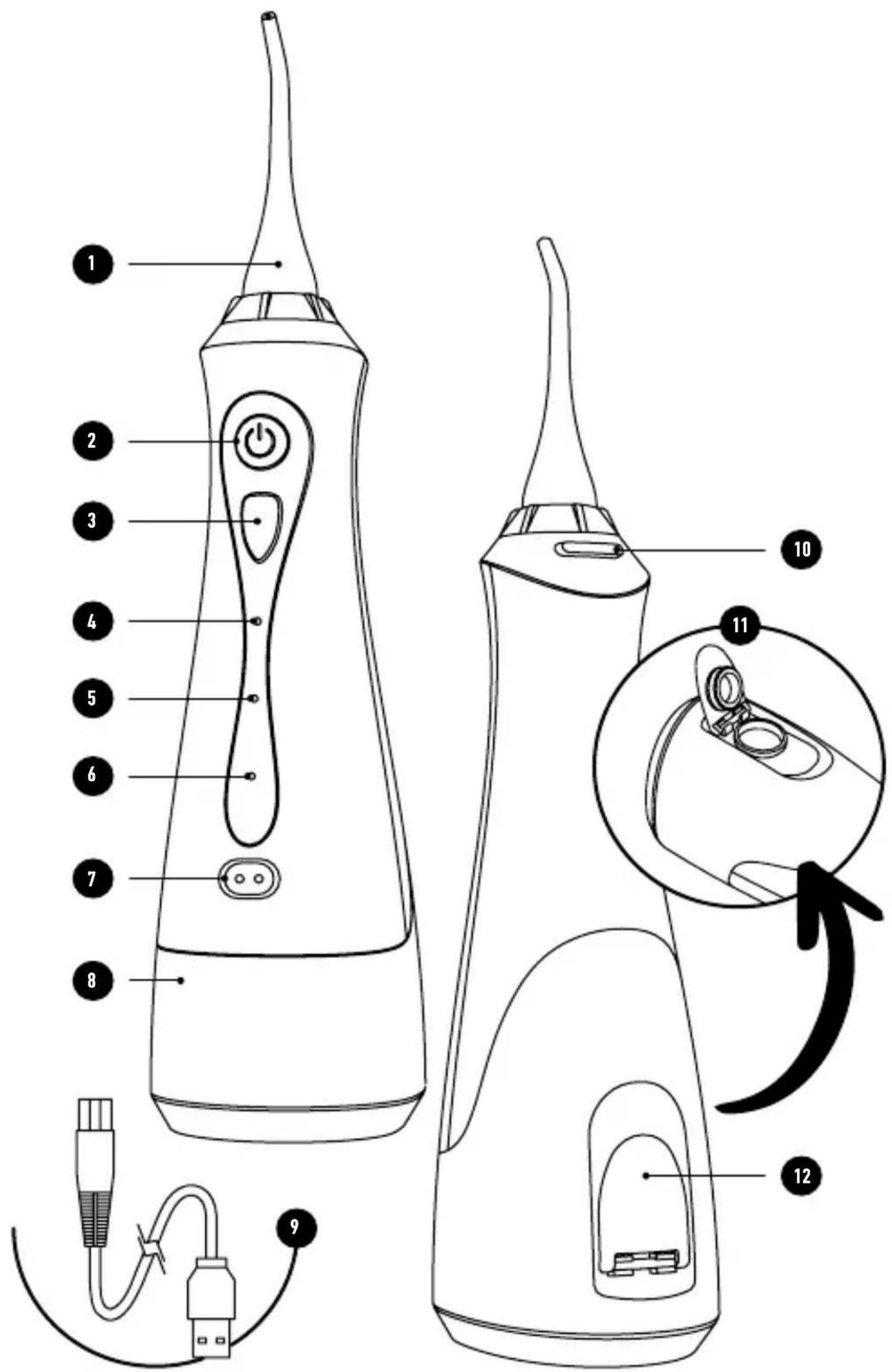
PRÉSENTATION
natural_image
Diagram of a medical device with a catheter and cap, showing mechanical components and directional arrows (no text or labels)natural_image
Line drawing of a medical or laboratory device with a pipette inserted into a bulb (no text or symbols)natural_image
Close-up illustration of human teeth with a toothbrush applying a blue-to-green mesh material (no text or symbols)natural_image
Close-up of a glass container with white plastic strips and small dark particles, partially submerged in liquid (no visible text or symbols)natural_image
Close-up of dental crowns with visible teeth and water droplets (no text or symbols)natural_image
Two identical line drawings of a mechanical component with symmetrical cutouts and circular features, no text or symbols present.9. CARACTÉRISTIQUES TECHNIQUES
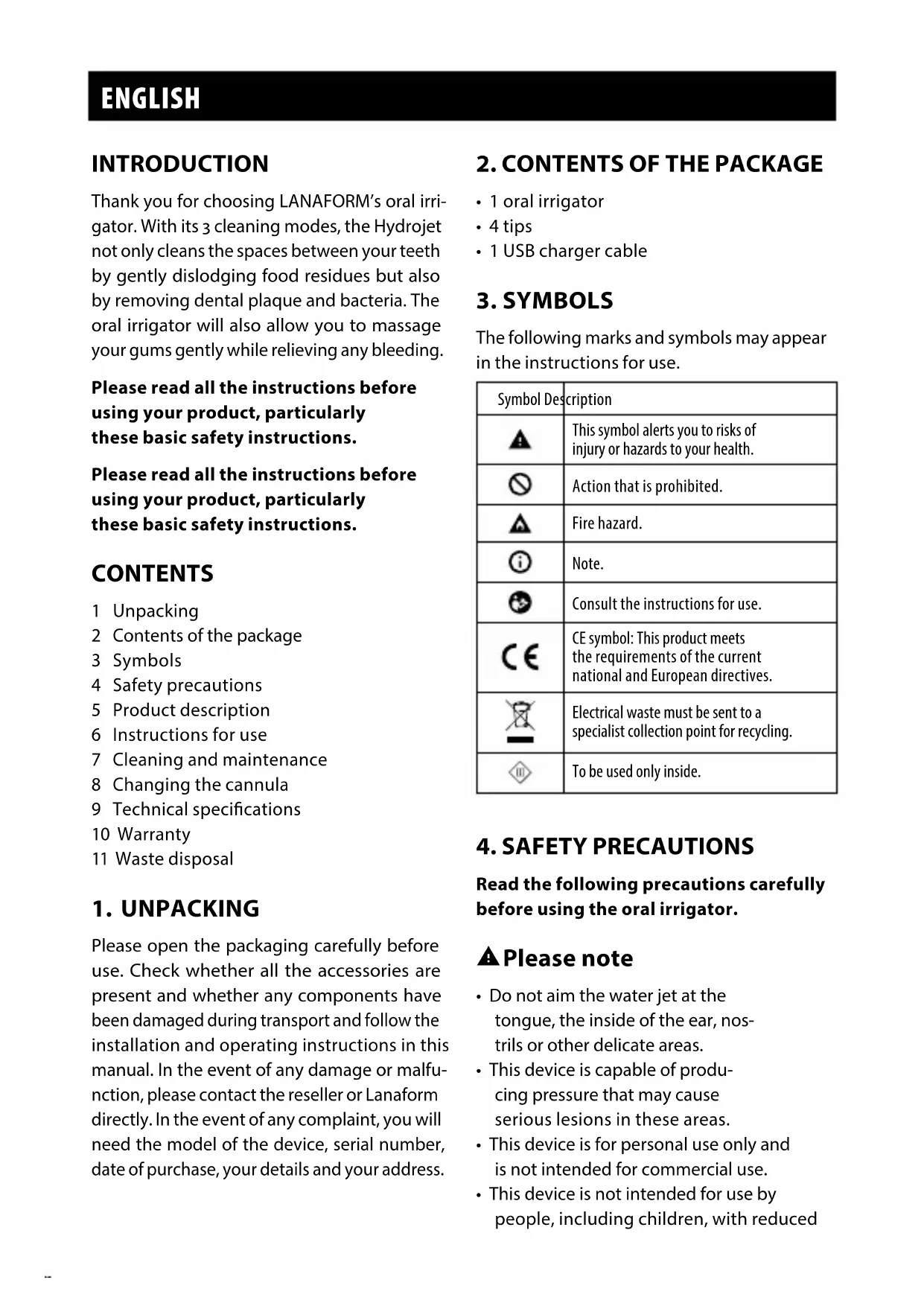
Thank you for choosing LANAFORM's oral irrigator. With its 3 cleaning modes, the Hydrojet not only cleans the spaces between your teeth by gently dislodging food residues but also by removing dental plaque and bacteria. The oral irrigator will also allow you to massage your gums gently while relieving any bleeding.
Please read all the instructions before using your product, particularly these basic safety instructions.
Please read all the instructions before using your product, particularly these basic safety instructions.
CONTENTS
1 Unpacking
2 Contents of the package
3 Symbols
4 Safety precautions
5 Product description
6 Instructions for use
7 Cleaning and maintenance
8 Changing the cannula
9 Technical specifications
10 Warranty
11 Waste disposal
1. UNPACKING
Please open the packaging carefully before use. Check whether all the accessories are present and whether any components have been damaged during transport and follow the installation and operating instructions in this manual. In the event of any damage or malfunction, please contact the reseller or Lanaform directly. In the event of any complaint, you will need the model of the device, serial number, date of purchase, your details and your address.
2. CONTENTS OF THE PACKAGE
- 1 oral irrigator
- 4 tips
- 1 USB charger cable
3. SYMBOLS
The following marks and symbols may appear in the instructions for use.
| Symbol Description | |
 | This symbol alerts you to risks of injury or hazards to your health. |
 | Action that is prohibited. |
 | Fire hazard. |
 | Note. |
 | Consult the instructions for use. |
 | CE symbol: This product meets the requirements of the current national and European directives. |
 | Electrical waste must be sent to a specialist collection point for recycling. |
| [W448] | To be used only inside. |
4. SAFETY PRECAUTIONS
Read the following precautions carefully before using the oral irrigator.
▲ Please note
- Do not aim the water jet at the tongue, the inside of the ear, nostrils or other delicate areas.
- This device is capable of producing pressure that may cause serious lesions in these areas.
- This device is for personal use only and is not intended for commercial use.
- This device is not intended for use by people, including children, with reduced
physical, sensory or mental capabilities, or by people with a lack of experience or knowledge, unless someone responsible for their safety can supervise or instruct them beforehand on how to use the device. Children should be supervised to make sure they do not play with the device.
- Oral irrigators can be used under supervision by children under 8 years old.
- The device is designed solely for use as described in these instructions for use. Use the device only according to the instructions. The manufacturer cannot be held responsible for damage caused by inappropriate or improper use.
- Use only attachments and accessories recommended by Lanaform.
- Do not drop or insert any object into the device's openings.
- Do not use or operate the product outside in a place where aerosol cans are used or in a place where oxygen is administered.
- Do not use iodine, saline solution (salt solution) or concentrated essential oils that are insoluble in water in this product. Using these products may reduce the device's performance and shorten its serviceable life.
- Remove any item of oral jewellery before using this product.
- Before you start using the device, read the safety instructions carefully. Non-compliance with the instructions below is likely to cause personal injury or damage to property. Keep these instructions for use and keep them available for all other users. If you pass on the device to anyone else, give them these instructions for use as well.
- Please make sure the product's appearance is not damaged and that the start-up indicator and temperature are normal before using this product.
• People with periodontal disease who have had dental treatment or who are concerned about symp-
toms inside their mouth need to consult a dentist before use.
- If, when you are using or have used the device, you notice there is a wound on your gums, teeth or your mouth, do not use the device and consult your doctor.
- Do NOT use the device if there is a wound on your mouth, gums or teeth.
- Oral irrigators should be used with cold or tepid water (40°C maximum).
- Use the device only for oral hygiene purposes. This could cause an accident or injuries if the water jet is aimed at the eyes, nose or throat.
- Do not share the cannula with members or your family or other people. This may cause an infection or inflammation.
- Do not put any salt, mouthwash or other chemical products in the water reservoir. This could cause it to malfunction.
- Do not dry the main unit with a hairdryer or a fan heater. This may cause the parts to malfunction or distort.
- Do not clean with thinners, benzene or alcohol, etc.. This could cause the parts to malfunction, crack or become discoloured.
- Store the device after use in a place where there is low humidity. Leaving the device in a bathroom might cause it to malfunction.
▲Electric shock
- As with any electrical device, the oral irrigator must be used carefully and with caution to avoid any electric shock.
- Please use a charger with a DC 5V 1A output in compliance with the national standards applicable when charging this product and correctly connect the charger plug to the power outlet to prevent any malfunction, fire or fire caused by heat.
- Do not connect the adapter to the power supply when the device is switched off.
-
Do not use the device if it or its accessories show any signs of damage.
-
Do not use the device if it has fallen into water.
- Do not use the device during a storm.
- If the device is faulty or breaks down, switch it off immediately. Disconnect the plug from the socket.
- Do not pull on the power cable or on the device in order to remove the adapter from the wall socket.
- Do not hold and never carry the device by its power cable.
- Do not pinch the cable.
- Do not use the oral irrigator without having previously installed the cannula.
- Given that this product has an integrated rechargeable battery, do not place the product in a fire and do not use it in a high-temperature and overheated environment because a malfunction, fire or fire caused by heat may occur.
- This product's battery is a dedicated battery. If you continue using it when it has exceeded its lifespan, a chemical reaction may occur inside the battery, causing expansion and deformation. The product may deform at high temperatures or under strong blows. If the product is twisted, do not use it in order to avoid any risk of electrocution and fire.
- Keep the power adapter away from hot surfaces.
- Make sure that the power cable and mains adapter plug do not come into contact with water, steam or other liquids.
- Unplug the power plug from the household mains when not in use for a prolonged period. - Otherwise, this could cause an electric shock or a fire due to an electrical leakage resulting from the insulation deteriorating.
- Do not attempt to retrieve a device that has fallen into water. Unplug it immediately from the mains power supply.
▲ Repairs
• The device must not be opened.
- Only a specialist may repair electrical devices. Any inappropriate repair may cause a significant risk to the user. Contact customer service or an authorised dealer for any repairs. Do not try to maintain the oximeter unless you are a qualified professional. Only qualified maintenance professionals are authorised to carry out internal maintenance if necessary.
▲ Fire hazard
- Any inappropriate use or use that does not comply with these operating instructions may cause a fire hazard!
- Do not use the device in a covered area, under a cover or under cushions, for example.
- Do not use the device close to highly inflammable materials.
• Make sure that the air vents are not covered. - Never disconnect the device when it is switched on. Always stop it beforehand.
- Do not expose the device to high temperatures or an excessively humid environment.
5. PRODUCT DESCRIPTION [P2]
1 Cannula
2 On/Off switch
3 Mode selection button
4 "Normal" mode indicator
5 "Soft" mode indicator
6 "Pulse" indicator
7 USB connection
8 Water tank
9 USB cable
10 Cannula attachment/release switch
11 Water reservoir opening
12 Reservoir lid
6. INSTRUCTIONS FOR USE
Charging
1 Please charge the product before using it for the first time. Make sure you use the charger according to the requirements below. If you use it abroad, first check whether the country's voltage and charger are suitable for this product.
2 Turn off the product first when charging. Connect the charger to the USB cable that is included. Insert the charger into the mains power supply and connect the product to the USB charger cable.
3 The indicators of the different programmes will start to flash showing that charging is in progress. Once the charging process ends, all the lights will be lit and permanently on. At this point, disconnect the product from the USB cable and disconnect the charger from the power supply. It's quite normal for the product and charger to be slightly warm.
4 Approximately two to four hours are needed to charge the product fully using the charger that meets the requirements. The time may vary depending on the specific circumstances.
▲ Warning
Do not insert or remove the power cable with wet hands (this may cause an electric shock and the product to short-circuit.
Do not use it in places where water is accessible, such as in a bath or humid environment, in order to prevent a malfunction or short-circuiting.
You must use the charger that meets the charging requirements.
You should not be too close to the product during charging; when you leave for a long period, you must stop charging the device.
Cut off the power immediately when any anomalies occur during charging If the charging cable is damaged or if the plug is loose, stop charging immediately.
Use and keep the charging cable correctly. Do not bend it, stretch it, twist it, press it down or wrap it around the charger.
Instructions for use
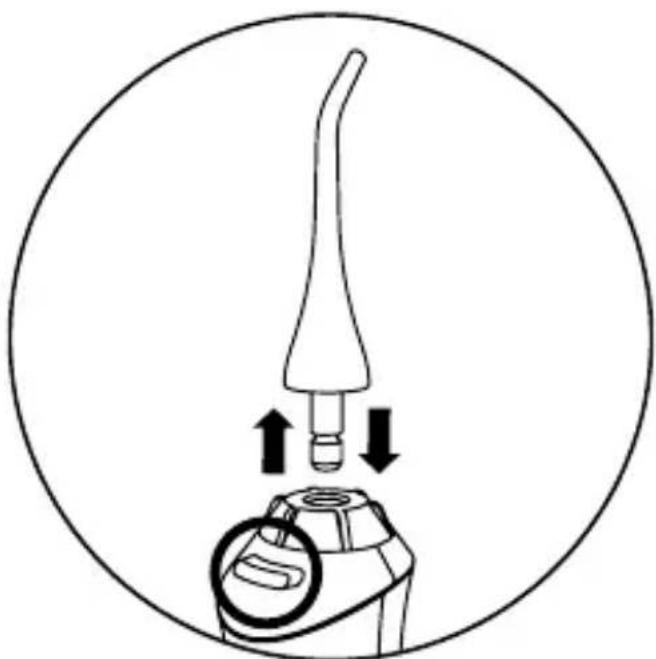
Secure the cannula to the device using the attachment switch. ▼
natural_image
Diagram of a medical device with a pointed tip and mechanical components, showing directional arrows (no text or symbols)Open the water reservoir lid, keep the main unit horizontal and fill the water reservoir making sure that its temperature does not exceed 40^ C.
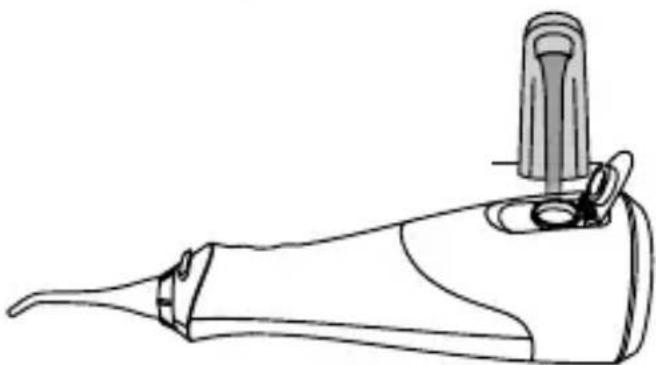
natural_image
Line drawing of a medical or laboratory device with a pipette inserted into a bulb (no text or symbols)Replace the water reservoir lid, making sure it is locked.
When you use the device for the first time, press the stop/start switch to set it going.
Choose one of the treatment modes by pressing the mode selection button.
There are 3 cleaning modes:
- "Soft" mode
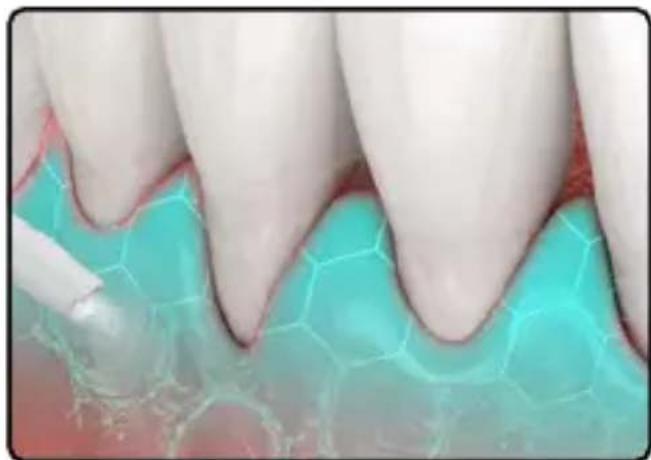
natural_image
Close-up of human teeth with a toothbrush applying color to a tooth surface (no text or symbols visible)This mode is intended to gently massage the gums.
Gently stimulate problem areas by aiming the cannula at the affected area.
- "Normal" mode
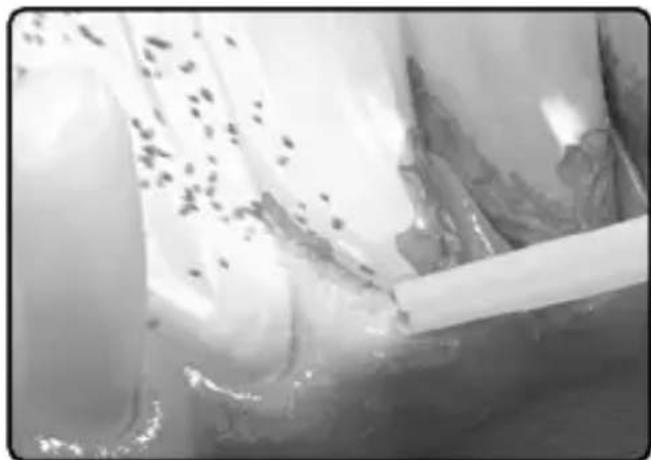
natural_image
Close-up of a glass tube with liquid and small particles, no visible text or symbolsThis mode is intended for treatments that focus on periodontal pockets by removing bacteria and dental plaque.
1 Direct the water flow towards the space between the teeth and the gum line.
2 Slowly pass the jet of water along the gum line.
3 Clean the front and back of the teeth and behind the molars.
4 Clean the problem areas of the gums in "soft" mode.
- "Pulse" mode
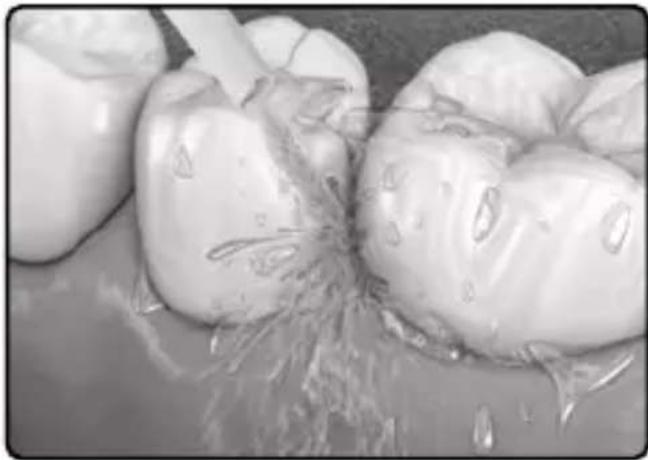
natural_image
Close-up of dental crowns with visible teeth and gum tissue (no text or symbols)This mode is intended for treatments that focus on the areas between the teeth to remove bacteria as well as tartar.
Aim the water jet at the area between the teeth. Pass the cannula from the front and back sides of the teeth. A water reservoir that is completely full is sufficient for approximately 1 minute's use.
▲Note
Place the cannula in your mouth and gently close your mouth before pressing the power button.
To use it, place your face over a sink and, with the main unit vertical and the cannula up, raise your elbow.
Pressing the mode selection button during use will change the mode.
Twist the cannula handle to adjust the direction of the water flow.
After use, press the power button to turn off the main unit.
▲Note
1 The device might not operate at an ambient temperature of around 5^ C or less.
2 Do not press the tip of the cannula against the teeth or gums too hard.
3 Plaque that sticks to the surface of the teeth and cannot be removed just with water will still need to be brushed
off. It is recommended that the inside of your mouth be cleaned with water after you have brushed your teeth.
4 Do not run the main unit on empty except to empty the remaining water after use. Using the main unit with no water might cause it to malfunction.
5 If the cannula's point is misshapen, replace it with a new cannula.
7. CLEANING AND MAINTENANCE
1 Open the lid of the water reservoir and empty the water.
2 Set the device going using the power button and empty the water.
3 Run the device until no more water appears, then switch it off using the power button. Remove the cannula using the corresponding switch.
4 Clean the device with a slightly damp cleaning cloth.
5 Do not wash with water exceeding 50^ C.
6 If using a detergent, use a detergent suitable for washing up.
7 Carefully rinse with water to ensure there is no detergent left after cleaning.
8 Wipe off the moisture with a towel and let it dry in a well ventilated area.
9 Lightly rub the filter at the end of the suction pipe with a soft brush.
10 Wipe off the water with a towel etc. and dry.
8. CHANGING THE CANNULA
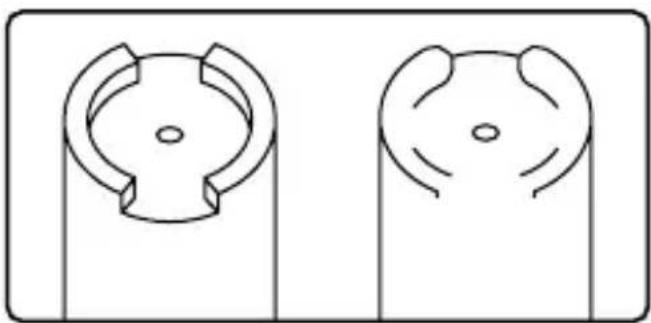
1 The cannula is a consumable. The cannula must be replaced approximately every 6 months for hygiene reasons, even if its shape remains unchanged.
New cannula ▼ Deformed (used) cannula
natural_image
Two identical line drawings of a mechanical component with circular features, no text or symbols present.9. TECHNICAL SPECIFICATIONS
| Product Name Hydrojet | |
| Product reference LA140303 | |
| Dimensions | 29.5 × 6.5 × 8 cm |
| Weight ± 295 gr | |
| Battery specification 1800mAh | |
| Charging time ± 2-4 hrs | |
| Power consumption when not charging | Maximum 5W |
| Charger requirement 5V, 1A | |
| Standby current Less than 20μA |
10. LIMITED WARRANTY
LANAFORM guarantees this product against any material or manufacturing defect for a period of two years from the date of purchase, except in the circumstances described below.
The LANAFORM guarantee does not cover damage caused as a result of normal wear to this product. In addition, the guarantee covering this LANAFORM product does not cover damage caused by abusive or inappropriate or incorrect use, accidents, the use of unauthorized accessories, changes made to the product or any other circumstance, of whatever sort, that is outside LANAFORM's control.
LANAFORM may not be held liable for any type of circumstantial, indirect or specific damage.
All implicit guarantees relating to the suitability of the product are limited to a period of two
years from the initial date of purchase as long as a copy of the proof of purchase can be supplied.
On receipt, LANAFORM will repair or replace your appliance at its discretion and will return it to you. The guarantee is only valid through LANAFORM's Service Centre. Any attempt to maintain this product by a person other than LANAFORM's Service Centre will render this guarantee void.

11. ADVICE REGARDING THE DISPOSAL OF WASTE
All the packaging is composed of materials that pose no hazard for the environment and which can be disposed of at your local sorting centre to be used as secondary raw materials. The cardboard may be disposed of in a paper recycling bin. The packaging film must be taken to your local sorting and recycling centre.
When you have finished using the device, please dispose of it in an environmentally friendly way and in accordance with the law.
NERDERLANDS
PRESENTATIE
5. BESCHRIJVING VAN HET PRODUCT [P2]
1 Canule
2 ON/OFF-schakelaar
3 Knop selectiemodus
4 Indicator modus 'Normaal'
5 Indicator modus 'Soft'
6 Indicator 'Pulse'
7 USB-aansluiting
8 Waterreservoir
9 USB-kabel
10 Schakelaar bevestiging/losmaking Canule
11 Opening waterreservoir
12 Deksel van het reservoir