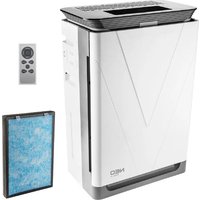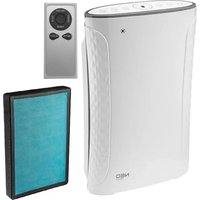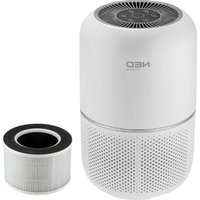
90-121 - Air purifier NEO tools - Free user manual and instructions
Find the device manual for free 90-121 NEO tools in PDF.


| Product type | Air purifier |
| Brand | NEO tools |
| Model | 90-121 |
| Dimensions (approx.) | 25 cm x 25 cm x 40 cm |
| Weight (approx.) | 3.5 kg |
| Power supply | 220-240 V ~ 50 Hz |
| Power (approx.) | 30 W |
| Max. coverage area | 26 m² (280 ft²) |
| Speed levels | 3 (low, medium, high) + sleep mode |
| Filter type | Non-washable air filter (replaceable) |
| Air quality sensor | Yes (AQI with light indicator: blue, green, orange, red) |
| Timer | Yes (2, 4, 8 hours) |
| Auto mode | Yes (adjusts speed based on AQI) |
| Sleep mode | Yes (very quiet, reduced lights) |
| Night light | Yes (amber, adjustable brightness) |
| Filter replacement indicator | Yes (light indicator) |
| Settings memory | Yes (remembers last speed) |
| Maintenance | Clean exterior with a dry cloth; non-washable filter, replace every 6-8 months |
| Safety | Overheat protection, automatic shut-off if tipped over |
| Spare parts and repairability | User-replaceable filter; no repairable parts inside |
| General information | Indoor use only; operating temperature 5°C to 45°C |
Frequently Asked Questions - 90-121 NEO tools
User questions about 90-121 NEO tools
0 question about this device. Answer the ones you know or ask your own.
Ask a new question about this device
Download the instructions for your Air purifier in PDF format for free! Find your manual 90-121 - NEO tools and take your electronic device back in hand. On this page are published all the documents necessary for the use of your device. 90-121 by NEO tools.
USER MANUAL 90-121 NEO tools
natural_image
White NEO TOOLS smart speaker with perforated grille and circular top (no visible text or symbols on device body)A)
B)
C)
natural_image
Illustration of a mechanical component with exploded view and side view showing internal structure (no text or symbols)D)
natural_image
Cross-sectional diagram of a cylindrical mechanical component with internal structure and blue directional arrows indicating flow or movement (no text or symbols)E)
F)
G)
H)
1)
J}
K)
natural_image
Diagram of a mechanical component with disassembled parts and blue motion arrows indicating movement (no text or symbols)L)
natural_image
3D illustration of a cylindrical object with a blue arrow pointing upward, no text or symbols presentM)
natural_image
Cross-sectional diagram of a mechanical component showing internal parts and motion arrows (no text or symbols)N)
PL
UWAGA: PRZED PIERWSZYM UŻYCIEM NARZĘDZIA PRZECZYTAJ NINIEJSZĄ INSTRUKCJĘ I ZACHOWAJ NA PRZYSZŁOŚĆ.
1. Detailed safety regulations
This equipment may be used by children at least 8 years old and by persons with reduced physical and mental abilities and persons who are not familiar with the equipment, if supervision or instruction regarding the use of the equipment in a safe manner is provided so that the threats were understandable. Children should not play with the equipment. Unattended children should not clean or maintain the equipment.
WARNING! The device is used for indoor work.
When using electrical appliances, basic safety precautions should always be followed to reduce the risk of fire, electric shock, and injury to persons. These precautions include:
a) Read all instructions before using the appliance.
b) To avoid fire or shock hazard, plug the appliance directly into correct electrical outlet.
c) If the Filter is covered by a bag when shipped, remove plastic bag before use.
d) Keep the cord out of heavy traffic areas. To avoid fire hazard, NEVER put the cord under rugs, near heat registers, radiators, solves, or heaters.
e) To protect against electrical hazards, DO NOT immerse the appliance in water or other liquids. Do not use near water.
f) Close supervision is necessary when any appliance is used by or near children, or disabled persons.
g) Always unplug the air purifier before moving or cleaning the unit, opening the grill, changing the filter and whenever the unit is not in use. To disconnect the unit, be sure to pull the plug and not the cord.
h) NEVER drop or insert any objects into the openings of the unit.
i) DO NOT operate any appliance with a damaged cord or plug. If the motor fan fails to operate or the unit has been dropped or damaged in any manner, return appliance to manufacturer for examination and/or repair.
j) Use the appliance only for intended household use as described in this manual. Any other use not recommended by the manufacturer may cause fire, electric shock, or injury to persons. The use of attachments not recommended or sold by manufacturer may cause hazards.
k) DO NOT use outdoors.
1) NEVER place on a soft surface such as a bed or sofa as this could cause the unit to tip over an block the air inlet or outlet grills.
m) Keep unit away from heated surfaces and open flames.
n) DO NOT attempt to repair or adjust any electrical or mechanical functions on this unit. Doing so will void your warranty. The inside of the unit contains no user serviceable parts. All servicing should be performed by an authorized.
o) DO NOT place anything on top of unit.
p) NEVER use detergents, gasoline, glass purifier, furniture polish, paint thinner, or other household solvents to clean any part of the appliance.
q) Always turn the appliance off before unplugging it.
r) This appliance should only be used in room with temperatures between 5°C and 45°C.
s) WARNING: To reduce the risk of fire or electric shock, DO NOT use the appliance with any solid-state speed control device. Explanation of the pictograms used

1

2

3
- Read the operating manual, observe the warnings and safety conditions contained in it!
- Second protection class
- Do not disassemble the device yourself. All servicing should be performed by authorized personnel.
2. Product Structure
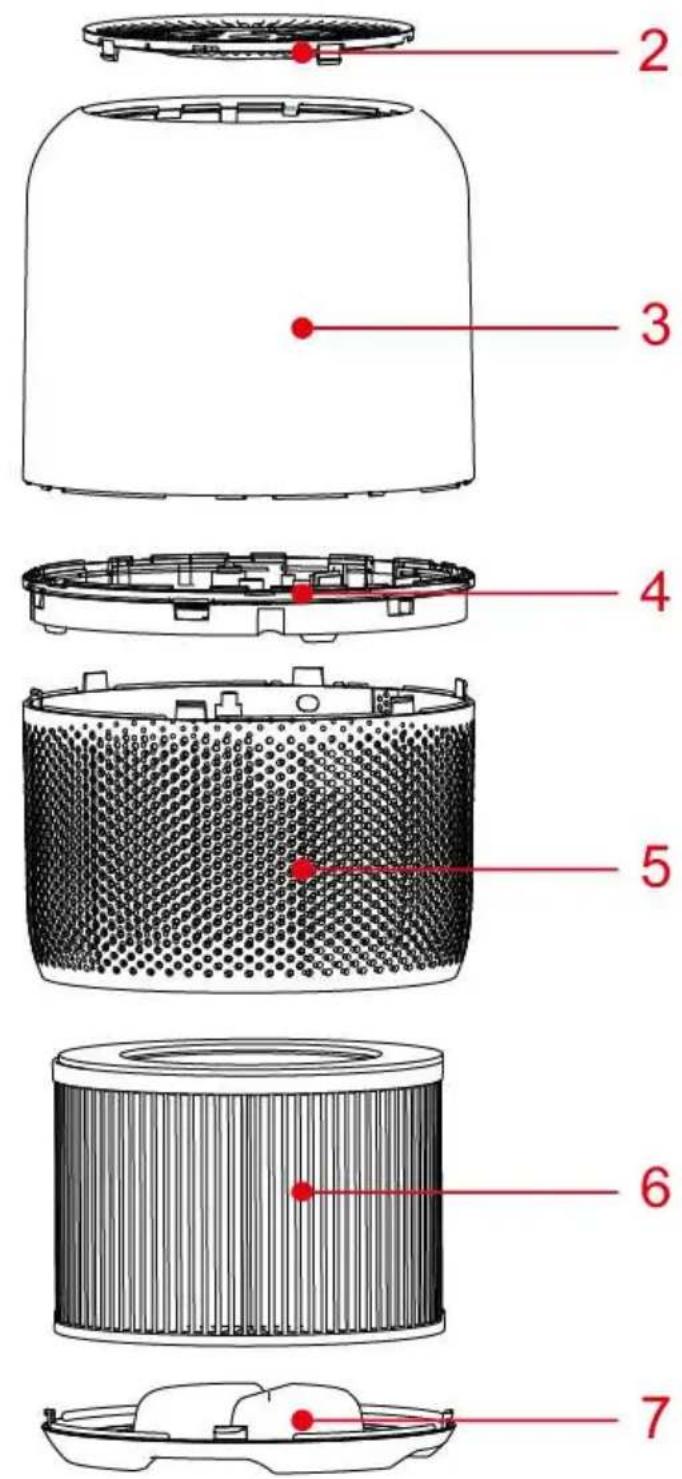
Welcome using our company air purifier, before use please read this manual carefully to operate the product correctly (Picture A)
- Control panel
- Outlet cover
- Upper body
- Decorative ring
- Lower body
- Filter
- Base cover
3. Before first use
Placing the filters:
The appliance comes with all filters fitted inside, but you have to remove the packaging of the filters before you can use the appliance. Remove all filters, unpack them and place them back into the appliance as described below.
Note: Make sure you insert the filters in the correct position.
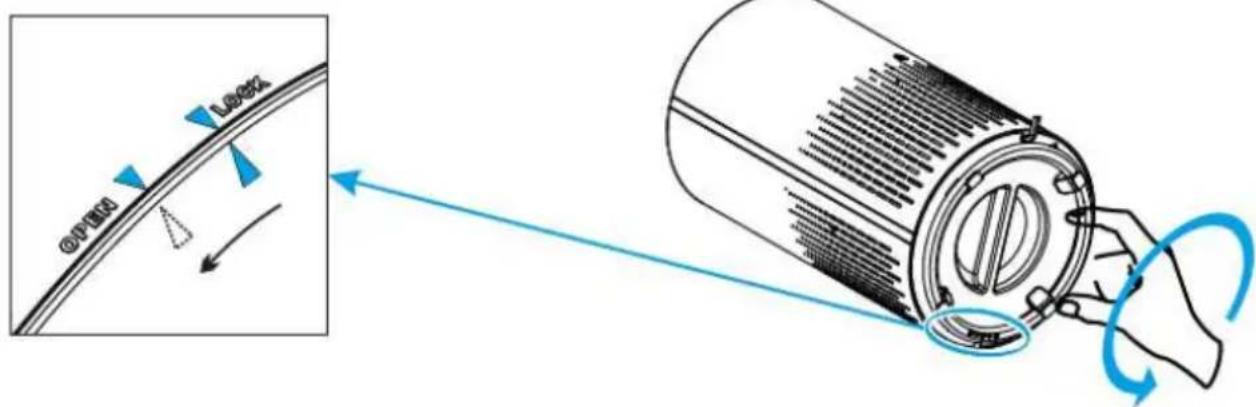
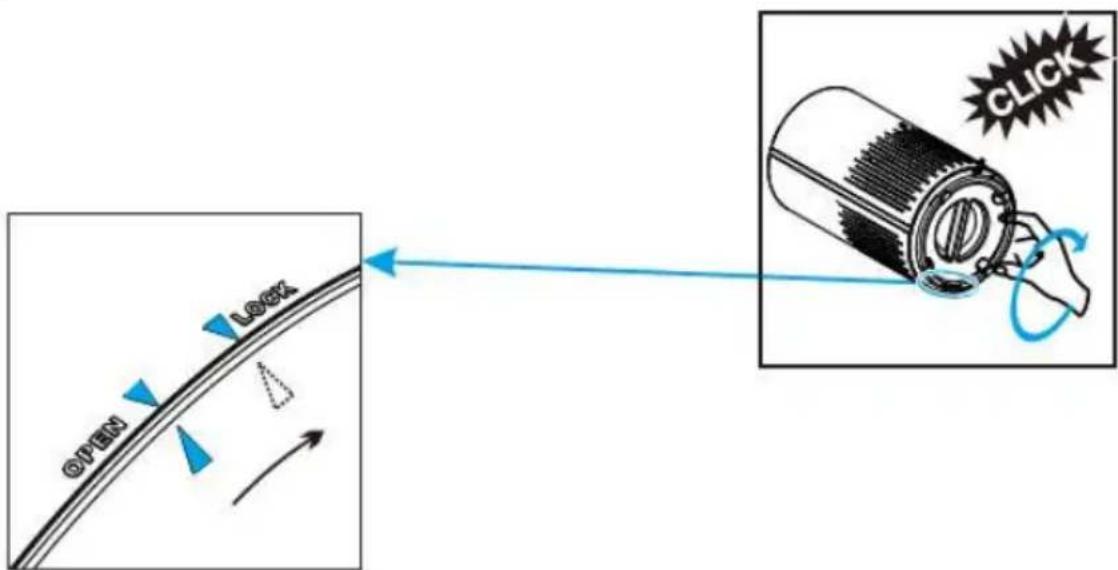
a) Put the appliance upside down on a soft cloth to avoid scratching, to open the base cover, you need to find an arrow point ▲ on the base cover corresponding the LOCK position, turn the base cover counter clockwise from LOCK to OPEN position, then the lock released. (Picture B)
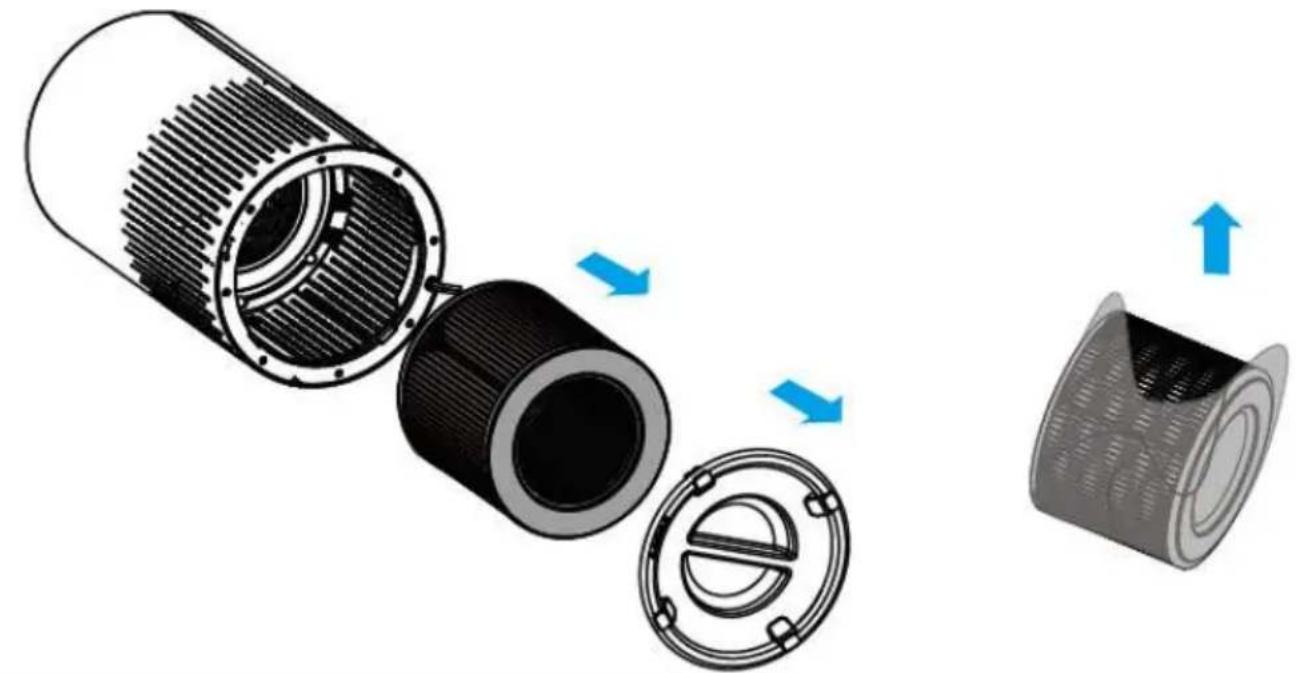
b) Remove the base cover and take out the filter.
c) Remove the packaging material from the filter. (Picture C)
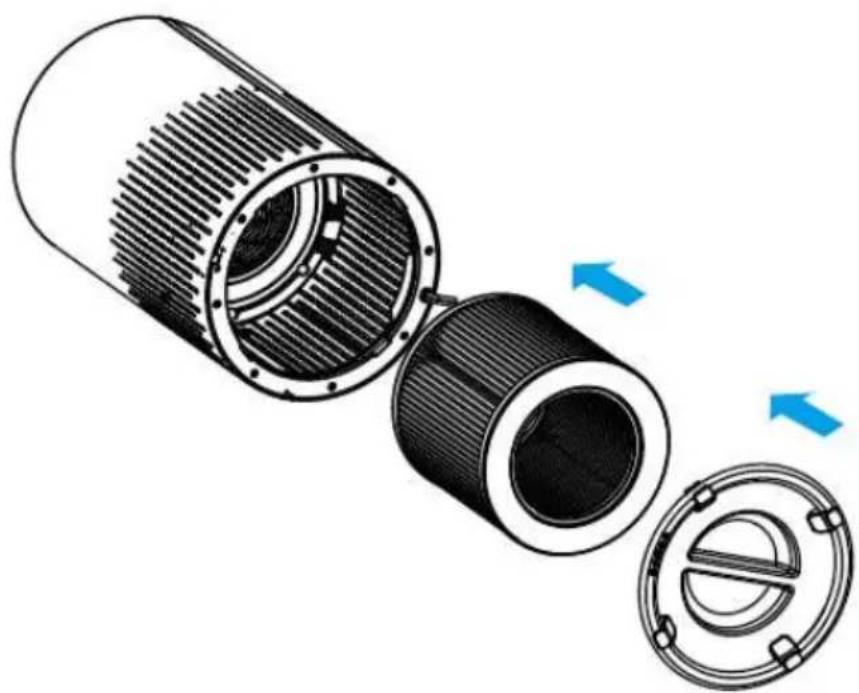
d) Put the filter back into the appliance. (Picture D)
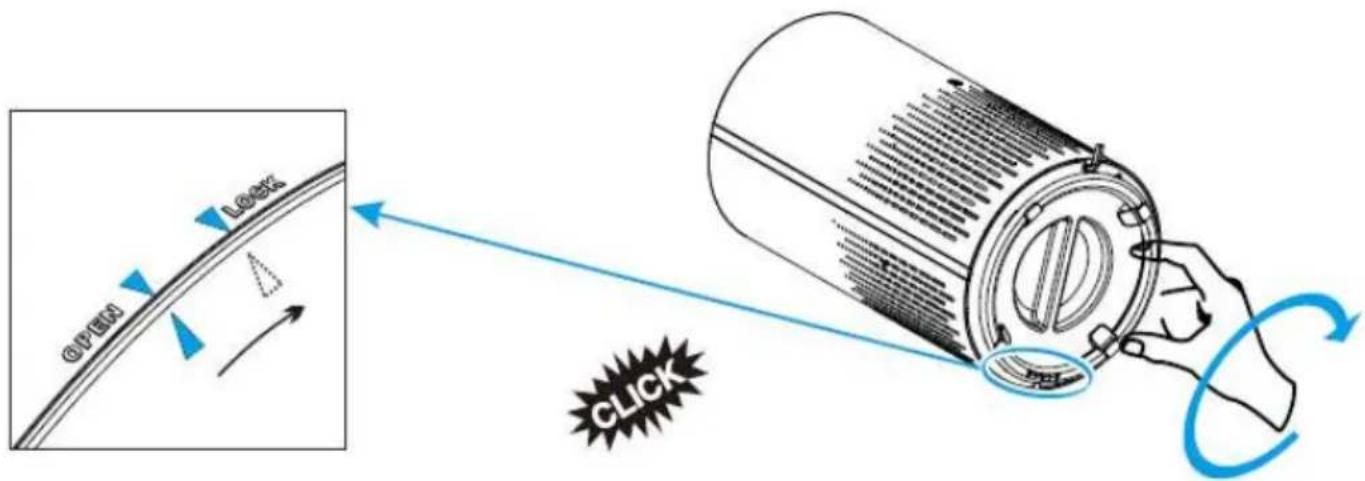
e) Turn the base cover clockwise from OPEN position to LOCK position, you will hear a "click" sound, the base cover is fastened. (Picture E)
4. Using the appliance
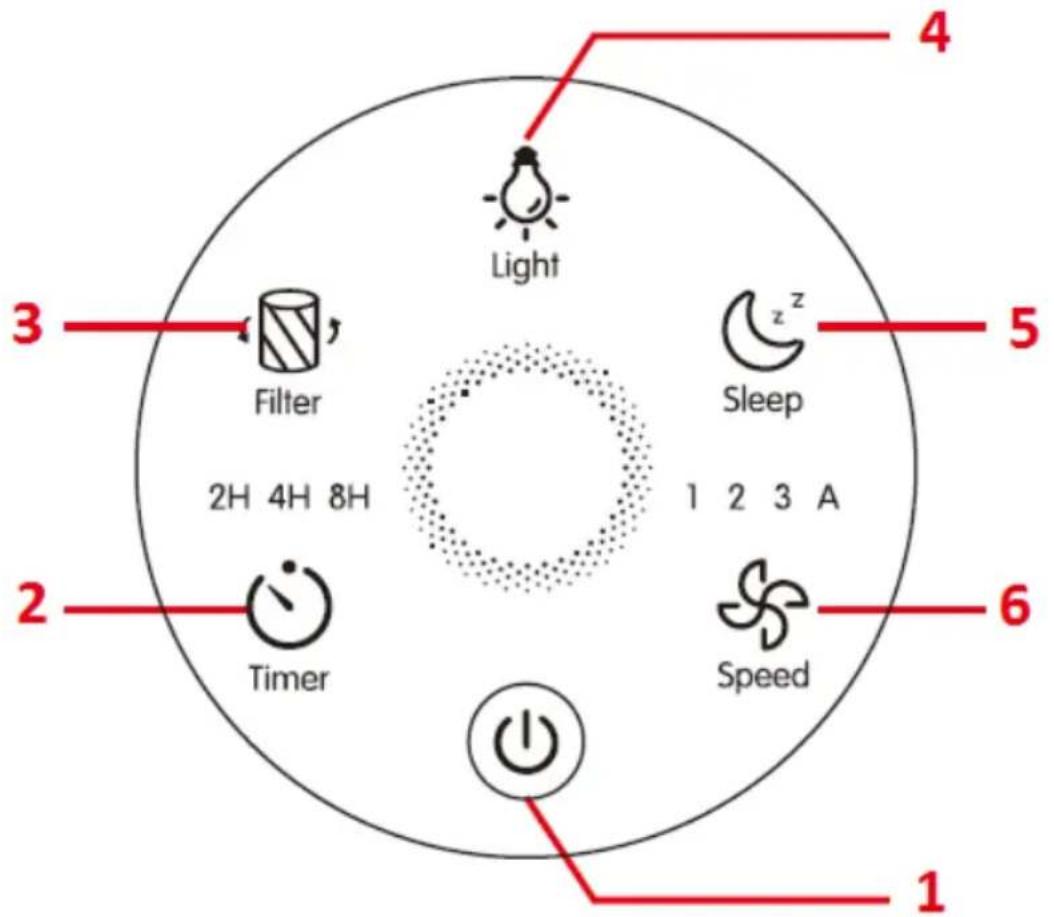
About the control panel (Picture F):
- On/Off
- Timer
- Filter reset
- Air Quality & light
- Sleep mode
- Speed
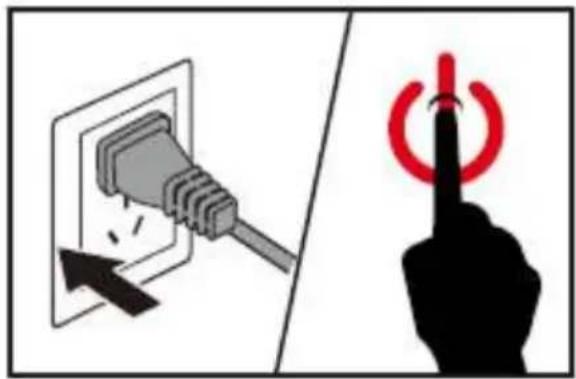
a) Put the plug in the wall socket. All lights go on once and you hear a beep. Then the lights go out again. (Picture G)
b) Press the power button to switch on the appliance. The power lights, AQ light on and FAN SPEED 1 light (Low) on the control panel go on.
c) Fan speed adjustment. The fan speed light indicates at which fan speed the appliance is operating. Press Speed button to adjust fan speed level, there are three levers 1\~3 refers to Low, Medium and High level.
d) Auto mode. At Auto mode, the fan speed will be automatically adjusted according to AQI level as below:
| AQ Color | Blue | Green | Orange | Red |
| Speed mode | Sleep | 1(Low) | 2(Medium) | 3(High) |
| AQ level | Very good | Good | Unhealthy | Hazardous |
e) Sleep mode. When you use the appliance in Sleep mode, it works very quietly, only the ⏻ and ‘,” buttons light on, all other buttons light off, press any other buttons (except ⏻ and ‘,” buttons) to exist the sleep mode.
f) AQ Light. Working status (Air quality light). The air quality light colour will automatically change according to the detecting result of sensor. Standby status (Night light mode)
- At standby status, press 🚙 button, the amber night lights (orange) will turn on.
- Press button again, the light become half brightness, to turn off the night light, just press the button third time, the light cycles as Brightness, Half brightness, Off.
g) Setting timer
- Press ⏻ to turn on or off the timer, and to cycle through timer options (2 hours, 4 hours, or 8 hours).
- The air purifier will automatically power off once the timer is finished.
NOTE: Pressing ⏻ or unplugging the air purifier will cancel the timer.
h) Filter replacement light.
When indicator lights, it means that you should check the filter if it need to be deaned or replaced.
Note: The filter's lifetime is based to your house air quality and using time. Using the appliance in a humid environment will reduce the lifetime of the filter.
i) Memory Function
The air purifier has the setting memory while the users turn it off, including fan speed. It will return to the last setting while the users turn it on again.
1. Clean air purifier
Regularly clean the inside and outside of the body to prevent dust from collecting on the inside and outside.
a) Wipe away dust with a soft dry cloth from the body of the appliance.
b) Clean the air inlet and the air outlet with a soft dry cloth.
Note:
• Always unplug the appliance before you clean it.
- Never immerse the appliance in water or any other liquid.
- Never use aggressive or flammable cleaning agents such as bleach or alcohol to clean any part of the appliance.
• The filter is NOT washable.
5. Filter Replacement
When Should I Replace the Air Filter?
It is recommended to change the air filter every 6–8 months. However, you may need to change your filter sooner or later depending on how often you use your air purifier. It is important to watch out for the following signs of expired filter:
- Increased operating noise
• Decreased airflow - Clogged filter
- Increased presence of odours
NOTE:
- The environment in which the air purifier being used may also extend or shorten the lifetime of the air filter. Using your air purifier in an environment of relatively high pollution may mean you will need to change the air filter more often.
- If the air pollution in your environment is very high, there is a possibility that the filters may not be completely effective and may need to be replaced before lights up.
-
Remember to reset the air purifier after changing the air filter.
-
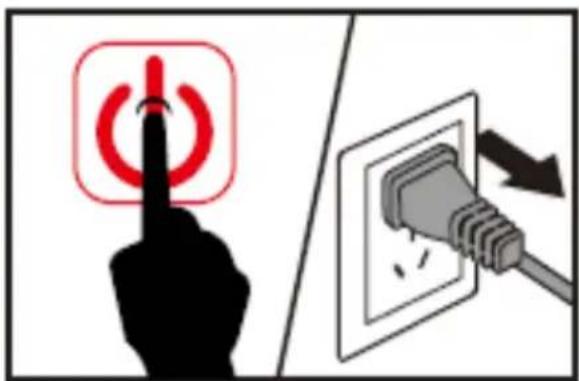
Switch off the appliance and unplug it. (Picture H)
-
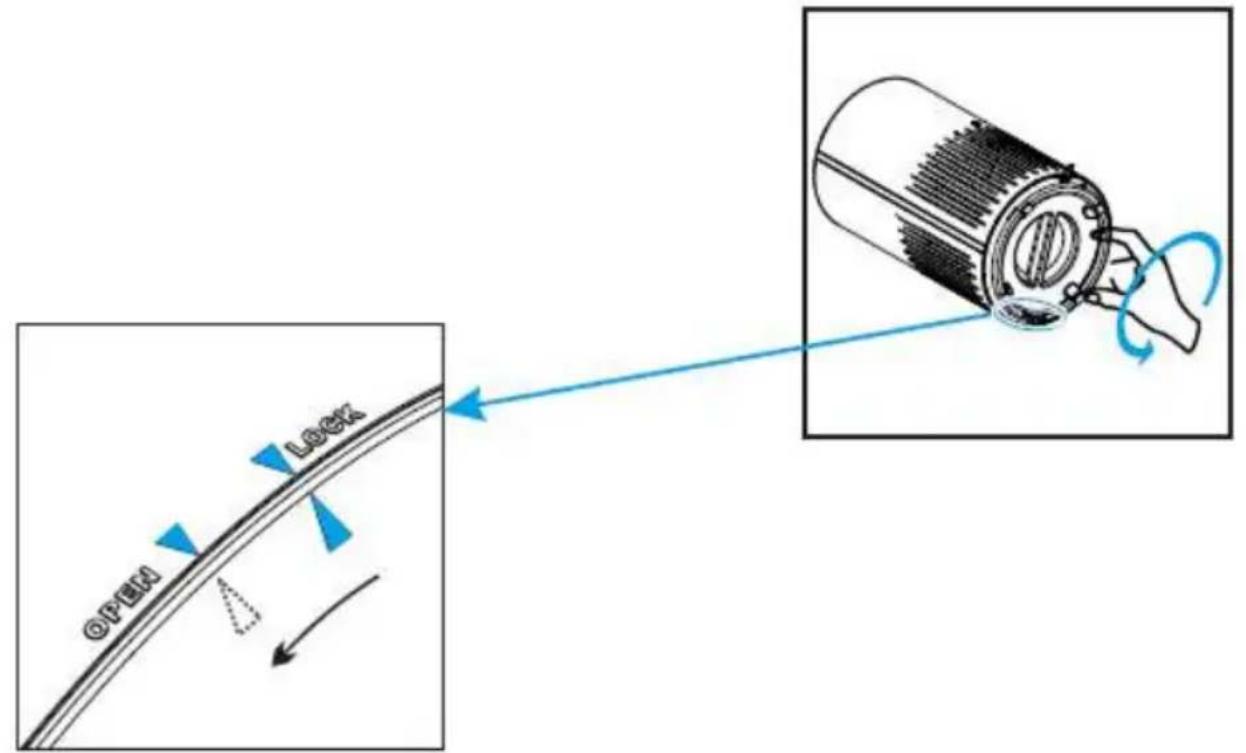
Put the appliance upside down on a soft cloth to avoid scratching, to open the base cover, you need to find an arrow point ▲ on the base cover corresponding the LOCK position, turn the base cover counter clockwise from LOCK to OPEN position, then the lock released. (Picture J)
-
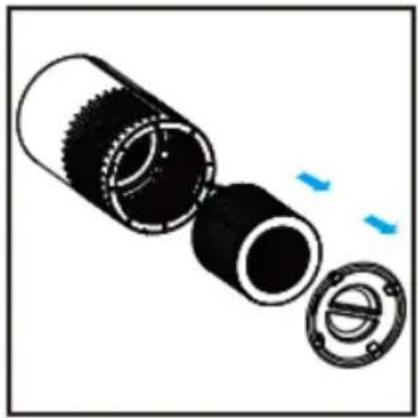
Remove the old filter. (Picture K)
-
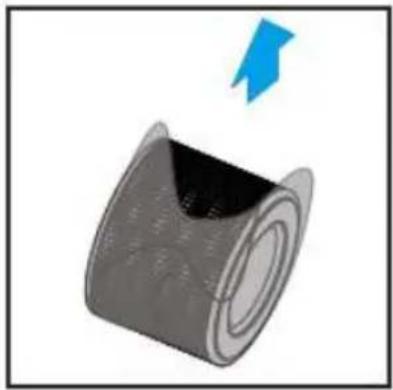
Remove the packaging material of the new filter. (Picture L)
-
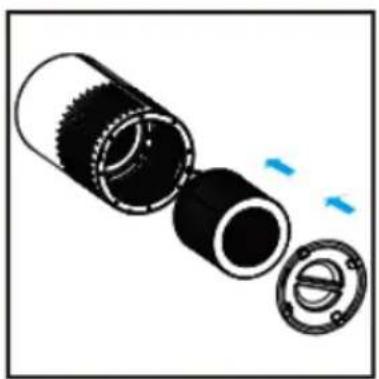
Put the new filter back into the appliance. (Picture M)
-
Turn the base cover clockwise from OPEN position to LOCK position, you will hear a "click" sound, the base cover is fastened. (Picture N)
-
Put the plug in the wall socket and switch on the appliance again. (Picture G)
-
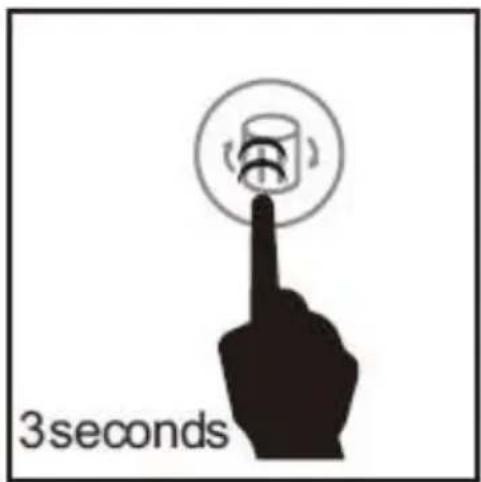
Reset Filter's lifetime. The filter lifetime should be reset if lights up, after replacing the new filter, you need to reset filter lifetime.
a. Plug in the air purifier and turn it on.
b. Press and hold 3 for 3 seconds. (Picture I)
c. Release 回 and the light will turn off, indicating that the reset is complete.
6. Filter replacement force mode
When using the air purifier in an environment of heavy pollution, the lifespan of the air filter may be significantly reduced. You can change the filters even
if '☒' does not light up. Follow the steps below to perform a hard reset.
- Replace the air filters as mentioned in the Filter Replacement section.
-
Plug in the air purifier and keep in standby mode.
-
Press and hold 📋 for 3 seconds, and it will light up.
-
Press and hold 'N' again for 3 seconds, and it will turn off. The reset is now complete.
7. Storage
Unplug the power cord, then wipe the machine clean, put the appliance in the packing bag, then put it in a dry place away.
8. Environment
Do not throw away the appliance with the normal household waste at the end of its life, but hand it in at an official collection point for recycling. By doing this, you help to preserve the environment.

This marking indicates that this product should not be disposed with other household wastes throughout the EU. To prevent possible harm to the environment or human health from uncontrolled waste disposal, recycle it responsibly to promote the sustainable reuse of material resources. To return your used device, please use the return and collection systems or contact the retailer where the product was purchased. They can take this product for environmental safe recycling.
9. Troubleshooting
This chapter summarises the most common problems you could encounter with the appliance. If you are unable to solve the problem with the information below, contact the Consumer Care Centre in your country.
| Problem | Cause | Solution |
| Air purifier does not power on. | Unit is not plugged into an electrical outlet. | Connect the plug to a powered electrical outlet. |
| Outlet is not working properly. | Try plugging the air purifier into a different outlet. | |
| Power button has not been pressed after plugging in the air purifier. | Press '(!)·once to turn on the air purifier. | |
| Power cord is damaged. | Immediately discont inue use and contact Customer Support . | |
| Air purifier is defective or malfunctioning. | ||
| Air purifier does not respond to button controls. | Air purifier is not plugged into an outlet. | Connect the plug to apowered electrical outlet. |
| Air purifier is defective or malfunctioning. | Immediately discont inue use and contact Customer Support. | |
| Air purifier makes an unusual noise while operating. | Air filters are dirty. | Rep lace the air filters as instructed in the Filter Replacement section. |
| Filter does not fit properly. | Properly place filter(s) as noted in the Before first use and Filter Replacement sections. | |
| Foreign object inside the unit. | Immediately discont inue use and contact Customer Support. DO NOT attempt to open the air purifier. | |
| Significantly reduced airflow. | Filter packaging has not been removed. | Remove filter from packaging before use. |
| Fan speed is low. | Press ' ' to adjust fan speed. | |
| Air filters need to be replaced. | Rep lace the air filters as instructed in the Filter Replacement section. | |
| Not enough clearance on all sides of the purifier. | Ensure there is at least 38 cm (15 inches) of clearance on all sides of the purifier. | |
| Poor air purification quality. | Air filters need to be replaced. | Rep lace the air filters as instructed in the Filter Replacement section. |
| Room is too large for the air purifier's applicable area. | Ensure the room is smaller than (280 ft ^2 .) | |
| Air inlet or outlet is blocked. | Remove objects blocking air inlet or outlet. | |
| Filters not properly placed in housing. | Properly place filters as noted in the Before first use and Filter Replacement sections. | |
| Filter reset button is still illuminated after replacing the air filters. | The air purifier has been reset incorrectly. | See the Filter Replacement section on how to properly reset the unit. |
| Air purifier turns on. then suddenly turns off. | Air purifier is defective or malfunctioning. | Immediately discontinue use and contact Customer Support DO NOT attempt to open the air purifier for self-servicing. |
| Air purifier beeps repeatedly after being powered on or plugged in. |