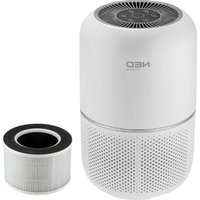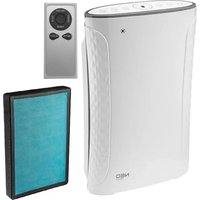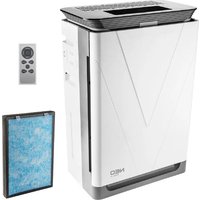
90-125 - Air purifier NEO tools - Free user manual and instructions
Find the device manual for free 90-125 NEO tools in PDF.


| Product type | Air purifier with humidifier |
| Brand | NEO tools |
| Model | 90-125 |
| Power supply | Mains 220-240 V, 50 Hz |
| Power consumption | 50 W (estimated) |
| Dimensions (L × W × H) | 300 × 300 × 600 mm (estimated) |
| Weight | 6 kg (estimated) |
| Coverage area | 30 m² (estimated) |
| Noise level | 30 – 55 dB (estimated) |
| Filter type | Composite (pre-filter, HEPA, activated carbon) |
| Air quality indicator | Yes (colors: blue, yellow, red) |
| PM2.5 sensor | Yes |
| Operation modes | Auto, Sleep, 4 manual speeds |
| Ionizer function | Yes |
| UV lamp | Optional |
| Humidifier | Yes (water tank) |
| WiFi connectivity | Yes |
| Remote control | Yes |
| Timer | Yes (scheduled stop/start) |
| Child lock | Yes |
| Safety | Auto shut-off in case of failure, overheat protection |
| Cleaning | Wipe the housing with a soft cloth; clean the filter with a vacuum cleaner |
| Filter replacement | Every 6 to 12 months depending on usage |
| Included accessories | Remote control, composite filter, water tank |
Frequently Asked Questions - 90-125 NEO tools
User questions about 90-125 NEO tools
0 question about this device. Answer the ones you know or ask your own.
Ask a new question about this device
Download the instructions for your Air purifier in PDF format for free! Find your manual 90-125 - NEO tools and take your electronic device back in hand. On this page are published all the documents necessary for the use of your device. 90-125 by NEO tools.
USER MANUAL 90-125 NEO tools
natural_image
Line drawing of a portable electronic device with a V-shaped cover and control panel (no text or symbols)natural_image
Line drawing of a server rack with a 'RESET' button overlay (no text or symbols on the device itself)Thank you for using the machine
Please refer to manual before using and keep manual for further use.
The avoid harm or property damage, please be sure to observe
 Warning Warning | Risk of death or injury |  Caution Caution | Risk of injury or hazardous substances | ||||
 | Forbidden |  | Must | ||||
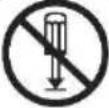 | Do not dissemble | 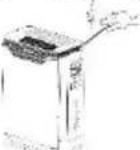 | Do not insert foreign objects into air outlet | ||||
 | Power cord is in good condition |  | Do not operate with wet hands | ||||
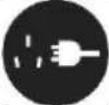 | Unplug when not in use | 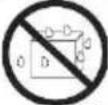 | Keep dry | ||||
 | Do not use nonstandard power supply | 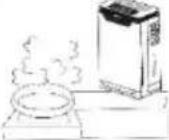 | Keep away from water vapor, fumes. Not suitable for use in the kitchen. | ||||
 | Use good condition power socket | 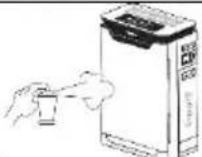 | Do not use alcohol or organic to clean the machine. | ||||
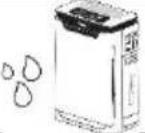 |  Do not use in wet area Do not use in wet area | ATTENTIONAny of the following conditions occurs, please, unplug the power immediatelyAny switch doesn't work:Short circuit of power occurred.Abnormal heating of the power cord/plug.Sign of burning smell or abnormal sound and vibration.Other anomalies or malfunctions. | |||||
 |  |  Do not place next to fire or any heat source Do not place next to fire or any heat source | |||||
ATTENTION
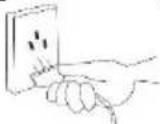 |  Unplug the power plug with hand Unplug the power plug with hand | Remark: if the power line is damaged, must be replaced by the manufacturer, the repair department or similar professionals. | ||
 | Keep doors and windows closed |
Notice: Please go to the professional repair personnel or manufacturer to check or replace the power supply to avoid danger.
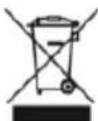
This marking indicates that this product should not be disposed with other household wastes throughout the EU. To prevent possible harm to the environment or human health from uncontrolled waste disposal, recycle it responsibly to promote the sustainable reuse of material resources. To return your used device, please use the return and collection systems or contact the retailer where the product was purchased. They can take this product for environmental safe recycling.
This appliance can be used by children aged from 8 years and above and persons with reduced physical, sensory or mental capabilities or lack of experience and knowledge if they have been given supervision or instruction concerning use of the appliance in a safe way and understand the hazards involved.
Children shall not play with the appliance.
Cleaning and user maintenance shall not be made by children without supervision.
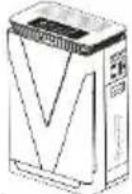 | 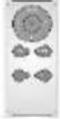 | 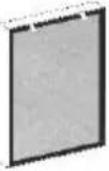 |  | |
| Machine | Remote Control | Set Composite Filter | User Manual | |
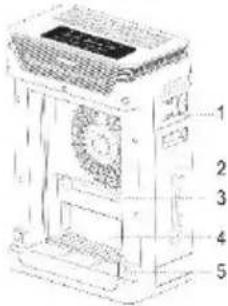
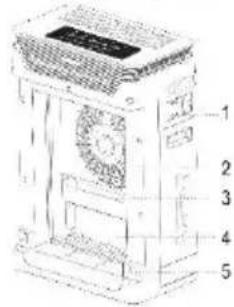
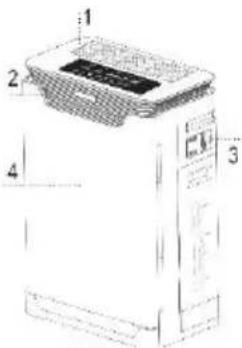
Components Instructions
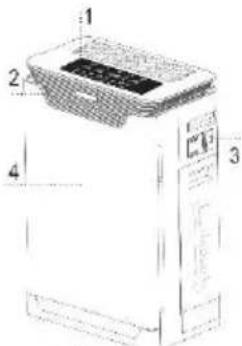
- Control & Display panel
- Air quality Indicator
- Sensor
- Front Panel
- Composite Filter
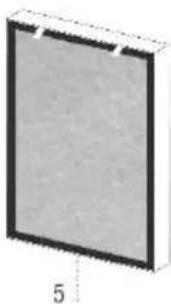
natural_image
Simple 3D rectangular block with a black border and a dimension label '5' at the bottom (no text or symbols on the block itself)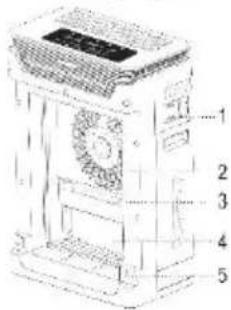
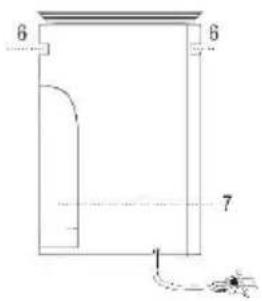
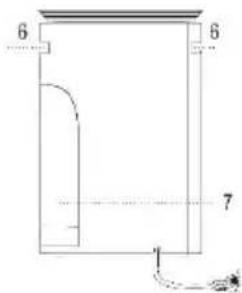
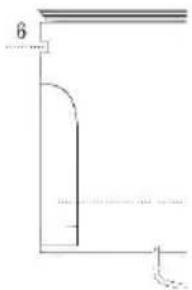
- Sensor Cover
- Fan & Motor
- UV Lamp (optional)
- Water Filter
- Buckle
- Handles
- Water tank
Guidance for Usage
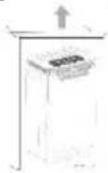 | 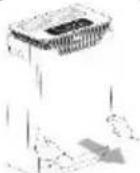 | 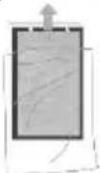 | 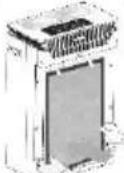 |
| Unpack the Machine | Remove the Front panel | Take Down the filters and remove the poly bags | Put Composited filter into propely. |
| Close The Front Panel | Remove Water tank | Take Out The Water Tank Fixing Plate | Add Water To The Water Tank |


Press To Turn On/Off the machine
Operation Instructions

ON/OFF
Press the remote control „ON/OFF" button or touch the machine „ON/OFF" button.
After the machin eis started, the display content like below.
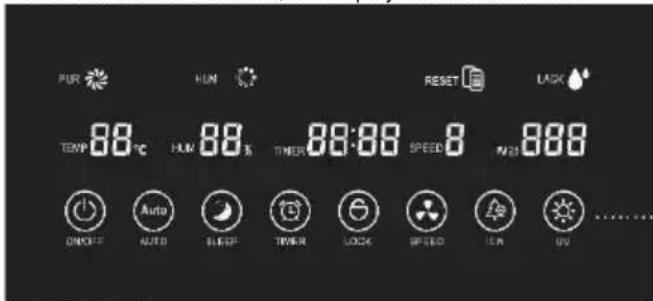

AUTO

SLEEP

TIMER

LOCK
AUTO Mode
Press the „AUTO" button of the remote contro lor touch the „AUTO" button of the machine to enter the automatic purification mode. The intelligent system will automatically purify and manage according to the air quality. When the air will be celaned at the first speed; When the indicator light is blue, the air is cleaned at the second speed. When the air quality is normal, the indicator light is yellow, and the air is cleaned at the third speed. When the air quality is poor, the indicator light is red, and the air is cleaned at the fourth speed.
SLEEP MODE
Press the remote control „SLEEP“ button or touch the machine „SLEEP“ button You cant urn sleep mode on or off
TIMER
Timed shutdown
Press the „TIMER” button in the power on state, select the time, Timed shutdown setting is completed
Scheduled boot
Press the „TIMER” button in the off state, select the time, Timed boot setting is completed.
LOCK
Press the „LOCK" button on the remote control lor touch the „LOCK" button for 3 seconds to turn the operation panel lock function on/off.
Operation Instructions
 | SPEEDPress the remote control „SPEED” button or touch the machine „SPEED” button to adjust the purification.Wind speed and wind speed are cycled according to3-4-1-2-3-4 speed. | |
| SPEED | ||
 | IONPress the „ION” button on the remote contro lor touch the „ION” on the main unit to turn the negative ion function on or off. | |
ION | ||
| UV (Optional)Touch „UV" button to turn to on/off ultraviolet lamp working. | ||
 + +  AUTO [SLEEP] AUTO [SLEEP] + +  TIM [ON] TIM [ON] | WIFI CONNECTION (Non-UV Version)Press „AUTO” + „SLEEP" at the same time and press and hold for 3 seconds. | |
 + +  | WIFI CONNECTION (UV Version)Press „UV” + „ION" at the same time and press and hold for 3 seconds. | |
 + +  TIMER LOCK TIMER LOCK | SWITCH LIGHT STRIP (UV VERSION)Press „FAN SPEED" + „UV" for 3 seconds at the same time to turn the light strip display on or off. | |
  | SWITCH LIGHT STRIP (Non-UV VERSION)Press „TIMER" + „CHILDLOCK" for 3 seconds at the same time to turn the light strip display on or off. | |
 ET ET  | WATER TANK INDICATORWhen the water tank is installed, the humidifying icon is on and the water shortage icon is not lit.When water is not observed water level water needs to be added.When the water tank is removed or the water tank is not installed, the humidification icon and the water shortage icon flash simultaneously. | |
| FILTER REPLACEMENTThe built-in program filtr service life ends, tone informs andbutton flashes.Press the „AUTO” + „TIMER" button at the same time 5 seconds to reset or press the remote control „RESET" button (close the replacement indicator) |
Clean & Maintenance
Product Body Cleaning
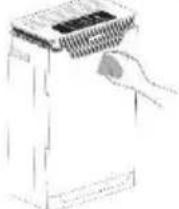
Use a soft cloth to clean.
Dirty cannot be easily clean can be wiped with a soft cloth dampened with a moderate amount of neutral detergent.
ATTENTION
Do not scratch the machine casing with a hard object during dtergent.
When removing the front panel, please follow the instructions.
Filter replacement
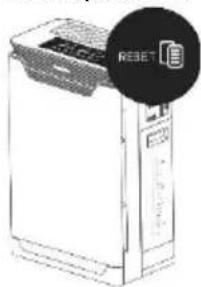
Filter replacement reminder (Tone informs and „RESET” button flashes)
After replacing the filter, press and hold „AUTO“ + „TIMER“. When you hear the tone, „AUTO“ and „TIMER“ stop flashing, indicating the replacement time reset.
Due to the different degree of pollution in the actual application environment, the applicable cycle of the filter will be different, which be judged by the sound and smell.
Suggest clean every month, if the environment is poor, had better to increase the cleaning frequency.
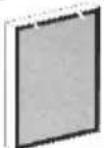
When the Surface area is dusty, it can be cleaned with a vacuum cleaner.
Surface dust to extend filter life.
Replacement cycle app
Please note that the cycles of replacing the filter may different due to the different environments. Please think the used filter as non-combustible waste.
Problem &Reasons
Please confirm the following before repair when these occur.
| Phenomenon | Possible & |
| Machine not running on | Is the power cord plug disconnected from the power cord? – Reconnect power plug.Is the front panel covered? – Re-cover the front panel.Is the machine placed tilted? – Place it flat. |
| The air quality status indicator always Shows red quality and the PM 2.5 particles displaying numbers no changing for a long time. | The sensor may be exposed to water vapor, soot, spray. – Move the machine to another clean environment to try.Remove the sensor door and wipe the sensor lens with a clean soft cloth. |
| Abnormal smells | Check the filter if expired or release odor due to adsorption of contaminants.Clean the activated carbon filter and use it after drying. If it doesn't improve, please replace it with a new one. |
| Air particles are difficult to clear and noise becomes loud during operation | Check if the HEPA filter is invalid?Use a vacuum cleaner to clean the HEPA filter and the primary filter.If the situation has not improved, please replace the new HEPA filter. |
| Indoor air is polluted, but the air purifier does not respond | The location where the machin eis placed may be unreasonable and make machine not easy to absorb pollution.Change the placement of the machine, or select the manual mode and adjust the wind speed to „4”. |
Upon completing the inspection, still can't solve, contact the dealer services if still not able to solve the problem.
DE
BENUTZERHANDBUCH FÜR LUFTREINIGER
90-125
natural_image
Simple 3D rectangular block with black border and white top, no text or symbols visible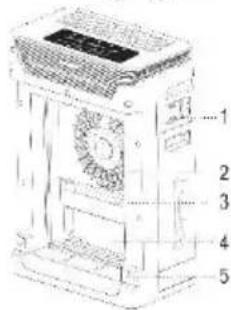
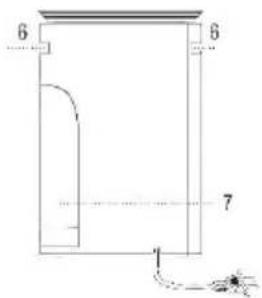
- Sensor - Abdeckung
- Lüfter & Motor
- UV-Lampe
(optional) - Wasserfilter
- Schnalle
- Griffe
- Wassertank
natural_image
Line drawing of a server rack with a 'RGBET' logo overlay (no text or symbols on the device itself)natural_image
Simple 3D rectangular block with black border and gray interior (no text or symbols)5
natural_image
Line drawing of a server rack with a circular icon labeled 'REBEET' (no text or symbols on the device itself)natural_image
Simple 3D rendering of a rectangular panel with black border and gray interior (no text or symbols)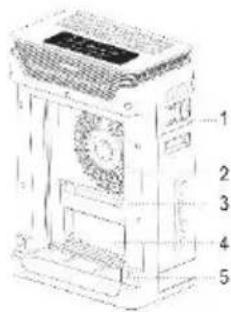
natural_image
Simple 3D rectangular block with a black border and a small number '5' at the bottom (no text or symbols on the block itself)natural_image
Line drawing of a kitchen appliance with a hand pointing to the lid (no text or symbols)natural_image
Line drawing of a server rack with a circular icon highlighting the top-right portion (no text or symbols on the device itself)Szúrő csere
natural_image
Simple 3D rectangular frame with a black border and a small number '5' at the bottom (no text or symbols on the frame itself)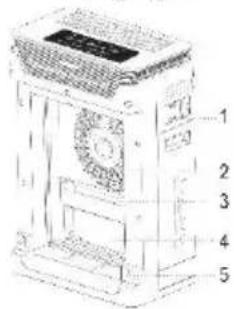
natural_image
Illustration of a portable electronic device with a circular badge highlighting it (no text or symbols on the device itself)natural_image
Simple 3D diagram of a rectangular panel with a black border and a dimension label '5' at the bottom (no text or symbols on the panel itself)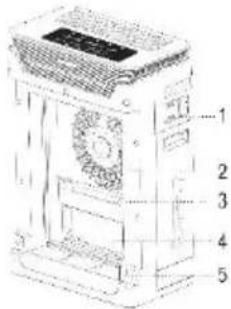
natural_image
Simple 3D rectangular block with a dashed line and the number 5 at the bottom (no text or symbols on the block itself)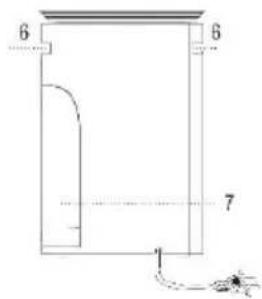
Návod na použitie
natural_image
Simple 3D rectangular frame with a black border and a dimension label '5' at the bottom (no text or symbols on the frame itself)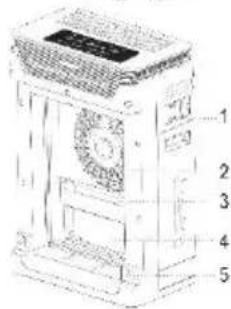
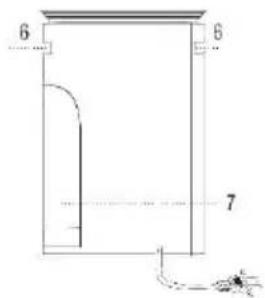
- Jutiklio dangtis
- Ventiliatorius
ir variklis - UV lemputé
(pasirinktinai) - Vandens filtras
- Sagtis
- Rankenos
- Vandens bakas
natural_image
Line drawing of a rectangular electronic device with a circular button labeled 'RESET' (no text or symbols on the device itself)- Sensora väks
- Ventilators un motors
- UV lampa ( pēc izvēles )
- Üdens filtrs
- Sprädze
- Rokturi
- Üdens tvertne
natural_image
Line drawing of a server unit with a circular icon labeled 'RISSET' (no text or symbols on the device itself)natural_image
Simple 3D rectangular block with a black border and a small number '5' at the bottom (no text or symbols on the block itself)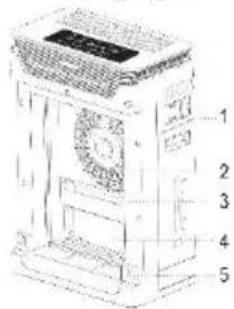
natural_image
Pure architectural line drawing of a building facade with no text, numbers, or symbolsGuida per l'uso
natural_image
Simple 3D rectangular block with a black border and dimension label '5' at the bottom (no text or symbols on the block itself)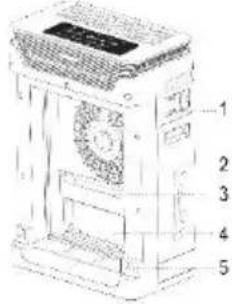
- sensor Cover
- Ventilator en motor
- UV-lamp (optioneel)
- water Filter
- Gesp
- Handgrepen
- water tank
natural_image
Pure architectural or mechanical line drawing with no text, numbers, or symbolsnatural_image
Line drawing of a server rack with a 'RESET' button overlay (no text or symbols on the device itself)Filter vervangende herinnering (Tone informeert en "RESET" knop knippert)
Instructions relatives aux composants
natural_image
Simple 3D diagram of a rectangular panel with a black border and a dimension label '5' at the bottom (no text or symbols on the panel itself)