90-127 - Air purifier NEO tools - Free user manual and instructions
Find the device manual for free 90-127 NEO tools in PDF.


| Product type | Air purifier |
| Brand | NEO tools |
| Model | 90-127 |
| Power supply | 220 V AC |
| Main functions | Air quality indicator, automatic mode, timer (1/2/4/8h), sleep mode, anion generator, UV lamp (optional), 3 fan speeds |
| Filter replacement indicator | Flashing and audible (5 beeps) to alert replacement |
| Safety | Use by children aged 8 and above under supervision; unplug in case of anomaly (burning smell, abnormal sound, etc.) |
| Maintenance - General | Clean the anion generator with a soft cloth dampened with detergent water; gently brush the inlet/outlet |
| Maintenance - Filter | Remove the panel, replace the composite filter (activated carbon + HEPA), reset the indicator by pressing the SLEEP button for 5 seconds |
| Maintenance - UV lamp | Lifespan approximately 2 years; replace by turning off the machine, rotating the lamp 90° and replacing it |
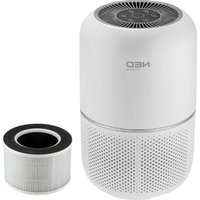
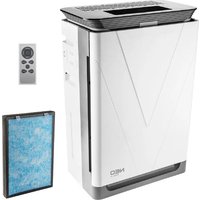
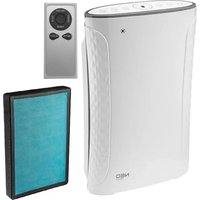
| Available spare parts | Main body, remote control, filter set (composite filter), UV lamp |
| General information | Multilingual manual (FR, EN, DE, etc.); recycling compliant with WEEE directive |
Frequently Asked Questions - 90-127 NEO tools
User questions about 90-127 NEO tools
0 question about this device. Answer the ones you know or ask your own.
Ask a new question about this device
Download the instructions for your Air purifier in PDF format for free! Find your manual 90-127 - NEO tools and take your electronic device back in hand. On this page are published all the documents necessary for the use of your device. 90-127 by NEO tools.
USER MANUAL 90-127 NEO tools
natural_image
Line drawing of a portable air purifier with mesh cover and control panel (no text or symbols)natural_image
Simple line drawing of a hand placing a small object into a bowl (no text or symbols)natural_image
Exterior view of a black rectangular office building (no signage)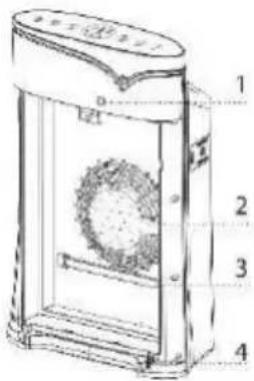
To make sure you get fully understanding of our product before you use it, pls read the instruction manual carefully before operation and preserve the instruction manual if required.
Troubleshooting
Please confirm the following before repair when these occur.
| ABNORMAL | CHECKING |
| Not working | 1. Check if the power cord connected well to power socket. Reconnect it if not.2. Check if the front panel closed well. Close it well if not.3. Check if the machine placed flatly. Place it flatly if not. |
| The air quality indicator is always red in color. | Sensor may be influenced by water vapor, fumes, sparys, test the machine in another clean environment. |
| Abnormal smells | Check if the filter out of effect or has absorber pollutants for releasing smells. Replace for new filters. |
| The pollutants not removal and running noise louder. | Check if the HEPA filter out of effect? Cleand HEPA filter with vacuum, if not effective, then replace for new HEPA filter. |
| Air indor polluted, but machine not working. | The machine may be placed improperly. Change the way it being placed or choose manual mode, and turn the „SPEED” to high speed. |
Upon completing the inspection, contact dealer services if still not able to solve the problem.
Safety Instruction
This appliance can be used by children aged from 8 years and above and persons with reduced physical, sensory or mental capabilities or lack of experience and knowledge if they have been given supervision or instruction concerning use of the appliance in a safe way and understand the hazards involved.
Children shall not play with the appliance.
Cleaning and user maintenance shall not be made by children without supervision. Prior to cleaning or other maintenance, the appliance must be disconnected from the supply mains.
If the supply cord is damaged, it must be replaced by the manufacturer, its service agent or similarly qualified persons in order to avoid a hazard.
Cautions
To avoid harm or property damage, please be sure to observe the following rules and instructions.
This appliance can be used by children aged from 8 years and above and persons with reduced physical, sensory or mental capabilities or lack of experience and knowledge if they have been given supervision or instruction concerning use of the appliance in a safe way and understand the hazards involved.
Children shall not play with the appliance.
Children shall not play with the appliance. Cleaning and user maintenance shall not be made by children without supervision.
Prior to cleaning or other maintenance, the appliance must be disconnected from the supply mains.
Attention
Any of the following conditions occurs, please unplug the power immediately.
•Any switch not working
•Short circuit of power occurs
•Abnormal heating of the power cord /plug
•Sign of burning smell or abnormal sound and vibration
•Other anomalies or malfunctions
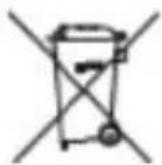
This marking indicates that this product should not be disposed with other household wastes throughout the EU. To prevent possible harm to the environment or human health from uncontrolled waste disposal, recycle it responsibly to promote the sustainable reuse of material resources. To return your used device, please use the return and collection systems or contact the retailer where the product was purchased. They can take this product for environmental safe recycling.
Machine & spare parts
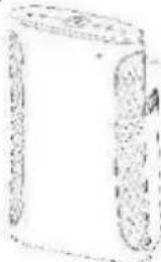 | 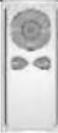 | 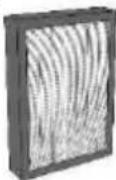 | |||
| MAIN BODY | REMOTE CONTROL | SET OF FILTERS | |||
Maintenance
Machine: On anion generator, if dust is accumulated, clean it with soft cloth soaked with clean detergent water, and gently brush the inlet/outlet.
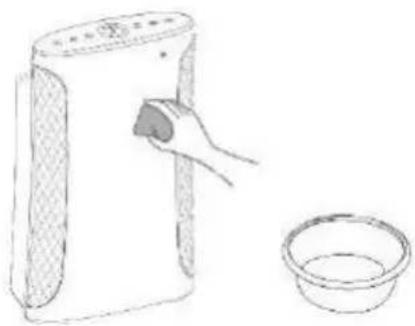
natural_image
Line drawing of a hand cleaning a small bowl next to a portable air purifier (no text or symbols)Remark: UV lamp installed
UV lamp: it can be used for about 2 years, while replacing it, you need to turn off the machine, remove the UV lamp at 90 degrees rotation, and replace.
Operational instructions
Sleep mode
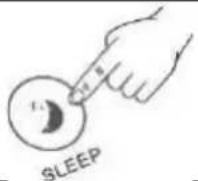 | 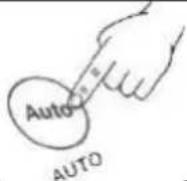 | 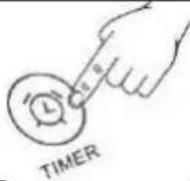 | 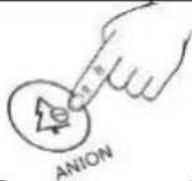 | 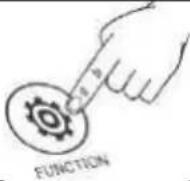 | |
| Press “SLEEP” button of remote control or touch “SLEEP” button on the machine to enter into sleep mode. | Press “AUTO” button of remote control or touch “AUTO” button on the machine to end sleep mode. | TimerOn power-on or power-off state, touch “TIMER” button to select time – 1H/2H/4H/8H. | ANION (Non-UV Version)Press “ANION” button on the machine to start or end anion generator. | FUNCTION (UV Version)Press “FUNCTION” button on the panel:The 1^st time: end anion generator.The 2^nd time: start the UV light & anion generator together.The 3^rd time: end the anion only, and keep the UV light on.The 4^th time: end the UV light, and turn the anion on again.The 5^th time: end the both. | |
Filter replacement

Filter replacement rings bells for 5 times, and the indicator flashes.
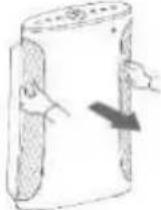 | 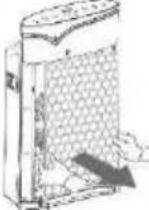 | 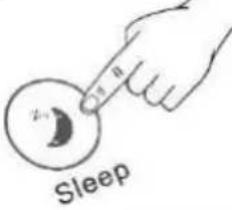 | 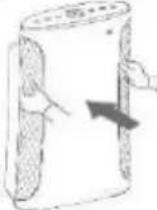 |
| Remove the panel. | Remove the filters to be replaced. | Touch „SLEEP” buton for 5 seconds to restart reset filter replacement indicator. | Close the front panel. |
Introduction
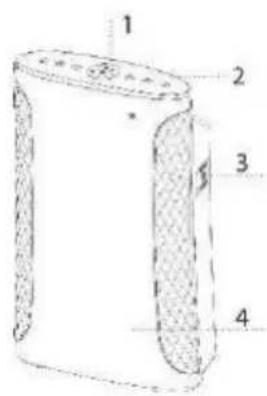
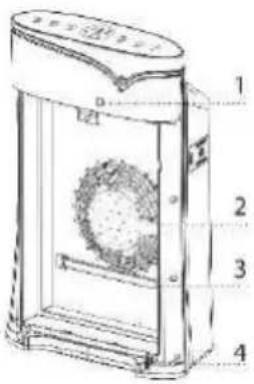
- Digital display
- Touch buttons
- Sensor
- Panel
Composite filter
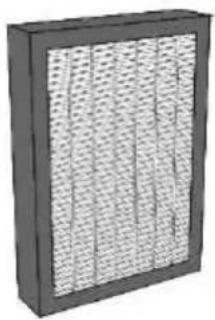
natural_image
3D rendering of a black rectangular panel with a grid pattern, no visible text or symbols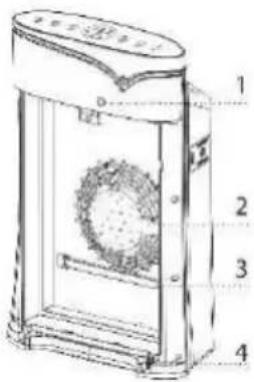
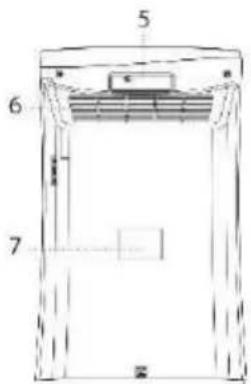
- Magnetic lock
- Air duct
- UV lamp (Optional)
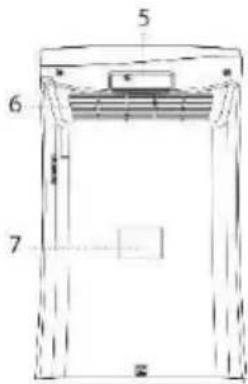
- Buckle
- Handle
- Outlet
- Nameplate
Guidelines for usage
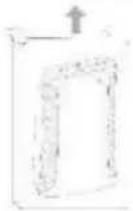 | 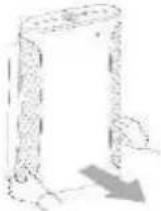 | 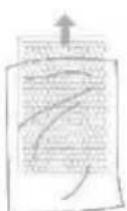 | 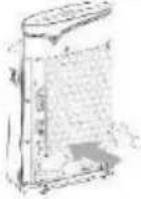 | 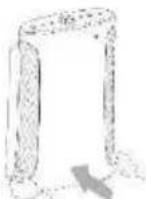 | 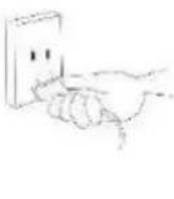 |  |
| Unpack the machine. | Remove the panel. | Remove the filter and the poly bag. | Install Activated carbon filter. | Load the panel. | Connect the other hand to 220AC power supply. | Touch „ON/OFF" buton to start machine working. |
Operational Instructions
Panel
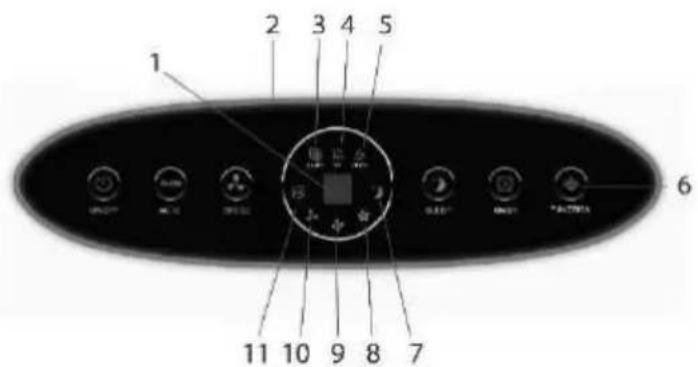
- Timer
- Air quality indicator
- Filter replacement indicator
- UV Version shows this icon, while Non-UV version does not show.
- Anion indicator
- UV Version with „FUNCTION“ buton non-UV Version with „ANION“ buton.
- Sleep mode indicator
- Speed III
- Speed II
- Speed I
- Auto mode indicator
Power on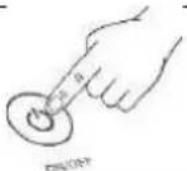 | Auto mode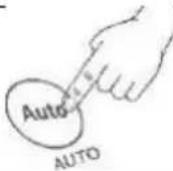 | Fan speed adjustment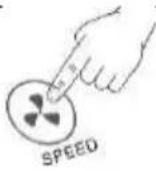 |
| Press „ON/OFF” on remote contro lor touch it on the panel to turn on ort urn off the device. | Press „AUTO” buton of remote contro lor touch „AUTO” buton on the machine. | Press „SPEED” buton of remote contro lor touch „SPEED” to adjust the speed when machin eis power on. |
DE
BENUTZERHANDBUCH FÜR LUFTREINIGER
90-127
natural_image
Line drawing of a hand cleaning a cylindrical device next to a bowl (no text or symbols)natural_image
Black rectangular panel with a grid of uniform circular patterns on the left side (no text or symbols visible)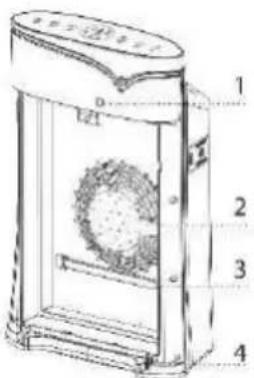
natural_image
Simple line drawing of a hand washing a cup (no text or symbols)natural_image
Exterior view of a black rectangular industrial air filter unit with vertical perforated panels (no text or symbols)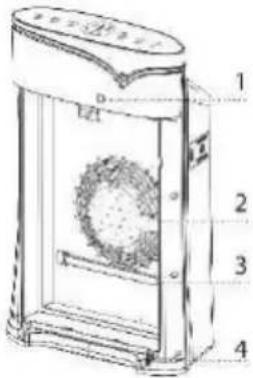
natural_image
Simple line drawing of a hand using a brush to clean a cup (no text or symbols)natural_image
Exterior view of a black rectangular office space with a grid-patterned ventilation grille (no text or symbols visible)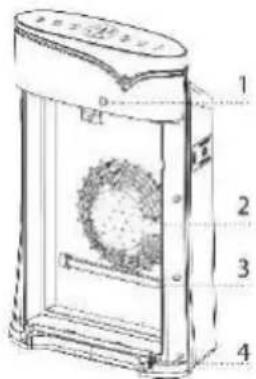
natural_image
Simple line drawing of a hand cleaning a wall-mounted device next to a bowl (no text or symbols)natural_image
3D rendering of a black rectangular panel with a grid-patterned side panel (no text or symbols visible)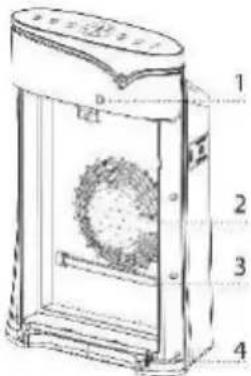
natural_image
Line drawing of a hand using a brush to clean a bowl (no text or symbols)natural_image
Exterior view of a black rectangular industrial air filter unit with uniform mesh pattern (no text or symbols)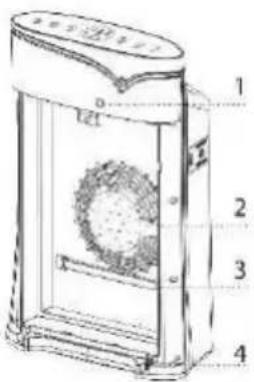
natural_image
Simple line drawing of a hand placing a small object into a bowl (no text or symbols)natural_image
Black rectangular frame with a grid of small white dots on the left side, no text or symbols visible.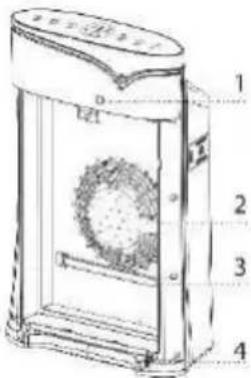
natural_image
Simple line drawing of a hand cleaning a cylindrical container and a bowl (no text or symbols)natural_image
Exterior view of a black rectangular air filter or heat sink with uniform grid pattern (no text or symbols)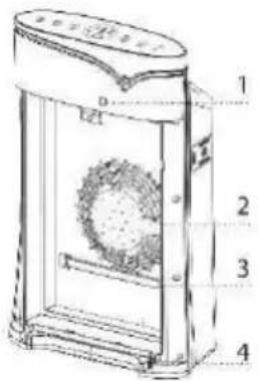
natural_image
Line drawing of a hand cleaning a small bowl next to a portable air purifier (no text or symbols)natural_image
Exterior view of a black rectangular air filter unit with grid pattern (no text or symbols)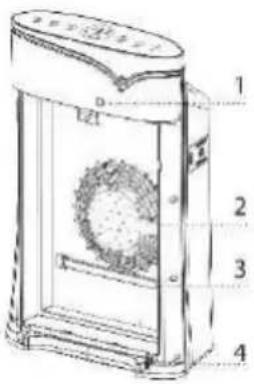
natural_image
Line drawing of a hand cleaning a white cylindrical container with a small bowl nearby (no text or symbols)natural_image
Exterior view of a black rectangular industrial air filter unit with vertical perforated panels (no text or symbols)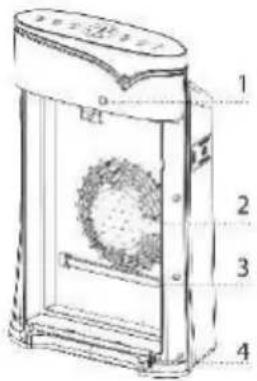
natural_image
Simple line drawing of a hand placing a small object into a bowl (no text or symbols)Nota: lampada UV installata
natural_image
Exterior view of a black rectangular industrial air filter unit with grid pattern (no text or symbols)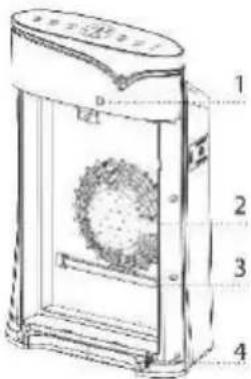
natural_image
Simple line drawing of a hand using a brush to clean a cup (no text or symbols)natural_image
Exterior view of a black rectangular office building (no signage)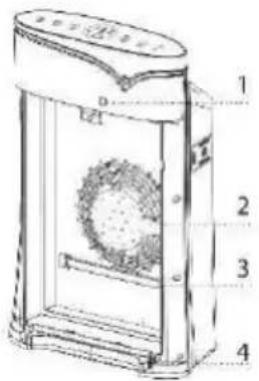
- Magnetisch slot
- Air duct
- UV-lamp (optioneel)
- Gesp
- Handvat
- Outlet
- Naambord
natural_image
Simple line drawing of a hand washing a small bowl next to a rectangular device (no text or symbols)Remarque: lampe UV installée
natural_image
Exterior view of a black rectangular industrial air filter unit with uniform mesh pattern (no text or symbols)