EasyManual
PARTYBTIPMS2 - Speaker BIGBEN - Free user manual and instructions
Find the device manual for free PARTYBTIPMS2 BIGBEN in PDF.



User questions about PARTYBTIPMS2 BIGBEN
0 question about this device. Answer the ones you know or ask your own.
Ask a new question about this device
Download the instructions for your Speaker in PDF format for free! Find your manual PARTYBTIPMS2 - BIGBEN and take your electronic device back in hand. On this page are published all the documents necessary for the use of your device. PARTYBTIPMS2 by BIGBEN.
USER MANUAL PARTYBTIPMS2 BIGBEN
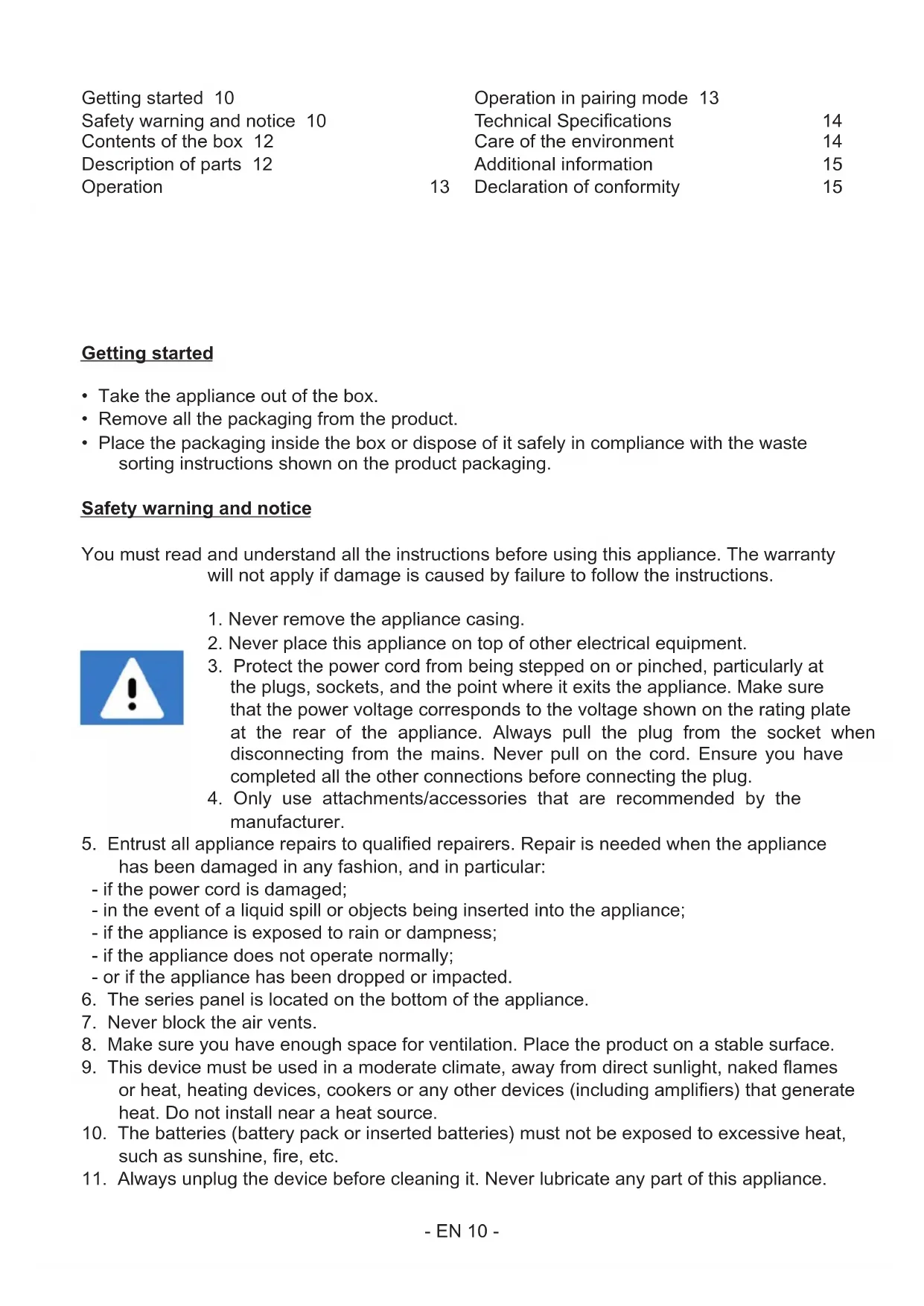
- Take the appliance out of the box.
- Remove all the packaging from the product.
- Place the packaging inside the box or dispose of it safely in compliance with the wae sorting inructions shown on the product packaging. Safety warning and notice You mu read and underand all the inructions before using this appliance. The warranty will not apply if damage is caused by failure to follow the inructions.
1. Never remove the appliance casing.
2. Never place this appliance on top of other electrical equipment.
3. Protect the power cord from being epped on or pinched, particularly at
the plugs, sockets, and the point where it exits the appliance. Make sure that the power voltage corresponds to the voltage shown on the rating plate at the rear of the appliance. Always pull the plug from the socket when disconnecting from the mains. Never pull on the cord. Ensure you have completed all the other connections before connecting the plug.
4. Only use attachments/accessories that are recommended by the
5. Entru all appliance repairs to qualied repairers. Repair is needed when the appliance
has been damaged in any fashion, and in particular: - if the power cord is damaged; - in the event of a liquid spill or objects being inserted into the appliance; - if the appliance is exposed to rain or dampness; - if the appliance does not operate normally; - or if the appliance has been dropped or impacted.
6. The series panel is located on the bottom of the appliance.
7. Never block the air vents.
8. Make sure you have enough space for ventilation. Place the product on a able surface.
9. This device mu be used in a moderate climate, away from direct sunlight, naked ames
or heat, heating devices, cookers or any other devices (including ampliers) that generate heat. Do not inall near a heat source.
10. The batteries (battery pack or inserted batteries) mu not be exposed to excessive heat,
such as sunshine, re, etc.
11. Always unplug the device before cleaning it. Never lubricate any part of this appliance.
Getting started 10 Safety warning and notice 10 Contents of the box 12 Description of parts 12 Operation 13 Operation in pairing mode 13 Technical Specications 14 Care of the environment 14 Additional information 15 Declaration of conformity 15- EN 11 - Clean it with a soft cloth. Do not use abrasive products or harsh cleaners.
12. Ensure that you always have easy access to the power cord, plug or adaptor to disconnect
this appliance from the mains if necessary.
13. Do not use this appliance near water. It mu not be dripped on or splashed. Do not use
this appliance in a damp or wet environment.
14. Disconnect this appliance in the event of a orm or if you are not going to use it for a long
15. This appliance can be used by children aged 8 and over, and by persons with a physical
or sensory disability, learning diculties or a lack of experience and knowledge, provided they are supervised or have received inructions on the safe use of the appliance, and they underand the risks involved. Children mu not play with the appliance or power cord (risk of rangulation). Children mu not clean or maintain the appliance without supervision.
16. This device mu only be supplied with very low safety voltage corresponding to the
marking on the device.
17. The battery should be removed from the device before disposal. The device mu be
disconnected from the power supply when removing the battery.
18. When using the product, it should be placed at lea 20 cm away from the human body.
The lightning bolt symbol within an equilateral triangle alerts users to the presence of dangerous uninsulated electrical voltages inside the device that are rong enough to present a risk of electric shock. The exclamation mark inside a triangle indicates the presence of important operating and maintenance (repair) inructions in the literature accompanying the appliance. Direct current Class II material Alternating current For indoor use only- EN 12 - Contents of the box Check and identify the contents of your box:
- Strap Description of parts
1. Lower the volume/previous track
2. Play/pause/answer the phone
6. Microphone location
Operation Before using the device, you mu charge it using the USB C charging cable. The charging indicator (9) is solid red while charging. It turns o once the device is fully charged.
1. Press the power button (3) for around 3 seconds to turn on the speaker. A beep will
indicate that the speaker is on.
2. The speaker will enter Bluetooth pairing mode. Search PARTYBTIPMS2, and click to
connect it. A beep will indicate that connection is eablished.
3. Short-press button (2) to play/pause music in BT/micro-SD play mode. To receive a call,
briey press the PLAY/PAUSE button (2) to answer the call, press and hold the button to reject the call. When the speaker is wirelessly connected to your phone, press the PLAY/ PAUSE button (2) twice to redial the la number dialled.
4. Long-press the + button (5) to increase the sound volume, short-press the same button
to skip to the next track in BT/micro-SD card mode. Press the + button twice to activate or deactivate pairing mode.
5. Long-press the - button (1) to reduce the sound volume, short-press the same button to
return to the previous track in BT/micro-SD card mode.
6. Short-press the power button (3) to change the play mode.
7. Long-press button (4) to turn the party lights on/o. Short-press to change the lighting
colour. 8 lighting modes in total.
8. Insert the micro-SD card into the port (10) to play music from the micro-SD card (maximum
memory capacity allowed 32 GB).
9. Connect your playback device to the speaker using a 3.5mm audio cable and the speaker
will play the music from your device.
10. Press the power button (3) for about 3 seconds to switch o the speaker. A beep will
indicate that the speaker is o. Operation in pairing mode NB: You need 2 identical speakers for this mode.
1. Turn on both speakers (if they’re connected to other devices, disconnect them r)
2. Press the + button (5) twice on one of the speakers to enter pairing mode. An audible
signal indicates that pairing is complete. You can now connect your phone remotely.
3. In pairing mode, press the + button (5) twice to deactivate pairing mode.- EN 14 -
Technical Specifications Type Specications Type Specications Speaker φ52 mm (5 W x 2) Charging time approx. 4 hours Peak power 10 W Playback time 5 hours at 50% volume (lights on) 6 hours at 50% volume (light o) RMS power 10 W Bluetooth version 5.1 Impedance of the speaker 4 Ω Bluetooth frequency 2.40 - 2.80GHz Charging power supply AC 5V / 1000mA Speaker frequency 80Hz - 20kHz S/B ratio ≥ 85 dB Battery type Li-ion battery Battery capacity 1800 mAh Transmission range 10 m Battery power 3.7 V, 1800 mAh,
Size 82 x 82 x 176 mm EIRP Comment:
- If the buttons do not respond, press the ON/OFF button for 5 seconds to turn o the device. If the device does not turn o, ju wait for it to turn o automatically.
- If the speaker is not connected to any device for 10 minutes, it will turn o automatically.
WARNING: Risk of hearing impairment
Set a low volume on the playback device before connecting the headphones to the sound source. To prevent hearing damage, avoid excessive volume, particularly over extended periods or frequent use. Excessive volume can result in permanent hearing impairment. Care of the environment Your product has been designed and manufactured using high-quality materials and components that can be recycled and reused. Attention should be drawn to the environmental aspects of battery disposal. When this crossed-out wheelie bin symbol is applied to a product, it means that the product is covered by European Directive 2002/96/EC. Please nd out about the local separate collection syem for electrical and electronic products. Please act according to your local rules and do not dispose of your old products in your household wae. By ensuring this product is disposed of correctly, you are also helping to prevent potentially negative consequences for the environment and human health.- EN 15 - Additional information
- If there is an incoming call while the PARTYBTIPMS2 unit is connected to your mobile phone during music playback, the music will immediately pause when you answer the call and resume after the call ends (depending on the mobile phone, playback may sometimes ay paused after the end of the call).
, the mark and logo are regiered trademarks owned by Bluetooth SIG, Inc., and any use of such marks by Bigben Interactive is under licence. All other brands and trade names are the property of their respective owners.
- This product is manufactured and sold under the responsibility of Bigben Interactive.
- All other products, services, corporate names, trademarks, trade names, product names and logos referenced herein are the property of their respective owners. Declaration of conformity
- Bigben Interactive hereby declares that the PARTYBTIPMS2 type radio equipment complies with Directive 2014/53/EU. The full text of the EU declaration of conformity is available at the following internet address: https://www.bigben-interactive.co.uk/support/ Warranty This product is guaranteed by Bigben for a period of 2 years from the date of purchase, except in countries of the European Economic Area, which oer a longer warranty period. We recommend that you keep your receipt for any claims. The warranty covers breakdowns due to defective material, a missing element or manufacturing defect. In this case, contact our technical support. For any problem with a defective product, contact your point of purchase with your receipt. The warranty does not cover problems of improper use. Support www.bigben-interactive.co.uk/support support@bigben.fr- EN 16 - Made in China Manufactured by BIGBEN INTERACTIVE SA 396, Rue de la Voyette CRT2 – FRETIN CS 90414 59814 LESQUIN Cedex - France www.bigben.eu
This product can be recycled TO DROP