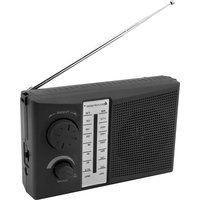
TR490 - Radio Soundmaster - Free user manual and instructions
Find the device manual for free TR490 Soundmaster in PDF.
Download the instructions for your Radio in PDF format for free! Find your manual TR490 - Soundmaster and take your electronic device back in hand. On this page are published all the documents necessary for the use of your device. TR490 by Soundmaster.

USER MANUAL TR490 Soundmaster
Do not dispose of this product with the normal household waste at the end of its life cycle. Return it to a collection point for the recycling of electrical and electronic devices. This is indicated by the symbol on the product, user manual or packaging The materials are recyclable according to their labeling. By reusing materials or other forms of recycling old devices and packaging, you are making an important contribution to protecting our environment. If necessary, remove batteries and personal data before disposal free of charge and ask your local authority about the responsible disposal point.
Risk of electric shock Do not open! Caution: To reduce the risk of electric shock, do not remove the cover (or back). There are no user serviceable parts inside. Refer servicing to qualified service personnel.
This symbol indicates the presence of dangerous voltage inside the enclosure, sufficient enough to cause electric shock.
This symbol indicates the presence of important operating and maintenance instructions for the device
Used batteries are hazardous waste and NOT to be disposed of with the household waste! As a consumer you are legally obligated to return all batteries for environmentally responsible recycling – no matter whether or not the batteries contain harmful substances*)
Return batteries free of charge to public collection points in your community or shops selling batteries of the respective kind. Only return fully discharged batteries *) marked Cd = cadmium, Hg = mercury, Pb = lead
- Only use mercury and cadmium-free batteries.
- Used batteries are hazardous waste and NOT to be disposed of with the household waste!!!
- Keep batteries away from children. Children might swallow batteries.
- Contact a physician immediately if a battery was swallowed.
- Check your batteries regularly to avoid battery leakage.
- Batteries shall not be exposed to excessive heat such as sunshine, fire or the like.
- CAUTION: Danger of explosion if battery is incorrectly replaced
- Replace only with the same or equivalent type
To prevent possible hearing damage, do not listen at high volume levels for long periods
- Use the device in dry indoor environments only.
- Protect the device from humidity.
- This apparatus is for moderate climates areas use, not suitable for use in tropical climates countries.
- No objects filled with liquids, such as vases, shall be placed on the apparatus.
- The mains plug or an appliance coupler is used as the disconnect device, the disconnect devices shall remain readily operable.
- Connect this device to a properly installed and earthed wall outlet only. Make sure the mains voltage corresponds with the specifications on the rating plate.
- Make sure the mains cable stays dry during operation. Do not pinch or damage the mains cable in any way.
- A damaged mains cable or plug must immediately be replaced by an authorized service center.
- In case of lightning, immediately disconnect the device from the mains supply.
- Children should be supervised by parents when using the device.
- Clean the device with a dry cloth only.
- Do NOT use CLEANING AGENTS or ABRASIVE CLOTHS!
- Do not expose the device to direct sunlight or other heat sources.
- Install the device at a location with sufficient ventilation in order to prevent heat accumulation.
- Do not cover the ventilation openings!
- Install the device at a safe and vibration-free location.
- Install the device as far away as possible from computers and microwave units; otherwise radio reception may be disturbed.
- Do not open or repair the enclosure. It is not safe to do so and will void your warranty. Repairs only by authorized service/ customer center.
- No naked flame sources, such as lighted candles, should be placed on the unit.
- When you are necessary to ship the unit store it in its original package. Save the package for this purpose.
- In case of malfunction due to electrostatic discharge or fast transient (burst), remove and reconnect the power supply.
- If the unit is not using for a long period of time, disconnect it from the power supply by unplugging the power plug. This is to avoid the risk of fire.TR490 / English Instruction Manual
POWER SOURCES Battery power Insert 2 x 1.5V UM1 size batteries into the battery compartment. Be sure that the batteries are inserted correctly to avoid damage to the appliance. Always remove the batteries when appliance will not be used for a long period of time, as this will cause leakage to the batteries and subsequently damage to your set. Notes: - Use batteries of the same type. Never use different types of batteries together. - To use the appliance with batteries, disconnect the AC power cord from the unit. AC Power
- Plug the power cord into a properly installed 230V wall outlet and connect the other side with the AC socket on the back of the unit. Power On/Off
- To turn on the Radio, turn the “ON/OFF/VOLUME” knob carefully clockwise, you will hear a “click” sound and the radio turns on.
- To turn off the radio, turn the “ON/OFF/VOLUME” knob counter clockwise until you hear the “click” sound again and the radio turns off.TR490 / English Instruction Manual
You can switch between AM and FM radio by using the “AM/FM” switch on the right side.
1. Power on the unit, extending the telescopic antenna to the get good reception.
2. Adjust the radio frequency to your desired station by using the “TUNING” knob and the
3. Adjust the volume by rotating the “VOLUME” knob to the desired level.
Notes: The Antenna is not able to rotate 360 If you get noise from radio or want to get clear sound, please try to adjust the antenna or move the radio next to a window to get better reception. HEADPHONE Connect the 3.5mm headphones to this unit. Use the volume control to adjust the sound level of the “PHONES” jack. TECHNICAL SPECIFICATION Power supply : AC 230V~50Hz Battery power : DC 2x 1,5V,UM1 / D-size (not included) FM frequency range AM frequency range : 87.5 – 108MHz : 522 – 1710 kHz Headphone socket : 3.5mm headphone jack
EasyManual