
RIDE 85 L - Electric scooter URBAN GLIDE - Free user manual and instructions
Find the device manual for free RIDE 85 L URBAN GLIDE in PDF.


| Product type | Foldable electric scooter |
| Brand | Urban Glide |
| Model | RIDE 85 L |
| Maximum supported weight | 120 kg |
| Speed | 3 modes (S1 blue, S2 yellow, S3 red) |
| Brakes | Manual brake, disc brake, rear foot brake, electronic brake |
| Motor | Integrated electric motor |
| Battery | Lithium-ion, rechargeable |
| Display | LCD with speed and battery indicator |
| Lighting | Front LED and rear light |
| Folding | Yes, with folding button |
| Kickstand | Yes |
| Maintenance | Clean with a damp cloth and mild detergent; avoid solvents |
| Recommended safety equipment | Helmet, knee pads, elbow pads, gloves, closed-toe shoes |
| Minimum age of use | 8 years old (with supervision) |
| Spare parts | Contact the retailer |
| Repairability | Do not disassemble yourself; contact customer service |
| Manufacturer | Pact Informatique, 33 rue du ballon, Noisy le Grand, France |
| Compliance | EN standards (EN 61000-6-3, EN 60335-1, etc.) |
Frequently Asked Questions - RIDE 85 L URBAN GLIDE
User questions about RIDE 85 L URBAN GLIDE
0 question about this device. Answer the ones you know or ask your own.
Ask a new question about this device
Download the instructions for your Electric scooter in PDF format for free! Find your manual RIDE 85 L - URBAN GLIDE and take your electronic device back in hand. On this page are published all the documents necessary for the use of your device. RIDE 85 L by URBAN GLIDE.
USER MANUAL RIDE 85 L URBAN GLIDE
natural_image
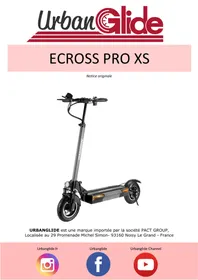
Black UrbanGlide electric scooter with red buttons and wheels, no visible text or symbols on the bodyURBANGLIDE is a brand imported by the company PACT INFORMATIQUE, located at 33 rue du Ballon – 93160 Noisy Le Grand – France
Urbanglide.fr

Urbanglide

Urbanglide Channel

UrbanGlide
ENGLISH 1
FRENCH 12
SPANISH 22
PORTUGUESE 33
SUMMARY
SAFETY AND PRECAUTION
Protective equipment 1
Driver's advice 1
Procedures and driving conditions 1
Usage of the charger 2
Battery 2
Maintenance 2
Transport 3
Using the scooter 3
Rebus 3
Security 4
PRODUCT
Overview 6
Button instructions 7
Fold/Unfold the product 7/8
Advice 8
Charging step 9
SAFETY AND PRECAUTION
Please read the manual carefully before using the product and read the risks and safety tips in the manual. The use of an electrical product can be dangerous if the user is not watchful. Misuse and non-respect with the safety instructions does not affect the company in event of accident. Self-judgment and common sense are necessary for users to detect the possible dangers.
Please verify the current regulations and laws in your country to know where and how to use your product legally. You must comply with the rules and laws that applicable to vehicles and pedestrians.
- Protective equipment
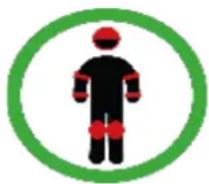
Always wear the following protective equipment:
- Approved and certified helmet according to your location
- Knee pads and elbow patches
- Long sleeve t-shirt and long pants
- Gloves
- Shoes with rubber soles, never drive in barefoot or sandal. Verify to make the laces made and keep them as far as possible from the wheels and the internal system.
- Driver's advice
This device may be used by children over 8 years of age and by persons with reduced physical, sensory or mental capabilities or lack of experience or knowledge, if properly supervised, or if instructions for use of safely, were given to them and the risks were apprehended. Children under 8 must not play with the product. Cleaning and user maintenance should not be performed by unattended children. Do not touch the engine or the brakes of the product immediately after use, these parts may be extremely hot. The maximum weight of use is 120 kg.
Procedures and driving conditions
Please verify the current laws and rules in your country before using the product. Look around when using the product and pay attention to all possible risks. It is important to respect the rights and properties of everyone. For your safety do not start the accelerator if you are not on the product. This product is not designed to make jumps, acrobatic tricks and skids.
Never drive on roads, near vehicles, stairs, hills, swimming pools or other streams. Please hold the handlebars with both hands. Never go on the product with more than one person. Be sure to keep your fingers and other body parts away from hot parts during use (Brake, motor, chain). Never use the product with a Mp3 player, or with your smartphone at hand.
Never use the product to pull anything, as this may damage the components and wear out the battery. Never put the product in contact with water, the electrical components can be damaged and create a dangerous situation. Roll only on flat and solid surfaces. Avoid surfaces with gravel, holes, ice, which can lead to loss of control of the product. Do not drive at night or in areas where visibility is reduced. Do not ride indoors where there are carpets as they can interfere.
After each use, verify that each piece is in its proper place, and that it is not damaged. Before each use, verify the following points:
- The brakes are in good condition
- All components are in good condition and in their places
- The parts with defects in the last use have been repaired or replaced according to the manufacturer's conditions.
People who have medical follow-up or treatment such as: cardiac people, pregnant women, irresponsible people, people with back or neck problems, should not use the product.
When not using your scooter, use the kickstand to keep it upright. To do this, straighten the metal bar located under the tray of your scooter. You can adjust the height of the handlebar using the buttons on the sleeve. Press the button and pull your handlebars up to raise your handlebars.
• Usage of the charger
A plastic cap is located on the loading port of your scooter, remove it to load your product, and do not forget to put it back before using your scooter so as not to damage the loading port. Before using the product, it is necessary to charge it. A long charge may be necessary before the first use. Please refer to the battery indicator, you can charge your battery at any time to ensure the constant power. It is not necessary to wait until the battery is completely empty to charge it.
Please do not use the charger of other brand, these can damage the battery of your product. To ensure a normal life cycle, it is important to charge your battery at least once every 3 months, even if you are not using the product. It is imperative to use the supplied charger which is specially designed for this scooter.
Avoid shocks and contact with water, these are factors not covered by the warranty that may damage the battery.
The supplied charger is "smart", it will stop at 100% of the charge and not damage the battery. The charger must be in perfect condition during each use, verify the wires, the condition of connection ends and connectors. If the product does not charge, the charger may be defective, it needs to be replaced.
The charger must be used only by an adult, it is important to unplug it from both sides when not charging.
- Battery
Please do not store the battery in extreme temperatures. Store it below 30 °C and above 0 °C . If you do not use your product for 60-90 days, the battery may get worse. This loss of autonomy is due to lack of use and is therefore not covered by the warranty.
At the end of its cycle, the battery must be discarded separately from the undifferentiated generic waste. Discard the batteries in the containers provided for this purpose. The recovery and recycling of batteries contributes to protect the environment and material resources conservation.
- Maintenance
Please store your product in a dry, dust-free place, and avoid leaving it in a humid area or under the sun for too long. To clean your appliance, use a damp cloth and mild detergent. Do not use alcohol, gasoline, kerosene, or other corrosive chemical solvents to clean your appliance, which will damage its appearance and structure.
Constantly verify the condition of components of your product, if any part is damaged, please replace it before using the product. If a part is not working, falling and injuring may occur. Do not disassemble the scooter in case of breakdown, otherwise the warranty will cancel. Before any intervention, it is advisable to turn off your scooter. For all spare parts, please contact your dealer
- Transport
If you wish to transport your product by air or other means of transport as well as its battery, please contact the local authorities and the carrier beforehand to obtain the possible prohibitions and limits of transport. Lithium batteries are considered dangerous in many countries. Please make sure that the access and transport are allowed before travelling. International law prohibits the transport of lithium batteries by air.
- Using the scooter
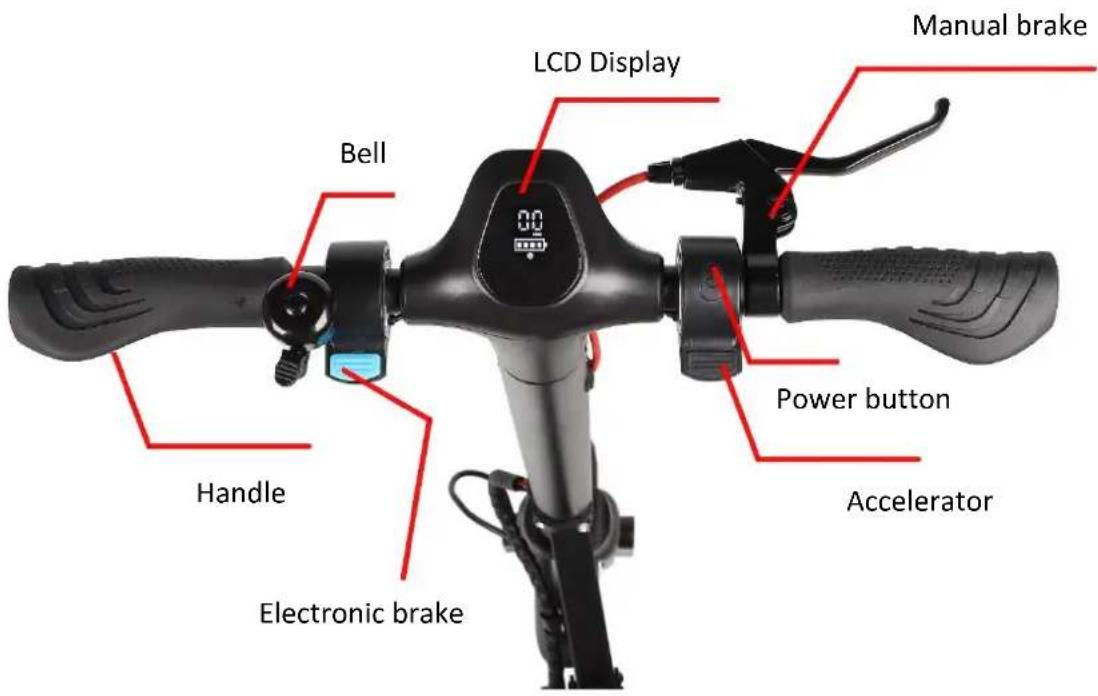
To turn on your product, press the Power button, then press the accelerator to advance. To move forward, place both feet on the board, and use the right trigger on your handlebars to advance your scooter. To brake, you can use the left trigger on your handlebar, or press the rear fender with your foot to reduce the speed of your scooter. Before each use, please check that the wheels are not clogged, that the brakes are working and that no warning message is displayed. Using the scooter for long periods can cause vibrations that can be unpleasant, make poses regularly. When stopped, use the stand to stabilize your product. Unfold it with your foot. To warn other users of your presence, use the horn located on the handlebars. Use the LED at the front of your product to brighten your way into dark places.
- Rebus
THIS TROTTINETTE CONTAINS LITHIUM BATTERIES THAT MUST BE RECYCLED SAFELY. Recycling: The battery must be removed before being discarded. Before any work, remember to turn it off and unplug it from the power outlet.
Security
natural_image
Side-view line drawing of a person wearing a helmet and holding a device (no text or symbols)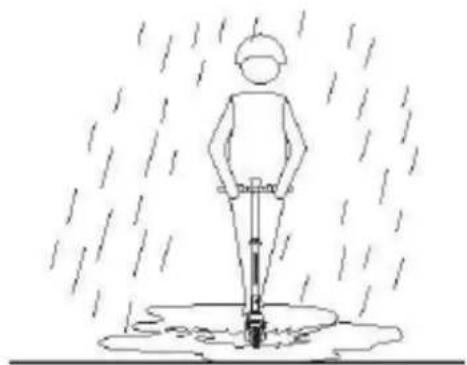
natural_image
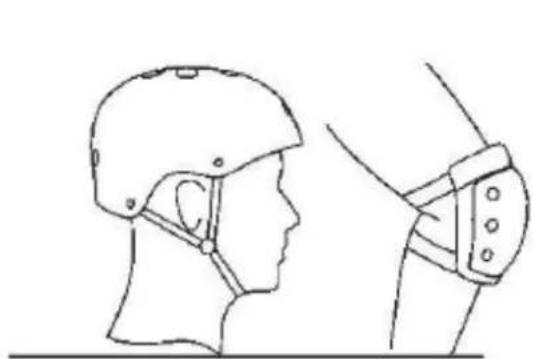
Simple line drawing of a person standing in the rain with a stick and water droplets (no text or symbols)- Safety measurements should be taken before riding, eg: wear sportswear, helmet, kneecap, elbow pads and so on.
- DO NOT ride when it rains.
natural_image
Line drawing of two people using scooters, one assisting the other (no text or symbols)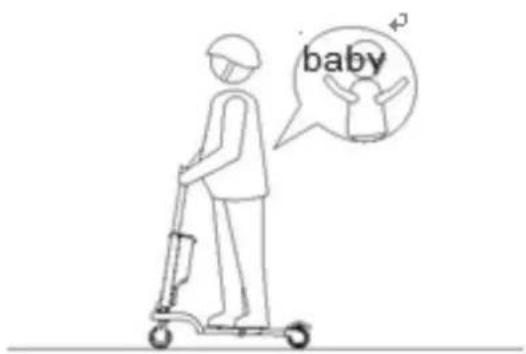
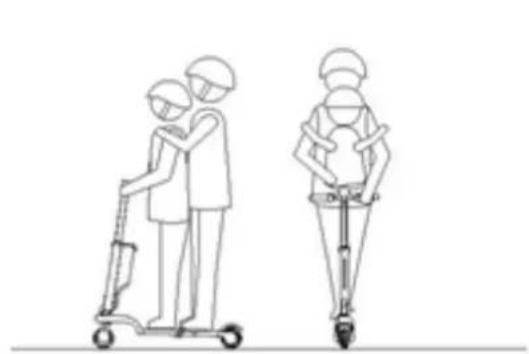
- DO NOT ride with loading
- DO NOT ride with two people or more, only for one rider
- People between 14 and 60 years old may use the product, pregnant is not allowed to ride the e-scooter.
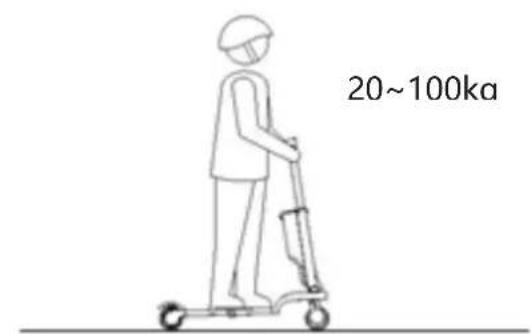

Max Loading : 100 kg

natural_image
Line drawing of a person riding a scooter with a speech bubble showing wine and a glass (no text or symbols)
Do not ride after drinking or taking medicine.
natural_image
Line drawing of a person riding a scooter with a backpack, no text or symbols present
natural_image
Line drawing of a person riding a scooter with a gear, no text or symbols present

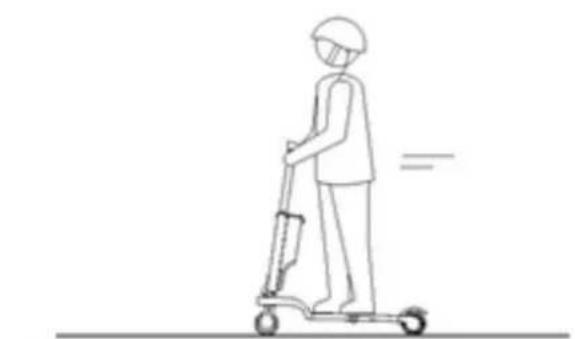
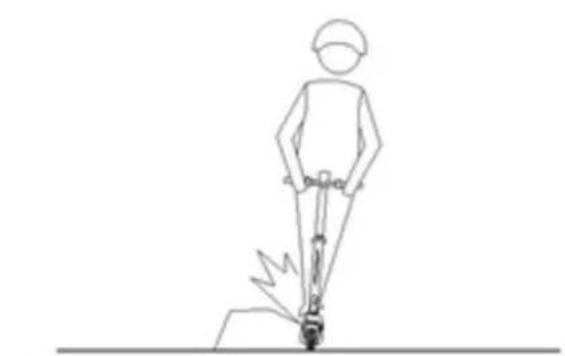
- Be careful of the road with roadblock, sandstone, ponding, mud, wet ice and snow, slope (angle > 10°) stairs, dark area when you are riding.
- Do not call or listen to music when you ride the e-scooter
natural_image
Line drawing of a person using a bicycle to walk, with motion lines indicating speed (no text or symbols)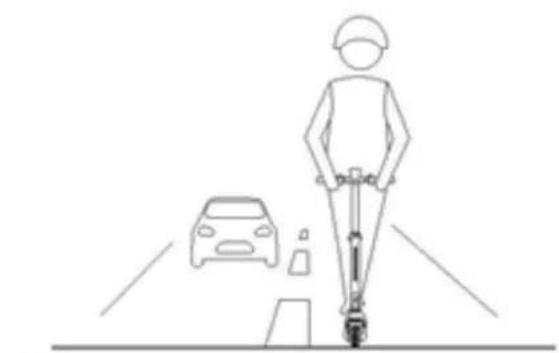
natural_image
Line drawing of a person riding a scooter on a road with a car nearby (no text or symbols)

- Do not use in dangerous area, where the exploding or catching fire may be caused by something inflammable, explosive or steam, liquid, dust and fiber.
- Do not ride on vehicle road.
PRODUCT
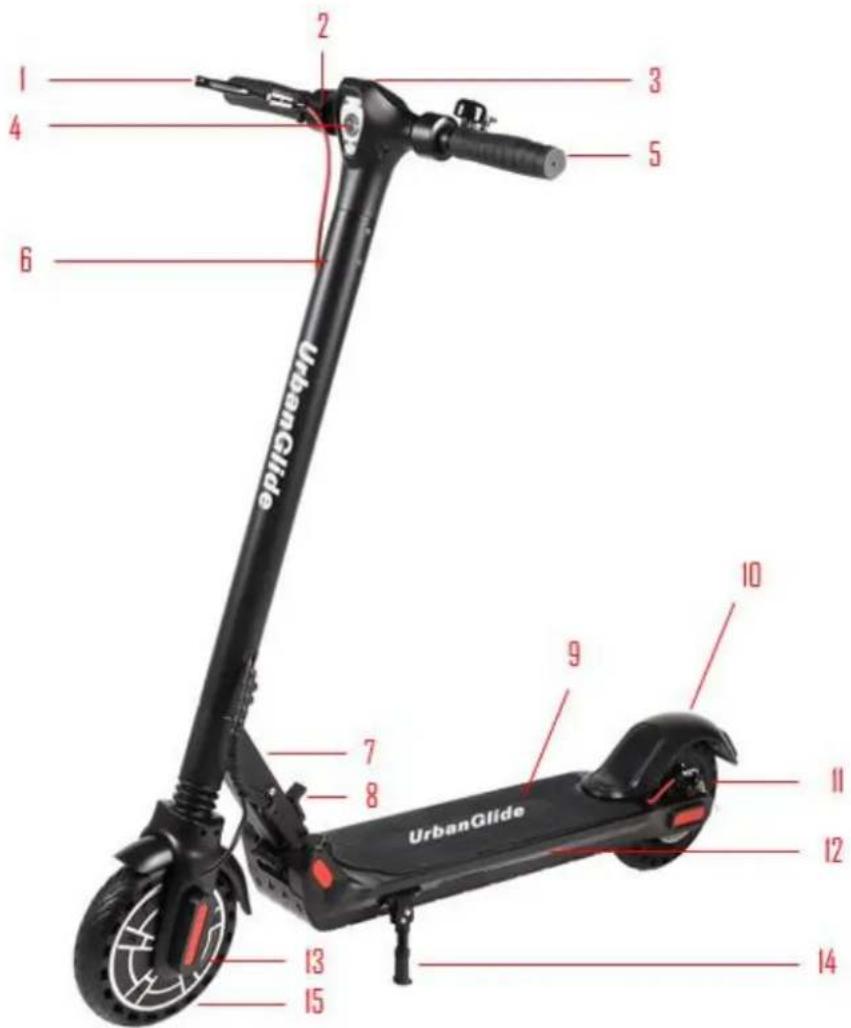
Overview
| 1 | Brake |
| 2 | Accelerator |
| 3 | LCD Display |
| 4 | Front light |
| 5 | Handle |
| 6 | Potence |
| 7 | Folding system |
| 8 | Folding button |
| 9 | Anti-slip pédal |
| 10 | Rear brake |
| 11 | Disc brake |
| 12 | LED |
| 13 | Motor |
| 14 | Stand |
| 15 | Wheel |
Button instructions
- Turning on the scooter: Press and hold the power button to turn on your scooter.
- Turn off the scooter: Press and hold the power button to turn off your scooter.
- Accelerate: When the scooter starts to roll, place both feet on the platform and press the accelerator.
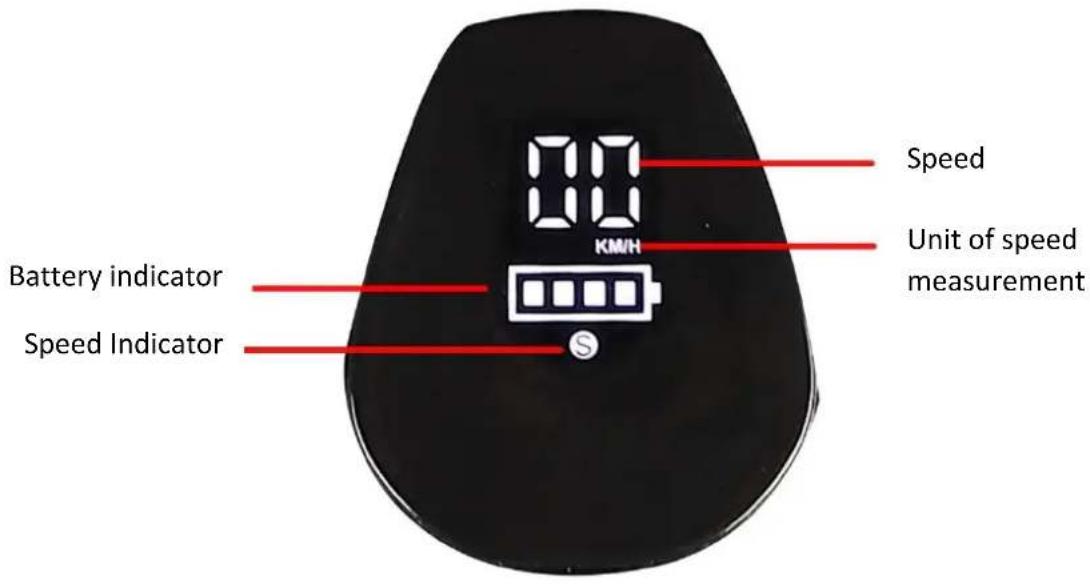
- Change the speed of your scooter: Press the On/Off button once.
3 speed modes :
"S" blue = First gear "S" yellow = Second speed "S" Red = Third gear
-
Turning the headlights on/off: Press the power button twice.
-
Change km/h and Mph: Press the power button 3 times.
-
Cruise control: To activate the cruise control, keep the same speed for 6 seconds, a beep will sound and the scooter will keep the same speed. To stop the cruise control, press the accelerator or the brake.
Folding scooter
CAUTION: Do not pinch your fingers when folding the scooter!
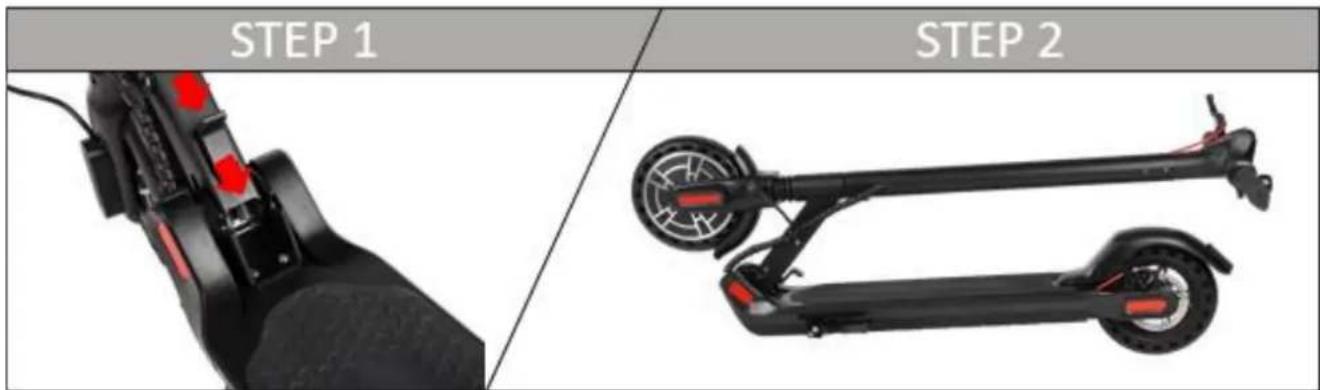
Press the folding button and move the handlebars to the rear wheel.
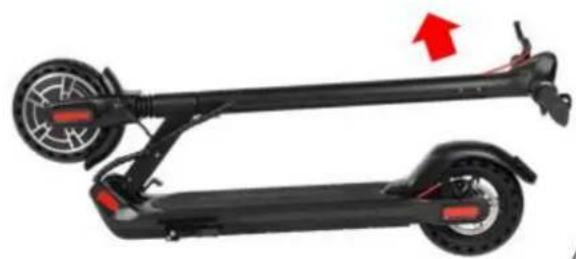
Unfolding scooter
STEP 1
STEP 1
natural_image
Side view of a black electric scooter with red buttons and wheels, showing front wheel and side seat (no text or symbols)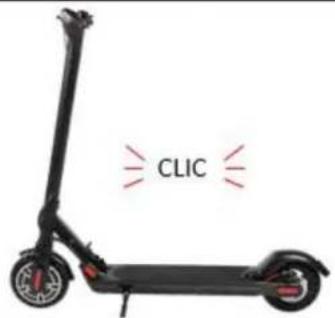
Pull the handlebar upwards until you hear a "click".
Advice

natural_image
Side-by-side line drawings of a helmet and a device, both showing head-to-ear joint positioning (no text or symbols)Please wear helmet, kneecap, elbow-pad when you learn to ride the scooter.
natural_image
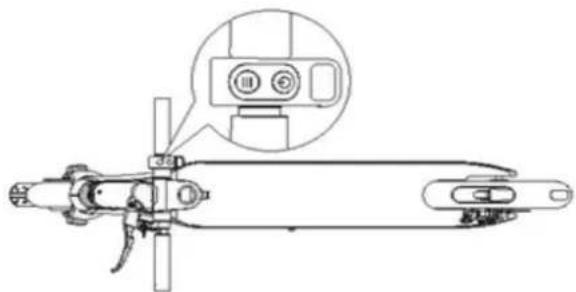
Technical line drawing of a mechanical device with a close-up inset showing internal components (no text or symbols)1 Press the POWER button for 2 seconds.
natural_image
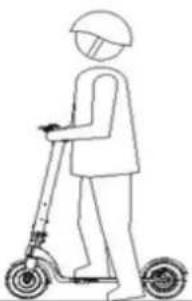
Line drawing of a person riding a scooter with a helmet (no text or symbols)2 Put one foot on the pedal, Push off the ground with your strong leg.
natural_image
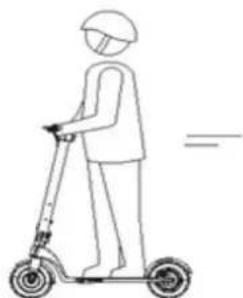
Line drawing of a person riding a scooter with a helmet and gear (no text or symbols)3 Balance both feet on your scooter when you have enough momentum
natural_image
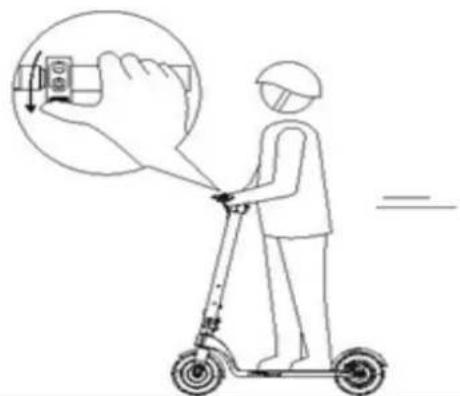
Line drawing of a person using a scooter to interact with a hand holding a device (no text or symbols present)4 Press the THROTTLE button slightly on your right hand to start and rotate the handle to turn
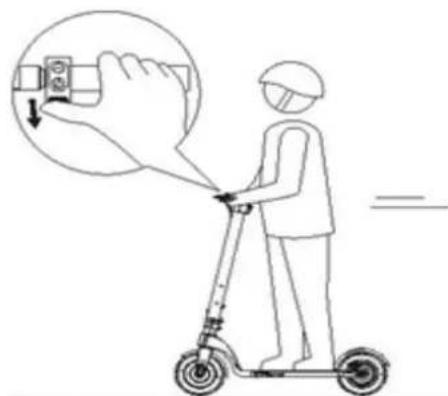
5 Press the THROTTLE button to speed up. Do not ride too fast.
natural_image
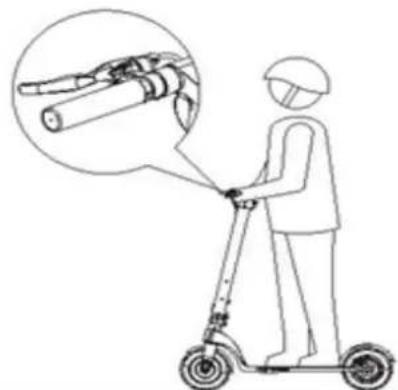
Line drawing of a person using an electric scooter with a magnified inset showing mechanical components (no text or symbols)6 Press the brake lever to brake, and gently press the rear fender to assist the brake.
natural_image
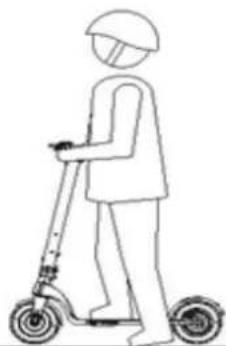
Line drawing of a person riding a scooter (no text or symbols)7 When the scooter stops or run at a slow speed, you can get off.
Charging step
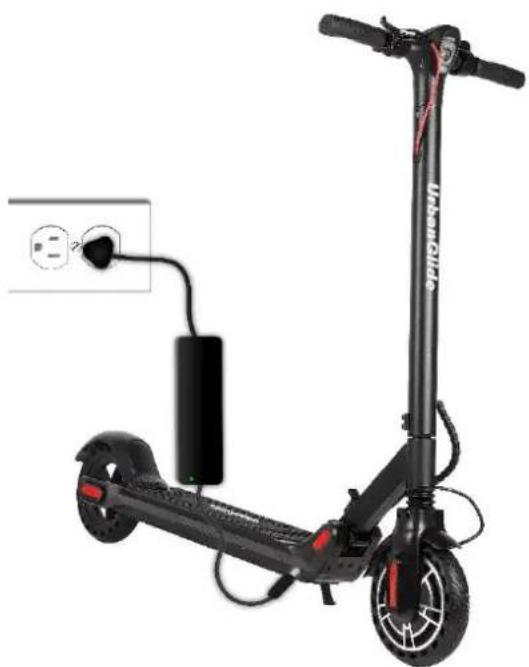
- Open the charging port cover, Make sure the charging port is clean and dry.
- Connect the charger with the battery and the other end with power(100V-240V;50/60Hz), make sure the charging indicator is on
- When the indicator light on the charger changes, indicating that the charging process is normal, otherwise check if the line connection is good.
- When the indicator on the charger has color change, it indicates that the battery has been filled to 99%, Please stopcharging; long time over charge will affect the battery life.
natural_image
Black electric scooter with attached charging cable and power plug, no visible text or symbolsTROUBLESHOOTING
| Problem | Possible cause | Solution |
| It does not work | The battery is not charged. | Charge the battery, check if the red light is on. |
| Connections or cables are disconnected. | Check that the battery is firmly seated in the product. | |
| It does not work continuously | The battery needs to be charged. | Charge the battery, check if the red light is on. |
| The battery is not fully charged. | Make sure the power cable is well connected.The battery may need to be replaced. | |
| It suddenly stopped working | Overload, cut-off | Overloading may result in product failure. Turn off the product, wait 15 seconds, then turn it on again. |
| Fuse burnt | Overloading can burn fuses, you may have to replace them. For this, contact the after-sales service.Prior to this, check the condition of all cables and connectors. | |
| It is moving slowly | The brakes are not properly adjusted. | Check the condition of the brakes, and try to loosen. If this does not work, please contact the after-sales service. |
| It has overloaded | Check that the user weighs less than the previously recommended weight.Check that there are no objects obstructing the proper operation of the product. | |
| Bad driving condition. | Make sure you are on flat, dry, and constant ground. | |
| The tires / wheels are damaged. | Check the condition of the wheels of the product. |
For any information, contact our after-sales service at the following address:
Support@urbanglide.com
You will also find many tutorial videos concerning the maintenance and maintenance of your product on our YouTube channel:
UrbanGlide Channel
Finally, do not hesitate to follow us on our social networks Instagram and Facebook to follow our news.
Urbanglide.fr

Urbanglide

Urbanglide Channel

We undersigned PACT INFORMATIQUE hereby declare that the product.
Model: URBANGLIDE 85 L
Type: Electric scooter
Function: Electric scooter for individual transport
Product description: Foldable electric scooter with adjustable speeds.
Meets all standards and technical directives below:
DIRECTIVES
| 2006/42/EC |
TESTS STANDARD
| EN 61000-6-3:2007 + A1:2011 | EN301489-1 V2.1.1 | EN300328 V2.1.1 |
| EN 61000-6-1:2007 | EN301489-17 V3.1.1 | EN62479:2010 |
| EN 60335-1:201 | A11:2014 | A13:2017 |
| EN 62233:200 | EN ISO 12100:2010 | |
| EN62233:2008 | EN60335-1:2012 + A11:2014 + A13:2017 |
CERTIFICATES/REPORTS
| SHEM190401253201 | SHEM190401253302 | NBES190301105601 |
| SHEM1904012532CR | SHEM190401253303 | SHES190301284901 |
| SHEM190401253301 | SHEM1904012533CR | NBES190301105601 |
All radio emission tests were carried out by the laboratories mentioned below:
-Wuyi Chuangxin Metal Tools Co., Ltd
Donggan Fenghuangshan Industrial Area Tongqin Town, Wuyi, Jinhua, Zhejiang China
-SGS-CSTC Standards Technical Services (Shanghai) Co., Ltd.
N° 588 West Jindu Road, Songjiang District, Shanghai, China
Contact details of the manufacturer or agent:
PACT Informatique
33 rue du ballon
93160 Noisy le Grand – France
Contact details of the person authorized to edit the technical document:
Michael Barreira
33 rue du ballon
93160 Noisy le Grand - France
This declaration shall be issued under the responsibility of the manufacturer and, where appropriate, of his representative 17/12/19
natural_image
Abstract line drawing of a flowing, curved shape with no text or symbolsRepresentative of the company:
PACT INFORMATIQUE
natural_image
Side-view line drawing of a person wearing a helmet and using a device (no text or symbols)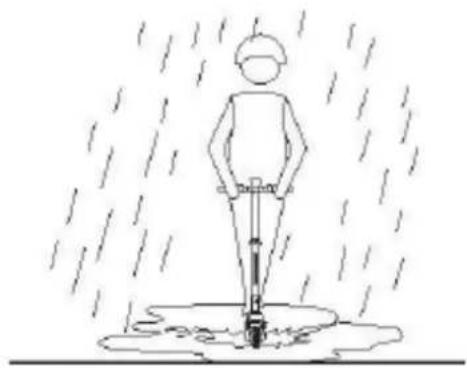
natural_image
Simple line drawing of a person standing in rain with a water feature, no text or symbols presentnatural_image
Line drawing of two people using scooters, one assisting the other (no text or symbols)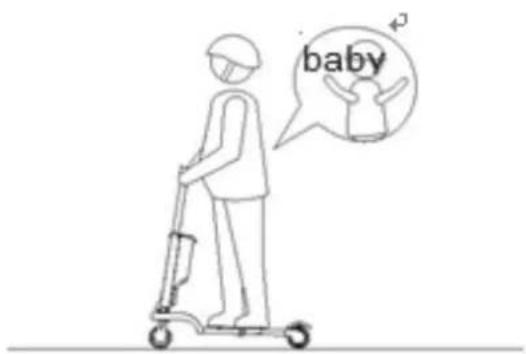
natural_image
Line drawing of a person riding a scooter with a speech bubble showing wine and a glass (no text or symbols)natural_image
Line drawing of a person riding a scooter with a gear, no text or symbols present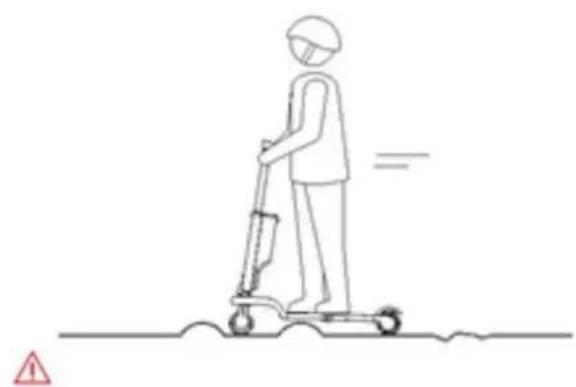
natural_image
Line drawing of a person using a scooter with a gear, no text or symbols presentnatural_image
Line drawing of a person using a device to stand on a horizontal line, with no text or symbols present.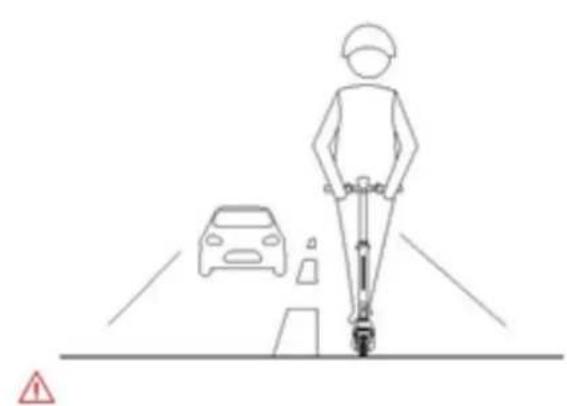
natural_image
Line drawing of a person riding a scooter on a road with a car and a warning sign (no text or symbols)natural_image
Line drawings of a person using a scooter and a medical device, with no text or symbols present.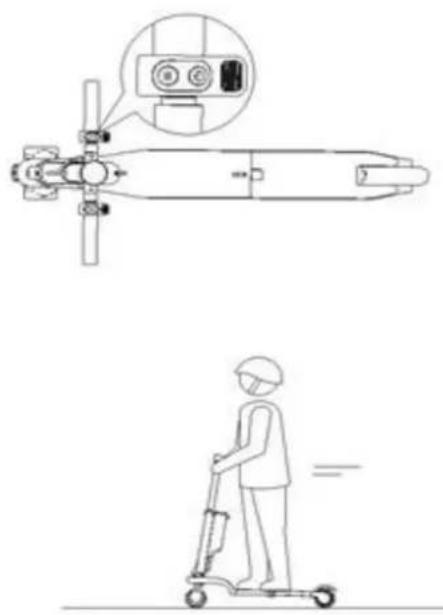
natural_image
Technical line drawing of a missile with its side profile and accompanying safety instructions (no text or symbols)Support@urbanglide.com
-Wuyi Chuangxin Metal Tools Co., Ltd
Donggan Fenghuangshan Industrial Area Tongqin Town, Wuyi, Jinhua, Zhejiang China
-SGS-CSTC Standards Technical Services (Shanghai) Co., Ltd.
N° 588 West Jindu Road, Songjiang District, Shanghai, China
COORDONNEES DU FABRICANT OU MANDATAIRE :
PACT Informatique
33 rue du ballon
93160 Noisy le Grand – France
COORDONNEES DE LA PERSONNE AUTORISEE A EDITER LE DOCUMENT TECHNIQUE :
Michael Barreira
33 rue du ballon
93160 Noisy le Grand - France
natural_image
Abstract line drawing with flowing curves and a straight line (no text or symbols)natural_image
Illustration showing two scenarios: head view of helmet and foot with device, and a person standing on a platform under rain (no text or symbols)natural_image
Line drawing of two people using a scooter, one assisting the other (no text or symbols)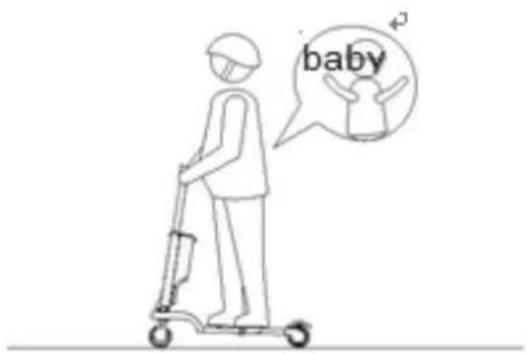
natural_image
Line drawing of a person riding a scooter with a speech bubble showing wine and wine glasses (no text or symbols)natural_image
Line drawing of a person riding a scooter with a backpack, no text or symbols present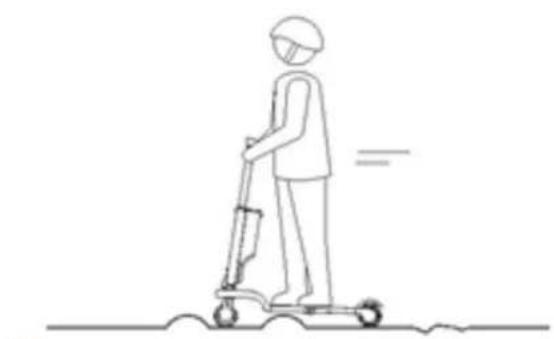
natural_image
Line drawing of a person riding a scooter with a backpack, no text or symbols presentnatural_image
Line drawing of a person using a bicycle to walk, with motion lines indicating speed (no text or symbols)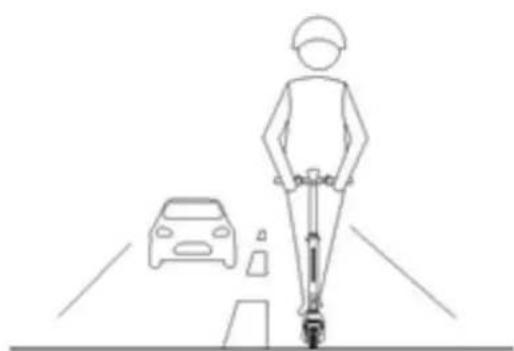
natural_image
Line drawing of a person riding a scooter on a road with a car nearby (no text or symbols)natural_image
Side view of a black electric scooter with red buttons and wheels, showing front wheel and side seat (no text or symbols)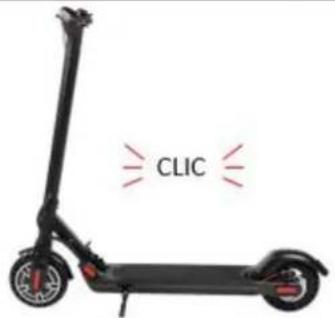
natural_image
Side-by-side line drawings of a person wearing a helmet and a device, showing head and torso views (no text or symbols)natural_image
Line drawing of a person riding a scooter with a helmet (no text or symbols)natural_image
Technical line drawing of a mechanical assembly with no visible text or symbolsnatural_image
Line drawing of a person riding a scooter with a helmet (no text or symbols)natural_image
Line drawing of a person using a scooter to interact with a hand gesture (no text or symbols)natural_image
Line drawing of a person using a scooter with an inset showing a mechanical component (no text or symbols)natural_image
Line drawing of a person riding a scooter (no text or symbols)natural_image
Electric scooter with charging cable and power plug, no visible text or symbols on the vehicle bodySupport@urbanglide.com
-Wuyi Chuangxin Metal Tools Co., Ltd
Donggan Fenghuangshan Industrial Area Tongqin Town, Wuyi, Jinhua, Zhejiang China
-SGS-CSTC Standards Technical Services (Shanghai) Co., Ltd.
N° 588 West Jindu Road, Songjiang District, Shanghai, China
natural_image
Abstract line drawing with flowing curves and a loop (no text or symbols)natural_image
Side-view line drawing of a person wearing a helmet and holding a device, showing head and torso views (no text or symbols)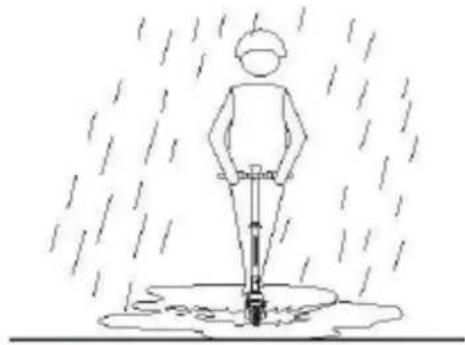
natural_image
Simple line drawing of a person standing in the rain using a tool, with raindrops falling (no text or symbols)natural_image
Line drawing of two people using scooters, one holding a cane and the other standing upright (no text or symbols)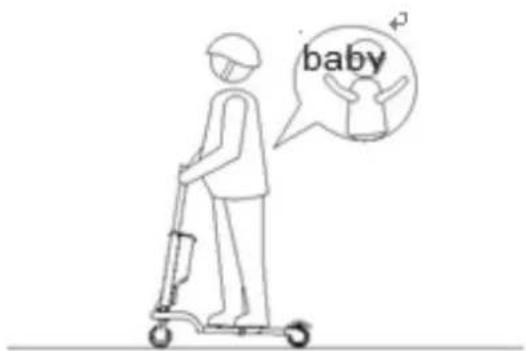
natural_image
Line drawing of a person riding a scooter with a speech bubble showing wine and glass (no text or symbols)natural_image
Line drawing of a person riding a scooter with a gear, no text or symbols present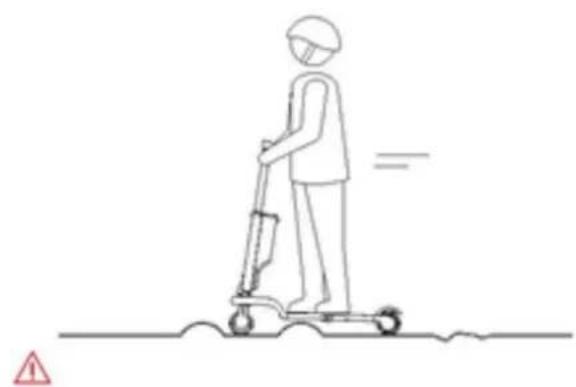
natural_image
Line drawing of a person using a scooter with a gear, no text or symbols presentnatural_image
Simple line drawing of a person using a scooter to walk on a road, with no text or symbols present.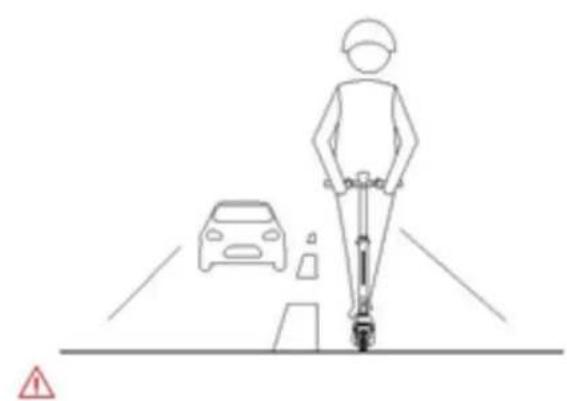
natural_image
Line drawing of a person riding a scooter on a road with a car nearby and a warning sign (no text or symbols)natural_image
Line drawing of a person using a scooter to interact with a hand holding a device (no text or symbols present)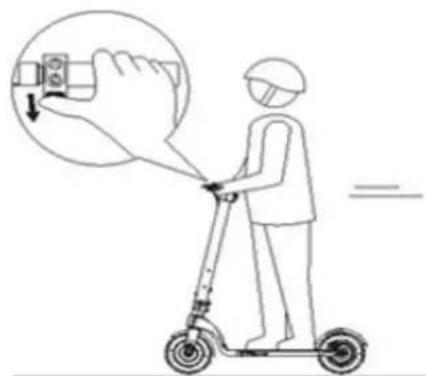
natural_image
Line drawing of a person using an electric scooter with a magnified inset showing the engine component (no text or symbols)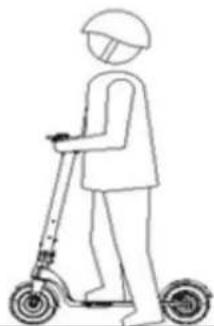
natural_image
Line drawing of a person riding a scooter (no text or symbols)natural_image
Black electric scooter with charging cable and power plug, no visible text or symbols on the vehicle bodySupport@urbanglide.com
-Wuyi Chuangxin Metal Tools Co., Ltd
Donggan Fenghuangshan Industrial Area Tongqin Town, Wuyi, Jinhua, Zhejiang China
-SGS-CSTC Standards Technical Services (Shanghai) Co., Ltd.
N° 588 West Jindu Road, Songjiang District, Shanghai, China
COORDONADAS DO FABRICANTE OU MANDATARIO:
PACT Informatique
33 rue du ballon
93160 Noisy le Grand – France



- UrbanGlide
- SUMMARY
- SAFETY AND PRECAUTION
- PRODUCT
- - Protective equipment
- - Driver's advice
- Procedures and driving conditions
- • Usage of the charger
- - Battery
- - Maintenance
- - Transport
- - Using the scooter
- - Rebus
- Security
- Overview
- Button instructions
- Folding scooter
- Unfolding scooter
- Advice
- Charging step
- For any information, contact our after-sales service at the following address:
- -Wuyi Chuangxin Metal Tools Co., Ltd
- -SGS-CSTC Standards Technical Services (Shanghai) Co., Ltd.
- COORDONNEES DU FABRICANT OU MANDATAIRE :
- COORDONNEES DE LA PERSONNE AUTORISEE A EDITER LE DOCUMENT TECHNIQUE :
- COORDONADAS DO FABRICANTE OU MANDATARIO:
Brand : URBAN GLIDE
Model : RIDE 85 L
Category : Electric scooter