DO1037A - Air Conditioning DOMO - Free user manual and instructions
Find the device manual for free DO1037A DOMO in PDF.
User questions about DO1037A DOMO
0 question about this device. Answer the ones you know or ask your own.
Ask a new question about this device
Download the instructions for your Air Conditioning in PDF format for free! Find your manual DO1037A - DOMO and take your electronic device back in hand. On this page are published all the documents necessary for the use of your device. DO1037A by DOMO.
USER MANUAL DO1037A DOMO
MODE display Displays the current mode, including: AUTO COOL DRY HEAT FAN Transmission Indicator Lights up when remote sends signal to unit ON/OFF display Appears when the unit is turned on, and disappears when it is turned off TIMER ON display Displays when TIMER ON is set TIMER OFF display Displays when TIMER OFF is set SLEEP display Battery display SILENT display ECO display Displays when SLEEP function is activated FOLLOW ME display Indicates that the FOLLOW ME function is on FAN SPEED display Displays selected FAN SPEED: HIGH, MED, or LOW This display is blank when set to AUTO speed. Temperature/Timer display Displays the set temperature by default, or timer setting when using TIMER ON/OFF functions oOO Temperature range: 17-30 C(62F-86F) Timer setting range: 0-24 hours This display is blank when operating in FAN mode.
3. Press the FAN button to select the
fan speed: AUTO, LOW, MED,or HIGH.
4. Press the ON/OFF button to start the
unit. In AUTO mode, the unit will automatically select the COOL, FAN, HEAT or DRY mode based on the set temperature.
1. Press the MODE button to select Auto mode.
2. Set your desired temperature using the
NOTE: FAN SPEED cant be set in Auto mode. SETTING TEMPERATURE AUTO operation The operating temperature range for units is OOO 17-30C(62F-86F). You can increase or
MODE display Displays the current mode, including: AUTO COOL DRY HEAT FAN Transmission Indicator Lights up when remote sends signal to unit ON/OFF display Appears when the unit is turned on, and disappears when it is turned off TIMER ON display Displays when TIMER ON is set TIMER OFF display Displays when TIMER OFF is set SLEEP display Battery display SILENT display ECO display Displays when SLEEP function is activated FOLLOW ME display Indicates that the FOLLOW ME function is on FAN SPEED display Displays selected FAN SPEED: HIGH, MED, or LOW This display is blank when set to AUTO speed. Temperature/Timer display Displays the set temperature by default, or timer setting when using TIMER ON/OFF functions oOO Temperature range: 17-30 C(62F-86F) Timer setting range: 0-24 hours This display is blank when operating in FAN mode.
3. Press the FAN button to select the
fan speed: AUTO, LOW, MED,or HIGH.
4. Press the ON/OFF button to start the
unit. In AUTO mode, the unit will automatically select the COOL, FAN, HEAT or DRY mode based on the set temperature.
1. Press the MODE button to select Auto mode.
2. Set your desired temperature using the
NOTE: FAN SPEED cant be set in Auto mode. SETTING TEMPERATURE AUTO operation The operating temperature range for units is OOO 17-30C(62F-86F). You can increase or
3. Press the FAN button to select the
fan speed: AUTO, LOW, MED,or HIGH.
4. Press the ON/OFF button to start the
unit. In AUTO mode, the unit will automatically select the COOL, FAN, HEAT or DRY mode based on the set temperature.
1. Press the MODE button to select Auto mode.
2. Set your desired temperature using the
NOTE: FAN SPEED cant be set in Auto mode. SETTING TEMPERATURE AUTO operation The operating temperature range for units is OOO 17-30C(62F-86F). You can increase or
3. Press the FAN button to select the
fan speed: AUTO, LOW, MED,or HIGH.
4. Press the ON/OFF button to start the
unit. In AUTO mode, the unit will automatically select the COOL, FAN, HEAT or DRY mode based on the set temperature.
1. Press the MODE button to select Auto mode.
2. Set your desired temperature using the
NOTE: FAN SPEED cant be set in Auto mode. SETTING TEMPERATURE AUTO operation The operating temperature range for units is OOO 17-30C(62F-86F). You can increase or
MODE display Displays the current mode, including: AUTO COOL DRY HEAT FAN Transmission Indicator Lights up when remote sends signal to unit ON/OFF display Appears when the unit is turned on, and disappears when it is turned off TIMER ON display Displays when TIMER ON is set TIMER OFF display Displays when TIMER OFF is set SLEEP display Battery display SILENT display ECO display Displays when SLEEP function is activated FOLLOW ME display Indicates that the FOLLOW ME function is on FAN SPEED display Displays selected FAN SPEED: HIGH, MED, or LOW This display is blank when set to AUTO speed. Temperature/Timer display Displays the set temperature by default, or timer setting when using TIMER ON/OFF functions oOO Temperature range: 17-30 C(62F-86F) Timer setting range: 0-24 hours This display is blank when operating in FAN mode.
3. Press the FAN button to select the
fan speed: AUTO, LOW, MED,or HIGH.
4. Press the ON/OFF button to start the
unit. In AUTO mode, the unit will automatically select the COOL, FAN, HEAT or DRY mode based on the set temperature.
1. Press the MODE button to select Auto mode.
2. Set your desired temperature using the
NOTE: FAN SPEED cant be set in Auto mode. SETTING TEMPERATURE AUTO operation The operating temperature range for units is OOO 17-30C(62F-86F). You can increase or decrease the set tmeperature in 1C(1F) increments. COOL operation Not available for this unit Not available for this unit Not available for this unit Low battery detection Remote LED Screen Indicators How To Use The Basic Functions ON/OFF ON/OFF TEMPTEMP SHORT CUT SHORT CUT TIMER TIMER TIMER OFF TIMER OFF MODEMODEFANFAN SLEEP SLEEP LEDLED FOLLOW ION SWING FOLLOW ION SWING , HIGH
MODE display Displays the current mode, including: AUTO COOL DRY HEAT FAN Transmission Indicator Lights up when remote sends signal to unit ON/OFF display Appears when the unit is turned on, and disappears when it is turned off TIMER ON display Displays when TIMER ON is set TIMER OFF display Displays when TIMER OFF is set SLEEP display Battery display SILENT display ECO display Displays when SLEEP function is activated FOLLOW ME display Indicates that the FOLLOW ME function is on FAN SPEED display Displays selected FAN SPEED: HIGH, MED, or LOW This display is blank when set to AUTO speed. Temperature/Timer display Displays the set temperature by default, or timer setting when using TIMER ON/OFF functions oOO Temperature range: 17-30 C(62F-86F) Timer setting range: 0-24 hours This display is blank when operating in FAN mode.
3. Press the FAN button to select the
fan speed: AUTO, LOW, MED,or HIGH.
4. Press the ON/OFF button to start the
unit. In AUTO mode, the unit will automatically select the COOL, FAN, HEAT or DRY mode based on the set temperature.
1. Press the MODE button to select Auto mode.
2. Set your desired temperature using the
MODE display Displays the current mode, including: AUTO COOL DRY HEAT FAN Transmission Indicator Lights up when remote sends signal to unit ON/OFF display Appears when the unit is turned on, and disappears when it is turned off TIMER ON display Displays when TIMER ON is set TIMER OFF display Displays when TIMER OFF is set SLEEP display Battery display SILENT display ECO display Displays when SLEEP function is activated FOLLOW ME display Indicates that the FOLLOW ME function is on FAN SPEED display Displays selected FAN SPEED: HIGH, MED, or LOW This display is blank when set to AUTO speed. Temperature/Timer display Displays the set temperature by default, or timer setting when using TIMER ON/OFF functions oOO Temperature range: 17-30 C(62F-86F) Timer setting range: 0-24 hours This display is blank when operating in FAN mode.
3. Press the FAN button to select the
fan speed: AUTO, LOW, MED,or HIGH.
4. Press the ON/OFF button to start the
unit. In AUTO mode, the unit will automatically select the COOL, FAN, HEAT or DRY mode based on the set temperature.
1. Press the MODE button to select Auto mode.
2. Set your desired temperature using the
NOTE: FAN SPEED cant be set in Auto mode. SETTING TEMPERATURE AUTO operation The operating temperature range for units is OOO 17-30C(62F-86F). You can increase or
MODE display Displays the current mode, including: AUTO COOL DRY HEAT FAN Transmission Indicator Lights up when remote sends signal to unit ON/OFF display Appears when the unit is turned on, and disappears when it is turned off TIMER ON display Displays when TIMER ON is set TIMER OFF display Displays when TIMER OFF is set SLEEP display Battery display SILENT display ECO display Displays when SLEEP function is activated FOLLOW ME display Indicates that the FOLLOW ME function is on FAN SPEED display Displays selected FAN SPEED: HIGH, MED, or LOW This display is blank when set to AUTO speed. Temperature/Timer display Displays the set temperature by default, or timer setting when using TIMER ON/OFF functions oOO Temperature range: 17-30 C(62F-86F) Timer setting range: 0-24 hours This display is blank when operating in FAN mode.
3. Press the FAN button to select the
fan speed: AUTO, LOW, MED,or HIGH.
4. Press the ON/OFF button to start the
unit. In AUTO mode, the unit will automatically select the COOL, FAN, HEAT or DRY mode based on the set temperature.
1. Press the MODE button to select Auto mode.
2. Set your desired temperature using the
NOTE: FAN SPEED cant be set in Auto mode. SETTING TEMPERATURE AUTO operation The operating temperature range for units is OOO 17-30C(62F-86F). You can increase or
MODE display Displays the current mode, including: AUTO COOL DRY HEAT FAN Transmission Indicator Lights up when remote sends signal to unit ON/OFF display Appears when the unit is turned on, and disappears when it is turned off TIMER ON display Displays when TIMER ON is set TIMER OFF display Displays when TIMER OFF is set SLEEP display Battery display SILENT display ECO display Displays when SLEEP function is activated FOLLOW ME display Indicates that the FOLLOW ME function is on FAN SPEED display Displays selected FAN SPEED: HIGH, MED, or LOW This display is blank when set to AUTO speed. Temperature/Timer display Displays the set temperature by default, or timer setting when using TIMER ON/OFF functions oOO Temperature range: 17-30 C(62F-86F) Timer setting range: 0-24 hours This display is blank when operating in FAN mode.
3. Press the FAN button to select the
fan speed: AUTO, LOW, MED,or HIGH.
4. Press the ON/OFF button to start the
unit. In AUTO mode, the unit will automatically select the COOL, FAN, HEAT or DRY mode based on the set temperature.
1. Press the MODE button to select Auto mode.
2. Set your desired temperature using the
NOTE: FAN SPEED cant be set in Auto mode. SETTING TEMPERATURE AUTO operation The operating temperature range for units is OOO 17-30C(62F-86F). You can increase or decrease the set tmeperature in 1C(1F) increments. COOL operation Not available for this unit Not available for this unit Not available for this unit Low battery detection Remote LED Screen Indicators How To Use The Basic Functions ON/OFF ON/OFF TEMPTEMP SHORT CUT SHORT CUT TIMER TIMER TIMER OFF TIMER OFF MODEMODEFANFAN SLEEP SLEEP LEDLED FOLLOW ION SWING FOLLOW ION SWING , HIGH
MODE display Displays the current mode, including: AUTO COOL DRY HEAT FAN Transmission Indicator Lights up when remote sends signal to unit ON/OFF display Appears when the unit is turned on, and disappears when it is turned off TIMER ON display Displays when TIMER ON is set TIMER OFF display Displays when TIMER OFF is set SLEEP display Battery display SILENT display ECO display Displays when SLEEP function is activated FOLLOW ME display Indicates that the FOLLOW ME function is on FAN SPEED display Displays selected FAN SPEED: HIGH, MED, or LOW This display is blank when set to AUTO speed. Temperature/Timer display Displays the set temperature by default, or timer setting when using TIMER ON/OFF functions oOO Temperature range: 17-30 C(62F-86F) Timer setting range: 0-24 hours This display is blank when operating in FAN mode.
3. Press the FAN button to select the
fan speed: AUTO, LOW, MED,or HIGH.
4. Press the ON/OFF button to start the
unit. In AUTO mode, the unit will automatically select the COOL, FAN, HEAT or DRY mode based on the set temperature.
1. Press the MODE button to select Auto mode.
2. Set your desired temperature using the
MODE display Displays the current mode, including: AUTO COOL DRY HEAT FAN Transmission Indicator Lights up when remote sends signal to unit ON/OFF display Appears when the unit is turned on, and disappears when it is turned off TIMER ON display Displays when TIMER ON is set TIMER OFF display Displays when TIMER OFF is set SLEEP display Battery display SILENT display ECO display Displays when SLEEP function is activated FOLLOW ME display Indicates that the FOLLOW ME function is on FAN SPEED display Displays selected FAN SPEED: HIGH, MED, or LOW This display is blank when set to AUTO speed. Temperature/Timer display Displays the set temperature by default, or timer setting when using TIMER ON/OFF functions oOO Temperature range: 17-30 C(62F-86F) Timer setting range: 0-24 hours This display is blank when operating in FAN mode.
3. Press the FAN button to select the
fan speed: AUTO, LOW, MED,or HIGH.
4. Press the ON/OFF button to start the
unit. In AUTO mode, the unit will automatically select the COOL, FAN, HEAT or DRY mode based on the set temperature.
1. Press the MODE button to select Auto mode.
2. Set your desired temperature using the
NOTE: FAN SPEED cant be set in Auto mode. SETTING TEMPERATURE AUTO operation The operating temperature range for units is OOO 17-30C(62F-86F). You can increase or
MODE display Displays the current mode, including: AUTO COOL DRY HEAT FAN Transmission Indicator Lights up when remote sends signal to unit ON/OFF display Appears when the unit is turned on, and disappears when it is turned off TIMER ON display Displays when TIMER ON is set TIMER OFF display Displays when TIMER OFF is set SLEEP display Battery display SILENT display ECO display Displays when SLEEP function is activated FOLLOW ME display Indicates that the FOLLOW ME function is on FAN SPEED display Displays selected FAN SPEED: HIGH, MED, or LOW This display is blank when set to AUTO speed. Temperature/Timer display Displays the set temperature by default, or timer setting when using TIMER ON/OFF functions oOO Temperature range: 17-30 C(62F-86F) Timer setting range: 0-24 hours This display is blank when operating in FAN mode.
3. Press the FAN button to select the
fan speed: AUTO, LOW, MED,or HIGH.
4. Press the ON/OFF button to start the
unit. In AUTO mode, the unit will automatically select the COOL, FAN, HEAT or DRY mode based on the set temperature.
1. Press the MODE button to select Auto mode.
2. Set your desired temperature using the
NOTE: FAN SPEED cant be set in Auto mode. SETTING TEMPERATURE AUTO operation The operating temperature range for units is OOO 17-30C(62F-86F). You can increase or
MODE display Displays the current mode, including: AUTO COOL DRY HEAT FAN Transmission Indicator Lights up when remote sends signal to unit ON/OFF display Appears when the unit is turned on, and disappears when it is turned off TIMER ON display Displays when TIMER ON is set TIMER OFF display Displays when TIMER OFF is set SLEEP display Battery display SILENT display ECO display Displays when SLEEP function is activated FOLLOW ME display Indicates that the FOLLOW ME function is on FAN SPEED display Displays selected FAN SPEED: HIGH, MED, or LOW This display is blank when set to AUTO speed. Temperature/Timer display Displays the set temperature by default, or timer setting when using TIMER ON/OFF functions oOO Temperature range: 17-30 C(62F-86F) Timer setting range: 0-24 hours This display is blank when operating in FAN mode.
3. Press the FAN button to select the
fan speed: AUTO, LOW, MED,or HIGH.
4. Press the ON/OFF button to start the
unit. In AUTO mode, the unit will automatically select the COOL, FAN, HEAT or DRY mode based on the set temperature.
1. Press the MODE button to select Auto mode.
2. Set your desired temperature using the
NOTE: FAN SPEED cant be set in Auto mode. SETTING TEMPERATURE AUTO operation The operating temperature range for units is OOO 17-30C(62F-86F). You can increase or
3. Press the FAN button to select the
fan speed: AUTO, LOW, MED,or HIGH.
4. Press the ON/OFF button to start the
unit. In AUTO mode, the unit will automatically select the COOL, FAN, HEAT or DRY mode based on the set temperature.
1. Press the MODE button to select Auto mode.
2. Set your desired temperature using the
NOTE: FAN SPEED cant be set in Auto mode. SETTING TEMPERATURE AUTO operation The operating temperature range for units is OOO 17-30C(62F-86F). You can increase or
MODE display Displays the current mode, including: AUTO COOL DRY HEAT FAN Transmission Indicator Lights up when remote sends signal to unit ON/OFF display Appears when the unit is turned on, and disappears when it is turned off TIMER ON display Displays when TIMER ON is set TIMER OFF display Displays when TIMER OFF is set SLEEP display Battery display SILENT display ECO display Displays when SLEEP function is activated FOLLOW ME display Indicates that the FOLLOW ME function is on FAN SPEED display Displays selected FAN SPEED: HIGH, MED, or LOW This display is blank when set to AUTO speed. Temperature/Timer display Displays the set temperature by default, or timer setting when using TIMER ON/OFF functions oOO Temperature range: 17-30 C(62F-86F) Timer setting range: 0-24 hours This display is blank when operating in FAN mode.
3. Press the FAN button to select the
fan speed: AUTO, LOW, MED,or HIGH.
4. Press the ON/OFF button to start the
unit. In AUTO mode, the unit will automatically select the COOL, FAN, HEAT or DRY mode based on the set temperature.
1. Press the MODE button to select Auto mode.
2. Set your desired temperature using the
NOTE: FAN SPEED cant be set in Auto mode. SETTING TEMPERATURE AUTO operation The operating temperature range for units is OOO 17-30C(62F-86F). You can increase or decrease the set tmeperature in 1C(1F) increments. COOL operation Not available for this unit Not available for this unit Not available for this unit Low battery detection Remote LED Screen Indicators How To Use The Basic Functions ON/OFF ON/OFF TEMPTEMP SHORT CUT SHORT CUT TIMER TIMER TIMER OFF TIMER OFF MODEMODEFANFAN SLEEP SLEEP LEDLED FOLLOW ION SWING FOLLOW ION SWING , HIGH
MODE display Displays the current mode, including: AUTO COOL DRY HEAT FAN Transmission Indicator Lights up when remote sends signal to unit ON/OFF display Appears when the unit is turned on, and disappears when it is turned off TIMER ON display Displays when TIMER ON is set TIMER OFF display Displays when TIMER OFF is set SLEEP display Battery display SILENT display ECO display Displays when SLEEP function is activated FOLLOW ME display Indicates that the FOLLOW ME function is on FAN SPEED display Displays selected FAN SPEED: HIGH, MED, or LOW This display is blank when set to AUTO speed. Temperature/Timer display Displays the set temperature by default, or timer setting when using TIMER ON/OFF functions oOO Temperature range: 17-30 C(62F-86F) Timer setting range: 0-24 hours This display is blank when operating in FAN mode.
3. Press the FAN button to select the
fan speed: AUTO, LOW, MED,or HIGH.
4. Press the ON/OFF button to start the
unit. In AUTO mode, the unit will automatically select the COOL, FAN, HEAT or DRY mode based on the set temperature.
1. Press the MODE button to select Auto mode.
2. Set your desired temperature using the
NOTE: FAN SPEED cant be set in Auto mode. SETTING TEMPERATURE AUTO operation The operating temperature range for units is OOO 17-30C(62F-86F). You can increase or decrease the set tmeperature in 1C(1F) increments. COOL operation Not available for this unit Not available for this unit Not available for this unit Low battery detection Remote LED Screen Indicators How To Use The Basic Functions ON/OFF ON/OFF TEMPTEMP SHORT CUT SHORT CUT TIMER TIMER TIMER OFF TIMER OFF MODEMODEFANFAN SLEEP SLEEP LEDLED FOLLOW ION SWING FOLLOW ION SWING et AUTO. MODE « DRY » MODE display Displays the current mode, including: AUTO COOL DRY HEAT FAN Transmission Indicator Lights up when remote sends signal to unit ON/OFF display Appears when the unit is turned on, and disappears when it is turned off TIMER ON display Displays when TIMER ON is set TIMER OFF display Displays when TIMER OFF is set SLEEP display Battery display SILENT display ECO display Displays when SLEEP function is activated FOLLOW ME display Indicates that the FOLLOW ME function is on FAN SPEED display Displays selected FAN SPEED: HIGH, MED, or LOW This display is blank when set to AUTO speed. Temperature/Timer display Displays the set temperature by default, or timer setting when using TIMER ON/OFF functions oOO Temperature range: 17-30 C(62F-86F) Timer setting range: 0-24 hours This display is blank when operating in FAN mode.
3. Press the FAN button to select the
fan speed: AUTO, LOW, MED,or HIGH.
4. Press the ON/OFF button to start the
unit. In AUTO mode, the unit will automatically select the COOL, FAN, HEAT or DRY mode based on the set temperature.
1. Press the MODE button to select Auto mode.
2. Set your desired temperature using the
NOTE: FAN SPEED cant be set in Auto mode. SETTING TEMPERATURE AUTO operation The operating temperature range for units is OOO 17-30C(62F-86F). You can increase or
3. Press the FAN button to select the
fan speed: AUTO, LOW, MED,or HIGH.
4. Press the ON/OFF button to start the
unit. In AUTO mode, the unit will automatically select the COOL, FAN, HEAT or DRY mode based on the set temperature.
1. Press the MODE button to select Auto mode.
2. Set your desired temperature using the
NOTE: FAN SPEED cant be set in Auto mode. SETTING TEMPERATURE AUTO operation The operating temperature range for units is OOO 17-30C(62F-86F). You can increase or
MODE display Displays the current mode, including: AUTO COOL DRY HEAT FAN Transmission Indicator Lights up when remote sends signal to unit ON/OFF display Appears when the unit is turned on, and disappears when it is turned off TIMER ON display Displays when TIMER ON is set TIMER OFF display Displays when TIMER OFF is set SLEEP display Battery display SILENT display ECO display Displays when SLEEP function is activated FOLLOW ME display Indicates that the FOLLOW ME function is on FAN SPEED display Displays selected FAN SPEED: HIGH, MED, or LOW This display is blank when set to AUTO speed. Temperature/Timer display Displays the set temperature by default, or timer setting when using TIMER ON/OFF functions oOO Temperature range: 17-30 C(62F-86F) Timer setting range: 0-24 hours This display is blank when operating in FAN mode.
3. Press the FAN button to select the
fan speed: AUTO, LOW, MED,or HIGH.
4. Press the ON/OFF button to start the
unit. In AUTO mode, the unit will automatically select the COOL, FAN, HEAT or DRY mode based on the set temperature.
1. Press the MODE button to select Auto mode.
2. Set your desired temperature using the
NOTE: FAN SPEED cant be set in Auto mode. SETTING TEMPERATURE AUTO operation The operating temperature range for units is OOO 17-30C(62F-86F). You can increase or decrease the set tmeperature in 1C(1F) increments. COOL operation Not available for this unit Not available for this unit Not available for this unit Low battery detection Remote LED Screen Indicators How To Use The Basic Functions ON/OFF ON/OFF TEMPTEMP SHORT CUT SHORT CUT TIMER TIMER TIMER OFF TIMER OFF MODEMODEFANFAN SLEEP SLEEP LEDLED FOLLOW ION SWING FOLLOW ION SWING , HIGH
MODE display Displays the current mode, including: AUTO COOL DRY HEAT FAN Transmission Indicator Lights up when remote sends signal to unit ON/OFF display Appears when the unit is turned on, and disappears when it is turned off TIMER ON display Displays when TIMER ON is set TIMER OFF display Displays when TIMER OFF is set SLEEP display Battery display SILENT display ECO display Displays when SLEEP function is activated FOLLOW ME display Indicates that the FOLLOW ME function is on FAN SPEED display Displays selected FAN SPEED: HIGH, MED, or LOW This display is blank when set to AUTO speed. Temperature/Timer display Displays the set temperature by default, or timer setting when using TIMER ON/OFF functions oOO Temperature range: 17-30 C(62F-86F) Timer setting range: 0-24 hours This display is blank when operating in FAN mode.
3. Press the FAN button to select the
fan speed: AUTO, LOW, MED,or HIGH.
4. Press the ON/OFF button to start the
unit. In AUTO mode, the unit will automatically select the COOL, FAN, HEAT or DRY mode based on the set temperature.
1. Press the MODE button to select Auto mode.
2. Set your desired temperature using the
MODE display Displays the current mode, including: AUTO COOL DRY HEAT FAN Transmission Indicator Lights up when remote sends signal to unit ON/OFF display Appears when the unit is turned on, and disappears when it is turned off TIMER ON display Displays when TIMER ON is set TIMER OFF display Displays when TIMER OFF is set SLEEP display Battery display SILENT display ECO display Displays when SLEEP function is activated FOLLOW ME display Indicates that the FOLLOW ME function is on FAN SPEED display Displays selected FAN SPEED: HIGH, MED, or LOW This display is blank when set to AUTO speed. Temperature/Timer display Displays the set temperature by default, or timer setting when using TIMER ON/OFF functions oOO Temperature range: 17-30 C(62F-86F) Timer setting range: 0-24 hours This display is blank when operating in FAN mode.
3. Press the FAN button to select the
fan speed: AUTO, LOW, MED,or HIGH.
4. Press the ON/OFF button to start the
unit. In AUTO mode, the unit will automatically select the COOL, FAN, HEAT or DRY mode based on the set temperature.
1. Press the MODE button to select Auto mode.
2. Set your desired temperature using the
NOTE: FAN SPEED cant be set in Auto mode. SETTING TEMPERATURE AUTO operation The operating temperature range for units is OOO 17-30C(62F-86F). You can increase or
MODE display Displays the current mode, including: AUTO COOL DRY HEAT FAN Transmission Indicator Lights up when remote sends signal to unit ON/OFF display Appears when the unit is turned on, and disappears when it is turned off TIMER ON display Displays when TIMER ON is set TIMER OFF display Displays when TIMER OFF is set SLEEP display Battery display SILENT display ECO display Displays when SLEEP function is activated FOLLOW ME display Indicates that the FOLLOW ME function is on FAN SPEED display Displays selected FAN SPEED: HIGH, MED, or LOW This display is blank when set to AUTO speed. Temperature/Timer display Displays the set temperature by default, or timer setting when using TIMER ON/OFF functions oOO Temperature range: 17-30 C(62F-86F) Timer setting range: 0-24 hours This display is blank when operating in FAN mode.
3. Press the FAN button to select the
fan speed: AUTO, LOW, MED,or HIGH.
4. Press the ON/OFF button to start the
unit. In AUTO mode, the unit will automatically select the COOL, FAN, HEAT or DRY mode based on the set temperature.
1. Press the MODE button to select Auto mode.
2. Set your desired temperature using the
NOTE: FAN SPEED cant be set in Auto mode. SETTING TEMPERATURE AUTO operation The operating temperature range for units is OOO 17-30C(62F-86F). You can increase or
MODE display Displays the current mode, including: AUTO COOL DRY HEAT FAN Transmission Indicator Lights up when remote sends signal to unit ON/OFF display Appears when the unit is turned on, and disappears when it is turned off TIMER ON display Displays when TIMER ON is set TIMER OFF display Displays when TIMER OFF is set SLEEP display Battery display SILENT display ECO display Displays when SLEEP function is activated FOLLOW ME display Indicates that the FOLLOW ME function is on FAN SPEED display Displays selected FAN SPEED: HIGH, MED, or LOW This display is blank when set to AUTO speed. Temperature/Timer display Displays the set temperature by default, or timer setting when using TIMER ON/OFF functions oOO Temperature range: 17-30 C(62F-86F) Timer setting range: 0-24 hours This display is blank when operating in FAN mode.
3. Press the FAN button to select the
fan speed: AUTO, LOW, MED,or HIGH.
4. Press the ON/OFF button to start the
unit. In AUTO mode, the unit will automatically select the COOL, FAN, HEAT or DRY mode based on the set temperature.
1. Press the MODE button to select Auto mode.
2. Set your desired temperature using the
NOTE: FAN SPEED cant be set in Auto mode. SETTING TEMPERATURE AUTO operation The operating temperature range for units is OOO 17-30C(62F-86F). You can increase or
3. Press the FAN button to select the
fan speed: AUTO, LOW, MED,or HIGH.
4. Press the ON/OFF button to start the
unit. In AUTO mode, the unit will automatically select the COOL, FAN, HEAT or DRY mode based on the set temperature.
1. Press the MODE button to select Auto mode.
2. Set your desired temperature using the
NOTE: FAN SPEED cant be set in Auto mode. SETTING TEMPERATURE AUTO operation The operating temperature range for units is OOO 17-30C(62F-86F). You can increase or
MODE display Displays the current mode, including: AUTO COOL DRY HEAT FAN Transmission Indicator Lights up when remote sends signal to unit ON/OFF display Appears when the unit is turned on, and disappears when it is turned off TIMER ON display Displays when TIMER ON is set TIMER OFF display Displays when TIMER OFF is set SLEEP display Battery display SILENT display ECO display Displays when SLEEP function is activated FOLLOW ME display Indicates that the FOLLOW ME function is on FAN SPEED display Displays selected FAN SPEED: HIGH, MED, or LOW This display is blank when set to AUTO speed. Temperature/Timer display Displays the set temperature by default, or timer setting when using TIMER ON/OFF functions oOO Temperature range: 17-30 C(62F-86F) Timer setting range: 0-24 hours This display is blank when operating in FAN mode.
3. Press the FAN button to select the
fan speed: AUTO, LOW, MED,or HIGH.
4. Press the ON/OFF button to start the
unit. In AUTO mode, the unit will automatically select the COOL, FAN, HEAT or DRY mode based on the set temperature.
1. Press the MODE button to select Auto mode.
2. Set your desired temperature using the
NOTE: FAN SPEED cant be set in Auto mode. SETTING TEMPERATURE AUTO operation The operating temperature range for units is OOO 17-30C(62F-86F). You can increase or decrease the set tmeperature in 1C(1F) increments. COOL operation Not available for this unit Not available for this unit Not available for this unit Low battery detection Remote LED Screen Indicators How To Use The Basic Functions ON/OFF ON/OFF TEMPTEMP SHORT CUT SHORT CUT TIMER TIMER TIMER OFF TIMER OFF MODEMODEFANFAN SLEEP SLEEP LEDLED FOLLOW ION SWING FOLLOW ION SWING , HIGH
MODE display Displays the current mode, including: AUTO COOL DRY HEAT FAN Transmission Indicator Lights up when remote sends signal to unit ON/OFF display Appears when the unit is turned on, and disappears when it is turned off TIMER ON display Displays when TIMER ON is set TIMER OFF display Displays when TIMER OFF is set SLEEP display Battery display SILENT display ECO display Displays when SLEEP function is activated FOLLOW ME display Indicates that the FOLLOW ME function is on FAN SPEED display Displays selected FAN SPEED: HIGH, MED, or LOW This display is blank when set to AUTO speed. Temperature/Timer display Displays the set temperature by default, or timer setting when using TIMER ON/OFF functions oOO Temperature range: 17-30 C(62F-86F) Timer setting range: 0-24 hours This display is blank when operating in FAN mode.
3. Press the FAN button to select the
fan speed: AUTO, LOW, MED,or HIGH.
4. Press the ON/OFF button to start the
unit. In AUTO mode, the unit will automatically select the COOL, FAN, HEAT or DRY mode based on the set temperature.
1. Press the MODE button to select Auto mode.
2. Set your desired temperature using the
MODE display Displays the current mode, including: AUTO COOL DRY HEAT FAN Transmission Indicator Lights up when remote sends signal to unit ON/OFF display Appears when the unit is turned on, and disappears when it is turned off TIMER ON display Displays when TIMER ON is set TIMER OFF display Displays when TIMER OFF is set SLEEP display Battery display SILENT display ECO display Displays when SLEEP function is activated FOLLOW ME display Indicates that the FOLLOW ME function is on FAN SPEED display Displays selected FAN SPEED: HIGH, MED, or LOW This display is blank when set to AUTO speed. Temperature/Timer display Displays the set temperature by default, or timer setting when using TIMER ON/OFF functions oOO Temperature range: 17-30 C(62F-86F) Timer setting range: 0-24 hours This display is blank when operating in FAN mode.
3. Press the FAN button to select the
fan speed: AUTO, LOW, MED,or HIGH.
4. Press the ON/OFF button to start the
unit. In AUTO mode, the unit will automatically select the COOL, FAN, HEAT or DRY mode based on the set temperature.
1. Press the MODE button to select Auto mode.
2. Set your desired temperature using the
NOTE: FAN SPEED cant be set in Auto mode. SETTING TEMPERATURE AUTO operation The operating temperature range for units is OOO 17-30C(62F-86F). You can increase or
MODE display Displays the current mode, including: AUTO COOL DRY HEAT FAN Transmission Indicator Lights up when remote sends signal to unit ON/OFF display Appears when the unit is turned on, and disappears when it is turned off TIMER ON display Displays when TIMER ON is set TIMER OFF display Displays when TIMER OFF is set SLEEP display Battery display SILENT display ECO display Displays when SLEEP function is activated FOLLOW ME display Indicates that the FOLLOW ME function is on FAN SPEED display Displays selected FAN SPEED: HIGH, MED, or LOW This display is blank when set to AUTO speed. Temperature/Timer display Displays the set temperature by default, or timer setting when using TIMER ON/OFF functions oOO Temperature range: 17-30 C(62F-86F) Timer setting range: 0-24 hours This display is blank when operating in FAN mode.
3. Press the FAN button to select the
fan speed: AUTO, LOW, MED,or HIGH.
4. Press the ON/OFF button to start the
unit. In AUTO mode, the unit will automatically select the COOL, FAN, HEAT or DRY mode based on the set temperature.
1. Press the MODE button to select Auto mode.
2. Set your desired temperature using the
NOTE: FAN SPEED cant be set in Auto mode. SETTING TEMPERATURE AUTO operation The operating temperature range for units is OOO 17-30C(62F-86F). You can increase or
MODE display Displays the current mode, including: AUTO COOL DRY HEAT FAN Transmission Indicator Lights up when remote sends signal to unit ON/OFF display Appears when the unit is turned on, and disappears when it is turned off TIMER ON display Displays when TIMER ON is set TIMER OFF display Displays when TIMER OFF is set SLEEP display Battery display SILENT display ECO display Displays when SLEEP function is activated FOLLOW ME display Indicates that the FOLLOW ME function is on FAN SPEED display Displays selected FAN SPEED: HIGH, MED, or LOW This display is blank when set to AUTO speed. Temperature/Timer display Displays the set temperature by default, or timer setting when using TIMER ON/OFF functions oOO Temperature range: 17-30 C(62F-86F) Timer setting range: 0-24 hours This display is blank when operating in FAN mode.
3. Press the FAN button to select the
fan speed: AUTO, LOW, MED,or HIGH.
4. Press the ON/OFF button to start the
unit. In AUTO mode, the unit will automatically select the COOL, FAN, HEAT or DRY mode based on the set temperature.
1. Press the MODE button to select Auto mode.
2. Set your desired temperature using the
NOTE: FAN SPEED cant be set in Auto mode. SETTING TEMPERATURE AUTO operation The operating temperature range for units is OOO 17-30C(62F-86F). You can increase or decrease the set tmeperature in 1C(1F) increments. COOL operation Not available for this unit Not available for this unit Not available for this unit Low battery detection Remote LED Screen Indicators How To Use The Basic Functions ON/OFF ON/OFF TEMPTEMP SHORT CUT SHORT CUT TIMER TIMER TIMER OFF TIMER OFF MODEMODEFANFAN SLEEP SLEEP LEDLED FOLLOW ION SWING FOLLOW ION SWING , HIGH
MODE display Displays the current mode, including: AUTO COOL DRY HEAT FAN Transmission Indicator Lights up when remote sends signal to unit ON/OFF display Appears when the unit is turned on, and disappears when it is turned off TIMER ON display Displays when TIMER ON is set TIMER OFF display Displays when TIMER OFF is set SLEEP display Battery display SILENT display ECO display Displays when SLEEP function is activated FOLLOW ME display Indicates that the FOLLOW ME function is on FAN SPEED display Displays selected FAN SPEED: HIGH, MED, or LOW This display is blank when set to AUTO speed. Temperature/Timer display Displays the set temperature by default, or timer setting when using TIMER ON/OFF functions oOO Temperature range: 17-30 C(62F-86F) Timer setting range: 0-24 hours This display is blank when operating in FAN mode.
3. Press the FAN button to select the
fan speed: AUTO, LOW, MED,or HIGH.
4. Press the ON/OFF button to start the
unit. In AUTO mode, the unit will automatically select the COOL, FAN, HEAT or DRY mode based on the set temperature.
1. Press the MODE button to select Auto mode.
2. Set your desired temperature using the
WARRANTY Dear client , All of our products are always submitted to a strict quality control before they are sold to you. Should you nevertheless experience problems with your device, we sincerely regret this. In that case, we kindly request you to contact our customer service. Our sta will gladly assist you. +32 14 21 71 91 info@linea2000.be Monday – Thursday: 8.30 – 12.00 and 13.00 – 17.00 Friday: 8.30 – 12.00 and 13.00 – 16.30 This appliance has a two year warranty period. During this period the manufacturer is responsible for any failures that are the direct result of construction failure. When these failures occur the appliance will be repaired or replaced if necessary. The warranty will not be valid when the damage to the appliance is caused by wrong use, not following the instructions or repairs executed by a third party. The guarantee is issued with the original till receipt. All parts, which are subject to wear, are excluded from the warranty. If your device breaks down within the 2-year warranty period, you can return the device together with your receipt to the shop where you purchased it. The guarantee on accessories and components that are liable to wear-and-tear is only 6 months. The guarantee and responsibility of the supplier and manufacturer lapse automatically in the following cases:
- If the instructions in this manual have not been followed.
- In case of incorrect connection, e.g., electrical voltage that is too high.
- In case of incorrect, rough or abnormal use.
- In case of insucient or incorrect maintenance.
- In case of repairs or alterations to the device by the consumer or non-authorised third parties.
- If the customer used parts or accessories that are not recommended or provided by the supplier / manufacturer.48 DO1037A
SAFETY INSTRUCTIONS When using electrical appliances, basic safety precautions should always be taken, including the following:
READ ALL INSTRUCTIONS
- This appliances is intended for use in household environment and commercial purpose such as :
- In shops, oces and other similar working environments;
- By clients in hotels, motels and other residential environments;
- In bed and breakfast type environments.
- This appliance is not intended for use by persons (including children) with reduced physical, sensory or mental capabilities, or lack of experience and knowledge, unless they have been given supervision or instruction concerning use of the appliance by a person responsible for their safety.
- Children should be supervised to ensure that they do not play with the appliance.
- This appliance can be used by children aged from 16 years and above and persons with reduced physical, sensory or mental capabilities or lack of experience and knowledge if they have been given supervision or instruction concerning use of the appliance in a safe way and understand the hazards involved. Children shall not play with the appliance. Cleaning and user maintenance shall not be made by children without supervision.
- The appliance must be disconnected from its power source when not in use, during service and when replacing parts.
- If the supply cord is damaged, it must be replaced by the manufacturer, its service agent or similarly qualied persons in order to avoid a hazard.
- CAUTION: In order to avoid a hazard this appliance must not be supplied through an external switching device, such as a timer, or connected to a circuit that is regularly switched on and o by the utility.
- Do not operate this appliance with a damaged cord or plug or in the event the appliance malfunctions or has been damaged in any manner. Return the appliance to the DOMO Service Department or its service agent for examination, repair, or electrical or mechanical adjustment.
- To protect against electrical shock or burns, do not immerse unit, cord, or plug in water or other liquid.
- Do not let power cord supply hang over the edge of counter, or touch hot surfaces.
- Do not use this appliance for other than intended use.
- Never leave the appliance unattended while it is functioning.
- Do not place on or near a hot gas or electric burner, or in a heated oven.
- Do not use or store this appliance outdoors.
- Failure to maintain this appliance in a clean condition could adversely aect the life of the appliance and possibly result in a hazardous situation.
- Never cover the air inlet or air outlet, to prevent overheating the unit.
- Never splash water on the unit, or place the unit near water, to prevent electrocution.
- Never place another appliance on the same electrical circuit as the airco.
- Never handle the plug with wet hands.
- Never put any foreign objects in the openings of the airco.
- Never use an extension cord.
- Never let children play near the unit.
- When you turn o te unit and want to turn it on
- immediatly afterwards, the compressor will need 3 min.to start up again.
- Always place the unit at least 1m away from TV or radio, to prevent disturbance.
- Never place the unit in direct sun light, to prevent discoloration of the airco.
- Make sure the angle of the unit is never more than 35°, when you move the airco. Never place the unit upside down.
- Always remove the water from the water tank, when storing the airco. This will keep your airco in optimal condition for a long time.
- Never use any chemicals to clean the unit, this will cause damage.
- Always make sure to disconnect the unit from the electrical supply before attaching or removing the air inlet grill.
- Make sure the airco is always protected against condensation, splashing water, etc. Make sure the airco can’t come in contact or be pulled into water or any other liquid. If for some reason the airco will fall in to water or any other liquid, immediatly remove the plug form the socket.
- Never use the airco in a damp room such as a badroom or a laundry room.
- Always contact a qualied person for reparing the unit.
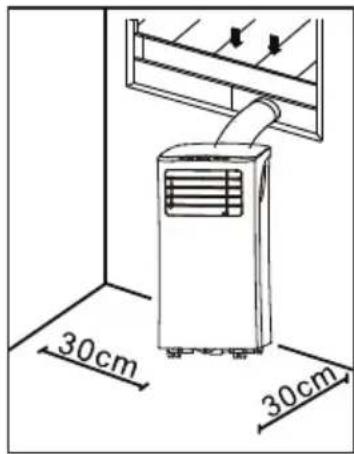
- Make sure that the free space around the unit is at least 30 cm.
- Never touch the unit with wet hands or bare feed.
- Only touch the control panel with your ngers.
- Never remove xed parts from the airco. Never use the unit when it is not working properly, or when the unit has fallen or has been damaged.
- Never use the plug to turn the unit on or o.
- Reparations, checking for leaks or other services need to happen by a qualied technician with the right certicates. Specic information regarding appliances with R290 refrigerant gas.
- Thoroughly read all of the warnings.
- When defrosting and cleaning the appliance, do not use any tools other than those recommended by the manufacturing company.50 DO1037A
- The appliance must be placed in an area without any continuous sources of ignition (for example: open ames, gas or electrical appliances in operation).
- Do not puncture and do not burn.
- Refrigerant gases can be odourless.
- The appliance must be installed, used and stored in an area that is greater than 7 m
- This appliance contains a certain number of grams (see rating label back of unit) of R290 refrigerant gas.
- R290 is a refrigerant gas that complies with the European directives on the environment. Do not puncture any part of the refrigerant circuit.
- If the appliance is installed, operated or stored in a nonventilated area, the room must be designed to prevent the accumulation of refrigerant leaks resulting in a risk of re or explosion due to ignition of the refrigerant caused by electric heaters, stoves, or other sources of ignition.
- The appliance must be stored in such a way as to prevent mechanical failure.
- Individuals who operate or work on the refrigerant circuit must have the appropriate certication issued by an accredited organisation that ensures competence in handling refrigerants according to a specic evaluation recognized by associations in the industry.
- Repairs must be performed based on the recommendations from the manufacturing company. Maintenance and repairs that require the assistance of other qualied personnel must be performed under the supervision of an individual specied in the use of ammable refrigerants.
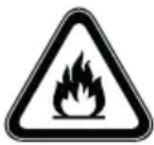
- Caution: risk of re / ammable materials.
- This appliance uses a ammable refrigerant. If the refrigerant is leaked and exposed to an external ignition source, there is a risk of re.
SAVE THESE INSTRUCTIONS51
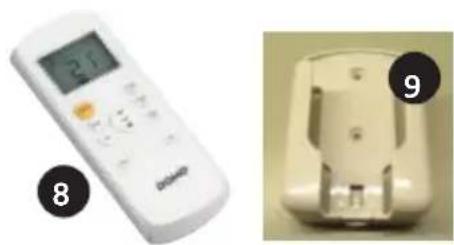
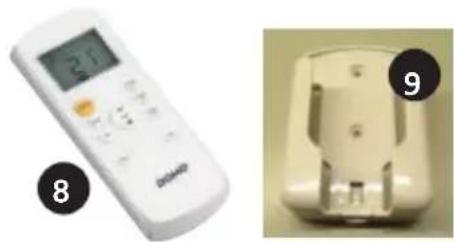
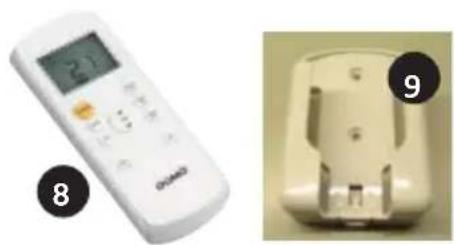
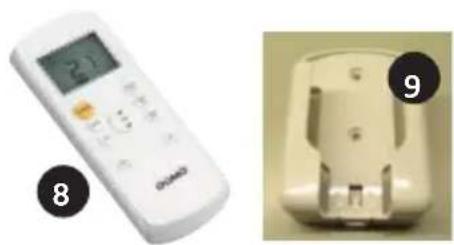
9. Remote control wall mount
- Place the airco on a solid and stable oor, this way you will prevent excessive noice and vibrations. Make sure that the oor is strong enough to support the weight of the appliance.
- The appliance has small wheels for easy moving. Make sure only to move the airco over a at and level surface. Be careful when moving the airco over carpet. Never roll the unit over an object.
- Place the unit near an earthed socket.
- Never place any object within 30 cm round the airco.
- The air outlet hose must be used in the “cool” or “auto” mode. During the “fan” or “dry” mode, you don’t need to attache the air outlet hose.
- Make sure there is a free surrounding of at least 50 cm around the outlet.
- Make sure the air outlet hose isn’t bend during use.
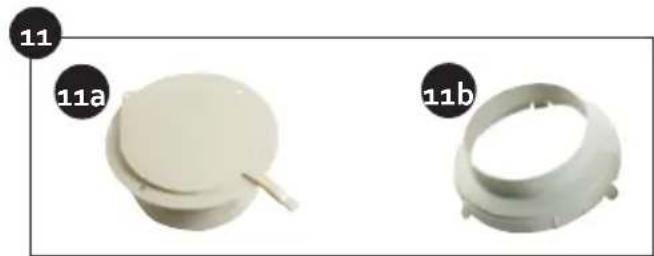
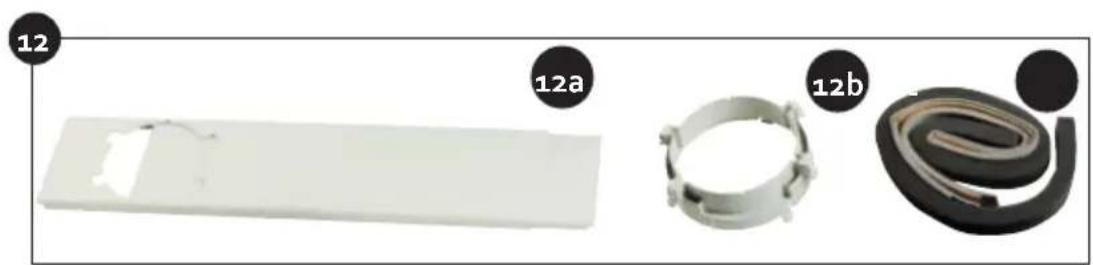
INSTALLATION OF THE WINDOW KIT
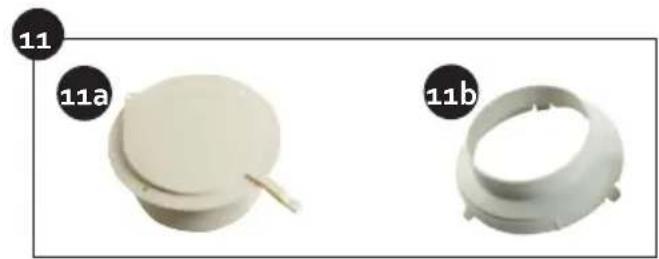
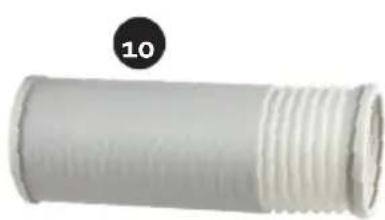
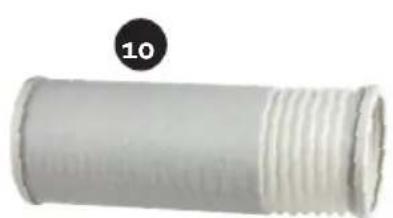
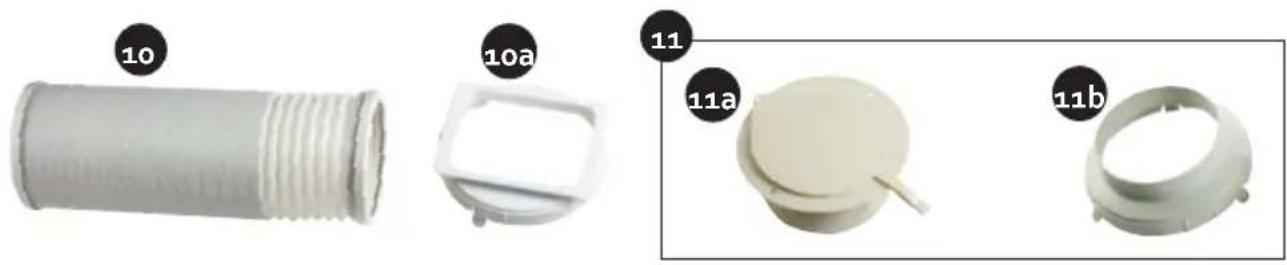
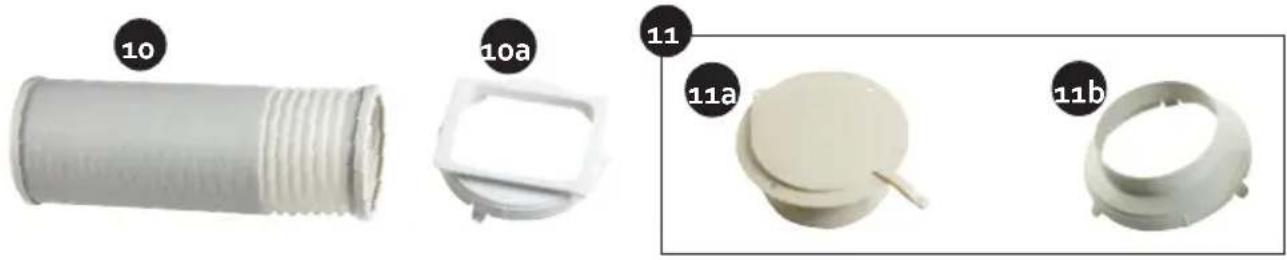
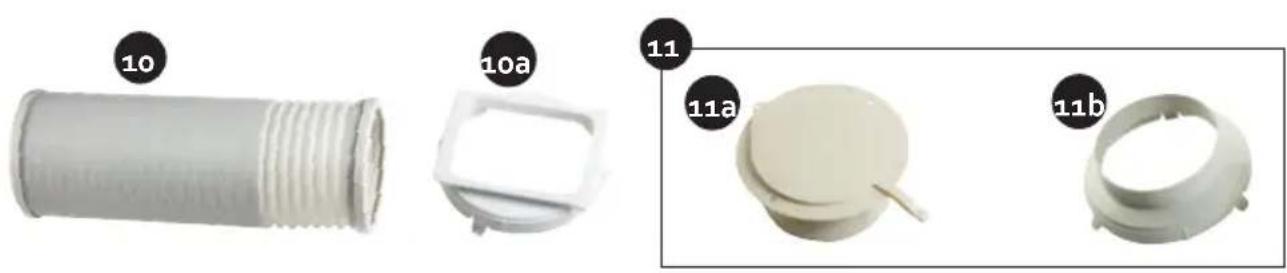
- Place the coupling of the air outlet hose on the end of the hose.
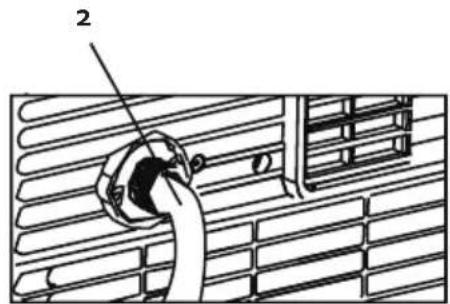
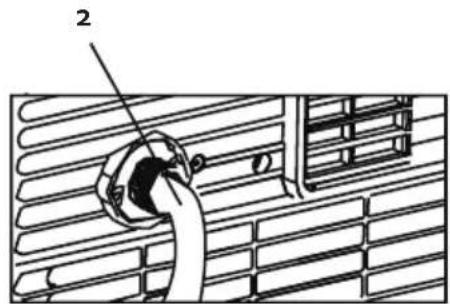
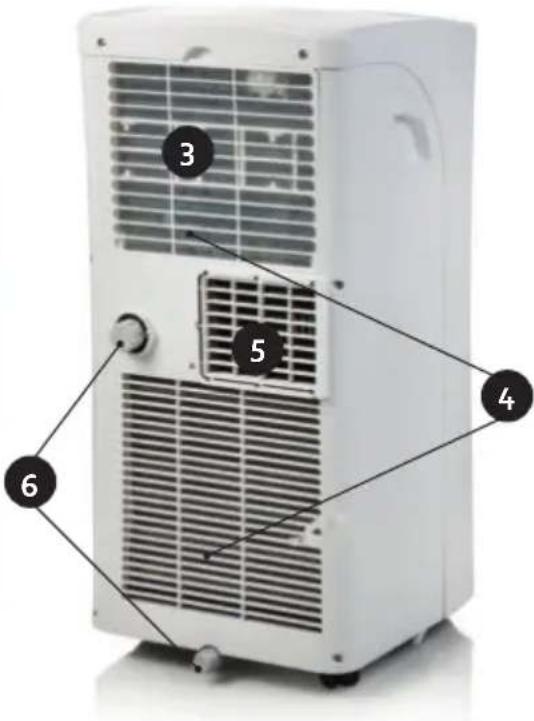
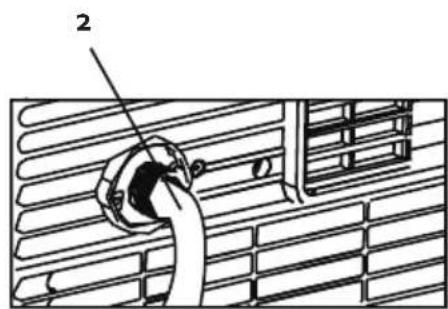
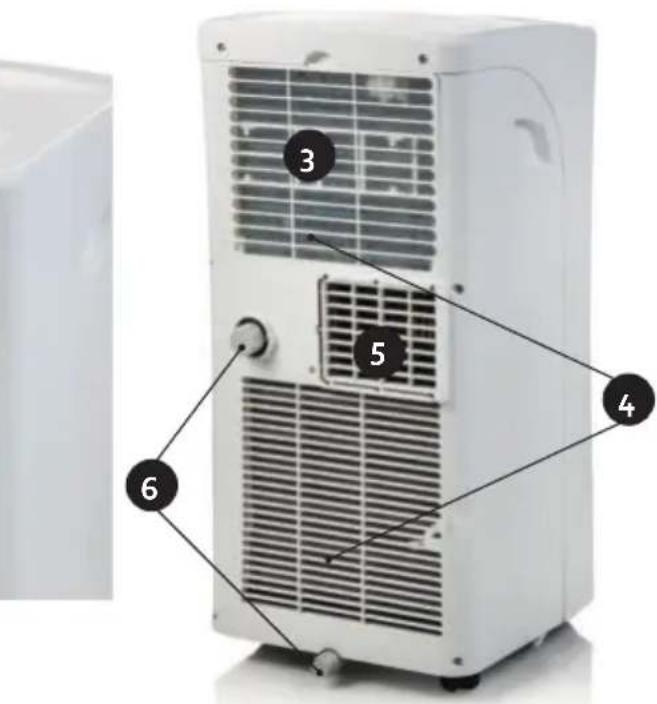
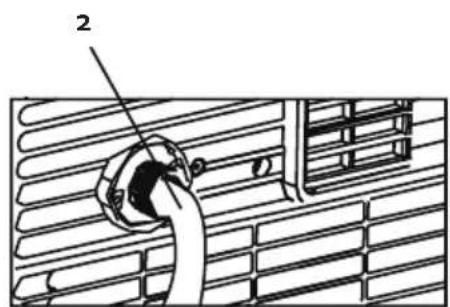
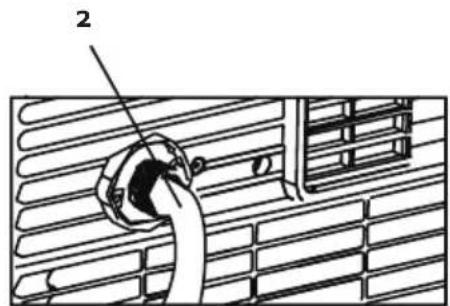
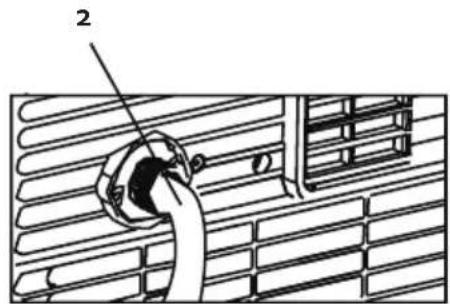
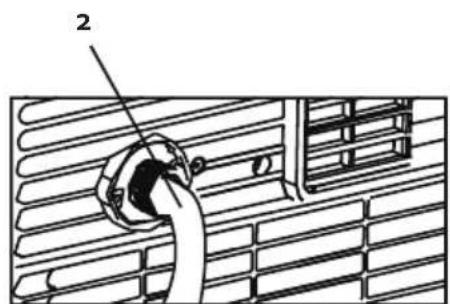
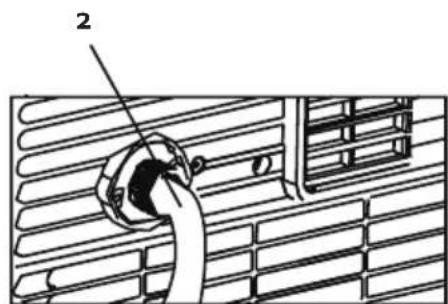
- Place the air outlet hose on the air outlet at the back of the appliance.
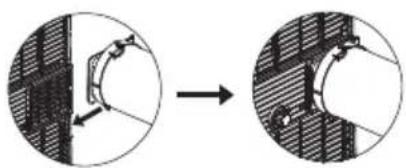
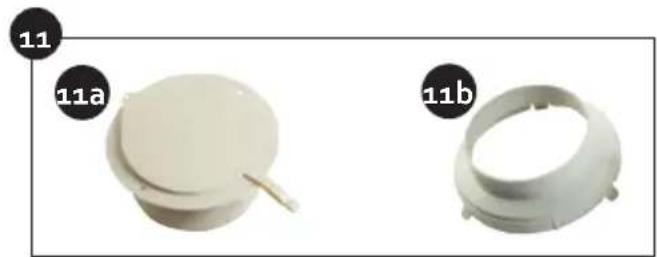
- Place the coupling of the window attachment on the other end of the air outlet hose.
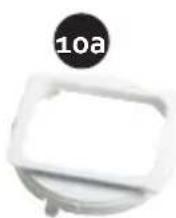
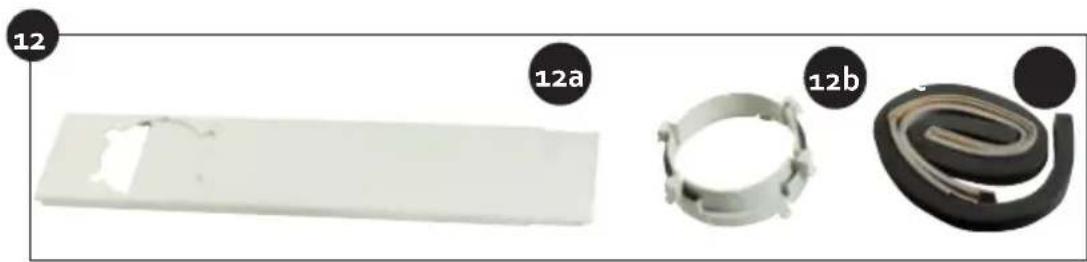
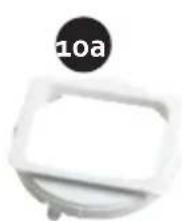
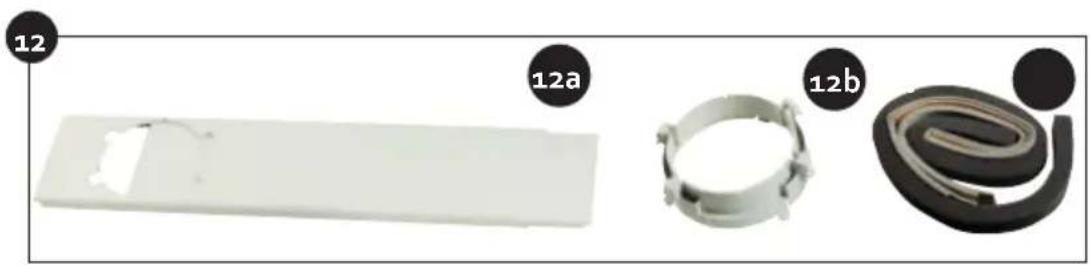
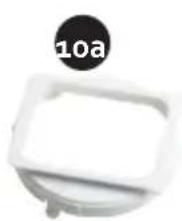
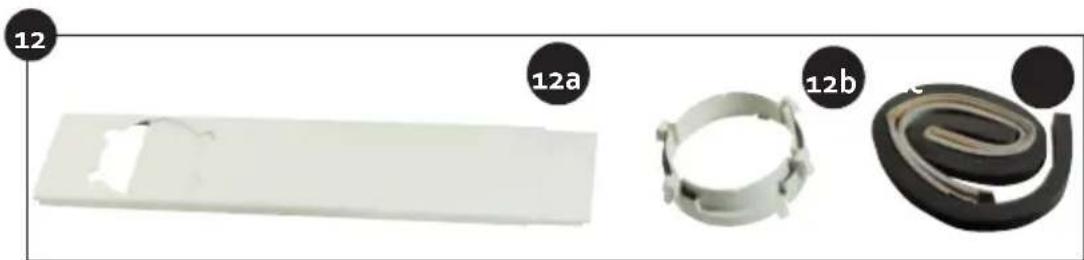
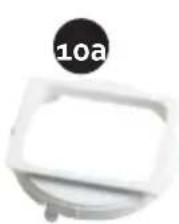
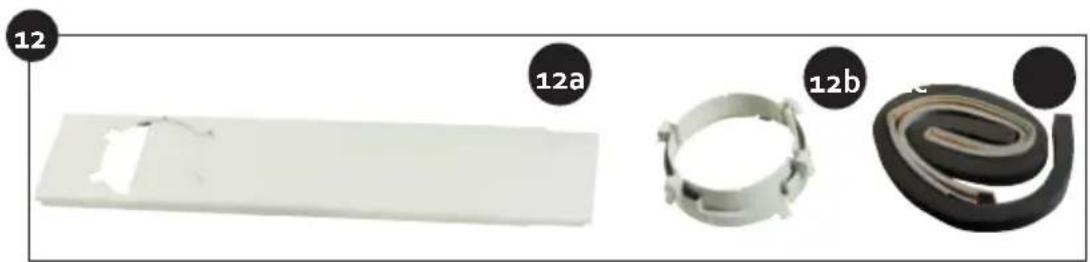
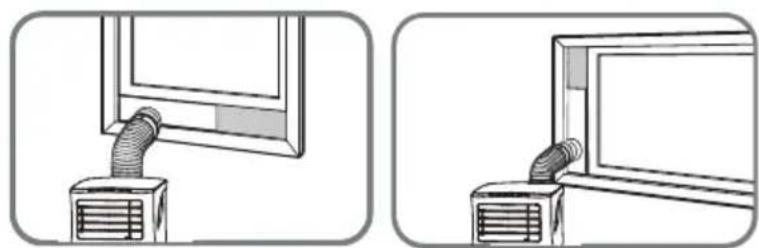
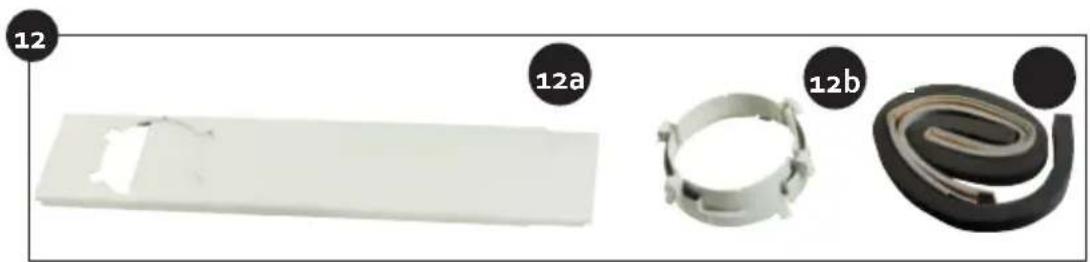
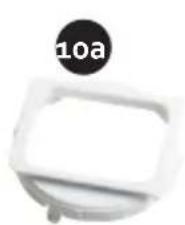
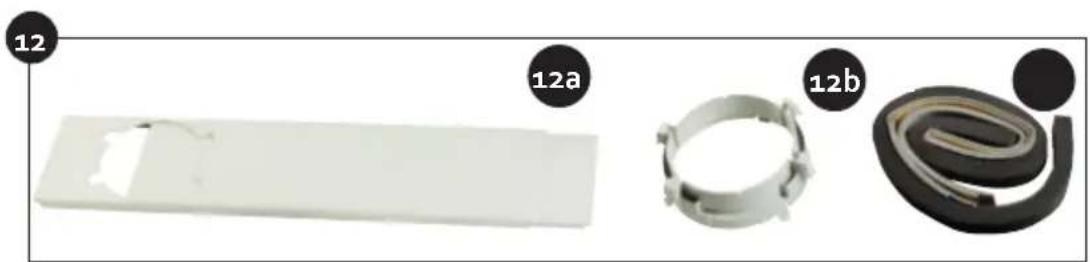
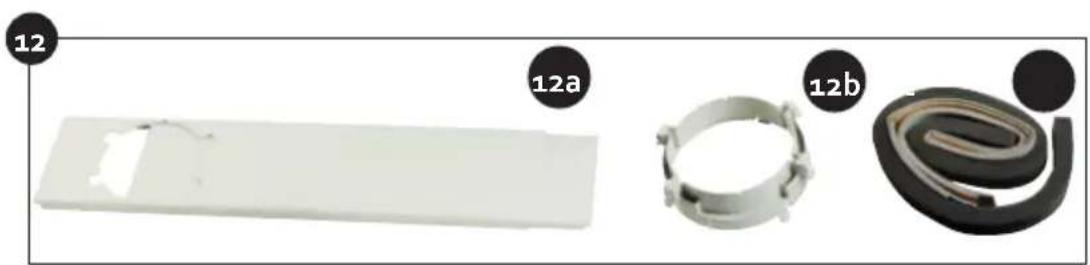
- Place the window adaptor in your window. This is possible for horizontal and vertical sliding windows. Block the window adapter at the desired length.
- Attach the hose with the coupling to the window adapter.
- Make use of the window seals to close o any possible openings in the window.53 DO1037A www.domo-elektro.be
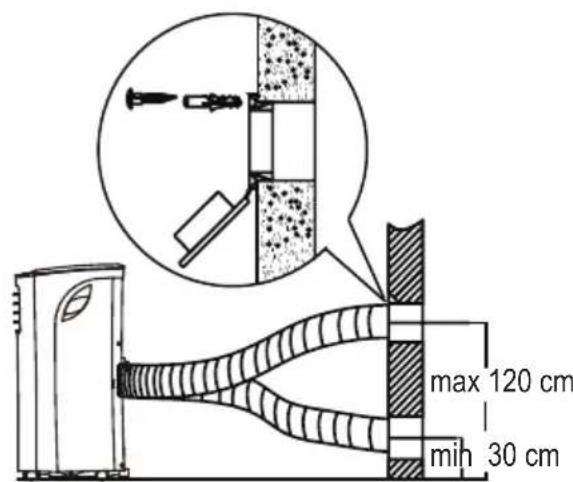
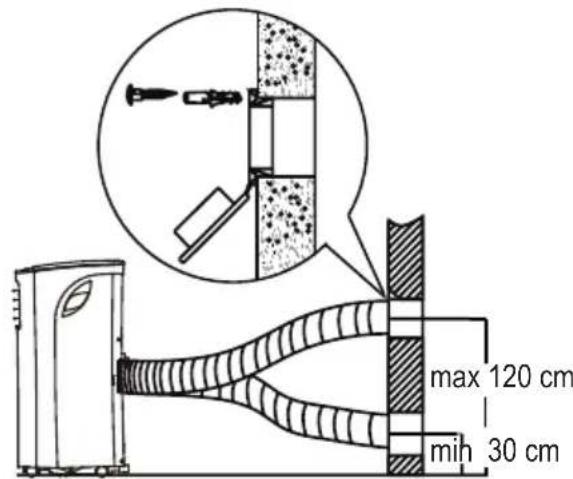
- Place the coupling of the air outlet hose on the end of the hose.
- Place the air outlet hose on the air outlet at the back of the appliance.
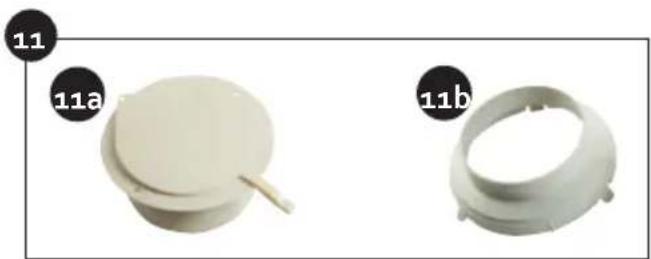
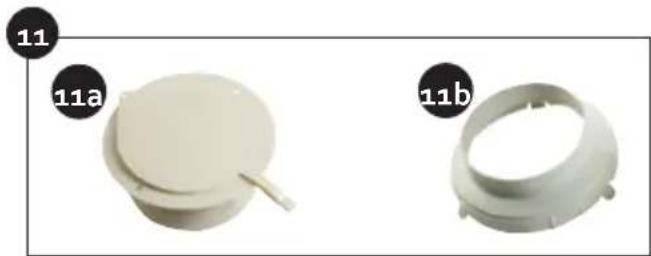
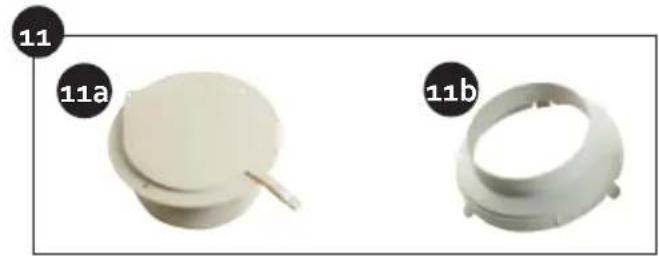
- Make an opening in the wall the size of the wall adapter.
- Place the wall adapter in the opening. Attach the wall adapter using the screws supplied.
- Place the coupling of the wall attachment on the other end of the air outlet hose.
- Attach the hose with coupling to the wall adapter. max 120 cm min 30 cm USE The horizontal strip on the front of the air conditioning can be opened and shut manually in order to aim the air outlet better. CONTROL PANEL
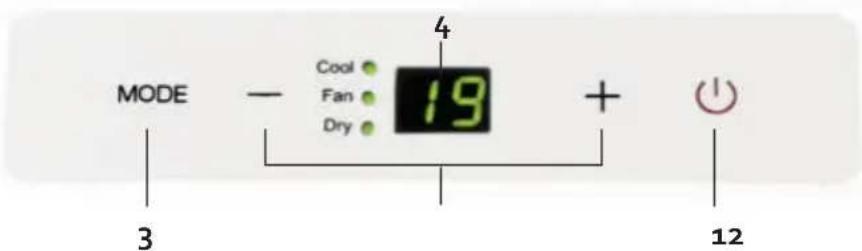
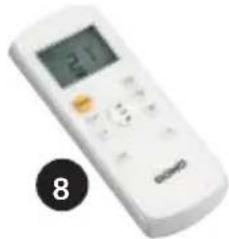
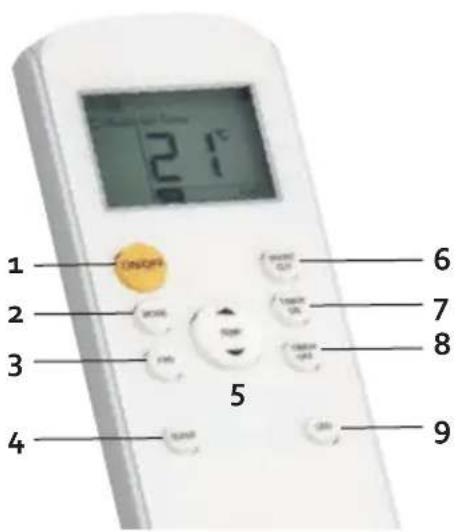
Use these touches to select the temperature. The temperature can be set between 17°C and 30°C. When pressing both buttons at the same time you can switch between “°C” or “°F”.54 DO1037A 3. MODE- touchWith this touch you can select the desired function. Every time when pressing this touch the function will change : COOL – DRY – FAN. The related indication light will turn on on the control panel. If you choose the FAN setting, the ventilation blows on the automatic position. You can only adapt the ventilation speed with the remote control.4. LED displayWill show het temperature selections. When the “dry or “fan” mode is selected, the display will show the room temperature.REMOTE CONTROLWhen using the remote control make sure that you always aim it towards the apparatus. If you don’t do this, you can briey aim the remote control towards the apparatus and press the ON-OFF button.When the apparatus receives a signal of the remote control you hear a beep. The remote control must be used within an eight-metre radius around the apparatus.1. ON/OFF touchTo turn the unit o or on.2. MODE- touchWith this touch you can select the desired function. Every time when pressing this touch the function will change : COOL – DRY – FAN. The related indication light will turn on on the control panel.3. FAN touchWith this touch you can select the fan speed : LOW
MODE display Displays the current mode, including: AUTO COOL DRY HEAT FAN Transmission Indicator Lights up when remote sends signal to unit ON/OFF display Appears when the unit is turned on, and disappears when it is turned off TIMER ON display Displays when TIMER ON is set TIMER OFF display Displays when TIMER OFF is set SLEEP display Battery display SILENT display ECO display Displays when SLEEP function is activated FOLLOW ME display Indicates that the FOLLOW ME function is on FAN SPEED display Displays selected FAN SPEED: HIGH, MED, or LOW This display is blank when set to AUTO speed. Temperature/Timer display Displays the set temperature by default, or timer setting when using TIMER ON/OFF functions oOO Temperature range: 17-30 C(62F-86F) Timer setting range: 0-24 hours This display is blank when operating in FAN mode.
3. Press the FAN button to select the
fan speed: AUTO, LOW, MED,or HIGH.
4. Press the ON/OFF button to start the
unit. In AUTO mode, the unit will automatically select the COOL, FAN, HEAT or DRY mode based on the set temperature.
1. Press the MODE button to select Auto mode.
2. Set your desired temperature using the
NOTE: FAN SPEED cant be set in Auto mode. SETTING TEMPERATURE AUTO operation The operating temperature range for units is OOO 17-30C(62F-86F). You can increase or
MODE display Displays the current mode, including: AUTO COOL DRY HEAT FAN Transmission Indicator Lights up when remote sends signal to unit ON/OFF display Appears when the unit is turned on, and disappears when it is turned off TIMER ON display Displays when TIMER ON is set TIMER OFF display Displays when TIMER OFF is set SLEEP display Battery display SILENT display ECO display Displays when SLEEP function is activated FOLLOW ME display Indicates that the FOLLOW ME function is on FAN SPEED display Displays selected FAN SPEED: HIGH, MED, or LOW This display is blank when set to AUTO speed. Temperature/Timer display Displays the set temperature by default, or timer setting when using TIMER ON/OFF functions oOO Temperature range: 17-30 C(62F-86F) Timer setting range: 0-24 hours This display is blank when operating in FAN mode.
3. Press the FAN button to select the
fan speed: AUTO, LOW, MED,or HIGH.
4. Press the ON/OFF button to start the
unit. In AUTO mode, the unit will automatically select the COOL, FAN, HEAT or DRY mode based on the set temperature.
1. Press the MODE button to select Auto mode.
2. Set your desired temperature using the
NOTE: FAN SPEED cant be set in Auto mode. SETTING TEMPERATURE AUTO operation The operating temperature range for units is OOO 17-30C(62F-86F). You can increase or
Not available for this unit Not available for this unit Not available for this unit Low battery detection Remote LED Screen Indicators How To Use The Basic Functions ON/OFF ON/OFF TEMPTEMP SHORT CUT SHORT CUT TIMER TIMER TIMER OFF TIMER OFF MODEMODEFANFAN SLEEP SLEEP LEDLED FOLLOW ION SWING FOLLOW ION SWING – AUTO. 4. SLEEP touchYou can use this touch for activating the “sleep”mode.When pressing the “sleep” touch, the selected temperature will be elevated with 1 °C after 30 min. After another 30 min the temperature will increase with another 1°C. The airco will maintain this temperature for 7 hours. After this time, the airco will go back to the original set temperature and the “sleep” function will end.NOTE : this function can not be selected with the “fan” or “dry” function.
DO1037Awww.domo-elektro.be 5. TEMP touchUse these touches to select the temperature. The temperature can be set between 17°C and 30°C. When pressing both buttons at the same time you can switch between “°C” or “°F”.6. SHORT CUT touchWith this button you can x and switch on a preferential setting.7. TIMER ON touchWith this function you can select when the unit must turn on.8. TIMER OFF touchWith this function you can select when the unit must turn o.9. LED touchThis button turns o the control panel’s LED display. This can be used if the display gives too much light when you want to sleep. If you press the button a second time, the display will switch on again.SET FUNCTIONSAUTO MODE display Displays the current mode, including: AUTO COOL DRY HEAT FAN Transmission Indicator Lights up when remote sends signal to unit ON/OFF display Appears when the unit is turned on, and disappears when it is turned off TIMER ON display Displays when TIMER ON is set TIMER OFF display Displays when TIMER OFF is set SLEEP display Battery display SILENT display ECO display Displays when SLEEP function is activated FOLLOW ME display Indicates that the FOLLOW ME function is on FAN SPEED display Displays selected FAN SPEED: HIGH, MED, or LOW This display is blank when set to AUTO speed. Temperature/Timer display Displays the set temperature by default, or timer setting when using TIMER ON/OFF functions oOO Temperature range: 17-30 C(62F-86F) Timer setting range: 0-24 hours This display is blank when operating in FAN mode.
3. Press the FAN button to select the
fan speed: AUTO, LOW, MED,or HIGH.
4. Press the ON/OFF button to start the
unit. In AUTO mode, the unit will automatically select the COOL, FAN, HEAT or DRY mode based on the set temperature.
1. Press the MODE button to select Auto mode.
2. Set your desired temperature using the
NOTE: FAN SPEED cant be set in Auto mode. SETTING TEMPERATURE AUTO operation The operating temperature range for units is OOO 17-30C(62F-86F). You can increase or
Not available for this unit Not available for this unit Not available for this unit Low battery detection Remote LED Screen Indicators How To Use The Basic Functions ON/OFF ON/OFF TEMPTEMP SHORT CUT SHORT CUT TIMER TIMER TIMER OFF TIMER OFF MODEMODEFANFAN SLEEP SLEEP LEDLED FOLLOW ION SWING FOLLOW ION SWING In the AUTO function, the apparatus automatically chooses the right setting depending on the chosen temperature. This setting can also be chosen with the remote control.1. Choose AUTO with the MODE button on the remote control. 2. Set the desired temperature with the TEMP button. The apparatus will determine the setting accordingly. You cannot adapt the speed of the ventilation (FAN) in AUTO modus.COOL MODE display Displays the current mode, including: AUTO COOL DRY HEAT FAN Transmission Indicator Lights up when remote sends signal to unit ON/OFF display Appears when the unit is turned on, and disappears when it is turned off TIMER ON display Displays when TIMER ON is set TIMER OFF display Displays when TIMER OFF is set SLEEP display Battery display SILENT display ECO display Displays when SLEEP function is activated FOLLOW ME display Indicates that the FOLLOW ME function is on FAN SPEED display Displays selected FAN SPEED: HIGH, MED, or LOW This display is blank when set to AUTO speed. Temperature/Timer display Displays the set temperature by default, or timer setting when using TIMER ON/OFF functions oOO Temperature range: 17-30 C(62F-86F) Timer setting range: 0-24 hours This display is blank when operating in FAN mode.
3. Press the FAN button to select the
fan speed: AUTO, LOW, MED,or HIGH.
4. Press the ON/OFF button to start the
unit. In AUTO mode, the unit will automatically select the COOL, FAN, HEAT or DRY mode based on the set temperature.
1. Press the MODE button to select Auto mode.
2. Set your desired temperature using the
NOTE: FAN SPEED cant be set in Auto mode. SETTING TEMPERATURE AUTO operation The operating temperature range for units is OOO 17-30C(62F-86F). You can increase or
Not available for this unit Not available for this unit Not available for this unit Low battery detection Remote LED Screen Indicators How To Use The Basic Functions ON/OFF ON/OFF TEMPTEMP SHORT CUT SHORT CUT TIMER TIMER TIMER OFF TIMER OFF MODEMODEFANFAN SLEEP SLEEP LEDLED FOLLOW ION SWING FOLLOW ION SWING With the COOL function you can cool the room up to a certain temperature.1. Press the MODE button until the COOL indicator lamp is on.2. Use the “+” and “-” buttons on the control panel or the TEMP button on the remote control to set the desired room temperature.3. Use the FAN button on the remote control to set the desired ventilation speed. There are three settings: LOW
MODE display Displays the current mode, including: AUTO COOL DRY HEAT FAN Transmission Indicator Lights up when remote sends signal to unit ON/OFF display Appears when the unit is turned on, and disappears when it is turned off TIMER ON display Displays when TIMER ON is set TIMER OFF display Displays when TIMER OFF is set SLEEP display Battery display SILENT display ECO display Displays when SLEEP function is activated FOLLOW ME display Indicates that the FOLLOW ME function is on FAN SPEED display Displays selected FAN SPEED: HIGH, MED, or LOW This display is blank when set to AUTO speed. Temperature/Timer display Displays the set temperature by default, or timer setting when using TIMER ON/OFF functions oOO Temperature range: 17-30 C(62F-86F) Timer setting range: 0-24 hours This display is blank when operating in FAN mode.
3. Press the FAN button to select the
fan speed: AUTO, LOW, MED,or HIGH.
4. Press the ON/OFF button to start the
unit. In AUTO mode, the unit will automatically select the COOL, FAN, HEAT or DRY mode based on the set temperature.
1. Press the MODE button to select Auto mode.
2. Set your desired temperature using the
NOTE: FAN SPEED cant be set in Auto mode. SETTING TEMPERATURE AUTO operation The operating temperature range for units is OOO 17-30C(62F-86F). You can increase or decrease the set tmeperature in 1C(1F) increments. COOL operation Not available for this unit Not available for this unit Not available for this unit Low battery detection Remote LED Screen Indicators How To Use The Basic Functions ON/OFF ON/OFF TEMPTEMP SHORT CUT SHORT CUT TIMER TIMER TIMER OFF TIMER OFF MODEMODEFANFAN SLEEP SLEEP LEDLED FOLLOW ION SWING FOLLOW ION SWING , HIGH
MODE display Displays the current mode, including: AUTO COOL DRY HEAT FAN Transmission Indicator Lights up when remote sends signal to unit ON/OFF display Appears when the unit is turned on, and disappears when it is turned off TIMER ON display Displays when TIMER ON is set TIMER OFF display Displays when TIMER OFF is set SLEEP display Battery display SILENT display ECO display Displays when SLEEP function is activated FOLLOW ME display Indicates that the FOLLOW ME function is on FAN SPEED display Displays selected FAN SPEED: HIGH, MED, or LOW This display is blank when set to AUTO speed. Temperature/Timer display Displays the set temperature by default, or timer setting when using TIMER ON/OFF functions oOO Temperature range: 17-30 C(62F-86F) Timer setting range: 0-24 hours This display is blank when operating in FAN mode.
3. Press the FAN button to select the
fan speed: AUTO, LOW, MED,or HIGH.
4. Press the ON/OFF button to start the
unit. In AUTO mode, the unit will automatically select the COOL, FAN, HEAT or DRY mode based on the set temperature.
1. Press the MODE button to select Auto mode.
2. Set your desired temperature using the
NOTE: FAN SPEED cant be set in Auto mode. SETTING TEMPERATURE AUTO operation The operating temperature range for units is OOO 17-30C(62F-86F). You can increase or decrease the set tmeperature in 1C(1F) increments. COOL operation Not available for this unit Not available for this unit Not available for this unit Low battery detection Remote LED Screen Indicators How To Use The Basic Functions ON/OFF ON/OFF TEMPTEMP SHORT CUT SHORT CUT TIMER TIMER TIMER OFF TIMER OFF MODEMODEFANFAN SLEEP SLEEP LEDLED FOLLOW ION SWING FOLLOW ION SWING and AUTO. DRY
MODE display Displays the current mode, including: AUTO COOL DRY HEAT FAN Transmission Indicator Lights up when remote sends signal to unit ON/OFF display Appears when the unit is turned on, and disappears when it is turned off TIMER ON display Displays when TIMER ON is set TIMER OFF display Displays when TIMER OFF is set SLEEP display Battery display SILENT display ECO display Displays when SLEEP function is activated FOLLOW ME display Indicates that the FOLLOW ME function is on FAN SPEED display Displays selected FAN SPEED: HIGH, MED, or LOW This display is blank when set to AUTO speed. Temperature/Timer display Displays the set temperature by default, or timer setting when using TIMER ON/OFF functions oOO Temperature range: 17-30 C(62F-86F) Timer setting range: 0-24 hours This display is blank when operating in FAN mode.
3. Press the FAN button to select the
fan speed: AUTO, LOW, MED,or HIGH.
4. Press the ON/OFF button to start the
unit. In AUTO mode, the unit will automatically select the COOL, FAN, HEAT or DRY mode based on the set temperature.
1. Press the MODE button to select Auto mode.
2. Set your desired temperature using the
NOTE: FAN SPEED cant be set in Auto mode. SETTING TEMPERATURE AUTO operation The operating temperature range for units is OOO 17-30C(62F-86F). You can increase or
Not available for this unit Not available for this unit Not available for this unit Low battery detection Remote LED Screen Indicators How To Use The Basic Functions ON/OFF ON/OFF TEMPTEMP SHORT CUT SHORT CUT TIMER TIMER TIMER OFF TIMER OFF MODEMODEFANFAN SLEEP SLEEP LEDLED FOLLOW ION SWING FOLLOW ION SWING With this function you can dehumidify the room. Keep windows and doors closed for this function.56 DO1037A 1. Press the MODE button until the DRY indicator lamp is on.2. Use the “+” and “-” buttons on the control panel or the TEMP button on the remote control to set the desired room temperature.3. You cannot set the ventilation speed in this setting. FAN
MODE display Displays the current mode, including: AUTO COOL DRY HEAT FAN Transmission Indicator Lights up when remote sends signal to unit ON/OFF display Appears when the unit is turned on, and disappears when it is turned off TIMER ON display Displays when TIMER ON is set TIMER OFF display Displays when TIMER OFF is set SLEEP display Battery display SILENT display ECO display Displays when SLEEP function is activated FOLLOW ME display Indicates that the FOLLOW ME function is on FAN SPEED display Displays selected FAN SPEED: HIGH, MED, or LOW This display is blank when set to AUTO speed. Temperature/Timer display Displays the set temperature by default, or timer setting when using TIMER ON/OFF functions oOO Temperature range: 17-30 C(62F-86F) Timer setting range: 0-24 hours This display is blank when operating in FAN mode.
3. Press the FAN button to select the
fan speed: AUTO, LOW, MED,or HIGH.
4. Press the ON/OFF button to start the
unit. In AUTO mode, the unit will automatically select the COOL, FAN, HEAT or DRY mode based on the set temperature.
1. Press the MODE button to select Auto mode.
2. Set your desired temperature using the
NOTE: FAN SPEED cant be set in Auto mode. SETTING TEMPERATURE AUTO operation The operating temperature range for units is OOO 17-30C(62F-86F). You can increase or
Not available for this unit Not available for this unit Not available for this unit Low battery detection Remote LED Screen Indicators How To Use The Basic Functions ON/OFF ON/OFF TEMPTEMP SHORT CUT SHORT CUT TIMER TIMER TIMER OFF TIMER OFF MODEMODEFANFAN SLEEP SLEEP LEDLED FOLLOW ION SWING FOLLOW ION SWING 1. Press the MODE button until the FAN indicator lamp is on.2. Press the FAN button of the remote control to set the ventilation speed. There are three settings: LOW
MODE display Displays the current mode, including: AUTO COOL DRY HEAT FAN Transmission Indicator Lights up when remote sends signal to unit ON/OFF display Appears when the unit is turned on, and disappears when it is turned off TIMER ON display Displays when TIMER ON is set TIMER OFF display Displays when TIMER OFF is set SLEEP display Battery display SILENT display ECO display Displays when SLEEP function is activated FOLLOW ME display Indicates that the FOLLOW ME function is on FAN SPEED display Displays selected FAN SPEED: HIGH, MED, or LOW This display is blank when set to AUTO speed. Temperature/Timer display Displays the set temperature by default, or timer setting when using TIMER ON/OFF functions oOO Temperature range: 17-30 C(62F-86F) Timer setting range: 0-24 hours This display is blank when operating in FAN mode.
3. Press the FAN button to select the
fan speed: AUTO, LOW, MED,or HIGH.
4. Press the ON/OFF button to start the
unit. In AUTO mode, the unit will automatically select the COOL, FAN, HEAT or DRY mode based on the set temperature.
1. Press the MODE button to select Auto mode.
2. Set your desired temperature using the
NOTE: FAN SPEED cant be set in Auto mode. SETTING TEMPERATURE AUTO operation The operating temperature range for units is OOO 17-30C(62F-86F). You can increase or decrease the set tmeperature in 1C(1F) increments. COOL operation Not available for this unit Not available for this unit Not available for this unit Low battery detection Remote LED Screen Indicators How To Use The Basic Functions ON/OFF ON/OFF TEMPTEMP SHORT CUT SHORT CUT TIMER TIMER TIMER OFF TIMER OFF MODEMODEFANFAN SLEEP SLEEP LEDLED FOLLOW ION SWING FOLLOW ION SWING , HIGH
MODE display Displays the current mode, including: AUTO COOL DRY HEAT FAN Transmission Indicator Lights up when remote sends signal to unit ON/OFF display Appears when the unit is turned on, and disappears when it is turned off TIMER ON display Displays when TIMER ON is set TIMER OFF display Displays when TIMER OFF is set SLEEP display Battery display SILENT display ECO display Displays when SLEEP function is activated FOLLOW ME display Indicates that the FOLLOW ME function is on FAN SPEED display Displays selected FAN SPEED: HIGH, MED, or LOW This display is blank when set to AUTO speed. Temperature/Timer display Displays the set temperature by default, or timer setting when using TIMER ON/OFF functions oOO Temperature range: 17-30 C(62F-86F) Timer setting range: 0-24 hours This display is blank when operating in FAN mode.
3. Press the FAN button to select the
fan speed: AUTO, LOW, MED,or HIGH.
4. Press the ON/OFF button to start the
unit. In AUTO mode, the unit will automatically select the COOL, FAN, HEAT or DRY mode based on the set temperature.
1. Press the MODE button to select Auto mode.
2. Set your desired temperature using the
3. Press the ON/OFF button to start the unit.
NOTE: FAN SPEED cant be set in Auto mode. SETTING TEMPERATURE AUTO operation The operating temperature range for units is OOO 17-30C(62F-86F). You can increase or decrease the set tmeperature in 1C(1F) increments. COOL operation Not available for this unit Not available for this unit Not available for this unit Low battery detection Remote LED Screen Indicators How To Use The Basic Functions ON/OFF ON/OFF TEMPTEMP SHORT CUT SHORT CUT TIMER TIMER TIMER OFF TIMER OFF MODEMODEFANFAN SLEEP SLEEP LEDLED FOLLOW ION SWING FOLLOW ION SWING and AUTO. 3. The temperature cannot be adjusted.Timer onWith this function you can delay the start of the apparatus, up to maximum 24 hours. 1. Press the TIMER ON button on the remote control. 2. You can now read on the display of the remote control when the air conditioning will go on.3. Press the TIMER ON button several times to increase the time. Or keep the button pressed.4. Once the desired time is set, you will see “Timer on” on the display of the remote control. Two lights will light up on the control panel’s display.
5. If you want to switch o the timer, press the TIMER ON button several times until the
counter goes to “0”. Or keep the button pressed.Timer oWith this function you can switch o the apparatus automatically after some time. 1. Press the TIMER OFF button on the remote control. 2. You can now read on the display of the remote control when the air conditioning will go o.3. Press the TIMER OFF button several times to increase the time. Or keep the button pressed.4. Once the desired time is set, you will see “Timer o” on the display of the remote control. Two lights will light up on the control panel’s display.
5. If you want to switch o the timer, press the TIMER OFF button several times until the
counter goes to “0”.Timer on + Timer oYou can also switch on both functions simultaneously. This determines when you switch on the apparatus, but also when the apparatus switches o.57 DO1037A www.domo-elektro.be
Please note: this time is always from the hour when you programme the setting. For example: it is now 1 pm. You want the apparatus to work from 4:30 to 6 pm. Set the TIMER ON on 3.5 h and TIMER OFF on 5.0 h. Sleep When pressing the “sleep” touch, the selected temperature will be elevated with 1 °C after 30 min. After another 30 min the temperature will increase with another 1°C. The airco will maintain this temperature for 7 hours. After this time, the airco will go back to the original set temperature and the “sleep” function will end. NOTE : this function can not be selected with the “fan” or “dry” function. Shortcut With this button you can set and switch on a preferential setting. If you use a certain setting more often, you can set this by pressing the SHORTCUT button for three seconds. The apparatus then remembers the settings that are switched on at the moment of pressing. These settings can include: the user setting (MODE), set temperature, ventilation speed (FAN) and possibly also the SLEEP setting. The moment you press the SHORTCUT button, the apparatus will work at the previously determined settings.
CLEANING AND MAINTENANCE
DRAINING Permanent drain During the “dry” mode you can use a permanent drainage.
1. Remove the drain plug and the rubber top.
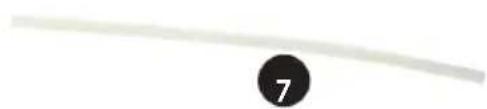
2. Attach the drain hose on the drain.
3. Make sure the water is drained in a save and permanent way.
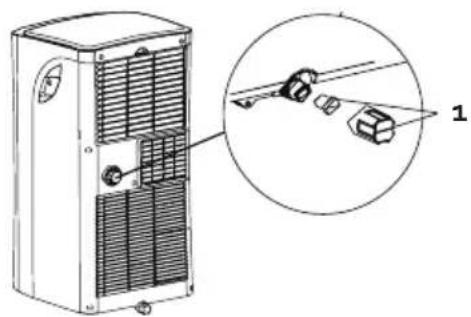
Drain code P1 When you don’t use the permanent drain, the non recycled condesation water, will be stored in the water tank.
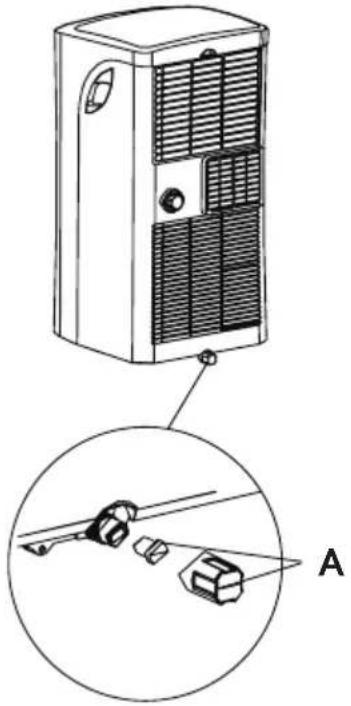
- When the water tank is full a few beep signals will be heard and on the display the code P158 DO1037A
will appear. The “cool” or “dry” mode will end automatically. The fan will continue to operate, this is normal.
- Move the unit over to a place where you can easily drain the water.
- Remove the drain plug at the bottom of your unit (A) and drain the water.
- After fully draining the water tank, place the drain plug back on the drain opening.
- Restart the unit, make sure the error code P1 is no longer displayed. When the code doesn’t disappear, try turning o and on the unit a few times. When the error code continues, please contact the after sales service.
- NOTE : always make sure to install the drain plug, before turning the unit back on. CLEANING
- Always remove the plug from the socket before cleaning the unit.
- Never use any chemical or abrasive products to clean the unit.
- Never clean the unit with water or any other liquid, this can cause electrocution.
- When the power cord is damaged it must be repaired or replaced by the after sales surface of the manufacturer or by a qualied person. Air lter
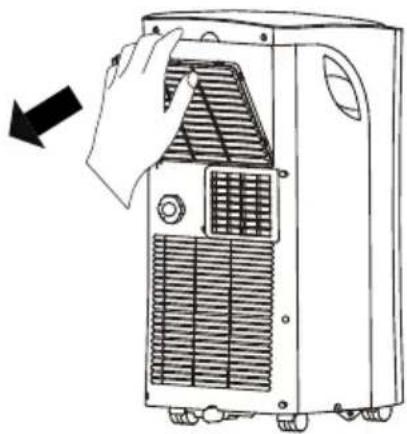
- Clean the air lter at least ever 2 weeks. To make sure the airco can operate in optimal conditions.
- Clean the air lter in lukewarm water with a bit of detergent. Rinse the lter thoroughly and let it dry.
- Make sure the lter is completely dry before placing it back in to the airco. Airco body Use a damp, soft cloth and a bit of mild detergent, to clean the outside of the unit. Make sure the unit is thoroughly dried afterwards. Storing Before storing the unit for a longer periode of time, please follow the next steps :
- Drain all the water from the appliance.
- Afterwards turn on the unit in the “fan” mode for half a day. Make sure the unit is placed in a heated room. This will dry the unit completely and previent the forming of mold. A59 DO1037A www.domo-elektro.be
- Turn o the unit, remove the plug from the socket and remove the batteries from the remote control.
- Clean the lters and place them back in the unit.
- Store the unit in a dry, dark place.
POSSIBLE PROBLEMS AND THEIR SOLUTIONS
The appliance isn’t working when pressing the on/o touch.
- The error code P1 is dispayed , drain the water from the airco.
- The room temperature is lower than the selected temperature. Adjust the selected temperature. The room is not cool enough.
- The windows and doors aren’t closed. Make sure all windows and doors are closed.
- There are heat sources in the room. Remove all heat sources if possible.
- The air outlet hose is not connected or blocked. Attache the hose and check if there is no blockage.
- The selected temperature is to high. Adjust the selected temperature.
- The air lter is dirty. Clean the air lter. The appliance is making to much noise or is causing vibrations.
- The oor is nog level or at. Place the appliance on the at and level surface if possible.
- The air lter is dirty. Clean the air lter. Your appliance makes a gurgling sound
- The sound is produced by the refrigerant in your appliance, this is normal. ERROR CODES Following error codes can be displayed on your airco : E1 : the sensor for the room temperature is not working. Turn o the unit and remove the plug from the socket. Wait for 10 sec and plug the unit back in. Turn on the unit. When the error codes repeats, you need to contact the after sales service. E2 : The sensor of the dehumidier doesn’t work. Turn o the unit and remove the plug from the socket. Wait for 10 sec and plug the unit back in. Turn on the unit. When the error codes repeats, you need to contact the after sales service. E4 : The display is not functioning properly. Remove the plug from the socket. Wait for 10 seconds. Plug the unit back in. When the error codes repeats, you need to contact the after sales service. P1 : The water tank is full. Connect the drain hose to the bottom drain and remove the water. When the error codes repeats, you need to contact the after sales service.60 DO1037A
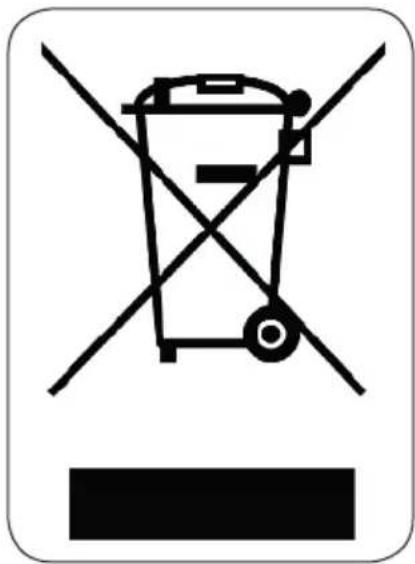
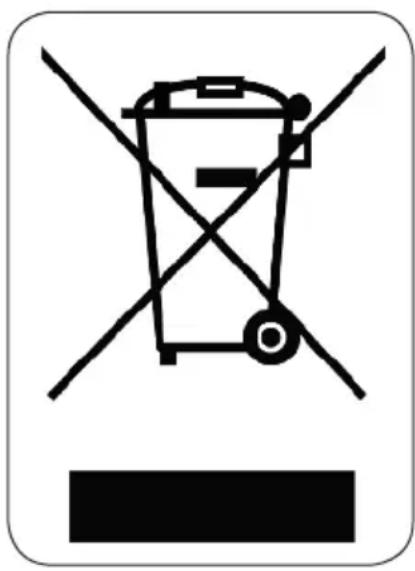
ENVIRONMENTAL GUIDELINES This symbol on the product or on its packaging indicates that this product may not be treated as household waste. Instead it must be brought to the applicable collection point for recycling of electrical and electronic equipment. By ensuring this product is disposed of correctly, you will help prevent potential negative consequences for the environment and human health, which could otherwise be caused by inappropriate waste handling of this product. For more detailed information about recycling of this product, please contact your local city oce, your household waste disposal service or the shop where you purchased the product. The packaging is recyclable. Please treat the packaging ecologically.61 DO1037A www.domo-elektro.be
MODE display Displays the current mode, including: AUTO COOL DRY HEAT FAN Transmission Indicator Lights up when remote sends signal to unit ON/OFF display Appears when the unit is turned on, and disappears when it is turned off TIMER ON display Displays when TIMER ON is set TIMER OFF display Displays when TIMER OFF is set SLEEP display Battery display SILENT display ECO display Displays when SLEEP function is activated FOLLOW ME display Indicates that the FOLLOW ME function is on FAN SPEED display Displays selected FAN SPEED: HIGH, MED, or LOW This display is blank when set to AUTO speed. Temperature/Timer display Displays the set temperature by default, or timer setting when using TIMER ON/OFF functions oOO Temperature range: 17-30 C(62F-86F) Timer setting range: 0-24 hours This display is blank when operating in FAN mode.
3. Press the FAN button to select the
fan speed: AUTO, LOW, MED,or HIGH.
4. Press the ON/OFF button to start the
unit. In AUTO mode, the unit will automatically select the COOL, FAN, HEAT or DRY mode based on the set temperature.
1. Press the MODE button to select Auto mode.
2. Set your desired temperature using the
NOTE: FAN SPEED cant be set in Auto mode. SETTING TEMPERATURE AUTO operation The operating temperature range for units is OOO 17-30C(62F-86F). You can increase or
MODE display Displays the current mode, including: AUTO COOL DRY HEAT FAN Transmission Indicator Lights up when remote sends signal to unit ON/OFF display Appears when the unit is turned on, and disappears when it is turned off TIMER ON display Displays when TIMER ON is set TIMER OFF display Displays when TIMER OFF is set SLEEP display Battery display SILENT display ECO display Displays when SLEEP function is activated FOLLOW ME display Indicates that the FOLLOW ME function is on FAN SPEED display Displays selected FAN SPEED: HIGH, MED, or LOW This display is blank when set to AUTO speed. Temperature/Timer display Displays the set temperature by default, or timer setting when using TIMER ON/OFF functions oOO Temperature range: 17-30 C(62F-86F) Timer setting range: 0-24 hours This display is blank when operating in FAN mode.
3. Press the FAN button to select the
fan speed: AUTO, LOW, MED,or HIGH.
4. Press the ON/OFF button to start the
unit. In AUTO mode, the unit will automatically select the COOL, FAN, HEAT or DRY mode based on the set temperature.
1. Press the MODE button to select Auto mode.
2. Set your desired temperature using the
NOTE: FAN SPEED cant be set in Auto mode. SETTING TEMPERATURE AUTO operation The operating temperature range for units is OOO 17-30C(62F-86F). You can increase or
MODE display Displays the current mode, including: AUTO COOL DRY HEAT FAN Transmission Indicator Lights up when remote sends signal to unit ON/OFF display Appears when the unit is turned on, and disappears when it is turned off TIMER ON display Displays when TIMER ON is set TIMER OFF display Displays when TIMER OFF is set SLEEP display Battery display SILENT display ECO display Displays when SLEEP function is activated FOLLOW ME display Indicates that the FOLLOW ME function is on FAN SPEED display Displays selected FAN SPEED: HIGH, MED, or LOW This display is blank when set to AUTO speed. Temperature/Timer display Displays the set temperature by default, or timer setting when using TIMER ON/OFF functions oOO Temperature range: 17-30 C(62F-86F) Timer setting range: 0-24 hours This display is blank when operating in FAN mode.
3. Press the FAN button to select the
fan speed: AUTO, LOW, MED,or HIGH.
4. Press the ON/OFF button to start the
unit. In AUTO mode, the unit will automatically select the COOL, FAN, HEAT or DRY mode based on the set temperature.
1. Press the MODE button to select Auto mode.
2. Set your desired temperature using the
NOTE: FAN SPEED cant be set in Auto mode. SETTING TEMPERATURE AUTO operation The operating temperature range for units is OOO 17-30C(62F-86F). You can increase or
3. Press the FAN button to select the
fan speed: AUTO, LOW, MED,or HIGH.
4. Press the ON/OFF button to start the
unit. In AUTO mode, the unit will automatically select the COOL, FAN, HEAT or DRY mode based on the set temperature.
1. Press the MODE button to select Auto mode.
2. Set your desired temperature using the
NOTE: FAN SPEED cant be set in Auto mode. SETTING TEMPERATURE AUTO operation The operating temperature range for units is OOO 17-30C(62F-86F). You can increase or
MODE display Displays the current mode, including: AUTO COOL DRY HEAT FAN Transmission Indicator Lights up when remote sends signal to unit ON/OFF display Appears when the unit is turned on, and disappears when it is turned off TIMER ON display Displays when TIMER ON is set TIMER OFF display Displays when TIMER OFF is set SLEEP display Battery display SILENT display ECO display Displays when SLEEP function is activated FOLLOW ME display Indicates that the FOLLOW ME function is on FAN SPEED display Displays selected FAN SPEED: HIGH, MED, or LOW This display is blank when set to AUTO speed. Temperature/Timer display Displays the set temperature by default, or timer setting when using TIMER ON/OFF functions oOO Temperature range: 17-30 C(62F-86F) Timer setting range: 0-24 hours This display is blank when operating in FAN mode.
3. Press the FAN button to select the
fan speed: AUTO, LOW, MED,or HIGH.
4. Press the ON/OFF button to start the
unit. In AUTO mode, the unit will automatically select the COOL, FAN, HEAT or DRY mode based on the set temperature.
1. Press the MODE button to select Auto mode.
2. Set your desired temperature using the
NOTE: FAN SPEED cant be set in Auto mode. SETTING TEMPERATURE AUTO operation The operating temperature range for units is OOO 17-30C(62F-86F). You can increase or decrease the set tmeperature in 1C(1F) increments. COOL operation Not available for this unit Not available for this unit Not available for this unit Low battery detection Remote LED Screen Indicators How To Use The Basic Functions ON/OFF ON/OFF TEMPTEMP SHORT CUT SHORT CUT TIMER TIMER TIMER OFF TIMER OFF MODEMODEFANFAN SLEEP SLEEP LEDLED FOLLOW ION SWING FOLLOW ION SWING , HIGH
MODE display Displays the current mode, including: AUTO COOL DRY HEAT FAN Transmission Indicator Lights up when remote sends signal to unit ON/OFF display Appears when the unit is turned on, and disappears when it is turned off TIMER ON display Displays when TIMER ON is set TIMER OFF display Displays when TIMER OFF is set SLEEP display Battery display SILENT display ECO display Displays when SLEEP function is activated FOLLOW ME display Indicates that the FOLLOW ME function is on FAN SPEED display Displays selected FAN SPEED: HIGH, MED, or LOW This display is blank when set to AUTO speed. Temperature/Timer display Displays the set temperature by default, or timer setting when using TIMER ON/OFF functions oOO Temperature range: 17-30 C(62F-86F) Timer setting range: 0-24 hours This display is blank when operating in FAN mode.
3. Press the FAN button to select the
fan speed: AUTO, LOW, MED,or HIGH.
4. Press the ON/OFF button to start the
unit. In AUTO mode, the unit will automatically select the COOL, FAN, HEAT or DRY mode based on the set temperature.
1. Press the MODE button to select Auto mode.
2. Set your desired temperature using the
MODE display Displays the current mode, including: AUTO COOL DRY HEAT FAN Transmission Indicator Lights up when remote sends signal to unit ON/OFF display Appears when the unit is turned on, and disappears when it is turned off TIMER ON display Displays when TIMER ON is set TIMER OFF display Displays when TIMER OFF is set SLEEP display Battery display SILENT display ECO display Displays when SLEEP function is activated FOLLOW ME display Indicates that the FOLLOW ME function is on FAN SPEED display Displays selected FAN SPEED: HIGH, MED, or LOW This display is blank when set to AUTO speed. Temperature/Timer display Displays the set temperature by default, or timer setting when using TIMER ON/OFF functions oOO Temperature range: 17-30 C(62F-86F) Timer setting range: 0-24 hours This display is blank when operating in FAN mode.
3. Press the FAN button to select the
fan speed: AUTO, LOW, MED,or HIGH.
4. Press the ON/OFF button to start the
unit. In AUTO mode, the unit will automatically select the COOL, FAN, HEAT or DRY mode based on the set temperature.
1. Press the MODE button to select Auto mode.
2. Set your desired temperature using the
NOTE: FAN SPEED cant be set in Auto mode. SETTING TEMPERATURE AUTO operation The operating temperature range for units is OOO 17-30C(62F-86F). You can increase or
MODE display Displays the current mode, including: AUTO COOL DRY HEAT FAN Transmission Indicator Lights up when remote sends signal to unit ON/OFF display Appears when the unit is turned on, and disappears when it is turned off TIMER ON display Displays when TIMER ON is set TIMER OFF display Displays when TIMER OFF is set SLEEP display Battery display SILENT display ECO display Displays when SLEEP function is activated FOLLOW ME display Indicates that the FOLLOW ME function is on FAN SPEED display Displays selected FAN SPEED: HIGH, MED, or LOW This display is blank when set to AUTO speed. Temperature/Timer display Displays the set temperature by default, or timer setting when using TIMER ON/OFF functions oOO Temperature range: 17-30 C(62F-86F) Timer setting range: 0-24 hours This display is blank when operating in FAN mode.
3. Press the FAN button to select the
fan speed: AUTO, LOW, MED,or HIGH.
4. Press the ON/OFF button to start the
unit. In AUTO mode, the unit will automatically select the COOL, FAN, HEAT or DRY mode based on the set temperature.
1. Press the MODE button to select Auto mode.
2. Set your desired temperature using the
NOTE: FAN SPEED cant be set in Auto mode. SETTING TEMPERATURE AUTO operation The operating temperature range for units is OOO 17-30C(62F-86F). You can increase or
MODE display Displays the current mode, including: AUTO COOL DRY HEAT FAN Transmission Indicator Lights up when remote sends signal to unit ON/OFF display Appears when the unit is turned on, and disappears when it is turned off TIMER ON display Displays when TIMER ON is set TIMER OFF display Displays when TIMER OFF is set SLEEP display Battery display SILENT display ECO display Displays when SLEEP function is activated FOLLOW ME display Indicates that the FOLLOW ME function is on FAN SPEED display Displays selected FAN SPEED: HIGH, MED, or LOW This display is blank when set to AUTO speed. Temperature/Timer display Displays the set temperature by default, or timer setting when using TIMER ON/OFF functions oOO Temperature range: 17-30 C(62F-86F) Timer setting range: 0-24 hours This display is blank when operating in FAN mode.
3. Press the FAN button to select the
fan speed: AUTO, LOW, MED,or HIGH.
4. Press the ON/OFF button to start the
unit. In AUTO mode, the unit will automatically select the COOL, FAN, HEAT or DRY mode based on the set temperature.
1. Press the MODE button to select Auto mode.
2. Set your desired temperature using the
NOTE: FAN SPEED cant be set in Auto mode. SETTING TEMPERATURE AUTO operation The operating temperature range for units is OOO 17-30C(62F-86F). You can increase or decrease the set tmeperature in 1C(1F) increments. COOL operation Not available for this unit Not available for this unit Not available for this unit Low battery detection Remote LED Screen Indicators How To Use The Basic Functions ON/OFF ON/OFF TEMPTEMP SHORT CUT SHORT CUT TIMER TIMER TIMER OFF TIMER OFF MODEMODEFANFAN SLEEP SLEEP LEDLED FOLLOW ION SWING FOLLOW ION SWING , HIGH
MODE display Displays the current mode, including: AUTO COOL DRY HEAT FAN Transmission Indicator Lights up when remote sends signal to unit ON/OFF display Appears when the unit is turned on, and disappears when it is turned off TIMER ON display Displays when TIMER ON is set TIMER OFF display Displays when TIMER OFF is set SLEEP display Battery display SILENT display ECO display Displays when SLEEP function is activated FOLLOW ME display Indicates that the FOLLOW ME function is on FAN SPEED display Displays selected FAN SPEED: HIGH, MED, or LOW This display is blank when set to AUTO speed. Temperature/Timer display Displays the set temperature by default, or timer setting when using TIMER ON/OFF functions oOO Temperature range: 17-30 C(62F-86F) Timer setting range: 0-24 hours This display is blank when operating in FAN mode.
3. Press the FAN button to select the
fan speed: AUTO, LOW, MED,or HIGH.
4. Press the ON/OFF button to start the
unit. In AUTO mode, the unit will automatically select the COOL, FAN, HEAT or DRY mode based on the set temperature.
1. Press the MODE button to select Auto mode.
2. Set your desired temperature using the
MODE display Displays the current mode, including: AUTO COOL DRY HEAT FAN Transmission Indicator Lights up when remote sends signal to unit ON/OFF display Appears when the unit is turned on, and disappears when it is turned off TIMER ON display Displays when TIMER ON is set TIMER OFF display Displays when TIMER OFF is set SLEEP display Battery display SILENT display ECO display Displays when SLEEP function is activated FOLLOW ME display Indicates that the FOLLOW ME function is on FAN SPEED display Displays selected FAN SPEED: HIGH, MED, or LOW This display is blank when set to AUTO speed. Temperature/Timer display Displays the set temperature by default, or timer setting when using TIMER ON/OFF functions oOO Temperature range: 17-30 C(62F-86F) Timer setting range: 0-24 hours This display is blank when operating in FAN mode.
3. Press the FAN button to select the
fan speed: AUTO, LOW, MED,or HIGH.
4. Press the ON/OFF button to start the
unit. In AUTO mode, the unit will automatically select the COOL, FAN, HEAT or DRY mode based on the set temperature.
1. Press the MODE button to select Auto mode.
2. Set your desired temperature using the
NOTE: FAN SPEED cant be set in Auto mode. SETTING TEMPERATURE AUTO operation The operating temperature range for units is OOO 17-30C(62F-86F). You can increase or
MODE display Displays the current mode, including: AUTO COOL DRY HEAT FAN Transmission Indicator Lights up when remote sends signal to unit ON/OFF display Appears when the unit is turned on, and disappears when it is turned off TIMER ON display Displays when TIMER ON is set TIMER OFF display Displays when TIMER OFF is set SLEEP display Battery display SILENT display ECO display Displays when SLEEP function is activated FOLLOW ME display Indicates that the FOLLOW ME function is on FAN SPEED display Displays selected FAN SPEED: HIGH, MED, or LOW This display is blank when set to AUTO speed. Temperature/Timer display Displays the set temperature by default, or timer setting when using TIMER ON/OFF functions oOO Temperature range: 17-30 C(62F-86F) Timer setting range: 0-24 hours This display is blank when operating in FAN mode.
3. Press the FAN button to select the
fan speed: AUTO, LOW, MED,or HIGH.
4. Press the ON/OFF button to start the
unit. In AUTO mode, the unit will automatically select the COOL, FAN, HEAT or DRY mode based on the set temperature.
1. Press the MODE button to select Auto mode.
2. Set your desired temperature using the
NOTE: FAN SPEED cant be set in Auto mode. SETTING TEMPERATURE AUTO operation The operating temperature range for units is OOO 17-30C(62F-86F). You can increase or
MODE display Displays the current mode, including: AUTO COOL DRY HEAT FAN Transmission Indicator Lights up when remote sends signal to unit ON/OFF display Appears when the unit is turned on, and disappears when it is turned off TIMER ON display Displays when TIMER ON is set TIMER OFF display Displays when TIMER OFF is set SLEEP display Battery display SILENT display ECO display Displays when SLEEP function is activated FOLLOW ME display Indicates that the FOLLOW ME function is on FAN SPEED display Displays selected FAN SPEED: HIGH, MED, or LOW This display is blank when set to AUTO speed. Temperature/Timer display Displays the set temperature by default, or timer setting when using TIMER ON/OFF functions oOO Temperature range: 17-30 C(62F-86F) Timer setting range: 0-24 hours This display is blank when operating in FAN mode.
3. Press the FAN button to select the
fan speed: AUTO, LOW, MED,or HIGH.
4. Press the ON/OFF button to start the
unit. In AUTO mode, the unit will automatically select the COOL, FAN, HEAT or DRY mode based on the set temperature.
1. Press the MODE button to select Auto mode.
2. Set your desired temperature using the
NOTE: FAN SPEED cant be set in Auto mode. SETTING TEMPERATURE AUTO operation The operating temperature range for units is OOO 17-30C(62F-86F). You can increase or
3. Press the FAN button to select the
fan speed: AUTO, LOW, MED,or HIGH.
4. Press the ON/OFF button to start the
unit. In AUTO mode, the unit will automatically select the COOL, FAN, HEAT or DRY mode based on the set temperature.
1. Press the MODE button to select Auto mode.
2. Set your desired temperature using the
NOTE: FAN SPEED cant be set in Auto mode. SETTING TEMPERATURE AUTO operation The operating temperature range for units is OOO 17-30C(62F-86F). You can increase or
MODE display Displays the current mode, including: AUTO COOL DRY HEAT FAN Transmission Indicator Lights up when remote sends signal to unit ON/OFF display Appears when the unit is turned on, and disappears when it is turned off TIMER ON display Displays when TIMER ON is set TIMER OFF display Displays when TIMER OFF is set SLEEP display Battery display SILENT display ECO display Displays when SLEEP function is activated FOLLOW ME display Indicates that the FOLLOW ME function is on FAN SPEED display Displays selected FAN SPEED: HIGH, MED, or LOW This display is blank when set to AUTO speed. Temperature/Timer display Displays the set temperature by default, or timer setting when using TIMER ON/OFF functions oOO Temperature range: 17-30 C(62F-86F) Timer setting range: 0-24 hours This display is blank when operating in FAN mode.
3. Press the FAN button to select the
fan speed: AUTO, LOW, MED,or HIGH.
4. Press the ON/OFF button to start the
unit. In AUTO mode, the unit will automatically select the COOL, FAN, HEAT or DRY mode based on the set temperature.
1. Press the MODE button to select Auto mode.
2. Set your desired temperature using the
NOTE: FAN SPEED cant be set in Auto mode. SETTING TEMPERATURE AUTO operation The operating temperature range for units is OOO 17-30C(62F-86F). You can increase or decrease the set tmeperature in 1C(1F) increments. COOL operation Not available for this unit Not available for this unit Not available for this unit Low battery detection Remote LED Screen Indicators How To Use The Basic Functions ON/OFF ON/OFF TEMPTEMP SHORT CUT SHORT CUT TIMER TIMER TIMER OFF TIMER OFF MODEMODEFANFAN SLEEP SLEEP LEDLED FOLLOW ION SWING FOLLOW ION SWING , HIGH
MODE display Displays the current mode, including: AUTO COOL DRY HEAT FAN Transmission Indicator Lights up when remote sends signal to unit ON/OFF display Appears when the unit is turned on, and disappears when it is turned off TIMER ON display Displays when TIMER ON is set TIMER OFF display Displays when TIMER OFF is set SLEEP display Battery display SILENT display ECO display Displays when SLEEP function is activated FOLLOW ME display Indicates that the FOLLOW ME function is on FAN SPEED display Displays selected FAN SPEED: HIGH, MED, or LOW This display is blank when set to AUTO speed. Temperature/Timer display Displays the set temperature by default, or timer setting when using TIMER ON/OFF functions oOO Temperature range: 17-30 C(62F-86F) Timer setting range: 0-24 hours This display is blank when operating in FAN mode.
3. Press the FAN button to select the
fan speed: AUTO, LOW, MED,or HIGH.
4. Press the ON/OFF button to start the
unit. In AUTO mode, the unit will automatically select the COOL, FAN, HEAT or DRY mode based on the set temperature.
1. Press the MODE button to select Auto mode.
2. Set your desired temperature using the
NOTE: FAN SPEED cant be set in Auto mode. SETTING TEMPERATURE AUTO operation The operating temperature range for units is OOO 17-30C(62F-86F). You can increase or decrease the set tmeperature in 1C(1F) increments. COOL operation Not available for this unit Not available for this unit Not available for this unit Low battery detection Remote LED Screen Indicators How To Use The Basic Functions ON/OFF ON/OFF TEMPTEMP SHORT CUT SHORT CUT TIMER TIMER TIMER OFF TIMER OFF MODEMODEFANFAN SLEEP SLEEP LEDLED FOLLOW ION SWING FOLLOW ION SWING e AUTO. DRY
MODE display Displays the current mode, including: AUTO COOL DRY HEAT FAN Transmission Indicator Lights up when remote sends signal to unit ON/OFF display Appears when the unit is turned on, and disappears when it is turned off TIMER ON display Displays when TIMER ON is set TIMER OFF display Displays when TIMER OFF is set SLEEP display Battery display SILENT display ECO display Displays when SLEEP function is activated FOLLOW ME display Indicates that the FOLLOW ME function is on FAN SPEED display Displays selected FAN SPEED: HIGH, MED, or LOW This display is blank when set to AUTO speed. Temperature/Timer display Displays the set temperature by default, or timer setting when using TIMER ON/OFF functions oOO Temperature range: 17-30 C(62F-86F) Timer setting range: 0-24 hours This display is blank when operating in FAN mode.
3. Press the FAN button to select the
fan speed: AUTO, LOW, MED,or HIGH.
4. Press the ON/OFF button to start the
unit. In AUTO mode, the unit will automatically select the COOL, FAN, HEAT or DRY mode based on the set temperature.
1. Press the MODE button to select Auto mode.
2. Set your desired temperature using the
NOTE: FAN SPEED cant be set in Auto mode. SETTING TEMPERATURE AUTO operation The operating temperature range for units is OOO 17-30C(62F-86F). You can increase or
MODE display Displays the current mode, including: AUTO COOL DRY HEAT FAN Transmission Indicator Lights up when remote sends signal to unit ON/OFF display Appears when the unit is turned on, and disappears when it is turned off TIMER ON display Displays when TIMER ON is set TIMER OFF display Displays when TIMER OFF is set SLEEP display Battery display SILENT display ECO display Displays when SLEEP function is activated FOLLOW ME display Indicates that the FOLLOW ME function is on FAN SPEED display Displays selected FAN SPEED: HIGH, MED, or LOW This display is blank when set to AUTO speed. Temperature/Timer display Displays the set temperature by default, or timer setting when using TIMER ON/OFF functions oOO Temperature range: 17-30 C(62F-86F) Timer setting range: 0-24 hours This display is blank when operating in FAN mode.
3. Press the FAN button to select the
fan speed: AUTO, LOW, MED,or HIGH.
4. Press the ON/OFF button to start the
unit. In AUTO mode, the unit will automatically select the COOL, FAN, HEAT or DRY mode based on the set temperature.
1. Press the MODE button to select Auto mode.
2. Set your desired temperature using the
NOTE: FAN SPEED cant be set in Auto mode. SETTING TEMPERATURE AUTO operation The operating temperature range for units is OOO 17-30C(62F-86F). You can increase or
MODE display Displays the current mode, including: AUTO COOL DRY HEAT FAN Transmission Indicator Lights up when remote sends signal to unit ON/OFF display Appears when the unit is turned on, and disappears when it is turned off TIMER ON display Displays when TIMER ON is set TIMER OFF display Displays when TIMER OFF is set SLEEP display Battery display SILENT display ECO display Displays when SLEEP function is activated FOLLOW ME display Indicates that the FOLLOW ME function is on FAN SPEED display Displays selected FAN SPEED: HIGH, MED, or LOW This display is blank when set to AUTO speed. Temperature/Timer display Displays the set temperature by default, or timer setting when using TIMER ON/OFF functions oOO Temperature range: 17-30 C(62F-86F) Timer setting range: 0-24 hours This display is blank when operating in FAN mode.
3. Press the FAN button to select the
fan speed: AUTO, LOW, MED,or HIGH.
4. Press the ON/OFF button to start the
unit. In AUTO mode, the unit will automatically select the COOL, FAN, HEAT or DRY mode based on the set temperature.
1. Press the MODE button to select Auto mode.
2. Set your desired temperature using the
NOTE: FAN SPEED cant be set in Auto mode. SETTING TEMPERATURE AUTO operation The operating temperature range for units is OOO 17-30C(62F-86F). You can increase or decrease the set tmeperature in 1C(1F) increments. COOL operation Not available for this unit Not available for this unit Not available for this unit Low battery detection Remote LED Screen Indicators How To Use The Basic Functions ON/OFF ON/OFF TEMPTEMP SHORT CUT SHORT CUT TIMER TIMER TIMER OFF TIMER OFF MODEMODEFANFAN SLEEP SLEEP LEDLED FOLLOW ION SWING FOLLOW ION SWING , HIGH
MODE display Displays the current mode, including: AUTO COOL DRY HEAT FAN Transmission Indicator Lights up when remote sends signal to unit ON/OFF display Appears when the unit is turned on, and disappears when it is turned off TIMER ON display Displays when TIMER ON is set TIMER OFF display Displays when TIMER OFF is set SLEEP display Battery display SILENT display ECO display Displays when SLEEP function is activated FOLLOW ME display Indicates that the FOLLOW ME function is on FAN SPEED display Displays selected FAN SPEED: HIGH, MED, or LOW This display is blank when set to AUTO speed. Temperature/Timer display Displays the set temperature by default, or timer setting when using TIMER ON/OFF functions oOO Temperature range: 17-30 C(62F-86F) Timer setting range: 0-24 hours This display is blank when operating in FAN mode.
3. Press the FAN button to select the
fan speed: AUTO, LOW, MED,or HIGH.
4. Press the ON/OFF button to start the
unit. In AUTO mode, the unit will automatically select the COOL, FAN, HEAT or DRY mode based on the set temperature.
1. Press the MODE button to select Auto mode.
2. Set your desired temperature using the
MODE display Displays the current mode, including: AUTO COOL DRY HEAT FAN Transmission Indicator Lights up when remote sends signal to unit ON/OFF display Appears when the unit is turned on, and disappears when it is turned off TIMER ON display Displays when TIMER ON is set TIMER OFF display Displays when TIMER OFF is set SLEEP display Battery display SILENT display ECO display Displays when SLEEP function is activated FOLLOW ME display Indicates that the FOLLOW ME function is on FAN SPEED display Displays selected FAN SPEED: HIGH, MED, or LOW This display is blank when set to AUTO speed. Temperature/Timer display Displays the set temperature by default, or timer setting when using TIMER ON/OFF functions oOO Temperature range: 17-30 C(62F-86F) Timer setting range: 0-24 hours This display is blank when operating in FAN mode.
3. Press the FAN button to select the
fan speed: AUTO, LOW, MED,or HIGH.
4. Press the ON/OFF button to start the
unit. In AUTO mode, the unit will automatically select the COOL, FAN, HEAT or DRY mode based on the set temperature.
1. Press the MODE button to select Auto mode.
2. Set your desired temperature using the
NOTE: FAN SPEED cant be set in Auto mode. SETTING TEMPERATURE AUTO operation The operating temperature range for units is OOO 17-30C(62F-86F). You can increase or
MODE display Displays the current mode, including: AUTO COOL DRY HEAT FAN Transmission Indicator Lights up when remote sends signal to unit ON/OFF display Appears when the unit is turned on, and disappears when it is turned off TIMER ON display Displays when TIMER ON is set TIMER OFF display Displays when TIMER OFF is set SLEEP display Battery display SILENT display ECO display Displays when SLEEP function is activated FOLLOW ME display Indicates that the FOLLOW ME function is on FAN SPEED display Displays selected FAN SPEED: HIGH, MED, or LOW This display is blank when set to AUTO speed. Temperature/Timer display Displays the set temperature by default, or timer setting when using TIMER ON/OFF functions oOO Temperature range: 17-30 C(62F-86F) Timer setting range: 0-24 hours This display is blank when operating in FAN mode.
3. Press the FAN button to select the
fan speed: AUTO, LOW, MED,or HIGH.
4. Press the ON/OFF button to start the
unit. In AUTO mode, the unit will automatically select the COOL, FAN, HEAT or DRY mode based on the set temperature.
1. Press the MODE button to select Auto mode.
2. Set your desired temperature using the
NOTE: FAN SPEED cant be set in Auto mode. SETTING TEMPERATURE AUTO operation The operating temperature range for units is OOO 17-30C(62F-86F). You can increase or
MODE display Displays the current mode, including: AUTO COOL DRY HEAT FAN Transmission Indicator Lights up when remote sends signal to unit ON/OFF display Appears when the unit is turned on, and disappears when it is turned off TIMER ON display Displays when TIMER ON is set TIMER OFF display Displays when TIMER OFF is set SLEEP display Battery display SILENT display ECO display Displays when SLEEP function is activated FOLLOW ME display Indicates that the FOLLOW ME function is on FAN SPEED display Displays selected FAN SPEED: HIGH, MED, or LOW This display is blank when set to AUTO speed. Temperature/Timer display Displays the set temperature by default, or timer setting when using TIMER ON/OFF functions oOO Temperature range: 17-30 C(62F-86F) Timer setting range: 0-24 hours This display is blank when operating in FAN mode.
3. Press the FAN button to select the
fan speed: AUTO, LOW, MED,or HIGH.
4. Press the ON/OFF button to start the
unit. In AUTO mode, the unit will automatically select the COOL, FAN, HEAT or DRY mode based on the set temperature.
1. Press the MODE button to select Auto mode.
2. Set your desired temperature using the
NOTE: FAN SPEED cant be set in Auto mode. SETTING TEMPERATURE AUTO operation The operating temperature range for units is OOO 17-30C(62F-86F). You can increase or
MODE display Displays the current mode, including: AUTO COOL DRY HEAT FAN Transmission Indicator Lights up when remote sends signal to unit ON/OFF display Appears when the unit is turned on, and disappears when it is turned off TIMER ON display Displays when TIMER ON is set TIMER OFF display Displays when TIMER OFF is set SLEEP display Battery display SILENT display ECO display Displays when SLEEP function is activated FOLLOW ME display Indicates that the FOLLOW ME function is on FAN SPEED display Displays selected FAN SPEED: HIGH, MED, or LOW This display is blank when set to AUTO speed. Temperature/Timer display Displays the set temperature by default, or timer setting when using TIMER ON/OFF functions oOO Temperature range: 17-30 C(62F-86F) Timer setting range: 0-24 hours This display is blank when operating in FAN mode.
3. Press the FAN button to select the
fan speed: AUTO, LOW, MED,or HIGH.
4. Press the ON/OFF button to start the
unit. In AUTO mode, the unit will automatically select the COOL, FAN, HEAT or DRY mode based on the set temperature.
1. Press the MODE button to select Auto mode.
2. Set your desired temperature using the
NOTE: FAN SPEED cant be set in Auto mode. SETTING TEMPERATURE AUTO operation The operating temperature range for units is OOO 17-30C(62F-86F). You can increase or
MODE display Displays the current mode, including: AUTO COOL DRY HEAT FAN Transmission Indicator Lights up when remote sends signal to unit ON/OFF display Appears when the unit is turned on, and disappears when it is turned off TIMER ON display Displays when TIMER ON is set TIMER OFF display Displays when TIMER OFF is set SLEEP display Battery display SILENT display ECO display Displays when SLEEP function is activated FOLLOW ME display Indicates that the FOLLOW ME function is on FAN SPEED display Displays selected FAN SPEED: HIGH, MED, or LOW This display is blank when set to AUTO speed. Temperature/Timer display Displays the set temperature by default, or timer setting when using TIMER ON/OFF functions oOO Temperature range: 17-30 C(62F-86F) Timer setting range: 0-24 hours This display is blank when operating in FAN mode.
3. Press the FAN button to select the
fan speed: AUTO, LOW, MED,or HIGH.
4. Press the ON/OFF button to start the
unit. In AUTO mode, the unit will automatically select the COOL, FAN, HEAT or DRY mode based on the set temperature.
1. Press the MODE button to select Auto mode.
2. Set your desired temperature using the
NOTE: FAN SPEED cant be set in Auto mode. SETTING TEMPERATURE AUTO operation The operating temperature range for units is OOO 17-30C(62F-86F). You can increase or
3. Press the FAN button to select the
fan speed: AUTO, LOW, MED,or HIGH.
4. Press the ON/OFF button to start the
unit. In AUTO mode, the unit will automatically select the COOL, FAN, HEAT or DRY mode based on the set temperature.
1. Press the MODE button to select Auto mode.
2. Set your desired temperature using the
NOTE: FAN SPEED cant be set in Auto mode. SETTING TEMPERATURE AUTO operation The operating temperature range for units is OOO 17-30C(62F-86F). You can increase or
MODE display Displays the current mode, including: AUTO COOL DRY HEAT FAN Transmission Indicator Lights up when remote sends signal to unit ON/OFF display Appears when the unit is turned on, and disappears when it is turned off TIMER ON display Displays when TIMER ON is set TIMER OFF display Displays when TIMER OFF is set SLEEP display Battery display SILENT display ECO display Displays when SLEEP function is activated FOLLOW ME display Indicates that the FOLLOW ME function is on FAN SPEED display Displays selected FAN SPEED: HIGH, MED, or LOW This display is blank when set to AUTO speed. Temperature/Timer display Displays the set temperature by default, or timer setting when using TIMER ON/OFF functions oOO Temperature range: 17-30 C(62F-86F) Timer setting range: 0-24 hours This display is blank when operating in FAN mode.
3. Press the FAN button to select the
fan speed: AUTO, LOW, MED,or HIGH.
4. Press the ON/OFF button to start the
unit. In AUTO mode, the unit will automatically select the COOL, FAN, HEAT or DRY mode based on the set temperature.
1. Press the MODE button to select Auto mode.
2. Set your desired temperature using the
NOTE: FAN SPEED cant be set in Auto mode. SETTING TEMPERATURE AUTO operation The operating temperature range for units is OOO 17-30C(62F-86F). You can increase or decrease the set tmeperature in 1C(1F) increments. COOL operation Not available for this unit Not available for this unit Not available for this unit Low battery detection Remote LED Screen Indicators How To Use The Basic Functions ON/OFF ON/OFF TEMPTEMP SHORT CUT SHORT CUT TIMER TIMER TIMER OFF TIMER OFF MODEMODEFANFAN SLEEP SLEEP LEDLED FOLLOW ION SWING FOLLOW ION SWING , HIGH
MODE display Displays the current mode, including: AUTO COOL DRY HEAT FAN Transmission Indicator Lights up when remote sends signal to unit ON/OFF display Appears when the unit is turned on, and disappears when it is turned off TIMER ON display Displays when TIMER ON is set TIMER OFF display Displays when TIMER OFF is set SLEEP display Battery display SILENT display ECO display Displays when SLEEP function is activated FOLLOW ME display Indicates that the FOLLOW ME function is on FAN SPEED display Displays selected FAN SPEED: HIGH, MED, or LOW This display is blank when set to AUTO speed. Temperature/Timer display Displays the set temperature by default, or timer setting when using TIMER ON/OFF functions oOO Temperature range: 17-30 C(62F-86F) Timer setting range: 0-24 hours This display is blank when operating in FAN mode.
3. Press the FAN button to select the
fan speed: AUTO, LOW, MED,or HIGH.
4. Press the ON/OFF button to start the
unit. In AUTO mode, the unit will automatically select the COOL, FAN, HEAT or DRY mode based on the set temperature.
1. Press the MODE button to select Auto mode.
2. Set your desired temperature using the
MODE display Displays the current mode, including: AUTO COOL DRY HEAT FAN Transmission Indicator Lights up when remote sends signal to unit ON/OFF display Appears when the unit is turned on, and disappears when it is turned off TIMER ON display Displays when TIMER ON is set TIMER OFF display Displays when TIMER OFF is set SLEEP display Battery display SILENT display ECO display Displays when SLEEP function is activated FOLLOW ME display Indicates that the FOLLOW ME function is on FAN SPEED display Displays selected FAN SPEED: HIGH, MED, or LOW This display is blank when set to AUTO speed. Temperature/Timer display Displays the set temperature by default, or timer setting when using TIMER ON/OFF functions oOO Temperature range: 17-30 C(62F-86F) Timer setting range: 0-24 hours This display is blank when operating in FAN mode.
3. Press the FAN button to select the
fan speed: AUTO, LOW, MED,or HIGH.
4. Press the ON/OFF button to start the
unit. In AUTO mode, the unit will automatically select the COOL, FAN, HEAT or DRY mode based on the set temperature.
1. Press the MODE button to select Auto mode.
2. Set your desired temperature using the
NOTE: FAN SPEED cant be set in Auto mode. SETTING TEMPERATURE AUTO operation The operating temperature range for units is OOO 17-30C(62F-86F). You can increase or
MODE display Displays the current mode, including: AUTO COOL DRY HEAT FAN Transmission Indicator Lights up when remote sends signal to unit ON/OFF display Appears when the unit is turned on, and disappears when it is turned off TIMER ON display Displays when TIMER ON is set TIMER OFF display Displays when TIMER OFF is set SLEEP display Battery display SILENT display ECO display Displays when SLEEP function is activated FOLLOW ME display Indicates that the FOLLOW ME function is on FAN SPEED display Displays selected FAN SPEED: HIGH, MED, or LOW This display is blank when set to AUTO speed. Temperature/Timer display Displays the set temperature by default, or timer setting when using TIMER ON/OFF functions oOO Temperature range: 17-30 C(62F-86F) Timer setting range: 0-24 hours This display is blank when operating in FAN mode.
3. Press the FAN button to select the
fan speed: AUTO, LOW, MED,or HIGH.
4. Press the ON/OFF button to start the
unit. In AUTO mode, the unit will automatically select the COOL, FAN, HEAT or DRY mode based on the set temperature.
1. Press the MODE button to select Auto mode.
2. Set your desired temperature using the
NOTE: FAN SPEED cant be set in Auto mode. SETTING TEMPERATURE AUTO operation The operating temperature range for units is OOO 17-30C(62F-86F). You can increase or
MODE display Displays the current mode, including: AUTO COOL DRY HEAT FAN Transmission Indicator Lights up when remote sends signal to unit ON/OFF display Appears when the unit is turned on, and disappears when it is turned off TIMER ON display Displays when TIMER ON is set TIMER OFF display Displays when TIMER OFF is set SLEEP display Battery display SILENT display ECO display Displays when SLEEP function is activated FOLLOW ME display Indicates that the FOLLOW ME function is on FAN SPEED display Displays selected FAN SPEED: HIGH, MED, or LOW This display is blank when set to AUTO speed. Temperature/Timer display Displays the set temperature by default, or timer setting when using TIMER ON/OFF functions oOO Temperature range: 17-30 C(62F-86F) Timer setting range: 0-24 hours This display is blank when operating in FAN mode.
3. Press the FAN button to select the
fan speed: AUTO, LOW, MED,or HIGH.
4. Press the ON/OFF button to start the
unit. In AUTO mode, the unit will automatically select the COOL, FAN, HEAT or DRY mode based on the set temperature.
1. Press the MODE button to select Auto mode.
2. Set your desired temperature using the
NOTE: FAN SPEED cant be set in Auto mode. SETTING TEMPERATURE AUTO operation The operating temperature range for units is OOO 17-30C(62F-86F). You can increase or
MODE display Displays the current mode, including: AUTO COOL DRY HEAT FAN Transmission Indicator Lights up when remote sends signal to unit ON/OFF display Appears when the unit is turned on, and disappears when it is turned off TIMER ON display Displays when TIMER ON is set TIMER OFF display Displays when TIMER OFF is set SLEEP display Battery display SILENT display ECO display Displays when SLEEP function is activated FOLLOW ME display Indicates that the FOLLOW ME function is on FAN SPEED display Displays selected FAN SPEED: HIGH, MED, or LOW This display is blank when set to AUTO speed. Temperature/Timer display Displays the set temperature by default, or timer setting when using TIMER ON/OFF functions oOO Temperature range: 17-30 C(62F-86F) Timer setting range: 0-24 hours This display is blank when operating in FAN mode.
3. Press the FAN button to select the
fan speed: AUTO, LOW, MED,or HIGH.
4. Press the ON/OFF button to start the
unit. In AUTO mode, the unit will automatically select the COOL, FAN, HEAT or DRY mode based on the set temperature.
1. Press the MODE button to select Auto mode.
2. Set your desired temperature using the
NOTE: FAN SPEED cant be set in Auto mode. SETTING TEMPERATURE AUTO operation The operating temperature range for units is OOO 17-30C(62F-86F). You can increase or
3. Press the FAN button to select the
fan speed: AUTO, LOW, MED,or HIGH.
4. Press the ON/OFF button to start the
unit. In AUTO mode, the unit will automatically select the COOL, FAN, HEAT or DRY mode based on the set temperature.
1. Press the MODE button to select Auto mode.
2. Set your desired temperature using the
NOTE: FAN SPEED cant be set in Auto mode. SETTING TEMPERATURE AUTO operation The operating temperature range for units is OOO 17-30C(62F-86F). You can increase or
3. Press the FAN button to select the
fan speed: AUTO, LOW, MED,or HIGH.
4. Press the ON/OFF button to start the
unit. In AUTO mode, the unit will automatically select the COOL, FAN, HEAT or DRY mode based on the set temperature.
1. Press the MODE button to select Auto mode.
2. Set your desired temperature using the
NOTE: FAN SPEED cant be set in Auto mode. SETTING TEMPERATURE AUTO operation The operating temperature range for units is OOO 17-30C(62F-86F). You can increase or
MODE display Displays the current mode, including: AUTO COOL DRY HEAT FAN Transmission Indicator Lights up when remote sends signal to unit ON/OFF display Appears when the unit is turned on, and disappears when it is turned off TIMER ON display Displays when TIMER ON is set TIMER OFF display Displays when TIMER OFF is set SLEEP display Battery display SILENT display ECO display Displays when SLEEP function is activated FOLLOW ME display Indicates that the FOLLOW ME function is on FAN SPEED display Displays selected FAN SPEED: HIGH, MED, or LOW This display is blank when set to AUTO speed. Temperature/Timer display Displays the set temperature by default, or timer setting when using TIMER ON/OFF functions oOO Temperature range: 17-30 C(62F-86F) Timer setting range: 0-24 hours This display is blank when operating in FAN mode.
3. Press the FAN button to select the
fan speed: AUTO, LOW, MED,or HIGH.
4. Press the ON/OFF button to start the
unit. In AUTO mode, the unit will automatically select the COOL, FAN, HEAT or DRY mode based on the set temperature.
1. Press the MODE button to select Auto mode.
2. Set your desired temperature using the
NOTE: FAN SPEED cant be set in Auto mode. SETTING TEMPERATURE AUTO operation The operating temperature range for units is OOO 17-30C(62F-86F). You can increase or decrease the set tmeperature in 1C(1F) increments. COOL operation Not available for this unit Not available for this unit Not available for this unit Low battery detection Remote LED Screen Indicators How To Use The Basic Functions ON/OFF ON/OFF TEMPTEMP SHORT CUT SHORT CUT TIMER TIMER TIMER OFF TIMER OFF MODEMODEFANFAN SLEEP SLEEP LEDLED FOLLOW ION SWING FOLLOW ION SWING , HIGH
MODE display Displays the current mode, including: AUTO COOL DRY HEAT FAN Transmission Indicator Lights up when remote sends signal to unit ON/OFF display Appears when the unit is turned on, and disappears when it is turned off TIMER ON display Displays when TIMER ON is set TIMER OFF display Displays when TIMER OFF is set SLEEP display Battery display SILENT display ECO display Displays when SLEEP function is activated FOLLOW ME display Indicates that the FOLLOW ME function is on FAN SPEED display Displays selected FAN SPEED: HIGH, MED, or LOW This display is blank when set to AUTO speed. Temperature/Timer display Displays the set temperature by default, or timer setting when using TIMER ON/OFF functions oOO Temperature range: 17-30 C(62F-86F) Timer setting range: 0-24 hours This display is blank when operating in FAN mode.
3. Press the FAN button to select the
fan speed: AUTO, LOW, MED,or HIGH.
4. Press the ON/OFF button to start the
unit. In AUTO mode, the unit will automatically select the COOL, FAN, HEAT or DRY mode based on the set temperature.
EasyManual