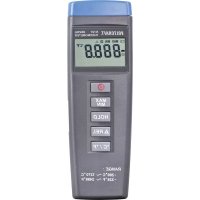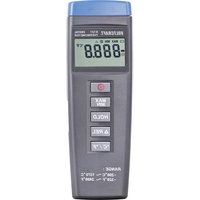
VOLTCRAFT K101 - Thermometer

K101 - Thermometer VOLTCRAFT - Free user manual and instructions

Find the device manual for free K101 VOLTCRAFT in PDF.

📄 53 pages English EN 💬 AI Question
Notice VOLTCRAFT K101 - page 15
View the manual : Français FR Deutsch DE English EN Nederlands NL

Download the instructions for your Thermometer in PDF format for free! Find your manual K101 - VOLTCRAFT and take your electronic device back in hand. On this page are published all the documents necessary for the use of your device. K101 by VOLTCRAFT.
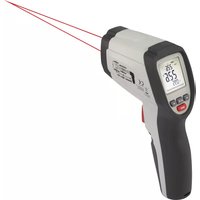
USER MANUAL K101 VOLTCRAFT

Dear customer, Thank you for purchasing this product. This product complies with the statutory national and European requirements. To maintain this status and to ensure safe operation, you as the user must observe these operat- ing instructions! These operating instructions are part of this product. They contain important notes on commissioning and handling. Also consider this if you pass on the product to any third party. Therefore, retain these operating instructions for reference! If there are any technical questions, please contact: www.conrad.com/contact

2. Explanation of symbols

The symbol with the lightning in the triangle is used if there is a risk to your health, e.g. due to an electric shock. The symbol with the exclamation mark in the triangle is used to indicate important information in these operating instructions. Always read this information carefully. The arrow symbol indicates special information and advice on operation.

The product is intended to be used in the following manner:

  • Measuring temperatures by optional K-type temperature sensors in a temperature range from -200 °C to +1370 °C or -328 °F to +2498 °F.
  • Max. voltage at the inputs is 60V/DC or 24V/AC.
  • Use only a 9V block battery for voltage supply.
  • Use only in dry areas. Contact with moisture, e.g. in bathrooms, must be avoided under all circumstances. For safety and approval purposes, you must not rebuild and/or modify this product. If you use the product for purposes other than those described above, the product may be damaged. In addition,improperusecanresultinshortcircuits,res,electricshocksorotherhazards.Read the instructions carefully and store them in a safe place. Make this product available to third parties only together with its operating instructions. All company names and product names are trademarks of their respective owners. All rights reserved.
  • Operating instructions 1Up-to-date Operating Instructions Download the latest operating instructions at www.conrad.com/down- loads or scan the QR code shown. Follow the instructions on the website.

165. Features and functions

  • The hand thermometer K101 and K102 are robust and precise devices for the measurement of temperature by optional K-type thermocouples.
  • All commercial K-type thermocouples can be connected to the devices via a standard blade terminal. A selection of various thermocouples (temperature sensors) can be found in our catalogue.
  • The K101 comes with one input port for the thermocouple and the K102 with two input ports.
  • The maximum temperature range for these devices is -200 °C to +1370 °C or -328 °F to +2498 °F, depending upon the respective temperature sensor.

6. Safety instructions

Read the operating instructions carefully and especially observe the safety information. If you do not follow the safety instructions and information on proper handling in this manual, we assume no liability for any resulting per- sonal injury or damage to property. Such cases will invalidate the warranty/ guarantee. a) General information

  • The device is not a toy. Keep it out of the reach of children and pets.
  • Do not leave packaging material lying around carelessly. This may become dan- gerous playing material for children.
  • Do not place the product under any mechanical stress.
  • If it is no longer possible to operate the product safely, take it out of operation and protect it from any accidental use. Safe operation can no longer be guaranteed if the product: - is visibly damaged, - is no longer working properly, - has been stored for extended periods in poor ambient conditions or - has been subjected to any serious transport-related stresses.
  • Please handle the product carefully. Jolts, impacts or a fall even from a low height can damage the product. 17• Consult an expert when in doubt about the operation, safety or connection of the appliance.
  • Maintenance,modicationsandrepairsmustonlybecompletedbyatechnician or an authorised repair centre.
  • If you have questions which remain unanswered by these operating instructions, contact our technical support service or other technical personnel.
  • Never exceed the maximum input limits.
  • In commercial facilities, the electrical equipment safety regulations from the Ger- man Federation of Institutions (HVBG) are to be observed. b) Batteries
  • Correct polarity must be observed while inserting the battery.
  • The batteries should be removed from the device if it is not used for a long period of time to avoid damage through leaking. Leaking or damaged batteries might cause acid burns when in contact with skin, therefore use suitable protective gloves to handle corrupted batteries.
  • Batteries must be kept out of reach of children. Do not leave batteries lying around, as there is risk, that children or pets swallow them.
  • All batteries should be replaced at the same time. Mixing old and new batteries in the device can lead to battery leakage and device damage.
  • Batteriesmustnotbedismantled,short-circuitedorthrownintore.Neverre- charge non-rechargeable batteries. There is a risk of explosion!
  • Do not leave the battery lying around, there is a danger that a child might swallow it. Batteries that have expired or been damaged can cause skin burns. Do not throwbatteriesintothere!

a) Inserting/changing the battery The hand thermometer requires a 9V block battery to operate. When the battery is empty the dis- play “Low Battery ” (14) will appear in the LCD display. The battery will need to be replaced as a correct display cannot be made when the battery is low. The procedure for changing the battery is as follows:

1. Disconnect the device from the temperature sensor/s and turn it off.

2. Open the battery compartment (10) by pushing the battery compartment cover towards the

3. Remove the empty battery and replace it with a new battery.

4. Replace the battery compartment cover.

20b) Switching on/off Press the On/Off button (4) to switch the hand thermometer on or off. c) Connecting the temperature sensors Connect a commercial K-type temperature sensor to the input T1 (1) and T2 (2) (only for K102). If the temperature sensor is defective or not properly connected, “----” will appear in the LCD display. Take note that the maximum input voltage at the input, 60V/DC or 24V/AC, must not be exceeded! d) Selecting the temperature unit °C/°F When the hand thermometer is switched on the temperature is shown in degrees Celsius. To change the temperature to degrees Fahrenheit press the °C/°F button (8). To display the tem- perature back in degrees Celsius press the °C/°F button (8) once again. e) Data-Hold function The hand thermometer is equipped with a Data-Hold function. This allows the current tem- perature reading in the display to be “frozen”. To freeze the temperature reading press the hold button (6). When activated the Data-Hold function will be indicated in the LCD display with the “hold” symbol “

” (11). The hand thermometer continues to read the current temperature in the background. To deactivate the Data-Hold function, press the hold button (6) once again – the hold symbol “

” (11) will be extinguished. In the LCD display the current temperature will now be displayed. When the Data-Hold function is activated, the Relative and MIN/MAX functions as well as the °C/°F switch are no longer accessible. f) Relative function ThehandthermometerisequippedwithaRelativefunction.BypressingtheΔRel-button(17) thehandthermometerwillregisterthetemperatureatthepressingoftheΔRel-button(17).The difference between the temperature readings will be indicated in the LCD display. To deactivate therelativefunction,presstheΔRel-button(17)onceagain. 21g) Max/Min function The hand thermometer is equipped with a Max/Min function. This function records the lowest (Min) and the highest (Max) temperatures during the measurement. As a result processes can be easily monitored. By pressing the Max/Min button (5) you will reach the Max/Min function. Through repeated pressing of the Max/Min button (5) you can scroll though the various tem- peratures (Min/Max/Current). When “MAX” (13) is displayed, the highest temperature recorded will be shown, when “MIN” (12) is displayed, the lowest. When “MAX MIN” blinks simultaneously in the LCD display, the cur- rent temperature will be shown – the maximum and minimum temperature values will however continue to be updated and recorded. To leave the Min/Max function press and hold the Max/Min button for approximately two sec- onds. h) Deactivating the automatic shut off In order to save the batteries the device is equipped with an automatic power off function (auto- matic shut off). If the device is not operated for more than 30 minutes it will automatically shut off. The automatic shut off is activated when the hand thermometer is switched on. When activated, the automatic shut off is signalled in the LCD display with the automatic power off symbol “ ”. To deactivate this function switch the hand thermometer off. Press and hold the Hold button (6) while switching the hand thermometer back on. The automatic shut off is now deactivated and the automatic power off symbol “ ” will be extinguished.

The hand thermometer is calibrated in the factory. For precise measurements the hand ther- mometer can be set to the respective temperature sensor. Hold the temperature sensor in a con- tainer of icy water (0 °C). Check the hand thermometer’s display after approximately one minute. If it does not read 0 °C it can be correctly set by turning the offset calibration screw (9). For more precise measurements the hand thermometer can be set with an optional thermocalibrator.

229. Care and cleaning

  • Do not use any aggressive cleaning agents, rubbing alcohol or other chemical solutions as they can cause damage to the housing and malfunctioning.
  • Remove batteries from the device when it is not to be used for an extended period.

a) Product This symbol must appear on any electrical and electronic equipment placed on the EU market. This symbol indicates that this device should not be disposed of as unsorted municipal waste at the end of its service life. Owners of WEEE (Waste from Electrical and Electronic Equipment) shall dispose of it separately from unsorted municipal waste. Spent batteries and accumulators, which are not enclosed by the WEEE, as well as lamps that can be removed from the WEEE in a non-destructive manner, must be removed by end users from the WEEE in a non- destructive manner before it is handed over to a collection point. Distributors of electrical and electronic equipment are legally obliged to provide free take-back of waste. Conrad provides the following return options free of charge (more details on our website):

  • at the Conrad collection points
  • at the collection points of public waste management authorities or the collection points set up by manufacturers or distributors within the meaning of the ElektroG End users are responsible for deleting personal data from the WEEE to be disposed of. It should be noted that different obligations about the return or recycling of WEEE may apply in countries outside of Germany. 23b) (Rechargeable) batteries Remove batteries/rechargeable batteries, if any, and dispose of them separately from the prod- uct. According to the Battery Directive, end users are legally obliged to return all spent batteries/ rechargeablebatteries;theymustnotbedisposedofinthenormalhouseholdwaste. Batteries/rechargeable batteries containing hazardous substances are labelled with this symbol to indicate that disposal in household waste is forbidden. The abbrevia- tions for heavy metals in batteries are: Cd = Cadmium, Hg = Mercury, Pb = Lead (name on (rechargeable) batteries, e.g. below the trash icon on the left). Used (rechargeable) batteries can be returned to collection points in your municipality, our storesorwherever(rechargeable)batteriesaresold.Youthusfullyourstatutoryobligations and contribute to environmental protection. Batteries/rechargeable batteries that are disposed of should be protected against short circuit and their exposed terminals should be covered completely with insulating tape before disposal. Even empty batteries/rechargeable batteries can contain residual energy that may cause them toswell,burst,catchreorexplodeintheeventofashortcircuit.
Manual assistant
Powered by ChatGPT
Waiting for your message
Product information

Brand : VOLTCRAFT

Model : K101

Category : Thermometer