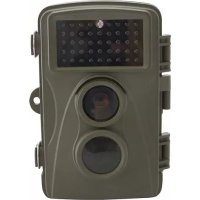
31647 - Surveillance Camera Berger & Schröter - Free user manual and instructions
Find the device manual for free 31647 Berger & Schröter in PDF.



| Product type | Surveillance camera (trail camera) |
| Brand | Berger & Schröter |
| Model | 31647 |
| Photo resolution | 8 Megapixels (interpolated 3264x2448), 5 Megapixels (2582x1944) |
| Video resolution | 720P (1280x720) 30fps, VGA (640x480) 30fps |
| File format | JPG (photo), AVI (video) |
| Power supply | 4 or 8 AA 1.5V LR6 batteries (not included) or 6V DC 1.5A power adapter (not included) |
| Battery type | AA (LR6) 1.5V |
| Storage | microSD/SDHC/TF memory card up to 32GB (not included) |
| PIR sensor detection angle | 30° |
| Lens angle | 59° (FOV) |
| Aperture | F/2.0 |
| Infrared filter | Automatic |
| Infrared LED | Black infrared LEDs (invisible) |
| Display | Built-in LCD display |
| Video output | AV jack for external monitor or TV (cable included) |
| Connectivity | USB port, AV port, microSD slot |
| Operating modes | OFF, IR AIM (adjustment), Setup (configuration), Auto, Delay (pause) |
| Resolution settings | VID (high resolution video), HI (high resolution photo), Lo (low resolution photo), VGA (low resolution video) |
| Delay time | 1 to 30 minutes in steps of 1, 5, 10, or 30 minutes |
| Closure | Clasp closure with security clip for padlock |
| Camera number | Configurable from 1 to 9 (to identify multiple cameras) |
| Operating temperature | Not specified, estimated: -10°C to +40°C (outdoor use) |
| Dimensions | Not specified, estimated: approx. 130 x 90 x 60 mm |
| Weight | Not specified, estimated: approx. 250 g (without batteries) |
Frequently Asked Questions - 31647 Berger & Schröter
User questions about 31647 Berger & Schröter
0 question about this device. Answer the ones you know or ask your own.
Ask a new question about this device
Download the instructions for your Surveillance Camera in PDF format for free! Find your manual 31647 - Berger & Schröter and take your electronic device back in hand. On this page are published all the documents necessary for the use of your device. 31647 by Berger & Schröter.
USER MANUAL 31647 Berger & Schröter
natural_image
Two open industrial electrical enclosures: one with a digital display and control buttons, the other with a rectangular casing containing internal components (no visible text or symbols on main components)Energieversorgung
natural_image
Two open industrial control box cases showing digital displays and internal modules (no visible text or symbols)(GB) Operating Instructions
Berger+Schröter Wild Game Camera 31647
Introduction
The manual is a component of this product. It contains important information regarding safety, use and disposal. Before you use the product, make sure you have read and understood all of the operating and safety instructions. Use this product only as described and only in the areas described.
This documentation is protected by copyright. Duplication or reproduction, even in extracts, and the reproduction of images (including in a modified state) is permitted only with written approval from the manufacturer.
Intended Use
This device is intended solely for capturing digital photographs and videos of wild animals. The manufacturer assumes no liability for damage caused by non-observation of these regulations, improper use, or repairs not carried out by an expert.
text_image
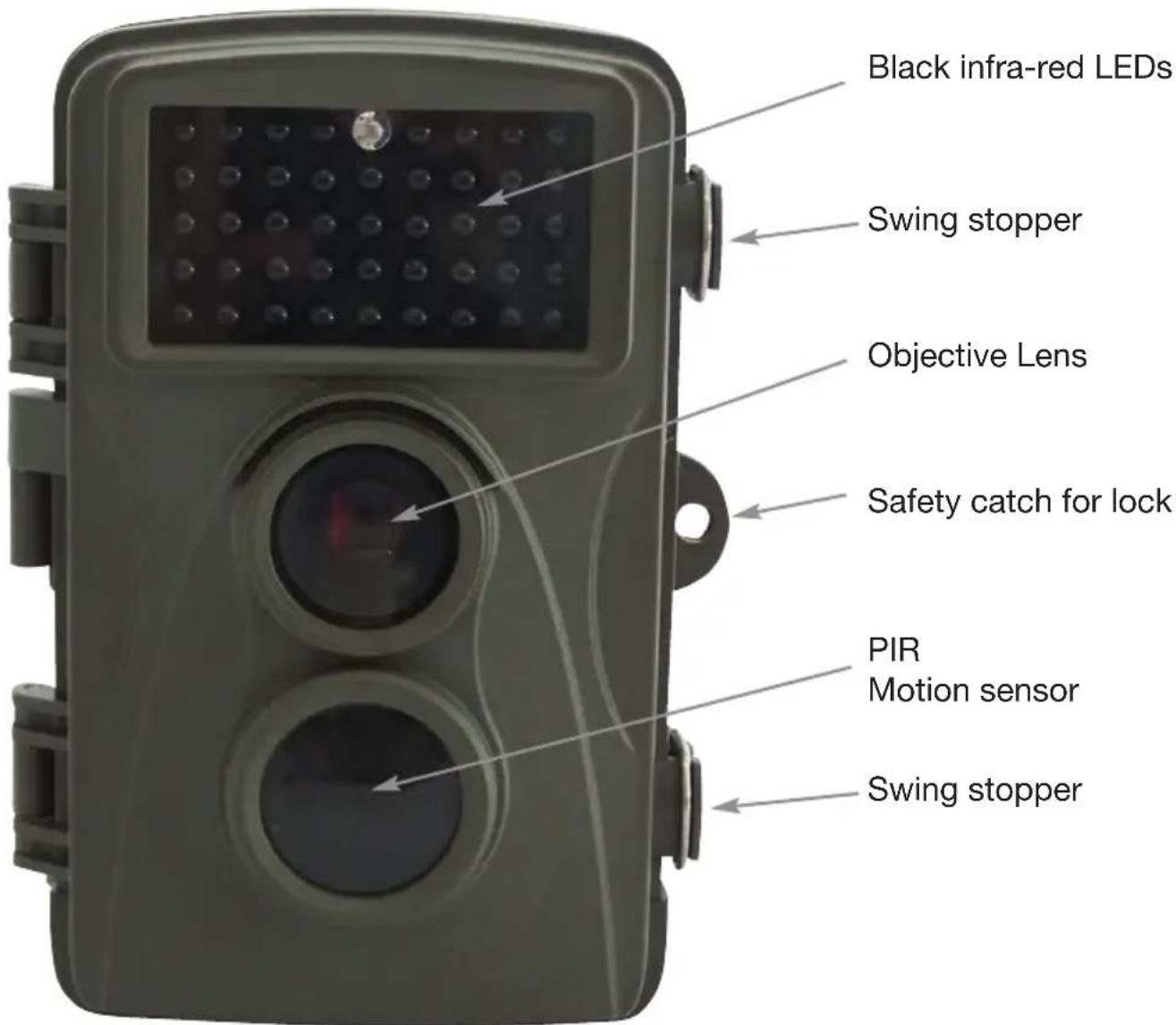
Black infra-red LEDs Swing stopper Objective Lens Safety catch for lock PIR Motion sensor Swing stopperControls
text_image
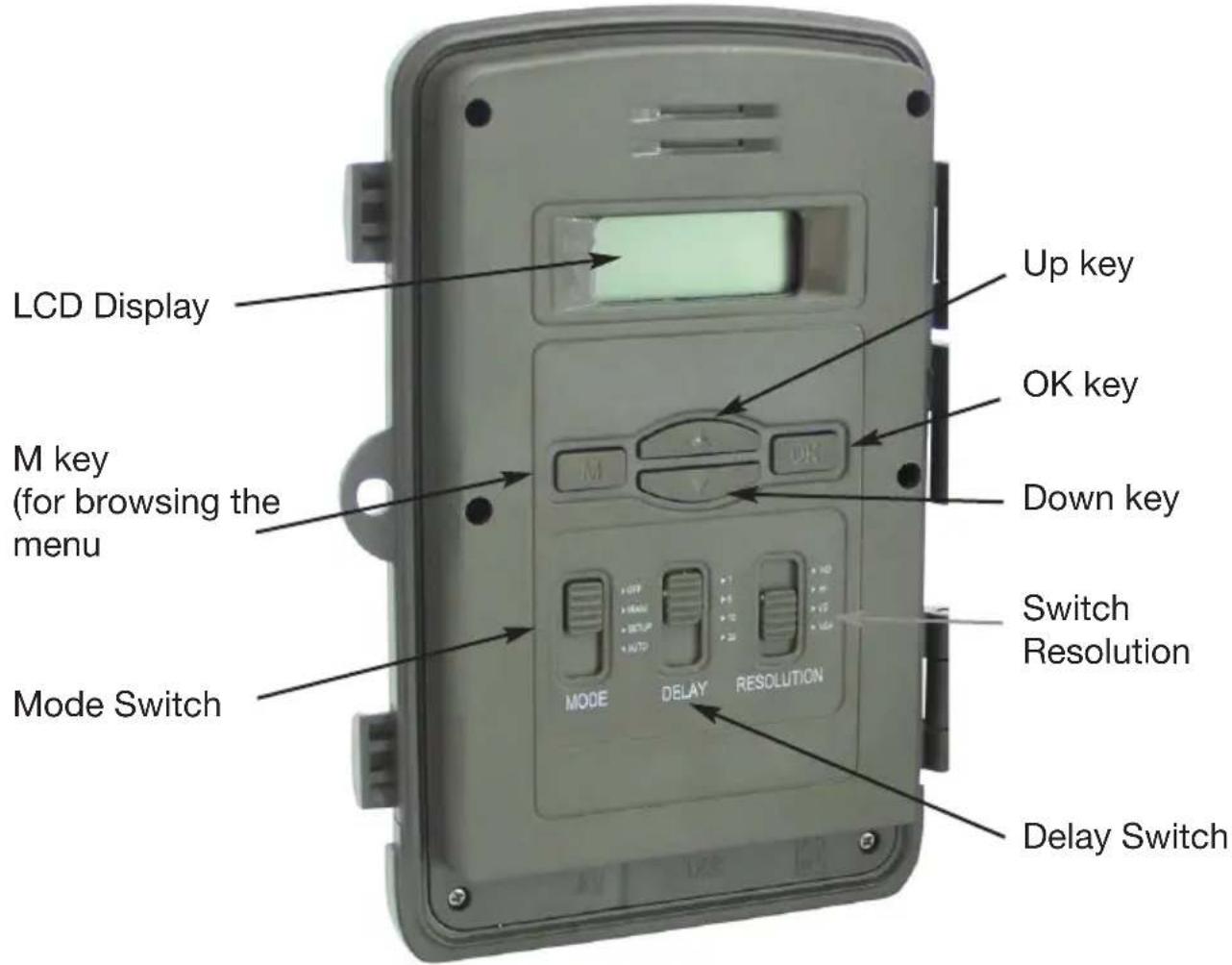
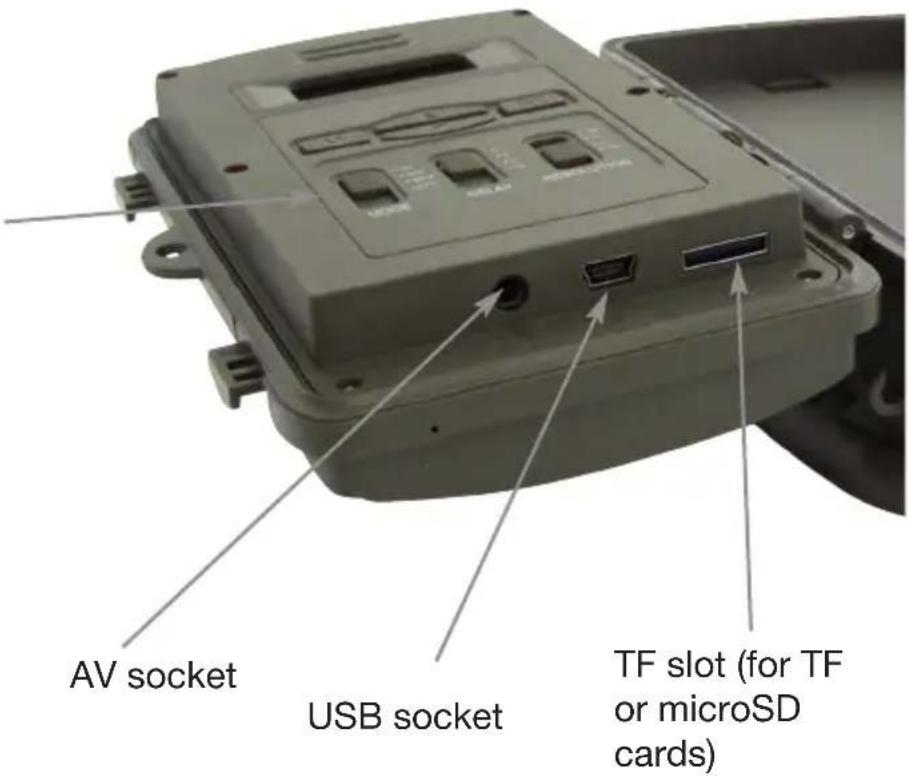
LCD Display M key (for browsing the menu) Mode Switch Up key OK key Down key Switch Resolution Delay SwitchMode Switch:
- OFF
- IR AIM (IR device),
- Setup (configuration),
- Auto (On),
text_image
AV socket USB socket TF slot (for TF or microSD cards)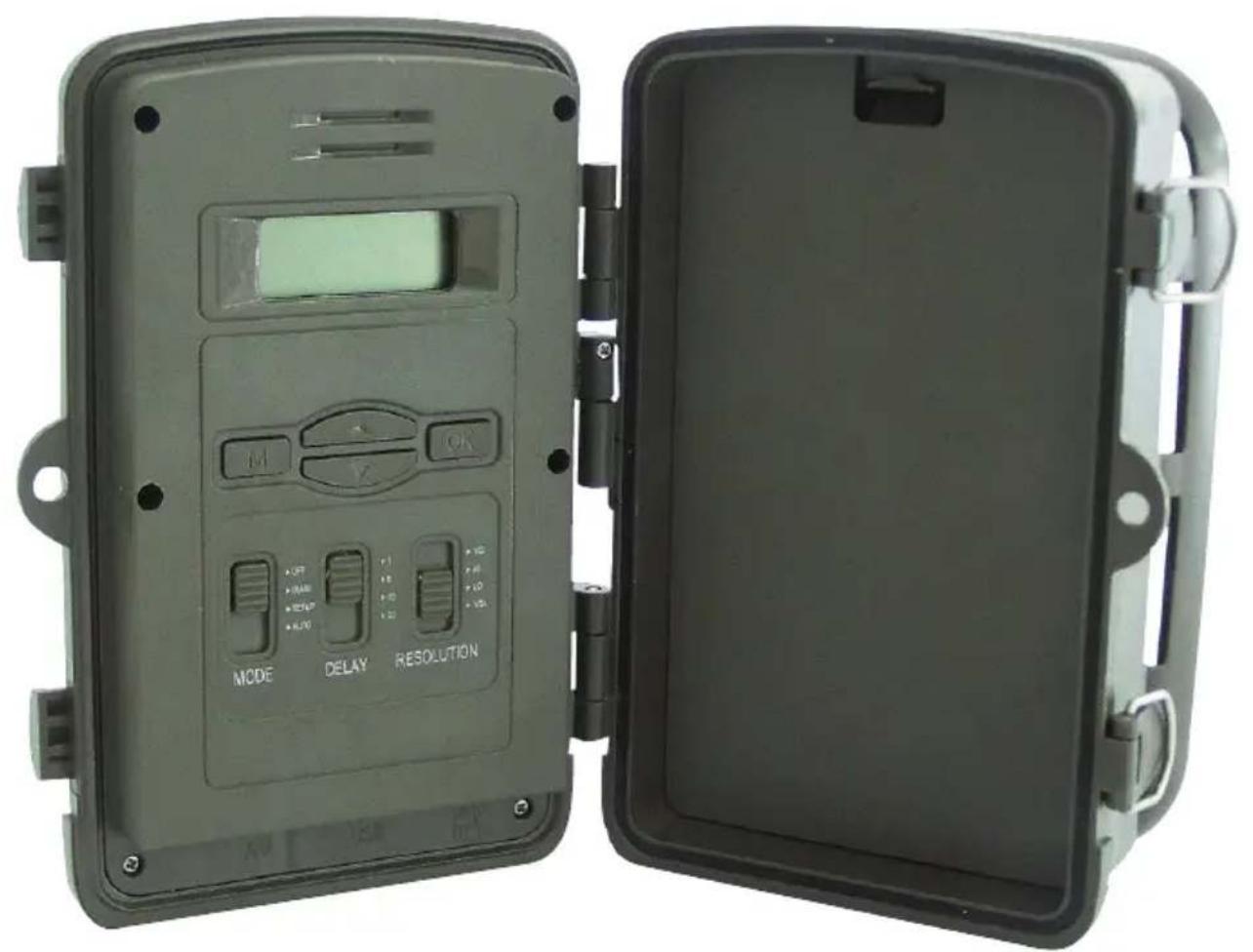
natural_image
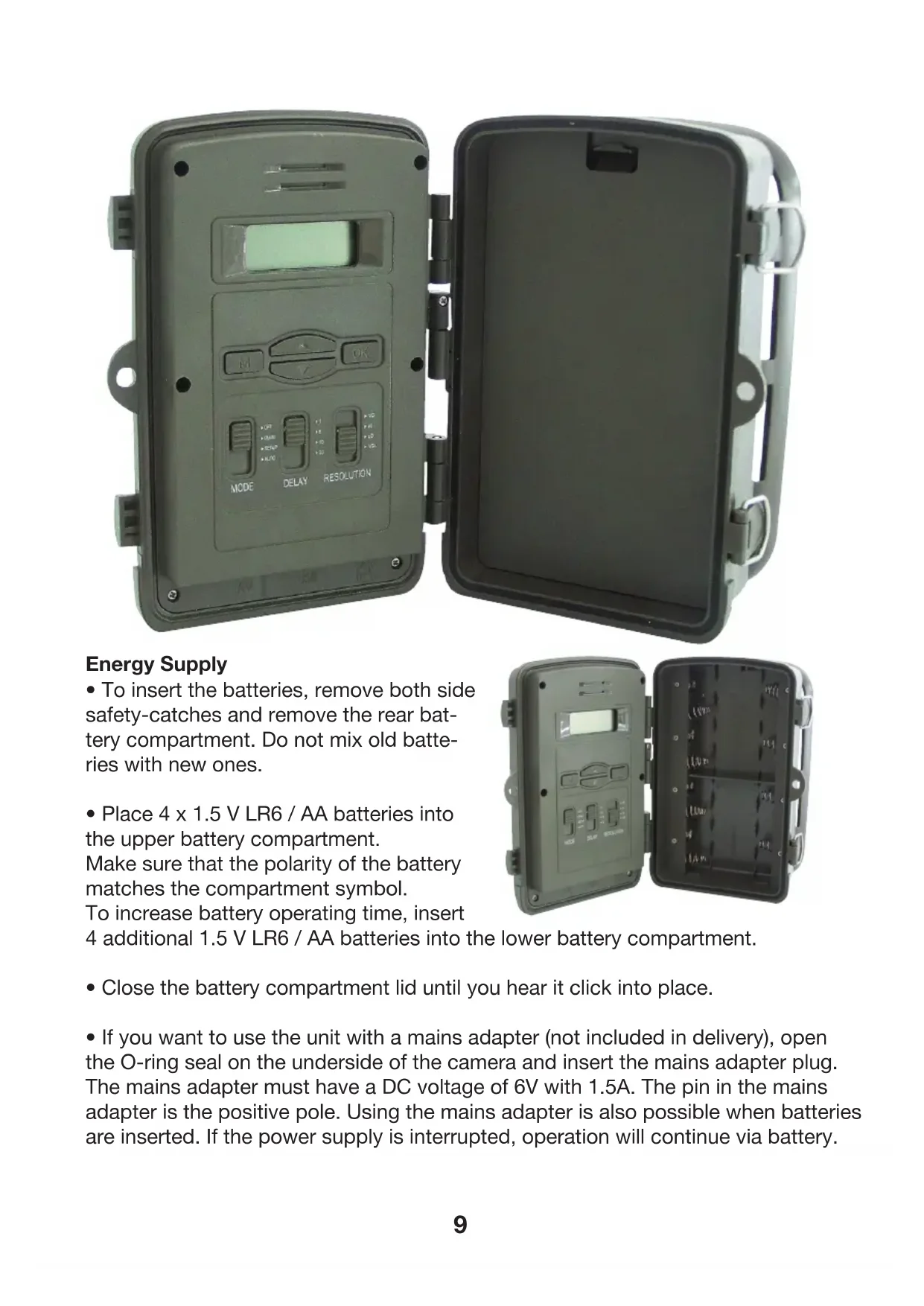
Two open industrial control box enclosures: one with a digital display and buttons, the other with a black casing containing internal components (no visible text or symbols on main body)Energy Supply
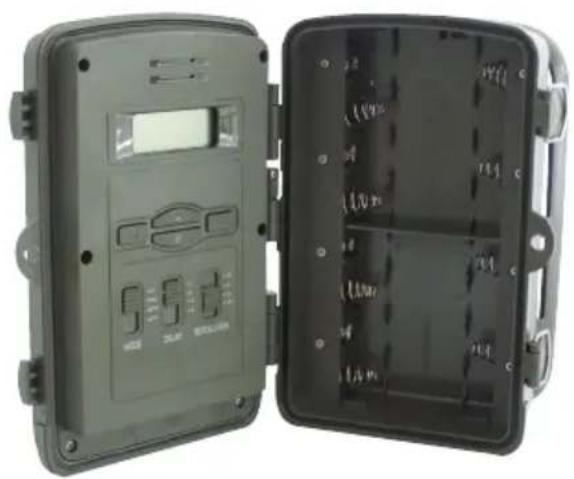
- To insert the batteries, remove both side safety-catches and remove the rear battery compartment. Do not mix old batteries with new ones.
- Place 4 x 1.5 V LR6 / AA batteries into the upper battery compartment.
Make sure that the polarity of the battery matches the compartment symbol.
To increase battery operating time, insert
4 additional 1.5 V LR6 / AA batteries into the lower battery compartment.
natural_image
Two open industrial control box cases showing digital displays and internal modules (no visible text or symbols)- Close the battery compartment lid until you hear it click into place.
- If you want to use the unit with a mains adapter (not included in delivery), open the O-ring seal on the underside of the camera and insert the mains adapter plug. The mains adapter must have a DC voltage of 6V with 1.5A. The pin in the mains adapter is the positive pole. Using the mains adapter is also possible when batteries are inserted. If the power supply is interrupted, operation will continue via battery.
Video connection to TV
- The camera can transmit a video signal to an external monitor or to the video input of a TV. Please refer to the monitor's instruction manual.
- Connect any suitable monitor to the TV-Out plug with the enclosed TV cable.
Inserting Memory Cards
- The unit supports both micro SD and SDHC memory cards as well as TF cards with a capacity of up to 32 GB.
- Push in the memory card as shown in the diagram on the card slot. Never force a card into the slot.
- When transporting memory cards, always wait until the card is at the temperature of its surroundings before using it. Temperature changes and humidity can cause condensation which can lead to short-circuits.
- To remove an SD / SDHC memory card from the slot, lightly press the raised edge of the card until it springs out, and then remove it completely.
- SD / SDHC memory cards have a locking system that is designed to prevent unintentional erasing of data. Select the “LOCK” position on the side of the card. However, the camera cannot save images to the card if it is set to this position.
Basic operation
There are 3 different selector switches which perform the following tasks:
Mode Delay Resolution
Mode:
Off, The camera is switched off
IR AIM, This function enables camera direction settings. Set the switch to IR Aim, lock the camera using the swing stoppers and place the camera in the desired position. A flashing blue LED will indicate movement detection in front of the camera when the camera is correctly positioned. Readjust the positioning of the camera until the blue LEDs begin to flash.
Setup (Configuration)
This switch position adjusts the date and the time. You can also use it to delete images, set a camera number and indicate the battery status.
Set the switch to Set-up and the time will appear on the display. Use the "M" key to scroll through the Menu: Time (12 hour clock, AM & PM), year (YYYY); month, day (M, DD), Clr (delete), Id (camera number), AC (battery status).
Press "OK" to change to the modification mode and use the arrow keys to change the value by scrolling up and down. Confirm changes with the "OK" key.
ID (Camera number).
Select a number from 1 bis 9. This will enable you to see which images come from which camera on the SD card.
Using the Up / Down key, select either Yes or No and confirm using the “OK” key. The
The battery status display is displayed thus:
BA3: Full capacity
BA2: Medium capacity
BA1: Low capacity
BA0: Empty
AUTO
Set the selector switch to Auto to activate the camera so that it records images as soon as movement is detected, following a 5 second countdown phase.
Delay:
This function enables you to set the precise intervals between the recording of two photos or two videos. You can select from 1 minute up to 30 minutes in the following steps: 1 min, 5 mins, 10 mins or 30 mins.
Resolution:
VID: 10 sec. High resolution video recording (720P 1280 x 720).
HI: High resolution image capture (8M).
Lo: Low resolution image capture (5M).
VGA:. 10 sec. low resolution video recording (VGA 640 x 480)
Specifications:
Digital camera with 5 megapixel image sensor
or 8M image size: 3264x2448 (interpolated); 5M: 2582x1944
Video clip 1280x720 / 30fps 640x480 / 30fps;
Data format: JPG / AVI
Lens angle
F / NO = 2.0; FOV = 59: Auto IR filter (angle detection from 30 °)