32188 - Binoculars Berger & Schröter - Free user manual and instructions
Find the device manual for free 32188 Berger & Schröter in PDF.



User questions about 32188 Berger & Schröter
0 question about this device. Answer the ones you know or ask your own.
Ask a new question about this device
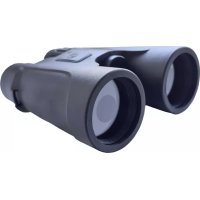
Download the instructions for your Binoculars in PDF format for free! Find your manual 32188 - Berger & Schröter and take your electronic device back in hand. On this page are published all the documents necessary for the use of your device. 32188 by Berger & Schröter.
USER MANUAL 32188 Berger & Schröter
natural_image
Black binoculars with no visible text or symbols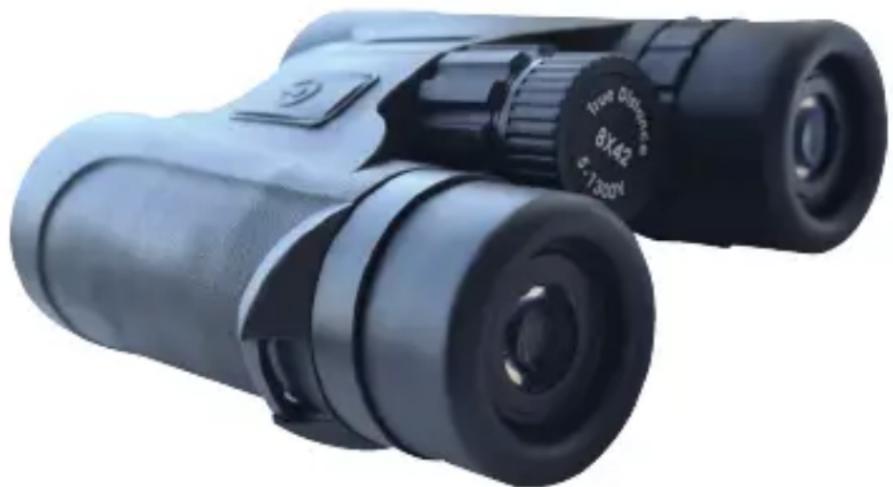
natural_image
Black binoculars with visible lens and control knob (no text or symbols on the bin itself)CE
natural_image
Close-up of metallic binoculars with no visible text or markingsnatural_image
Black binoculars with visible lenses and a green bracket at the bottom (no text or symbols on the binches)Pupillendistanz
natural_image
Black binoculars with green directional arrows indicating rotation (no text or symbols on the bin itself)natural_image
Person holding a camera with visible lens, no text or symbols present
natural_image
Person holding a black binocular camera, focused on the camera (no visible text or symbols)natural_image
Three black binoculars with green arrows indicating cable or wire manipulation (no text or symbols)natural_image
Simple line drawing of a trash bin with an X mark, no text or symbols presentnatural_image
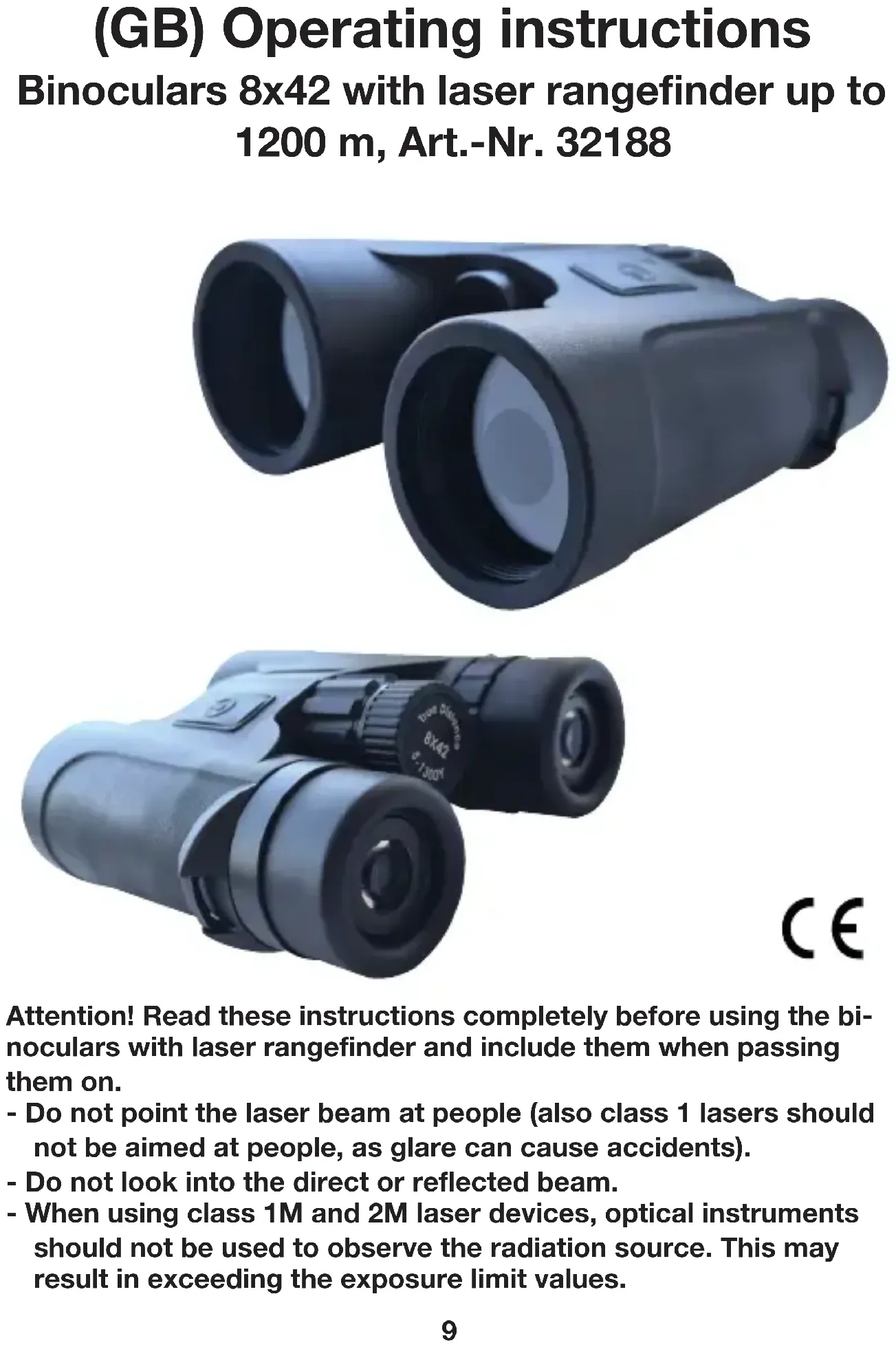
Simple line drawing of a trash bin with an X mark and a circular base (no text or symbols)Attention! Read these instructions completely before using the bi-noculars with laser rangefinder and include them when passing them on.
- Do not point the laser beam at people (also class 1 lasers should not be aimed at people, as glare can cause accidents).
- Do not look into the direct or reflected beam.
- When using class 1M and 2M laser devices, optical instruments should not be used to observe the radiation source. This may result in exceeding the exposure limit values.
text_image
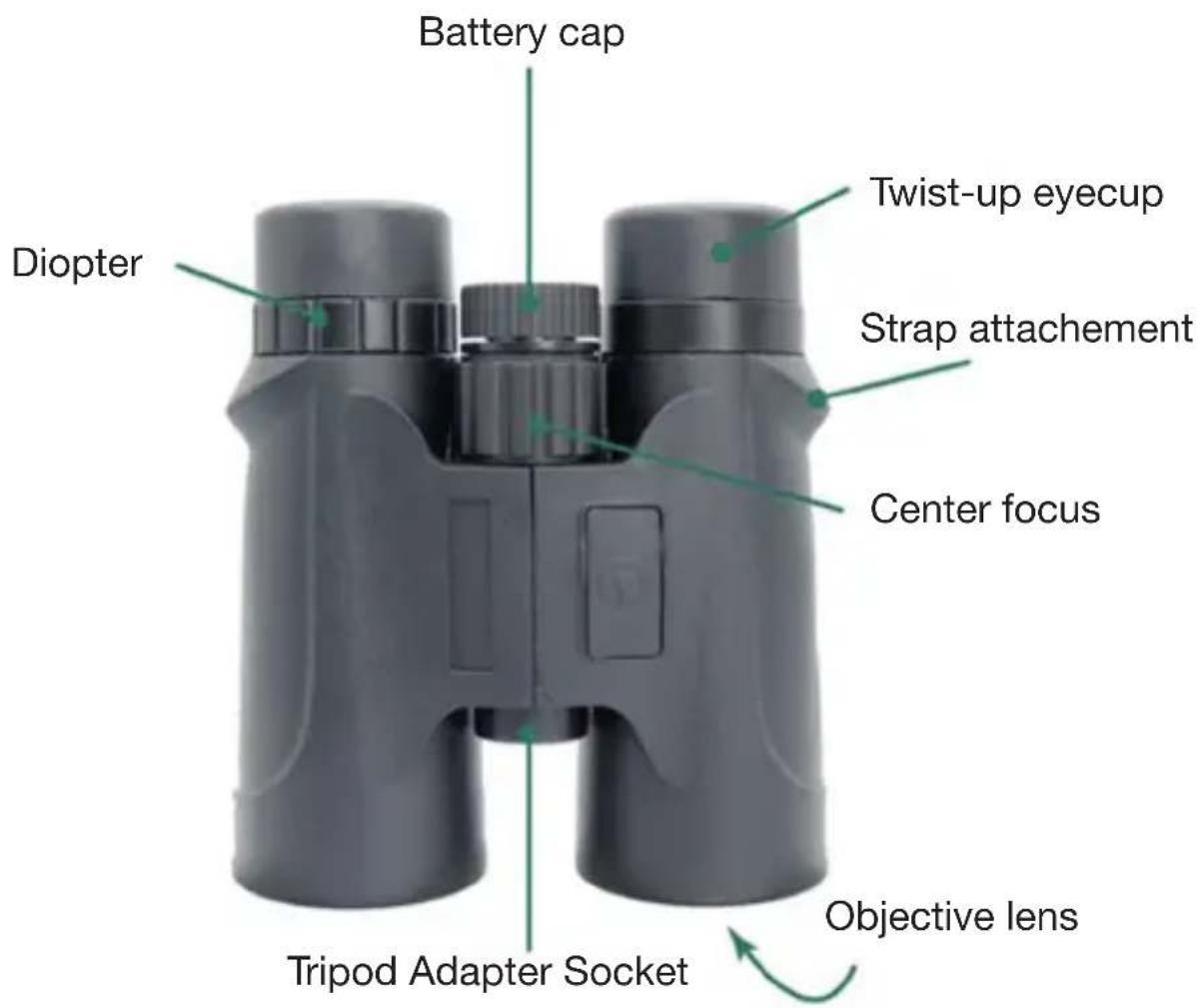
Battery cap Diopter Twist-up eyecup Strap attachment Center focus Tripod Adapter Socket Objective lens| Range: 5-1,200 meters (tree) | |
| Magnification: 8X | |
| Accuracy: ±1 M(Y) | |
| Objective lens effective ∅: 21 mm | |
| Wavelength: 905nm | |
| Diopter adjustable range: ±5 degree | |
| Display: PCLD | |
| Exit-pupil Diameter: 3.3 mm | |
| Body material: ABS plastic and rubber | |
| Eye Relief: 16 mm | |
| Size: 153x128x45 mm | |
| Field of view: 7° | |
| Battery: CR2-3V | |
| Prism: | K9 |
| Water Resistant: | IPX 5 |
| Alignment focus: | Center focusing adjustment |
| Weight: | 525g |
| Coating: | Multi-layer coating |
Binocular optics setting/adjustment
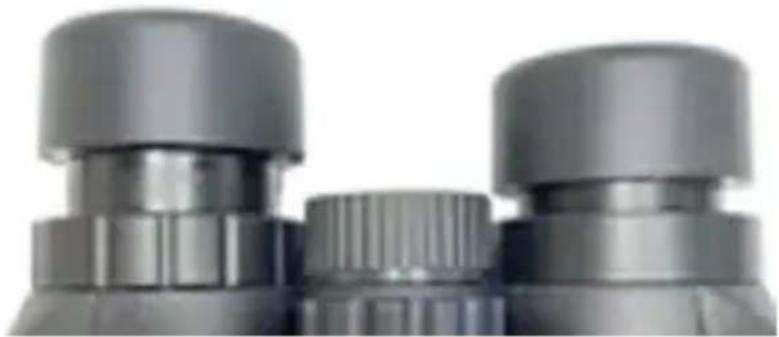
natural_image
Close-up of metallic binoculars with no visible text or markingsAdjust the eyecups
The eyecups twist up and down so that any viewer can see the full field and enjoy comfortable viewing with or without eyeglasses. There are 2 options for your choice.
When not using eyeglasses, please twist the eyecups up or keep the eyecups fully extended. For the best viewing when viewing through eye-glasses, twist eyecups down.
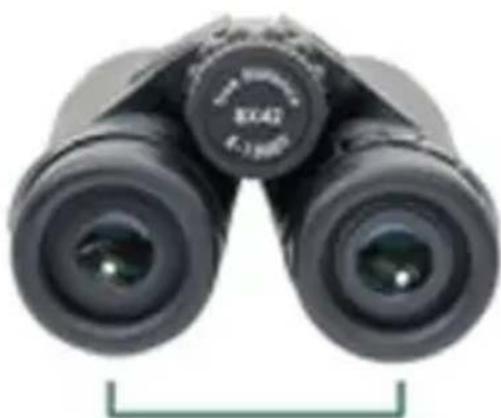
natural_image
Black binoculars with visible lenses and a green bracket at the bottom (no text or symbols on the binches)Interpupillary distance
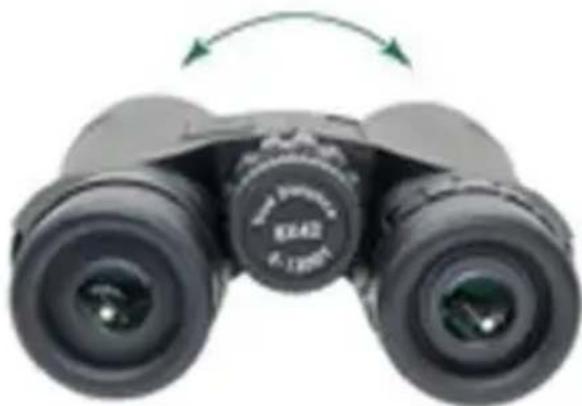
natural_image
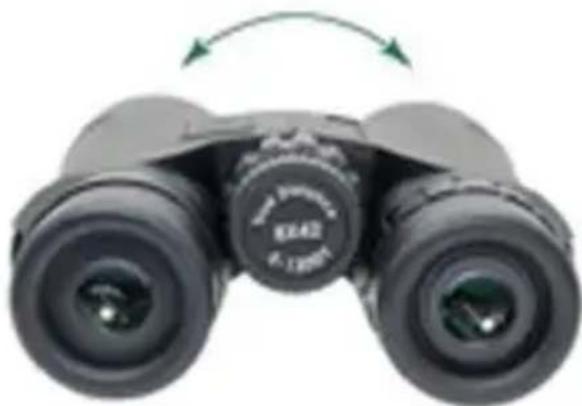
Black binoculars with green directional arrows indicating rotation (no text or symbols on the bin itself)Adjust the interpupillary distance
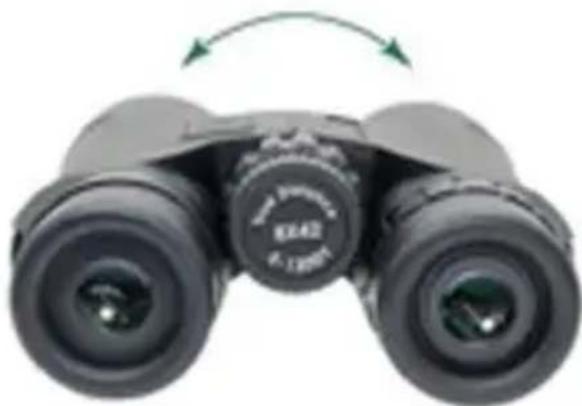
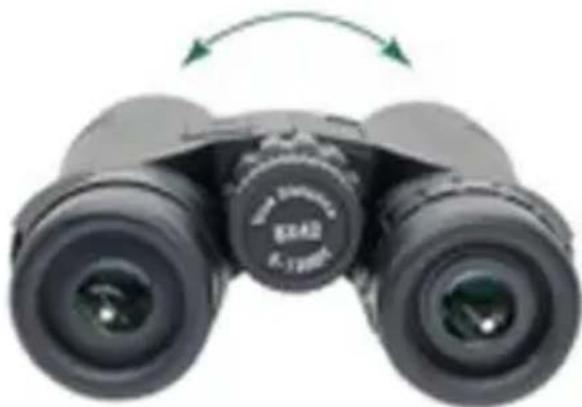
The interpupillary distance is the distance between the centers of the left and right eye pupils. Match the interpupillary distance of your eyes to that of the binocular so that you see a single image that is free of shading.
Rotate the binocular barrels inward or outward to line your eyes up with ocular lenses.
Properly focus the binocular
For the best views, follow the two-step process to properly adjust the center focus and diopter. Choose an object that is about 20 yards away from you and stay in the same spot until you have adjusted the binocular for your eyes.

natural_image
Person holding a camera with visible lens, no text or symbols present
natural_image
Person holding a black binocular camera, focused on the camera (no visible text or symbols)- Adjust the center focus-start by closing your right eye or covering the right objective lens with your hand. Focus your left eye on the object and adjust the center focus wheel until the image is in focus. Leave the center focus in this position as you adjust the diopter.
- Adjust the diopters by first closing your left eye or covering the left objective with your hand. Look through your right eye and adjust the diopters to the right or left (on the right eyepiece) until the object is in focus.
Make note of this diopter setting in case you need to set it again. From this point, you will only need to use the center focus wheel.
Ranging Operation
After the binocular is set well, press power button to power on the device.
Switching between metres and yards, M/Y switch of the distance unit
After the binocular is powered on, facing binocular 90 degree towards ground, press power button to switch ranging unit of Meter (M) and Yard (Y).
Ranging
Aim the center reticle & press power button again, the line of sight distance and horizontal distance(bow compensated distance will be display on screen).
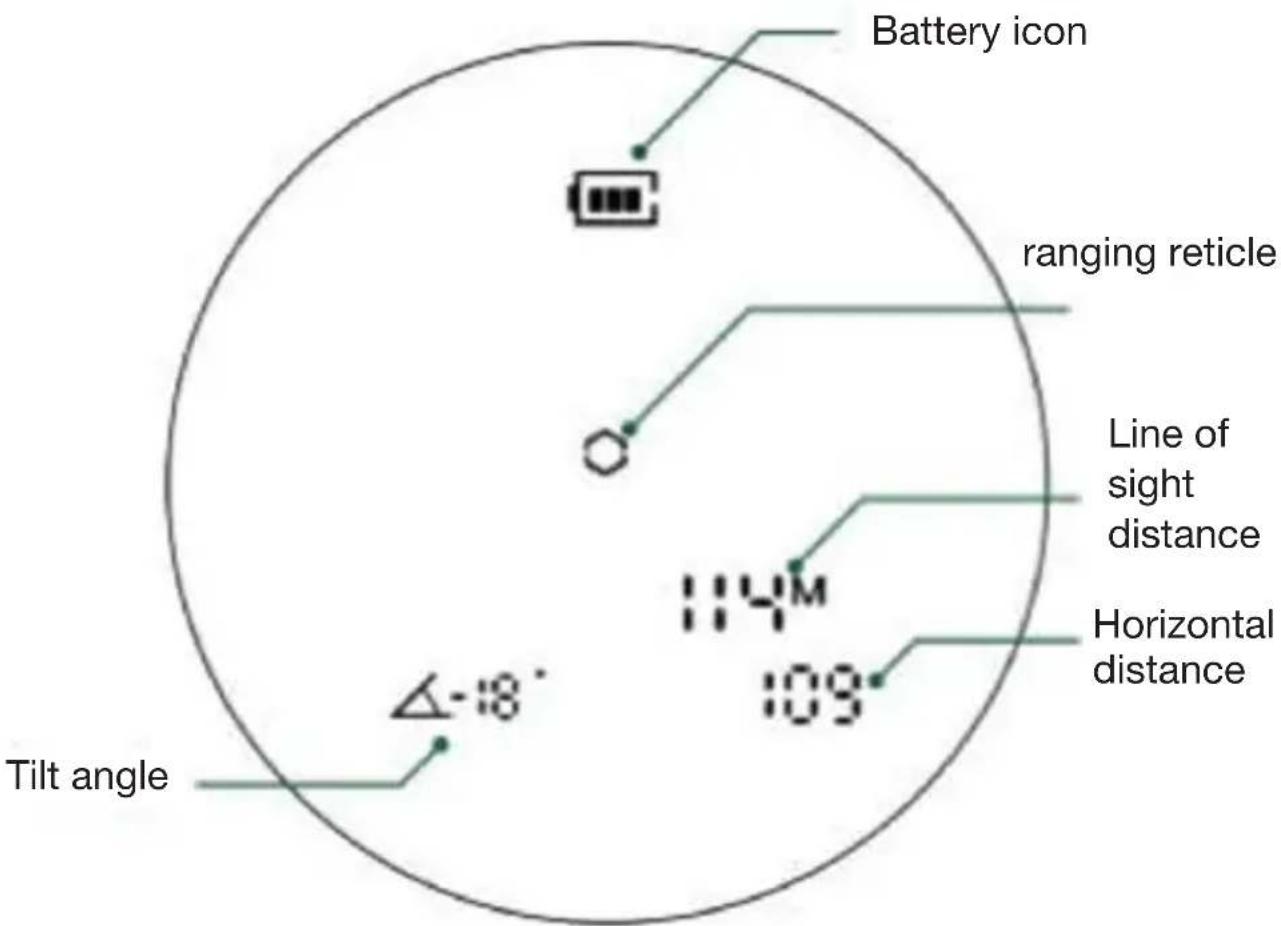
text_image
Battery icon ranging reticle Line of sight distance Horizontal distance Tilt angle Δ-18° 109 114MAccessories
Carry case, lens covers & neckstrap
Neckstrap
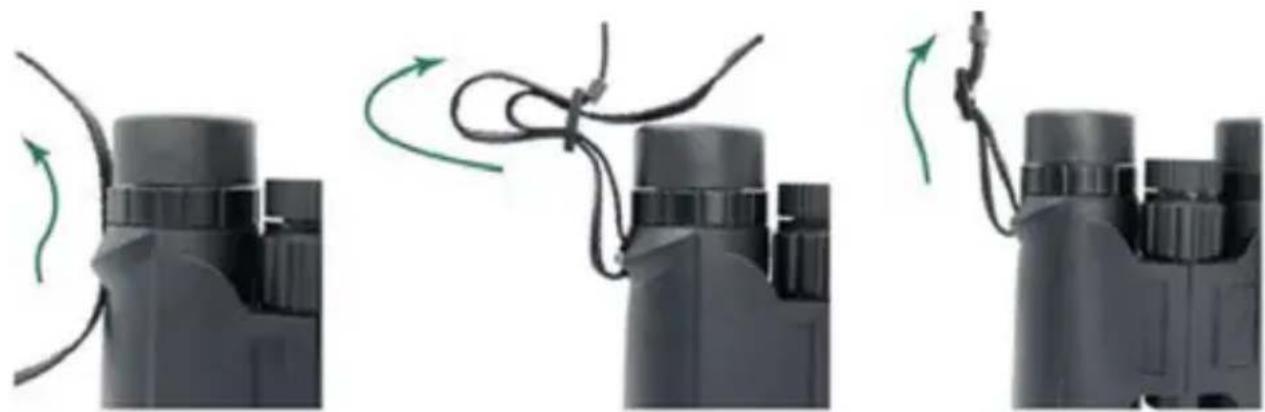
Attach the padded neckstrap in 3 steps as pictures illustrated below.
natural_image
Three black binoculars with green arrows indicating cable or wiring manipulation (no text or symbols)- Push a few inches of the strap through the strap attachment.
- Hold the buckle and thread the end of the strap through the buckle
- Adjust the overall length. Then pull it tight until strap secured within the buckle.
Lens care
Lens protection
Make use of the provided eyepiece and objective lens covers to protect the lenses when not viewing. Then store the binocular in its carry case for storage.
Lens cleaning
To have the best clear view through the binocular, take time to regularly clean the exterior lenses:
-
Remove any dust from lenses before wiping. Use a hair brush or an acrylic optical brush.
-
Clear lenses of smudges, fingerprints, or eyelash oil. Fog the lenses with your own breath, then use a non-abrasive lens cloth to clean the lenses.
Safety instructions
●Dispose of packaging material or keep it out of reach of children.
●Do not expose the unit to excessive temperatures, strong vibrations or high levels of humidity and avoid strong mechanical stresses.
- Do not disassemble the unit; it does not contain parts serviceable by you. In case of problems or questions please contact our customer support department, do not attempt to repair the unit yourself.
Disposal:

natural_image
Simple line drawing of a trash bin with an X mark on its side (no text or symbols)Dear Customer! Please note! Depending on battery regulations you are required to use or defective batteries and accumulators, at no cost to you, return it to us.

natural_image
Simple line drawing of a trash bin with an X mark, no text or symbols presentEvery consumer is legally obliged to dispose of WEEE separately from the household waste and to dispose of at a collection site of his community / City District for example. Electric appliances are marked with the crossed out dust-bin, accepted there for free.
Guarantee: We grant on this product a guarantee of 24 months, according to the pertinent statutory regulations, from the date of the purchase by the initial user.
This guarantee covers all material or production defects; however, it does not cover the following: Faults and defects resulting from normal wear, including wearing parts, seals etc.; damages or defects arising or as a result of alteration.
We reserve the right to reject a guarantee claim if the purchase cannot be proven, or if the product was improperly serviced or was obviously erroneously maintained (not or insufficiently maintained; cleaning and servicing).
Please retain the proof of purchase documentation because this is valid as proof of date of purchase.
In case of a guarantee claim, the machine must be returned to the dealer in a clean state, and in its original packaging if possible, and not disassembled in any way. Proof of purchase must also be included.
Copyright by:
Bengen & Schröten
All rights reserved. It is not permitted without written approval from Berger + Schröter to reproduce these operating instructions. It is also not permitted to reproduce extracts in any form that have been created or processed by use of electronic, mechanical or chemical procedures.
Technical changes can be made at any time without prior announcement. The operating instructions are corrected regularly. We assume no liability for technical and typographical errors and their results.
natural_image
Three black binoculars with visible lens and control knobs, displayed against a white background (no text or symbols on the devices themselves)natural_image
Close-up of metallic binoculars with no visible text or markingsnatural_image
Black binoculars with visible lenses and a green bracket at the bottom (no text or symbols on the binches)Distance pupillaire
natural_image
Black binoculars with green directional arrows indicating rotation (no text or symbols on the bin itself)natural_image
Person holding a camera with visible lens, no text or symbols present
natural_image
Person holding a black binocular camera, no visible text or symbolsnatural_image
Three black binoculars with green arrows indicating cable or wire manipulation (no text or symbols)natural_image
Simple line drawing of a trash bin with no text or symbolsnatural_image
Simple line drawing of a trash bin with an X mark and a wheel, no text or symbols present.natural_image
Three black binoculars with visible lens and control knobs, one labeled '8X42 6-1300' and partial text 'CE' (no other text or symbols)natural_image
Close-up of two gray binoculars with no visible text or markingsnatural_image
Black binoculars with visible lens and focal point (no text or symbols on the bin itself)Leerling afstand
natural_image
Black binoculars with green directional arrows indicating rotation (no text or symbols on the bin itself)natural_image
Person holding a camera with visible lens, no text or symbols present
natural_image
Person holding a black binocular camera, focused on the camera (no visible text or symbols)natural_image
Three black binoculars with green arrows indicating cable or wire manipulation (no text or symbols)natural_image
Simple line drawing of a trash bin with an X mark, no text or symbols presentnatural_image
Simple line drawing of a trash bin with an X mark, no text or symbols presentnatural_image
Three black binoculars with visible lens and control knobs, displayed against a white background (no text or symbols on the devices themselves)natural_image
Close-up of two gray binoculars with no visible text or markingsnatural_image
Black binoculars with visible lens and focal point (no text or symbols on the bin itself)natural_image
Black binoculars with green directional arrows indicating rotation (no text or symbols on the bin itself)natural_image
Person holding a camera with visible lens, no text or symbols present