
Tapo RV30 - Robot vacuum TP-LINK - Free user manual and instructions
Find the device manual for free Tapo RV30 TP-LINK in PDF.



| Product type | Robot vacuum mop |
| Brand | TP-Link |
| Model | Tapo RV30 |
| Dimensions (approx.) | 350 mm diameter × 100 mm height |
| Weight (approx.) | 3.5 kg |
| Battery | Lithium-ion, 5000 mAh |
| Charging time | Approximately 4 hours |
| Power | Power adapter included (100-240 V) |
| Connectivity | Wi-Fi 2.4 GHz, Tapo app (iOS/Android) |
| Voice control | Compatible with voice assistants (Alexa, Google Assistant) |
| Main functions | Automatic cleaning, spot cleaning, auto-return to base, mapping, mopping |
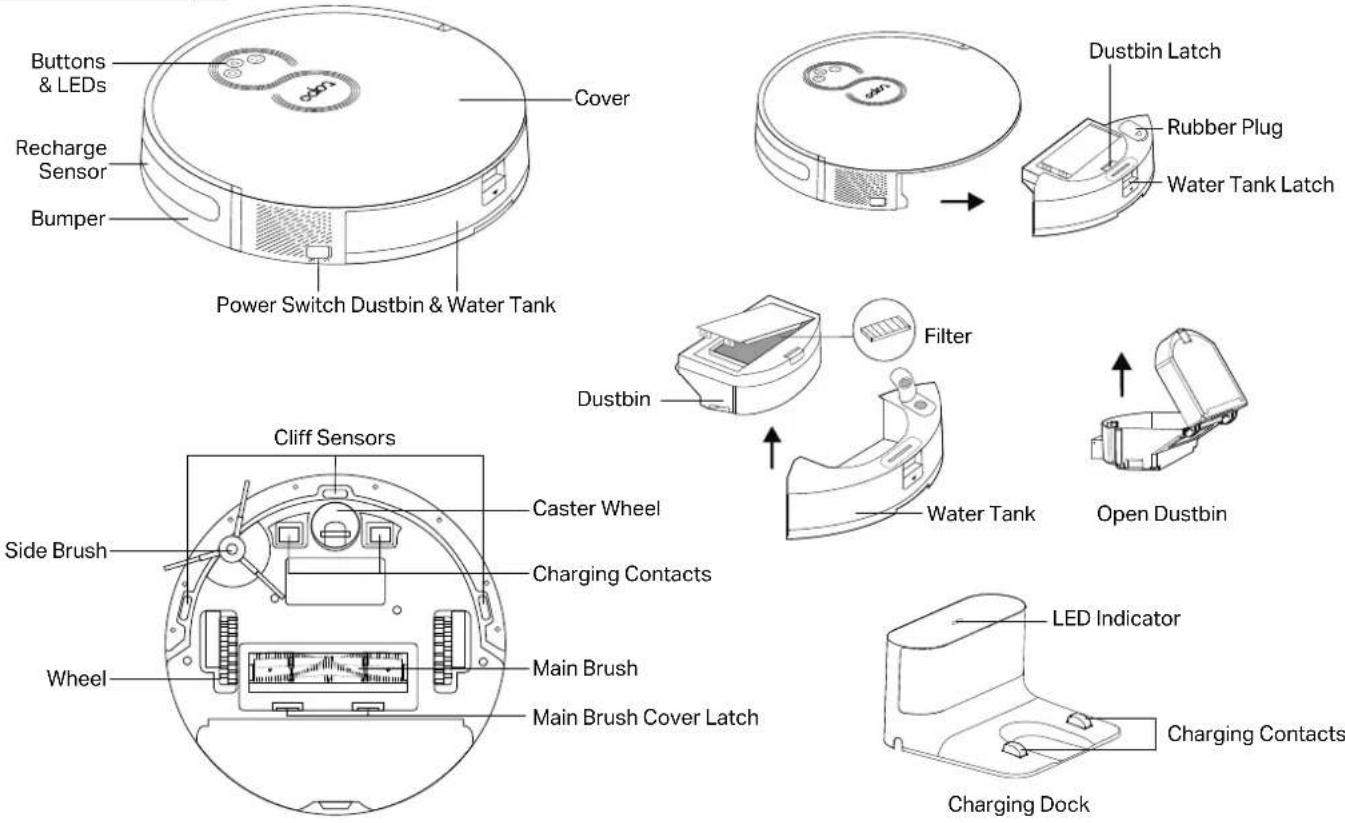
| Sensors | Cliff sensors, bumper |
| Child safety | Yes (parental lock) |
| LED indicator | Red (<20% battery/error), orange (20-80%), green (>80%) |
| Dustbin capacity (approx.) | 400 ml |
| Main brush | Central brush and side brush |
| Filter | Washable |
| Maintenance | Regular cleaning of filter, brushes and sensors |
| Safety | Drop detection, automatic stop when lifted |
| Warranty | TP-Link limited warranty (check official website) |
Frequently Asked Questions - Tapo RV30 TP-LINK
User questions about Tapo RV30 TP-LINK
0 question about this device. Answer the ones you know or ask your own.
Ask a new question about this device
Download the instructions for your Robot vacuum in PDF format for free! Find your manual Tapo RV30 - TP-LINK and take your electronic device back in hand. On this page are published all the documents necessary for the use of your device. Tapo RV30 by TP-LINK.
USER MANUAL Tapo RV30 TP-LINK
Scan QR code or visit
https://www.tp-link.com/support/setup-video/#robot-vacuum
©2023 TP-Link 7106510646 REV1.2.0 *Images may differ from actual products.
CONTENTS
1 / English
6 / Deutsch
11 / Español
16 / Ελληνικά
21 / Français
26 / Italiano
31 / Português
36 / Suomi
41 / Nederlands
46 / Svenska
51 / Norsk
56 / Dansk
*Images may differ from actual products.
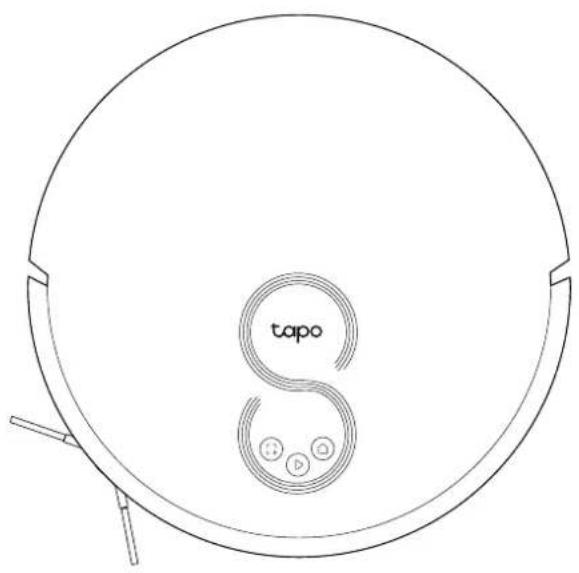
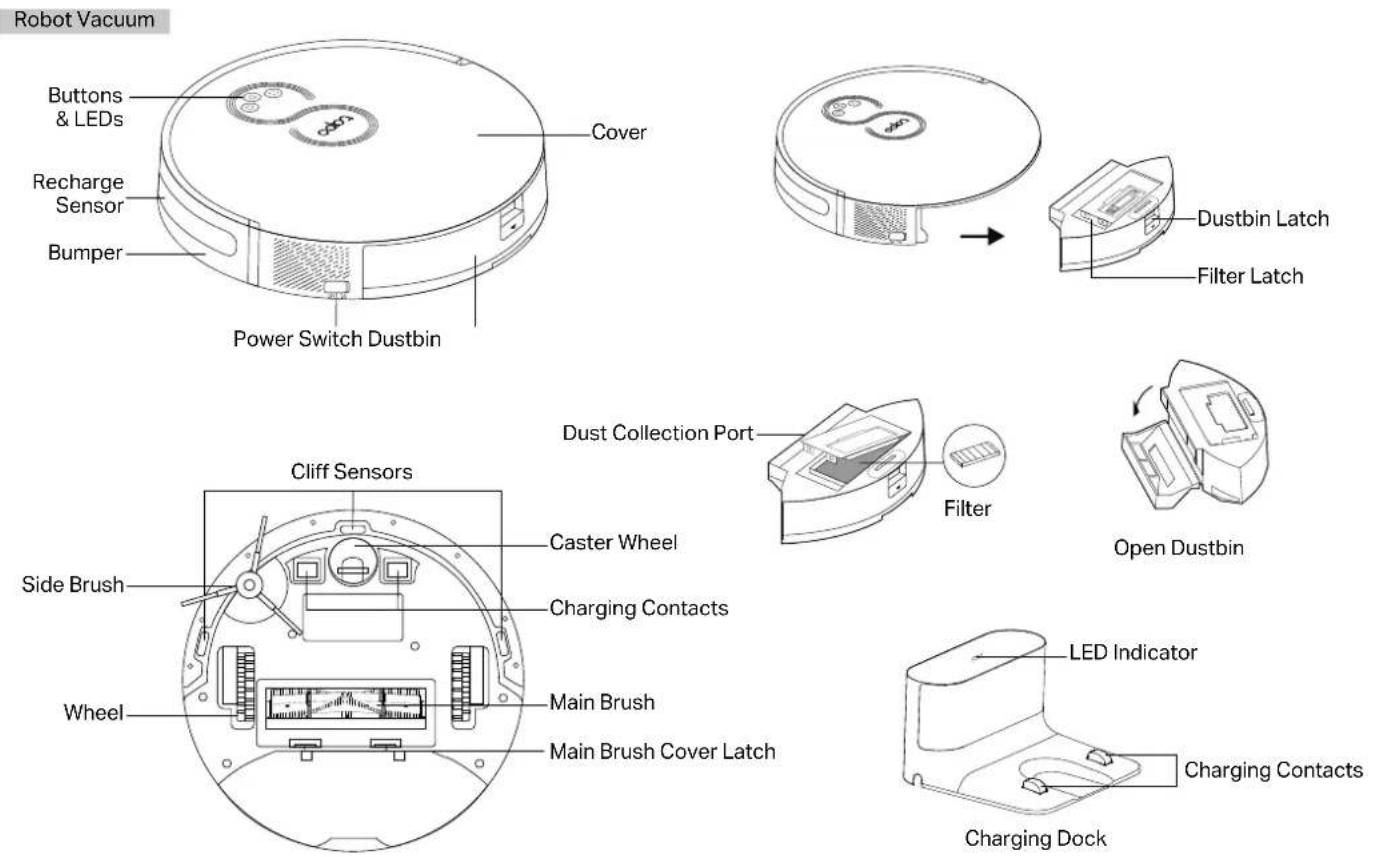
Overview
text_image
tapo SPower/Clean
- Press once: Start/pause cleaning.
- Press and hold for 5 seconds: Turn on/off the robot vacuum.
*For the first use, slide the power switch from OFF to ON to turn on.
Dock
- Return to the dock to charge.
Spot Cleaning/Child Lock
- Press once: Start spot cleaning.
- Press and hold for 5 seconds: Turn on/off the child lock.
Combination Button
- Press and hold simultaneously for 5 seconds: Enter setup mode to configure network.
- Press and hold simultaneously for 10 seconds: Restore to factory default settings.
LED
• Red: Battery level < 20%; Error
• Orange: Battery level between 20% and 80%
• Green: Battery level > 80%
English
Robot Vacuum & Mop
English
English
1 Postion the Dock
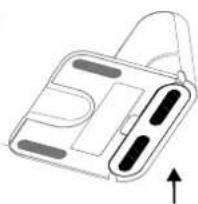
- Remove the bottom cover of the dock, connect the power cord to the dock, and then replace the cover.
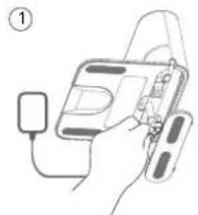
natural_image
Diagram of a handheld device with a plug and cable, no text or symbols present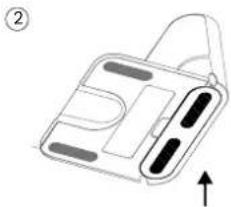
natural_image
Diagram of a device casing with internal compartments and an upward arrow indicating direction (no text or symbols)- Place the dock on a level surface, flat against a wall, without obstacles within 1.5m (4.9ft) in front and 0.5m (1.6ft) on left and right.
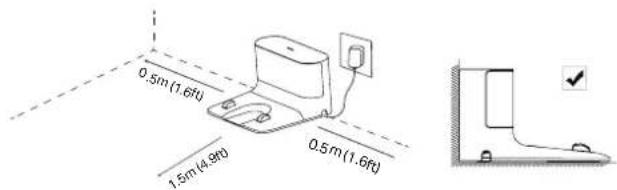
text_image
0.5m (1.6ft) 1.5m (4.9ft) 0.5m (1.6ft)Notes
• To ensure a better user experience, make sure the area is with good Wi-Fi signal.
- Do not place it in direct sunlight. Ensure the area around the dock is free of clutter to improve docking performance.
• To prevent the risk of your robot vacuum falling downstairs, ensure that the dock is placed at least 1.2m (4 ft) away from stairs.
- Always keep the dock powered on, otherwise the robot vacuum will not automatically return. And do not move the dock frequently.
2 Remove Protective Strip
Remove the protective strips on both sides of the front bumper.
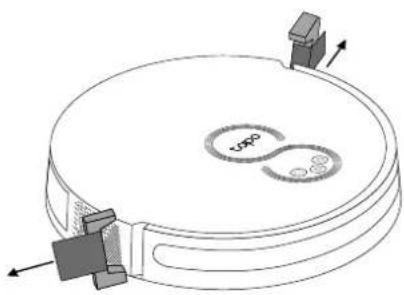
natural_image
Diagram of a circular device with internal components and directional arrows, no text or symbols present3 Remove Protective Film
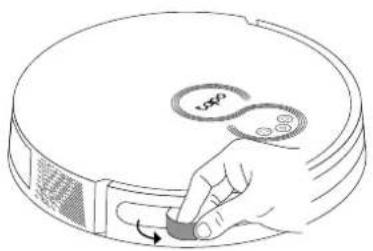
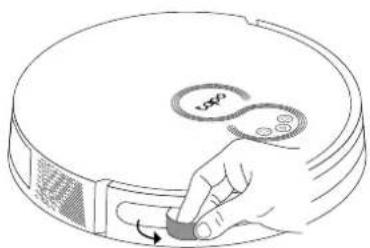
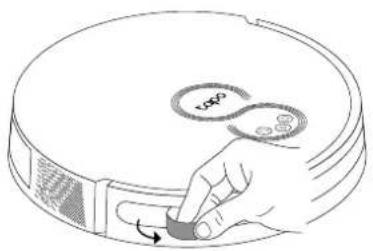
Remove the protective film on the front bumper.
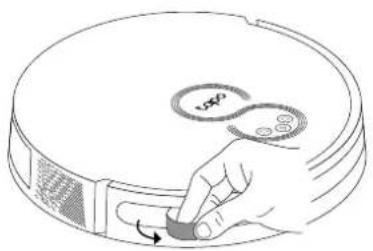
natural_image
Hand pressing a button on a circular device with a 'v50' label (no text or symbols beyond the label)4 Power On and Charge
- Slide the power switch from OFF to ON to turn on your robot vacuum.
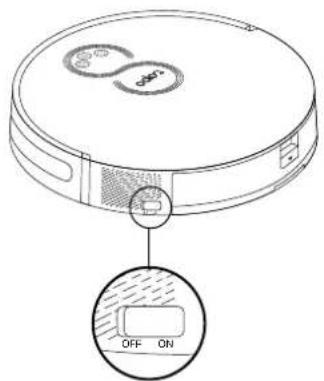
text_image
OFF ON- Place the robot vacuum on the charging dock or tap to send it back to the dock to charge. It will return to the dock at the end of a cleaning job and whenever it needs to recharge.
Notes
- When the LED of the charging dock flashes 3 times and then goes out, the charging will begin.
• We recommend that you charge the robot vacuum fully for about 4 hours prior to starting the first cleaning job.
- If the robot vacuum is paused for 10 minutes, it will automatically enter sleep mode and the cleaning job will be canceled.
5 Download the Tapo App and Connect to Wi-Fi
- Download the Tapo app from the App Store or Google Play, then log in.

text_image
Download on the App Store GETITON Google Play- Open the Tapo app, tap + icon, and select your model. Follow the step-by-step instructions to easily set up your robot vacuum.
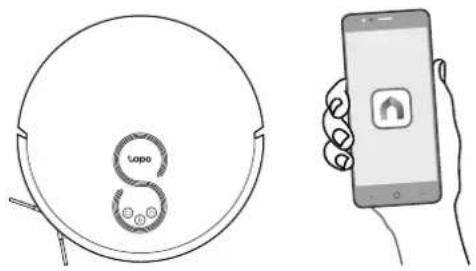
natural_image
Line drawing of a circular device with 'topo' logo and a smartphone displaying a home screen (no text or symbols on device)Troubleshooting & Voice Prompts for Issues: https://www.tp-link.com/support/faq/3525/
Deutsch
natural_image
Line drawing of a device with a plug and cable, no text or symbols present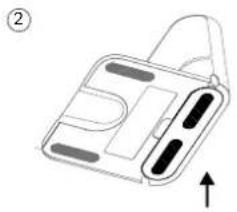
natural_image
Diagram of a handbag with internal compartments and an upward arrow indicating motion (no text or symbols)text_image
0.5m (1.6ft) 1.5m (4.3ft) 0.5m (1.6ft)Hinweise
natural_image
Diagram of a circular mechanical component with internal components and directional arrows (no text or symbols)natural_image
Hand pressing a button on a circular device with a scroll icon (no text or symbols)Deutsch
natural_image
Diagram of a hand holding a device with a plug and cable, no text or symbols present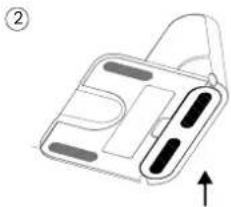
natural_image
Diagram of a device casing with internal compartments and an upward arrow indicating direction (no text or symbols)natural_image
Diagram of a circular device with internal components and directional arrows, no text or symbols presentnatural_image
Hand holding a small knob with a circular dial labeled 'vxp' and an arrow indicating rotation (no text or symbols beyond the label)4 Encendido y carga
natural_image
Hand holding a smartphone displaying a simple icon (no text or symbols present)
natural_image
Diagram of a circular device with internal components and directional arrows, no text or symbols presentnatural_image
Hand pressing a button on a circular device with a 'S' symbol (no text or labels)Ελληνικά
text_image
Download on the App Store SETTON Google Playnatural_image
Illustration showing a circular device with 'Loppo' and a smartphone displaying a home screen (no text or symbols on the devices themselves)natural_image
Line drawing of a circular robotic vacuum cleaner with 'tapo' branding and three circular buttons at the bottom (no text or symbols beyond branding)Alimentation/Nettoyage
natural_image
Two-step diagram showing a device with cable and plug, labeled ① and ②, with no visible text or symbols.text_image
0.5m(1.6ft) 1.5m(4.3ft) 0.5m(1.6ft)Remarques
natural_image
Diagram of a circular mechanical component with internal components and directional arrows (no text or symbols)natural_image
Hand pressing a button on a circular device with a 'v50' label (no text or symbols beyond the label)natural_image
Line drawing of a circular device with 'Loppo' logo and a smartphone displaying a home icon (no text or symbols on device)natural_image
Line drawing of a hand holding a device with a plug and cable, no text or symbols present
natural_image
Diagram of a device with a handle and internal components, no text or symbols presenttext_image
0.5m(1.6ft) 1.5m(4.3ft) 0.5m(1.6ft)Note
natural_image
Diagram of a circular device with internal components and directional arrows, no text or symbols presentnatural_image
Hand pressing a button on a circular device with a 'vsp6' label (no text or symbols beyond the label)Italiano
natural_image
Line drawing of a washing machine with a 'tapo' logo and a smartphone displaying a home icon (no text or symbols on the device itself)? problemi: https://www.tp-link.com/support/faq/3525/
natural_image
Diagram of a hand holding a device with a plug and cable, no text or symbols present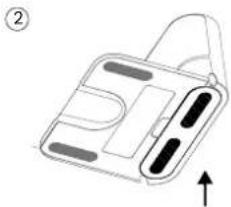
natural_image
Diagram of a device casing with internal compartments and an upward arrow indicating direction (no text or symbols)text_image
0.5m(1.6ft) 1.5m(4.3ft) 0.5m(1.6ft)Notas
natural_image
Diagram of a circular device with internal components and directional arrows, no text or symbols presentnatural_image
Line drawing of a hand pressing a button on a circular device (no text or symbols)4 Ligar e Carregar
natural_image
Line drawing of a handheld device with a plug and cable, no text or symbols present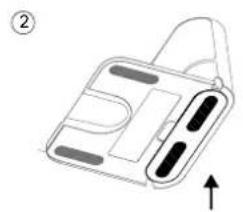
natural_image
Simple line drawing of a device with a handle and internal components, no text or symbols presenttext_image
0.5m(1.6ft) 1.5m(4.3ft) 0.5m(1.6ft)Huomiot
natural_image
Diagram of a circular mechanical component with internal components and directional arrows (no text or symbols)3 Irrota suojakalvo
Irrota etupuskurin suojakalvo.
natural_image
Hand pressing a button on a circular device with a 'v50' label (no text or symbols beyond the label)Suomi
natural_image
Hand holding a smartphone displaying a simple location pin icon (no text or symbols on the device screen)natural_image
Line drawing of a hand holding a device with a plug and cable, no text or symbols present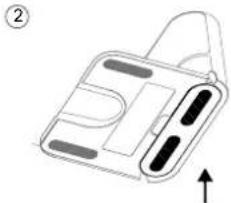
natural_image
Diagram of a device with a handle and internal components, no text or symbols presentnatural_image
Diagram of a circular device with internal components and directional arrows, no text or symbols presentnatural_image
Hand pressing a button on a circular device with a 'vsp6' label (no text or symbols beyond the label)4 Inschakelen en opladen
natural_image
Line drawing of a hand holding a device with a plug and cable, no text or symbols present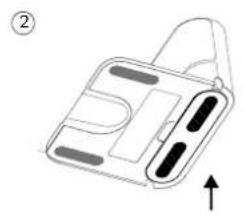
natural_image
Diagram of a handheld device with buttons and a handle, no text or symbols presentnatural_image
Diagram of a circular mechanical component with internal components and directional arrows, no text or symbols present.natural_image
Hand placing a button labeled 'vsp' on a circular device (no text or symbols beyond the label)Svenska
natural_image
Simple line drawing of a circular device with 'tapo' and 'S' labels, no additional text or symbols present.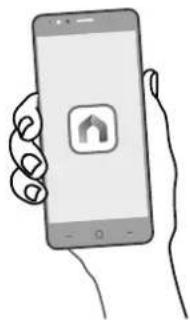
natural_image
Hand holding a smartphone displaying a simple home screen icon (no text or symbols on the device)Felsökning & Röstmeddelanden vid problem: https://www.tp-link.com/support/faq/3525/
natural_image
Line drawing of a device with a plug and cable, no text or symbols present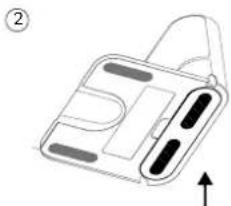
natural_image
Simple line drawing of a handbag with buttons and an arrow indicating upward motion (no text or symbols)text_image
0.5m(1.6ft) 1.5m(4.3ft) 0.5m(1.6ft)Merk
natural_image
Diagram of a circular device with internal components and directional arrows, no text or symbols presentnatural_image
Hand placing a button labeled 'vsp' on a circular device (no text or symbols beyond the label)4 Slå PÅ og lad
natural_image
Hand holding a smartphone displaying a simple icon with an up/down arrow (no text or symbols on the device screen)Feilsøking & Talemeldinger for problemer: https://www.tp-link.com/support/faq/3525/
Dansk
natural_image
Diagram of a hand holding a device with a plug and cable, no text or symbols present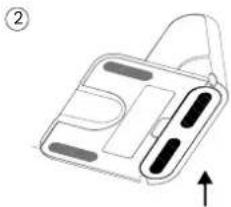
natural_image
Diagram of a device casing with internal components and an upward arrow, no text or symbols presentnatural_image
Diagram of a circular device with internal components and directional arrows, no text or symbols presentnatural_image
Hand pressing a button on a circular device with a 'VSP' label (no text or symbols beyond the label)Dansk
4 Tænd og oplad
natural_image
Illustration showing a circular device with 'topo' and a smartphone displaying an app icon (no text or symbols on the devices themselves)
Fejlfinding & Stemmemeddelelser for problemer: https://www.tp-link.com/support/faq/3525/
natural_image
Line drawing of a circular device with a 'tapo' logo and internal circuit-like elements (no text or symbols beyond branding)Daya/Bersih
natural_image
Diagram of a circular device with a handle and internal components, no text or symbols present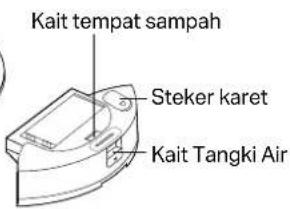
text_image
Kait tempat sampah Steker karet Kait Tangki Air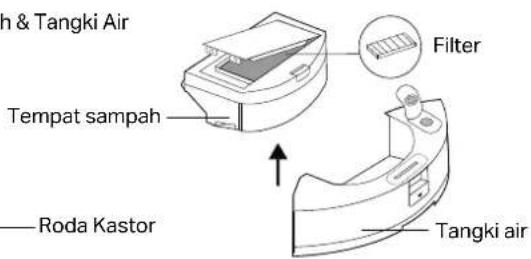
text_image
Tempat & Tangki Air Tempat sampah —— Roda Kastor Filter Tangki air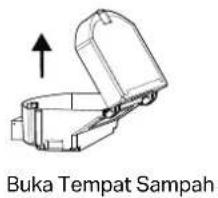
natural_image
Diagram of a handheld device with a plug and cable, no text or symbols present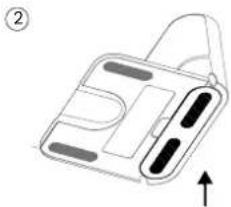
natural_image
Diagram of a device casing with internal compartments and an upward arrow indicator (no text or symbols)natural_image
Diagram of a circular device with internal components and directional arrows, no text or symbols present3 Lepaskan Film Pelindung
Lepaskan film pelindung di bumper depan.
natural_image
Line drawing of a hand pressing a button on a circular device (no text or symbols)text_image
Download on the App Store GETITON Google Playnatural_image
Line drawing of a circular device with 'tupo' logo and hand holding smartphone (no text or symbols)
natural_image
Line drawing of a circular device with a 'tapo' logo and internal circuit-like elements (no text or symbols beyond branding)
natural_image
Illustration of a hand holding a medical device with a plug and cable (no text or symbols)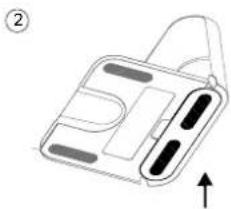
natural_image
Diagram of a handbag with internal compartments and a handle, no text or symbols presenttext_image
0.5m(1.6ft) 1.5m(4.3ft) 0.5m(1.6ft)หมายเหตุ
natural_image
Diagram of a circular device with internal components and directional arrows, no text or symbols present3 ลอกฟิล์มกันรอย
natural_image
Hand pressing a button on a circular device with 'VAP0' label (no text or symbols beyond label)ไทย
The image contains no legible text or symbols.
text_image
Download on the App Store GETITON Google Playnatural_image
Line drawing of a device with a plug and cable, no text or symbols present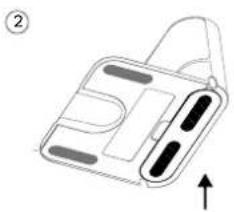
natural_image
Diagram of a device with a handle and internal compartments, no text or symbols presenttext_image
0.5m(1.6ft) 1.5m(4.3ft) 0.5m(1.6ft)注意
natural_image
Technical line drawing of a circular mechanical component with internal features and directional arrows (no text or symbols)3 拆除保護膜
拆除產品外的保護膜。
natural_image
Line drawing of a hand pressing a button on a circular device (no text or symbols)4 開機並充電
natural_image
Line drawing of a laptop with 'Tapo' logo and hands holding a smartphone (no text or symbols on main elements)故障排除 & 語音警示: https://www.tp-link.com/support/faq/3525/
繁體中文
natural_image
Diagram of a circular device interior with internal components and directional arrows (no text or symbols)
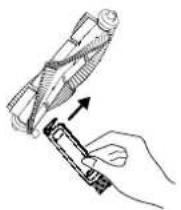
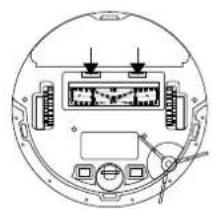
natural_image
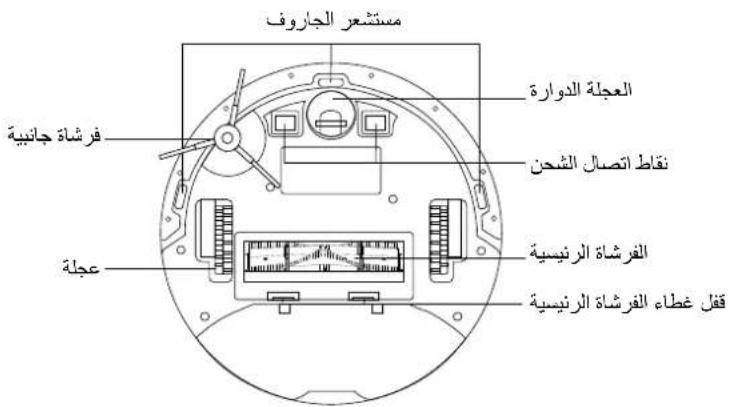
Top-down schematic of a circular device with internal components and wiring (no text or symbols)清潔萬向輪清潔主刷
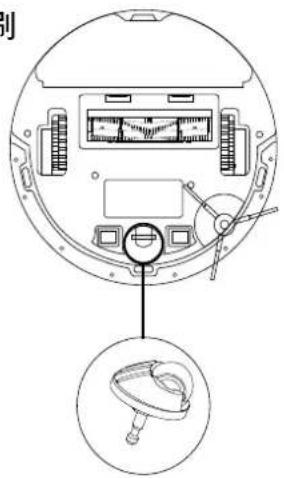
text_image
Technical diagram of a device rear panel with labeled components and an inset showing a mechanical component.清潔邊刷
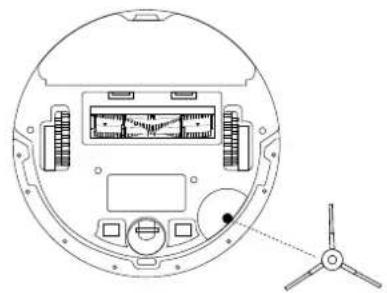
natural_image
Technical line drawing of a circular device interior with labeled components and a small propeller on the right (no text or symbols present)natural_image
Line drawing of a circular device with a 'tapo' logo and internal circuit-like elements (no text or symbols beyond branding)Nguồn/Lau dọn
natural_image
Line drawing of a handheld device with a plug and cable, no text or symbols present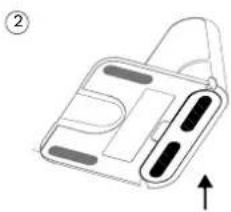
natural_image
Diagram of a handbag with internal compartments and an upward arrow, no text or symbols presentnatural_image
Diagram of a circular device with internal components and directional arrows, no text or symbols presentnatural_image
Hand pressing a button on a circular device with a 'vsp' label (no text or symbols beyond the label)4 Bật nguồn và sạc
natural_image
Line drawing of a circular device with 'topo' logo and a smartphone displaying a home screen (no text or symbols on device)
natural_image
Line drawing of a hand holding a device with a plug and cable, no text or symbols present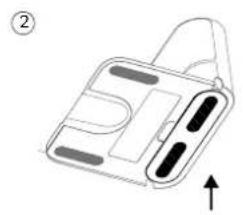
natural_image
Simple line drawing of a device with a handle and internal components, no text or symbols present.natural_image
Diagram of a circular device with internal components and directional arrows, no text or symbols presentnatural_image
Hand pressing a button on a circular device with a 'LDO' label (no text or symbols beyond the label)Türkçe
text_image
Download on the App Store GETON Google Playnatural_image
Line drawing of a circular device with 'Loppo' label and smartphone showing home control (no text or symbols on device)natural_image
Hand holding a smartphone displaying a simple app icon (no text or symbols on the device)natural_image
Diagram of a circular device with internal components and directional arrows, no visible text or symbolsnatural_image
Hand pressing a button on a circular device with 'vapo' branding (no text or symbols on the device itself)natural_image
Line drawing of a hand holding a device with a plug and cable, no text or symbols present②
natural_image
Diagram of a device with a handle and internal components, no text or symbols presenttext_image
0.5m (1,6ft) 1.5m (4,9ft) 0.5m (1,6ft)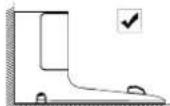
ملاحظات
natural_image
Diagram of a circular device with a handle and internal components, showing an arrow indicating direction (no text or symbols present)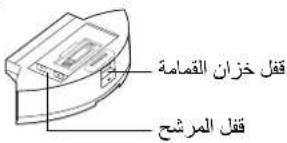
text_image
czan laqama المرشح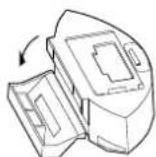
فتح خزان القمامة
English: Safety Information
- Keep the device away from water, fire, humidity or hot environments.
- Do not attempt to disassemble, repair, or modify the device. If you need service, please contact us.
Warning
Avoid replacement of a battery with an incorrect type that can defeat a safeguard. Avoid disposal of a battery into fire or a hot oven, or mechanically crushing or cutting of a battery. That can result in an explosion. Do not leave a battery in an extremely high temperature surrounding environment that can result in an explosion or the leakage of flammable liquid or gas; Do not leave a battery subjected to extremely low air pressure that may result in an explosion or the leakage of flammable liquid or gas.
The instructions shall state the substance of the following:
This appliance is not intended for use by persons (including children) with reduced physical, sensory or mental capabilities, or lack of experience and knowledge, unless they have been given supervision or instruction concerning use of the appliance by a person responsible for their safety.
Children should be supervised to ensure that they do not play with the appliance.
The appliance is only to be used with the power supply unit provided with the appliance.
WARNING: For the purposes of recharging the battery, only use the detachable supply unit provided with this appliance.
(For RV30 Series) The appliance contains a 5000mAh lithium-ion battery; (For RV10 Series) The appliance contains a 2600mAh lithium-ion battery; (For RV30C Series) The appliance contains a 3200mAh lithium-ion battery.
This appliance can be used by children aged from 8 years and above and persons with reduced physical, sensory or mental capabilities or lack of experience and knowledge if they have been given supervision or instruction concerning use of the appliance in a safe way and understand the hazards involved. Children shall not play with the appliance. Cleaning and user maintenance shall not be made by children without supervision.
| 備考1. “○” 係指該項適用物質之百分比含量未超出百分比含量基準值。 |
| Note 1: “○” Indicates that the percentage content of the restricted substances does not exceed the percentage of reference value of presences. |
| 備考2. “—” 係指該項適用物質為排除項目。 |
| Note 2: The “—” indicates that the restricted substance corresponds to the exemption. |
| 設備名稱: 標地機器人Equipment name 型號(型式): Tapo RV30 Plus, Tapo RV30Type designation (Type) | ||||||
| 单元Unit | 限用物質及其化學符號Restricted substances and its chemical symbols | |||||
| 鉛Lead (Pb) | 汞Mercury (Hg) | 銅Cadmium (Cd) | 六價鉻Hexavalent chromium ( Cr^2 ) | 多溴聯苯Polybrominated biphenyls (PBB) | 多溴二苯醚Polybrominated diphenyl ethers (PBDE) | |
| 內外殼○○○○○○ | ||||||
| 電路板-○○○○○○ | ||||||
| 馬賓-○○○○○ | ||||||
| 線材、配件、組裝零件○○○○○○ | ||||||
| 集產桶(Tapo RV30 Plus) | -○○○○○ | |||||
| 充電庫、電源供應器 (Tapo RV30) | -○○○○○ | |||||
| 備考1. 3° 係指該項採用物質之百分比含□未超出百分比含□其準值。Note 1: “○” indicates that the percentage content of the restricted substances does not exceed the percentage of reference value of presences.備考2. 3°-4係指該項採用物質為排除項目。Note 2: The “-” indicates that the restricted substance corresponds to the exemption. | ||||||
| 設備名稱: 撥地機器人Equipment name 型號(型式): Tapo RV30C, Tapo RV30C Plus, Tapo RV30C Mop, TapoRV30C Mop PlusType designation (Type) | ||||||
| 單元Unit | 限用物質及其化學符號Restricted substances and its chemical symbols | |||||
| 鉛Lead (Pb) | 汞Mercury (Hg) | 銅Cadmium (Cd) | 六價鉻Hexavalent chromium ( Cr^a ) | 多溴聯苯Polybrominated biphenyls (PBB) | 多溴二苯醚Polybrominated diphenyl ethers (PBDE) | |
| 內外殼○○○○○○ | ||||||
| 電路板-○○○○○ | |||||
| 馬彥-○○○○○ | |||||
| 線材、配件、組裝零件○○○○○○ | |||||
| 集壓桶(Tapo RV30C Plus, Tapo RV30C Mop Plus) | -○○○○○ | ||||
| 充電庫、電源供應器(Tapo RV30C, Tapo RV30C Mop) | -○○○○○ | ||||
| 備考1.°○係指該項限用物質之百分比含量未超出百分比含量基準值。Note 1:“○”indicates that the percentage content of the restricted substances does not exceed the percentage of reference value of presences.備考2.°—°係指該項限用物質為排除項目。Note 2:The “—” indicates that the restricted substance corresponds to the exemption. | |||||
For TP-Link Branded Products Only. For more information about warranty, please visit https://www.tapo.com/support
THIS WARRANTY GIVES YOU SPECIFIC LEGAL RIGHTS, AND YOU MAY HAVE OTHER RIGHTS THAT VARY FROM STATE TO STATE (OR BY COUNTRY OR PROVINCE).
TO THE EXTENT ALLOWED BY LOCAL LAW, THIS WARRANTY AND THE REMEDIES SET FORTH ARE EXCLUSIVE AND IN LIEU OF ALL OTHER WARRANTIES. REMEDIES AND CONDITIONS.
TP-Link warrants the TP-Link branded hardware product contained in the original packaging against defects in materials and workmanship when used normally in according with TP-Link's guidelines for some period which depends on the local service from the date of original retail purchase by the end-user purchaser.
Dansk
https://www.lapo.com/support
DENNE GARANTI GIVER DIG SPECIFIKKE JURIDISKE RETTIGHEDER OG DU KAN HAVE ANDRE RETTIGHEDER SOM VARIERER FRA STAT TIL STAT (ELLER FRA LAND ELLER PROVINS).
INDENFOR LOVENS RAMMER ER GARANTIEN OG RETSMIDLERNE DER FREMGÅR ESKLUSIVE OG I STEDET FOR ALLE ANDRE RETTIGHEDER, RETSMIDLER OG BETINGELSER.
TP-Link hereby declares that the device is in compliance with the essential requirements and other relevant provisions of directives 2014/53/EU, 2009/125/EC, 2011/65/EU and (EU)2015/863.
The original EU Declaration of Conformity may be found at https://www.tapo.com/support/ce/.
TP-Link hereby declares that the device is in compliance with the essential requirements and other relevant provisions of the Radio Equipment Regulations 2017.
The original UK Declaration of Conformity may be found at https://www.tapo.com/support/ukca/
Deutsch:
No restrictions exist in the use of radio frequencies or frequency bands in all EU member states, EFTA countries, Northern Ireland and Great Britain.
Operating Frequency / max output power
for technical support, user guides, FAQs, warranty & more