
HendrikJan MR13Z - Lawn mower Zoef Robot - Free user manual and instructions
Find the device manual for free HendrikJan MR13Z Zoef Robot in PDF.


User questions about HendrikJan MR13Z Zoef Robot
0 question about this device. Answer the ones you know or ask your own.
Ask a new question about this device
Download the instructions for your Lawn mower in PDF format for free! Find your manual HendrikJan MR13Z - Zoef Robot and take your electronic device back in hand. On this page are published all the documents necessary for the use of your device. HendrikJan MR13Z by Zoef Robot.
USER MANUAL HendrikJan MR13Z Zoef Robot
text_image
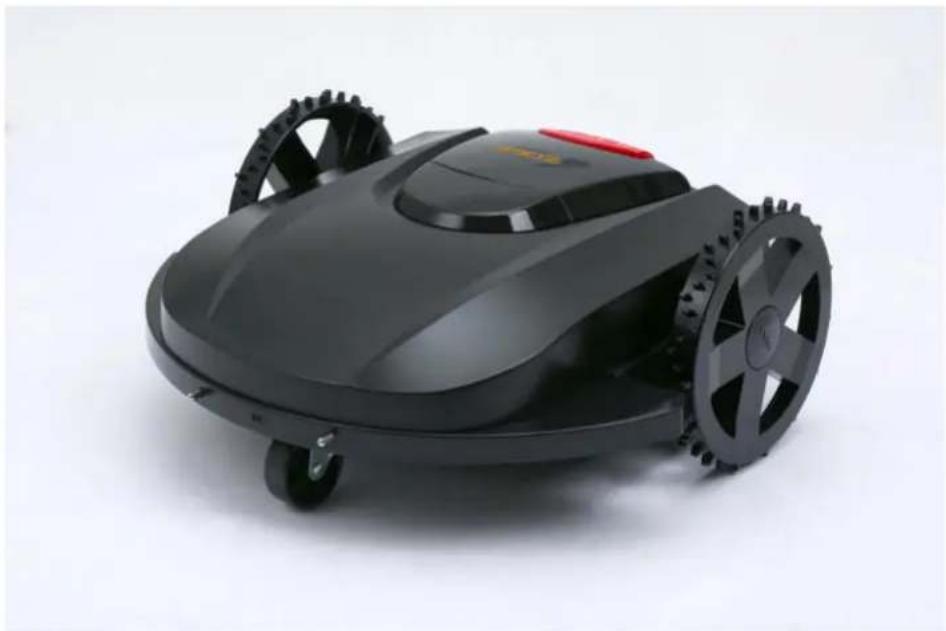
ZOEF ROBOTHendrik-Jan
natural_image
Black robotic lawn mower with visible wheels and a red button, shown against a plain white background (no text or symbols)Robot Grasmaaier
MODEL MR13Z
Your Robot Brand
natural_image
Close-up of a black robotic lawn mower with visible gears and wheels (no text or symbols)Hendrik-Jan
natural_image
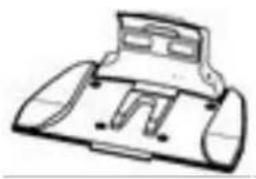
Line drawing of a mechanical component or device with no visible text or symbolsOplaad Station
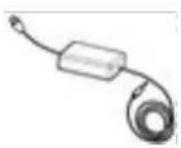
Net Adapter
natural_image
Simple line drawing of two vehicles on a slope with no text or symbolsnatural_image
Simple line drawing of a mechanical component with a downward arrow indicating force or direction (no text or symbols)natural_image
Close-up of a mechanical component with a central plate and four circular base holes (no visible text or symbols)4 cm
natural_image
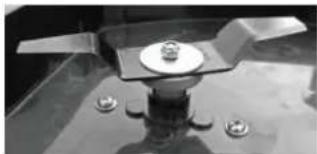
Close-up of a mechanical component with bolts and a central plate (no visible text or symbols)3 cm
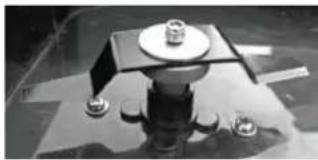
natural_image
Close-up of a mechanical component with a central square base and two small protrusions (no visible text or symbols)5 cm
5. OPLADEN VOOR GEBRUIK:
natural_image
Technical line drawing of a mechanical component with arrows indicating motion or force direction (no text or symbols)MANUAL = Handmatige besturing
F = Vooruit (Forward)
B = Achteruit gaan (Back)
L = Linksaf
R = Rechtsaf
KNIVES = Messen Aan/Uit

= Pauze (stop en start)
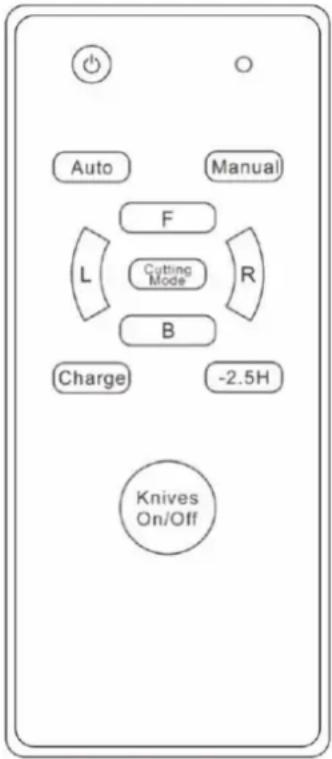
text_image
Auto Manual F Cutting Mode L R B Charge -2.5H Knives On/Offtext_image
Settings Set an appointment Set pin code Set time & date OK ↓text_image
APPOINTMENT Work hours Work days Reset timer ← OK ↓text_image
SET WEEK ✓ Mon ✓ Fri. ✓ Tue. ✓ Sat. ✓ Wed. ✓ Sun. ✓ Thur. Run all ← OK ↓- Walking motor current too large
• Cutting motor current too large
- No signal from the wire
natural_image
Black-and-white photo of a small lawn mower on grass, no visible text or symbolsFUNCTIES HENDRIK-JAN
natural_image
Black robotic lawn mower with visible wheels and a red button, shown against a plain white background (no text or symbols)Rasenmähroboter
MODELL MR13Z
Your Robot Brand
natural_image
Close-up of a black robotic lawn mower with visible blades and wheels (no text or symbols)Hendrik-Jan
natural_image
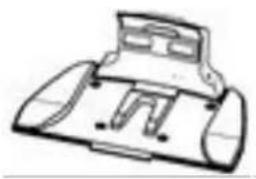
Line drawing of a mechanical component or device with no visible text or symbolsLadestation
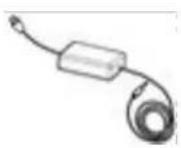
Netzadapter
text_image
Radio Manual F L M B Change 0 Max Electric Gas/OffFernbedienung
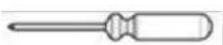
Schraubenzieher
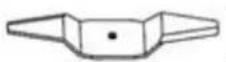
Messer (3x)
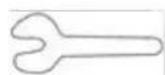
Schraubenschlüssel
natural_image
Simple line drawing of two vehicles on a slope with no text or symbols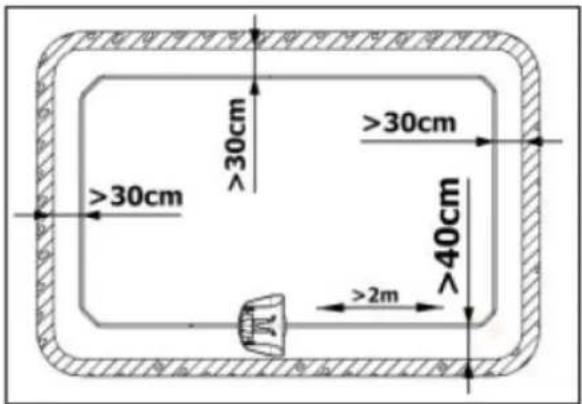
text_image
≥30cm ≥30cm ≥30cm 40cm ≥2m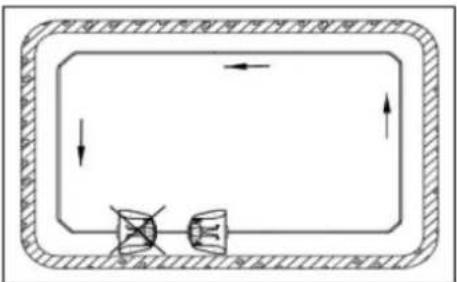
flowchart
graph TD
    A["底部组件"] --> B["中间部件"]
    B --> C["外部部件"]
    C --> D["顶部组件"]
    style A fill:#f9f,stroke:#333
    style B fill:#ccf,stroke:#333
    style C fill:#cfc,stroke:#333
    style D fill:#fcc,stroke:#333
natural_image
Technical line drawing of a mechanical component with pins and a directional arrow (no text or symbols)natural_image
Close-up of a mechanical component with a central plate and three small circular features on the base (no visible text or symbols)4 cm
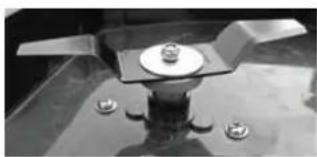
natural_image
Close-up of a mechanical component with a central plate and four bolts (no visible text or symbols)3 cm
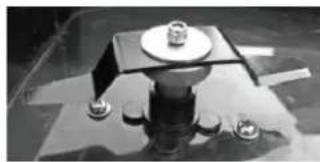
natural_image
Close-up of a mechanical component with a central square base and four small protrusions, no visible text or symbols.5 cm
5. AUFLADEN VOR GEBRAUCH:
F = Vorwärts (Forward)
KNIVES = Messer Ein/Aus

text_image
Auto Manual F L Cutting Mode R B Charge -2.5H Knives On/Offtext_image
Settings Set an appointment Set pin code Set time & date OK ↓text_image
APPOINTMENT Work hours Work days Reset timer ← OK ↓text_image
SET WEEK ✓ Mon ✓ Fri. ✓ Tue. ✓ Sat. ✓ Wed. ✓ Sun. ✓ Thur. Run all ← OK ↓- Walking motor current too large
• Cutting motor current too large
- No signal from the wire
natural_image
Black-and-white photo of a small grass lawn mower on the ground, showing open lid and blade (no text or symbols visible)FUNKTIONEN HENDRIK-JAN
natural_image
Black robotic lawn mower with visible wheels and a red button, shown against a plain white background (no text or symbols)Tondeuse Robot
MODÈLE MR13Z
Your Robot Brand
natural_image
Close-up of a black robotic lawn mower with visible gears and wheels (no text or symbols)Hendrik-Jan
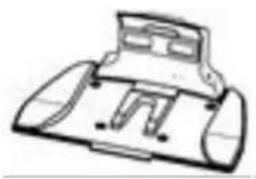
natural_image
Line drawing of a mechanical component or device with no visible text or symbolsStation de charge
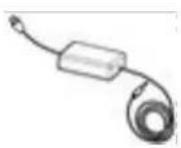
Adaptateur secteur
natural_image
Close-up of a mechanical component with a circular base and four small bolts, no visible text or symbols.4 cm
natural_image
Close-up of a mechanical component with three protrusions and four small bolts (no visible text or symbols)3 cm
natural_image
Close-up of a mechanical assembly with a central square component and four small bolts (no visible text or symbols)5 cm
5. CHARGEMENT AVANT UTILISATION:
natural_image
Diagram of a vehicle's front and rear components with directional arrows indicating movement (no text or labels)A. FONCTIONNEMENT MANUEL (MANUAL)
MANUEL = Commande manuelle
F = Avancer (Forward)
B = Reculer (Back)
L = À gauche
R = À droite
text_image
Auto Manual F Cutting Mode L R B Charge -2.5H Knives On/Offtext_image
Settings Set an appointment Set pin code Set time & date OK ↓text_image
APPOINTMENT Work hours Work days Reset timer ← OK ↓Work hours = Heures de travail (configurer)
text_image
SET WEEK ✓ Mon ✓ Fri. ✓ Tue. ✓ Sat. ✓ Wed. ✓ Sun. ✓ Thur. Run all ← OK ↓- Walking motor current too large
• Cutting motor current too large
- No signal from the wire
natural_image
Black-and-white photo of a small grass lawn mower on the ground, showing blade and wheel blades (no text or symbols visible)FONCTIONS D'HENDRIK-JAN
natural_image
Black robotic lawn mower with visible wheels and a red button (no text or symbols)Robot Mower
MODEL MR13Z
Your Robot Brand
IT IS RECOMMENDED THAT THE MOWER BEGIN SHELTER IN A DRY PLACE IN CASE OF HEAVY RAIN, HAIL OR FLOOD.
Warnings and Important Instructions:

text_image
Warning symbol with exclamation mark and open book icon, commonly used to indicate educational or operational hazard.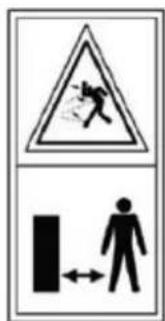
text_image
Warning sign with pictogram and human figure, indicating hazard or accident risk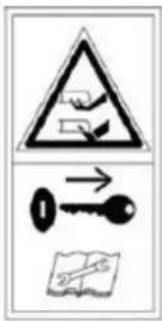
text_image
Warning symbol and safety icons including a warning triangle, key, and document with arrows indicating direction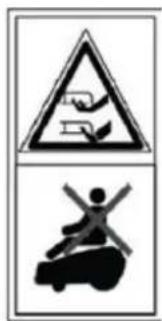
text_image
Warning sign with pictograms showing a hand holding a device and a person on a vehicle, both in black.WARNING - Read user instructions before operating the machine
WARNING - Keep a safe distance from the machine when operating
WARNING - Remove (Operate) the disabling device before working on or lifting the machine.
WARNING – Do not ride on the machine

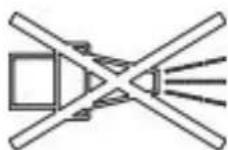
Wait until all machine components have completely stopped before touching them. The blades continue to rotate after the machine is switched off, a rotating blade can cause injury.
Do not use a high-pressure washer or a garden hose to clean the machine.
Check the perimeter wire is fully pegged to the ground avoiding any slack lengths of wire. Any loose wire can be a trip hazard.
Never:
Store the equipment in a cold place. Instead, store it in room temperature.
Place the equipment next to a heat radiating unit, high temperature or fire.
- Remove the product casing (warranty void).
Have direct hit or strong vibration onequipment.
Use the equipment if any connector is broken.
Touch the equipment or peripherals with wet hands.
Use the equipment in wet grass or during thunderstorm.
Let children or pets be in the vicinity of the equipment.
Put hands or feet near the blades.
- Lift or carry the mower if the blades are moving.
Use the mower if any of the safety mechanisms is broken.
Use the charger if the power cord is broken.
Detach the charger by pulling on the cord. Take a firm grip of the connector and pull out.
Try to fix a broken power cord or the mower yourself. Always turn it in for authorized service at the reseller.
Important Notes When Using The Mower:
1) Make sure there are no items or vegetation (e.g. dropped pine cones) that might damage the mower on the lawn.
2) The mower does not work if the slop angle is more than 45^ .
3) Remove the power key from the mower when it is not in use.
4) It is important to supervise the mower while working in order to avoid possible hazard situations.
5) In emergency situations, press the emergency stop on top of the mower.
6) Please power off when not use mower, If long time no use, please charge the mower every
3 months.
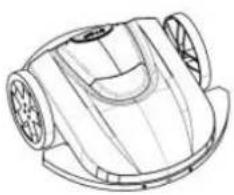
natural_image
Line drawing of a mechanical component with circular ends and a curved base (no text or symbols)1x Machine
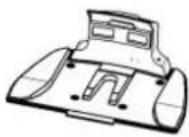
1x Charge Station
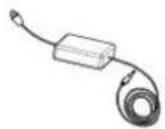
1x Adaptor
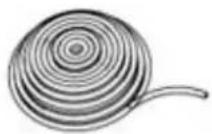
100m x Fence Line
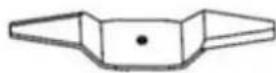
3 x Blade

1 x Screwdriver
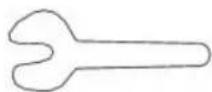
1 x Spanner
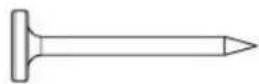
5 x Peg for charge Station
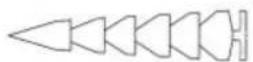
100 x Peg for wire
Installation
Note: The charging station should be positioned on the outer edge of the surface to be mowed on the boundary wire. It can not be positioned next to a storage room or a garden house placed like an island in the middle of the surface to be mowed.
Note: The maximum distance between the boundary wire and the mower robot in the mowing area must not exceed 16 m.
Define objects buried more than 5 cm in the lawn such as ex. ponds, flowerbeds, etc.
1. Installation of Charging Station:
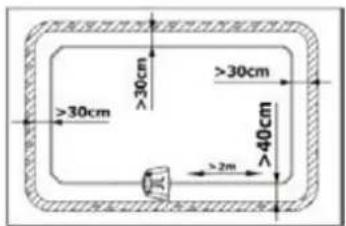
A) The location of charging station must be even, firm and convenient to use the power source. There are must be no obstacles or corners within 2 meters in front.
B) First fix the front part of the fence line under the charging station. The distance to the lawn edge should not less than 40cm. Then correspond the fence line to the grooves under the charging station, and fix the charging station with pegs.
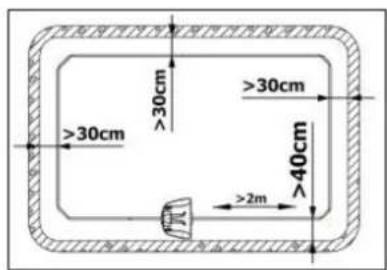
text_image
>30cm >30cm >30cm 40cm >2m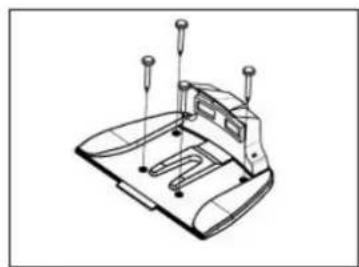
natural_image
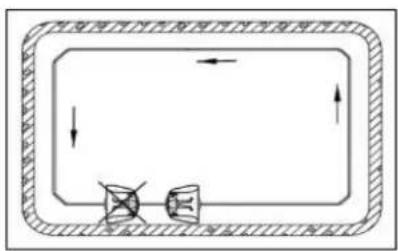
Technical line drawing of a mechanical component with mounting holes and a base plate (no text or symbols)Note: The charging station must facethe anticlockwise direction of the fence line. The charging station is forbidden to be put on any inclined surface
flowchart
graph TD
    A["Top Section"] --> B["Bottom Section"]
    B --> C["Top Section"]
    style A fill:#f9f,stroke:#333
    style B fill:#ccf,stroke:#333
    style C fill:#cfc,stroke:#333
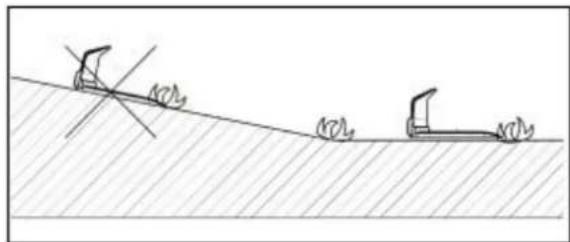
natural_image
Simple line drawing of two excavators on a slope with no text or symbols2. Installation of Fence Line:
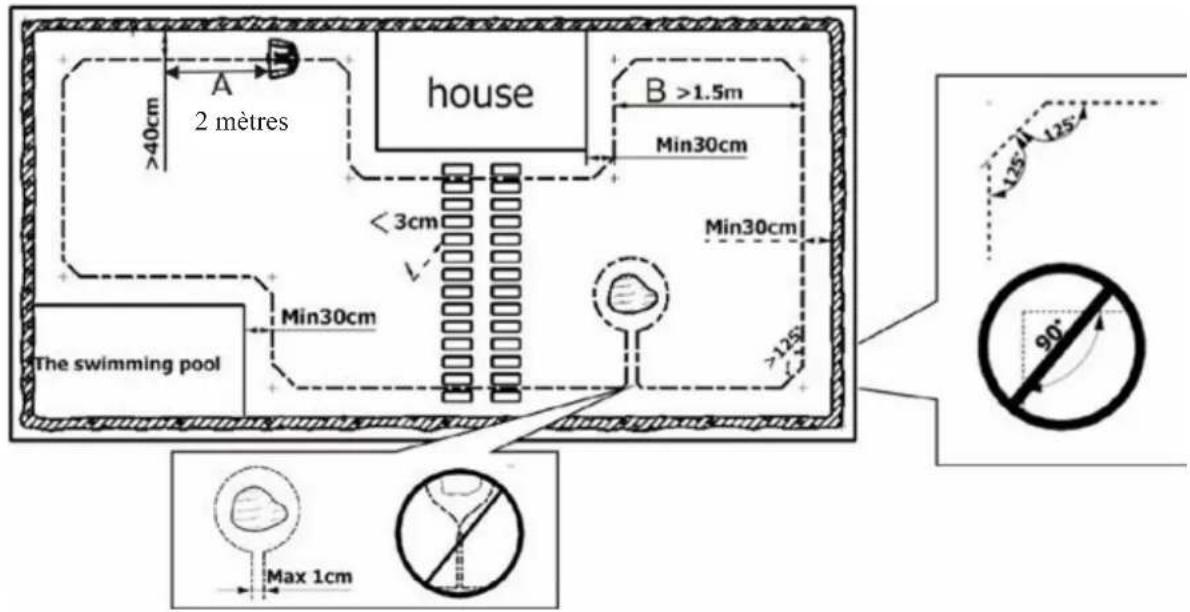
A) The fence line starts under the charging station, wiring in the anticlockwise direction along the lawn edge. It ends at the back side of the charging station.
B) The fence line must pass through the middle of the charging station, and forward at least 2 meters (A).
C) The slimmest distance of wirings must be at least 1.5 meters interval. (B).
D) The fence line corner must have an inner angle of at least 125^ .
E) When there is a fixing facility or flower and tree in the lawn, isolate it as semi-ring-like island or ring-like island with the fence line to avoid any hit
text_image
A 2 mètres house B >1.5m Min30cm < 3cm Min30cm The swimming pool Min30cm Max 1cm 90° 125° 125°F) Except the front 2 meters of the fence line from the charging station, the distance of the rest fence line to the lawn edge is not less than 30cm.
text_image
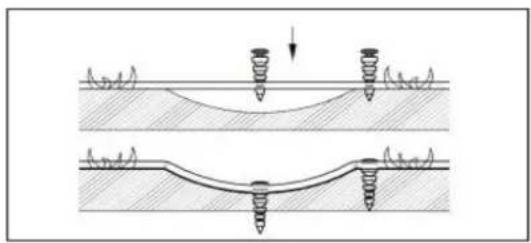
>30cm >30cm >40cm >2mG) Fix the fence line tightly against the ground with the provided pegs. It is recommended that the pegs are inserted every 2-3 meters. The pegs can be put even closer together if the ground elevation differs greatly.
natural_image
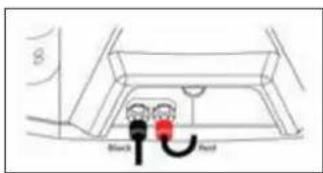
Diagram showing two mechanical or structural configurations with springs and a curved base, no text or symbols present.H) After all the fence line is fixed, reserve 10-15cm terminals respectively for both front and tail ends. Strip the terminals to reveal the copper lines for 2-3cm (Fig. A). Remove the nuts, fasten the copper lines on copper conductors. Then tighten the nuts (Fig.B). Front tail connect with the red pole, rear tail connect with the black pole. When the charger is connected to the charging station and the fence line starts to operate, the red lamp should be off.
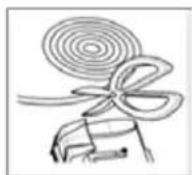
Fig. A
text_image
Black RedFig. B
text_image
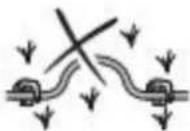
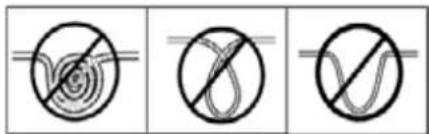
Three identical diagrams showing a spiral with a diagonal line crossing through it, and a wavy line with a horizontal line intersecting it.Fig. C
Note: Do not fold or repeat wiring with the rest fence line. Cut it instead (Fig. C)
Mowing Height:
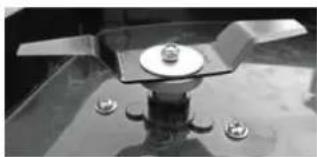
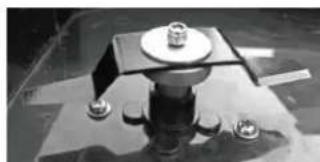
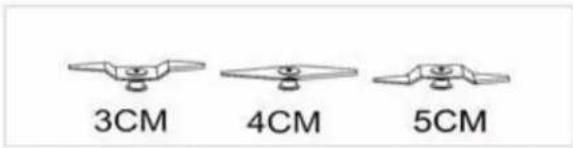
The mowing height can be adjusted by changing the blades or adjust its position. There are 3 mowing heights using 2 different kinds blades. Detach the blade with a spanner and attach it again into the desired position.
Note : Make sure that the power key and fuse are not inserted.
text_image
3CM 4CM 5CMCharging:
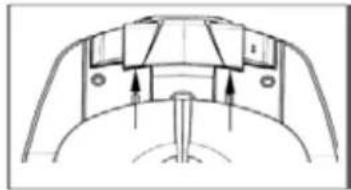
The mower can be charged in the charging station. The extruding poles of the mower should be in contact with the respective paddles of the charging station. If the mower need to be charged, the mower will find its way to the station for charging automatically when it needs to recharge.
The mower can be charged directly by connecting the charger to the charger input in back of the mower.
Note:
- The charger plugs must be well connected to the charging station and tighten the nuts;
• The battery must be fully charged before the use first time;
• The two paddles of the charging station are electrified (24V DC). - To avoid short circuit, they must never be touched with conductor when the charger is connected to the charging station.
natural_image
Technical line drawing of a mechanical component with arrows indicating motion or force direction (no text or symbols)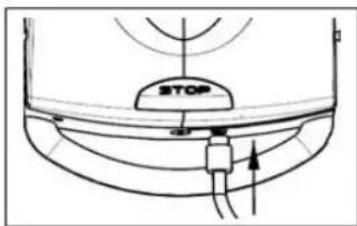
text_image
STOP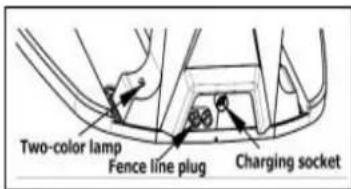
text_image
Two-color lamp Fence line plug Charging socketOperation
Operation Instruction for Robot Mower LED Display Screen
1. Operation of Display Screen
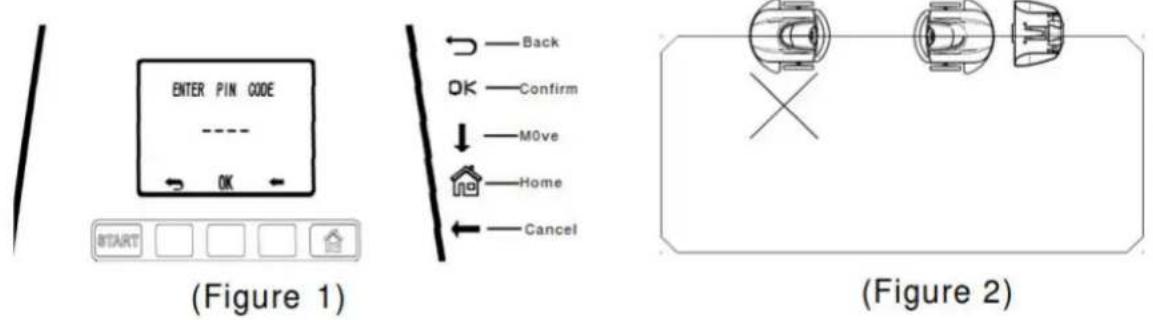
Press the power button" 🔊 ", the screen shows "ENTER PIN CODE", input initial password (0000) to enter the operation interface(As per Figure 1):
1.1 Press START to turn on the mower: put the mower on the fence and the mower head is clockwise to the charge station: (As per Figure 2):
1.1.1 Put the mower in front of the charging station, distance within 50cm, press "start", when the extruding poles of the mower touch the paddles of the charging station, the indicator light on the charging station turn to red, then mower go off the fence and start to mow.
1.1.2 Put the mower at the end of the charging station, press "start", the mower will mow along the fence line first, and then touch the charging station, the indicator on the charging station turn to red, mower go off the fence and start to mow.
1.2 Press MENU to set function
1.3 Press HOME to direct the mower back to the charge station Commonly used in the following situations
1.3.1 To stop the mower during mowing: Press "HOME" to stop, mower will go back to the charging station. In this condition, the blades stop, and mower go back to charging station for charging. After fully charged, mower won't start by it self, have to re-start.
1.1.2 To cut the grass on the two sides of the fence: Turn off the mower, then put the mower at the end of the charging station, press "start", the mower will mow along the fence line first, and then touch the charging station, the indicator on the charging station turn to red, mower go off the fence and start to mow.
2. Functional Settings.
2.1 Press MENU to enter function "SETTINGS", the screen shows as below:
SETTINGS
Set area
Set an appointment
Set PIN code
Set time & date
Language
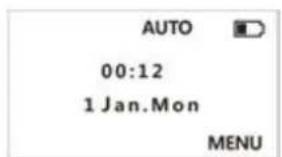
text_image
AUTO 00:12 1 Jan.Mon MENU2.2 Select "LANGUAGE", press OK, then select one of the following choices, press OK again.
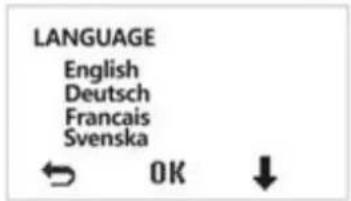
text_image
LANGUAGE English Deutsch Francais Svenska ← OK ↓2.3 Select "Set an appointment", press OK to enter into the APPOINTMENT interface. - The APPOINTMENT function must work together with Sub-area function. Work hours (Working time setting), Work days.
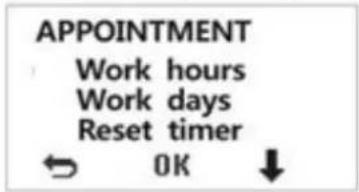
text_image
APPOINTMENT Work hours Work days Reset timer ← OK ↓--Select "Work hours" to set the start time of robot lawn mowers, i.e., the setting time is : 10:30--17:30(including time back to the charging station), then press Ok to complete.
--Select "Work days" to enter SET WEEK, to set working days, below options are available: Mon, Tue, Wed, Thur, Fri, Sat, Sun. Run all, use "↓" to select working day, use "OK" to confirm or cancel. Dates are shown as "√" when succeeded).
(RRemarks: "Run all" means select from Sunday to Monday. Use "→" to return to the upper menu.)
--Select "Reset timer" to reset the working time as defaulted (7:00-23:00), showing "Clear Timer" screen, press OK to reset, press "→" to return to the upper menu.
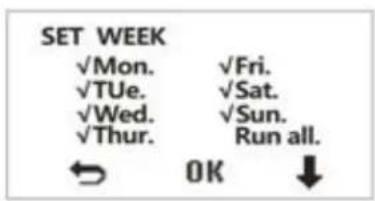
text_image
SET WEEK ✓Mon. ✓Fri. ✓TUe. ✓Sat. ✓Wed. ✓Sun. ✓Thur. Run all. ← OK ↓2.4. Select "Set PIN code" to set 4 numbers start password, screens as below:
---Enter pin code: input original password,
---Enter new pin code: to input new password,
---Confirm new pin: to input new password again.
---When it shows PIN accepted, it means new password has been accepted, and will return automatically;
---In case the password was input incorrectly, the screen will show: PIN not accepted. Press OK to return the upper menu to reset.
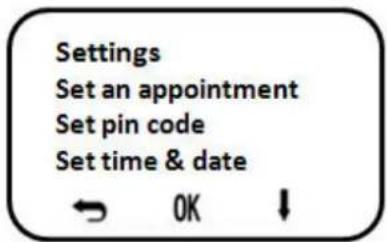
text_image
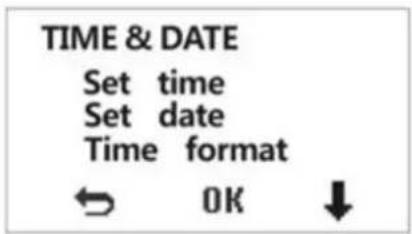
Settings Set an appointment Set pin code Set time & date ← OK ↓2.5. Set Time & Date screen shows as below:
--- Select Set time to set standard time in user's country, press to confirm, press to return. OK
---Select Set date to set date, press OK to confirm, press ↩ to return.
---Select Set format to set time format as 12 hours or 24 hours, 24 hours will be the default setting if do not specify. Press OK to confirm, and press to return.
text_image
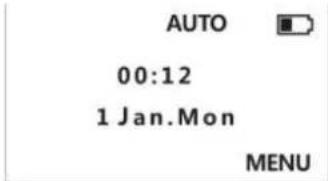
TIME & DATE Set time Set date Time format ← OK ↓2.6. Use "to return to the main menu, start the mower to work."
text_image
AUTO 00:12 1 Jan.Mon MENU2.7 Sub-area setting
Sub-area setting is to increase the working efficiency of the mower in large areas.
Also, it helps the mower to go through narrow passages from one area to another. Without this function, the mower trends to mow the area that near charging station but ignore the one in the other side of the narrow passage – due to fence line signal problem of the narrow passage, the mower may not pass.
Divide the lawn into 2\~3 small areas and ask the mower to work on each area one by one. This function must work together with appointment function.
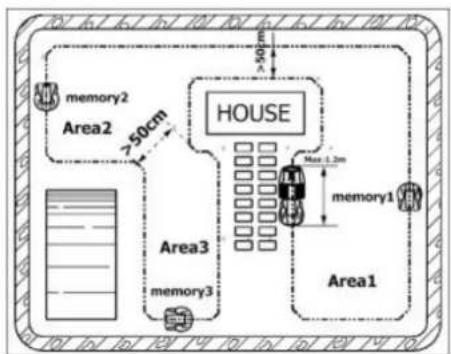
(1) Set Memory Point
---Separate the cutting area into 2\~3 small areas according to the picture before use, then set a suppositional memory point in each small area. The memory point will enable the mower to leave its fence line and enter the certain small area to start mowing.
Put mower on fence wire with a maximum distance of 1 meter from charging station and make the backside of the mower towards to charging station.
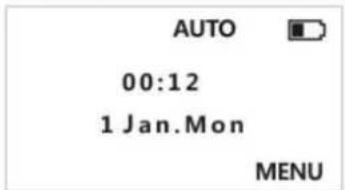
---Input password to show "AUTO" page.
text_image
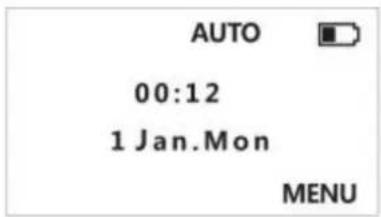
AUTO 00:12 1 Jan.Mon MENU--Press "MENU" to enter "SETTINGS" page, select "Set area", then press "OK".
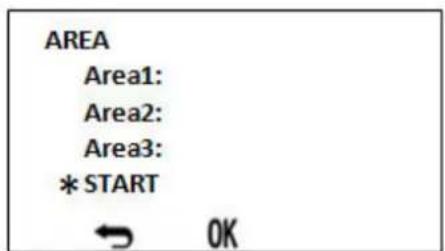
---Enter "AREA" page, press "OK" to start the mower, the mower walks counterclockwise on the fence wire.
text_image
AREA Area1: Area2: Area3: * START OKPress "OK" when the mower moves to the first memory point. The mower will keep on moving, when the mower moves to the second memory point, press "OK", when the mower move to the third memory point, press "OK".
Please refer to the attached images for Memory point 1, 2, 3 separately.
Notice:
A) It is better to set the memory point in the middle of the line between two corners.
B) The best position of the memory point is on the fence line which passes the center of a small area.
C) To ensure the mower walking smoothly, the max altitude difference between each two small areas should not exceed 3cm. The minimum distance between two fence line should be more than 50cm.
flowchart
graph TD
    A["House"] --> B["Area1"]
    A --> C["Area2"]
    A --> D["Area3"]
    B --> E["Memory1"]
    C --> F["Memory2"]
    D --> G["Memory3"]
    H["Max 1.2m"] --> I["House"]
    J[">50cm"] --> K["House"]
    style A fill:#f9f,stroke:#333
    style B fill:#ccf,stroke:#333
    style C fill:#cfc,stroke:#333
    style D fill:#fcc,stroke:#333
    style E fill:#ffc,stroke:#333
    style F fill:#cfc,stroke:#333
    style G fill:#fcc,stroke:#333
    style H fill:#fff,stroke:#333
    style I fill:#fff,stroke:#333
    style J fill:#fff,stroke:#333
HOUSE
D) The subarea function enforces the robot mower to mow from one subarea to another, but it doesn't mean the robot mower always mow within the subarea, there is possibility that it will go to the other two.
E) Under subarea function, when battery is low and robot mower go back to charging station automatically, after charging finished, the mower will continue mowing by itself from where it stopped. But if robot mower stopped for mechanical problem, after fully charged, the mower will not go out mowing according to the setting, it will start mowing the second day from area one to area three.
(2) Programming Appointment
Move the mower back to charging station, put the mower on the fence line and facing the charging station. Input password to start the mower, press "MENU" to enter "SETTINGS" page, press "↓" to select "Set an appointment", then press "OK" to enter "APPOINTMENT" page, press "↓" to select "Work hours", then press "OK".
text_image
AUTO 00:12 1 Jan.Mon MENU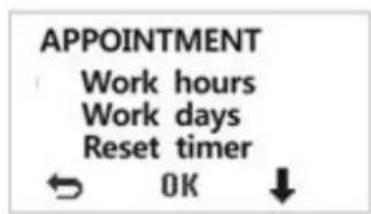
text_image
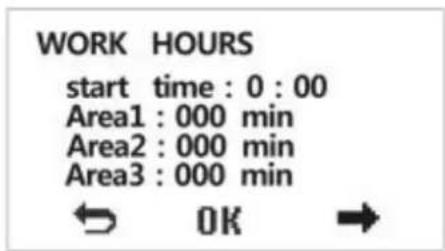
APPOINTMENT Work hours Work days Reset timer ← OK ↓Enter "Work hours" page, set start time, working time for each area separately, press "OK" to confirm. And then press → return to the homepage.
text_image
WORK HOURS start time : 0 : 00 Area1 : 000 min Area2 : 000 min Area3 : 000 min ← OK →Notice:
1) Max working time for single area or total 3 subareas are no more than 255 minutes.
2) Programming appointment and Subarea just work on automatic working mode.
3) If press the start button to start the mower, the subarea appointment is invalid.
Operation: (Remote Control Optional)
1. Power On:
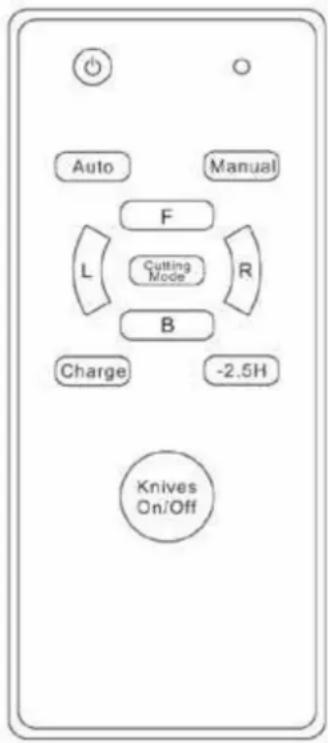
Place the mower inside of the fence line area. Insert the key and start the power. Press the remote Power button (💡) and then press Auto button. Then Press Manual button, move the mower near the fence line and the mower clockwise direction to the charge station. Then press Auto button. The mower drives to the charging station along the fence line. When the extruding poles contact with the paddles, it will retreat to the lawn automatically for mowing operation in auto pattern.
2. The mower can be controlled by remote in the following way:
a) Place the mower on the fence line in clockwise direction.
Turn on the power key. When a buzzing sound is heard,
press the remote with ⏻ button and then press Auto button.
The mower starts to work in auto pattern.
b) Press Charge button to command the mower back to the
charging station for charging. When it is fully charged, pressbutton and then Auto button, the mower will continue back to lawn to work in auto pattern.
c) When working in auto pattern, press Manual button to change to manual pattern. Press F button for forward, B buttofor backward, L button for left and R button for right. Press Knives button for on/off of blades. When working in manual pattern, press Autot button to change back to auto pattern.
d) Press ⏻ button for pause. To restart the auto pattern, press ⏻ button first and then Auto button.
e) When we go into the manual model, please press Cutting Model.
The mower goes into spiral working mode. F and B button make
The mower goes ahead or goes back. L or R make the mower go left or right.
text_image
Auto Manual F Cutting Mode L R B Charge -2.5H Knives On/OffNote:
The direction buttons and Knives button can only be applied when in manual pattern.
… When go back to the charging station automatically or manually in manual pattern, F button and B button is void. But R button and L button are still valid.
The remote is not available when the mower drives on or within 20cm near from the fence line.
… Please remove the remote battery if the remote is not used for a long time.
... There is no function for button "-2.5H" in the remote.
Troubleshooting:
1. The mower does not start.
a) The mower starts in an ineffective fence line area. Check the fence line for repair.
b) Check the emergency stop switch. If the emergency stop switch is locked, press the emergency stop switch then press red power switch.
c) If the mower has not been used for a long while, the battery may be empty. Make sure to charge it again after charging. Even when unused, it is recommended that the battery is charged every 3 months.
2. The mower does not move forward.
a) The bumper might be stuck. Please turn off the mower and check the bumper. If the bumper was broken or the sensor tube was sheltered by dirt, please use thing to clean it. if the switch is returned to the start position after being pushed. If it can not be back to position when push you should remove possible objects or grass that has been stuck in the bumper. b) If the grass is very long at the first time, which will shelter the sensor tube, please mow the grass with a traditional lawn mower before using the robot mower.
3. The mower does not mow properly or at all.
a) Turn off the mower. Check if the blades are properly installed.
Replace the blades if damaged.
b) If the mower is in a slope which has an angle more than 45^ , the mower will automatically stop.
c). The root part of the blade holder is stuck by objects or grass. Remove them and restart.
d) The grass is too dense to be mowed due to the automatic protection of machine.
4. The mower crosses the fence line and continues outside the perimeter.
a) The fence line turn angle is too steep. The inner angle must be at least 125^ .
b) The fence line is too close to a slope. Adjust the fence line position to be in accordance to the recommendations.
C) The fence line signal is weak. The fence line must not exceed 200m.
5. The battery is not charging.
a) The extruding poles of the charger are not in contact with the paddles of the charging station.
b) The extruding poles or the paddles are dirty. Clean them. (Make sure to disconnect the power before cleaning.)
c) If long time no charge, the left power will be exhausted by itself. If the battery broken a little you can re-charge many times to active the battery or you can change the battery.
6. The mower does not return to the charging station for charging.
a) The fence line is too long. The battery lever is not enough to return the mower to the charging station. Turn off the mower and carry it to the station. b) If the mower was stopped by obstacle it will stop working
7. Subarea function is failure.
Every working area need to set working time.
8. The island can not work.
The island should be circle not square
9. The mower make a circle in the island and never go to the working area.
The mower will go around 3 circles, then go to the working area.
Functions
A) Select the mowing route intelligently;
B) Avoid collisions intelligently;
C) Take shelter from rain intelligently;
D) Return to charging station for charging intelligently;
E) Safe protection intelligently.
Technical Specifications
| Model | Hendrik-Jan MR13Z |
| Cut | 590x580x230 mm |
| Operating voltage | 24V |
| Cutting power | 140W |
| Engine speed | 5000 min^-1 |
| Loading time | +/- 4h30 |
| Average operating time | +/- 2h30 |
| Cutting width | 320 mm |
| Cutting height - 3 positions | 30-50mm |
| Mowing capacity for each recharge | 500 m^2 |
| Protection class IPX 1 | |
| Insulation class III | |
| Loading station | Entrance AC100-240V 1500mA50/60HzOutput: DC24V-DC29.4V 1.5°IP 67 |
| Battery for remote control | 1x 23A 12V |
| Noise | LWA73 dB |
| Weight | 9.85 Kg |

ATTENTION!
The sound power pressure may exceed 85 dB(A), in this case individual hearing protection must be worn.

The declared vibration total value has been measured in accordance with a standard test method and may be used for comparing one tool with another that the declared vibration total value may also be used in a preliminary assessment of exposure.

A warning that the vibration emission during actual use of the power tool can differ from the declared total value depending on the ways in which the tool is used and of the need to identify safety measures to protect the operator that are based on an estimation of exposure in the actual conditions of use (taking account of all parts of the operating cycle such as the times when the tool is switched off and when it is running idle in addition to the trigger time).
STORAGE
_ Thoroughly clean the whole machine and its accessories.
_ Store it out of the reach of children, in a stable and secure position, in a cool and dry place, avoid too high and too low temperatures.
_ Protect it from exposure to direct sunlight. Keep it in the dark, if possible.
_ Don't keep it in plastic bags to avoid humidity build-up.
Battery storage
_ Store your batteries in a cool place. The optimal temperature to store your Li-ion battery for a long time is 10 °C (the loss of capacity will be only 6% per year (20% loss at 38 °C) Never store the batteries when they are unloaded.
_ It is best to recharge the Li-ion batteries often when discharged. An optimal charge in case of prolonged storage for your Li-ion battery is 40% of its capacity.
ENVIRONMENT
 | Should your machine need replacement after extended use, do not put it in the domestic waste but dispose of it in an environmentally safe way. |


You must dispose of the used machine in an environmentally friendly manner and in compliance with local regulations. Download the battery by rotating the vacuum machine until the engine stops.
Deliver the machine as a small chemical waste to the ecological treatment depot of your municipality.
text_image
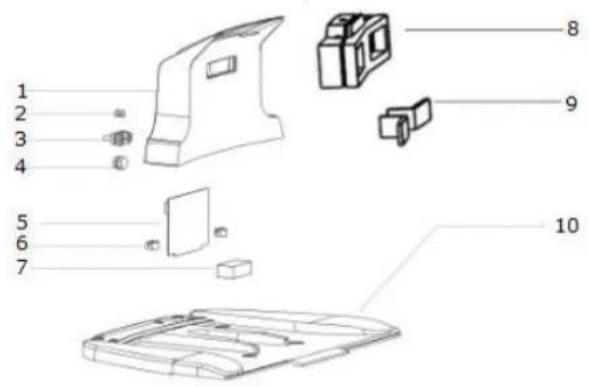
Exploded view diagram of a device showing numbered parts from 1 to 10, including internal components and housing.1 Top cover
2 Indicator light
3 Terminals
4 Charger plug
5 PCB
6 PCB clasp
7 Battery
8 Charging piece support
9 Charge piece
10 Recharge stand baseboard
text_image
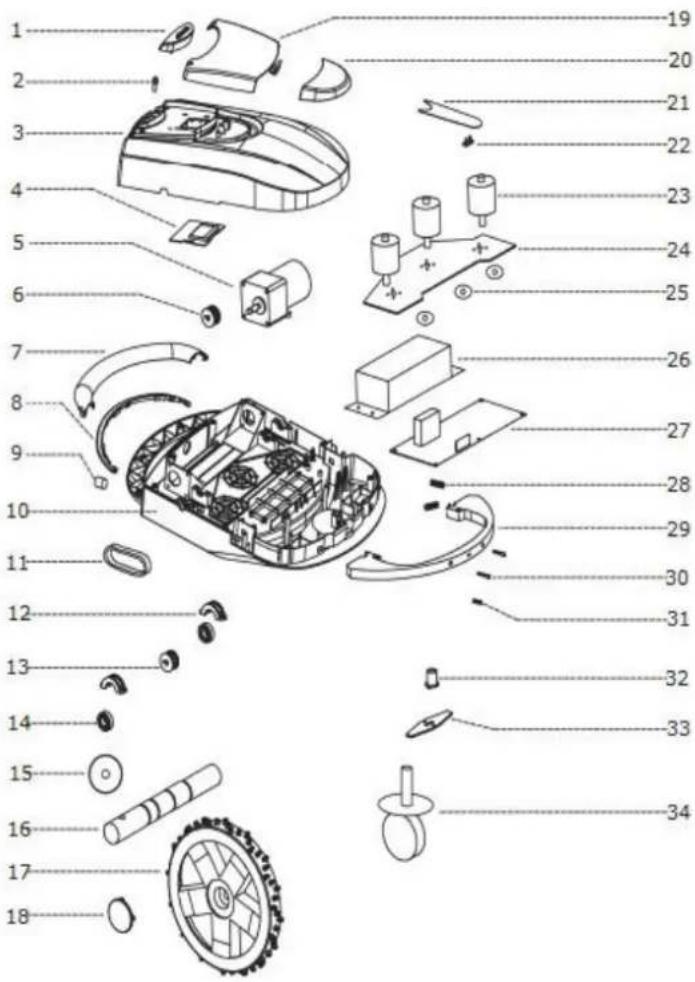
Exploded view diagram of a robotic car with numbered parts for identification- Switch cover
- Emergency Switch
- Upper case
- Led panel
- Running motor
- Gear1
- Handle
- Sensor fixed parts
- Charge plug
10.Basis
11.Chain
12.Bearing cover
13.Gear 2
14.Bearing
15.Rubber ring
16.Driving shaft
17.Wheel
18.Wheel cover
19.Cover 1
20.Cover 2
21.Key board
22.Rain sensor
23.Cutting motor - Motor fixed plate
25.Oil seal ring
26.Battery
27.CPU
28.Spring
29.Seal cushion - Charge column
31.Bumper sensors
32.Blade fixed device
33.Blade
34.Direction wheel