E0121 - Thermometer Emos - Free user manual and instructions
Find the device manual for free E0121 Emos in PDF.



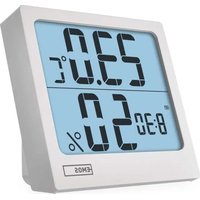
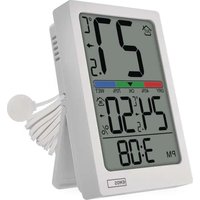
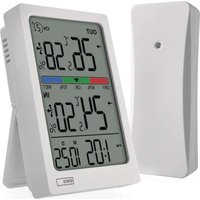
| Product type | Thermometer with clock, alarm and indoor humidity display |
| Brand | Emos |
| Model | E0121 |
| Power supply | 1x AAA 1.5 V battery (alkaline) |
| Indoor temperature range | 0 °C to +50 °C |
| Outdoor temperature range | -40 °C to +60 °C |
| Temperature accuracy | ±1 °C |
| Indoor humidity range | 25 % to 95 % RH |
| Humidity accuracy | ±5 % |
| Display resolution | Temperature: 0.1 °C / Humidity: 1 % |
| Temperature units | °C or °F (selectable) |
| Wired probe length | 2.9 m |
| Clock type | Quartz, 12 h or 24 h format |
| Alarm function | With 8-minute snooze and 1-minute alarm |
| Measurement memory | Maximum and minimum values (indoor/outdoor temperature, indoor humidity) |
| Care and cleaning | Soft cloth slightly damp; do not use solvents |
| Safety | Do not expose to moisture, shocks or extreme temperatures; do not open |
| Battery removal / repairability | Battery replaceable by user; any repairs to be done by retailer |
Frequently Asked Questions - E0121 Emos
User questions about E0121 Emos
0 question about this device. Answer the ones you know or ask your own.
Ask a new question about this device
Download the instructions for your Thermometer in PDF format for free! Find your manual E0121 - Emos and take your electronic device back in hand. On this page are published all the documents necessary for the use of your device. E0121 by Emos.
USER MANUAL E0121 Emos
1
1
GB | Thermometer
Technical specifications:
Quartz clock
indoor temperature: 0 °C to +50 °C, 0.1 °C resolution
outdoor temperature: -40 °C to +60 °C, 0.1 °C resolution
indoor humidity: 25 % to 95 % RH, 1 % resolution
temperature measurement accuracy: ±1 °C
humidity measurement accuracy: ±5 %
temperature display unit: °C/°F
wired probe length: 2.9 m
power supply: 1× 1.5 V AAA battery
Description of the Main Unit (See Fig. 1)
1 - MEMORY button
2 - ADJ button
3 - MODE button
4 - alarm clock icon
5 – time display
6 – indoor temperature and humidity
7 – outdoor temperature
8 - SN00ZE button
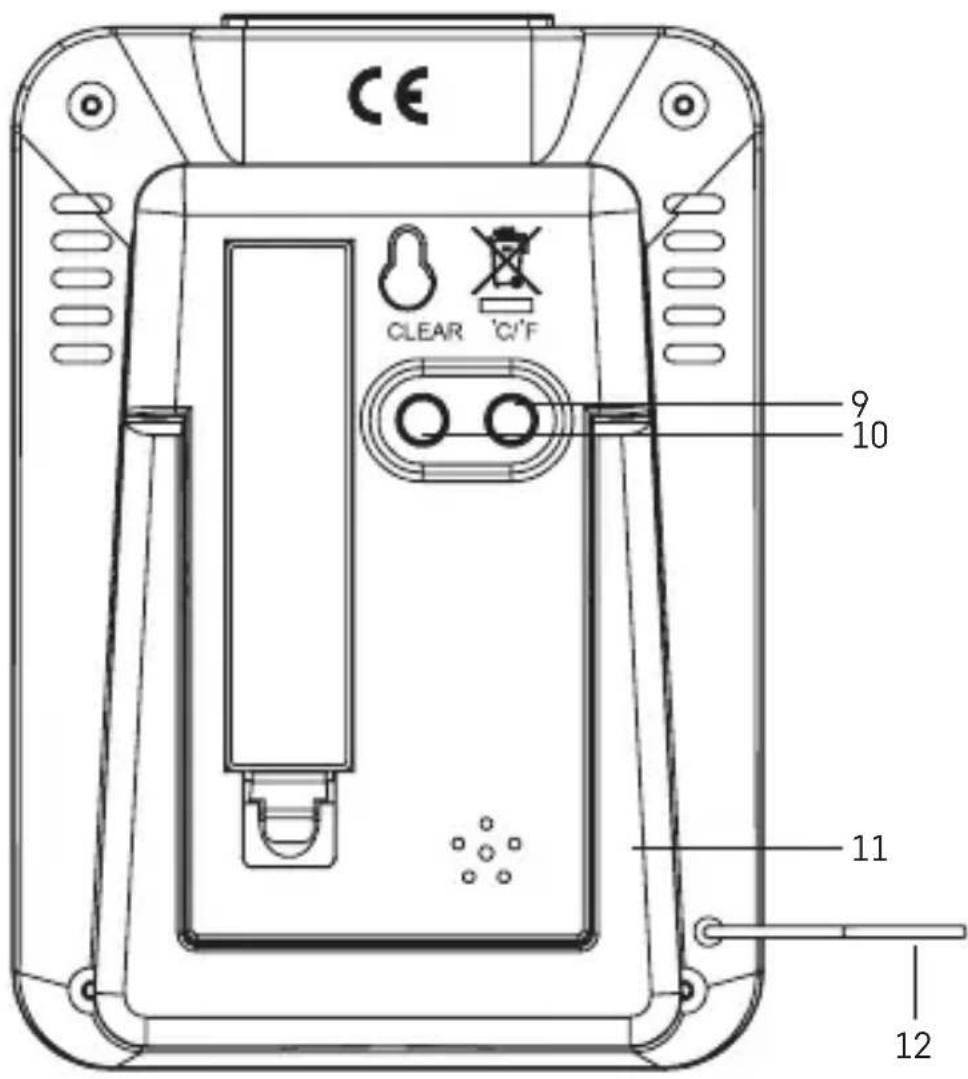
9 - °C/°F button
10 - CLEAR button
11 - stand
12-wired probe
Getting Started
-
Remove the battery cover on the back of the device.
-
Insert a single 1.5 V AAA battery. Make sure to observe the correct polarity of the batteries according to the drawing at the bottom of the battery compartment. Use 1.5 V alkaline batteries only. Do not use 1.2 V rechargeable batteries.
-
Close the battery compartment.
-
If the screen is difficult to read, change the batteries in the thermometer.
Setting Time
-
Long-press the MODE button.
-
Press the ADJ button repeatedly to adjust minutes and hours (holding the button speeds up adjustment).
-
Use the MODE button to navigate between the values.
Setting 12/24 Hour Time Format
Repeatedly pressing the ADJ button switches between 12/24 h time format.
Changing °C/°F Temperature Units
Repeatedly pressing the °C/°F button switches between °C and °F.
Setting an Alarm
Press the MODE button; AL icon will appear on the screen.
Then, long-press the MODE button; the minute value will begin flashing.
Use the ADJ button to set the time for the alarm.
Move between values using the MODE button.
Once the hours and minutes are set, press the ADJ button again.
The alarm icon on the screen indicates the alarm is active.
To deactivate the alarm, press the ADJ button again. The icon will disappear.
To return to standard time display, wait 1 minute or press the MODE button.
Snooze Function
While the alarm is ringing, pressing the SN00ZE button postpones the alarm by 8 minutes.
If you do not want to use the snooze function, press any button other than SNOOZE when the alarm is ringing; the alarm will trigger again the next day.
If you do not press any button while the alarm is ringing, the alarm will be active for 1 minute and will then trigger again the next day.
Memory of Measured Values
Press the MEMORY button repeatedly to display the maximum and minimum readings of indoor and outdoor temperatures and indoor humidity. To erase the memory, long-press the MEMORY button while in max/min value display mode or press the CLEAR button.
Safety Instructions and Warnings
Read the user manual before using the device. Follow the safety instructions provided in the manual. The product is designed to serve reliably for many years if used properly.
- Read the manual carefully before using this product.
- Do not expose the product to direct sunlight, extreme cold and moisture, and sudden changes in temperature.
- Do not place the product in locations prone to vibration and shocks – may cause damage.
- Do not expose the product to excessive force, impacts, dust, high temperatures or humidity – these may cause malfunction, shorter battery life, damage to batteries and deformation of plastic parts.
- Do not expose the product to rain or moisture if it is not designed for outdoor use.
- Do not submerse the product in water or other liquids or expose it to dripping or splashing water.
- Do not place any open flame sources on the product, e.g. a lit candle, etc.
- Do not put the product in places with inadequate air flow.
- Do not insert any objects in the product's vents.
- Do not tamper with the internal electric circuits of the product – doing so may damage the product, which will automatically void the warranty.
- To clean the product, use a slightly moistened soft cloth. Do not use solvents or cleaning agents – they could scratch the plastic parts and cause corrosion of the electric circuits.
- In the event of damage or defect of the product, do not make any repairs by yourself and take it for repair to the shop where you purchased the product.
- This device is not intended for use by persons (including children) whose physical, sensory or mental disability or lack of experience and expertise prevents them from safely using the device, if they are not supervised or if they have not been instructed regarding the use of this appliance by a person responsible for their safety.

Do not dispose with domestic waste. Use special collection points for sorted waste. Contact local authorities for information about collection points. If the electronic devices would be disposed on landfill, dangerous substances may reach groundwater and
subsequently food chain, where it could affect human health.
CZ | Teploměr
2 – Gumb ADJ 8 – Gumb SN00ZE
3 – Gumb MODE 9 – Gumb °C/°F
4 – Ikona sata s alarmom 10 – Gumb CLEAR
5 – Prikaz vremena 11 – Postolje
6 – Temperatura i vlažnost u 12 – Žično povezana sonda zatvorenom prostoru
Početak rada
- Skinite poklopac odjeljka za baterije na poleđini uređaja.
- Umetnite jednu AAA bateriju od 1,5 V. Pridržavajte se pravilnog polariteta baterija prema crtežu na dnu odjeljka za baterije. Upotrebljavajte samo alkalne baterije od 1,5 V. Ne upotrebljavajte punjive baterije od 1,2 V.
- Zatvorite odjeljak za baterije.
- Ako je zaslon teško čitljiv, promijenite baterije u termometru.
Podešavanje vremena
- Dugačkim pritiskom pritisnite gumb MODE.
- Pritisnite gumb ADJ nekoliko puta zaredom za podešavanje minuta i sati (držanje pritisnutog gumba ubrzava podešavanje).
- Upotrijebite gumb MODE za kretanje između vrijednosti.