31884 - Battery charger Berger & Schröter - Free user manual and instructions
Find the device manual for free 31884 Berger & Schröter in PDF.



| Product type | Solar charger for trail camera with built-in battery |
| Brand | Berger & Schröter |
| Model | 31884 |
| Dimensions (L x W x H) | 158 x 102 x 14 mm |
| Weight | 188 g |
| Maximum solar power | 1.5 W |
| Built-in battery | Lithium 1500 mAh |
| External charging input | DC 5 V / 500 mA |
| Maximum output | DC 6 V / 1500 mA |
| Protection rating | IP56 (protected against water splashes) |
| Operating temperature | -20 °C to +50 °C |
| Storage temperature | -30 °C to +70 °C |
| Estimated lifespan | 3 to 5 years |
| Included cables | Charging cable (A) and power cable (B) |
| Mounting | On tree (strap) or on wall (mounting bracket included) |
| Recommended installation angle | 30 to 45 degrees from horizontal |
| LED indicators | Blue: ready; Red: charging; Off: charging complete |
| Compatibility | Power supply for Berger & Schröter trail cameras |
| Maintenance | Clean the glass with a soft dry cloth |
| Safety | Do not open the housing; cover unused interfaces |
| Box contents | Solar panel, strap, wall mount, cables, screws, wall plugs, Allen key |
Frequently Asked Questions - 31884 Berger & Schröter
User questions about 31884 Berger & Schröter
0 question about this device. Answer the ones you know or ask your own.
Ask a new question about this device
Download the instructions for your Battery charger in PDF format for free! Find your manual 31884 - Berger & Schröter and take your electronic device back in hand. On this page are published all the documents necessary for the use of your device. 31884 by Berger & Schröter.
USER MANUAL 31884 Berger & Schröter
natural_image
Black rectangular device with a vertical side panel and two black cables attached (no visible text or symbols)natural_image
Technical line drawing of a rectangular frame with scalloped edges and labeled points 1 and 2 (no text or symbols beyond labels)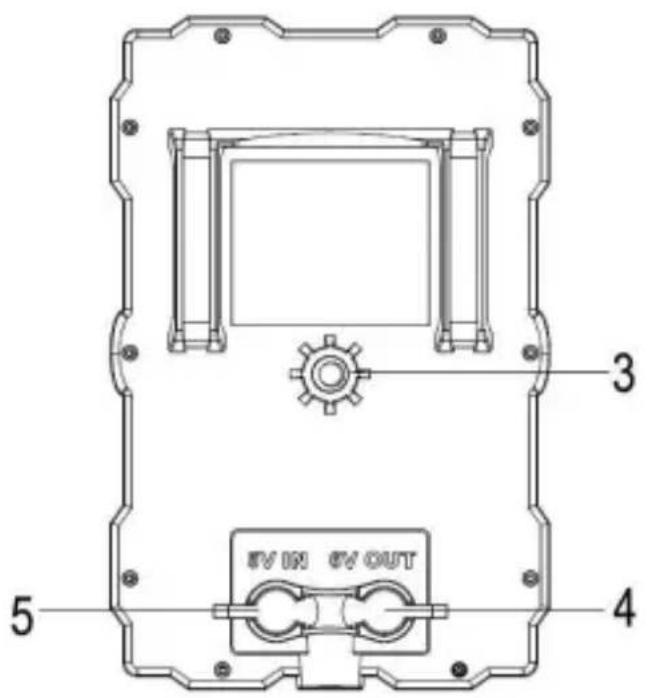
text_image
3 5 4 #V ON #V OUT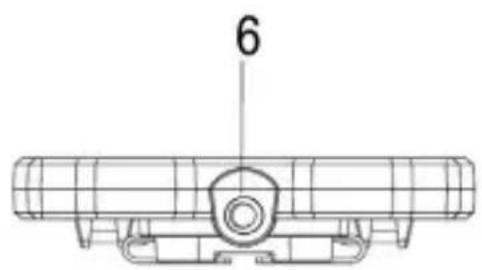
natural_image
Technical line drawing of a mechanical component with grid lines and a labeled dimension (6), no readable text or symbols present.natural_image
Two black cables labeled Kabel A and Kabel B, shown side by side (no additional text or symbols visible)natural_image
Black plastic electronic device with attached cable and a labeled 'Solar Charger' label, placed on a plain surface (no readable text beyond label)natural_image
Three black electronic devices with visible internal components and wiring, one labeled 'Solar charger' (no readable text on main body)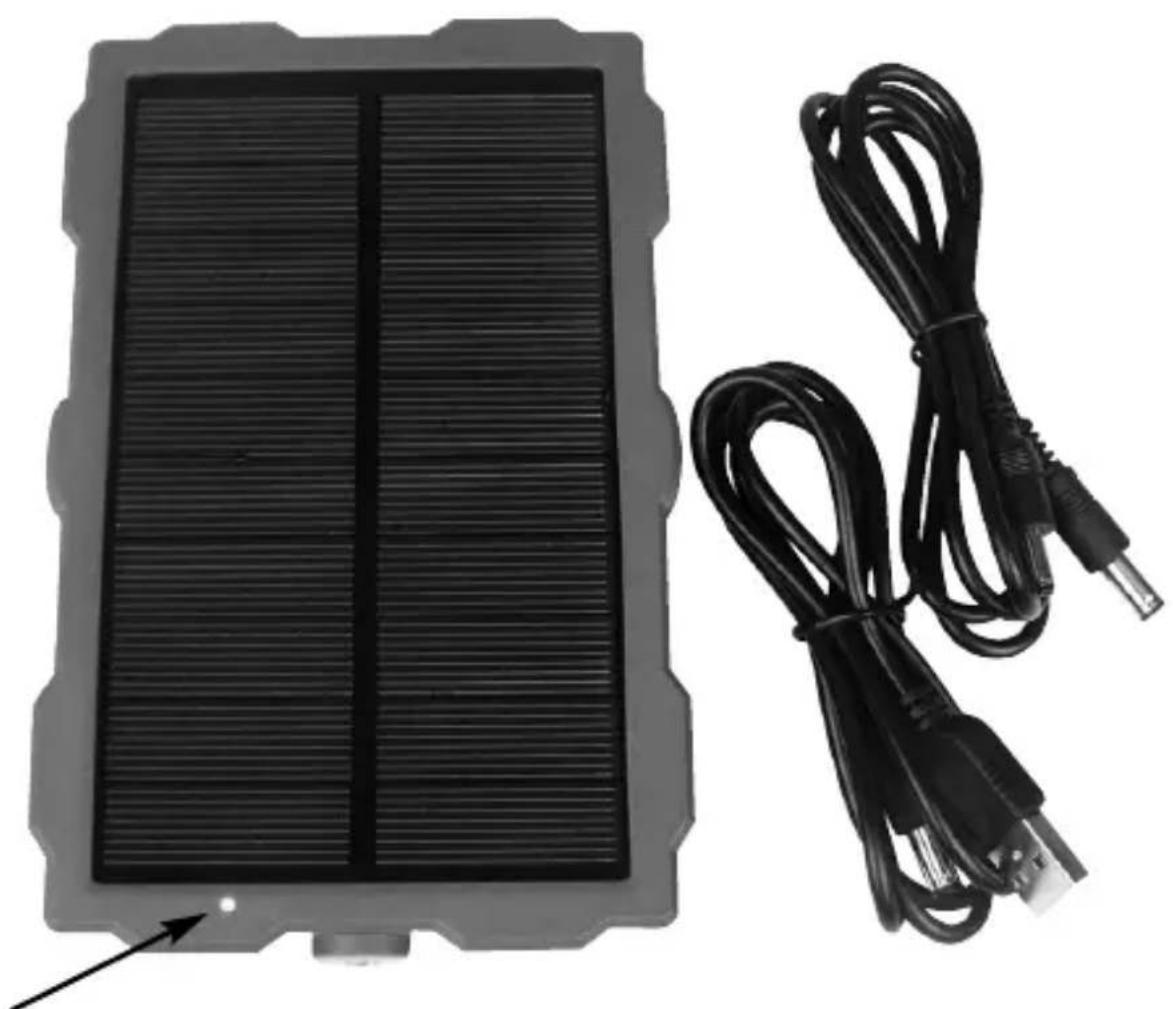
natural_image
Black rectangular device with ribbed top and two black cables attached to its side (no text or symbols visible)LED Kontrollleuchte
text_image
Labeled diagram of a mechanical device with numbered components for identification(GB) Operating Instructions Solar Panel Item No. 31884
natural_image
Black rectangular device with a vertical panel and two black cables, no visible text or symbols.Introduction: The operating instructions are part of this product. It contains important information about safety, use and disposal. Before using the product, familiarize yourself with all operating and safety instructions. Use this product only as described and only for the stated areas of application.
This documentation is protected by copyright. Reproduction or reproduction, including excerpts, and the reproduction of images (even in a modified state) is only permitted with the written consent of the manufacturer.
Intended use: This device is only for the power supply of our wild cameras. The manufacturer assumes no liability for damage caused by non-compliance with these regulations, improper use or improper repairs.
Product Overview
natural_image
Technical line drawing of a rectangular frame with scalloped edges and labeled points 1 and 2 (no text or symbols beyond labels)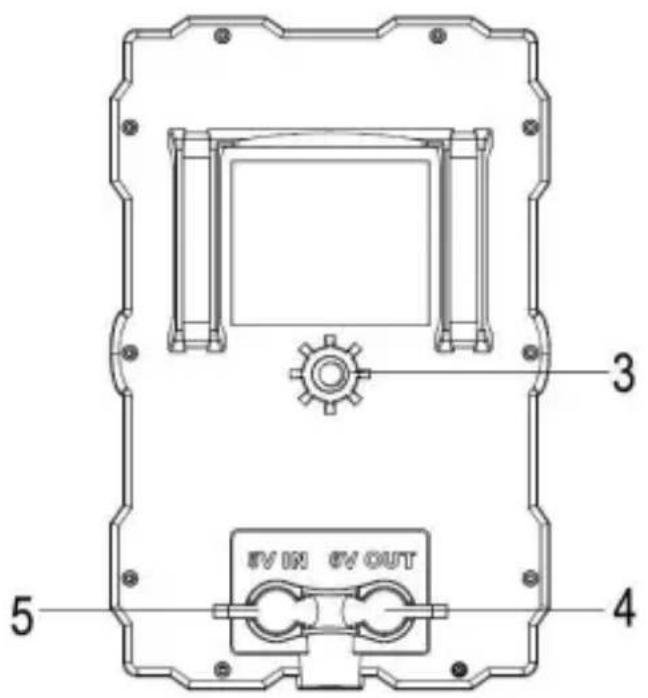
text_image
3 5 4 #V ON #V OUT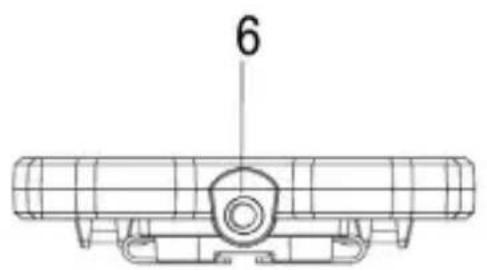
text_image
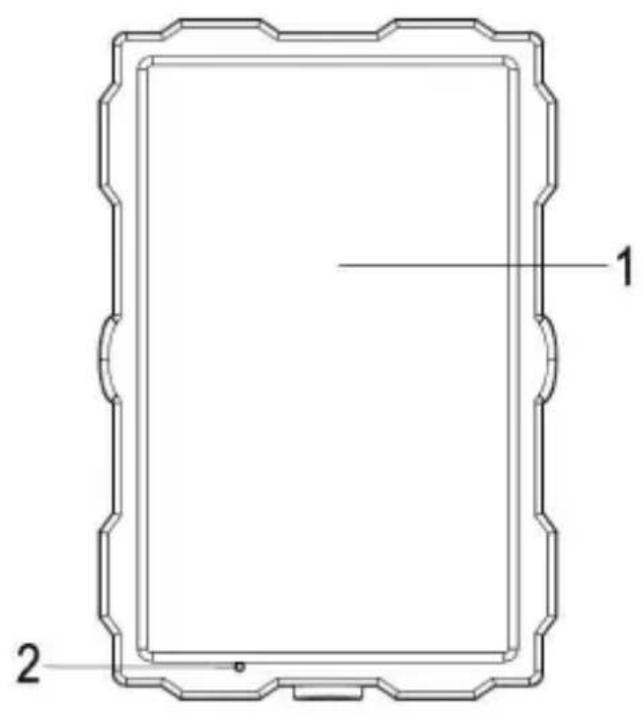
6- Energy absorption glass
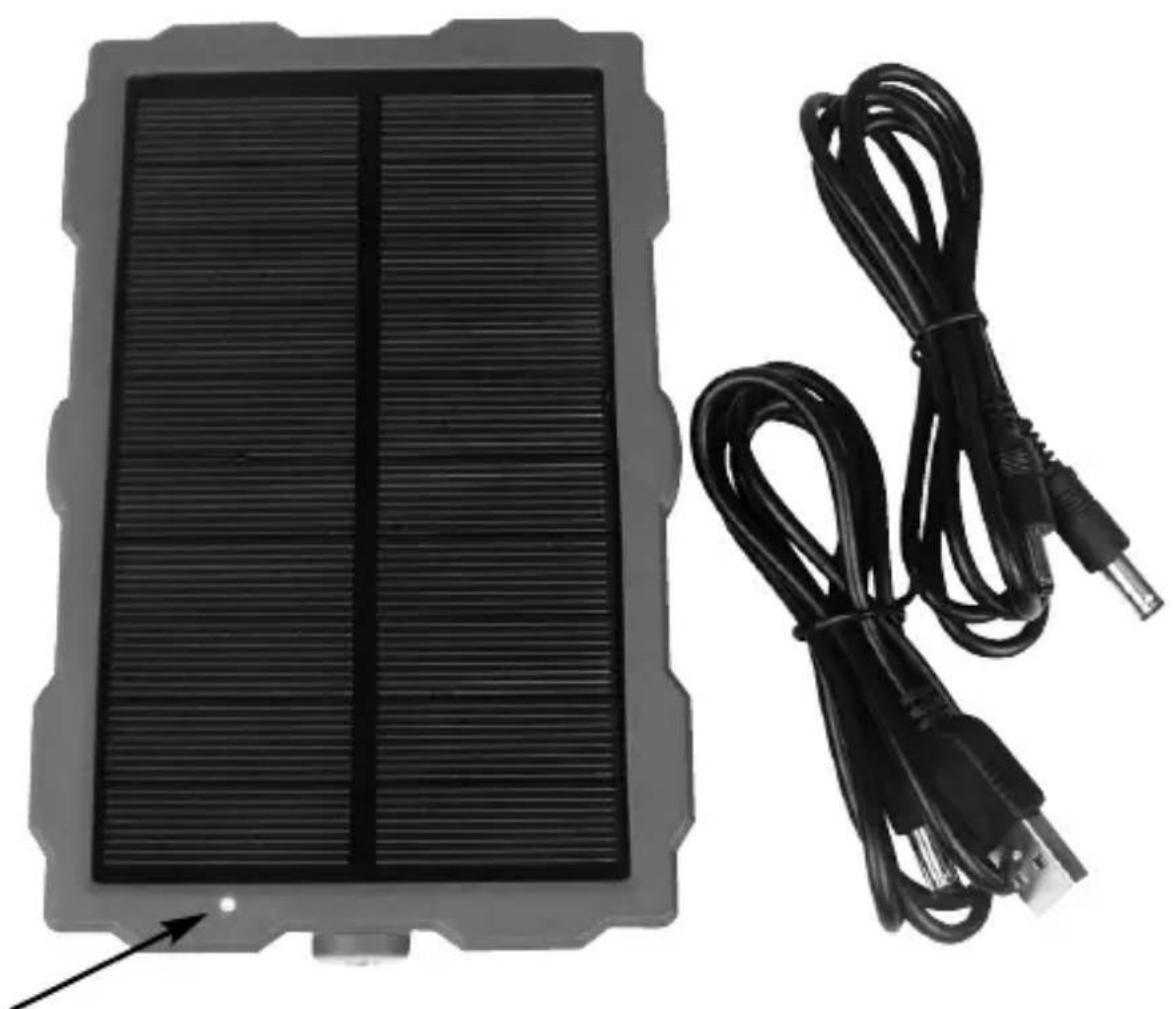
- Indicator light
- Tripod slot
- 6V output interface
- 5V input interface
- Tripod slot
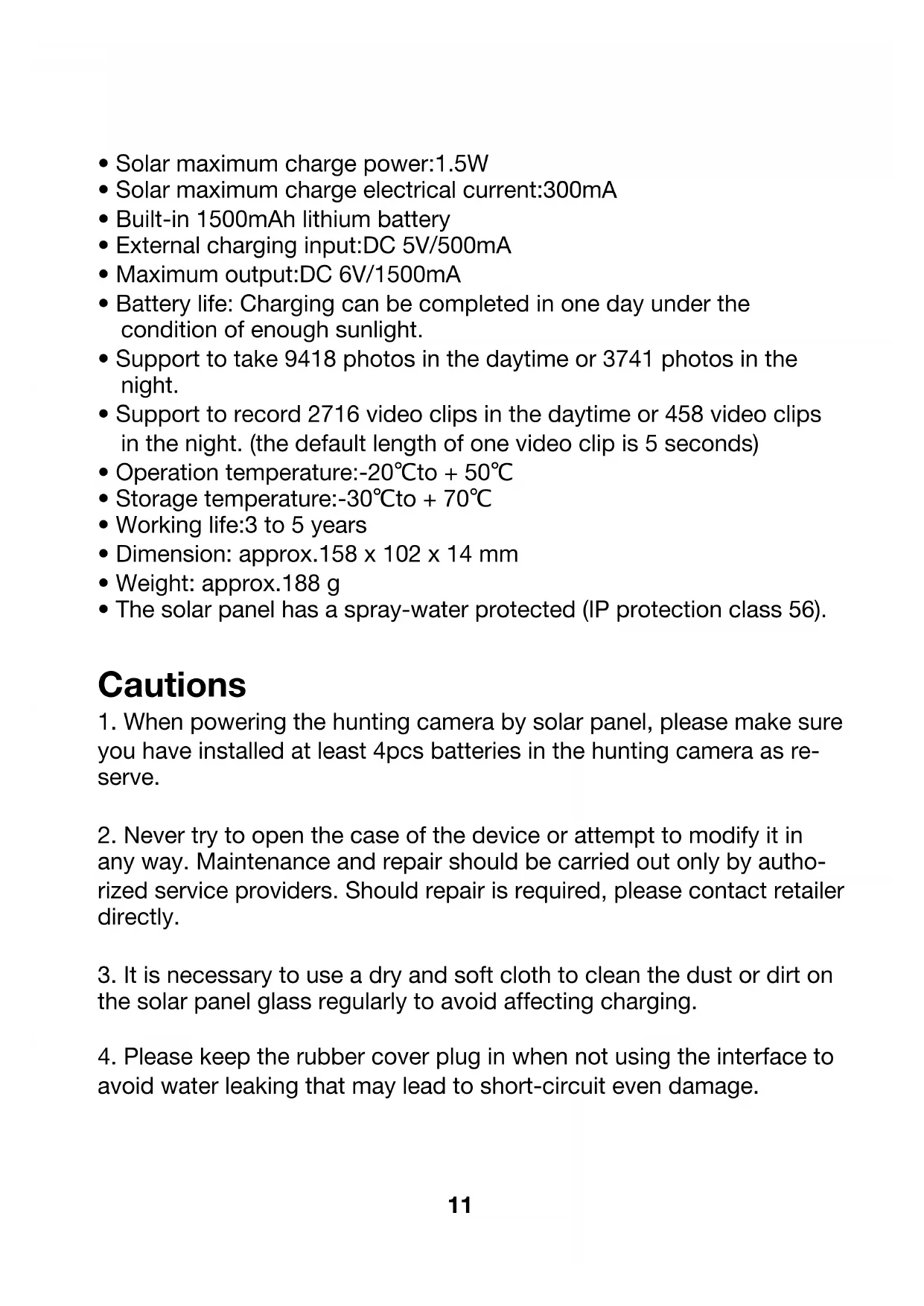
• Solar maximum charge power:1.5W
• Solar maximum charge electrical current:300mA
• Built-in 1500mAh lithium battery
- External charging input: DC 5V/500mA
• Maximum output: DC 6V/1500mA
- Battery life: Charging can be completed in one day under the condition of enough sunlight.
- Support to take 9418 photos in the daytime or 3741 photos in the night.
- Support to record 2716 video clips in the daytime or 458 video clips in the night. (the default length of one video clip is 5 seconds)
• Operation temperature:-20°C to +50°C
• Storage temperature: -30°C to + 70°C
• Working life:3 to 5 years
• Dimension: approx.158 x 102 x 14 mm
• Weight: approx.188 g
- The solar panel has a spray-water protected (IP protection class 56).
Cautions
- When powering the hunting camera by solar panel, please make sure you have installed at least 4pcs batteries in the hunting camera as reserve.
- Never try to open the case of the device or attempt to modify it in any way. Maintenance and repair should be carried out only by authorized service providers. Should repair is required, please contact retailer directly.
- It is necessary to use a dry and soft cloth to clean the dust or dirt on the solar panel glass regularly to avoid affecting charging.
- Please keep the rubber cover plug in when not using the interface to avoid water leaking that may lead to short-circuit even damage.
Operation Introduction
Installing
You can fix the solar panel to a tree by the bandage. Or fix it to flat surfaces by bracket.
- You should mount the solar panel via bandage or bracket in advance.
- The solar panel should be placed in where has enough sunlight, no barrier and shelter. And the energy absorption glass has to face to the sunlight.
- Place the solar panel in where above the ground or platform to avoid being inundated by rain.
- Adjust the angle between the solar panel glass and horizontal plane, suggest to keep an angle of 30-45 degree. If the angle is too small, the panel glass will be easy to water or fall foreign matter. If the angle is too big, sunlight will be not enough.
- Check and make sure the solar panel is fixed well.
Connection
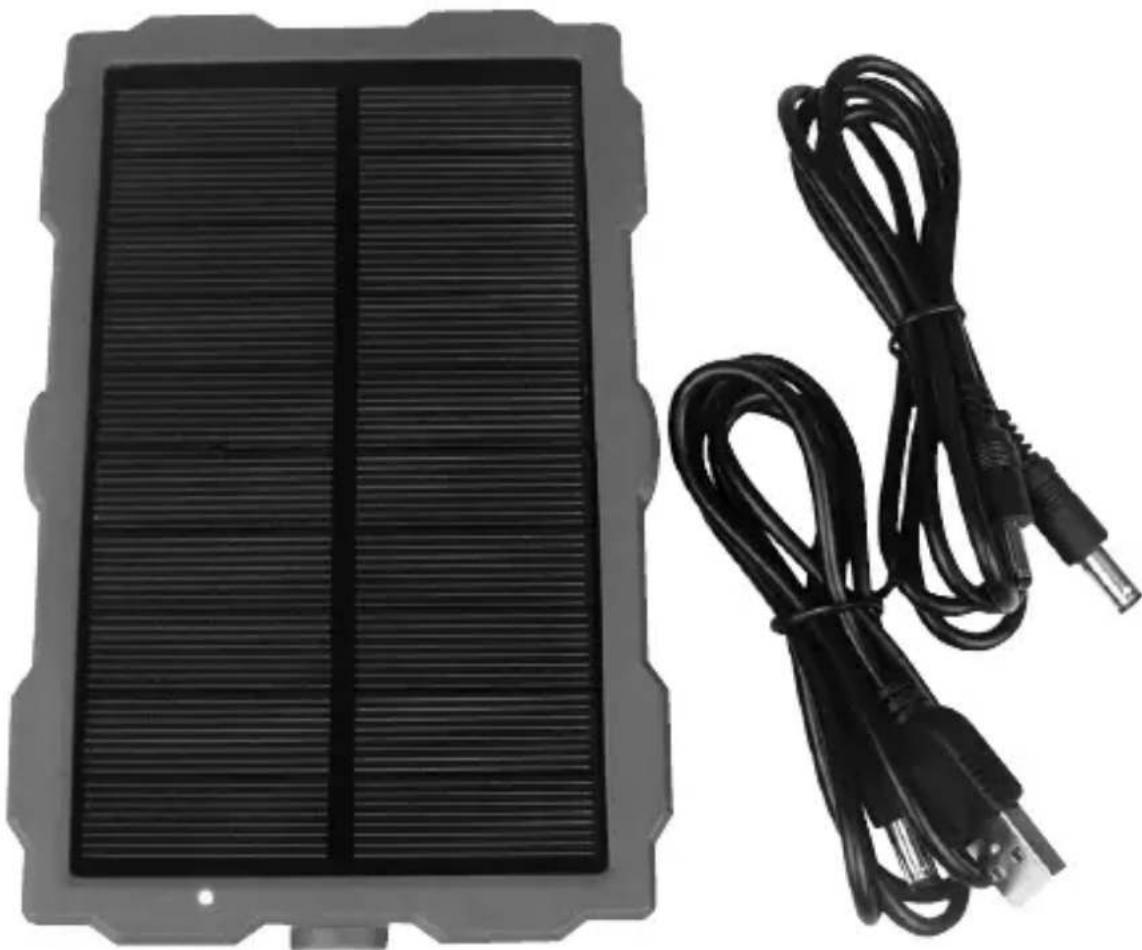
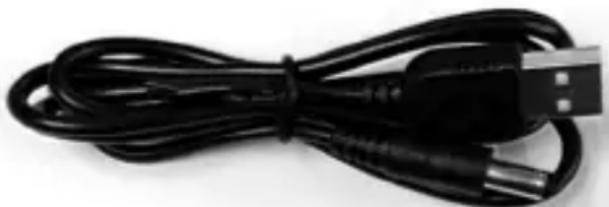
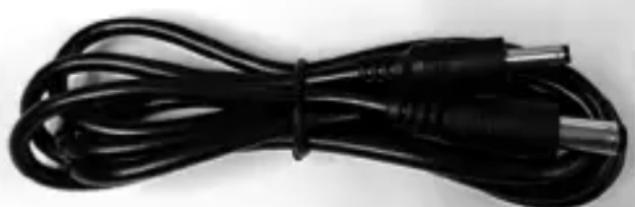
We supply two cables as below.
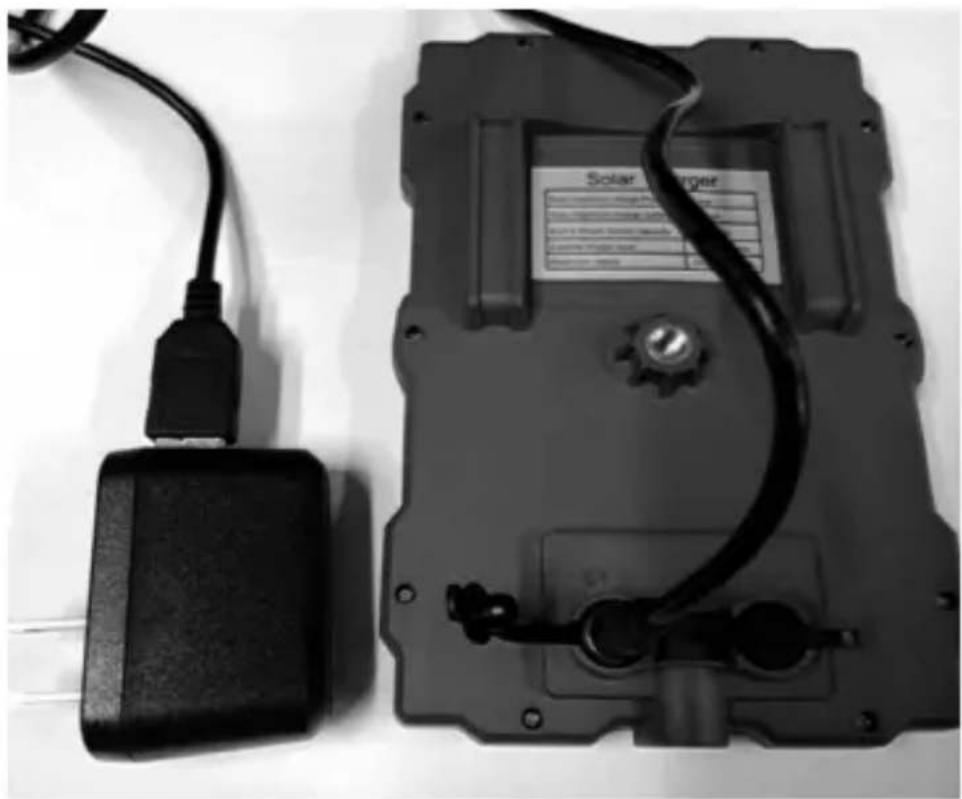
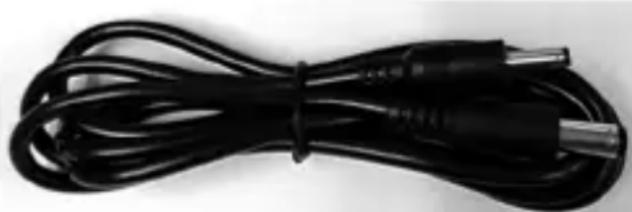
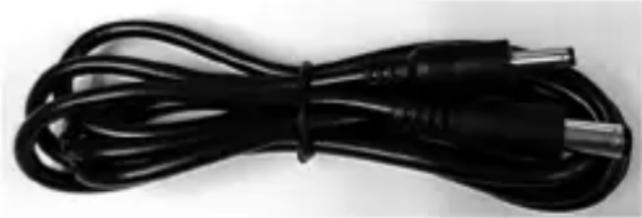
Cable A: Used for charging the solar panel by power adapter in 5V.
Square side connect to the adapter and round side connect to the 5V IN interface on the solar panel.
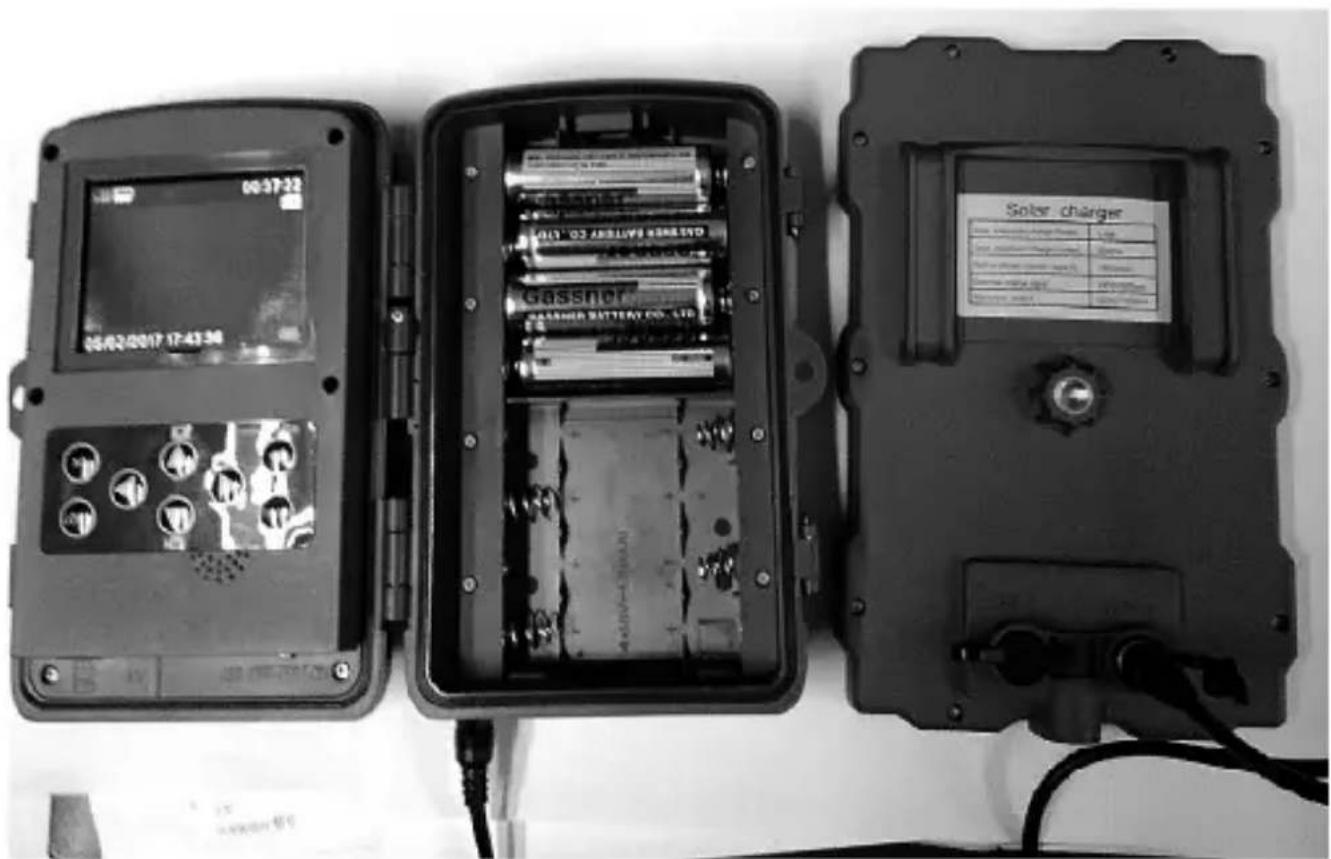
Cable B: Used for powering the hunting camera by solar panel. Smaller side connect to the DC socket of hunting camera. Bigger side connect to the 6V OUT interface on the solar panel.
Cabel A
natural_image
Black USB cable with connectors, no visible text or symbolsCabel B
natural_image
Black cable with metallic connector and USB port, no visible text or symbolsConnect the adapter to charge
natural_image
Black-and-white photo of a solar charger module with attached cable and connector (no visible text or symbols)Connect the hunting camera to support power
natural_image
Three black electronic devices with visible internal components and wiring, no readable text or symbols on the main body.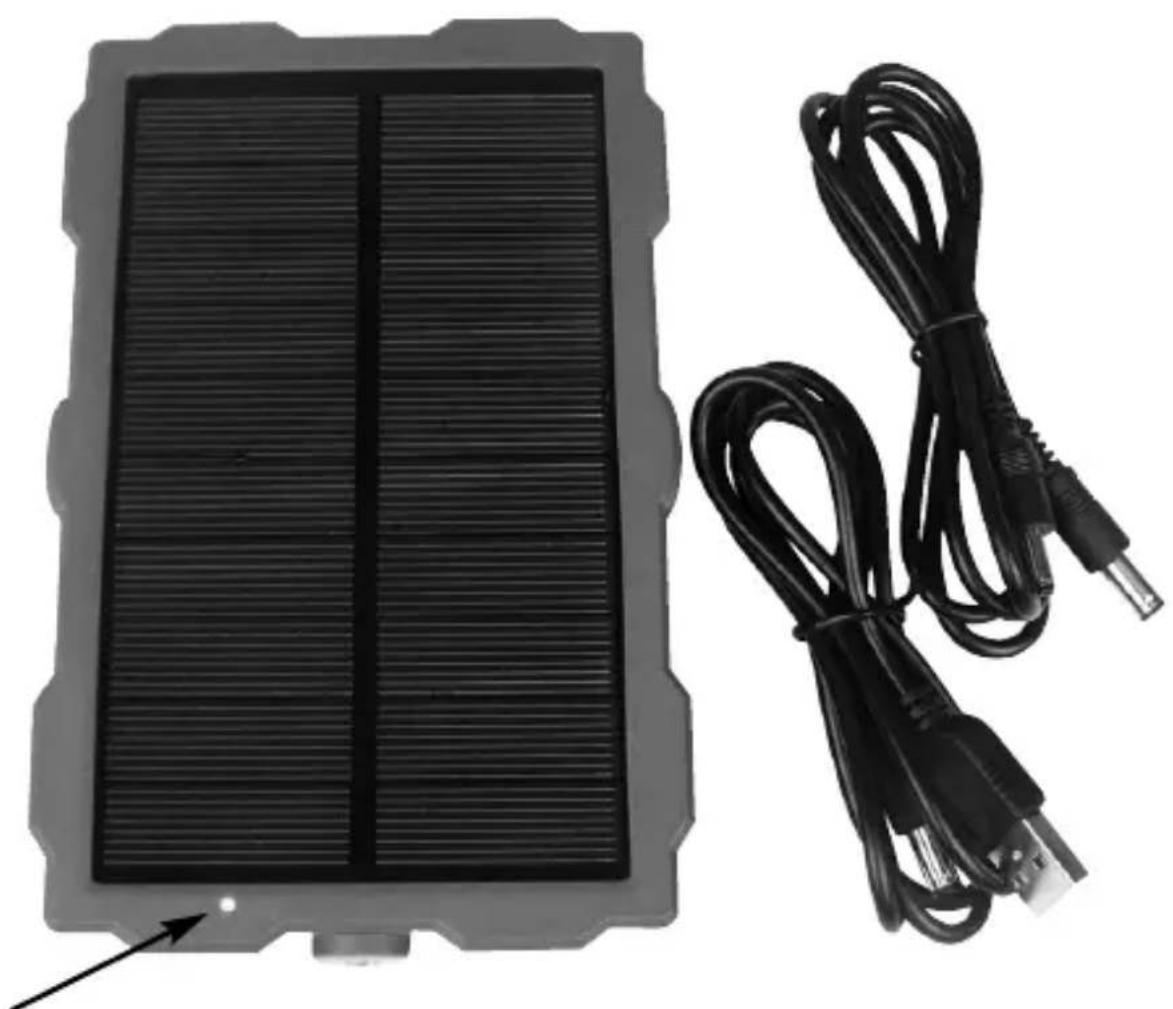
natural_image
Black rectangular device with ribbed top and two black cables attached to its side (no text or symbols visible)LED Indicator Light
The LED light indicates in which mode the solar panel is located.
- The solar panel glass faces to light, the indicator light will be blue. Now the panel is working.
- When charging the solar panel via adapter or sunlight, the indicator light will keep red.
- After charging completed, the light goes out.
Using the wall bracket
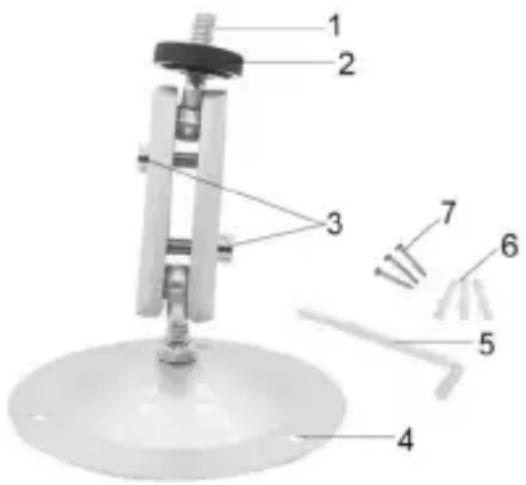
You can mount the solar panel on a wall or tree by the supplied wall bracket. Before mounting the wall bracket you should ensure that all existing screws are tight.
Components
- Tripod screw
2 Lock nut
3 Pivot bolts
4 Drill holes
5 Hexagonal screw
6 Wall plugs
7 Screws
text_image
Labeled diagram of a mechanical device with numbered components for identificationMounting the wall bracket Required tools
- Drill
- 6 mm masonry/concrete drill bit
• Phillips head screwdriver
Caution
- Ensure that there are no electric lines, water or heating pipes installed at the proposed drilling location.
- The supplied wall plugs are only suitable for mounting on concrete or stone. Before starting the installation, please check your installation location carefully for its suitability for the plugs. The assembly material used must be suitable for the respective location. If in doubt, consult a professional.
Install Steps
- Mark the drill holes by holding the foot of the wall bracket at the desired mounting location and marking the hole positions.
- Use a drill with a 6 mm drill bit to drill the required holes and insert the plugs and insert the wall plugs flush with the wall.
- Screw the wall bracket to the wall using the supplied screws.
- Mount the solar panel on the tripod screw and screw the solar panel a little way on (about three turns).
- Turn the solar panel in the desired direction and lock it with the lock nut.
- To move the solar panel into its final position, undo the two pivot bolts a little, position the solar panel and fix the position by tightening the two pivot bolts.
natural_image
Black rectangular device with a vertical side panel and two black cables attached (no visible text or symbols)Introduction
natural_image
Technical line drawing of a rectangular frame with scalloped edges and labeled points 1 and 2 (no text or symbols beyond labels)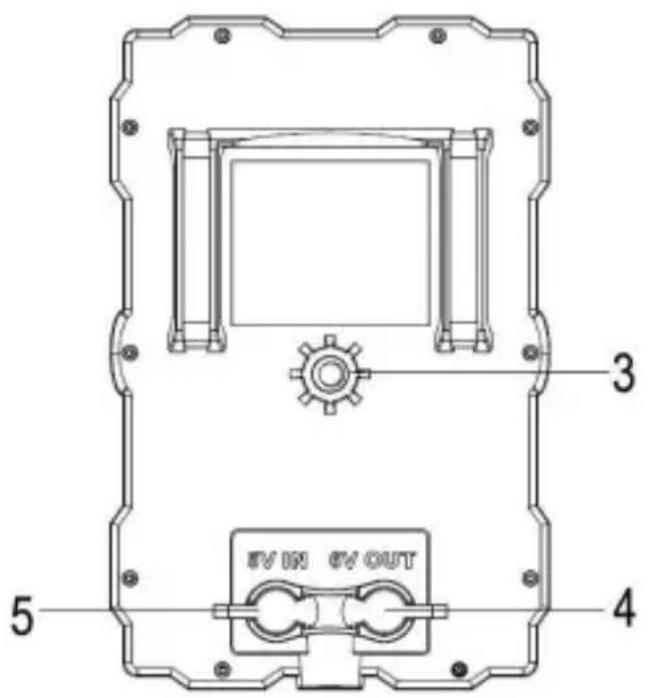
text_image
3 5 4 #V ON #V OUT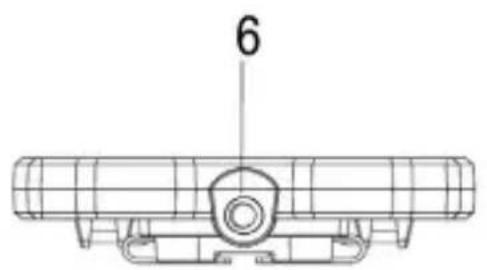
text_image
6natural_image
Black cable with USB port connector, no visible text or symbolsCâble B
natural_image
Coiled black cable with metallic connectors (no text or symbols visible)natural_image
Black-and-white photo of a solar charger module with attached cable and connector (no visible text or symbols)text_image
05/02/2017 17:43:36 Gassner BASHERI BATTERY CO., LTD. Solar charger Solar charger (Electricity) Name: Solar Solar charger (Electricity) Type: Solar Solar charger (Electricity) Color Code: Green Solar charger (Electricity) Color Code: Black Solar charger (Electricity) Color Code: Black Solar charger (Electricity) Color Code: Black Solar charger (Electricity) Color Code: Black Solar charger (Electricity) Color Code: Black Solar charger (Electricity) Color Code: Black Solar charger (Electricity) Color Code: Black Solar charger (Electricity) Color Code: Black Solar charger (Electricity) Color Code: Black Solar chargers Solar chargers Solar chargers Solar chargers Solar chargers Solar chargers Solar chargers Solar chargers Solar chargers Solar chargers Solar chargers Solar chargers Solar chargers Solar chargers Solar chargers Solar chargers Solar chargers Solar chargers Solar chargers Solar chargers Solar chargars Solar chargars Solar chargars Solar chargars Solar chargars Solar chargars Solar chargars Solar chargars Solar chargars Solar chargars Solar chargars Solar chargars Solar chargars Solar chargars Solar chargars Solar chargars Solar chargars Solar chargars Solar chargars Solar chargars Solar chargats Solar chargats Solar chargats Solar chargats Solar chargats Solar chargats Solar chargats Solar chargats Solar chargats Solar chargats Solar chargats Solar chargats Solar chargats Solar chargats Solar chargats Solar chargats Solar chargats Solar chargats Solar chargats Solar chargats Solar chargars Solar chargars Solar chargars Solar chargars Solar chargars Solar chargars Solar chargars Solar chargars Solar chargars Solar chargars Solar chargars Solar chargars Solar chargars Solar chargars Solar chargars Solar chargars Solar chargars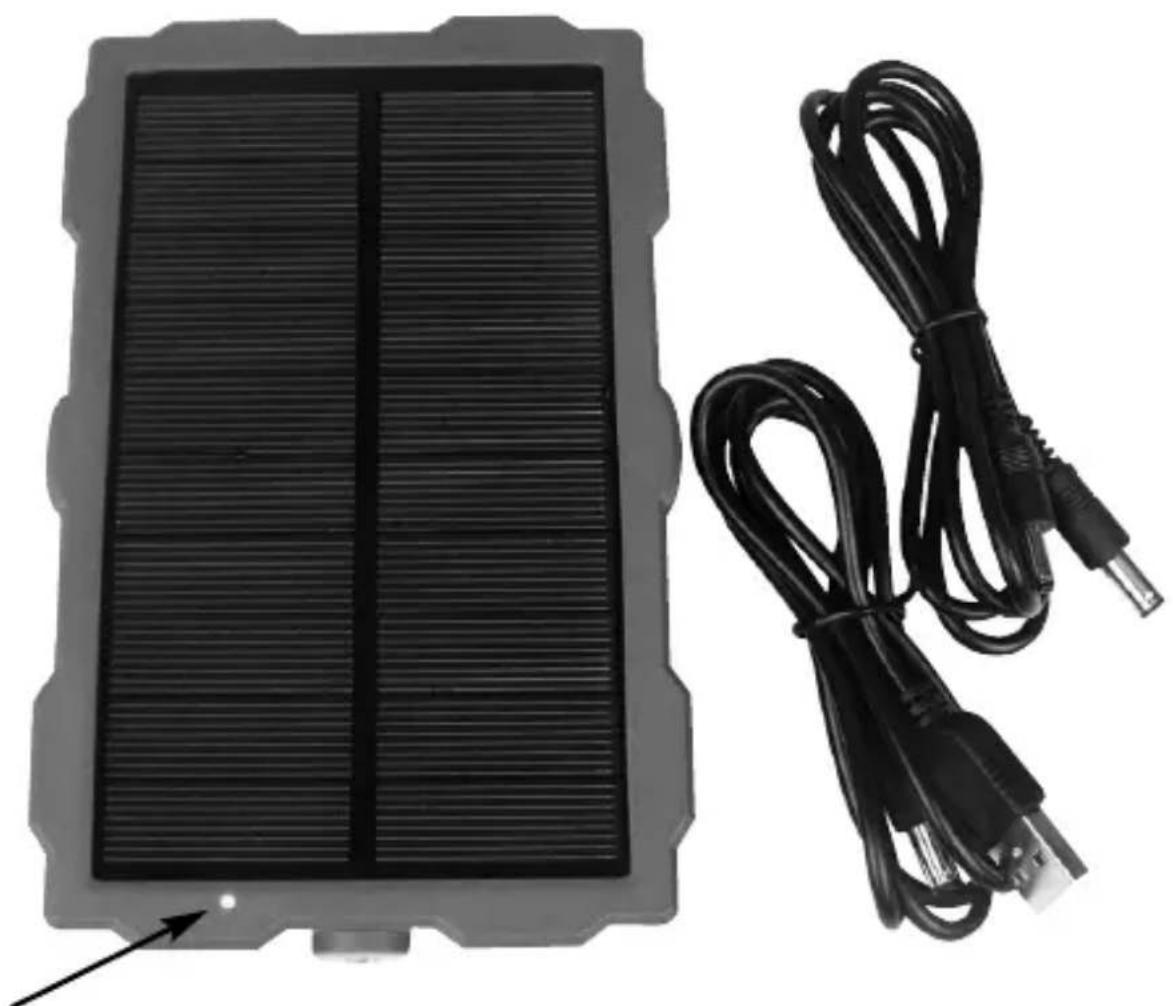
natural_image
Black rectangular device with ribbed top and two black cables attached to its side (no text or symbols visible)Voyant LED
Utiliser le support mural
text_image
Labeled diagram of a mechanical device with numbered components for identificationMonter le support mural Outils requis
natural_image
Exterior view of a black rectangular electronic device with a coiled cable, no visible text or symbolsInleiding
natural_image
Technical line drawing of a rectangular frame with scalloped edges and labeled points 1 and 2 (no text or symbols beyond labels)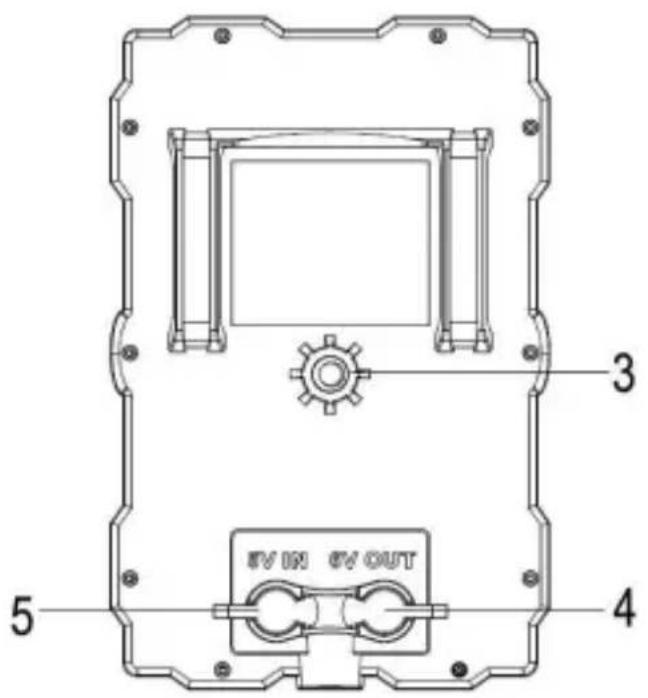
text_image
3 5 4 #V ON #V OUT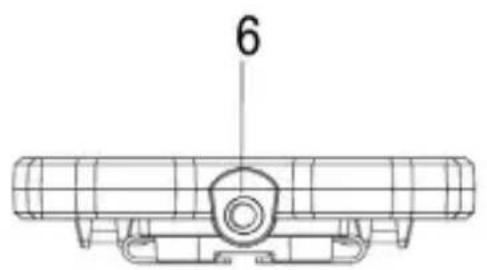
text_image
6natural_image
Black USB cable with connector, isolated on white background (no text or symbols)Kabel B
natural_image
Black cable with metallic connector and terminal connector, isolated on white background (no text or symbols)natural_image
Black-and-white photo of a solar charger module with attached cable and connector (no visible text or symbols)text_image
05/02/2017 17:43:36 Gassner BASHERI BATTERY CO., LTD. Solar charger Solar charger (Electricity) Name: Solar Solar charger (Electricity) Type: Solar Solar charger (Electricity) Color Code: Green Solar charger (Electricity) Color Code: Black Solar charger (Electricity) Color Code: Black Solar charger (Electricity) Color Code: Black Solar charger (Electricity) Color Code: Black Solar charger (Electricity) Color Code: Black Solar charger (Electricity) Color Code: Black Solar charger (Electricity) Color Code: Black Solar charger (Electricity) Color Code: Black Solar charger (Electricity) Color Code: Black Solar chargers Solar chargers Solar chargers Solar chargers Solar chargers Solar chargers Solar chargers Solar chargers Solar chargers Solar chargers Solar chargers Solar chargers Solar chargers Solar chargers Solar chargers Solar chargers Solar chargers Solar chargers Solar chargers Solar chargers Solar chargars Solar chargars Solar chargars Solar chargars Solar chargars Solar chargars Solar chargars Solar chargars Solar chargars Solar chargars Solar chargars Solar chargars Solar chargars Solar chargars Solar chargars Solar chargars Solar chargars Solar chargars Solar chargars Solar chargars Solar chargats Solar chargats Solar chargats Solar chargats Solar chargats Solar chargats Solar chargats Solar chargats Solar chargats Solar chargats Solar chargats Solar chargats Solar chargats Solar chargats Solar chargats Solar chargats Solar chargats Solar chargats Solar chargats Solar chargats Solar chargars Solar chargars Solar chargars Solar chargars Solar chargars Solar chargars Solar chargars Solar chargars Solar chargars Solar chargars Solar chargars Solar chargars Solar chargars Solar chargars Solar chargars Solar chargars Solar chargars