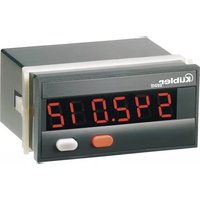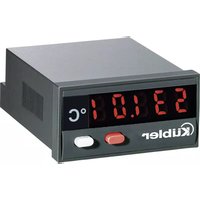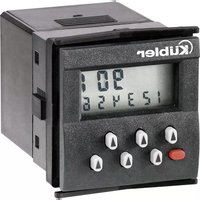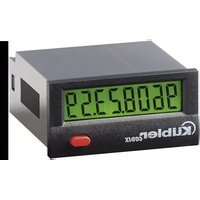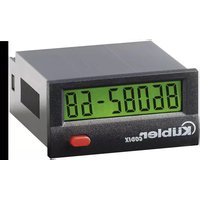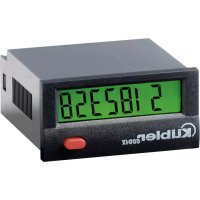
Codix 130 - Measuring equipment Kübler - Free user manual and instructions
Find the device manual for free Codix 130 Kübler in PDF.



| Brand | Kübler |
| Model | Codix 130 |
| Product type | Lithium battery powered LCD counter |
| Dimensions (L×H×D) | 48 × 24 × 48 mm (housing) |
| Cut-out | 22.2 × 45 mm (tolerance +0.3 / +0.6 mm) |
| Weight | Approximately 50 g |
| Power supply | Non-replaceable lithium battery (service life ~8 years at 20°C) |
| Backlight power supply (option) | 24 V DC ±20%, 50 mA, SELV, fuse T0.08 A |
| Display | LCD, 8 digits, height 8 mm |
| Display range | -9,999,999 to 99,999,999 (with leading zero suppression) |
| Maximum counting frequency | Up to 12 kHz (depending on model and input type) |
| Input types | NPN (0…0.7 V DC / 3…30 V DC) or PNP (0…0.7 V DC / 4…30 V DC); AC/DC (10…260 V AC/DC) |
| Operating modes | Count, Cnt.Dir, Up.Dn, Quad, Quad2 |
| Functions | Pulse, time, frequency counting; totalizing, piece counting, position detection, differential counting |
| Protection rating (front panel) | IP65 |
| Connections | Screw terminals, 8 terminals, max. cross-section 1 × 1.5 mm² or 2 × 0.75 mm² |
| Working temperature | -10 to +55 °C (relative humidity <85% non-condensing) |
| Storage temperature | -20 to +70 °C |
| Maximum altitude | 2000 m |
| Electromagnetic compatibility | Emissions EN 55011 Class B, immunity EN 61000-6-2 |
| Safety | Complies with EN 61010-1, overvoltage category II, pollution degree 2, protection class 2 (front panel) |
| Maintenance | Clean the front panel with a soft damp cloth; no special maintenance |
| Battery | Lithium, do not open, do not dispose of in fire, recycling mandatory |
Frequently Asked Questions - Codix 130 Kübler
User questions about Codix 130 Kübler
0 question about this device. Answer the ones you know or ask your own.
Ask a new question about this device
Download the instructions for your Measuring equipment in PDF format for free! Find your manual Codix 130 - Kübler and take your electronic device back in hand. On this page are published all the documents necessary for the use of your device. Codix 130 by Kübler.
USER MANUAL Codix 130 Kübler
(24 V DC ±20%, 50 mA)
SELV,CLASS II (Limited Power Source)
High-Pegel: 3...30 V DC
High-Pegel: 4...30 V DC
Schraubklemme 3:
Low-Pegel: 0...0.7 V DC
High-Pegel: 3...30 V DC
High-Pegel: 3...5 V DC
High-Pegel: 3...5 V DC
Low-Pegel: 0...2 V AC/V DC
High-Pegel: 10...260 V AC/V DC
Low-Pegel: 0...0.7 V DC
High-Pegel: 3...5 V DC
High-Pegel: 3...5 V DC
The Codix 13X display counters are battery-powered. They are controlled by contact or voltage pulses. They may be used in various applications, like e. g. totalising, parts counting, position acquisition, differential counting, etc. In addition, the various models with specific input types may be extended using control inputs to select operatin modes and set for almost any application thanks to adjustable operating modes.
1.1 Preface

Please read this instruction manual entirely and carefully before installation and start-up. Please observe all warnings and advice, both for your own safety and for general plant safety. If the device is not used in accordance with this instruction manual, then the intended protection can be impaired.
1.2 Safety Instructions andWarnings

Please use the device only if its technical condition is perfect. It should be used only for its intended purpose. Please bear in mind safety aspects and potential dangers and adhere to the operating instructions at all times.
Defective or damaged devices should be disconnected from the mains immediately and taken out of operation.
The device shall not be opened. Use the repair service of the manufacturer.
Only connect the device to the electricity networks provided to that purpose.
The safety of the system in which the device is integrated is the responsibility of the installer.
Disconnect all electricity networks prior to any installation or maintenance work.
Use exclusively cables approved in your country and designed for your temperature and power ranges.
Installation and service work shall be carried out exclusively by qualified personnel.
The device must compulsorily be protected with approved external fuses. The value of these fuses can be found in the technical information.

This symbol is used on the device to remind of the existence of dangers, which are referred to in this manual.
1.3 Use according to the intended purpose
The display counter detects and measures pulses, times and frequencies up to max. 12kHz and offers a wide variety of different operating modes. Use for any purpose over and beyond this will be deemed as not in accordance with its intended purpose and thus not complying with the requirements.
The application area for this device lies in industrial processes and controls, in the fields of manufacturing lines for the metal, wood, plastics, paper, glass, textile and other like industries. Over-voltages at the terminals of the device must be kept within the limits of Over-voltage Category II.
The device must only be operated when mounted in a panel in the correct way and in accordance with the section "Technical Data".
The device is not suitable for use in hazardous areas and for areas excluded in EN 61010 Part 1. If the device is used to monitor machines or processes in which, in the event of a failure of the device or an error made by the operator, there might be the risk of damaging the machine or causing an accident to the operators, it is your responsibility to take the appropriate safety measures.
The device has been designed for indoor operation. It may nevertheless be used outdoors, provided the technical data is adhered to. In this case, take care to provide suitable UV protection.
1.4 Mounting in a control panel

CAUTION
Mount the device away from heat sources and avoid direct contact with corrosive liquids, hot steam or similar.
Provide a free space of 10mm all around the device for its ventilation.
The device should be mounted so that the terminals are out of the reach of the operator and cannot be touched by him. When mounting the device, consider the fact that only the front side is classified as accessible for the operator.
1.5 Mounting instructions
- Remove the mounting clip from the device.
- Insert the device from the front into the panel cut-out, ensuring the front-panel gasket is correctly seated.
- Slide the fixing clip from the rear onto the housing, until the spring clamps are under tension and the upper and lower latching lugs have snapped into place.
Note: In case of proper installation, IP65 can be reached on the front side.
1.6 Electrical Installation

The device must be disconnected from any power supply prior to any installation or maintenance work. Make sure that no more voltages LIABLE TO CAUSE AN ELECTRO-CUTION are present.
Signal lines carrying voltages exceeding 30V AC or 70V DC must be operated with a device allowing disconnecting them from the voltage source. This device must be located close to the equipment and marked as its disconnecting device - excepted when it can be excluded that a defect presents a danger.
Installation or maintenance work must only be carried out by qualified personnel and in compliance with the applicable national and international standards.
Take care to separate all extra-low voltages entering or exiting the device from hazardous electrical conductors by means of a double or reinforced insulation (SELV circuits).

The device must be protected externally for its proper operation. Information about the prescribed fuses can be found in the technical information.
- During installation, make sure that the signal inputs are fed from the same mains phase, in order not to exceed the maximum permitted voltage of 250V .
- The cables must be designed for the planned temperature and voltage ranges. Regarding the type of the cables, adhere to the applicable standards of the country and of the plant. The cross sections allowed for the screw terminals can be found in the technical data.
-
Before starting the device, check the cables for proper wiring and tightening. The screws of unused screw terminals must be screwed to the stop, so that they cannot loosen and get lost.
-
The device has been designed for overvoltage category II. If higher transient voltages cannot be excluded, additional protection measures must be taken in order to limit the overvoltage to the values of CAT II.
1.7 Advice on noise immunity
All connections are protected against external sources of interference. The installation location should be chosen so that inductive or capacitive interference does not affect the device or its connecting lines! Interference (e.g. from switch-mode power supplies, motors, clocked controllers or contactors) can be reduced by means of appropriate cable routing and wiring.
1.8 Measures to be taken
- Use only shielded cable and control lines. Connect shield at both ends. The conductor cross-section of the cables should be a minimum of 0.14mm^2
- The shield connection to the equipotential bonding should be as short as possible and with a contact area as large as possible (low-impedance).
- Only connect the shields to the control panel, if the latter is also earthed.
- Install the device as far away as possible from noise-containing cables.
- Avoid routing signal or control cables parallel to power lines
DC versions
Use shielded wires for the counting and control inputs so as to obtain the maximum EMC resistance or connect not used count inputs to ground (0 V).
AC versions
Use shielded wires for the counting and control inputs so as to obtain the maximum EMC resistance.
1.9 Cleaning and maintenance
The front side of the unit should only be cleaned using a soft damp (water!) cloth. Cleaning of the embedded rear side is not planned and is the responsibility of the service personnel or of the installer.
In normal operation, this device is maintenance-free. Should the device nevertheless not operate properly, it must be sent back to the manufacturer or to the supplier. Opening and repairing the device by the user is not allowed and can adversely affect the original protection level.
1.10 Operation
Is the device set and programmed correctly (function; for counters, max. counting frequency)?
1.11 Failure possibilities and causes
Impossible to use the keys:
Key lock input activated
Counter does not count:
- Wrong or reversed wiring of the counting input
- Setting of an input signal not matching the pulse generator
- Polarity (NPN/PNP) reversed
- No ground connection between the pulse generator and the counter
Maximum counting frequency exceeded
- Signal levels do not reach the switching threshold of the counter
If, despite all, your device still does not operate, contact your local representative or call us directly for technical support.
When sending your device back, please attach a short description of the failure, of the programming and of the connection diagram, in order to allow us to reproduce a possibly existing defect and to repair your device as quickly as possible.
Overview
Table 1
| Model Operating mode Counting inputs | ||||||
| INP A INP B | ||||||
| 6.130.012.8x0 Count 0...0,7 V DC | NPN | 7 kHz 0... | 0,7 V DC | NPN | ||
| 6.130.012.8x2 | 4...30 V DC | PNP | 12 kHz | 0...0,7 V DC | PNP | |
| 6.130.012.8x3 | 10...260 V AC/DC | AC/DC | 30 Hz | 10...260 V AC/DC | AC/DC | |
| 6.131.012.8x0 Cnt.Dir/Up.Dn | 0... | 0,7 V DC | NPN | 7 kHz 0... | 0,7 V DC | NPN |
| 6.131.012.8x1 | 4...30 V DC | PNP | 12 kHz | 4...30 V DC | PNP | |
| 6.131.012.8x3 Up.Dn | 10... | ...260 V AC/DC | AC/DC | 30 Hz | 10...260 V AC/DC | AC/DC |
| 6.132.012.8x3 Cnt.Dir | 10... | ...260 V AC/DC | AC/DC | 30 Hz | 10...260 V AC/DC | AC/DC |
| 6.133.012.8x0 Quad/Quad2 | 0... | 0,7 V DC | NPN | 3 kHz 0... | 0,7 V DC | NPN |
| 6.133.012.8x1 | 4...30 V DC | NPN | 6 kHz 4... | 30 V DC | NPN | |
| Options: | x = 5: no backlight |
| x = 6: with backlight |
DC input modes:
Count: Fast and slow counting inputs
INP A: Fast counting input
INP B: Slow counting input
Cnt.Dir: Counting and counting direction input
INP A: Counting input
INP B: Counting direction input
Up.Dn: Differential counting input
INP A: Adding counting input
INP B: Subtracting counting input
Quad: Phase discriminator input
INP A: 0^ counting input
INP B: 90^ counting input
Quad2: Phase discriminator input with pulse doubling
INP A: 0^ counting input
INP B: 90^ counting input
Each edge of INP A is counted.
AC input modes:
Count: Counting and reset inputs
INP A: AC/DC counting input
INP B: AC/DC reset input
Cnt.Dir: Counting and counting direction input
INP A: AC/DC counting direction input
INP B: AC/DC counting input
Up.Dn: Differential counting input
INP A: AC/DC subtracting counting input
INP B: AC/DC adding counting input
Main technical features:
Display: LCD, 8 decades, height of the figures 8mm
Display range:
-9999999...99999999
with leading zeros suppression.
Overflow: In case of a display range overflow, the counter starts again from 0, but without removing the leading zeros and activating all decimal points. In case of a display range underflow, the counter starts again from 0 and displays the minus sign, without removing the leading zeros and activating all decimal points.
Keys: Electrical locking of the reset key
Housing: Panel mounting, 48 × 24 ~mm according to DIN 43700, RAL 7021
Panel cut-out:
$$ 2 2, 2 + ^ {0, 3} \mathrm {m m} \times 4 5 + ^ {0, 6} \mathrm {m m} $$
Mounting depth: approximately 48 mm
Weight: approximately 50g
Protection level: IP65 on the front side
Connection:
Screw terminals, RM 5.00, 8 poles Rated cross-section: max.: 1 × 1.5 ~mm 2 2 × 0.75 ~mm
AWG 26-14
EMC:Interference emissions EN 55011 Class B Interference resistance EN 61000-6-2
Device safety (for the AC models):
Design to: EN 61010 Part 1
Protection Class: Protection Class 2 (front side)

Only the front side is classified as accessible for the operator.
Application area: Pollution level 2 over-voltage Category II
Insulation:
Front: double insulation,
Rear side: basic insulation, Signal inputs and und sensor power supply: SELV
Power supply:
Non-replaceable lithium battery
(lifetime approximately, 8 years at 20^ )
Working temperature:
-10 +55^ relative humidity < 85%
without condensation
Operating temperature:
-10...+60°C
Storage temperature:
-20...+70°C
Altitude: to 2000 m
Backlighting:
external electrical source
(24 V DC ±20%, 50 mA)
SELV,CLASS II (Limited Power Source)
ext. fuse protection T0.08 A
Input specification, pin assignment and adjustable operating modes (DC versions) A control input (screw terminal 5) allows adjusting the operating mode.
Table 2
| Screw terminal | No. 1 | No. 2 | No. 3 | No. 4 | No. 5 | No. 6 | No. 7 | No. 8 | |||
| Designation Model | INP A | INP B | Reset | Reset Enable | Control inputs for operating mode (Mode) | GND | BL- | BL+ | |||
| 6.130.012.8x0 | 7 kHz | NPN | 30 Hz NPN | NPN reset input | NPN reset key locking input, Contact with GND, key free. | not active = adding | contact with GND = subtracting | GND = 0 V DC | Hintergrundbeleuchung (-) | Hintergrundbeleuchung (+) | |
| 6.130.012.8x2 | 12 kHz | PNP | NPN | ||||||||
| 6.131.012.8x0 | 7 KHz | NPN | 7 kHz NPN | not active = Cnt.Dr Mode | contact with GND = Up.Dn Mode | ||||||
| 6.131.012.8x1 | 12 kHz | PNP | 12 kHz | PNP | |||||||
| 6.133.012.8x0 | 3 kHz | NPN | 3 kHz | NPN | not active = Quad Mode | contact with GND = Quad2 Mode | |||||
| 6.133.012.8x1 | 6 kHz | PNP | 6 kHz | PNP | |||||||
Screw terminals 1 and 2:
Function and max. frequencies
(Pulse/Pause 1:1) see Table 2
NPN: active for negative edge
Input resistance: approximately 1 MOhm
Low level: 0...0.7 V DC
High level: 3...30 V DC
PNP: active for positive edge
Input resistance: approximately 100 kOhm
Low level: 0...0.7 V DC
High level: 4...30 V DC
Screw terminal 3:
Reset input, active for negative edge
Contact input / Open Collector NPN
(switching at 0VDC
Low level: 0...0.7 V DC
High level: 3...30 V DC
Min. pulse duration: 50 ms
Input resistance: approximately 2.2 MOhm
Screw terminal 4:
Electrical locking of the reset key
Contact input / Open Collector NPN
(switching at 0VDC
Low level: 0...0.7 V DC
High level: 3...5 V DC
Input resistance: approximately. 2.2 MOhm
Input not active: Reset key locked
Input in contact
with GND: Reset key unlocked
Screw terminal 5:
Operating mode switch (Mode)
Contact input / Open Collector NPN
(switching at 0VDC
Low level: 0...0.7 V DC
High level: 3...5 V DC
Input resistance: approximately 2.2 MOhm
Function: see Table 2
Screw terminal 6:
GND connection common for all inputs
Screw terminal 7:
(-) external power supply for the LCD backlight option
Screw terminal 8:
(+) external power supply for the LCD backlight option
(24 V DC ±20%, 50 mA), Fuse T0.08 A, delayed action

DANGER
All low voltages, SELV, reinforced/double insulation. Signal inputs must be protected with an external delayed T0.01 A fuse when the source does not provide protective impedance (fuse/ current limitation).
Input specification and pin assignment (AC-version)
Table 3
| Screw terminal | No. 1 | No. 2 | No. 3 | No. 4 | No. 5 | No. 6 | No. 7 | No. 8 |
| Bezeichnung Typ | INP A AC/DC | Common AD/DC | INP B AC/DC | Reset Enable | Reset | GND | BL- | BL+ |
| 6.130.012.8x3 counting | Common connection for INP A and INP B | reset | NPN reset key locking input, Contact with GND. Key free. | not connected | GND = 0 V DC | Backlighting (-) | Backlighting (+) | |
| 6.131.012.8x3 subtracting | adding | NPN reset input | ||||||
| 6.132.012.8x3 counting direction | counting | |||||||
Screw terminals 1 and 3:
Counting input and reset input
Optocoupler input 10...260 V AC/V DC
galvanic isolation, active for High signal
Min. pulse duration: 16 ms
Max frequency: approximately 30 Hz
Low level: 0...2 V AC/V DC
High level: 10...260 V AC/V DC
Input resistance: approximately 160 kOhm
AC mains frequency: 50/60Hz
Screw terminal 2: Common AC/DC, common connection for the optocoupler inputs (screw terminals 1 and 3).
Screw terminal 4:
Electrical locking of the reset key
Contact input / Open Collector NPN (switching at 0 V DC)
Low level: 0...0.7 V DC
High level: 3...5 V DC
Input resistance: approximately 2.2 MOhm
Input not active: Reset key locked
Input in contact with GND: Reset key unlocked
Screw terminal 5:
Function: see table 3, active for negative edge
Contact input/Open Collector NPN (switching at 0 V DC)
Low level: 0...0.7 V DC
High level: 3...5 V DC
Min. pulse duration: 50 ms
Input resistance: ca. 2.2 MOhm
Input High: ---
Input Low: Reset of the counter Dynamic resetting behaviour
Screw terminal 6: Common GND connection for screw terminal 4 (reset key locking input) and screw terminal 5 (reset input).
Screw terminal 7: (-) external power supply for the backlight option
Screw terminal 8: (+) external power supply for the backlight option (24V± 20% ,50mA) Fuse T0.08 A, delayed action
All low voltages, SELV, reinforced/double insulation. Signal inputs must be protected with an external delayed T0.01 A fuse when the source does not provide protective impedance (fuse/ current limitation).
Scope of delivery:
Digital dispay
Clamp
Front frame for screw mounting,
Panel cut-out 50 × 25 ~mm Front frame for clamp mounting,
Panel cut-out 50 × 25 ~mm Seal
Operating instructions
Note:

This product includes a lithium battery. Do not open it by force, do not throw it in the fire. Avoid temperatures below -20^ and above +70^ .
1.Description
Raccordement (executions AC)
La consegna include:
Contatore
Staffa di montaggio
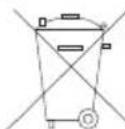
This device contains a lithium battery. In compliance with the battery directive, we inform you that:
Batteries must not be discarded in the household waste, but the law obliges you to bring them to the collection point specifically provided for that purpose. You can send us back the complete devices after use. If you can remove the batteries according to the state of the art, you can also bring them to a local collection point or to a retailer collecting batteries.
Specific provisions for returning lithium batteries:
Avoid short-circuits! For that purpose, protect the poles with isolating tape. The poles of the lithium battery shall not come in contact with metallic objects, neither by accident nor intentionally!
Batteries containing pollutants are marked with a symbol representing a crossed-out garbage can and the chemical symbol of the heavy metal that determines their classification as containing pollutants. Thank you for your help!
F
1 Countersinking Af3, DIN 74