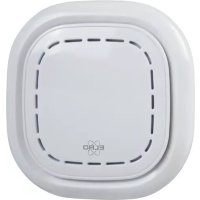
SF500CO2 - Smart Home ELRO - Free user manual and instructions
Find the device manual for free SF500CO2 ELRO in PDF.


User questions about SF500CO2 ELRO
0 question about this device. Answer the ones you know or ask your own.
Ask a new question about this device
Download the instructions for your Smart Home in PDF format for free! Find your manual SF500CO2 - ELRO and take your electronic device back in hand. On this page are published all the documents necessary for the use of your device. SF500CO2 by ELRO.
USER MANUAL SF500CO2 ELRO
text_image
ELRO CO₂ 500 °C/°F %RH PPM SET AUTO TEST HUSHSMART CO₂ MONITOR
MEASURE AIR QUALITY - TEMPERATURE – HUMIDITY
English Instruction manual Page 03
text_image
ON 9 Adapter DC12V/1A 10 ON /OFF Switch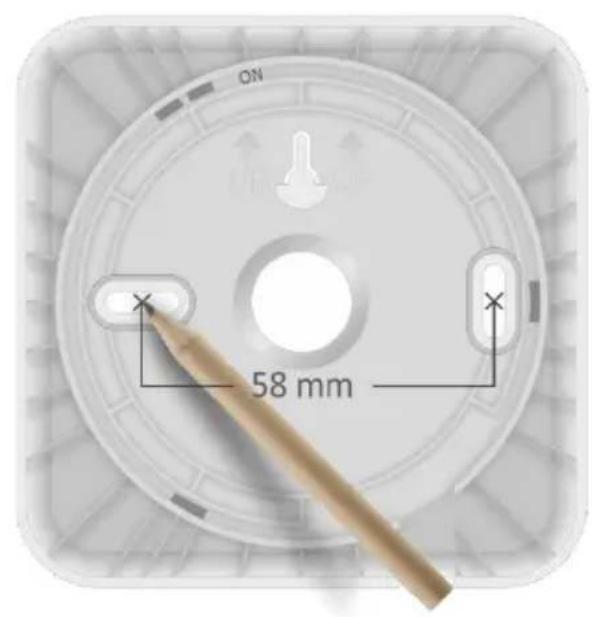
text_image
ON 58 mm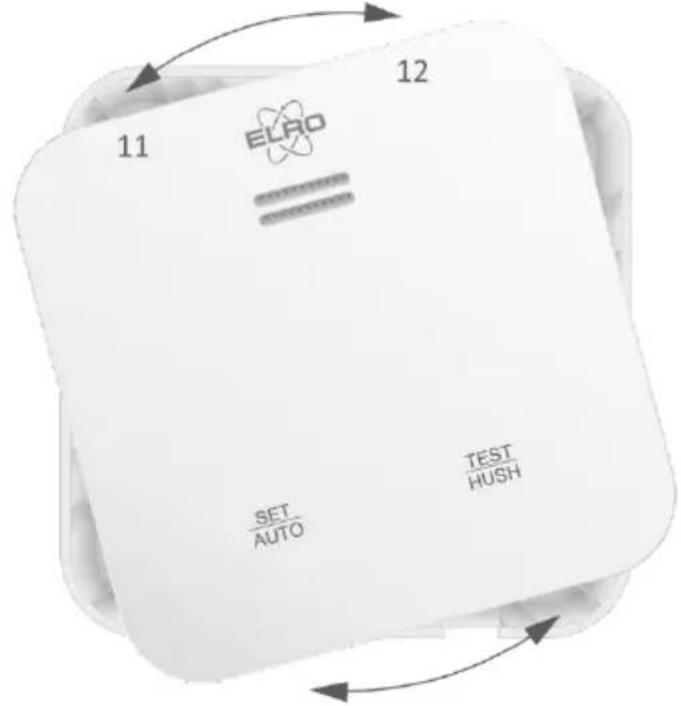
text_image
11 12 EURO SET AUTO TEST HUSH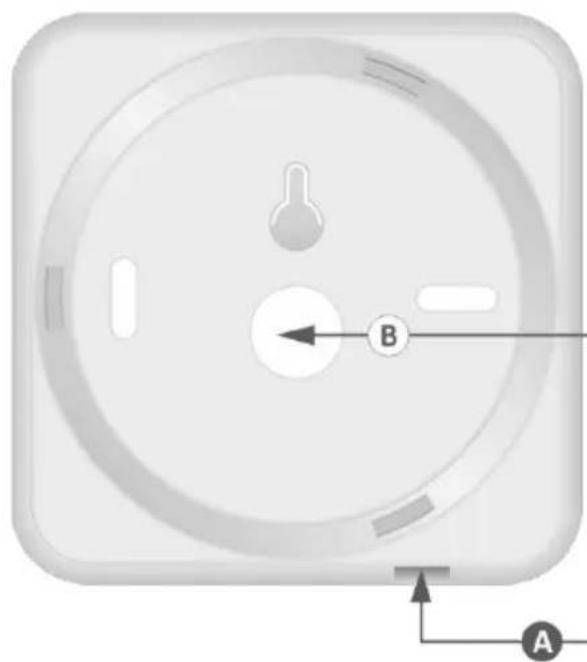
natural_image
Close-up of a circular mechanical component with labeled points A and B, showing internal features and no readable text or symbols.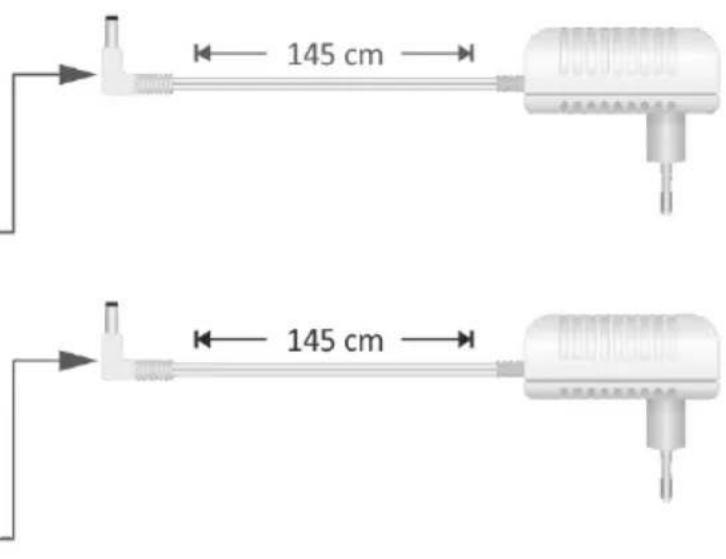
text_image
145 cm 145 cm1. Introduction
Thank you for the purchase of this Carbon Dioxide Monitor, Carbon Dioxide is also known as CO2. This product is designed for measuring CO2 concentrations, as well as air temperature and humidity. To be used at home, office, school, canteen etc. The CO2 monitor adapts itself to its environment (auto calibrate). No settings need to be made. This CO2 Monitor alerts users through voice messages and audible alarms. Always avoid exposure to high concentrations of CO2. This product, when used properly, is designed to alert you to elevated levels to CO2 so that you may take action to remove yourself from that environment.
- Accurate measurement of:
- carbon dioxide detection, ± 50ppm+5%
- temperature detection, ± 0.5°C or 0.9°F
-
moisture detection, ± 5% RH
-
Led status indication
• Voice alarm notification
• AUTO adjustment brightness of the display - Rechargeable internal backup battery (± 12 hours)
2. Explanation (see page 2)
| Number | Function | Number | Function |
| 1 | Voice / Siren output | 7 | SET/AUTO operation button |
| 2 | Green / Yellow / Red status indicator | 8 | TEST / HUSH operation button |
| 3 | Temperature indicator | 9 | Adapter connection |
| 4 | Humidity indicator | 10 | ON / OFF Switch back-up battery |
| 5 | CO2 indicator | 11 | Remove from mounting plate |
| 6 | Display | 12 | Attach to mounting plate |
3. Where to install the device?
The CO_2 sensor needs a process that ADAPTS to the current environment. In order to achieve a more accurate detection effect, it should continue to work for more than 24 hours after changing the use environment to complete the automatic calibration. After the completion, the calibration will not be completed at the next startup. Ideally, a device should be installed in every room containing a fuel-burning appliance and in a room where the occupant(s) spend most time like the living room, bedroom and study or hobby room. The CO_2 monitor can be wall mounted (eye level), use cable input A (see page 2) or placed on a cabinet or table/desk, use cable input B (see page 2).
4. Where not to install the device
In an enclosed space (for example in a cupboard or behind a curtain).
Where it can be obstructed (for example by furniture).
Directly above a sink.
Next to a door or window.
Next to an extractor fan.
Next to an air vent or other similar ventilation openings.
In an area where the temperature may drop below -5^ or exceed 50^ .
Where dirt and dust may block the sensor.
In a damp or humid location.
In the immediate vicinity of a cooking appliance.
5. Mounting (see page 2)
The CO _2 Monitor comes with screws and wall plugs for mounting on the wall.
Remove the CO₂ Monitor from the mounting plate, turn (11) counterclockwise approximate 15°.
Use the mounting plate to mark the drill holes.
After drilling, place the dowels in the holes and then screw down the mounting plate with the screws.
Switch on the back-up battery (10), fully charged is approximate 12 hours usage without adapter connection.
Connect the adapter to the CO₂ monitor (9) and a power outlet.
Place the CO₂ Monitor on the mounting plate and turn (12) approximate 15° clockwise.
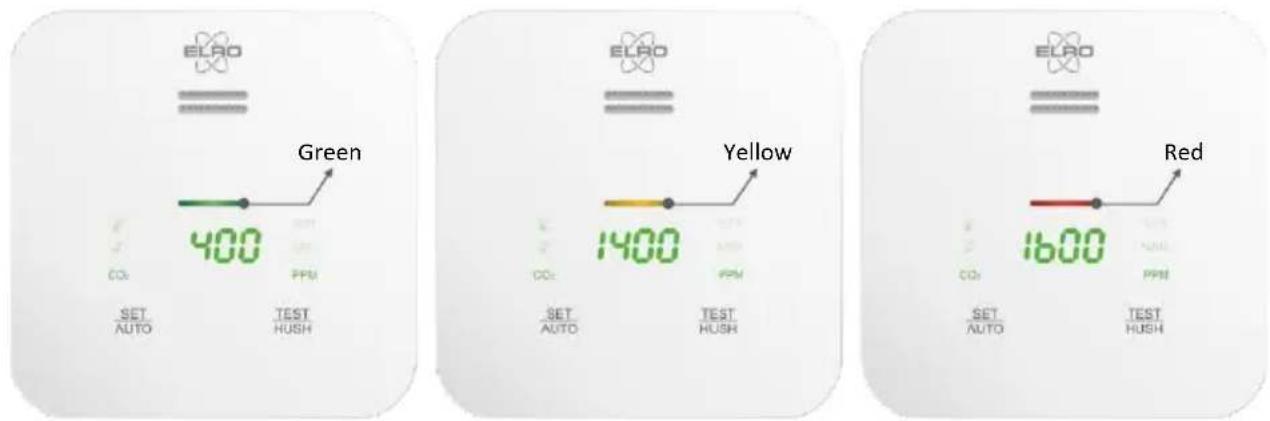
6. Status indicator - Green / Yellow / Red
text_image
ELAO Green 400 COx PPM SET AUTO TEST HUSH ELAO Yellow 1400 COx PPM SET AUTO TEST HUSH ELAO Red 1600 COx PPM SET AUTO TEST HUSHWhen ≤1000PPM, the warning window displays green colour.
When 1000PPM \~ 1500 PPM the warning window displays yellow colour
When ≥1500 PPM, the warning window displays red colour and emits 75db@1m alarm sound.
Take recommended actions to prevent damage to personal health and safety.
7. Explanation operation buttons
| SET AUTO | Short press to switch between temperature, humidity and CO2 display. | |
| SET AUTO + | Short press to get temperature display and then long press to set degrees Celsius or degrees Fahrenheit. | |
| SET AUTO + CO2 | Short press to get CO2 display and then long press to set alarm sound ON/OFF. | |
| TEST HUSH | Long press to test the alarm. Short press to delay/hush the alarm for 10 minutes. | |
| SET AUTO + TEST HUSH | Within 150 seconds from turning the product on, press and hold both keys simultaneously for 3 seconds. You will hear a voice message in the currently selected language. Press again for 3 seconds and the selection moves to the next available language. |
8. Recommended actions when the CO2 Monitor warning has been activated
Keep calm.
Open all doors and windows and turn off all combustion appliances.
If the CO2 Monitor continues to sound the alarm, evacuate your home.
Leave all doors and windows open and do not enter until the alarm has stopped.
Seek medical attention for anyone who may be suffering from the effects of carbon dioxide poisoning.
9. Carbon dioxide levels and guidelines
400PPM Normal outdoor air level
400 \~ 1000PPM Typical level indoors with good ventilation.
NOTE: If CO_2 levels are low when building is sealed and occupied, check for overventilation (too much fresh air = energy wasted).
1000PPM ASHRAE and OSHA recommended maximum level in a closed room.
Considered maximum comfort level in many countries.
1200PPM Poor air quality - requires ventilation.
2000PPM According to many studies this level of CO_2 produces a significant increase in drowsiness, tiredness, headache lower levels of concentration and increased likelihood of spreading respiratory viruses like colds, etc.
5000PPM OSHA and NIOSH first threshold for safety. Maximum allowed concentration within an 8 hour working period.
10. Maintenance
We recommend to manually test CO_2 Monitor once a month by pressing and holding the test button. Dust is a major cause of false alarms. Therefore, clean the CO_2 Monitor once a month. Use a vacuum cleaner to gently remove any accumulated dust along the sides of the CO_2 Monitor. Never use a wet cloth or detergent to clean your CO_2 Monitor. Clean the device with a soft, damp and lint-free cloth. Make sure that no moisture enters the housing. Do not use any sprays, solvents, alcohol-based cleaning agents or abrasive cleaners, but only clean water to moisten the cloth.
11. Warnings
This manual contains important safety information about the CO2 Monitor.
Read the manual carefully and keep it in a safe place for future reference.
Do not open the device in case it is damaged.
Do not remove any safety signs, stickers or labels from the device.
Keep all safety signs, stickers and labels legible condition.
This product cannot be used in factories, warehouses and other industrial environments that may be in high CO_2 concentration for a long time.
If the product is to be placed in a narrow space, the space should be well ventilated, especially the two diffusion windows should be in a well-ventilated position.
The product should be away from heat source and avoid direct sunlight or other thermal radiation.
This product should not be used in the environment with high dust density for a long time.
12. Specifications
Working voltage : DC5V (Power adapter 5V/1A)
CO2 measurement range : 400 \~ 5000 PPM
CO₂ measurement error range : ± (50ppm+ Read the numerical
Pressure dependence : +1.6 % reading per kPa deviation from normal pressure
CO _2 measurement resolution and response time : 1 PPM ; T90 < 120s
Temperature range : -5°C \~ 50°C or 23°F \~ 122°F
Temperature measurement error range : ± 0.5 or 0.9
Temperature measurement resolution/response time : 0.1.1°C /°F; T90 < 120sT90 < 120s
Humidity measurement resolution and response time : 0.1% ; T90 < 600s.1% ; T90 < 600s
Humidity measurement range : 0.0% \~ 99.9%RH
Humidity measurement error range : ± 5% RH5% RH
Backup battery running time : 12 Hours
Work environment : Working temperature -55°C \~ 50°C
: Working humidity 0 \~ 90% RH (no condensation)
Storage environment : Storage temperature -10°C \~ 60°C
: Storage humidity 0 \~ 95% RH (no condensation)
Sensor service life : 10 years (End of product service life display "End")
IP Rating : IP40
Environmental protection standard : RoHS
Overall dimensions : 99 mm x 99 mm x 37 mm
Product weight : Net weight 291gr
13. Service and Contact
For questions about the installation, use or operation of this product please visit www.elro.eu and use the search engine to find more information. Please Note: While every effort has been made to ensure accuracy in this publication, no responsibility can be accepted for errors or omissions. Data may change, as well as legislation, and you are strongly advised to obtain copies of the most recently issued regulations, standards, and guidelines. This publication is not intended to form the basis of a contract.
14. Symbols

The WEEE symbol indicates that this product and its batteries must be disposed of separately from household waste. When this product reaches the end of its useful life, take it to a designated waste collection point nearby to ensure safe disposal or recycling. Protect the environment and public health and handle natural resources responsibly!

By affixing the CE marking on a product, the manufacturer declares that the product complies with all legal requirements for CE marking and can be sold throughout the EEA.
15. Disclaimer
This CO2 Monitor is designed to alert you to a potentially dangerous build-up of Carbon Dioxide gas. It is not designed to remedy a Carbon Dioxide problem nor to locate a specific source of Carbon Dioxide. ELRO shall not be liable to pay for any Carbon Dioxide investigation or service call carried out or arranged in response to an alarm.
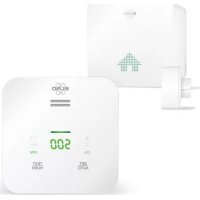
ACCESSORY - SF50GA SMART HOME ALARM K2 CONNECTOR
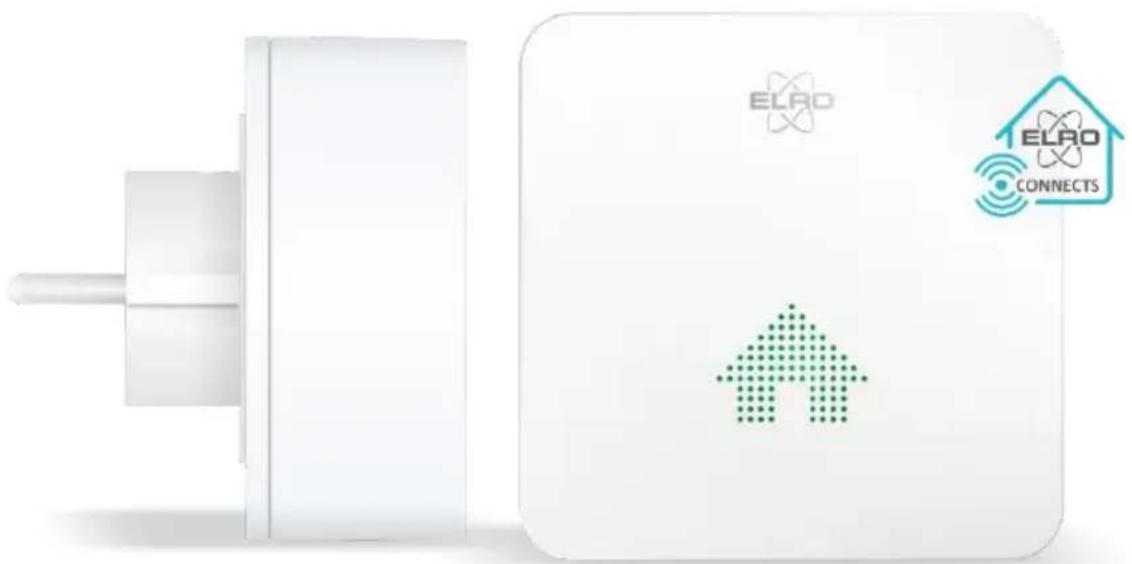
Your link to the ELRO Connects app. The K2 Connector adopts Radio Frequency (RF) technology which has the characteristics of low power consumption high security and advanced communications among RF devices and allows to form a smart system with our other RF products, such as: Smoke alarms, Carbon monoxide alarms, CO2 monitors, Heat and water alarms, Door-window sensors, Motion sensors, Sockets etc. etc.
natural_image
White electronic device with ELAD logo and connected home icon, no visible text or symbols on main body
Plug & Play in 3 easy steps
Download the "ELRO Connects 2.0" app.
Connect the ELRO Connects K2 Connector to the app.
Connect the device to the ELRO Connects K2 Connector
1. Einführung
text_image
ELRO Grün 400 CO₂ PPM SET AUTO TEST HUSH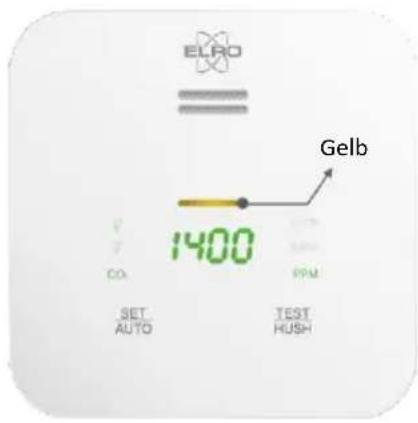
text_image
ELRO Gelb 1400 CO SET AUTO PPM TEST HUSH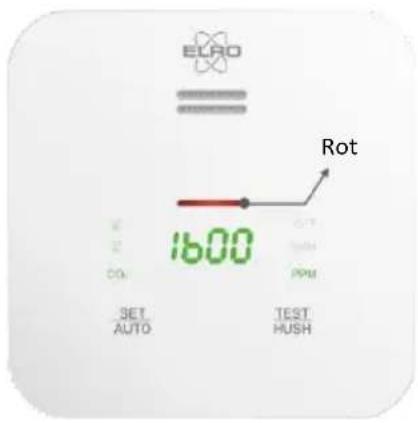
text_image
ELRO Rot 1600 SET AUTO OUT HUSH PPMnatural_image
White electronic device with ELAD logo and connected home icon, no visible text or symbols on main body
text_image
ELRO Geel 1400 CO. PPM SET AUTO TEST HUSH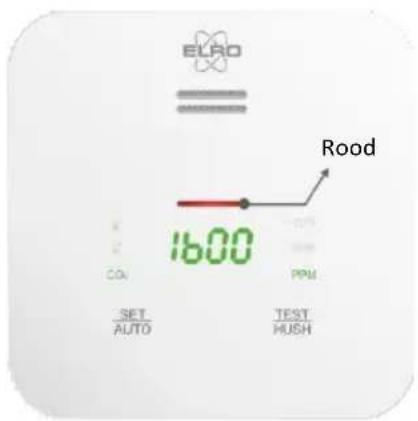
text_image
ELRO Rood 1600 CON CON CON CON CON SET AUTO PPM TEST HUSHnatural_image
White electronic device with ELAD logo and connected home icon, no visible text or symbols on main body
text_image
SET AUTO SET AUTO + CO₂ SET AUTO TEST HUSH SET AUTO + TEST HUSHnatural_image
White electronic device with ELAO logo and connected home icon, no visible text or symbols on main body
text_image
ELRO = Verde 400 CO. SET AUTO TEST HUSH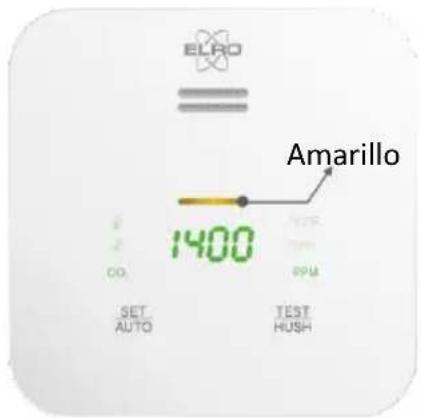
text_image
ELRO Amarillo 1400 AUTO TEST HUSH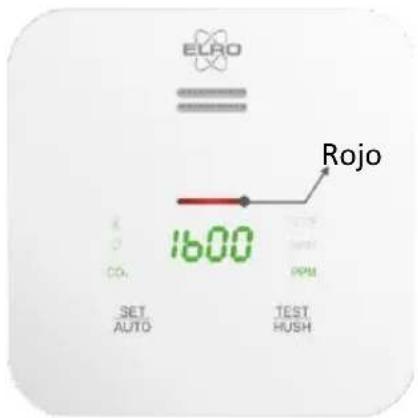
text_image
ELRO Rojo 1600 CO2 SET AUTO TEST HUSHtext_image
SET AUTO SET AUTO + CO₂ SET AUTO + CO₂ TEST HUSH SET AUTO + TEST HUSHnatural_image
White electronic device with ELAO logo and connected home icon, no visible text or symbols on main body
text_image
ELRO Verde 400 SET AUTO TEST HUSH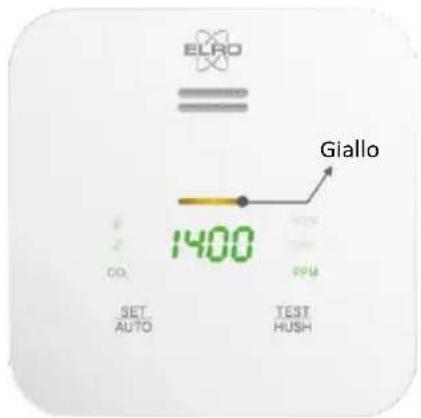
text_image
ELRO Giallo 1400 CO. SET AUTO TEST HUSH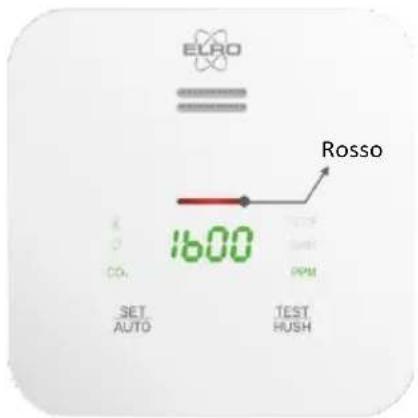
text_image
ELRO Rosso 1600 CO₂ SET AUTO TEST HUSHtext_image
SET AUTO SET AUTO + CO₂ SET AUTO TEST HUSH SET AUTO + TEST HUSHnatural_image
White electronic device with ELAO logo and connected home icon, no visible text or symbols on main body