SF400A11 - Smart Home ELRO - Free user manual and instructions
Find the device manual for free SF400A11 ELRO in PDF.



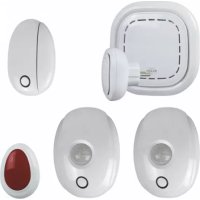
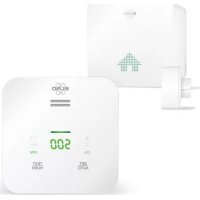
| Product type | Smart home kit with K1 central connector and sensors |
| Brand | ELRO |
| Model | SF400A11 |
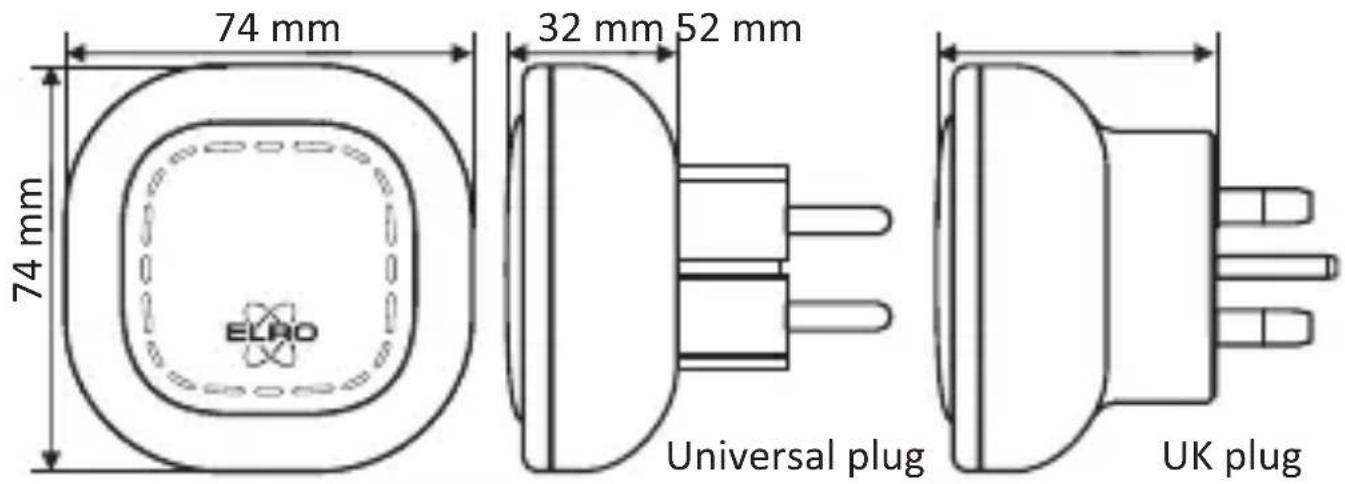
| K1 Connector - Dimensions | 74 x 74 x 32 mm |
| K1 Connector - Power supply | AC 240 V, 50/60 Hz |
| K1 Connector - Standby consumption | ≤ 1 W |
| K1 Connector - Wireless network | WiFi 802.11n/g/b, WPA/WPA2; RF 868 MHz |
| Door/window sensor - Contact dimensions | 68 x 34 x 20 mm |
| Door/window sensor - Magnet dimensions | 62 x 12 x 15 mm |
| Door/window sensor - Power supply | 1 CR2450 battery (3 V) |
| Motion detector - Power supply | 2 AA 1.5 V batteries (included) |
| Motion detector - Range / angle | 8 m / 90° |
| Emergency button - Power supply | 1 CR2450 battery (included) |
| Emergency button - Battery life | Up to 14 years |
| RF range sensors | ≥ 100 m |
| Mobile app | ELRO Connects (iOS/Android) |
| Operating modes | Home, Away, Sleep |
| Main functions | Remote control, scenes, timers, notifications |
| Installation | Simple: download the app, create an account, connect the hub |
| Warranty | Manufacturer's warranty (details on ELRO website) |
| Operating temperature | -10°C to +50°C (hub); 0-55°C (sensors) |
| Operating humidity | < 95% RH (hub); < 85% RH (sensors) |
| Maintenance | Clean with a dry cloth; do not immerse |
| Safety | Compliance with WEEE directive 2012/19/EU; battery recycling |
Frequently Asked Questions - SF400A11 ELRO
User questions about SF400A11 ELRO
0 question about this device. Answer the ones you know or ask your own.
Ask a new question about this device
Download the instructions for your Smart Home in PDF format for free! Find your manual SF400A11 - ELRO and take your electronic device back in hand. On this page are published all the documents necessary for the use of your device. SF400A11 by ELRO.
USER MANUAL SF400A11 ELRO
K1 CONNECTOR
ELRO CONNECTS
SF40GA11
Home is not a place, it's a feeling
EXPLANATION
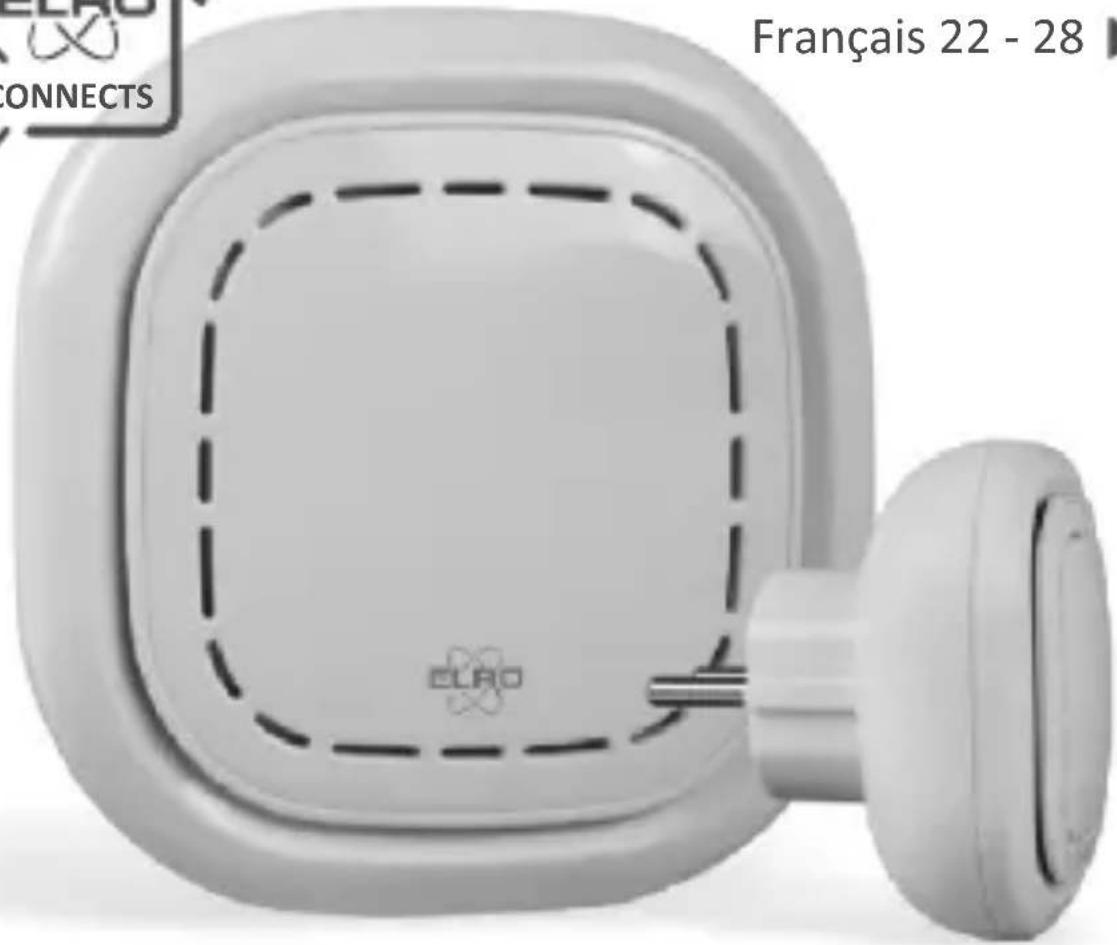
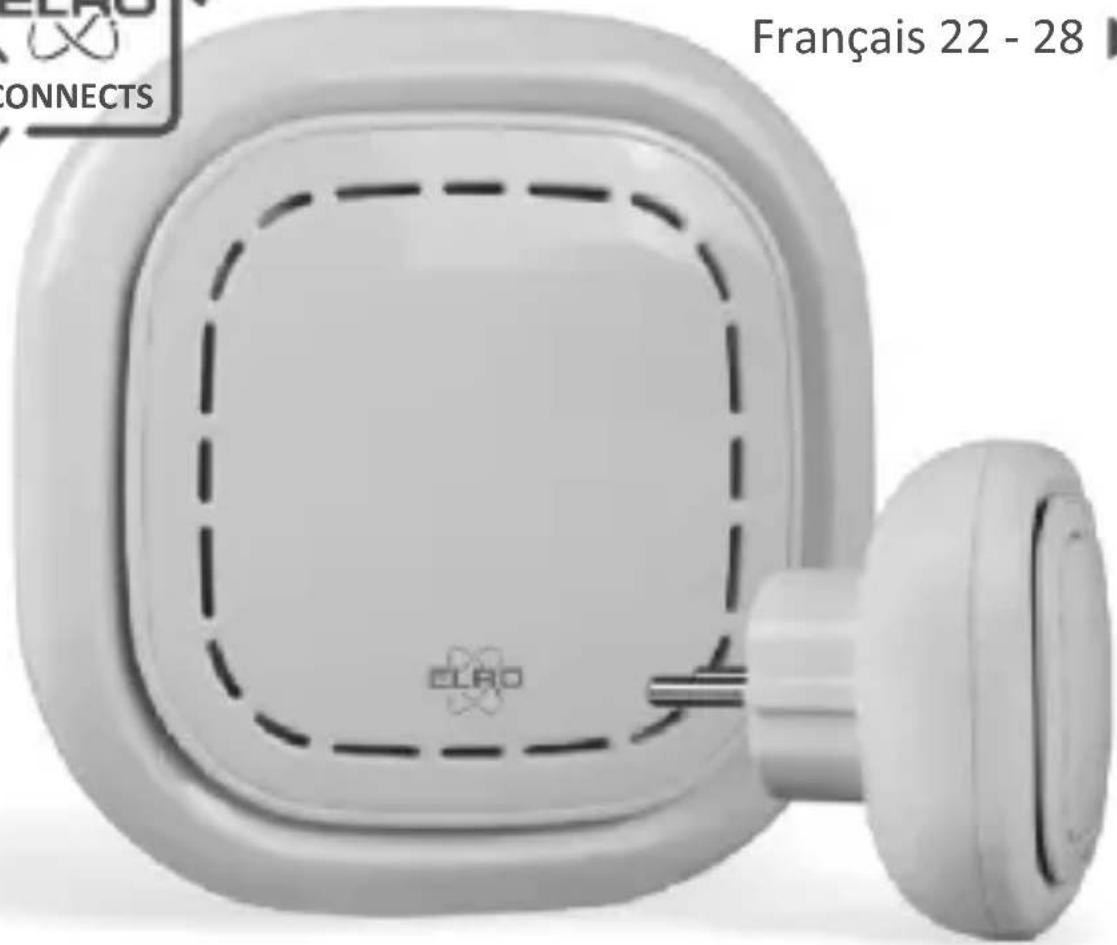
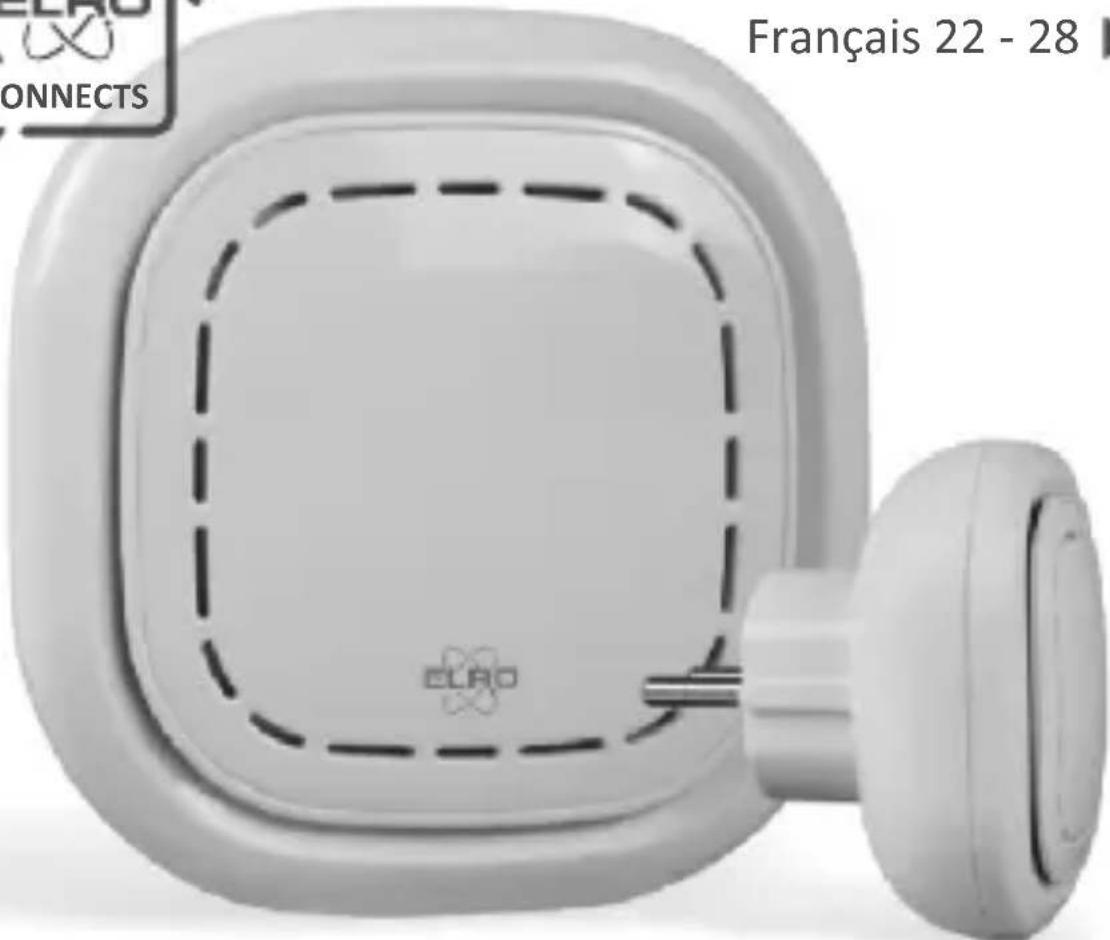
The ELRO K1 Connector is the centre of your ELRO Connects system. It connects all your ELRO Connects products to the free ELRO Connects App. With the ELRO Connects App you get full control of your home, making it a more comfortable and safe environment for you and your family. ELRO Connects is a plug & play system, developed for anyone to use and enjoy.
3 step installation
1. Download the ELRO Connects App
Download the “ELRO Connects” app from the Apple App Store or Google Play Store. To enjoy all the functions of the ELRO Connects system, make sure to allow the app to send push notifications and use your current location.
2. Register an Account
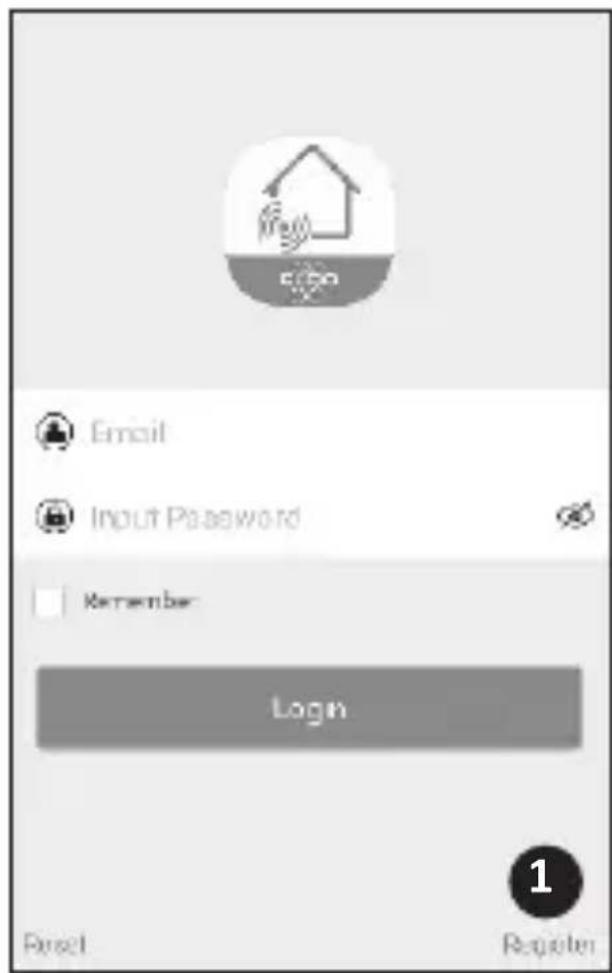
When opening the app for the first time, the login screen will pop-up. Please click the “Register” button (1) on the bottom right corner of the app. In the new screen, type in your e-mail address (2).
To verify your e-mail address, please tap the “Get” button (3). Now a pop-up will appear in which you need to fill in the displayed graphic verification code (4). (Be aware of Capital and Lower case!)
After you've entered the graphic's verification code, you'll receive an e-mail from the ELRO Connects App.
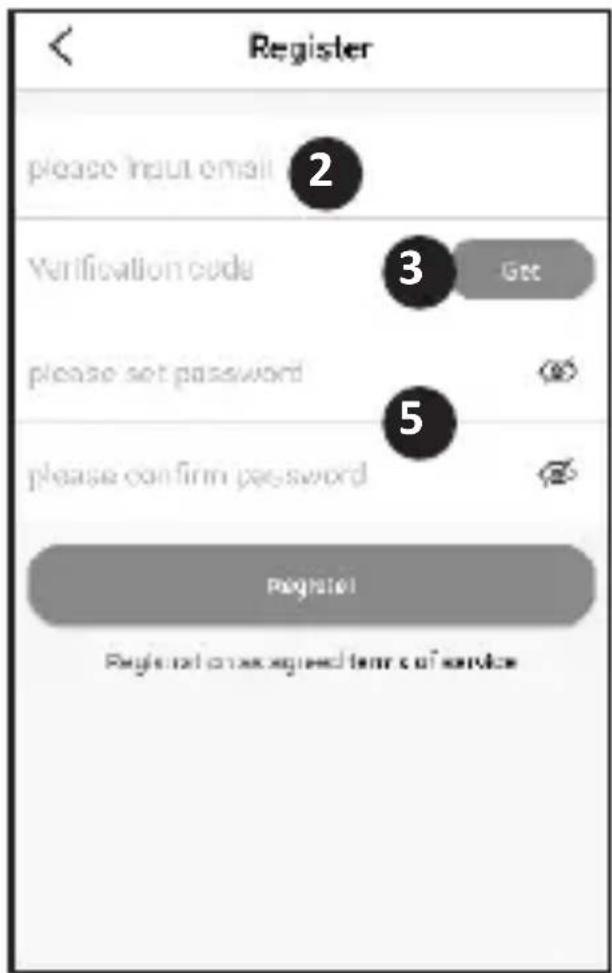
If you check the email on your phone you will have to re-open the ELRO Connects App again, fill in your e-mail address again and. the verification code you received in your e-mail needs to be filled in in the app left from the "Get" button (3).
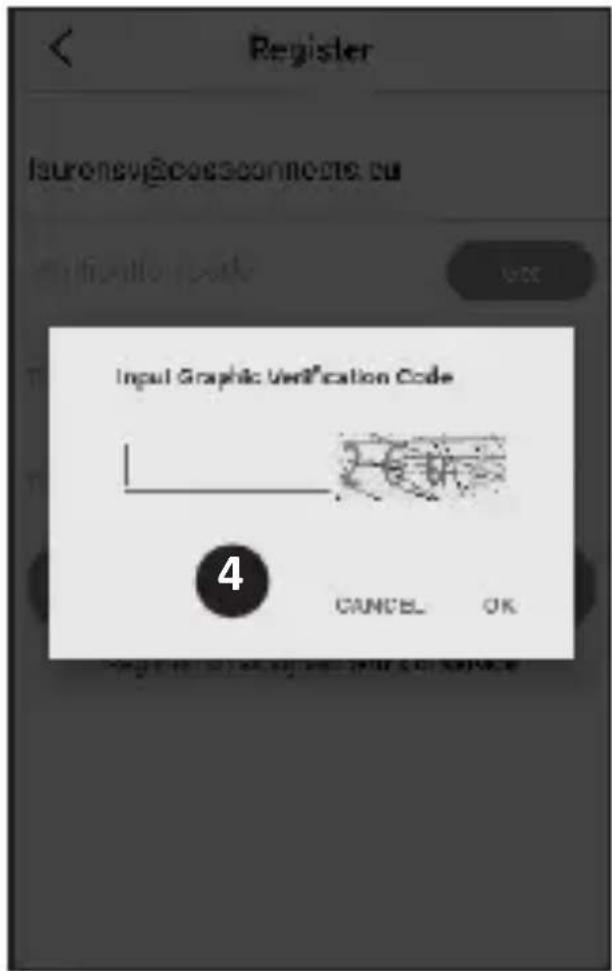
Next, type in the password (5) you want to use (at least 8 digits, a mix of upper/lower case letters and numbers and/or special characters). Re-enter the password in the field underneath and tap the “Register” button. You can check the password by pressing on the eye! Confirm by pressing registration. The login screen will appear. Now you can login to the app using the information the e-mail address and password you just provided.
3. Connect the K1 Connector to the app
Now you'll be taken to the "Add Gateway" screen. Plugin the K1 Connector into a wall socket, wait for the LED indicator to turn green.
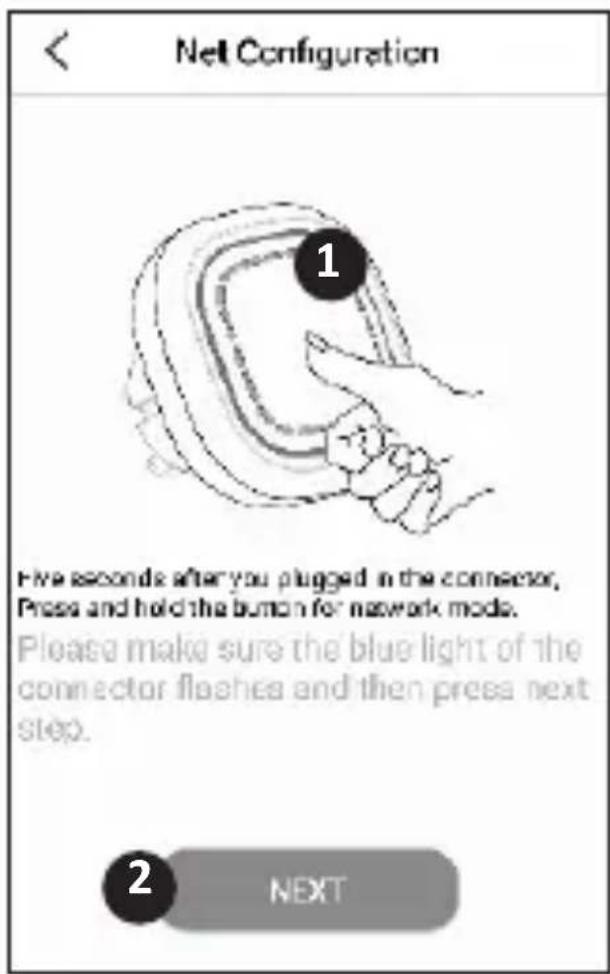
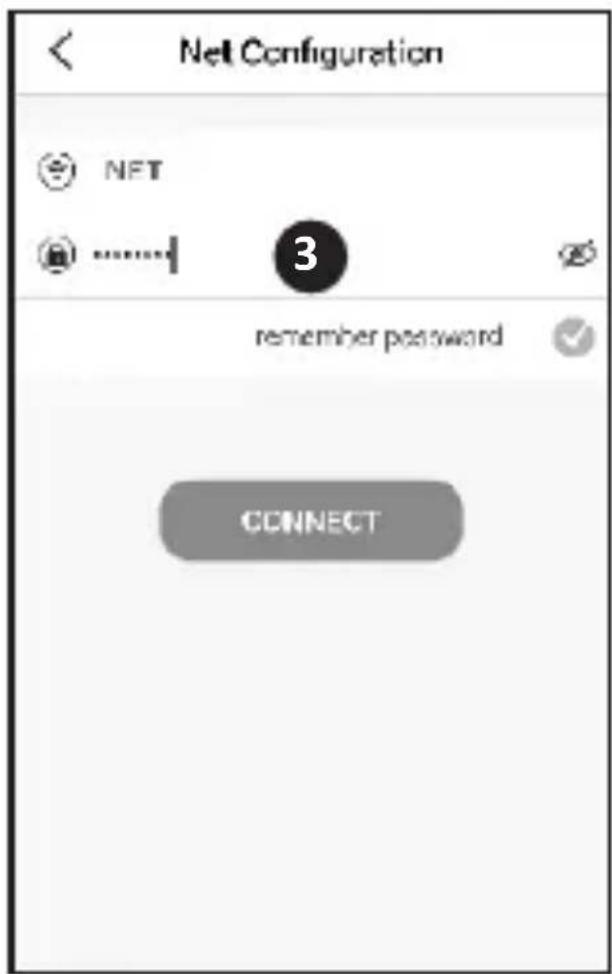
Next, press the K1 Connector's button (1) for min. 3 seconds until the blue LED light flashes slowly. Then, tap the “NEXT” button (2). In the next screen, type in your Wifi network password (3) and tap “CONNECT”. Now the app will search your network for the K1 Connector and connect it to the app. This will take approximately 1 minute. Afterwards you'll be informed that the connection was a success.
Connect ELRO Connects products to the app
Connecting the different ELRO Connects products to your app is very easy and will take you very little time.
First, go to the Device List by tapping the “Device” button (1) at the bottom right corner of your Home screen. Next, tap the “+” on the upper right corner (2).
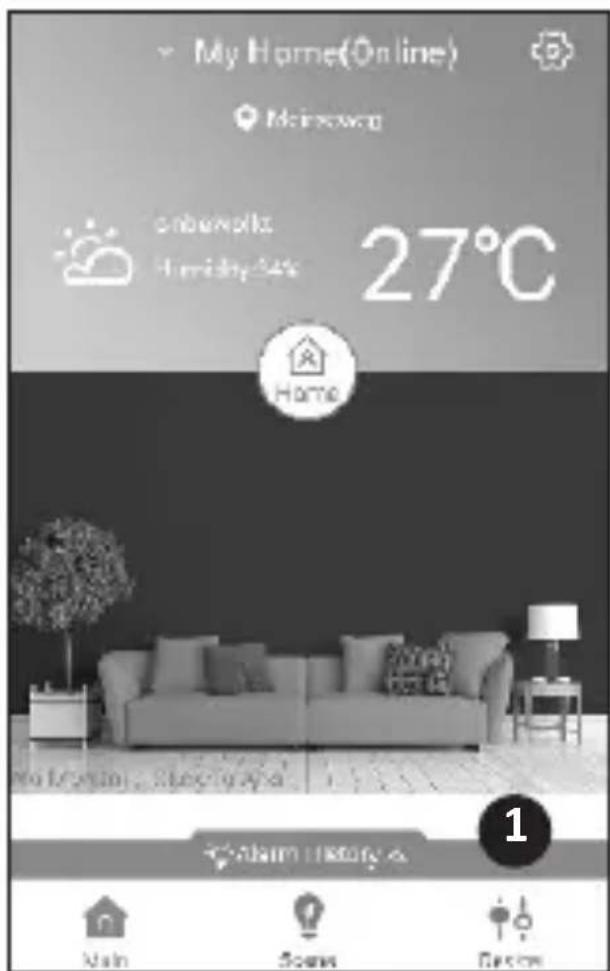
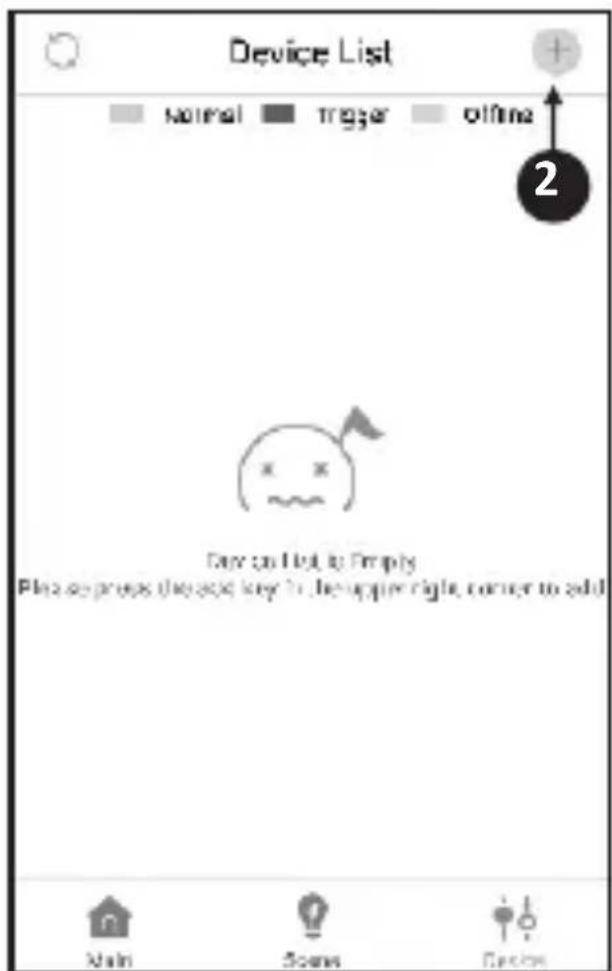
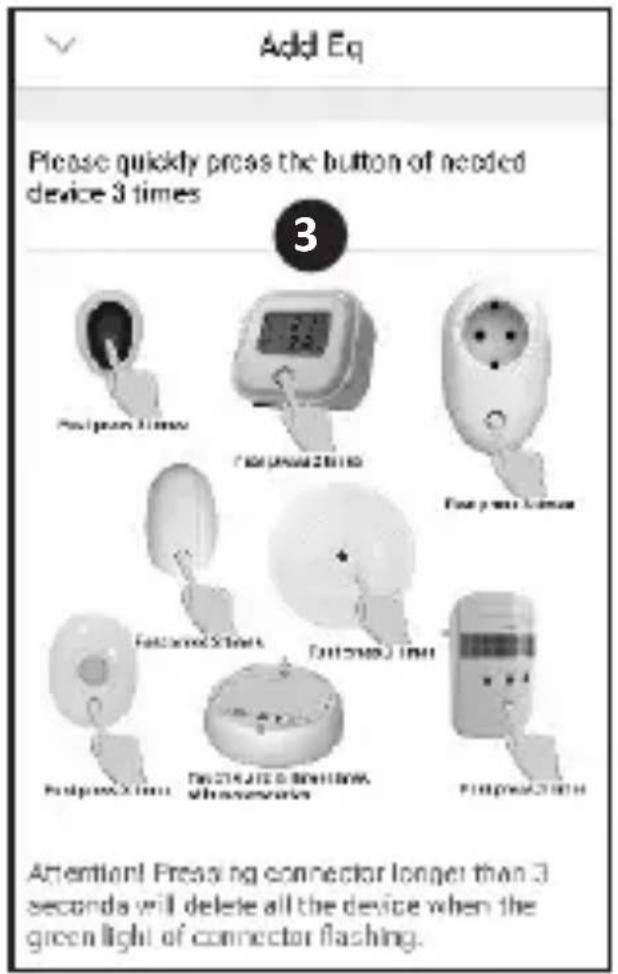
Now quickly press the button on your ELRO Connects device 3 times (3). When the connection with the ELRO Connects device is successful the LED of the K1 Connector will quickly blink 10 times and you'll receive a notice in the app.
Please note
The ELRO Connects Water Detector (FW3801R) doesn't have a button. Use a screwdriver to touch both sensors 3 times in the connection process.
Congratulations!
You successfully connected an ELRO Connects product to your app. You can now name the product and use it in your app to control with your smartphone, use in scenes etc.
If you have any questions or when you require more information on the ELRO Connects system and/or ELRO Connects products, please visit our website at www.elro.eu.
Operation Modes
Your ELRO Connects app has 3 pre-installed operation modes “Home, “Away” and “Sleep”. You can switch between these operation modes by tapping the button in the middle of your Home screen and select the desired mode.
Scenes
On the Home screen, please tap the “Scene” button at bottom of this screen. Here you can set up different scenes for your ELRO Connects system. When making a scene you can make certain sensors or conditions trigger actions from connected products. For example, you can make a motion sensor turn on a light connected to your plugin unit. To create a scene, simply tap the “+” in the “automating list”. Here a screen pops up in which you can add conditions and link them to an action that you want to follow from it.
Timers
On the Home screen, please tap the “Scene” button at bottom of this screen. To set a timer, tap the “Timer” button on the top left corner of your screen. Here you can set a time at which an operation mode automatically start. For example, you can set the “Sleep” mode to be activated each day at 23:00.
For more information regarding Scenes, Timers, Modes and the latest updates, please visit our website at www.elro.eu.
Disposal of the device The adjacent symbol of a crossed-out wheelie bin means that this device is subject to Directive
2012/19/EU. This directive states that this device may not be disposed of in normal household waste at the end of its usable life, but must be handed over to specially set-up collection locations, recycling depots or disposal companies. This disposal is free of charge for the user. Protect the environment and dispose of this device properly. You can obtain further information from your local disposal company or the city or local authority.
| SF40GA11 K1 Connector | |
| Power Input : AC 240V, 50/60Hz | |
| Power consumption : ≤ 1W (Standby) | |
| Networking : WiFi | 802.11n/g/b, WPA/WPA2 | |
| : RF | 868MHz | |
| Wireless distance : WiFi | Refer to Router for instructions | |
| : RF | ≥ 100 m | |
| Environment : -10°C ~ +50°C <95% RH (Non-condensate) |
ELRO Europe | www.elro.eu
Postbus 9607 - Box E800
1006 GC Amsterdam - The Netherlands

GUARANTEE
V1

Deutsch 08 - 14

Nederlands 15 - 21
Français 22 - 28
K1 CONNECTOR
ELRO CONNECTS
SF40GA11
Home is not a place, it's a feeling
ERKLÄRUNG
SF40GA11 K1 Connector
Nederlands 15 - 21
Français 22 - 28
K1 CONNECTOR
ELRO CONNECTS
SF40GA11
Home is not a place, it's a feeling
UITLEG
Home is not a place, it's a feeling
EXPLICATION
DOOR/WINDOW CONTACT
ELRO CONNECTS K1
SF40MALL Home is not a place, it's a feeling
EN - EXPLANATION
The ELRO Connects Door/Window Sensor is an addition for your ELRO Connects Smart Home System. It helps you to easily secure a door or window against unwanted intruders. When the sensor is active and your door/window is opened, the build-in-siren of the K2 Connector (SH406A) will give a loud warning and you'll receive a notification on your smartphone by the ELRO Connects App. Door/window contacts can be used on the front door, back door and the windows most vulnerable to burglars, typically in the basement of your house or the back windows of a first.
Inserting/Activating batteries and mounting door/window contact
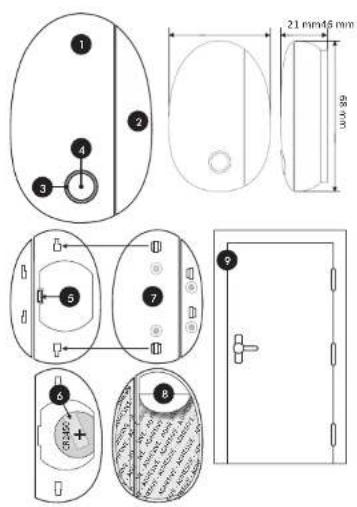
1 = Contact 2 = Magnet 3 = LED 4 = Button
5 - Battery compartment 6 - Plastic protection strip
7 - Mounting plates 8 - Protection shield
9 - Selected location
3 step installation
Step1. Activate the battery
Open the battery compartment (5) and remove the plastic (6) protection strip. The 3V lithium battery [CR2450] is now activated. Close the battery compartment.
Step2. Place the sensor
The contact (1) is placed on the style and the magnet (2) on the door or window. Slide the mounting plates (7) onto the contact (1) and magnet (2). Remove the protection shield (8) from the adhesive tape and stick the Door/window contact to the selected location (9).
The distance between the contact (1) and the magnet (2) must not be more than 8 mm. You can check this by sliding the magnet away from the contact. When the LED lights up, the contact between the two is broken are fixed. Take this into account during mounting.
DE - ERKLÄRUNG
Step3. Connect to the ELRO Connects App
Connecting the different ELRO Connects Door/Window Sensor to your app is very easy and will take you very little time.
- First, open the LLRC Connects App and go to the Device List by tapping the "Device" button (1) at the bottom right corner of your Home screen.
- Next, top the "n" on the upper right corner (2).
- Now quickly press the button on your EURO Connects Door/Window Sensor 3 times [3]. When the connection with the EURO Connects Door/Window Sensor is successful, the LED of the K1 Connector will quickly blink 10 times and you'll receive a notice in the app.
Congratulations!
You successfully connected the product to your app. You can now name the sensor and use it in your app to receive notifications, use in scenes etc.
| SF43MA11 Specifications | |
| Power Input | : DC 3V [1x CR2450 Ind. ] |
| Standby current | : ±6μA |
| Trigger current | : ±30mA |
| Frequency | : 856MHz |
| Wireless distance | : ≥100 m |
| Environment | : 0°C = +3.5°C <95% RH Non-condensate |
| Size | : Contact 68 x 34 x 20 mm |
| : Magnet 62 x 12 x 19 mm | |
Disposal of the device. The adjacent symbol of a crossed-out school bin means that this device is subject to Directive 12/19/LU. This directive states that this device may not be disposed of in normal household waste at the one of its usual life, but must be handed over to specially set up collection locations, recycling depots or disposal companies. This disposal is free of charge for the user. Protect the environment and dispose of this device properly. You can obtain further information from your local disposal company or the city or local authority. Disposal of batteries. Used batteries may not be disposed of in household waste. Consumers are legally obliged to dispose of (rechargeable) batteries at a collection point in their community/city district or at a retail score. The purpose of this obligation is to ensure that batteries are disposed of in an environmentally congruent manner. Only dispose of batteries when they are fully discharges.
DOOR/WINDOW CONTACT
ELRO CONNECTS K1
SFACMALL Home is not a place, it's a feeling
NL - UITLEG
MOTION DETECTOR
ELRO CONNECTS K1
SF40PR11 Home is not a place, it's a feeling
EN - EXPLANATION
This EURO Connects Motion Sensor is an addition for your EURO Connects Smart Home System. It helps you to easily secure a room against unwanted intruders. When the sensor is active and it detects an intruder, the build-in studio of the K1 Connector (SFADGA) will give a loud warning and you'll receive a notification on your smartphone by the EURO Connects App. The PWR motion detector is typically installed in the living area of your home. Please notice that it also reacts to other movements, such as from ports.
Inserting/Activating batteries and mounting PIR motion detector
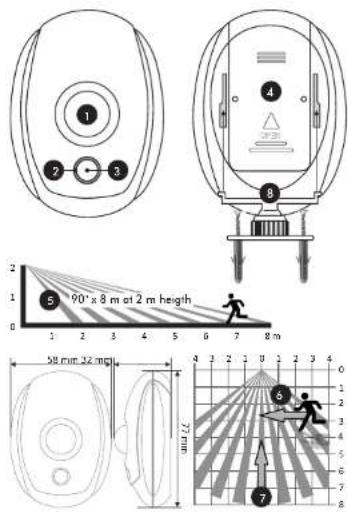
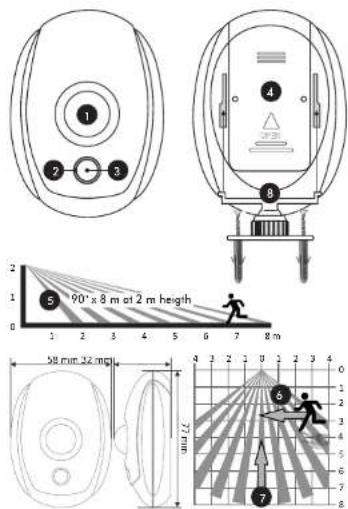
1 = Sensor 2 = LED 3 = Button 4 = Battery compartment
5 - Mounting Height 6 - Lateral detection
7 - vertical detection 8 - Plastic wall-holder
3 step installation
Step1. Activate the battery
Open the the battery compartment (4) and place the 2x 1.5V AA batteries in the right way, paying attention to the polarity (+ and -). Close the battery compartment. After installing the batteries, the detector enters the start-up mode, the red LED flashes (2). Wait for about 60 seconds for the start-up mode to be finished. The LED will now be off.
Step2. Place the sensor
At a mounting height (5) of 2 meters, the detector has a security angle of 90^ and a length of 8 meters. The sensitivity of the detector to the lateral detection (6) is higher than to vertical detection (7). Take this into account when mounting the PIR motion detector at the location of your choice. Now you can mount the plastic wall-holder (8) to the location and the PIR motion detector to the plastic wall holder.
DE - ERKLÄRUNG
Step 3. Connect to the ELRO Connects App
Connecting the different ELRO Connects Motion Sensor to your app is very easy and will take you very little time.
- First, open the LLRC Connects App and go to the Device List by tapping the "Device" button (1) at the bottom right corner of your Home screen.
- Next, top the "a" on the upper right corner (2).
- Now quickly press the button on your ELRO Connects Motion Sensor 3 times [3]. When the connection with the ELRO Connects Motion Sensor is successful, the LED of the K1 Connector will quickly blink 10 times and you'll receive a notice in the app.
Congratulations!
You successfully connected the product to your app. You can now name the sensor and use it in your app to receive notifications, use in scenes etc.
| SF40PR11 Specifications | |
| Power input: DC 3V (2x 1.5V AA incl.) | |
| Sterilby current : ±25μA | |
| Trigger current : ±40mA | |
| Frequency : 868MHz | |
| Wireless distance : ≥100 m | |
| Detection distance : 5 ~ 20 m | |
| Detection angle : 90° | |
| Detection speed : 2.3 ~ 3 m/s | |
| Preheat time : 60 seconds | |
| Environment : 10°C ~ +32°C <80% RH Non condensate | |
| Size : 77 x 58 x 32 mm |
Disposal of the device. The adjacent symbol of a crossed-out wheelchair bin means that this device is subject to Directive 12/19/LU. This directive states that this device may not be disposed of in normal household waste at the one of its usual life, but must be handed over to specially set up collection locations, recycling depots or disposal companies. This disposal is free of charge for the user. Protect the environment and dispose of this device properly. You can obtain further information from your local disposal company or the city or local authority. Disposal of batteries. Used batteries may not be disposed of in household waste. Consumers are legally obliged to dispose of (rechargeable) batteries at a collection point in their community/city district or at a retail score. The purpose of this obligation is to ensure that batteries are disposed of in an environmentally congruent manner. Only dispose of batteries when they are fully discharges.
MOTION DETECTOR
ELRO CONNECTS K1
SF40PR11 Home is not a place, it's a feeling
NL - UITLEG
PANIC BUTTON ELRO CONNECTS K1
SF405511 Home is not a place, it's a feeling
natural_image
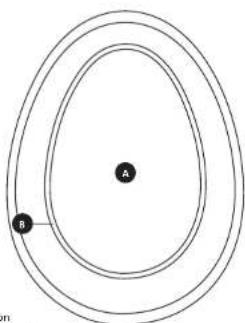
Diagram of concentric ellipses with labeled points A and B, no text or symbols presentA = Button
B = Indicator light
A = Taste
B = Kontrollleuchte
English
Deutsch ▶
EN - EXPLANATION
This ELRO Connects Emergency Button is an addition for your ELRO Connects Smart Home System. When the Emergency button is pressed, the Connector's build-in-siren will give a loud warning and all smartphones connected to your ELRO Connects Smart Home System will receive a notification.
How to connect to the ELRO Connects App
Connecting the different ELRO Connects Emergency Button to your app is very easy and will take you very little time.
- First, open the EURO Connects App and go to the Device List by tapping the "Device" button (1) at the bottom right corner of your Home screen.
- Next, tap the "+" on the upper right corner (2).
- Now quickly press the button on your ELRO Connects Emergency Button (3). When the connection with the ELRO Connects Emergency Button is successful, the LED of the K1 Connector will quickly blink 10 times and you'll receive a notice in the app.
Congratulations!
You successfully connected the product to your app.
DE - ERKLÄRUNG
| SF405S11 Specifications | |
| Battery incl. : CR2450 | |
| Battery lifespan : 4 years | |
| RF distance : Up to 100m | |
| Operation environment : 0-55°C | |
| Operation humidity : 5-90%RH |
EURO Europe | www.elra.eu Postbus 9607 Box E800 1006 GE Amsterdam The Netherlands

adjacent symbol of a crossed out
Wheelle bin meant that this device is subject to Directive 20.12/19/EU. This directive states that this device may not be disposed of in normal household waste at the end of its usable life, but must be handed over to specially set-up collection locations, recycling depots or disposal companies. This disposal is free of charge for the user. Protect the environment and dispose of this device properly. You can obtain further information from your local disposal company or the city or local authority. Disposal of batteries. Used batteries may not be disposed of in household waste. Consumers are legally obliged to dispose of [chargeable] batteries at a collection point in their community/city district or at a retail store. The purpose of this obligation is to ensure that batteries are disposed of in an environmentally congruent manner. Only dispose of batteries when they are fully discharges.
PANIC BUTTON ELRO CONNECTS K1
SF405511 Home is not a place, it's a feeling
natural_image
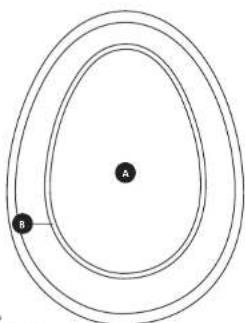
Simple diagram of concentric ellipses with labeled points A and B, no text or symbols present.A = Knop
B = Indicatie licht
A = Bouton
B = Lumière Indicatie
Nederlands
Français
NL - UITLEG
- K1 CONNECTOR
- ELRO CONNECTS
- EXPLANATION
- step installation
- Download the ELRO Connects App
- Register an Account
- Connect the K1 Connector to the app
- Connect ELRO Connects products to the app
- Please note
- Congratulations!
- Operation Modes
- Scenes
- Timers
- ERKLÄRUNG
- UITLEG
- EXPLICATION
- EN - EXPLANATION
- Step1. Activate the battery
- DE - ERKLÄRUNG
- Step3. Connect to the ELRO Connects App
- NL - UITLEG
- Step2. Place the sensor
- Step 3. Connect to the ELRO Connects App
- How to connect to the ELRO Connects App
Brand : ELRO
Model : SF400A11
Category : Smart Home