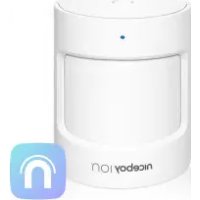
ION ORBIS Motion Sensor - Smart Home Niceboy - Free user manual and instructions
Find the device manual for free ION ORBIS Motion Sensor Niceboy in PDF.


| Product type | Passive infrared (PIR) motion sensor |
| Brand | Niceboy |
| Model | ION ORBIS Motion Sensor |
| Dimensions | 43 x 38 x 36 mm |
| Wireless protocol | Zigbee |
| Battery | CR2 (lithium battery) |
| Maximum detection distance | 7 m |
| Maximum detection angle | 150° |
| Operating temperature | -10 °C to +50 °C |
| Operating humidity | 0 - 95% RH (non-condensing) |
| Maximum transmission power (Zigbee) | 9.99 dBm |
| Operating frequency | 2400 - 2483.5 MHz |
| Package contents | Motion sensor, sticker, user manual |
| Installation | Stuck (adhesive) or placed, height 1.2 - 2.1 m |
| Usage | Indoor only |
| Requires | Niceboy ION app and Niceboy ION ORBIS Bridge |
| Features | Motion detection, automation scenarios (turn lights on/off) |
| Maintenance | Clean with a dry cloth; replace the CR2 battery if necessary |
| Safety | Do not ingest the battery; keep out of reach of children; not for security use |
| Repairability | Repairs by an authorized professional only |
| Warranty / Compliance | Compliant with EU directives; declaration at niceboy.eu |
Frequently Asked Questions - ION ORBIS Motion Sensor Niceboy
User questions about ION ORBIS Motion Sensor Niceboy
0 question about this device. Answer the ones you know or ask your own.
Ask a new question about this device
Download the instructions for your Smart Home in PDF format for free! Find your manual ION ORBIS Motion Sensor - Niceboy and take your electronic device back in hand. On this page are published all the documents necessary for the use of your device. ION ORBIS Motion Sensor by Niceboy.
USER MANUAL ION ORBIS Motion Sensor Niceboy
VAROVÁNÍ
VAROVANIE
PRODUCT INTRODUCTION
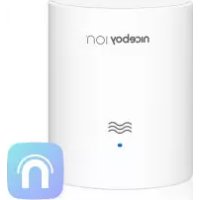
Niceboy ION ORBIS Motion sensor detects human movement with passive infrared. It works with other smart accessories to set various scenes, such as turning on or off lights automatically when it detects activity or inactivity. The sensor uses Zigbee protocol which consumes low energy, but requires Niceboy ION ORBIS Bridge to Connect. No tools are required for installation, and simply peel and stick. This product is for indoor use only.
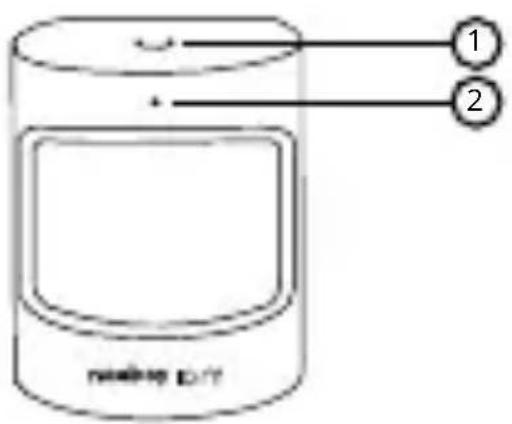
- Reset button
- Indicator light
QUICK SETUP
- Before activating the accessory, please make sure you have the Niceboy ION app downloaded and Niceboy ION ORBIS Bridge installed.
- Insert the battery inside the sensor unit (CR2 type). Then hold the reset button for 5 seconds until the indicator light starts flashing rapidly.
- There are two methods to add the device
a. Open the Niceboy ION app, tap "Home" and then open Niceboy ION ORBIS Bridge. Click on „Zigbee devices list“, then on „Add device“ and then on „Add new devices“. The app will start looking for nearby devices. Once the device is found, it will appear on the screen. Click on the device and add it to your app.
b. Open the Niceboy ION app, and then tap “+” in the top right corner to enter “Add Device page”. Select “Sensors”, then click on „Motion sensor“ and choose the Zigbee gateway (Niceboy ION ORBIS Bridge). Confirm that you inserted batteries, reseted the device and that the light indicator is blinking rapidly (step 2). The app will start looking for a new device. Once the
device is found, just add it to the app.
- New device will be visible in Niceboy ION ORBIS Bridge and also on the page „Home“.
INSTALLATION
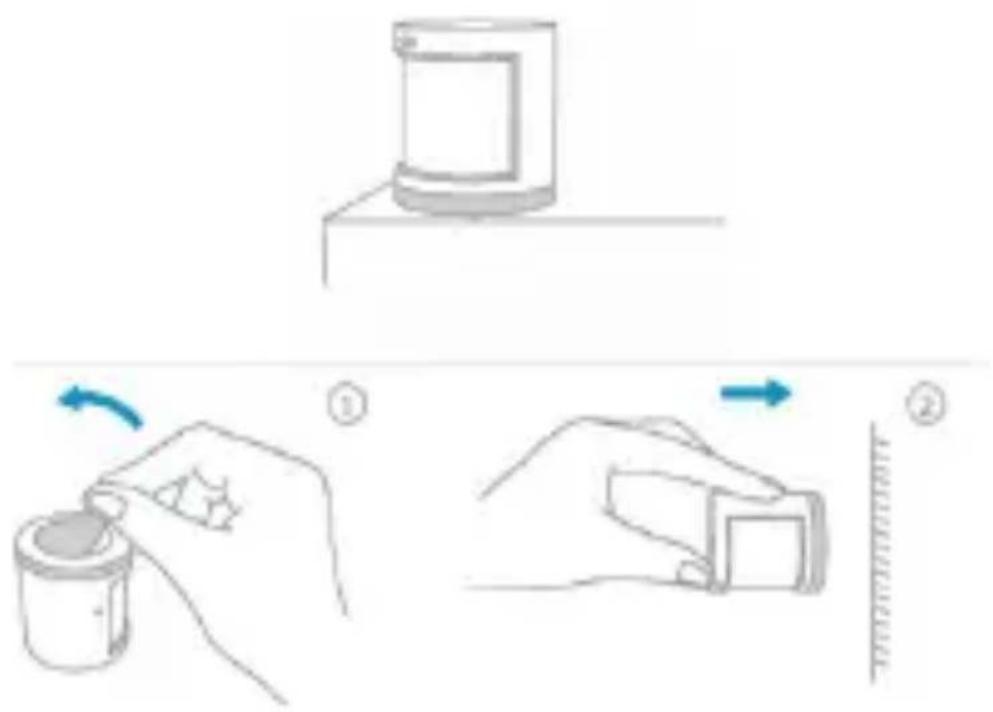
- Option 1: Place the Motion Sensor where you need it.
- Option 2: Remove the protective film (the sticker is in the box), and stick it to the desired position.
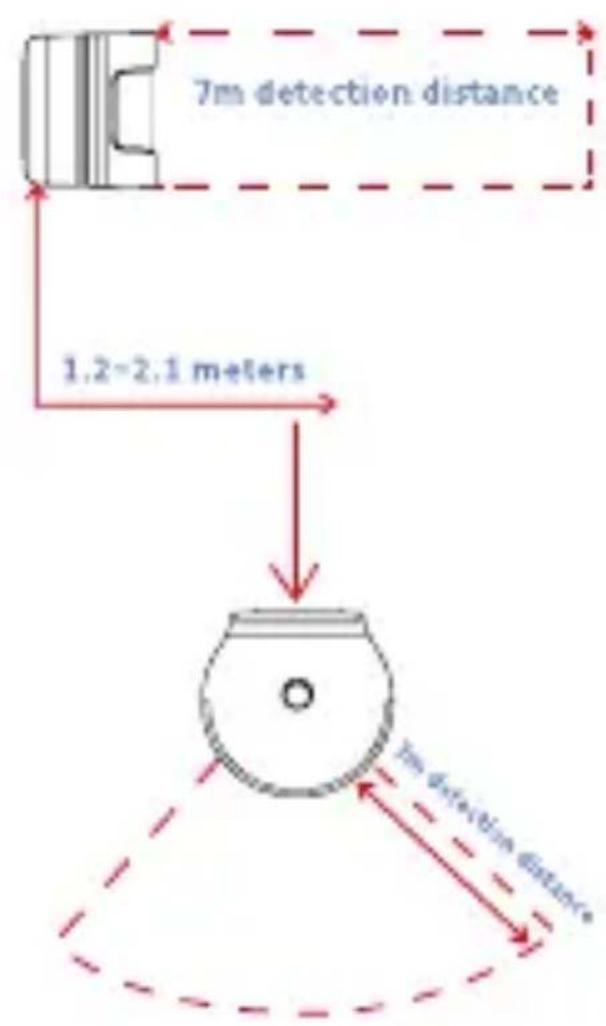
- The installation height should be 1,2-2,1 meters. The detect range is 150 degrees. If the installation height is below 1.2 m , the detection area will decrease; if above 2.1 m , the detection area might have blind spots.
WARNINGS
- This product is NOT a toy. Please keep children away from this product.
- This product is designed for indoor use only. Do NOT use in humid environments or outdoors.
- Beware of moisture, do NOT spill water or other liquids onto the product.
- Do NOT place this product near a heat source. Do NOT place it in an enclosure unless there is normal ventilation.
- Do NOT attempt to repair this product by yourself.
- All repairs should be performed by an authorized professional.
- This product is only suitable for improving the entertainment, convenience of your home life and reminding you about the device status. It should NOT be used as security equipment for home, building, warehouse or any other places.
- If a user violates the product use instructions, the manufacturer will NOT be liable for any
CAUTION
- Risk of explosion if the battery is replaced by an incorrect type.
- Dispose of used batteries according to the instructions.
- Do not ingest battery, Chemical Burn Hazard.
- This product contains a coin / button cell battery. If the coin / button cell battery is swallowed, it can cause severe internal burns in just 2 hours and can lead to death.
- Keep new and used batteries away from children.
- If the battery compartment does not close securely, stop using the product and keep it away from children.
- If you think batteries might have been swallowed or placed inside any part of the body, seek immediate medical attention.
- Disposal of a battery into fire or a hot oven, or mechanically crushing or cutting of a battery, that can result in an explosion.
• Leaving a battery in an extremely high temperature surrounding environment that can result in an explo-
sion or the leakage of flammable liquid or gas.
- A battery subjected to extremely low air pressure that may result in an explosion or the leakage of flammable liquid or gas.
- Improper handling (prolonged charging, short circuit, breakage by another object, etc.) may result in, for example, fire, overheating or battery leakage.
- The battery or accumulator that may be included with the product has a life of six months because it is a consumable item.
SPECIFICATIONS
Model: ORBIS Motion sensor
Dimensions: 43 x 38 x 36 mm
Wireless Protocol: Zigbee
Battery: CR2
Maximum Detection Distance: 7 m
Maximum Detection Angle: 150°
Operating Temperature: -10° - +50°C ( 14° - 122°F )
Operating Humidity: 0 - 95% RH, no condensation
Maximum Transmit Power (Zigbee): 9.99 dBm
Working Frequency: 2400 MHz - 2483.5 MHz
Packing list: Motion sensor, 3M sticker,
manual
RTB Media s.r.o. hereby declares that the type of radio equipment ORBIS Motion sensor complies with Directives 2014/53 / EU, 2014/30 / EU, 2014/35 / EU, and 2011/65 / EU. The full content of EU Declaration of Conformity is available on the following websites: https://niceboy.eu/cs/podpora/prohlaseni-o-shode-mM38CtmYvX693lHvvu4CWpk3vjGrvnC
USER INFORMATION FOR DISPOSING ELECTRICAL AND ELECTRONIC DEVICES (HOME USE)
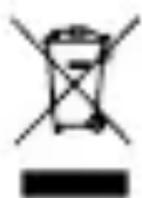
This symbol located on a product or in the product's original documentation means that the used electrical or electronic products may not be disposed together with the communal waste. In order to dispose of these products correctly, take them to a designated collection site, where they will be accepted for free. By disposing of a product in this way, you are helping to protect precious natural resources and helping to prevent any potential negative impacts on the environment and human health, which could be the result of incorrect waste disposal. You may receive more detailed information from your local authority or nearest collection site. According to national regulations, fines may also be given out to anyone who disposes of this type of waste incorrectly. User information for disposing electrical and electronic devices.
(Business and corporate use)
In order to correctly dispose of electrical and electronic devices for business and corporate use, refer to the product's manufacturer or importer. They will provide you with information regarding all disposal methods and, according to the date stated on the electrical or electronic device on the market, they will tell you who is responsible for financing the disposal of this electrical or electronic device. Information regarding disposal processes in other countries outside the EU. The symbol displayed above is only valid for countries within the European Union. For the correct disposal of electrical and electronic devices, request the relevant information from your local authorities or the device seller.
Information on all frequency bands in which the radio equipment operates and intentionally transmits radio waves as well as the maximum radio frequency power transmitted in the frequency band in which the radio equipment is operated is included in the instructions and safety information.
DE
PRODUKTBESCHREIBUNG
WARNUNG
FIGYELEM
UPOZORENJE
OSTRZEŻENIA
OPOZORILO
Akumulator: BATERIJA: CR2
ПРЕДУПРЕЖДЕНИЕ
AVERTISSEMENT
Brand : Niceboy
Model : ION ORBIS Motion Sensor
Category : Smart Home