DSD6043UNB - Monitor Hikvision - Free user manual and instructions
Find the device manual for free DSD6043UNB Hikvision in PDF.



| Brand | Hikvision |
| Model | DSD6043UNB |
| Product type | Digital monitor (dynamic display) |
| Application areas | Entertainment, finance, transportation, advertising |
| Main functions | Program display, information broadcasting, remote management via FocSign |
| Supported terminals | Up to 50 (scene 1) or 500 (scene 2) terminals |
| Wireless connectivity | Wi-Fi 2.4 GHz (802.11b/g/n) and Bluetooth 4.0 |
| Wi-Fi frequencies | 2.412 to 2.472 GHz |
| Transmitted Wi-Fi power | 12 ± 2 dBm (802.11b), 15 ± 2 dBm (802.11g), 14 ± 2 dBm (802.11n 20 MHz), 12 ± 2 dBm (802.11n 40 MHz) |
| Transmitted Bluetooth power | 3 ± 2 dBm |
| Power supply | Mains, grounded power socket |
| Fuse | Same type and rating for replacement |
| Safety distance | Minimum 20 cm between radiator and body |
| Ventilation | Minimum 20 mm space around the device |
| USB port | For mouse, keyboard or USB key only |
| Mounting | Wall or stand mounting, follow installation instructions |
| Maintenance and cleaning | Clean with a soft dry cloth, do not use liquids |
| Batteries | Built-in button cell, do not ingest, keep out of reach of children |
| Ambient temperature | Avoid extremely hot or cold temperatures |
| Compliance | CE, WEEE, RoHS, battery directive |
Frequently Asked Questions - DSD6043UNB Hikvision
User questions about DSD6043UNB Hikvision
0 question about this device. Answer the ones you know or ask your own.
Ask a new question about this device
Download the instructions for your Monitor in PDF format for free! Find your manual DSD6043UNB - Hikvision and take your electronic device back in hand. On this page are published all the documents necessary for the use of your device. DSD6043UNB by Hikvision.
USER MANUAL DSD6043UNB Hikvision
© 2021 Hangzhou Hikvision Digital Technology Co., Ltd. All rights reserved.
This Manual is the property of Hangzhou Hikvision Digital Technology Co., Ltd. or its alias (hereinaer referred to as "Hikvision"), and it cannot be reproduced, changed, translated, or distributed, parall or wholly, by any means, without the prior written permission of Hikvision. Unless otherwise expressed stated herein, Hikvision does not make any warranties, guarantees or representaons, express or implied, regarding to the Manual, any informaon contained herein.
About this Manual
The Manual includes instruons for using and managing the Product. Pictures, charts, images and all other informaon hereinaer are for descripon and explanaon only. The informaon contained in the Manual is subject to change, without noce, due to rmware updates or other reasons. Please nd the latest version of this Manual at the Hikvision website (https://www.hikvision.com). Please use this Manual with the guidance and assistance of professionals trained in supporng the Product.
Trademarks
HIKVISION and other Hikvision's trademarks and logos are the properes of Hikvision in various jurisdictons.
- Other trademarks and logos menoned are the properes of their respecve owners.
Disclaimer
TO THE MAXIMUM EXTENT PERMITTED BY APPLICABLE LAW, THIS MANUAL AND THE PRODUCT DESCRIBED, WITH ITS HARDWARE, SOFTWARE AND FIRMWARE, ARE PROVIDED "AS IS" AND "WITH ALL FAULTS AND ERRORS". HIKVISION MAKES NO WARRANTYES, EXPRESS OR IMPLIED, INCLUDING WITHOUT LIMITATION, MERCHANTABILITY, SATISFACTORY QUALITY, OR FITNESS FOR A PARTICULAR PURPOSE. THE USE OF THE PRODUCT BY YOU IS AT YOUR OWN RISK. IN NO EVENT WILL HIKVISION BE LIABLE TO YOU FOR ANY SPECIAL, CONSEQUENTIAL, INCIDENTAL, OR INDIRECT DAMAGES, INCLUDING, AMONG OTHERS, DAMAGES FOR LOSS OF BUSINESS PROFITS, BUSINESS INTERRUPTION, OR LOSS OF DATA, CORRUCTION OF SYSTEMS, OR LOSS OF DOCUMENTATION, WHETHER BASED ON BREACH OF CONTRACT, TORT (INCLUDING NEGLIGENCE), PRODUCT LIABILITY, OR OTHERWISE, IN CONNECTION WITH THE USE OF THE PRODUCT, EVEN IF HIKVISION HAS BEEN ADVISED OF THE POSSIBILITY OF SUCH DAMAGES OR LOSS.
YOU ACKNOWLEDGE THAT THE NATURE OF INTERNET PROVIDES FOR INHERENT SECURITY RISKS, AND HIKVISION SHALL NOT TAKE ANY RESPONSIBILITIES FOR ABNORMAL OPERATION, PRIVACY LEAKAGE OR OTHER DAMAGES RESULTING FROM CYBER-ATTACK, HECTOR ATTACK, VIRUS INFECTION, OR OTHER INTERNET SECURITY RISKS; HOWEVER, HIKVISION WILL PROVIDE TIMELY TECHNICAL SUPPORT IF REQUIRED.
YOU AGREE TO USE THIS PRODUCT IN COMPLIANCE WITH ALL APPLICABLE LAWS, AND YOU ARE SOLELY RESPONSIBLE FOR ENSURING THAT YOUR USE CONFORMS TO THE APPLICABLE LAW. ESPECIALLY, YOU ARE RESPONSIBLE, FOR USING THIS PRODUCT IN A MANNER THAT DOES NOT INFRINGE ON THE RIGHTS OF THIRD PARTIES, INCLUDING WITHOUT LIMITATION, RIGHTS OF PUBLICITY, INTELLECTUAL PROPERTY RIGHTS, OR DATA PROTECTION AND OTHER PRIVACY RIGHTS. YOU SHALL NOT USE THIS PRODUCT FOR ANY PROHIBITED END-USES, INCLUDING THE DEVELOPMENT OR PRODUCTION OF WEAPONS OF MASS DESTRUCTION, THE DEVELOPMENT OR PRODUCTION OF CHEMICAL OR BIOLOGICAL WEAPONS, ANY ACTIVITIES IN THE CONTEXT RELATED TO ANY NUCLEAR EXPLOSIVE OR UNSAFE NUCLEAR FUELCYCLE, OR IN SUPPORT OF HUMAN RIGHTS ABUSES.
IN THE EVENT OF ANY CONFLICTS BETWEEN THIS MANUAL AND THE APPLICABLE LAW, THE LATER PREVAILS.
Regulatory Informaon
FCC Informaon
Please take aenon that changes or modicaon not expressly approved by the party responsible for compliance could void the user's authority to operate the equipment.
FCC compliance: This equipment has been tested and found to comply with the limits for a Class B digital device, pursuant to part 15 of the FCC Rules. These limits are designed to provide reasonable protecon against harmful interference in a residential installation. This equipment generates, uses and can radiate radio frequency energy and, if not installed and used in accordance with the instrucons, may cause harmful interference to radio communicaons. However, there is no guarantee that interference will not occur in a parcular installaon. If this equipment does cause harmful interference to radio or television recepon,
which can be determined by turning the equipment o and on, the user is encouraged to try to correct the interference by one or more of the following measures:
Reorient or relocate the receiving antenna.
Increase the separaon between the equipment and receiver.
Connect the equipment into an outlet on a circuit dierent from that to which the receiver is connected.
Consult the dealer or an experienced radio/TV technician for help.
This equipment should be installed and operated with a minimum distance 20cm between the radiator and your body.
FCC Conditions
This device complies with part 15 of the FCC Rules. Operaon is subject to the following two conditions:
- This device may not cause harmful interference.
- This device must accept any interference received, including interference that may cause undesired operaoen.
EU Conformity Statement

This product and - if applicable - the supplied accessories too are marked with "CE" and comply therefore with the applicable harmonized European standards listed under the RE Direcve 2014/53/EU, the EMC Direcve 2014/30/EU, the LVD Direcve 2014/35/EU, the RoHS Direcve 2011/65/EU. For the RE Direcve 2014/53/EU, the frequency, mode and the maximum transmied power in EU are listed below:
| Module | Received frequency | Transmied frequency | Bandwidth | Transmit power |
| Wi-Fi | 2.412 to 2.472 GHz | 2.412 to 2.472 GHz | 20 MHz and 40 MHz | 802.11b: 11 Mbps : 12 ± 2 dBm;802.11g: 54 Mbps : 15 ± 2 dBm; |
| 802.11n(20 MHz): MCS7 14 ± 2 dBm; 802.11n(40 MHz): MCS7 12 ± 2 dBm ; | ||||
| BT 4.0 | 2.400 to 2.480 GHz | 2.402 to 2.480 GHz | 1 Mbps, 2 Mbps, 3 Mbps | 3 ± 2 dBm; |
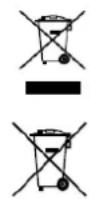
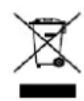
2012/19/EU (WEEE direcve): Products marked with this symbol cannot be disposed of as unsorted municipal waste in the European Union. For proper recycling, return this product to your local supplier upon the purchase of equivalent new equipment, or dispose of it at designated collecon points. For more informaon see: www.recyclethis.info
2006/66/EC (battery directive): This product contains a battery that cannot be disposed of as unsorted municipal waste in the European Union. See the product documentaon for specic baery informaon. The baery is marked with this symbol, which may include leering to indicate cadmium (Cd), lead (Pb), or mercury (Hg). For proper recycling, return the baery to your supplier or to a designated collecon point. For more informaon see: www.recyclethis.info
Industry Canada ICES-003 Compliance
This device meets the CAN ICES-3 (B)/NMB-3(B) standards requirements.
This device complies with Industry Canada licence-exempt RSS standard(s). Operaoon is subject to the following two conditions: this device may not cause interference, and
(2) this device must accept any interference, including interference that may cause undesired operon of the device.
Under Industry Canada regulaons, this radio transmitter may only operate using an antenna of a type and maximum (or lesser) gain approved for the transmier by Industry Canada. To reduce potenai radio interetion to other users, the antenna type and its gain should be so chosen that the equivalent isotropically radiated power (e.i.r.p.) is not more than that necessary for successful communicaon.
This equipment should be installed and operated with a minimum distance 20cm between the radiator and your body.
You must carefully read the safety instrucons before using and installing the product.

Warnings & Caufs:
- In the use of the product, you must be in strict compliance with the electrical safety regulaons of the naon and region.
- The equipment shall not be exposed to dripping or splashing and that no objects lled with liquids, such as vases, shall be placed on the equipment.
- CAUTION: To reduce the risk of fire, replace only with the same type and rating of fuse.
- The equipment must be connected to an earthed mains socket-outlet.
- Ensure correct wiring of the terminals for connec to an AC mains supply.
- The equipment has been designed, when required, modied for connecn to an IT power distribuon system.
- Do not ingest baery. Chemical burn hazard!
This product contains a coin/buon cell baery. If the coin/buon cell baery is swallowed, it can cause severe internal burns in just 2 hours and can lead to death. - Keep new and used baeries away from children.
- If the battery compartment does not close securely, stop using the product and keep it away from children.
If you think baries might have been swallowed or placed inside any part of the body, seek immediate medical attention. - CAUTION: Risk of explosion if the baery is replaced by an incorrect type.
- Improper replacement of the battery with an incorrect type may defeat a safeguard (for example, in the case of some lithium baery types).
- Do not dispose of the baery into re or a hot oven, or mechanically crush or cut the battery, which may result in an explosion.
- Do not leave the baery in an extremely high temperature surrounding environment, which may result in an explosion or the leakage of ammable liquid or gas.
- Do not subject the baery to extremely low air pressure, which may result in an explosion or the leakage of ammable liquid or gas.
- Dispose of used batteries according to the instrucons.
- +idenes the positive terminal(s) of equipment which is used with, or generates direct current. - idenes the negave terminal(s) of equipment which is used with, or generates direct current.
- No naked ame sources, such as lighted candles, should be placed on the equipment.
- The venlaon should not be impeded by covering the venlaon openings with items, such as newspapers, table-dcoths, curtains, etc. The openings shall never be blocked by placing the equipment on a bed, sofa, rug or other similar surface.
- Keep a minimum 20mm distance around the equipment for sucient venlation.
- The USB port of the equipment is used for connecting to a mouse, a keyboard, or a USB ash drive only.
- Install the equipment according to the instrucons in this manual.
To prevent injury, this equipment must be securely ached to the oor/wall in accordance with the installaon instrucons. - NEVER place items that might tempt children to climb, such as toys and remote controls, on the top of the equipment.
- CAUTION: This equipment is for use only with specied brackets. Use with other (carts, stands, or carriers) may result in instability causing injury.
- To prevent possible hearing damage, do not listen at high volume levels for long periods.
Overview
The digital signage is used to broadcast informaon, release news, and adverse products, etc., working together with other related products, such as FocSign Server, FocSign Web, FocSign Mobile, and FocSign Lite. Digital signage can be divided into two types according to the appearance: wall-mounted displays and standing displays, which are widely applied in industries such as entertainment, nance, and transporteon.
Typical Applicaon
The applicaons of digital signage may vary with product model. The following gures are for illustraton purpose only.
Table 1-Scene 1
| Item | Descripon |
| Components | FocSign Lite client, terminals |
| Terminals Supported | ≤ 50 |
| Funcons | Edit and release programs to terminals. Support remote management of terminals. |
| Digital SignagePlayer | |
| Digital SignageDigital Signage | Monitor LCD Video Wall |
Table 2-Scene 2
| Item | Descripon |
| Components | FocSign Server, FocSign Web client, FocSign Mobile client, terminals |
| Terminals Supported | ≤ 500 |
| Funcons | • Muple users and clients are allowed. • Web client: manage terminals; edit materials, templates, and programs; create schedules; release programs and schedules. • Mobile client: manage terminals, edit program templates, release programs and schedules. |
| Digital Signage | Digital Signage LED Video Wall Monitor LCD Video Wall |
2006/66/CE (direttiva batterie): Anything to do in the production of any kind of food, such as bread, pasta, rice, flour, sugar, salt, and other ingredients.
© 2021 Hangzhou Hikvision Digital Technology Co. Ltd.
Hikvision" 0
Hikvision" 0
Hikvision" 0
Hikvision" 0
Hikvision" 0
Hikvision" 0
Hikvision" 0
Hikvision" 0
Hikvision" 0
008:008$32
000000000000000000000000000000000000000000000000000000000000000000
00000000000000000000000000000000000000000000000
08g8s:39050884p:
HIKVISION HIKVISION 000000000000000000000000000000000000000000000000000000
- 08888888888888888888888888888888
GE:QGQ
00000000000000000000000000000000000000000000000000000000000000000000000000000000000000000
00:00:00:00:00:00:00:00:00:00:
EU 000000000000000000000000000000000000000
C
o00000000000000000000000000000000000000000000000000000000000000000000000000000000000000000
| ### | ### | ### | ### | ### |
| Wi-Fi | 2.412 η 2.472 GHz | 2.412 η 2.472 GHz | 20 MHz ### 40 MHz | 802.11b: 11 Mbps : 12 ± 2 dBm; 802.11g: 54 Mbps : 15 ± 2 dBm; 802.11n(20 MHz): MCS7 14 ± 2 dBm; 802.11n(40 MHz): MCS7 12 ± 2 dBm |
| BT 4.0 | 2.400 η 2.480 GHz | 2.402 η 2.480 GHz | 1 Mbps, 2 Mbps, 3 Mbps | 3 ± 2 dBm; |
2012/19/EU (WEEE 4yepq)
00000000000000000000000000000000000000000000000
0g2Sagp3g2g 1000000000000000000000000000000000000000000000000000
www/recyclethis.info

2006/66/EC (ccssssssep 1p) - 1000708g08e 099900308: 099900308: 099900308: 099900308: 099900308: 099900308: 099900308: 099900308: 099900308: 099900308:
Ooos (Cd) 3 (Pb) oooos [Hg) u2880s oohdoloe 8eep
000000000000000000000000000000000000000
ooosoooosyp: goloo- www.recyclethis.info
000m8εγ[γ]qαqαδερβδγδγδγδ
8800000000000000000000000000000000000000000000
000800g0g0g 0008Gg0g0g0g0g
00000000000000000000000000000000000000000000000
000000000000000000000000000000000000000000000000
0008g-8cogosy 89epo8ocnyqagoo003 00000000
088888888888888888888888
AC88000000000000000000000000000000000000000000
c080000ITddg 0000000000000000000000000000000000000000000000
0000000000000000000000000000000000000000000000
088888888888888888888888888 1000000000000000000000000000000
8888888:0000088888y:888888:0000088888y
000000000000000000000000000000000000000
00000000000000000000000000000000000000
000000000000000000000000000000000000000000000000000
-0008496 - 50000000000000000000000000000000000000000000
00000000000000000000000000000000000000000000000000000000
00000000g00000000g00000000g00000000g00000000g00000000g
00000000000000000000000000000000000000000000000000
0000000000000000000000000000000000000000000000000000
3000000000000000000000000000000000000
+0888888888888888888888888888888888888
0000000000000000000000000000000000000000000
- 0000100000008888888888888888888888888
00000000000000000000000000000000000000000000000
880000 880001 88001 40 880005 880006 880007 880008 880009 880010 880011 880012 880013 880014 880015 880016 880017 880018 880019 880020 880021 880022 880023 880024 880025 880026 880027 880028 880029
Ipeed nCnoB3oBAHm E yCTaHOBKO YCTPOJcTBA BbI DOJIKNbBI BHIMATEbHO pOHTaTb HNCTpyKlM NTO TexHnke 6e3oNaCHOCTM.
PpeynpeKdEHHn npdeoctepeKeHHa:
- Pn nCnoB3OBAHH npoDyKta Heo6xoIIMO co6IIOdaTb npaBnla 3eKeTpObeOaHocTn, DeiCTByIOuE B daHHo CTpaHe u perNoHe.
YCTPOIcTBo He OJIKHO NOBepraTbC B03eHCTBnIO KaneNb 6pb3r; He DOnyckaetc TaBNTb Ha Hero npedMeTb, HAnOIHeHHbIe HNDKocTbIO, HanpIMep, Ba3bl CZeBeTaMn. - PPEJYPNPEKJEHNE!ДЯ CHNJIeHnPcKa BO3HKnHOBeHnnoXapa nCNoJIb3yIte IJIa 3aMeHbI npEdoXpaHNTeIN TOnbKO COOTBETCTByIOUeToTUNa HOMHHaHa.
- 06opynobAHne npJHKHO 6bIb NpOKJIIOHcHo K 3a3eMJIeHHo pO3eTke.
- PpOBepe npabHocb noKIOUeHn KKeMM K cTeu nepMeHHoro TOka.
- 06opydobahne pa3pa6oTaHO taKIM o6pa3OM, yTo6bl npn Heo6xoDmocTn erO moXHO 6blIO moNphiuPoBaTB IJIra NODKluOeHn K NTcncTeMe pacnppeJeHHeN 3JIeKtpo3Heprn.
He nporlaTbBaIte 6aTaapeIO. OnaChocb xmmUeCKoTo oxora! - YcTpoIcTBo coepKNT nlockyIO kpyrnyIO 6aTapeIO. EcnB Bbl clyaHIO nporNoTIe 3Ty 6aTapeIO, 3TO MOKeT Bbl 3BaTb cepBe3HbE OXORn BHyTpeneHHx opraHOB IN daJe npuBecTu K IetaIbHOMy NcXOy Upe3 2 Yaca.
XpaHnTe HOBbIe HcNoJIb3OBAHbIe 6aTapeN BdAnOT DeTe. - EcnI OTCek dJa 6aTapeH He 3akpbBaTeCn DcTaTOH NoIIOTHo, npeKpaTHe 3KnIyatauH IOdEInn IOrpaHnuBte DoCTyn DeTeH K HEmY.
- Ecln Bbl dymaete, yto 6batape 6bila nporloueha nn KaKIM-JI6O pyrIm o6pa3OM npOHKnBa OprHn3M, HeMeJneHHo 6paTntecb K BpaU.
- PNEyIpyEKJEHHe! Ipn yctaHOBe 6aTapeu HeOnyCTmOro Tnna cyueCTbBye pck B3pbBa.
- YctahOBka 6bapeH HeOnyCTUMO Tnna MoKeT co3daT yrgo3y Ila 6e3oNaChocTH (HaNPmep, B cIyuae HeKOTopbIX TINOB LITHeBbIX 6bapei).
He 6pocaiTe 6atapeo B orohb nI ropauyIO neyb, He cdaBnBaIte H e pa3peaTe 6atapeo, NockoBky 3TO MOKET npNBecTK B3pbBy.
He octablanthe 6aTapeo B yCIOBnax Ype3BbHauHO BicKOJ TeMnepaTypbI BHeUHe CpeDbI, NocKoJIbKy 3TO MoKe T npNBecTN K B3pBiY nn IyTeueRrOropoue JxNkOcTn nn r3a.
He noDBepraTte 6atapeo Upe3BbHauHO Hn3KOMy DaBHeHIO BO3dyxa, NOCKOJIbky 3TO MOKeT pNBecTN K B3pbBy IIN yTeUKe roIoue nnKDocTn nn ra3a. - YTNIN3npyIte NcNoIb3OBAHbIe 6aTapeB B COOTBeTCTBUN C INHCTpyKUIMN.
+06o3Haayet noIOKHTeBHyI KOHTAKT 06opyDObAHn, KOTOpB I DOJKeH NOkKnHOaTBcK NtOCHNY NOCTOHNO TOKa. -06o3Haayet OtpuataTeBHyI KOHTAKT 06opyDObAHn, KOTOpB I DOJKeH NOkKnHOaTBcK NtOCHNY NOCTOHNO TOKa.
He ctabte Ha yctpoNCTBO NCTOCHNK OTKpbI toro OTH, HapnmeRTopaune CbeH.
CneIyET o6ecneuHb HndJekxuyIO BeHTnlaUIO yctpoCTBa. He 3aKpbIbaIe BeHTnlaUIOHHbIe OTBepCTN noCTOpOHHMn PpeMeTAMn, HanpImep ra3etAmn, cAtePcTAMn IIN UTOpAMn. He cTaBbTe yctpoCTBO Ha KPOBaTN, DInBaHbI, KObpI n Dpyrme Noo6hble NOBepXHOCTN, NocKOBky OHMOY T 3aKpbITb BeHTnlaUIOHHbIe OTBepCTN.
-Дяобсоченя дocatoань В entnlaци 3a3op Bokpyr BCEX cToPOH yctpoiCTBa doJKeH 6bIb He MeHee 20 MM. - NopT USB yctpoiCTBa HcnoIb3yETCA ToIbKO IaI NOdkIIOUeHn Mblu, KnaBnAtypbI nn USB-HaKoNITeJI.
-
YCTAHOBITE O6OpYIOBAHHe B COOTBeTCTBn C INHCTpyKUIAmN, pINBEDeHHbIMn B HACTOJIeM pyKOBOIDCTBE.
Bo n36eXaHHe TpaBm yCTpoiCtBO Heo6xoDnMo HaJeKHO 3aKePNiTb Ha noIy nn CTHe cornacHO nHCTpyKUam NO yCTaHOBke. -
HNKOTDA He KlaaIte Ha BepxHIO paHneB o6OpyOBaHnI npEIMeTb, KOtOpBie MOrY Tno6yINr BTee B3o6paTbCra Habepx, TaKne KaK npykN nn PybTbI dNCTAHUHOHHO ynpabHeHn.
I PEPYIPEXHENE! DaHHeOE o6OpOBAHne npEHa3Haeyo IINcNoB3OBAHn TObKO co TtAHTbIMN KPOHHTeHAMN. NcNoB3OBAHne 6opOyOBAHn C pyrHMn pNaHAdJeKHOCTaMn (TeJeKKaMn, NOCTaBkAMn IIN dpKaTeJIaMn) MoKeT pNBecTN K TpaBMam B peyIbTaTe HeycToynBOCTu yCTpoCTBa.
Bo n36eKaHne noBpeKdEHHn opraHOB clyxa, He ocUeCTbIaTe npocLyuBaHHe Ha BbICOKx ypOBHX rPOMKcTn B TeueHne dInTeJbHoro BpeMeH.
0630p
UHPOBAA BbIEeKa HcNoJIb3yETcA dIa TpaHCJIaUN HOpMaun, BblNyCA HOBOCTe, peKlAmbl IpOdyKTOB n. d. 3TO yCTPOcTbO COBMeCTnMo C dpYHMn COOTBeTcTBIOUImn IpoDyKTAMn, TaKIMN KAK FocSign Server, FocSign Web, FocSign Mobile n FocSign Lite. N O BHeuHemy BuNy UcHPOBBie BbIEeKn MoXHO paZdEJIITb Ha DBA Tnna: HAcTeHHbIe HAnOJIbHbIe. 3TNn3dJIINr KoTOPbIe uPpOKo pnpMeHraIOTc B TaKHX OTpacJAx, KaK paZBLeueHnR, fHnHaHcbI n TpaHCnOPT.
CtaHdapThoe npImeHeHne
PnmuHeHne uΦpObBix BvIeBCOK MoKet BapbnpoBaTcB 3aBNCmOCTN OT KOHKpeTHbIX MoJeIe. CneDyUuIe UΦpbl npBedeHbToIbKO dJI IJIIOCTpaUN.
Ta6nua 1.Cuena 1