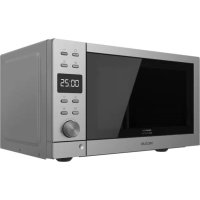
USER MANUAL GrandHeat 2010 Flatbed Steel CECOTEC
Microondas/Microwave
Safety instructions 8
-
Parts and components 47
-
Before use 47
-
Operation 48
-
Tips 52
-
Cleaning and maintenance 53
-
Troubleshooting 53
-
Technical specifications 54
-
Disposal of old electrical appliances 54
-
Technical support and warranty 54
SOMMAIRE
Read these instructions thoroughly before using the appliance. Keep this instruction manual for future reference or new users.
Make sure that the mains voltage matches the voltage stated on the rating label of the appliance and that the outlet is grounded.
This appliance must be grounded. This oven is equipped with a cord having a grounding wire with a grounding plug. It must be plugged into a wall receptacle that is properly installed and grounded. In the event of an electrical short circuit, grounding reduces risk of electric shock by providing an escape wire for the electric current.
Do not operate outdoors.
This appliance is intended for domestic use only. It is specifically designed to heat, cook or dry food. It is not designed for industrial or laboratory use.
Use this appliance only for intended purposes as described in this manual. Do not use corrosive chemicals or vapours in this appliance, it is not designed for industrial or laboratory use. If the door or door seals are damaged, the product must not be operated until it has been repaired.
Do not operate the device when empty.
Do not attempt to operate the device with the door open since open door operation can result in harmful exposure to microwave energy.
Do not operate this appliance if it has a damaged cord or plug or if it is not operating properly. In case the device does not operate correctly, please contact our Technical Support Service of Cecotec.
Only use utensils that are suitable for microwaves. Make sure utensils do not touch the interior walls during operation.
Do not use the microwave cavity for storage purposes.
Do not attempt to deep-fry in this oven.
In order to reduce fire risk:
Do not overcook food.
Remove wire twist-ties from paper or plastic bags before placing them inside the microwave.
Do not place the device where heat, moisture, or high humidity are generated, or near combustible materials.
Do not heat liquids or other foods in sealed containers.
Do not use the cavity for storage purposes. Do not leave paper products, cooking utensils or food in the cavity when not in use.
In case of smoke or fire inside the device, keep the door closed, turn the product off and disconnect it from the power supply.
After operating, the container is likely to be very hot. Use gloves in order to avoid burns and injuries.
All parts of the device will be very hot during and after operation, including door and top part of the microwave. Remember to use gloves or any other type of protection.
Technical service and reparations that involve cover removals or exposure to cables must always be carried out by a competent, professional and qualified person.
Supervise young children to make sure that they do not play with the appliance. It can be used by children over 8 if they are continually supervised.
This appliance is not intended to be used by persons with reduced physical, sensory, or mental capabilities, or lack of experience or knowledge, unless they have been given supervision or instruction concerning the use of the appliance in a safe way by a person responsible for their safety, and understand the hazards involved.
ENGLISHENGLISH
Supervise young children to make sure that they do not play with the appliance. Close supervision is necessary when the appliance is being used by or near children.
This product is a Group 2 Class B ISM equipment. The definition of Group 2 which contains all ISM (Industrial, Scientific and Medical) equipment in which radio-frequency energy is intentionally generated and/or used in the form of electromagnetic radiation for the treatment of material, and spark erosion equipment. Class B equipment is suitable for domestic use and in establishments directly connected to a low voltage power supply network, which supplies buildings used for domestic purpose.
It is important to use materials and containers which are suitable and safe for cooking in the microwave. The table below shows which materials are suitable and which are not:
Suitable materials for microwave use
| Material of the container | Microwave | Grill Combi |
| Heat-resistant glass | Yes Yes | Yes | |
| No heat-resistant glass | No No | | No |
| Heat-resistant ceramics | Yes Yes | Yes | |
| Microwave-safe plastic | Yes | No | No |
| Kitchen paper | Yes | No | No |
| Metal tray | No Yes No | | |
| Metal rack No | Yes No | | |
| Aluminiumfoil and foilcontainers | No Yes No | |
The ideal material for a microwave utensil is transparent to microwave. This allows heating food as energy passes through it.
Microwaves cannot penetrate metal, so metal utensils or dishes with metallic trim should not be used.
Do not use recycled paper products when microwave cooking, as they may contain small metal fragments which may cause sparks and/or fires.
Round or oval dishes rather than square or oblong ones are recommended, as food in corners tends to overcook.
Narrow strips of aluminium foil may be used to prevent overcooking of exposed areas. In this case, be careful not to use too much and keep a distance of 2.54 cm between foil and cavity.
FRANÇAISFRANÇAIS
INSTRUCTIONS DE SÉCURITÉ
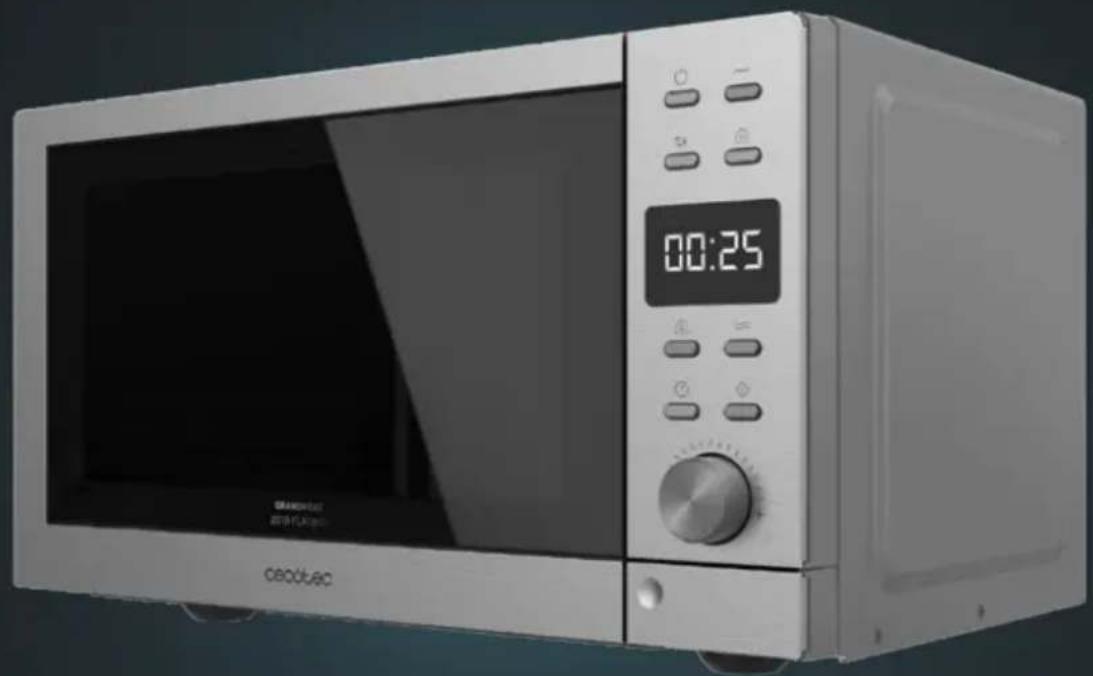
- Door safety lock system
- Oven window
- Door release button
- Control panel
- Grill
- Metal rack
Control panel
Fig. 2.
- Display
- Power level
- Clock
- Weight
- Weight defrost
- Combl
- Grill
B. Menu/Time knob
- Start/QuickStart knob
- Stop/Cancel
- Timer
2. BEFORE USE
Take the product out of the box. If the microwave has a protective film, tear it off before starting operation. Check carefully if there is any damage, and if there is, immediately notify the Technical Support Service of Cecotec.
The product must be placed on a flat, stable and dry place and kept away from corrosive materials, heat and humidity, such as burners or water.
The product must be placed, at least, at 5 m from the TV, Radio or antenna.
The product must be placed in such way that the plug is accessible and must ensure an effective grounding in case of leakage in order to avoid electric shocks.
The microwave door must be closed in order to operate.
In case there is any manufacturing rests in the microwave cavity or on the heating elements, leave the microwave open to ensure good ventilation. In such case, it is recommended to heat a glass of water at high power for several times.
ENGLISHENGLISH
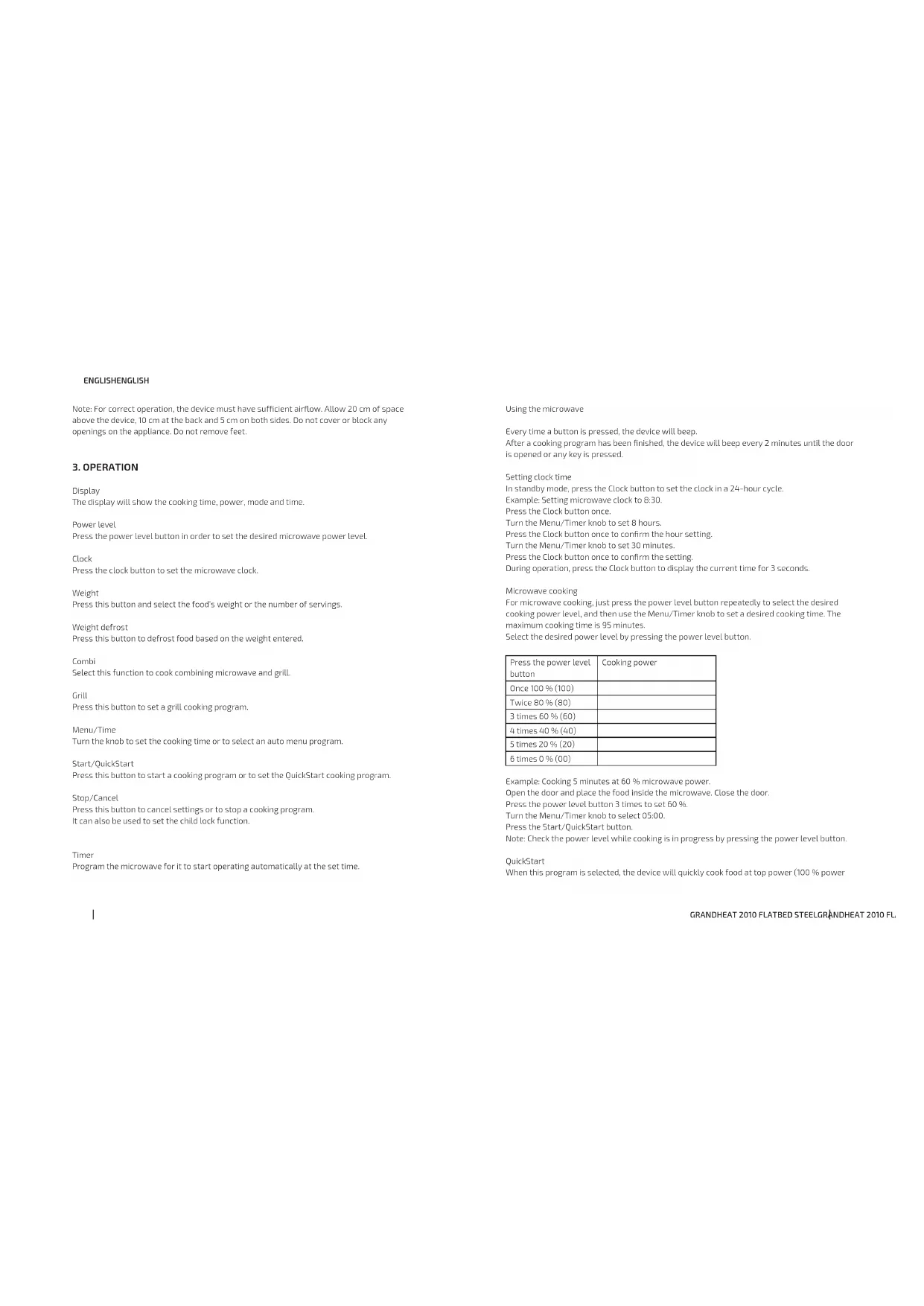
Note: For correct operation, the device must have sufficient airflow. Allow 20 cm of space above the device, 10 cm at the back and 5 cm on both sides. Do not cover or block any openings on the appliance. Do not remove feet.
3. OPERATION
Display
The display will show the cooking time, power, mode and time.
Power level
Press the power level button in order to set the desired microwave power level.
Clock
Press the clock button to set the microwave clock.
Weight
Press this button and select the food's weight or the number of servings.
Weight defrost
Press this button to defrost food based on the weight entered.
Combi
Select this function to cook combining microwave and grill.
Grill
Press this button to set a grill cooking program.
Menu/Time
Turn the knob to set the cooking time or to select an auto menu program.
Start/QuickStart
Press this button to start a cooking program or to set the QuickStart cooking program.
Stop/Cancel
Press this button to cancel settings or to stop a cooking program.
It can also be used to set the child lock function.
Timer
Program the microwave for it to start operating automatically at the set time.
Using the microwave
Every time a button is pressed, the device will beep.
After a cooking program has been finished, the device will beep every 2 minutes until the door is opened or any key is pressed.
Setting clock time
In standby mode, press the Clock button to set the clock in a 24-hour cycle.
Example: Setting microwave clock to 8:30.
Press the Clock button once.
Turn the Menu/Timer knob to set 8 hours.
Press the Clock button once to confirm the hour setting.
Turn the Menu/Timer knob to set 30 minutes.
Press the Clock button once to confirm the setting.
During operation, press the Clock button to display the current time for 3 seconds
Microwave cooking
For microwave cooking, just press the power level button repeatedly to select the desired cooking power level, and then use the Menu/Timer knob to set a desired cooking time. The maximum cooking time is 95 minutes.
Select the desired power level by pressing the power level button.
| Press the power level button | Cooking power |
| Once 100 % (100) | |
| Twice 80 % (80) | |
| 3 times 60 % (60) | |
| 4 times 40 % (40) | |
| 5 times 20 % (20) | |
| 6 times 0 % (00) | |
Example: Cooking 5 minutes at 60 % microwave power.
Open the door and place the food inside the microwave. Close the door.
Press the power level button 3 times to set 60%.
Turn the Menu/Timer knob to select 05:00.
Press the Start/QuickStart button.
Note: Check the power level while cooking is in progress by pressing the power level button.
QuickStart
When this program is selected, the device will quickly cook food at top power (100 % power
ENGLISHENGLISH
output). The maximum cooking time for this program is 10 minutes.
Open the door and place the food inside the microwave. Close the door.
Press the QuickStart button repeatedly to set the desired cooking time. The device will start operating automatically.
Every time the QuickStart button is pressed, the cooking time will increase by 30 secs.
Weight defrost
The microwave can defrost meat, poultry and seafood by weight. The time and the defrosting power are adjusted automatically once the weight is programmed. The weight range of frozen foods varies from 100 g to 1800 g.
Example: Defrosting 600 g of shrimp.
Place shrimps to be defrosted inside the microwave.
Press the Weight defrost button once.
Press the Weight button to select the weight of shrimps.
Press the Start/QuickStart button.
Note: The microwave will stop operating half-way through the cooking process to remind you to turn food over. After turning it over, press the Start/QuickStart button to continue the cooking program.
Grill cooking
The maximum cooking time is 95 minutes.
This function is especially useful for cooking thin slices of meat, steaks, chops, sausages or pieces of chicken. It can also be used to heat sandwiches or cook dishes au gratin.
Example: Crilling for 12 minutes.
Open the door and place the food inside the microwave. Close the door.
Press the Grill button
Turn the Menu/Timer knob to 12:00
Press the Start/QuickStart button.
Combi
The maximum cooking time for both Combi programs is 95 minutes.
Combination 1
30% microwave cooking and 70% grill cooking. Suitable for fish and au gratin.
Example: Setting combination 1 for 25 minutes.
Press the Combi button once. The screen will display CO-1
Turn the Menu/Timer knob to 25:00.
Press the Start/QuickStart button.
Combination 2
55% microwave cooking and 45% grill cooking. Suitable for pudding, omelettes, bakes potatoes and poultry.
Example: Setting combination 2 for 12 minutes.
Press the Combl button twice. The screen will display CO-2.
Turn the Menu/Timer knob to 12:00.
Press the Start/QuickStart button
Note: During cooking, press the Combl button to check the cooking power level.
| Press Combination button | Combination | Cooking time | Use |
| Microwave Crill | |
| Once COMBI. 1 30 % | 70 % Fish, potatoes or au gratin. | | | |
| Twice COMBI. 2 55 % | 45 % | | | Pudding, omelettes, baked potatoes and poultry. |
Child lock
This function is designed to prevent little children from operating the device.
When the device is not operated for 1 minute, this function will be automatically activated. All
buttons will be inactive
To deactivate the function, open or close the door.
Timer function
This function allows scheduling a cooking program to start at an appointed time.
Example: Suppose the present time is 08:00 and you want the microwave to start a cooking program at 11:30.
In standby mode, set the desired cooking program.
Press Timer button once.
Turn the Menu/Timer knob to set 11:00 (hours).
Press the Timer button once.
Turn the Menu/Timer knob to set 11:30 (30 minutes).
Press Start/QuickStart once.
Note: The QuickStart function cannot be programmed.
These programs have cooking power levels and times set by default. When these programs are used, only the food type and weight have to be set.
Open the door and place the food inside the microwave. Close the door.
In standby mode, turn the Menu/Timer knob anticlockwise to select food code to specify the food to be cooked.
Press the Weight button repeatedly to set the desired weight or number of servings.
Press the Start/QuickStart button.
ENGLISHENGLISH
Example: Cooking 400 g of fish.
Turn the Menu/Timer knob anticlockwise until code 6 is displayed.
Press the Weight button to select the weight: 400 g.
Press the Start/QuickStart button.
Preset cooking menus:
| Code Food | |
| 01 Milk/coffee (200 ml/cup) | |
| 02 Rice (g) | |
| 03 Spaghetti (g) | |
| 04 Potato (230 g/unit) | |
| 05 Auto reheat (g) | |
| 06 Fish (g) | |
| 07 Chicken (g) | |
| 08 Beef/Mutton (g) | |
| 09 Skewered meat (g) | |
Notes:
The user is required to set weight and then the device will set the time automatically.
For milk/coffee and potato, parameters on display are not weight but number of servings.
For chicken, beef/mutton and skewered meat, the device pauses and beeps during cooking to
remind you to turn food over for uniform cooking.
For spaghetti, add boiling water before cooking.
4. TIPS
Food arrangement: Place the thickest food parts towards the edge of the container. If possible, do not overlap food.
Watch cooking time: Cook for the shortest amount of time at first and add more minutes in
case it is necessary. Over-cooking may result in smoke and burns.
Cover food while cooking. Covering the food you are going to cook avoids spattering and allows a more even cooking.
Flip or stir food once during the cooking process.
Respect pre-heating time: Pre-heating time specified on the food's label must not be exceeded.
Eggs in their shell and whole hard-boiled eggs should not be heated in microwave ovens since
they may explode even after microwave heating has ended.
Pierce foods with heavy skins such as potatoes, whole squashes, apples and chestnuts before cooking.
5. CLEANING AND MAINTENANCE
The device, as well as food rests, must be cleaned and removed regularly.
Unplug the cable from the power supply before starting the cleaning. Do not immerse the product in water or any other fluid during cleaning.
The lack of maintenance and cleaning of the product may cause a deterioration on its surface and affect its lifespan. Keep the inside of the oven clean.
When food splatters or spilled liquids adhere to oven walls, wipe with a damp cloth.
Do not use strong detergents, powder abrasives or metal brushes to clean the device.
Do not allow the control panel to become wet.
Do not remove the waveguide.
If steam accumulates inside or around the outside of the oven door, wipe with a soft cloth. This may occur when the microwave oven is operated under high humidity condition.
The roller ring and oven floor should be cleaned regularly to avoid excessive noise. Simply wipe the bottom surface of the oven with mild detergent.
Use a dampened soft cloth to clean enclosures, door, interior walls and surface.
When the microwave has been used for a long time, some strong odours may arise from inside. In order to get rid of them, follow one of the steps below:
Place several lemon slices in a cup and heat them at high power for 2 or 3 minutes.
Place a cup of red tea inside the microwaves and heat it at high power for 2 or 3 minutes.
Place orange peels inside the microwaves and heat it at high power for 1 minute.
6. TROUBLESHOOTING
If the device fails to operate:
Check to ensure that the appliance is plugged in securely. If it is not, remove the plug from the outlet, wait 10 seconds, and plug it in again securely.
Check for a blown circuit fuse or a tripped main circuit breaker. If these seem to be operating properly, test the outlet with another appliance.
Check to ensure that the control panel is programmed correctly and the timer is set.
Check to ensure that the door is securely closed engaging the door safety lock system.
If none of the above rectifies the situation, then contact the official Technical Support Service of Cecotec. Do not try to adjust or repair the appliance by yourself.
If the appliance operation causes interference with your radio, TV or other electrical equipment:
Clean the door and sealing surface of the appliance.
Reorient the receiving antenna of radio or television.
Relocate the microwave.
ENGLISHENGLISH
Move the microwave away from the receiver.
Plug the device into a different outlet so that the device and the receiver are on different branch circuits.
7. TECHNICAL SPECIFICATIONS
01399_Grandheat 2010 Flatbed Steel
Rated microwave power output: 700 W
230 V \~ 50 Hz
Capacity: 20L
Made in China | Designed in Spain
8. DISPOSAL OF OLD ELECTRICAL APPLIANCES

The European directive 2012/19/EU on Waste Electrical and Electronic Equipment (WEEE), specifies that old household electrical appliances must not be disposed of with the normal unsorted municipal waste. Old appliances must be collected separately, in order to optimise the recovery and recycling of the materials they contain and reduce the impact on human health and the environment.
The crossed out 'wheeled bin' symbol on the product reminds you of your obligation to dispose of the appliance correctly.
Consumers must contact their local authorities or retailer for information concerning the correct disposal of old appliances and/or their batteries.
9. TECHNICAL SUPPORT AND WARRANTY
This product is under warranty for 2 years from the date of purchase, as long as the proof of purchase is submitted. The product is in perfect physical condition, and it has been given proper use, as explained in this instruction manual.
The warranty will not cover the following situations:
The product has been used for purposes other than those intended for it, misused, beaten, exposed to moisture, immersed in liquid or corrosive substances, as well as any other fault attributable to the customer.
The product has been disassembled, modified, or repaired by persons, not authorised by the official Technical Support Service of Cecotec.
Faults deriving from the normal wear and tear of its parts, due to use.
The warranty service covers every manufacturing defects of your appliance for 2 years.
based on current legislation, except consumable parts. In the event of misuse, the warranty will not apply.
If at any moment you detect any problem with your product or have any doubt, do not
hesitate to contact Cecotec Technical Support Service at +34 963 210 728.
FRANÇAISFRANÇAIS
1. PIÈCES ET COMPOSANTS
Img.1
01399 Crandheat 2010 Flatbed Steel
Fig./Img./Abb./Afb./Rys./Obr.1
GRANDHEAT 2010 FLATBED STEELGRANDHEAT 2010 FL

Fig./Img./Abb./Afb./Rys./Obr.2
GRANDHEAT 2010 FLATBED STEEL110
www.cecotec.es
Quart de Poblet, Valencia (Spain)
PE01200629