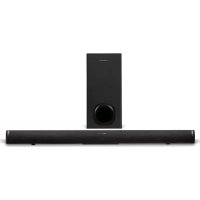
GMSCBSU120W - Soundbar SCHNEIDER - Free user manual and instructions
Find the device manual for free GMSCBSU120W SCHNEIDER in PDF.


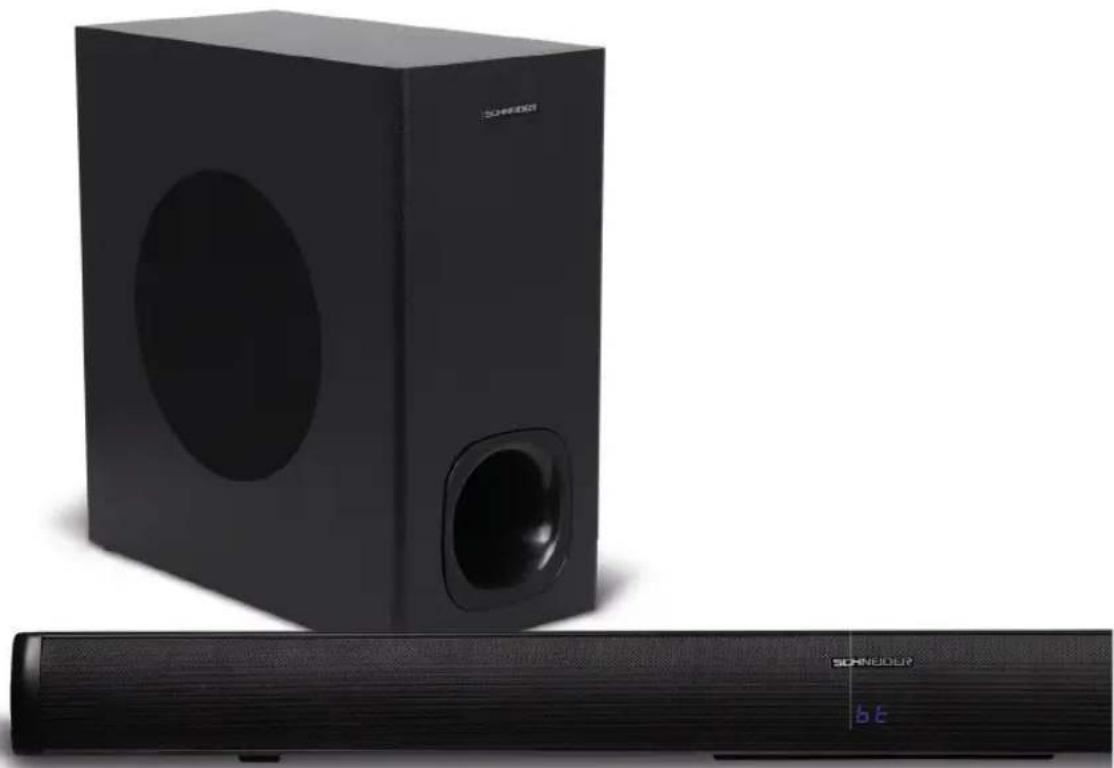
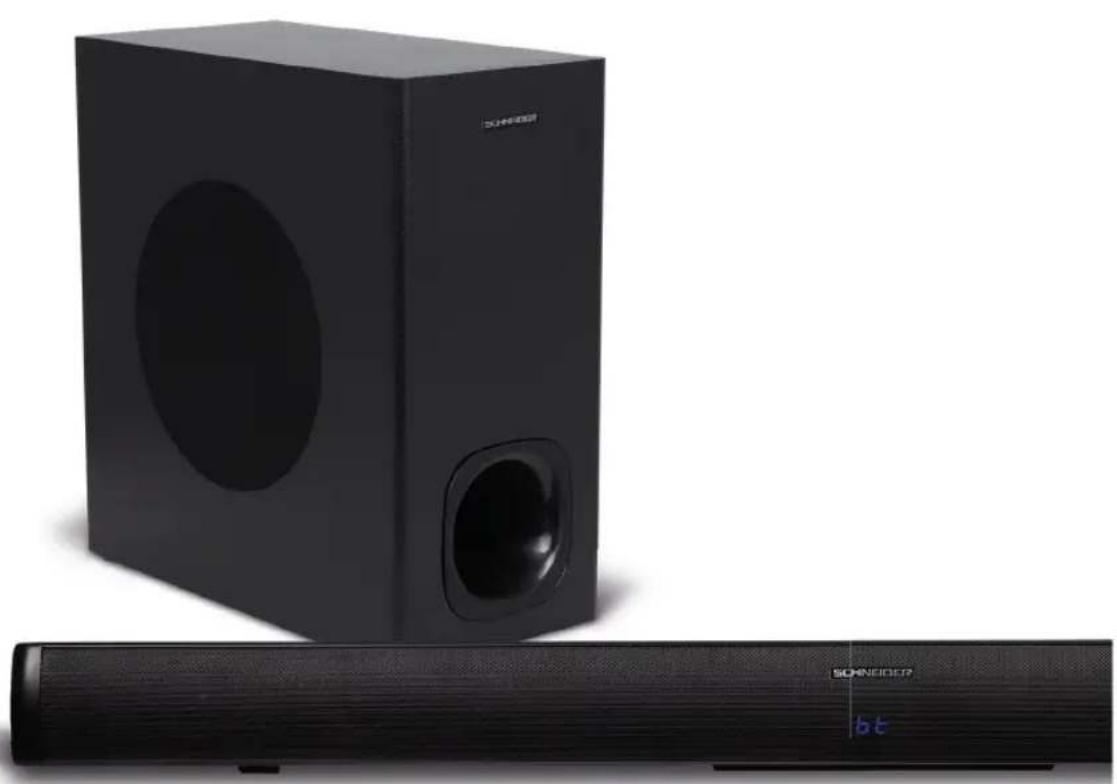
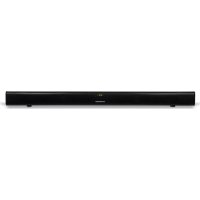
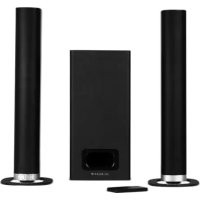
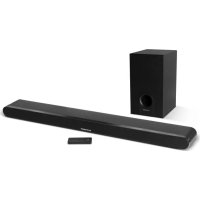
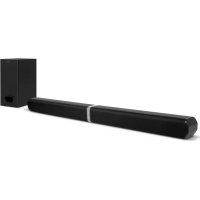
| Product Type | Soundbar with wireless subwoofer |
| Brand | Schneider |
| Model | GMSCBSU120W |
| Maximum total power | 180 W PMPO |
| Maximum subwoofer power | 60 W |
| Number of channels | 2.1 |
| Number of speakers | 4 |
| Transducer size (soundbar) | 2 x 2.25 inches |
| Subwoofer transducer size | 6.5 inches |
| Frequency response | 35 - 20,000 Hz |
| Bluetooth version | 5.0 |
| Bluetooth range | 10 meters |
| Display | LED |
| Color | Black |
| Grille | Metallic |
| Soundbar dimensions | 920 x 77 x 360 mm (L x H x D) |
| Subwoofer dimensions | 170 x 340 x 360 mm |
| Soundbar weight | 2 kg |
| Subwoofer weight | 4.26 kg |
| Connectivity | Bluetooth, HDMI ARC, AUX, Optical, USB |
| USB support | Up to 32 GB, MP3 format |
| Power supply | 230 V ~ 50 Hz |
| Warranty | 2 years |
| Included accessories | Remote control, 3.5 mm jack cable, user manual |
| Subwoofer type | Wireless (automatic pairing) |
Frequently Asked Questions - GMSCBSU120W SCHNEIDER
User questions about GMSCBSU120W SCHNEIDER
0 question about this device. Answer the ones you know or ask your own.
Ask a new question about this device
Download the instructions for your Soundbar in PDF format for free! Find your manual GMSCBSU120W - SCHNEIDER and take your electronic device back in hand. On this page are published all the documents necessary for the use of your device. GMSCBSU120W by SCHNEIDER.
USER MANUAL GMSCBSU120W SCHNEIDER
Pg. 31. CE DECLARATION OF CONFORMITY
natural_image
Black electronic audio speaker setup with a Sonybox and a CD, no visible text or symbols on the device body.CONSIGNE DE SÉCURITÉ IMPORTANTE

ATTENTION
RISQUE DE CHOC ÉLECTRIQUE NE PAS OUVRIR

IMPORTANT
natural_image
Close-up of a black cylindrical electronic device with textured surface and small buttons at bottom (no visible text or symbols)-3-
FR
- MARCHE / ARRÊT
- LECTURE / PAUSE
- SUIVANT / VOLUME +
- PRECEDENT / VOLUME -
- AUX IN
- OPTIQUE
- HDMI/ARC
- USB
- AC 110-240V / 50 / 60Hz
3. TELECOMMANDE
- PUISSANCE
- MODE
- VOLUME +
- PRÉCEDENT
- LECTURE/PAUSE
- VOLUME -
- MUSIQUE
- FILM
- APPAIRAGE
- RÉINITIALISER
- MUET
- SUIVANT
- NOUVELLES
- MENU
4. BRANCHEMENT A LA TV
Bluetooth logo/brand is a trademark or registered trademark of Bluetooth Sig Inc. All items contained herein are imported by GMS and are not manufactured, sponsored, endorsed or distributed by Bluetooth Sig Inc.
natural_image
Group of people celebrating with confetti and beer glasses, no visible text or symbols
natural_image
Modern living room interior with blue wall panel, wooden TV set, and white furniture (no visible text or symbols)
natural_image
Family of three sitting on the floor, one holding a game controller, with no visible text or symbols.SCHNEIDER
2.1 SOUNDBAR WITH WIRELESS SUBWOOFER
User manual
GMSCSBSUB120W
TABLE OF CONTENTS
1 CONTENT
2. DESCRIPTION OF THE APPLIANCE
3 REMOTE CONTROL
4 CONNECTION TO THE TV
5 PAIRING MODE
6 BLUETOOTH CONNECTION
7 USB CONNECTION
8 AUX CONNECTION (3.5 mm JACK)
9 . . . . . . . . . . . . . . . TECHNICAL CHARACTERISTICS
10 GUARANTEE
11 LEGAL NOTICE
12 . . . . . . . . . . . . . . . . . . USER'S NOTES PAGE
Pg. 31. CE DECLARATION OF CONFORMITY
natural_image
Black electronic audio speaker setup with a Sonybox and a CD, no visible text or symbols on the device body.IMPORTANT SAFETY INSTRUCTIONS
IMPORTANT
Please read the safety instructions carefully and save them for future reference.
To prevent the risk of fire or electric shock, keep this sound bar away from water, rain and moisture.
To prevent any risk of electric shock, never remove the cover or the rear panel of the device.
If the appliance breaks down, have it repaired by a professional.
No part of this device can be repaired by the user.
WARNING!
Danger! Device powered on. Do not open. Risk of electric shock! No part of this device can be repaired by the user. Maintenance and repair of this device should be entrusted to a professional.
As a safety measure, ask the manufacturer or the after-sales service to replace the appliance's electric cable if it is damaged.
The device must be installed in accordance with current regulations.
This sound bar has been specially developed for LED / LCD / Plasma TVs. It should not be installed on CRT (Cathode Ray Tube) televisions to avoid picture interference.
Installation
- Install the device on a flat, rigid and stable surface. The speaker may fall and cause serious injury to a child or adult. A fall can seriously damage the device.
- The sound bar and subwoofer should be kept away from heat sources such as radiators, stoves or other devices that produce heat.
- To prevent the risk of overheating, do not install the sound bar on another device.
- Do not place any object under the device (eg CDs or magazines).

natural_image
Close-up of a black cylindrical electronic device with textured surface and small buttons at bottom (no visible text or symbols)-13-
Ventilation instructions
- To prevent any risk of overheating, install the appliance in a sufficiently ventilated space.
- Make sure that the ventilation grids are not blocked.
- Do not expose the soundbar to high temperatures, and protect it from water, humidity and dust.
- Protect the device from leaks or splashes. Do not place objects containing liquids (eq vase) on top of the device.
- Do not place objects liable to damage it (eg objects containing liquids or lighted candles) near the device.
- Do not place open flames (eg lighted candles) on top of the appliance.
Power supply
- Unplug the sound bar when you are not using it for long periods of time.
- For safety reasons, ask the manufacturer or the after-sales service to replace the appliance's electric cable if it is damaged.
- This appliance must be connected to an electrical network of 230 V \~ 50 Hz.
- The electric cable must remain accessible because you will need to unplug it to switch off the appliance.
- To connect the device to the mains, use only the supplied electric cable.
- Do not operate the device with a battery other than the one already installed. This sound bar must be connected to a power outlet of the same voltage as that specified on the device.
- CAUTION: There is a risk of explosion if the battery is incorrectly installed. Do not attempt to replace the battery with another model.
- The batteries (whether the supplied batteries or the battery already installed) should not be exposed to excessive heat (eg sunlight, flames or other heat source).
- If you notice that after fully recharging the battery, its life is reduced by half, carry out the next recharge under supervision. Warning: a damaged battery presents a danger of overheating.
When performing any maintenance or repair, ask the service center / workshop to use the factory authorized spare parts. Replacement with unauthorized parts may result in fire, shock, or other hazards.
Out of respect for the environment, comply with local regulations on battery collection (check with the store where you purchased the device).
Clean only with a soft, damp cloth. Unplug this product from the wall outlet before cleaning.
1. CONTENT
- Sound bar
- Subwoofer
- Remote control
- 3.5 mm jack cable
- User manual
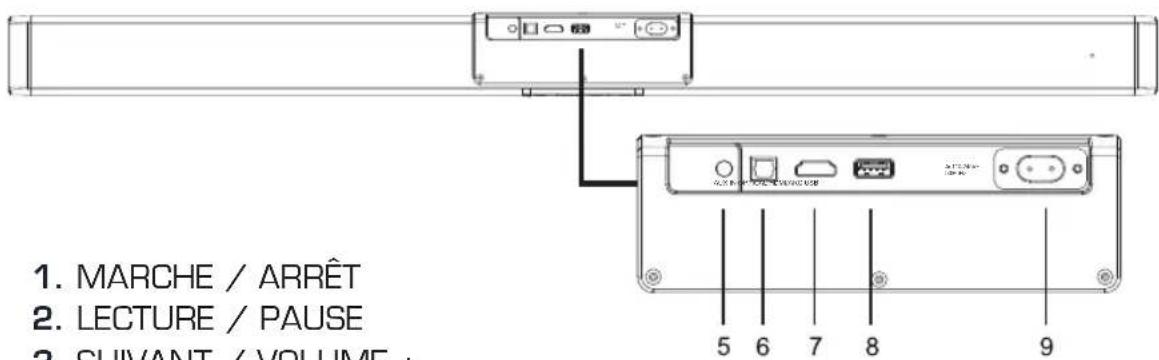
2. DESCRIPTION OF THE APPLIANCE

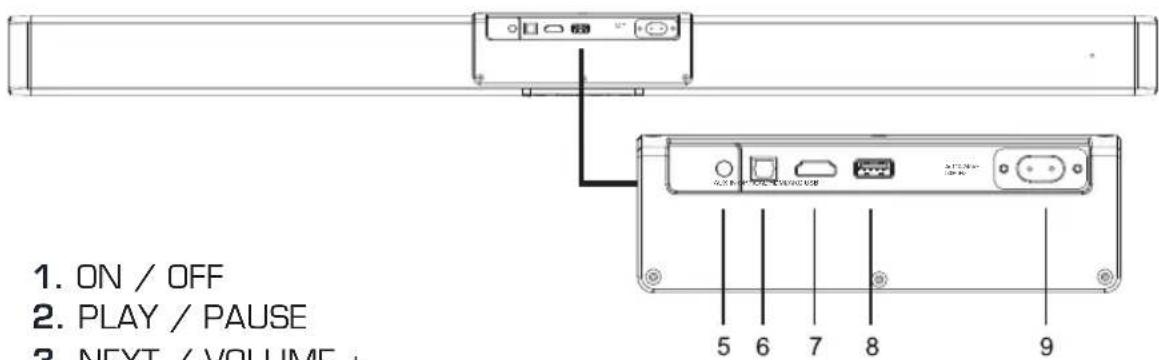
- ON / OFF
- PLAY / PAUSE
- NEXT / VOLUME +
- PREVIOUS / VOLUME -
- AUX IN
- OPTICS
- HDMI / ARC
- USB
- AC 110-240V / 50 / 60Hz
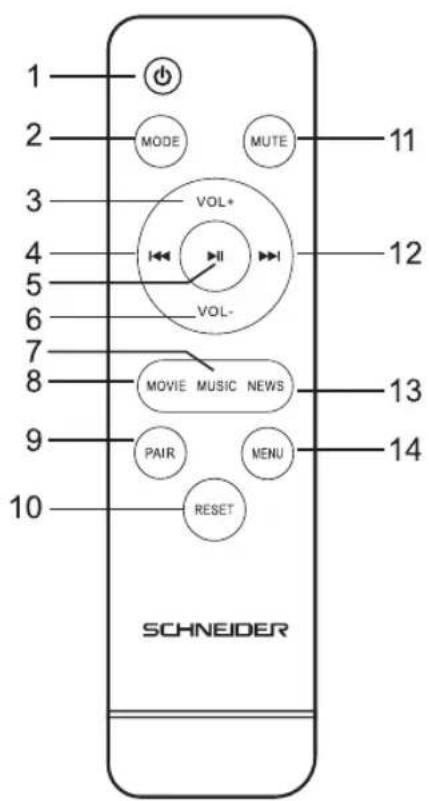
3. REMOTE CONTROL
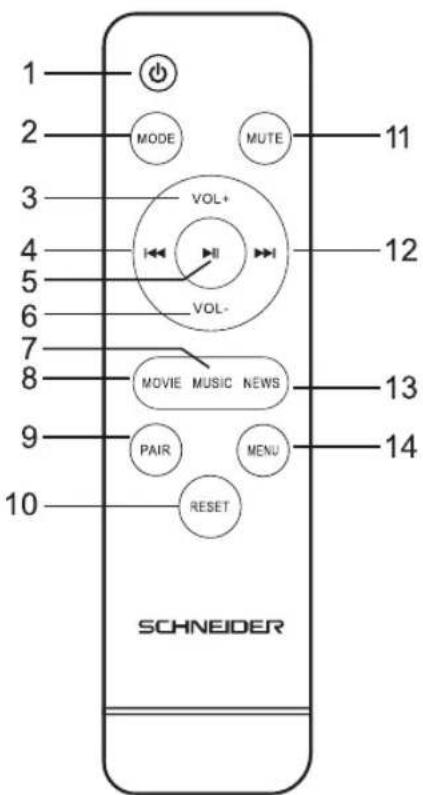
-
POWER
-
MODE
-
VOLUME +
-
PREVIOUS
-
PLAY / PAUSE
-
VOLUME -
-
MUSIC
-
FILM
-
PAIRING
-
RESET
-
MUTE
-
NEXT
-
NEWS
-
MENU
4. CONNECTION TO THE TV
Optical source (TOSLINK)
Make sure the soundbar is connected to the TV or other device via a Toslink optical cable.
Press the «Power / Standby» button on the side of the soundbar to switch to optical mode (or via remote control).
HDMI source
Make sure the soundbar is connected to the TV or other device via an HDMI cable.
Press the «Power / Standby» button on the side of the soundbar to switch to HDMI mode (or via the remote control).
5. PAIRING MODE OF SUBWOOFER AND SOUNDBAR
Pairing the subwoofer and sound bar
-
Turn on the subwoofer by connecting it to a power source. The blue LED on the back of the device will start to flash slowly. Press the WPS Auto Pairing button. The subwoofer will enter pairing mode and the blue LED will start blinking rapidly.
-
Turn on the soundbar by connecting it to a power source. Press the on / off button on the sound bar (1). The sound bar goes into «pairing» mode. It will try to connect with the wireless subwoofer.
- Within 30 seconds, the blue LED on the back of the subwoofer will stop flashing and stay on. This indicates that the subwoofer and the sound bar have been successfully paired.
- The subwoofer will automatically remember the pairing for future use.
Warning: If the subwoofer is on, but the standby mode is activated or the device is disconnected from its power source, after 5 minutes the blue LED indicator will turn solid red. This indicates that the subwoofer is in standby mode.
To avoid sound quality problems caused by wireless signal interference, please keep the system at a suitable distance from other 2.4Ghz wireless devices.
The maximum connection range is 10 meters.
6. BLUETOOTH CONNECTION
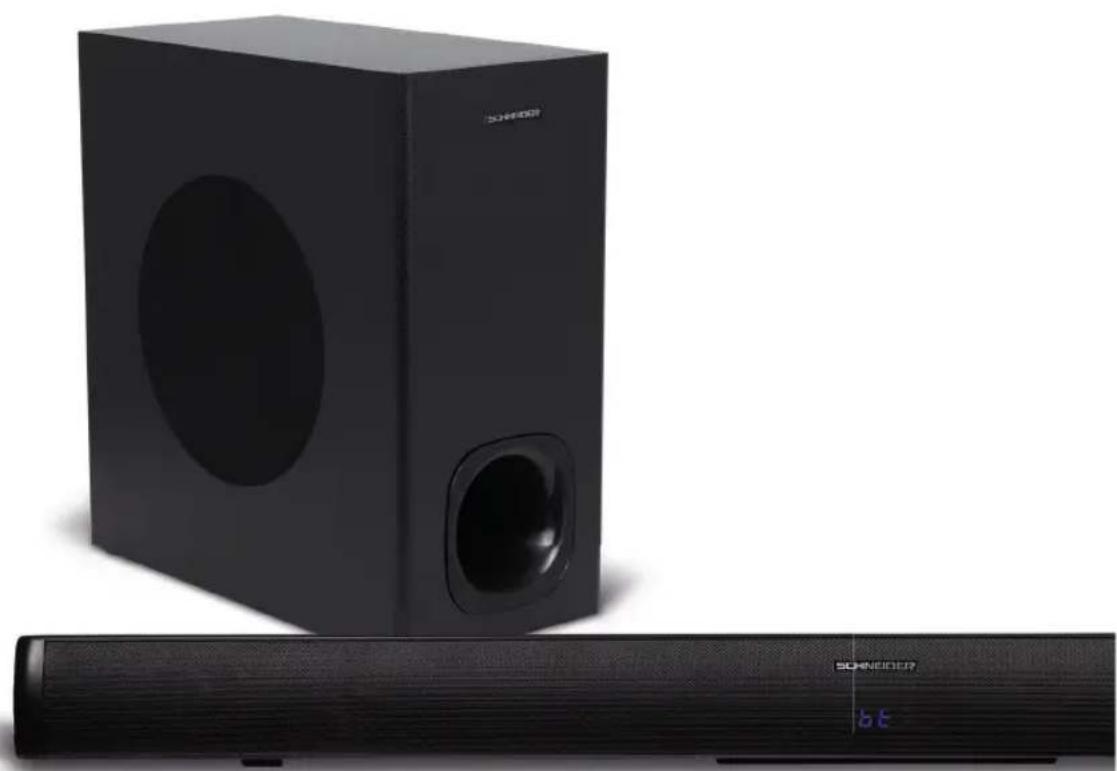
- Turn on the sound bar by connecting it to a power source. Press the On / Standby button on the remote control (1). The soundbar's LCD screen will display «bt» [Bluetooth] and the letters will flash regularly.
- Activate the Bluetooth function on your device (Smartphone, Tablet etc.) and make sure that the Bluetooth mode is activated. Look in the list of Bluetooth devices: GMSCSBSUB120W.
- Once paired, the letters «bt» on the LCD screen will stop flashing and stay on.
7. USB CONNECTION
- Turn on the soundbar by plugging it into a power source and pressing the Power / Standby button on the soundbar or remote control (mode).
- Plug in your USB stick. The unit will automatically play files and start playing music on the sound bar. The LCD screen will display the word USB.
- You can control playback from the remote control (volume, tracks, play / pause, stop).
Please Note: Support USB driver up to 32GB and Mp3 file format. The USB port does not support charging.
8. AUX CONNECTION (3.5 mm JACK)
Use the 3.5mm AUX socket to connect a computer, smartphone, tablet, or any other external sound source with a 3.5mm jack output.
-
Turn on the sound bar by connecting it to a power source. Press the Power / Standby button on the side. Press until the LCD screen displays the letters «AUX».
-
Use a 3.5mm jack cable to connect the soundbar to an audio source.
Note: You will need to adjust the device volume and volume independently.
9. TECHNICAL CHARACTERISTICS
Number of channels: 2.1
Total maximum power: 180W PMPO
Maximum subwoofer power: 60W
Number of speakers: x4
Soundbar Transducer Size: 2.25 inch
Cabinet Transducer Size: 6.5 inch
Subwoofer type: wireless
Frequency response: 35-20Khz
Bluetooth version: 5.0
Display screen: LED
Colors: black
Grid: metallic
Dimensions of the sound bar: 920x77x360 mm
Subwoofer dimensions: 170x340x360 mm
Soundbar weight: 2kg
Subwoofer weight: 4.26 kg
Connectivity and inputs:
Bluetooth
HDMI (ARC)
AUX
Optical
Usb
Accessories
Remote control
Jack 3.5 mm cable
User manual
10. GARANTEE
All Schneider products benefit from after-sales service under the legal guarantee offered to the consumer. A defective product can be exchanged or refunded through a local distributor for 2 years after purchase, by presenting proof of purchase (dated invoice) and the original packaging of the product.
The warranty is excluded in the following situations:
- Malfunction, defect or damage other than defect or lack of conformity.
- The product (s) is / are damaged as a result of improper use (shock, fall, misuse, handling error, etc....).
- The product (s) is / are disassembled, rebuilt (s) and / or modified under unauthorized conditions.
- Parts which deteriorate as a result of normal wear and tear and which by their nature require frequent replacement.
11. LEGAL NOTICE
SCHNEIDER is a trademark of Schneider Consumer Group or its affiliates used under license by GMS GROUP. This product has been manufactured by and is sold under the responsibility of GMS GROUP. The brands cited are trademarks registered by their respective owners. Guarantee: 2 years. This warranty does not cover damage resulting from improper use or installation of the product.
Bluetooth logo/brand is a trademark or registered trademark of Bluetooth Sig Inc. All items contained herein are imported by GMS and are not manufactured, sponsored, endorsed or distributed by Bluetooth Sig Inc.
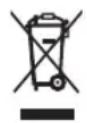
Destruction of electrical and electronic devices
The symbol on the product or on its packaging indicates that this product must not be treated as household waste. On the contrary, it must be dropped off at a collection point for recycling electrical and electronic equipment. By ensuring that this equipment is handled properly you will help prevent potential negative consequences to the environment and human health, which could otherwise be caused by improper handling of this product. Recycling materials will help preserve natural resources. For more information, please contact your town hall or your waste sorting center.
EN
12. NOTES

natural_image
Group of people celebrating with confetti falling, no visible text or symbols
natural_image
Modern home setup with a wooden TV set, blue accent wall, and a large screen displaying a vibrant music performance (no visible text or symbols)
natural_image
Family of three sitting on the floor, one holding a game controller and another with a child's face, all laughing (no visible text or symbols)SCHNEIDER
BARRA DE SONIDO 2.1 CON SUBWOOFER INALÁMBRICO
Manual de usuario
GMSCSBSUB120W
INDICE
Pg. 31. CE DECLARATION OF CONFORMITY
natural_image
Black audio streaming setup with two speakers and a sound block, no visible text or symbols on the devices themselves.natural_image
Close-up of a black cylindrical electronic device with textured surface and small buttons at bottom (no visible text or symbols)-23-
natural_image
Group of people celebrating with confetti and musical instruments in a decorated indoor setting (no visible text or symbols)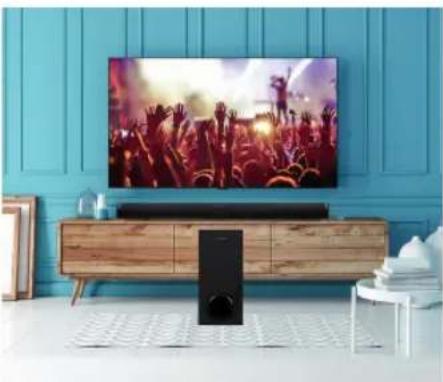
natural_image
Modern home screen setup with a large TV set and blue accent wall, featuring a music scene with raised crowd (no visible text or symbols)
natural_image
Family of three sitting on the floor, one holding a game controller, two laughing and one reacting (no visible text or symbols)CE DECLARATION OF CONFORMITY
We, GMS GROUP, declare under our responsibility that the product :
Designation: Soundbar with wireless subwoofer
Brand: Schneider
Item number: GMSCSBSUB120W
Model number: EC-6808-120W
Satisfied all the following union harmonized European standard:
• Directive EMC 2014/30/EU
• Directive CE RED 2014/53/EU
• Directive LVD 2014/35/EU
• Directive ERP EC No 1275/2008
• Directive RoHS 2011/65/EU&2015/863/EU
And conform with the following harmonized standard :
• EN 301 489-1 V2.2.3:2019
• EN 301 489-17 V3.2.4:2020
• EN 301 489-3 V2.1.1:2019
• EN 300 328 V2.2.2:2019
• EN 303 345-1 V1.1.1:2019
• EN 303 345-3 V1.1.0:2019
• EN 62479:2010
• EN 62368-1:2014 + A11:2017
• EN 55032:2015
• EN 55035:2017
• EN 61000-3-2:2019
• EN 61000-3-3:2013+A1:2019
• EN 62368-1:2014 + A11:2017
EN 62087
IEC 62321
Luynes, June 29 ^th , 2021

ES
SCHNEIDER


FR - Manuel d'utilisation / Veuillez lire attentivement ce manuel avant de l'utiliser et conservez-le pour toute référence ultérieure.
EN - User manual / Please read this manual carefully before using it and keep it for future reference.
ES - Manual del usuario / Por favor, lea este manual cuidadosamente antes de usarlo y guardelo para futuras referencias.
- CONSIGNE DE SÉCURITÉ IMPORTANTE
- ATTENTION
- IMPORTANT
- TELECOMMANDE
- BRANCHEMENT A LA TV
- SCHNEIDER
- SOUNDBAR WITH WIRELESS SUBWOOFER
- TABLE OF CONTENTS
- IMPORTANT SAFETY INSTRUCTIONS
- WARNING!
- Installation
- Ventilation instructions
- Power supply
- CONTENT
- DESCRIPTION OF THE APPLIANCE
- REMOTE CONTROL
- CONNECTION TO THE TV
- Optical source (TOSLINK)
- HDMI source
- PAIRING MODE OF SUBWOOFER AND SOUNDBAR
- Pairing the subwoofer and sound bar
- BLUETOOTH CONNECTION
- USB CONNECTION
- AUX CONNECTION (3.5 mm JACK)
- TECHNICAL CHARACTERISTICS
- Connectivity and inputs:
- Accessories
- GARANTEE
- The warranty is excluded in the following situations:
- LEGAL NOTICE
- Destruction of electrical and electronic devices
- NOTES
- BARRA DE SONIDO 2.1 CON SUBWOOFER INALÁMBRICO
- INDICE
- CE DECLARATION OF CONFORMITY
Brand : SCHNEIDER
Model : GMSCBSU120W
Category : Soundbar