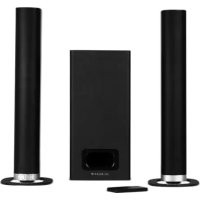
SC700SND - Soundbar SCHNEIDER - Free user manual and instructions
Find the device manual for free SC700SND SCHNEIDER in PDF.



User questions about SC700SND SCHNEIDER
0 question about this device. Answer the ones you know or ask your own.
Ask a new question about this device
Download the instructions for your Soundbar in PDF format for free! Find your manual SC700SND - SCHNEIDER and take your electronic device back in hand. On this page are published all the documents necessary for the use of your device. SC700SND by SCHNEIDER.
USER MANUAL SC700SND SCHNEIDER
natural_image
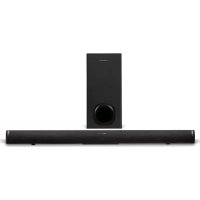
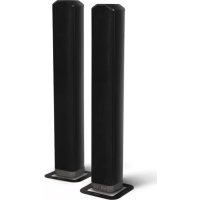
Two black electronic devices: a rectangular speaker and a cylindrical audio amplifier, shown against a white background (no text or symbols visible)BARRE DE SON 2.1 MODULABLE 2EN1 BLUETOOTH
- Getting started....18
- Overview of control....18
- Remote control....19
- The placement and mounting of the sound bar....20
- Connecting the subwoofer....22
- TV Connections....22
- Power connection....24
- General operation....24
- Bluetooth operation....25
- Specification....26
- Troubleshooting....27
Españ ol
natural_image
Simple line drawing of a trash bin with crossed lines indicating no waste or discharge (no text or symbols)
natural_image
Two cylindrical objects with rounded ends, resembling eraser or paper roll (no text or symbols)Barre de son
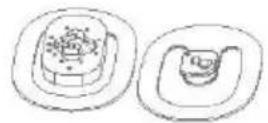
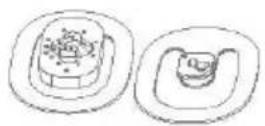
Supports
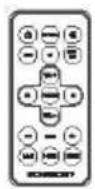
Té lé commande
natural_image
Simple line drawing of a rectangular device with a side panel and cable (no text or symbols)natural_image
Line drawing of a cable with two connectors and a terminal plug (no text or symbols)Câ ble d'alimentation secteur
natural_image
Coiled black audio jack with two leads, no text or symbols visibleCâ ble audio de 3,5 mm sur 3,5 mm
Support mural
natural_image
Simple line drawing of a living room setup with TV, chairs, and a cabinet (no text or symbols)
natural_image
Simple line drawing of a TV setup with monitor, tower, and keyboard inside a circle (no text or symbols)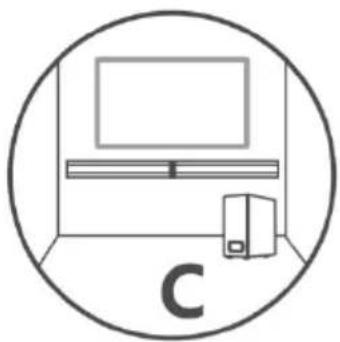
natural_image
Simple line drawing of a TV setup inside a circle, no text or symbols presentflowchart
graph TD
    A["Step ①"] --> B["Device with circular components"]
    B --> C["Assembly"]
    C --> D["Step ②"]
    D --> E["Assembly with 0000 units"]
    E --> F["Step ③"]
    F --> G["Assembly with cable connectors"]
flowchart
graph TD
    A["Step ①: Pin alignment"] --> B["Step ②: Lock locking"]
    B --> C["Step ③: Rolling strip with key points"]
natural_image
Simple line drawing of a cylindrical object with a band, no text or symbols presentImportant safety instructions – please read carefully and keep for future reference

To reduce the risk of fire or electric shock, do not expose this product to water, rain or moisture. To prevent the risk of electric shock, do not remove the cover or back of this product. In case of product failure, only qualified personnel can repair. There are no user-serviceable parts inside.
CAUTION!
Dangerous tension inside the product ! Do not open. Risk of electric shock ! No parts can be repaired by the end-user. Only qualified personnel can repair and maintain this product.
If the electric cord is damaged, it must be replaced by the manufacturer or qualified after-sales personnel in order to avoid any danger.
The product must be installed in accordance with local laws.
Damaged batteries must be properly disposed. In order to protect the environment, please dispose the batteries properly, in accordance with local laws (information is available at your reseller).
Remote control battery (included) shall not be exposed to excessive heat (e.g. from sun or fire).
Note: Device operates in frequency range 2454-2483.5MHz is restricted to indoor use in France
Where to install the product
- Place the product on a straight, rigid and stable place. Do not place the product on a carpet.
- Do not place the product on top of another that may cause overheating (for example, a receiver or amplifier).
- Do not place anything underneath the product (for example, CDs or magazines).
Proper ventilation
- Place the product in a sufficiently-aerated place to avoid overheating. Allow at least 10cm spacing at the back and top of the product, and 5cm spacing on both sides to prevent overheating.
- Do not place items such as newspapers, tablecloth, curtains, in front of the ventilating openings.
Do not expose the product to high temperatures, moisture, water and dust.
- The apparatus shall not be exposed to dripping or splashing. No object filled with liquids, such as vases, shall be placed on the apparatus.
- Do not place other items close to this product that may damage it (for example, objects containing water or lightened candles).
- No naked flame sources, such as lighted candles, should be placed on the apparatus.
Electric supply
- Please unplug the product in case of prolonged non-use.
- If the supply cable is damaged, it must be replaced by the manufacturer or qualified after-sales personnel to avoid any danger.
- This product must be connected to an electrical supply 230V \~ 50Hz.
- The mains plug is used as the disconnect device, so the disconnect device shall remain readily operable
- Only use this product with the AC adaptor provided.
WARNING
- Do not ingest the battery, Chemical Burn Hazard (The remote control supplied with) this product contains a coin/button cell battery. If the coin/button cell battery is swallowed, it can cause severe internal burns in just 2 hours and can lead to death.
- Keep new and used batteries away from children.
- If the battery compartment does not close securely, stop using the product and keep it away from children.
- If you think batteries might have been swallowed or placed inside any part of the body, seek immediate medical attention.
EU declaration of conformity
Hereby, Admea declares that this Bluetooth sound bar is in compliance with the essential requirements and other provisions of the Radio Equipment Directive (RED) 2014/53/EU.
The full text of the EU declaration of conformity is available at the following internet address: http://www.schneiderconsumer.com

Technical Specification:
Device: Sound bar
Operation Frequency: 2402 MHz to 2480MHz (BT 4.2)
RF Transmission Power: 2dBm W (power per channel)
Operation Environment: 0 - 40 Deg C
natural_image
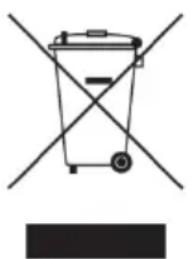
Symbol of a trash bin crossed with two crossed lines, no text or labels present- This logo set on the product means that the recycling of this apparatus comes within the framework of the directive 2012/19/EC of July 4, 2012 concerning the waste on electrical and electronic equipment (WEEE).
- The presence of dangerous substances in the electrical and electronic equipments can have potential consequences on the environment and human health in the cycle of reprocessing this product.
- Therefore, at the end of its lifetime, this product shall not be disposed with other non-recycled waste.
- As the end user, your role is of prime importance in the cycles of re-using, recycling, and other forms of valorization of this electrical and electronic equipment. Local authorities and resellers have set special procedures for the purpose of collecting and recycling this product.
- You have the obligation to use the selective waste collection systems put in place by your local authorities.
1. Getting started
What's included?

natural_image
Two cylindrical objects with textured surfaces, no text or symbols visibleSound Bar

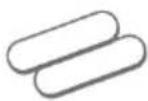
Stands
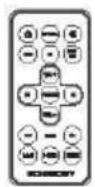
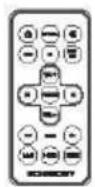
Remote Control
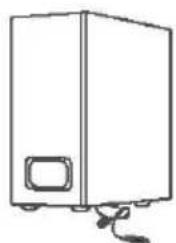
natural_image
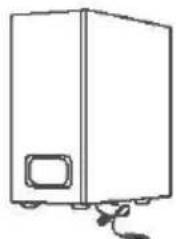
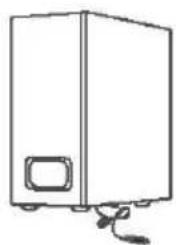
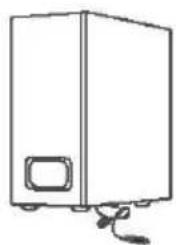
Simple line drawing of a rectangular device with a side panel and cable (no text or symbols)Wired Subwoofer
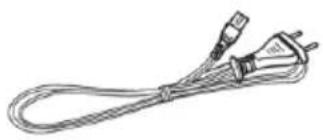
natural_image
Line drawing of a coiled electrical plug with terminal connectors (no text or symbols)AC Power Cable
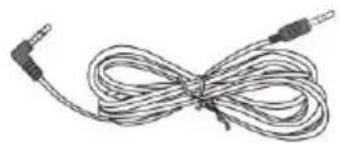
natural_image
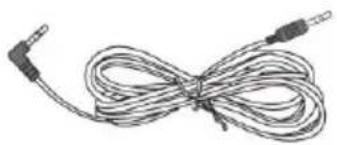
Coiled audio cable with two leads, no text or symbols visible3.5mm to 3.5mm audio cable
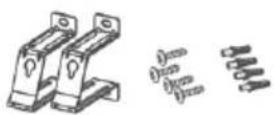
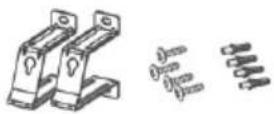
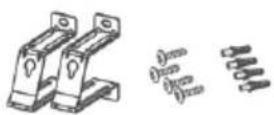
Wall Bracket
Rubber Feet

Instruction Manual
2. Overview of control
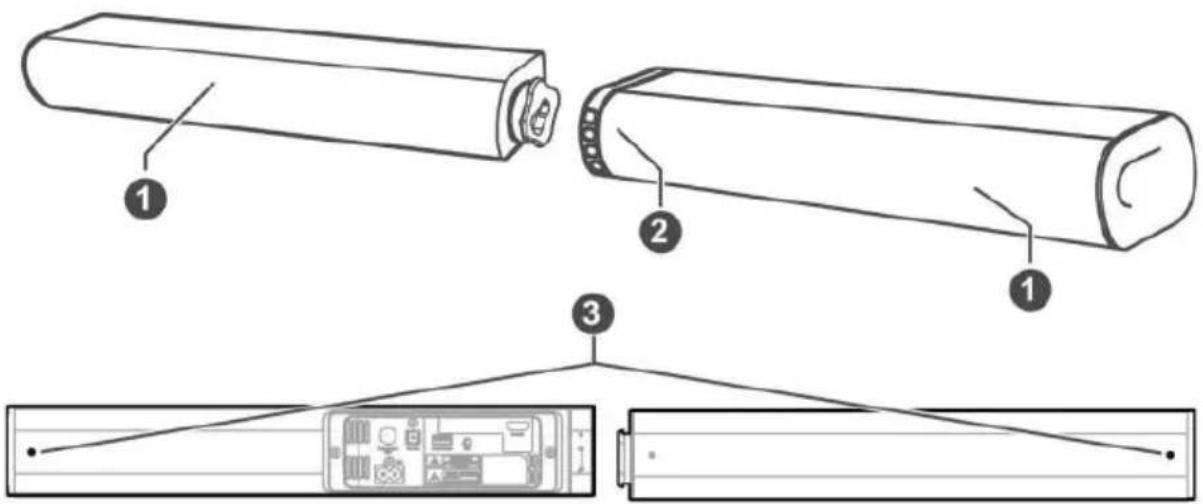
- Speakers
- Remote control sensor
- Wall breacket screws
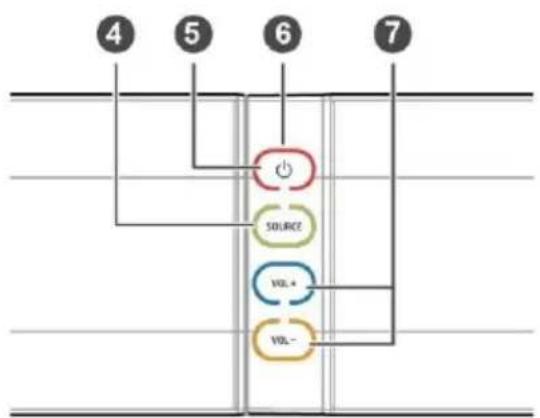
- SOURCE Button
Select a source input from OPTICAL, AUX, BT, HDMI ARC
- ⏻ Button:
Switch on the Sound bar or switch to STANDBY mode.
-
LED Indicators
-
RED: STANDBY
- GREEN: AUX
-
BLUE: BT(Bluetooth)
• ORANGE: OPTICAL
• ORANGE LIGHTS FLASH: HDMI ARC -
VOL+/VOL- Buttons
Increase or decrease the volume level.
flowchart
graph TD
    A["Power Source"] --> B["VOL+"]
    A --> C["VOL-"]
    D["Switch"] --> E["Ground"]
    F["Pin 4"] --> A
    G["Pin 5"] --> A
    H["Pin 6"] --> A
    I["Pin 7"] --> A
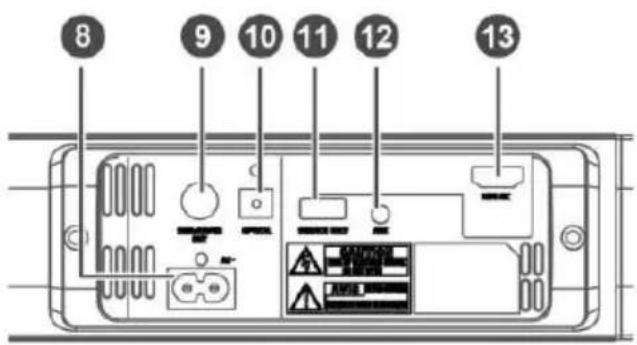
- AC\~ Socket Connect to the Power cable provided
- SUBWOOFER OUT SOCKET Only connect to subwoofer
- OPTICAL socket Connect to an external audio device.
- USB socket The USB socket is for service only
- AUX socket Connect to an external audio device.
- HDMI ARC Socket Only connect to ARC-compatible TVs.
3. Remote control
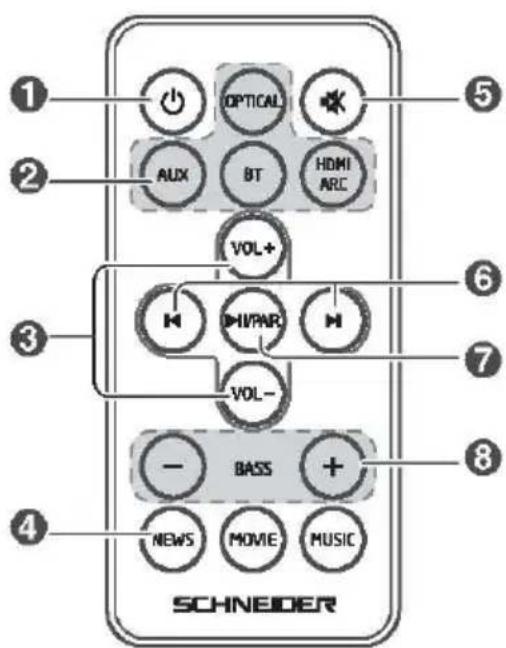
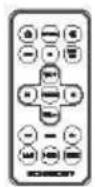
1 : Turn On/Off the unit
2 OPTICAL, AUX, BT, HDMI ARC (Source buttons): Select an audio source inputs.
3 VOL+/VOL-:
Increase/decrease the volume level.
4 NEWS, MOVIE, MUSIC (EQ buttons): Select an EQ effect.
5 : Mute or resume the sound.
6 |◀/▶|: Skip to previous/next track for Bluetooth playback.
7 /PA#! Pause/resume playback for Bluetooth playback.
Press and hold to activate the pairing function or disconnect the existing paired Bluetooth device in Bluetooth mode.
8 BASS+/-: Adjust the bass level.
First-time use:
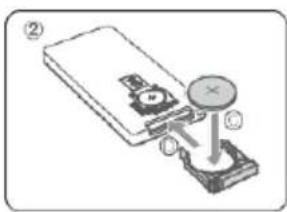
The unit has been pre-installed a lithium CR2025 battery. Remove the protective tab to activate the remote control battery.
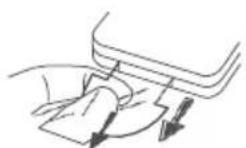
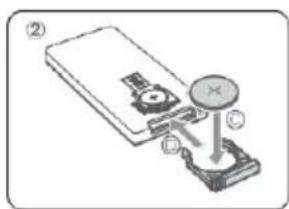
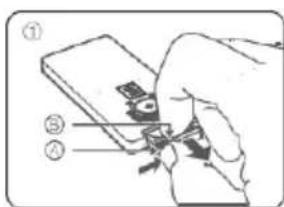
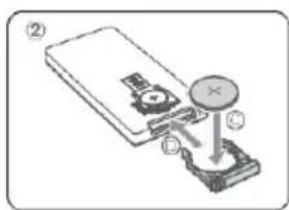
Replace the Remote Control Battery
- Pull out the battery tray and remove the old battery.
- Place a new CR2025 battery into the battery tray with correct polarity (+/-) as indicated.
- Insert the battery tray back into the slot.
4. The placement and mounting of the sound bar
The placement of the sound bar
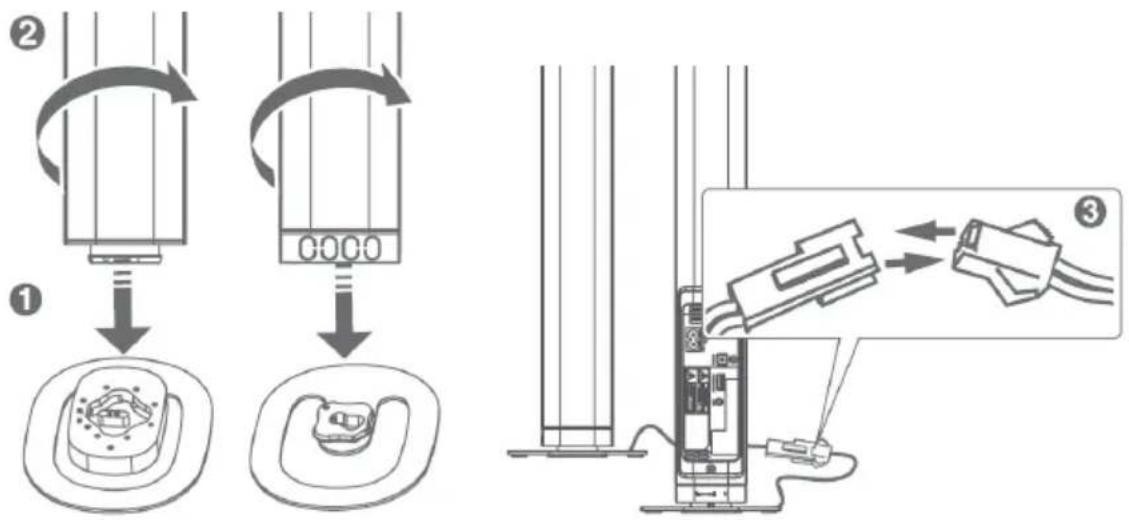
This unit can be used either a single sound bar or a 2-column speakers. You are suggested to put the unit with below options:
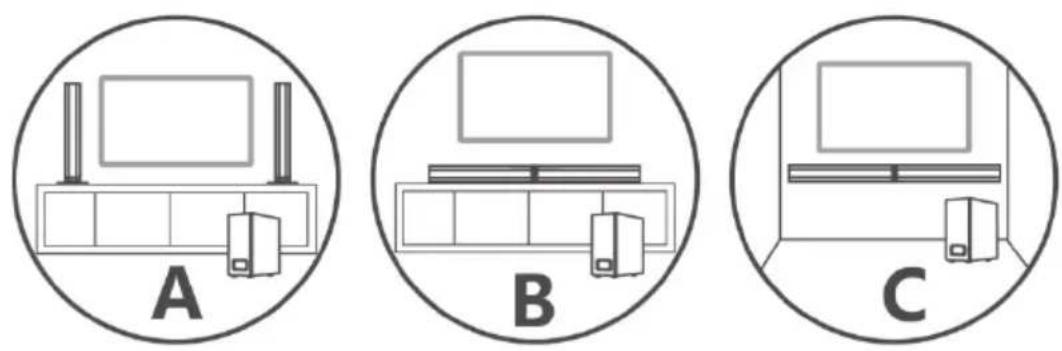
Stand mounting the sound bar (option-A)
Horizontal mounting the sound bar (option-B)
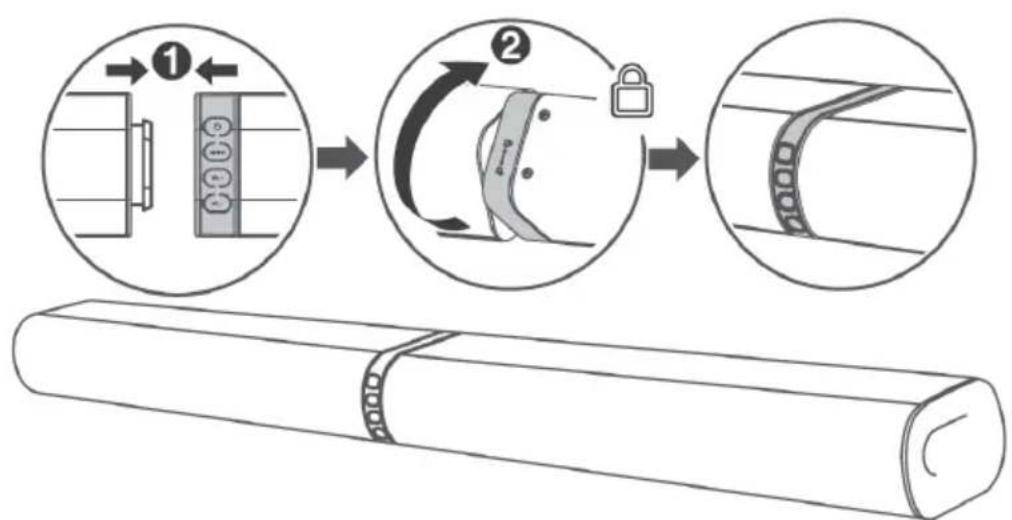
flowchart
graph TD
    A["Step ①: Pin alignment"] --> B["Step ②: Lock locking"]
    B --> C["Step ③: Rolling part with key"]
    style A fill:#f9f,stroke:#333
    style B fill:#ccf,stroke:#333
    style C fill:#cfc,stroke:#333
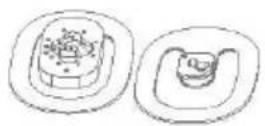
Installing the Rubber Feet
Ensure the surface is clean prior to sticking the rubber foot to the bottom of the unit.
- Turn the unit upside down.
- Remove the backing paper from the rubber foot.
- Stick the rubber foot to the bottom of the unit as shown in the illustration below.
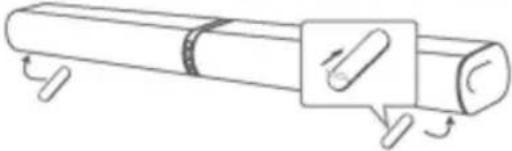
natural_image
Diagram of a cylindrical object with a rectangular inset showing a pin or knob, no text or symbols presentWall Mounting the sound bar (option-C)
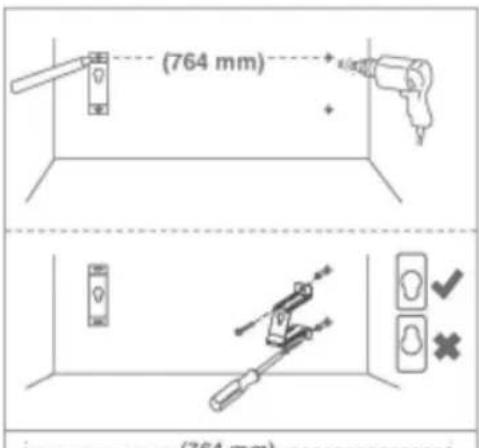
① Drill 4 parallel holes (Ø 3-8 mm each according to wall type) in the wall. The distance between the holes should be 764 mm. Firmly fix 1 dowel into each hole in the wall if necessary.
② Tighten the wall mount brackets on the wall with screws and screwdriver (not included). Make sure the they are securely installed.
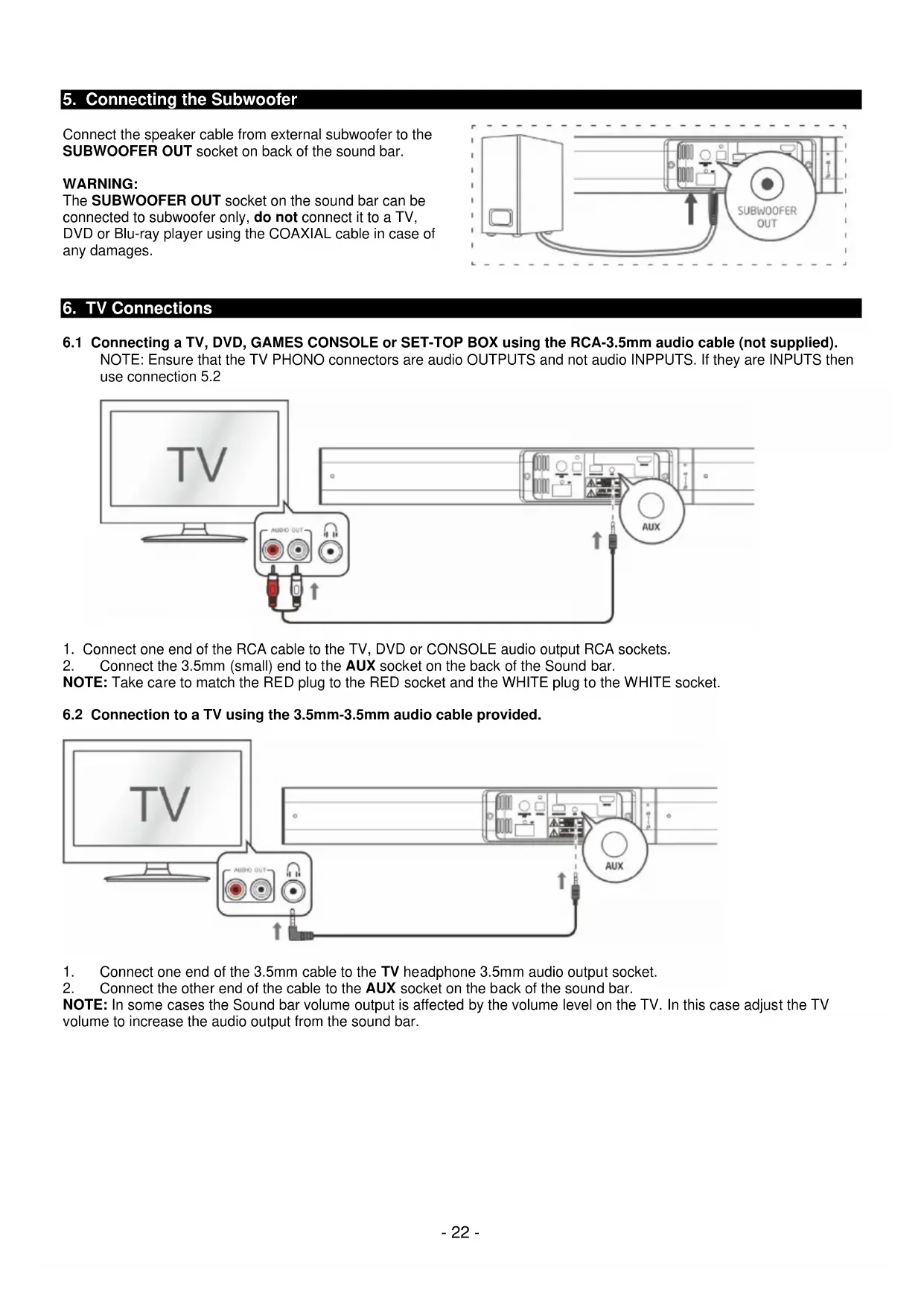
5. Connecting the Subwoofer
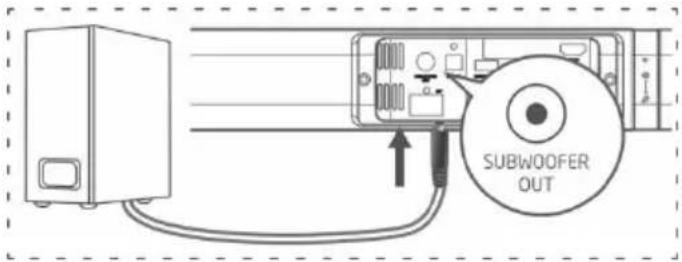
Connect the speaker cable from external subwoofer to the SUBWOOFER OUT socket on back of the sound bar.
WARNING:
The SUBWOOFER OUT socket on the sound bar can be connected to subwoofer only, do not connect it to a TV, DVD or Blu-ray player using the COAXIAL cable in case of any damages.
6. TV Connections
6.1 Connecting a TV, DVD, GAMES CONSOLE or SET-TOP BOX using the RCA-3.5mm audio cable (not supplied). NOTE: Ensure that the TV PHONO connectors are audio OUTPUTS and not audio INPPUTS. If they are INPUTS then use connection 5.2
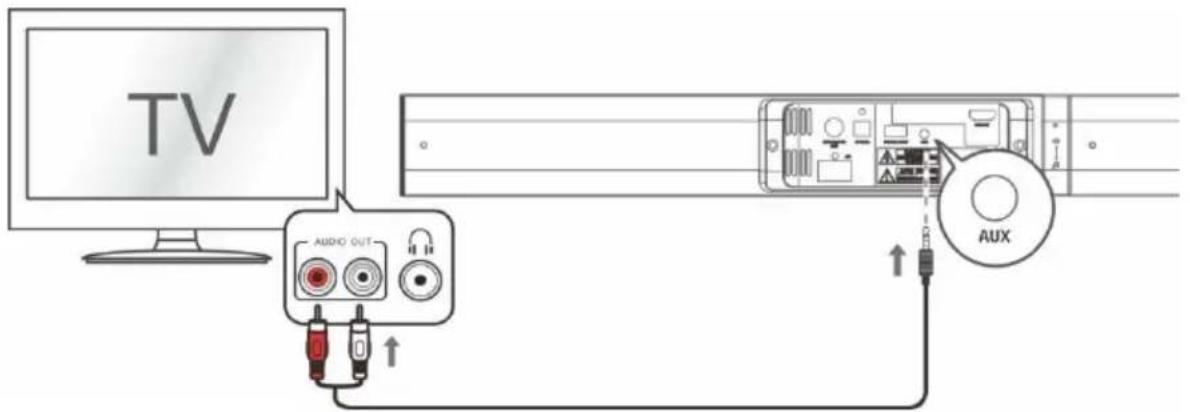
- Connect one end of the RCA cable to the TV, DVD or CONSOLE audio output RCA sockets.
- Connect the 3.5mm (small) end to the AUX socket on the back of the Sound bar.
NOTE: Take care to match the RED plug to the RED socket and the WHITE plug to the WHITE socket.
6.2 Connection to a TV using the 3.5mm-3.5mm audio cable provided.
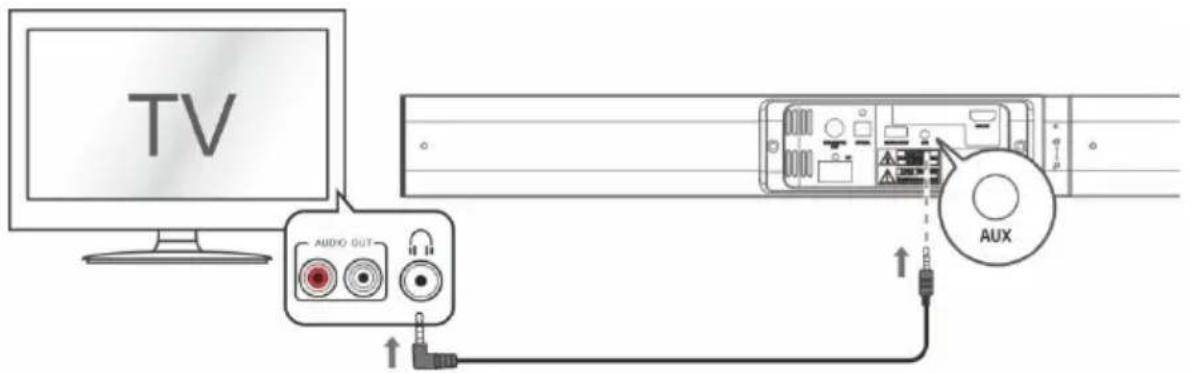
- Connect one end of the 3.5mm cable to the TV headphone 3.5mm audio output socket.
- Connect the other end of the cable to the AUX socket on the back of the sound bar.
NOTE: In some cases the Sound bar volume output is affected by the volume level on the TV. In this case adjust the TV volume to increase the audio output from the sound bar.
6.3 DIGITAL connection to a TV, DVD or Blu-ray player using the OPTICAL cable (not supplied).
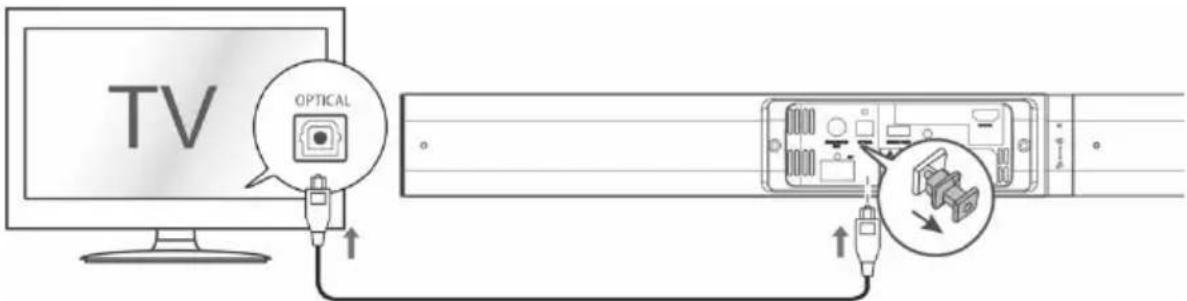
- Connect one end of the OPTICAL cable to the TV, DVD or Blu-ray OPTICAL audio output socket.
- Remove the protective cap of the OPTICAL socket, then connect the other end to the OPTICAL socket on the side of the Sound bar.
NOTE: You may need to activate PCM (Downmix) on your source device: TV, DVD or Blu-ray player.
6.4 Connection to a HDMI-ARC compatible TV using a High-Speed HDMI cable that supports the ARC function (not supplied)
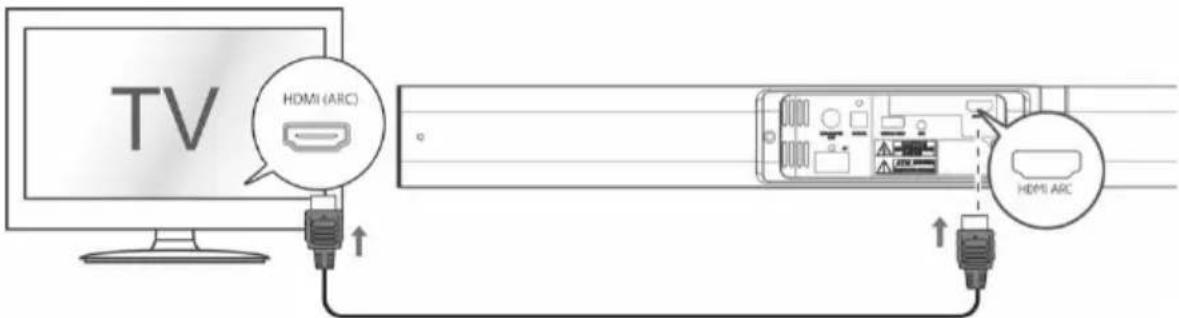
ARC (Audio Return Channel)
The ARC (Audio Return Channel) function allows you to send audio from your ARC- compliant TV to your sound bar through a single HDMI connection. To enjoy the ARC function, please ensure your TV is both HDMI-CEC and ARC compliant and set up accordingly. When correctly set up, you can use your TV remote control to adjust the volume output (VOL +/- and MUTE) of the sound bar.
- Connect one end of HDMI cable to the TV HDMI ARC output socket.
- Connect the other end of the cable to the HDMI ARC socket on the back of the sound bar.
- Press the SOURCE button repeatedly on the unit or press HDMI ARC buttons on the remote control to select HDMI ARC.
NOTE:
- Your TV must support the HDMI-CEC and ARC and the HDMI-CEC and ARC must be set to On.
- The setting method of HDMI-CEC and ARC may depend on the TV. For details about ARC function, please refer to the TV instruction manual.
- Ensure that you use an HDMI cables that can support the ARC function.
- HDMI-CEC will be called different names by different manufacturers, please refer to your TV instruction manual for details on setting up HDMI-CEC and ARC.
Important: ARC connection will only work with ARC-compatible TV. HDMI only-TVs are NOT compatible. Check your TV output. If it doesn't say "ARC", it means that it probably won't be compatible. Additionally, depending on the TV manufacturer, only one HDMI port may actually support ARC.
7. Power connection
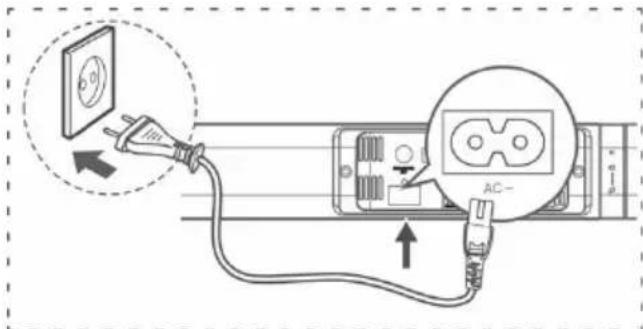
- Ensure that the power supply voltage corresponds to the voltage printed on the back or the underside of the unit.
- Before connecting the AC power cord, ensure you have completed all other connections.
- Connect the mains cable to the AC\~ Socket of sound bar and then into a mains socket.
8. General operation
Status LED
| Operation | Description | LED Status |
| STANDBY | Standby | RED (solid) |
| SOURCE | AUX | GREEN (solid) |
| Bluetooth-ready for pairing | BLUE (flash) | |
| Bluetooth paired | BLUE (solid) | |
| OPTICAL | ORANGE (solid) | |
| HDMI ARC | ORANGE (flash) | |
| VOL+/- | Adjust sound volume | Current input source color (blink twice) |
| Maximum/Minimum volume | Current input source color (flash three times) | |
| BASS+/- | Adjust bass level | Current input source color (blink twice) |
| Maximum/Minimum bass | Current input source color (flash three times) | |
| MOVIE / MUSIC / NEWS | Select EQ effects | Current input source color (blink twice) |
| ※ | Mute | Current input source color (flash) |
Standby mode
- Short-press the ⏻ button on the unit or the ⏻ button on the remote control to awake the unit from STANDBY mode.
- Short-press the ⏻ button on the unit or press the ⏻ button on the remote control to switch the unit back to STANDBY mode.
NOTE: As part of the power saving mode the unit will enter STANDBY mode automatically after 15 minutes (approx.) of no source input.
Switching inputs
Follow the below steps to switch inputs among: AUX, BT(Bluetooth), OPTICAL, HDMI ARC.
- Ensure the Sound bar is powered ON.
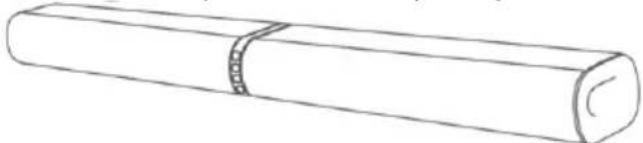
- Short-press the SOURCE button on the sound bar or the AUX, BT, OPTICAL, HDMI ARC buttons on the remote control until you see the corresponding color on the indicator.
natural_image
Simple line drawing of a cylindrical object with a band, no text or symbols presentSTANDBY: ....RED (solid)
AUX: ......GREEN (solid)
BLUETOOTH:......BLUE (solid)
OPTICAL:......ORANGE (solid)
HDMI ARC:......ORANGE (flash)
Adjusting the volume level
Press the VOL+/VOL- button on the unit or remote control repeatedly to increase or decrease the volume level.
Mute function
- Press the button on the remote control will temporarily silence the audio output.
- Press the ☑ or VOL+/VOL- button again to resume the audio output.
Sound effect presets
During palyback, press the MOVIE / MUSIC / NEWS button on the remote control to select EQ effects: MOVIE (recommended for viewing movies), MUSIC (recommended for listening to music), NEWS (recommended for listening to news)
Bass enhancement
Press BASS+/- to strengthen or lower the level of Bass.
9. Bluetooth operation
Pairing a Bluetooth device
Before you can use the sound bar with your phone or other Bluetooth capable device you will need to pair the device to the sound bar.
- Short-press the SOURCE button on the unit or the BT button on the remote control to select Bluetooth mode. The Blue indicator will flash slowly.
- Activate your Bluetooth device and select the mode name 'SC700SND' on your Bluetooth device list.
- If you cannot find the sound bar, press and hold the ▶II/PAIR button on the remote control until the Blue indicator flashes rapidly and the unit prompts "Pairing". The system has entered pairing mode. Select "SC700SND" enter "0000" for the password if necessary. The unit will voice "Paired" and the Blue indicator will light up solidly.
- Play music from the connected Bluetooth device.
During playback, you can:
- Press ▶II/PAIR button pause or resume playback of the selected track on the audio device.
- Press |◀ or ▶l to skip to last or next track.
To disconnect the Bluetooth function, you can:
- Switch to another function on the unit.
- Disable the function from your Bluetooth device. The Bluetooth device will be disconnected from the unit after the "Disconnected" voice prompt.
- Press and hold the /PAIR button on the remote control.
Bluetooth status table
| Operation | LED Status |
| Disconnected | BLUE (flash slowly) |
| Pairing | BLUE (flash rapidly) |
| Connected | BLUE (solid) |
Note:
- The operation range of Bluetooth is approximately 10 meters (30 feet). Any obstacle in the path between devices may reduce this range.
- Only one Bluetooth device can be paired at a time.
-
Not all Bluetooth devices are compatible.
-
Specification
| Amplifier | |
| Power output | 2X15W |
| Frequency response | 40Hz - 20KHz |
| Input sensitivity | 500 mV |
| Soundbar | |
| Power supply | Input:220-240V ~ 50-60Hz |
| Power consumption | 30W |
| Standby power consumption | < 0.5W |
| Full range speaker drivers | Impedance: 4 Ohm, 50.8mm (2") Frequency response: 40Hz - 20KHz |
| Dimensions | Horizontal: W800 x D92 x H62mm |
| Stand: W122 x D150 x H416 mm | |
| AC power cable length | 1.5m |
| Wired Subwoofer | |
| Power consumption | 30W |
| Impedance | 6 Ohm, 101.6mm(4") |
| Dimensions | W150 x D220 x H320 mm |
| Remote control | |
| Battery | 1 x CR2025 |
| Bluetooth | |
| Bluetooth compatibility | EDR, A2DP, AVRCP |
| Bluetooth version | 4.2 |
11. Troubleshooting
In the unlikely event of difficulties with your appliance please follow the trouble shooting guide below.
| PROBLEM | POSSIBLE SOLUTION |
| No Power | ·Ensure the mains plug is connected to a power supply, and is switched ON.·Make sure there is power to the mains socket. |
| No Sound | ·When playing from the AUX input, Make sure the external source has the volume turned up and is playing a track.·Make sure the volume is turned up.·When playing from OPTICAL/HDMI ARC input, the OPTICAL/HDMI ARC lights flashes quickly, You may need to set the source DIGITAL output to PCM, LPCM, PCM 2Ch stereo or PCM downmix, since the device has no Dolby decoder.·When palying from the HDMI ARC input, ARC connection will only work with ARC-compatible TV. HDMI only-TV are NOT compatible. Check your TV output. If it doesn't say “ARC”, it means that it probably won't be compatible. Additionally, depending on the TV manufacturer, only one HDMI port may actually support ARC.·When playing from the AUX input, Make sure the other device's connection is output not Input·Bluetooth device not paired. Refer to “Bluetooth operation”. |
| No response from the unit | ·Unplug the power cable for 1 minute then plug back in again. |
| Remote control does not work | ·Reduce the distance between the remote and main unit.·Check the batteries are installed correctly.·Replace the batteries.·Aim the remote directly at the Sound bar |
| Unit powers off after 15 minutes | ·This unit is designed to enter STANDBY mode automatically after 15 MINUTES of inactivity. Press the button on the unit or button on the remote control to wake the unit. |
SAV
ADMEA/LOGISAV
natural_image
Simple line drawing of a trash bin with crossed lines indicating no waste or restriction (no text or symbols)natural_image
Two cylindrical objects with textured ends, resembling batteries or paper rolls (no text or symbols)Barra de sonido
Soportes
Mando a distancia
natural_image
Simple line drawing of a rectangular device with a side panel and cable (no text or symbols)natural_image
Line drawing of a coiled electrical plug with terminal connectors (no text or symbols)natural_image
Coiled audio cable with two connectors (no text or symbols visible)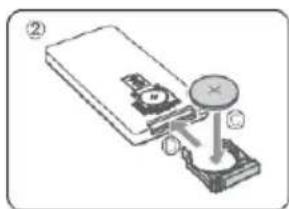
natural_image
Simple line drawing of a room setup with a monitor, chairs, and a cabinet (no text or symbols)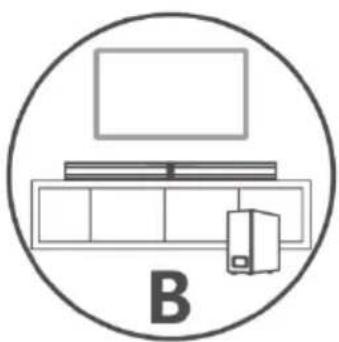
natural_image
Simple line drawing of a TV setup with monitor, tower, and desk (no text or symbols)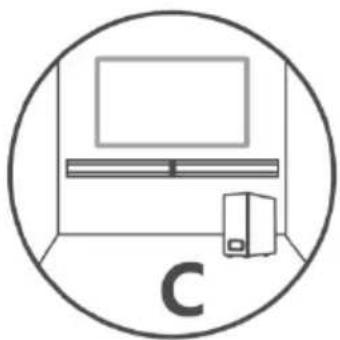
natural_image
Simple line drawing of a room setup with monitor, tower, and server (no text or symbols)flowchart
graph TD
    A["Step ①"] --> B["Component with cable"]
    B --> C["Add cable to cable connector"]
    C --> D["Final cable connector with cable connection"]
natural_image
Diagram of a cylindrical object with a magnified inset showing internal components (no text or symbols)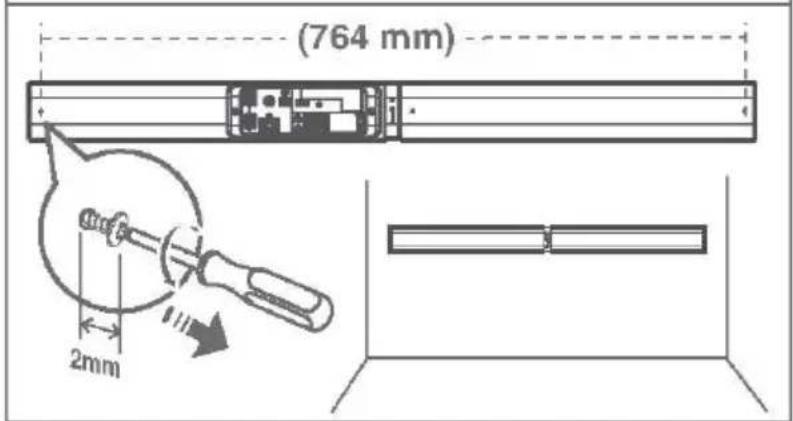
ADVERTENCIA:
natural_image
Simple line drawing of a cylindrical object with a band, no text or symbols presentnatural_image
Symbol of a trash bin crossed with two crossed lines, no text or labels presentnatural_image
Line drawing of two cylindrical objects with textured surfaces (no text or symbols)Soundbar
Suportes
Controlo remoto
natural_image
Simple line drawing of a rectangular device with a side panel and cable (no text or symbols)Subwoofer com fio
natural_image
Line drawing of a coiled electrical plug with terminal connectors (no text or symbols)natural_image
Coiled audio cable with two connectors (no text or symbols visible)Cabo á udio de 3,5 mm a 3,5 mm
Suporte de parede
Pé s de borracha
natural_image
Mechanical assembly diagram showing a device with a knob and base, no text or symbols presentnatural_image
Simple line drawing of a room setup with a monitor, chairs, and a cabinet (no text or symbols)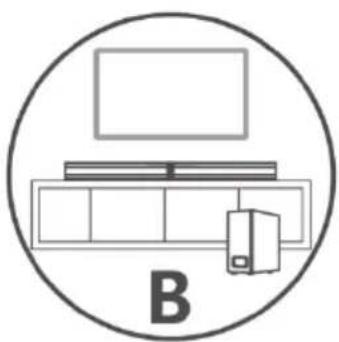
natural_image
Simple line drawing of a TV setup with monitor, tower, and desk (no text or symbols)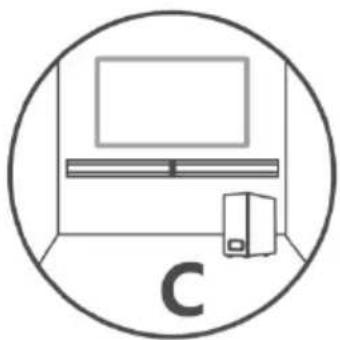
natural_image
Simple line drawing of a room setup with monitor, tower, and server (no text or symbols)flowchart
graph TD
    A["Step ①: Insert a component"] --> B["Step ②: Insert a 3D printer"]
    B --> C["Step ③: Cable or cable connector with cable and cable connection"]
    C --> D["Final assembly step"]
flowchart
graph TD
    A["Step ①: Pin alignment with pins"] --> B["Step ②: Lock mechanism with curved arrow"]
    B --> C["Step ③: Rolling strip with angle measurement"]
natural_image
Diagram of a cylindrical object with a segmented band and a magnified inset showing internal structure (no text or symbols)AVISO:
6. Ligações TV
8. Operações gerais
LED de estado
natural_image
Simple line drawing of a cylindrical object with a band, no text or symbols presentEM ESPERA: ......VERMELHO (fixo)
AUX: VERDE (fixo)
- BARRE DE SON 2.1 MODULABLE 2EN1 BLUETOOTH
- Españ ol
- Important safety instructions – please read carefully and keep for future reference
- CAUTION!
- Where to install the product
- Proper ventilation
- Do not expose the product to high temperatures, moisture, water and dust.
- Electric supply
- WARNING
- EU declaration of conformity
- Technical Specification:
- Getting started
- Overview of control
- Remote control
- First-time use:
- Replace the Remote Control Battery
- The placement and mounting of the sound bar
- The placement of the sound bar
- Installing the Rubber Feet
- Wall Mounting the sound bar (option-C)
- Connecting the Subwoofer
- WARNING:
- TV Connections
- ARC (Audio Return Channel)
- NOTE:
- Power connection
- General operation
- Standby mode
- Switching inputs
- Adjusting the volume level
- Mute function
- Sound effect presets
- Bass enhancement
- Bluetooth operation
- Pairing a Bluetooth device
- During playback, you can:
- To disconnect the Bluetooth function, you can:
- Troubleshooting
- SAV
- ADVERTENCIA:
- AVISO:
- Ligações TV
- Operações gerais
Brand : SCHNEIDER
Model : SC700SND
Category : Soundbar