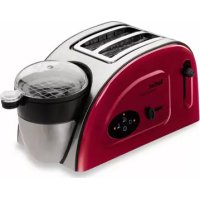
Toast N Egg TT5515 - Toaster TEFAL - Free user manual and instructions
Find the device manual for free Toast N Egg TT5515 TEFAL in PDF.



| Brand | Tefal |
| Model | Toast N Egg TT5515 |
| Category | Toaster and egg cooker |
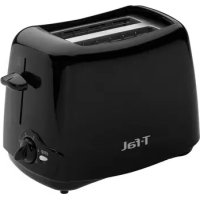
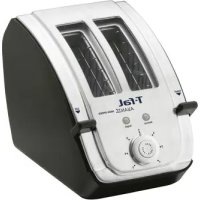
| Product type | Toaster with egg cooking function |
| Power supply | 220-240 V ~ 50/60 Hz |
| Power | 850 W |
| Bread capacity | 2 slices |
| Egg capacity | 1 to 4 eggs (depending on cooking) |
| Browning levels | 5 (from 1 to 5) |
| Main functions | Toasting, egg cooking (hard-boiled, soft-boiled, boiled, poached, scrambled, omelette), reheating of rolls and pre-cooked meats |
| Stop function | Stop button for all functions |
| Ejection function | Automatic bread lift at end of cycle |
| Included accessories | Graduated measure, egg piercer with cap, egg holder, egg pan, steam accessory, transparent lid, roll reheating accessory |
| Crumb tray | Removable, to be emptied regularly |
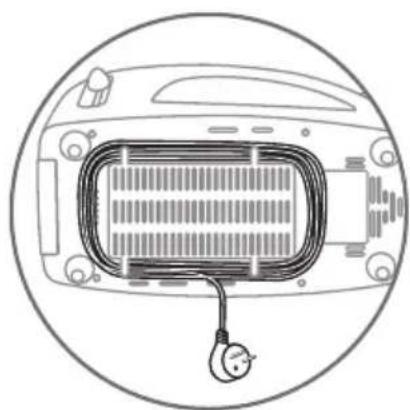
| Cord storage | Under the appliance |
| Maintenance | Clean with a soft cloth and dish soap; descale the tank with white vinegar |
| Safety | Automatic shut-off at end of cycle, do not immerse, do not use unattended, do not use near flammable materials |
| Warranty | 2 years |
| Country of origin | France |
| Exterior material | Plastic and metal |
Frequently Asked Questions - Toast N Egg TT5515 TEFAL
User questions about Toast N Egg TT5515 TEFAL
0 question about this device. Answer the ones you know or ask your own.
Ask a new question about this device
Download the instructions for your Toaster in PDF format for free! Find your manual Toast N Egg TT5515 - TEFAL and take your electronic device back in hand. On this page are published all the documents necessary for the use of your device. Toast N Egg TT5515 by TEFAL.
USER MANUAL Toast N Egg TT5515 TEFAL
natural_image
Two Tefal 30AST NC-EGG food processors with various shades of wood and a glass lid, displayed against a white background (no text or symbols visible on the devices themselves).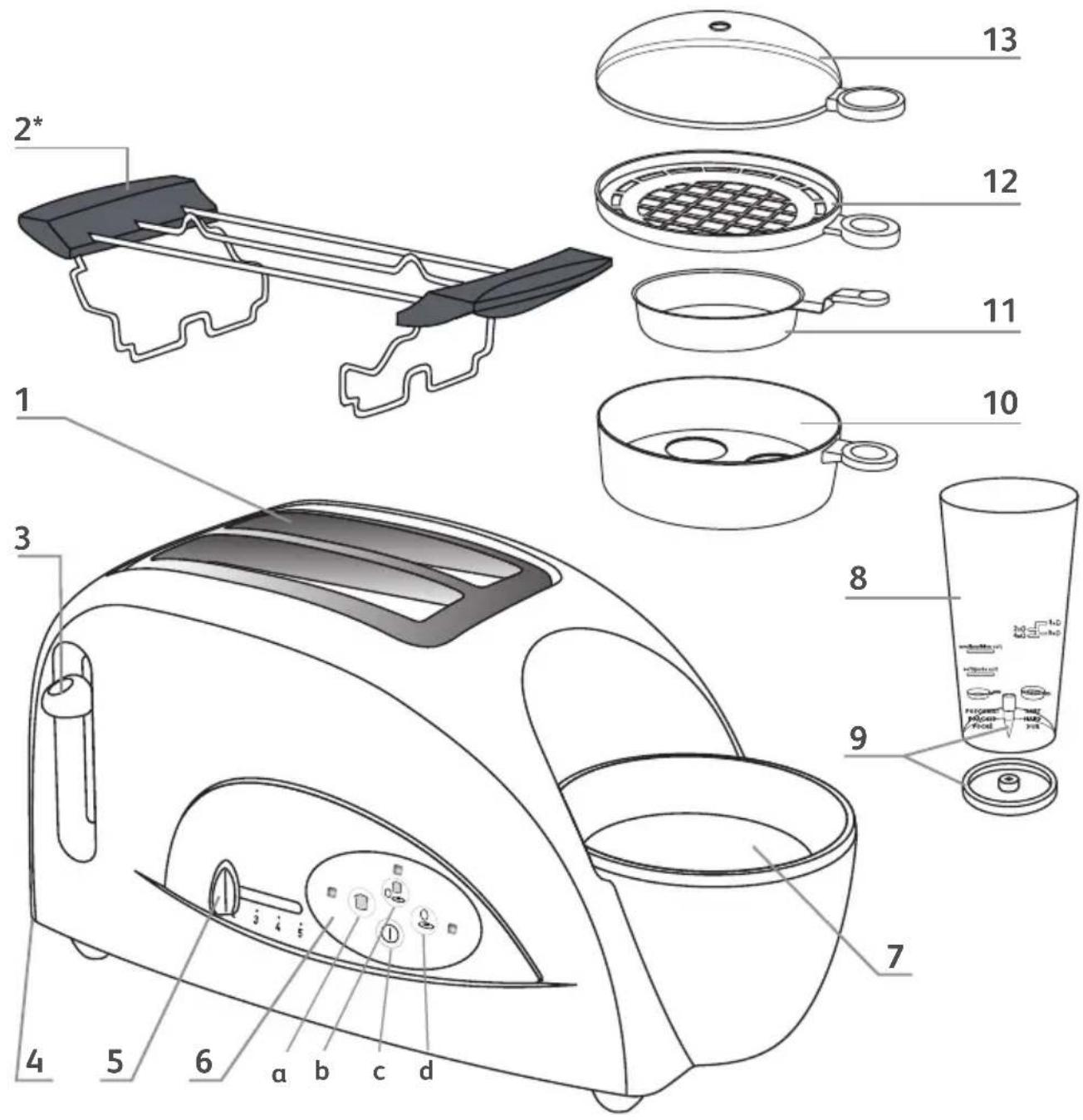
Beschrijving
natural_image
Diagram of a hand washing machine with a tool inside, showing no text or symbolsnatural_image
Illustration of a steaming dish with crossed utensils inside a circular frame (no text or symbols)natural_image
Circular diagram showing a cityscape with buildings and a food item, overlaid with crossed arrows indicating direction (no text or symbols)natural_image
Circular diagram with crossed lines and food items, no visible text or symbolsnatural_image
Illustration of a hand using a tool to lift a car's seatbelt, no text or symbols presentnatural_image
Circular diagram showing a vehicle with crossed arrows and control buttons, no readable text or symbols present.natural_image
Illustration of hands operating a portable device with an upward arrow, enclosed in a circular box (no text or symbols)natural_image
Illustration of a hand interacting with a circular interface showing icons and a sunburst (no text or symbols)natural_image
Illustration of a cooking step showing a hand pouring liquid into a cup with an arrow indicating flow (no text or symbols)natural_image
Illustration of a hand interacting with a computer mouse, showing icons for settings and function buttons (no text or symbols)natural_image
Illustration of a hand interacting with a circular interface, showing icons for clothing and a light source (no text or symbols)natural_image
Diagram showing a hand pointing to a device with a downward arrow, no text or symbols presentnatural_image
Circular diagram showing a hand pressing a button with icons for kitchen, bread, and food items (no text or symbols)natural_image
Illustration of a toaster with steam rising, showing the blade and handle (no text or symbols)natural_image
Illustration of a food preparation step showing a hand placing a bowl into a griddle with a side dish, no text or symbols present.natural_image
Illustration of a hand interacting with a circular interface, featuring icons like a sun, gear, and kitchen items (no text or symbols)natural_image
Illustration of a kitchen appliance with a knife lifting a bread roll (no text or symbols)natural_image
Illustration of a hand pouring liquid into a cup with a fork, inside a vehicle (no text or symbols)natural_image
Illustration of a hand interacting with a touchscreen device, showing icons for kitchen, gear, and battery (no text or symbols)natural_image
Illustration of a hand pouring liquid into a cup with a fork, inside a car (no text or symbols)natural_image
Illustration of a finger pressing a button with icons around it, no text or symbols presentnatural_image
Illustration of a hand pouring liquid into a cup, with a downward arrow indicating the process (no text or symbols present)natural_image
Diagram showing a cooking step with a pan and lid being lifted, no text or symbols presentnatural_image
Illustration of a hand interacting with a touchscreen device, showing icons for a T-shirt and buttons (no text or symbols)natural_image
Diagram of a hand pressing a button on a device component, with a black arrow indicating the downward motion (no text or symbols present)natural_image
Diagram of a circular object with five labeled icons (t-shirt, shirt, gear, washer, and cross) arranged around it, no text or symbols present.natural_image
Diagram of a food preparation setup with a steaming bread and a paperclip, enclosed in a circular frame (no text or symbols)natural_image
Diagram of a circular device with four circular icons: a loaf of bread, a cup with a bowl, a coffee cup, and a switch symbol (no text or labels)natural_image
Illustration of a hand using a tool to clean or adjust a car interior (no text or symbols visible)natural_image
Line drawing of a hand cleaning a car interior with a cloth (no text or symbols)natural_image
Illustration of a hand holding a device with an arrow indicating direction (no text or symbols present)
natural_image
Line drawing of a car interior with a coiled cable and ventilation grille (no text or symbols)Beschreibung
natural_image
Diagram of a car interior showing steering wheel and dashboard with no text or symbolsDE
natural_image
Illustration of a steaming dish with crossed utensils inside a circular frame (no text or symbols)natural_image
Circular diagram showing a cityscape with buildings and food items, no text or symbols presentnatural_image
Simple line drawing of a bowl with bread rolls and a crossed knife, enclosed in a circular frame (no text or symbols)natural_image
Illustration of a hand using a knife to cut a car's seat panel, no text or symbols presentnatural_image
Circular diagram showing a vehicle with crossed arrows and a logo, no readable text or symbols present.natural_image
Illustration of hands operating a portable device with an upward arrow, enclosed in a circle (no text or symbols)natural_image
Illustration of a hand interacting with a circular interface displaying icons (no text or symbols)natural_image
Illustration of a hand pouring liquid into a cup with an arrow indicating flow direction (no text or symbols)natural_image
Illustration of a hand interacting with a circular device showing icons for kitchen, gear, and battery (no text or symbols)natural_image
Illustration of a hand interacting with a circular interface showing icons (no text or symbols)natural_image
Diagram showing a finger pressing a button on a device component, with a black arrow indicating the process (no text or symbols present)natural_image
Circular diagram showing a hand pressing a button with icons for kitchen, clothes, and accessories (no text or symbols)natural_image
Diagram of a toaster with steam rising, showing the blade and fan (no text or symbols)natural_image
Hand interacting with a circular interface displaying icons (no text or symbols)natural_image
Illustration of a robotic arm cutting meat on a conveyor belt (no text or symbols)natural_image
Illustration of a hand pouring liquid into a cup with a fork, inside a car (no text or symbols)natural_image
Illustration of a finger pressing a button with icons around it, no text or symbols presentnatural_image
Illustration of a hand pouring liquid into a cup with a fork, inside a car (no text or symbols)natural_image
Illustration of a hand interacting with a circular device displaying icons (no text or symbols)natural_image
Illustration of a hand pouring liquid into a cup with a fork, showing a downward arrow (no text or symbols)natural_image
Diagram showing a cooking step with a pan and lid being lifted, no text or symbols presentnatural_image
Illustration of a hand interacting with a touchscreen device displaying icons (no text or symbols)natural_image
Diagram of a hand pressing a button on a device component, with a black arrow indicating the downward motion (no text or symbols present)natural_image
Diagram of a circular object with five icons: a shirt, a bag, a cup, a magnifying glass, and a numbered circle (no text or symbols)natural_image
Diagram of a food item inside a car, showing steaming bread and a pencil (no text or symbols)natural_image
Simple diagram of a circular container with four circular icons: a loaf of bread, a cup with a bowl, a coffee cup, and a plus sign (no text or symbols)natural_image
Line drawing of a hand using a tool to clean or wash a small container (no text or symbols visible)natural_image
Line drawing of a hand washing clothes inside a washing machine (no text or symbols)natural_image
Illustration of a hand holding a small electronic device with an arrow indicating direction (no text or symbols present)natural_image
Line drawing of a car interior with a heating element and a power plug, enclosed in a circular frame (no text or symbols)Description
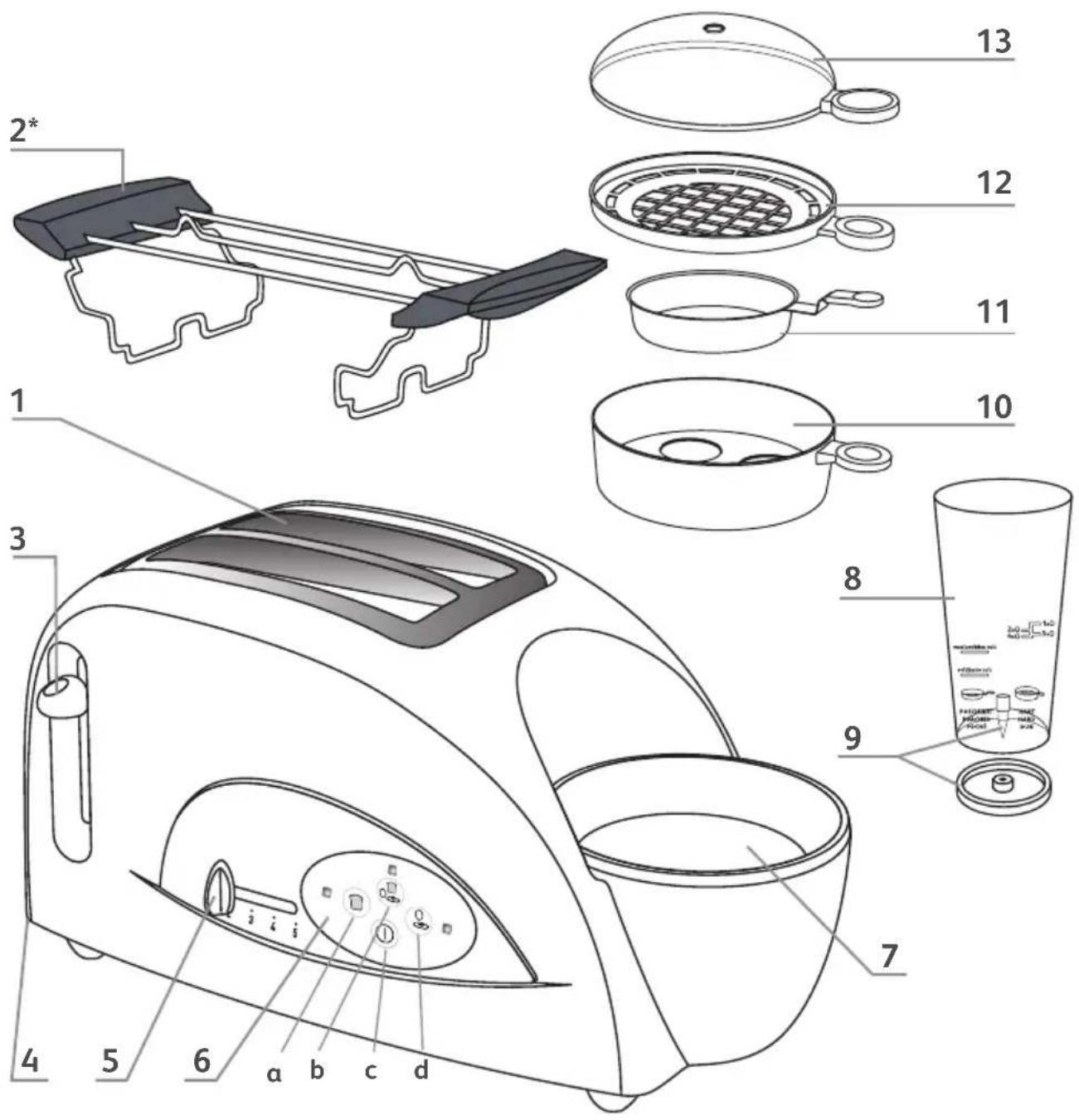
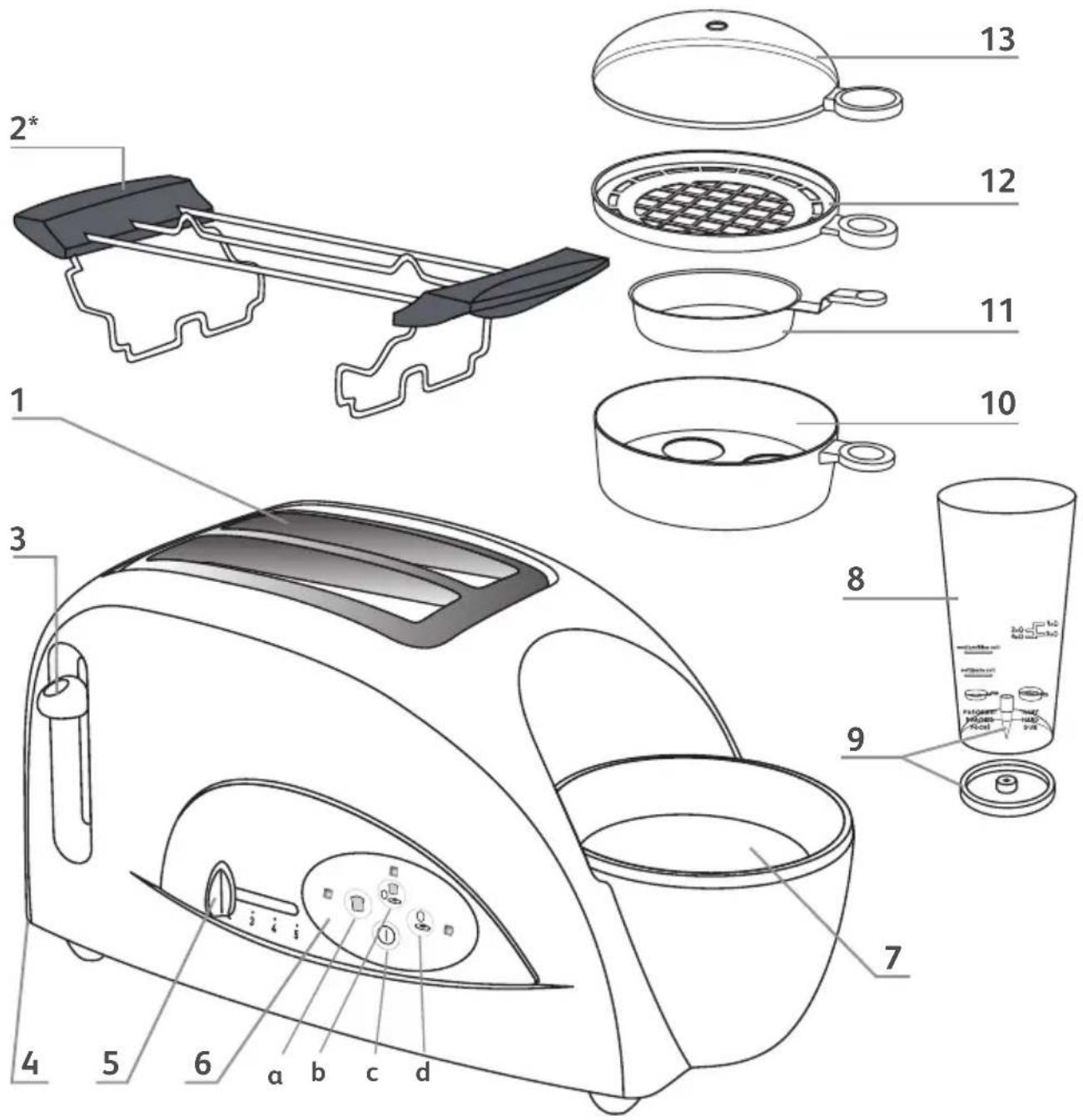
- slots for bread
- roll heating accessory (* according to model)
- carriage control lever
- crumb tray
- toasting level control
-
control panel
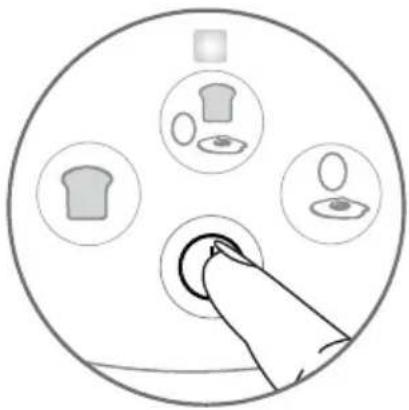
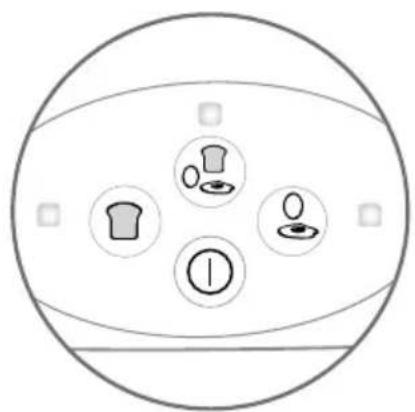
a. toast button b. toast and eggs button c. all functions cancel button d. eggs button -
water-heating bowl
- measuring beaker
- egg piercing spike with protection cap (caution - sharp)
- egg holder
- egg pan
- steam accessory
- transparent cover
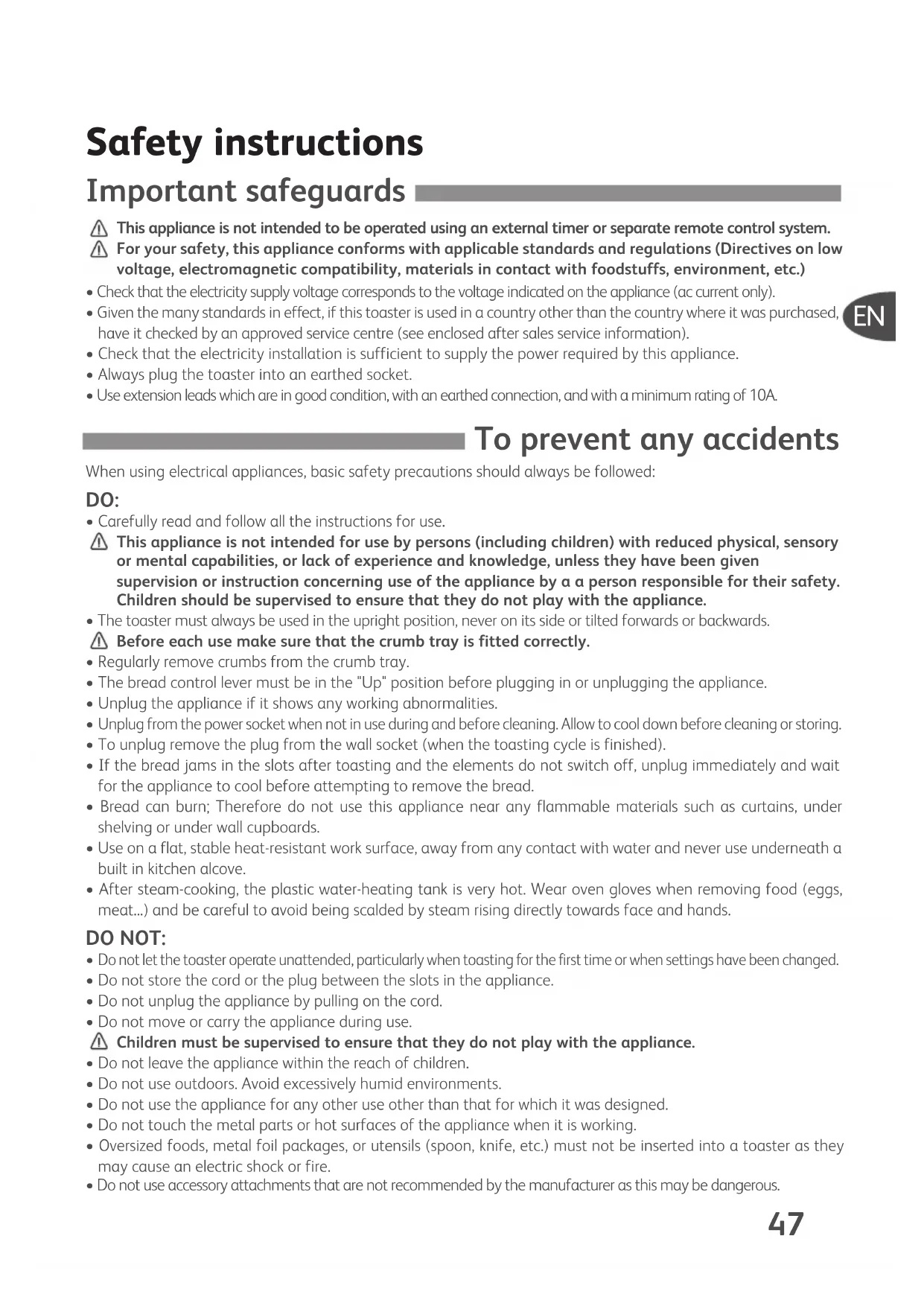
Safety instructions
Important safeguards
This appliance is not intended to be operated using an external timer or separate remote control system. For your safety, this appliance conforms with applicable standards and regulations (Directives on low voltage, electromagnetic compatibility, materials in contact with foodstuffs, environment, etc.)
- Check that the electricity supply voltage corresponds to the voltage indicated on the appliance (ac current only).
- Given the many standards in effect, if this toaster is used in a country other than the country where it was purchased, have it checked by an approved service centre (see enclosed after sales service information).
- Check that the electricity installation is sufficient to supply the power required by this appliance.
• Always plug the toaster into an earthed socket. - Use extension leads which are in good condition, with an earthed connection, and with a minimum rating of 10A.
EN
To prevent any accidents
When using electrical appliances, basic safety precautions should always be followed:
DO:
- Carefully read and follow all the instructions for use.
This appliance is not intended for use by persons (including children) with reduced physical, sensory or mental capabilities, or lack of experience and knowledge, unless they have been given supervision or instruction concerning use of the appliance by a person responsible for their safety. Children should be supervised to ensure that they do not play with the appliance. - The toaster must always be used in the upright position, never on its side or tilted forwards or backwards.
⚠️ Before each use make sure that the crumb tray is fitted correctly. - Regularly remove crumbs from the crumb tray.
- The bread control lever must be in the "Up" position before plugging in or unplugging the appliance.
- Unplug the appliance if it shows any working abnormalities.
- Unplug from the power socket when not in use during and before cleaning. Allow to cool down before cleaning or storing.
- To unplug remove the plug from the wall socket (when the toasting cycle is finished).
- If the bread jams in the slots after toasting and the elements do not switch off, unplug immediately and wait for the appliance to cool before attempting to remove the bread.
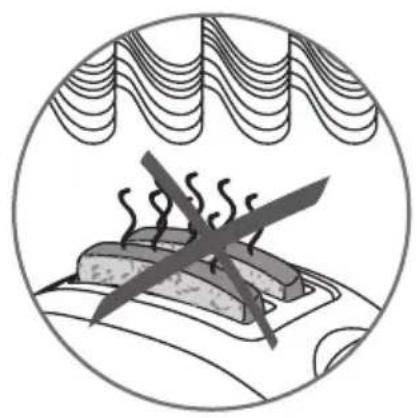
- Bread can burn; Therefore do not use this appliance near any flammable materials such as curtains, under shelving or under wall cupboards.
- Use on a flat, stable heat-resistant work surface, away from any contact with water and never use underneath a built in kitchen alcove.
- After steam-cooking, the plastic water-heating tank is very hot. Wear oven gloves when removing food (eggs, meat...) and be careful to avoid being scalded by steam rising directly towards face and hands.
DO NOT:
- Do not let the toaster operate unattended, particularly when toasting for the first time or when settings have been changed.
- Do not store the cord or the plug between the slots in the appliance.
- Do not unplug the appliance by pulling on the cord.
- Do not move or carry the appliance during use.
Children must be supervised to ensure that they do not play with the appliance.
- Do not leave the appliance within the reach of children.
- Do not use outdoors. Avoid excessively humid environments.
- Do not use the appliance for any other use other than that for which it was designed.
- Do not touch the metal parts or hot surfaces of the appliance when it is working.
- Oversized foods, metal foil packages, or utensils (spoon, knife, etc.) must not be inserted into a toaster as they may cause an electric shock or fire.
- Do not use accessory attachments that are not recommended by the manufacturer as this may be dangerous.
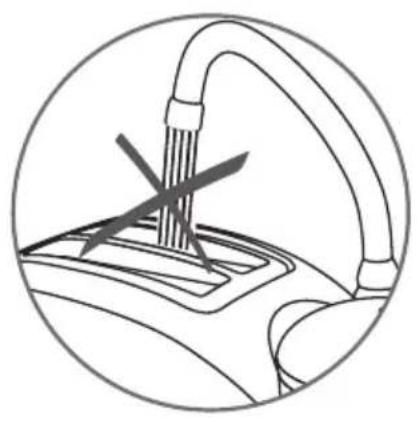
- To protect yourself against an electrical shock do not immerse the cord, plugs, or appliance in water or other liquids.
Do not place any sugar coated type of bread in the toaster or anything that may melt or drop into the toaster, do not toast small pieces of bread or croutons as this may cause damage to the toaster or risk a fire.
Do not try to toast very thick slices of bread that could become stuck in the toasting slots.
- Do not use this appliance if:
- it has a damaged cord.
- the appliance has been dropped and has visible damage or does not operate properly.
In any of these instances, the appliance must be sent to an approved service centre to avoid any risk of danger. Refer to the guarantee enclosed.
- If the supply cord is damaged, it must be replaced by the manufacturer, its service agent or similar qualified persons in order to avoid a hazard.
- Do not let the cord hang over the edge of the worktop or come into contact with hot surfaces.
- Do not place on or near a gas burner, electric ring/hob, or near a heated oven.
- Do not cover this appliance while in use.
The bread may burn, therefore do not use the toaster near or below combustible material, such as curtains (shelving, cupboards...).
- Do not put paper towels, cardboard or plastic in, on or under the toaster.
If flames were to arise from parts of the toaster, never attempt to extinguish them with water. Unplug the appliance and smother the flames with a damp cloth.
- Do not attempt to dislodge food once the toasting cycle is engaged.
- Do not use this appliance as a source of heating or drying.
- Do not use the toaster for cooking, grilling or defrosting frozen food other than bread products.
- Do not use the appliance to toast bread and warm croissants (or similar products) at the same time (depending on model).
- Do not use any abrasive cleaning agents (no soda-based scouring products, no scouring pads...), no metallic utensils, metal scouring pads etc.
- For appliances with a metallic finish: Do not use any cleaning products designed for metals: use a soft cloth with a window or glass cleaner.
- Do not cook food (eggs, meat...) without water, as this could damage the heating elements.
- Only warm PRE-COOKED food and meat such as pre-cooked mushrooms, pre-cooked bacon, pre-cooked sausages and pre-cooked ham.
- Caution: Avoid injuries from the egg piercer
- Keep your face well away from the appliance while the eggs are cooking or when you open the cover, as hot steam is emitted. Any commercial use, inappropriate use or failure to comply with the instructions, the manufacturer accepts no responsibility and the guarantee will not apply.
- This appliance is intended to be used in household only.
It is not intended to be used in following applications, and the guarantee will not apply for:
- staff kitchen areas in shops, offices and other working environments;
- farm houses;
- by clients in hotels, motels and other residential type environments;
- bed and breakfast type environments
SAVE THESE INSTRUCTIONS

Environment protection first!
Your appliance contains valuable materials which can be recovered or recycled.
Leave it at a local civic waste collection point.
If you have any product problems or queries, please contact our Customer Relations Team first for expert help and advice:
0845 602 1454 - UK
(01) 677 4003 - Ireland
or consult our website - www.tefal.co.uk
DO NOT
natural_image
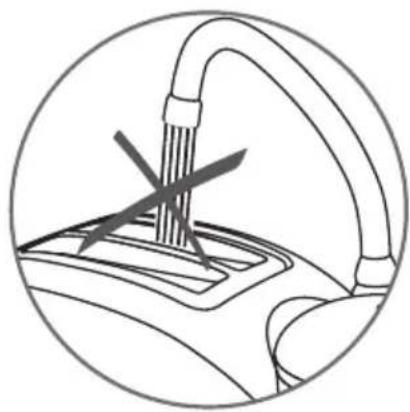
Diagram of a hand washing machine with a tool inside, showing no text or symbols- Never immerse the toaster or place it under running water.

natural_image
Illustration of a sandwich with crossed meat and crossed knife, enclosed in a circular frame (no text or symbols)- Do not run the appliance close to or under inflammable materials like curtains or shelves.
natural_image
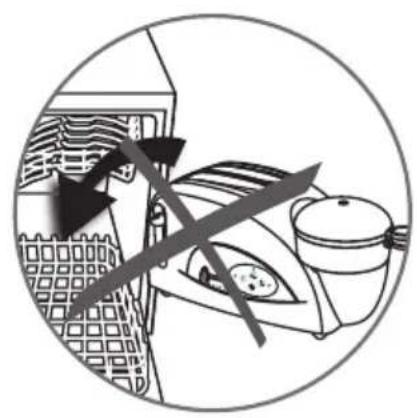
Circular diagram showing a cityscape with buildings and a kitchen, overlaid with crossed arrows indicating directional flow (no text or symbols)- Do not put the appliance in the dishwasher.
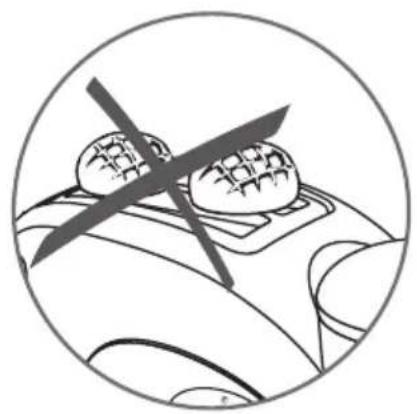
natural_image
Circular diagram showing two bread slices with a crossed arrow, no text or symbols present- Do not cover the slots of the toaster when in use.
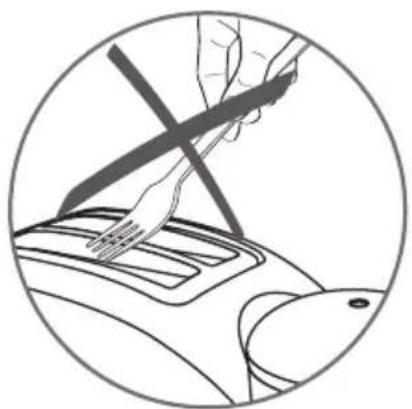
natural_image
Illustration of a hand using a tool to adjust or install a component, enclosed in a circular frame (no text or symbols)- Never introduce objects into the appliance.
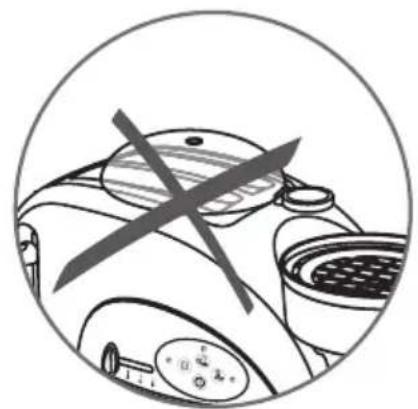
natural_image
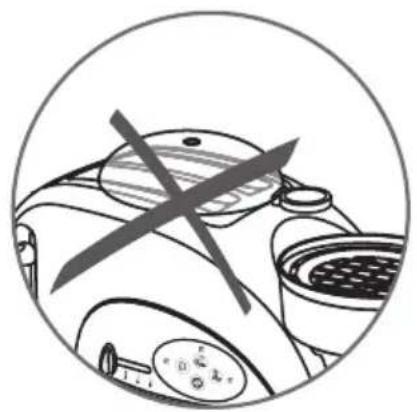
Circular diagram showing a device with crossed arrows and control buttons, no readable text or symbols present.- Do not place the lid or any other parts on top of the toaster.
Before using your appliance for the first time
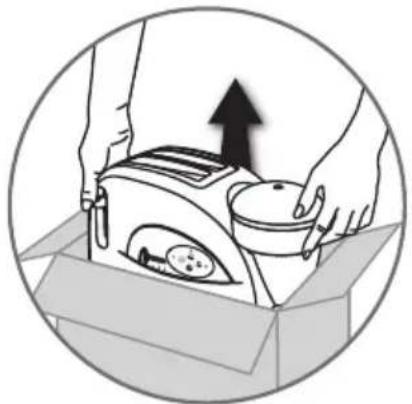
natural_image
Illustration of hands operating a portable device with an upward arrow, enclosed in a circle (no text or symbols)- Unpack your appliance and remove all labels, carefully read the directions for use before using the appliance for the first time.
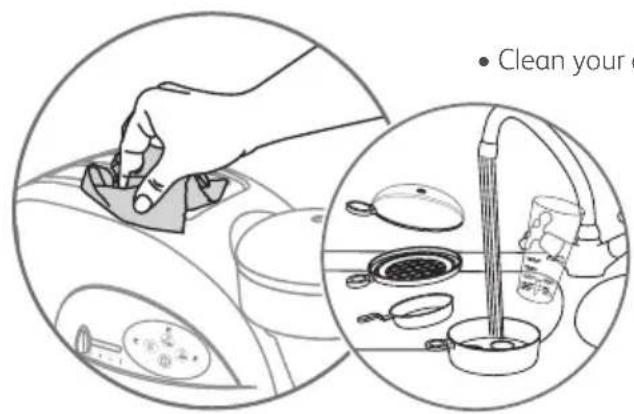
- Clean your appliance and all the items with water and washing up liquid.
Toaster (before first use)
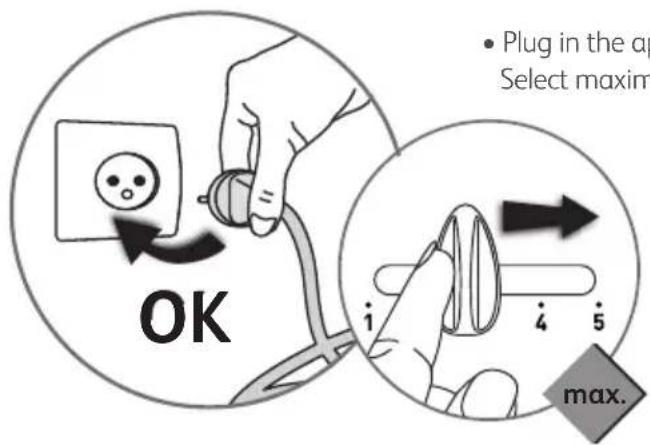
- Plug in the appliance. Select maximum toasting level.
natural_image
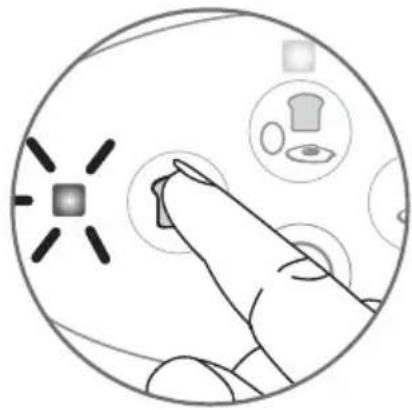
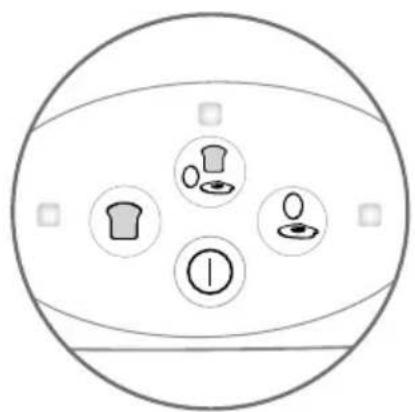
Illustration of a hand interacting with a circular interface displaying icons (no text or symbols)- Press on, the light flashes.
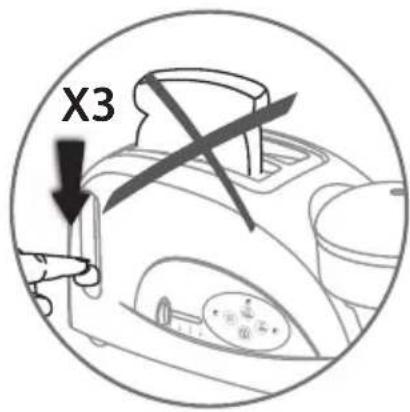
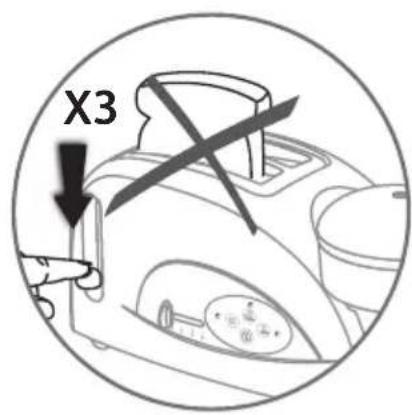
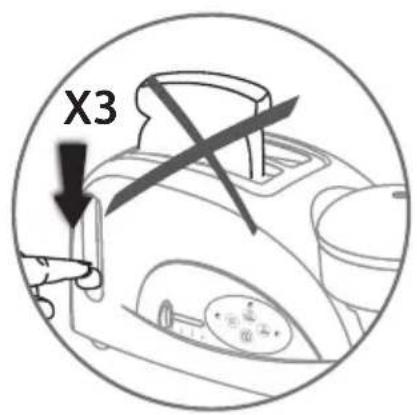
- Operate the toaster part 3 times in succession, without inserting any bread. Lower the carriage lever until it clicks in place. The light remains on constantly and the cycle begins.
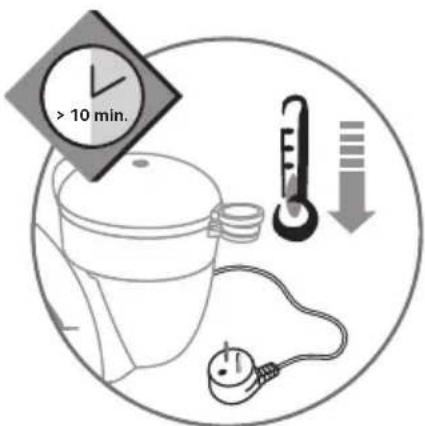
- Once the cycles have finished, let the appliance cool down.

Egg cooker (before first use)
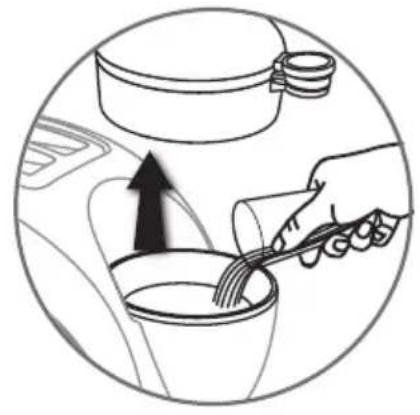
natural_image
Diagram showing a hand pouring liquid into a cup with an arrow indicating direction (no text or symbols)- Fill the measuring beaker (medium level 1) with water and pour it into the water heating tank.
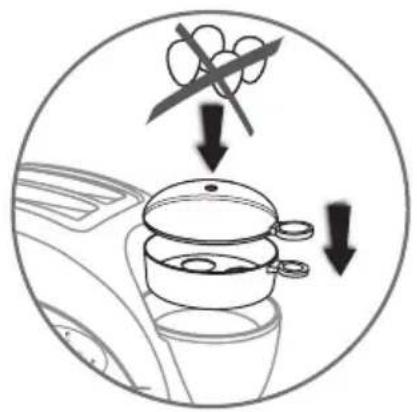
• Install all elements without adding the eggs. Plug in the appliance.
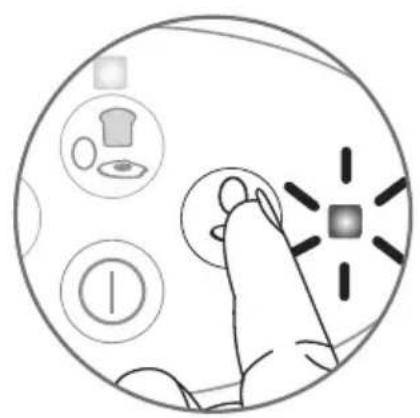
natural_image
Illustration of a hand interacting with a circular device showing icons for clothing, battery, and control buttons (no text or symbols)- Press on and run the appliance empty.
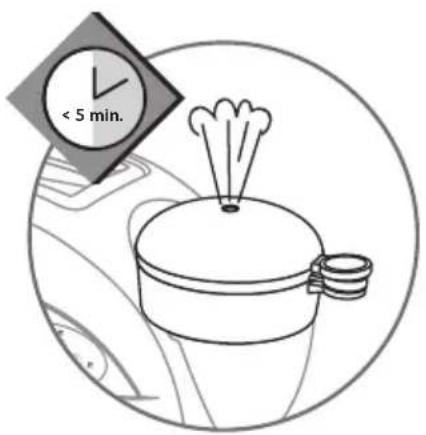
- The appliance will stop as soon as there is no more water in the heating tank.
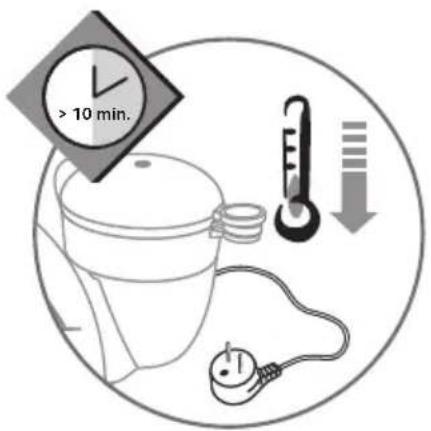
- Let then the appliance cool down.


When used for the first time, some odour may be given off. This is quite normal.
Use
Cooking different food at the same time
| FUNCTIONS | Toast | Hard-boiled eggs | Poached eggs | Heating up meat | Poached eggs + heating up meat | Heating up rolls* |
| Toast | √ | √ | √ | √ | ||
| Hard-boiled eggs | √ | √ | ||||
| Poached eggs | √ | √ | √ | |||
| Heating up meat | √ | √ | √ | |||
| Poached eggs + heating up meat | √ | √ | ||||
| Heating up rolls* | √ | √ | √ | √ |
* according to models
Toasting bread
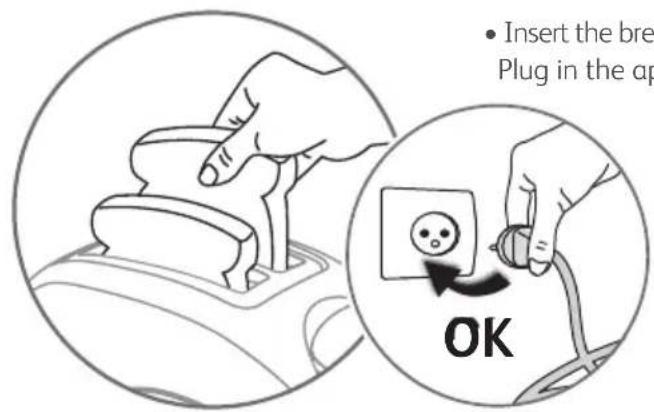
- Insert the bread into the slots. Check that the crumb tray is properly in place. Plug in the appliance.
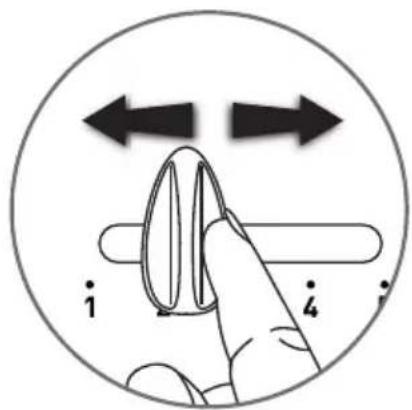
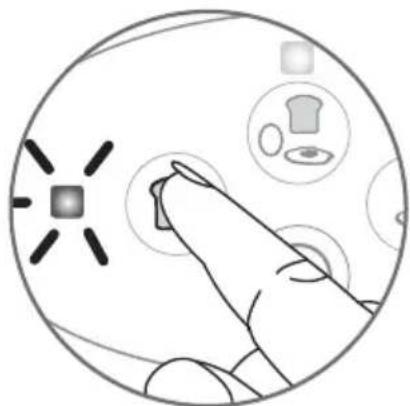
- Set the toasting level to your taste. From 1 lightly browned to 5 well browned.
natural_image
Hand interacting with a circular interface displaying icons (no text or symbols)- Press on, The light flashes.
natural_image
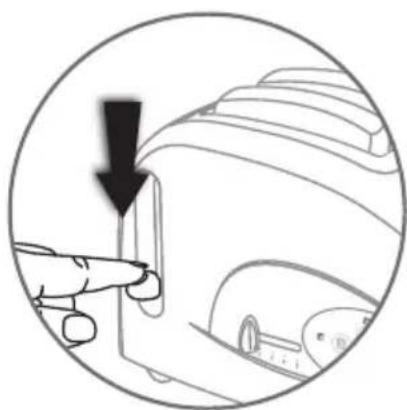
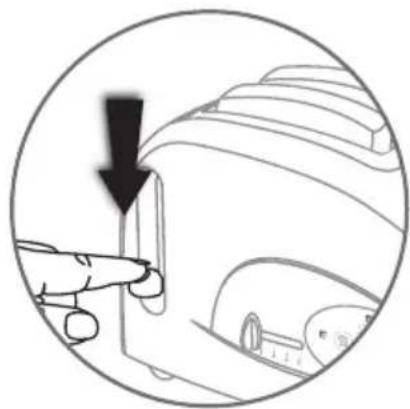
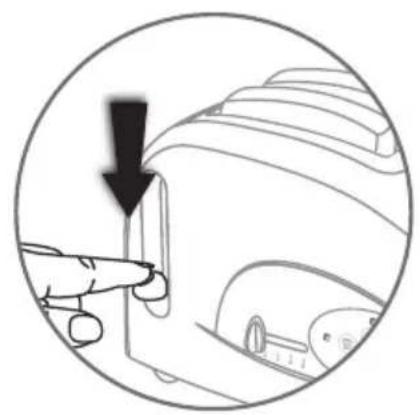
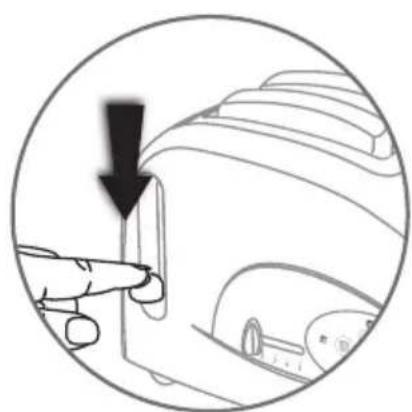
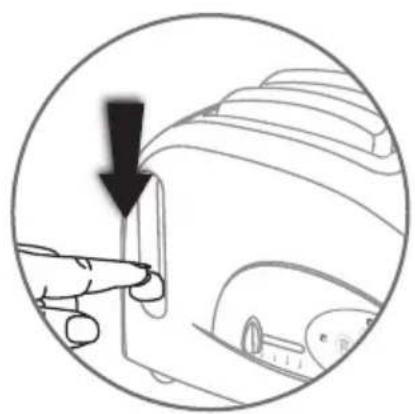
Diagram of a hand pointing to a device component with an arrow indicating direction (no text or symbols present)- Lower the carriage lever until it clicks in place. The light will remain on and toasting will start.
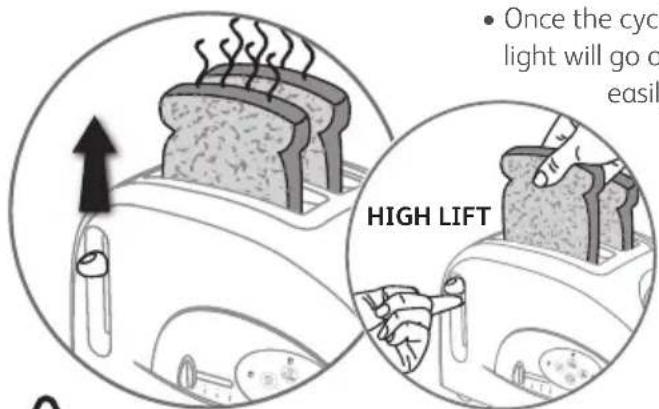
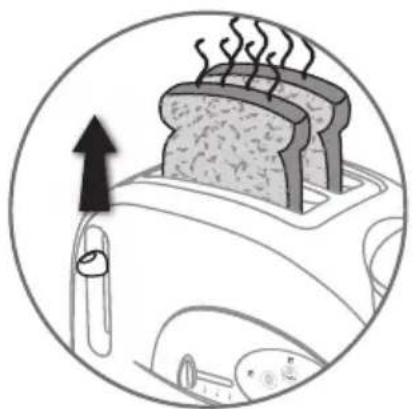
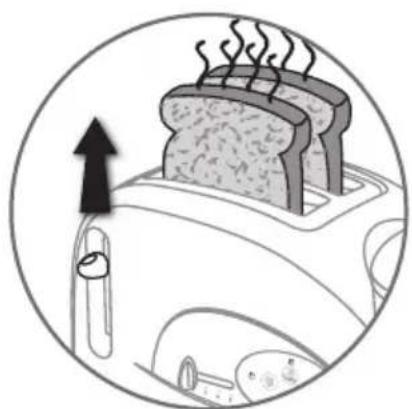
- Once the cycle is finished, the carriage will rise automatically and the light will go off. Raise the carriage lever to remove the toast more easily.

Do not toast bread that has been buttered prior to toasting.
Stop / eject
natural_image
Circular diagram showing a hand pressing a button with icons for kitchen, clothes, and objects (no text or labels)- Press the ⓔ at any time to stop any of the cooking functions selected.
natural_image
Diagram of a toaster with steam rising, showing the blade and fan (no text or symbols)• The bread and the carriage will rise automatically and the light will go off.
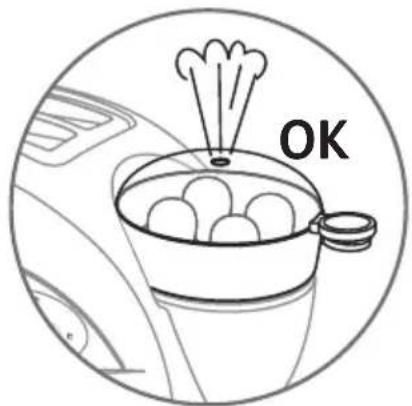
- Egg cooking will stop.
- If you do not lower the carriage after pressing and , the lights will go off after 5 minutes.
Heating croissants, rolls and Viennese pastries
(* according to model)

Do not heat fatty or sugary food that is likely to melt and run. To toast currant buns, remove the raisins that are likely to fall free from the bun as they could fall inside the toaster and damage the appliance.
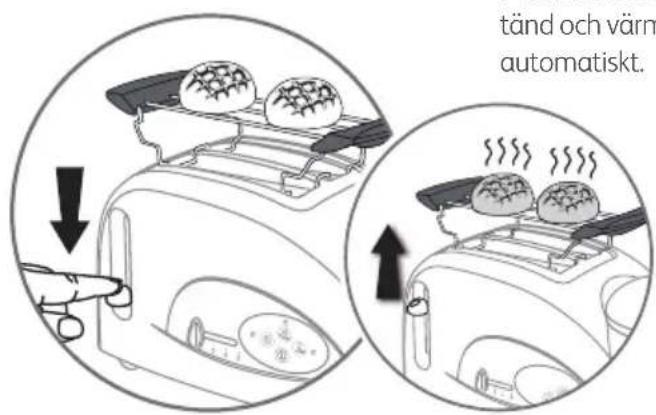
- Unfold the roll heating accessory fully and fit it above the toaster slots.
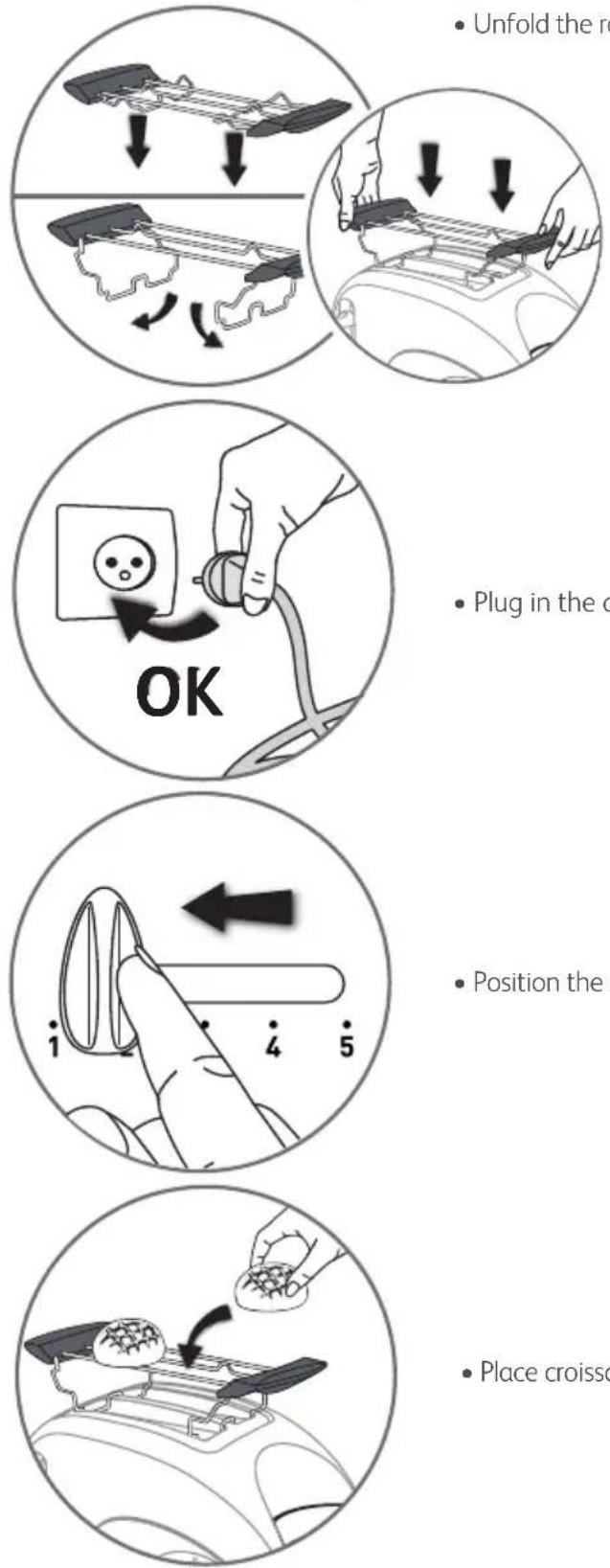
- Plug in the appliance.
- Position the setting button to 1.
- Place croissants, rolls, brioches, sweet rolls, etc. on the support.
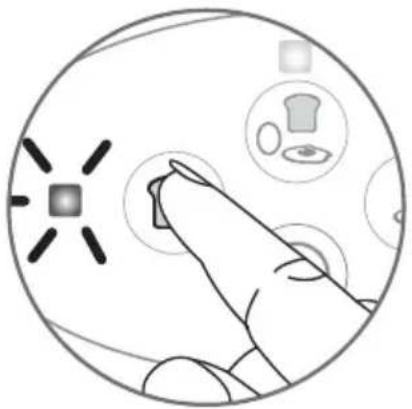
natural_image
Hand interacting with a circular interface displaying icons (no text or symbols)- Press on, the light flashes.

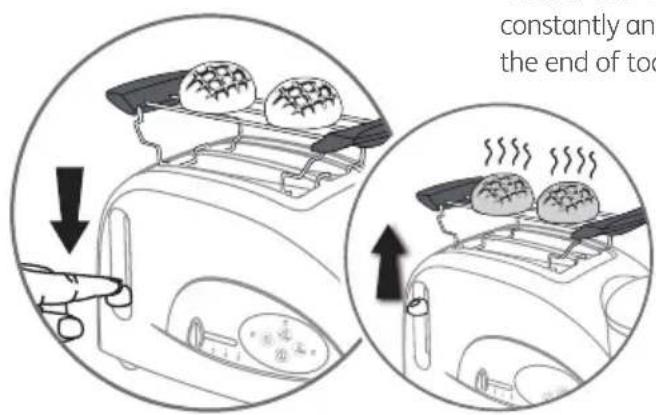
- Lower the carriage lever until it clicks in place. The light remains on constantly and the cycle begins. The carriage level will rise automatically at the end of toasting.
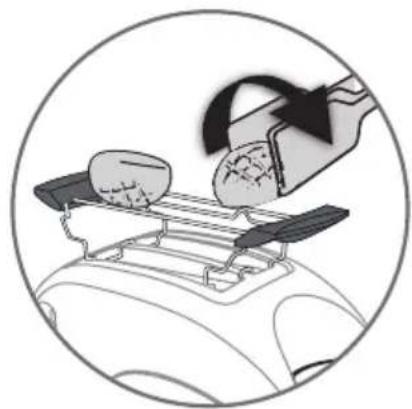
natural_image
Illustration of a hand using a tool to lift a car's airfoil, showing components on a tray (no text or symbols)- Use oven gloves or tongs to turn croissants or rolls over if necessary (tongs not supplied with the product).
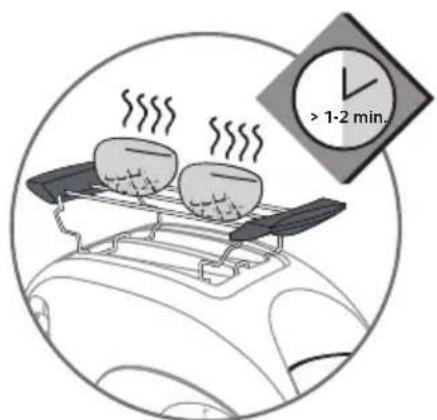
- Or for further warming leave the croissants or rolls on the heating accessory for a further 2 minutes.
A) Cooking table for hard-boiled eggs, boiled eggs and soft-boiled eggs
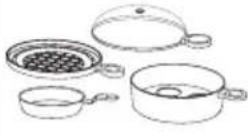 (accessories needed to cook eggs) (accessories needed to cook eggs) | Preparation | Cooking method | Number of eggs | Water level |
 | Hard-boiled HARD | 1234 | 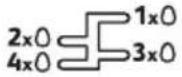 HARTHARDDUR HARTHARDDUR | |
 | Boiled MEDIUM | 1234 | 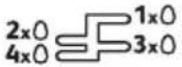 MITTELMEDIUMMOLLET MITTELMEDIUMMOLLET | |
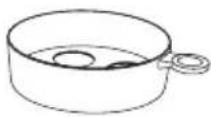 | Soft -boiled SOFT | 1234 | 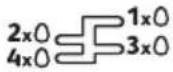 WEICHSOFTCOQUE WEICHSOFTCOQUE |
For example to cook 3 medium boiled eggs, pour water into the beaker up to the 3rd graduated level on medium gauge. For 4 hard boiled eggs, pour water into the beaker up to the 4th graduated level on hard gauge.
A1) To cook hard-boiled eggs, boiled eggs and soft-boiled eggs

The measuring beaker is fitted with an egg piercing spike underneath.
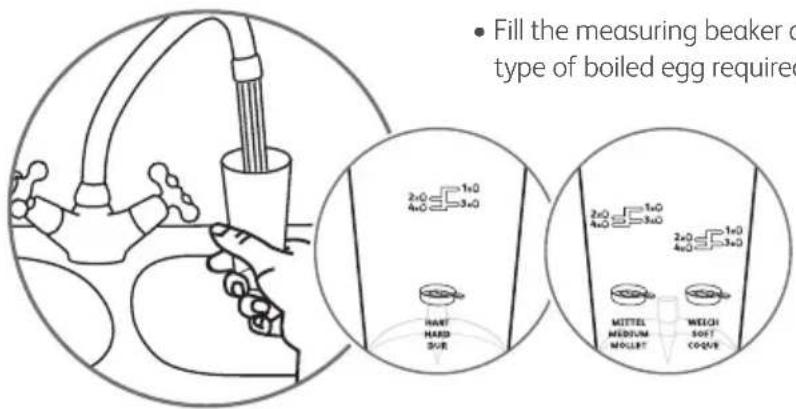
- Fill the measuring beaker according to the number of eggs to boil and type of boiled egg required (see table above).
- You can adjust the amount of water according to your taste.

The result of boiling may vary according to the size, temperature and freshness of the egg. After a few tests, you will know the best way to proceed according to your taste and the type of egg yolk you wish to obtain.
natural_image
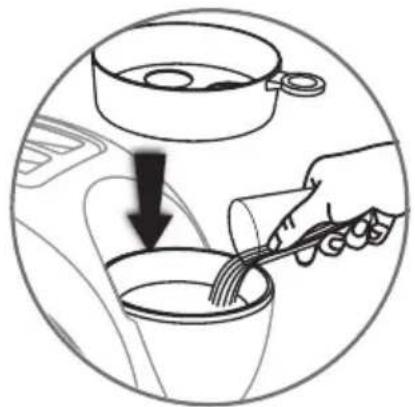
Illustration of a hand pouring liquid into a cup with a fork, inside a car (no text or symbols)- Pour water from the measuring beaker into the water heating tank and fit the egg accessory.


The egg must be pierced at the large rounded end to avoid the shell bursting during boiling.
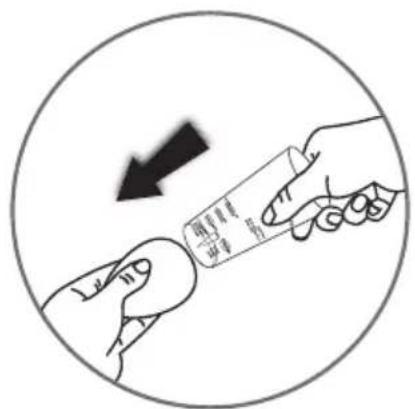
- Remove the protection cap. - Pierce the large rounded end of the egg with the spike on the underside of the measuring beaker.
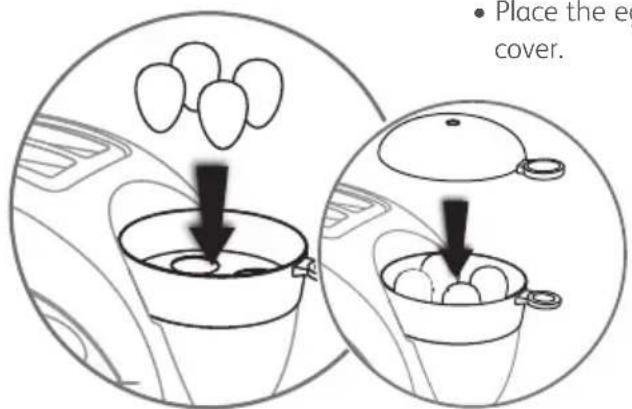
- Place the eggs in the holder accessory, small end down. Close with the cover.
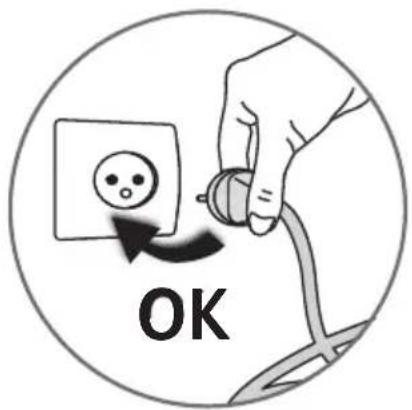
- Plug in the appliance.
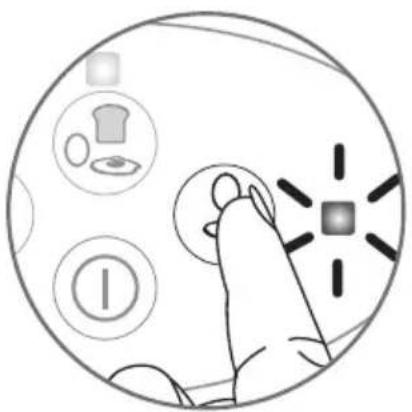
natural_image
Illustration of a finger pressing a button with icons for kitchen, gear, and product (no text or symbols)- Press on, the light flashes.
- Cooking will start.
- The eggs are ready when there is no more water in the water-heating tank. The appliance will stop automatically.
- If you wish to continue boiling the eggs, our more water into the water heating tank, wait a few seconds and press the button.
- You can stop the boiling at any moment by pressing the button.

Hot steam will escape out when opening the lid. Do not put your hands and face over the appliance.

HINT: When making hard boiled egg, quickly put the cooked eggs in cold water. The shells will come off more easily and your eggs will keep all their flavour!
B) Table to cook poached eggs, scrambled eggs and omelettes
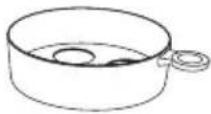
| (accessories needed to cook eggs) | Preparation | Cooking method | Maximum number of eggs | Water level |
| Poached egg | MEDIUM:well cookedSOFT:lightly cooked | 1 | medium/bien cuitsoft/juste cuitPOSCHIERT POACHED POCHÉ | |
| Scrambled egg | MEDIUM:well cookedSOFT:lightly cooked | 1 | medium/bien cuitsoft/juste cuitPOSCHIERT POACHED POCHÉ | |
| Omelette | MEDIUM:well cookedSOFT:lightly cooked | 1 | medium/bien cuitsoft/juste cuitPOSCHIERT POACHED POCHÉ |
For example, to make 1 well cooked poached egg, pour water into the beaker up to the poached egg / medium graduation.
B1) To cook poached eggs, scrambled eggs and omelettes
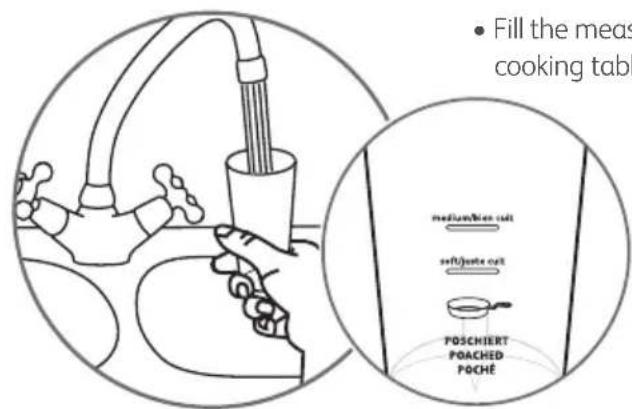
- Fill the measuring beaker according to the degree of cooking required (see cooking table above).


The poaching results may vary according to the size, temperature and freshness of the egg. After a few tests, you will know the best way to proceed according to your taste and what sort of egg you want to obtain.
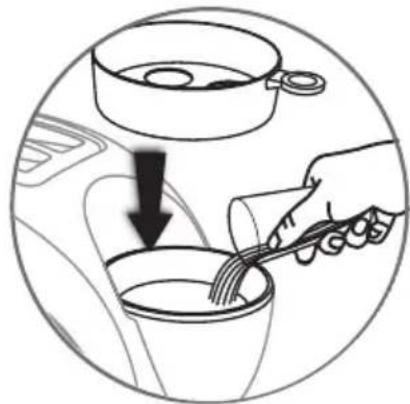
natural_image
Illustration of a hand pouring liquid into a cup with a fork, inside a vehicle (no text or symbols)- Pour the water from the measuring beaker into the water-heating bowl and put the egg holder in place.
- Lightly spray oil on egg tray, break an egg in the pan. Place the egg tray on the egg accessory. Close the cover.
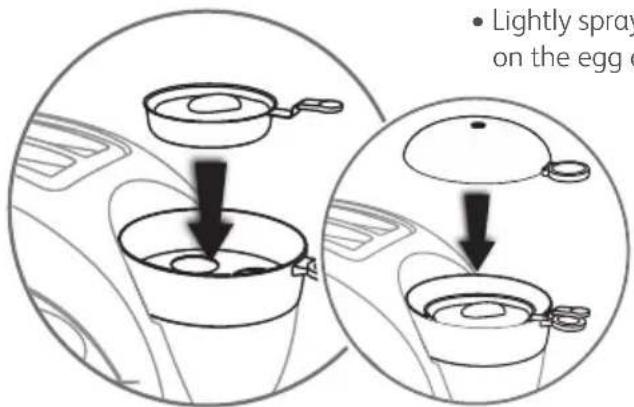
- Plug in the appliance.
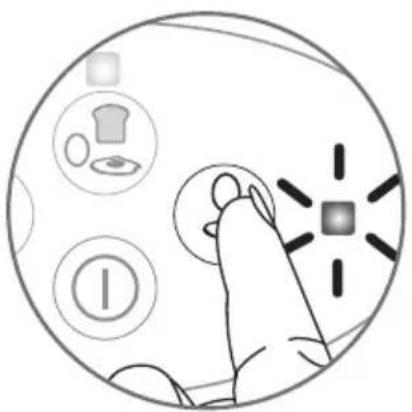
natural_image
Illustration of a hand interacting with a computer mouse, showing icons for kitchen, gear, and battery (no text or symbols)- Press on, the light flashes.
- Cooking will start.
- The eggs are ready when there is no more water in the water-heating tank. The appliance will stop automatically.
- If you wish to continue poaching the egg, pour more water into the water heating tank, wait a few seconds and press the button.

Hot steam will escape out when opening the lid. Do not put your hands and face over the appliance.
- You can stop the poaching at any moment by pressing the button.

To make scrambled egg or an omelette, the procedure is the same as above. All you need to do is to beat the eggs lightly with a wooden spoon during cooking but remember to be careful of hot steam.
Cooking eggs, toasting bread and heating up pre-cooked dishes
You can simultaneously cook eggs (poached eggs, hard-boiled eggs or omelettes), toast bread and steam heat pre-cooked food (bacon, ham, sausage, etc.).

You cannot re-heat hard-boiled eggs.
1st stage: eggs and pre-cooked dishes
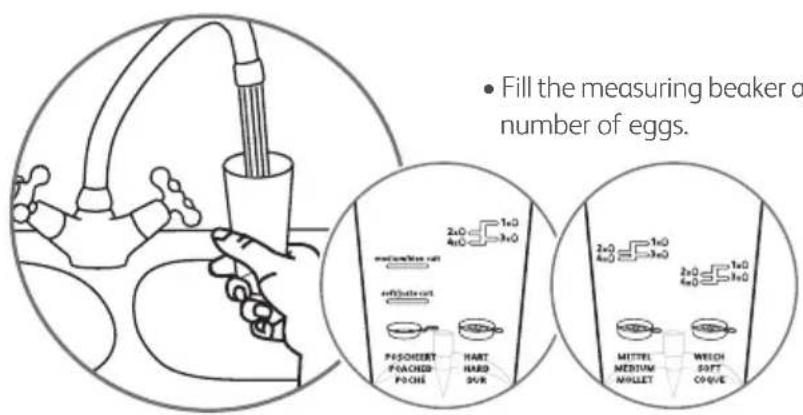
- Fill the measuring beaker according to the type of cooking required and the number of eggs.
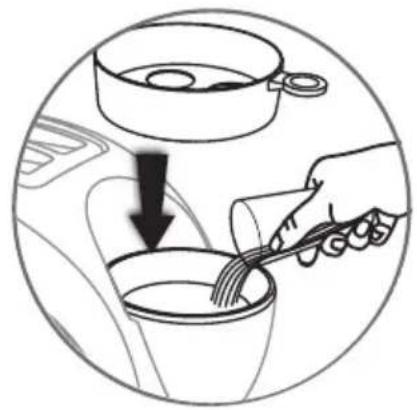
natural_image
Illustration of a hand pouring liquid into a cup with a fork, showing a downward arrow (no text or symbols)- Pour water into the water heating tank and fit the egg accessory.

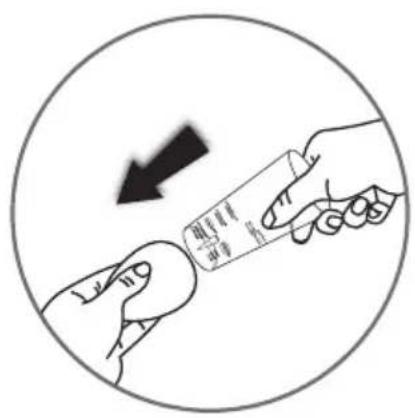
- For hard-boiled eggs, pierce the large rounded end of the egg with the spike on the underside of the measuring beaker.
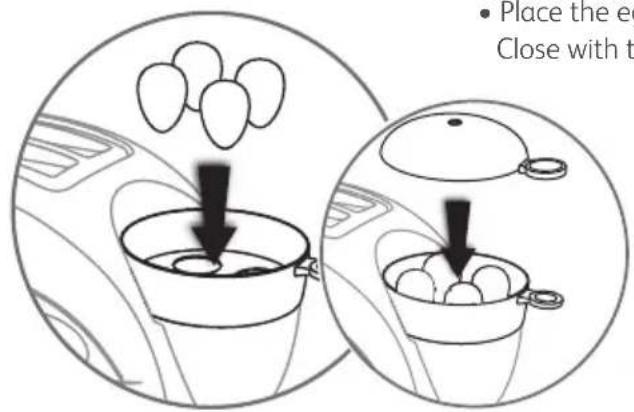
- Place the eggs in the holder accessory, small end down. Close with the cover.
natural_image
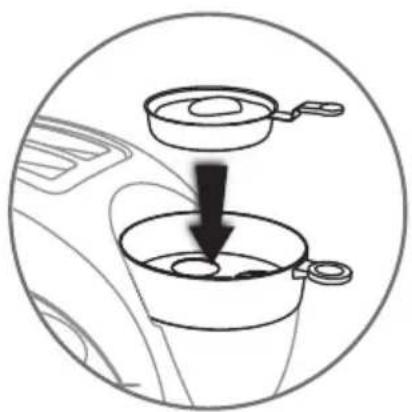
Diagram showing a cooking step with a pan and lid being lifted, no text or symbols present- For poached eggs, lightly oil the egg dish. Break the egg. Fit the egg dish on the egg accessory.
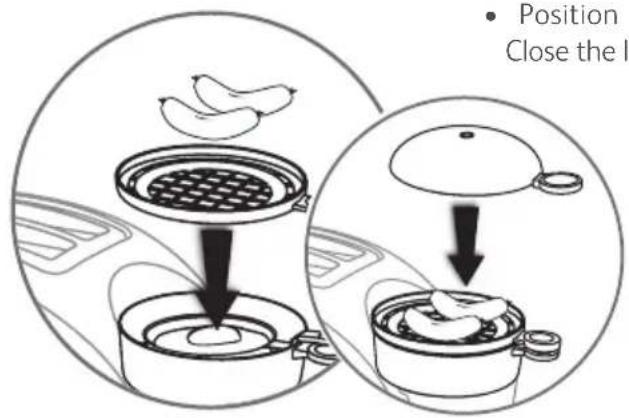
- Position the steam accessory then add food to be warmed. Close the lid.
2nd stage: bread
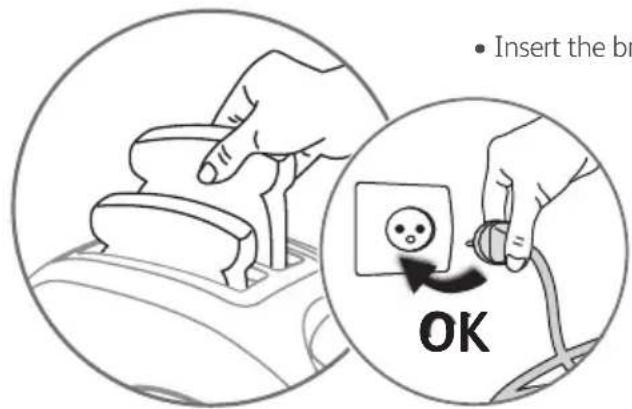
- Insert the bread into the slots. Plug in the appliance.
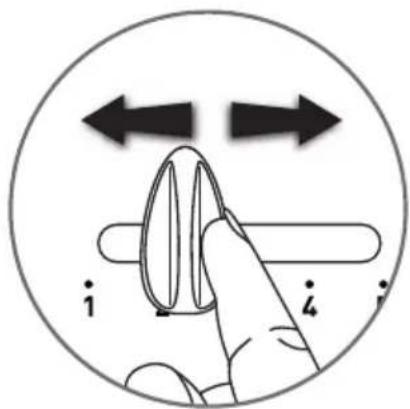
- Set the toasting level to your taste.
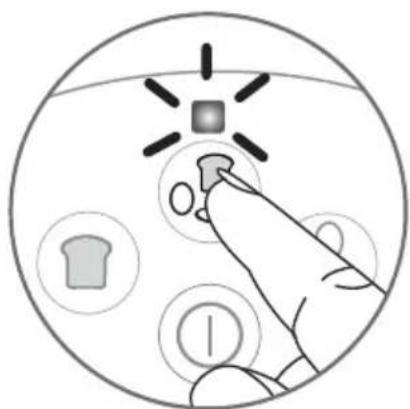
- Press on, the light flashes.
natural_image
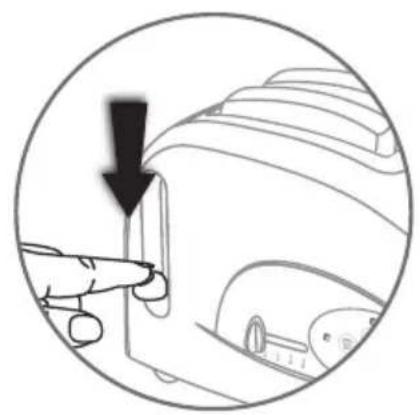
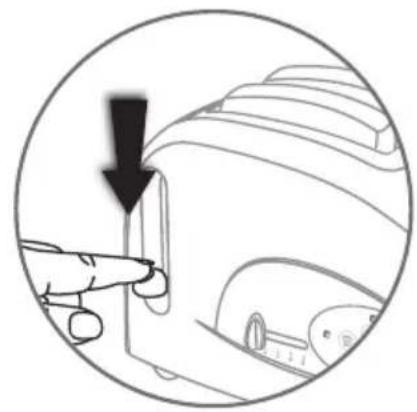
Diagram of a hand pressing a button on a device component, with a black arrow indicating the downward motion (no text or symbols present)- Lower the carriage lever until it clicks in place.
natural_image
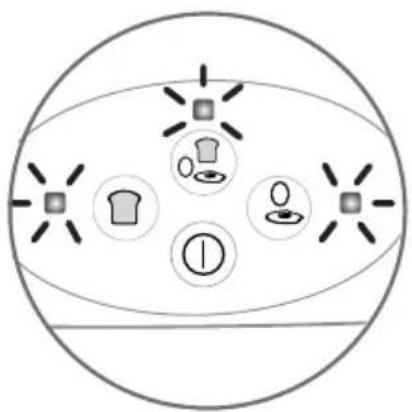
Diagram of a circular object with five icons: a shirt, a hat, a gear, a gear icon, and a gear icon (no text or labels)• The 3 lights are on. Toasting and cooking will start.
natural_image
Diagram of a food item being heated by a steaming bread, showing a plate and side dish (no text or symbols)- At the end of the toasting cycle, the carriage will rise automatically and the light will go off.

You can start a second toasting cycle while cooking the eggs.
natural_image
Simple diagram of a circular container with four circular icons: a loaf of bread, a cup with a bowl, a coffee cup, and a plus sign (no text or symbols)- When the egg is ready, both and lights go out. The appliance will stop automatically when there is no more water in the water heating tank.
- You can stop the cooking process at any moment by pressing the button.

Maintenance and cleaning
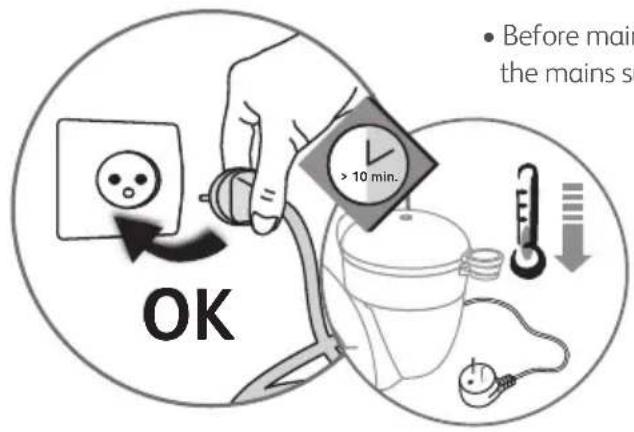
- Before maintenance, cleaning or putting the appliance away, unplug from the mains supply and let the appliance cool down.
natural_image
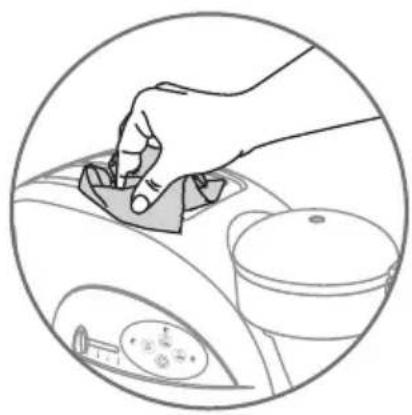
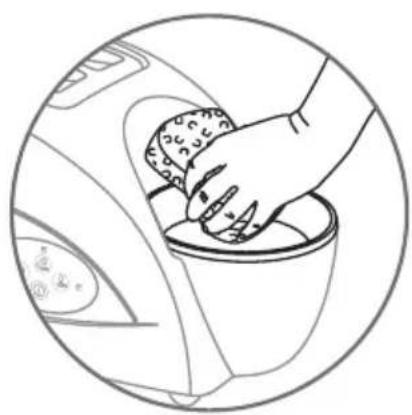
Line drawing of a hand using a tool to clean or wash the interior space, with no text or symbols present.- Clean the outside of the appliance with a soft cloth or a moist sponge with a little washing up liquid. Dry.
natural_image
Line drawing of a hand cleaning a car interior with a cloth (no text or symbols)- Remove traces of lime deposit from the water tank after each use. Using a damp sponge soaked in white vinegar.
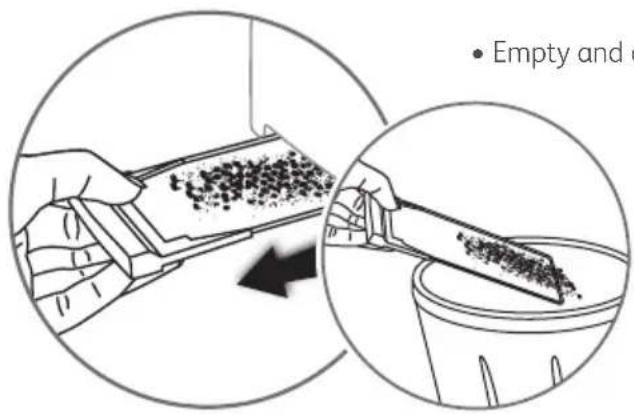
• Empty and clean the crumb tray regularly.
natural_image
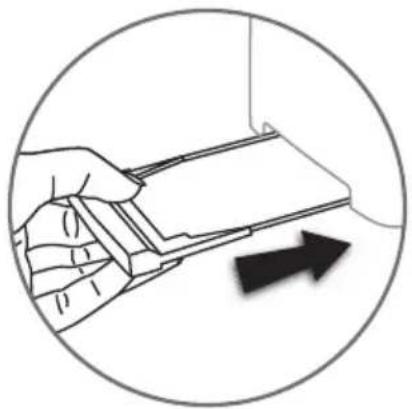
Illustration of a hand holding a small electronic device with an arrow indicating direction (no text or symbols present)• After cleaning, always replace the crumb tray.

natural_image
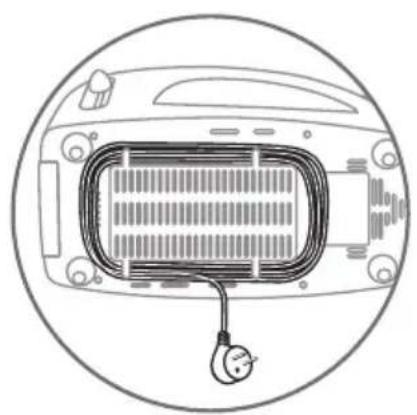
Diagram of a car interior with a coiled cable and a hanging connector (no text or symbols)- Use the cord storage system under the appliance to tuck the power cord away.
Beskrivelse
HVAD MAN IKKE SKAL G∅RE:
HVAD MAN IKKE SKAL G∅RE
natural_image
Diagram of a car interior showing steering wheel and dashboard with no text or symbolsnatural_image
Illustration of a steaming dish with crossed ingredients, enclosed in a circular frame (no text or symbols)natural_image
Circular diagram showing a cityscape with buildings and a food item, no text or symbols presentnatural_image
Simple line drawing of a bowl with two bread rolls and a crossed knife, enclosed in a circular frame (no text or symbols)natural_image
Illustration of a hand using a knife to lift a car's seatbelt (no text or symbols)- Stik aldrig genstande ned i brødristeren.
natural_image
Circular diagram showing a vehicle with crossed arrows and control buttons, no readable text or symbols present.natural_image
Illustration of hands operating a portable device with a rising arrow, enclosed in a circular frame (no text or symbols)natural_image
Illustration of a hand interacting with a circular interface displaying icons (no text or symbols)- Tryk på. Kantrollampen blinker.

natural_image
Illustration of a hand pouring liquid into a bowl with an upward arrow, enclosed in a circular frame (no text or symbols)natural_image
Illustration of a finger pressing a button with icons around it, no text or symbols presentnatural_image
Illustration of a hand interacting with a touchscreen interface, surrounded by icons (no text or symbols)- Tryk på. Kontrollampen blinker.
natural_image
Diagram showing a finger pressing a button on a device, with a downward arrow indicating action (no text or symbols present)natural_image
Circular diagram showing a hand pressing a button with icons for kitchen, clothes, and food items (no text or labels)natural_image
Diagram of a toaster with steam rising, showing the blade and fan (no text or symbols)natural_image
Hand interacting with a circular interface displaying icons (no text or symbols)natural_image
Illustration of a food item being cut with a knife, showing a tray with meat and a fork (no text or symbols)natural_image
Illustration of a hand pouring liquid into a cup with a fork, inside a car (no text or symbols)natural_image
Illustration of a hand interacting with a computer mouse, showing icons for kitchen, gear, and battery (no text or symbols)natural_image
Illustration of a hand pouring liquid into a bowl with a fork, inside a car (no text or symbols)natural_image
Illustration of a hand interacting with a computer mouse, showing icons for kitchen, gear, and battery (no text or symbols)natural_image
Illustration of a hand pouring liquid into a cup with a fork, inside a car (no text or symbols)natural_image
Diagram showing a cooking step with a pan and lid being lifted, no text or symbols presentnatural_image
Hand interacting with a touchscreen icon (no text or symbols)- Tryk på. Kantrollampen blinker.
natural_image
Diagram of a hand pressing a button on a device component, with a black arrow indicating the downward motion (no text or symbols present)natural_image
Diagram of a circular object with five icons: a shirt, a hat, a gear, a gear icon, and a gear icon (no text or labels)natural_image
Diagram of a food item inside a car, showing a steaming slice and a pencil inserted into the dashboard (no text or symbols)natural_image
Simple diagram of a circular container with four circular icons: a loaf of bread, a cup with a spoon, and a coffee cup with a leaf (no text or symbols)natural_image
Line drawing of a hand pressing down on a car's steering wheel (no text or symbols)natural_image
Line drawing of a hand washing a car interior with a circular frame (no text or symbols)natural_image
Illustration of a hand holding a rectangular object with an arrow pointing to it, enclosed in a circular frame (no text or symbols)natural_image
Diagram of a car interior with a heating element and a power plug, enclosed in a circular border (no text or symbols)- Opbevar den elektriske ledning i ledningsrummet under apparatet.

Beskrivelse
natural_image
Diagram of a car interior showing steering wheel and dashboard (no text or symbols)natural_image
Illustration of a sandwich with crossed meat and crossed knife, enclosed in a circular frame (no text or symbols)natural_image
Circular diagram showing a cityscape with buildings and a food stall, featuring crossed arrows indicating directional flow (no text or symbols)natural_image
Circular sketch of a food item with bread rolls and a crossed knife (no text or symbols)natural_image
Illustration of a hand using a knife to cut a car's seat panel, enclosed in a circular frame (no text or symbols)natural_image
Circular diagram showing a vehicle with crossed arrows and control buttons, no readable text or symbols present.- Ikke sett lokket på brødristerdelen.
natural_image
Illustration of hands using a portable device to press or install a cup, with an upward arrow indicating motion (no text or symbols present)natural_image
Illustration of a hand interacting with a circular interface displaying icons (no text or symbols)- Trykk på . Lyset blinker.
natural_image
Diagram showing a hand pouring liquid into a cup with an arrow indicating direction (no text or symbols)natural_image
Illustration of a hand interacting with a computer mouse, showing icons for clothing and function buttons (no text or symbols)natural_image
Illustration of a hand interacting with a circular interface showing icons (no text or symbols)- Trykk på . Lyset blinker.
natural_image
Diagram showing a finger pressing a button on a device, with a black arrow pointing downward (no text or symbols present)natural_image
Circular diagram showing a hand pressing a button with icons for kitchen, laundry, and food items (no text or labels)natural_image
Illustration of a toaster with steam rising, showing the blade and fan (no text or symbols)natural_image
Hand interacting with a circular interface displaying icons (no text or symbols)- Trykk på . Lyset blinker.
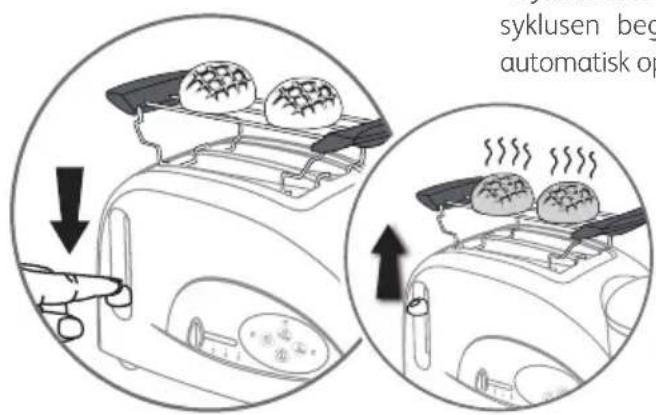
natural_image
Illustration of a person using a tool to lift a bottle onto a tray (no text or symbols visible)- Bruk grytehanske eller eventuelt en tang til å snu hornene og rundstykkene med (brødtang leveres ikke sammen med produktet).

natural_image
Illustration of a hand pouring liquid into a cup with a fork, inside a car (no text or symbols)natural_image
Illustration of a hand interacting with a computer mouse, showing icons for kitchen, gear, and battery (no text or symbols)- Trykk på . Lyset blinker.
- Eggene tilberedes.
natural_image
Illustration of a hand pouring liquid into a cup with a fork, inside a car (no text or symbols)natural_image
Illustration of a finger pressing a button with icons around it, no text or symbols present- Trykk på. Lyset blinker.
- Eggene tilberedes.
natural_image
Illustration of a hand pouring liquid into a cup with a fork, showing a downward arrow (no text or symbols)natural_image
Diagram showing a cooking step with a pan and lid being lifted, no text or symbols present- Når du skal steke speilegg må du ha litt olje på eggepannen. Knus egget. Sett eggepannen på eggetilbehøret.

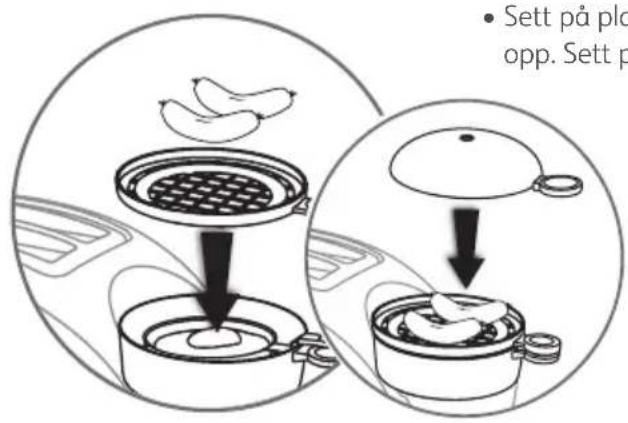
- Trykk på .∅vset blinker.
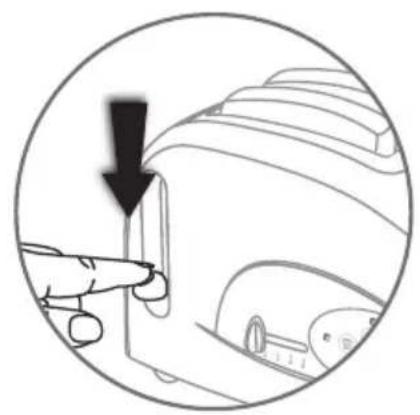
natural_image
Diagram of a hand pressing a button on a device component, with a black arrow indicating the downward motion (no text or symbols present)natural_image
Diagram of a circular object with five icons and radiating lines, no text or symbols present- De 3 lysindikatorene lyser. Brødristingen og kokingen starter.
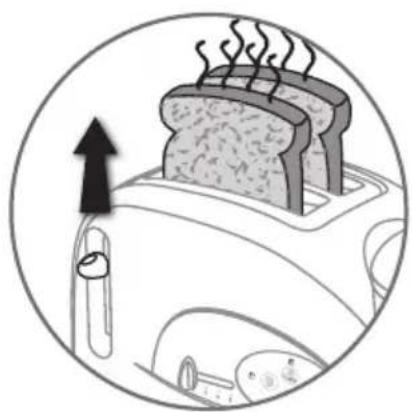
natural_image
Diagram of a toaster with smoke rising, showing the blade and handle (no text or symbols)- Ved slutten av risteprosessen, går kurven automatisk opp og varsellampen slukkes.

Du kan starte en ny brødristesyklus mens du koker/steker egg.
natural_image
Simple diagram of a circular container with four circular icons: a loaf of bread, a cup with a spoon, and a leaf with a magnifying glass (no text or symbols)- Når egget er ferdig slukkes lysene oer. Varmesholderen for vann er tom. Apparatet stanses automatisk.
natural_image
Line drawing of a hand pressing down on a car intake manifold (no text or symbols)natural_image
Line drawing of a hand cleaning a car interior with a bowl (no text or symbols)natural_image
Illustration of a hand holding a small electronic device with an arrow indicating direction (no text or symbols present)natural_image
Diagram of a car interior with a heating element and cable, enclosed in a circular frame (no text or symbols)Beskrivning
natural_image
Diagram of a hand washing machine with a handle and screwdriver (no text or symbols)natural_image
Illustration of a sandwich with crossed meat and crossed utensils, enclosed in a circular frame (no text or symbols)natural_image
Circular diagram showing a cityscape with buildings and a food item, overlaid with crossed arrows indicating direction (no text or symbols)natural_image
Circular diagram showing two bread rolls with a crossed arrow, no text or symbols presentnatural_image
Illustration of hands using a knife to cut a car's seatbelt, no text or symbols presentnatural_image
Circular diagram showing crossed arrows and a vehicle interior (no text or symbols)natural_image
Illustration of hands cleaning a small appliance into a cardboard box with an upward arrow (no text or symbols)natural_image
Hand interacting with a touchscreen interface, surrounded by icons (no text or symbols)- Tryck på. Kontrollampan blinkar.
natural_image
Diagram showing a hand pouring liquid into a cup, with an arrow indicating flow direction (no text or symbols)natural_image
Illustration of a hand interacting with a circular device, showing icons for cleaning, battery, and lighting (no text or symbols)natural_image
Illustration of a hand interacting with a circular interface displaying icons (no text or symbols)- Tryck på . Kontrollampan blinkar.
natural_image
Diagram of a hand pressing a button on a device component, with no visible text or symbolsnatural_image
Circular diagram showing a hand pressing a button with icons of T-shirt, plate, and cup (no text or symbols)natural_image
Illustration of a toaster with steam rising, showing the blade and fan (no text or symbols)natural_image
Simple line drawing of a steamer with steam rising, enclosed in a circular frame (no text or symbols)natural_image
Hand interacting with a circular interface displaying icons (no text or symbols)- Tryck på. Kontrollampan blinkar.
natural_image
Illustration of a person using a tool to lift a bottle onto a flat plate (no text or symbols)natural_image
Illustration of a hand pouring liquid into a cup with a fork, inside a car (no text or symbols)natural_image
Illustration of a hand interacting with a computer mouse, showing icons for kitchen, gear, and battery (no text or symbols)natural_image
Illustration of a hand pouring liquid into a cup with a fork, inside a vehicle (no text or symbols)natural_image
Illustration of a finger pressing a button with icons around it, no text or symbols presentnatural_image
Illustration of a hand pouring liquid into a bowl with a whisk inside, showing a downward arrow (no text or symbols)natural_image
Diagram showing a cooking step with a pan and lid being inserted into a pot (no text or symbols)- Tryck på. Kontrollampan blinkar.
natural_image
Diagram showing a hand pressing a button on a device component, with a black arrow indicating the action (no text or symbols present)natural_image
Diagram of a circular object with five icons and radiating lines, no text or symbols presentnatural_image
Diagram of a food preparation setup with a steaming bread and a paperclip, enclosed in a circular frame (no text or symbols)natural_image
Simple diagram of a circular container with four circular icons: a loaf of bread, a cup with a spoon, and a coffee cup with a leaf (no text or symbols)natural_image
Illustration of a hand using a tool to clean or adjust a car interior (no text or symbols visible)natural_image
Line drawing of a hand cleaning a car interior with a cloth (no text or symbols)natural_image
Illustration of a hand holding a rectangular object with an arrow pointing to it, enclosed in a circular frame (no text or symbols)natural_image
Line drawing of a car interior with a coiled cable and ventilation grille (no text or symbols)Laitekuvaus
natural_image
Diagram of a car interior showing a valve and handle, with no visible text or symbolsnatural_image
Illustration of two meat slices with steam rising, enclosed in a circular frame (no text or symbols)natural_image
Circular diagram showing a building with windows and a car, overlaid with crossed arrows indicating motion or force (no text or symbols)natural_image
Simple line drawing of a bowl with a cross mark inside, enclosed in a circle (no text or symbols)natural_image
Illustration of a hand using a knife to lift a car's seatbelt, enclosed in a circular frame (no text or symbols)natural_image
Circular diagram showing a device with crossed arrows and control buttons, no readable text or symbols present.natural_image
Illustration of hands operating a portable device in a cardboard box, with an upward arrow indicating motion (no text or symbols)natural_image
Illustration of a hand interacting with a circular interface displaying icons (no text or symbols)natural_image
Illustration of a hand pouring liquid into a cup, with an arrow indicating flow direction (no text or symbols)natural_image
Illustration of a finger pressing a button with icons around it, no text or symbols presentnatural_image
Hand interacting with a circular interface displaying icons (no text or symbols)natural_image
Diagram of a hand pointing to a device component with a downward arrow, no text or symbols presentnatural_image
Circular diagram showing a hand pressing a button with icons of T-shirt, sweater, and plate (no text or symbols)natural_image
Illustration of a toaster with steam rising, showing the blade and fan (no text or symbols)natural_image
Hand interacting with a circular interface displaying icons (no text or symbols)natural_image
Illustration of a kitchen appliance with a knife and food item being placed on a griddle (no text or symbols)natural_image
Illustration of a hand pouring liquid into a cup with a fork, inside a car (no text or symbols)natural_image
Illustration of a hand interacting with a computer mouse, showing icons for kitchen, food, and battery (no text or symbols)natural_image
Diagram showing a hand pouring liquid into a cup with a fork, inside a car (no text or symbols)natural_image
Illustration of a finger pressing a button with icons around it, no text or symbols presentnatural_image
Illustration of a hand pouring liquid into a cup, with an arrow indicating the process (no text or symbols present)natural_image
Diagram showing a cooking step with a pan and lid being lifted, no text or symbols presentnatural_image
Diagram showing a finger pressing a button on a device, with a black arrow indicating the action (no text or symbols present)natural_image
Diagram of a circular object with five labeled icons (t-shirt, shirt, gear, washer, and cross) radiating from a central point, no text or symbols present.natural_image
Diagram of a toaster oven with steam rising, showing heat transfer from a paper clip to a plate (no text or symbols)natural_image
Simple diagram of a bowl with four circular icons containing food items (butter, plate, spoon, and knife) — no text or symbols present.natural_image
Illustration of a hand using a tool to clean or adjust a car interior (no text or symbols visible)natural_image
Line drawing of a hand washing a cup inside a washing machine (no text or symbols)natural_image
Illustration of a hand holding a rectangular object with an arrow pointing to it, enclosed in a circular frame (no text or symbols)natural_image
Line drawing of a car interior with a coiled cable and ventilation grille (no text or symbols)
- Beschrijving
- Beschreibung
- Description
- Safety instructions
- Important safeguards
- To prevent any accidents
- DO:
- DO NOT:
- SAVE THESE INSTRUCTIONS
- Environment protection first!
- DO NOT
- Before using your appliance for the first time
- Toaster (before first use)
- Egg cooker (before first use)
- Use
- Toasting bread
- Stop / eject
- Heating croissants, rolls and Viennese pastries
- A) Cooking table for hard-boiled eggs, boiled eggs and soft-boiled eggs
- A1) To cook hard-boiled eggs, boiled eggs and soft-boiled eggs
- B1) To cook poached eggs, scrambled eggs and omelettes
- Cooking eggs, toasting bread and heating up pre-cooked dishes
- 1st stage: eggs and pre-cooked dishes
- 2nd stage: bread
- Maintenance and cleaning
- Beskrivelse
- HVAD MAN IKKE SKAL G∅RE:
- HVAD MAN IKKE SKAL G∅RE
- Beskrivning
- Laitekuvaus
Brand : TEFAL
Model : Toast N Egg TT5515
Category : Toaster