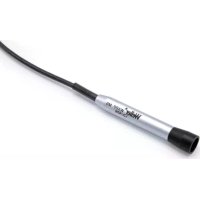
WXPP MS - Welding machine Weller - Free user manual and instructions
Find the device manual for free WXPP MS Weller in PDF.


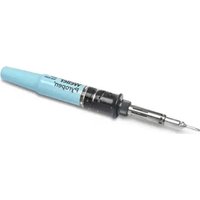
| Product Type | Soldering machine (soldering iron) |
| Brand | Weller |
| Model | WXPP MS |
| Temperature Range | 100 °C to 450 °C (200 °F to 850 °F) |
| Power Consumption | 40 W |
| Supply Voltage | 12 V / AC |
| Heat-up Time | 3 s (from 50 °C to 350 °C) |
| Compatible Tip Series | RTP MS |
| Compatible Power Units | WX / WXD / WXA / WXR |
| Antistatic Protection (ESD) | Yes (conductive handle) |
| Auto-off Function | Yes (stand-by via usage sensor) |
| Tip Change | Only when cold |
| Intended Use | Soldering and desoldering with Weller power units, indoors, at room temperature |
| Maintenance | Filter replacement possible by non-specialists; repairs reserved for trained Weller personnel |
| Spare Parts | Use only genuine Weller parts |
| Warranty | 12 months against manufacturing defects (excluding misuse) |
Frequently Asked Questions - WXPP MS Weller
User questions about WXPP MS Weller
0 question about this device. Answer the ones you know or ask your own.
Ask a new question about this device
Download the instructions for your Welding machine in PDF format for free! Find your manual WXPP MS - Weller and take your electronic device back in hand. On this page are published all the documents necessary for the use of your device. WXPP MS by Weller.
USER MANUAL WXPP MS Weller
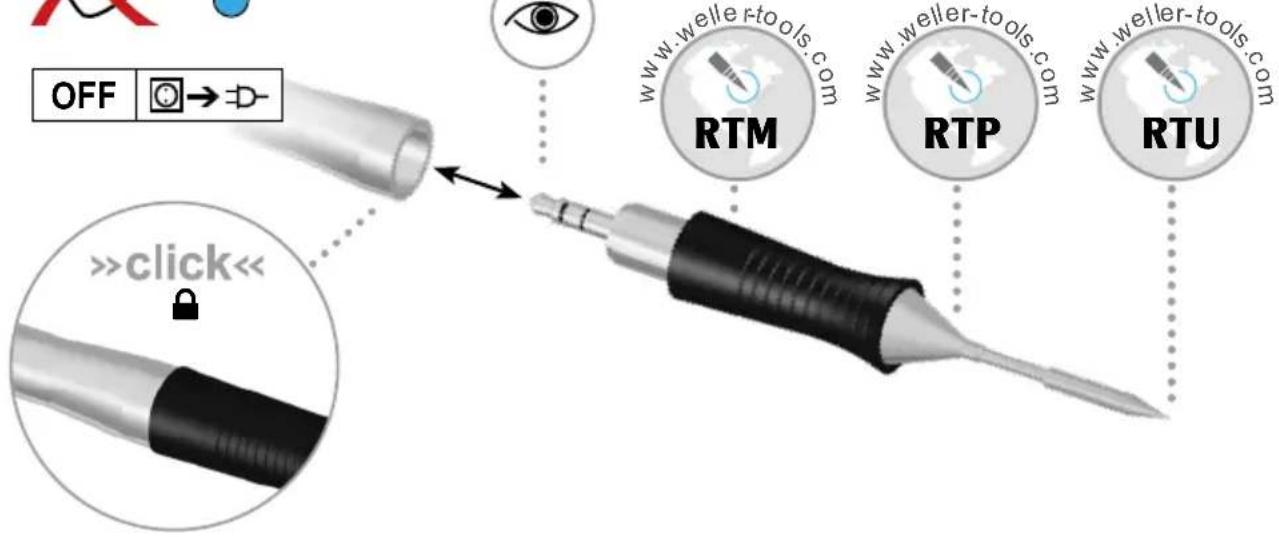
WXMP WXMP M
WXPP
WXPP MS
WXUP MS
WXMT (MS)
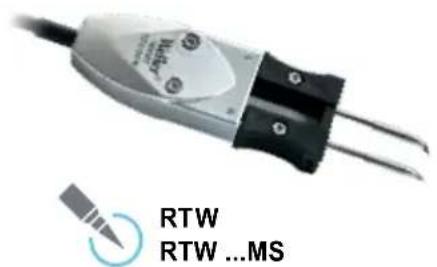
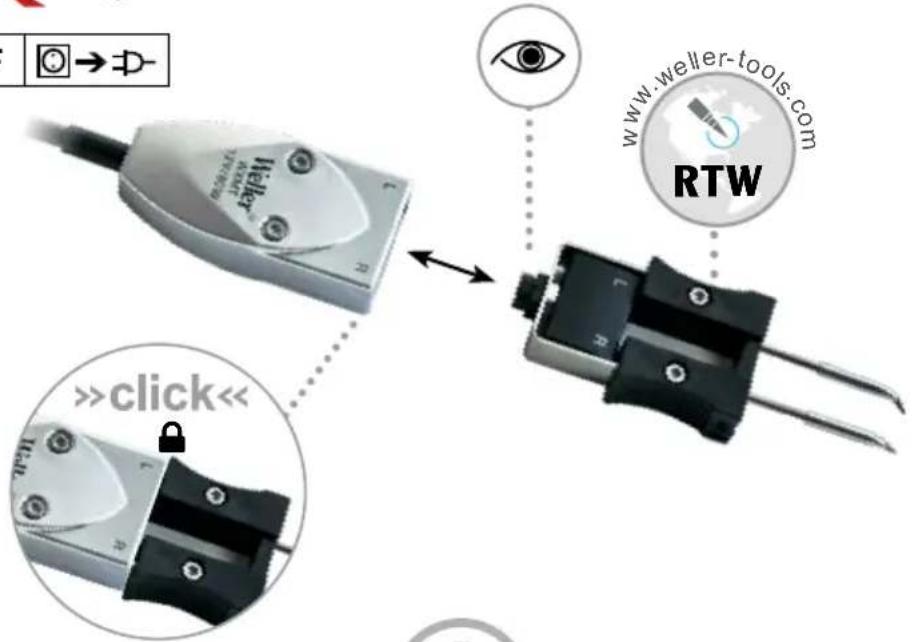
WXMT / WXMT MS

Set
+WSR 204 T0051517899

OFF


For more information about tip typeseries please visit
| DE Deutsch | Sicherheitshinweise | Bestimmungsgemäß Verwendung | Benutzergruppen | Pflege und Wartung | Garantie | Technische Daten | Symbole | Original Konformitätserklärung | 8 |
| EN English | Safety information | Specified Conditions Of Use | User groups | Care and maintenance | Warranty | Technical Data | Symbols | Original declaration of conformity | 11 |
| ES Espanol | Advertencias de sécurité | Aplicacion De Acuerdo A La Finalidad | Grupo de usuario | Cuidado y mantenimiento | Garantia | DATOS Técnicos | Simblos | Declaración de conformidad original | 14 |
| FR Français | Consignes de sécurité | Utilisation Conforme Aux Prescriptions | Groupe d'utilisateurs | Entretien et maintenance | Garantie | Caractéristiques Techniques | Simboles | Déclaration de conformité d'origine | 18 |
| IT Italiano | Avverenza per la sicurezza | Utilizzo Conforme | Gruppi utenti | Cura e manutenzione | Garanzia | Dati Tecnici | Simboli | Dichiarazione di Conformità originale | 20 |
| PT Portugues | Indicações de segurará | Utilização Autorizada | Grupos de utilizesdores | Conservação em manu- tenção | Garantia | Caracteristicas Técnicas | Simblos | Original da declaração de conformidade | 23 |
| NL Nederlands | Veiligheidsinstrumentes | Voorgeschreven Gebruik Van Het System | Gebruikersgroepen | onderhoden | Garantie | Technische Geveens | Simbolen | Origineel conformiteitsverklaring | 26 |
| SV Svenska | Säkerhetsanvisninger | Använd Maskinen Enligt Anvisningarna | Användarkategorier | skötesel och underhäll | Garanti | Tekniska Data | Simboler | Ursprunglig fösärkran om överensstammelse | 29 |
| DK Dansk | Sikkerhedsanvisninger | Tiltænket Formål | Brugergrupper | Pleje og vedigeholdelse | Garanti | Tekniske Data | Simboler | Original overensstemmelseserklaerig | 32 |
| FI Suomi | Turvallisuusohjeet | Tarkoitsukenmukainen Käytö | Käytäjärhymät | aseman hoit ja huolto | Takuu | Tekniset Arvat | Symbolit | Alkuperäinen vaatimustemmukaisuusvuutus | 35 |
| GR Eλληνικα | Ytöðicicicac oφαλείαc | Xροησουμωνa μe to Κοτό προριμου | Μαύδες χροτών | Φροντία kai ouvτηρονη nθς ωυκεύης | ᵐγύνηρη | Texviika στοχίεια | Σύμβολα | Γνησι Δήλωπη πιοτόπας | 38 |
| TR Türççé | Güvenlik uyarileri | Kullanim | Kullanic gruplar | temizliigi ve bakimi | Garanti | Teknik Veriler | Semboller | Orijnal uygunluk beyan | 41 |
| CZ Český | Bezpečnostni pokyny | Použiti v souladu s určenim | Uživotelské skupiny | Üdržba a servisi prace ohledné | Záruka | Technické udaje | Symboly | Originálne prohlásesi o shodě | 44 |
| PL Polski | Bezpiecieznestwo | Uzytkowanie | Grupy uzytkowników | Pielegnacja i konserwacja urzadzenia | Gwarancja | Dane Techniczne | Symbole | Oryginalna deklaracja zgodnosci | 47 |
| HU Magyar | Biztonságiutasíssok | Rendeltétesszerő használat | Felhasználoi csoportok | Apolás és karbatar- tás | Garancia | Mûszaki Adatok | Szimbólemuk | Eredeti megfelelóségii nyilatkozat | 50 |
| SK Slovensky | Bezpečnostné pokyny | Použivanie v súlade s určenym učelom použīta | Skupiny použivatelov | Osetrovanie a udžrba | Záruka | Technické udaje | Symboly | Originálne vyhlásesenie o zhode | 53 |
| SL Slovenskina | Varnostna navodila | Uporaba v skladu s predpisì | Skupine uporabnikov | Nega in vzdžrževanje | Garancija | Tehnični Podatki | Simboli | Originalna Izjava o skladnosti | 56 |
| EE Eesti | Ohutusjuhised | Kasutosotstarbele vastav kaitamine | Kasutajuriuhmad | Houldamine je teenindami- ne | Garanti | Tehnilised Andmed | Sümbil | Originala-vastavusdeklaratsion | 59 |
| LV Latviski | Saugos taisyklés | Naudojimas pagal paskirt | Naudotoju grupës | [prastiné ir techniné priežūra | Garantija | Techniniai duomenys | Simboliai | Atitikties deklaracijos originales | 62 |
| LT Lietuviškai | Drosības norādes | Atbilstoşa lietošana | Lietotàju grupas | Apkope un kopšana | Garantija | Tehniskie dati | Simboli | Originala atbilstobas deklarćájica | 65 |
| BG Błnaparski | Исторiku за зблоча наразота | Исторданою по predecessorнуюпгостацьи | Повозителску ртуг | Ос��ужваи- и poddяране | Гаранia | Тхимески дадни | Симвоги | Ориллална Денизама вдурацьи за снытевстVEN | 68 |
| RO Roman | Indicator de securitate | Utilizarea conformă cuy destinatoria | Grupe de utilizatori | Ingridirea si intreşinerea currenta | Garantia pentru produs | Date tehnice | Simboluri | Declaratie de conformitate originală | 72 |
| HR Hrvatski | Sigurnosa upozorenja | Namjenska uporaba | Skupine korisnika | Nega i servisiranje | Jamstvo | Tehnički podaci | Simboli | Originalna izjava o sukladnosti | 74 |
| RU Рupleskin | Указанною的老шике зблочастосту | Исторданою по predecessorную | Грульные ратей | Уcodи的新шточеске облочи винь | ГарANTЯ | Тхимеске实施方案 | Барковая实施方案 | СимьOLTы | Oprinhalь na déklapацióna o coobtvetstveni | 77 |
| CN 中文 | 安全信息 | 规定的使用条件 | 用户群体 | 小心维护 | 保修 | 技术资料 | 符号/标志 | 符合标准说明原件 | 80 |
| KO한국어 | 안geset보 | 썼개목원자 | 사원자 기재 | 끨리일 휗지본수 | 当前어既可以 可以使用也可以使用 | 83 |
| JP 日本語 | 安全に閲る情報 | 指定の使用条件 | フeerダガルフ | 保守及びメnstーナス | 保証規定証 | 仕樣諸 元 | 斯ボル | ムリジラルの適合宣言書 | 86 |

Read these instructions and the accompanying safety information carefully before starting up the device and starting work with the device.
Failure to observe the safety regulations results in a risk to life and limb.
Keep these instructions in a place that is accessible to all users. Please adhere to the operating instructions of the connected devices.
Please be sure to read and follow the operating instructions for your Weller Supply Unit.
Safety information
For safety reasons, children and youths under the age of 16, as well as persons who are not familiar with these operating instructions, may not use the device. Children should be supervised in order to ensure that they do not play with the tool.
This device is not intended for use by persons (including children) with limited physical, sensory or mental aptitude, or by persons who lack knowledge or experience in handling the device.
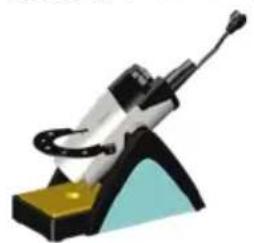
Always place the soldering tool in the safety rest while not in use.
Keep other persons well away from your workplace.
The work area is out of bounds for children and unauthorised persons. Never allow other persons to touch the soldering tool or cable.

Use only original Weller soldering tips!
WARNING
Electrical shock
Protect yourself against electric shocks. The handles on soldering tools with an antistatic design are conductive.
- Avoid touching earthed objects such as pipes, heaters, cookers and refrigerators.
- Do not use the soldering tool in a damp or wet environment.
- Never work on voltage-carrying parts.
A
WARNING
Risk of burns
The soldering tip becomes very hot during soldering work. There is a risk of burns from touching the tips. After the soldering process, the soldering tool and the workpiece holder are still hot.
Always place the soldering tool in the safety rest while not in use. Make sure the safety holder is stable.
- Do not touch the hot soldering tips and keep them away from inflammable objects..
- Only replace solder tips when cold
- Only replace nozzles when cold
Risk of burning through liquid solder. Protect yourself against solder splashes.
- Wear appropriate protective clothing to protect yourself against burns. Protect your eyes by wearing eye protection.
- When working with adhesives, special attention must be paid to the warning information provided by the adhesive manufacturer.
- Only connect the vacuum and hot air at the designated points.
WARNING
Fire hazard
Covering the soldering iron or the safety holder poses a fire hazard. Always keep objects well away from the soldering iron and safety holder.
- Always keep objects well away from the soldering iron and safety holder.
- Keep all combustible objects, liquids or gases well away from the hot soldering tool.
- Do not place or leave the hot soldering or desoldering tip on the worktop or on plastic surfaces.
- Avoid unintentional operation. Disconnect the soldering tool from the power supply while not in use.
- Keep explosive and flammable objects well away from the device.
Store your soldering tool in a safe place. When not in use, units and tools should be stored in a dry, high or locked area out of the reach of children. Make sure that unused soldering tools are free of voltage and de-pressurised.
Do not use the cable for purposes other than those for which it is intended. Never carry the unit by the cable. Do not use the cable to pull the plug out of the socket. Protect the cable against heat, oil and sharp edges.
Be alert. Pay attention to what you are doing. Be smart when using the unit. Do not use the soldering tool if you are having difficulty concentrating.
Avoid abnormal posture. Arrange your work station in an ergonomically correct way. Avoid bad posture when using the unit, as this can lead to postural problems.
The soldering tool must be operated only in perfect technical working order. Safety devices must not be deactivated.
Faults and defects must be repaired immediately.
Before using the unit / tool, safety devices must be carefully checked to make sure that they are functioning properly and in the manner intended. Check that moving parts are functioning properly and are not sticking, and whether parts are damaged. All parts must be correctly fitted and must satisfy all the requirements necessary to guarantee troublefree operation of the unit.
Use the correct tool. Use only accessories or auxiliary devices which are included in the list of accessories or approved for use by the manufacturer. Use WELLER accessories or auxiliary devices on original WELLER equipment only. The use of other tools and other accessories can cause injury.
Secure the tool. Use clamping fixtures to hold the workpiece.
Use a solder fume extraction unit. If appliances for connecting solder fume extraction units are available, ensure that they are connected and used properly.
Specified Conditions Of Use
Use the soldering iron exclusively for the purpose indicated in the Operating Instructions of soldering and desoldering under the conditions specified here.
The soldering iron may only used in combination with Weller Supply Units.
This device may only be used at room temperature and indoors. Protect against moisture and direct sunlight.
User groups
Due to differing degrees of risk and potential hazards, several work steps may only be performed by trained experts.
| Work step User groups | |
| Default soldering para-meters | Specialist personnel with technical training |
| Replacing electrical replac-ement parts | Electricians |
| Default maintenance intervals | Safety expert |
| Operation Filter change | Non-specialists |
| Operation Filter change | Technical trainees under the guidance and supervision of a trained expert |
| Replacing electrical replac-ement parts |
Care and maintenance
WARNING

Before doing any work on the machine, pull the plug out of the socket. Leave the unit to cool down.
Check all connected cables and hoses on a regular basis. If power tools are damaged, they must be immediately removed from use.
Do not use blocked nozzles.

Repairs must always be referred to a Weller-trained specialist.
Use original replacement parts only.
WARNING
Risk of burns
- Only replace the soldering tips when they are cold.
The soldering tool must be left switched off in the safety rest for at least 3 minutes until the soldering tip has cooled down. The LED status indicator must be at "OFF".
Temperature performance
The soldering tool has an internal usage sensor which can be used to set an automatic switch-off function (Stand-by). The settings can be found in the station's operating instructions.
Warranty
Claims by the buyer for physical defects are time-barred after a period of one year from delivery to the buyer. This does not apply to claims by the buyer for indemnification in accordance with §§ 478, 479 BGB (German Federal Law Gazette).
We shall only be liable for claims arising from a warranty furnished by us if the quality or durability warranty has been furnished by use in writing and using the term "Warranty".
The warranty shall be void if damage is due to improper use and if the device has been tampered with by unauthorised persons.
For more information please visit www.weller-tools.com.
Symbols

Caution!

Warning! Risk of burns

Read the operating instructions!

ESD-compatible design and ESD-compatible workstation

CE mark of conformity

Disposal
Do not dispose of electric tools together with household waste material! In observance of European Directive 2012/19/EU on waste electrical and electronic equipment and its implementation in accordance with national law, electric tools that have reached the end of their life must be collected separately and returned to an environmentally compatible recycling facility.
Technical Data
| Micro Pico Ultra | |||||
| Soldering iron WXMP WXMP MS WXPP | WXPP MS WX | UP MS | |||
| Temperature range °C | 100 - 450 | 100 - 450 | 100 - 450 | 100 - 450 | 100 - 450 |
| Temperature range °F | 200 - 850 | 200 - 850 | 200 - 850 | 200 - 850 | 200 - 850 |
| Power consumption 40 W | (55 W) | 40 W(55 W) | 40 W 40 W | 150 W | |
| Mains supply voltage 12 V / AC 12 V / AC | 12 V / AC 12 V | / AC 24 V / AC | |||
| Heat-up time(50°C to 350°C) (120°F to 660°F) | 5 s 5 s | 3 s 3 | s 7 s | ||
| Tip type series | RTRTM | RT MSRTM MS | RTP | RTP MS | RTU MS |
| Supply unit | WX / WXD / WXA / WXR | ||||
| Desoldering tweezers / Desoldering iron | WXMT WXMT (MS) |
| Temperature range °C | 100 - 450 |
| Temperature range °F | 200 - 850 |
| Power consumption | 80 W (2x40 W) |
| Mains supply voltage | 12 V / AC |
| Heat-up time (50°C to 350°C) (120°F to 660°F) | 5 s |
| Tip type series | RTW / RTW (MS) |
| Supply unit | WX / WXD / WXA / WXR |
Subject to technical alterations and amendments.

Varning! Risk for brännskador

Tapegység WX/WXD/WXA/WXR
IIN3aHbT N OΦopMnEHNTo Ha pa6oTHOT MRCTO OTROBAPrTa Ha ESD

CE-3NaCu

OTctpaHbAne KaTo OTnAdbK
He n3xBpIyIe eNekTpueckn HNCTpyMeHTn B DOMAKHCKNTE OTNaIbIu! B cBoTBETCTBne c ebPoneckata DnpeKtNbA 2012/19/EU 3a CTapn eNekTpueckn N eNekTpoHHuypeu N HeHOTO BHeDprBaHe B HaUNoHaHNO TnpABO I3xa6eHNTe eNekTpueckn HNCTpyMeHTn Tpr6Ba Da ce Cb6upat OTdElnHO N da Ce npedeBaT 3a EKOLrHNo peuKNIPAhe.
TexHnueckn daHHN
| Micro Pico Ultra | |||||
| пожимь WXMP WXMP MS WXPP WXPP MS WXUP MS | |||||
| Tempepatурен диапазон °C | 100 - 450 | 100 - 450 | 100 - 450 | 100 - 450 | 100 - 450 |
| Tempepatурен диапазон °F | 200 - 850 | 200 - 850 | 200 - 850 | 200 - 850 | 200 - 850 |
| Консуmpрана моцност 40 W | (55 W) | 40 W(55 W) | 40 W 40 W | 150 W | |
| Мөхово нарөжөнөе 12 V / AC 12 V /AC 12 V /AC 12 V / AC 24 V / AC | |||||
| Вөрeme за рогрavenе(50°C до 350°C) (120°F до 660°F) | 5 s 5 s 3 s | 3 s 7 s | |||
| Тил Tip сэрп | RTRTM | RT SMRTM MS | RTP | RTP MS | RTU MS |
| Зхсаньш бlogк | WX / WXD / WXA / WXR | ||||
| Пинсета 3a pa3нояванe / Пожлник 3a pa3нояванe | WXMT WXMT (MS) |
| ТемпераTypeн диапазон °C | 100 - 450 |
| ТемпераTypeн диапазон °F | 200 - 850 |
| Консуmpрана моцhoeft | 80 W (2x40 W) |
| Мреково наразжени | 12 V / AC |
| Вреeme за подраванe (50 °C до 350 °C) (120 °F до 660 °F) | 5 s |
| Тип Tip сэрь | RTW / RTW (MS) |
| Зхсаньш блok | WX / WXD / WXA / WXR |
IpaBOTO 3a npabeHe Ha TexHueckn N3MeHeHHoOCTaba 3ana3eHO!

IIN3aHn pa6ooye MeCTO BbINOJHrOT Tpe6OBAHn 3aunTbI OT 3JIeKTPoCTaTnuecknx pa3pndOB

3HaK CE
Ytlln3aun
He yTuN3nPyuTe 3NeKTPoHnCTpyMeHTbI BMeCTe C 6bITOBbIMn OTXoDAMn! CornaCHO dInpeKTBe 2012/19/EU no OTXoDAM 3NeKTPnueckoro n 3NeKTPoHnHO 06OpyDoBAHn I rApMOHN3nPoBaHHbIM HaUNOHaJIbHbIM CTaHdaptAm, 6bIBuWe B yNOTpe6JIeHN 3NeKTPoPn6Opby n 3NeKTPoHnCTpyMeHTbl NOJExKaT pa3JeNbHO yTuIN3aCm n C ceJIbIO IX NocJeDuOUsEe 3KOOnrHuCeCKn 6e3OnaChOH nepepa6OTKn.
TexHnueckne xapaKTepeNCTnKn
| Micro Pico Ultra | |||||
| Паяльник WXMP WXMP MS WXPP WXPP MS WXUP MS | |||||
| Температурный диапазон °C | 100 - 450 | 100 - 450 | 100 - 450 | 100 - 450 | 100 - 450 |
| Температурный диапазон °F | 200 - 850 | 200 - 850 | 200 - 850 | 200 - 850 | 200 - 850 |
| ПOT repeлегмая мошисть 40 W | (55 W) | 40 W | 40 W 40 W | 150 W | |
| (55 W) | |||||
| Сетевое наразожения 12 V / AC 12 V / AC 12 V / AC 24 V / AC | |||||
| ВremяHardва(c 50°C до 350°C) (c 120°F до 660°F) | 5 s | 5 s | 3 s | 3 s | 7 s |
| Тиш онлайн, с缩水 | RT | RT MS | RTP | RTP MS | RTU MS |
| RTM | RTM MS | ||||
| Бл_OKonline | WX / WXD / WXA / WXR | ||||
Product Registration
Apex Tool Group, LLC
670 Industrial Drive
Lexington, SC 29072
© 2019, Apex Tool Group, LLC.
Weller® is a registered Trademark and registered Design of Apex Tool Group, LLC.
Weller®


- WXMT (MS)
- SAFETY INFORMATION
- WARNING
- ELECTRICAL SHOCK
- RISK OF BURNS
- FIRE HAZARD
- FAULTS AND DEFECTS MUST BE REPAIRED IMMEDIATELY
- SPECIFIED CONDITIONS OF USE
- USER GROUPS
- CARE AND MAINTENANCE
- REPAIRS MUST ALWAYS BE REFERRED TO A WELLER-TRAINED SPECIALIST
- TEMPERATURE PERFORMANCE
- WARRANTY
- SYMBOLS
- DISPOSAL
- TECHNICAL DATA
- OTCTPAHBANE KATO OTNADBK
- TEXHNUECKN DAHHN
- YTLLN3AUN
- TEXHNUECKNE XAPAKTEPENCTNKN
- PRODUCT REGISTRATION
Brand : Weller
Model : WXPP MS
Category : Welding machine