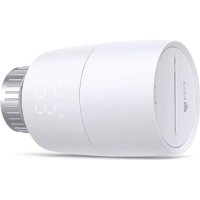
KE100 - Thermostat TP-LINK - Free user manual and instructions
Find the device manual for free KE100 TP-LINK in PDF.



| Product type | Connected radiator thermostat |
| Brand | TP-Link |
| Model | KE100 |
| Power supply | 2 alkaline AA LR6 batteries (1.5 V) - do not use rechargeable batteries |
| Connectivity | Requires a Kasa smart hub (not included) |
| App | Kasa Smart (iOS / Android) |
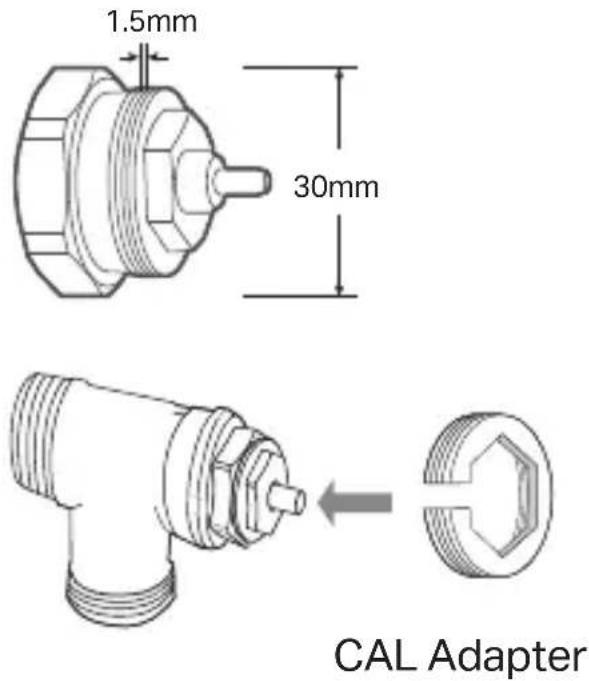
| Valve compatibility | Thermostatic valve M30 x 1.5 (adapters provided for other connections) |
| Dimensions | Approximately 60 x 60 x 90 mm (estimate) |
| Weight | Approximately 150 g (estimate with batteries) |
| Temperature range | Not specified in the manual, manual adjustment by rotation |
| Main functions | Temperature control, scheduling, frost protection, child lock, vacation mode |
| LED indicators | Connection, schedule, heating, battery LEDs |
| Display | Digital display (LED) |
| Maintenance | Clean with a dry cloth, avoid water and moisture |
| Safety | Do not disassemble, repair, or modify; keep away from fire and water |
| Operating temperature | Not specified, avoid extreme environments |
| Hub required | Yes, for remote control and scheduling |
| Warranty | See TP-Link support (not detailed in the manual) |
Frequently Asked Questions - KE100 TP-LINK
User questions about KE100 TP-LINK
0 question about this device. Answer the ones you know or ask your own.
Ask a new question about this device
Download the instructions for your Thermostat in PDF format for free! Find your manual KE100 - TP-LINK and take your electronic device back in hand. On this page are published all the documents necessary for the use of your device. KE100 by TP-LINK.
USER MANUAL KE100 TP-LINK
for technical support, user guides, and more information


Quick Start Guide
Smart Thermostatic Radiator Valve
Install Guide:
Scan QR code or visit
https://www.tp-link.com/support/faq/3404/
7106510711 REV1.2.1 © 2023 TP-LinkImages may differ from your actual products.
CONTENTS
1 / Compatibility & Overview
5 / English
13 / Deutsch
21 / Español
29 / Français
37 / Italiano
45 / Nederlands
53 / Suomi, Svenska
54 / Ελληνικά, Português
55 / Norsk, Dansk
Figure1: Compatibility
M30 x 1.5
(No adapter required.)
text_image
1.5mm 30mm CAL Adapter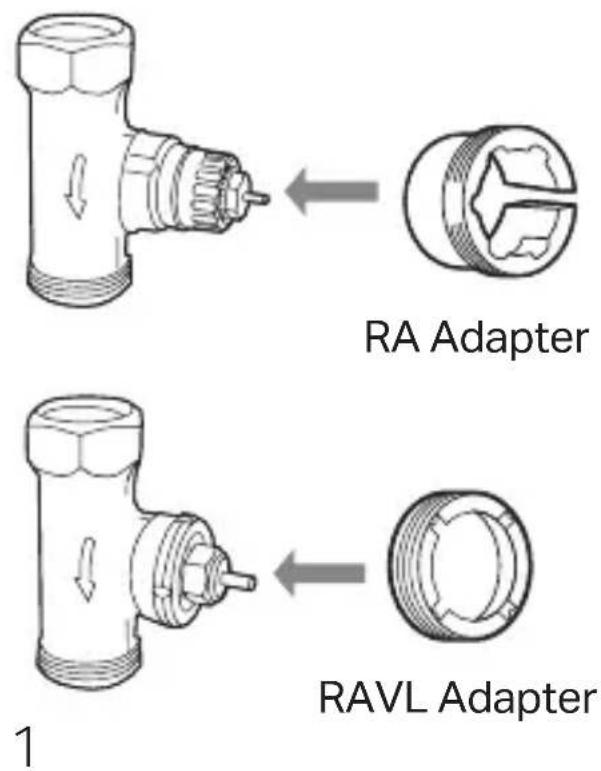
text_image
RA Adapter RAVL Adapter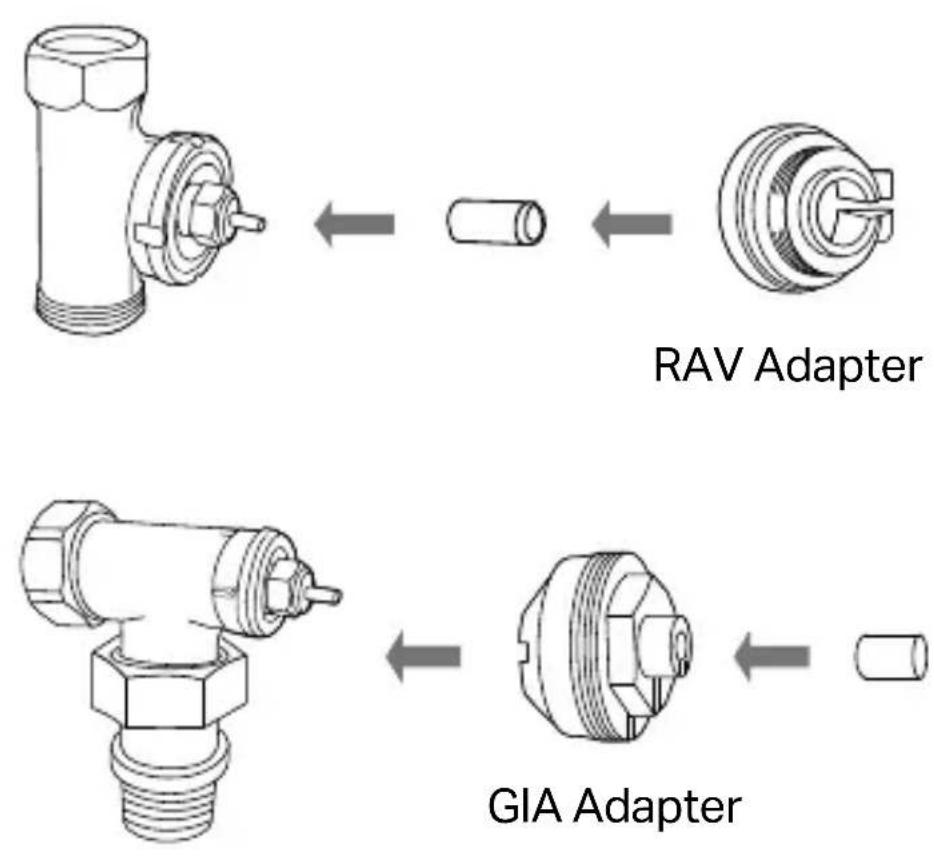
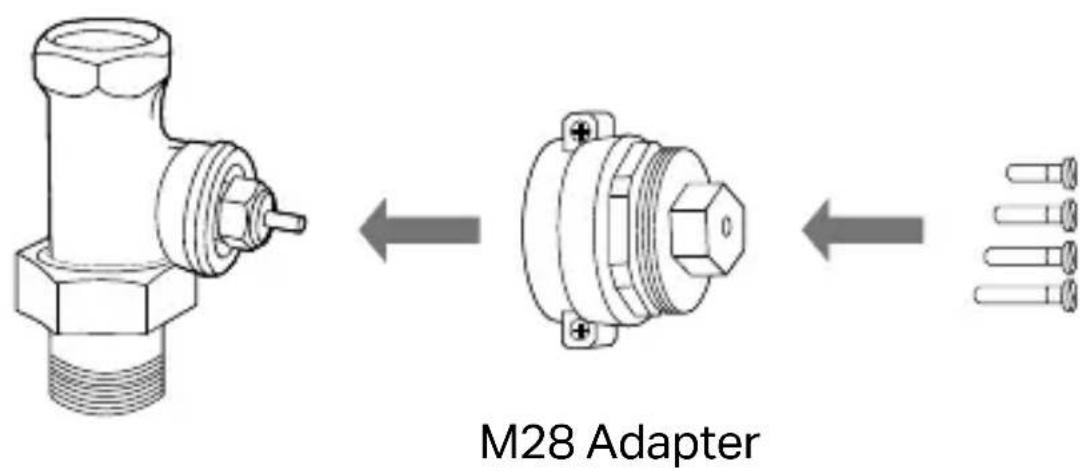
text_image
M28 AdapterFigure 2: Overview
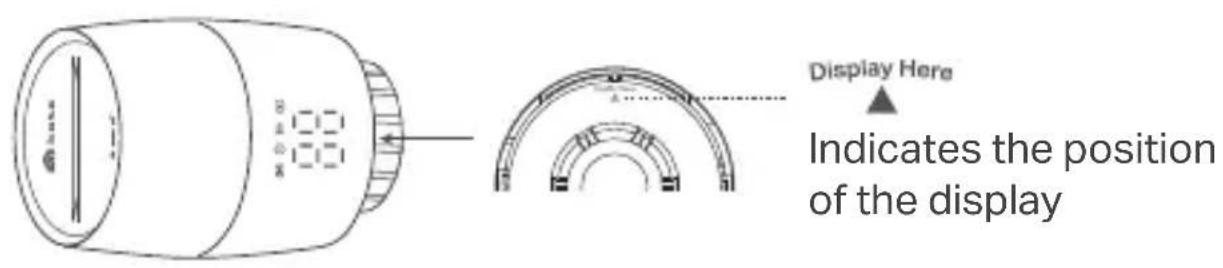
text_image
Display Here Indicates the position of the displayLEDs:

text_image
Connection Schedule

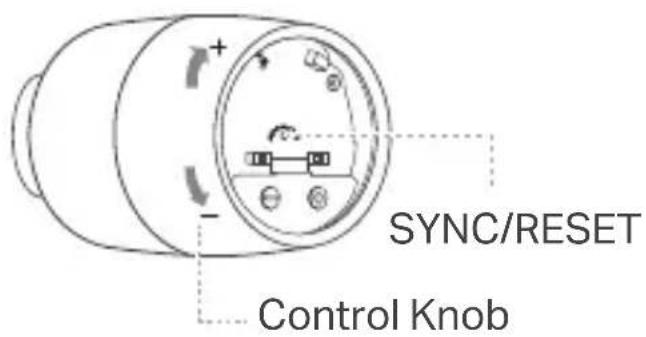
text_image
SYNC/RESET Control KnobInstall Requirements
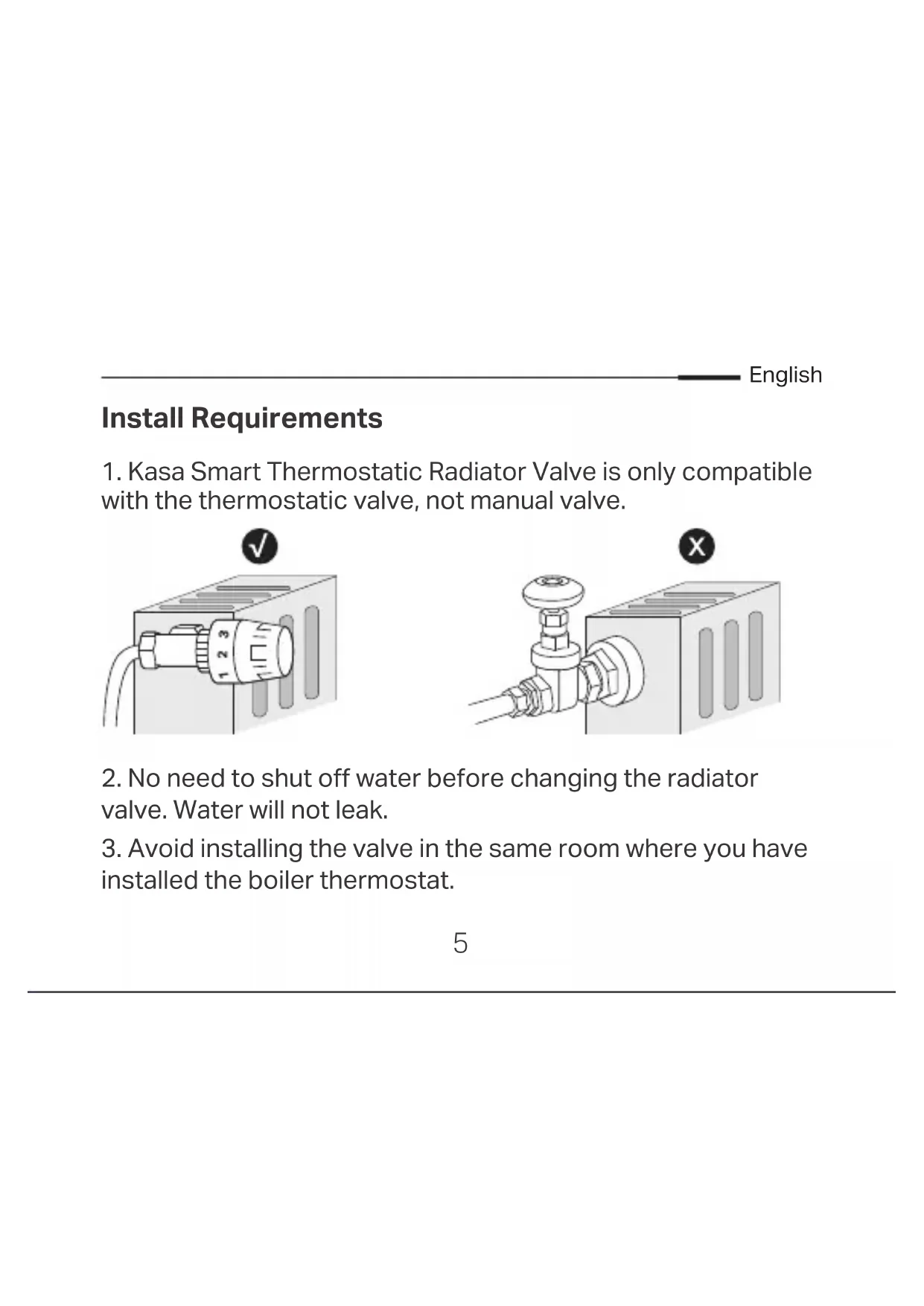
- Kasa Smart Thermostatic Radiator Valve is only compatible with the thermostatic valve, not manual valve.
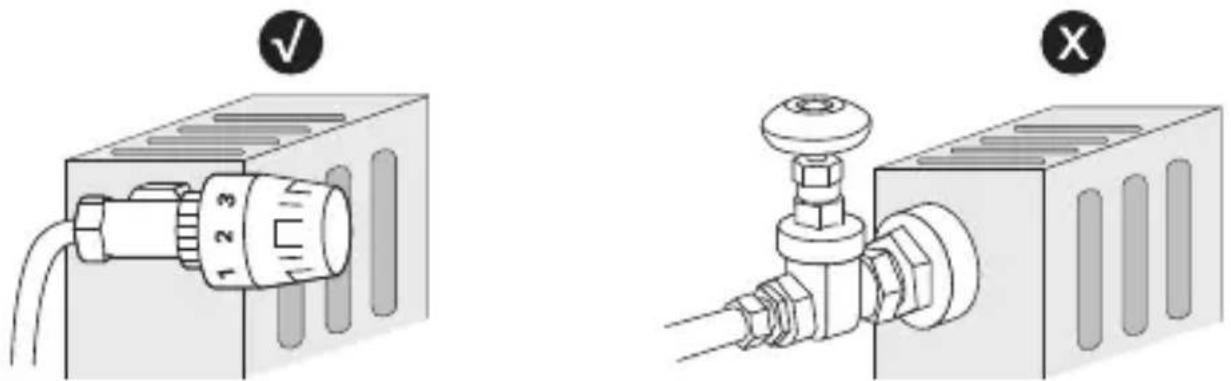
text_image
Technical diagram showing two mechanical assembly states: one with a valve labeled 123 and checkmark, the other with a valve on a pipe.-
No need to shut off water before changing the radiator valve. Water will not leak.
-
Avoid installing the valve in the same room where you have installed the boiler thermostat.
English
Install the Valve
- Unscrew the existing valve.
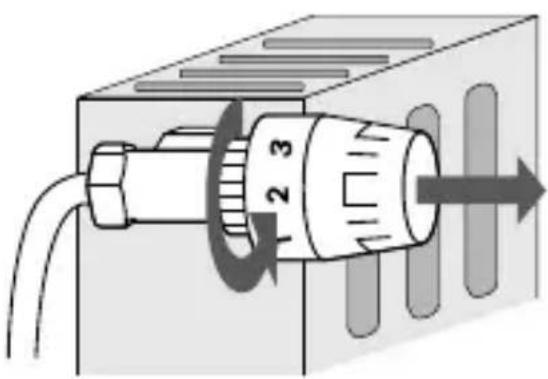
natural_image
Diagram of a mechanical component with labeled parts and directional arrow (no text or symbols)- Refer to Figure 1 to install the new valve. The ▲ at the bottom of the valve indicates the position of the display.
- For M30 x 1.5 connector: Screw the new valve directly.
- For non-M30 x 1.5 connector: Check whether one of the provided adapters fits the connector. If none of them fit your connector, please purchase a proper one yourself.
English
- Remove the cover of the valve by rotating counterclockwise using the provided cover-opener.
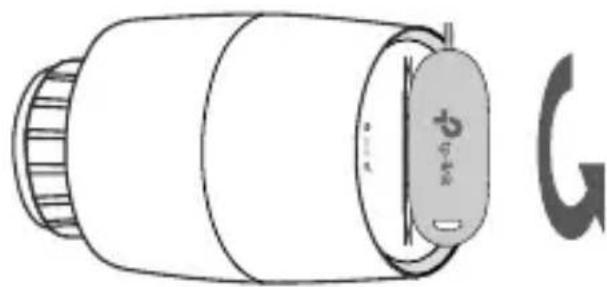
natural_image
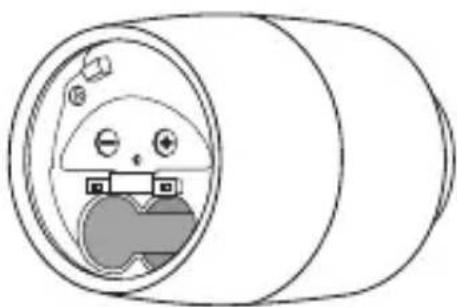
Line drawing of a cylindrical device with a lid and a separate symbol (no text or labels)- Open the battery cover and insert two AA LR6 alkaline batteries. Make sure the positive and negative terminals face the correct direction.
natural_image
Simple line drawing of a cartoon character inside a cylindrical pipe, no text or symbols presentCompatible Batteries:
| Battery Type Voltage Work Temp. | |
| AA LR6 alkaline battery | 1.5V 0°C -40°C |
*Do NOT use rechargeable batteries or 1.2V AA batteries.
English
Set Up the Valve
- Kasa smart hub required. Download the Kasa Smart app in the App Store or Google Play.

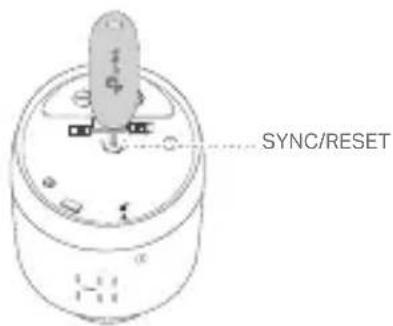
- Use the provided cover-opener to press and hold the SYNC/RESET button for 5 seconds to reset the valve.
text_image
SYNC/RESET- Open the Kasa Smart app, tap + and select Smart Thermostats. Follow the app instructions complete setup.
Don't Have a Hub?
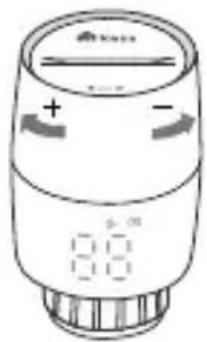
You can adjust temperature manually. After inserting the batteries, the valve is ready to use. Rotate the valve to adjust the temperature.
text_image
Diagram of a digital pressure sensor with labeled polarity and control buttons
Check frequently asked questions at https://www.tp-link.com/support/faq/3404/.
Visit www.tp-link.com/support/ for technical support, user guides, FAQs, warranty & more.
English
LED Explanations
| Connection | Blinking slowly | Ready to be paired;Offline |
| Blinking fast | Pairing;Device resetting | |
| Solid on Pairing complete | ||
| Schedule | Solid on | Adjust temperature basedon your schedule |
| Heating | Solid on Raise temperature | |
| LED is off Keep/lower temperature | ||
| Battery | Blinking Low battery | |
| Solid on Sufficient battery power |
English
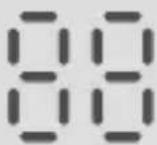 | Blinking twice, then blinking | Starting up |
| Moving light Calibrating | ||
| Switching between cl and normal temperature | Child lock enabled | |
| Switching between fr and normal temperature | Frost protection | |
| Displaying lo | Low battery; Valve can't work properly | |
| Displaying ff | Sleep mode enabled | |
| Displaying 81 | No valve detected or valve not compatible | |
| Displaying 82 | Valve blocked |
English
Button Explanations
| Button Operation Result | ||
| Control Knob | Rotate clockwise Raise temperature. | |
| Rotate counterclockwise lower temperature. | ||
| Rotate with no shown display | Activate the display. | |
| SYNC/RESET | Press and hold for 5 seconds | Restore to factory default settings, and enter pairing mode. |
natural_image
Diagram of a device with a rotary knob and a checkmark (no text or symbols)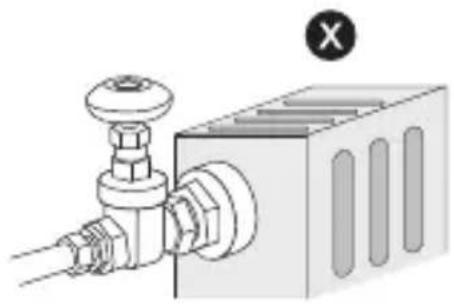
natural_image
Mechanical component diagram showing a valve and housing assembly (no text or symbols)natural_image
Diagram of a mechanical component with labeled parts and directional arrow (no text or symbols)natural_image
Illustration of a cylindrical device with a lid and a separate symbol labeled 'G' (no text or symbols on the device itself)natural_image
Simple line drawing of a cartoon character inside a cylindrical pipe, no text or symbols presenttext_image
QR code with arrow pointing to a stylized building icon, likely linking to a digital interface or payment.
text_image
SYNC/RESETtext_image
Diagram of a digital pressure sensor with labeled terminals and directional arrows indicating polarity
natural_image
Diagram of a device with a dial and connector, no text or symbols present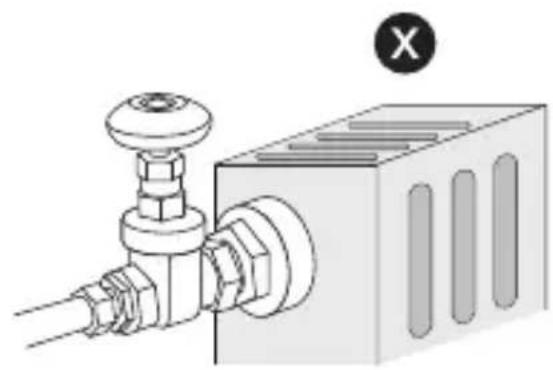
natural_image
Mechanical component diagram showing a valve and housing assembly with a cross symbol (no text or labels)natural_image
Diagram of a mechanical device with a rotary knob and directional arrow (no text or symbols)natural_image
Line drawing of a cylindrical device with a lid and a separate symbol (no text or labels)natural_image
Simple line drawing of a cartoon character inside a cylindrical pipe, no text or symbols presenttext_image
QR code image containing encoded data, no visible human-readable text→

natural_image
Simple icon of a house with three windows, no text or symbols presenttext_image
SYNC/RESET24
natural_image
Line drawing of a cylindrical device with a digital display and control knob (no text or symbols)
natural_image
Diagram of a device with a labeled connector and checkmark (no text or symbols beyond basic labels)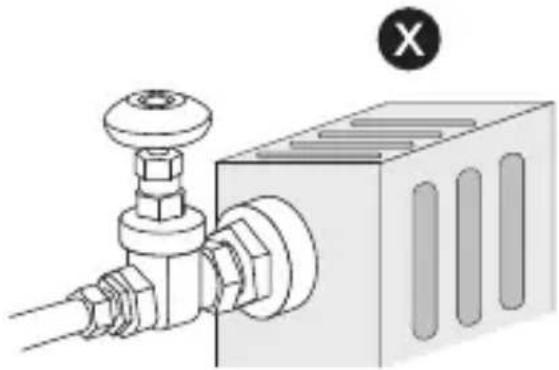
natural_image
Technical diagram of a mechanical assembly with pipe fittings and a control box (no text or symbols)natural_image
Diagram of a mechanical device with a rotating knob and directional arrow (no text or symbols)natural_image
Line drawing of a cylindrical device with a lid and a separate symbol (no text or labels)natural_image
Simple line drawing of a cartoon character inside a cylindrical pipe, no text or symbols presentPiles compatibles :
| Type de batterie Tension Temp. Travail. | |
| Pile alcaline AA LR6 1.5V | 0°C -40°C |
text_image
Download on the App Store OR GOFFON Google Playtext_image
SYNC/RESETnatural_image
Diagram of a device with a labeled connector and a checkmark (no text or symbols on the device itself)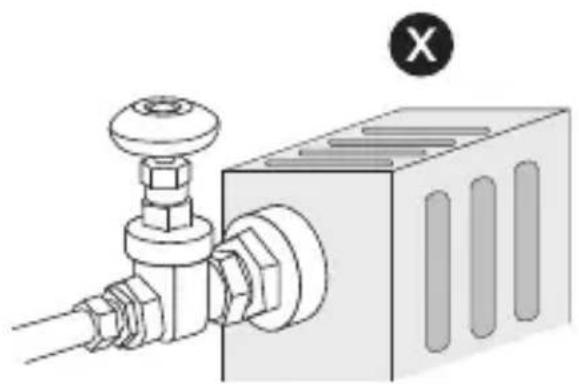
natural_image
Technical diagram of a mechanical assembly with a valve and housing (no text or symbols)natural_image
Diagram of a mechanical device with a cylindrical component and directional arrow, no text or symbols presentnatural_image
Illustration of a cylindrical device with a label and a separate symbol (no readable text or symbols)natural_image
Simple line drawing of a cartoon character inside a cylindrical pipe, no text or symbols presenttext_image
SYNC/RESETItaliano
text_image
Diagram of a device with labeled ports and digital display, showing brand logo and polarity indicators
https://www.tp-link.com/support/faq/3404/.
natural_image
Diagram of a device with a labeled connector and a checkmark (no text or symbols on the device itself)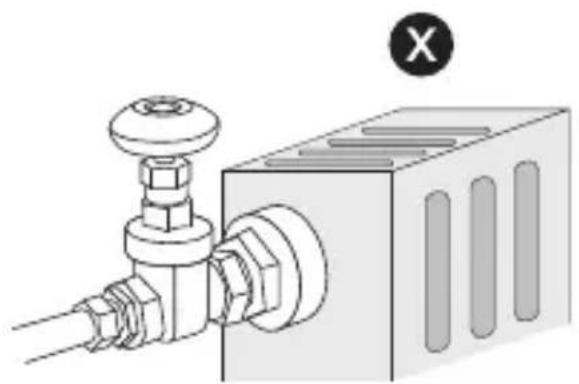
natural_image
Technical diagram of a mechanical assembly with a valve and housing (no text or symbols)natural_image
Diagram of a mechanical device with labeled parts and directional arrow (no text or symbols)natural_image
Line drawing of a cylindrical device with a lid and a separate symbol (no text or labels)text_image
Download on the App Store GRTON Google PlayOR

text_image
QR code with arrow pointing to a stylized building icon, likely linking to a digital interface or payment.text_image
SYNC/RESETNederlands
natural_image
Line drawing of a cylindrical device with buttons and a digital display (no text or symbols)
English: Safety Information
- Keep the device away from water, fire, humidity or hot environments.
- Do not attempt to disassemble, repair, or modify the device. If you need service, please contact us.
- Do not use the device where wireless devices are not allowed.
CAUTION!
Risk of fire or explosion if the battery is replaced by an incorrect type.
CAUTION!
Avoid replacement of a battery with an incorrect type that can defeat a safeguard. Avoid disposal of a battery into fire or a hot oven, or mechanically crushing or cutting of a battery, that can result in an explosion. Do not leave a battery in an extremely high temperature surrounding environment that can result in an explosion or the leakage of flammable liquid or gas.
Do not leave a battery subjected to extremely low air pressure that may result in an explosion or the leakage of flammable liquid or gas.
Please read and follow the above safety information when operating the device. We cannot guarantee that no accidents or damage will occur due to improper use of the device. Please use this product with care and operate at your own risk.
TP-Link hereby declares that the device is in compliance with the essential requirements and other relevant provisions of directives 2014/53/EU, 2009/125/EC, 2011/65/EU and (EU) 2015/863. The original EU Declaration of Conformity may be found at https://www.tp-link.com/support/ce/.
TP-Link hereby declares that the device is in compliance with the essential requirements and other relevant provisions of the Radio Equipment Regulations 2017.
The original UK Declaration of Conformity may be found at https://www.tp-link.com/support/ukca/.