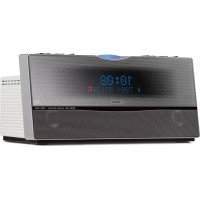
TSX100 - Cd player/recorder YAMAHA - Free user manual and instructions
Find the device manual for free TSX100 YAMAHA in PDF.



| Product Type | CD player/recorder with FM/AM tuner and USB port |
| Brand | YAMAHA |
| Model | TSX100 |
| Dimensions (W x H x D) | 300 x 141.5 x 200 mm |
| Weight | 2.7 kg |
| Power Supply | AC 100-240 V, 50/60 Hz (US/Canada model: AC 120 V, 60 Hz) |
| Power Consumption | 20 W (standby: ≤ 1.0 W) |
| Supported Audio Formats | Audio CD, CD-R/RW, MP3, WMA (on CD or USB device) |
| Main Functions | CD playback, USB, FM/AM tuner with RDS, alarm, sleep timer, timer, sound control (Bass/Treble, equalizer), random/repeat playback, display with dimmer |
| Connectivity | PORTABLE input (3.5 mm mini jack), USB port (type A), FM antenna, AM antenna, PHONES headphone output (3.5 mm mini jack) |
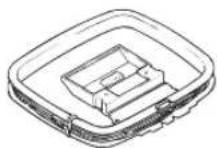
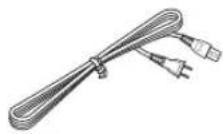
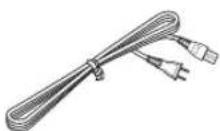
| Supplied Accessories | Remote control, FM indoor antenna, AM loop antenna, power cord |
| Output Power | 10 W + 10 W (minimum RMS) |
| FM Tuning Range | 87.5-108.0 MHz (US/Canada model) or 87.50-108.00 MHz (others) |
| AM Tuning Range | 530-1700 kHz (US/Canada model) or 522-1629 kHz (others) |
| Maintenance and Cleaning | Wipe with a dry cloth; for stubborn dirt, use a soft cloth slightly dampened. Do not use chemical solvents. |
| Laser Safety | GaAlAs semiconductor laser (wavelength 780 nm). Do not open the unit. |
| Spare Parts and Reparability | Refer all repairs to an authorized Yamaha service center. Do not attempt to repair yourself. |
Frequently Asked Questions - TSX100 YAMAHA
User questions about TSX100 YAMAHA
0 question about this device. Answer the ones you know or ask your own.
Ask a new question about this device
Download the instructions for your Cd player/recorder in PDF format for free! Find your manual TSX100 - YAMAHA and take your electronic device back in hand. On this page are published all the documents necessary for the use of your device. TSX100 by YAMAHA.
USER MANUAL TSX100 YAMAHA
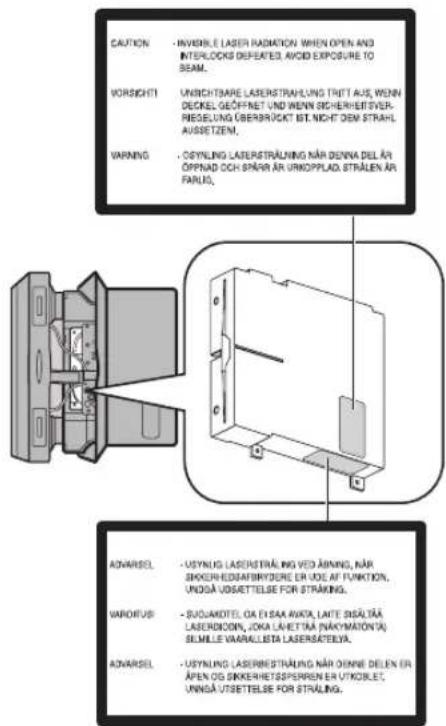
Use of controls or adjustments or performance of procedures other than those specified herein may result in hazardous radiation exposure.
AVERTISSEMENT
VAROITUS
If the socket outlets in the home are not suitable for the plug supplied with this appliance, it should be cut off and an appropriate 3 pin plug fitted. For details, refer to the instructions described below.
Note
The plug severed from the mains lead must be destroyed, as a plug with bared flexible cord is hazardous if engaged in a live socket outlet.
■Special Instructions for U.K. Model
IMPORTANT
THE WIRES IN MAINS LEAD ARE COLOURED IN ACCORDANCE WITH THE FOLLOWING CODE:
Blue: NEUTRAL
Brown: LIVE
As the colours of the wires in the mains lead of this apparatus may not correspond with the coloured markings identifying the terminals in your plug, proceed as follows: The wire which is coloured BLUE must be connected to the terminal which is marked with the letter N or coloured BLACK. The wire which is coloured BROWN must be connected to the terminal which is marked with the letter L or coloured RED.
Make sure that neither core is connected to the earth terminal of the three pin plug.
Caution: Read this before operating your unit.
1 To assure the finest performance, please read this manual carefully. Keep it in a safe place for future reference.
2 Install this unit in a well ventilated, cool, dry, clean place with at least 10 cm on the top, 10 cm on the left and right, and 10 cm at the back of this unit — away from direct sunlight, heat sources, vibration, dust, moisture, and/or cold.
3 Locate this unit away from other electrical appliances, motors, or transformers to avoid humming sounds.
4 Do not expose this unit to sudden temperature changes from cold to hot, and do not locate this unit in an environment with high humidity (i.e. a room with a humidifier) to prevent condensation inside this unit, which may cause an electrical shock, fire, damage to this unit, and/or personal injury.
5 Avoid installing this unit where foreign object may fall onto this unit and/or this unit may be exposed to liquid dripping or splashing. On the top of this unit, do not place:
- Other components, as they may cause damage and/or discoloration on the surface of this unit.
– Burning objects (i.e. candles), as they may cause fire, damage to this unit, and/or personal injury. - Containers with liquid in them, as they may fall and liquid may cause electrical shock to the user and/or damage to this unit.
6 Do not cover this unit with a newspaper, tablecloth, curtain, etc. in order not to obstruct heat radiation. If the temperature inside this unit rises, it may cause fire, damage to this unit, and/or personal injury.
7 Do not plug in this unit to a wall outlet until all connections are complete.
8 Do not operate this unit upside-down. It may overheat, possibly causing damage.
9 Do not use force on switches, knobs and/or cords.
10 When disconnecting the power cable from the wall outlet, grasp the plug; do not pull the cable.
11 Do not clean this unit with chemical solvents; this might damage the finish.
12 Only voltage specified on this unit must be used. Using this unit with a higher voltage than specified is dangerous and may cause fire, damage to this unit, and/or personal injury. Yamaha will not be held responsible for any damage resulting from use of this unit with a voltage other than specified.
13 To prevent damage by lightning, keep the power cord and outdoor antennas disconnected from a wall outlet or this unit during a lightning storm.
14 Do not attempt to modify or fix this unit. Contact qualified Yamaha service personnel when any service is needed. The cabinet should never be opened for any reasons.
15 When not planning to use this unit for long periods of time (i.e. vacation), disconnect the AC power plug from the wall outlet.
16 Be sure to read the “Troubleshooting” section on common operating errors before concluding that this unit is faulty.
17 Before moving this unit, press POWER OFF to set this unit to the standby mode, and disconnect the AC power plug from the wall outlet.
18 Condensation will form when the surrounding temperature changes suddenly. Disconnect the power cable from the outlet, then leave this unit alone.
19 When using this unit for a long time, this unit may become warm. Turn the power off, then leave this unit alone for cooling.
20 Install this unit near the AC outlet and where the AC power plug can be reached easily.
21 The batteries shall not be exposed to excessive heat such as sunshine, fire or the like.
22 Excessive sound pressure from earphones and headphones can cause hearing loss.
This unit is not disconnected from the AC power source as long as it is connected to the wall outlet, even if this unit itself is turned off by POWER OFF. This state is called the standby mode. In this state, this unit is designed to consume a very small quantity of power.
WARNING
TO REDUCE THE RISK OF FIRE OR ELECTRIC SHOCK, DO NOT EXPOSE THIS UNIT TO RAIN OR MOISTURE.
LASER SAFETY
This unit employs a laser. Due to possible eye injury, only a qualified service person should remove the cover or attempt to service this device.
DANGER
This unit emits visible laser radiation when open. Avoid direct eye exposure to beam. When this unit is plugged into the wall outlet, do not place your eyes close to the opening of the disc tray and other openings to look into inside.
The laser component in this product is capable of emitting radiation exceeding the limit for Class 1.
This symbol mark is according to the EU directive 2002/96/EC.
This symbol mark means that electrical and electronic equipment, at their end-of-life, should be disposed of separately from your household waste. Please act according to your local rules and do not dispose of your old products with your normal household waste.
Contents
INTRODUCTION
Features 2
Controls and functions ...... 3
Front/top view.... 3
Remote control....4
PREPARATION
Preparation before using this unit 6
Turning on the power....6
Adjusting the clock....7
OPERATION
Basic operation....8
Selecting the input source....8
Adjusting the volume level....8
Adjusting sounds 9
Useful operations for the display.... 10
Listening to CDs, MP3/WMA files, and external sources .... 11
Listening to CDs.... 11
Listening to MP3/WMA files stored on your USB device.... 12
Switching the playback information display ..... 14
Repeat and random playback.... 15
Playing back external sources.... 15
Listening to FM and AM radio stations ..... 16
Connecting antennas.... 16
Tuning radio stations 16
Presetting radio stations automatically (Auto preset).... 17
Presetting radio stations manually (Manual preset).... 17
Selecting preset radio stations (Preset tuning)...... 18
Receiving Radio Data System stations.... 18
Using the timer functions.... 20
ADDITIONAL INFORMATION
Troubleshooting....22
General....22
Disc playback 22
MP3/WMA file playback 23
Radio reception.... 23
Remote control 24
Notes on discs....25
Disc information 25
Handling a disc 25
Glossary....26
Specifications 26
Features
• Stylish compact all-in-one design
• Audio CDs, MP3 CDs, and WMA CDs playable
- USB supported
• Sophisticated FM/AM tuner
- Simple but functional remote control
- Timer and clock function
SR-Bass
"Swing Radiator Bass™" is a trademark of YAMAHA CORPORATION.
■About this manual
- In this manual, operations that can be performed with either this unit or its remote control are explained using the remote control.
- The symbol “ 15 ” with page number(s) indicates the corresponding reference page(s).
- indicates a tip for your operation.
• Notes contain important information about safety and operating instructions. - This manual is printed prior to production. Design and specifications are subject to change in part as a result of improvements, etc.
In case of differences between the manual and the product, the product has priority.
■Supplied accessories
This product includes the following accessories. Make sure you have all of the following parts.
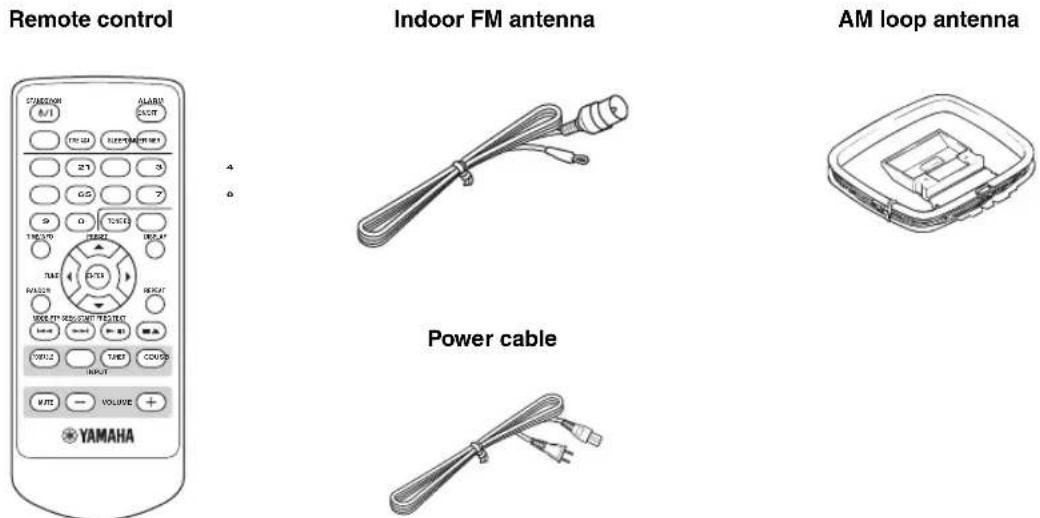
Note
The form of the supplied accessories varies depending on the models.
Controls and functions
Front/top view
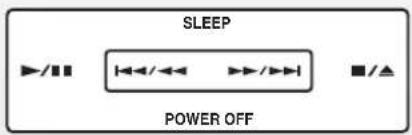

Starts and pauses playback. (P. 11)

Stops playback or ejects a disc when playback is stopped. (P. 11)

Skips to the beginning of the current or next track.
Press and hold the key to search backward/forward. (P. 11)
POWER OFF
Sets this unit to the standby mode. (P. 6)
SLEEP
Sets the sleep timer. (P. 21)
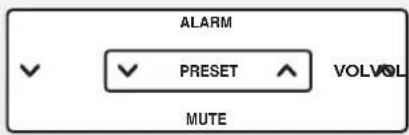

Adjusts volume level. (P. 8)
MUTE
Turns off the volume. (P. 8)

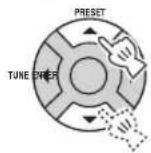
Selects the preset stations. (P. 17)
ALARM
Sets the alarm function. (P. 20)
INPUT/SNOOZE
Turns on this unit and selects an input source (P. 6, 8), or enables the snooze function when alarm is activated. (P. 20)
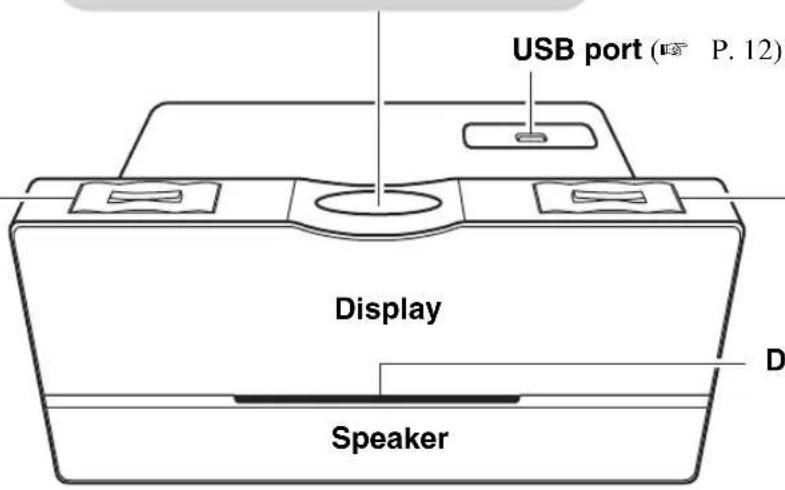
Disc slot (P. 11)
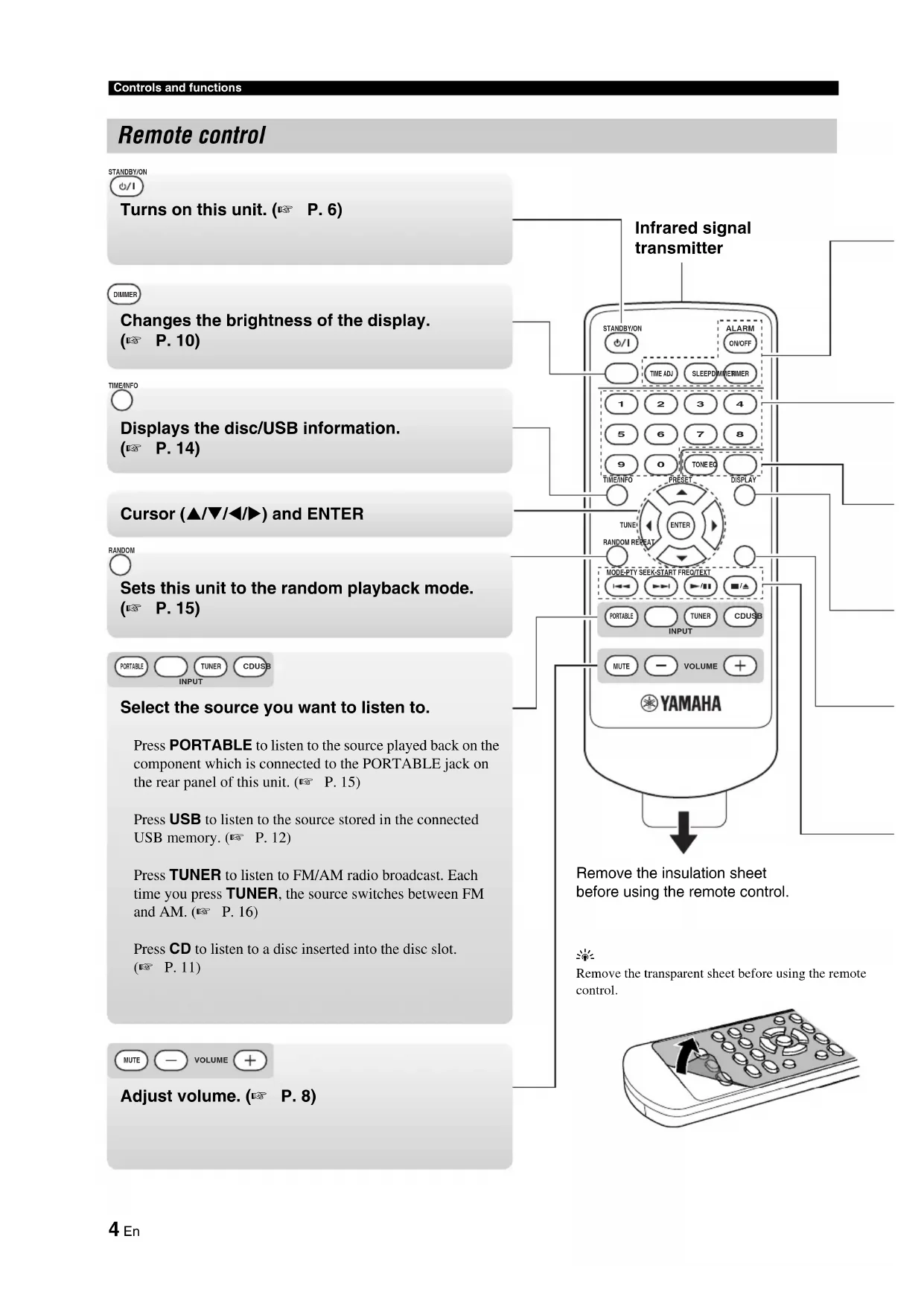
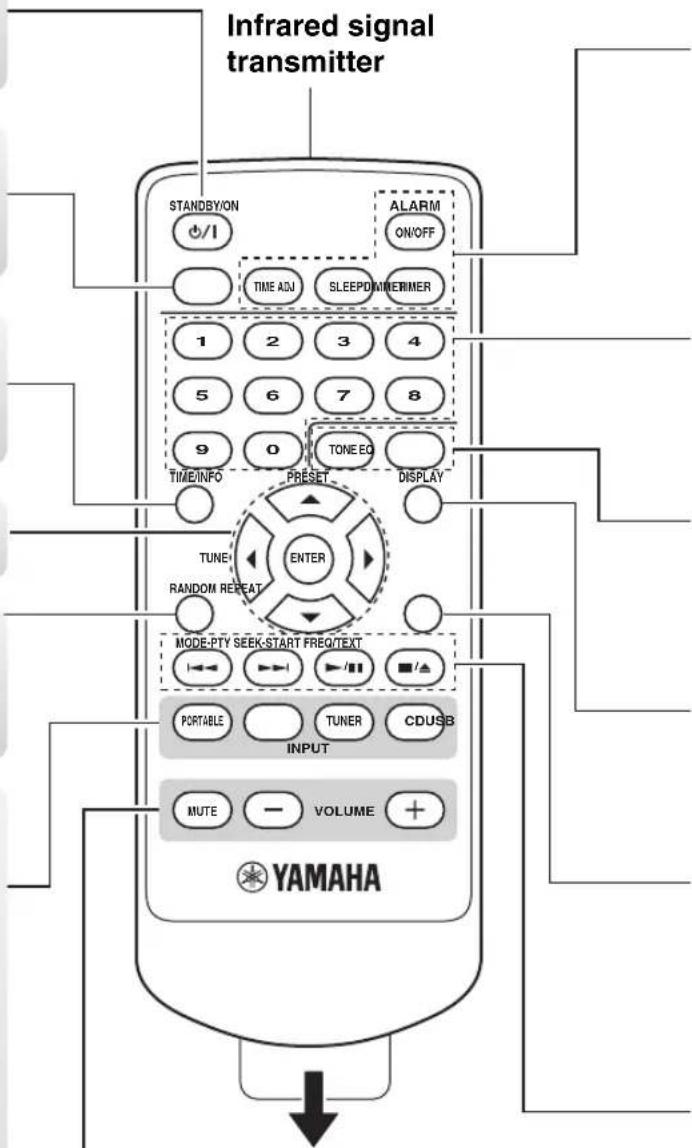
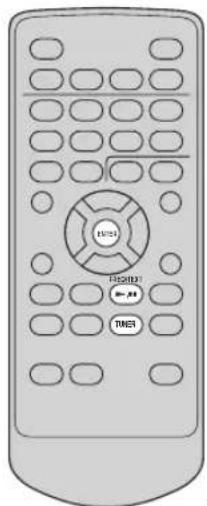
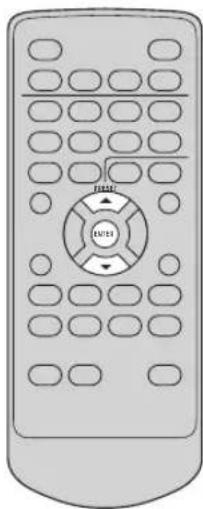
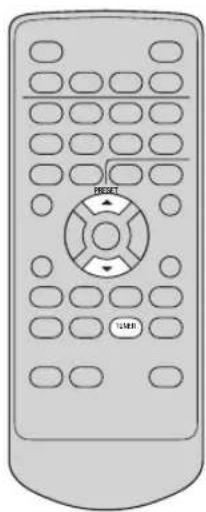
Remote control
STANDBY/ON
0/1
Turns on this unit. (P. 6)
DIMMER
Changes the brightness of the display.
( P. 10)
TIME/NFO

Displays the disc/USB information.
( P. 14)
Cursor (▲/▼/◄/►) and ENTER
RANDOM

Sets this unit to the random playback mode.
( P. 15)

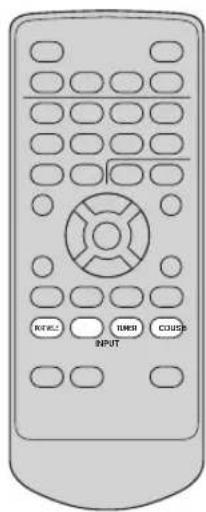
Select the source you want to listen to.
Press PORTABLE to listen to the source played back on the component which is connected to the PORTABLE jack on the rear panel of this unit. (P. 15)
Press USB to listen to the source stored in the connected USB memory. (P. 12)
Press TUNER to listen to FM/AM radio broadcast. Each time you press TUNER, the source switches between FM and AM. (P. 16)
Press CD to listen to a disc inserted into the disc slot. (P. 11)
Adjust volume. (P. 8)
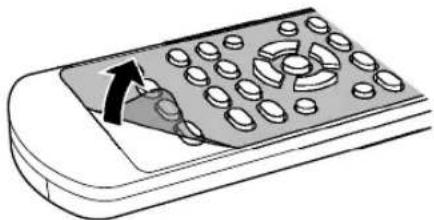
Remove the insulation sheet before using the remote control.

Remove the transparent sheet before using the remote control.
ALARM ON/OFF
TIME ADJ

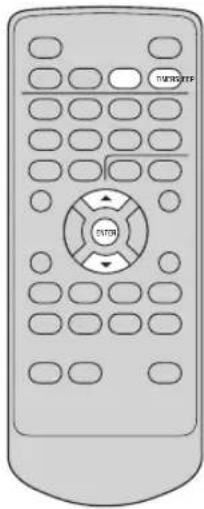
TIMERSLEEP
Set various timer and clock function.
ALARM ON/OFF: Activates or cancels the alarm function. (P. 20)
TIME ADJ: Adjusts the clock of this unit. (P. 7)
SLEEP: Sets the sleep timer. (P. 21)
TIMER: Sets the countdown timer. (P. 21)
1
2
3
4
5
6
7
8
9
o
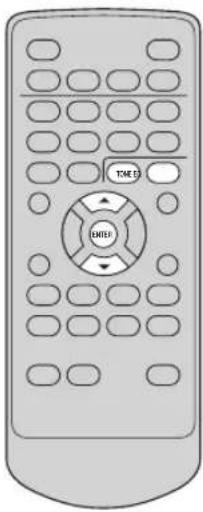
TONE EQ
O
Select the desired track or preset station directly.
( P. 11, 13, 17, 18)
DISPLAY
Adjust the sound.
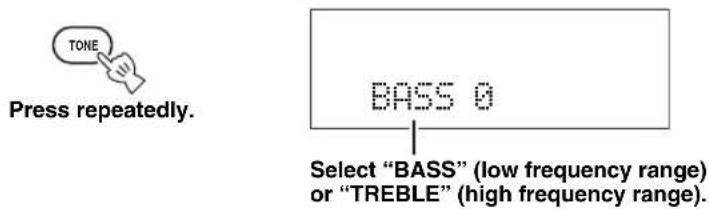
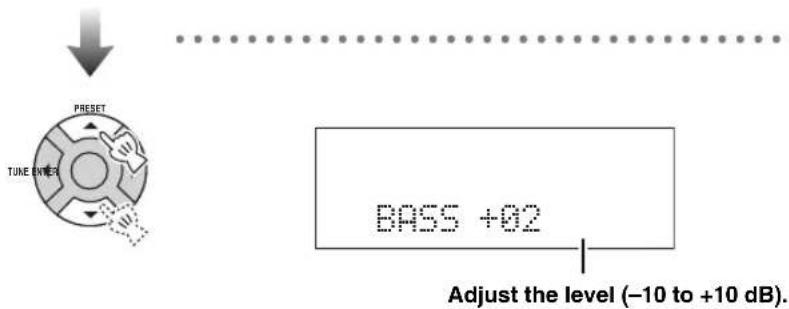
TONE: Adjusts the bass and treble balance. (P. 9)
EQ: Selects the equalizer mode. (P. 9)
REPEAT
Changes the displayed information. (P. 10)
Sets this unit to the repeat playback mode. (P. 15)
MODE-PTY SEEK-START FREQ/TEXT
(1)
◀◀
▶/■
■/△
Control playback.
◀◀, ▶Skips to the beginning of the current or next track. Press and hold the key to search backward/forward. (P. 11, 12)
▶/II: Starts and pauses playback. (P. 11, 12)
■/▲: Stops playback or ejects a disc when playback is stopped. (P. 11, 12)
■Using the remote control
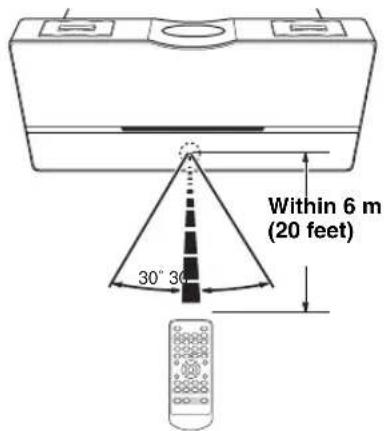
Use the remote control within 6 m (20 feet) of this unit and point it toward the remote control sensor.
Notes
- Do not put obstacles between the sensor of this unit and the remote control. Doing so, you cannot operate this unit by the remote control.
- Do not spill liquid on the remote control.
- Do not drop the remote control.
- Do not leave the remote control in the following places:
- hot or humid places such as bathroom or near a heater
- extremely cold places
- dusty places
For replacement of the battery P. 24.
Preparation before using this unit
Turning on the power
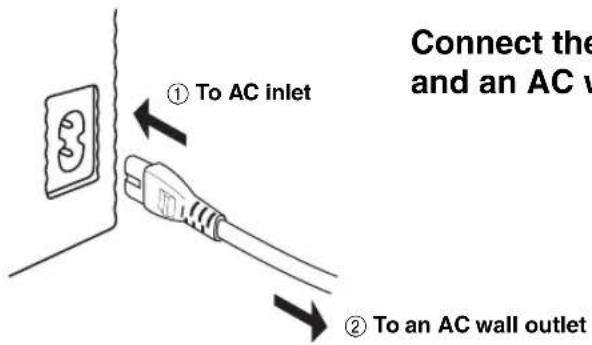
Connect the power cable to the AC inlet of this unit and an AC wall outlet.

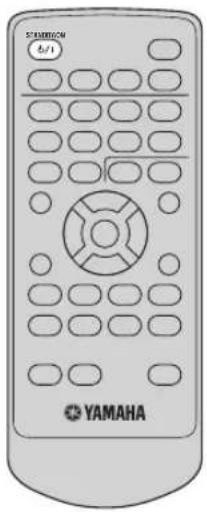
Turn on this unit.
Press again to set this unit to the standby mode.
On the top panel
You can also perform the above operations on the top panel.
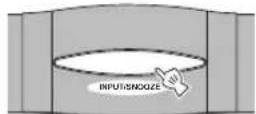
Turn on this unit.
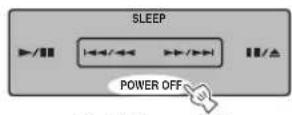
Set this unit to the standby mode.
[Non-Text]
- During the standby mode, the power consumption is reduced.
- In the standby mode, you can select whether to display the date and time (in the ECO OFF mode) or not to display them (in the ECO ON mode).
1 While in the standby mode, press and hold the MUTE on the top panel.
→ The "ECO ON" or "ECO OFF" flashes.
2 While the indicator is flashing, press the MUTE to select "ECO ON" or "ECO OFF".
3 Wait several seconds.
→ The mode is set to ECO ON or ECO OFF.
| ECO ON mode | ECO OFF mode | |
| Display in the standby mode | ![YAMAHA TSX100 - [Non-Text] - 1](/content/2026/04/609139/images/49987d2f763f51fe818f3a6402a1c4c177e5ed67ad773282e29b57b93920c09c.jpg) (Not displayed) (Not displayed) | ![YAMAHA TSX100 - [Non-Text] - 2](/content/2026/04/609139/images/7f1524bf277df6143e7683d22b3ecc90ff9652d649203828d097eb0a5da5e36e.jpg) (Date and time displayed) (Date and time displayed) |
- The memory back-up circuit prevents the stored data from being lost even if this unit is in the standby mode. However, the stored data will be lost if the power cable is disconnected from the AC wall outlet or if the power supply is cut off for more than one week.
Adjusting the clock
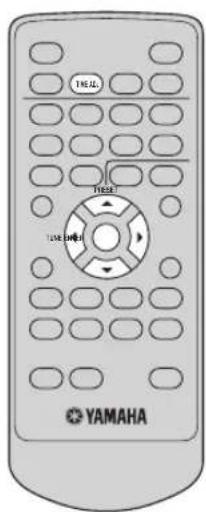


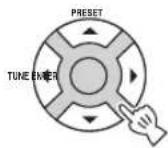
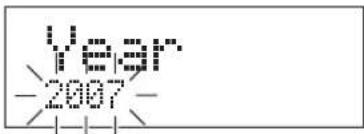
Note
When the display is off, turn on the power before making this setting.
Adjust date and time.

Selects year/date/hour/minute.

Increases or decreases the date or time.
Examples
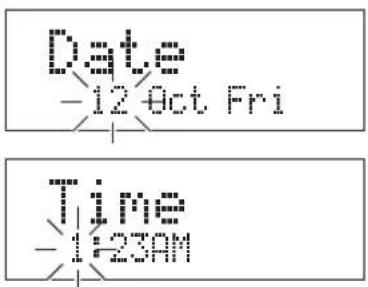
Note
Time appears in 12-hour notation (AM/PM) depending on the model. For example, "4:00PM".

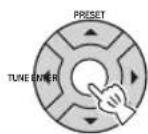
Confirm.
Basic operation
Selecting the input source
To listen to music played on a portable audio device
To listen to MP3/WMA files stored on your USB device
To listen to radio stations (FM/AM)
To listen to a CD

On the top panel
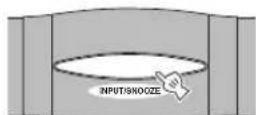
Press repeatedly.
Adjusting the volume level
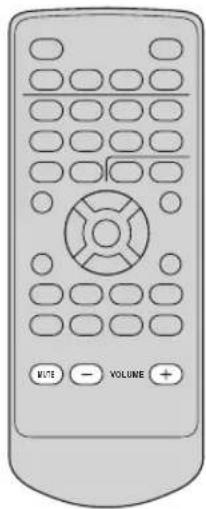
To increase or decrease the volume level
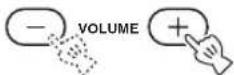

If the power is turned off with the volume set to a level of 41 or more, the volume level is automatically set to 20 when the power is turned back on.
Volume 41 → 20
To turn off the sound

Press again to resume the volume level.
On the top panel
Decreases the volume level.
Increases the volume level.
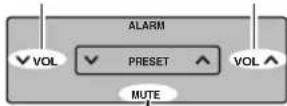
Turns off the sound.
■Using the headphones
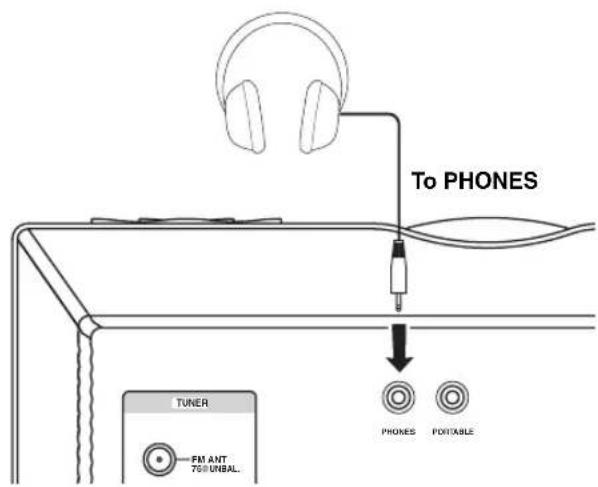

Even when you connect your headphones, the alarm sound is output through the speaker.
Adjusting sounds
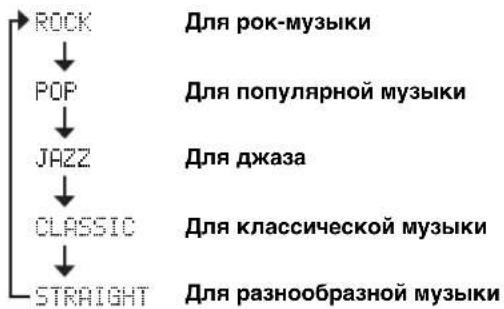
■ Adjusting the total sound balance

Press repeatedly.
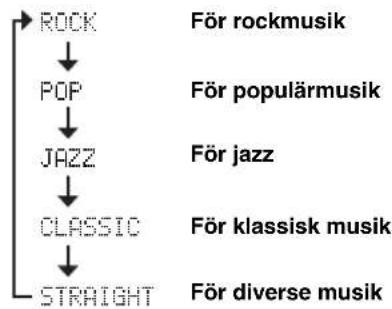
![graph TD A["ROCK"] --> B["POP"] B --> C["JAZZ"] C --> D["CLASSIC"] D --> E["STRAIGHT"] style A fill:#f9f,stroke:#333 style E fill:#f9f,stroke:#333](/content/2026/04/609139/images/e9c7f3de8719a89ca305b1170a3e9d10c129f54348f1dfd1d4cae157a79ef7e2.jpg)
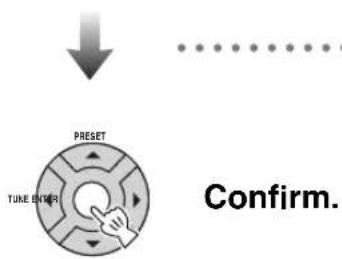
■ Adjusting bass/treble balance
Useful operations for the display
■Switching the display information
![graph TD A["DISPLAY"] --> B["Press repeatedly."] B --> C["Time and playback status"] C --> D["Input"] D --> E["Date"] E --> F["Alarm 1 setting (P. 20)"] F --> G["Alarm 2 setting (P. 20)"] G --> H["Sleep timer setting (P. 21)"] H --> I["Countdown timer (only when activated) (P. 21)"]](/content/2026/04/609139/images/e09d2f5c5e6948c219763da1c570d17e72959c259891dab394493a09290652e0.jpg)
Dimming the display
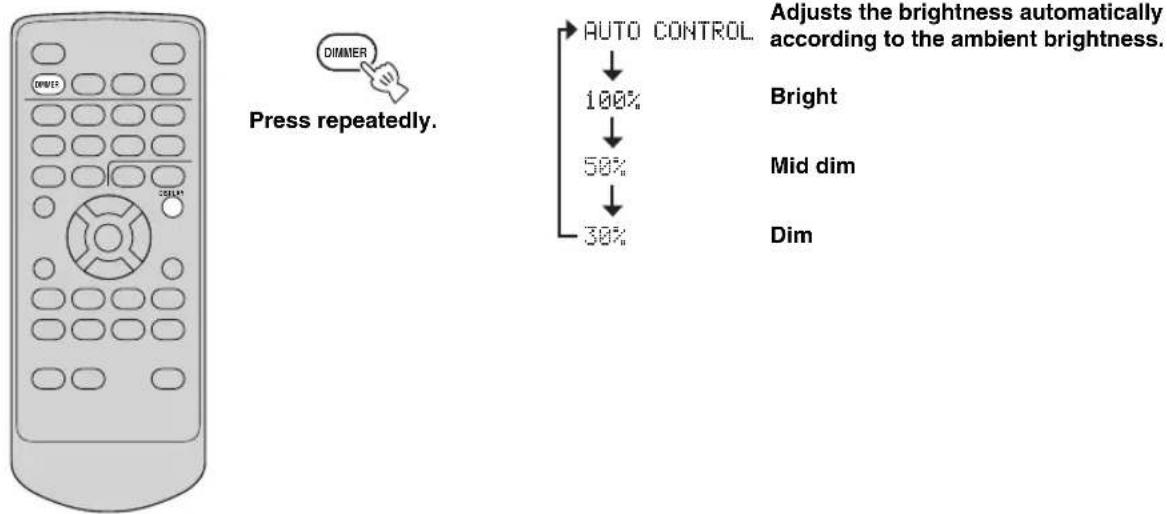
Listening to CDs, MP3/WMA files, and external sources
Listening to CDs
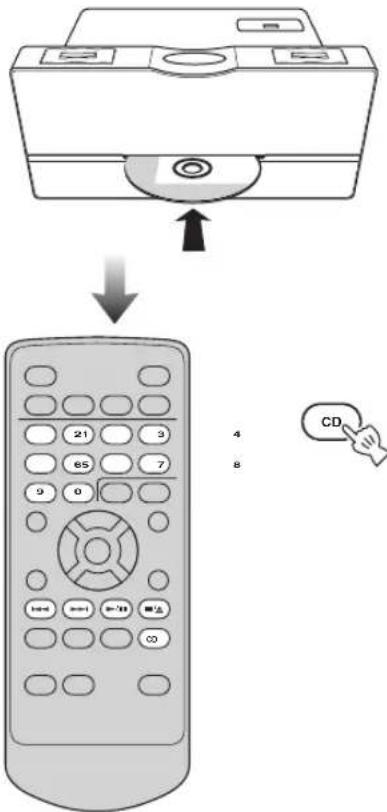
Insert your disc.

You can also play back MP3/WMA files recorded on a disc. For operation instruction, refer to "Listening to MP3/WMA files stored on your USB device" (P. 12).
Playback starts.
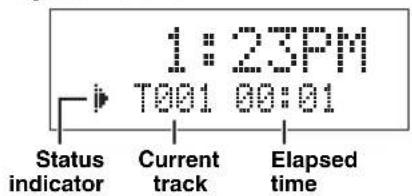
When the playback is stopped
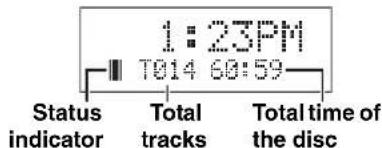

- You can switch the playback information display (P. 14).
- You can also play back MP3/WMA files recorded on a disc. Refer to "Listening to MP3/WMA files stored on your USB device" (P. 12).
On the top panel
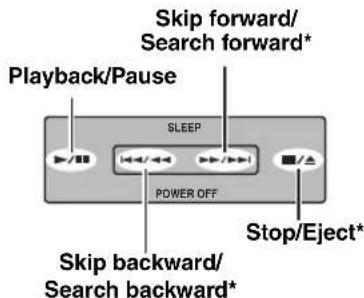
* Press and hold while in playback or pause.
■To pause playback
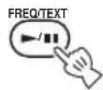

To cancel pause, press ▶ again.
■To skip tracks
Backward

Forward

■To search backward/forward
Backward

Forward

Press and hold
Note
No sound is heard when you search during pause.
■To specify a track
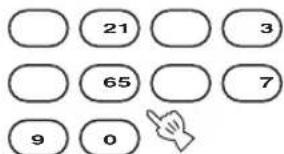

Enter the track number you want to listen to.
■To stop playback

■To eject a disc
While playback is stopped
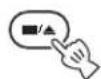
Press
While in playback or pause
Press and hold
Listening to MP3/WMA files stored on your USB device
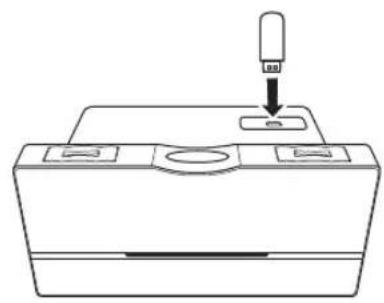

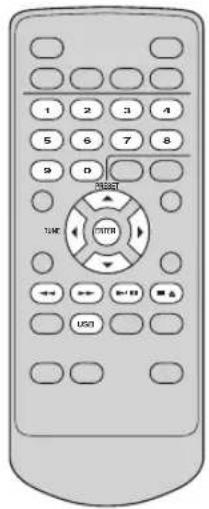
Connect a USB device.
This unit supports USB mass storage class devices (e.g., flash memories or portable audio players) using FAT16 or FAT32 format.
Notes
- Some devices may not work properly even if they meet the requirements.
- Do not connect devices other than USB mass storage class devices (such as USB chargers or USB hubs), PCs, card readers, external HDD, etc.
- Yamaha will not be held responsible for any damage to or data loss on the USB device occurring while the device is connected to this unit.
- Playability of and power supply to all kind of USB devices are not guaranteed.
Playback starts.
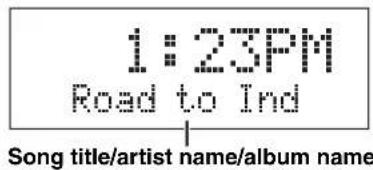

You can switch the playback information display (P. 14).
Note
The reading time may exceed 30 seconds depending on the number of files/folders.
On the top panel
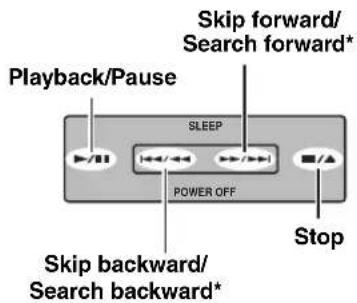
* Press and hold
■To stop playback
■To pause playback

To cancel pause, press ▶again.
■To skip tracks
Backward

Forward

■To search backward/forward
Backward

Forward

Press and hold
Note
Pause will be canceled when you start searching.
■To specify a track for playback
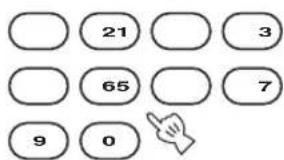
4
8

Enter the track number you want to listen to.
Notes
- Depending on the conditions of recording such as software recording setting, this unit may not be able to play a disc or USB device in the order of recording.
- For an MP3 or WMA disc/USB device, the number assigned to each file corresponds to the file sequence in the disc/USB device, not in the individual folders.
■To select a folder/file for an MP3 or WMA format file
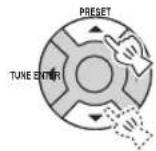
Select a folder.

Only when MP3/WMA disc playback
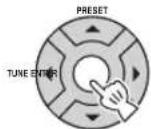

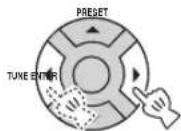
Select a file.

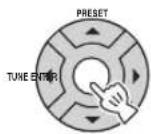
Start playback.
About MP3 or WMA files
You can play back MP3 or WMA files recorded on your CD-R, CD-RW, or USB device. This unit regards folders in a disc/USB device as albums, and files as tracks as shown below. Folder hierarchy is disregarded.
![graph TD A["Root"] --> B["Folder (Album)"] A --> C["File (Track)"]](/content/2026/04/609139/images/93480944d494b90e36004b79a112914dd460decf2bf2ea3f09d4afe189eaa125.jpg)
Notes
- This unit can display up to 255 files and 255 folders. However, less than 255 files/folders may be displayed if some files/folders are not playable on this unit.
- If the USB device is partitioned, only the first partition is displayed.
- Some files may not work properly depending on the USB device specification.
• Copyright-protected files cannot be played back. - This unit can play back files of 4 GB in size or less.
Switching the playback information display
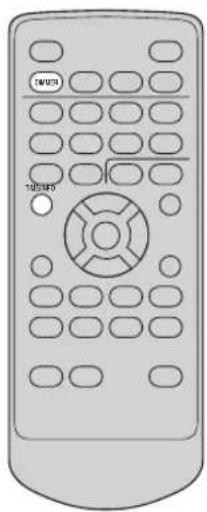

Press repeatedly
Each time you press the key, the information display changes.
Note
Some special characters may not be shown properly.
■Audio CDs
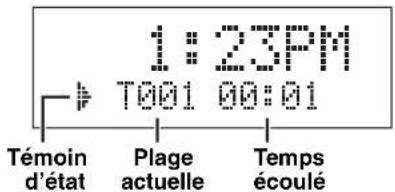
Elapsed time of the current track (Default)
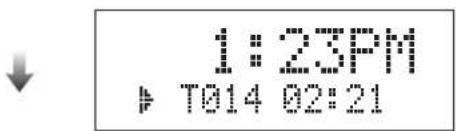
Remaining time of the current track

Total time of the disc

Remaining time of the disc

Back to the default display
■MP3/WMA files
Scrolling display* (Default)

1:23PM to order-Fr
Elapsed time of the current file

T014 02:21
Remaining time of the current file

T014-03:41
File name

Road-to-ind
Song title

Road to Ind
Artist name

Frankie Zip
Album name

Made to ord
Year

2007
Comment

Live at KCE
Back to the default display
Repeat and random playback
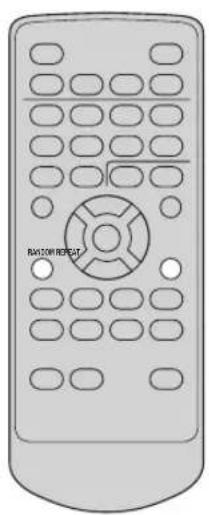
■Random playback
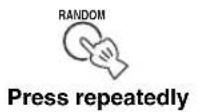
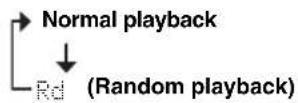
■Repeat playback
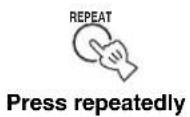
![graph TD A["Normal playback"] --> B["Ri (Single repeat)"] B --> C["Rf (Folder repeat, MP3/WMA disc/USB only)"] C --> D["Ra (Full repeat)"]](/content/2026/04/609139/images/e6ac849453612473e2d039bb31fb92bc0c36fc91658d07c3ae7380a3b39ac6fe.jpg)
Note
Repeat and random play modes are canceled when the playback is stopped or the disc/USB device is removed.
Playing back external sources
Note
Turn down the volume of this unit and your portable audio device before connection.
Connect your portable audio device.
![graph TD A["3.5 mm mini plug"] --> B["Portable audio device"] B --> C["Start playback on the connected portable audio device."] D["Portable"] --> E["PORTABLE"] E --> F["PORTABLE"]](/content/2026/04/609139/images/dc47c24053a348e43e90d6548238fc314faf0f2a55637405d5afd3c77cc49dc5.jpg)
For operations of the portable audio device, refer to the instruction manual of the device.
Listening to FM and AM radio stations
Connecting antennas
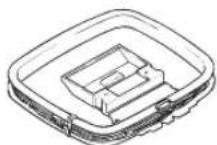
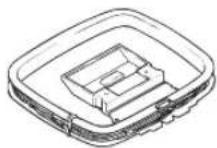
AM loop antenna (supplied)
![graph TD A["The cable of AM loop antenna"] --> B["Indoor FM antenna (supplied)"] B --> C["TUNER"] C --> D["Ground (GND terminal)"] style A fill:#f9f,stroke:#333 style B fill:#ccf,stroke:#333 style C fill:#cfc,stroke:#333 style D fill:#fcc,stroke:#333](/content/2026/04/609139/images/44a2e0be66d219aeefbbc560f13e169743c3be78034474be43b71645ef11b632.jpg)
Note
The wire of the AM loop antenna is shield type. Connect the white wire to AM ANT terminal and connect the black wire to GND terminal.
About grounding
For the maximum safety and minimum interference, connect the antenna GND terminal to a good earth ground. A good earth ground is a metal stake driven into the moist earth.
Tuning radio stations
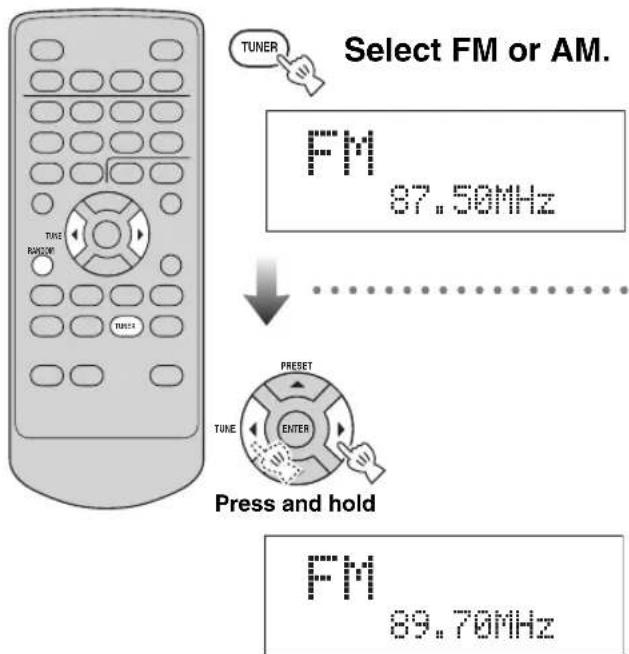

- While listening to the AM radio station, rotate the antenna head to find the best angle for reception.
- You can also tune radio stations manually by pressing TUNE repeatedly.
- To increase the quality of the FM sound under the weak radio wave, press and hold RANDOM on the remote control to change the FM radio wave reception mode of this unit to the monaural mode.
Presetting radio stations automatically (Auto preset)
After switching to the preset setting display (while part of the display is flashing), perform this operation while it is still flashing.
Select FM or AM.
FM
87.50MHz

Enter the preset mode.
Press and hold
FM -01-87.50MHz

Press and hold
When finished
FN COMPLETE
#
- You can delete a preset station by pressing .■/▲
- You can delete all the preset stations by pressing and holding
■/▲ for 3 seconds or longer.
Presetting radio stations manually (Manual preset)
After switching to the preset setting display (while part of the display is flashing), perform this operation while it is still flashing.
Tune into a favorite radio station (P.
FM
89.70MHz

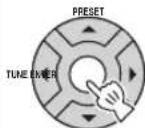
Enter the preset mode.
Press and hold
FM -01-89.70MHz

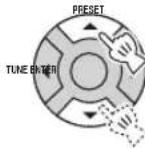
Select the desired preset number.
[Non-Text]
You can also use the numeric buttons to select the preset number.
FM -04-89.70MHz

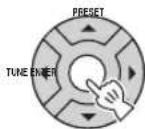
Confirm.
[Non-Text]
- You can preset up to 30 FM stations and 20 AM stations.
- You can delete a preset station by pressing .■/▲
- You can delete all the preset stations by pressing and holding
■/▲ for 3 seconds or longer.
Selecting preset radio stations (Preset tuning)
Select FM or AM.
FM
87.59MHz91
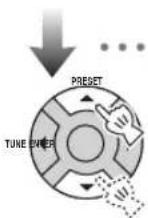
Select the preset radio station.
[Non-Text]
You can also use the numeric buttons to select the station.
FN
30 108.00MHz
On the top panel
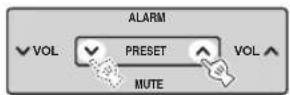
Receiving Radio Data System stations
■Selecting stations by program type
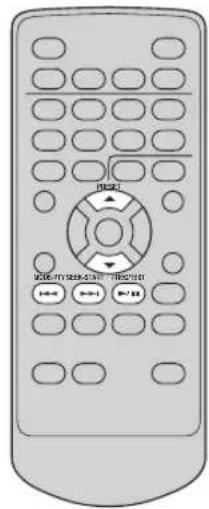
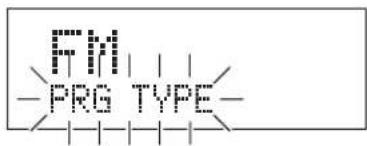
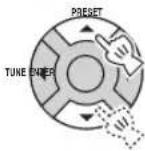
While receiving an FM, select "PRG TYPE".
Press repeatedly


FM
SEARCH >
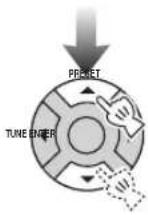
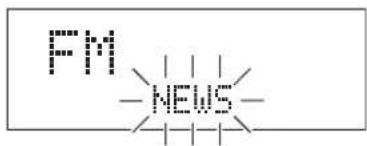
Select a program type (P. 19).

PTY SEEK-START

Initiate scan.

To cancel program type seek, press PTY SEEK START again.
■ Available program types
| Program type Descriptions | |
| NEWS | News |
| AFFAIRS | Current affairs |
| INFO | General information |
| SPORT | Sports |
| EDUCATE | Education |
| DRAMA | Drama |
| CULTURE | Cultures |
| SCIENCE | Science |
| VARIED | Varied Speech |
| POP M | Pop Music |
| ROCK M | Rock Music |
| EASY M | Easy Listening |
| LIGHT M | Light Classical |
| CLASSICS | Serious Classical |
| OTHER M | Other Music |
| WEATHER | Weather & Meteorology |
| FINANCE | Finance |
| CHILDREN | Children's Program |
| SOCIAL | Social Affairs |
| RELIGION | Religion |
| PHONE IN | Phone In |
| TRAVEL | Travel & Touring |
| LEISURE | Leisure & Hobby |
| JAZZ | Jazz Music |
| COUNTRY | Country Music |
| NATION M | National Music |
| OLDIES | Other Music |
| FOLK M | Folk Music |
| DOCUMENT | Documentary |
| TEST | Alarm Test |
| ALARM | Alarm-Alarm! |
■ Switching the information display of Radio Data System
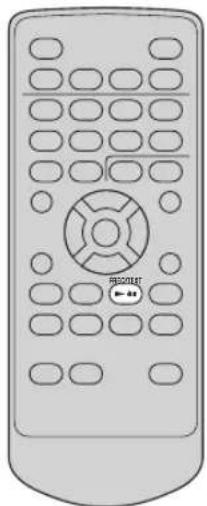
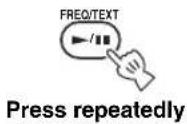
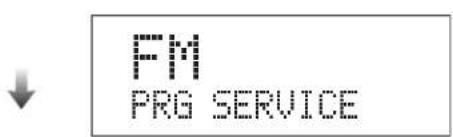
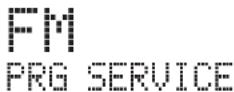
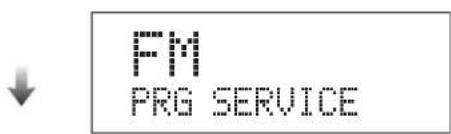
Station name

FM PRG SERVICE
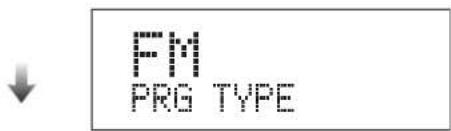
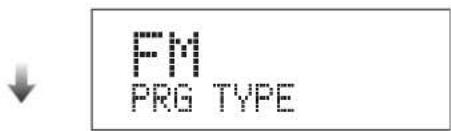
Program type

FM PRG TYPE
Text information related to the station

FM RADIO TEXT
Current time

FM CLOCK TIME
Original display
Note
If the signal transmission of the Radio Data System station is too weak, this unit may not be able to receive Radio Data System information completely. In particular, RT (Radio Text) information uses a lot of bandwidth, so it may be less available compared to other types of information.
Using the timer functions
Use this feature to wake up with your favorite CD or radio program, etc. Also use this feature to automatically set this unit to the standby mode after a certain amount of time.
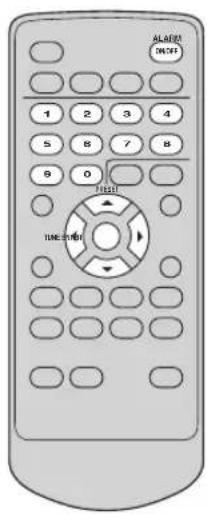
■ Setting the wake-up timer
Note
When the display is off, turn on the power before making this setting.

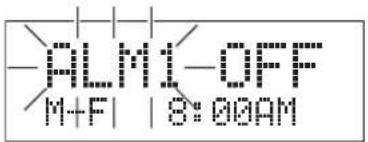
Adjust the alarm settings.

Moves through the alarm parameters.

Changes the alarm parameters.
③ Select the repetition. M-F: Monday to Friday Daily: Every day Once: Only once
① Select alarm 1/2.
② Select on/off.
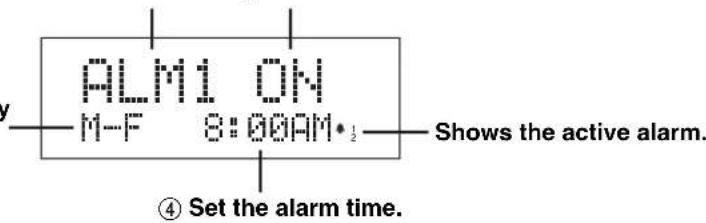
⑤ Select alarm sound from CD, FM, AM, USB, SOUND1 (beep), and SOUND2 (beep).


You can also use the numeric buttons to enter time.


Once you have set the alarm, you can turn on/off the alarm using ALARM ON/OFF.
■ To stop the alarm
or
On the top panel
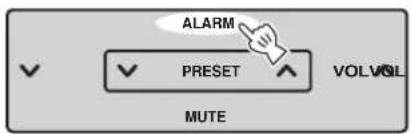
■ Using the snooze function
On the top panel
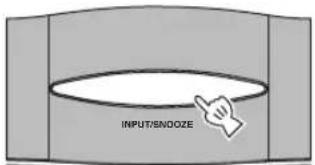
Playback resumes after 5 minutes.
■Setting the sleep timer
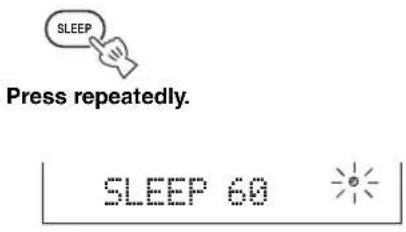
![graph TD A["SLEEP OFF"] --> B["SLEEP 30"] B --> C["SLEEP 60"] C --> D["SLEEP 90"] D --> E["SLEEP 120"] E --> F["Normal display (sleep off)"]](/content/2026/04/609139/images/7c704c4ab64396a130fa86caf757db78a3fb22e556289025a43fd151ea8f0eca.jpg)
■Setting the countdown timer
An easy to use countdown timer. Let simple timer remind you of timely matters, such as cooking or hundreds of other uses.
![graph TD A["TIMER"] --> B["Adjust the countdown timer setting."] B --> C["Set the countdown time (1 to 60 minutes)."] C --> D["Confirm."] D --> E["Countdown starts."] E --> F["To cancel the countdown timer, press TIMER twice to select “OFF”."]](/content/2026/04/609139/images/89dbfa0e0df17d0df1e4a402ad9012a659a121c88ecbe0e1baa60b0dbe32d681.jpg)
Short beeps are sounded once the countdown is over.

• The beeps gets louder every 10 seconds.
• The volume of the beeps depends on the volume of this unit (P. 8).
■To stop the alarm
or
On the top panel
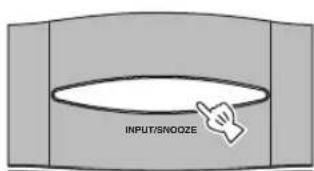
Troubleshooting
In case of a problem with this unit, check the following list first. If you cannot solve your problem with the suggested solutions or if your problem is not listed below, turn off and unplug this unit, and consult the nearest authorized Yamaha dealer or service center.
General
| Problem Cause Solution | ||
| Power turns on but immediately shuts off. | The power cable may be connected improperly. | Make sure the power cable is plugged into the outlet firmly (P. 6). |
| This unit may have received a strong electrical shock such as lightning or excessive static electricity. | Set this unit to the standby mode, and disconnect the power cable. Wait about 30 seconds, reconnect the power cable, and turn on this unit. | |
| The speakers make no sound. | The volume may be set to minimum level. | Adjust the volume level (P. 8). |
| The mute function may be on. | Cancel the mute function (P. 8). | |
| The input source may be incorrect. | Select the correct input source (P. 8). | |
| The disc loaded into this unit may not be compatible. | Use a disc supported by this unit (P. 25). | |
| Sound suddenly turns off. | The sleep timer (P. 21) may be set. | Turn on this unit and play the source again. |
| This unit does not operate properly. | This unit may have received a strong electrical shock such as lightning or excessive static electricity, or power supply may have dropped. | Set this unit to the standby mode, and disconnect the power cable. Wait about 30 seconds, connect the power cable, and turn on this unit. |
| A digital or high-frequency equipment produces noises. | This unit may be placed close to the digital or high-frequency equipment. | Place this unit away from the equipment. |
| The clock setting has been cleared. | The power to this unit may have been lost for more than a week. | Plug the power cable into the outlet firmly, and set the clock again (P. 7). |
Disc playback
| Problem Cause Solution | ||
| Some button operations do not work. | The disc loaded into this unit may not be compatible. | Remove the disc and then check whether this unit supports the disc or not (P. 25). |
| Playback does not start immediately after pressing ▶/II. | The disc may be dirty. Wipe the disc clean. | |
| The disc loaded into this unit may not be compatible. | Use a disc supported by this unit (P. 25). | |
| When this unit was moved from a cold to warm place, condensation may have formed on the disc reading lens. | Wait for an hour or two, and try again. | |
| “No Disc” appears in the display even though a disc is in the disc slot, or “Disc Error” appears in the display. | The disc loaded into this unit may not be compatible. | Use a disc supported by this unit (P. 25). |
| The disc may be dirty or foreign substance is stuck on it. | Remove the disc and then wipe the disc clean or remove the foreign substance. | |
| Disc is loaded upside-down. Remove the | disc and then load the disc with the labeled side facing up. | |
MP3/WMA file playback
| Problem Cause Solution | ||
| MP3/WMA file in the USB device is not played. | The USB device is not recognized. | Set this unit to the standby mode, and turn it on again (P. 6). |
| Disconnect the device while this unit is in the standby mode. Then connect the device again and turn on this unit (P. 6). | ||
| Connect an AC adapter if supplied with the device. | ||
| If the solutions above do not resolve the problem, the USB device is not playable on this unit. | Try another USB device. | |
Radio reception
FM/AM
| Problem Cause Solution | ||
| The preset selecting function (P. 16) does not work. | The preset (memory) may have been erased. | Preset radio stations again (P. 17). |
| The preset station settings have been cleared. | The power to this unit may have been lost more than a week. | Plug the power cable into the outlet firmly, and preset the stations again (P. 6). |
FM
| Problem Cause Solution | ||
| Too much noise during stereo broadcast. | The FM antenna may be connected improperly. | Make sure the FM antenna is connected properly (P. 16). |
| The radio station you selected may be far from your area, or the radio wave reception is weak in your area. | Try manual tuning to improve the signal quality (P. 17) or use a multi-channel outdoor antenna. | |
| Even with an outdoor antenna, radio wave reception is weak. (Sound is distorted.) | Multipath reflection or other radio interferences may have occurred. | Change the height, direction, or placement of the antenna. |
■AM
| Problem Cause Solution | ||
| Too much noise during broadcast. | The noise may be caused by atmospheric electricity, lightning, fluorescent lights, motors, or thermostat electric devices. | Connect an outdoor antenna and establish a better grounding to decrease the noise. However, it is difficult to eliminate these types of noise. |
| If this unit is placed near a TV, the noise may be generated especially in the evening. | Place this unit away from a TV. | |
| The auto tuning function (P. 18) does not work. | The AM loop antenna may be connected improperly. | Make sure the AM loop antenna is connected properly (P. 16). |
Remote control
| Problem Cause Solution | ||
| The remote control does not work properly. | The remote control may be operated outside its operation range. | For information on the remote control operation range, refer to “Using the remote control” (P. 5). |
| The remote control sensor on this unit may be exposed to direct sunlight or lighting (inverted fluorescent lamps). | Change the lighting or orientation of this unit. | |
| The battery may be worn out. Replace the battery with new one (see below). | ||
| There are obstacles between the sensor of this unit and the remote control. | Remove the obstacles. | |
■Replacing the battery in the remote control
Change the battery when the operation range of the remote control decreases.
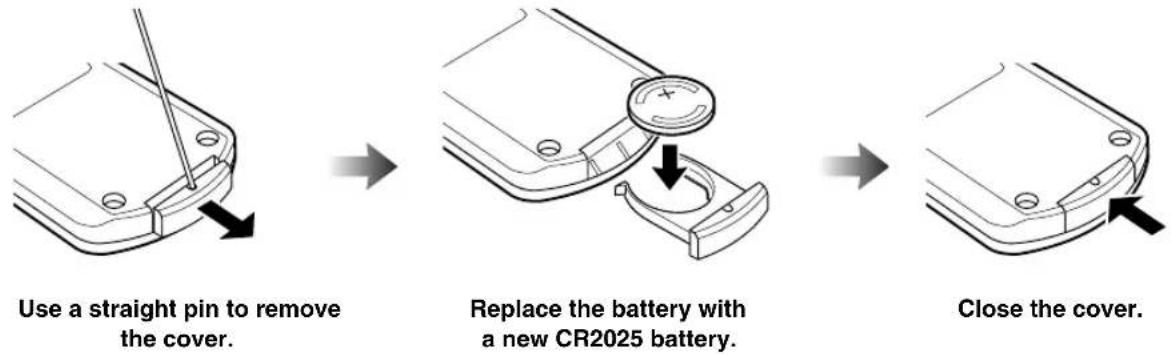
Notes
- Insert the battery according to the polarity markings (+ and -).
- If the batteries run out, immediately remove them from the remote control to prevent an explosion or acid leak.
- If a battery starts leaking, dispose of it immediately. Be careful not to let the leaking battery acid touch your skin or clothing.
- Before inserting new batteries, wipe the compartment clean.
- Dispose of batteries according to your regional regulations.
Notes on discs
Disc information
This unit is designed for use with audio CD, CD-R, and CD-RW. Also, this unit can play back 8 cm (3 inch) compact discs.







This unit can play back discs bearing any of the logo marks above. A disc logo mark is printed on the disc and the disc jacket.
Note
Do not load any other type of disc into this unit. Doing so may damage this unit.
This unit can play back the following data discs (For MP3 and WMA files, the parenthetic words represent the compatible sampling rate and bit rate):
- MP3 files, recorded on CD-R/RW (fs 44.1, 48 kHz/32, 64, 96, 128, 192, 256, or 320 kbps and variable bit encoded MP3 files (CBR and VBR))
- WMA files, recorded on CD-R/RW (fs 44.1 kHz/192 kbps or less and variable bit encoded WMA files (CBR and VBR))
- ISO 9660 for CD-R/RW
Notes
- CD-R/RW cannot be played back unless finalized.
- Some discs cannot be played back depending on the disc characteristics or recording conditions.
- Do not use any non-standard shaped discs such as a heart-shaped disc.
- Do not use discs with many scratches on their surface.
• Copyright-protected WMA files cannot be played back on this unit. - The sampling rate 48 kHz is downsampled to 44.1 kHz for playback.
Handling a disc
- Do not touch the surface of the disc. Hold a disc by its edge (and the center hole).
- Do not leave a disc in the disc tray when not playing.
- Do not use a pencil or pointed marker to write on the disc.
- Do not expose a disc under direct sunlight, high temperature, high humidity, or a lot of dust.
- Do not put a tape, seal, glue, or other attachments on a disc.
- Do not use a protective cover to prevent scratches.
- Do not use a disc that has a printable surface using a commercially available label printer.
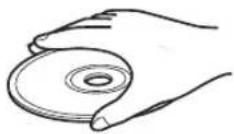
Caution

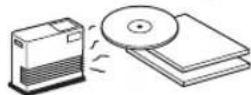
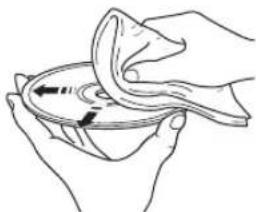
- If a disc becomes dirty, wipe it with a clean, dry cloth from the center out to the edge. Do not use record cleaner or paint thinner.
• To avoid malfunction, do not use a commercially available lens cleaner.
- Do not insert more than one disc into the disc slot at one time. This can cause damages to both this unit and the discs.
- When you listen to 8 cm disc, insert the disc without 8-cm adapter.
- Do not insert any foreign objects into the disc slot.
- Do not insert a cracked, warped, or glued disc.
Glossary
■MP3 (MPEG-1 Audio Layer-3)
One of the audio compression methods used by MPEG. It employs the irreversible compression method, which achieves a high compression rate by thinning out the data of hardly audible part to human ears. It is said to be capable of compressing the data quantity by about 1/11 (128 kbps) while maintaining a similar audio quality to music CD.
■WMA (Windows Media Audio)
An audio compression method developed by Microsoft Corporation. It employs the irreversible compression method, which achieves a high compression rate by thinning out the data of hardly audible part to human ears. It is said to be capable of compressing the data quantity by about 1/22 (64 kbps) while maintaining a similar audio quality to music CD.
■Sampling frequency
The number of sampling (process for digitalizing analog signals) per second. In principle, the higher the sampling rate, the wider the frequency range that can be played back, and the higher the quantized bit rate, the finer the sound that can be reproduced.
■PCM (Pulse Code Modulation)
A signal that is changed to digital format without compression. A CD is recorded with 16-bit sound at 44.1 kHz.
Track
A CD can be divided into a number of segments (tracks). Each division is called a track number.
Specifications
■PLAYER SECTION
Playback system
• C D, C D - R / R W
Laser
- Type GaAlAs
- Wave length 780 nm
- Emission duration ...... continuous
- Laser output ....max. 44.6 µ W*
*This output is the value measured at a distance of about 200 mm (7.9 in) from the objective lens surface on the Optical Pick-up Block.
■AMPLIFIER SECTION
- Minimum RMS output power per channel ....10 W + 10 W
- Input sensitivity/Impedance PORTABLE 300 mV/47 kΩ
- Output level/Impedance PHONES (volume max) 470 mV/32 Ω
TUNER SECTION
FM
- Tuning range U.S.A. and Canada models ....87.5 to 108.0 MHz Other models ....87.50 to 108.00 MHz
AM
- Tuning Range U.S.A. and Canada models .... 530 to 1700 kHz Other models .... 522 to 1629 kHz
GENERAL
• Power Supply
U.S.A. and Canada models ....AC 120 V, 60 Hz
Other models ....AC 100 to 240 V, 50/60 Hz
• Power consumption.... 20 W
- Standby Power consumption.... 1.0 W or less
- Dimensions (W x H x D) ....300 x 141.5 x 200 mm
(11-13/16 x 5-9/16 x 7-7/8 in)
• Weight 2.7 kg (5.95 lbs)
Specifications are subject to change without notice.
Taking care of the unit
When you wipe this unit, use a clean dry cloth. For heavy dirt, dampen a soft cloth in the water, wring it out, and then clean this unit up with the cloth.
Limited Guarantee for European Economic Area (EEA) and Switzerland
Thank you for having chosen a Yamaha product. In the unlikely event that your Yamaha product needs guarantee service, please contact the dealer from whom it was purchased. If you experience any difficulty, please contact Yamaha representative office in your country. You can find full details on our website (http://www.yamaha-hifi.com/ or http://www.yamaha-uk.com/ for U.K. resident).
The product is guaranteed to be free from defects in workmanship or materials for a period of two years from the date of the original purchase. Yamaha undertakes, subject to the conditions listed below, to have the faulty product or any part(s) repaired, or replaced at Yamaha's discretion, without any charge for parts or labour. Yamaha reserves the right to replace a product with that of a similar kind and/or value and condition, where a model has been discontinued or is considered uneconomic to repair.
Conditions
- The original invoice or sales receipt (showing date of purchase, product code and dealer's name) MUST accompany the defective product, along with a statement detailing the fault. In the absence of this clear proof of purchase, Yamaha reserves the right to refuse to provide free of charge service and the product may be returned at the customer's expense.
- The product MUST have been purchased from an AUTHORISED Yamaha dealer within the European Economic Area (EEA) or Switzerland.
- The product must not have been the subject of any modifications or alterations, unless authorised in writing by Yamaha.
- The following are excluded from this guarantee:
a. Periodic maintenance and repair or replacement of parts due to normal wear and tear.
b. Damage resulting from:
(1) Repairs performed by the customer himself or by an unauthorised third party.
(2) Inadequate packaging or mishandling, when the product is in transit from the customer. Please note that it is the customer's responsibility to ensure the product is adequately packaged when returning the product for repair.
(3) Misuse, including but not limited to (a) failure to use the product for its normal purpose or in accordance with Yamaha's instructions on the proper use, maintenance and storage, and (b) installation or use of the product in a manner inconsistent with the technical or safety standards in force in the country where it is used.
(4) Accidents, lightning, water, fire, improper ventilation, battery leakage or any cause beyond Yamaha's control.
(5) Defects of the system into which this product is incorporated and/or incompatibility with third party products.
(6) Use of a product imported into the EEA and/or Switzerland, not by Yamaha, where that product does not conform to the technical or safety standards of the country of use and/or to the standard specification of a product sold by Yamaha in the EEA and/or Switzerland.
(7) Non AV (Audio Visual) related products. (Products subject to “Yamaha AV Guarantee Statement” are defined in our website at http://www.yamaha-hifi.com/ or http://www.yamaha-uk.com/ for U.K. resident.)
- Where the guarantee differs between the country of purchase and the country of use of the product, the guarantee of the country of use shall apply.
- Yamaha may not be held responsible for any losses or damages, whether direct, consequential or otherwise, save for the repair or replacement of the product.
- Please backup any custom settings or data, as Yamaha may not be held responsible for any alteration or loss to such settings or data.
- This guarantee does not affect the consumer's statutory rights under applicable national laws in force or the consumer's rights against the dealer arising from their sales/purchase contract.

ALARM ON/OFF
TIME ADJ

TIMERSLEEP
( P. 11, 13, 17, 18)
DISPLAY
Réglez le son.
Remarque
La lecture commence.
La lecture commence.
■Lecture aléatoire
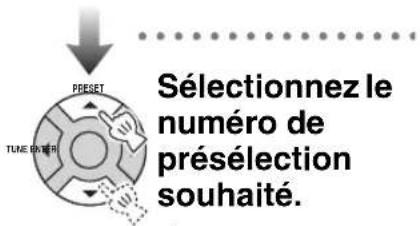
![graph TD A["PRESET"] --> B["TUNE ENTER"] B --> C["Validez."]](/content/2026/04/609139/images/ef609ee3003558954dac14ca662e359b61ffa145372dc7fa49a91854398d9e12.jpg)

Nom de la station

FM PRG SERVICE
Type de programme

FM PRG TYPE
Remarque
Glossaire
■MP3 (MPEG-1 Audio Layer-3)
ALARM
ON/OFF
TIME ADJ

TIMERSLEEP
(1)
( S. 11, 13, 17, 18)
DISPLAY

Hinweis
![graph TD A["ROCK"] --> B["POP"] B --> C["JAZZ"] C --> D["CLASSIC"] D --> E["STRAIGHT"] style A fill:#f9f,stroke:#333 style E fill:#f9f,stroke:#333 note1["Für Rockmusik"] --> A note2["Für populäre Musik"] --> B note3["Für Jazz"] --> C note4["Für klassische Musik"] --> D note5["Für verschiedene Musik"…](/content/2026/04/609139/images/ec53e4749ea4fc7e1860de7750d8f23e1f4c120ace652f39dcd1cff503db1ba5.jpg)
The image contains a graphical symbol (a light bulb with radiating lines) and no textual content. Therefore, the correct OCR output is an empty string.

Wiederholt drücken
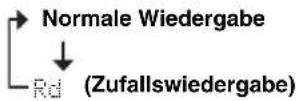
■Zufallswiedergabe

Wiederholt drücken
Sendername

FM PRG SERVICE
Programmtyp

FM PRG TYPE
Hinweis
Glossar
■MP3 (MPEG-1 Audio Layer-3)
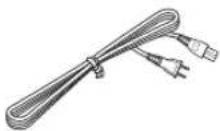
Nätkabel
AM-ramantenn
Anmärkning


TIME ADJ

TIMERSLEEP
Slå på denna enhet.
Anmärkning
Sätt i en skiva.

4 8
Välj FM eller AM.
FM
87.59MHz81

Stationsnamn

FM PRG SERVICE
Programtyp

FM PRG TYPE
Textinformation relaterad till stationen

FM RADIO TEXT
Aktuell tid

FM CLOCK TIME
Originalvisning
Anmärkning
Anmärkning
Ordlista
■MP3 (MPEG-1 Audio Layer-3)


TIME ADJ

TIMERSLEEP
Nota
Caricare un disco.
The image contains a graphical symbol, not text. There is no OCR-able text content to extract.
Note
Scegliere FM o AM.
FM
87.50MHz01

Nome della stazione
Tipo di programma
Glossario
■MP3 (MPEG-1 Audio Layer-3)
VOL , ∨
ALARM ON/OFF
TIME ADJ

TIMERSLEEP
Nota
EQ Pulse repetidamente.
![graph TD A["ROCK"] --> B["POP"] B --> C["JAZZ"] C --> D["CLASSIC"] D --> E["STRAIGHT"] style A fill:#f9f,stroke:#333 style B fill:#f9f,stroke:#333 style C fill:#f9f,stroke:#333 style D fill:#f9f,stroke:#333 style E fill:#f9f,stroke:#333](/content/2026/04/609139/images/1e5a485642c523a6afddda33b57f18582ee8b90bf85d9103f122ac35b2994ef1.jpg)
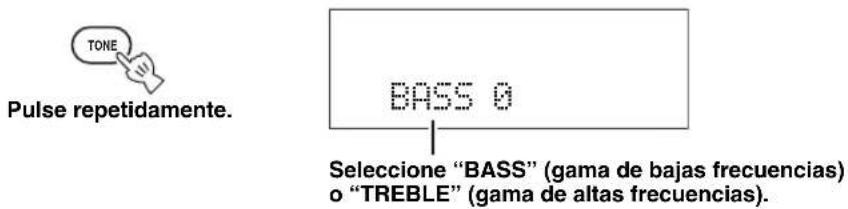
■ Ajuste del equilibrio de graves/agudos
Inserte su disco.
#
Conecte un dispositivo USB.

Pulse repetidamente
Seleccione FM o AM.
FM
87.50MHz01

Nombre de emisora

Tipo de programa

Nota
Glosario
■MP3 (MPEG-1 Audio Layer-3)
AM ringantenne
Netsnoer
Opmerking

ALARM ON/OFF
TIME ADJ

TIMERSLEEP
Opmerking
![graph TD A["ROCK"] --> B["POP"] B --> C["JAZZ"] C --> D["CLASSIC"] D --> E["STRAIGHT"] F["Voor rockmuziek"] --> G["Voor popmuziek"] H["Voor jazz"] --> I["Voor klassieke muziek"] J["Voor diverse muziek"] --> K["Voor diverse muziek"]](/content/2026/04/609139/images/805afd2ac958cd79bdef638bb7c6fef6586cf6c582ba98e55debfc7b1d0445dd.jpg)


The image contains a graphical symbol, not text. There is no OCR-able text content to extract.
Opmerkingen
■Willekeurige weergave
Stem af op uw favoriete radiozender (P. 16).
FM 89.70MHz


Bevestig uw instellingen.
[Symbol]
![YAMAHA TSX100 - [Symbol] - 1](/content/2026/04/609139/images/cbe0cf411356cbc6c7e489024b43ea185168487ec9698dbc6b54cb0af14dcb15.jpg)
Kies FM of AM.
FM
87.59MHz81
![YAMAHA TSX100 - [Symbol] - 2](/content/2026/04/609139/images/54cc9d4f7b92a0810e4281f6026dfa4b36b035907da216ba5a22b291e8cab673.jpg)
![YAMAHA TSX100 - [Symbol] - 4](/content/2026/04/609139/images/da14b73355e5e495c34834f4a29313269901e737dea08ac1c1514537a251bdf7.jpg)
Naam van de zender
Programmatype
![YAMAHA TSX100 - [Symbol] - 7](/content/2026/04/609139/images/6fdd34b33520abbc4f235a15597a8dd22748a8f382b6d9c33557e2ba6d7d88f1.jpg)
① Kies alarm 1/2.
② Kies on/off (aan/uit).
Woordenlijst
■MP3 (MPEG-1 Audio Layer-3)
Рамочная АМ-антенна
Силовой кабель
Примечание

ALARM
ON/OFF
TIME ADJ

TIMERSLEEP
(1)


Примечание

Повторно
нажимайте.
Вставьте диск.
[Non-Text]

Повторно
нажимайте

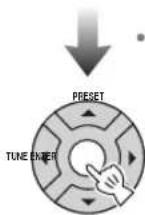
Подтвердите.

Выберите FM или AM.
FM
87.50MHz01
Справочник
■MP3 (MPEG-1 Audio Layer-3)
© 2007 YAMAHA CORPORATION All rights reserved.



- AVERTISSEMENT
- VAROITUS
- NOTE
- SPECIAL INSTRUCTIONS FOR U.K. MODEL
- IMPORTANT
- CAUTION: READ THIS BEFORE OPERATING YOUR UNIT
- WARNING
- LASER SAFETY
- DANGER
- CONTENTS
- INTRODUCTION
- PREPARATION
- OPERATION
- ADDITIONAL INFORMATION
- FEATURES
- SR-BASS
- ABOUT THIS MANUAL
- SUPPLIED ACCESSORIES
- CONTROLS AND FUNCTIONS
- FRONT/TOP VIEW
- POWER OFF
- SLEEP
- MUTE
- ALARM
- INPUT/SNOOZE
- REMOTE CONTROL
- SELECT THE SOURCE YOU WANT TO LISTEN TO
- SET VARIOUS TIMER AND CLOCK FUNCTION
- SELECT THE DESIRED TRACK OR PRESET STATION DIRECTLY
- ADJUST THE SOUND
- CHANGES THE DISPLAYED INFORMATION. (P. 10)
- SETS THIS UNIT TO THE REPEAT PLAYBACK MODE. (P. 15)
- CONTROL PLAYBACK
- USING THE REMOTE CONTROL
- USE THE REMOTE CONTROL WITHIN 6 M (20 FEET) OF THIS UNIT AND POINT IT TOWARD THE REMOTE CONTROL SENSOR
- NOTES
- PREPARATION BEFORE USING THIS UNIT
- TURNING ON THE POWER
- TURN ON THIS UNIT
- ON THE TOP PANEL
- [NON-TEXT]
- ADJUSTING THE CLOCK
- ADJUST DATE AND TIME
- CONFIRM
- BASIC OPERATION
- SELECTING THE INPUT SOURCE
- ADJUSTING THE VOLUME LEVEL
- ADJUSTING SOUNDS
- USEFUL OPERATIONS FOR THE DISPLAY
- SWITCHING THE DISPLAY INFORMATION
- DIMMING THE DISPLAY
- LISTENING TO CDS, MP3/WMA FILES, AND EXTERNAL SOURCES
- LISTENING TO CDS
- INSERT YOUR DISC
- TO PAUSE PLAYBACK
- TO SKIP TRACKS
- TO SEARCH BACKWARD/FORWARD
- TO SPECIFY A TRACK
- TO STOP PLAYBACK
- TO EJECT A DISC
- LISTENING TO MP3/WMA FILES STORED ON YOUR USB DEVICE
- CONNECT A USB DEVICE
- PLAYBACK STARTS
- TO SPECIFY A TRACK FOR PLAYBACK
- TO SELECT A FOLDER/FILE FOR AN MP3 OR WMA FORMAT FILE
- ABOUT MP3 OR WMA FILES
- SWITCHING THE PLAYBACK INFORMATION DISPLAY
- AUDIO CDS
- MP3/WMA FILES
- REPEAT AND RANDOM PLAYBACK
- PLAYING BACK EXTERNAL SOURCES
- LISTENING TO FM AND AM RADIO STATIONS
- CONNECTING ANTENNAS
- ABOUT GROUNDING
- TUNING RADIO STATIONS
- PRESETTING RADIO STATIONS AUTOMATICALLY (AUTO PRESET)
- PRESETTING RADIO STATIONS MANUALLY (MANUAL PRESET)
- SELECTING PRESET RADIO STATIONS (PRESET TUNING)
- RECEIVING RADIO DATA SYSTEM STATIONS
- STATION NAME
- PROGRAM TYPE
- TEXT INFORMATION RELATED TO THE STATION
- CURRENT TIME
- ORIGINAL DISPLAY
- USING THE TIMER FUNCTIONS
- ADJUST THE ALARM SETTINGS
- TO STOP THE ALARM
- USING THE SNOOZE FUNCTION
- SETTING THE SLEEP TIMER
- SETTING THE COUNTDOWN TIMER
- TROUBLESHOOTING
- RADIO RECEPTION
- REPLACING THE BATTERY IN THE REMOTE CONTROL
- NOTES ON DISCS
- DISC INFORMATION
- THIS UNIT CAN PLAY BACK THE FOLLOWING DATA DISCS (FOR MP3 AND WMA FILES, THE PARENTHETIC WORDS REPRESENT THE COMPATIBLE SAMPLING RATE AND BIT RATE)
- HANDLING A DISC
- GLOSSARY
- MP3 (MPEG-1 AUDIO LAYER-3)
- WMA (WINDOWS MEDIA AUDIO)
- SAMPLING FREQUENCY
- PCM (PULSE CODE MODULATION)
- TRACK
- SPECIFICATIONS
- PLAYER SECTION
- PLAYBACK SYSTEM
- LASER
- AMPLIFIER SECTION
- TUNER SECTION
- FM
- AM
- GENERAL
- TAKING CARE OF THE UNIT
- LIMITED GUARANTEE FOR EUROPEAN ECONOMIC AREA (EEA) AND SWITZERLAND
- CONDITIONS
- RÉGLEZ LE SON
- REMARQUE
- LA LECTURE COMMENCE
- NOM DE LA STATION
- TYPE DE PROGRAMME
- GLOSSAIRE
- HINWEIS
- GLOSSAR
- ANMÄRKNING
- SLÅ PÅ DENNA ENHET
- SÄTT I EN SKIVA
- STATIONSNAMN
- PROGRAMTYP
- TEXTINFORMATION RELATERAD TILL STATIONEN
- AKTUELL TID
- ORIGINALVISNING
- ORDLISTA
- NOTA
- CARICARE UN DISCO
- GLOSSARIO
- INSERTE SU DISCO
- CONECTE UN DISPOSITIVO USB
- GLOSARIO
- OPMERKING
- OPMERKINGEN
- [SYMBOL]
- WOORDENLIJST
- ПРИМЕЧАНИЕ
- ВСТАВЬТЕ ДИСК
- СПРАВОЧНИК
Brand : YAMAHA
Model : TSX100
Category : Cd player/recorder