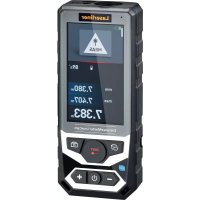
DistanceMaster LiveCam - Laser pointer Laserliner - Free user manual and instructions
Find the device manual for free DistanceMaster LiveCam Laserliner in PDF.



| Product type | Laser distance meter with HD camera |
| Brand | Laserliner |
| Model | DistanceMaster LiveCam |
| Dimensions (L x H x D) | 54 x 130 x 28 mm |
| Weight | 184 g (batteries included) |
| Power supply | 3 NiMH AAA 1.2 V batteries, rechargeable via USB-C port |
| Measurement accuracy | ± 1.5 mm (typical up to 10 m) |
| Measurement range (indoor) | 0.2 m to 150 m |
| Laser class | 2 (635 nm, < 1 mW) |
| Internal memory | 50 slots |
| Wireless connection | Bluetooth (Digital Connection) |
| Built-in camera | HD with 4x auto zoom |
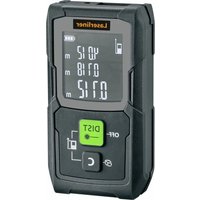
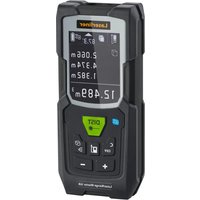
| Measurement functions | Distance, area, volume, angle, Pythagoras (3 modes), trapezoid (2 modes), triangular area, circular area, circular volume, layout, continuous measurement min/max, addition/subtraction, timer |
| Display | LCD with digital bubble level |
| Auto-off | Laser after 30 s, device after 3 min |
| Operating conditions | -10°C to 40°C, humidity 20-85% non-condensing |
| Storage conditions | -20°C to 70°C, max humidity 80% |
| Maintenance | Clean with a damp cloth, avoid solvents. Dry and clean storage. Calibration recommended once a year. |
| Safety | Class 2 laser, do not look into the beam. Observe EMC and RF instructions. |
| Warranty | Contact UMAREX-LASERLINER customer service |
| Included accessories | USB-C charging cable |
Frequently Asked Questions - DistanceMaster LiveCam Laserliner
User questions about DistanceMaster LiveCam Laserliner
0 question about this device. Answer the ones you know or ask your own.
Ask a new question about this device
Download the instructions for your Laser pointer in PDF format for free! Find your manual DistanceMaster LiveCam - Laserliner and take your electronic device back in hand. On this page are published all the documents necessary for the use of your device. DistanceMaster LiveCam by Laserliner.
USER MANUAL DistanceMaster LiveCam Laserliner

Laser
635 nm

COLOUR DISPLAY

DIGITAL CONNECTION

360° ANGLE FUNCTION
Laserliner
!
The Ground Truth image displays a single, solid horizontal line. According to Rule 2 (UNDERSCORE & LINE RULES), if the GT contains lines used for stylistic emphasis or as background (like ruled paper), the OCR result must ignore them. The line in the GT is clearly a stylistic or background line, not a placeholder for text. Therefore, the OCR should not have output any underscores. Outputting `____` constitutes an error under Rule 2, as it hallucinates placeholder symbols where none are semantically intended. Hence, the OCR result is inconsistent with the Ground Truth.
The Ground Truth image displays a single, solid horizontal line. According to Rule 2 (UNDERSCORE & LINE RULES), if the GT contains lines used for stylistic emphasis or as background (like ruled paper), the OCR result must ignore them. The OCR content provided is "____", which consists of four underscores. This is incorrect because underscores are not equivalent to a solid line and are not permitted under the “Stylistic/Background Lines (Ignore)” rule. Outputting underscores for a stylistic line violates the rule and constitutes an error. Therefore, the OCR result is inconsistent with the Ground Truth.
1x
2x
3x
ErgebnisseMessu
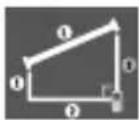
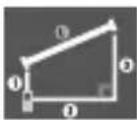
Trapez-Funktion 2:
Trapez 2

1x
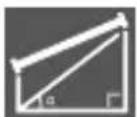
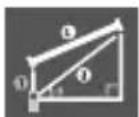
Messung Ergebnisse

The Ground Truth image displays a single, solid horizontal line. According to Rule 2 (UNDERSCORE & LINE RULES), if the GT contains lines used for stylistic emphasis or as background (like ruled paper), the OCR result must ignore them. The line in the GT is clearly a stylistic or background line, not a placeholder for text. Therefore, the OCR should not have output any underscores. Outputting `____` constitutes an error under Rule 2, as it hallucinates placeholder symbols where none are semantically intended. Hence, the OCR result is inconsistent with the Ground Truth.
The Ground Truth image displays a single, solid horizontal line. According to Rule 2 (UNDERSCORE & LINE RULES), if the GT contains lines used for stylistic emphasis or as background (like ruled paper), the OCR result must ignore them. The line in the GT is clearly a stylistic or background line, not a placeholder for text. Therefore, the OCR should not have output any underscores. Outputting `____` constitutes an error under Rule 2, as it hallucinates placeholder symbols where none are semantically intended. Hence, the OCR result is inconsistent with the Ground Truth.
1x
2x
The Ground Truth image displays a single, solid horizontal line. According to Rule 2 (UNDERSCORE & LINE RULES), if the GT contains lines used for stylistic emphasis or as background elements (like ruled paper), the OCR result must ignore them. The provided OCR content is "____", which consists of four underscores. This is an incorrect interpretation of the line as a placeholder symbol, violating the rule that stylistic lines must be ignored. Therefore, the OCR output is inconsistent with the Ground Truth.
The Ground Truth image displays a single, solid horizontal line. According to Rule 2 (UNDERSCORE & LINE RULES), if the GT contains lines used for stylistic emphasis or as background (like ruled paper), the OCR result must ignore them. The provided OCR content is "____", which consists of four underscores. This is an incorrect interpretation of the line as a placeholder symbol, violating the rule that stylistic lines must be ignored. Therefore, the OCR output hallucinated symbols where none should exist. Hence, the result is inconsistent with the Ground Truth.
J



https://packd.li/ll/akk/in

!
Completely read through the operating instructions, the „Warranty and Additional Information” booklet as well as the latest information under the internet link at the end of these instructions. Follow the instructions they contain. This document must be kept in a safe place and if the laser device is passed on, this document must be passed on with it.
Function / Application
Laser distance meter with camera function
Perpendicular areas, circular areas, circular volumes, triangular areas and trapezoidal areas can be determined using this multi-functional laser rangefinder. It can also determine indirect heights and take point-to-point measurements. An HD camera also acts as a spotter during measurement. The measurement data can be transferred to mobile devices via the Bluetooth interface using the free MeasureNote app.
General safety instructions
- The device must only be used in accordance with its intended purpose and within the scope of the specifications.
- The measuring tools and accessories are not toys. Keep out of reach of children.
- Modifications or changes to the device are not permitted, this will otherwise invalidate the approval and safety specifications.
- Do not expose the device to mechanical stress, extreme temperatures, moisture or significant vibration.
- The device must no longer be used if one or more of its functions fail or the battery charge is weak.
- Clean and dry the device before use.
- When using the device outdoors, make sure that the weather conditions are appropriate and/or that suitable protection measures are taken.
- Note local and national safety instructions to ensure proper use of the device.
Safety instructions
Using class 2 lasers

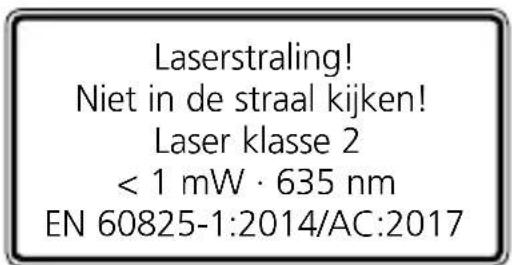
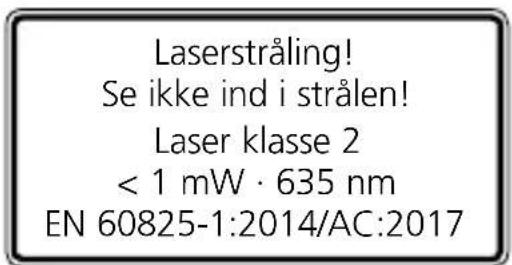
Laser radiation! Do not stare into the beam! Class 2 laser < 1 mW · 635 nm EN 60825-1:2014/AC:2017
- Attention: Do not look into the direct or reflected beam.
- Do not point the laser beam towards persons.
- If a person's eyes are exposed to class 2 laser radiation, they should shut their eyes and immediately move away from the beam.
- Under no circumstances should optical instruments (magnifying glass, microscope, binoculars)
Safety instructions
Dealing with electromagnetic radiation
- The measuring device complies with electromagnetic compatibility regulations and limits in accordance with the EMC Directive 2014/30/EU which is covered by the Radio Equipment Directive 2014/53/EU.
- Local operating restrictions – for example, in hospitals, aircraft, petrol stations or in the vicinity of people with pacemakers – may apply. Electronic devices can potentially cause hazards or interference or be subject to hazards or interference.
- The measuring accuracy may be affected when working close to high voltages or high electromagnetic alternating fields.
Safety instructions
Dealing with RF radiation
- The measuring device is equipped with a wireless interface.
- The measuring device complies with electromagnetic compatibility and wireless radiation regulations and limits in accordance with the RED 2014/53/EU.
- Umarex GmbH & Co. KG hereby declares that the DistanceMaster LiveCam radio equipment complies with the essential requirements and other provisions of the European Radio Equipment Directive 2014/53/EU (RED).
The EU Declaration of Conformity can be found in its entirety at the following address: https://packd.li/ll/akk/in
Laserliner
bar
| Category | Value (m) | |---|---| | h | - | | j | - | | MEAS | 125.067 | | k | 74.130 | | l | 16.842 | | i | 35.719 | | m | - |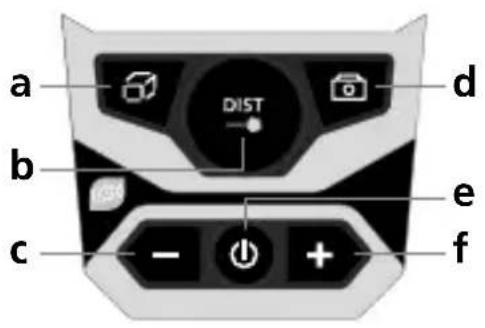
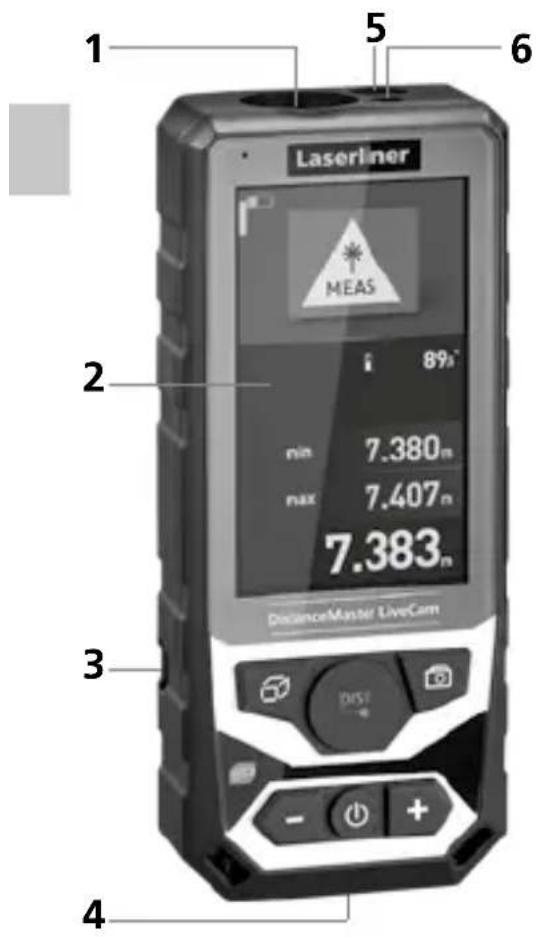
1 Laser reception field
2 Display
3 Battery compartment (backside)
4 Connection socket for USB charger
5 Camera
6 Laser outlet
KEYPAD:
a Function menu / Timer function
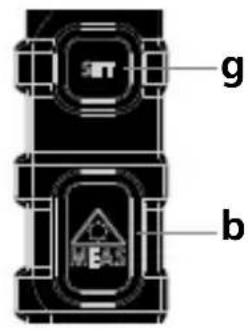
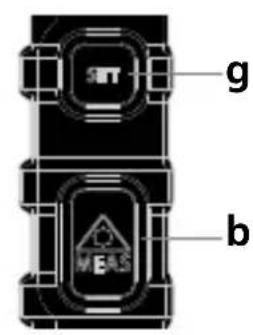
b Laser on / measure / min/max continuous measurement
c Subtraction function / back / View saved measured values and screenshots
d Camera function / Screenshot
e ON / OFF / back
f Addition function / before
g Settings menu
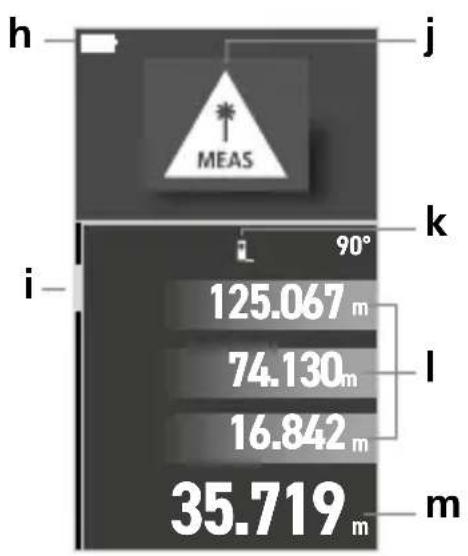
DISPLAY:
h Battery symbol
i Digital bubble level
j Set measuring function
k Measurement point (reference)
front / thread / rear
I Intermediate values / min/max values
m Measurement values / Measurement results
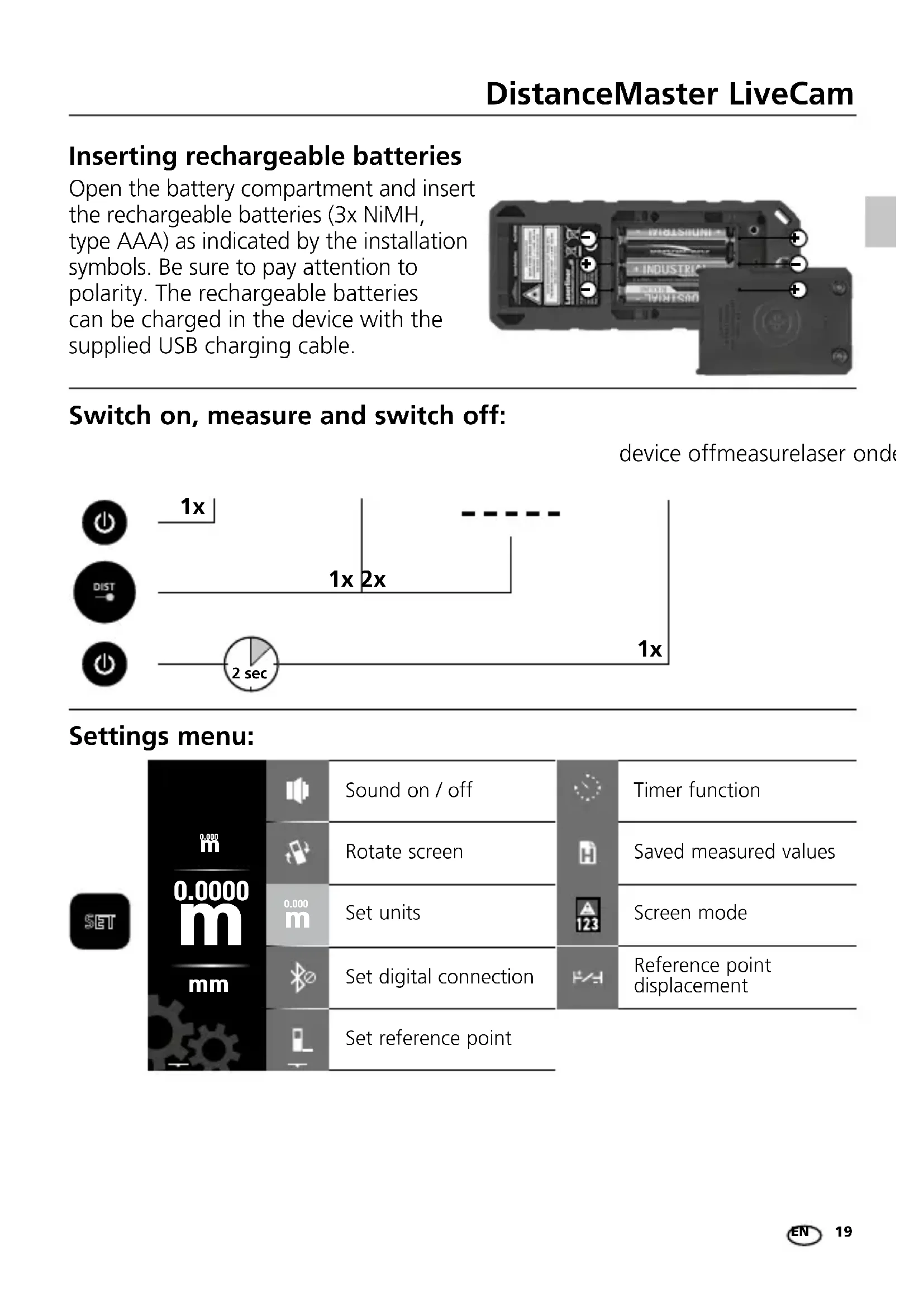
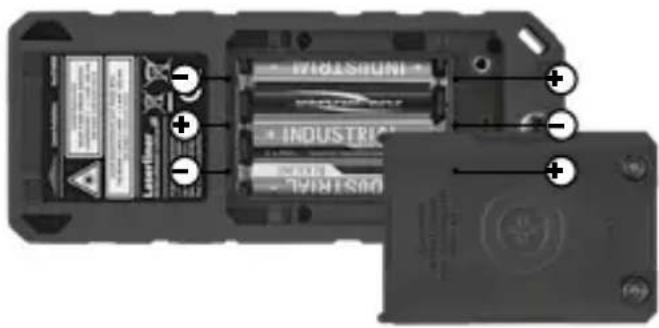
Inserting rechargeable batteries
Open the battery compartment and insert the rechargeable batteries (3x NiMH, type AAA) as indicated by the installation symbols. Be sure to pay attention to polarity. The rechargeable batteries can be charged in the device with the supplied USB charging cable.
Switch on, measure and switch off:
Select setting option
Change value
Save setting (optional)
Exit menu / Delete the last measured value
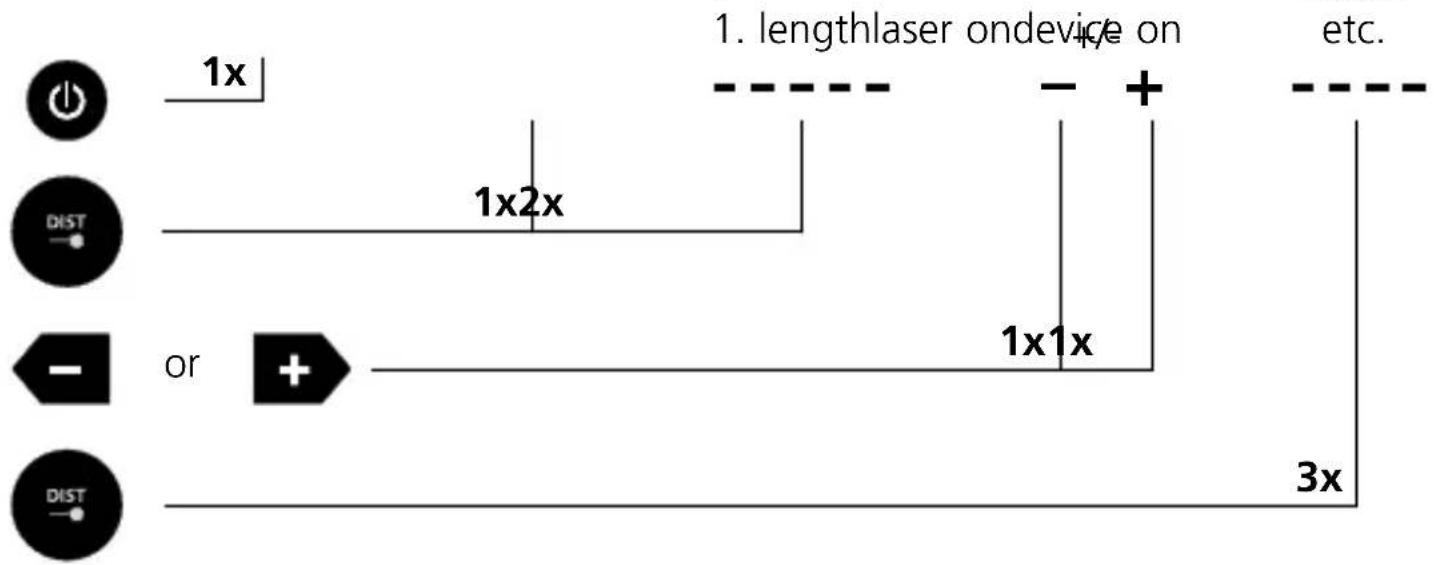
Addition and subtraction of lengths:
flowchart
graph TD
    A["Power Input"] --> B["1x"]
    C["Distortion"] --> D["1x2x"]
    E["or"] --> F["1x1x"]
    G["Distortion"] --> H["3x"]
    I["Length Laser On Device"] --> J["+"]
    K["Other Components"] --> L["etc."]

Further lengths are added by pressing the DIST button.
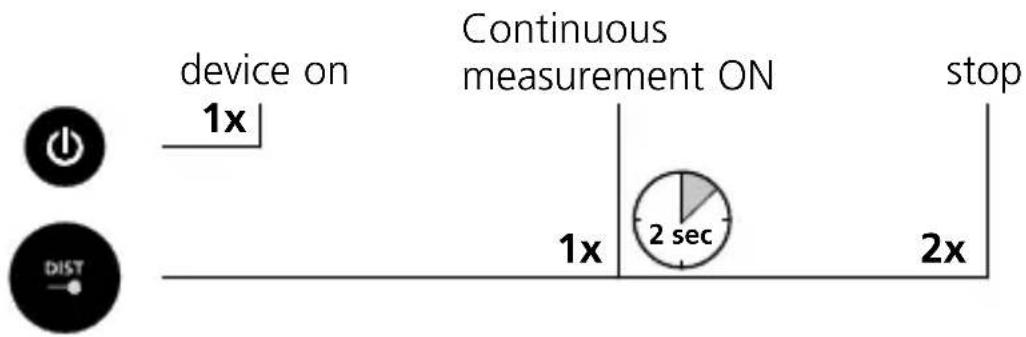
min/max continuous measurement:
flowchart
graph LR
    A["device on 1x"] --> B["Continuous measurement ON"]
    B --> C["stop"]
    D["1x"] --> E["2 sec"]
    E --> F["2x"]
The LC display shows the max value, the min value, the differential value and the current value.
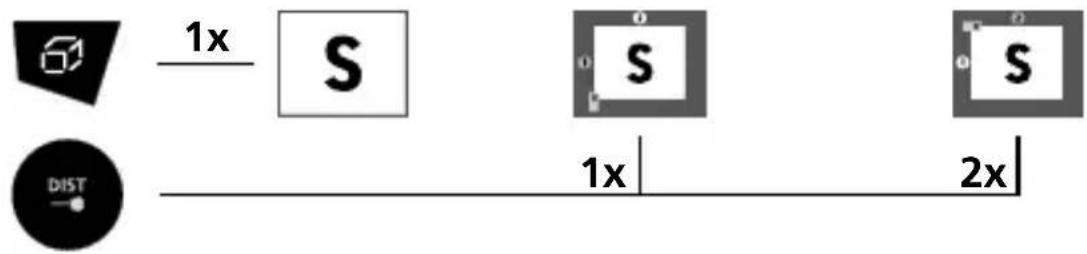
Area measurement:
- measurement1. measurementar
flowchart
graph LR
    A["Geometric Shape"] -->|1x| B["S"]
    C["DIST"] --> D["1x"]
    B --> E["S"]
    D --> F["2x"]
The room perimeter is additionally shown on the LC display.
Area calculation:
+/- 2. area1. areaArea
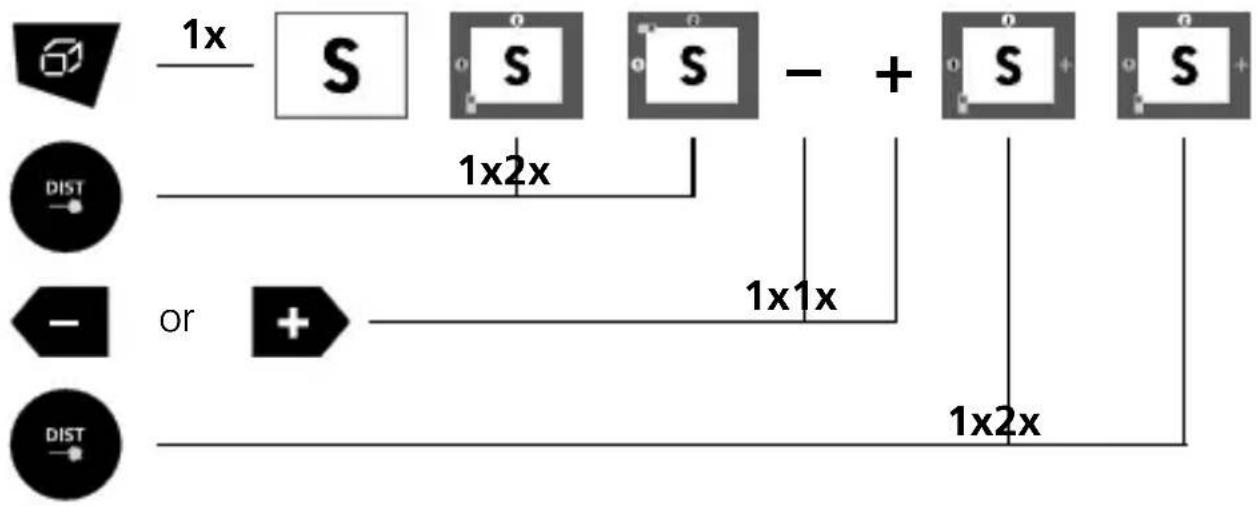
flowchart
graph TD
    A["Start"] --> B["1x S"]
    B --> C["1x2x"]
    C --> D["+"]
    D --> E["S"]
    E --> F["1x2x"]
    G["Start"] --> H["or +"]
    H --> I["1x1x"]
    I --> J["+"]
    J --> K["1x2x"]
    L["Start"] --> M["DIST"]
    M --> N["End"]
Volume measurement:
- measurement2. m

flowchart
graph LR
    A["Start"] --> B["1x"]
    B --> C["V"]
    C --> D["1x"]
    D --> E["2x"]
    E --> F["3x"]
    F --> G["End"]
Volume calculation:
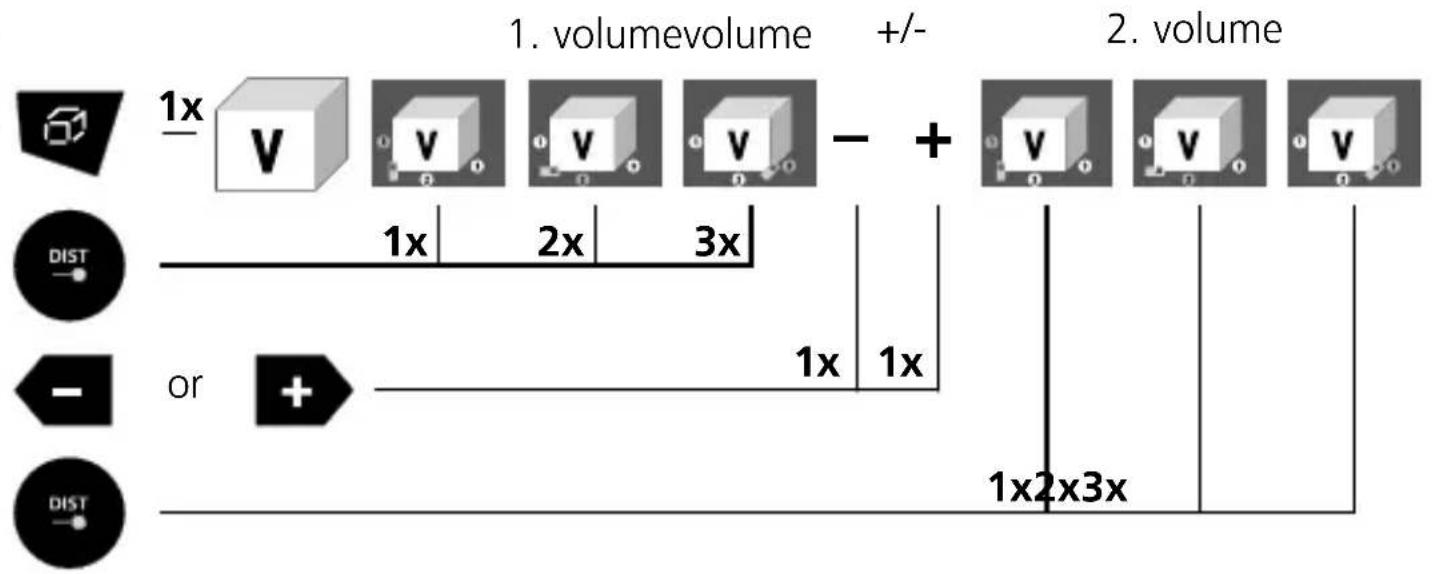
flowchart
graph LR
    A["1x"] --> B["V"]
    B --> C["0"]
    B --> D["V"]
    C --> E["0"]
    D --> F["0"]
    E --> G["0"]
    F --> H["0"]
    G --> I["-"]
    H --> J["+"]
    I --> K["+"]
    J --> L["1x"]
    K --> M["2x"]
    L --> N["3x"]
    M --> O["3x"]
    N --> P["3x"]
    O --> Q["1x"]
    P --> R["1x"]
    Q --> S["1x"]
    R --> T["1x"]
    S --> U["1x"]
    T --> V["1x"]
    U --> W["1x"]
    V --> X["1x"]
    W --> Y["1x"]
    X --> Z["1x"]
    Y --> AA["1x"]
    Z --> AB["1x"]
    AA --> AC["1x"]
    AB --> AD["1x"]
    AC --> AE["1x"]
    AD --> AF["1x"]
    AE --> AG["1x"]
    AF --> AH["1x"]
    AG --> AI["1x"]
    AH --> AJ["1x"]
    AI --> AK["1x"]
    AJ --> AL["1x"]
    AK --> AM["1x"]
    AL --> AN["1x"]
    AM --> AO["1x"]
    AN --> AP["1x"]
    AO --> AQ["1x"]
    AP --> AR["1x"]
    AQ --> AS["1x"]
    AR --> AT["1x"]
Point-to-point measurement:
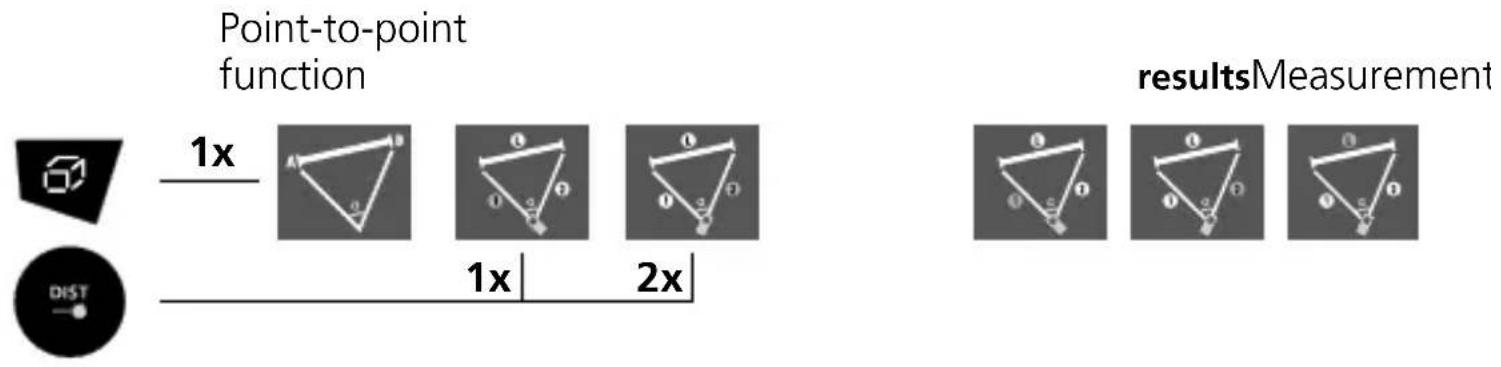
Angle function:
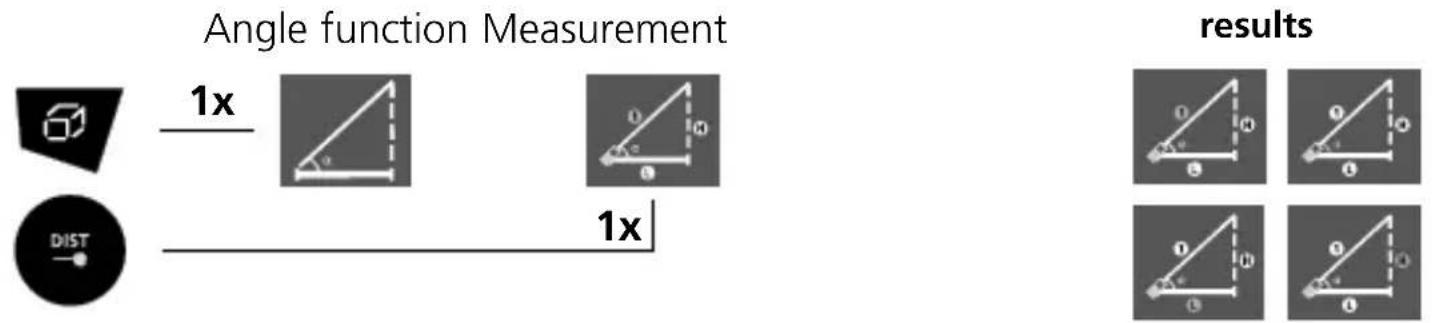
flowchart
graph LR
    A["Angle measurement"] -->|1x| B["Measurement"]
    C["DIST"] --> D["Distribution"]
    E["results"] --> F["Result 1"]
    E --> G["Result 2"]
    E --> H["Result 3"]
The measurement results are determined automatically by the 360^ inclination sensor.

The back of the device can be used as a reference surface for measuring angles.
Automatic height:
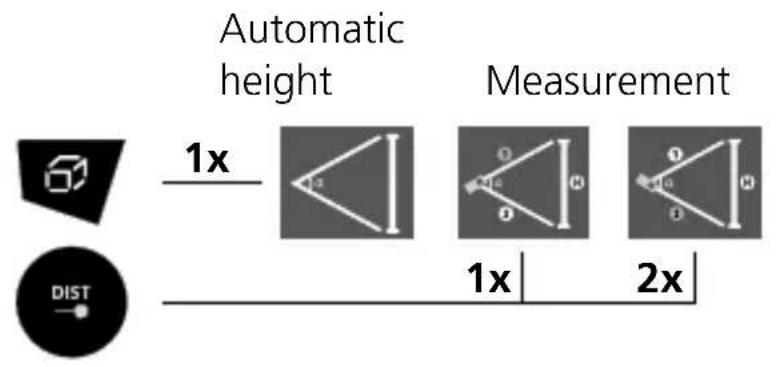
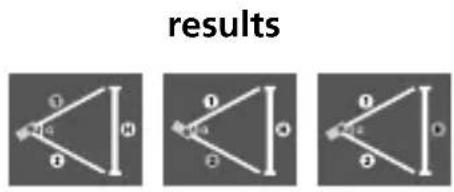
Pythagoras function 1:
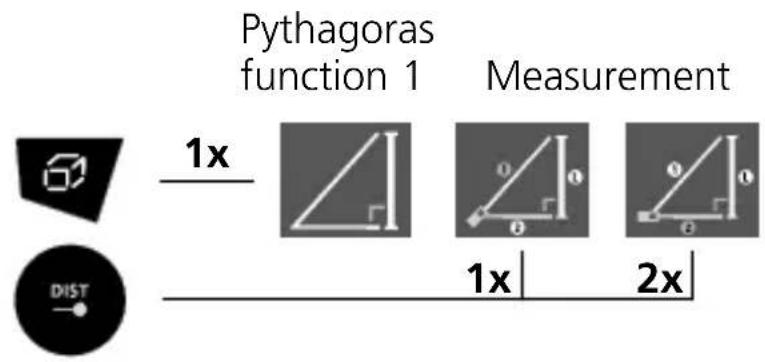
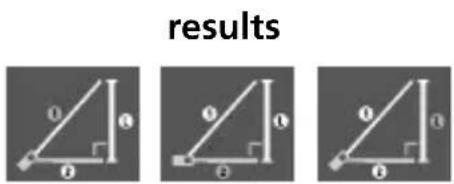
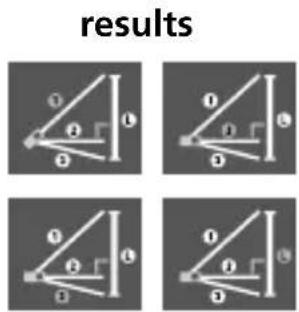
Pythagoras function 2:
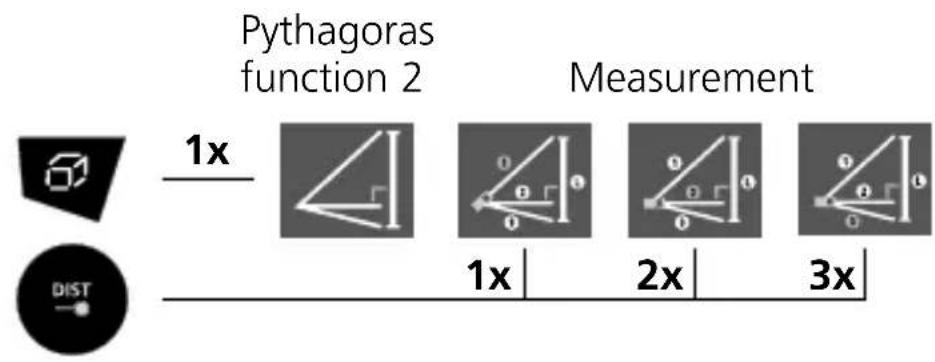
flowchart
graph LR
    A["Pythagoras function 2"] --> B["Measurement"]
    C["1x"] --> D["1x"]
    E["DIST"] --> F["2x"]
    G["3x"] --> H["3x"]
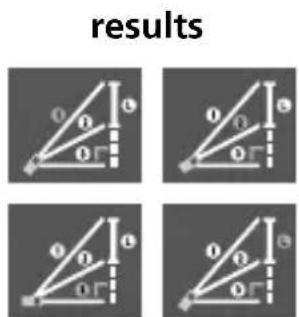
Pythagoras function 3:
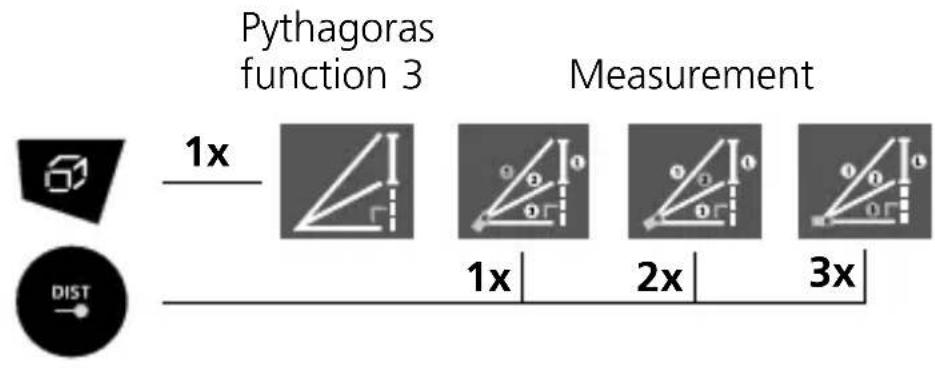
flowchart
graph LR
    A["Pythagoras function 3"] --> B["Measurement"]
    subgraph Section 1
        C["60°"] --> D["1x"]
        E["DIST"] --> F["1x"]
        G["1x"] --> H["2x"]
        I["2x"] --> J["3x"]
    end
    subgraph Section 2
        K["1x"] --> L["Measurement"]
        M["2x"] --> N["Measurement"]
        O["3x"] --> P["Measurement"]
    end
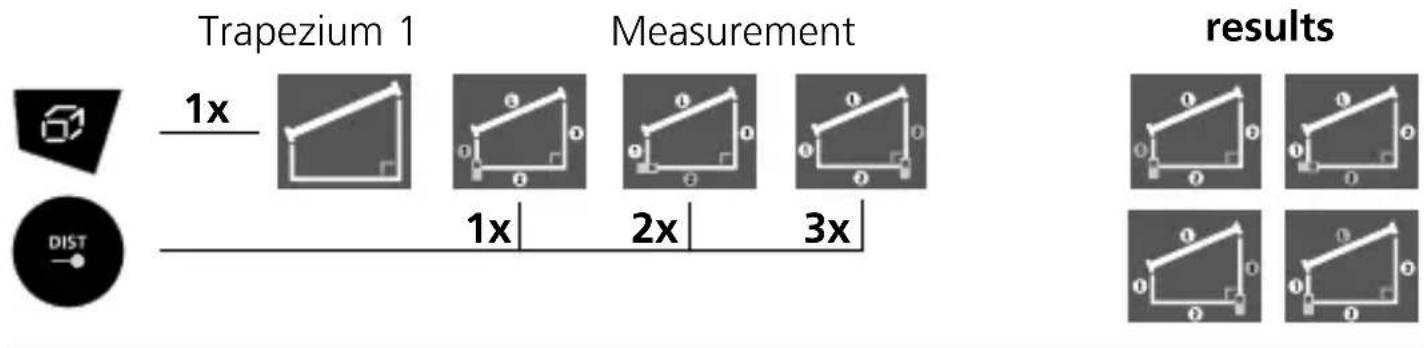
Trapezoidal function 1:
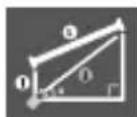
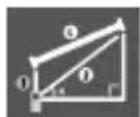
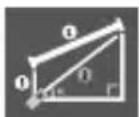
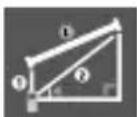
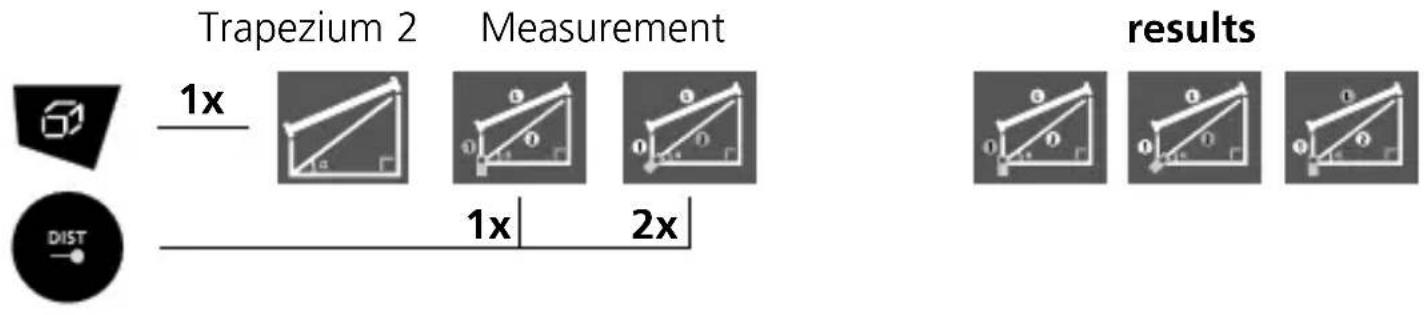
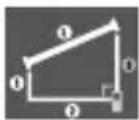
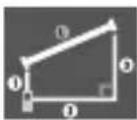
Trapezoidal function 2:
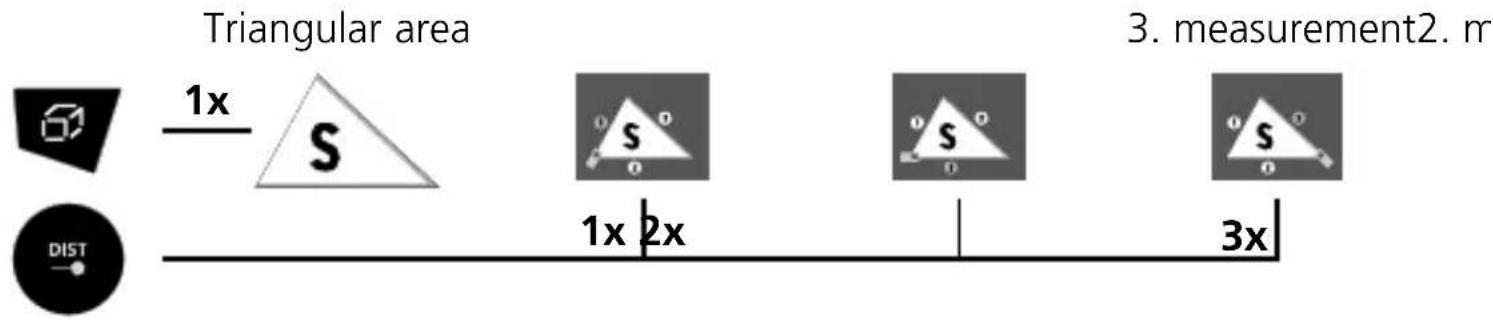
Triangular area measurement:
Circular area measurement:
Circular area 1. measurement
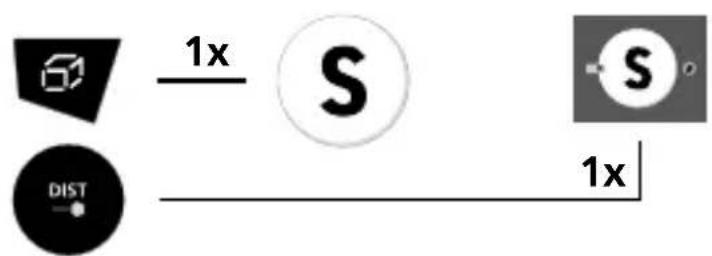
Circumference is additionally shown on the LC display.
Circular volumes:
Circular volumes 2. measurement1. measurement
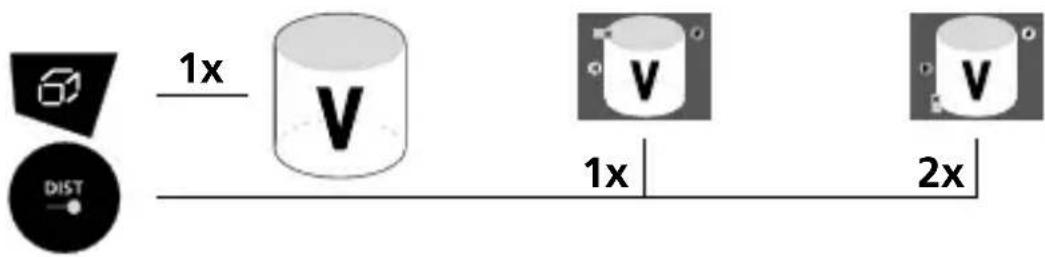
Circular area is additionally shown on the LC display.
Stake out function:
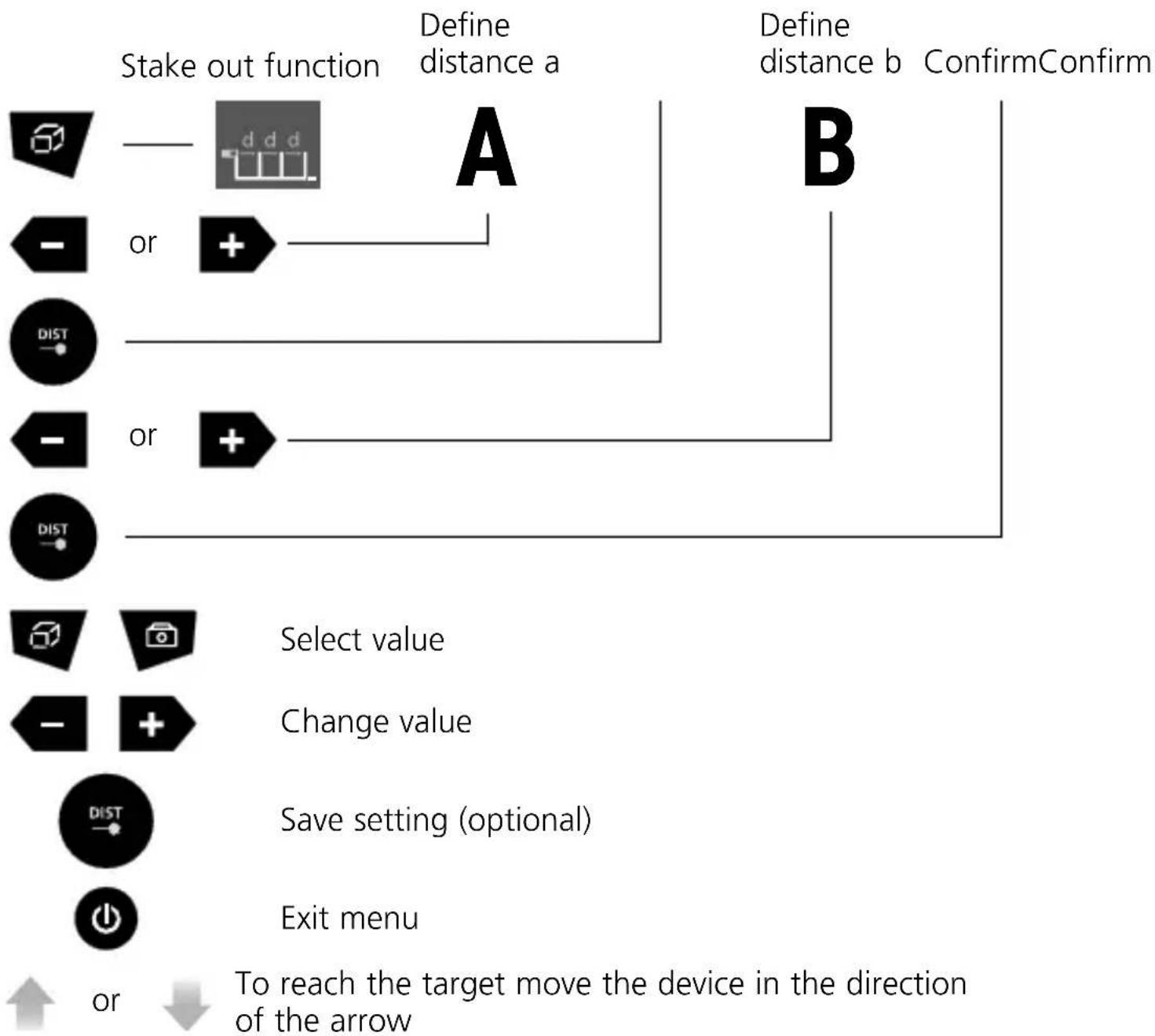
flowchart
graph TD
    A["Start out function"] --> B{Define distance a}
    B -->|A| C["Define distance b"]
    B -->|B| D["ConfirmConfirm"]
    E["OR"] --> F{or}
    F -->|+| G["OK"]
    H["OR"] --> I{or}
    I -->|+| J["OK"]
    K["Select value"] --> L["Change value"]
    M["Save setting (optional)"] --> N["Exit menu"]
    O["To reach the target move the device in the direction of the arrow"] --> P["↓"]
Laserliner
Timer function:


5 second timer
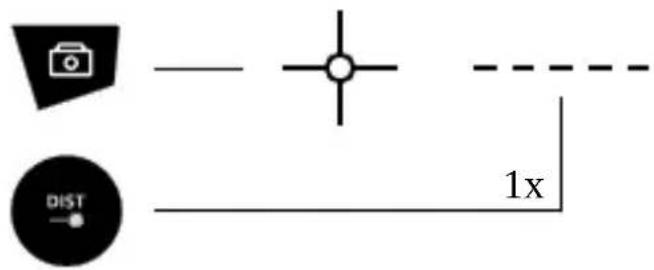
Camera function:
The HD camera has an automatic 4x zoom. measureCamera
Memory function:
The device has 50 storage locations.




01 ... 50


Reference point displacement:
The set tolerance is calculated directly from the result of the measurement.





Select value


Change value


Save setting (optional)
Exit menu
Data transfer
This device has digital connectivity which allows wireless data transfer to mobile devices such as smart phones or tablets with a wireless interface.
The system prerequisites for a digital connection are specified at
https://packd.li/ble/v2
This device can generate a wireless connection to devices which are compatible with the wireless standard IEEE 802.15.4. The wireless standard IEEE 802.15.4 is a transfer protocol for Wireless Personal Area Networks (WPAN). The range is set to a maximum distance of 10 m from the terminal device and greatly depends on the ambient conditions such as the thickness and composition of walls, sources of interference as well as the transmit / receive properties of the terminal device.
Enable / disable Digital Connection:
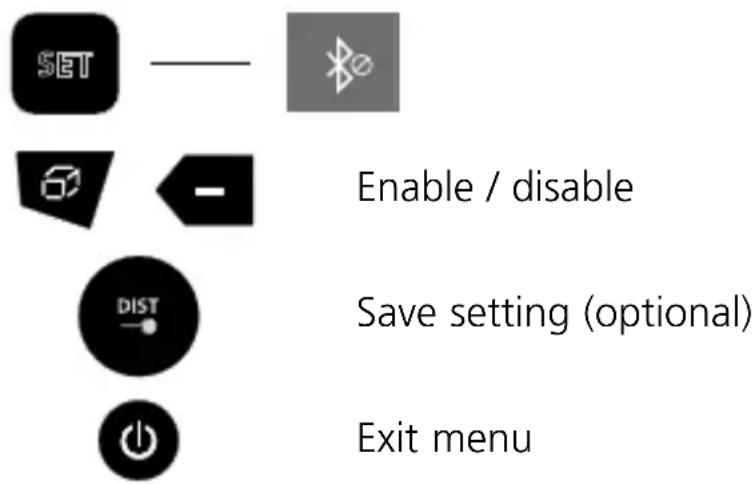
The digital connection is activated as soon as the device is switched on as the wireless system is designed to use very little electricity. A mobile device can link up to the active measuring device via an app.
Application (app)
An app is required to use the digital connection You can download the app from the corresponding stores for the specific type of terminal device:




Make sure that the wireless interface of the mobile device is activated.
After starting the app and activating the digital connection, a connection can be set up between a mobile device and the measuring device. If the app detects several active measuring devices, select the matching device. This measuring device can be connected automatically the next time it is switched on.
Information on maintenance and care
Clean all components with a damp cloth and do not use cleaning agents, scouring agents and solvents. Remove the battery(ies) before storing for longer periods. Store the device in a clean and dry place.
Calibration
The measuring device must be calibrated and tested on a regular basis to ensure it is accurate and working properly. We recommend carrying out calibration once a year. Contact your distributor or the UMAREX-LASERLINER service department.
Error code:
204: Calculation error
208: Overcurrent
220: Replace the battery
255: Received signal too weak
256: Received signal too strong
261: Outside the measuring range
500: Hardware fault
Technical Data (Subject to technical changes without notice. 21W48)
| Precision (typical)* ± 1.5 mm | |
| Measurement range (inside)** | 0.2 m - 150 m |
| Laser wavelength 635 nm | |
| Laser class 2 / < 1 mW (EN 60825-1:2014/AC:2017) | |
| Units m / ft / inch / _' _'' | |
| Memory 50 storage locations | |
| Connections USB type C | |
| Power supply 3 x 1.2V HR03 | (AAA) NiMH |
| Operating conditions | -10°C...40°C, Max. humidity 20...85% rH, no condensation, Max. working altitude 2000 m above sea level |
| Storage conditions -20°C...70°C, Max. humidity 80% rH | |
| Automatic switch-off 30 sec | laser / 3 min device |
| Dimensions (W x H x D) 54 x | 130 x 28 mm |
| Weight 184 g (incl. batteries) | |
* measuring distance up to 10 m with strongly reflective target surface and at room temperature. The measurement deviation may increase by ± 0.2 mm/m for greater distances and under unfavourable measuring conditions such as strong sunlight or weakly reflective target surfaces.
** at max. 15,000 lux
EU directives and disposal
This device complies with all necessary standards for the free movement of goods within the EU.
This product is an electric device and must be collected separately for disposal according to the European Directive on waste electrical and electronic equipment.
Further safety and supplementary notices at:
https://packd.li/ll/akk/in

!
other
| Category | Value (m) | |---|---| | i | 125.067 | | j | 74.130 | | k | 16.842 | | l | 35.719 | The chart displays a single numerical value for category 'i' and the corresponding values for categories 'j' and 'k'. The MEAS is marked with a triangle symbol.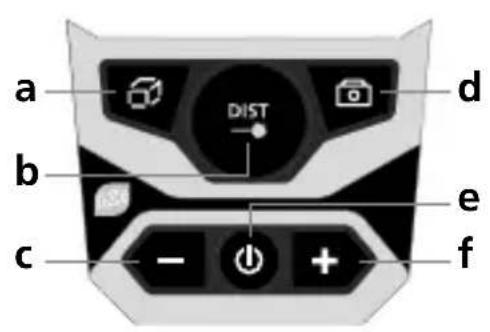
other
| Category | Label | Value | |---|---|---| | SET | 0.000 m | 1 | | SET | 0.0000 mm | 2 | | SET | 0.000 m | 3 | | SET | 0.000 m | 4 | | SET | 0.000 m | 5 | | SET | 0.000 m | 6 | | SET | 0.000 m | 7 | | SET | 0.000 m | 8 | | SET | 0.000 m | 9 | | SET | 0.000 m | 10 | | SET | 0.000 m | 11 | | SET | 0.000 m | 12 | | SET | 0.000 m | 13 | | SET | 0.000 m | 14 | | SET | 0.000 m | 15 | | SET | 0.000 m | 16 | | SET | 0.000 m | 17 | | SET | 0.000 m | 18 | | SET | 0.000 m | 19 | | SET | 0.000 m | 20 | | SET | 0.000 m | 21 | | SET | 0.000 m | 22 | | SET | 0.000 m | 23 | | SET | 0.000 m | 24 | | SET | 0.000 m | 25 | | SET | 0.000 m | 26 | | SET | 0.000 m | 27 | | SET | 0.000 m | 28 | | SET | 0.000 m | 29 | | SET | 0.000 m | 30 | | SET | 0.000 m | 31 | | SET | 0.000 m | 32 | | SET | 0.000 m | 33 | | SET | 0.000 m | 34 | | SET | 0.000 m | 35 | | SET | 0.000 m | 36 | | SET | 0.000 m | 37 | | SET | 0.000 m | 38 | | SET | 0.000 m | 39 | | SET | 0.000 m | 40 | | SET | 0.000 m | 41 | | SET | 0.000 m | 42 | | SET | 0.000 m | 43 | | SET | 0.000 m | 44 | | SET | 0.000 m | 45 | | SET | 0.000 m | 46 | | SET | 0.000 m | 47 | | SET | 0.000 m | 48 | | SET | 0.000 m | 49 | | SET | 0.000 m | 50 | | SET | 0.011 mm (labeled as 'm') | - | | Referentiepunt instellen (labeled as 'L') (labeled as 'T') (labeled as 'R') (labeled as 'S') (labeled as 'D') (labeled as 'E') (labeled as 'F') (labeled as 'G') (labeled as 'H') (labeled as 'I') (labeled as 'J') (labeled as 'K') (labeled as 'L') (labeled as 'M') (labeled as 'N') (labeled as 'O') (labeled as 'P') (labeled as 'Q') (labeled as 'R') (labeled as 'S') (labeled as 'T') (labeled as 'U') (labeled as 'V') (labeled as 'W') (labeled as 'X') (labeled as 'Y') (labeled as 'Z') (labeled as 'W').Laserliner




Insteloptie selecteren
Waarde veranderen
Instellingen opslaan (optie)
https://packd.li/ll/akk/in

!
https://packd.li/ble/v2



https://packd.li/ll/akk/in

!
line
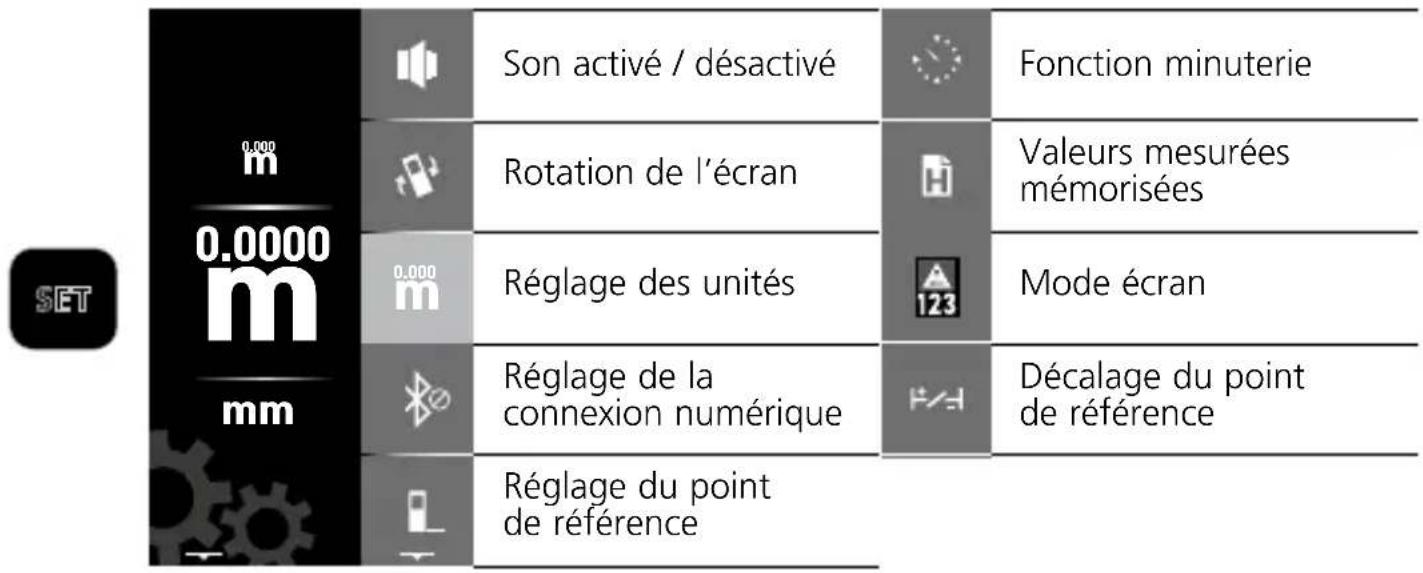
| Instrument Status | Timeframe | | ----------------- | --------- | | En marche | 1x | | El March | 2x | | Laser Active | 1x | | Duration (sec) | 2 sec |Menu de réglage:
The Ground Truth image displays a single, solid horizontal line. According to Rule 2 (UNDERSCORE & LINE RULES), if the GT contains lines used for stylistic emphasis or as background (like ruled paper), the OCR result must ignore them. The line in the GT is clearly a stylistic or background line, not a placeholder for text. Therefore, the OCR should not have output any underscores. Outputting `____` constitutes an error under Rule 2, as it hallucinates placeholder symbols where none are semantically intended. Hence, the OCR result is inconsistent with the Ground Truth.
The Ground Truth image displays a single, solid horizontal line. According to Rule 2 (UNDERSCORE & LINE RULES), if the GT contains lines used for stylistic emphasis or as background (like ruled paper), the OCR result must ignore them. The line in the GT is clearly a stylistic or background line, not a placeholder for text. Therefore, the OCR should not have output any underscores. Outputting `____` constitutes an error under Rule 2, as it hallucinates placeholder symbols where none are semantically intended. Hence, the OCR result is inconsistent with the Ground Truth.
1x
2x
3x
RésultatsMesure

The Ground Truth image displays a single, solid horizontal line. According to Rule 2 (UNDERSCORE & LINE RULES), if the GT contains lines used for stylistic emphasis or as background (like ruled paper), the OCR result must ignore them. The line in the GT is clearly a stylistic or background line, not a placeholder for text. Therefore, the OCR should not have output any underscores. Outputting `____` constitutes an error under Rule 2, as it hallucinates placeholder symbols where none are semantically intended. Hence, the OCR result is inconsistent with the Ground Truth.
The Ground Truth image displays a single, solid horizontal line. According to Rule 2 (UNDERSCORE & LINE RULES), if the GT contains lines used for stylistic emphasis or as background (like ruled paper), the OCR result must ignore them. The line in the GT is clearly a stylistic or background line, not a placeholder for text. Therefore, the OCR should not have output any underscores. Outputting `____` constitutes an error under Rule 2, as it hallucinates placeholder symbols where none are semantically intended. Hence, the OCR result is inconsistent with the Ground Truth.
1x
2x


natural_image
Illustration of a hand holding a mobile phone with a weather monitoring device, overlooking a rural landscape with houses and trees (no text or symbols visible)SERVICE

Umarex GmbH & Co. KG
- Laserliner -
- !
- Trapez-Funktion 2:
- Function / Application
- General safety instructions
- Safety instructions
- Laserliner
- KEYPAD:
- DISPLAY:
- Inserting rechargeable batteries
- Switch on, measure and switch off:
- Area measurement:
- Area calculation:
- Volume measurement:
- Volume calculation:
- Point-to-point measurement:
- Angle function:
- Automatic height:
- Pythagoras function 1:
- Pythagoras function 2:
- Pythagoras function 3:
- Trapezoidal function 1:
- Trapezoidal function 2:
- Triangular area measurement:
- Circular area measurement:
- Circular volumes:
- Stake out function:
- Timer function:
- Camera function:
- Memory function:
- Reference point displacement:
- Data transfer
- https://packd.li/ble/v2
- Application (app)
- Information on maintenance and care
- Calibration
- Error code:
- EU directives and disposal
- Menu de réglage:
- Umarex GmbH & Co. KG
Brand : Laserliner
Model : DistanceMaster LiveCam
Category : Laser pointer