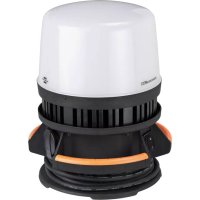
ORUM 8001 M - LED Spotlight BRENNENSTUHL - Free user manual and instructions
Find the device manual for free ORUM 8001 M BRENNENSTUHL in PDF.

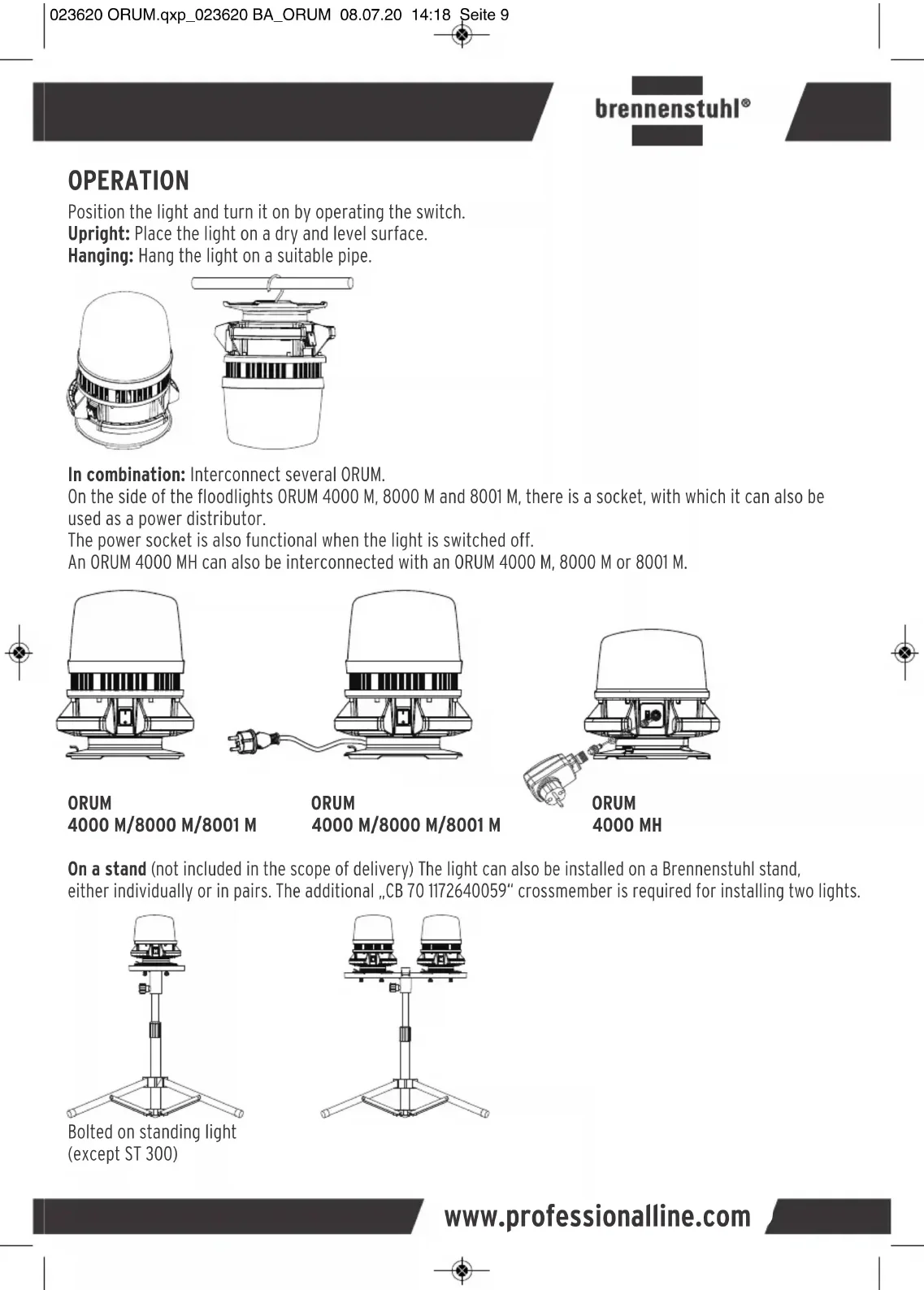


| Product type | Mobile 360° LED floodlight |
| Brand | Brennenstuhl |
| Model | ORUM 8001 M |
| Protection class | I |
| Protection rating | IP54, IK08 |
| Rated voltage | 220-240 V~ 50/60 Hz |
| Rated power | 100 W |
| Max. current | 0.8 A |
| Power factor | 0.95 |
| Dimensions (L x W x H) | 28 x 28 x 34.5 cm |
| Weight | 4.3 kg |
| Max. projection surface | 742 cm² |
| Connection cable | H07RN-F 3G1.5 mm² |
| Built-in socket outlet | 220-240 V~, max. 3000 W |
| Switch | Professional switch |
| Use | Indoor and outdoor |
| Light source type | LED (non-replaceable) |
| Mounting | Freestanding, suspended, on tripod (accessories optional) |
| Maintenance | Clean with a dry or slightly damp cloth |
| Safety | Do not look directly into the light; check for damage before use |
| Disposal | Recycle according to Directive 2012/19/EU |
| Manufacturer | Brennenstuhl – 4 rue de Bruxelles, F-67170 Bernolsheim |
Frequently Asked Questions - ORUM 8001 M BRENNENSTUHL
User questions about ORUM 8001 M BRENNENSTUHL
0 question about this device. Answer the ones you know or ask your own.
Ask a new question about this device
Download the instructions for your LED Spotlight in PDF format for free! Find your manual ORUM 8001 M - BRENNENSTUHL and take your electronic device back in hand. On this page are published all the documents necessary for the use of your device. ORUM 8001 M by BRENNENSTUHL.
USER MANUAL ORUM 8001 M BRENNENSTUHL
EN Operating instructions
Mobile 360^ LED light ORUM
EB Mode d'emploi
Operating instructions
Mobile 360^ LED light ORUM
4000 M / 4000 MH (Hybrid) / 8000 M / 8001 M
ATTENTION
Please read these operating instructions carefully before using the spotlight and keep them available!
TECHNICAL DATA
4000 M/8000 M/8001M
Protection class:
Protection class: IP 54, IK 08
Rated voltage: 220-240 V~50/60 Hz
Switch: professional switch
Connection cable: H07RN-F 3G1.5 mm²
Socket: 220-240 V\~; max. 3000 W
4000 MH (Hybrid)
Protection class: III
Protection class: IP 65, IK 10
PSU input: 100-240 V~ 50/60 Hz, Schuko
PSU output: 12 V/3.5 A
Power supply unit
connection cable: 5m H05RN-F 2x1.0 mm², removable
Switch: professional switch
| Type ORUM 4000 M ORUM 4000 MH ORUM 8000 M ORUM 8001 M | ||||
| Article no. 9171400400 9171400400 | 9171400800 9171401800 | |||
| Mains plug Schuko Schuko Schuko French | ||||
| Electrical power / W 50 50 100 100 | ||||
| Current max. / A | 0.4 | 3,5 | 0.8 | 0.8 |
| Performance factor | 0.96 | 0.96 | 0.95 | 0,95 |
| Protective cover dimensions / cm | Ø 23.8 x 15.6 | Ø 23.8 x 15.6 | Ø 23.8 x 15.6 | Ø 23.8 x 15.6 |
| Weight / kg | 2.7 | 2,95 | 4.3 | 4.3 |
| Max. projected area / cm² | 608 | 608 | 742 | 742 |
| Dimensions / cm | 28 x 28 x 28.6 | 28 x 28 x 28.6 | 28 x 28 x 34.5 | 28 x 28 x 34.5 |
This LED light is suitable for lighting purposes both indoors and outdoors.
brennenstuhl
OPERATION
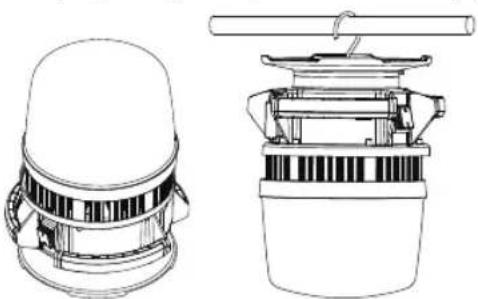
Position the light and turn it on by operating the switch.
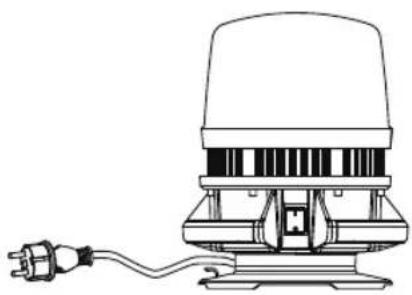
Upright: Place the light on a dry and level surface.
Hanging: Hang the light on a suitable pipe.
In combination: Interconnect several ORUM.
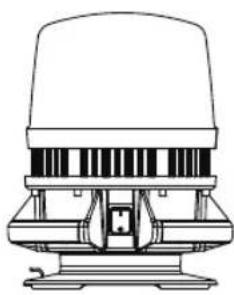
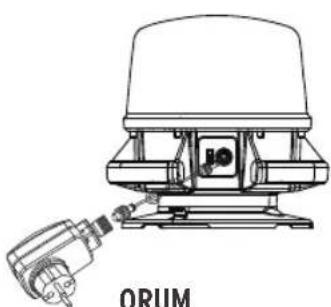
On the side of the floodlights ORUM 4000 M, 8000 M and 8001 M, there is a socket, with which it can also be used as a power distributor.
The power socket is also functional when the light is switched off.
An ORUM 4000 MH can also be interconnected with an ORUM 4000 M, 8000 M or 8001 M.
ORUM
4000 M/8000 M/8001 M
ORUM
4000 M/8000 M/8001 M
ORUM
4000 MH
On a stand (not included in the scope of delivery) The light can also be installed on a Brennenstuhl stand, either individually or in pairs. The additional "CB 70 1172640059" crossmember is required for installing two lights.
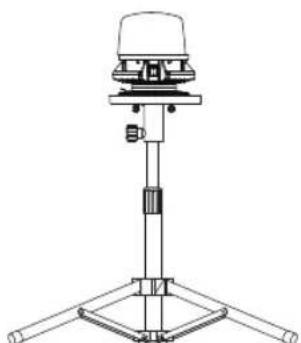
Bolted on standing light
(except ST 300)
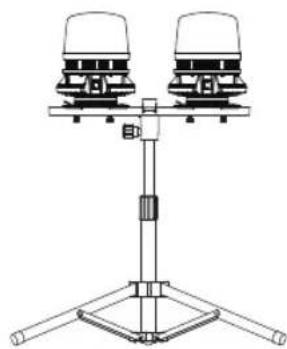
professionalLINE
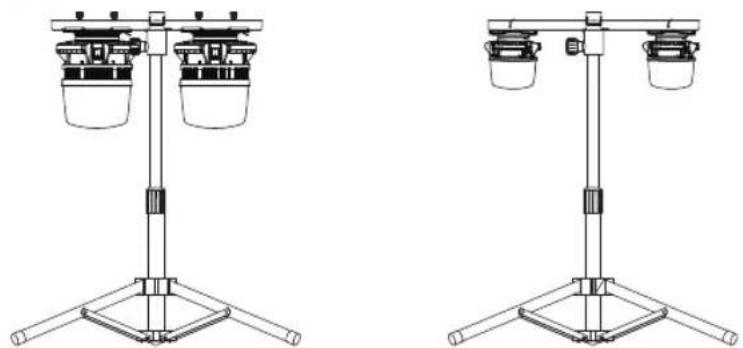
Bolted on hanging light Hanging on a hook
OPERATION OF THE HYBRID MAINS FLOODLIGHT WITH BATTERY (4000 MH)
Use the switch (A) on the back to switch the floodlight on.
Press the switch multiple times to set the brightness to 100% , then 50% , then 25% and then "off".
The lower the brightness selected, the longer the floodlight will burn.
If the switch is left in any of its "on" positions for longer than 5 seconds, then pressing it once again will always turn it off.
If the plug-in power supply is connected and plugged in while the floodlight is switched on, the floodlight will flash 3 times and then automatically switch into mains operation with 100% light.
The hybrid floodlight connects to the mains power from the PSU plug (E) via the charging cable (D) to the charging port (B).
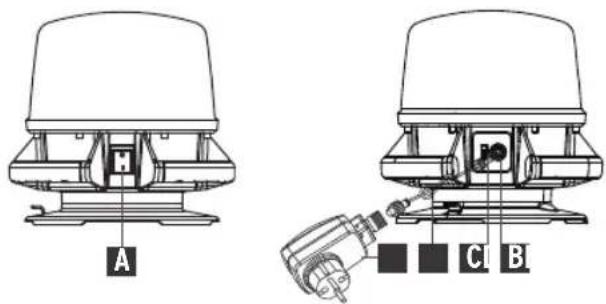
(A) Switch
(B)Charging port
(C) Battery, status and charge indicator
(D) Charging cable
(E) Power supply unit
By pushing the On switch, the floodlight produces light.
In the event of a power failure or if the mains plug is unplugged, the floodlight will flash 3 times and then automatically switch into battery operation with 100% light.
If the hybrid floodlight is connected to the mains, the battery is charged. The charging display flashes.
It can shine light while being charged.
The battery charges fastest when the floodlight is switched to "off".
brennenstuhl
BATTERY STATUS INDICATOR
Indicates the current battery charge, showing how much energy is still available.
The battery status indicator (C) appears automatically when the floodlight is switched on.
While the battery is charging, the status indicator (C) shows the battery's charge level.
If all 4 LEDs are lit, the battery is fully charged.
If the battery is almost empty, the floodlight flashes 5 times and the battery status indicator (C) flashes continuously. Afterwards, the floodlight will remain on for approx. 10 minutes before the light is switched off by the deep discharge protection function. This ensures sufficient time to complete work.
CHARGING THE BATTERY
- To ensure optimum function, we recommend fully discharging the battery on the first use and fully charging it afterwards.
- The charging port (B) is located under the cover cap on the side of the floodlight.
- The charging status of the battery is indicated by the battery status indicator (see description above).
- If the device is not used for longer periods of time, charge the battery at regular intervals of approx. 3 months to ensure a long service life.
- After charging, always close the charging port with the cover cap.
CABLE WRAP
The cable can be wrapped around a groove in the light for transport and storage.
OPTIONAL STAND ACCESSORIES
1170310 stand ST 300
1170610020 stand ST 250
9171991100 stand TS 300
1172640059 cross-member CB 70
SAFETY INSTRUCTIONS
- Check the light and mains cable for damage before every use. Never use the light if you find any damage.

Warning! A damaged light or mains cable can cause fatal electric shock!
- If the light's mains cable is damaged, it must be replaced by a qualified technician to avoid hazards.
- The light must be properly grounded.
- The light must not be used without all sealing rings properly installed!
- LED lights are extremely bright. Please never look directly into the light.
- A destroyed protective cover must be replaced with an original Brennenstuhl protective cover before the light can be used again.

professionalLINE
- Ensure that the light is standing securely and firmly. Ensure that the cable does not get squeezed or damaged in any other way.
surface at
≥ 100 W versions.
- Keep the light out of the reach of children. Children are unable to estimate the dangers of electricity.
- While charging and using the lamp the rough use is not applicable, as the charger can't be "rough use".
CONFORMITY
The conformity is stored at the manufacturer.
SERVICING
The light source of this light cannot be replaced. If the light source has reached the end of its service life, the entire light must be replaced.
CLEANING
Do not use any solvents, corrosive detergents or the like. Use only a dry or slightly moist cloth for cleaning.
DISPOSAL
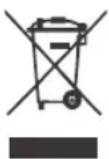
Dispose of electrical devices in an environmentally friendly way! Electrical devices do not belong in the household rubbish! According to the European Directive 2012/19/EU on old electrical and electronic devices, used electrical devices must be collected separately and turned over for environmentally friendly recycling. You can find out about options for disposal of the out-of-service device at your town or city administration.
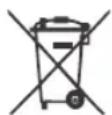
Incorrect disposal of batteries is harmful to the environment!
Batteries must not be disposed of in household waste. They might contain toxic heavy metals and shall be subjected to hazardous waste treatment. Dispose of exhausted batteries at your local collection points.
ADRESSES
For more information please visit the Service/FAQ section on our homepage, www.brennenstuhl.com

Mode d'emploi
Cable de raccordement
≥ 100 W versions.